System parameters are still among the easiest and most effective approaches to customize your Odoo environment without making changes to any code whatsoever. The system parameters approach in Odoo 19 works the same way it does in previous versions: using key-value records stored in the ir.config_parameter model; however, there is some additional management regarding the rights to read/write certain key-values in Odoo 19. This article will show you how to create, read, and update the system parameters in Odoo 19 and what is different about this version.
What are system parameters?
System parameters can be considered your own instance’s settings drawer. Rather than hard-coding those values in Python files, Odoo gives an option to store them in the database as simple key-value pairs. This way, any module, be it built-in or custom, can access them on the fly.
One of the most common system parameters you will encounter is web.base.url. On each login attempt, Odoo reads this parameter, and if it hasn’t been configured manually, it changes it to the current URL of the page where you log in.
How to create system parameters
We can create system parameters in two ways:
1. Via User Interface
We need to enable developer mode first since we want the technical settings.
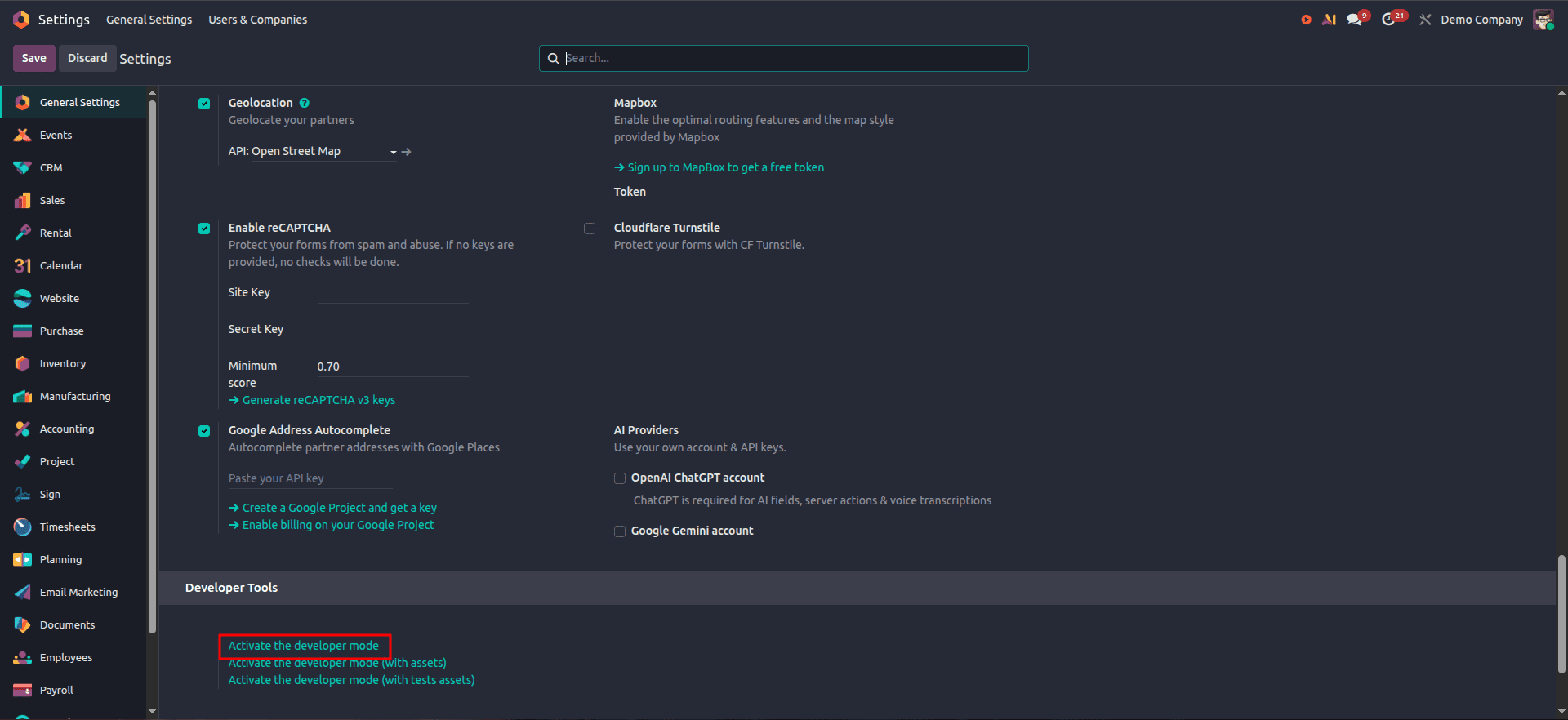
- Click on Settings and move to the bottom, where you see Activate developer mode, or just add ?debug=1 to the URL.
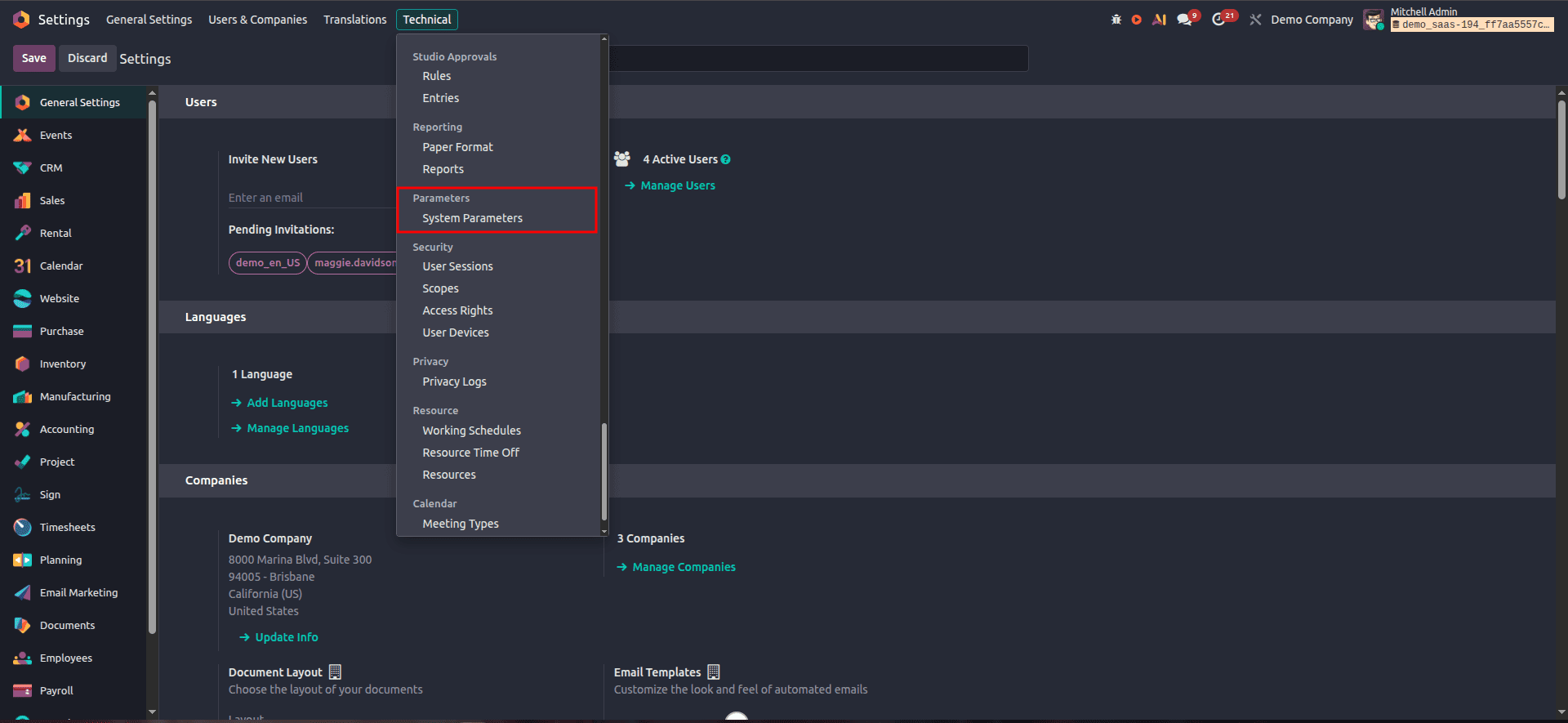
- Navigate to Settings > Technical > Parameters > System Parameters.
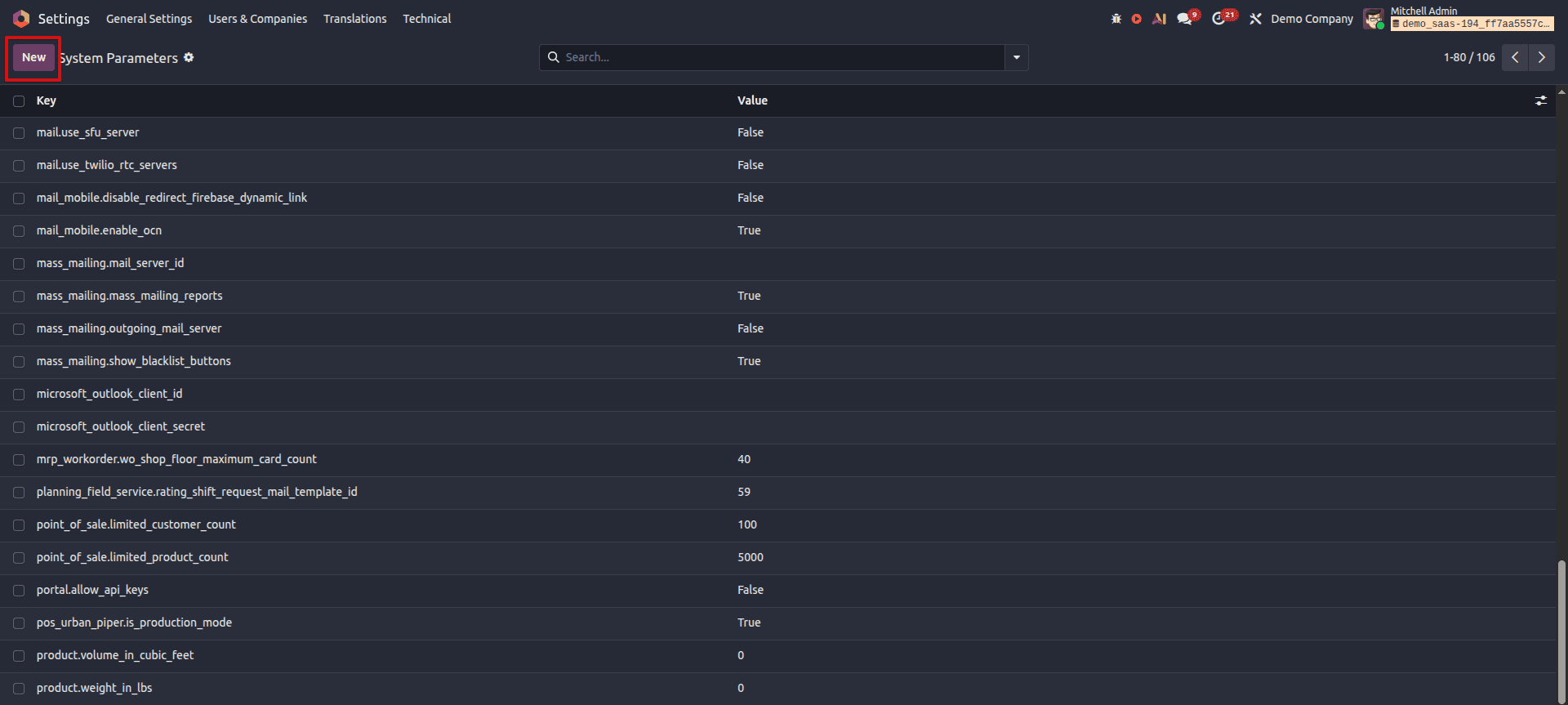
- Press New, enter a Key and Value, and then Save.
The parameter has been created and is active now.
2. Through a custom module
Another option would be to define the parameter through a module because it will be automatically generated once the module is installed.
<odoo>
    <data noupdate="1">
        <record id="auth_password_minlength" model="ir.config_parameter">
            <field name="key">auth_password_minlength</field>
            <field name="value">10</field>
        </record>
    </data>
</odoo>
This will create a system parameter named auth_password_minlength with a value of 10.
Using System Parameters in Odoo 19
- Localization - Define preferences such as date format, currency format, and timezone settings for a particular area.
- Mail server configuration - Catch-all domains, outgoing server changes, notification thresholds, and standardizing email content to ensure consistent and reliable communication.
- Invoicing options - Set payment terms by default, limits on discounts, and rules of recurring billing.
- Security measures - Improve system security by enforcing minimum password length, session timeout, and limitations on logging in.
- Settings for custom modules - APIs to use, timeouts, and other features configurable by the customer without changing code.
Restricting Access by Group
Now, Odoo 19 has the capability of making a parameter scoped to particular user groups through the group_ids field in the record itself, thus enabling you to make sure that a highly confidential parameter (e.g., an API secret key) is accessible to the users of a certain security group only.
<record id="my_module_secret_key" model="ir.config_parameter">
    <field name="key">my_module.secret_key</field>
    <field name="value">changeme</field>
    <field name="group_ids" eval="[(4, ref('base.group_system'))]"/>
</record>
Reading and Writing Parameters from Python
Fetching a value:
def read_system_parameter(self):
    value = self.env['ir.config_parameter'].sudo().get_param(
        'system_parameter_key', default='60')
    return value
Setting or updating a value:
def update_system_parameter(self):
    self.env['ir.config_parameter'].sudo().set_param(
        'system_parameter_key', 10)
Managing Multiple URLs
If your server responds to multiple domains, like example1.com and example2.com, then you will see that the web.base.url changes according to whichever domain was last used by the admin while logging in. To prevent this from happening:
Ensure that your server is mostly connected to a single canonical domain.
Also add web.base.url.freeze with the value True.
The central theme of system parameters in Odoo 19 remains the same; system parameters will always be the preferred choice when it comes to configuring a particular option without hardcoding. What has gotten better is the scoping capabilities that allow limiting who sees or modifies a particular parameter through group_ids. It's definitely great having an additional level of protection for sensitive items. With the help of the user interface, XML data model, and the python pair of get_param() and set_param(), you get everything you need to configure an Odoo 19 instance without modifying its source code at all.
To read more about How to Set Up & Use System Parameters in Odoo 18, refer to our blog How to Set Up & Use System Parameters in Odoo 18.