When you click a button in odoo, a lot of things happen before the result appears on your screen. Odoo sends sql queries to postgresql, postgres executes them, and the results are returned to the application. Most of this process happens behind the scenes, making it difficult to understand which queries are running, whether they are waiting, active, or idle, and how Odoo manages its database connections.
Knowing how to observe these database sessions is useful when troubleshooting slow operations, tracking application behavior, or learning how odoo interacts with postgres. In this blog, we will follow the requests generated by Odoo, monitor them through postgres, and see how session states change while the application is being used.
This is the configuration we used in odoo.conf
[options]
admin_passwd = cool
db_host = localhost
db_port = 5440
db_user = cybrosys
db_password = cool
xmlrpc_port = 8069
addons_path = /home/cybrosys/odoo19/odoo-19.0/addons
Now, run odoo and check the background activities from pg_stat_activity in postgres like this.
select pid,application_name,client_port,wait_event_type,wait_event,state from pg_stat_activity where application_name ilike '%odoo%' ;
Result :
  pid   | application_name | client_port | wait_event_type | wait_event | state
--------+------------------+-------------+-----------------+------------+-------
 467177 | odoo-467162      |       53348 | Client          | ClientRead | idle
 467178 | odoo-467162      |       53354 | Client          | ClientRead | idle
 467434 | odoo-467162      |       36100 | Client          | ClientRead | idle
 467704 | odoo-467162      |       52362 | Client          | ClientRead | idle
 467710 | odoo-467162      |       52372 | Client          | ClientRead | idle
 467741 | odoo-467162      |       52382 | Client          | ClientRead | idle
 468478 | odoo-467162      |       53024 | Client          | ClientRead | idle
 468495 | odoo-467162      |       53042 | Client          | ClientRead | idle
(8 rows)
Now, we can see that 8 database connections were created and all of them are in the idle state.
Now, try to install some modules, so it will execute some queries in postgres. Here, we are going to install the inventory module.
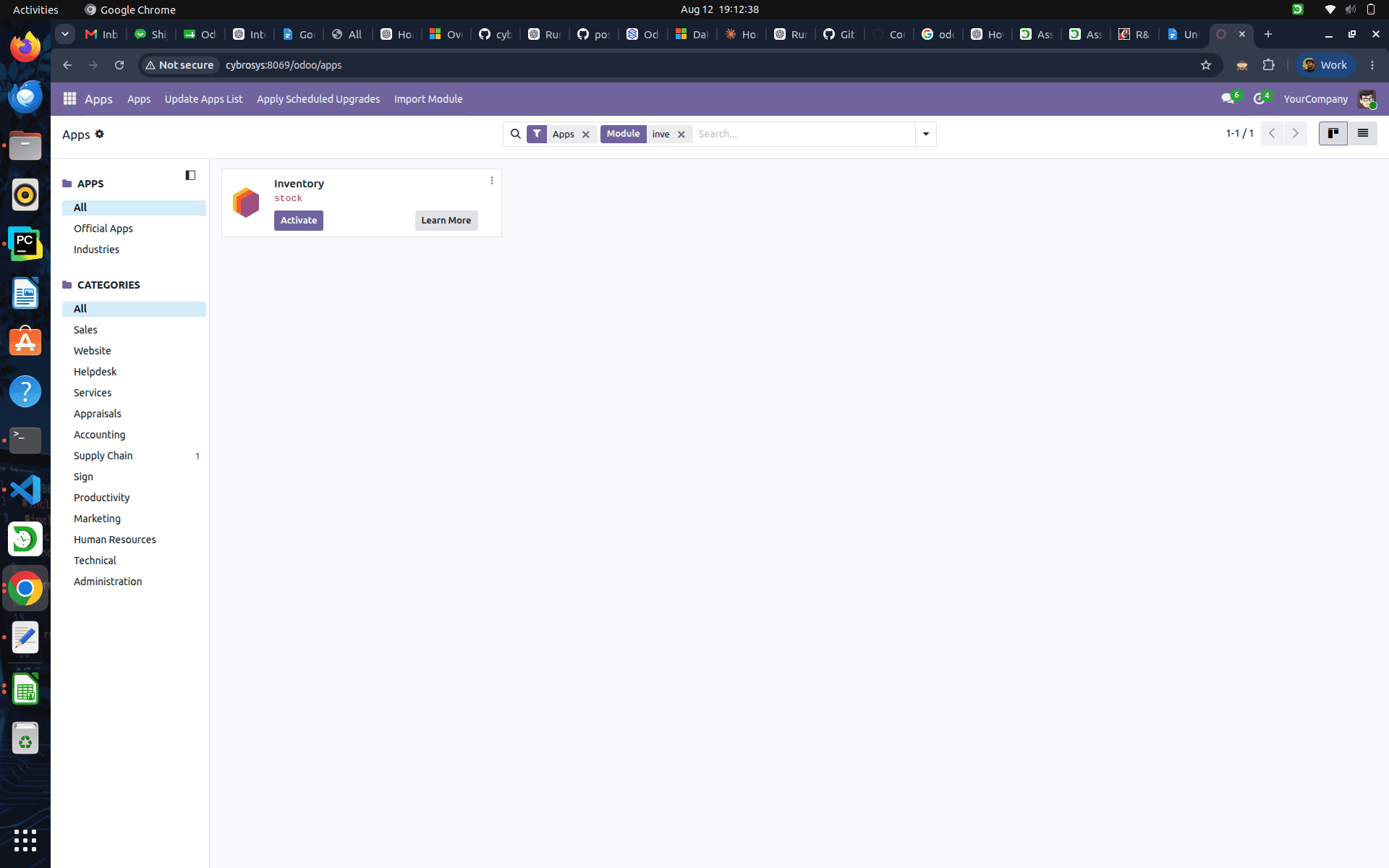
During the installation of the inventory module, you can see the state of the database connections changing from idle to idle in transaction.
select pid,application_name,client_port,wait_event_type,wait_event,state from pg_stat_activity where application_name ilike '%odoo%' ;
Result :
  pid   | application_name | client_port | wait_event_type | wait_event |        state
--------+------------------+-------------+-----------------+------------+---------------------
 467177 | odoo-467162      |       53348 | Client          | ClientRead | idle
 467178 | odoo-467162      |       53354 | Client          | ClientRead | idle
 467434 | odoo-467162      |       36100 | Client          | ClientRead | idle
 467704 | odoo-467162      |       52362 | Client          | ClientRead | idle in transaction
 467710 | odoo-467162      |       52372 | Client          | ClientRead | idle
 467741 | odoo-467162      |       52382 | Client          | ClientRead | idle
 468478 | odoo-467162      |       53024 | Client          | ClientRead | idle
 468495 | odoo-467162      |       53042 | Client          | ClientRead | idle
 473602 | odoo-467162      |       51002 | Client          | ClientRead | idle
(9 rows)
Now, include the query column in the monitoring query and check the result.
select pid,application_name,client_port,wait_event_type,wait_event,state,query from pg_stat_activity where application_name ilike '%odoo%' ;
Result :
  pid   | application_name | client_port | wait_event_type | wait_event | state  |                                query
--------+------------------+-------------+-----------------+------------+--------+----------------------------------------------------------------------
 467177 | odoo-467162      |       53348 | Client          | ClientRead | idle   | COMMIT
 467178 | odoo-467162      |       53354 | Client          | ClientRead | idle   | COMMIT
 467434 | odoo-467162      |       36100 | Client          | ClientRead | idle   | COMMIT
 467704 | odoo-467162      |       52362 |                 |            | active |  SELECT f.name, d.json_value                                        +
        |                  |             |                 |            |        |                     FROM ir_default d                               +
        |                  |             |                 |            |        |                     JOIN ir_model_fields f ON d.field_id=f.id       +
        |                  |             |                 |            |        |                     WHERE f.model='product.template.attribute.line' +
        |                  |             |                 |            |        |                         AND (d.user_id IS NULL OR d.user_id=1)      +
        |                  |             |                 |            |        |                         AND (d.company_id IS NULL OR d.company_id=1)+
        |                  |             |                 |            |        |                         AND d.condition IS NULL                     +
        |                  |             |                 |            |        |                     ORDER BY d.user_id, d.company_id, d.id          +
        |                  |             |                 |            |        |
 467710 | odoo-467162      |       52372 | Client          | ClientRead | idle   | COMMIT
 467741 | odoo-467162      |       52382 | Client          | ClientRead | idle   | COMMIT
 468478 | odoo-467162      |       53024 | Client          | ClientRead | idle   | COMMIT
 468495 | odoo-467162      |       53042 | Client          | ClientRead | idle   | COMMIT
 473602 | odoo-467162      |       51002 | Client          | ClientRead | idle   | COMMIT
(9 rows)
We can see the exact query running in the database connections created by odoo.
Idle - This means the client is connected to postgres, but it is not executing any query and is not inside a transaction.
Idle in transaction - This means the client has started a transaction but has not yet committed or rolled back.
In postgres there are nearly three parameters related to the idle wait event in postgres.
show idle_in_transaction_session_timeout ;
Result :
 idle_in_transaction_session_timeout
-------------------------------------
 0
(1 row)
We can check this parameter’s metadata from pg_settings.
select * from pg_settings where name = 'idle_in_transaction_session_timeout';
Result :
-[ RECORD 1 ]---+---------------------------------------------------------------------------
name            | idle_in_transaction_session_timeout
setting         | 0
unit            | ms
category        | Client Connection Defaults / Statement Behavior
short_desc      | Sets the maximum allowed idle time between queries, when in a transaction.
extra_desc      | 0 disables the timeout.
context         | user
vartype         | integer
source          | default
min_val         | 0
max_val         | 2147483647
enumvals        |
boot_val        | 0
reset_val       | 0
sourcefile      |
sourceline      |
pending_restart | f
The idle_in_transaction_session_timeout parameter controls how long the postgres allows a session to remain idle while a transaction is still open. If the session exceeds the configured timeout, postgres automatically terminates that connection.
show idle_session_timeout;
Result :
 idle_session_timeout
----------------------
 0
(1 row)
We can check this parameter’s metadata from pg_settings.
select * from pg_settings where name = 'idle_session_timeout';
Result :
-[ RECORD 1 ]---+-------------------------------------------------------------------------------
name            | idle_session_timeout
setting         | 0
unit            | ms
category        | Client Connection Defaults / Statement Behavior
short_desc      | Sets the maximum allowed idle time between queries, when not in a transaction.
extra_desc      | 0 disables the timeout.
context         | user
vartype         | integer
source          | default
min_val         | 0
max_val         | 2147483647
enumvals        |
boot_val        | 0
reset_val       | 0
sourcefile      |
sourceline      |
pending_restart | f
The idle_session_timeout parameter specifies how long postgres allows a client session to remain completely idle (not executing queries and not inside a transaction). If the session stays idle longer than the configured timeout,postgres will automatically close the connection.
show idle_replication_slot_timeout;
Result :
 idle_replication_slot_timeout
-------------------------------
 0
(1 row)
We can check this parameter’s metadata from pg_settings.
select * from pg_settings where name = 'idle_replication_slot_timeout';
Result :
-[ RECORD 1 ]---+-------------------------------------------------------------------------------
name            | idle_replication_slot_timeout
setting         | 0
unit            | s
category        | Replication / Sending Servers
short_desc      | Sets the duration a replication slot can remain idle before it is invalidated.
extra_desc      |
context         | sighup
vartype         | integer
source          | default
min_val         | 0
max_val         | 2147483647
enumvals        |
boot_val        | 0
reset_val       | 0
sourcefile      |
sourceline      |
pending_restart | f
The idle_replication_slot_timeout parameter determines how long an inactive replication slot can remain unused before postgres automatically invalidates it.
Now, without executing anything in odoo, check the result from pg_stat_activity.
select pid,application_name,client_port,wait_event_type,wait_event,state,query from pg_stat_activity where application_name = 'odoo-467162' ;
Result :
  pid   | application_name | client_port | wait_event_type | wait_event | state | query
--------+------------------+-------------+-----------------+------------+-------+--------
 467177 | odoo-467162      |       53348 | Client          | ClientRead | idle  | COMMIT
 467178 | odoo-467162      |       53354 | Client          | ClientRead | idle  | COMMIT
 467434 | odoo-467162      |       36100 | Client          | ClientRead | idle  | COMMIT
 467704 | odoo-467162      |       52362 | Client          | ClientRead | idle  | COMMIT
 467710 | odoo-467162      |       52372 | Client          | ClientRead | idle  | COMMIT
 467741 | odoo-467162      |       52382 | Client          | ClientRead | idle  | COMMIT
 468478 | odoo-467162      |       53024 | Client          | ClientRead | idle  | COMMIT
 468495 | odoo-467162      |       53042 | Client          | ClientRead | idle  | COMMIT
 473602 | odoo-467162      |       51002 | Client          | ClientRead | idle  | COMMIT
(9 rows)
Now, terminate one backend connection based on the process id.
select pg_terminate_backend('467177');Result :
 pg_terminate_backend
----------------------
 t
(1 row)
Now, we terminated one of the database connections created by the odoo worker. Check again the backend connections related to odoo from pg_stat_activity in postgres like this.
select pid,application_name,client_port,wait_event_type,wait_event,state,query from pg_stat_activity where application_name = 'odoo-467162' ;
Result :
  pid   | application_name | client_port | wait_event_type | wait_event | state |  query
--------+------------------+-------------+-----------------+------------+-------+----------
 467178 | odoo-467162      |       53354 | Client          | ClientRead | idle  | COMMIT
 467434 | odoo-467162      |       36100 | Client          | ClientRead | idle  | COMMIT
 467704 | odoo-467162      |       52362 | Client          | ClientRead | idle  | COMMIT
 467710 | odoo-467162      |       52372 | Client          | ClientRead | idle  | COMMIT
 467741 | odoo-467162      |       52382 | Client          | ClientRead | idle  | ROLLBACK
 468478 | odoo-467162      |       53024 | Client          | ClientRead | idle  | COMMIT
 468495 | odoo-467162      |       53042 | Client          | ClientRead | idle  | COMMIT
 473602 | odoo-467162      |       51002 | Client          | ClientRead | idle  | COMMIT
 475846 | odoo-467162      |       35678 | Client          | ClientRead | idle  | COMMIT
(9 rows)
Now we can see that a new backend connection is created after the termination of the existing backend. A new backend with process ID 475846 is created, and that connection also exists in an idle state.
When you look at pg_stat_activity, you can see how odoo communicates with Postgres. You can see what is happening with each process because you can look at the state of the connections, like if they're active, idle, or idle in a transaction.
The query part helps you find out what sql statement is being used. You can use things like idle_in_transaction_session_timeout, idle_session_timeout, and idle_replication_slot_timeout to control what happens to sessions that are not being used and to replication slots.
Looking at these things is helpful when you need to figure out what is going on with the application or if you have sessions that are running for a time or are just sitting there doing nothing.
It also helps you understand how Odoo handles its database connections. If you really understand these things, you can find problems easily and keep your PostgreSQL environment running smoothly for Odoo.