Backup is one of the most important parts of the postgres administration. Whether you are protecting application data, migrating to another server, or preparing for upgrades, choosing the right backup utility makes the process simpler and more reliable.
Postgres provides two built-in tools for logical backups: pg_dump and pg_dumpall.
Although they appear similar, they are designed for different purposes.
In this article, we will explore how each utility works, review the available options, and demonstrate practical examples using a Postgres cluster.
Now let’s explore more about pg_dump.
1. pg_dump
pg_dump --version
Result:
pg_dump (PostgreSQL) 18.6 (Ubuntu 18.6-1.pgdg22.04+2)
We can also use the –help command with pg_dump to see all available options we can use with the pg_dump like this.
pg_dump --help
Result:
pg_dump exports a PostgreSQL database as an SQL script or to other formats.
Usage:
  pg_dump [OPTION]... [DBNAME]
General options:
  -f, --file=FILENAME          output file or directory name
  -F, --format=c|d|t|p         output file format (custom, directory, tar,
                               plain text (default))
  -j, --jobs=NUM               use this many parallel jobs to dump
  -v, --verbose                verbose mode
  -V, --version                output version information, then exit
  -Z, --compress=METHOD[:DETAIL]
                               compress as specified
  --lock-wait-timeout=TIMEOUT  fail after waiting TIMEOUT for a table lock
  --no-sync                    do not wait for changes to be written safely to disk
  --sync-method=METHOD         set method for syncing files to disk
  -?, --help                   show this help, then exit
Options controlling the output content:
  -a, --data-only              dump only the data, not the schema or statistics
  -b, --large-objects          include large objects in dump
  --blobs                      (same as --large-objects, deprecated)
  -B, --no-large-objects       exclude large objects in dump
  --no-blobs                   (same as --no-large-objects, deprecated)
  -c, --clean                  clean (drop) database objects before recreating
  -C, --create                 include commands to create database in dump
  -e, --extension=PATTERN      dump the specified extension(s) only
  -E, --encoding=ENCODING      dump the data in encoding ENCODING
  -n, --schema=PATTERN         dump the specified schema(s) only
  -N, --exclude-schema=PATTERN do NOT dump the specified schema(s)
  -O, --no-owner               skip restoration of object ownership in
                               plain-text format
  -s, --schema-only            dump only the schema, no data or statistics
  -S, --superuser=NAME         superuser user name to use in plain-text format
  -t, --table=PATTERN          dump only the specified table(s)
  -T, --exclude-table=PATTERN  do NOT dump the specified table(s)
  -x, --no-privileges          do not dump privileges (grant/revoke)
  --binary-upgrade             for use by upgrade utilities only
  --column-inserts             dump data as INSERT commands with column names
  --disable-dollar-quoting     disable dollar quoting, use SQL standard quoting
  --disable-triggers           disable triggers during data-only restore
  --enable-row-security        enable row security (dump only content user has
                               access to)
  --exclude-extension=PATTERN  do NOT dump the specified extension(s)
  --exclude-table-and-children=PATTERN
                               do NOT dump the specified table(s), including
                               child and partition tables
  --exclude-table-data=PATTERN do NOT dump data for the specified table(s)
  --exclude-table-data-and-children=PATTERN
                               do NOT dump data for the specified table(s),
                               including child and partition tables
  --extra-float-digits=NUM     override default setting for extra_float_digits
  --filter=FILENAME            include or exclude objects and data from dump
                               based on expressions in FILENAME
  --if-exists                  use IF EXISTS when dropping objects
  --include-foreign-data=PATTERN
                               include data of foreign tables on foreign
                               servers matching PATTERN
  --inserts                    dump data as INSERT commands, rather than COPY
  --load-via-partition-root    load partitions via the root table
  --no-comments                do not dump comment commands
  --no-data                    do not dump data
  --no-policies                do not dump row security policies
  --no-publications            do not dump publications
  --no-schema                  do not dump schema
  --no-security-labels         do not dump security label assignments
  --no-statistics              do not dump statistics
  --no-subscriptions           do not dump subscriptions
  --no-table-access-method     do not dump table access methods
  --no-tablespaces             do not dump tablespace assignments
  --no-toast-compression       do not dump TOAST compression methods
  --no-unlogged-table-data     do not dump unlogged table data
  --on-conflict-do-nothing     add ON CONFLICT DO NOTHING to INSERT commands
  --quote-all-identifiers      quote all identifiers, even if not key words
  --restrict-key=RESTRICT_KEY  use provided string as psql \restrict key
  --rows-per-insert=NROWS      number of rows per INSERT; implies --inserts
  --section=SECTION            dump named section (pre-data, data, or post-data)
  --sequence-data              include sequence data in dump
  --serializable-deferrable    wait until the dump can run without anomalies
  --snapshot=SNAPSHOT          use given snapshot for the dump
  --statistics                 dump the statistics
  --statistics-only            dump only the statistics, not schema or data
  --strict-names               require table and/or schema include patterns to
                               match at least one entity each
  --table-and-children=PATTERN dump only the specified table(s), including
                               child and partition tables
  --use-set-session-authorization
                               use SET SESSION AUTHORIZATION commands instead of
                               ALTER OWNER commands to set ownership
Connection options:
  -d, --dbname=DBNAME      database to dump
  -h, --host=HOSTNAME      database server host or socket directory
  -p, --port=PORT          database server port number
  -U, --username=NAME      connect as specified database user
  -w, --no-password        never prompt for password
  -W, --password           force password prompt (should happen automatically)
  --role=ROLENAME          do SET ROLE before dump
If no database name is supplied, then the PGDATABASE environment
variable value is used.
Report bugs to <pgsql-bugs@lists.postgresql.org>.
PostgreSQL home page: <https://www.postgresql.org/>
Currently, we take backups from the 5432 cluster, and we use both pg_dump and pg_dumpall to show how many types of backups we can take based on user needs.
pg_lsclusters
Result :
Ver Cluster Port Status Owner    Data directory                 Log file
18  main    5432 online postgres /var/lib/postgresql/18/main    /var/log/postgresql/postgresql-18-main.log
Now the size of the odoo_17 database is 58 MB. So we mostly take backups based on this postgres cluster.
postgres=# \l+
Result:
                                                                                  List of databases
   Name    |  Owner   | Encoding | Locale Provider | Collate | Ctype | Locale | ICU Rules |   Access privileges   |  Size   | Tablespace |                Description
-----------+----------+----------+-----------------+---------+-------+--------+-----------+-----------------------+---------+------------+--------------------------------------------
 odoo_17   | cybrosys | UTF8     | libc            | C       | en_IN |        |           |                       | 58 MB   | pg_default |
 postgres  | postgres | UTF8     | libc            | en_IN   | en_IN |        |           |                       | 7670 kB | pg_default | default administrative connection database
 template0 | postgres | UTF8     | libc            | en_IN   | en_IN |        |           | =c/postgres          +| 7670 kB | pg_default | unmodifiable empty database
           |          |          |                 |         |       |        |           | postgres=CTc/postgres |         |            |
 template1 | postgres | UTF8     | libc            | en_IN   | en_IN |        |           | =c/postgres          +| 7742 kB | pg_default | default template for new databases
           |          |          |                 |         |       |        |           | postgres=CTc/postgres |         |            |
(4 rows)
PG_DUMP usages
1. Take a backup of a single database
pg_dump -h localhost -p 5432 -U cybrosys -d odoo_17 -f /tmp/odoo_17.sql
It will ask you to enter the password for the user who is taking the backup in postgresql.
Now check the size of this backup
ls -lh /tmp/odoo_17.sql
Result:
-rw-rw-r-- 1 postgres postgres 17M Oct 11 19:39 /tmp/odoo_17.sql
We can also view this file contents by using the cat command like this.
cat /tmp/odoo_17.sql
Result :
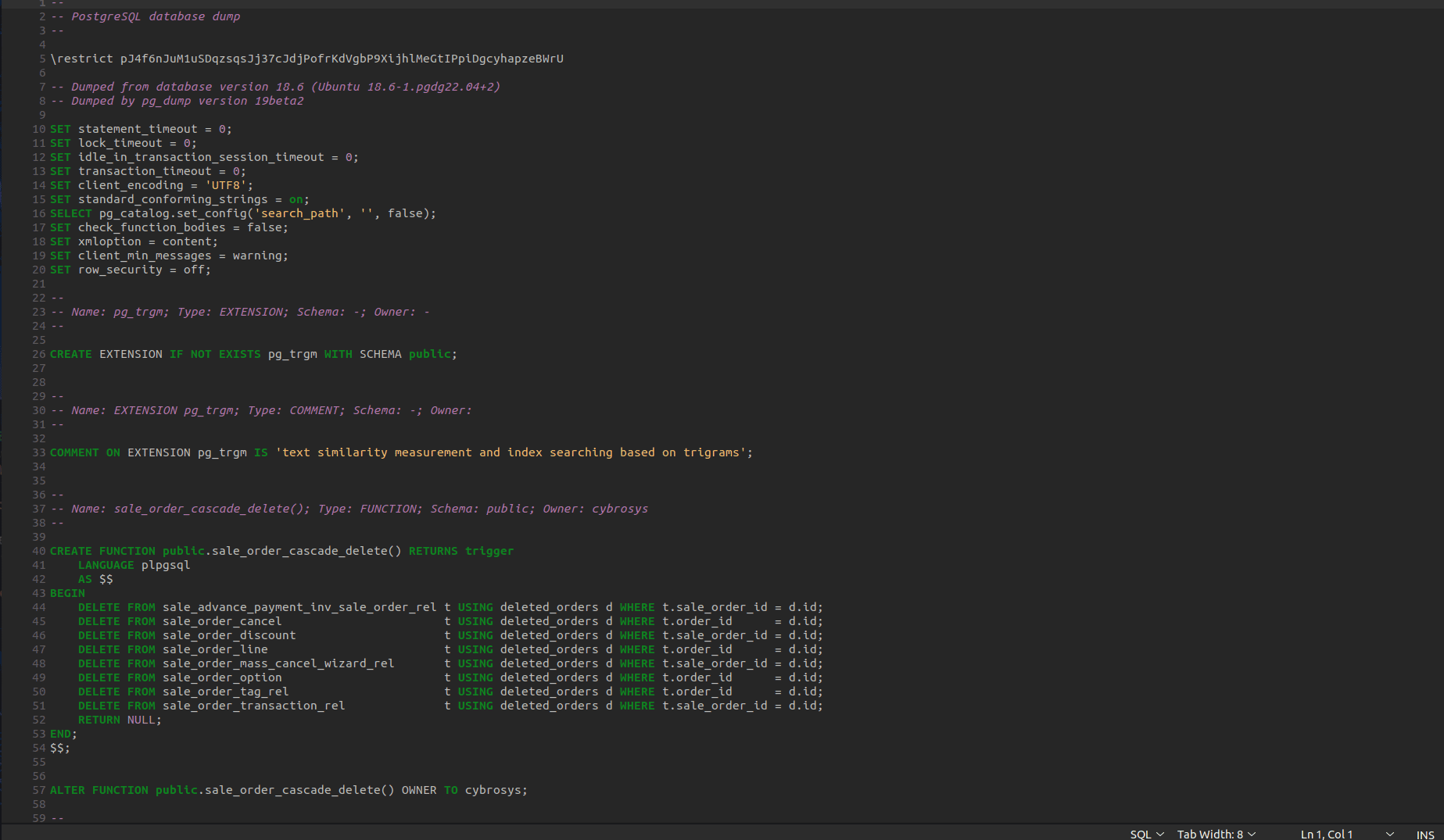
Note: This is from the normal view where we just open the .sql file in a text editor.
2. Take a backup of a single database in custom format.
pg_dump -h localhost \
-p 5432 \
-U cybrosys \
-d odoo_17 \
-F c \
-f /tmp/odoo_17.dump
Check the size to verify that the backup was executed correctly.
ls -lh /tmp/odoo_17.dump
Result:
-rw-rw-r-- 1 postgres postgres 5.0M Oct 11 19:40 /tmp/odoo_17.dump
3. Take backup in directory format of a single database
pg_dump \
-h localhost \
-p 5432 \
-U cybrosys \
-d odoo_17 \
-F d \
-f /tmp/odoo_17_backup
Now check the contents inside this folder.
ls /tmp/odoo_17_backup/
Result:
8364.dat.gz  8413.dat.gz  8455.dat.gz  8503.dat.gz  8547.dat.gz  8594.dat.gz  8639.dat.gz  8681.dat.gz	8725.dat.gz  8766.dat.gz  8811.dat.gz  8850.dat.gz  8890.dat.gz  8930.dat.gz  8969.dat.gz
8399.dat.gz  8442.dat.gz  8489.dat.gz  8535.dat.gz  8581.dat.gz  8626.dat.gz  8668.dat.gz  8711.dat.gz	8755.dat.gz  8799.dat.gz  8839.dat.gz  8877.dat.gz  8919.dat.gz  8959.dat.gz  8997.dat.gz
8401.dat.gz  8444.dat.gz  8491.dat.gz  8537.dat.gz  8582.dat.gz  8628.dat.gz  8670.dat.gz  8713.dat.gz	8757.dat.gz  8800.dat.gz  8841.dat.gz  8879.dat.gz  8921.dat.gz  8960.dat.gz  8998.dat.gz
8403.dat.gz  8446.dat.gz  8493.dat.gz  8539.dat.gz  8584.dat.gz  8629.dat.gz  8672.dat.gz  8715.dat.gz	8759.dat.gz  8802.dat.gz  8843.dat.gz  8881.dat.gz  8923.dat.gz  8962.dat.gz  8999.dat.gz
8405.dat.gz  8448.dat.gz  8495.dat.gz  8540.dat.gz  8586.dat.gz  8631.dat.gz  8673.dat.gz  8717.dat.gz	8760.dat.gz  8804.dat.gz  8844.dat.gz  8882.dat.gz  8925.dat.gz  8963.dat.gz  9000.dat.gz
8407.dat.gz  8450.dat.gz  8497.dat.gz  8542.dat.gz  8588.dat.gz  8633.dat.gz  8675.dat.gz  8719.dat.gz	8762.dat.gz  8806.dat.gz  8845.dat.gz  8884.dat.gz  8926.dat.gz  8965.dat.gz  9001.dat.gz
8409.dat.gz  8451.dat.gz  8499.dat.gz  8544.dat.gz  8590.dat.gz  8635.dat.gz  8677.dat.gz  8721.dat.gz	8764.dat.gz  8808.dat.gz  8846.dat.gz  8886.dat.gz  8927.dat.gz  8966.dat.gz  toc.dat
8411.dat.gz  8453.dat.gz  8501.dat.gz  8545.dat.gz  8592.dat.gz  8637.dat.gz  8679.dat.gz  8723.dat.gz	8765.dat.gz  8809.dat.gz  8848.dat.gz  8888.dat.gz  8929.dat.gz  8967.dat.gz
4. Parallel backup
pg_dump \
-h localhost \
-p 5432 \
-U cybrosys \
-d odoo_17 \
-F d \
-j 4 \
-f /tmp/odoo_dir
Now it will use 4 parallel workers to take the backup.
5. Taking backup only schema
pg_dump \
-h localhost \
-p 5432 \
-U cybrosys \
-d odoo_17 \
-s \
-f /tmp/schema.sql
Check it’s size.
ls -lh /tmp/schema.sql
Result :
-rw-rw-r-- 1 postgres postgres 1.7M Oct 11 19:41 /tmp/schema.sql
6. Take backup that contains only data
 pg_dump \
-h localhost \
-p 5432 \
-U cybrosys \
-d odoo_17 \
-a \
-f /tmp/data.sql
Result :
pg_dump: warning: there are circular foreign-key constraints among these tables:
pg_dump: detail: ir_act_window
pg_dump: detail: ir_model
pg_dump: detail: res_users
pg_dump: detail: res_company
pg_dump: detail: sale_order_template
pg_dump: detail: mail_template
pg_dump: hint: You might not be able to restore the dump without using --disable-triggers or temporarily dropping the constraints.
pg_dump: hint: Consider using a full dump instead of a --data-only dump to avoid this problem.
pg_dump: warning: there are circular foreign-key constraints on this table:
pg_dump: detail: ir_module_category
pg_dump: hint: You might not be able to restore the dump without using --disable-triggers or temporarily dropping the constraints.
pg_dump: hint: Consider using a full dump instead of a --data-only dump to avoid this problem.
pg_dump: warning: there are circular foreign-key constraints on this table:
This warning is shown here because of the Odoo database architecture. In Odoo, every table has a foreign key. So that’s why this warning arises.
This .sql file contains only COPY and INSERT commands and does not include CREATE TABLE statements.
7. Backup one table only
pg_dump \
-h localhost \
-p 5432 \
-U cybrosys \
-d odoo_17 \
-t sale_order \
-f /tmp/sale_order.sql
Check it’s size.
ls -lh /tmp/sale_order.sql
Result :
-rw-rw-r-- 1 postgres postgres 19K Oct 11 19:42 /tmp/sale_order.sql
8. Backup multiple tables
pg_dump \
-h localhost \
-p 5432 \
-U cybrosys \
-d odoo_17 \
-t sale_order \
-t sale_order_line \
-f /tmp/sales.sql
Check it’s size.
ls -lh /tmp/sales.sql
Result:
-rw-rw-r-- 1 postgres postgres 44K Oct 11 19:42 /tmp/sales.sql
9. Backup one schema only
pg_dump \
-h localhost \
-p 5432 \
-U cybrosys \
-d odoo_17 \
-n public \
-f /tmp/public.sql
Check its size.
ls -lh /tmp/public.sql
Result :
-rw-rw-r-- 1 postgres postgres 17M Oct 11 19:42 /tmp/public.sql
10. Exclude one table in backup.
pg_dump \
-h localhost \
-p 5432 \
-U cybrosys \
-d odoo_17 \
-T mail_message \
-f /tmp/backup.sql
Check its size.
ls -lh /tmp/backup.sql
Result :
-rw-rw-r-- 1 postgres postgres 17M Oct 11 19:42 /tmp/backup.sql
11. Dump with INSERT statements
pg_dump \
-h localhost \
-p 5432 \
-U cybrosys \
-d odoo_17 \
--inserts \
-f /tmp/insert.sql
Check its size.
ls -lh /tmp/insert.sql
Result :
-rw-rw-r-- 1 postgres postgres 23M Oct 11 19:43 /tmp/insert.sql
Instead of the COPY statement in the .sql file, we can see the INSERT INTO statements.
12. Verbose backup
 pg_dump \
-h localhost \
-p 5432 \
-U cybrosys \
-d odoo_17 \
-v \
-f /tmp/backup.sql
Result :
pg_dump: executing SELECT pg_catalog.set_config('search_path', '', false);
pg_dump: last built-in OID is 16383
pg_dump: reading extensions
pg_dump: identifying extension members
pg_dump: reading schemas
pg_dump: reading user-defined tables
pg_dump: reading user-defined functions
pg_dump: reading user-defined types
pg_dump: reading procedural languages
pg_dump: reading user-defined aggregate functions
pg_dump: reading user-defined operators
pg_dump: reading user-defined access methods
pg_dump: reading user-defined operator classes
pg_dump: reading user-defined operator families
pg_dump: reading user-defined text search parsers
pg_dump: reading user-defined text search templates
2.pg_dumpall
Pg_dumpall usages
In the same way, we can check the version of this pg_dumpall and also the available options of pgdumpall by using the help command.
pg_dumpall -version
Result:
pg_dumpall (PostgreSQL) 18.6 (Ubuntu 18.6-1.pgdg22.04+2)
Check the help command with pg_dumpall like this
Pg_dumpall -help
Result:
pg_dumpall exports a PostgreSQL database cluster as an SQL script.
Usage:
  pg_dumpall [OPTION]...
General options:
  -f, --file=FILENAME          output file name
  -v, --verbose                verbose mode
  -V, --version                output version information, then exit
  --lock-wait-timeout=TIMEOUT  fail after waiting TIMEOUT for a table lock
  -?, --help                   show this help, then exit
Options controlling the output content:
  -a, --data-only              dump only the data, not the schema or statistics
  -c, --clean                  clean (drop) databases before recreating
  -E, --encoding=ENCODING      dump the data in encoding ENCODING
  -g, --globals-only           dump only global objects, no databases
  -O, --no-owner               skip restoration of object ownership
  -r, --roles-only             dump only roles, no databases or tablespaces
  -s, --schema-only            dump only the schema, no data or statistics
  -S, --superuser=NAME         superuser user name to use in the dump
  -t, --tablespaces-only       dump only tablespaces, no databases or roles
  -x, --no-privileges          do not dump privileges (grant/revoke)
  --binary-upgrade             for use by upgrade utilities only
  --column-inserts             dump data as INSERT commands with column names
  --disable-dollar-quoting     disable dollar quoting, use SQL standard quoting
  --disable-triggers           disable triggers during data-only restore
  --exclude-database=PATTERN   exclude databases whose name matches PATTERN
  --extra-float-digits=NUM     override default setting for extra_float_digits
  --filter=FILENAME            exclude databases based on expressions in FILENAME
  --if-exists                  use IF EXISTS when dropping objects
  --inserts                    dump data as INSERT commands, rather than COPY
  --load-via-partition-root    load partitions via the root table
  --no-comments                do not dump comment commands
  --no-data                    do not dump data
  --no-policies                do not dump row security policies
  --no-publications            do not dump publications
  --no-role-passwords          do not dump passwords for roles
  --no-schema                  do not dump schema
  --no-security-labels         do not dump security label assignments
  --no-statistics              do not dump statistics
  --no-subscriptions           do not dump subscriptions
  --no-sync                    do not wait for changes to be written safely to disk
  --no-table-access-method     do not dump table access methods
  --no-tablespaces             do not dump tablespace assignments
  --no-toast-compression       do not dump TOAST compression methods
  --no-unlogged-table-data     do not dump unlogged table data
  --on-conflict-do-nothing     add ON CONFLICT DO NOTHING to INSERT commands
  --quote-all-identifiers      quote all identifiers, even if not key words
  --restrict-key=RESTRICT_KEY  use provided string as psql \restrict key
  --rows-per-insert=NROWS      number of rows per INSERT; implies --inserts
  --sequence-data              include sequence data in dump
  --statistics                 dump the statistics
  --statistics-only            dump only the statistics, not schema or data
  --use-set-session-authorization
                               use SET SESSION AUTHORIZATION commands instead of
                               ALTER OWNER commands to set ownership
Connection options:
  -d, --dbname=CONNSTR     connect using connection string
  -h, --host=HOSTNAME      database server host or socket directory
  -l, --database=DBNAME    alternative default database
  -p, --port=PORT          database server port number
  -U, --username=NAME      connect as specified database user
  -w, --no-password        never prompt for password
  -W, --password           force password prompt (should happen automatically)
  --role=ROLENAME          do SET ROLE before dump
If -f/--file is not used, then the SQL script will be written to the standard
output.
Report bugs to <pgsql-bugs@lists.postgresql.org>.
PostgreSQL home page: <https://www.postgresql.org/>
1. Backup the entire cluster
 pg_dumpall \
-h localhost \
-p 5432 \
-U postgres \
-f /tmp/cluster.sql
Check the total size
ls -lh /tmp/cluster.sql
Result :
-rw-rw-r-- 1 postgres postgres 17M Oct 11 19:47 /tmp/cluster.sql
2. Backup all databases and the output is write to the terminal.
 pg_dumpall \
-h localhost \
-p 5432 \
-U postgres
Now it will ask for a password for taking each database backup, and each one is write to the terminal.
Password:
Result:
--
-- PostgreSQL database cluster dump
--
\restrict biDBbJwdK4dYik2YsmstcBjMSAJkfnnQs5ujmRESUWGzXQasfGnRhlhuk8bYE2g
SET default_transaction_read_only = off;
SET client_encoding = 'UTF8';
SET standard_conforming_strings = on;
--
-- Roles
--
CREATE ROLE cybrosys;
ALTER ROLE cybrosys WITH SUPERUSER INHERIT NOCREATEROLE NOCREATEDB LOGIN NOREPLICATION NOBYPASSRLS PASSWORD 'SCRAM-SHA-2564096:2UpcGYqX88O+quKb0ysfiw==KFwKSHOYUhxXiPJK4WpL8ZKJmkAz2oEKS4hAcJRSMJM=:fImxXy+YAE7bjL74v7kVOslIgTPyxF5Avr2dnwsKxY0=';
CREATE ROLE postgres;
ALTER ROLE postgres WITH SUPERUSER INHERIT CREATEROLE CREATEDB LOGIN REPLICATION BYPASSRLS PASSWORD 'SCRAM-SHA-2564096:kqbZJ6ZTS0MfRo0GL7LmVA==wTitEUy8TWiwzZK4uDw5LOGH3UE/+Ub+Mg9NcZ/J3SI=:dTGiLFu6YlhydvvO5bOYiNlhe4Ta0HfFCStVrAiLJtc=';
CREATE ROLE replicator;
ALTER ROLE replicator WITH NOSUPERUSER INHERIT NOCREATEROLE NOCREATEDB LOGIN REPLICATION NOBYPASSRLS PASSWORD 'SCRAM-SHA-2564096:ugs7sLNH6pkLXl2KBVc6qA==eVhoxO4t0ehjO+gvjXi4maoyQm/bDckIcKSKRjACEfU=:PNHJcwjtAnlMTFT6jCELiAM3ctGy8q7riQmy79w+SPk=';
--
-- User Configurations
--
\unrestrict biDBbJwdK4dYik2YsmstcBjMSAJkfnnQs5ujmRESUWGzXQasfGnRhlhuk8bYE2g
--
-- Databases
--
--
-- Database "template1" dump
--
\connect template1
Password:
After the completion of taking one database backup, then it will automatically connect to the remaining databases.
At the end you can see the result like this.
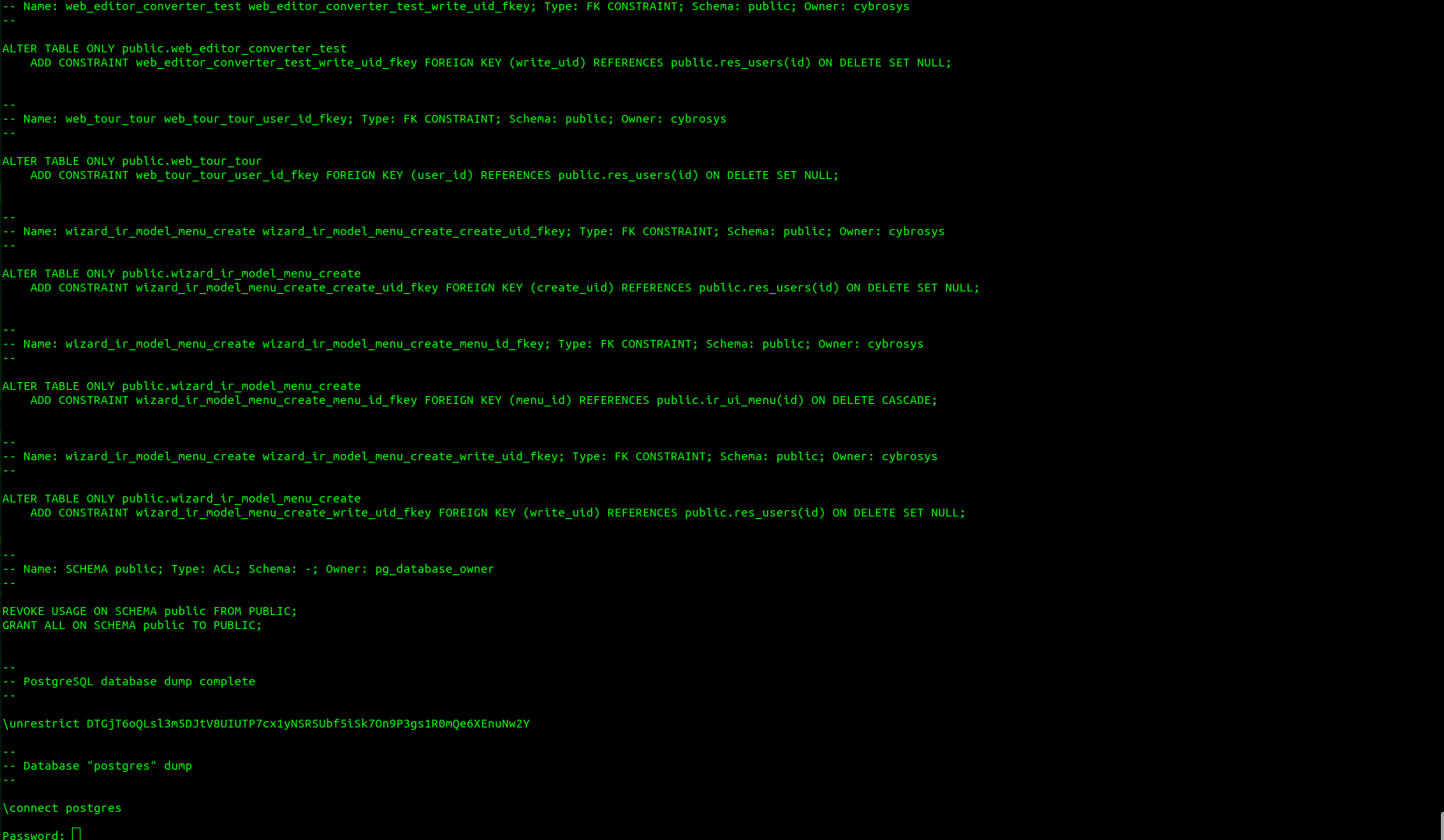
3. Backup only roles
 pg_dumpall \
-h localhost \
-p 5432 \
-U postgres \
-r \
-f /tmp/roles.sql
Check the size of this file.
ls -lh /tmp/roles.sql
Result :
-rw-rw-r-- 1 postgres postgres 1.2K Oct 11 19:50 /tmp/roles.sql
Now open the file and check the contents.
cat /tmp/roles.sql
Result :
--
-- PostgreSQL database cluster dump
--
\restrict hRrPqpgypxv94pESO9qbMGnmbxaKkrov4Oh0e1CUPhDH84Cgrdllsqg79bbx44e
SET default_transaction_read_only = off;
SET client_encoding = 'UTF8';
SET standard_conforming_strings = on;
--
-- Roles
--
CREATE ROLE cybrosys;
ALTER ROLE cybrosys WITH SUPERUSER INHERIT NOCREATEROLE NOCREATEDB LOGIN NOREPLICATION NOBYPASSRLS PASSWORD 'SCRAM-SHA-2564096:2UpcGYqX88O+quKb0ysfiw==KFwKSHOYUhxXiPJK4WpL8ZKJmkAz2oEKS4hAcJRSMJM=:fImxXy+YAE7bjL74v7kVOslIgTPyxF5Avr2dnwsKxY0=';
CREATE ROLE postgres;
ALTER ROLE postgres WITH SUPERUSER INHERIT CREATEROLE CREATEDB LOGIN REPLICATION BYPASSRLS PASSWORD 'SCRAM-SHA-2564096:kqbZJ6ZTS0MfRo0GL7LmVA==wTitEUy8TWiwzZK4uDw5LOGH3UE/+Ub+Mg9NcZ/J3SI=:dTGiLFu6YlhydvvO5bOYiNlhe4Ta0HfFCStVrAiLJtc=';
CREATE ROLE replicator;
ALTER ROLE replicator WITH NOSUPERUSER INHERIT NOCREATEROLE NOCREATEDB LOGIN REPLICATION NOBYPASSRLS PASSWORD 'SCRAM-SHA-2564096:ugs7sLNH6pkLXl2KBVc6qA==eVhoxO4t0ehjO+gvjXi4maoyQm/bDckIcKSKRjACEfU=:PNHJcwjtAnlMTFT6jCELiAM3ctGy8q7riQmy79w+SPk=';
--
-- User Configurations
--


\unrestrict hRrPqpgypxv94pESO9qbMGnmbxaKkrov4Oh0e1CUPhDH84Cgrdllsqg79bbx44e
--
-- PostgreSQL database cluster dump complete
--
4. Backup only globals
pg_dumpall \
-h localhost \
-p 5432 \
-U postgres \
-g \
-f /tmp/globals.sql
Check the contents of this file.
ls -lh /tmp/globals.sql
Result:
-rw-rw-r-- 1 postgres postgres 1.2K Oct 11 19:51 /tmp/globals.sql
This .sql file contains only roles and tablespaces. This file does not contain the database contents.
5. Backup only tablespaces
pg_dumpall \
-h localhost \
-p 5432 \
-U postgres \
-t \
-f /tmp/tablespaces.sql
Check the size.
ls -lh /tmp/tablespaces.sql
Result :
-rw-rw-r-- 1 postgres postgres 360 Oct 11 19:51 /tmp/tablespaces.sql
6. Schema-only cluster backup
 pg_dumpall \
-h localhost \
-p 5432 \
-U postgres \
-s \
-f /tmp/cluster_schema.sql
Now it will ask for a password to take the schema from each database.
Password:
Password:
Password:
Password:
Now check the size of this .sql file.
ls -lh /tmp/cluster_schema.sql
Result :
-rw-rw-r-- 1 postgres postgres 1.7M Oct 11 19:51 /tmp/cluster_schema.sql
7. Data-only cluster backup
 pg_dumpall \
-h localhost \
-p 5432 \
-U postgres \
-a \
-f /tmp/cluster_data.sql
It will ask password for each database.
Password:
Password:
Password:
Result :
pg_dump: warning: there are circular foreign-key constraints among these tables:
pg_dump: detail: ir_act_window
pg_dump: detail: ir_model
pg_dump: detail: res_users
pg_dump: detail: res_company
pg_dump: detail: sale_order_template
pg_dump: detail: mail_template
pg_dump: hint: You might not be able to restore the dump without using --disable-triggers or temporarily dropping the constraints.
pg_dump: hint: Consider using a full dump instead of a --data-only dump to avoid this problem.
pg_dump: warning: there are circular foreign-key constraints on this table:
pg_dump: detail: ir_module_category
pg_dump: hint: You might not be able to restore the dump without using --disable-triggers or temporarily dropping the constraints.
pg_dump: hint: Consider using a full dump instead of a --data-only dump to avoid this problem.
pg_dump: warning: there are circular foreign-key constraints on this table:
pg_dump: detail: res_partner
pg_dump: hint: You might not be able to restore the dump without using --disable-triggers or temporarily dropping the constraints.
pg_dump: hint: Consider using a full dump instead of a --data-only dump to avoid this problem.
pg_dump: warning: there are circular foreign-key constraints on this table:
This warning is because of the Odoo database architecture, where each model has at least 2 foreignkeys.
8. Exclude one database
 pg_dumpall \
-h localhost \
-p 5432 \
-U postgres \
--exclude-database=postgres \
-f /tmp/backup.sql
Check the size.
ls -lh /tmp/backup.sql
Result :
-rw-rw-r-- 1 postgres postgres 17M Oct 11 19:52 /tmp/backup.sql
9. Verbose cluster backup
 pg_dumpall \
-h localhost \
-p 5432 \
-U postgres \
-v \
-f /tmp/cluster.sql
Result :
pg_dumpall: executing SELECT pg_catalog.set_config('search_path', '', false);pg_dumpall: executing SET standard_conforming_strings = onpg_dumpall: executing SELECT oid, rolname, rolsuper, rolinherit, rolcreaterole, rolcreatedb, rolcanlogin, rolconnlimit, rolpassword, rolvaliduntil, rolreplication, rolbypassrls, pg_catalog.shobj_description(oid, 'pg_authid') as rolcomment, rolname = current_user AS is_current_user FROM pg_authid WHERE rolname !~ '^pg_' ORDER BY 2pg_dumpall: executing SELECT provider, label FROM pg_catalog.pg_shseclabel WHERE classoid = 'pg_catalog.pg_authid'::pg_catalog.regclass AND objoid = '16384'pg_dumpall: executing SELECT provider, label FROM pg_catalog.pg_shseclabel WHERE classoid = 'pg_catalog.pg_authid'::pg_catalog.regclass AND objoid = '10'pg_dumpall: executing SELECT provider, label FROM pg_catalog.pg_shseclabel WHERE classoid = 'pg_catalog.pg_authid'::pg_catalog.regclass AND objoid = '27507'There are some advantages when we use pg_dumpall, and the major difference between pg_dump and pg_dumpall is below.
| Feature | pg_dump | pg_dumpall |
| Scope | Dumps one database | Dumps the entire PostgreSQL cluster |
| Includes databases | Only the specified database | All databases |
| Includes roles/users | No | Yes |
| Includes tablespaces | No | Yes |
| Output format | Plain SQL, Custom, Directory, Tar | Plain SQL only |
| Parallel dump (-j) | Supported (directory format) | Not supported |
| Restore tool | psql or pg_restore | psql only |
| Selective backup | Can dump specific schemas, tables, extensions, etc. | Cannot dump individual tables; only databases or globals |
| Typical use | Backup a single application database | Backup an entire PostgreSQL server |
Both pg_dump and pg_dumpall are reliable backup utilities, but they serve different needs. pg_dump is the preferred choice when backing up a single database, specific tables, schemas, or creating backups in custom and directory formats with support for parallel execution. pg_dumpall is intended for backing up an entire Postgres cluster, including databases, roles, and tablespaces, making it useful for full server backups and migrations.
Understanding the capabilities and limitations of each utility helps you select the right backup strategy for your PostgreSQL environment and ensures that your data can be restored efficiently when needed.