Database upgrades are an important part of maintaining an Odoo production environment. PostgreSQL 18 introduces performance improvements, bug fixes, and new internal enhancements that can help improve overall database stability and efficiency.
In this blog, we will explain how to successfully upgrade an Odoo database from PostgreSQL 17 to PostgreSQL 18 on Ubuntu. The entire process was tested step by step, and all commands used during the upgrade are included below.
Installing PostgreSQL Repository
First, install the required packages:
sudo apt install curl ca-certificates
Create the PostgreSQL common directory:
sudo install -d /usr/share/postgresql-common/pgdg
Import the PostgreSQL official repository key:
curl -fsSL https://www.postgresql.org/media/keys/ACCC4CF8.asc | \
sudo gpg --dearmor -o /usr/share/postgresql-common/pgdg/apt.postgresql.org.gpg
Add the PostgreSQL repository:
echo "deb [signed-by=/usr/share/postgresql-common/pgdg/apt.postgresql.org.gpg] \
https://apt.postgresql.org/pub/repos/apt $(lsb_release -cs)-pgdg main" | \
sudo tee /etc/apt/sources.list.d/pgdg.list
Update the package list:
sudo apt update
Installing PostgreSQL 17
Install PostgreSQL 17 and its client packages:
sudo apt install postgresql-17 postgresql-client-17
During installation, PostgreSQL automatically creates a new cluster:
setting up postgresql-17 (17.10-1.pgdg22.04+1) ...
Creating new PostgreSQL cluster 17/main ...
/usr/lib/postgresql/17/bin/initdb -D /var/lib/postgresql/17/main --auth-local peer --auth-host scram-sha-256 --no-instructions
The files belonging to this database system will be owned by user "postgres".
This user must also own the server process.
The database cluster will be initialized with locale "en_IN".
The default database encoding has accordingly been set to "UTF8".
The default text search configuration will be set to "english".
Data page checksums are disabled.
fixing permissions on existing directory /var/lib/postgresql/17/main ... ok
creating subdirectories ... ok
selecting dynamic shared memory implementation ... posix
selecting default "max_connections" ... 100
selecting default "shared_buffers" ... 128MB
selecting default time zone ... Asia/Kolkata
creating configuration files ... ok
running bootstrap script ... ok
performing post-bootstrap initialization ... ok
syncing data to disk ... ok
Processing triggers for man-db (2.10.2-1) ...
Verify the PostgreSQL cluster status:
pg_lsclusters
Output:
Ver Cluster Port Status Owner    Data directory              Log file
17  main    5432 online postgres /var/lib/postgresql/17/main /var/log/postgresql/postgresql-17-main.log
Connecting to PostgreSQL
Switch to the PostgreSQL user:
sudo su postgres
Open PostgreSQL shell:
psql
Check the PostgreSQL version:
select version();
Output:
PostgreSQL 17.10 (Ubuntu 17.10-1.pgdg22.04+1)
Creating Odoo Database User
Create a PostgreSQL user for Odoo:
create user odoouser with superuser;
Set password for the user:
alter user odoouser with password 'cool';
Odoo Database Configuration
Below is the Odoo configuration used for database connectivity:
[options]
admin_passwd = cool
db_host = localhost
db_port = 5432
db_user = odoouser
db_password = cool
addons_path = /home/cybrosys/odoo18/odoo18/addons
xmlrpc_port = 8019
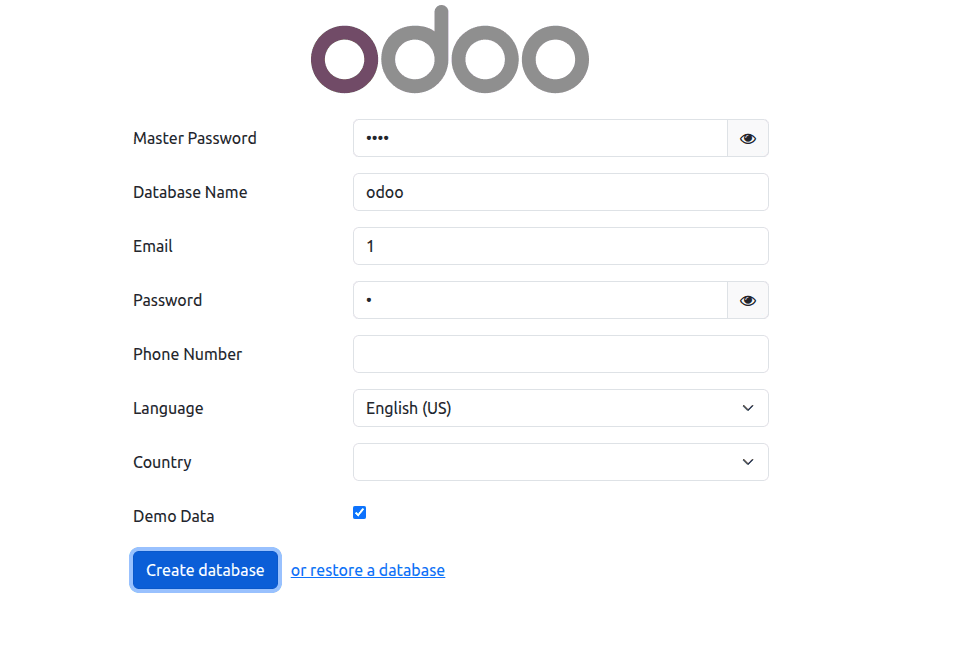
Now create the odoo database through odoo ui
Verifying the Odoo Database
List all databases:
\l+
Output:
   Name    |  Owner   | Encoding | Locale Provider | Collate | Ctype | Locale | ICU Rules |   Access privileges   |  Size   | Tablespace |                Description
-----------+----------+----------+-----------------+---------+-------+--------+-----------+-----------------------+---------+------------+--------------------------------------------
 odoo      | odoouser | UTF8     | libc            | en_IN   | en_IN |        |           |                       | 25 MB   | pg_default |
 postgres  | postgres | UTF8     | libc            | en_IN   | en_IN |        |           |                       | 70 MB   | pg_default | default administrative connection database
 template0 | postgres | UTF8     | libc            | en_IN   | en_IN |        |           | =c/postgres          +| 7670 kB | pg_default | unmodifiable empty database
           |          |          |                 |         |       |        |           | postgres=CTc/postgres |         |            |
 template1 | postgres | UTF8     | libc            | en_IN   | en_IN |        |           | =c/postgres          +| 7806 kB | pg_default | default template for new databases
           |          |          |                 |         |       |        |           | postgres=CTc/postgres |         |            |
(4 rows)
At this stage, the Odoo database was successfully running on PostgreSQL 17.
Installing PostgreSQL 18
Install PostgreSQL 18 packages:
sudo apt install postgresql-18 postgresql-client-18 -y
Upgrading PostgreSQL Cluster from Version 17 to 18
Run the PostgreSQL cluster upgrade command:
sudo pg_upgradecluster 17 main
During the upgrade, PostgreSQL performs several internal operations including statistics generation and vacuum operations.
Upgrade output:
Stopping target cluster...
Stopping old cluster...
Disabling automatic startup of old cluster...
Starting upgraded cluster on port 5432...
Running finish phase upgrade hook scripts ...
vacuumdb: processing database "odoo": Generating minimal optimizer statistics (1 target)
vacuumdb: processing database "postgres": Generating minimal optimizer statistics (1 target)
vacuumdb: processing database "template1": Generating minimal optimizer statistics (1 target)
vacuumdb: processing database "odoo": Generating medium optimizer statistics (10 targets)
vacuumdb: processing database "postgres": Generating medium optimizer statistics (10 targets)
vacuumdb: processing database "template1": Generating medium optimizer statistics (10 targets)
vacuumdb: processing database "odoo": Generating default (full) optimizer statistics
vacuumdb: processing database "postgres": Generating default (full) optimizer statistics
vacuumdb: processing database "template1": Generating default (full) optimizer statistics
vacuumdb: vacuuming database "odoo"
vacuumdb: vacuuming database "postgres"
vacuumdb: vacuuming database "template1"
Success. Please check that the upgraded cluster works. If it does,
you can remove the old cluster with
 pg_dropcluster 17 main
PostgreSQL also performs optimizer statistics generation:
vacuumdb: processing database "odoo": Generating minimal optimizer statistics
vacuumdb: processing database "postgres": Generating default (full) optimizer statistics
Checking PostgreSQL Clusters After Upgrade
Verify cluster status again:
pg_lsclusters
Output:
Ver Cluster Port Status Owner    Data directory
17  main    5433 down   postgres /var/lib/postgresql/17/main
18  main    5432 online postgres /var/lib/postgresql/18/main
This confirms that PostgreSQL 18 is now active on port 5432 and PostgreSQL 17 has been stopped.
Verifying PostgreSQL 18
Switch to PostgreSQL user again:
sudo su postgres
Open PostgreSQL shell:
psql
Check the upgraded PostgreSQL version:
select version();
Output:
PostgreSQL 18.4 (Ubuntu 18.4-1.pgdg22.04+1)
Verifying the Odoo Database After Upgrade
List databases again:
\l+
Output:
   Name    |  Owner   | Encoding | Locale Provider | Collate | Ctype | Locale | ICU Rules |   Access privileges   |  Size   | Tablespace |                Description
-----------+----------+----------+-----------------+---------+-------+--------+-----------+-----------------------+---------+------------+--------------------------------------------
 odoo      | odoouser | UTF8     | libc            | en_IN   | en_IN |        |           |                       | 25 MB   | pg_default |
 postgres  | postgres | UTF8     | libc            | en_IN   | en_IN |        |           |                       | 70 MB   | pg_default | default administrative connection database
 template0 | postgres | UTF8     | libc            | en_IN   | en_IN |        |           | =c/postgres          +| 7670 kB | pg_default | unmodifiable empty database
           |          |          |                 |         |       |        |           | postgres=CTc/postgres |         |            |
 template1 | postgres | UTF8     | libc            | en_IN   | en_IN |        |           | =c/postgres          +| 7806 kB | pg_default | default template for new databases
           |          |          |                 |         |       |        |           | postgres=CTc/postgres |         |            |
(4 rows)
The Odoo database remained intact after the PostgreSQL upgrade, and the migration completed successfully without data loss.
Upgrading PostgreSQL from version 17 to version 18 for an Odoo environment is straightforward when using PostgreSQL cluster management tools. The pg_upgradecluster utility simplifies the migration process and preserves existing databases and configurations.
This approach provides a reliable method for upgrading PostgreSQL versions in development or production environments running Odoo applications.