Indexes play an important role in improving query performance in PostgreSQL, but deciding which indexes to create is not always straightforward. The index_advisor extension from Supabase helps analyze SQL queries and recommends indexes that may reduce query execution costs.
In this article, we will install the extension, configure its required dependencies, and see how it works with pg_stat_statements and HypoPG to generate index recommendations without creating actual indexes.
Clone the index advisor repository from GitHub at Supabase.
git clone https://github.com/supabase/index_advisor.git
Change the directory to that folder.
cd index_advisor/
Check the contents inside this folder.
cybrosys@cybrosys:~/index_advisor$ ls
Result:
docs                             index_advisor--0.1.0.sql         index_advisor--0.1.2--0.2.0.sql  index_advisor.control  Makefile   SECURITY.md
index_advisor--0.1.0--0.1.1.sql  index_advisor--0.1.1--0.1.2.sql  index_advisor--0.2.0--0.2.1.sql  LICENSE                README.md  test
Since there is no .c file, we can only do the installation step.
sudo make USE_PGXS=1 PG_CONFIG=/usr/lib/postgresql/18/bin/pg_config install
Result:
/bin/mkdir -p '/usr/share/postgresql/18/extension'
/bin/mkdir -p '/usr/share/postgresql/18/extension'
/usr/bin/install -c -m 644 .//index_advisor.control '/usr/share/postgresql/18/extension/'
/usr/bin/install -c -m 644 .//index_advisor--0.1.0--0.1.1.sql .//index_advisor--0.1.0.sql .//index_advisor--0.1.1--0.1.2.sql .//index_advisor--0.1.2--0.2.0.sql .//index_advisor--0.2.0--0.2.1.sql  '/usr/share/postgresql/18/extension/'
Now, we need to create an extension named pg_stat_statements for tracking the most expensive queries.
We already have an Odoo database named odoo17_main. So the extensions created below are inside that odoo database only.
create extension pg_stat_statements ;
We need to set the value for the parameter named shared_preload_libraries; otherwise, we didn't get the results from the view named pg_stat_statements.
Check the current value of this parameter.
show shared_preload_libraries ;
Result:
 shared_preload_libraries
--------------------------
(1 row)
Check the path of the postgres config file.
show config_file ;
Result:
               config_file
-----------------------------------------
 /etc/postgresql/18/main/postgresql.conf
(1 row)
Now, open the postgres configuration file.
sudo nano /etc/postgresql/18/main/postgresql.conf
Set the value for this parameter like this.
shared_preload_libraries = 'pg_stat_statements'
Now, restart the postgres to reflect the changed value.
sudo systemctl restart postgresql
Ensure the value has changed.
show shared_preload_libraries ;
Result:
 shared_preload_libraries
--------------------------
 pg_stat_statements
(1 row)
So, checking the total number of expensive queries from the pg_stat_statements view like this.
odoo17_main=# select count(*) from pg_stat_statements;
Result:
 count
-------
    19
(1 row)
Now, execute some workloads in odoo database, like installing any of the apps from the app store like this.
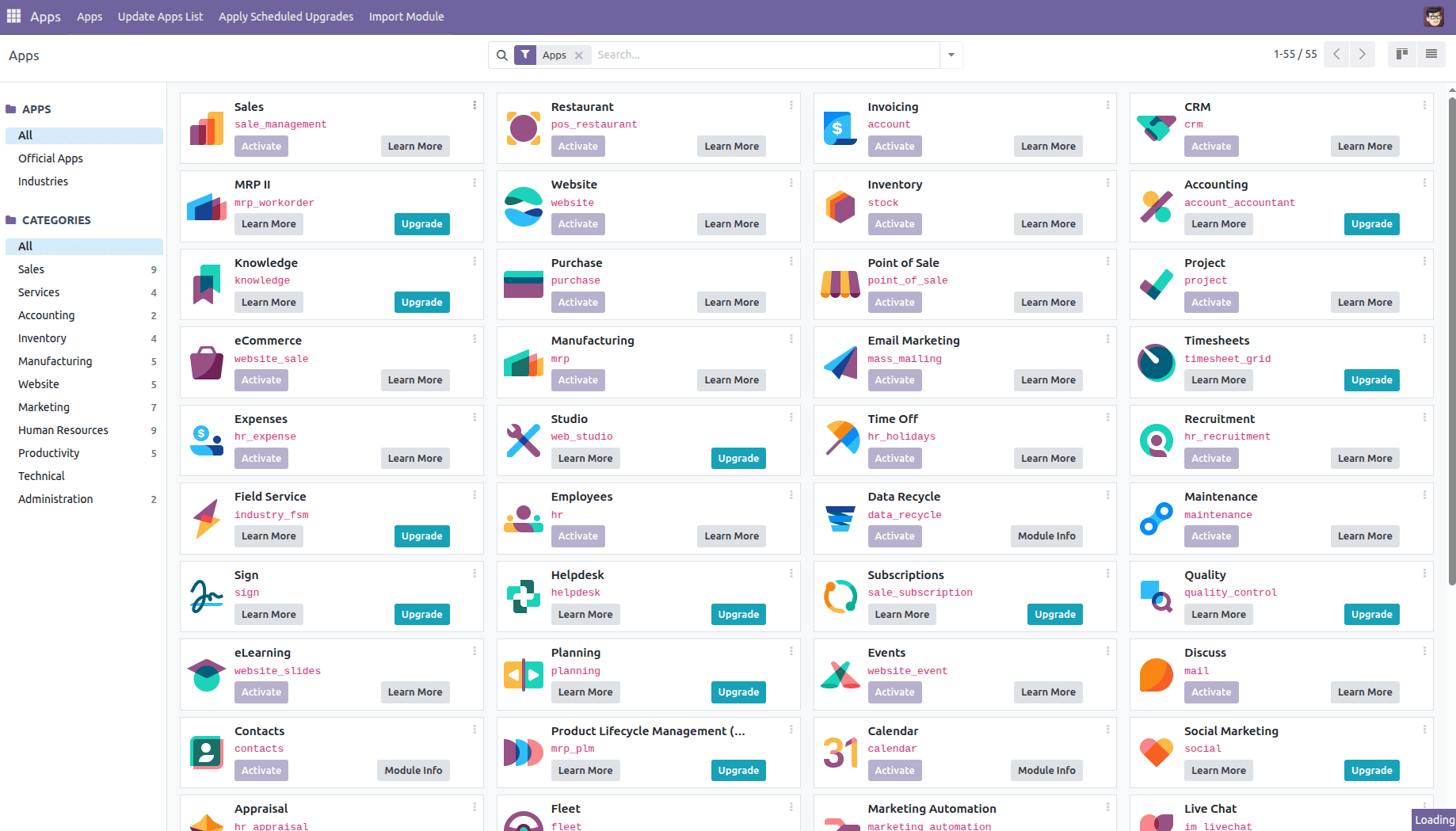
Now, check the count of records again.
odoo17_main=# select count(*) from pg_stat_statements;
Result:
 count
-------
  4823
(1 row)
Now, try to create the extension named index_advisor.
create extension index_advisor;
Result:
ERROR:  required extension "hypopg" is not installed
HINT:  Use CREATE EXTENSION ... CASCADE to install required extensions too.
This is because the extension is combined with the hypopg extension, and it is an extension that can be used to create a virtual index, and we can check whether creating the index benefits the query execution or not.
Now, clone the repository of the hypopg extension like this.
git clone https://github.com/HypoPG/hypopg.git
Change the directory to hypopg
cd hypopg
Compile and install the extension based on postgres version 18.
 make USE_PGXS=1 PG_CONFIG=/usr/lib/postgresql/18/bin/pg_config
sudo make USE_PGXS=1 PG_CONFIG=/usr/lib/postgresql/18/bin/pg_config install
Now, try again the creation of the index_advisor extension like this.
odoo17_main=# create extension index_advisor cascade;
Result:
NOTICE:  installing required extension "hypopg"
CREATE EXTENSION
Check the currently installed extension list by using the command below.
odoo17_main=# \dx
Result:
                                                     List of installed extensions
        Name        | Version | Default version |   Schema   |                              Description
--------------------+---------+-----------------+------------+------------------------------------------------------------------------
 hypopg             | 1.4.4   | 1.4.4           | public     | Hypothetical indexes for PostgreSQL
 index_advisor      | 0.2.1   | 0.2.1           | public     | Query index advisor
 pg_stat_statements | 1.12    | 1.12            | public     | track planning and execution statistics of all SQL statements executed
 pg_trgm            | 1.6     | 1.6             | public     | text similarity measurement and index searching based on trigrams
 plpgsql            | 1.0     | 1.0             | pg_catalog | PL/pgSQL procedural language
(5 rows)
Check the functionalities of the index_advisor extension like this.
odoo17_main=# \dx+ index_advisor
Result:
Objects in extension "index_advisor"
      Object description
------------------------------
 function index_advisor(text)
(1 row)
Now, get any one record from the pg_stat_statements view.
select query from pg_stat_statements order by total_exec_time desc limit 1;
Result:
query

------------------------------------------------------------------------------------------------------------------------------------------------------------------------------------------------------------
------------------------------------------------------------------------------------------------------------------------------------
 UPDATE ir_module_module_dependency SET auto_install_required = (name = any($1)) WHERE module_id = $2
(1 row)
Now, use the query directly in the function named index_advisor like this.
select * from index_advisor(' UPDATE ir_module_module_dependency SET auto_install_required = (name = any($1)) WHERE module_id = $2
');
Result:
 startup_cost_before | startup_cost_after | total_cost_before | total_cost_after | index_statements |               errors
---------------------+--------------------+-------------------+------------------+------------------+------------------------------------
                     |                    |                   |                  | {}               | {"hypopg: not more oid available"}
(1 row)
This is because the value of the parameter named hypopg.use_real_oids is off.
Check the current value of this parameter.
odoo17_main=# show hypopg.use_real_oids;
Result:
 hypopg.use_real_oids
----------------------
 off
(1 row)
Check the metadata of this parameter from pg_settings like this.
odoo17_main=# select * from pg_settings where name = 'hypopg.use_real_oids';
Result:
-[ RECORD 1 ]---+--------------------------------------------
name            | hypopg.use_real_oids
setting         | on
unit            |
category        | Customized Options
short_desc      | Use real oids rather than the range < 16384
extra_desc      |
context         | user
vartype         | bool
source          | session
min_val         |
max_val         |
enumvals        |
boot_val        | off
reset_val       | off
sourcefile      |
sourceline      |
pending_restart | f
Purpose:
The parameter named hypopg.use_real_oids controls whether HypoPG assigns real PostgreSQL OIDs to hypothetical indexes instead of using reserved fake OIDs below 16384
Enable this parameter like this.
odoo17_main=# set hypopg.use_real_oids = on;
Result:
SET
Now, execute the same query again.
select * from index_advisor(' UPDATE ir_module_module_dependency SET auto_install_required = (name = any($1)) WHERE module_id = $2
');
Result:
 startup_cost_before | startup_cost_after | total_cost_before | total_cost_after |                                index_statements                                | errors
---------------------+--------------------+-------------------+------------------+--------------------------------------------------------------------------------+--------
 0.00                | 0.03               | 32.10             | 8.56             | {"CREATE INDEX ON public.ir_module_module_dependency USING btree (module_id)"} | {}
(1 row)
Here, we can see that the index_advisor function is suggesting an index based on the query we passed.
Here, the index_advisor function is actually combined with the hypopg extension to create a virtual index based on the column specified in the WHERE clause.
This function also returns the CREATE INDEX statement. This is how the index_advisor extension works in Supabase.
The index_advisor extension provides a practical way to identify useful indexes for PostgreSQL queries. By using pg_stat_statements to collect query statistics and HypoPG to test hypothetical indexes, it can estimate the effect of an index before it is created.
This makes it easier to evaluate index recommendations and choose the ones that can improve query performance while avoiding unnecessary indexes.