The Challenges feature in Odoo 18’s Employee module is a great way to boost employee motivation and engagement. By setting up structured challenges linked to badges and rewards, companies can encourage employees to reach specific goals while creating a sense of achievement and friendly competition. With Odoo 18, this feature has been further enhanced through a more intuitive interface and flexible customization options, making it easier than ever to manage and tailor challenges to fit organizational needs.
This comprehensive guide explores how Odoo 18 handles employee challenges through its sophisticated gamification framework, transforming routine tasks into engaging competitions that inspire excellence.
Understanding Gamification in Odoo 18
Gamification is the application of game-design elements in non-game contexts to drive engagement and motivation. In Odoo 18, the gamification system provides organizations with tools to evaluate and motivate employees through customizable challenges, measurable goals, and meaningful rewards.
The gamification framework in Odoo 18 consists of three core components:
- Goals: Specific, measurable objectives that employees work toward
- Challenges: Structured competitions that incorporate one or multiple goals with defined timelines
- Badges: Visual recognition awards granted to employees who successfully complete challenges
Activating Gamification in Odoo 18
Before you can create challenges for your employees, you need to enable the gamification features in your Odoo 18 instance.
Step-by-Step Activation
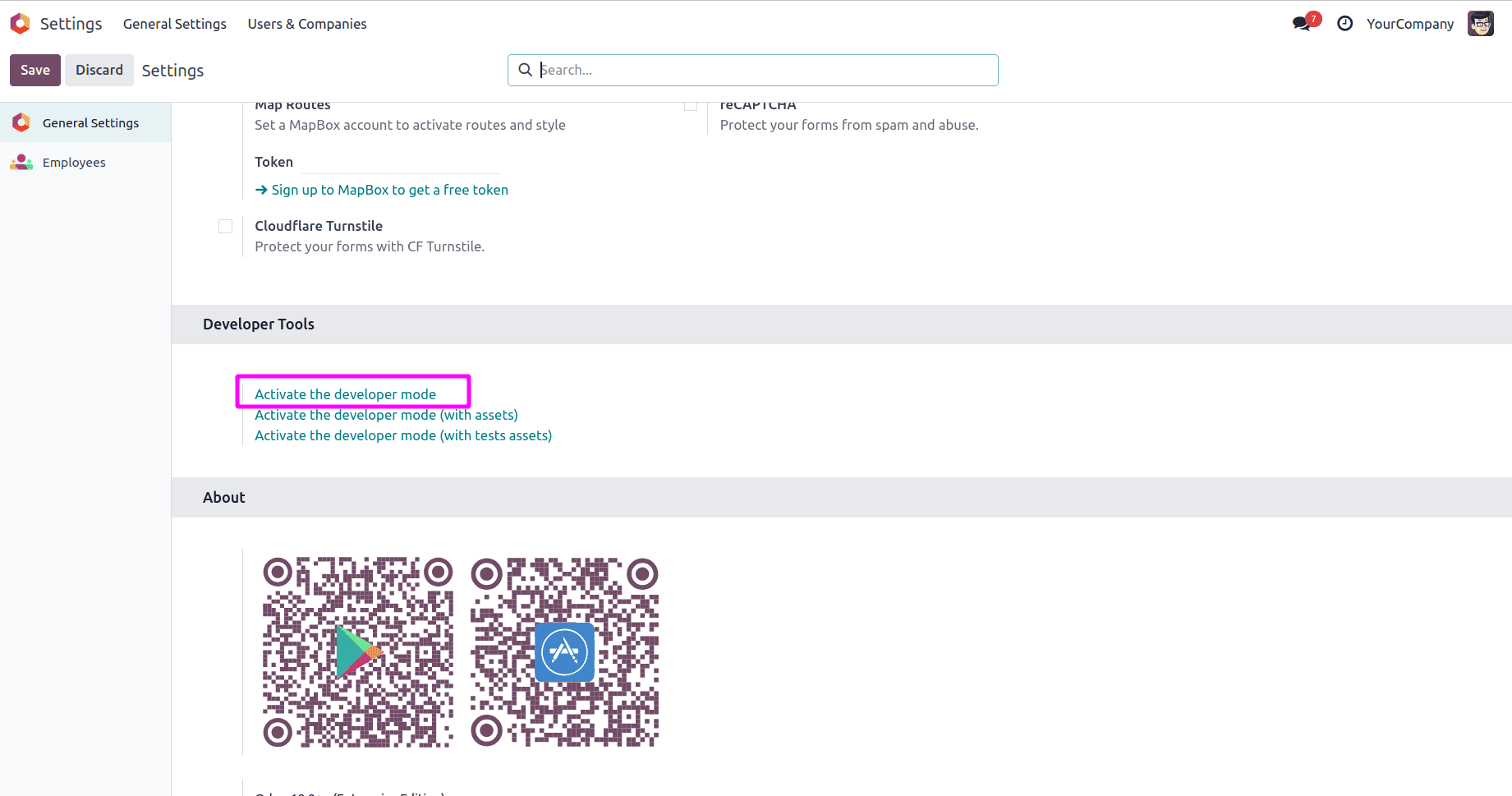
- Enable Developer Mode: Navigate to Settings and activate developer mode (debug mode). This is essential as gamification is a technical feature that requires developer access.
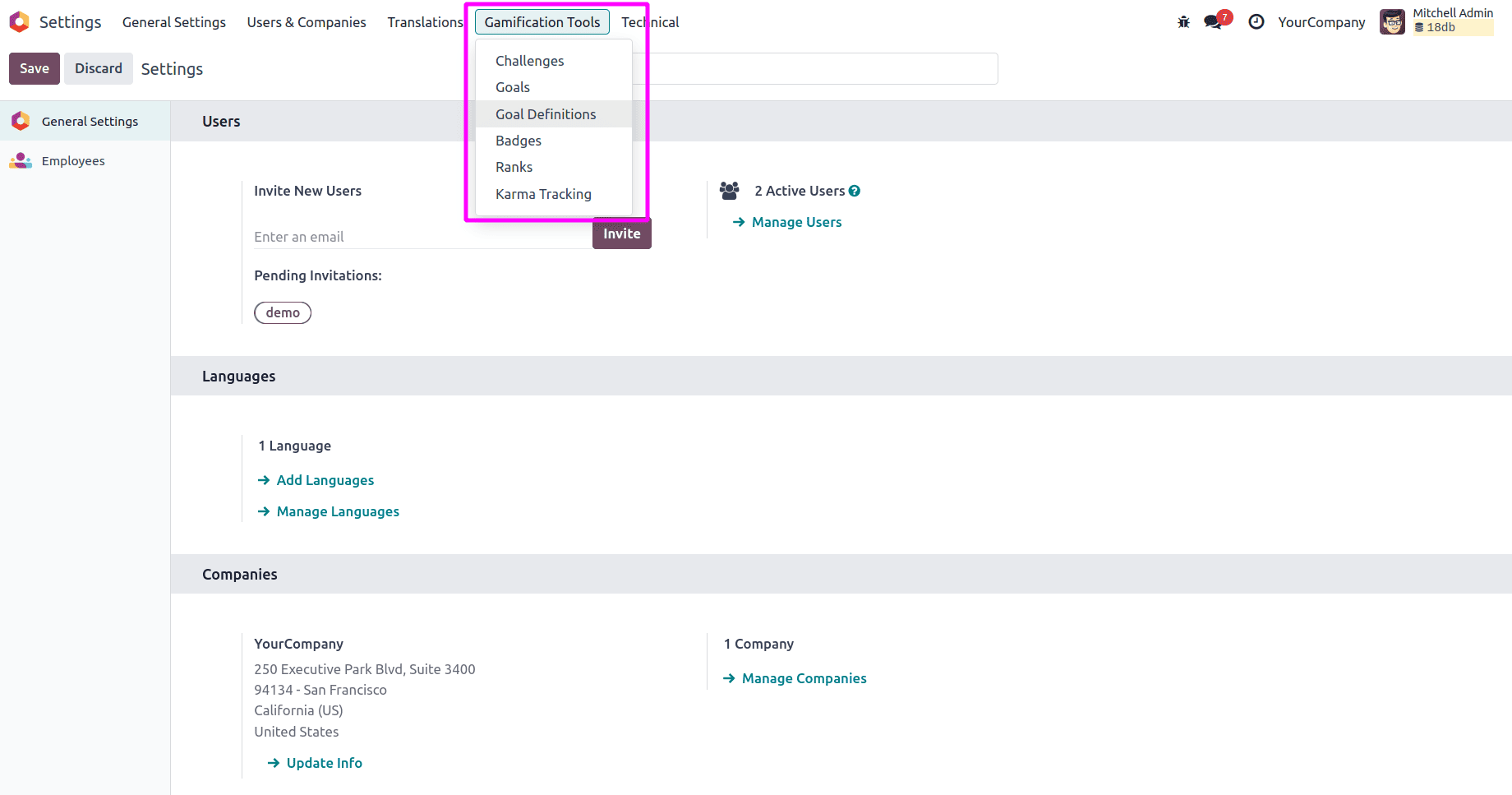
- Access Gamification Tools: Once developer mode is active, go to Settings > Gamification Tools. This menu becomes available and serves as your central hub for all gamification-related configurations.
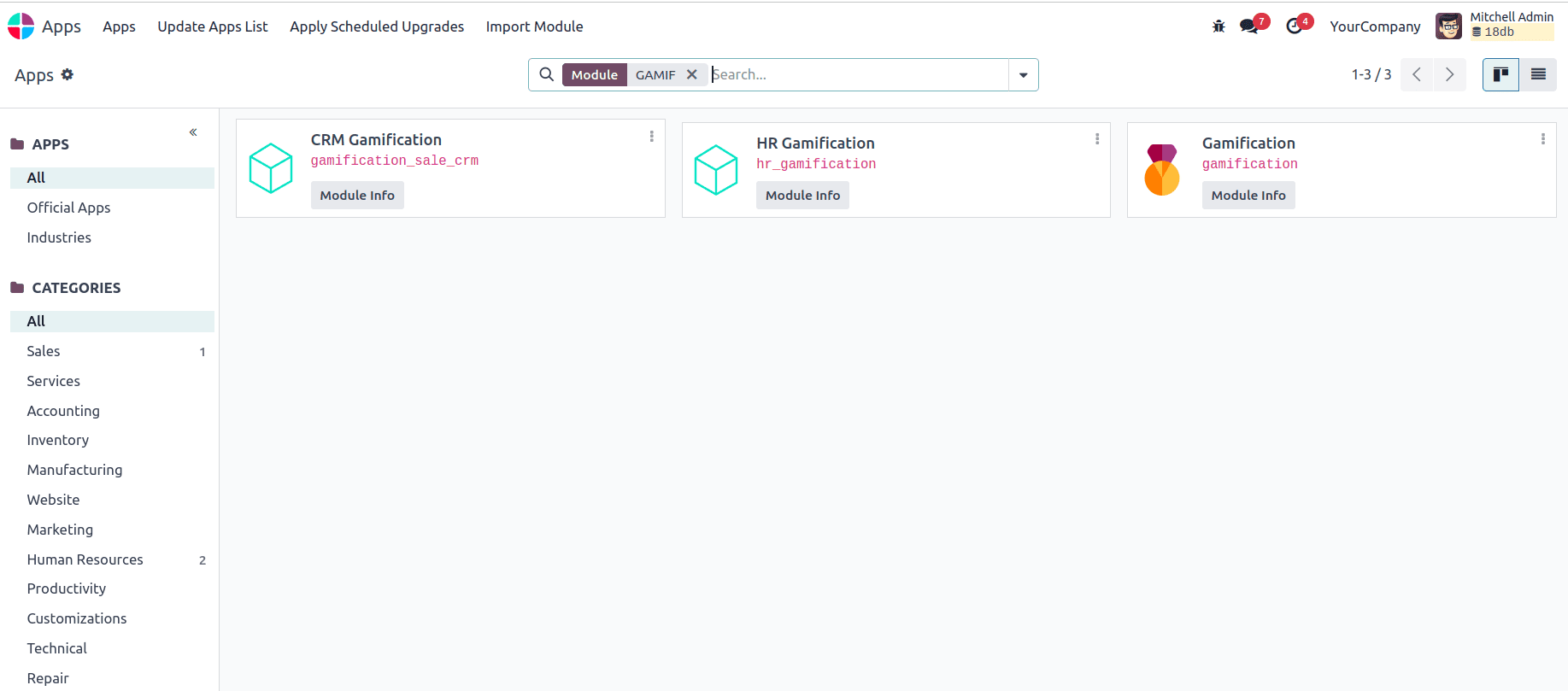
- Install Required Modules: If you're using gamification with specific applications like CRM or Sales, ensure the relevant gamification modules are installed. For instance, the CRM Gamification module automatically installs when both CRM and Sales apps are present in your database.
Creating and Managing Badges
Badges serve as tangible recognition of employee achievements. They can be awarded for both quantifiable accomplishments (completing challenges) and qualitative contributions (exceptional customer service, teamwork, and innovation).
Setting Up Badges
To create a new badge in Odoo 18:
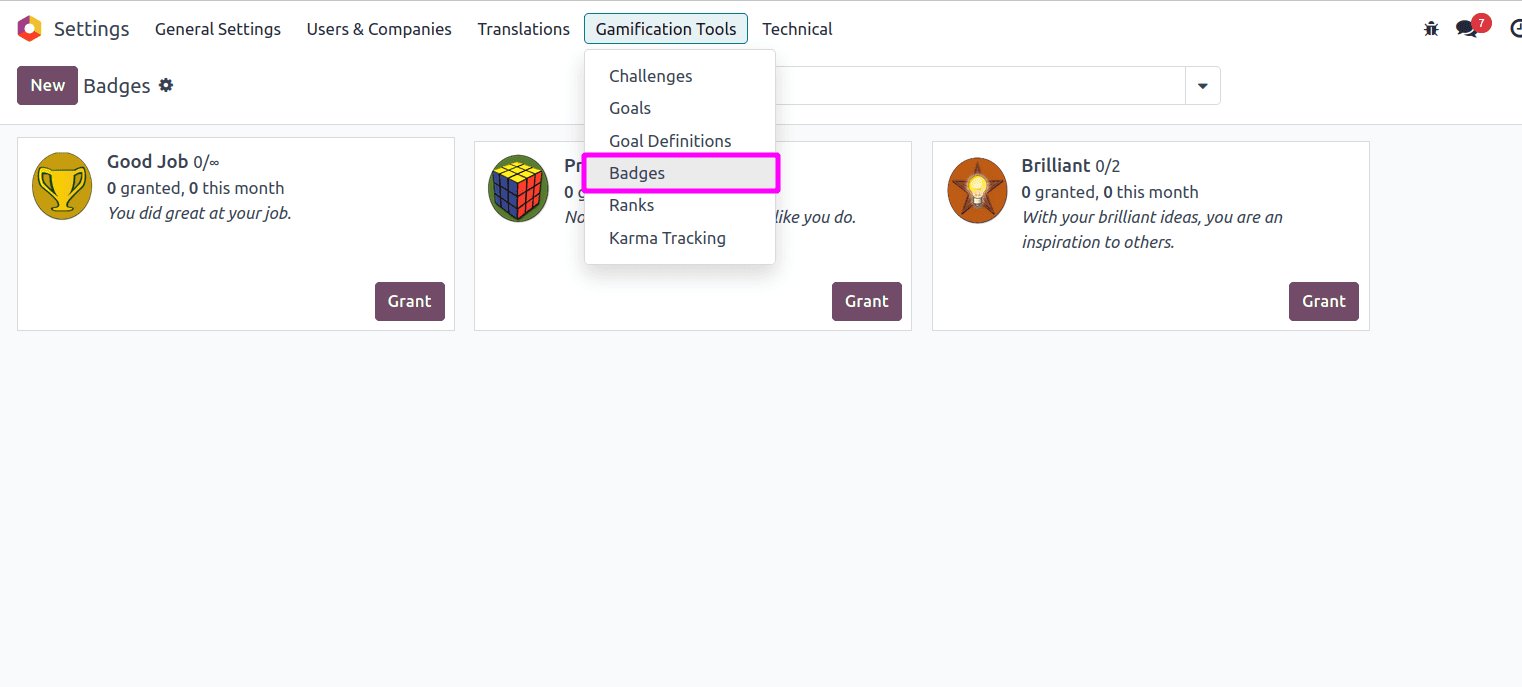
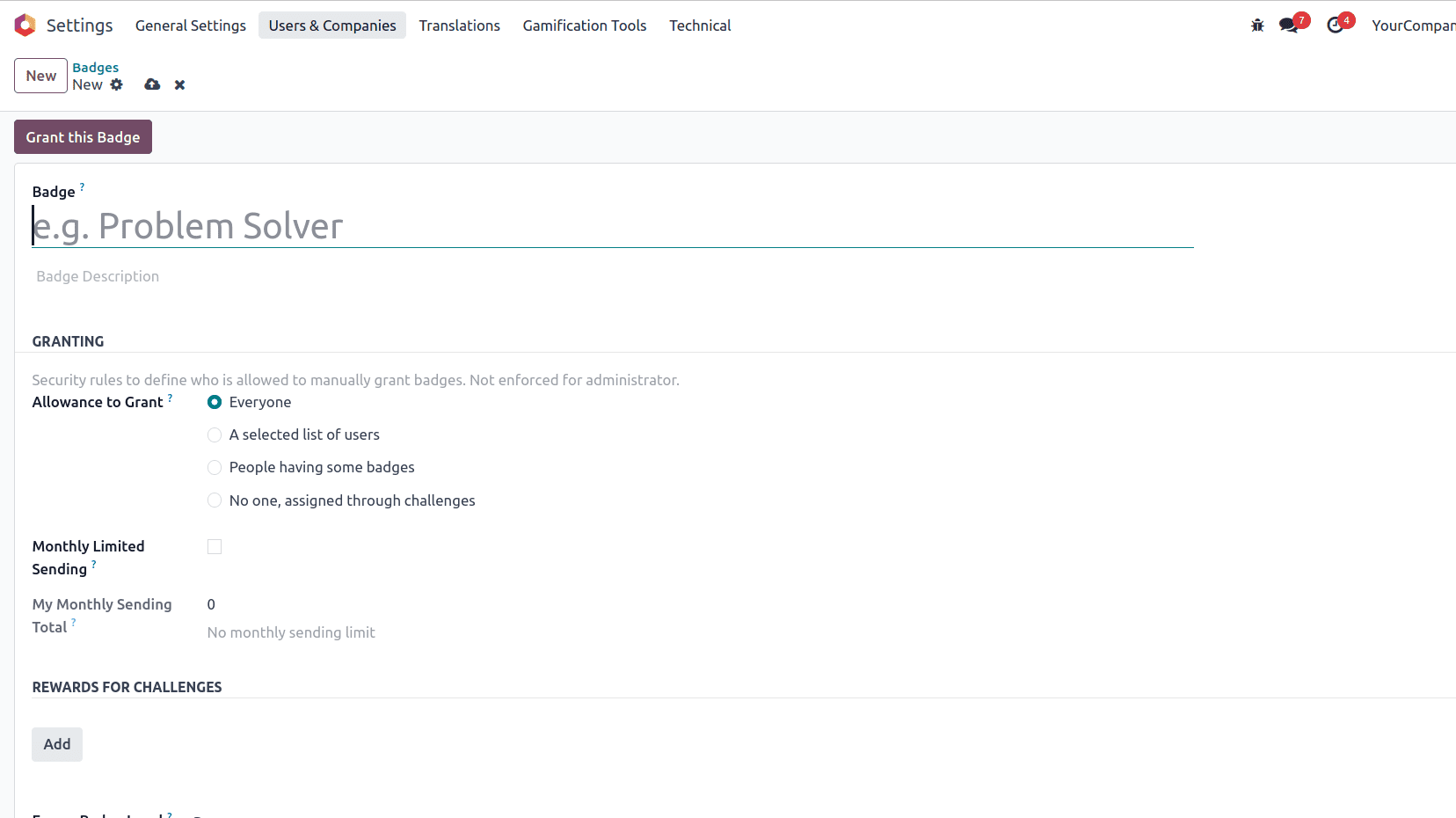
- Navigate to Badge Creation: Go to Settings > Gamification Tools > Badges, then click "New" to open a blank badge form.
- Configure Badge Details:
- Badge Name: Choose a descriptive, motivating name
- Description: Explain what the badge represents and why it's being awarded
- Allowance to Grant: Determine who can award this badge (Everyone, A selected list of users, or Only administrators)
- Monthly Limited Sending: Enable this option if you want to cap how many times this badge can be granted per month, then specify the limitation number
- Add Rewards for Challenges: If the badge is tied to specific challenges, link it to those challenge rewards.
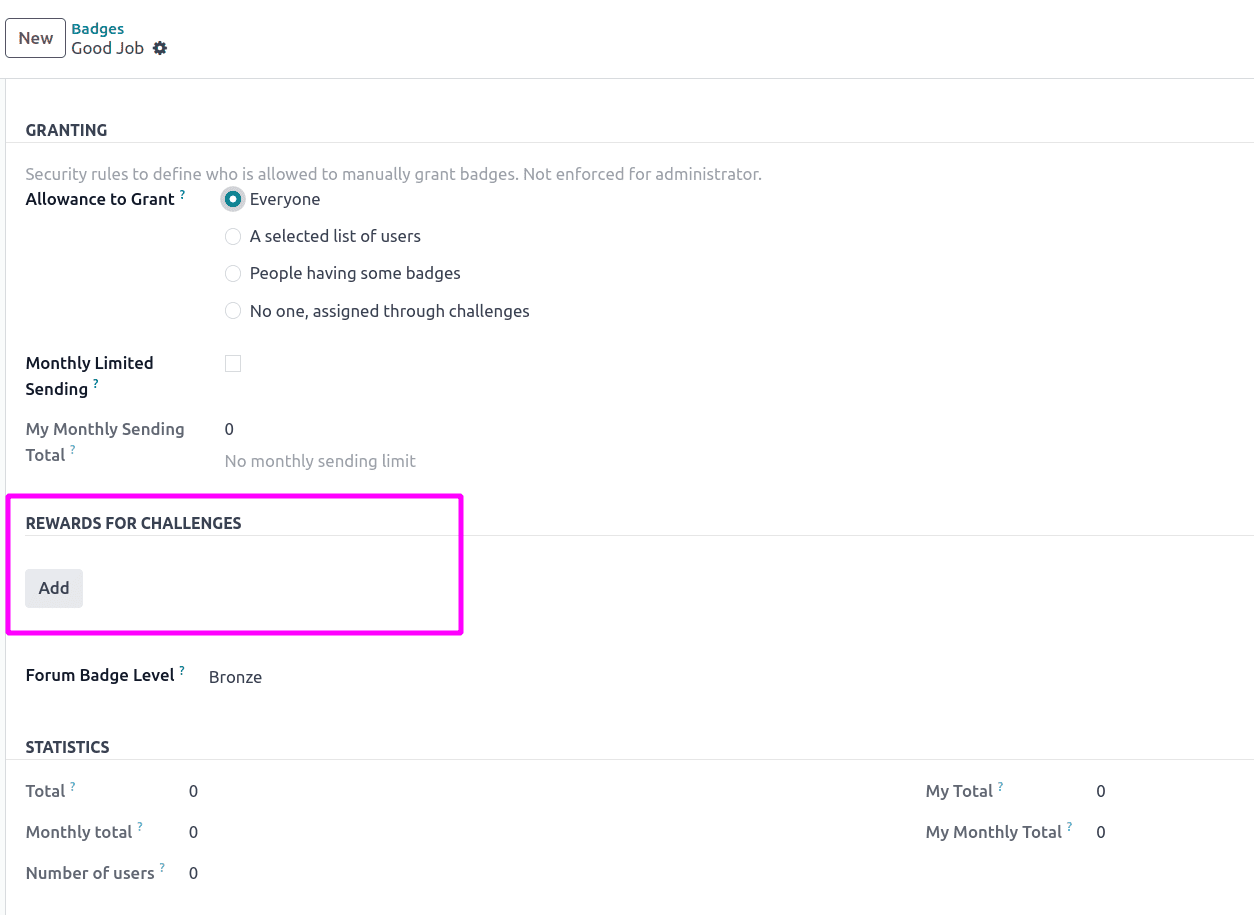
- Configure Statistics: Track metrics like total badges granted, monthly totals, number of users who've received it, and your personal granting statistics.

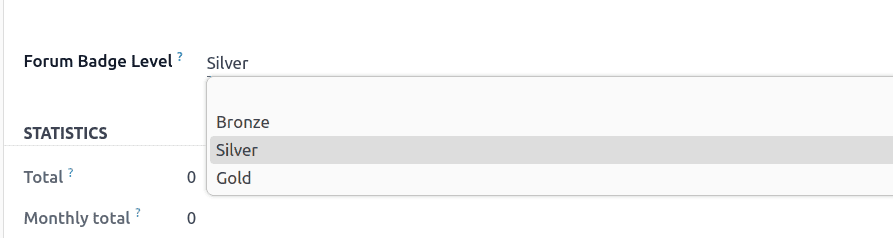
- Set Forum Badge Level: If your organization uses Odoo's forum features, specify the appropriate badge level.
Granting Badges
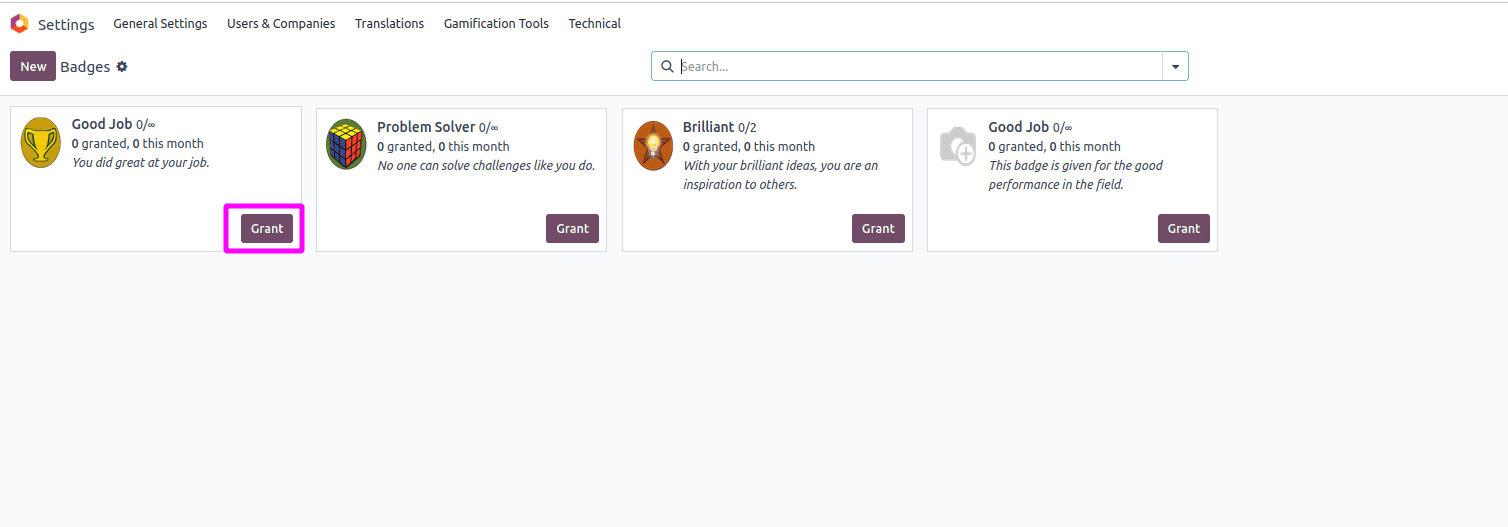
Badges can be granted in two ways:
Automatically: When an employee completes a challenge, badges are automatically awarded based on the reward configuration.
Manually: Click "Grant this Badge" on any badge form to directly award it to an employee. Select the recipient and add a personalized message explaining why they're receiving this recognition.
Creating Employee Challenges
Challenges are the heart of Odoo 18's gamification system. They define specific competitions with measurable goals, clear timelines, and rewarding outcomes.
Challenge Creation Process
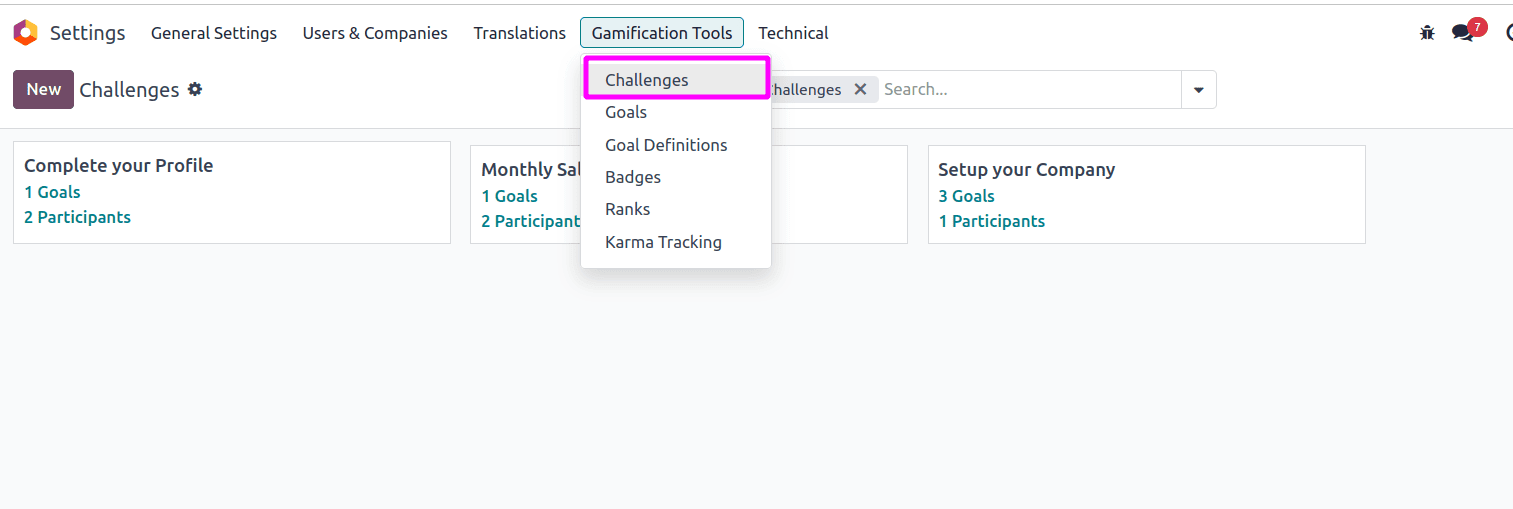
- Access Challenges: Navigate to Settings > Gamification Tools > Challenges and click "New" to create a fresh challenge.
- Basic Challenge Information:
- Challenge Name: Create a compelling title that clearly communicates the objective
- Responsible Person: Assign someone to oversee and manage the challenge
- Start and End Dates: Define the challenge duration
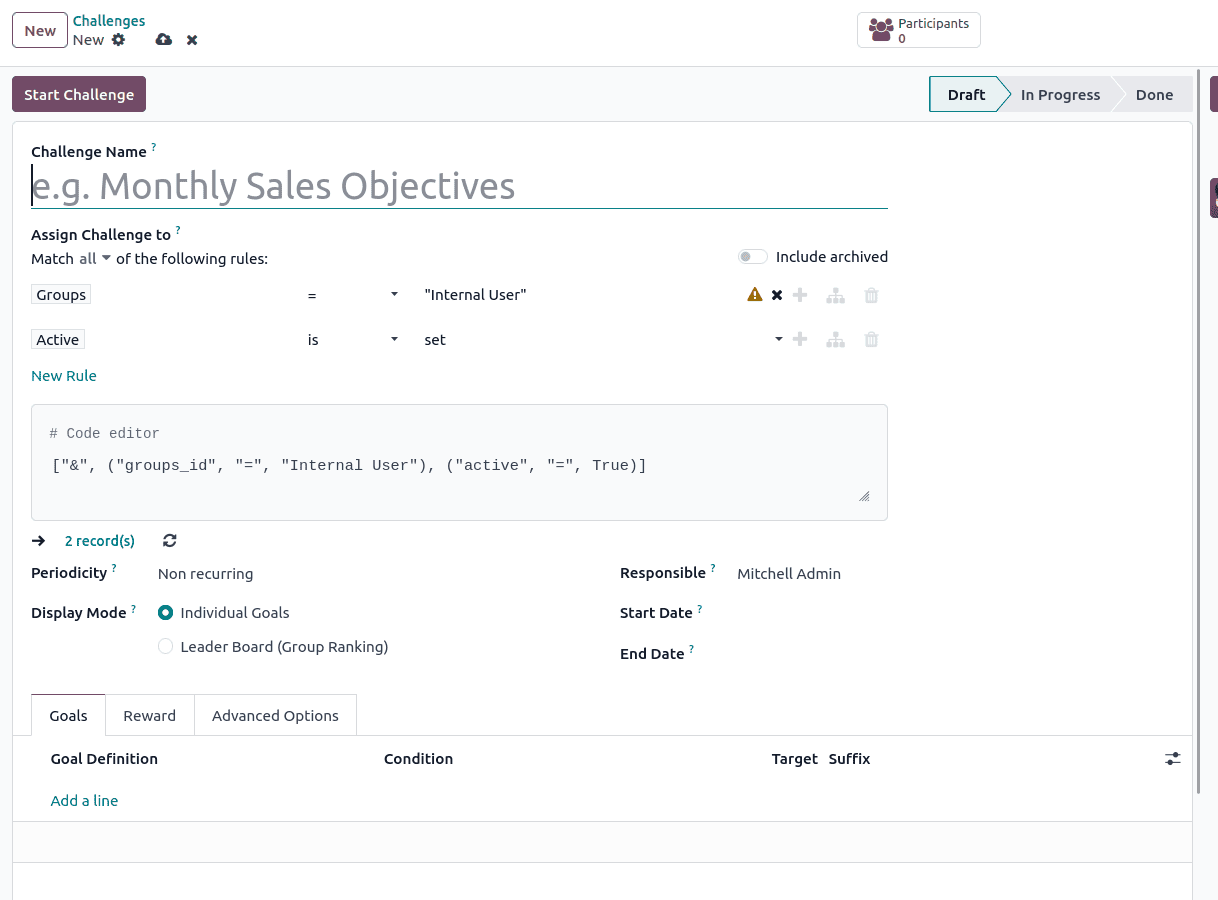
- Assign Challenge Participants: Use assignment rules to determine who participates. You can create multiple rules with various parameters:
- Include all users with specific application permissions (e.g., all Sales users)
- Target specific departments or teams
- Include users with particular job roles
For example, to include all sales team members, create a rule that selects users with permissions in the Sales application.
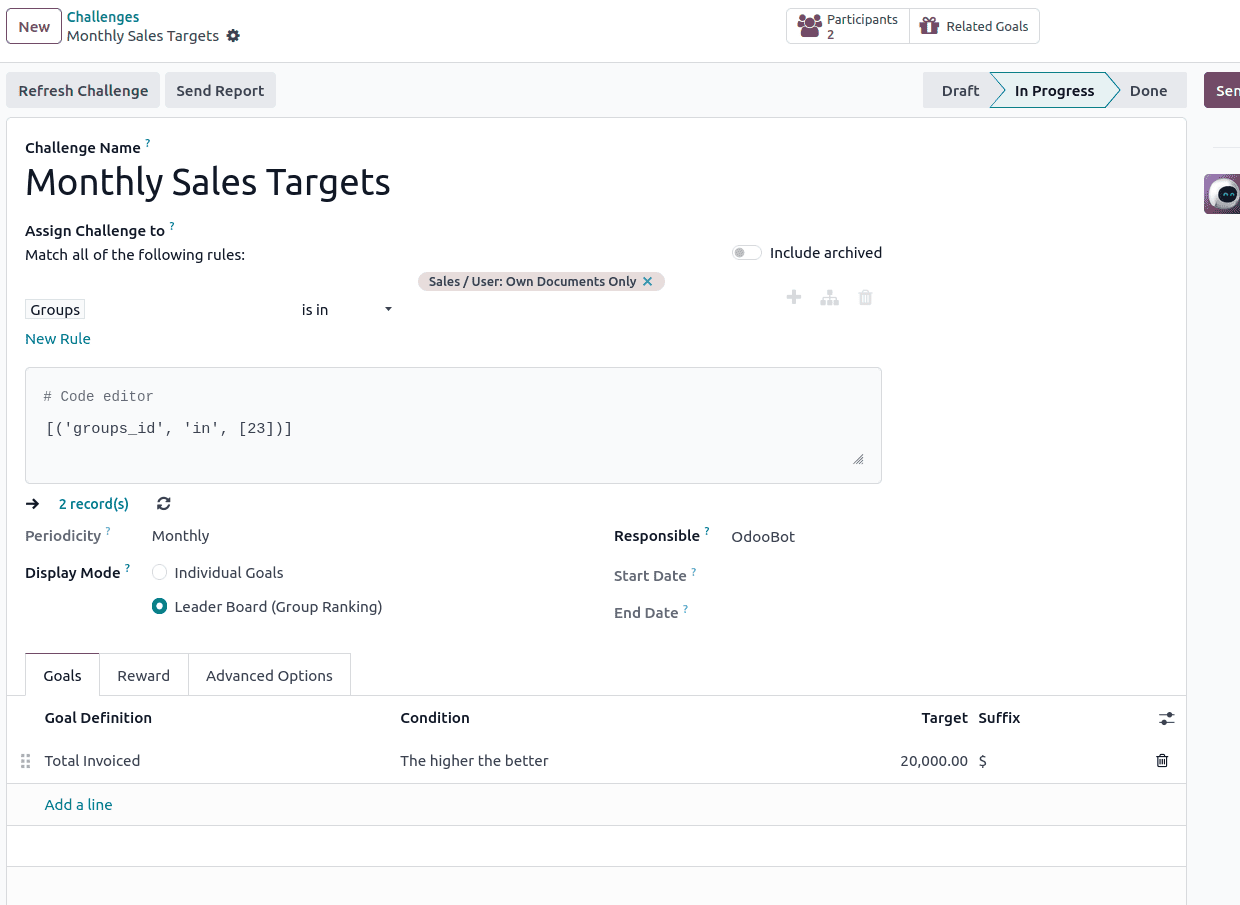
- Set Periodicity: Choose how frequently goals are assessed:
- Once (one-time challenge)
- This determines when the system automatically evaluates goal completion.
- Configure Display Mode: Choose how participants see their progress and rankings on their dashboard.
Defining Goals
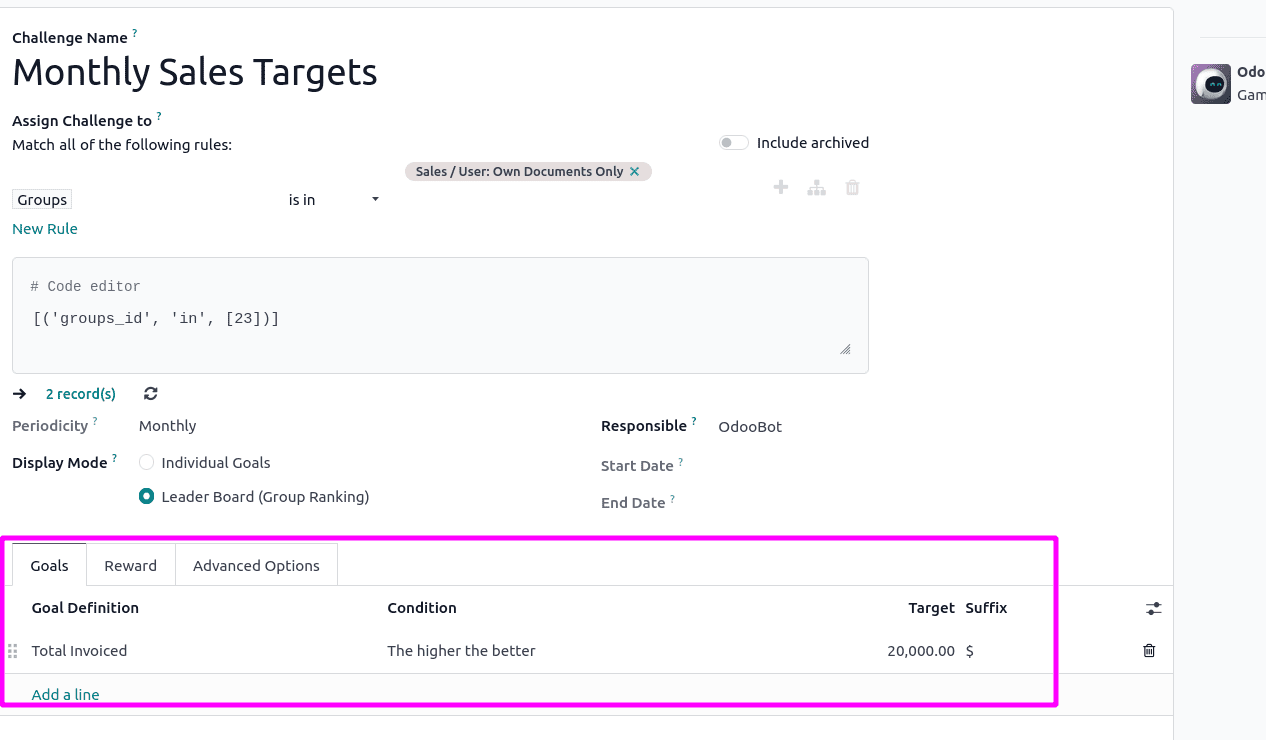
The Goals tab is where you specify what employees need to achieve. Each goal includes:
- Goal Definition: Select from predefined goals or create custom ones
- Condition: Specify the target threshold (e.g., higher than, lower than, equal to)
- Target: Set the numerical target to achieve
- Suffix: Add a unit of measurement (e.g., leads, sales, hours)
Challenges can contain single or multiple goals. For complex challenges, add multiple goal lines with different targets and definitions.
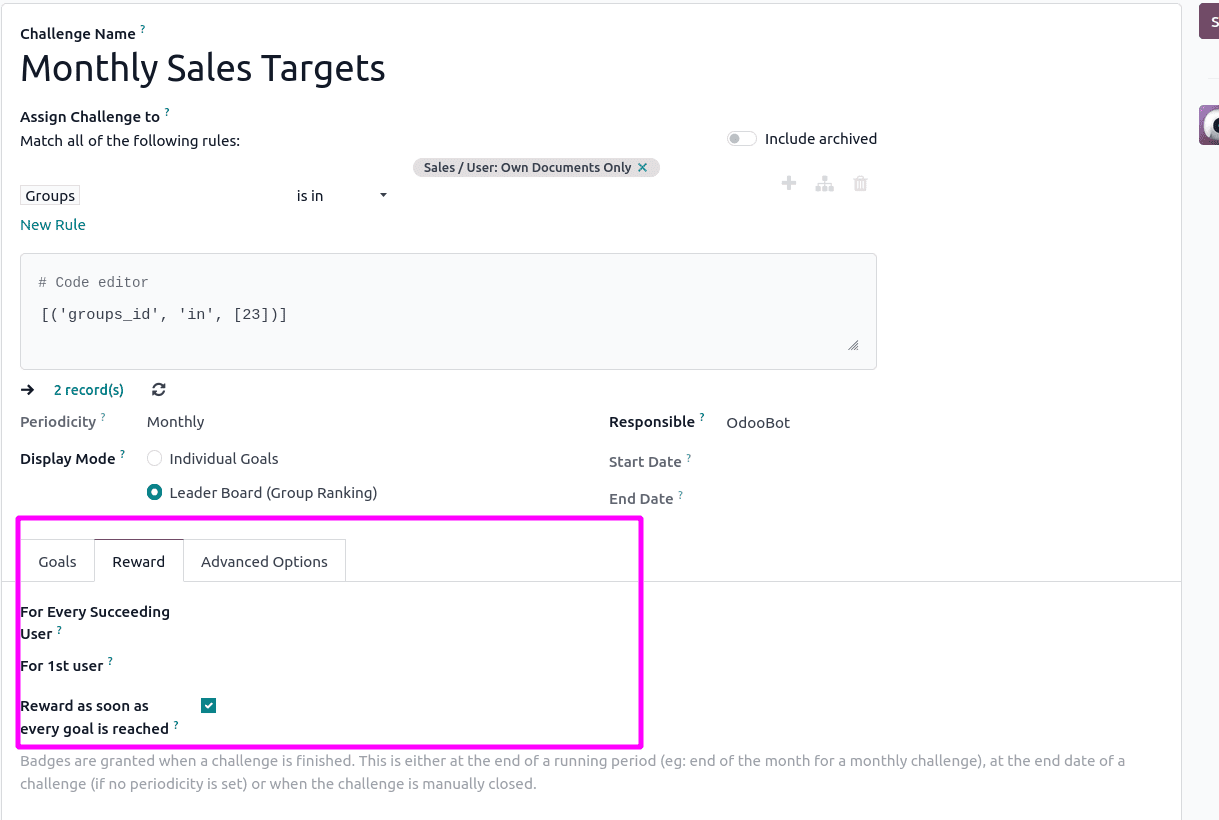
Setting Up Rewards
In the Reward tab, configure what participants receive upon successful completion:
- For 1st User: Select a badge specifically for the top performer
- For Every Succeeding User: Choose a badge for all other participants who complete the challenge
- Reward Immediately: Enable this option to grant badges as soon as goals are reached, rather than waiting for the challenge period to end
Advanced Configuration Options
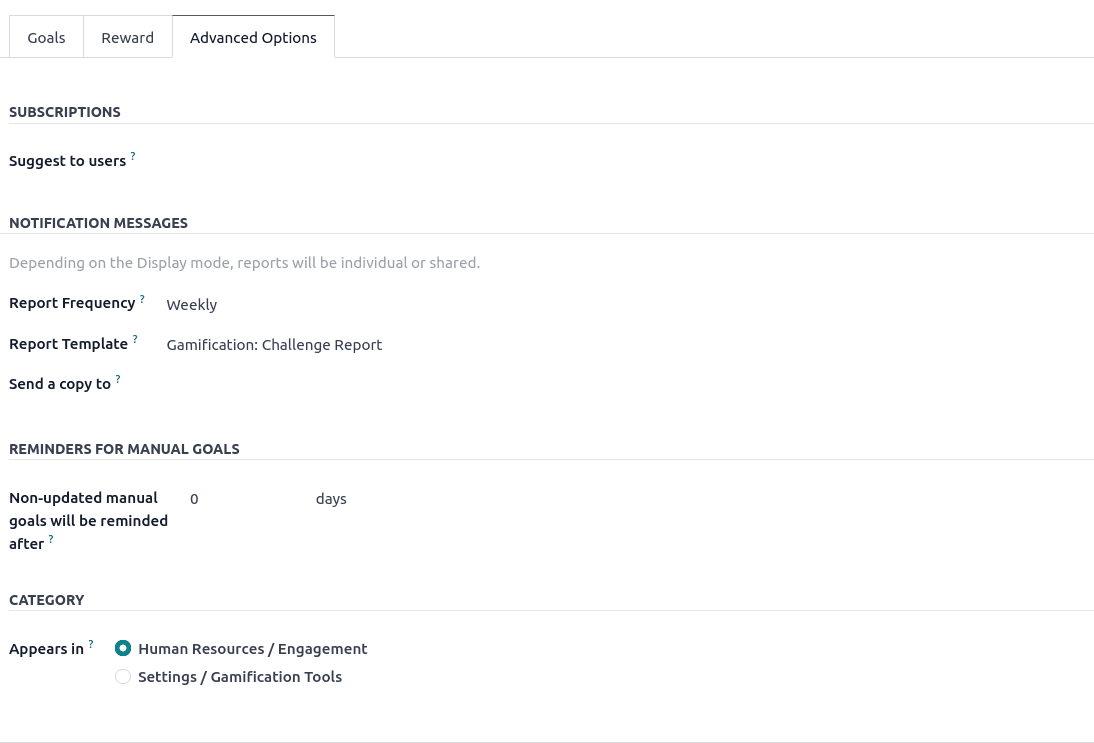
The Advanced Options tab offers additional customization:
- Report Template: Select a template for displaying challenge notifications and updates
- Report Frequency: Determine how often participants receive progress reports
- Send Report To: Specify who receives challenge reports
- Reminder Settings: Configure reminder notifications and specify how many days before the deadline reminders should be sent
Once all configurations are complete, save the challenge and initiate it by selecting the Start Challenge option. Participants can then begin working toward their objectives, while administrators monitor their progress in real-time. The Challenges feature in Odoo 18 enables organizations to cultivate a rewarding and motivating work environment, driving both productivity and a culture of achievement.
Managing Goal Definitions
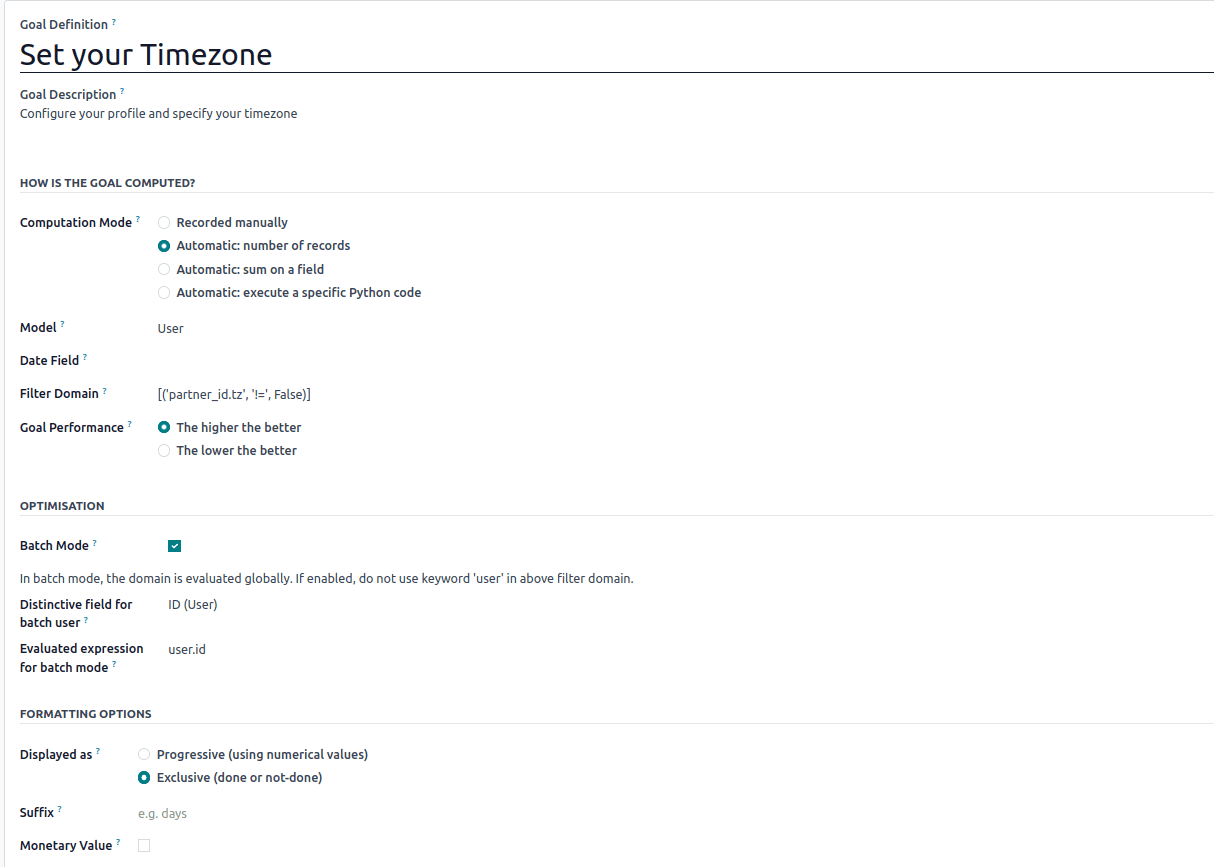
Goal definitions are the building blocks of challenges. They specify what actions or metrics are being tracked and how success is measured.
Creating Custom Goal Definitions
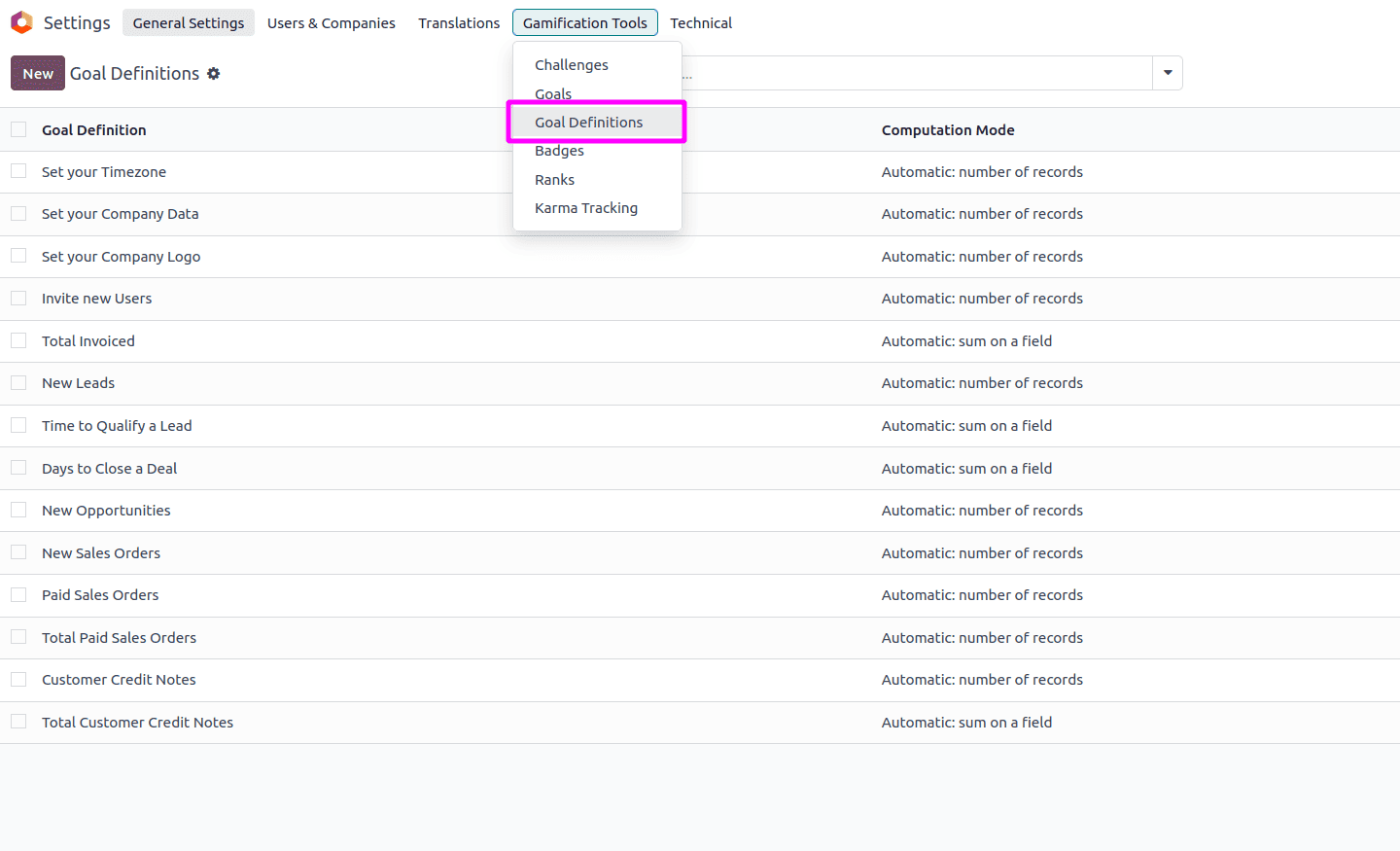
Navigate to Settings > Gamification Tools > Goal Definitions to create or modify goals:
- Goal Description: Provide a clear explanation of what's being measured
- Computation Mode: Select how the goal is calculated:
- Manual: Require manual updates by a manager
- Count: Automatically count records in the database
- Sum: Total values from specific fields
- Python Code: Use custom code for complex calculations
- Model: Choose the Odoo model (database table) from which data is pulled
- Filter Domain: Define specific criteria for which records count toward the goal
- Goal Performance Mode: Determine whether higher or lower values represent better performance
Tracking Challenge Progress
Once challenges are active, both administrators and participants can track progress in real-time.
For Administrators
Administrators can monitor all active challenges through the Challenges dashboard:
- View overall participation rates
- See individual and team progress toward goals
- Identify top performers
- Generate reports for analysis
- Make adjustments to ongoing challenges if needed
For Employees
Participating employees can track their own progress through their user dashboard:
- View active challenges they're enrolled in
- See their current standing and progress toward goals
- Compare their performance with peers (depending on visibility settings)
- View badges they've earned
- Receive notifications about achievements and updates
Odoo 18's employee challenges system represents a sophisticated approach to workforce motivation and performance management. By transforming business objectives into engaging competitions with meaningful recognition, organizations can create a culture of excellence that drives both individual achievement and collective success.
The flexibility of Odoo 18's gamification framework allows it to be tailored to any industry, department, or organizational culture. Whether you're motivating a sales team to exceed quotas, encouraging customer service representatives to deliver exceptional experiences, or driving project teams to meet deadlines, the challenges and badges system provides the tools needed to recognize, reward, and inspire your workforce.
By implementing thoughtful challenges aligned with business goals, providing timely recognition through badges, and continuously refining your approach based on data and feedback, you can harness the full power of gamification to elevate employee performance and create a more engaged, motivated, and productive workforce.
To read more about How to Handle Employee Remote Working in Odoo 18, refer to our How to Handle Employee Remote Working in Odoo 18.