In Odoo 19, sales teams can seamlessly link sales visits to CRM leads, enabling better visibility into customer engagement and improving follow-up activities. By connecting field visits, meetings, and customer interactions directly to leads, businesses gain a centralized view of the sales pipeline and can monitor progress more accurately. By facilitating direct customer engagement, sales visits support the progression of prospects through the sales process. Whether a salesperson conducts an introductory meeting, product demonstration, or follow-up discussion, recording these visits within Odoo helps maintain complete customer histories. By connecting sales activities seamlessly, this integration minimizes missed opportunities and promotes better teamwork.
This guide explains how to manage sales visits linked to leads in Odoo 19, including creating leads, scheduling visits, tracking activities, and monitoring outcomes to improve sales performance and customer satisfaction.
Benefits of Managing Sales Visits Linked to Leads in Odoo 19
- Better Lead Tracking – All sales visits and interactions are linked to leads, providing a complete customer history.
- Improved Follow-ups – Scheduled reminders and tracked activities ensure consistent engagement with prospects and help prevent missed follow-up actions.
- Higher Conversion Rates – A structured approach to sales visits helps sales teams identify opportunities, build stronger relationships, and close deals more effectively.
- Increased Sales Productivity – Sales representatives can schedule, record, and manage visits efficiently from one system.
- Real-Time Sales Visibility – Managers can monitor visit outcomes, lead progress, and team performance through dashboards and reports.
Firstly, open the CRM module from the Odoo 19 dashboard.
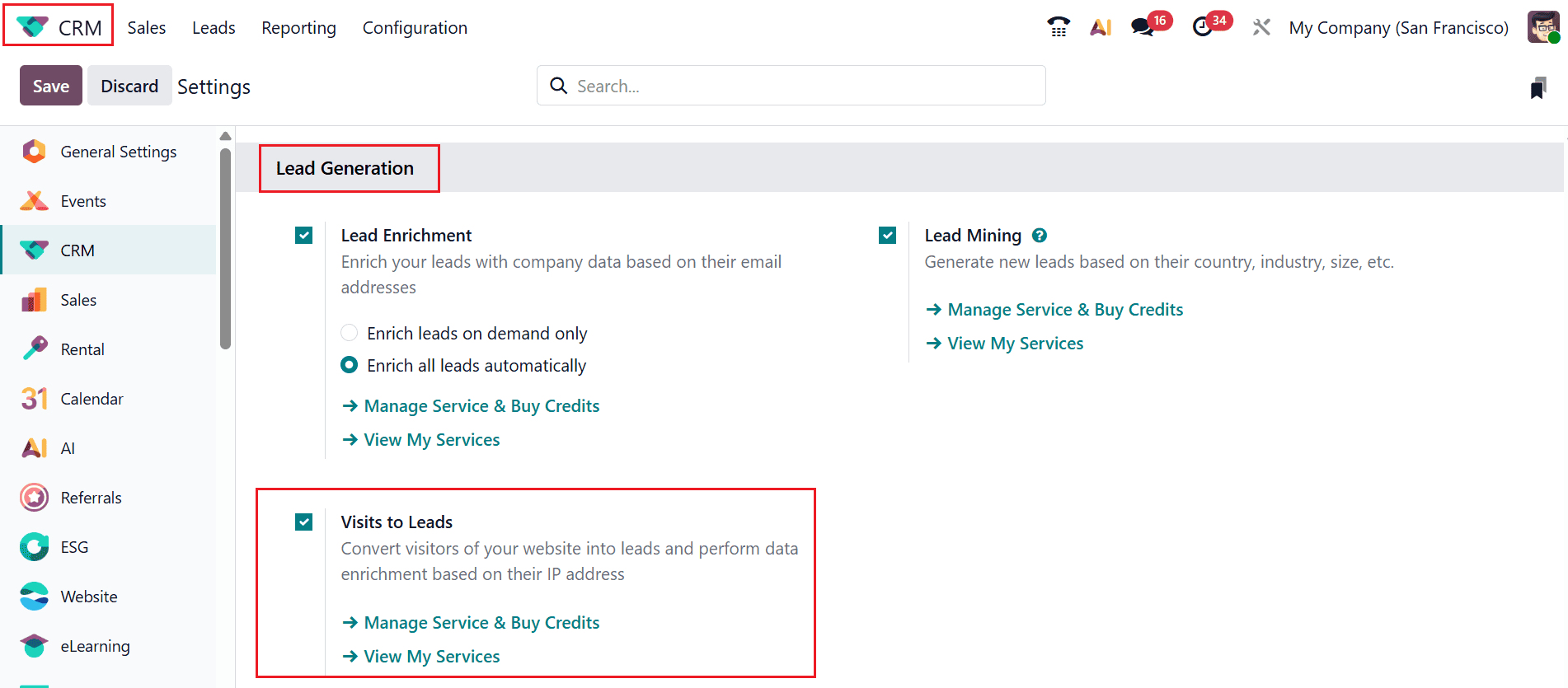
Navigate to Configuration > Settings, and under the Lead Generation section, enable the Visits to Leads option.
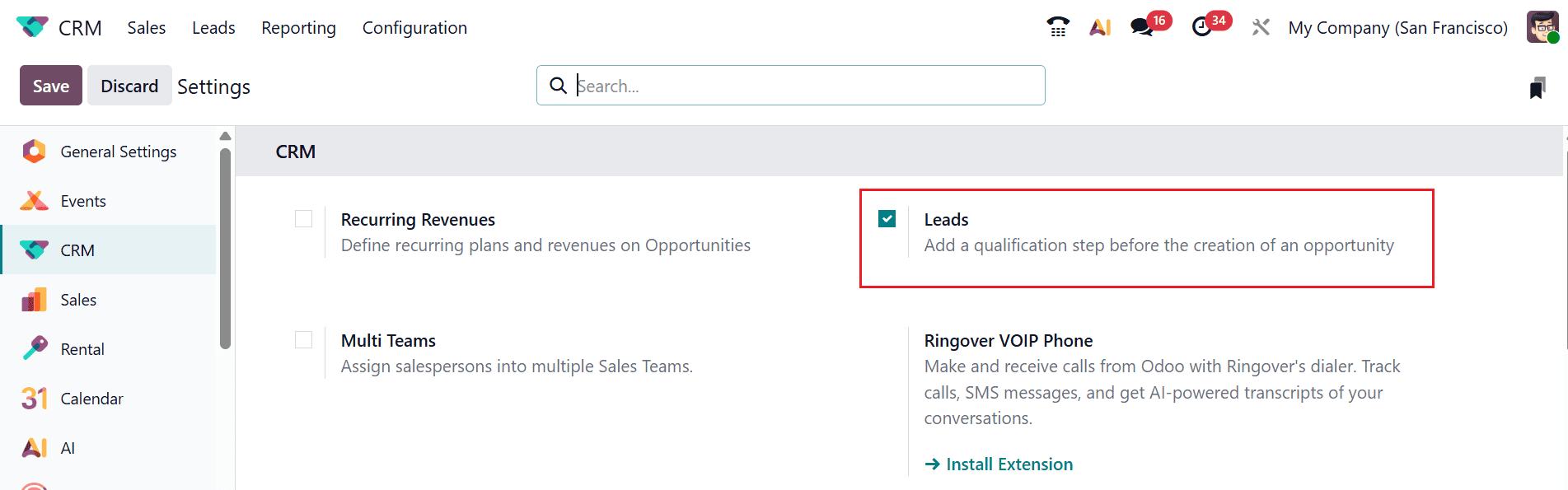
Also, ensure that the Leads feature is enabled in the CRM section before proceeding.
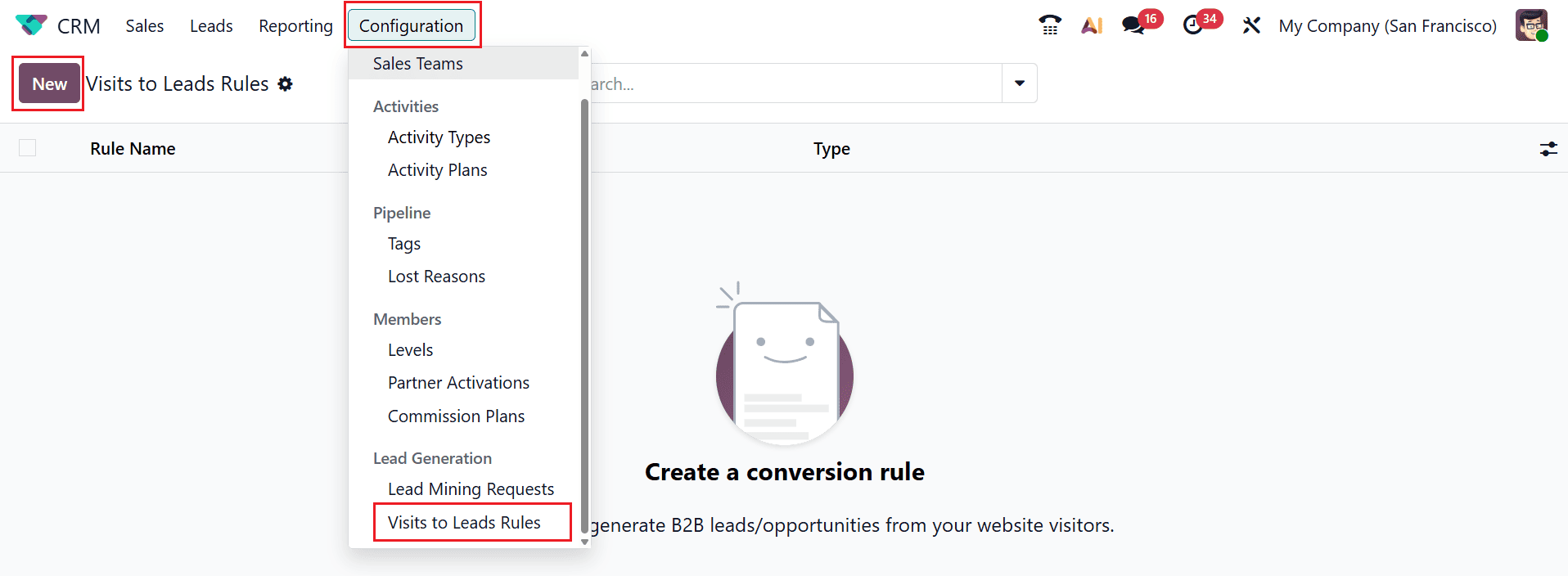
Then, move to the Configuration > Visits to Leads Rules and click on the New button to create a new rule.
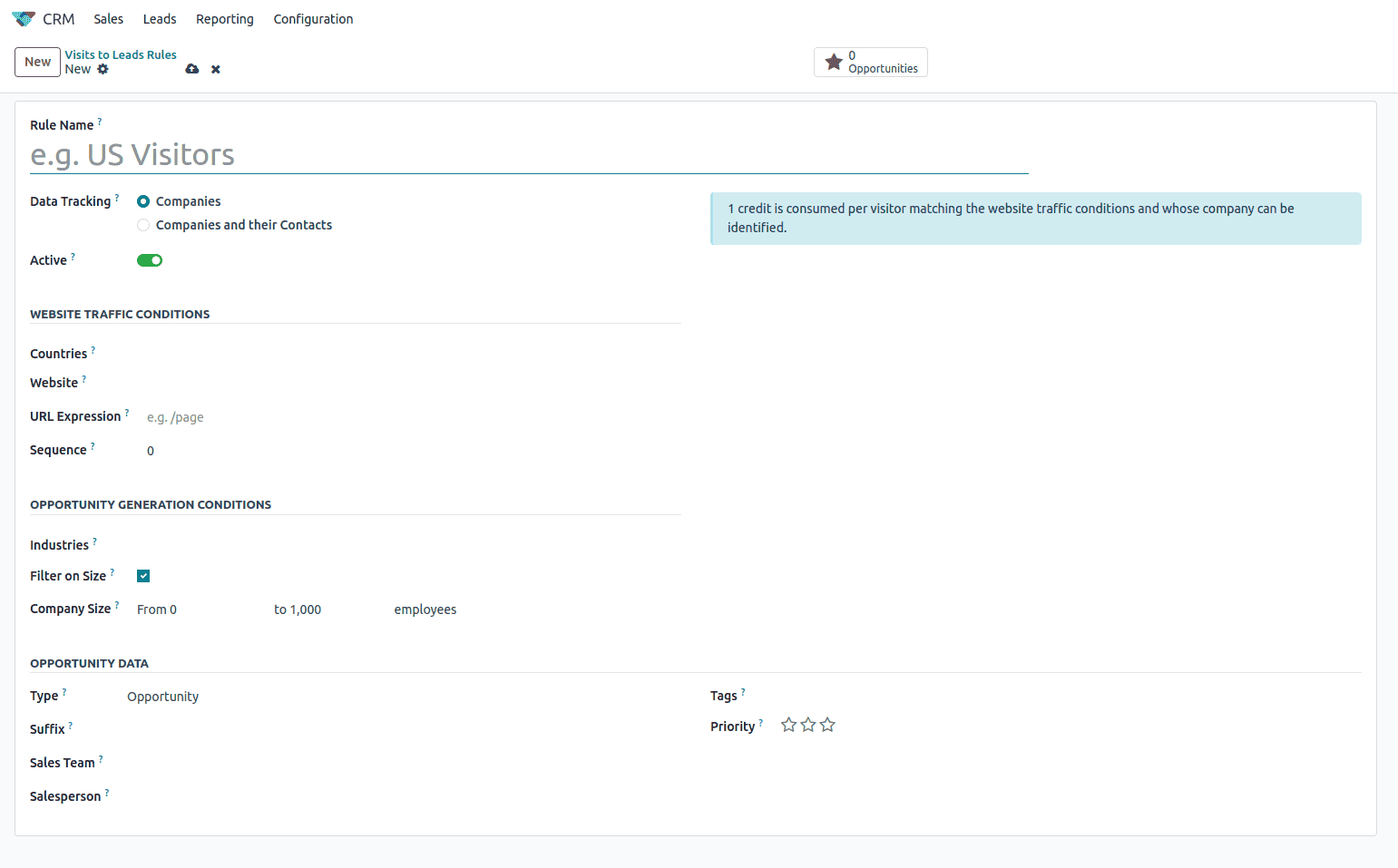
A new window will open, allowing you to enter a Rule Name and select the Data Tracking option as either Companies or Companies and their Contacts. Then, enable the Active button to create leads from website visitors automatically. In the Website Traffic Conditions section, specify the required details, including Countries, Website, URL Expression, and Sequence, which determines the priority order of the Visits to Leads rules.
Under the Opportunity Generation Conditions sections, add the details such as Industries, Filter on Size (enable the option to filter based on their size), and Company Size.
In the Opportunity Data section, choose the Type as either Opportunity or Lead, and then configure additional details such as Suffix, Sales Team, Salesperson, Tags, and Priority.
If you have sufficient credits, you can view the opportunities by clicking the Opportunities Smart Buttons on the website.
Managing sales visits linked to leads in Odoo 19 helps organizations create a more structured and transparent sales process. By recording customer meetings directly within CRM lead records, sales teams can maintain complete interaction histories, improve collaboration, and ensure timely follow-ups. This method not only boosts productivity but also delivers important insights into customer requirements and buying patterns. With Odoo 19's integrated CRM and activity management capabilities, businesses can streamline field sales operations and gain better control over lead nurturing efforts. Consistent tracking of sales visits enables teams to prioritize opportunities effectively, make informed decisions, and increase conversion rates. By following best practices and leveraging Odoo's powerful tools, organizations can build stronger customer relationships and drive sustainable sales growth.
To read more about How to Discover New Leads with Odoo 19 Lead Mining, refer to our blog How to Discover New Leads with Odoo 19 Lead Mining.