In this blog, we are going to see a practical implementation of useExternalListener in Odoo 19. A powerful hook, which can be used in your custom development very effectively to make your modern-day ideas into a business solution. This hook is mainly used to perform operations when an external event is triggered on the window.
Let’s create a custom module with the below structure to see the practical implementation
{
    "name": "Your Module Name",
    "version": "19.0.1.0.0",
    "summary": "",
    "description": """
    """,
    "author": "Your Name",
    "website": "https://yourwebsite.com",
    "category": "Tools",
    "depends": ["web"],
    "data": [
         "views/your_module_actions.xml"
    ],
    "assets": {
        "web.assets_backend": [
            "your_module_name/static/src/components/components.xml",
            "your_module_name/static/src/components/components.js",
        ],
    },
    "installable": True,
    "application": False,
    "license": "LGPL-3",
}
For the practical implementation, let’s create the component and its view.
Let's create the component.js and implement the useExternalListener hook in it to capture the keypress event and notify it using a client action with a proper message.
import { Component, useExternalListener } from "@odoo/owl";
import { registry } from "@web/core/registry";
import { useService} from "@web/core/utils/hooks";
export class CustomComponent extends Component {
    static template = "yourmodule_name.CustomComponent";

    setup() {
        this.action = useService("action")
        useExternalListener(window, "keypress", this.onKeyPress, true);
    }
    onKeyPress(){
        this.action.doAction({
            type: "ir.actions.client",
            tag: "display_notification",
            params: {
                message: "Keyboard events triggered",
                sticky: false,
            },
        });
    }
}
registry.category("actions").add("custom_client_action.main", CustomComponent);
Now lets create the XML file for the created component.
<?xml version="1.0" encoding="UTF-8"?>
<templates xml:space="preserve">
    <t t-name="your_module_name.CustomComponent">
        <div class="o_custom_component p-4 bg-view border rounded shadow-sm m-3">
            <h1 class="text-primary"><t t-esc="title"/></h1>
            <p class="mt-2">This is a custom Odoo client action using Owl.</p>
        </div>
    </t>
</templates>
Now, under the views directory, let's create the client action and a menu item to view the created custom component.
<?xml version="1.0" encoding="utf-8"?>
<odoo>
    <!-- Client Action -->
    <record id="action_custom_client_action" model="ir.actions.client">
        <field name="name">Custom Client Action</field>
        <field name="tag">custom_client_action.main</field>
        <field name="target">new</field>
    </record>
    <!-- Root Menu Item -->
    <menuitem id="menu_custom_client_action_root"
              name="Custom Client Action"
              web_icon="base,static/description/icon.png"
              sequence="10"/>
    <!-- Sub Menu Item linking to Client Action -->
    <menuitem id="menu_custom_client_action"
              name="My Custom Dashboard"
              parent="menu_custom_client_action_root"
              action="action_custom_client_action"
              sequence="10"/>
</odoo>
Once you've included all the above code in your custom module, install the module from the apps and view the created custom component.
Below attached the view of the component once the keyboard input is triggered.
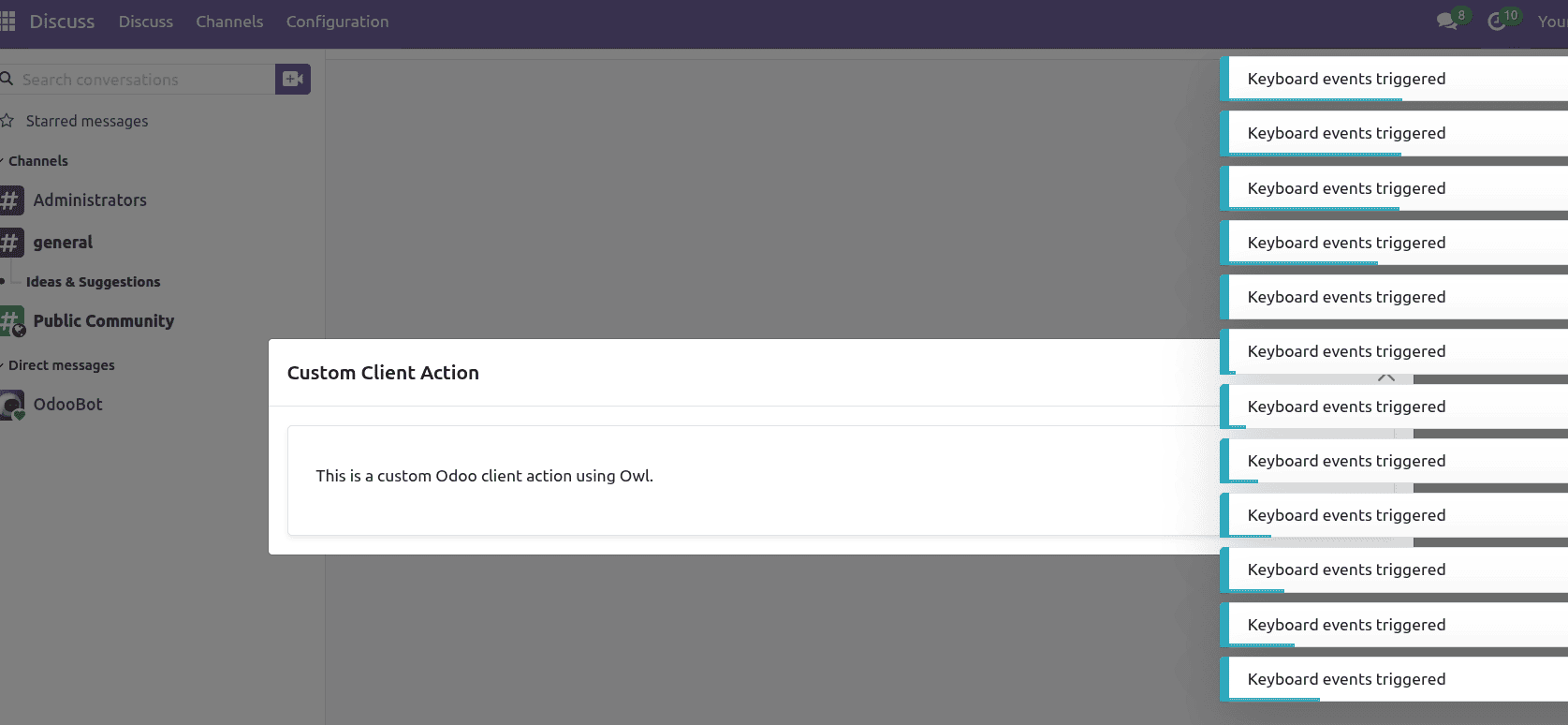
In this blog, we have discussed the practical example of the useExternalListener in Odoo. Using this powerful hook, you can capture not only the keyboard input event but also events such as mouse click, mouse-over, resize, click, scroll, input, and many more directly with our component. This is a powerful hook in Odoo, the best for frontend development, enabling the ability to make more responsive, interactive business solutions.
To read more about How to use the useExternalListener hook in Odoo 18, refer to our blog How to use the useExternalListener hook in Odoo 18.