Efficient lead management is the foundation of a successful sales process, and assigning the right lead to the right salesperson at the right time plays a critical role in improving conversion rates. As customer inquiries increase from multiple channels, manually distributing leads can become time-consuming, inconsistent, and prone to delays. Odoo 19 CRM addresses this challenge with Lead Assignment Rules, enabling businesses to automate lead allocation based on predefined conditions and sales team configurations.
Using Lead Assignment Rules in Odoo 19, organizations can automatically route incoming leads according to criteria such as sales teams, geographical regions, lead source, company, or other custom fields. This automation ensures a balanced workload among sales representatives, minimizes response times, and eliminates manual intervention in the lead distribution process. By integrating assignment rules into the CRM workflow, businesses can establish a structured lead management strategy while maintaining transparency and consistency throughout the sales pipeline.
In this blog, we will explore how to configure and use Lead Assignment Rules in Odoo 19 CRM, and understand the available assignment methods and scheduling options.
Move to the Configuration Settings of the CRM module and enable the Rule-Based Assignment option under the Lead Assignment section. Once this feature is activated, Odoo 19 automatically makes the lead assignment engine available for CRM. This functionality enables the system to distribute incoming leads to sales representatives based on predefined assignment rules, rather than relying on manual allocation, ensuring a consistent and efficient lead management process.
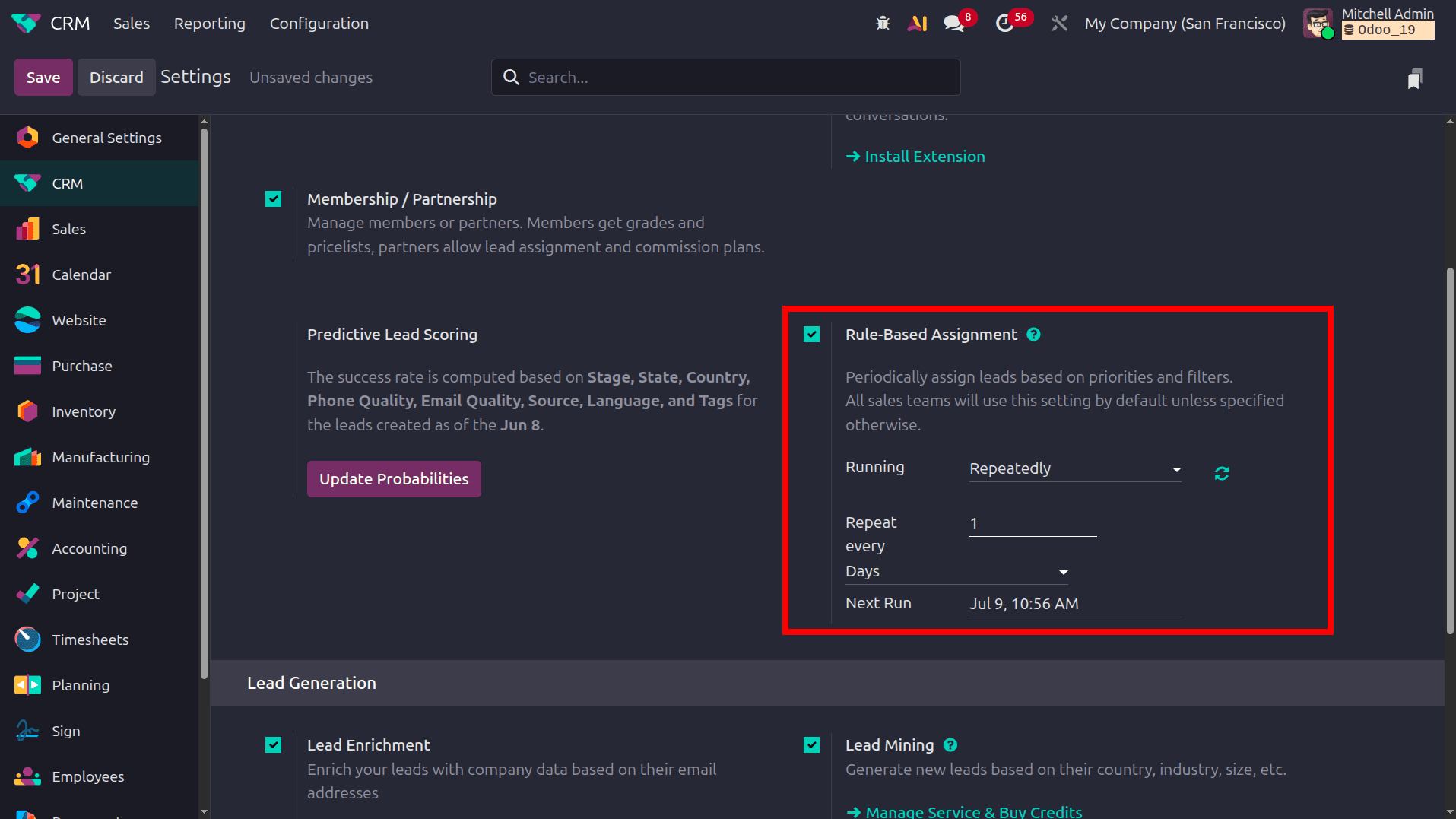
Once the Rule-Based Assignment feature is enabled, additional options become available within each Sales Team to define how leads should be assigned automatically. Navigate to CRM > Configuration > Sales Teams and open the required sales team. Here, you will find two new sections: one for assigning the lead to the sales team and one for assigning the lead to the team member.
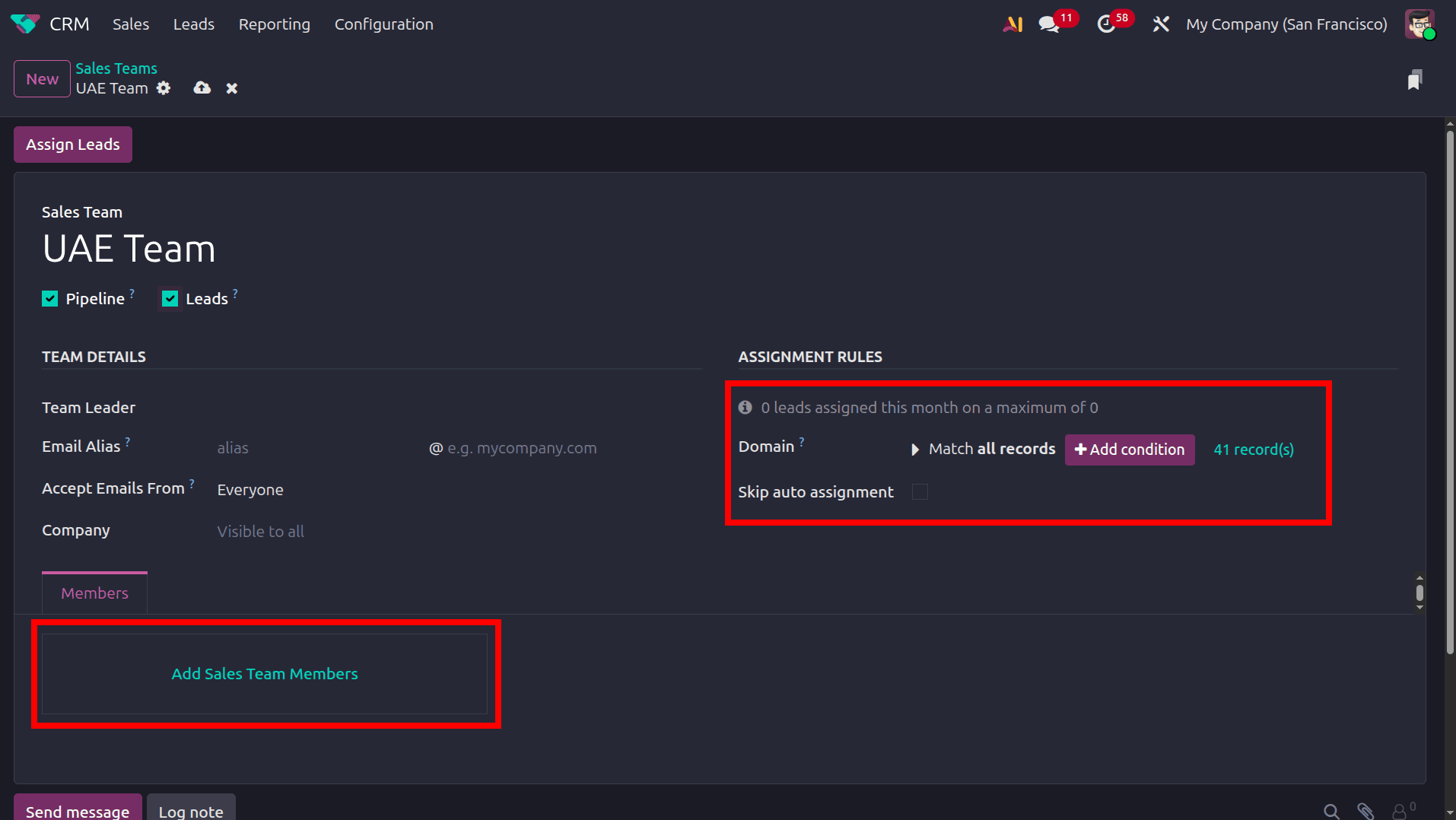
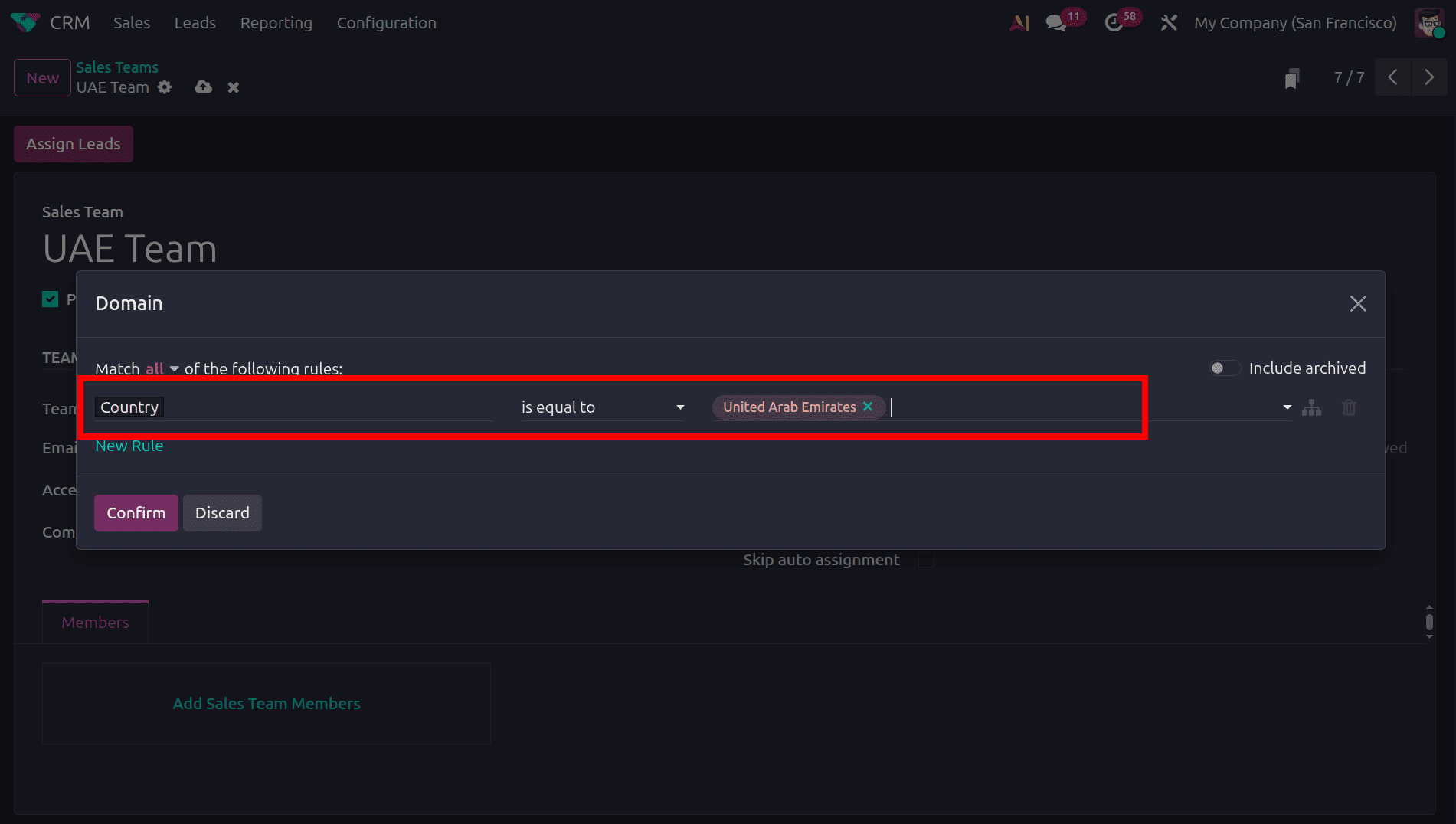
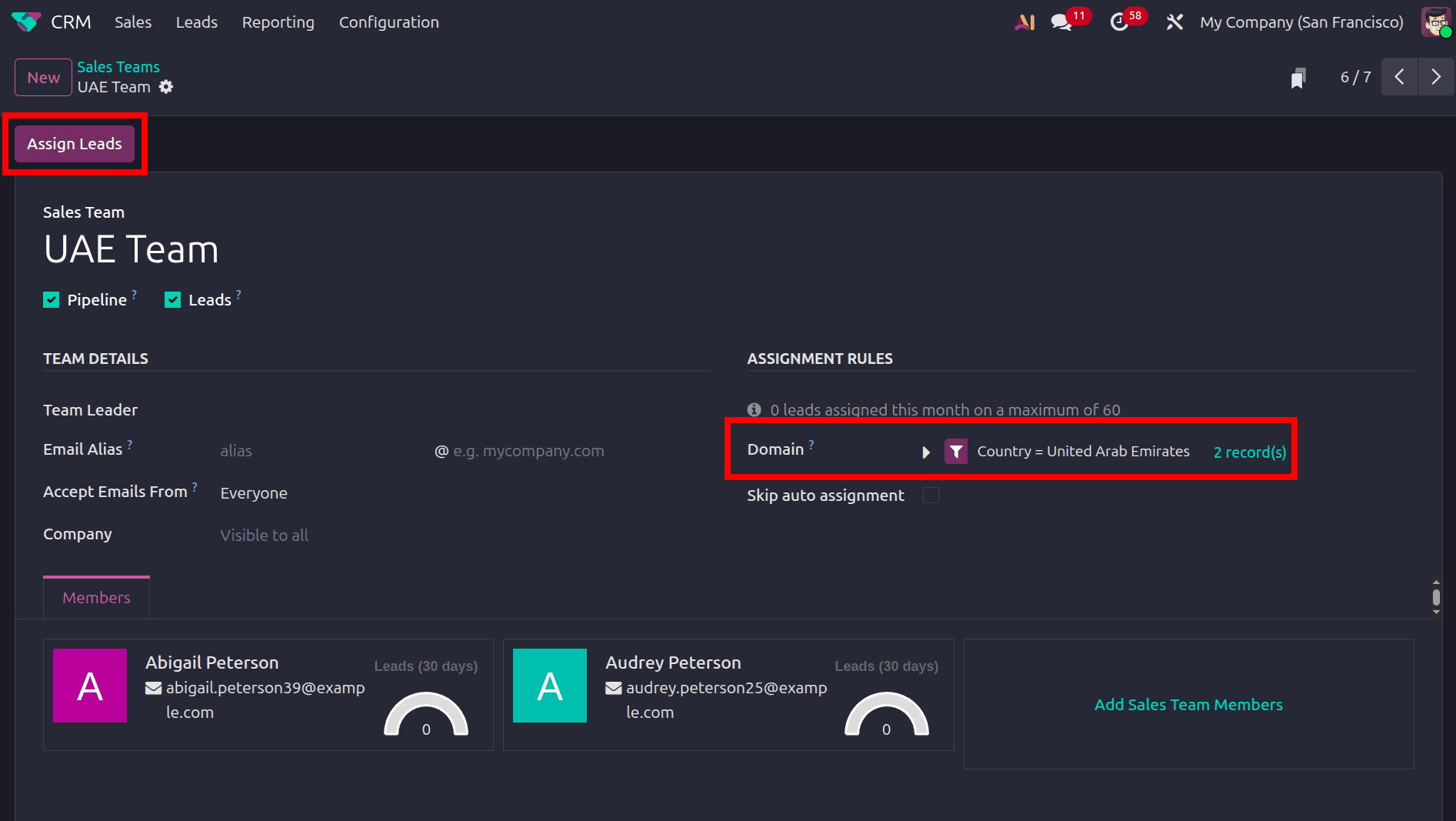
Click the Add condition button in the Assignment Rules section of the sales team to open the Domain configuration window, where you can define the conditions that leads must satisfy for automatic assignment. In the Domain configuration window, you can create one or more filter conditions that determine which leads are assigned to the selected sales team. Each condition consists of a CRM field, a comparison operator, and a value. In this example, the rule specifies that the Country must be the United Arab Emirates, meaning that only leads whose country is set to the United Arab Emirates will match this domain and become eligible for assignment to the UAE Team. You can add additional conditions using New Rule to create more specific assignment criteria. After defining the required filters, click Confirm to save the domain and apply it to the sales team's lead assignment rule.
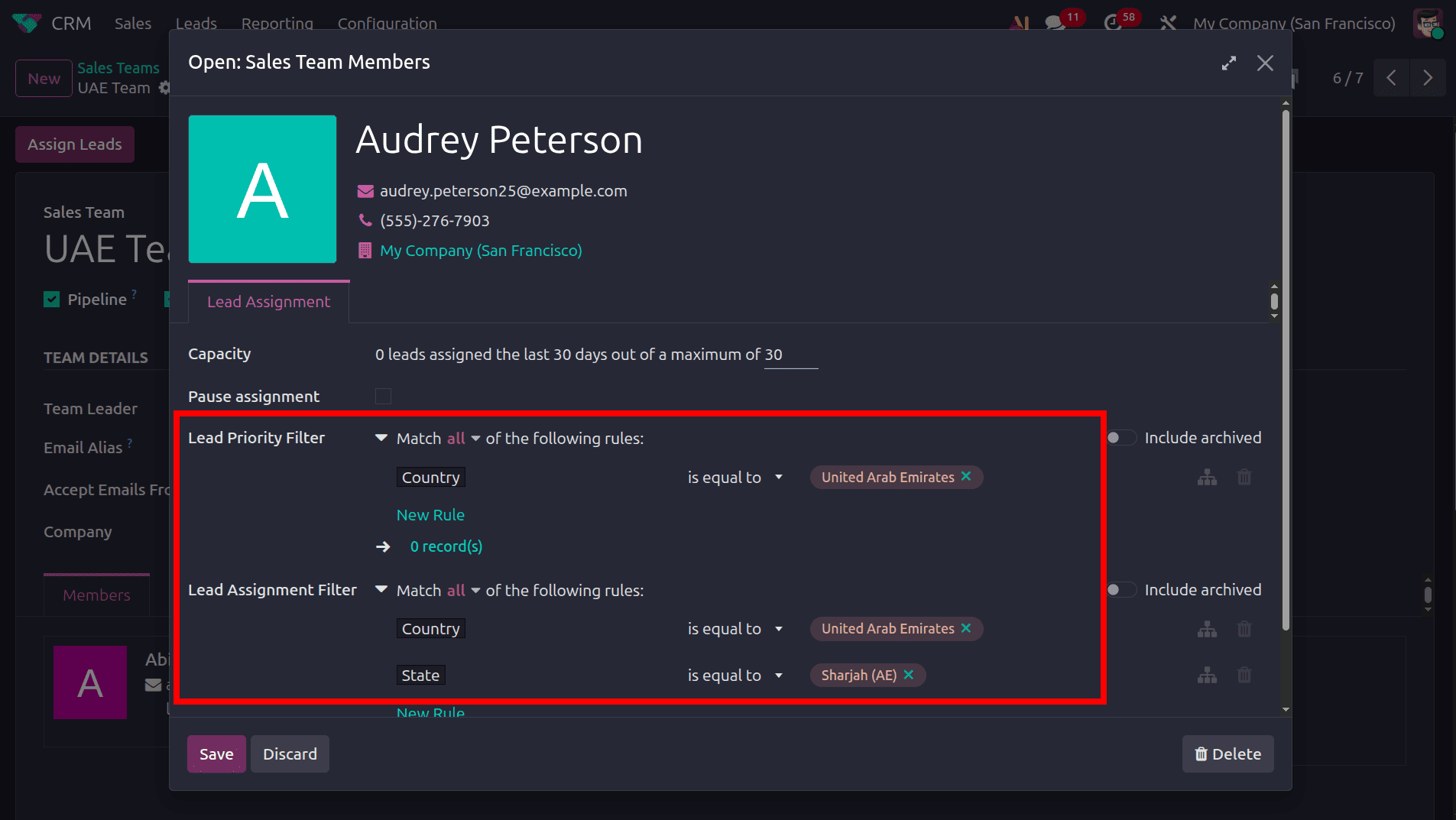
Click the Add Sales Team Members button to open the member configuration window. Here, select the salesperson who will receive leads for the sales team and configure the lead assignment criteria specific to that salesperson. These filters allow Odoo to distribute leads among team members based on predefined conditions, ensuring that each salesperson receives only the leads that match their area of responsibility.
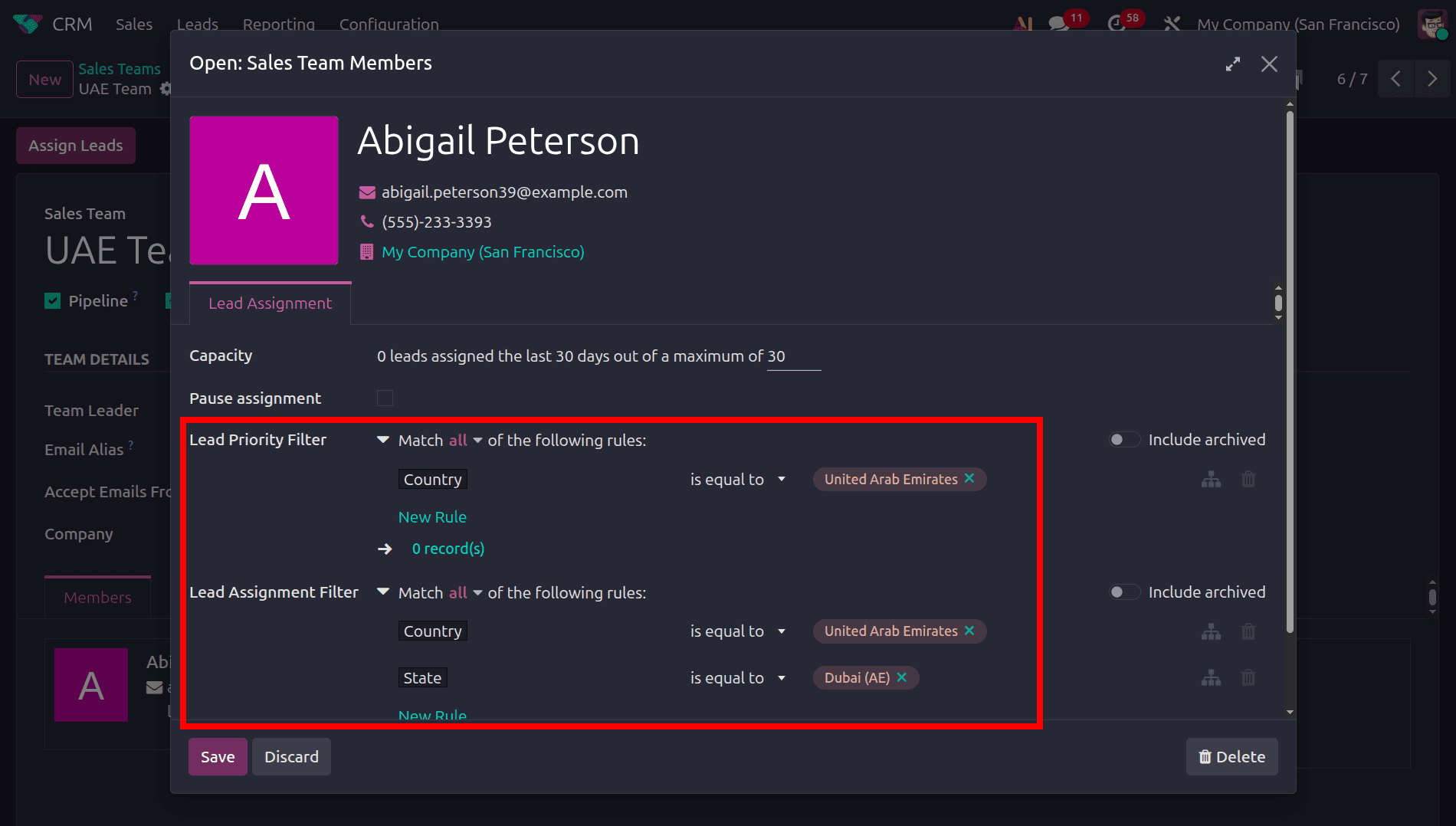
Next, add the second salesperson to the sales team and configure the assignment rules specific to them. In this example, Audrey Peterson is added as a sales team member. The Lead Priority Filter is configured for leads from the United Arab Emirates, while the Lead Assignment Filter further specifies the United Arab Emirates as the country and Sharjah (AE) as the state. With Match all selected, the salesperson will be assigned leads that meet all the defined conditions, allowing Odoo to distribute leads to the appropriate salesperson based on the specified criteria.
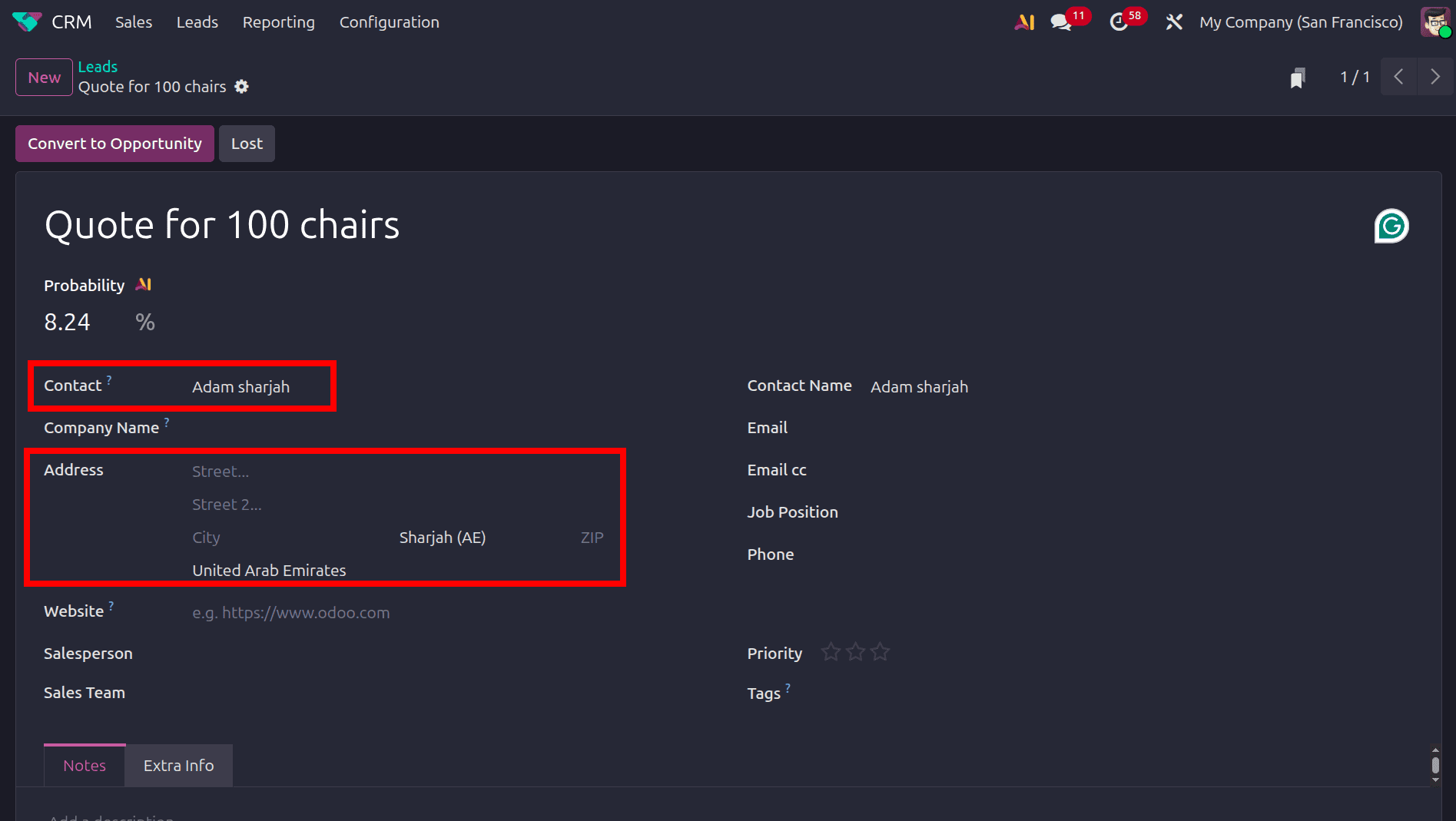
After configuring the assignment rules for the sales team and its members, the next step is to create or receive a lead that matches the defined criteria. When a lead contains the relevant information, such as the United Arab Emirates as the country and Sharjah (AE) as the state, Odoo evaluates the configured assignment rules and determines the appropriate salesperson. In this example, the lead contains Sharjah (AE) as the state and the United Arab Emirates as the country, making it eligible for the assignment conditions configured for the respective sales team member. This allows Odoo to automatically route the lead according to the defined Lead Priority Filter and Lead Assignment Filter, reducing the need for manual assignment and ensuring that leads are directed to the appropriate salesperson.
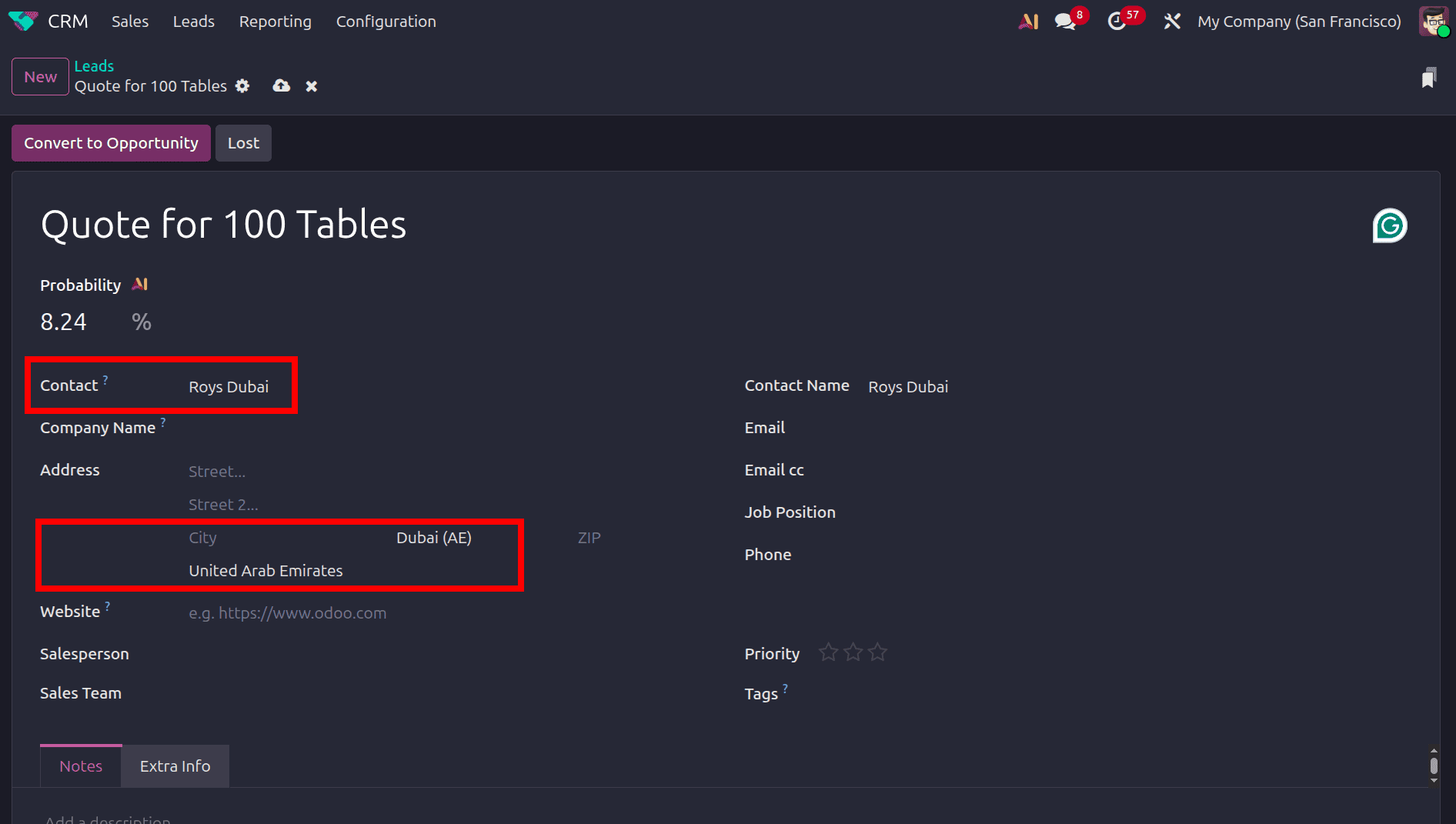
A lead is then created for another customer Roys Dubai, with Dubai (AE) selected as the state and the United Arab Emirates as the country. The lead meets the sales team's general assignment condition because the country is set to the United Arab Emirates. However, it does not satisfy the additional location-based condition configured for the salesperson assigned to Sharjah (AE). Since the Lead Assignment Filter uses both the country and state as conditions with Match all enabled, the lead is not assigned to that salesperson. This allows Odoo to distinguish leads based on more specific criteria and route them to the appropriate sales team member.
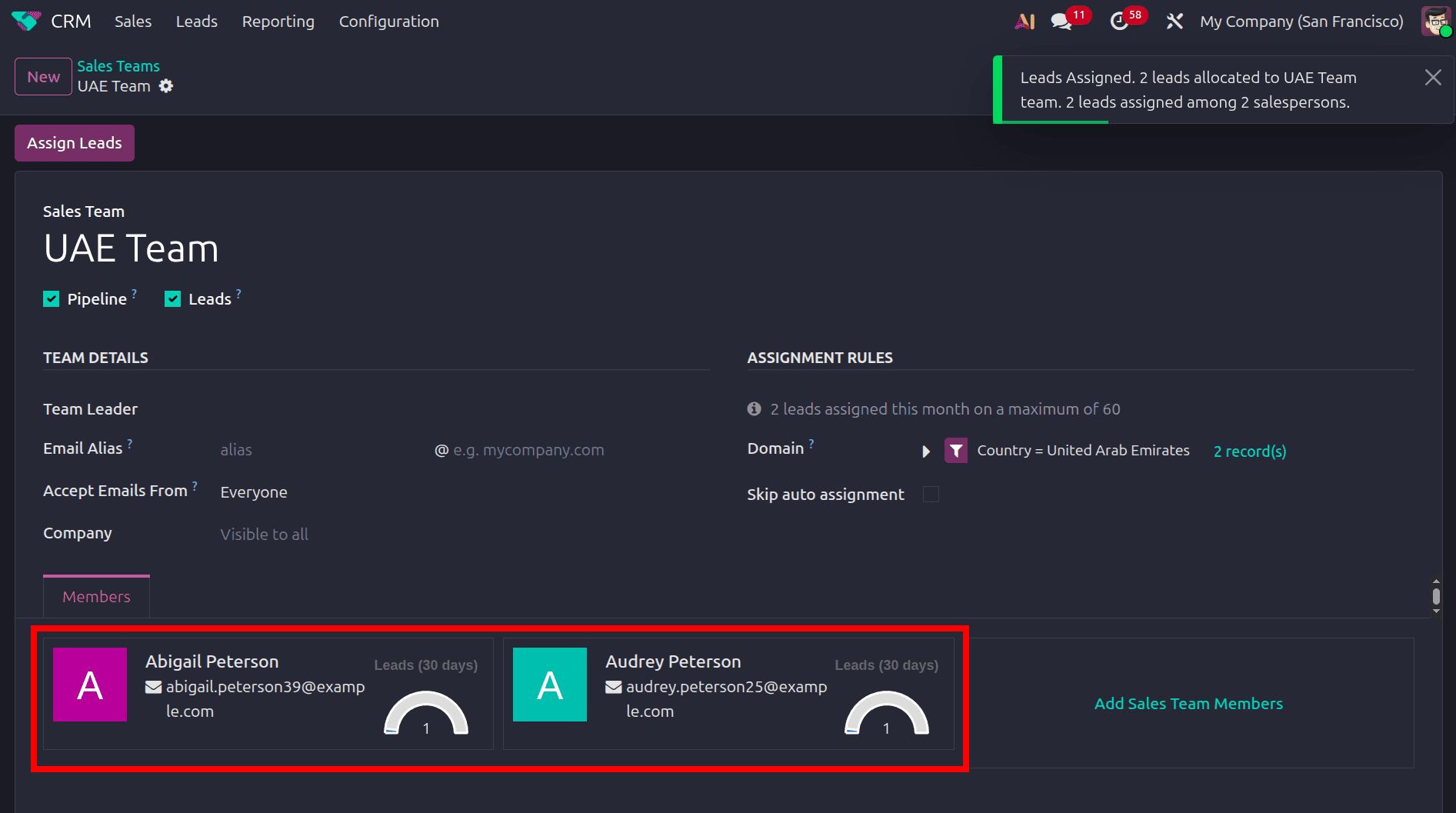
The UAE Team now has two leads that match the configured assignment rule. These leads are available for distribution among the sales team members based on their respective assignment conditions. Click the Assign Leads button to assign the available leads to the appropriate salespersons according to the configured Lead Assignment Rules.
Once the Assign Leads button is clicked, Odoo 19 automatically distributes the matching leads among the sales team members based on their configured Lead Assignment Rules. The assigned leads are reflected under the respective salespersons in the Members section. Odoo also displays a notification confirming that the leads have been successfully assigned and indicating the number of leads allocated to the sales team members.
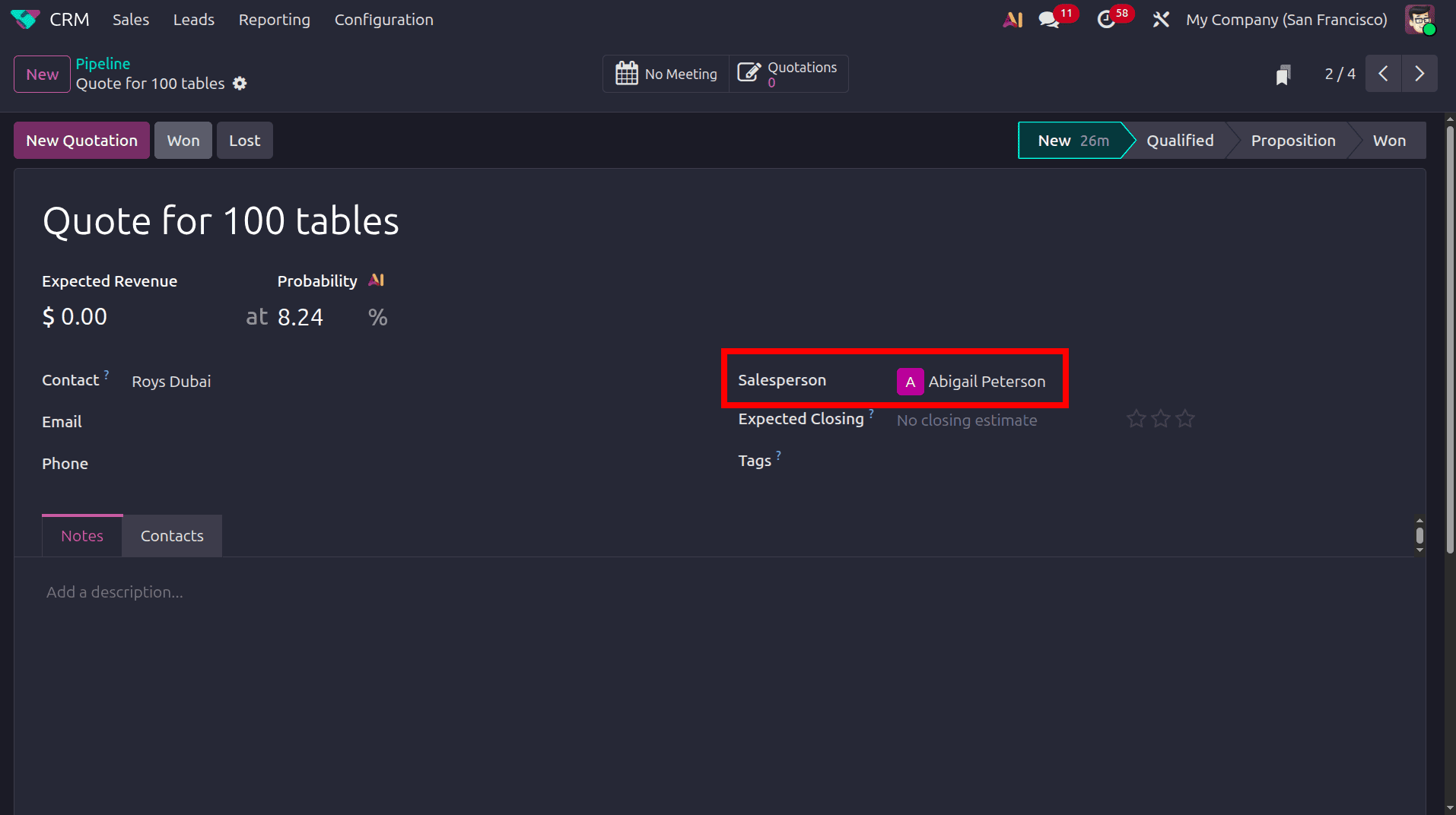
When opening the Quote for 100 tables opportunity, the Salesperson field shows Abigail Peterson. This confirms that the lead has been assigned to Abigail based on the configured Lead Assignment Rules.
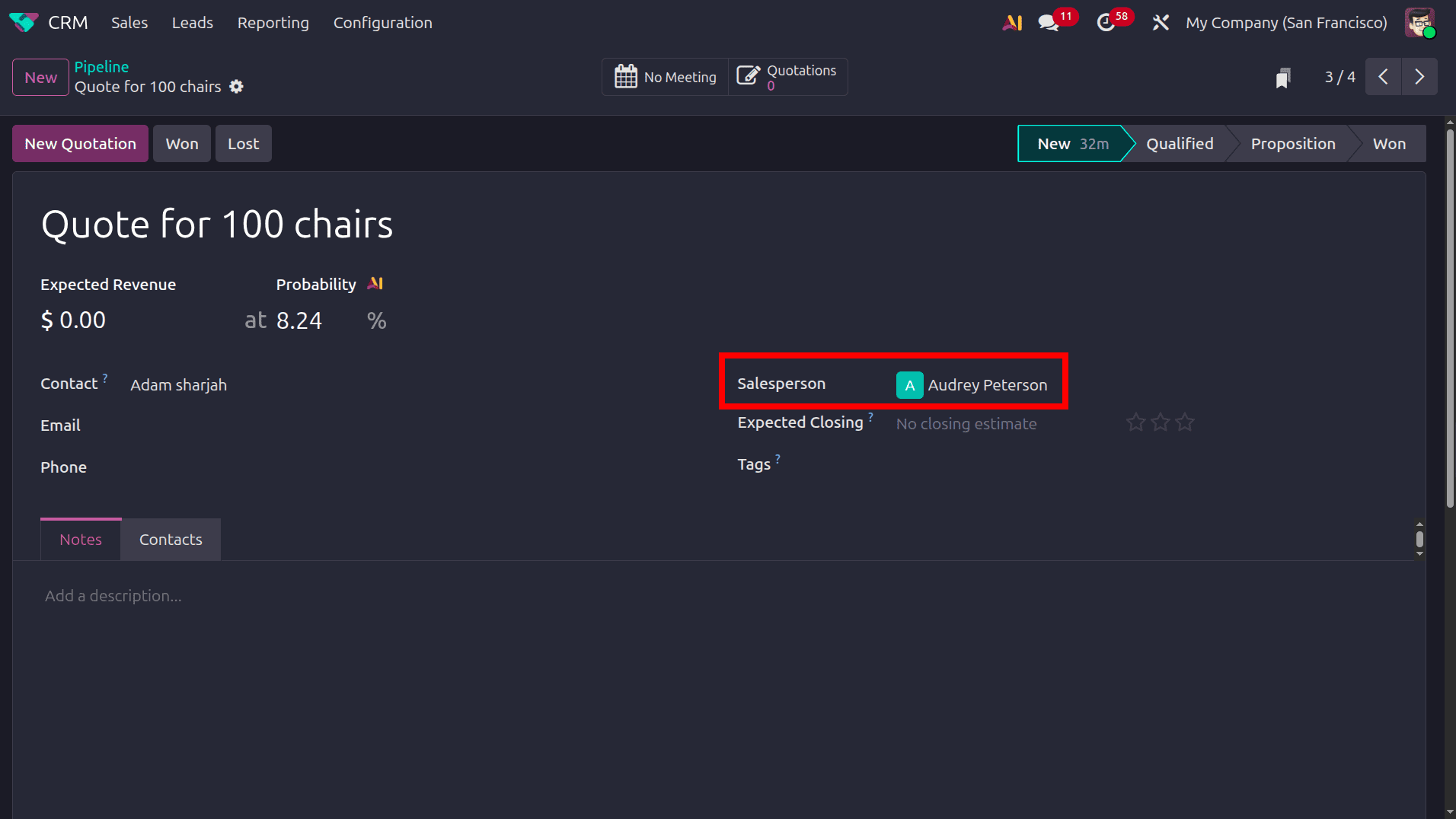
The Quote for 100 chairs opportunity is assigned to Audrey Peterson. Since this lead matches the conditions configured for Audrey, Odoo 19 assigns it to her automatically. This demonstrates how different leads within the same sales team can be distributed to specific salespersons according to their individual assignment criteria.
Odoo 19 Lead Assignment Rules provide a simple way to automate lead distribution within a sales team. By defining assignment rules, domain conditions, and salesperson-specific filters, leads can be automatically assigned to the appropriate team member based on their details. This reduces manual lead allocation and helps sales teams manage leads more efficiently. With Odoo’s automated assignment process, businesses can ensure that leads reach the right salesperson and are handled promptly.
To read more about How to Setup Rule Based Lead Assignments Among Salesperson & Sales Team With Odoo 18 CRM, refer to our blog How to Setup Rule Based Lead Assignments Among Salesperson & Sales Team With Odoo 18 CRM.