Databasus 2.0 is an open-source, self-hosted PostgreSQL backup and monitoring tool designed to make database backups reliable, secure, and easy to manage through a modern web interface. It is especially useful for database administrators (DBAs), DevOps engineers, and backend developers who want consistent backups without writing complex scripts or cron jobs.
In production environments, database backups are not optional — they are a critical safety net. Databasus helps DBAs by centralizing backup configuration, enforcing security best practices, enabling alerts, and providing visibility into backup health.
This blog explains how Databasus works in practice, using a local setup.
Why Databasus is Useful for DBAs in Production
In real production systems, DBAs usually face these challenges:
- Ensuring regular and automated backups
- Avoiding manual pg_dump mistakes
- Securing backup credentials
- Monitoring backup success/failure
- Storing backups safely (local + cloud)
- Auditing who changed what and when
Databasus addresses these problems by providing:
- Centralized backup management via UI
- Scheduled and on-demand backups
- Encrypted backup files
- Multiple storage backends (local, S3, Azure, NAS, Google Drive)
- Notification integrations (Telegram, Slack, Email, Webhooks,discord)
- Health checks and audit logs
For a DBA, this means less operational risk and better visibility.
Installation – One Command Setup
To install Databasus, run the following command:
sudo apt-get install -y curl && \
sudo curl -sSL https://raw.githubusercontent.com/RostislavDugin/Databasus/refs/heads/main/install-Databasus.sh
What does this command do?
- Installs curl if it is not already present
- Downloads the official Databasus installation script
- Executes the script with root privileges
This script fully automates the setup process.
Understanding the install-Databasus.sh Script
When you open the script URL in a browser, you can see code of Databasus.sh:
https://raw.githubusercontent.com/RostislavDugin/Databasus/refs/heads/main/install-Databasus.sh
What the script actually does
- Checks for Docker and Docker Compose
- Installs them if missing
- Creates a Docker Compose file
- Pulls the rostislavdugin/Databasus:latest image
- Starts Databasus in the background
This approach ensures consistent behavior across environments, which is essential in production systems.
Verifying the Running Container
After installation, verify Databasus is running:
docker ps
Expected output:
cybrosys@cybrosys:~$ docker ps
CONTAINER ID   IMAGE                              COMMAND           CREATED             STATUS             PORTS                                         NAMES
cc95ed28c261   rostislavdugin/Databasus:latest   "/app/start.sh"   About an hour ago   Up About an hour   0.0.0.0:4005->4005/tcp, [::]:4005->4005/tcp   Databasus
This confirms:
- Databasus runs inside Docker
- Port 4005 is exposed to the host
Exploring the Installation Directory
Navigate to the installation directory:
cd /opt/Databasus
ls
You will see:
docker-compose.yml
Databasus-data/
Inside the data directory:
cd Databasus-data
ls
You see these folders and files inside this
backups/
pgdata/
secret.key
temp/
Purpose of these directories:
- backups/ - Actual database backup files
- pgdata/ - Internal metadata
- secret.key - Encryption key for backups
Accessing the Web Interface
Once installation is complete, open:
http://localhost:4005
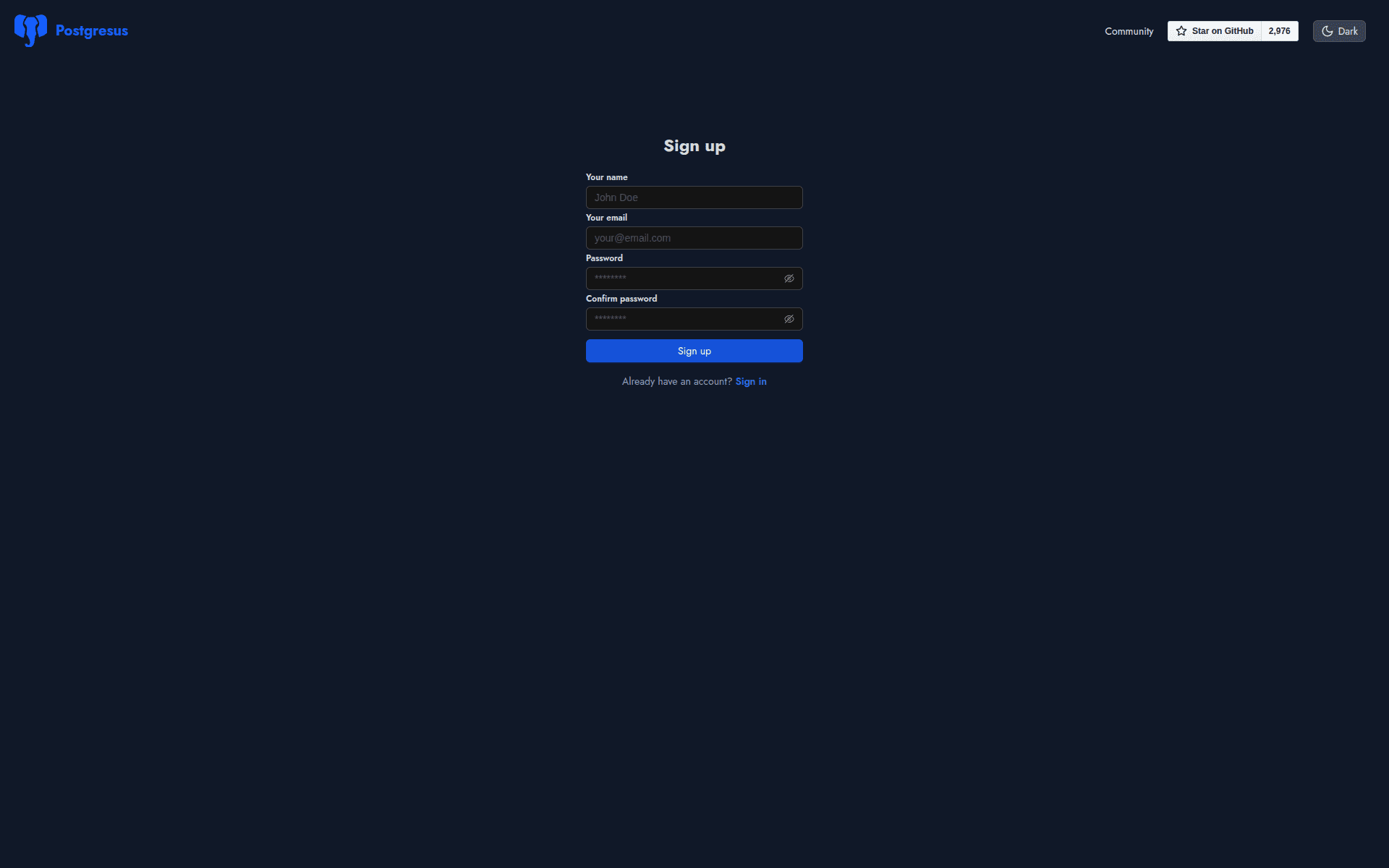
Initial Setup – Setting User Password
On first login, you are prompted to create a user account and set a password. This step secures access to the Databasus dashboard and ensures that only authorized users can manage backups and configurations.
Adding a PostgreSQL Database
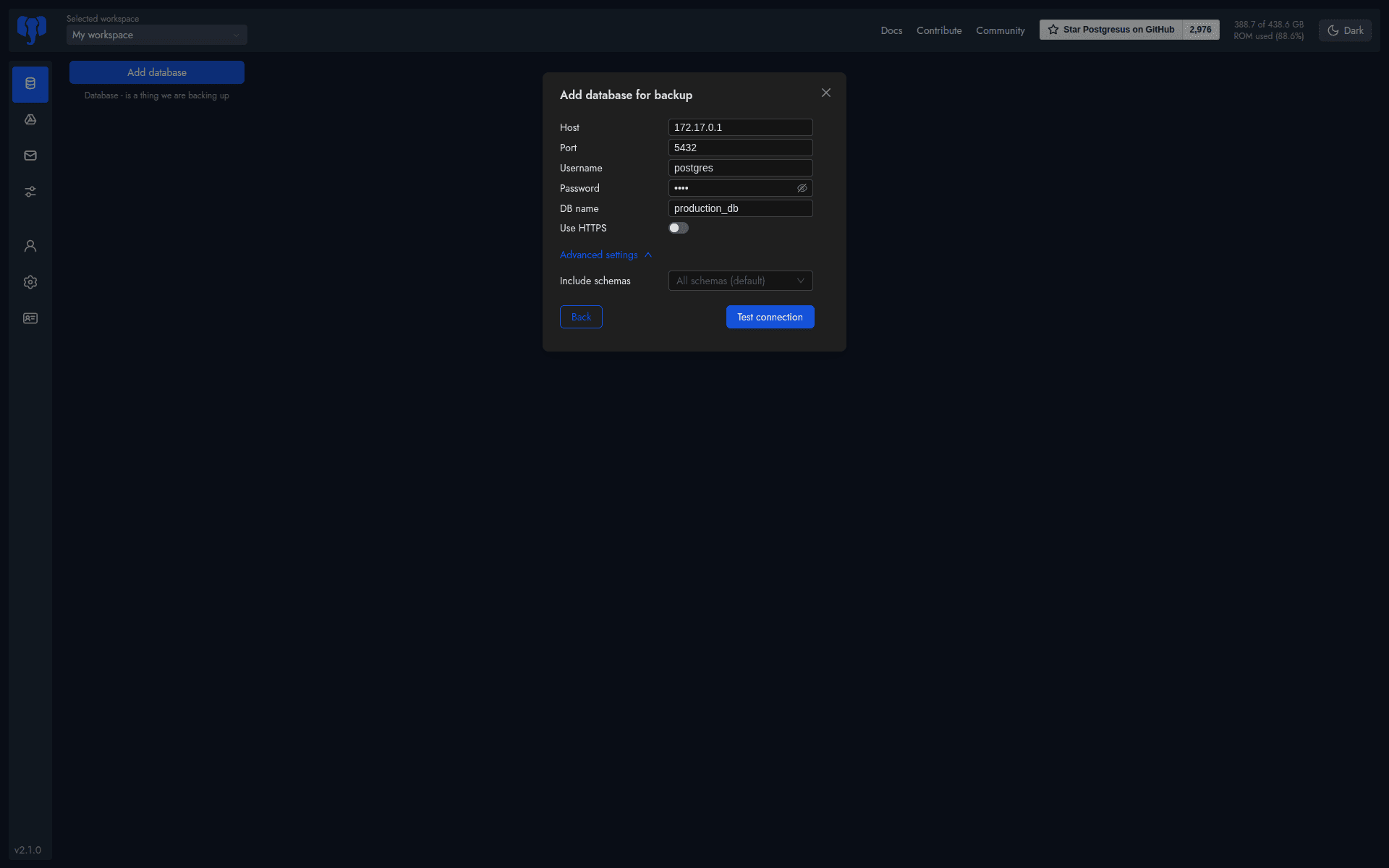
Click Add database and enter:
- Host: 172.17.0.1
- Port: 5432 ( default postgres running port )
- Username: user for accessing the database
- Password - password for the user
- Database name - database for backup
Why 172.17.0.1 Instead of localhost?
Databasus runs inside Docker. Inside a container:
- localhost refers to the container itself
- PostgreSQL is running on the host machine
172.17.0.1 is the Docker bridge gateway IP, which represents the host system from inside containers.
Using this IP allows Databasus to connect reliably to PostgreSQL in both local and production Docker-based setups.
You can:
- Include only specific schemas
- Exclude unnecessary data
This is especially useful in large production databases.
Creating a Read-Only Backup User
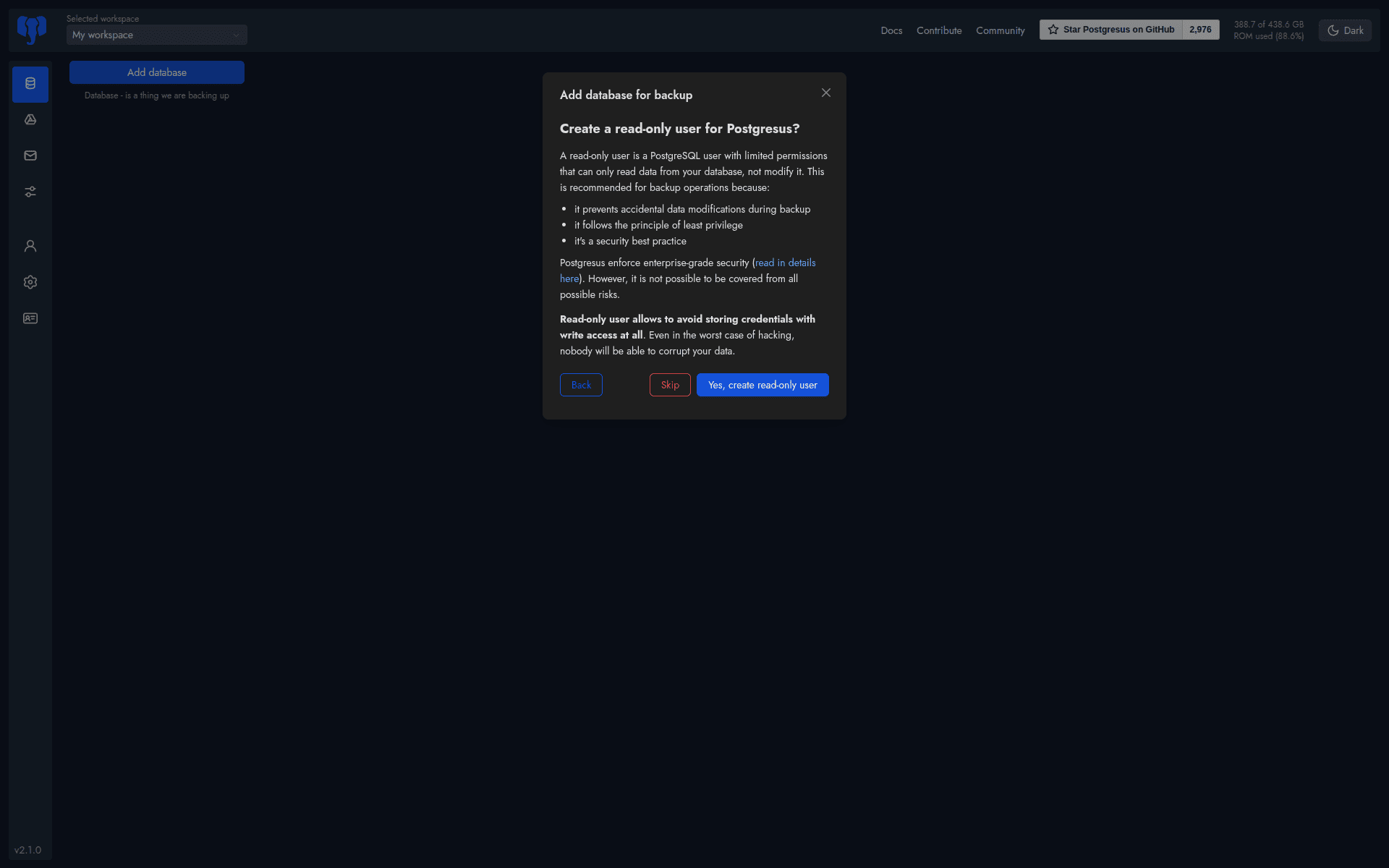
Databasus recommends creating a dedicated read-only PostgreSQL user for backups. This:
- Prevents accidental data changes
- Follows least-privilege security principles
Backup Scheduling and Retention Policy
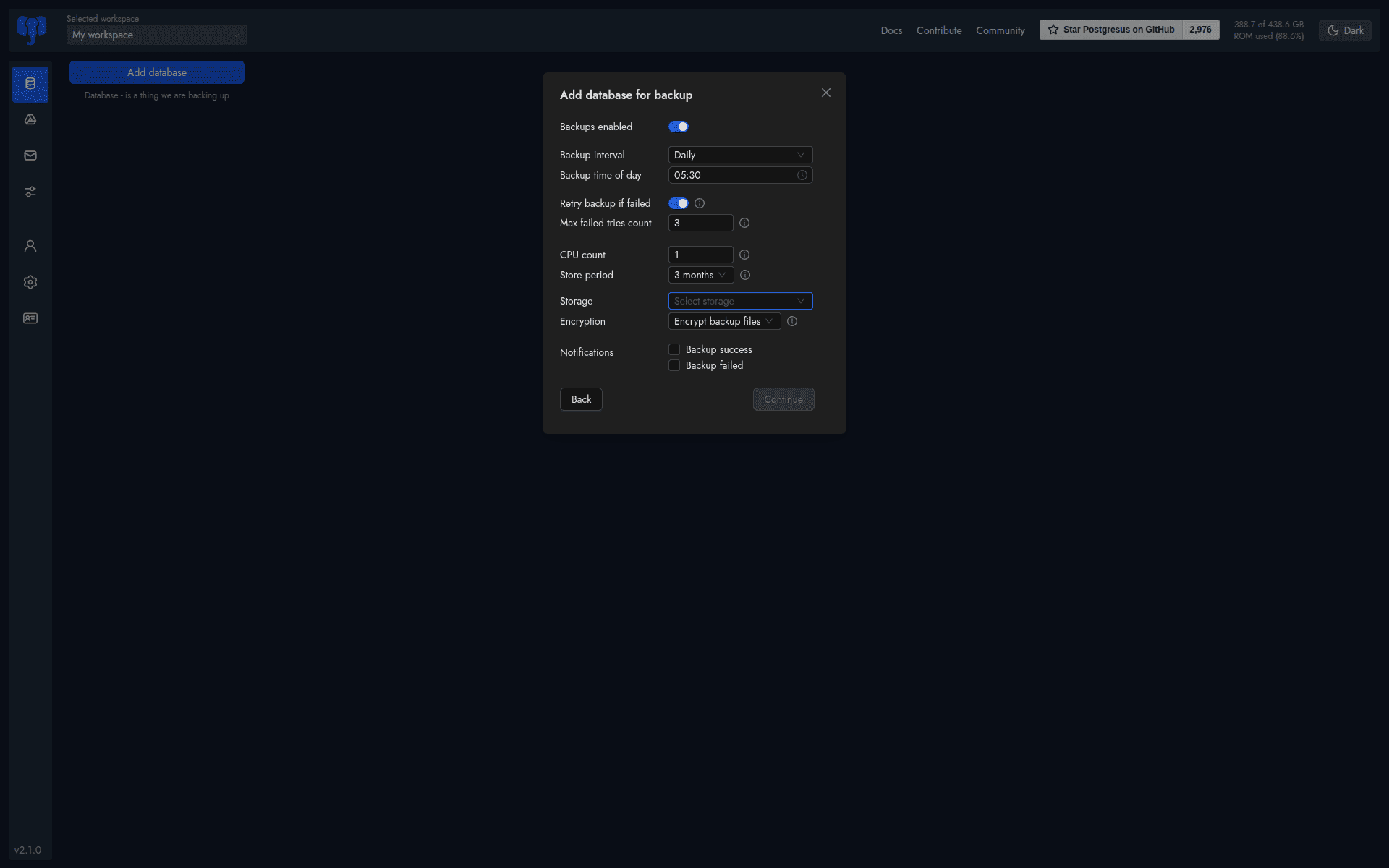
You can configure:
- Backup interval: hourly, daily, weekly, monthly
- Backup of time: time for taking the backup
- Retry count: number of times try the backup, if the backup fails
- CPU usage: specify the cpu usage count
- Retention period: how many days will be store this backup
- Storage: specify the storage for backup
- Encryption: choose encrypt backup file or none
- Notifications: set notifications if the backup fails or succeeds
Configuring Storage for Backups
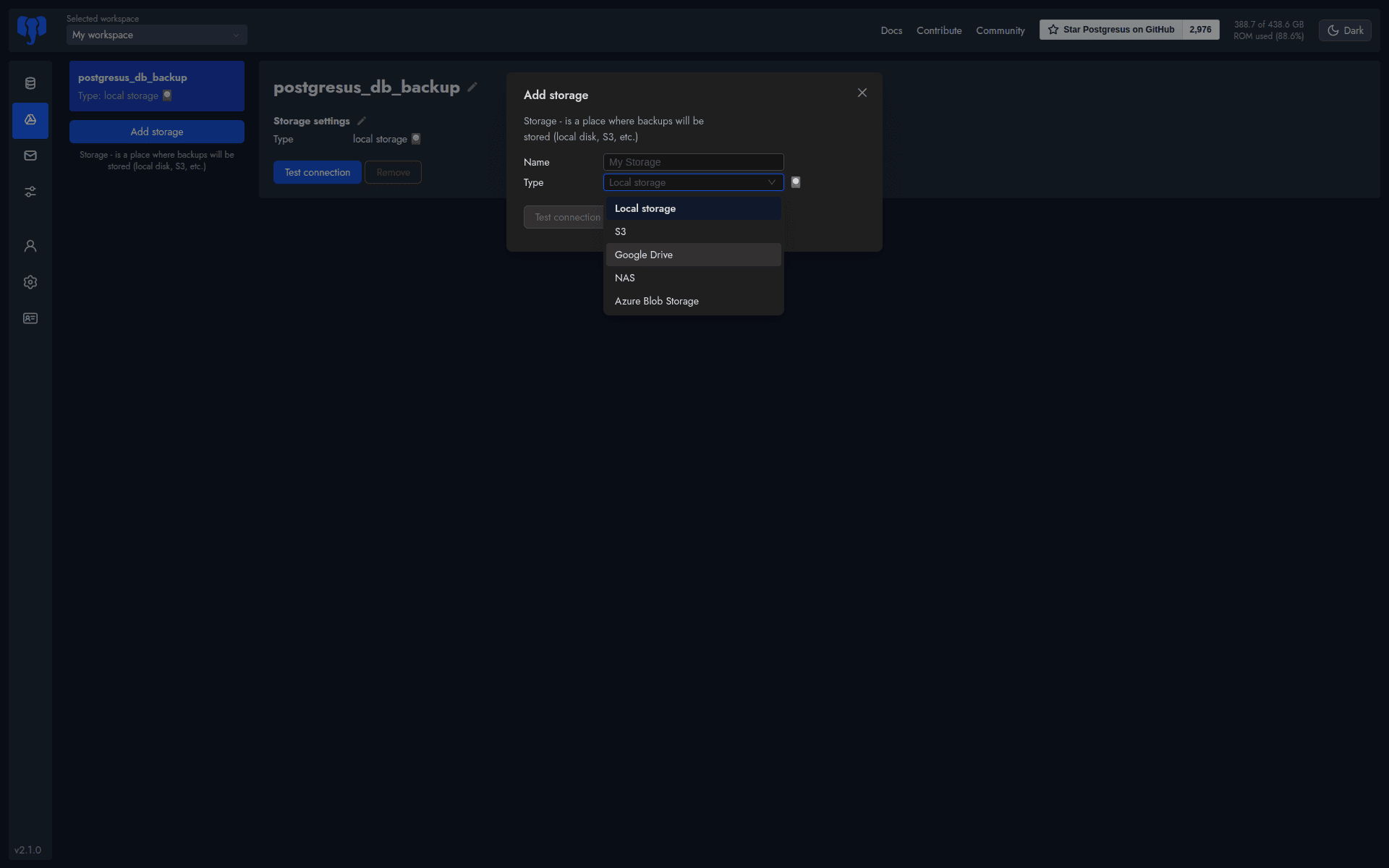
Supported storage options:
- Google Drive
- NAS
- Azure Blob Storage
Notification and Alerting System
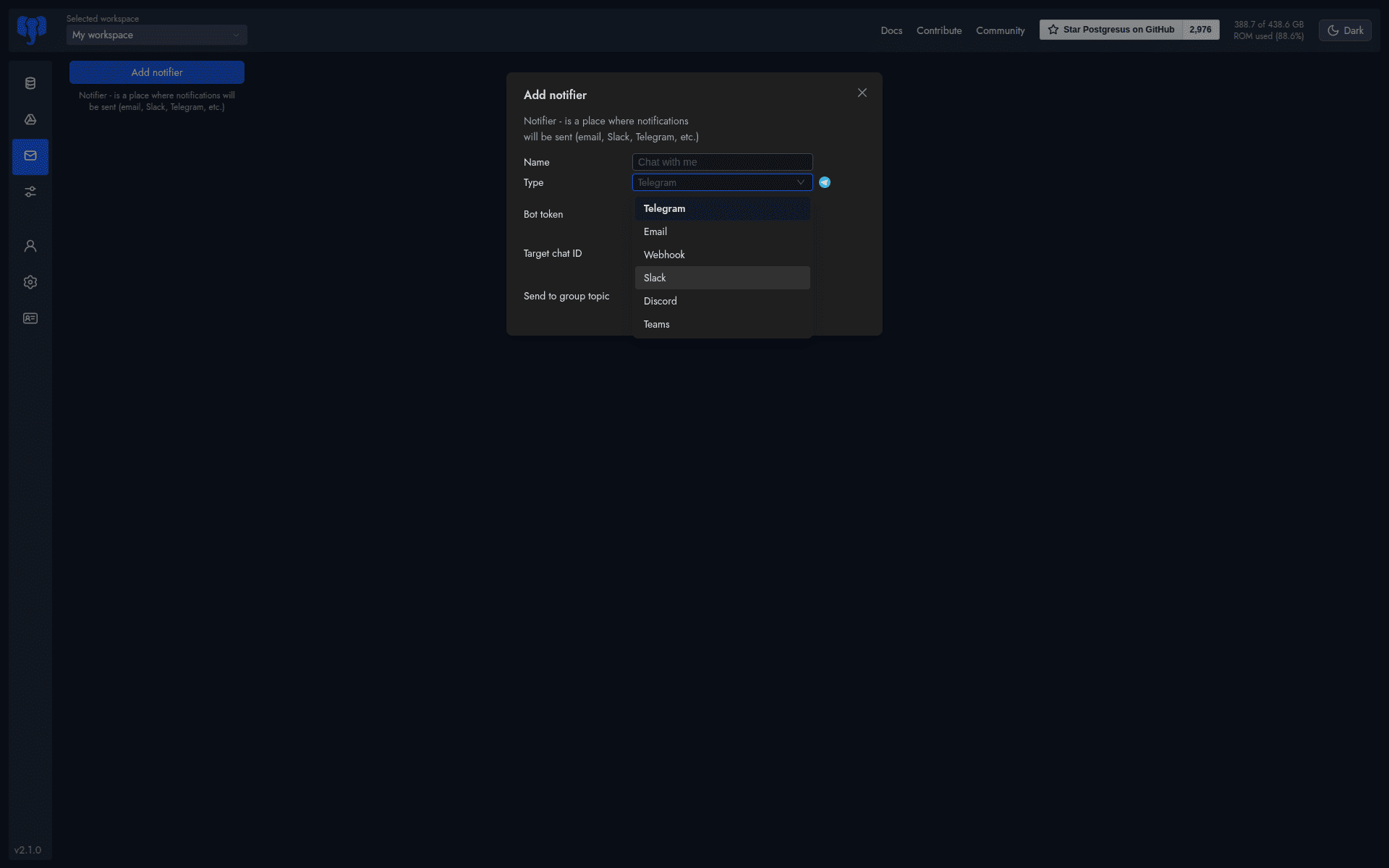
Databasus can notify you on:
- Backup success
- Backup failure
Supported channels:
- Telegram
- Slack
- Discord
- Email
- Microsoft Teams
- Webhooks
Configuration Overview
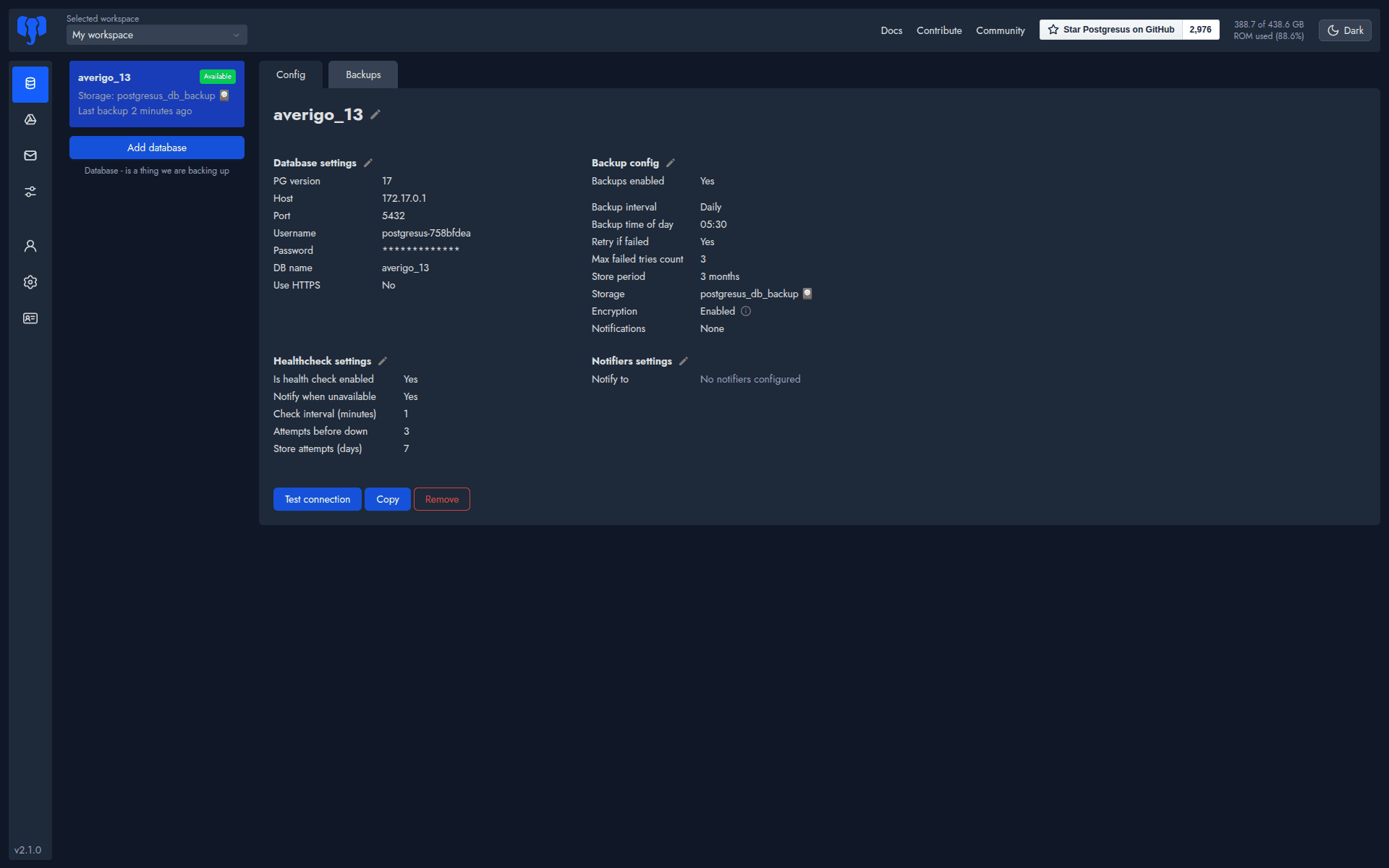
The Config page provides a full summary of:
- Database settings
- Health check settings
- Backup configuration
- Notification settings
Where Backups Are Stored Locally
On the host machine, backups are stored in:
/opt/Databasus/Databasus-data/backups/
This is useful for:
- Manual verification
- External sync
- Disaster recovery planning
Workspace Management and Audit Logs
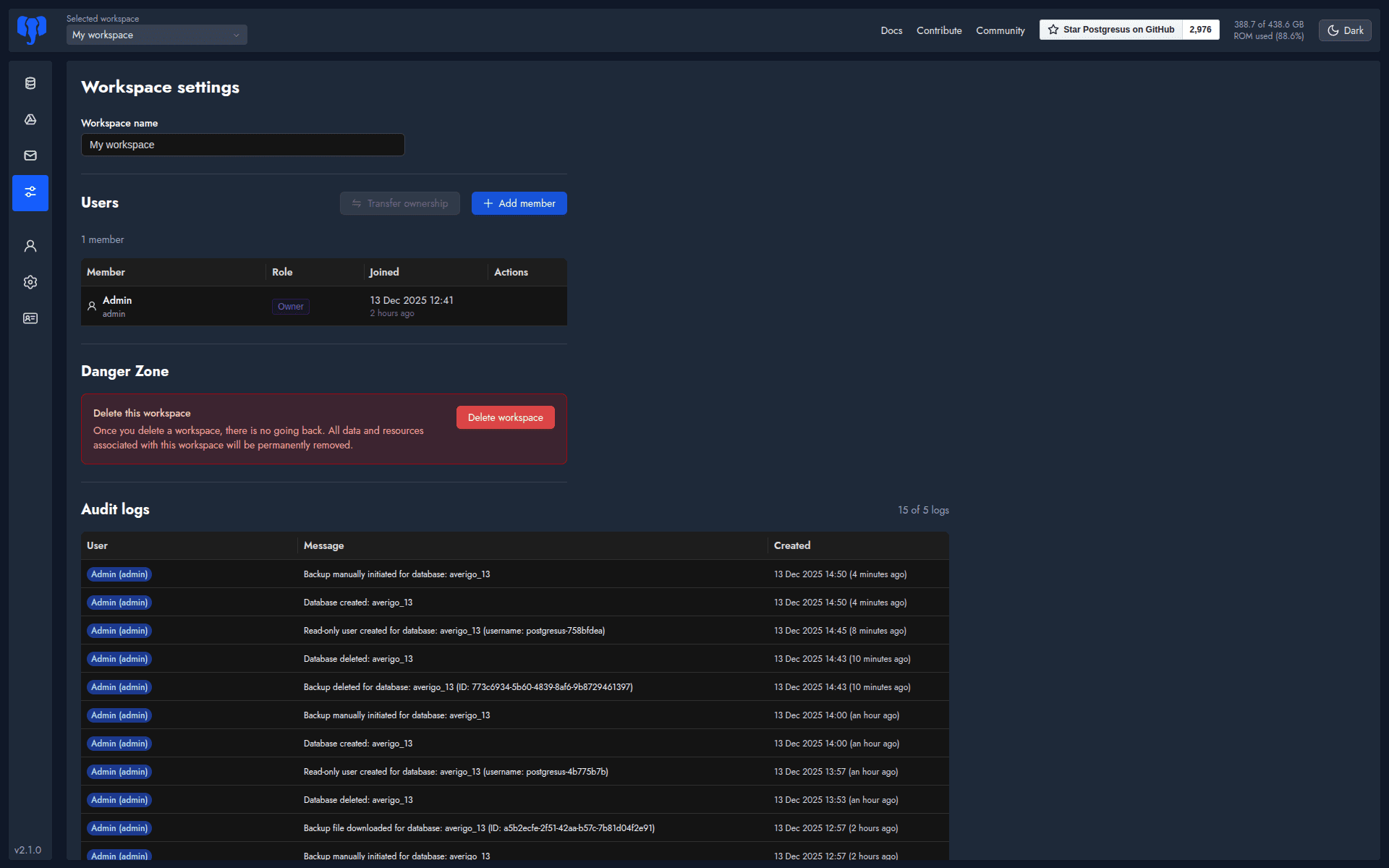
Databasus provides:
- Workspace deletion
- Complete activity audit logs
- Change tracking
This is especially useful for a database administrator to see that when was the each steps are done for database backup.
User Profile and Security Settings
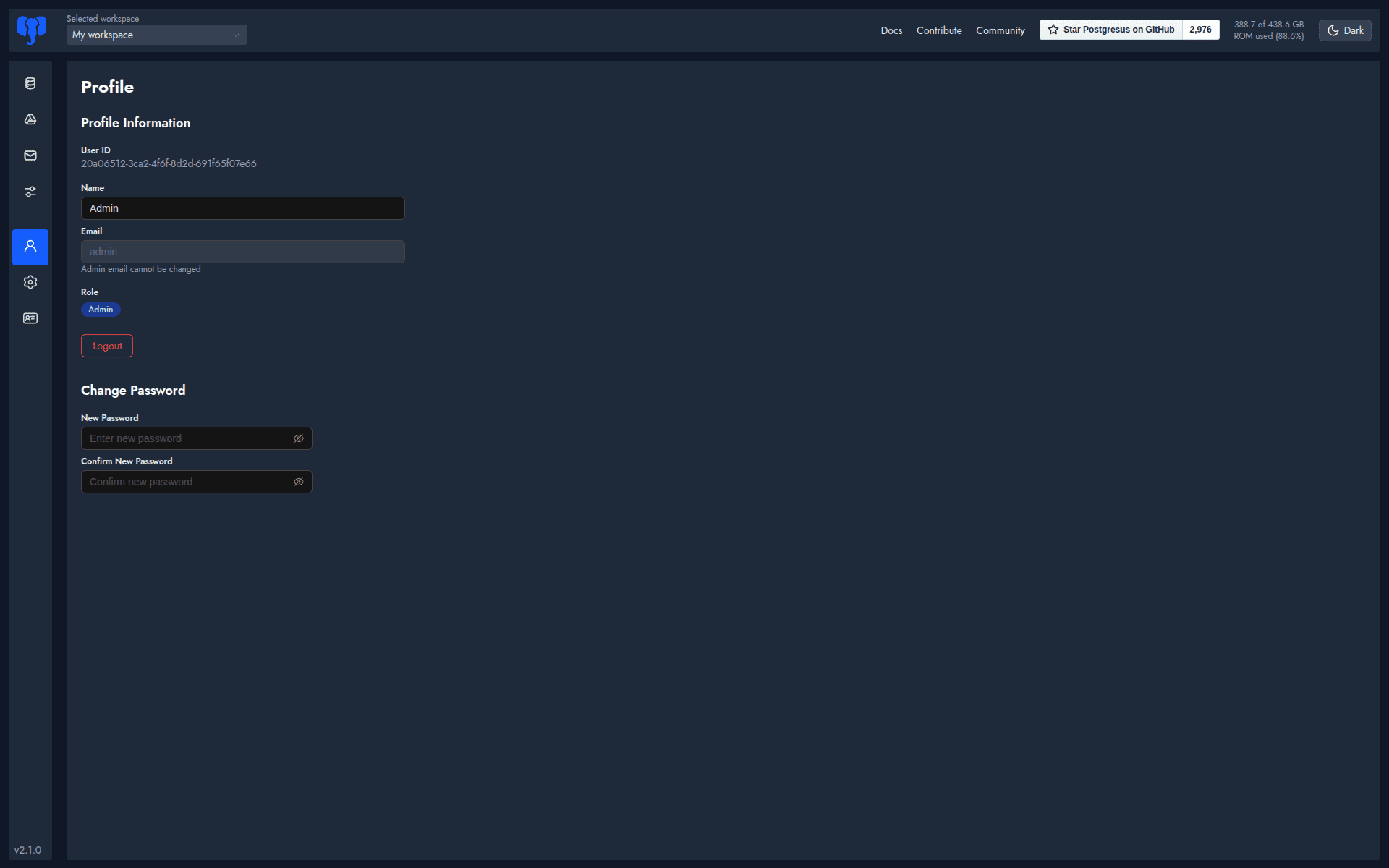
You can:
- Update profile details
- Reset passwords
PostgreSQL Health Check and API Access
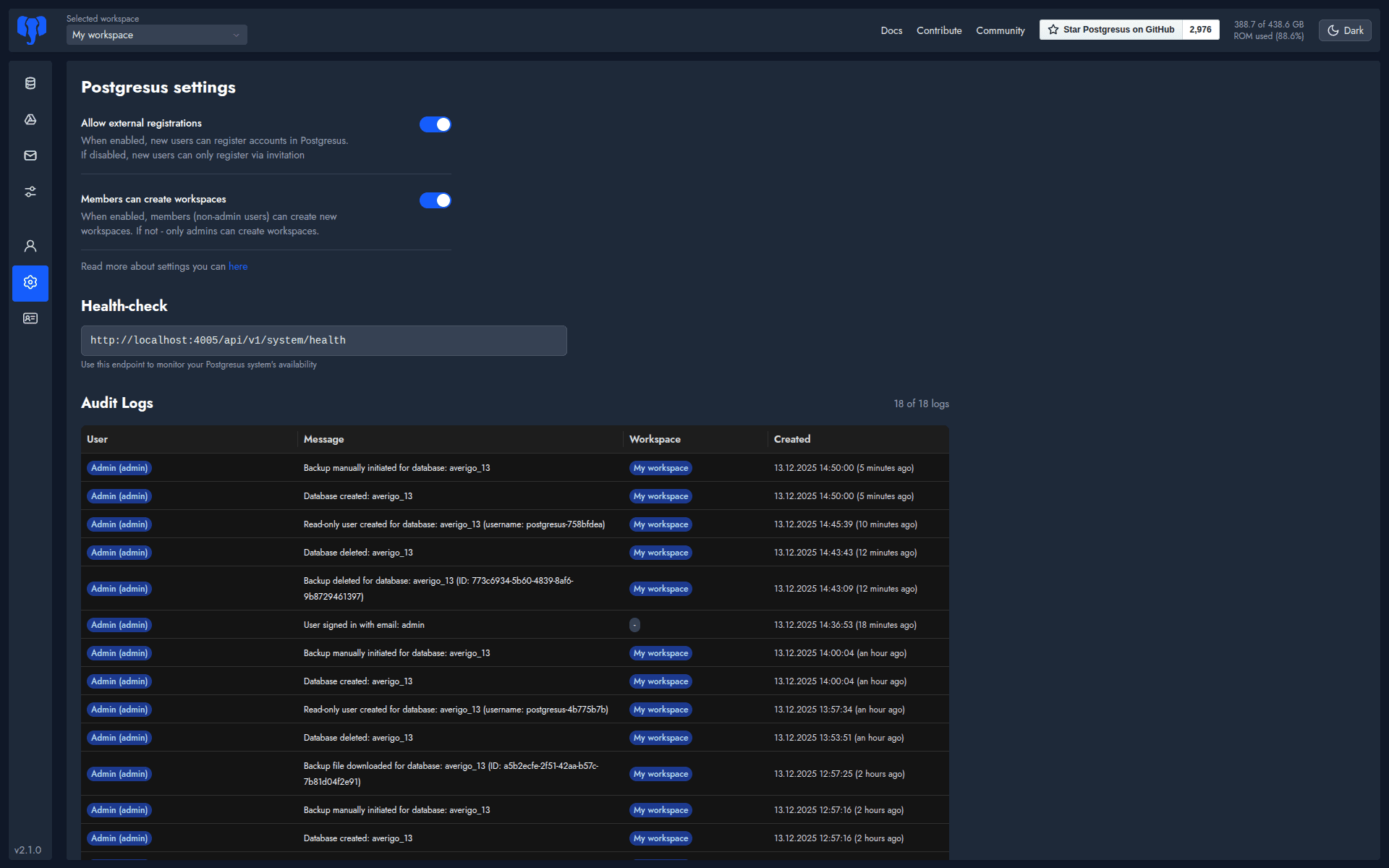
Databasus exposes:
- Health-check API
- Permission controls
- Multi-user workspace access
On the home page, Databasus provides an option to trigger an instant backup. In the top-right corner, it also displays real-time storage usage information, which is particularly useful for database administrators to verify available disk space before running or relying on automated backup schedules.
Final Thoughts
Databasus 2.0 is a production-grade PostgreSQL backup platform that brings automation, security, and visibility into a single, easy-to-manage interface. It removes much of the operational complexity DBAs face when managing backups across environments.
By offering scheduled and on-demand backups, encrypted storage, multi-destination support, and real-time notifications, Databasus helps teams reduce risk and improve operational confidence—without relying on fragile scripts or manual processes.
Ultimately, a backup strategy is not just about storing data safely; it’s about knowing that recovery is always possible. Databasus provides that confidence, making it a reliable companion for PostgreSQL administrators in both growing and mission-critical systems.