Artificial intelligence is allowing companies to enhance customer support and communication. By combining ChatGPT and Odoo, it will be possible for users to create AI-driven messages on their website and compose content right from the Discuss module. It will help in saving time and enhancing productivity, along with offering instant answers to customers. After configuring the OpenAI API, businesses will be able to use all AI functionalities in Odoo.
Built by Cybrosys, the Odoo ChatGPT Connector integrates AI capabilities into Odoo, enabling users to generate content, get instant responses, and improve productivity without leaving their ERP system.
Configure ChatGPT Connection in Odoo
Navigate to:
Website > Configuration > Settings
In the settings page, you will see a separate ChatGPT Connection block where the OpenAI API key should be configured.
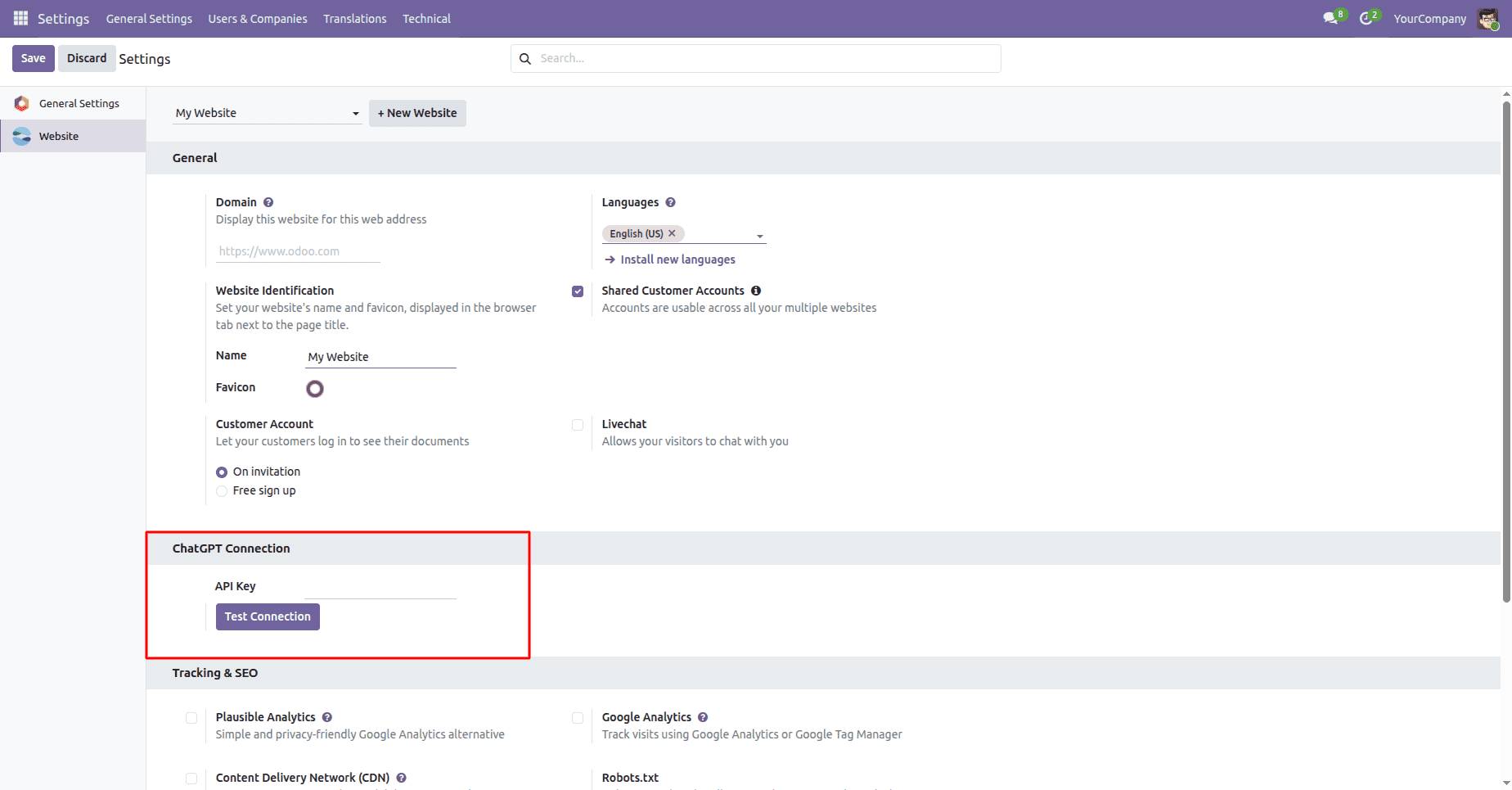
At this point, the API key field remains blank, and it needs to be configured before starting the use of any AI-driven functions.
Access the OpenAI Platform
To generate an API key, click the OpenAI platform link and sign in to your OpenAI account.
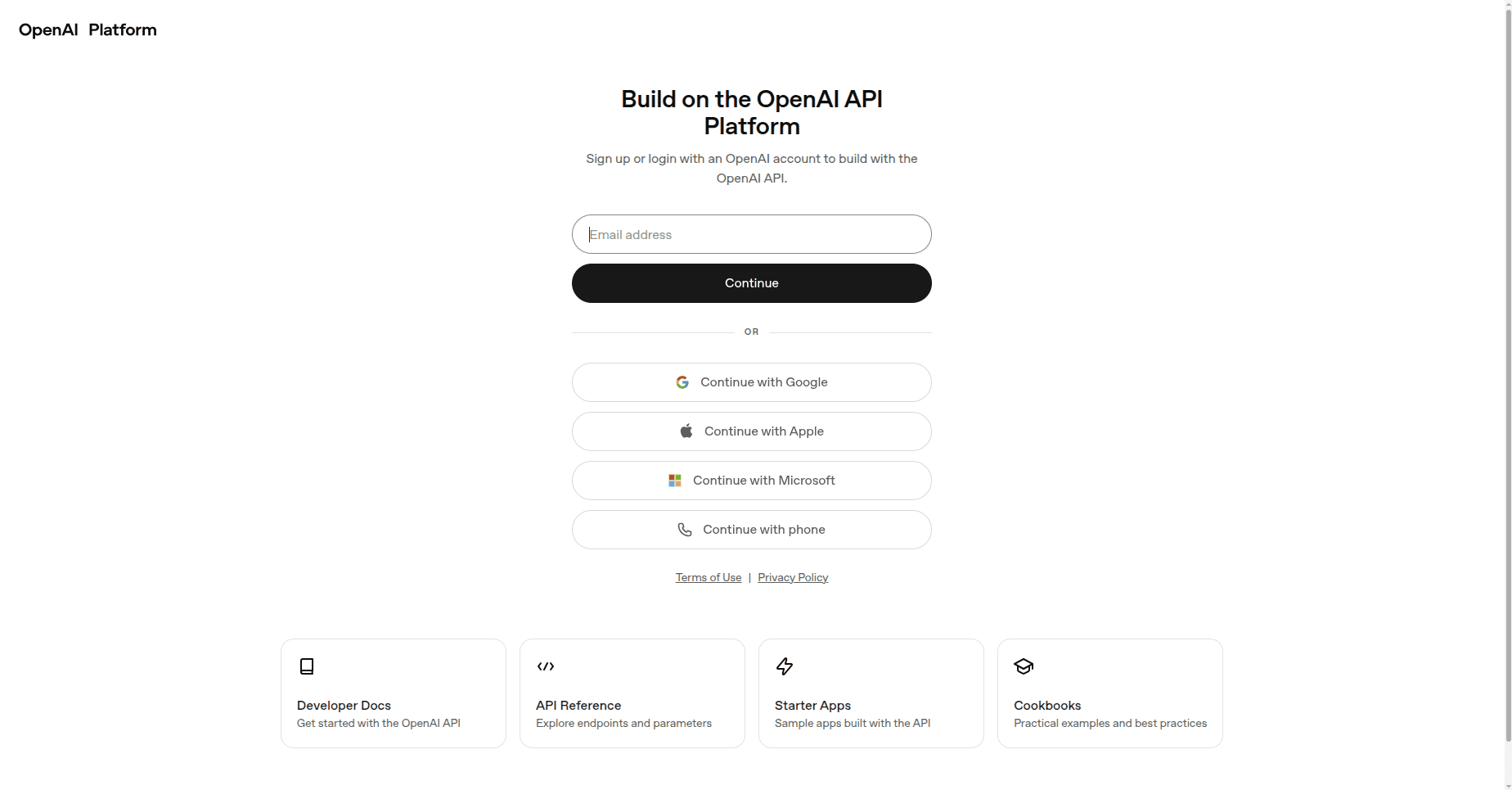
Log in using your preferred authentication method.
Open the OpenAI Dashboard
After successful login, you will be redirected to the OpenAI dashboard.
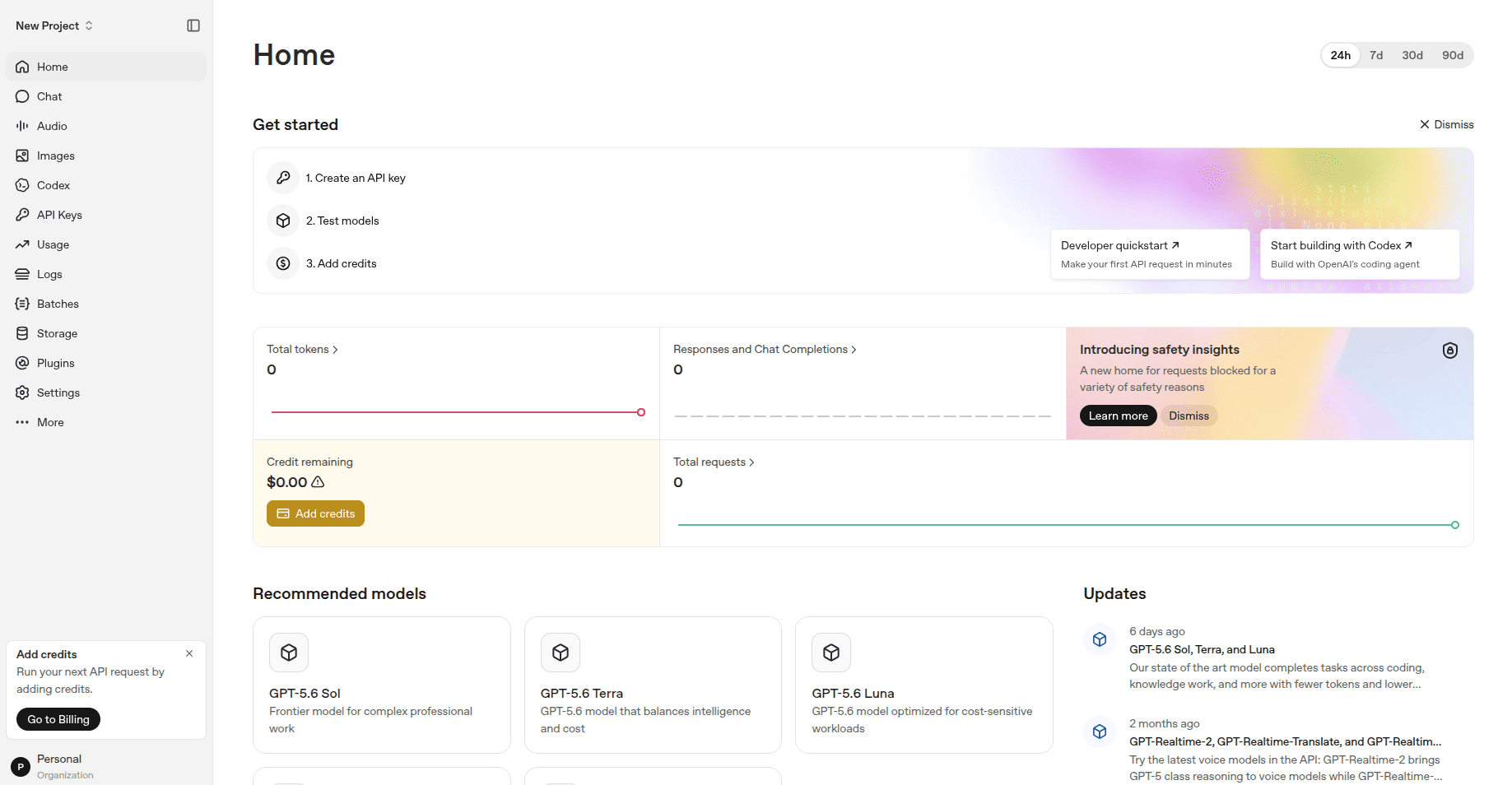
Dashboard is used to access the usage statistics, API management, projects, billing, and the available AI models,
Navigate to API Keys
From the left-side menu, select API Keys.
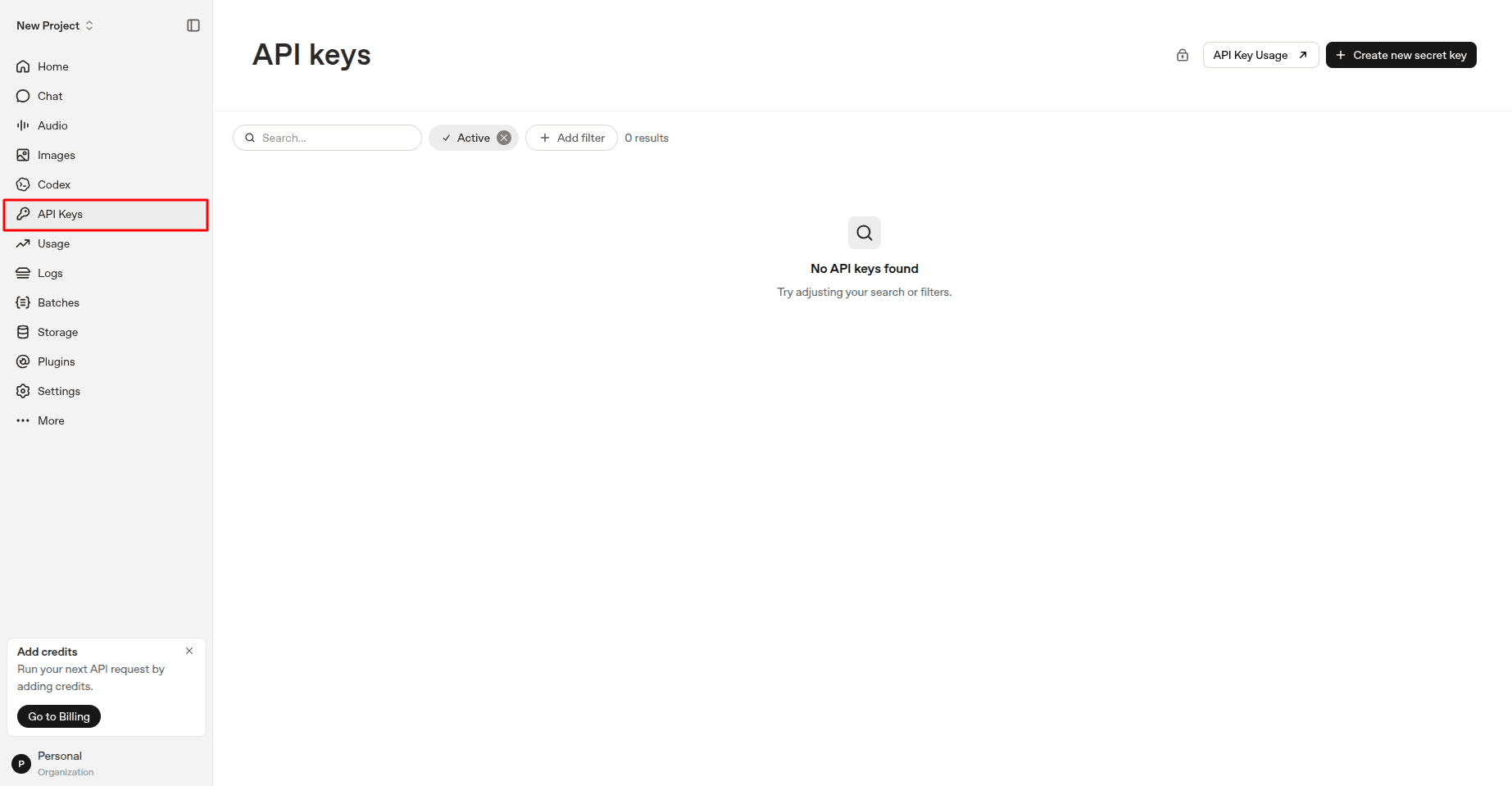
Here, you can view all the API keys available for your OpenAI account.
Generate a New Secret Key
In the top-right corner, click the Create New Secret Key button.
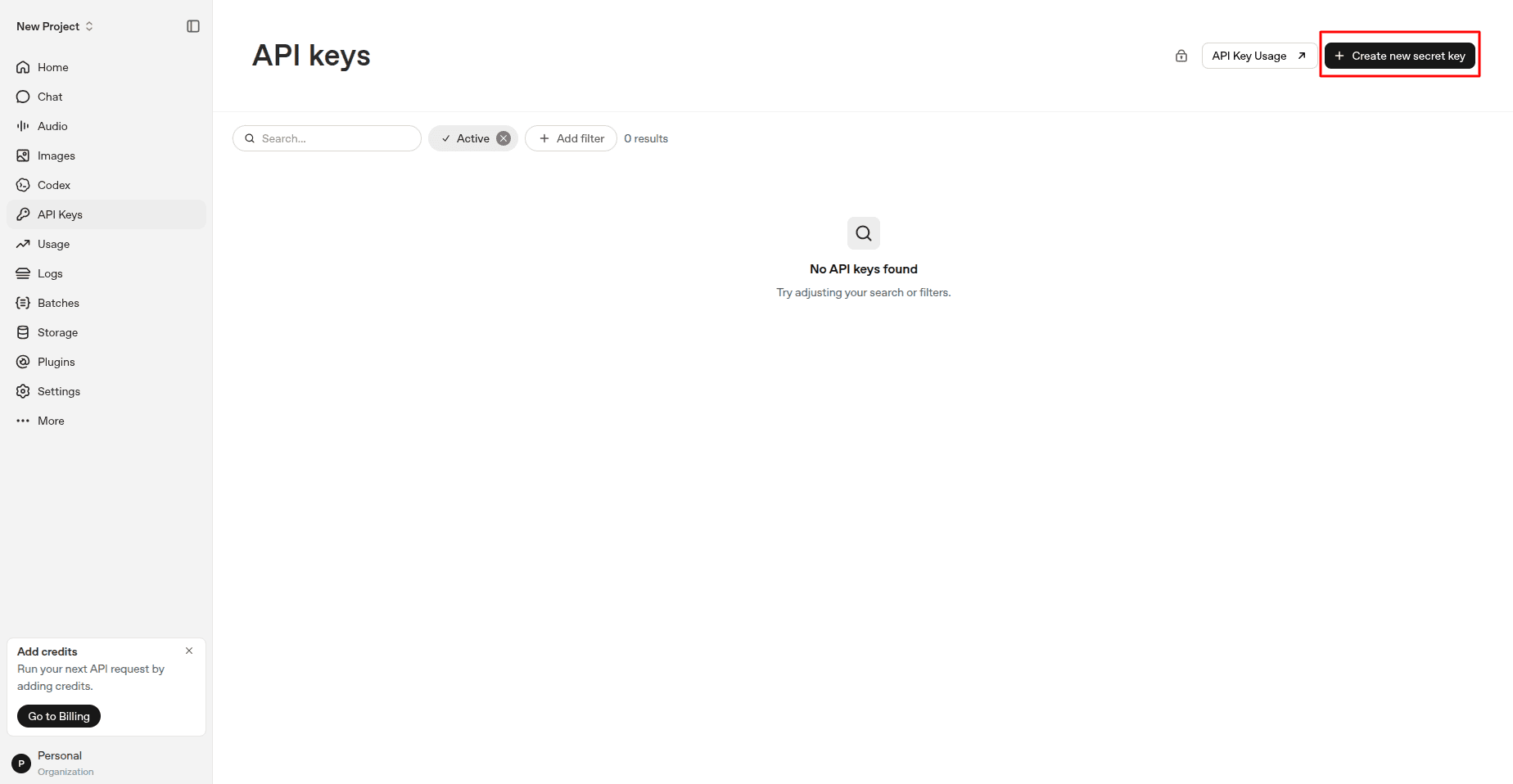
Configure Key Details
Specify the name of the key, choose the project, and configure the permissions.
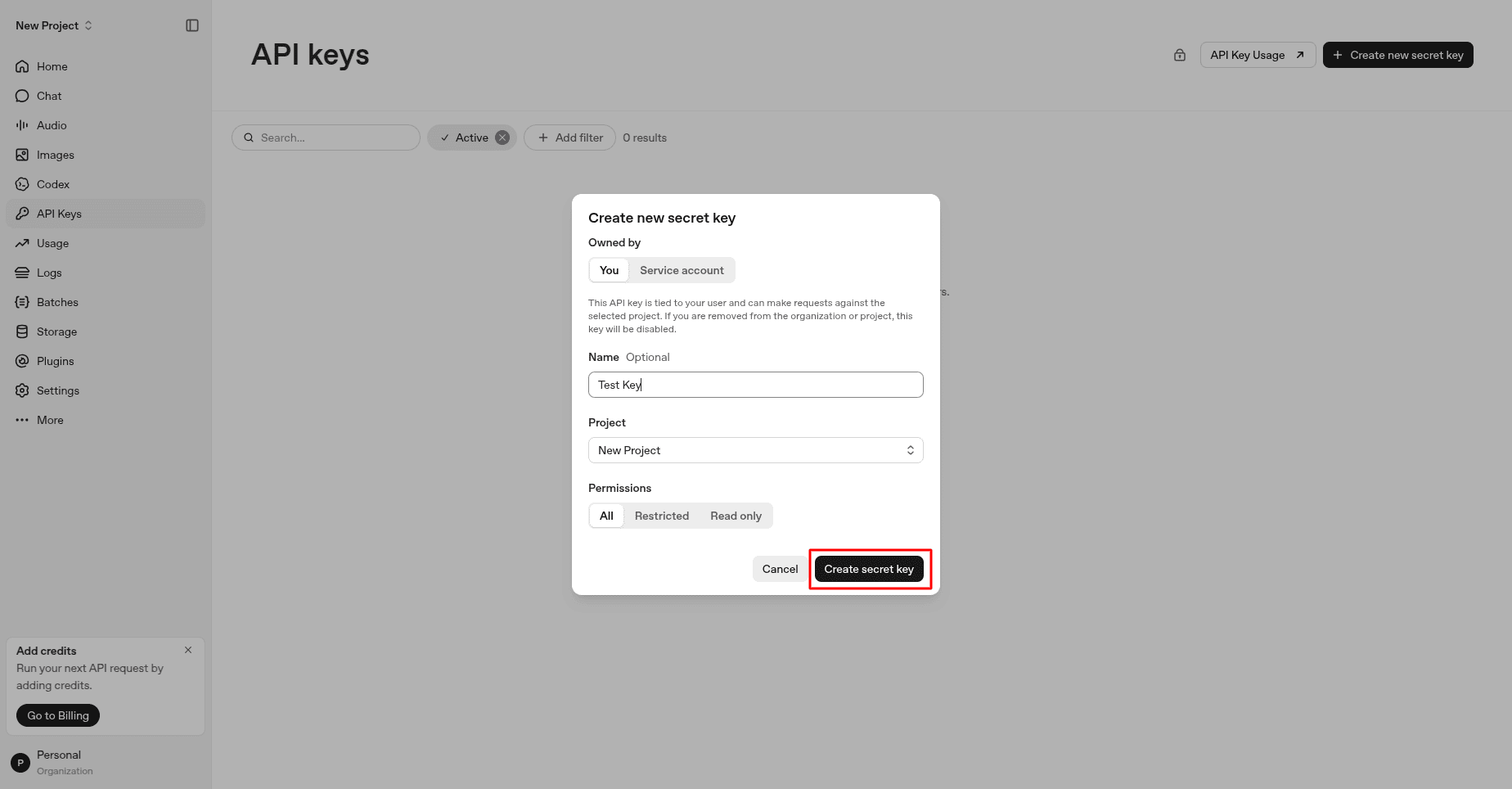
Click on the Create Secret Key button after entering the required details.
Copy the Generated API Key
Once the key is generated, the system shows the API key only once.
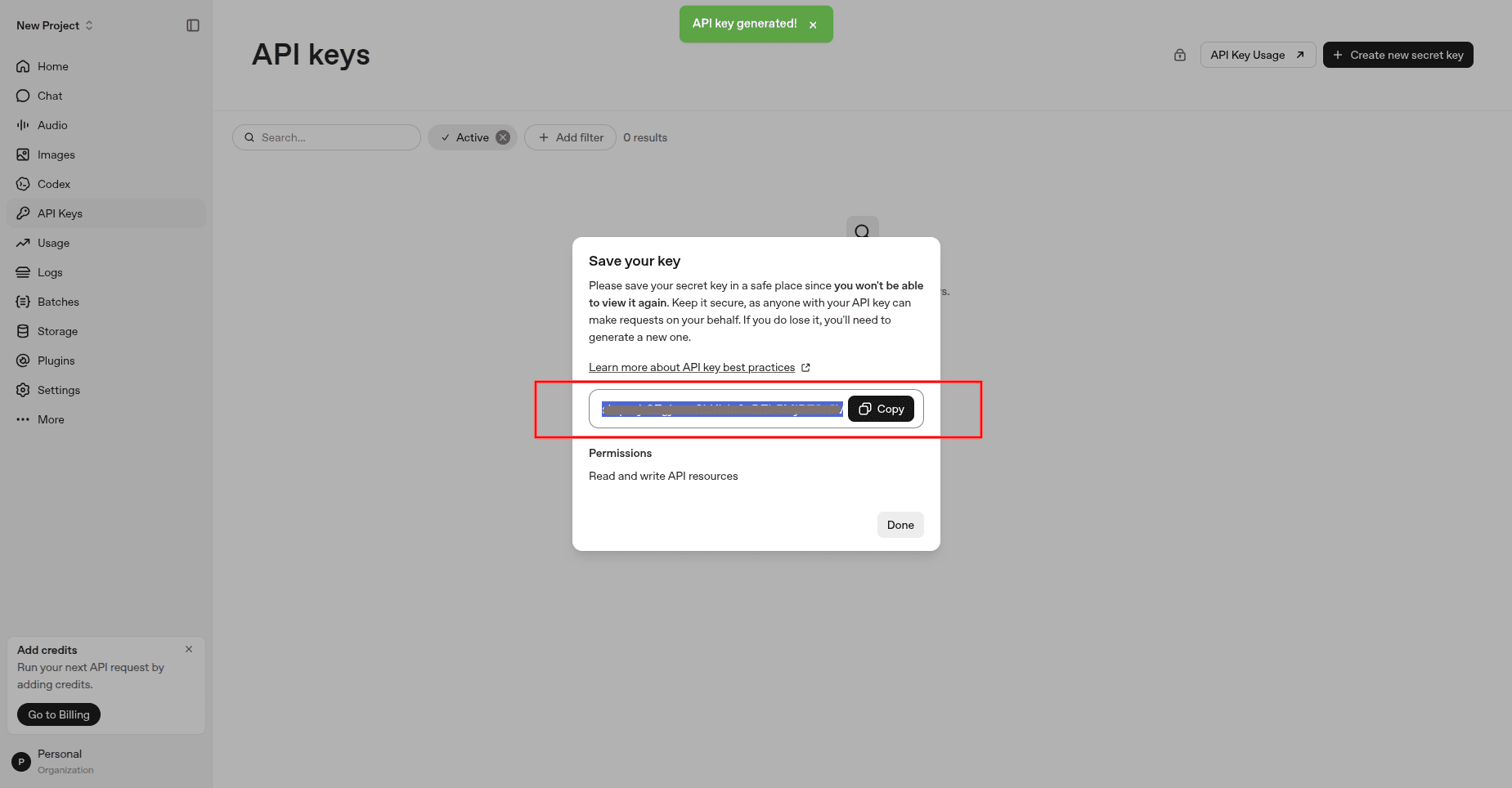
Copy the API key and store it securely.
Note: OpenAI will not show the API key once this process is done. Ensure you copy and save the key
Add the API Key in Odoo
Go to the Odoo website settings and add the API key in the API Key field
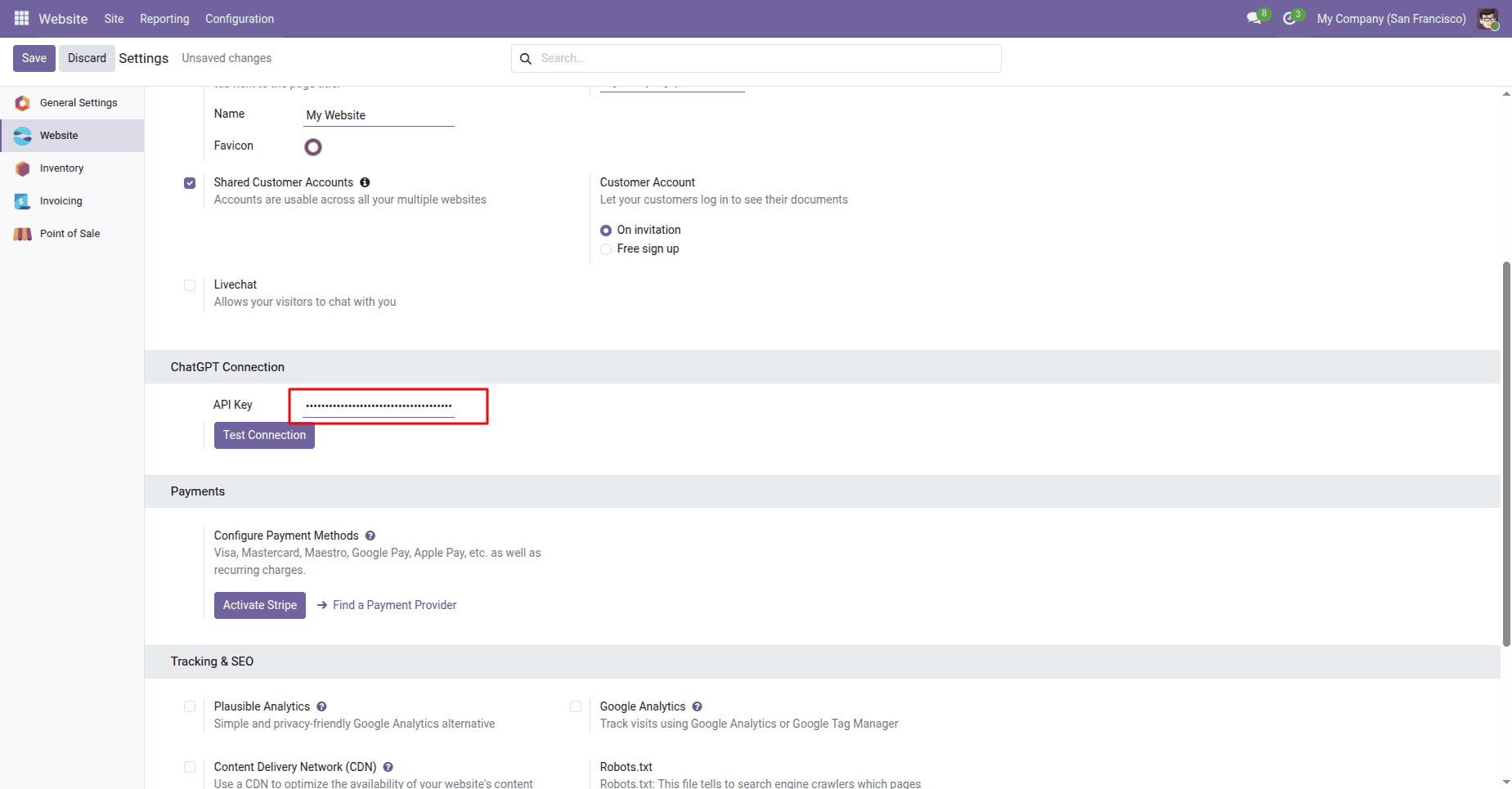
Test the Connection
Enter the API key and click on the Test Connection button
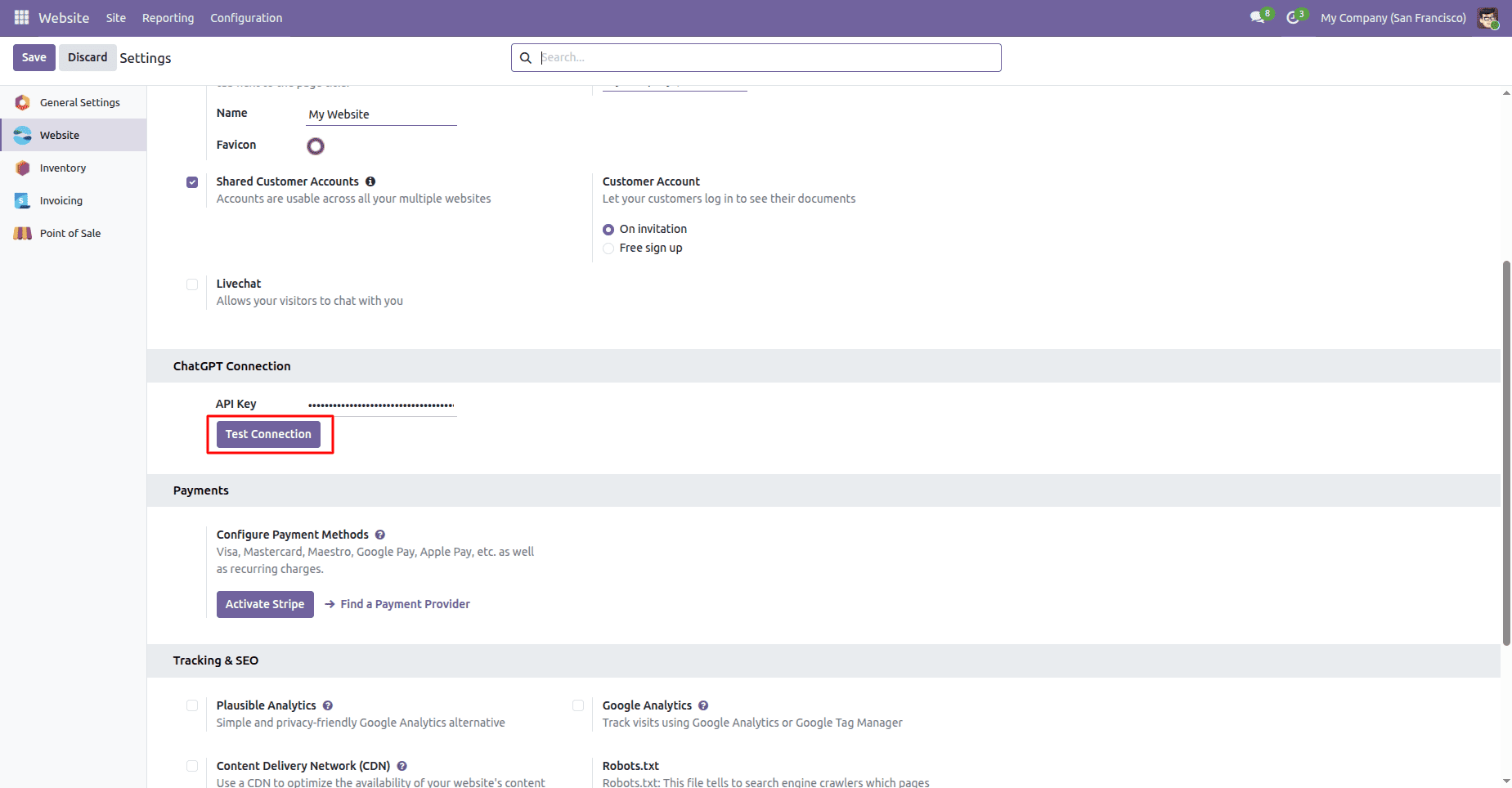
Odoo will try to connect to the OpenAI service.
Verify Successful Connection
Once everything is done, Odoo will display a success message
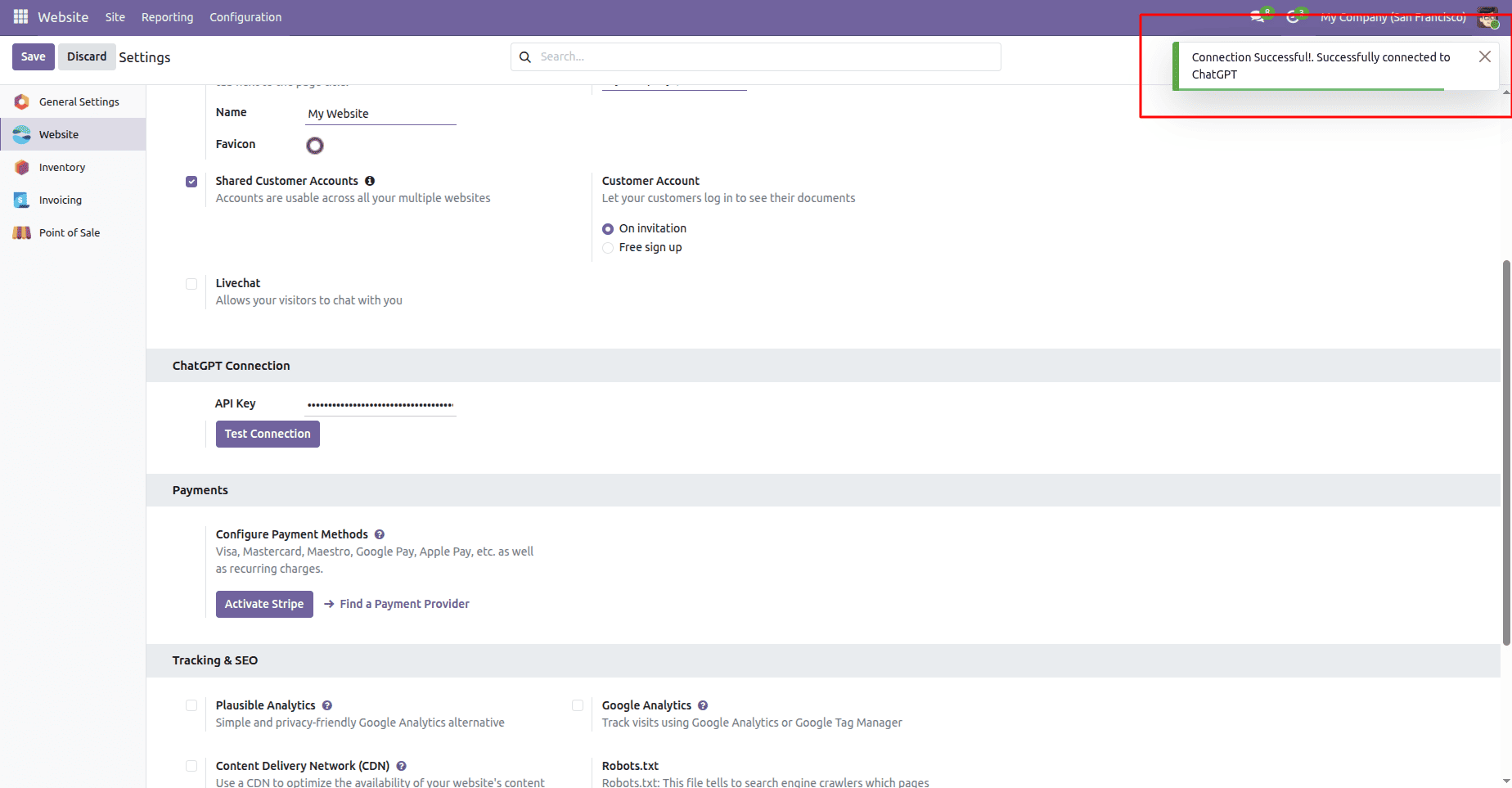
This means that the connection between Odoo and the OpenAI service is successful.
Using ChatGPT on the Website
Once the connection is successful, it becomes possible to use the ChatGPT feature on the website.
Access the ChatGPT Menu
Go to the website frontend and click the ChatGPT menu.
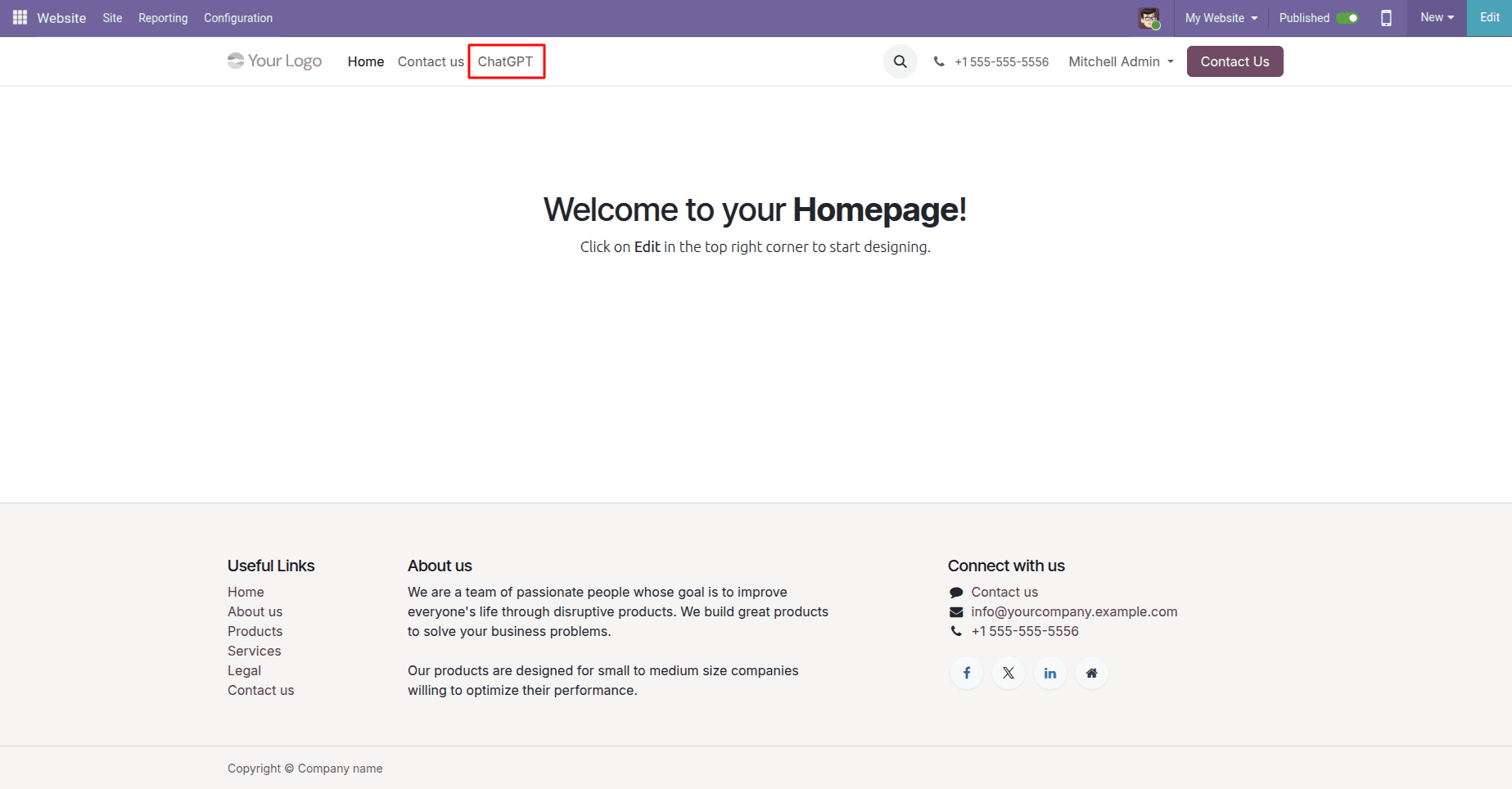
Here, users can ask questions and receive AI-generated responses.
Ask a Question
Enter your question and click the Generate Response button.
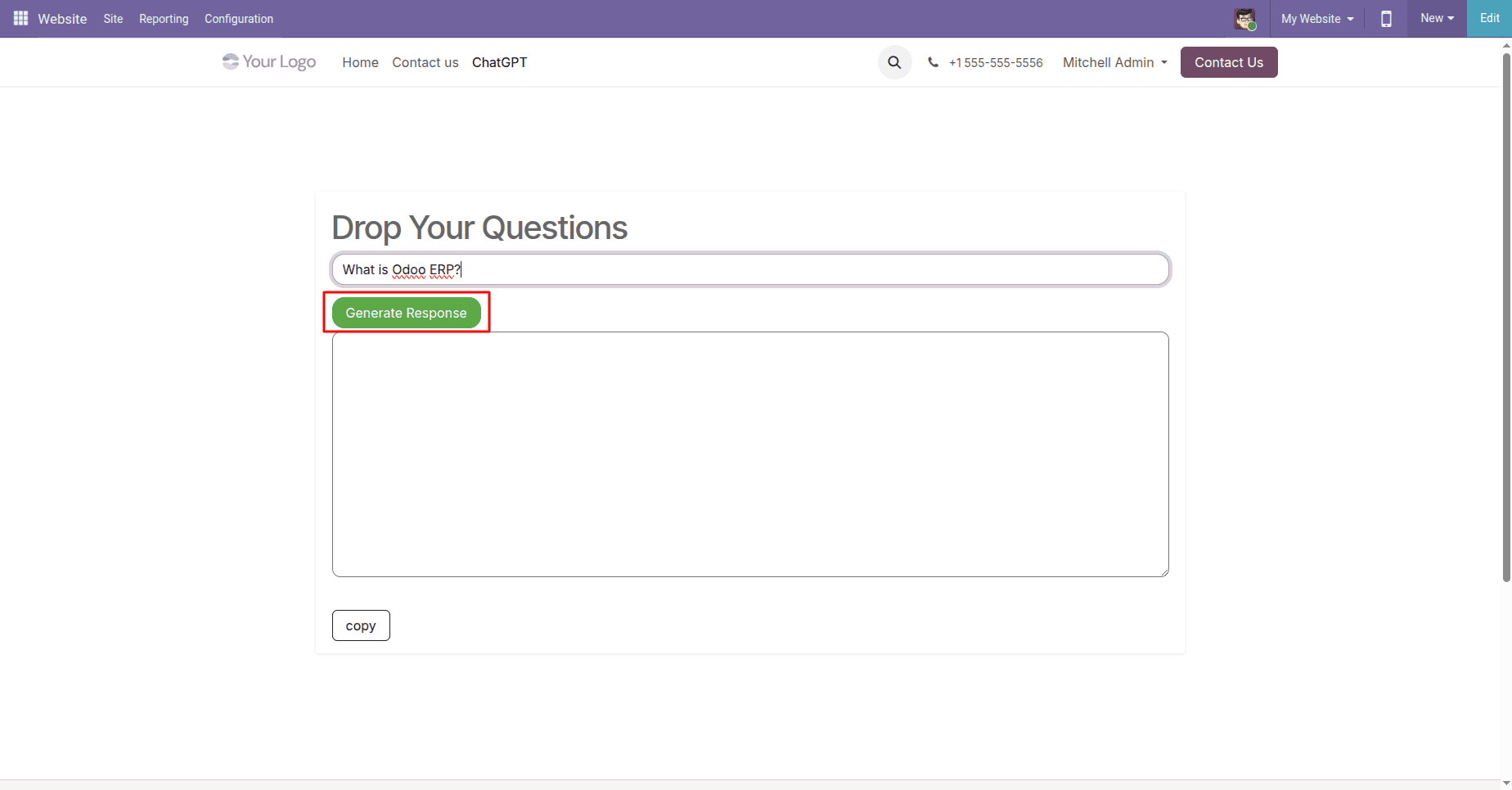
For this example, the user asks the following question: “What is Odoo ERP?”
Get the AI Response
ChatGPT processes the question and answers.
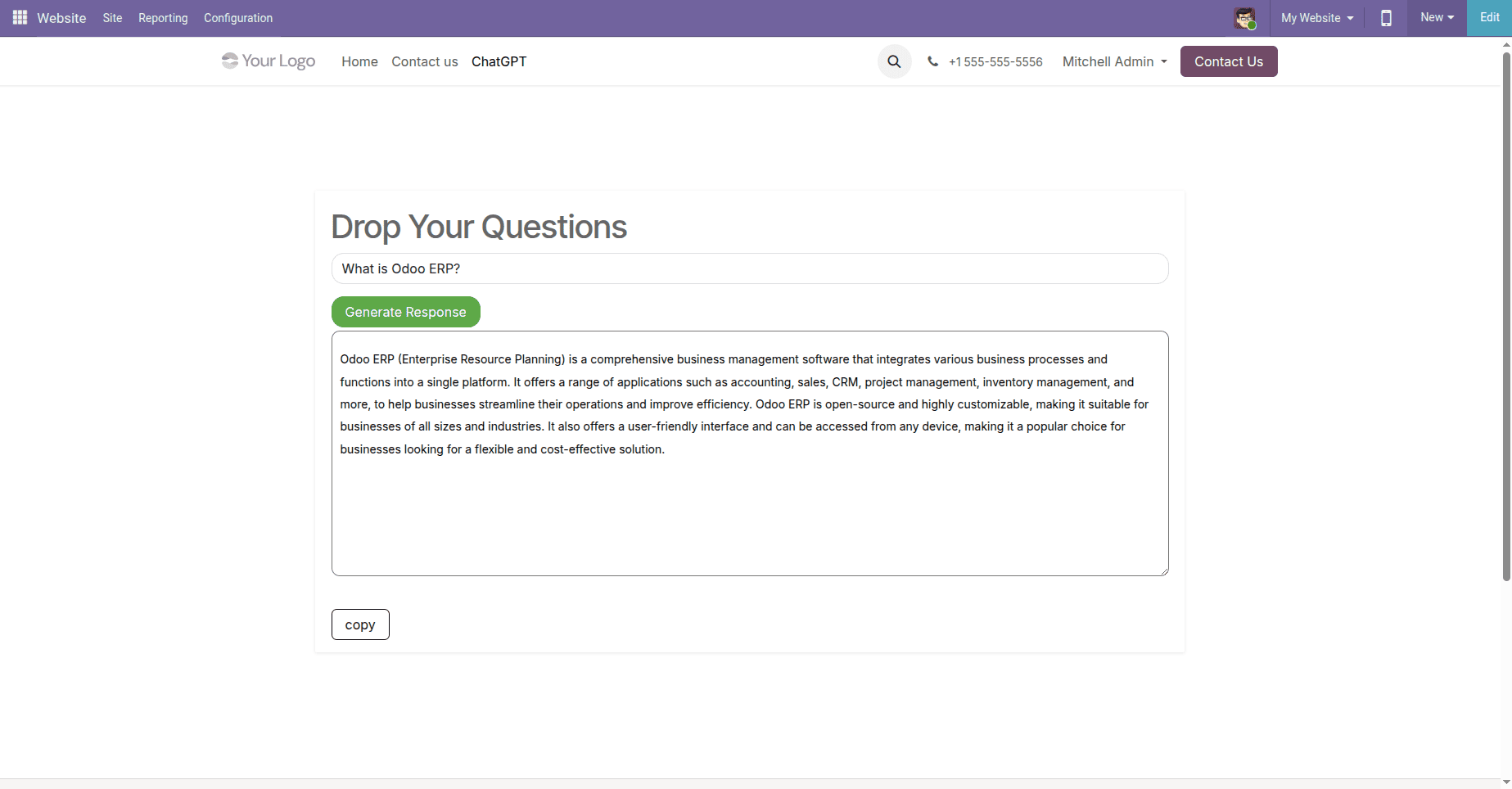
Here, users can easily find informative answers without leaving the website. The generated response can be copied by clicking the Copy button.
Using AI Assistance in Odoo Discuss
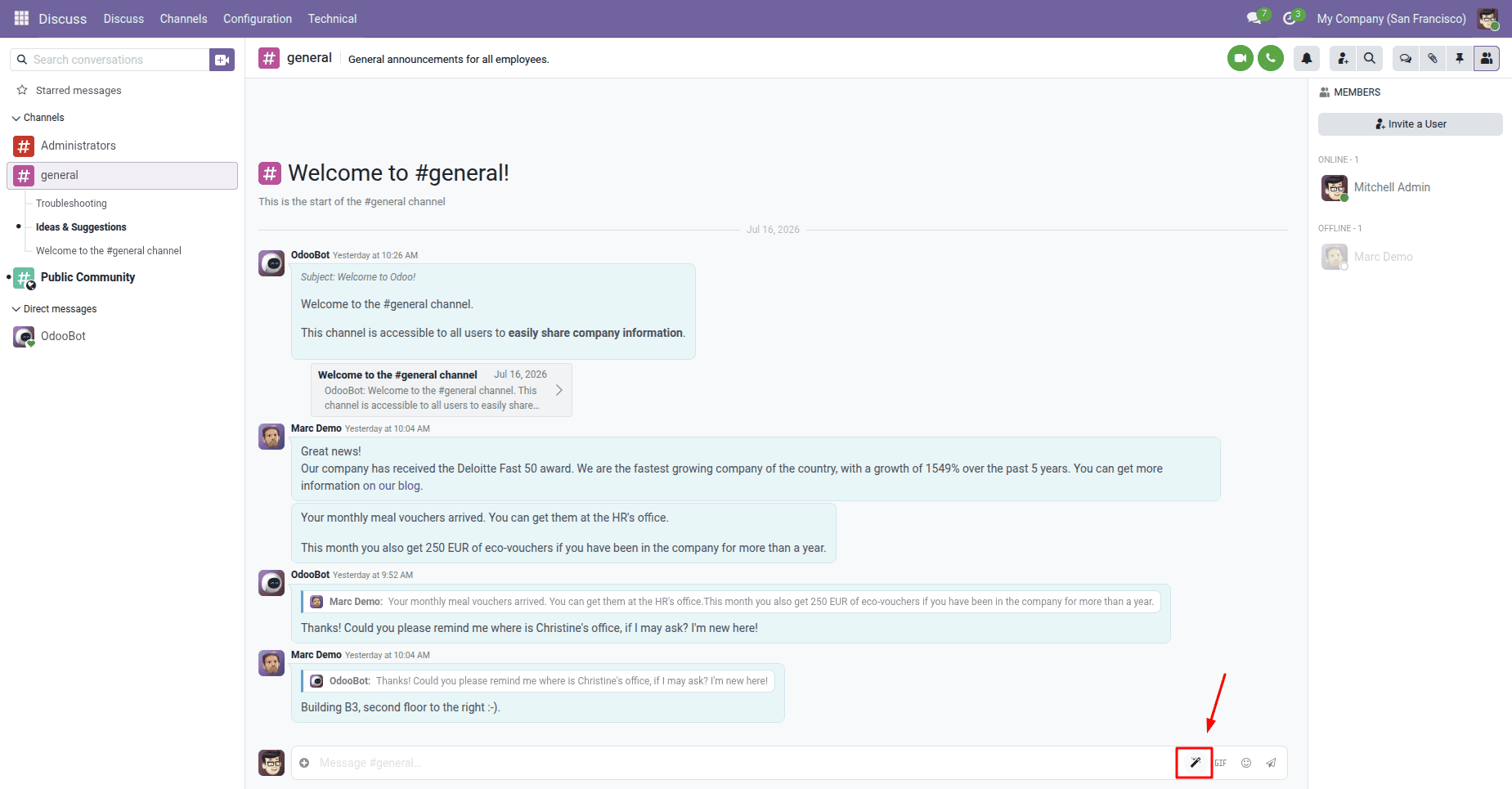
Apart from website integration, the module also provides AI-powered content generation inside the Discuss module.
Open AI Assistant in Discuss
Navigate to:
Discuss > Channel
Click the AI assistant icon available near the message composer.
Enter a Prompt
A dialog box is available where users can enter their prompts.
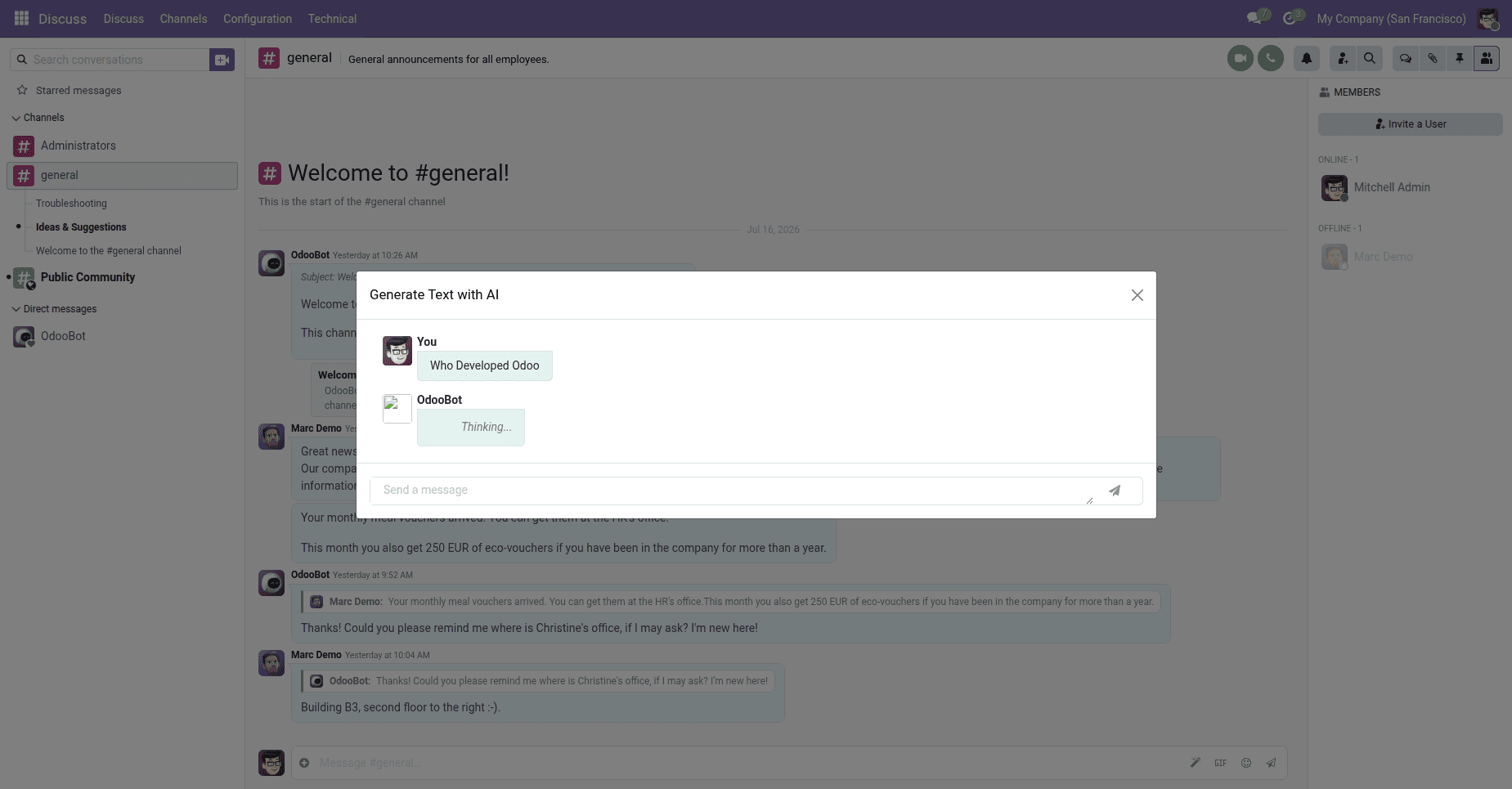
For example:
Who Developed Odoo?
Generate AI Content
ChatGPT analyses the prompt and shows a comprehensive answer.
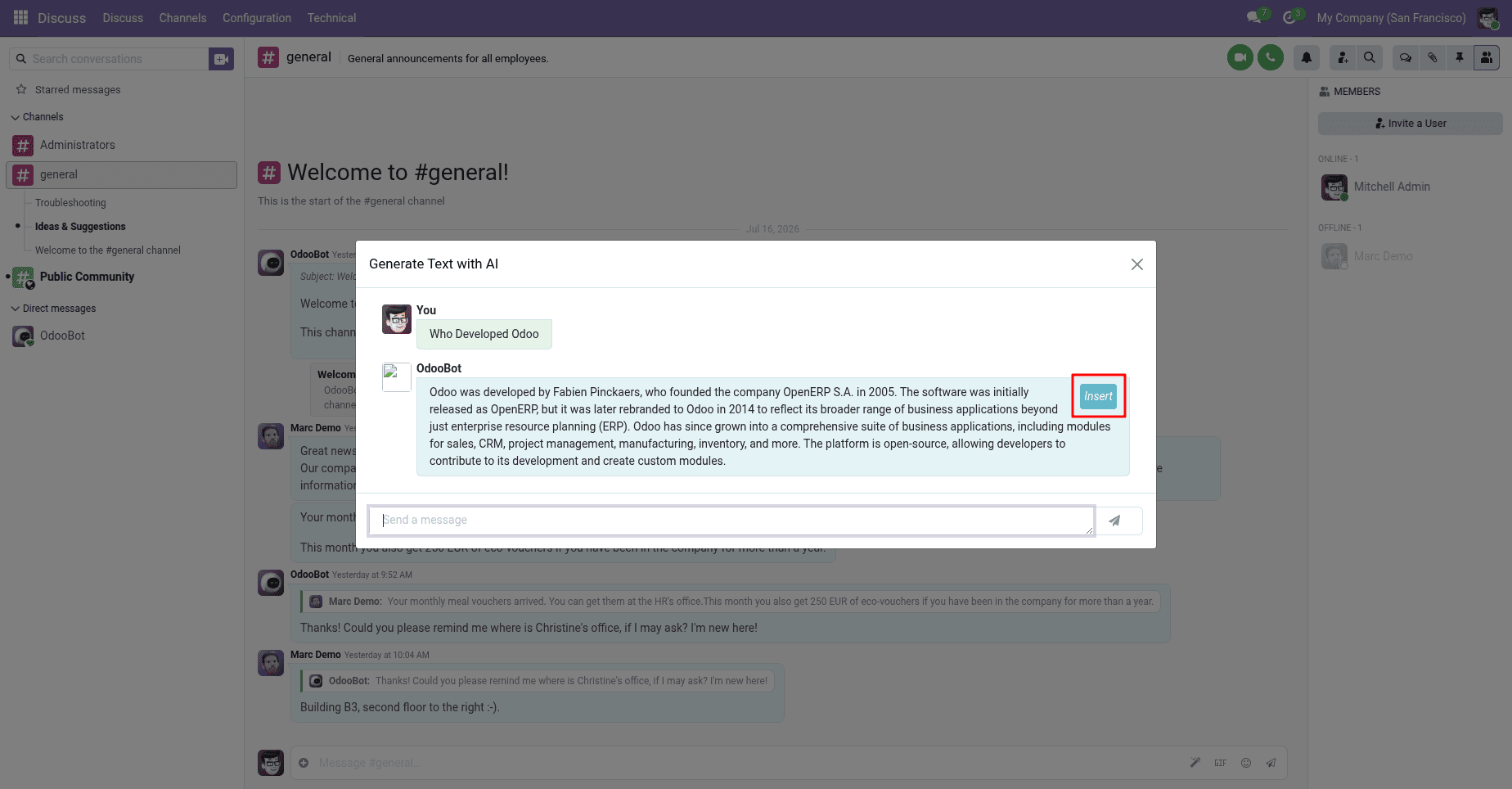
Users can review the response and click Insert to place the generated content into the message composer.
Insert Content into the Chat
After insertion, the generated content is automatically added to the conversation.
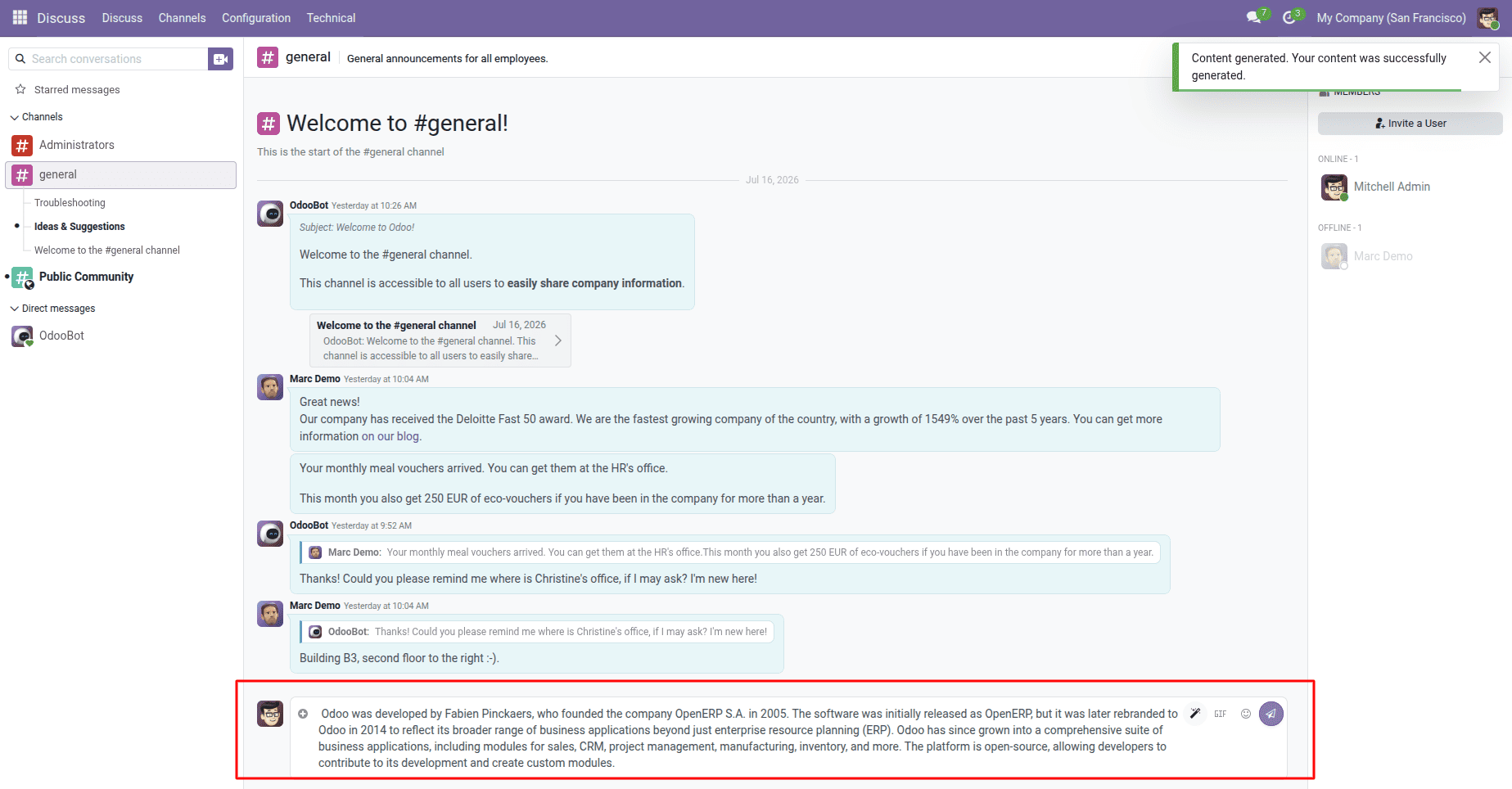
Now, it can be either sent to the channel members or edited further before sending it.
Key Features
- Seamless integration of Odoo and OpenAI.
- AI-powered customer interaction.
- Instant content generation within Discuss channels.
- Increased productivity and effectiveness of communication.
- Ability to get useful answers without leaving one application.
- Easy configuration through OpenAI API keys.
- Enhanced user experience with intelligent automation.
With the Odoo ChatGPT Connector, integrating the ChatGPT features from OpenAI into Odoo 19 becomes very easy and convenient. By configuring the OpenAI API and enabling AI interactions on the website and AI assistance in the Discuss module, users can generate content, receive answers to their questions, and enhance communication within the Odoo platform. With the help of artificial intelligence in the work processes, users will manage to save their time and become more productive and efficient.
To read more about How ChatGPT Can Integrate With the Odoo ERP Platform, refer to our blog How ChatGPT Can Integrate With the Odoo ERP Platform.