The Paper Format option plays an important role in Odoo 19 while rendering QWeb reports in the form of a PDF file. This parameter decides the important factors like dimensions of paper, portrait or landscape mode of the page, margins, header-footer margins, and resolution in which the rendering will be done.
With the help of paper formats, developers and functional users can make standardized reports of printed documents like Invoices, Contracts, Loans, ID Cards, Certificates, etc. Associating the report action with paper formats will make sure that the same format will work for all the documents being printed with different printing devices.
This blog will assist you in knowing how you can make custom paper formats in Odoo 19.
Create an XML file named report_paperformat_data.xml in the data folder of your module and write the code for making a custom paper format. After that, include this XML file in the __manifest__.py of the module so that the paper format will be installed/upgraded along with the module.
Here is an example of a paper format code snippet.
<record id="paperformat_label_sheet" model="report.paperformat">
   <field name="name">A4 Label Sheet</field>
   <field name="default" eval="True" />
   <field name="format">A4</field>
   <field name="page_height">0</field>
   <field name="page_width">0</field>
   <field name="orientation">Portrait</field>
   <field name="margin_top">0</field>
   <field name="margin_bottom">0</field>
   <field name="margin_left">0</field>
   <field name="margin_right">0</field>
   <field name="disable_shrinking" eval="True"/>
   <field name="dpi">96</field>
</record>
<record id="paperformat_label_sheet" model="report.paperformat">
It creates a new record in the database by using paperformat_label_sheet as an XML reference. The entry is marked as the paper format configuration for PDF report generation by using report.paperformat.
<field name="name">A4 Label Sheet</field>
The name attribute provides a friendly name for the paper format as "A4 Label Sheet".
<field name="default" eval="True" />
The default attribute set to True indicates that this paper format is the default one if there are no other formats associated with a report.
<field name="format">A4</field>
The format attribute represents the standard paper size as A4.
<field name="page_height">0</field>
<field name="page_width">0</field>
The page_height and page_width attributes are defined as 0, meaning that Odoo will use predefined sizes of A4.
<field name="orientation">Portrait</field>
The orientation attribute sets the type of page layout as Portrait or Landscape.
<field name="margin_top">0</field>
<field name="margin_bottom">0</field>
<field name="margin_left">0</field>
<field name="margin_right">0</field>
The margin_top, margin_bottom, margin_left, and margin_right attributes provide page margins in mm, and if they are set to 0, it means that the full page will be used.
<field name="disable_shrinking" eval="True"/>
The disable_shrinking option disables auto-resizing of report contents.
<field name="dpi">96</field>
The dpi attribute provides the number of dots per inch of rendering that affects the visual properties of the PDF report.
You can assign a paper format to a report by using the paperformat_id attribute. The following example shows how it is used in the Reception Report Label.
<record id="label_picking" model="ir.actions.report">
   <field name="name">Reception Report Label</field>
   <field name="model">stock.move</field>
   <field name="report_type">qweb-pdf</field>
   <field name="report_name">stock.report_reception_report_label</field>
   <field name="report_file">stock.report_reception_report_label</field>
   <field name="paperformat_id" ref="product.paperformat_label_sheet"/>
   <field name="binding_type">report</field>
</record>
And now we’ll create a paper format from Settings > Technical > Reporting > Paper Format.
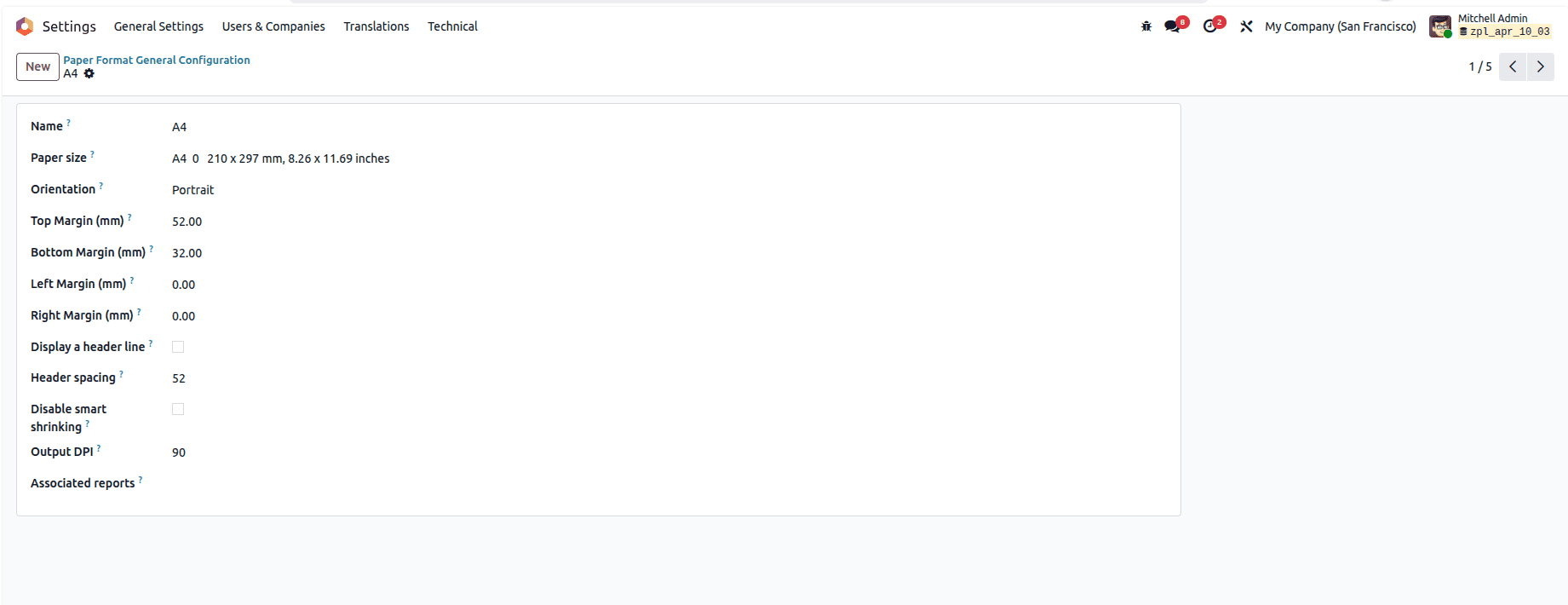
Paper Formats in Odoo 19 is an easy way to define the visual properties of the generated PDF report without changing the report template itself. You will be able to set different options, for example, page size, orientation, margins, DPI, and other options, so that your reports will print correctly on any printer or device. In case you are creating invoices, product labels, certificates, contracts, or some business documents, setting the proper paper size for a report will increase readability, the professional appearance of the report, and decrease the number of printing issues.
To read more about Overview of Paper Format in Odoo 18, refer to our blog Overview of Paper Format in Odoo 18.