In project management, the order of tasks and how they relate to one another are essential to ensuring that projects are completed effectively and on schedule. The Odoo 19 Project module's Task Dependency feature makes it possible to decide which tasks should be finished first based on how they relate to one another. By comprehending and making use of task dependencies, project workflow may be greatly improved, resources can be allocated more effectively, and delays that could otherwise arise from tasks being completed out of order can be avoided.
When one task must be finished in order to begin or finish another, this is referred to as task dependency. To put it simply, “Task B” is dependent on “Task A”, if “Task A” must be finished before “Task B” can start. Project managers frequently use task dependencies because they guarantee that activities are completed in the correct order and avoid needless delays.
Go to Settings option under the project option in the Configuration menu to configure task dependencies.
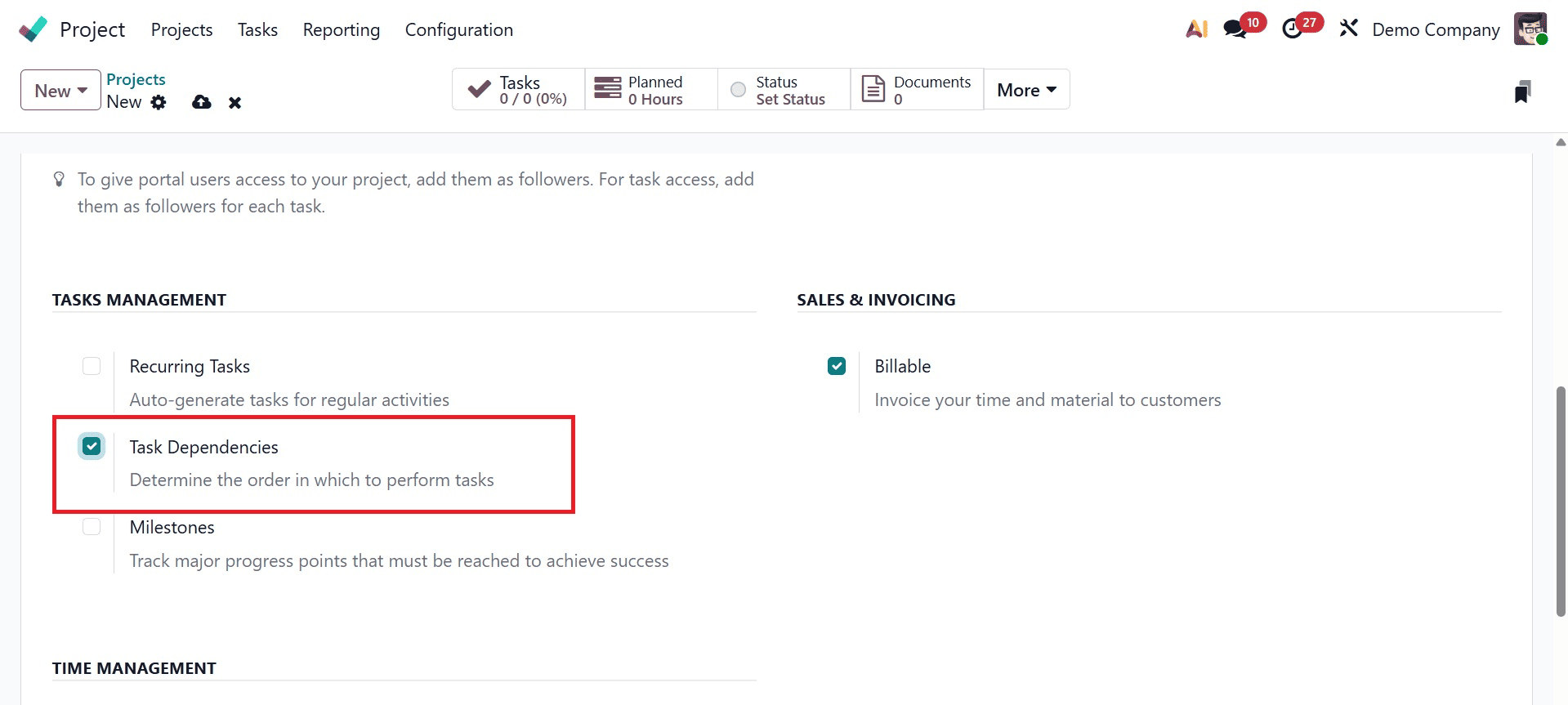
Make sure the Task Dependencies functionality is turned on under the Tasks Management section. Additionally, if you make any changes, remember to save the settings.
Once task dependencies are enabled, return to the dashboard, choose a project to add tasks to, or click the New button to start a new project and then activate the option.
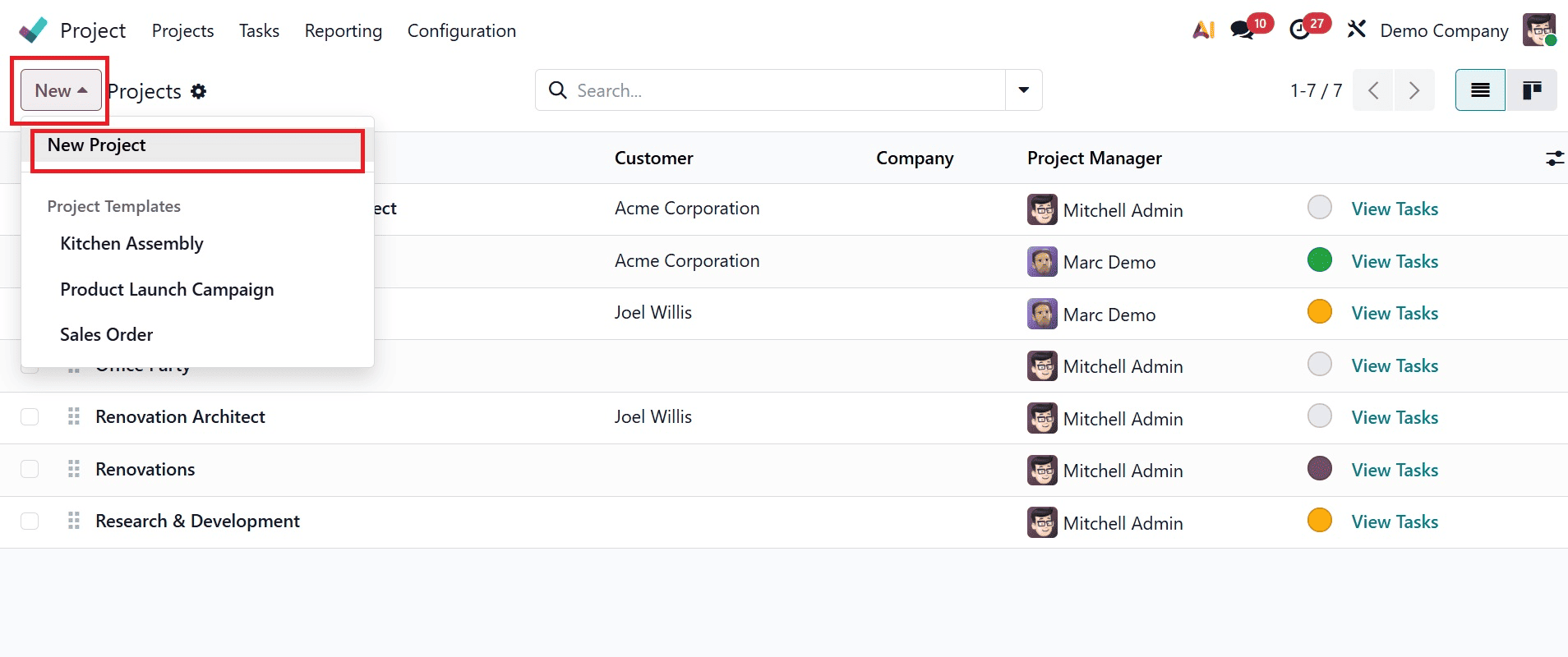
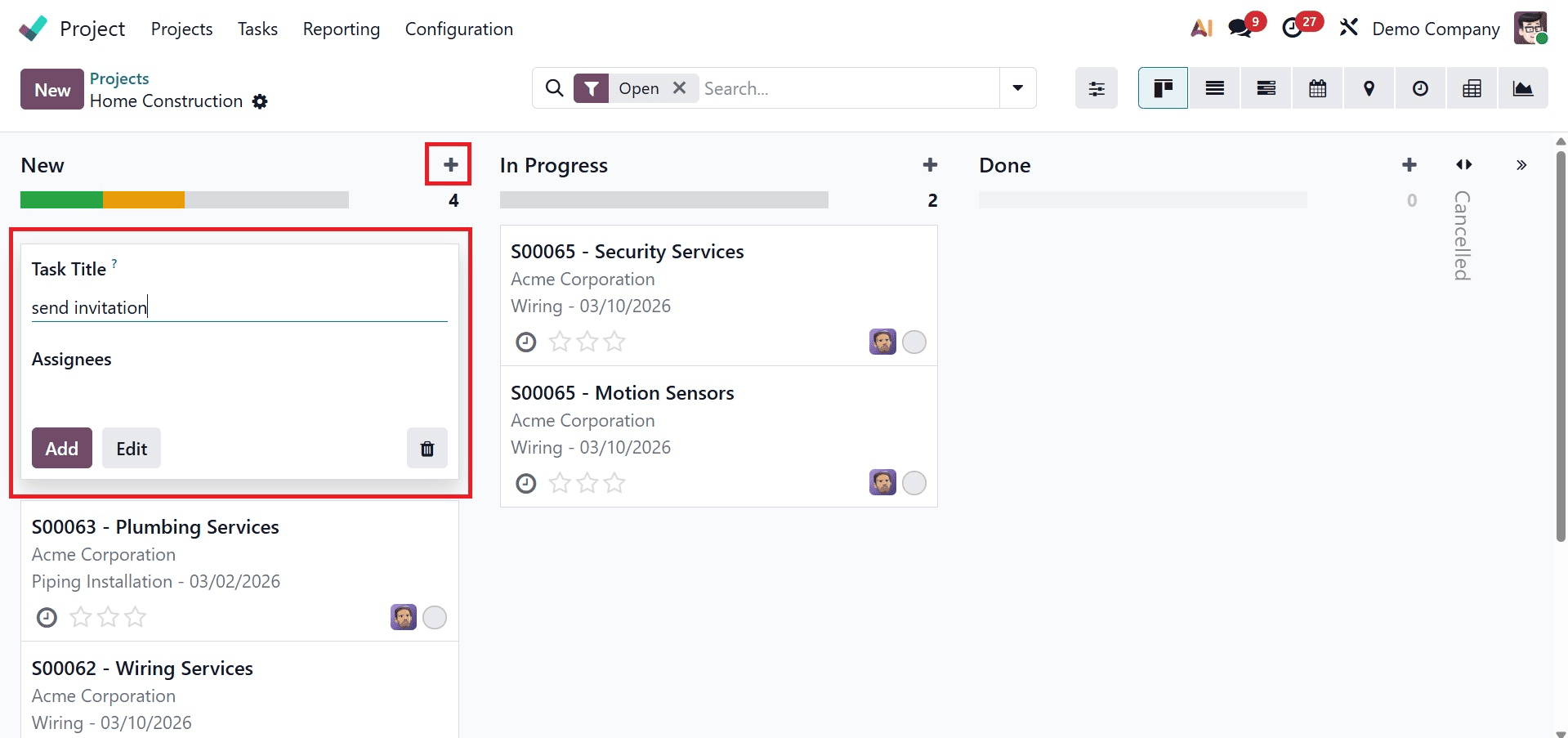
Click the New button in the chosen project to add tasks to the pipeline's initial stage, or click the + icon next to the stage name to add a job to a particular stage. On selecting the New icon, the creation page will be, as shown below.
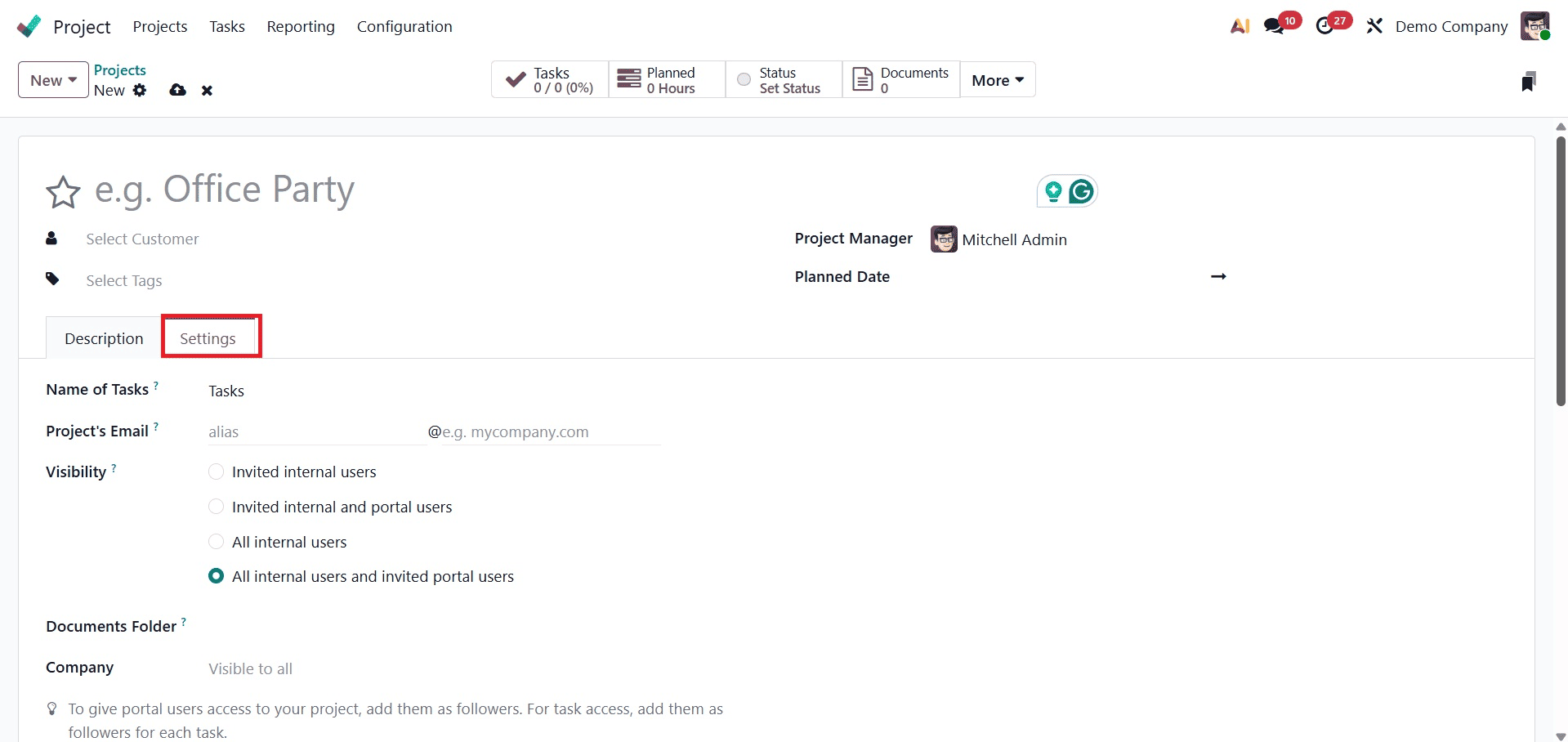
Here, provide the project name, project manager, and planned date accordingly. Then, make sure to activate the task dependencies option under the settings tab as well.
Using the + icon, you will get the pop up to add the task, as shown below. Give the task title and assignees for the newly created task. Press the "Add" button.
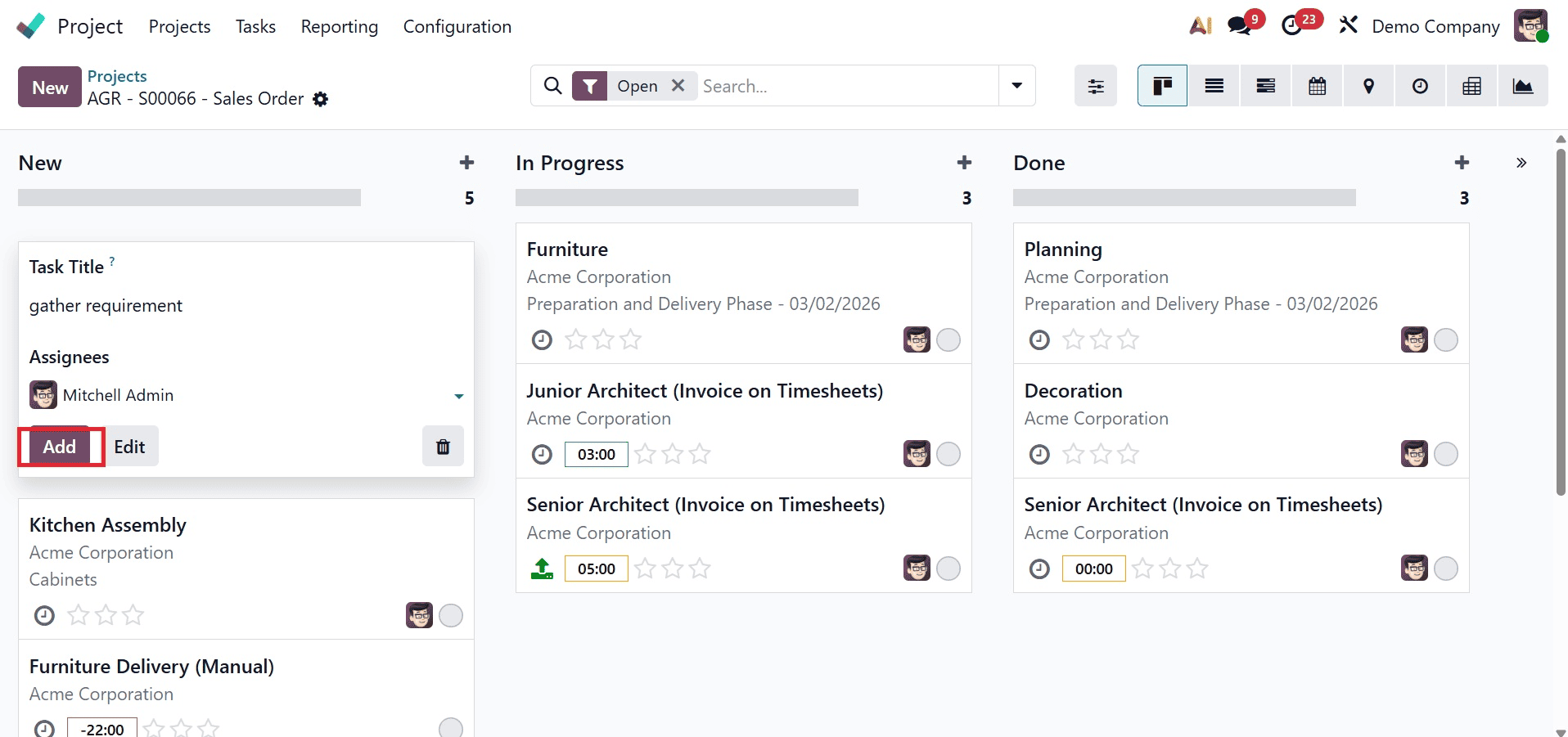
Include every task necessary to finish the project, as shown below.
Once the tasks have been entered, the task dependencies can be defined. To do this, choose a task, and since the task dependencies feature has been activated, a Blocked By tab appears for the task, under which the work that must be finished before this task can start can be specified. It shows that the task listed under the Blocked By tab has blocked this task.
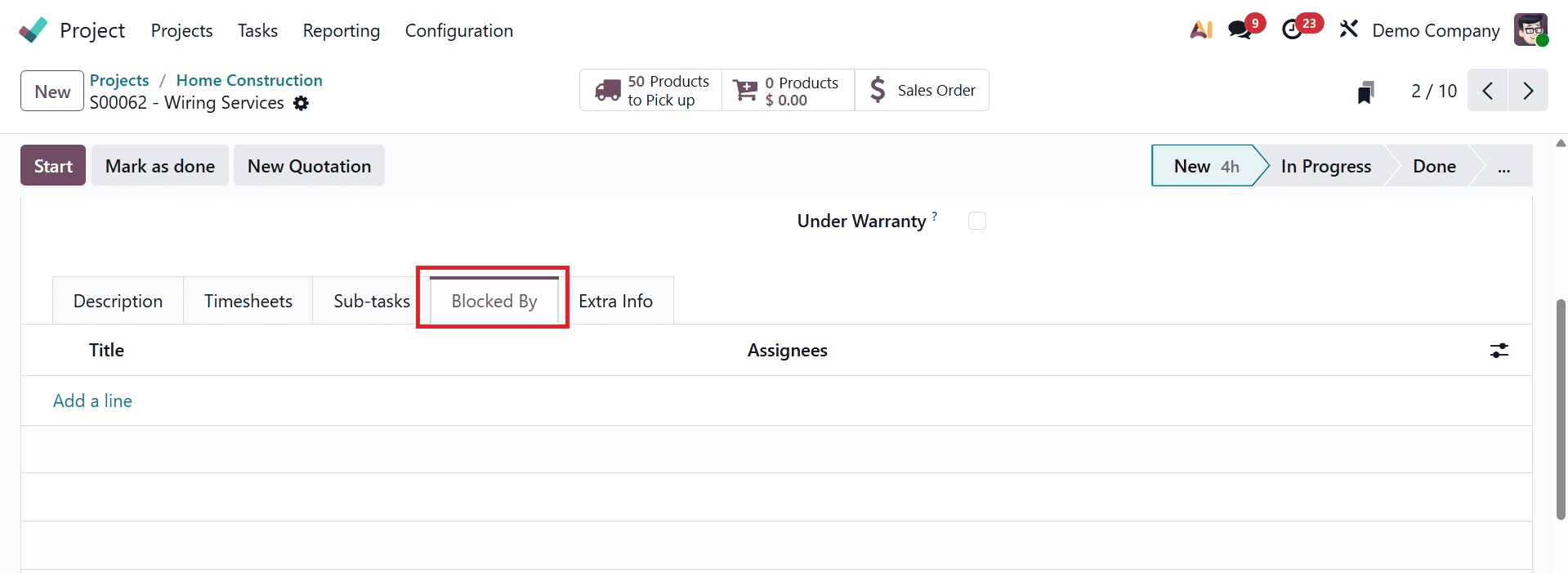
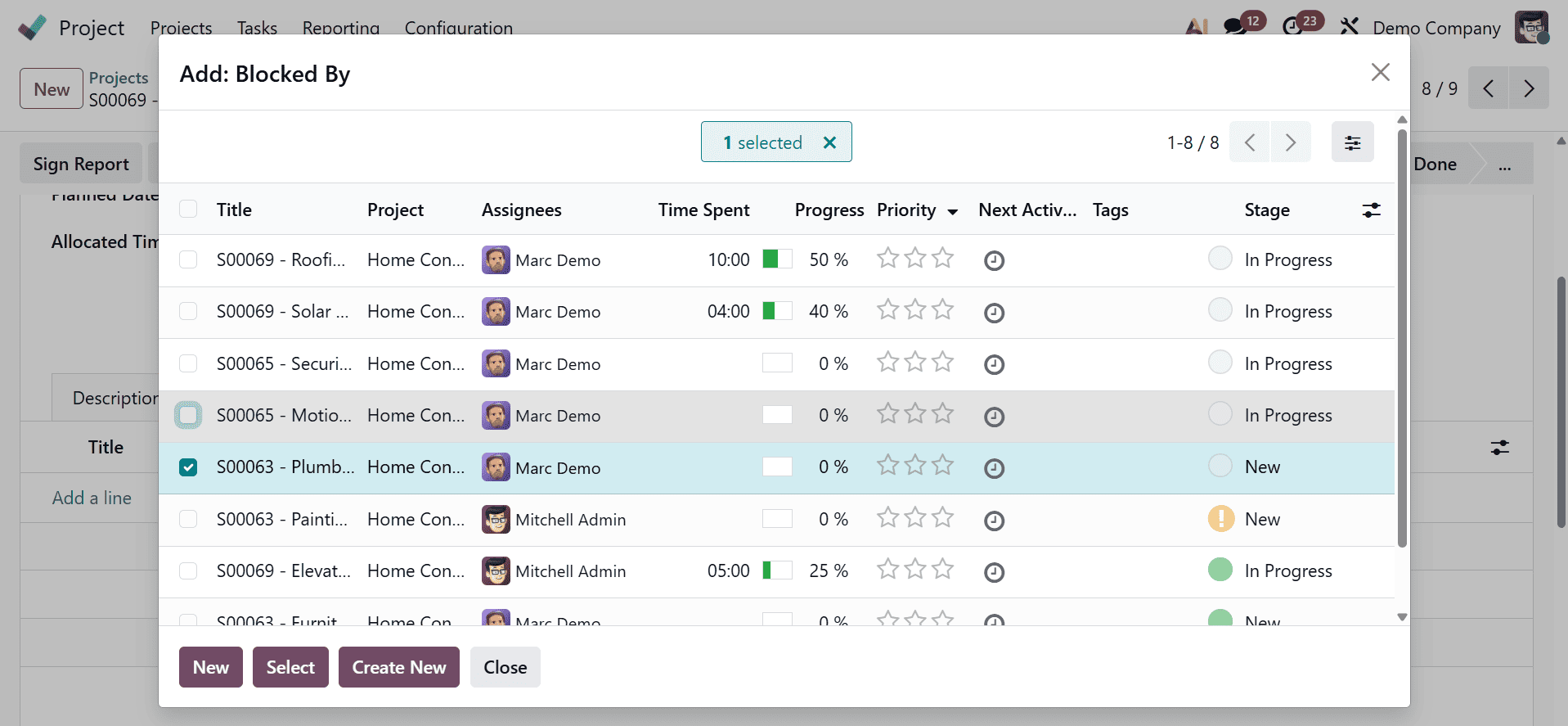
Here, click Add a line, and since the project name has supplied the filter, all the tasks under that project will show up. All of the tasks show up when it is removed.
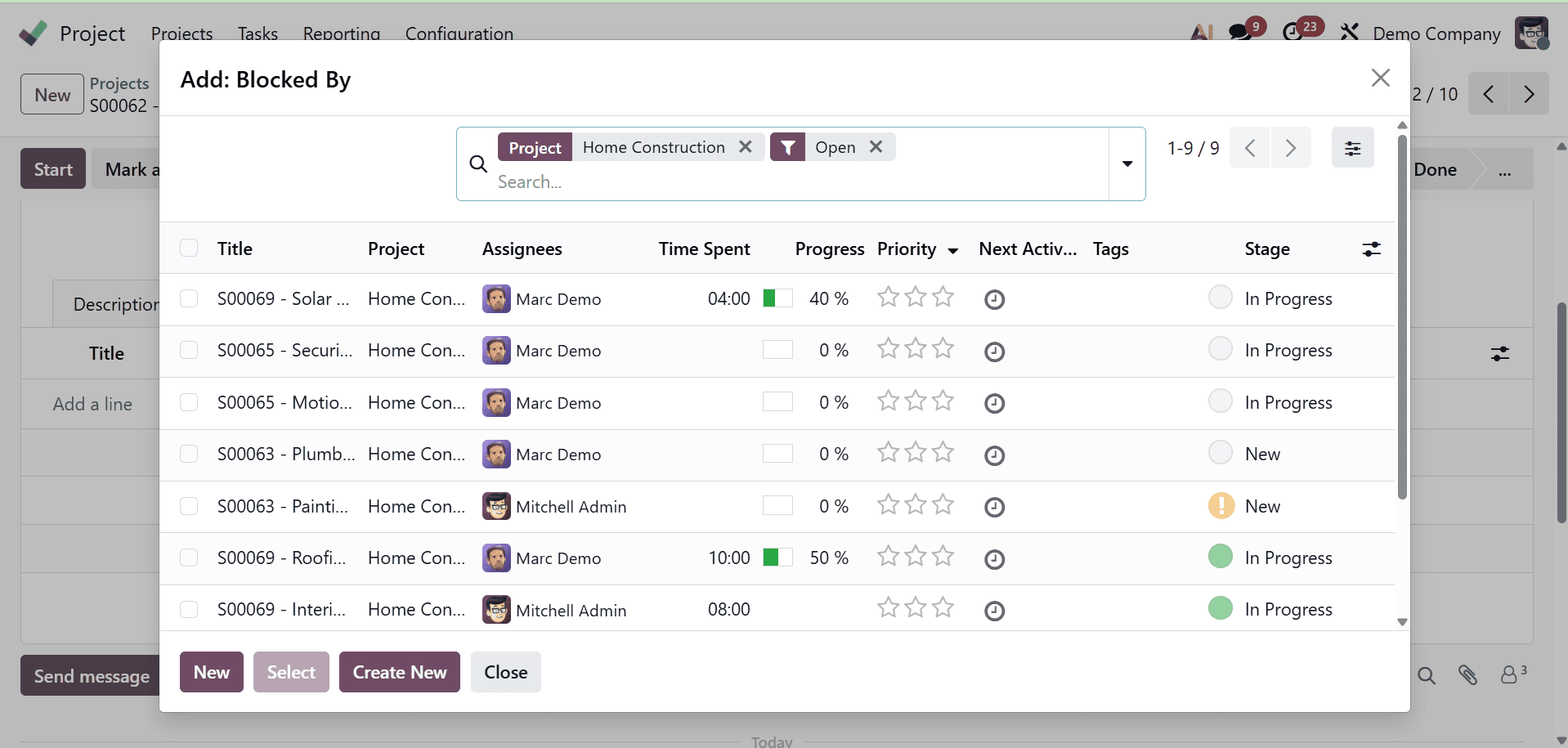
Additionally, since the filter for open tasks has been applied, all of the tasks displayed here are open tasks.
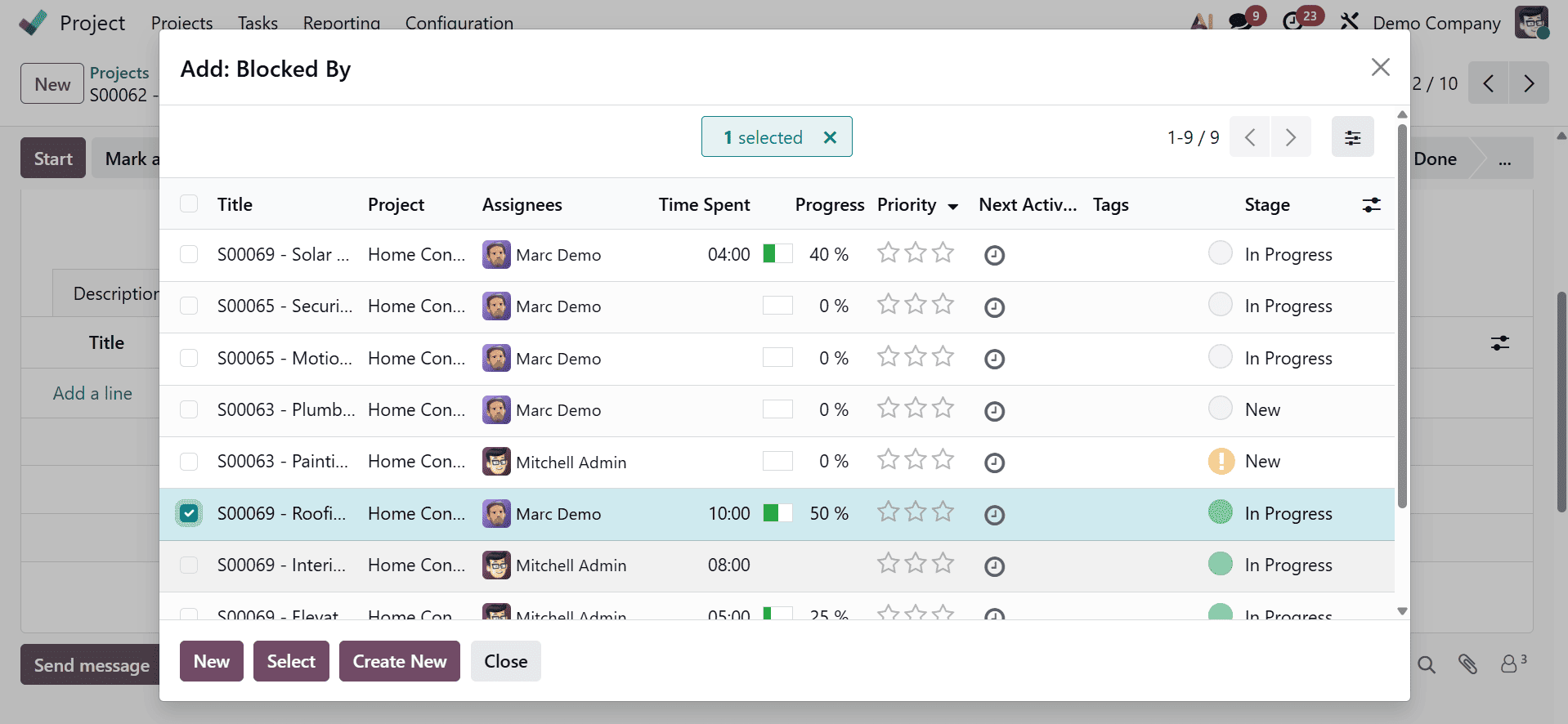
To create a new task that has to be added to the blocked list, click the box to the left of the task name and either click the Select button or click the New button.
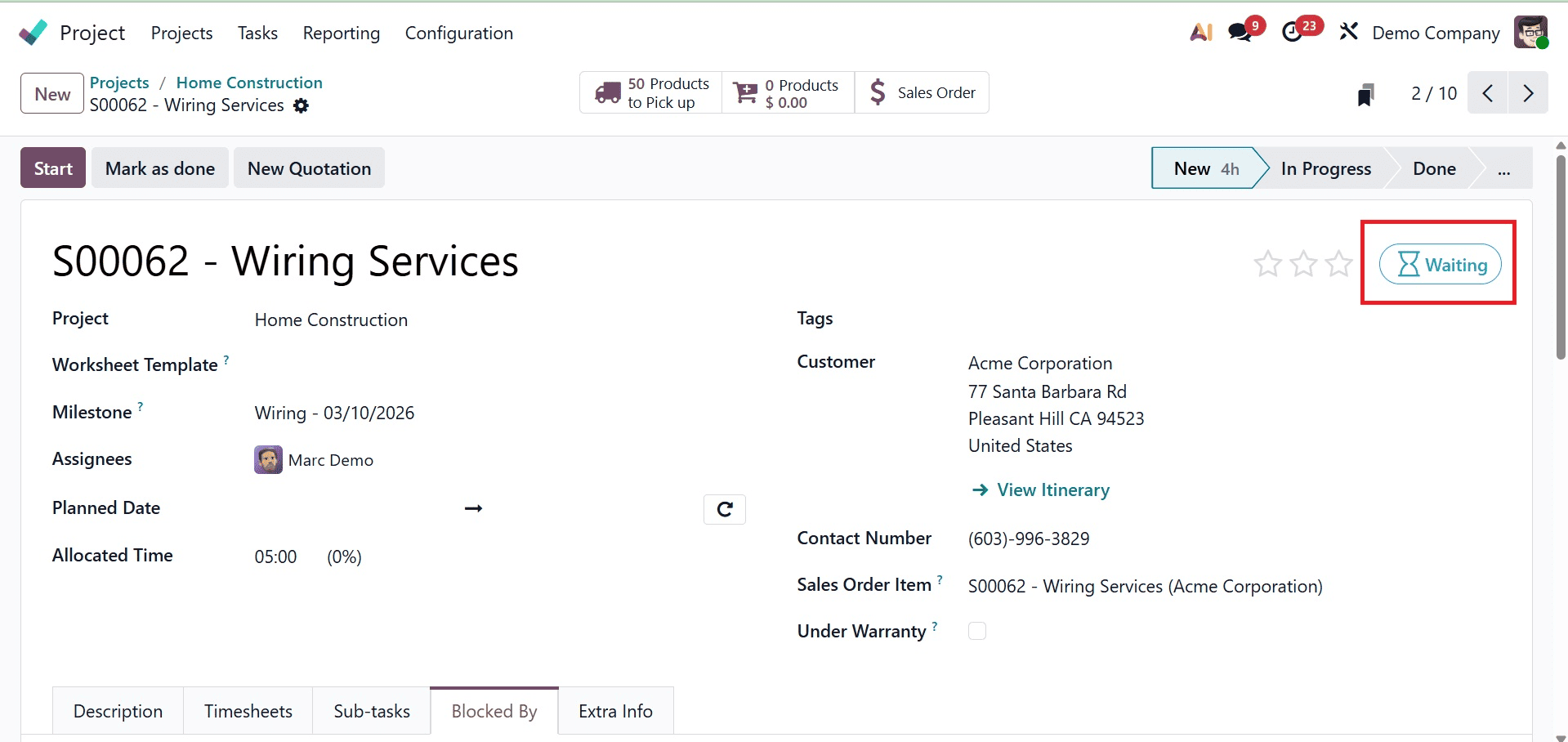
Since the "Roofing" task has been added here, the "Wiring Services" task has been blocked by the "Roofing" task. This means that the "Wiring Services" task depends on the "Roofing" task and can only begin once it is finished. It is in the waiting stage till then, and there is a waiting symbol at the top. Additionally, you may click on display to display the blocked by job from this location.
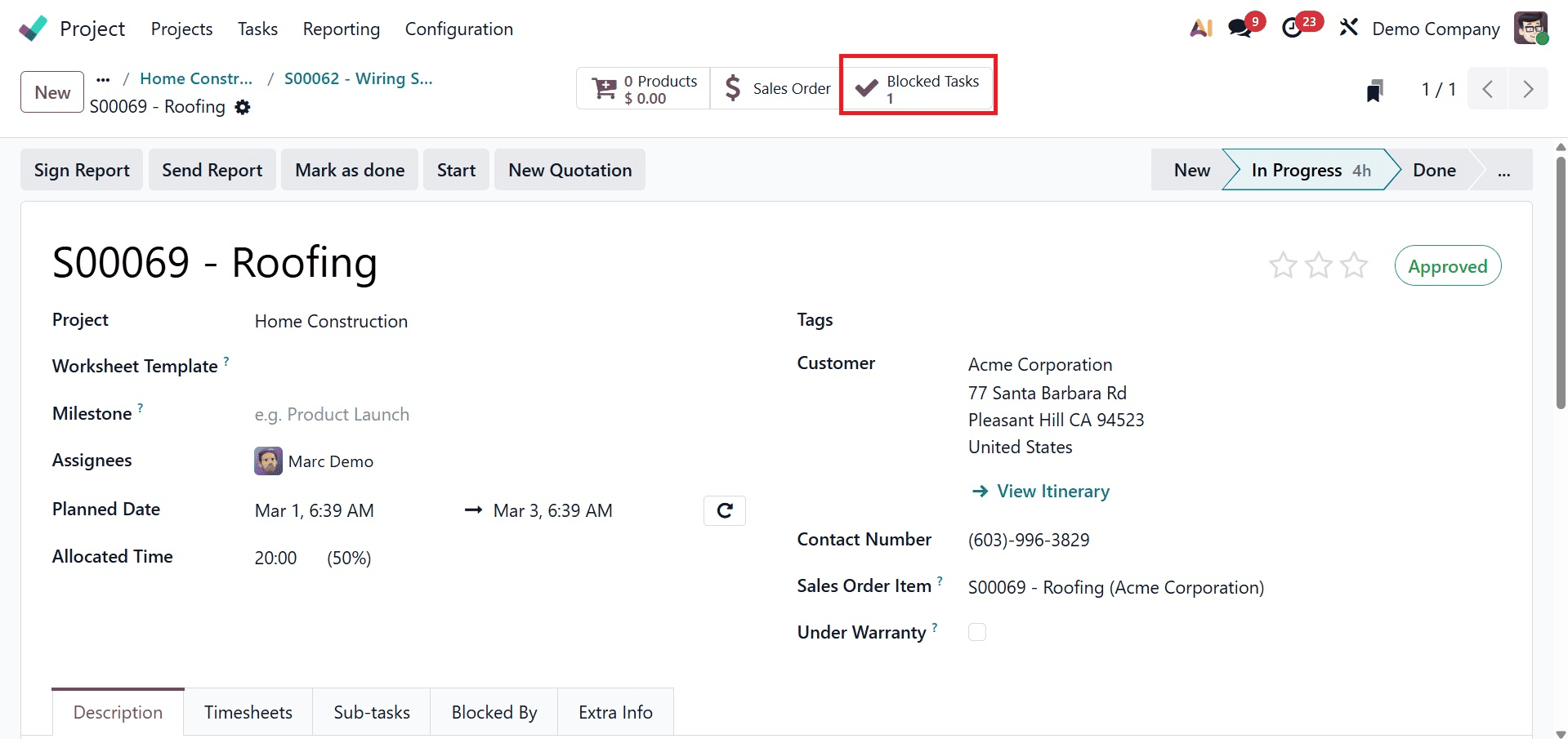
The tasks that have been stopped by that task are displayed in a smart tab called stopped Tasks.
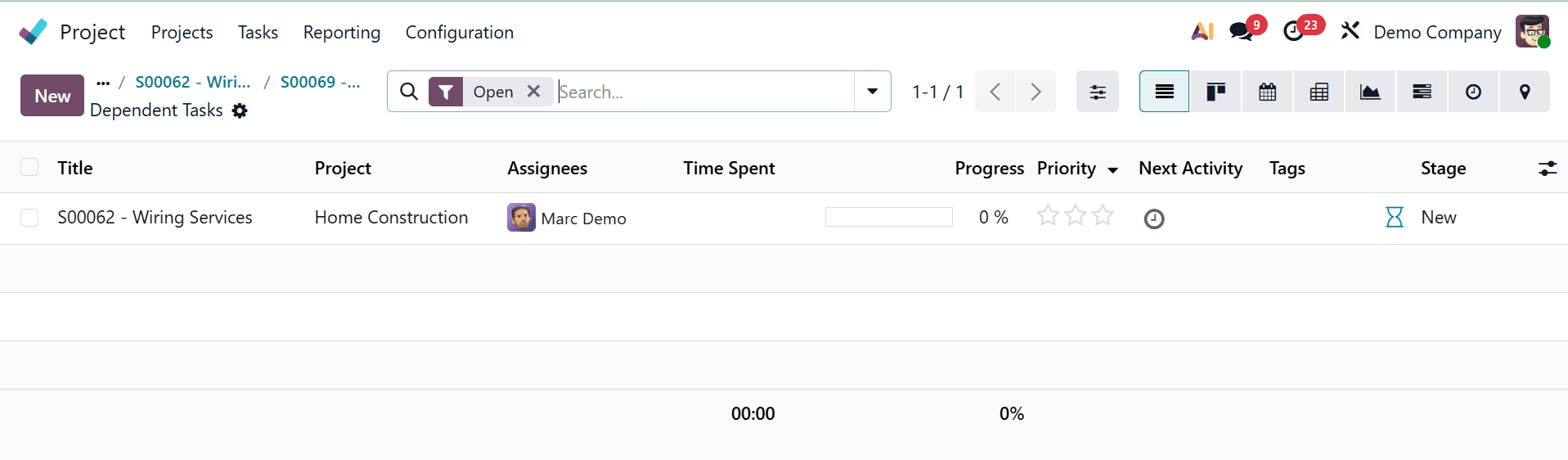
Go to the Gantt chart view of the tasks to see the visual depiction of the task view.
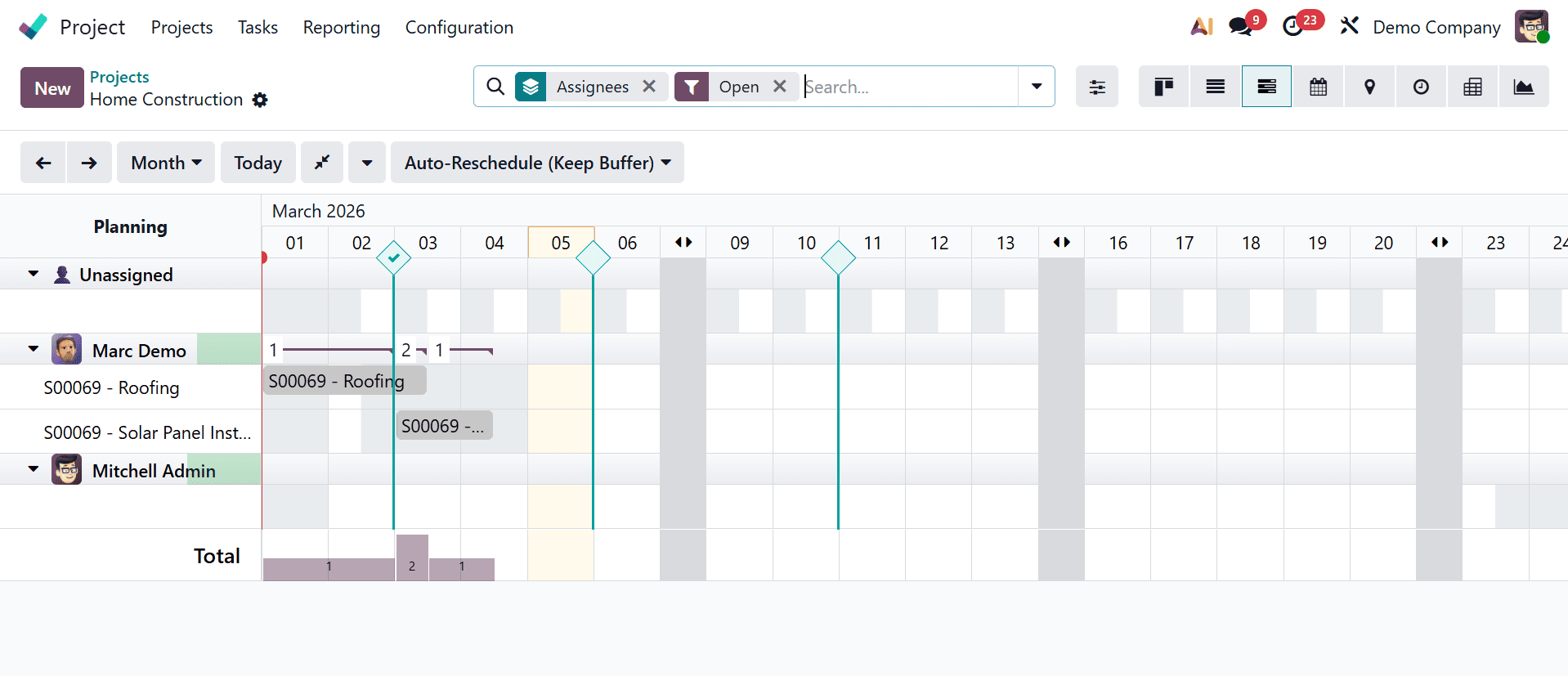
Click on the cell that corresponds to the assignee from the view because the assignee has been set to "Marc Demo." Additionally, take into account the deadline for completing the assignment. When a cell is clicked, a wizard that displays all of the project's tasks appears. The necessary task that has to be seen in the Gantt chart can be chosen by clicking the Select button.
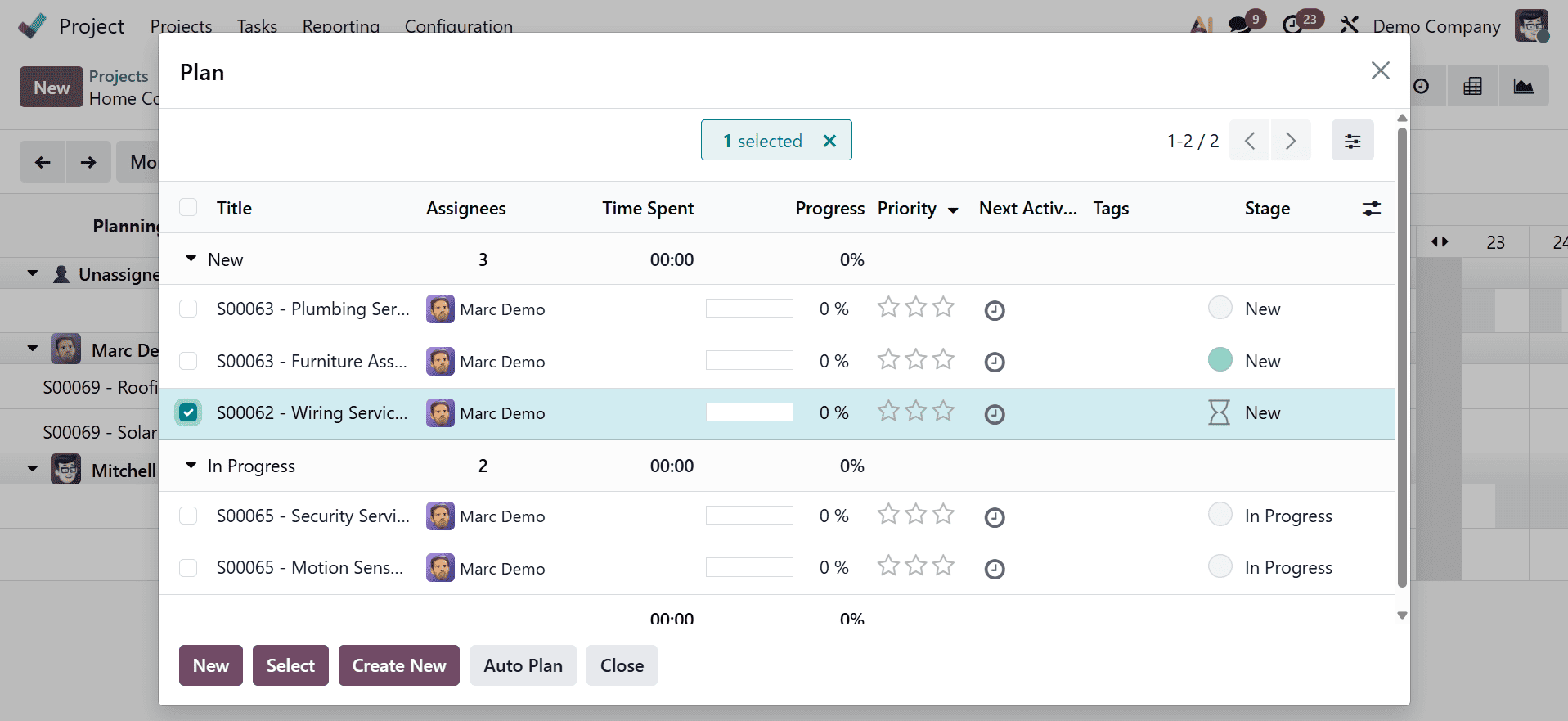
The task dependency is displayed with an arrow after the tasks are created.
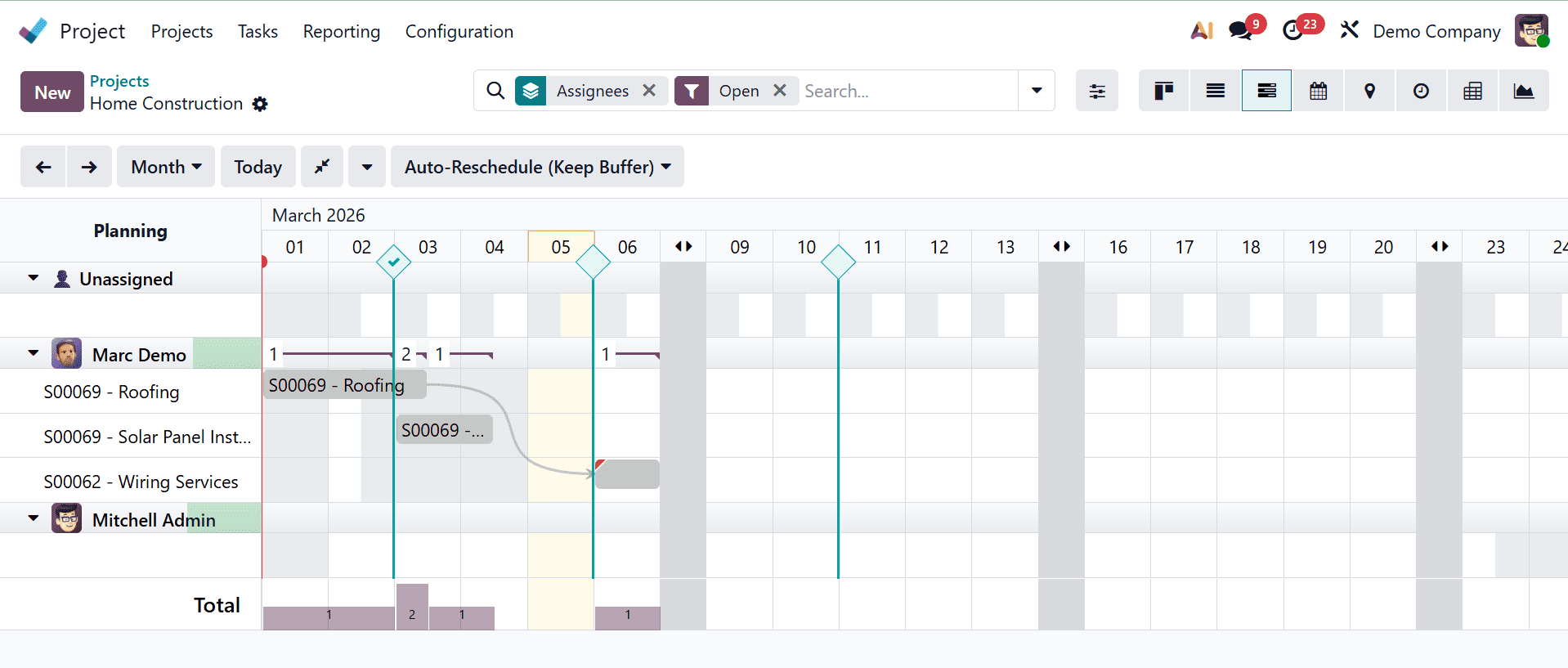
Additionally, the Gantt chart view may be used to construct task dependencies. To accomplish this, pick the tasks, hover the mouse over them, and drag the dot to the task that needs to be blocked. The arrow indicates that the task cannot begin until the previous task is finished.
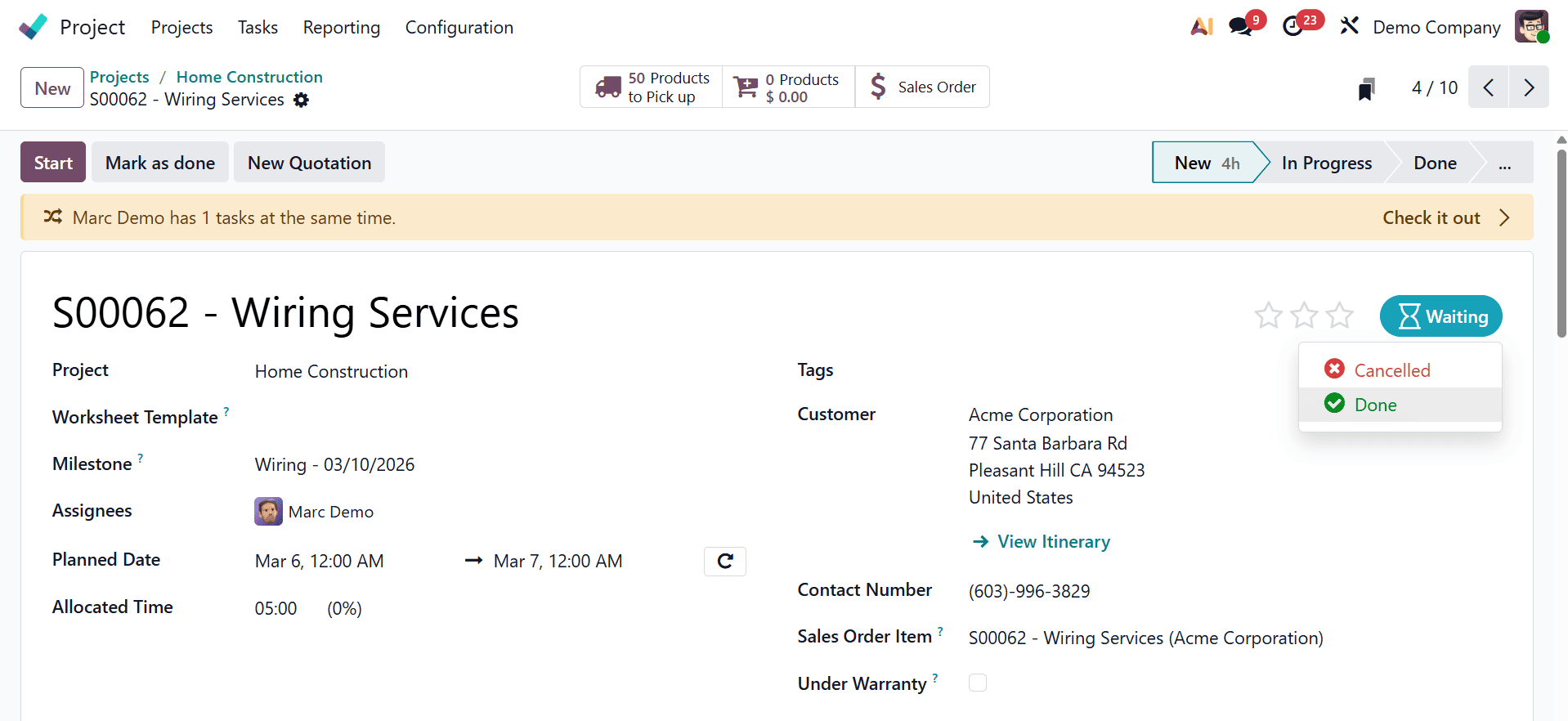
Now that the dependency has been added, the dependent task cannot be changed to in progress until the dependent task is completed or canceled. Proceed to the previous step, "Wiring Services," and mark it as completed.
The dependent job can now be carried out after the task has been finished and marked as done.
As can be seen, the blocked job has been marked as completed, and the task has transitioned from the waiting state to the in-progress state. Additionally, the sub-task can be chosen to set the task dependence after it has been introduced. Go to the Sub-tasks tab and select Add a line to add a subtask. A new line will then appear with the task title.
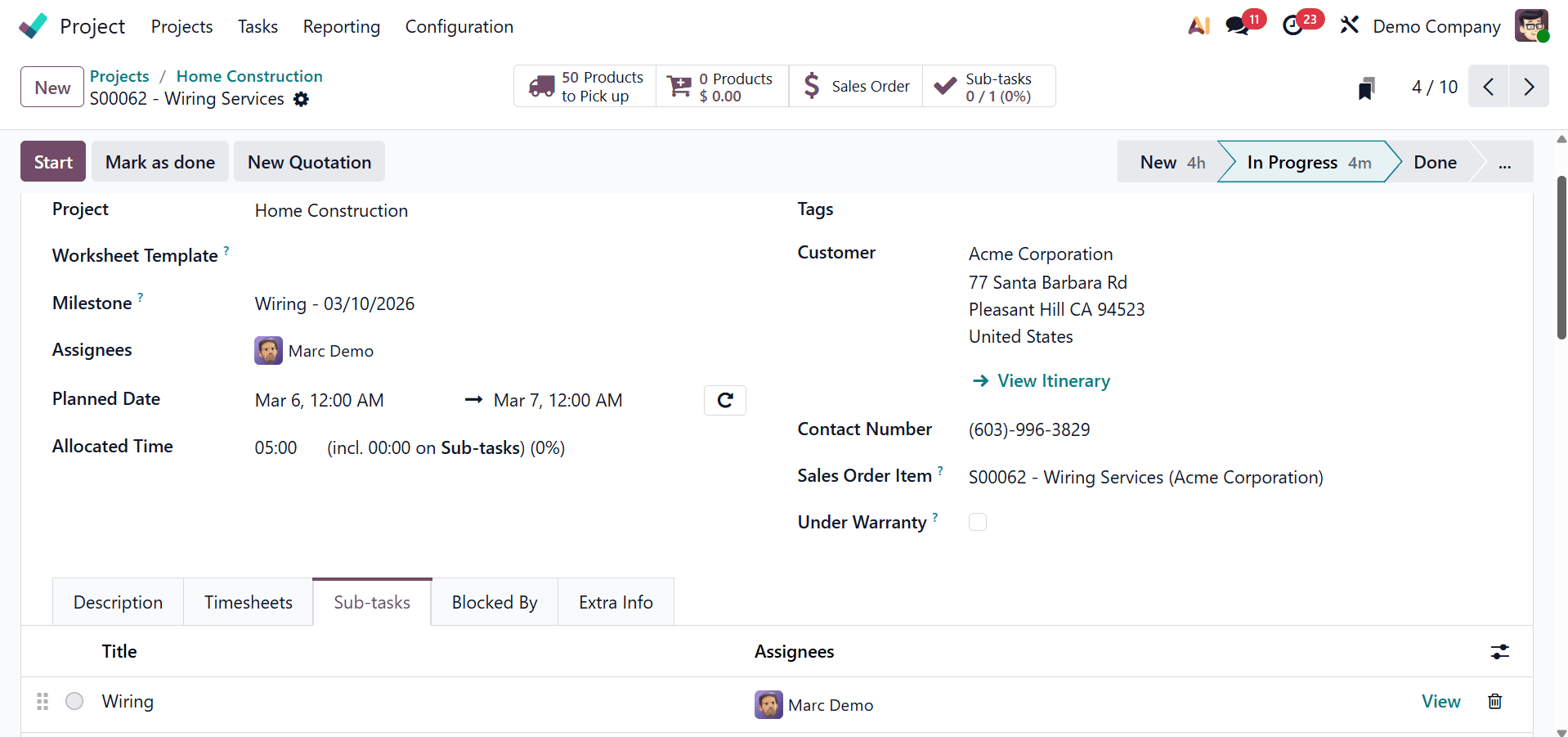
Go to the task for which the sub-task has to be designated as Blocked By after it has been added. To add the job, select the Blocked by tab and click Add a line.
As can be seen, task dependency management is an essential Odoo 19 feature that enables project managers to choose the order of tasks, guaranteeing that projects are finished in a sensible and effective manner. Task dependencies can help with project organization, resource optimization, meeting deadlines, and streamlining the project's overall execution. This feature is further improved by the Gantt chart view, which makes it simpler to monitor progress and modify the project timeline by offering a visual depiction of tasks and their dependencies.
To read more about How to Determine Task Order with Task Dependency in Odoo 18 Project, refer to our blog How to Determine Task Order with Task Dependency in Odoo 18 Project.