With a well-structured website, visitors can easily navigate the site and find the information they need. The Odoo platform lets web developers control the page and navigation-building process. In addition to the drag-and-drop website builder, Odoo allows the implementation of custom pages and menus by XML. This feature is considered helpful when you want your page to be connected with the module, be version controlled, and be automatically installed. In the following article, the custom web page construction, menu linking, and mega menu construction will be discussed.
Inheriting the Report Model
When pages are created using XML, they become a component of your module. They are automatically loaded each time the module is installed, ensuring that consistency is maintained in website functioning regardless of the database and various environments. Since the content of the page is in QWeb format, you may combine your own static HTML and Odoo’s standard layout, thus ensuring that the web page is able to take up the header, footer, and style of the website.
Creating a Custom Page
A website page is represented by a statement on the website.page model. The main attributes are:
- name: Which specifies the name of the page.
- type: Which explains what type of view is used in QWeb for website pages.
- url: Which tells the route of the page.
- key: Which gives a separate technical name to the template.
- website_indexed: Which states whether search engines can index the page.
- is_published: Which tells whether the page is visible to visitors.
- arch: Which contains the actual HTML/QWeb structure of the page.
The page “Our Services” is demonstrated as being defined in data/website_page_data.xml below:
xml:
<?xml version="1.0" encoding="utf-8"?>
<odoo>
    <!-- Mega menu -->
    <record id="menu_solutions_mega" model="website.menu">
        <field name="name">Solutions</field>
        <field name="url">/our-services</field>
        <field name="parent_id" ref="website.main_menu"/>
        <field name="sequence" type="int">30</field>
        <field name="is_mega_menu">True</field>
        <field name="mega_menu_content" type="html">
            <section class="s_mega_menu_solutions">
                <div class="container">
                    <div class="row py-4">
                        <div class="col-lg-4">
                            <h5 class="fw-bold mb-3">Business Services</h5>
                            <ul class="list-unstyled">
                                <li>
                                    <a href="/our-services#consulting" class="nav-link px-0">Consulting</a>
                                </li>
                                <li>
                                    <a href="/our-services#implementation" class="nav-link px-0">Implementation</a>
                                </li>
                                <li>
                                    <a href="/our-services#support" class="nav-link px-0">Support</a>
                                </li>
                            </ul>
                        </div>
                        <div class="col-lg-4">
                            <h5 class="fw-bold mb-3">Company</h5>
                            <ul class="list-unstyled">
                                <li>
                                    <a href="/aboutus" class="nav-link px-0">About Us</a>
                                </li>
                                <li>
                                    <a href="/contactus" class="nav-link px-0">Contact Us</a>
                                </li>
                            </ul>
                        </div>
                        <div class="col-lg-4">
                            <h5 class="fw-bold mb-3">Need Help?</h5>
                            <p class="mb-2">Talk to our team to find the right solution for your business.</p>
                            <a href="/contactus" class="btn btn-primary btn-sm">Get in Touch</a>
                        </div>
                    </div>
                </div>
            </section>
        </field>
    </record>
    <!-- Normal menu linked to the custom page -->
    <record id="menu_our_services" model="website.menu">
        <field name="name">Services</field>
        <field name="url">/our-services</field>
        <field name="page_id" ref="custom_website_pages.page_our_services"/>
        <field name="parent_id" ref="website.main_menu"/>
        <field name="sequence" type="int">50</field>
    </record>
</odoo>
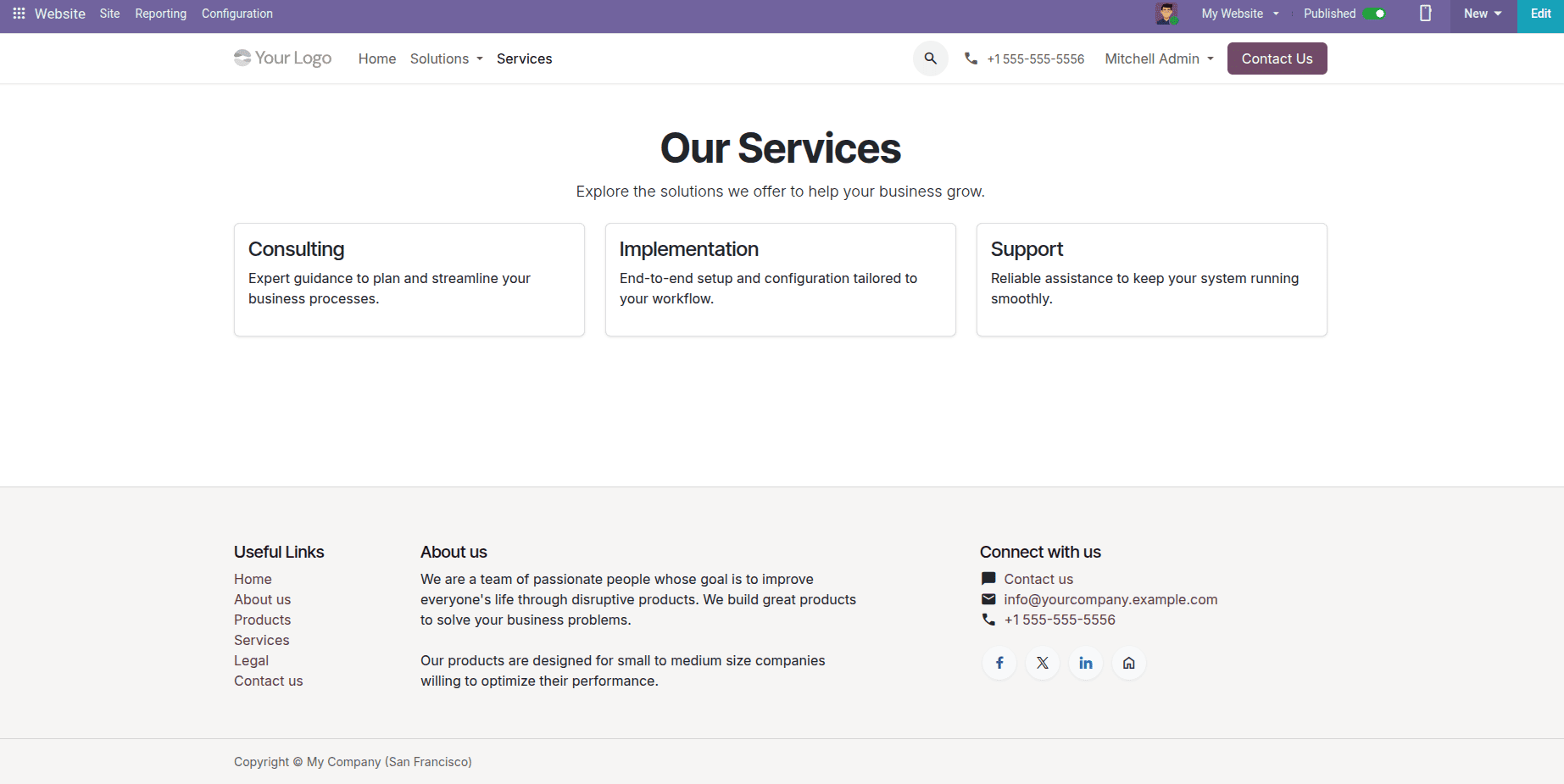
The first entry establishes the page that comprises content derived from the website.layout. Consequently, it incorporates the site header and footer as well as the theme. Indeed, the page has a title, a brief introduction, and three service cards placed in the responsive Bootstrap grid. Each card is given its own id so other website links might refer to the respective service.
The second entry associates the page with the website navigation menu using the website.menu model. The field page_id allows menu linking with the actual page. The parent_id field indicates where the menu must be placed, and the sequence determines the position of the newly created menu in the navigation bar.
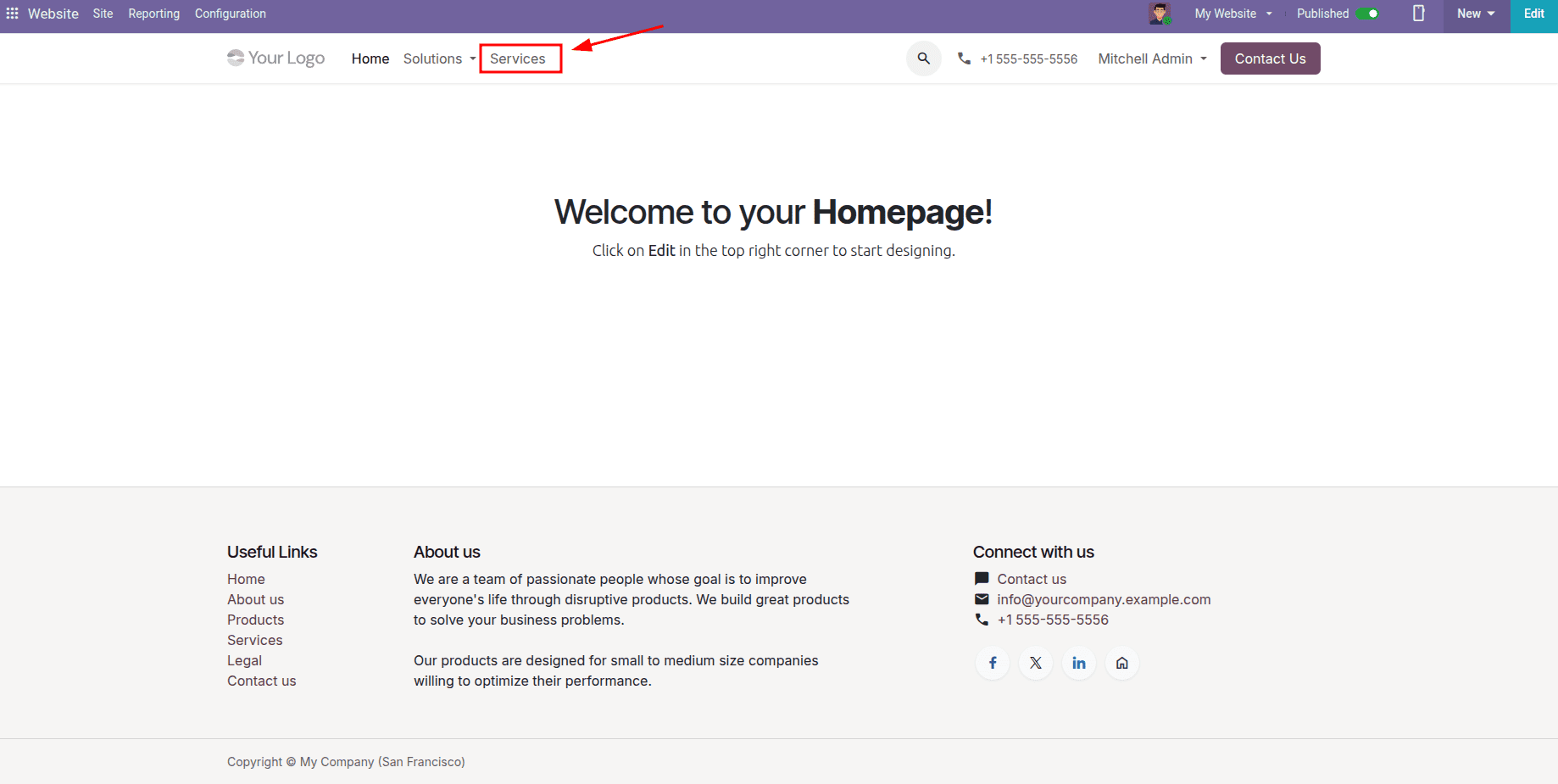
Upon installing the custom module, the website header shall feature the new menu called 'Services', while the menu items are shown below.
Visiting the “Services” menu opens the unique “Our Services” webpage right away.
Creating a Mega Menu
An ordinary menu may be overloaded when a website has lots of pages. A mega menu resolves this difficulty by presenting a wider menu format which features multiple columns, subheadings, links, and even buttons, enabling visitors to see a complete picture at once.
A mega menu can be regarded as a record on a website.menu. However, it differs from a regular menu record because it is specifically designated as a mega menu, and the information in the dropdown is prepared in HTML. The following example demonstrates an instance of a “Solutions” menu with the help of an entry in the file data/website_menu_data.xml:
xml:
<?xml version="1.0" encoding="utf-8"?>
<odoo>
    <record id="page_our_services" model="website.page">
        <field name="name">Our Services</field>
        <field name="type">qweb</field>
        <field name="url">/our-services</field>
        <field name="website_indexed" eval="True"/>
        <field name="is_published">True</field>
        <field name="key">custom_website_pages.page_our_services</field>
        <field name="arch" type="xml">
            <t name="Our Services" t-name="custom_website_pages.page_our_services">
                <t t-call="website.layout">
                    <div id="wrap" class="oe_structure">
                        <section class="container py-5">
                            <div class="text-center mb-4">
                                <h1 class="fw-bold">Our Services</h1>
                                <p class="lead">Explore the solutions we offer to help your business grow.</p>
                            </div>
                            <div class="row g-4">
                                <div class="col-md-4" id="consulting">
                                    <div class="card h-100 p-3 shadow-sm">
                                        <h4>Consulting</h4>
                                        <p>Expert guidance to plan and streamline your business processes.</p>
                                    </div>
                                </div>
                                <div class="col-md-4" id="implementation">
                                    <div class="card h-100 p-3 shadow-sm">
                                        <h4>Implementation</h4>
                                        <p>End-to-end setup and configuration tailored to your workflow.</p>
                                    </div>
                                </div>
                                <div class="col-md-4" id="support">
                                    <div class="card h-100 p-3 shadow-sm">
                                        <h4>Support</h4>
                                        <p>Reliable assistance to keep your system running smoothly.</p>
                                    </div>
                                </div>
                            </div>
                        </section>
                    </div>
                </t>
            </t>
        </field>
    </record>
</odoo>
Let’s look at what each part does:
- <record id="menu_solutions_mega" model="website.menu">: Develops a new menu for the website possessing its own XML ID.
- name: The title that appears on the navigation bar, here “Solutions”.
- url: The URL that is used when clicking on the menu itself.
- parent_id: This places the menu under the main website navigation.
- sequence: Here, the order of the menu is fixed; the smaller the number, the earlier the item is positioned in the menu.
- is_mega_menu: The menu is transformed into a mega menu rather than a simple link.
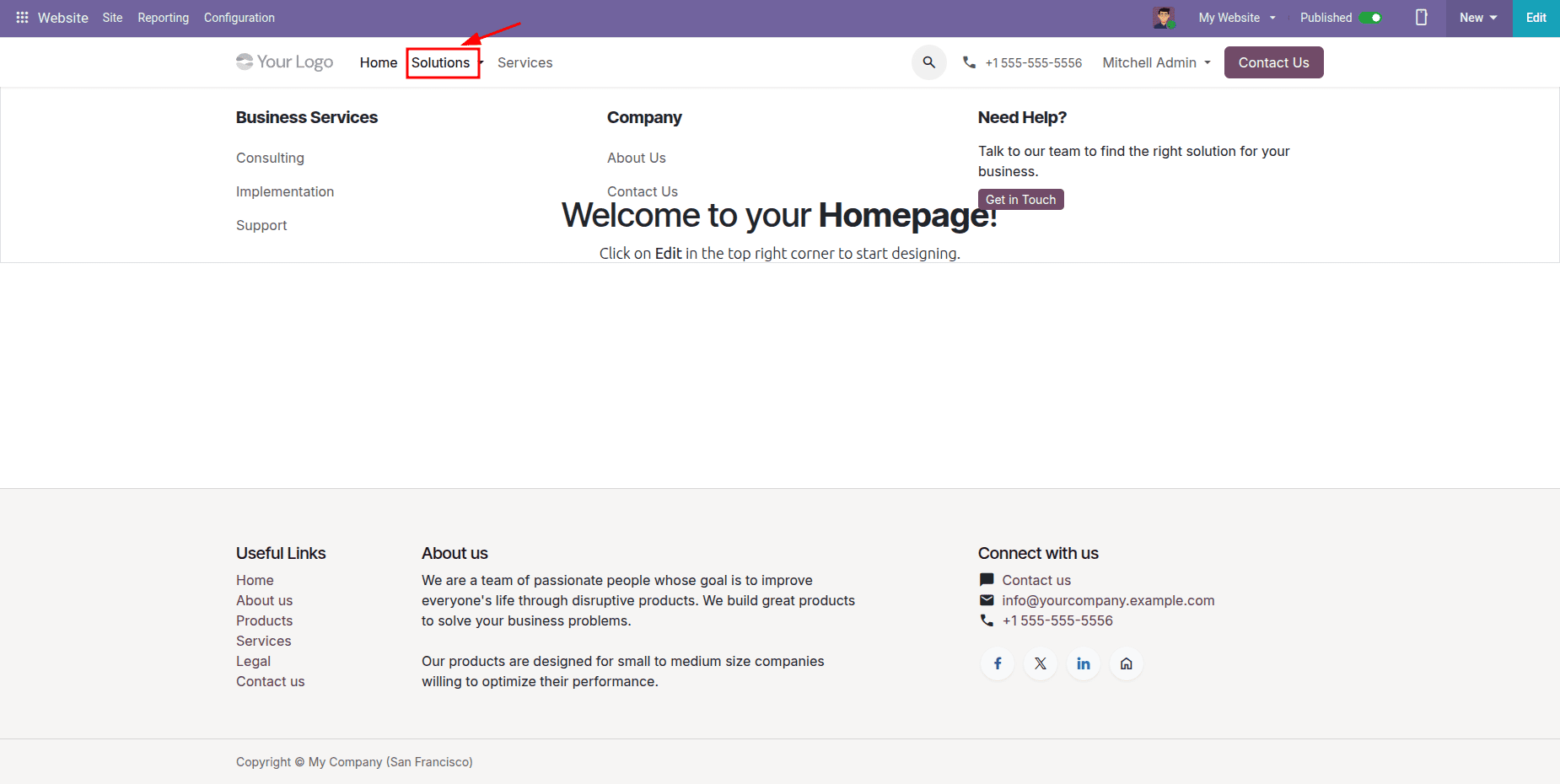
- mega_menu_content: The HTML forming the dropdown is presented here; it is structured into three columns consisting of Business Services, Company, and Need Help?
The links under the business services section of the website leverage the card identifiers included in the services page, including “/our-services#consulting”, which enables visitors to straightaway land on their chosen service page. After the custom module is installed, the mega menu with the name “Solutions” becomes available in the site header. The menu can be accessed either by hovering over or clicking it; it displays several sections at a glance, as illustrated in the given figure.
Due to the fact that the mega menu is merely HTML, it can be edited later in the website editor by users without technical knowledge in order to change links or text, while leaving the HTML untouched.
To summarize, creating pages and menus in XML allows developers to get a clean solution and create web content in Odoo 20. Custom pages can be created with QWeb and Bootstrap, which would respect the theme of the site. Linking those pages and menus allows easy navigation for users. Moreover, mega menus offer a possibility to have many links in a single, structured and separated layout.
To read more about How to Create Menu, Pages and Mega Menu in Website Odoo 19, refer to our blog How to Create Menu, Pages and Mega Menu in Website Odoo 19.