Odoo 19+ still offers a strong framework for websites that enables developers to use XML and QWeb templates to create unique pages, menus, and mega menus. These features keep the implementation modular and manageable while assisting in the creation of scalable, branded, and user-friendly websites.
1. Creating a Custom Website Page
Custom pages in Odoo 19+ are still rendered using QWeb templates and defined using the website.page model.
Key Fields Used
- name – Page display name
- type – Page type (qweb)
- url – Public URL
- website_indexed – SEO visibility
- is_published – Page visibility
- key – Unique technical identifier
- arch – QWeb page structure
Module Structure
odoo19_website_menu_demo/
+-- __init__.py
+-- __manifest__.py
+-- views/
    +-- website_menus.xml
    +-- website_pages.xml
<?xml version="1.0" encoding="utf-8"?>
<odoo>
   <record id="my_page" model="website.page">
       <field name="name">My Custom Page</field>
       <field name="type">qweb</field>
       <field name="url">/my_page</field>
       <field name="website_indexed" eval="False"/>
       <field name="is_published">True</field>
       <field name="key">module_name.my_page</field>
       <field name="arch" type="xml">
           <t t-name="module_name.my_page">
               <t t-call="website.layout">
                   <div class="container text-center my-5">
                       <h1 class="text-primary">
                           Welcome to My Custom Page (Odoo 19)
                       </h1>
                       <p class="mt-3">
                           This page is created using XML and QWeb in Odoo 19.
                       </p>
                   </div>
               </t>
           </t>
       </field>
   </record>
</odoo>
This code generates a "My Page" custom page that can be accessed at ".my_custom_page." Visitors can easily access the page because it is automatically added to the main navigation menu of your website.
How Do You Add a Menu for a Custom Page in Odoo 19?
You must use the website.menu model to link the page to the website menu in order to make it accessible.
XML Example: Creating a Menu Item
<record id="menu_my_custom_page" model="website.menu">
    <field name="name">My Page</field>
    <field name="url">/my_page</field>
    <field name="page_id" ref="my_module.my_page"/>
    <field name="parent_id" ref="website.main_menu"/>
    <field name="sequence">50</field>
</record>
"My Page" appears in the main menu. Takes users to the personalized page. Sequence is used to control menu order.
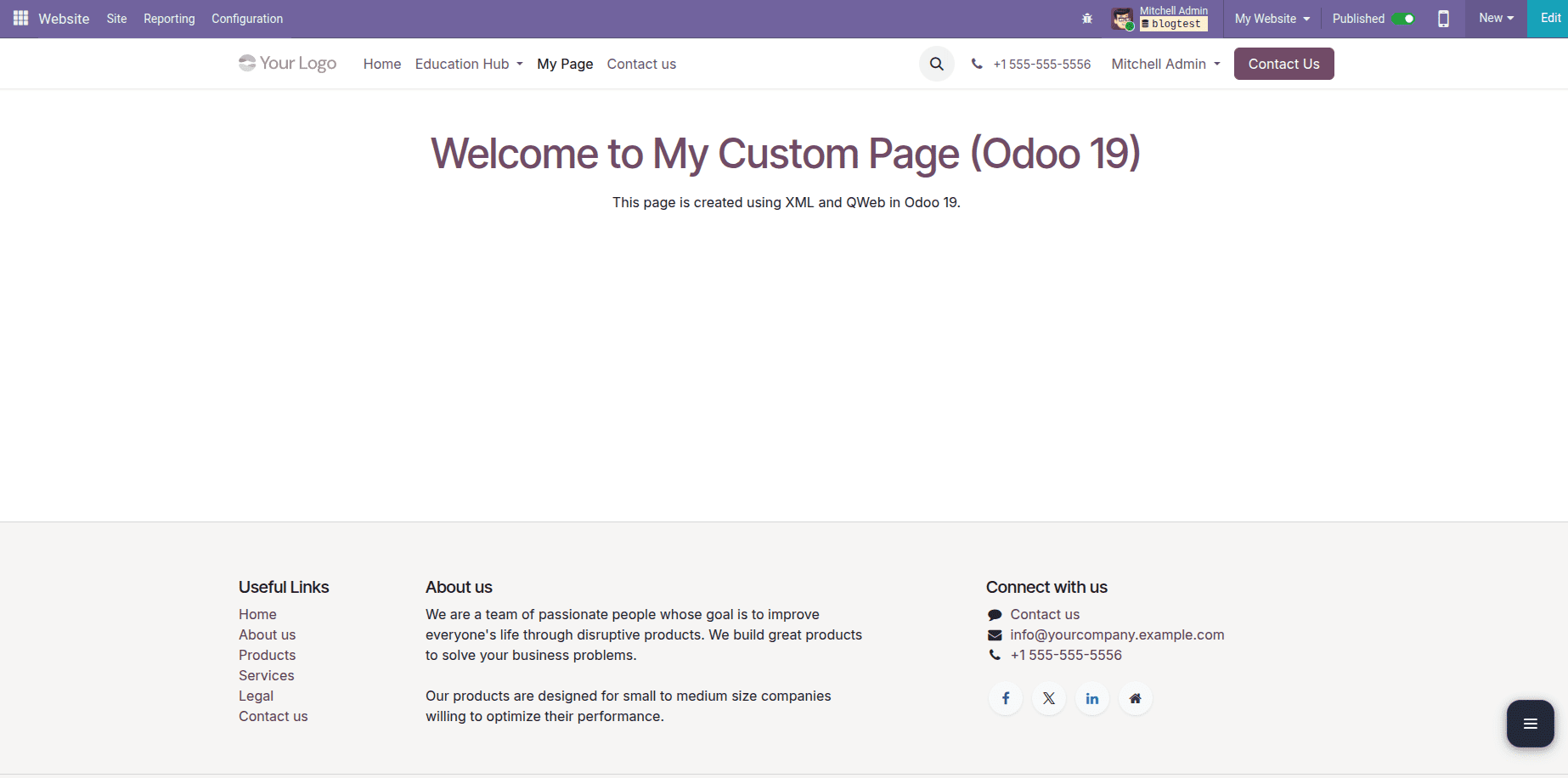
Once this is added, “My Page” will appear in the main navigation menu and will redirect users to the custom page. The sequence field controls the order in which the menu appears.
What Is a Mega Menu in Odoo 19?
A mega menu is a sophisticated dropdown menu that shows several columns, sections, and links in one panel.
Mega menus are natively supported by Odoo 19 via the website.menu model.
Mega menus are best suited for:
- Large websites
- Product or service categories
- Educational or resource-heavy platforms
How to Create a Mega Menu in Odoo 19?
To create a mega menu:
- Create a website.menu record
- Set is_mega_menu to True
- Define layout using HTML inside mega_menu_content
<?xml version="1.0" encoding="utf-8"?>
<odoo>
   <record id="menu_education_hub" model="website.menu">
       <field name="name">Education Hub</field>
       <field name="url">/my_custom_page</field>
       <field name="parent_id" ref="website.main_menu"/>
       <field name="sequence">20</field>
       <field name="is_mega_menu">True</field>
       <field name="mega_menu_content" type="html">
           <section class="py-4">
               <div class="container">
                   <div class="row">
                       <div class="col-lg-4">
                           <h6>Learning</h6>
                           <ul class="list-unstyled">
                               <li><a href="#">Courses</a></li>
                               <li><a href="#">Tutorials</a></li>
                               <li><a href="#">Certifications</a></li>
                           </ul>
                       </div>
                       <div class="col-lg-4">
                           <h6>Resources</h6>
                           <ul class="list-unstyled">
                               <li><a href="#">Blogs</a></li>
                               <li><a href="#">Docs</a></li>
                               <li><a href="#">FAQs</a></li>
                           </ul>
                       </div>
                       <div class="col-lg-4">
                           <h6>Community</h6>
                           <ul class="list-unstyled">
                               <li><a href="#">Events</a></li>
                               <li><a href="#">Webinars</a></li>
                               <li><a href="#">Forums</a></li>
                           </ul>
                       </div>
                   </div>
               </div>
           </section>
       </field>
   </record>
</odoo>
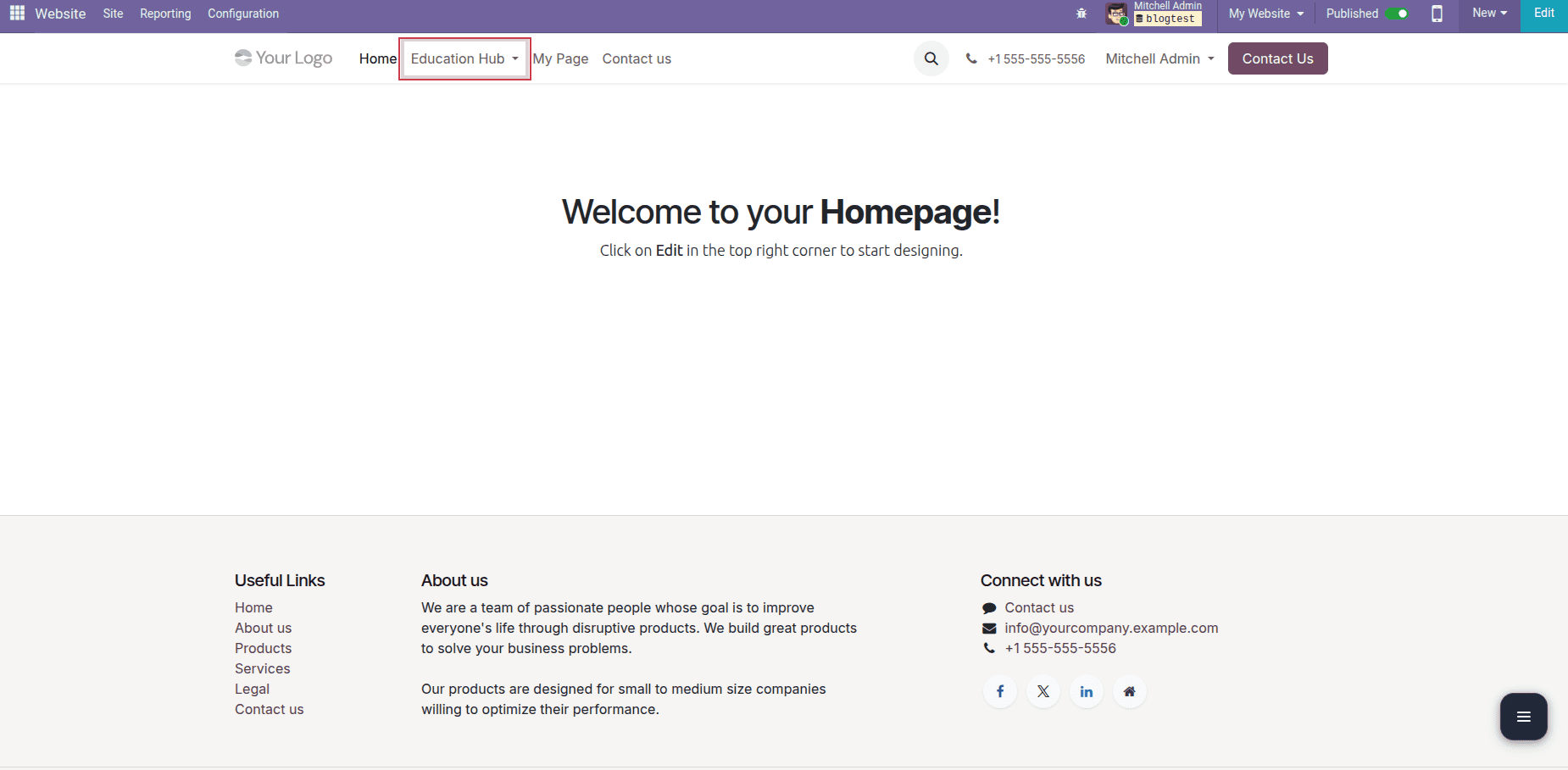
This creates a fully responsive mega menu with three columns using Bootstrap’s grid system.
This configuration creates an Education Hub mega menu in the main website navigation. When users hover over the menu, a wide dropdown panel appears, displaying multiple sections arranged in columns. Each column represents a category, such as Learning, Resources, and Community, making it easy for users to explore related content without navigating through multiple pages.
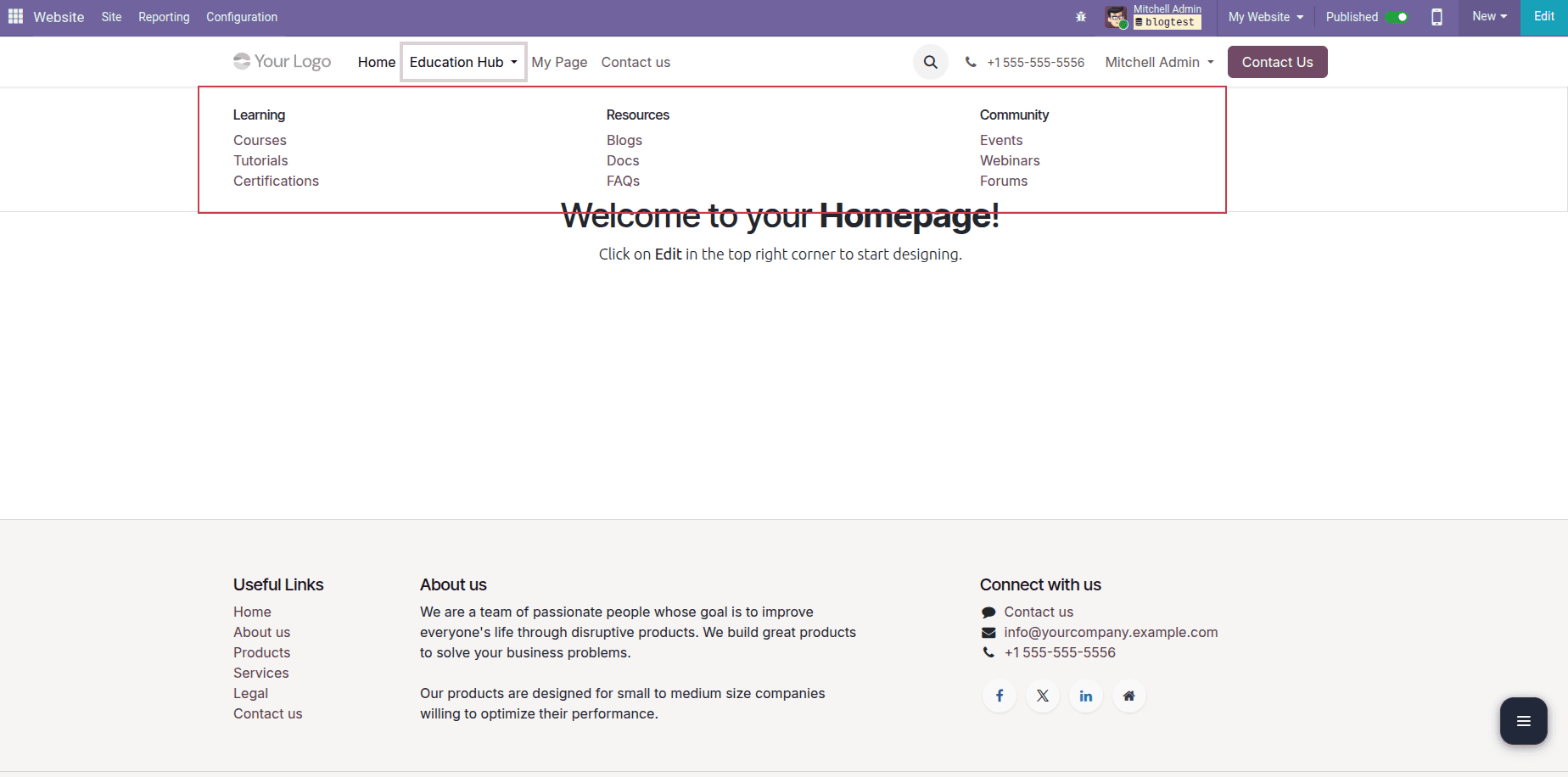
The layout is built using Bootstrap’s grid system, which ensures the mega menu remains fully responsive across desktops, tablets, and mobile devices. This approach provides a clean, structured, and user-friendly navigation experience, especially for content-heavy websites.
What Advantages Do Mega Menus Offer?
- Improved navigation for extensive content
- An enhanced user experience
- A more organised menu hierarchy
- supports headings, columns, and icons
- Completely responsive with a Bootstrap grid
Best Practices for Website Menus in Odoo 19
- Use website.layout for consistency
- Keep QWeb templates modular
- Use Bootstrap classes for responsiveness
- Avoid inline styling; prefer CSS files
- Maintain unique key values for pages
With Odoo 19, companies can create menus, custom pages, and mega menus to create a well-organized, user-friendly website that clearly displays information. Developers can maintain consistency with the standard Odoo website design while having complete control over page layout, navigation hierarchy, and content structure by utilizing XML and QWeb templates.
Standard menus guarantee seamless navigation, mega menus facilitate users' exploration of vast amounts of information without difficulty, and custom pages assist in delivering targeted content suited to particular business needs. These features contribute to a professional website experience, increase user engagement, and improve usability when properly implemented.
Odoo 19 websites stay scalable, maintainable, and future-ready by adhering to best practices, such as using responsive layouts, reusable QWeb templates, and clean XML structures. This methodical approach guarantees that your website can expand with your company while still offering users a simple and easy-to-use browsing experience.
To read more about How to Create Menu, Pages, & Mega Menu in Website Odoo 18, refer to our blog How to Create Menu, Pages, & Mega Menu in Website Odoo 18.