Managing lost leads and opportunities effectively is essential for maintaining a healthy sales pipeline in Odoo 19. In any growing business, not every prospect converts into a customer. However, understanding why leads are lost can provide valuable insights to refine sales strategies, improve team performance, and increase future conversion rates. Odoo 19 offers enhanced CRM capabilities that help businesses track, analyze, and manage lost opportunities with clarity and precision.
With structured lead management, sales teams can record loss reasons, perform performance analysis, and re-engage prospects at the right time. Instead of viewing lost leads as failures, Odoo enables organizations to treat them as learning opportunities. This blog helps you to guide how to manage lost leads and opportunities in the Odoo 19 CRM module.
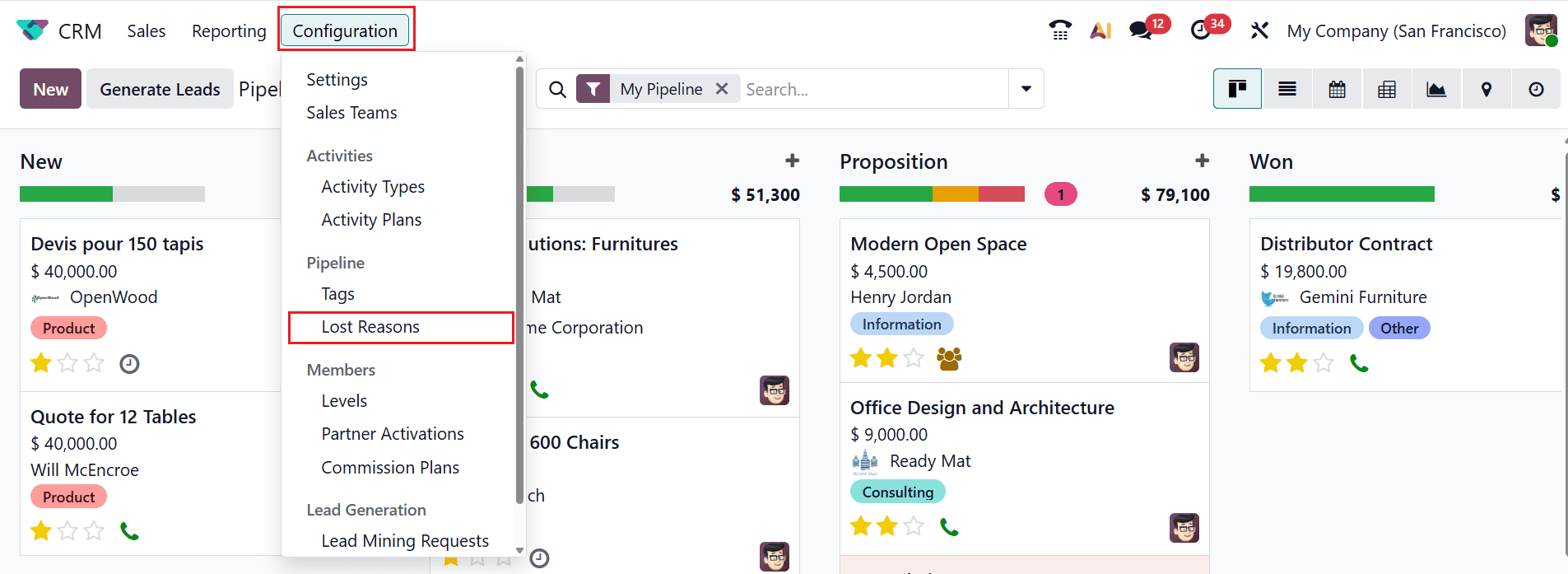
Firstly, open the CRM module from Odoo 19. Then, navigate to the Configuration > Lost Reasons in the CRM module to create a new lost reason as shown below:
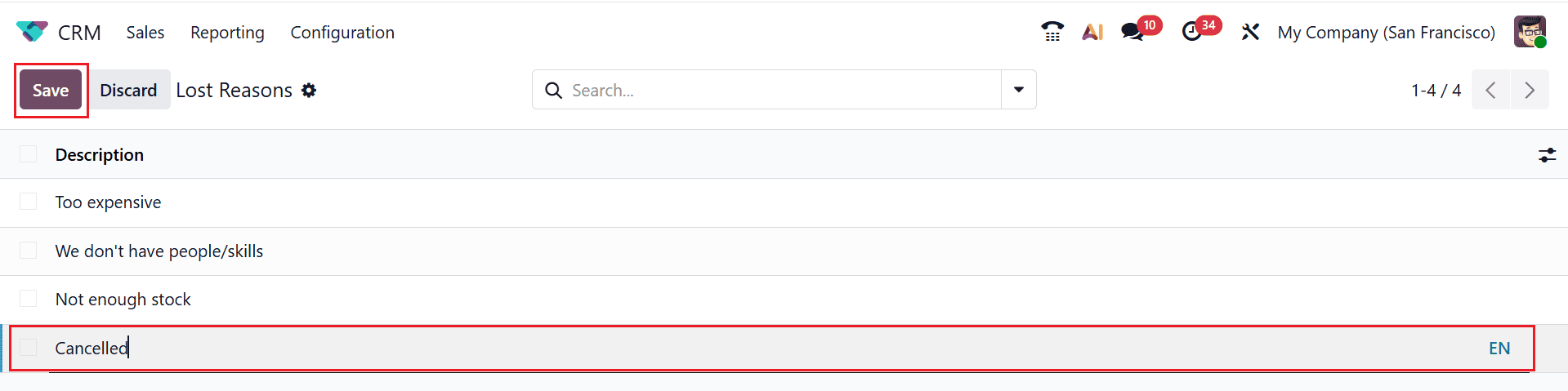
Here, you can see a list of lost reasons. By clicking on the New button, a line will appear where you can add the description of the lost reason, and then save it as shown below:
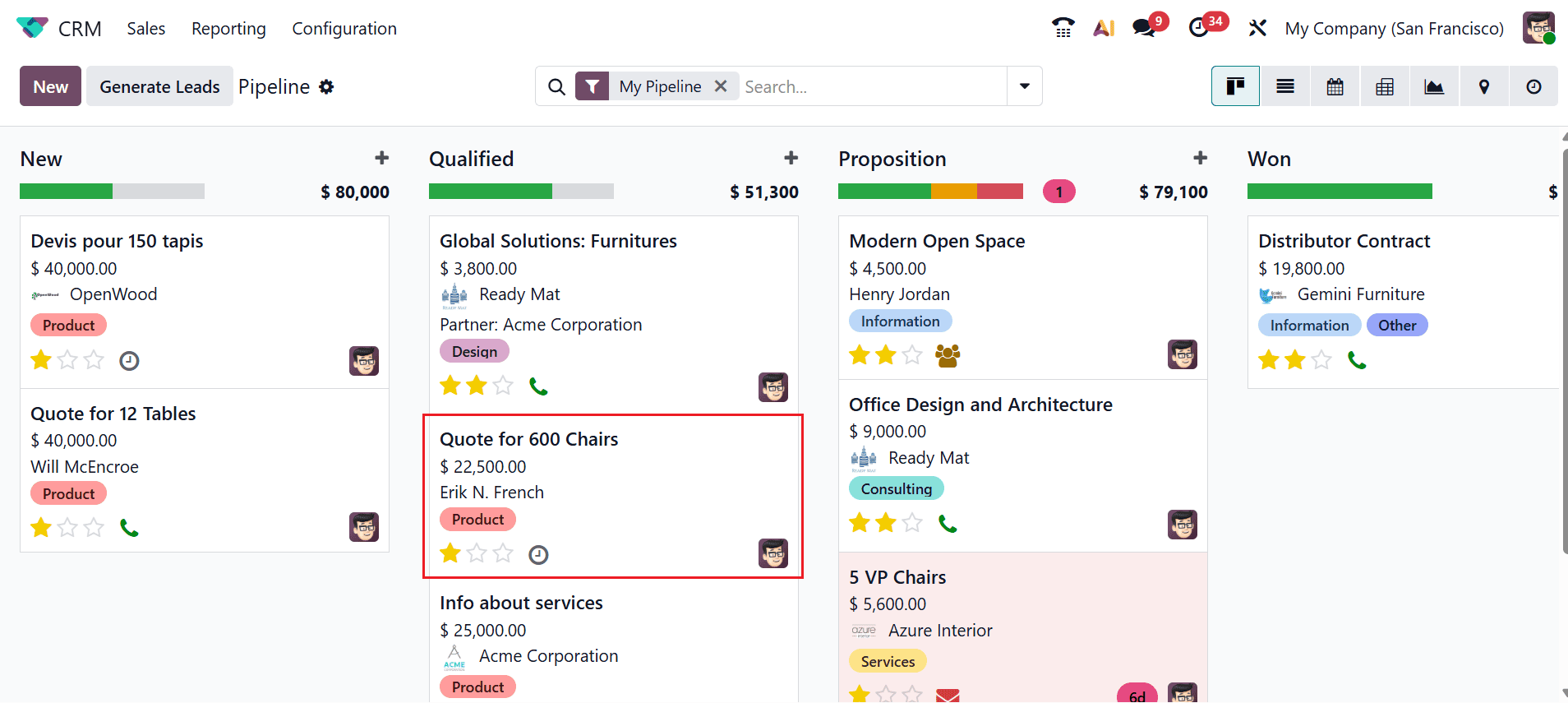
The My Pipeline option under the Sales menu displays all the existing opportunities in the CRM module. In the Kanban view, each opportunity is arranged as a card. Select a lead/opportunity from the dashboard to mark it as lost, as shown below:
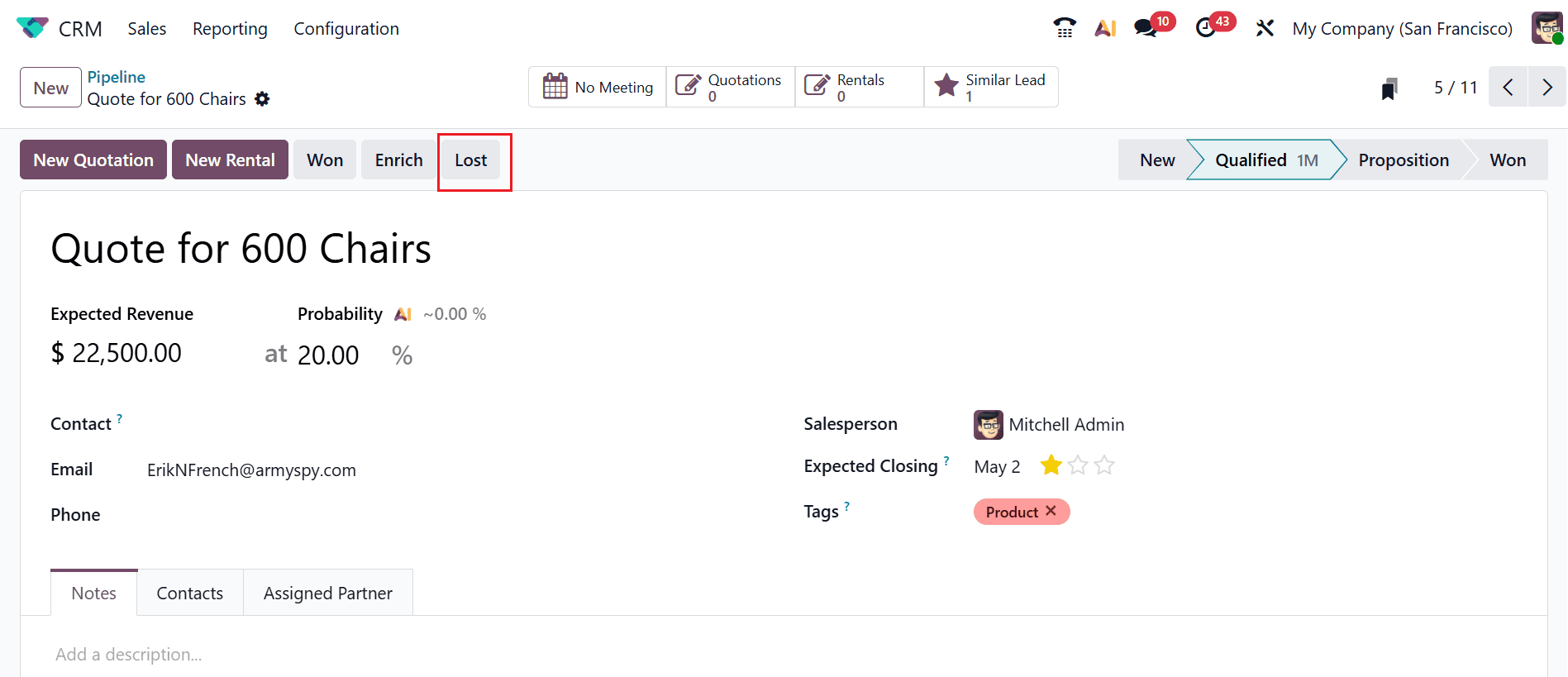
A new window will appear where you can view the details of the opportunity, such as Expected Revenue, Probability AI, Contact, Email, Phone, Salesperson, Expected Closing, and Tags. Click on the Lost button at the top right corner of the window, as shown below:
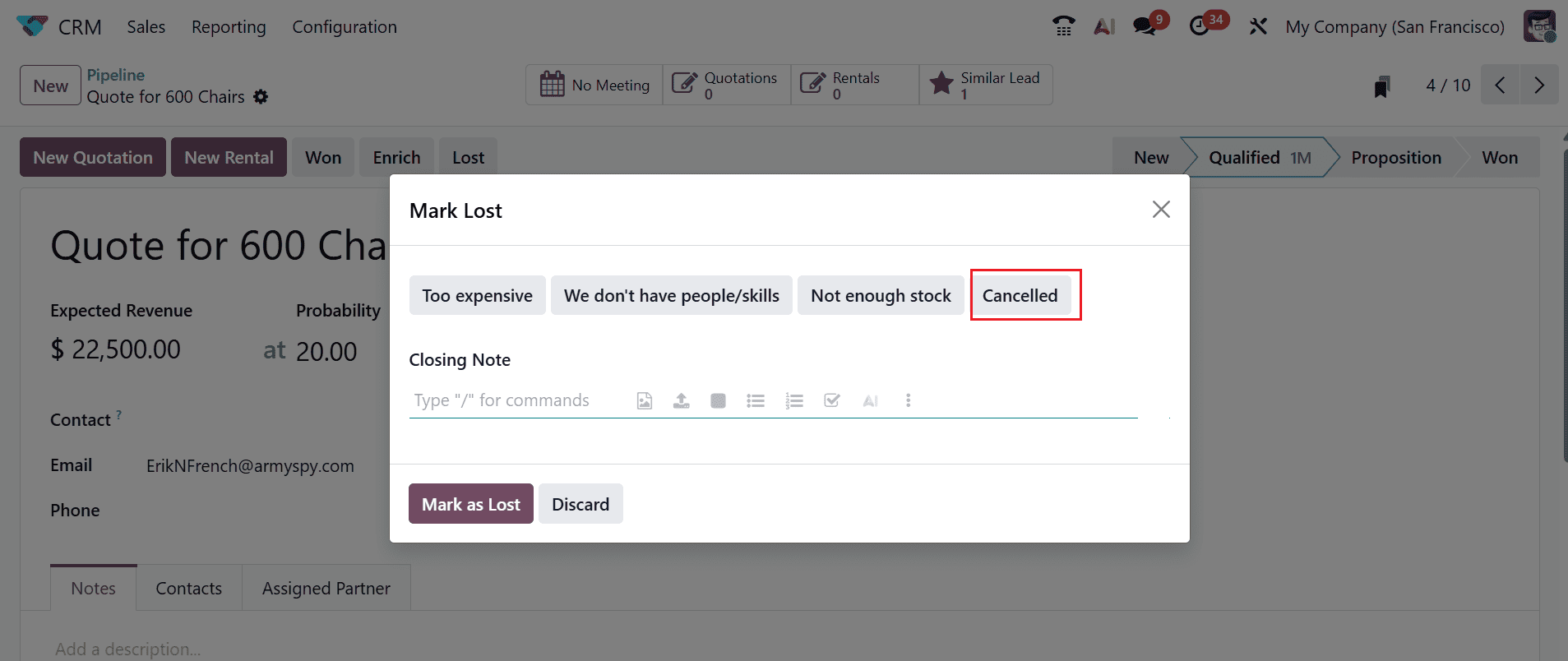
A new pop-up screen will appear as shown below. Here, you can see a set of predefined lost reasons. Select the newly created lost reason as shown below. Under the Closing Note field, add a note to mention why it is being marked as lost. Then, click the Mark as Lost button to complete the action.
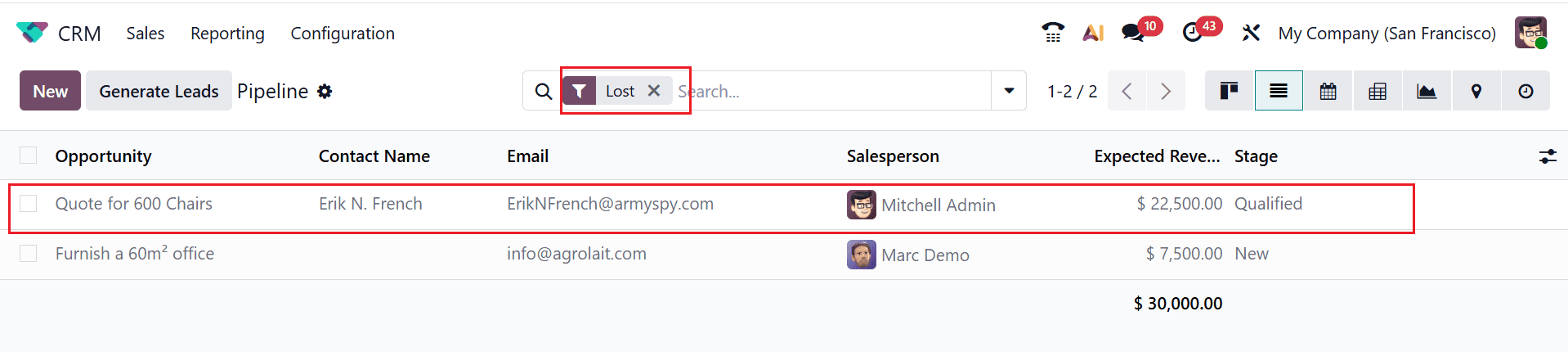
Use the drop-down menu in the search bar to select Lost and apply the filter, as shown below. Then, you can view the lost lead/opportunity in a list view.
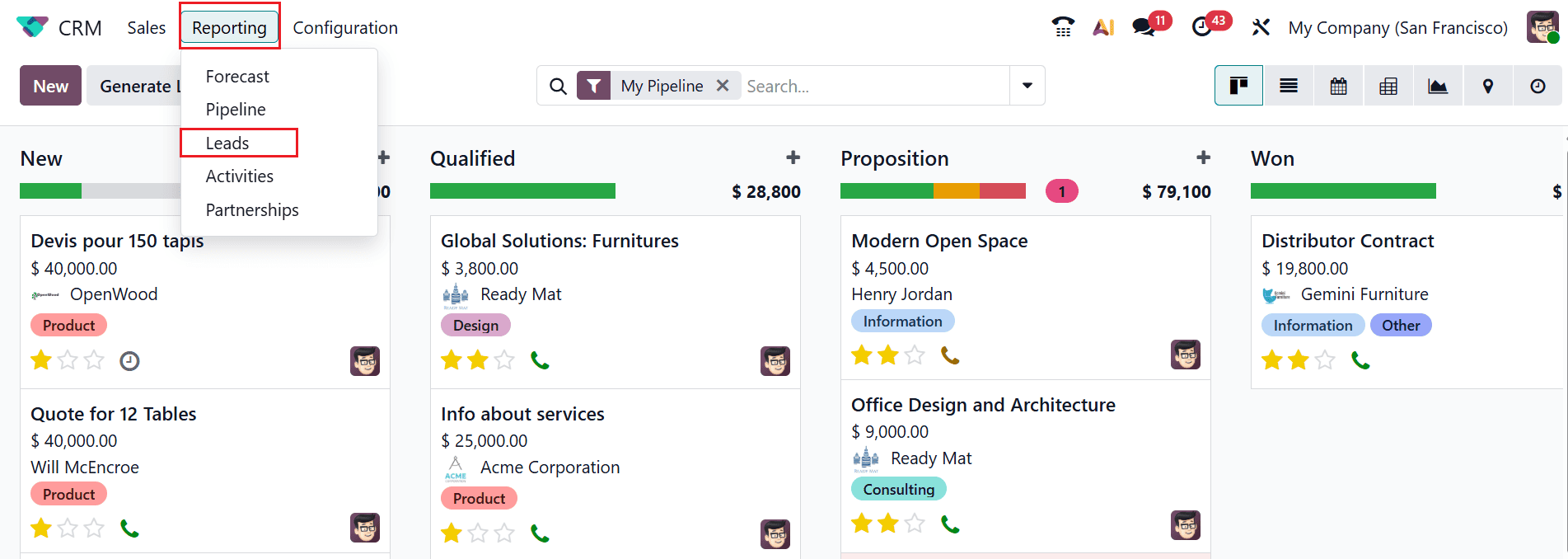
To analyze the Lost Leads report in the CRM module, move to the Reporting > Leads as shown below:
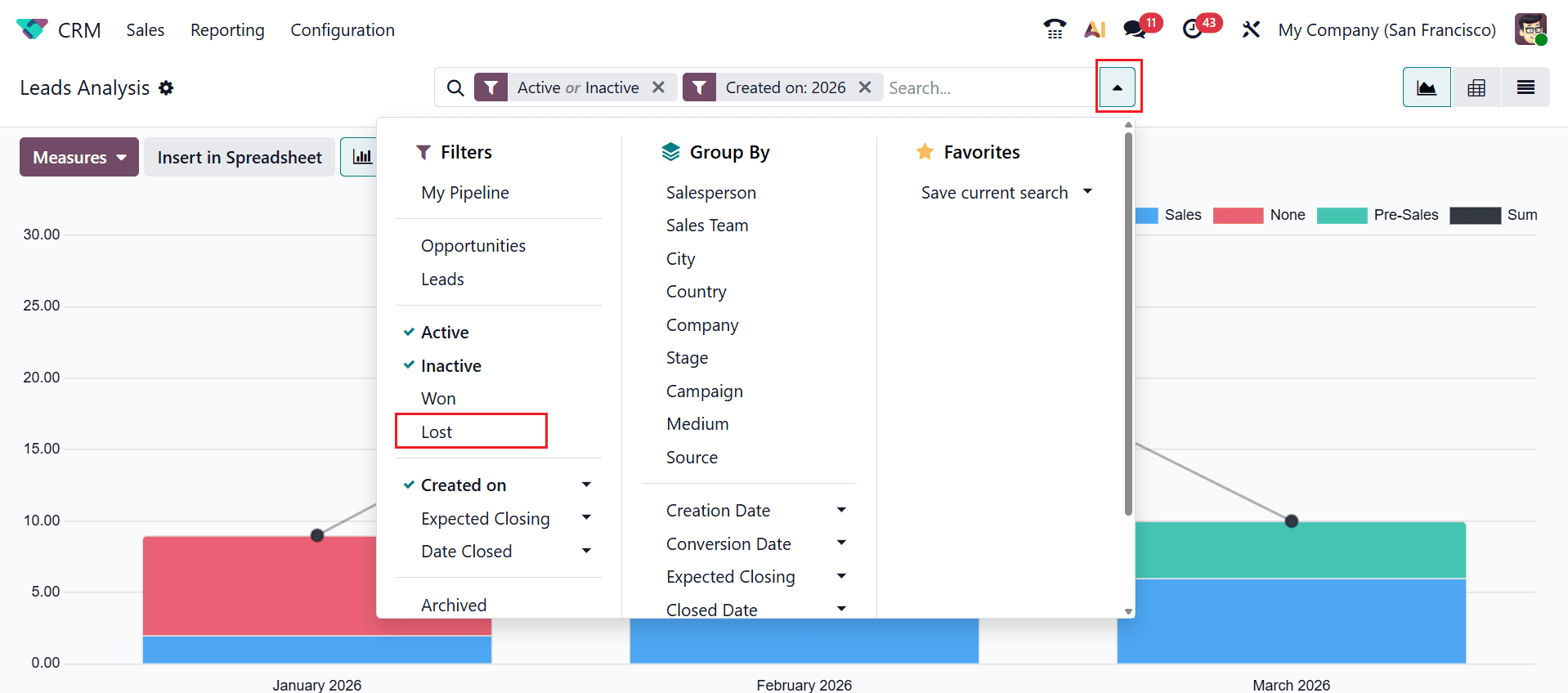
Here, the dashboard shows reports of all the lead analysis. Click on the drop-down menu in the search bar and select Lost as a filter to view the lost lead report.
The chart below illustrates the lost leads report, with the X-axis displaying the months of the current year and the Y-axis showing the number of lost leads.
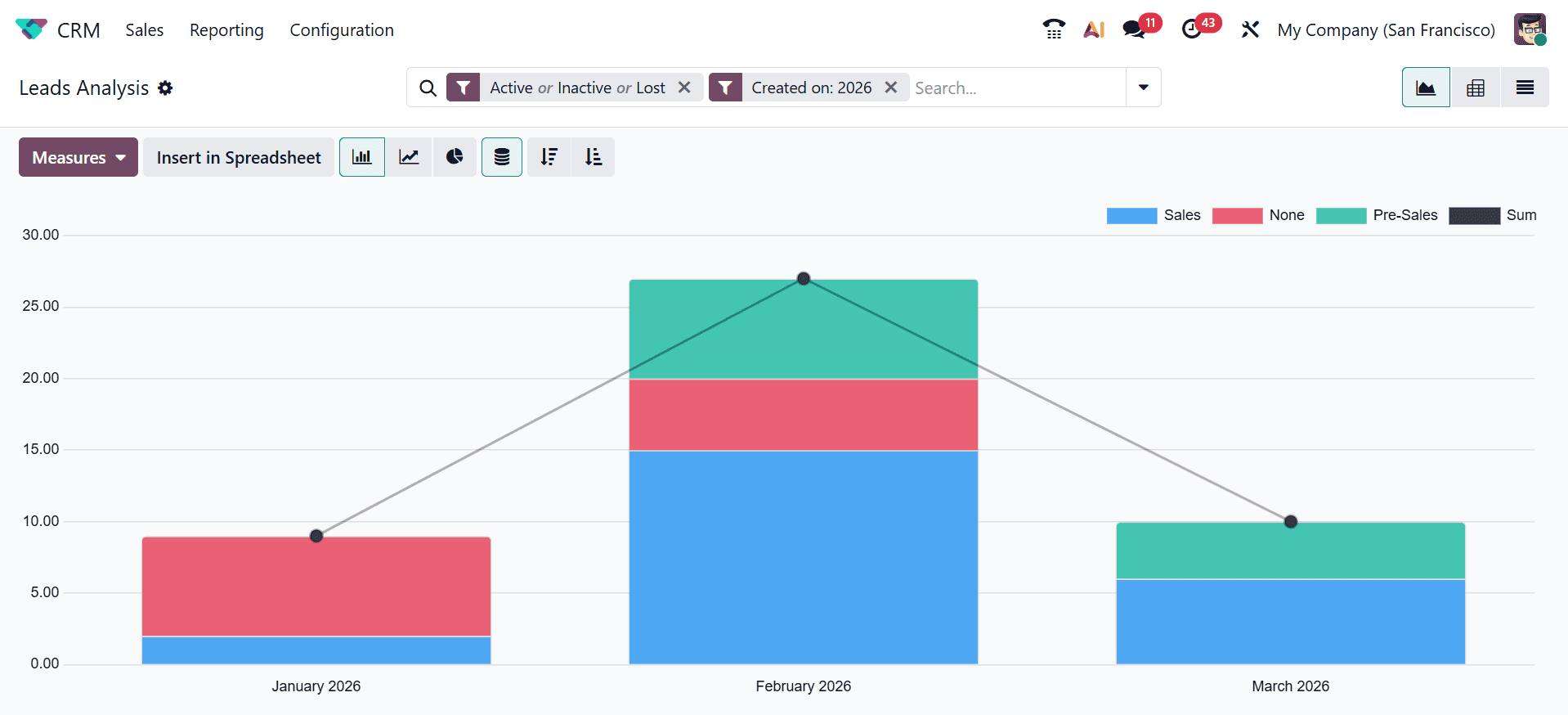
Here, you can analyze the lost leads report in terms of the number counts. Each color in the bar chart refers to the different lost leads of the sales teams. This helps us to analyze which sales team handles the lost leads. To view the report based on lost reasons, open the drop-down menu in the search bar and choose Lost Reason from the Group By option, as illustrated below.

Here, the system will automatically group the lost leads according to each lost reason. You can easily analyze which is the most common lost reason among customers.
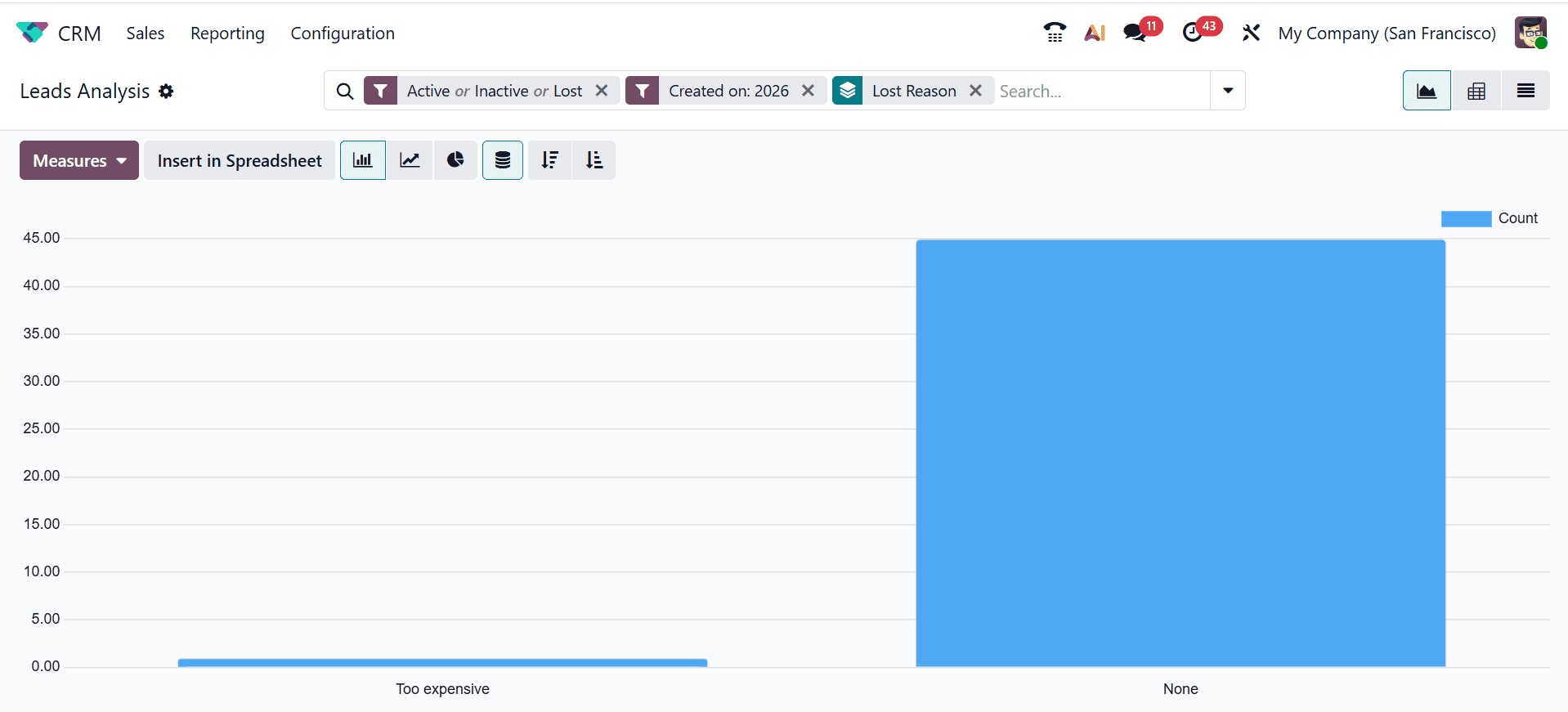
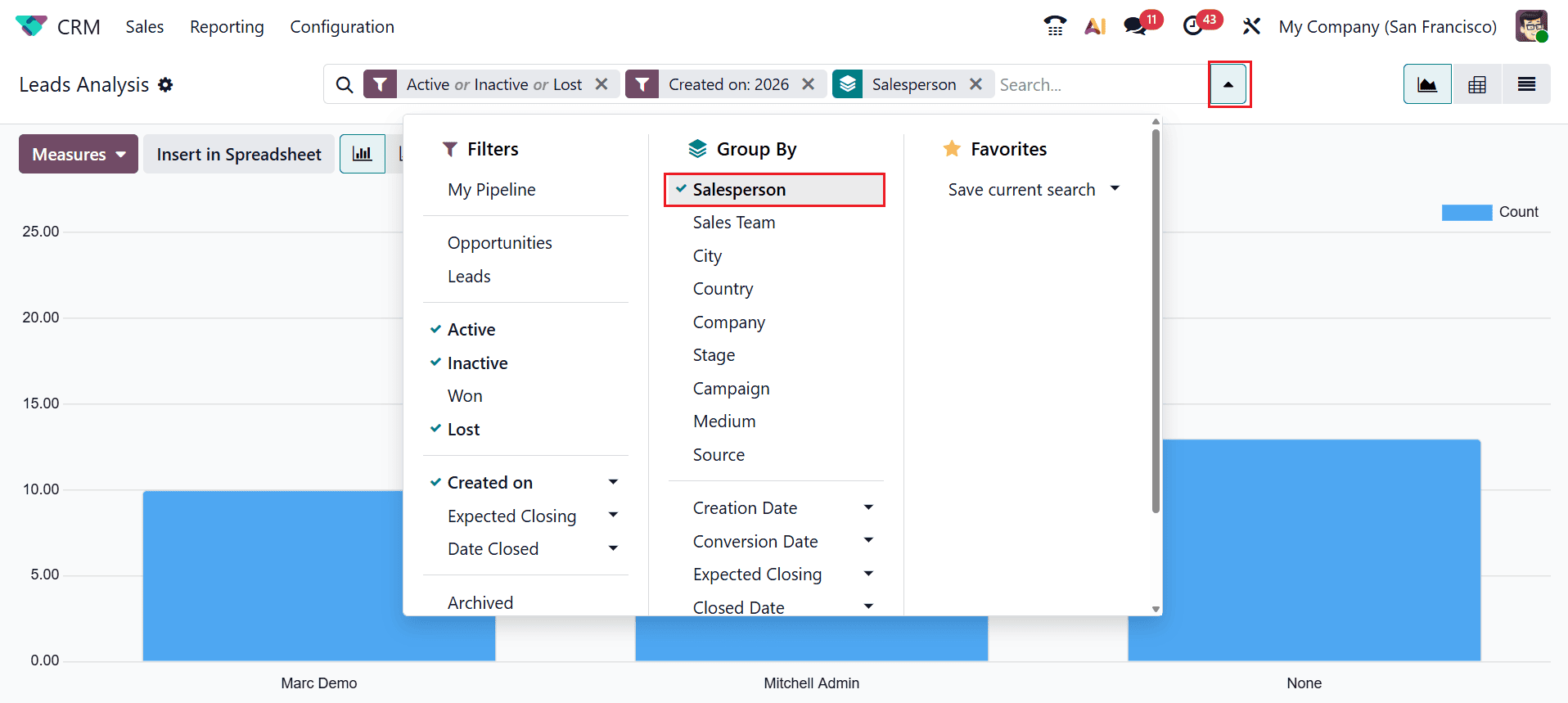
Here, the lost leads are arranged based on the lost reason. Here, you can analyze which salesperson has the most lost leads.
Effectively managing lost leads and opportunities in Odoo 19 is not just about closing records—it is about unlocking strategic insights that strengthen your entire sales process. Every lost deal carries valuable information about customer expectations, competitive positioning, and potential gaps in your sales approach. By systematically recording loss reasons, analyzing trends, and using CRM reporting tools, businesses can transform lost deals into opportunities for improvement.
Odoo 19 empowers sales teams with structured workflows, automation features, and performance dashboards that ensure no data is wasted. Instead of allowing missed opportunities to disappear unnoticed, organizations can use them to optimize forecasting, refine targeting strategies, and enhance customer engagement techniques. With the right approach, lost leads become building blocks for stronger conversion performance, more efficient sales processes, and lasting success in an increasingly competitive business environment.
To read more about How Lost Leads/Opportunities are Handled in Odoo 18, refer to our blog How Lost Leads/Opportunities are Handled in Odoo 18.