Modern customer relationships don’t happen only at the office; they happen everywhere. Mobo CRM, part of the Mobo Odoo Mobile Suite, empowers your sales and customer management teams to stay productive and connected wherever they are.
With Mobo CRM, you can access and manage your leads, opportunities, customers, and activities directly from your mobile phone, tablet, or laptop. Whether you’re in a meeting, on-site with a client, or working remotely, your CRM travels with you.
What Makes Mobo CRM Stand Out?
- Work from Anywhere
Manage leads, follow-ups, and customer interactions using iOS, Android, or web-enabled devices, no office dependency.
- Live Data Synchronization
All updates sync instantly with your Odoo backend, ensuring your CRM data is always accurate and up to date.
- Fully Integrated with Odoo
Sales, invoices, contacts, and activities stay aligned across all Odoo modules without duplication or delays.
- Open-Source Mobile ERP Solution
Built on open-source technology, Mobo CRM is flexible, customizable, and designed to scale with your business needs.
- Smarter Customer Decisions
Access real-time insights, track sales pipelines, and respond faster to customer needs anytime, anywhere.
Login Workflow
When users open the Mobo CRM application, they are guided through a secure and structured login process designed to support multiple deployment environments.
The first step involves entering the server URL of the Odoo instance. Once a valid server URL is provided, the application verifies the connection and retrieves the available databases from the server.
After successful validation, a database selection field is displayed. This allows users to select the appropriate database, which is especially useful when multiple databases are hosted on the same server.
Once the database is selected, users canproceed to enter their username and password. After successful authentication,the MOBO CRM dashboard loads and synchronizes CRM data based on the user’saccess permissions configured in Odoo.
Opening the MOBO CRM module presents a refreshed and intuitive user interface.
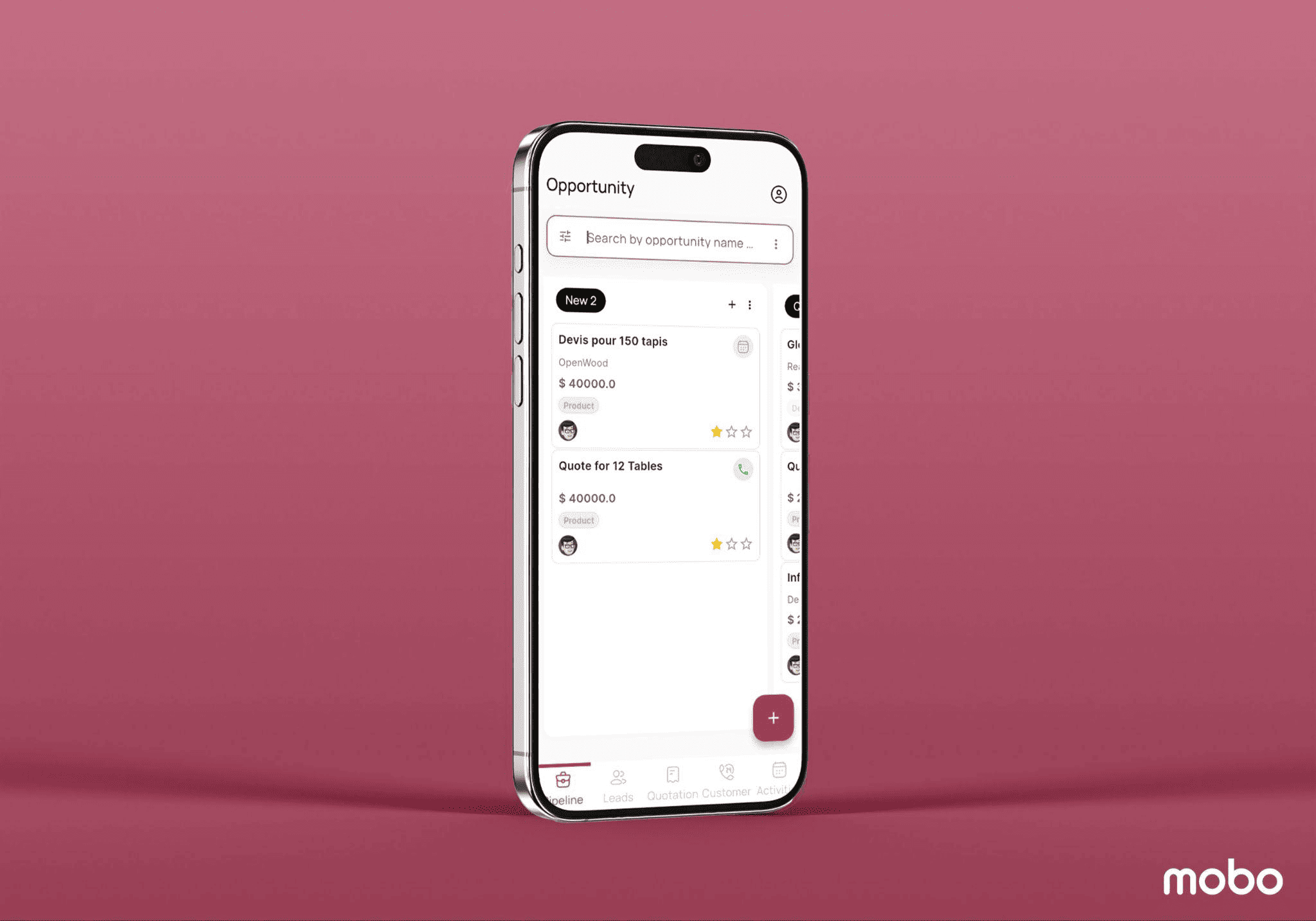
This window displays the dashboard of all pipelines available in the Mobo CRM database. The pipelines are organized by their respective stages, such as “New,” “Qualified,” “Proposition,” and “Won.” Users can add new stages using the “+ Add Stage” button and create new pipelines using the “+” button.
Search View and Filters
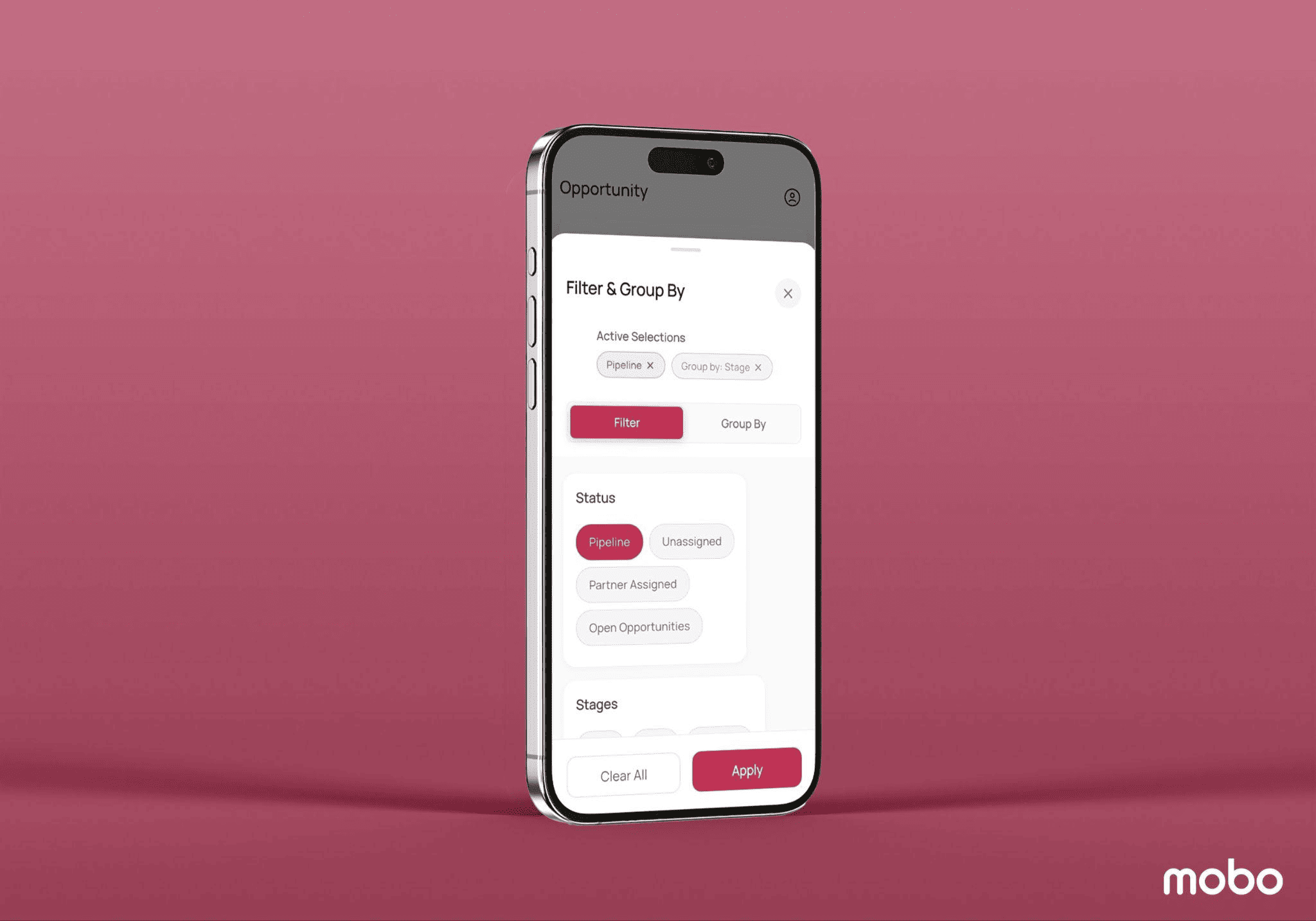
The Mobo CRM dashboard introduces a refined search experience with the search view positioned at the top center of the screen. The “Filter” and “Group By” options are seamlessly combined into a single, powerful “Search” tab, delivering a cleaner interface and faster access to the information you need. This streamlined design enhances usability and makes searching more intuitive, as shown in the screenshot below.
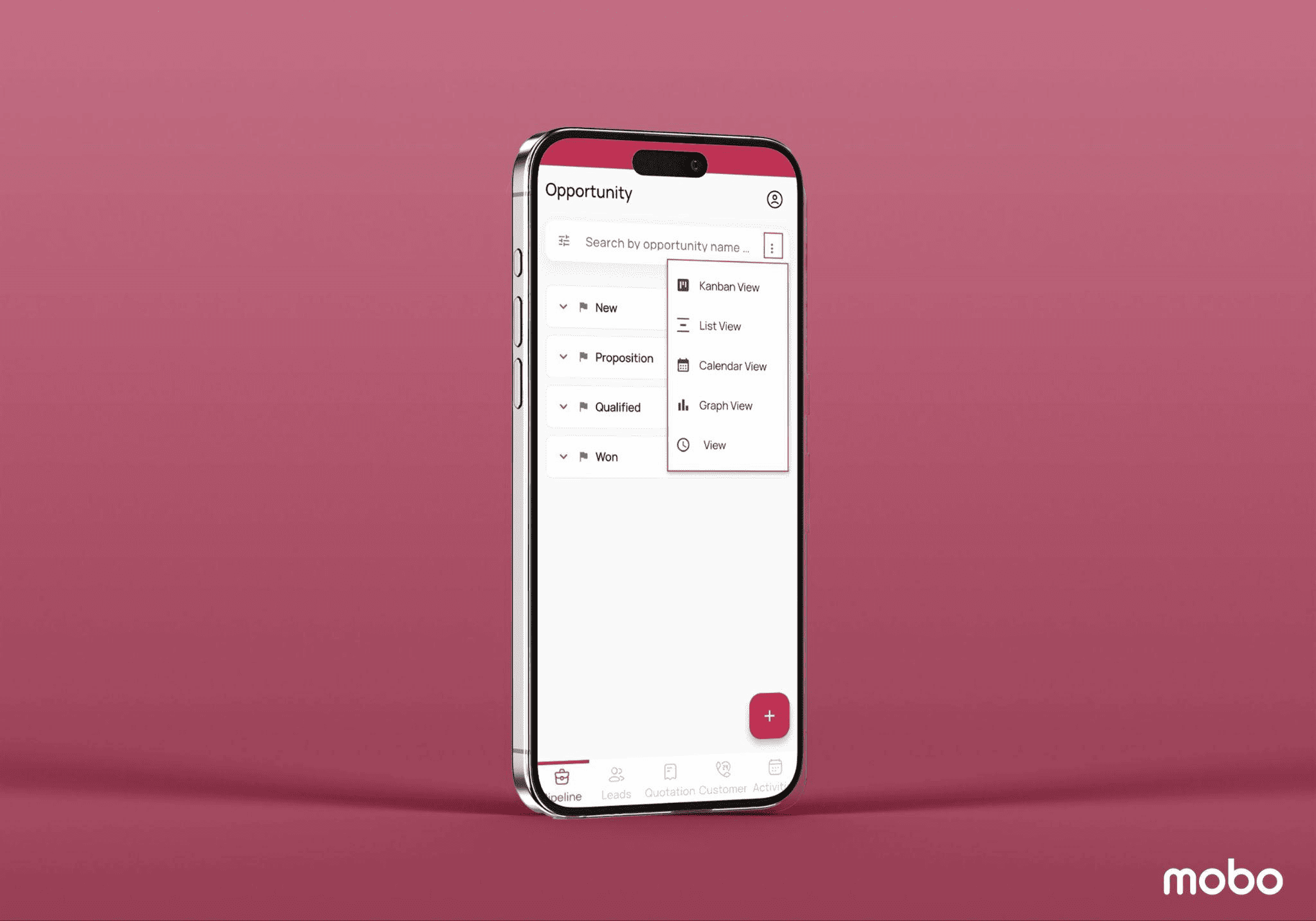
You can switch the dashboard to Kanban, List, Calendar, Graph, Pivot, or Activity views by clicking the view options icon located on the right side of the search bar.
Leads Menu
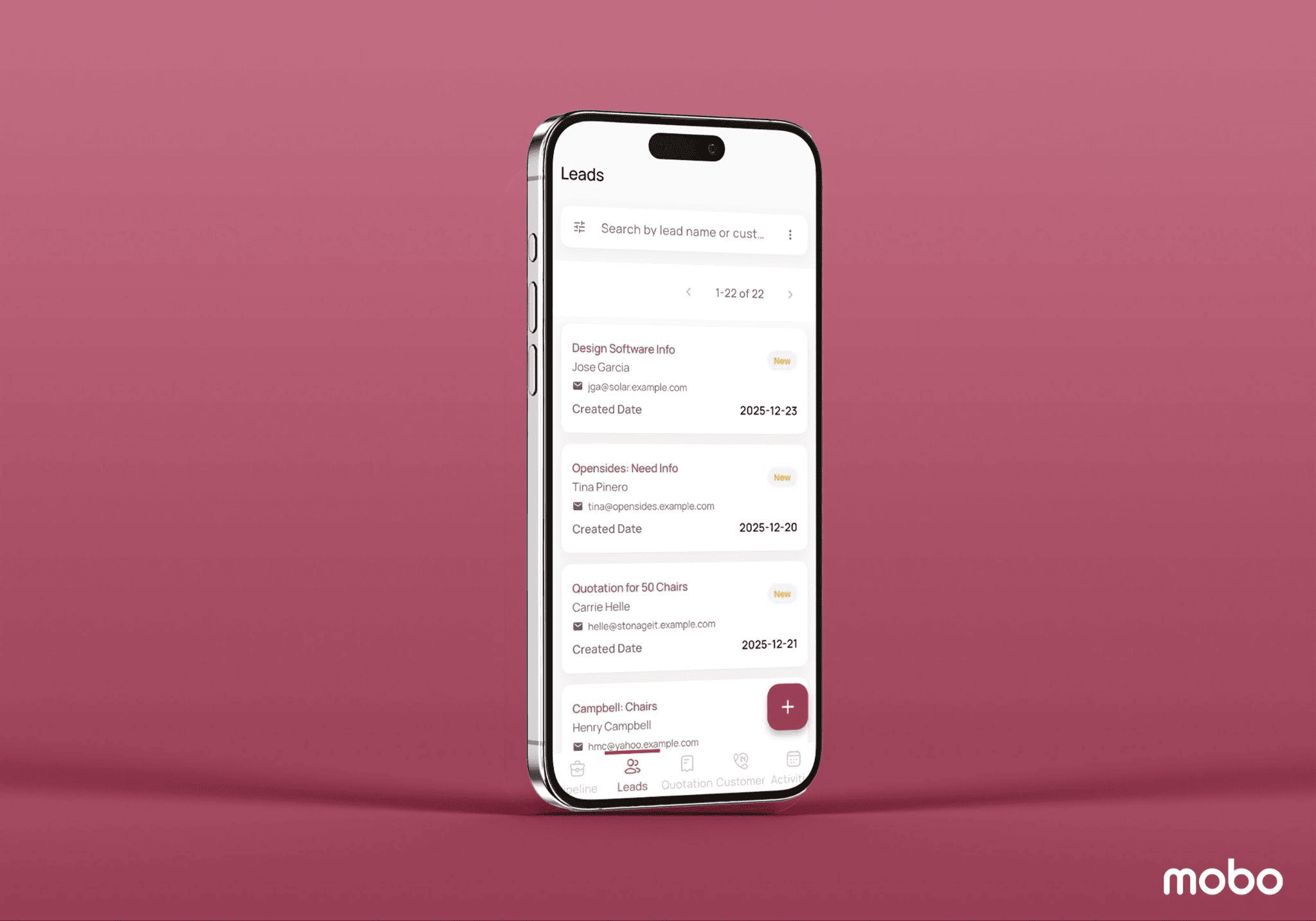
The Mobo CRM module’s “Leads” platform allows users to view a list of all leads created through multiple channels. Users can also create new lead records using the “+” button.
Customers Menu
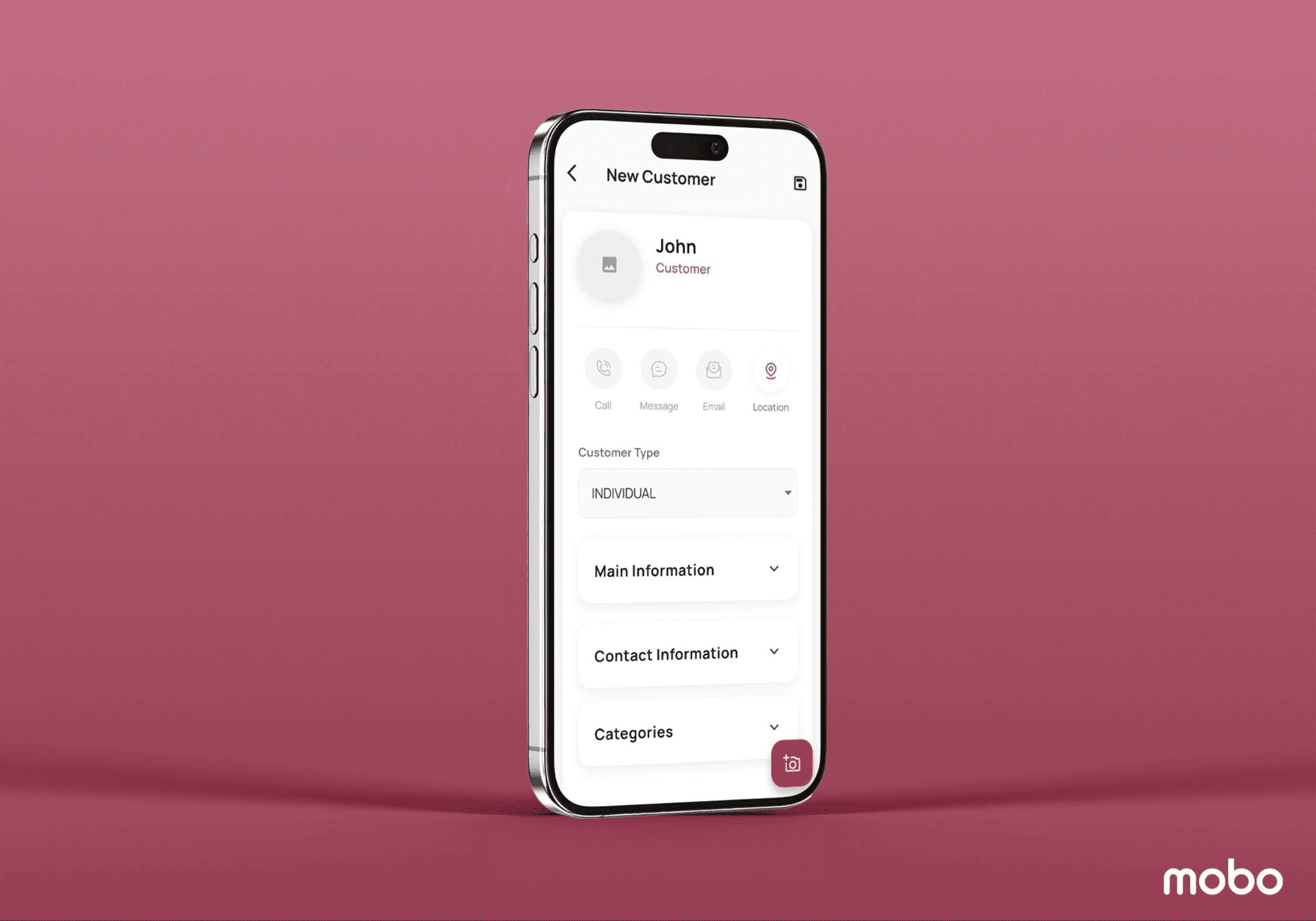
The new window provides a refreshed overview of each client through Kanban cards. Each Kanban card displays essential customer information at a glance. Clicking the “+” button opens a configuration form where users can add new customer details.
Activities Menu
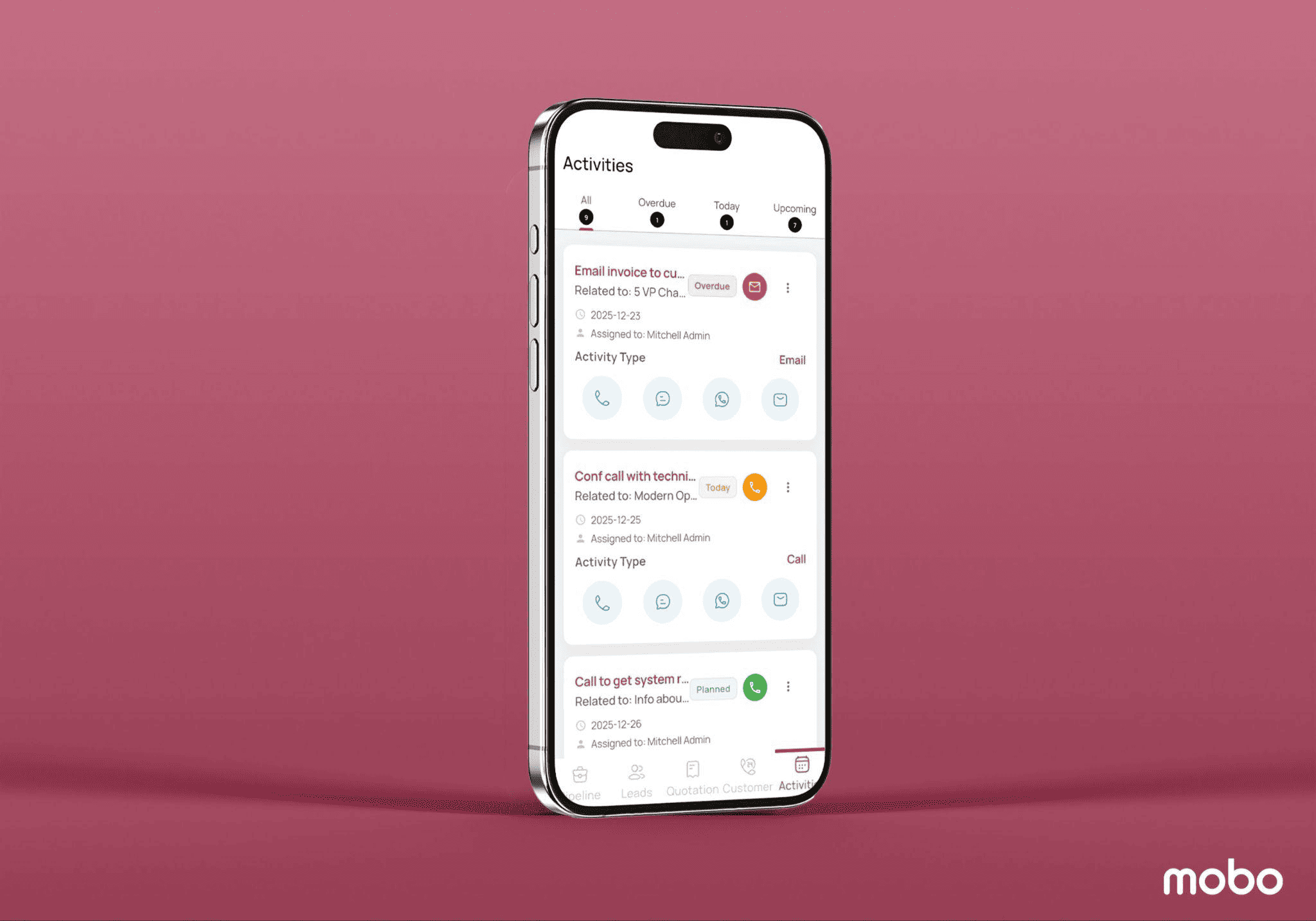
The Activity menu in the Mobo CRM module provides a centralized view of all scheduled and completed activities related to leads, opportunities, and customers. Activities are neatly categorized into All, Overdue, Today, and Upcoming tabs, allowing users to quickly track priorities and deadlines. Each activity card displays key details such as the activity title, related record, due date, assigned user, and activity status. Users can easily perform actions like calls, messages, WhatsApp communication, or emails directly from the activity card, ensuring timely follow-ups and improved task management.
These are the key functionalities offered across the various menu sections in the latest edition of the Mobo CRM module. This blog provides an overview of the refreshed user interface and highlights the general enhancements introduced in this release. In upcoming blogs, we will explore the functional upgrades in greater detail. Designed to support end-to-end lead management, Mobo CRM enables businesses to track leads from multiple sources through to successful conversion into sales orders, making it a powerful solution for managing leads and opportunities efficiently.
Profile Settings and Logout
Mobo CRM includes a dedicated Profile section accessible from the user icon. This section provides quick access to application settings, chat and discussion preferences, mail activities, and account management options.
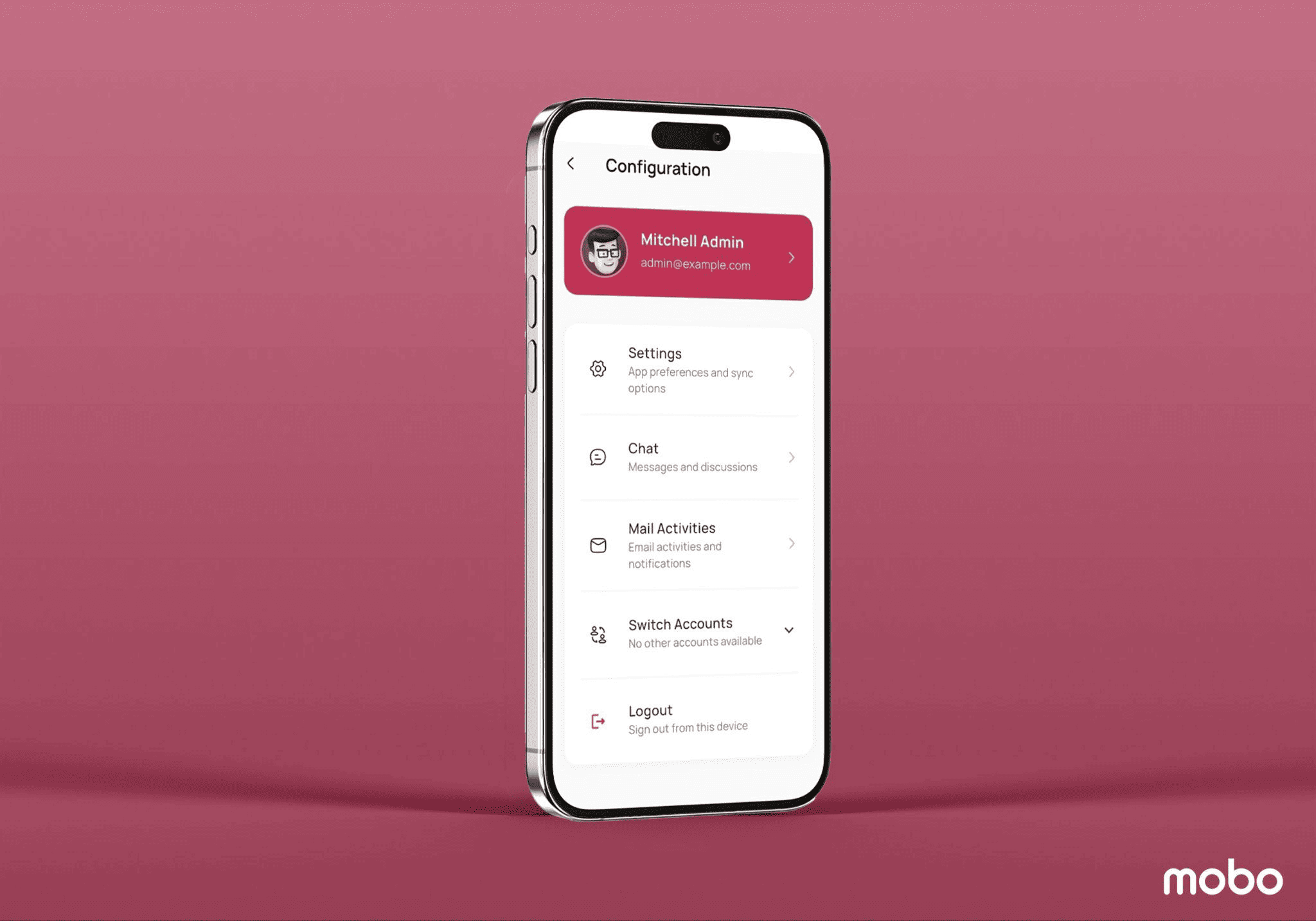
For secure session handling, users can log out of the application using the Logout option available in the profile menu. This safely signs the user out from the current device and redirects them back to the login screen, ensuring data protection, especially on shared or mobile devices.
To read more about How to Integrate Odoo Reports (PDFs) into Mobo Apps, refer to our blog How to Integrate Odoo Reports (PDFs) into Mobo Apps.