OWL is Odoo’s modern front-end framework, designed to meet the platform’s needs for a dynamic and interactive user interface. It offers a structured way to build responsive components that work well with Odoo’s backend. In this blog, we explore two practical OWL hooks: useFileViewer and useEmojiPicker. We will show how to apply them in a custom module. The useEmojiPicker hook allows users to insert emojis easily, improving user interaction and communication within the interface. The useFileViewer hook enables in-app file previews. This means users can view PDF documents without leaving their current screen. Together, these hooks make the user experience better and help create a more engaging front end in Odoo modules.
1. useFileViewer Hook
The useFileViewer hook opens selected files in a full-screen preview, whether the file is an image or a document, in order to easily view content without being taken away from the current page.
For example, file preview can be enabled by providing the ability to upload a file using an input field of type file. After selecting a file, it is shown in a full-screen viewer, which is a clear and intuitive way to review attachments.
<input type="file" id="fileInput"
                                   accept=".txt,.pdf,.ppt,.doc,.xls,.docx,.pptx,.xlsx"
                                   t-ref="fileInput" style="display:none;"
                                   t-on-change="viewFilePreview"/>
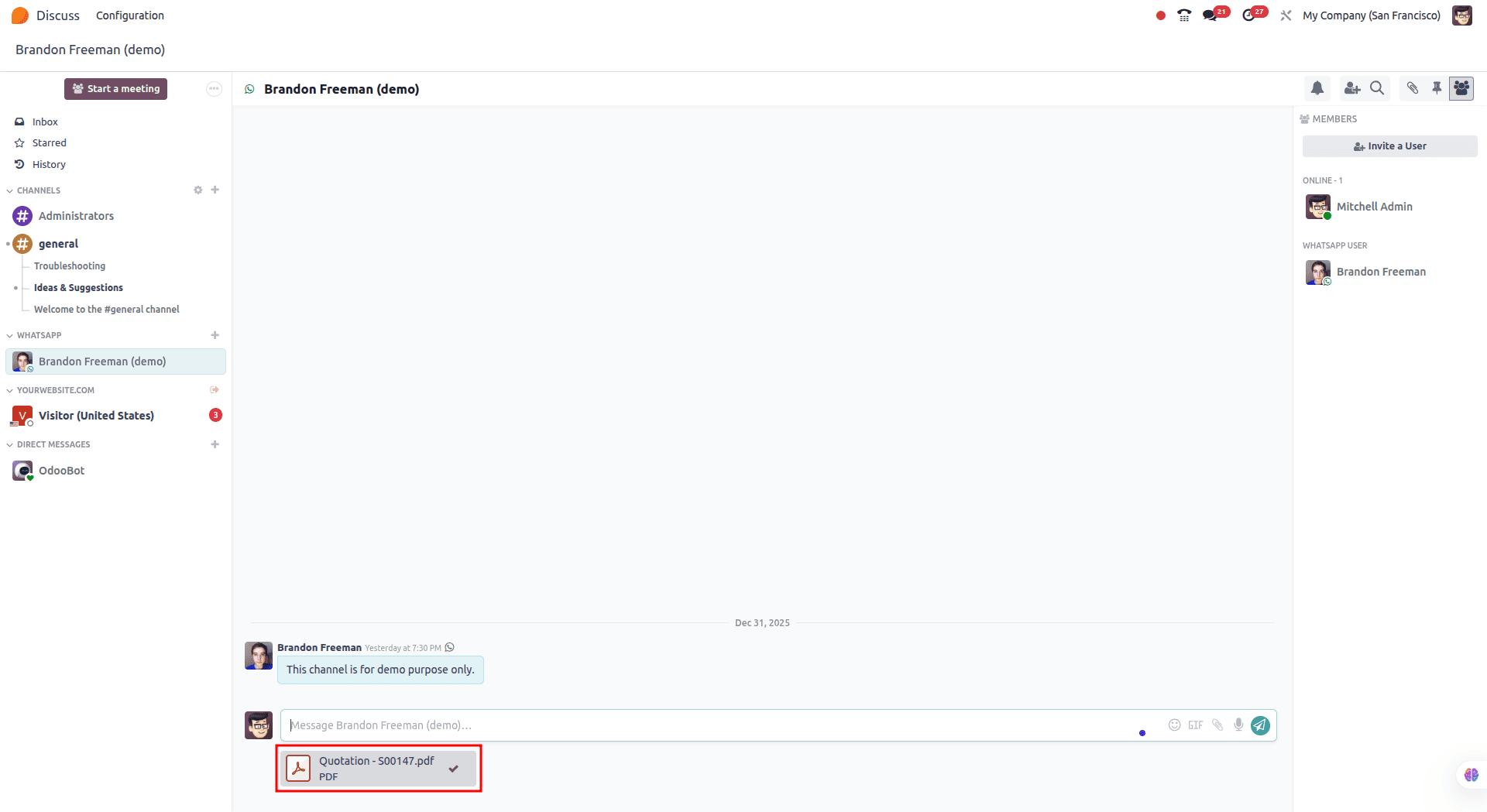
When a PDF attachment is selected, it opens in a full-screen viewer, allowing users to read the document without interruptions.
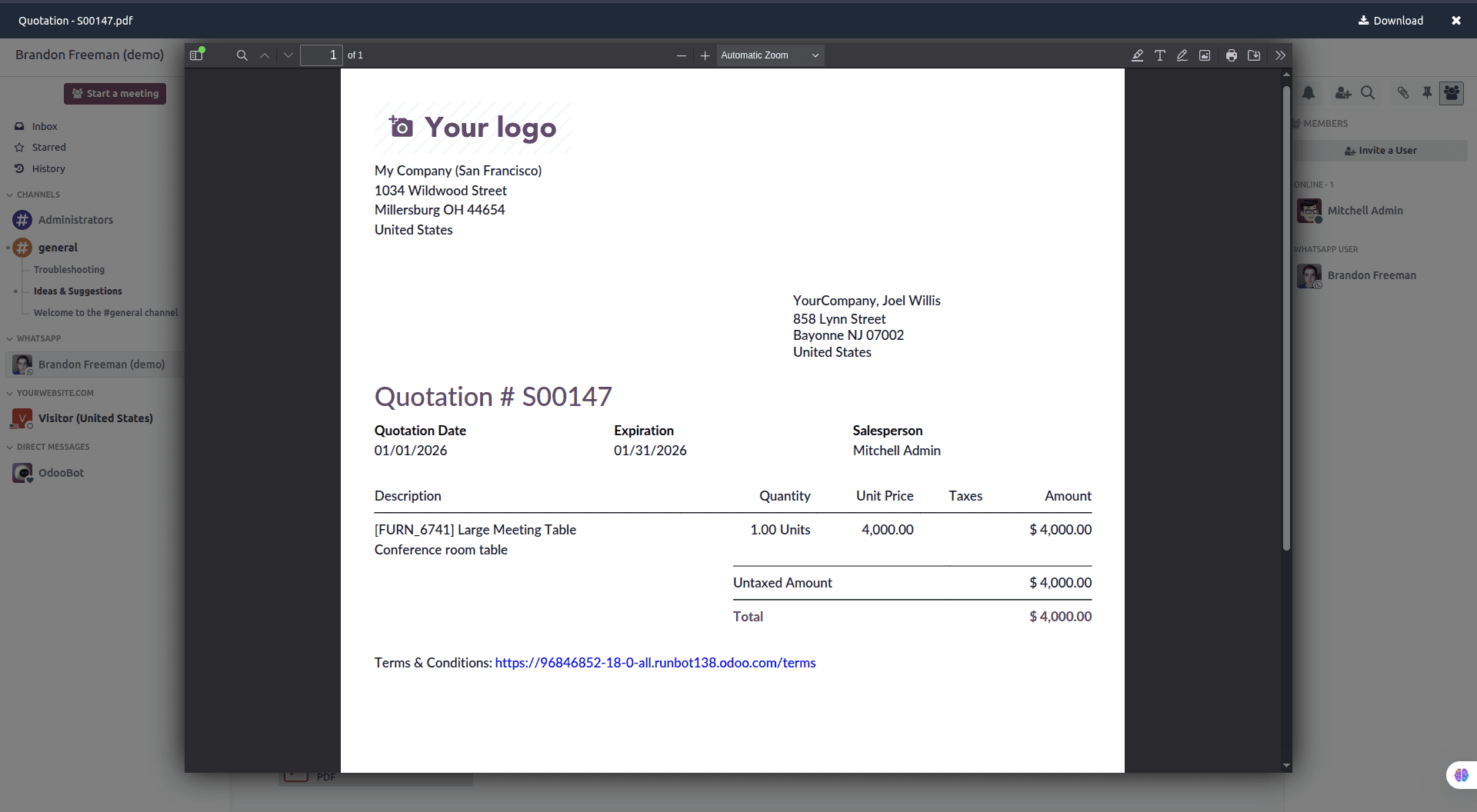
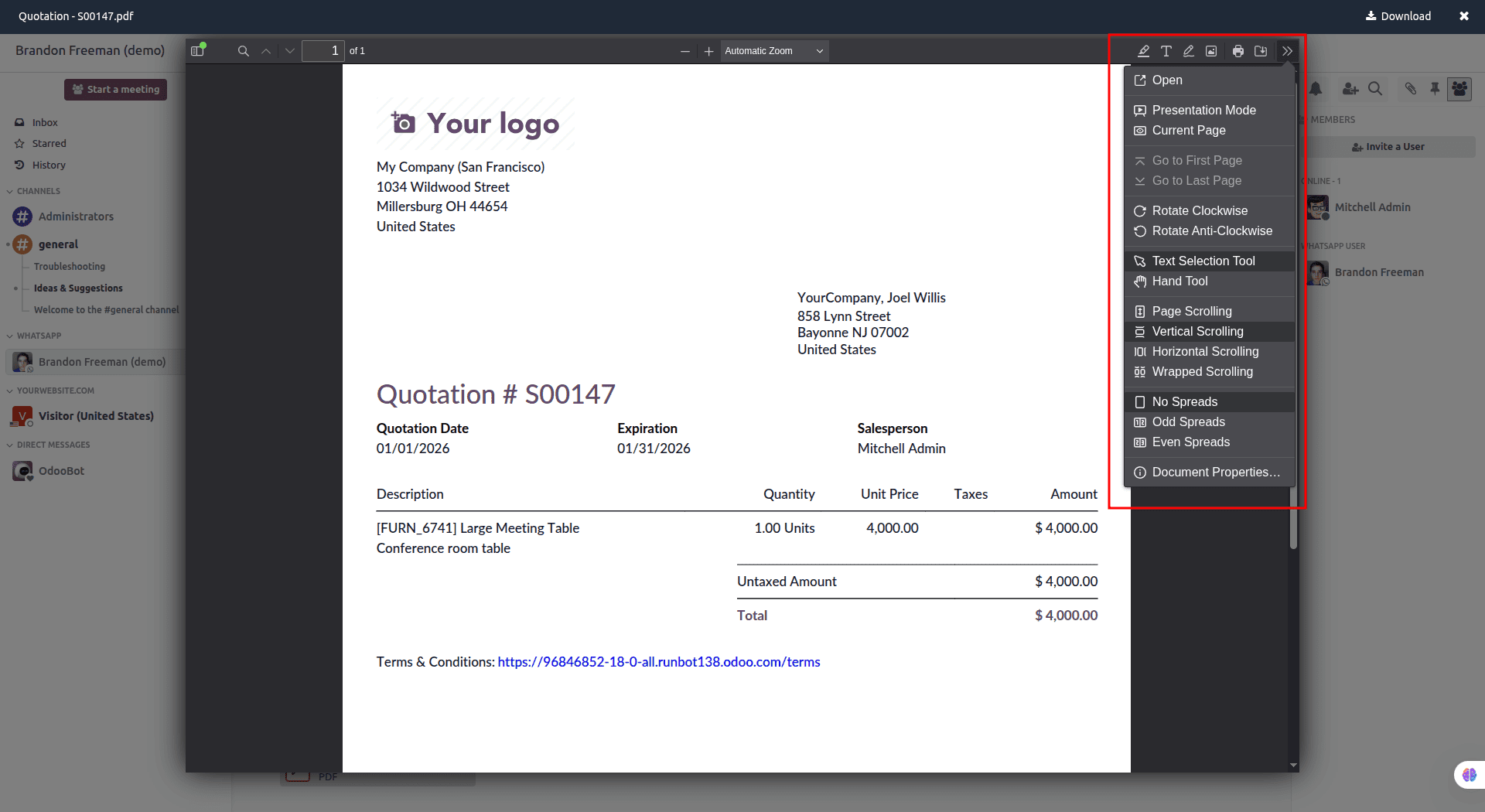
In full-screen mode, users have access to useful options such as downloading or printing the file, switching to presentation mode, and other tools that make navigation and viewing easier.
To achieve similar behavior in a custom module, the required logic needs to be added to the template.
XML file:
<?xml version="1.0" encoding="utf-8" ?>
<templates id="template">

    <t t-name="ViewAttachment" owl="1">
   <div style="width: 200px;display: block;text-align: center;"
               t-on-click="() => this.viewDocument(data.attachment_id)"/>
</t>
</templates>
For example, the template can include a <div> element with the appropriate styles and attributes. A click event (t-on-click) can be bound to this element to call a function that opens the document using the related attachment ID. This allows users to open the file viewer directly by interacting with the UI element.
/** @odoo-module **/
import {Component} from "@odoo/owl";
import { useService } from '@web/core/utils/hooks';
import { useFileViewer } from "@web/core/file_viewer/file_viewer_hook";
export class ViewAttachment extends Component {
    async setup(){
        this.store = useService("mail.store");
        this.fileViewerInstance = useFileViewer();
}
    async viewDocument(attachment){
        let mimetype;
        let type= attachment[1].split('.').pop()
        if (type === 'pdf') {
        mimetype = 'application/pdf';
        } else if (type === 'png') {
        mimetype = 'image/png';
        }
        else if (type === 'jpeg'){
        mimetype = 'image/jpeg';
        }
        const preview = this.store.Attachment.insert({
            id: attachment[0],
            filename: attachment[1],
            name: attachment[1],
            mimetype: mimetype
        });
        this.fileViewerInstance.open(preview);
    }
}
ViewAttachment.template = "custom_module.ViewAttachment";
A new instance of the useFileViewer hook can be created to manage the opening of PDF files. An asynchronous function, such as viewDocument, can then be defined to handle this action by receiving the attachment as its argument.
Within this function, the file’s MIME type is determined based on its format (for example, PDF, PNG, or JPEG). The required attachment details are then added to the store.Attachment object. After this configuration is completed, the file is opened by invoking the this.fileViewerInstance.open() method, which displays the document in the viewer.
2. useEmojiPicker Hook
This hook handles displaying a pop-up that shows all available emojis when the emoji icon is selected. It allows users to quickly and intuitively insert emojis into their content.
Emojis enhance communication by adding emotional context and clarity, making messages more expressive and engaging within the application.
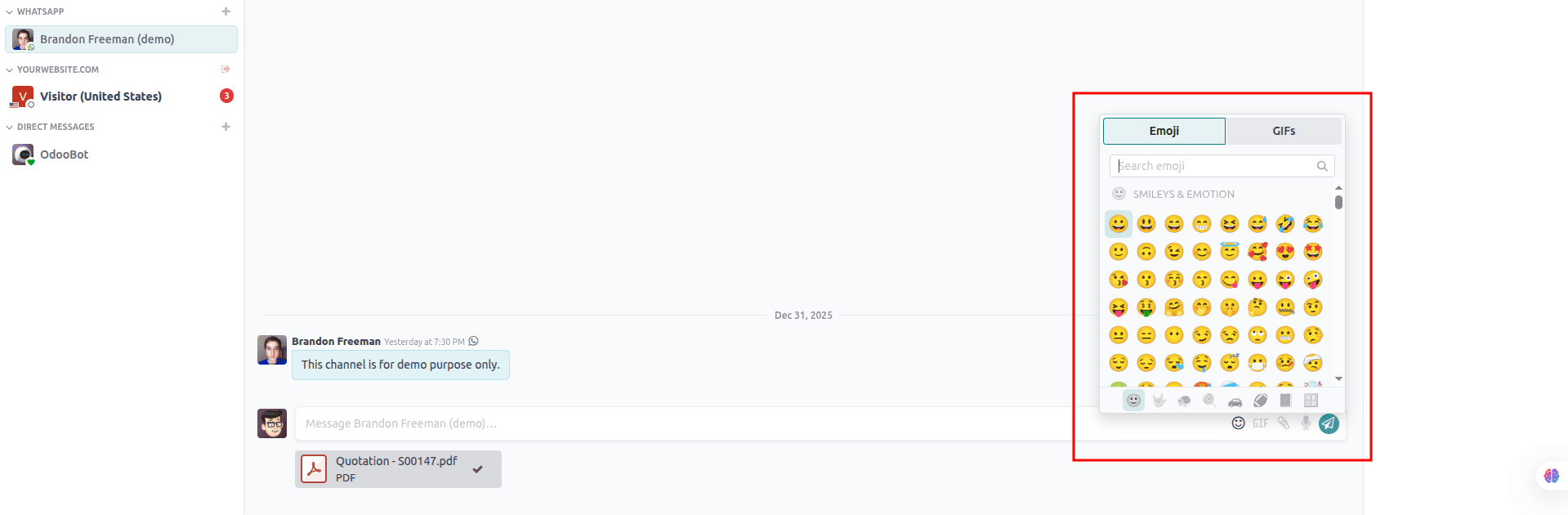
To add the Emoji icon to the chat input area, add the following XML:
<?xml version="1.0" encoding="utf-8" ?>
<!-- WhatsappChatInput Template -->
<template id="ChatInput" name="ChatInput">
  <div class="border-top bg-white chat-input">
      <input type="text"  class="form-control chatbox-inputbox h-100 ms-3"
          id="chat_input" t-ref="textarea"  placeholder="Enter Message..."
          t-on-keyup="composeMessage"/>
      <i class="btn border-0 rounded-pill fa fa-smile-o"
          aria-label="Emojis" t-ref="emoji-button"></i>
   </div>
</template>
Here, a text input field is provided for entering the message, along with an emoji icon that allows users to insert emojis into the text.
To support this behavior, a JavaScript function is added to listen for the emoji selection event and append the chosen emoji to the message input. This enables users to enhance their messages without disrupting their typing flow.
/** @odoo-module **/
import {Component, useState, useRef } from "@odoo/owl";
import { useService } from '@web/core/utils/hooks';
import { useEmojiPicker } from "@web/core/emoji_picker/emoji_picker";
export class ChatInput extends Component {
    /* This function appears to initialize various properties and set up event listeners.*/
    setup() {
        this.inputRef = useRef('textarea')
        this.emojiRef = useRef('emoji-button')
        this.emojiPicker = useEmojiPicker(this.emojiRef, {onSelect :
        this.emojiSelect.bind(this)})
    }
    /* Click function emoji*/
    emojiSelect(ev){
        var inputText = this.inputRef.el.value
        var cursorPosition = this.inputRef.el.selectionStart;
        var updatedText = inputText.substring(0, cursorPosition) +
            ev + inputText.substring(cursorPosition);
        this.inputRef.el.value = updatedText
    }
ChatInput.template = 'ChatInput';
For this, first, we have to import useEmojiPicker from the web module.
import { useEmojiPicker } from "@web/core/emoji_picker/emoji_picker";The emoji reference can be passed to the hook along with an onSelect callback, which is invoked when a user picks an emoji from the selector.
Using an onSelect handler such as emojiSelect(ev), the chosen emoji can be inserted directly into the input field or text area at the current cursor position. This ensures the emoji appears exactly where the user is typing, providing a smooth and intuitive experience.
To achieve this, the existing text is first divided into two parts based on the cursor position. The emoji is inserted between these two segments, and the remaining text is then reattached. This guarantees precise placement of the emoji at the cursor location.
The useEmojiPicker and useFileViewer hooks are used to add emoji support and PDF preview capabilities to the chat interface in the front-end module, enhancing overall interaction and usability.
To read more about How to Use the Emoji Picker & File Viewer Hook in Odoo 17, refer to our blog How to Use the Emoji Picker & File Viewer Hook in Odoo 17.