Odoo 19 Accounting's Executive Summary is a high-level financial summary that gives a brief assessment of a business's financial situation and performance. Key variables, including cash balances, payables, receivables, income, and expenses, are all combined into one dashboard. The purpose of the report is to assist executives in comprehending the state of their finances without having to go through extensive accounting documentation. It displays aggregated data in real time, together with patterns and visual cues. This synopsis facilitates well-informed financial and strategic decision-making.
Let’s go through the Executive Summary Report in Odoo 19. To get the Executive Summary Report, click on the Reports menu. Under the Management Reports choose the Executive Summary Report.
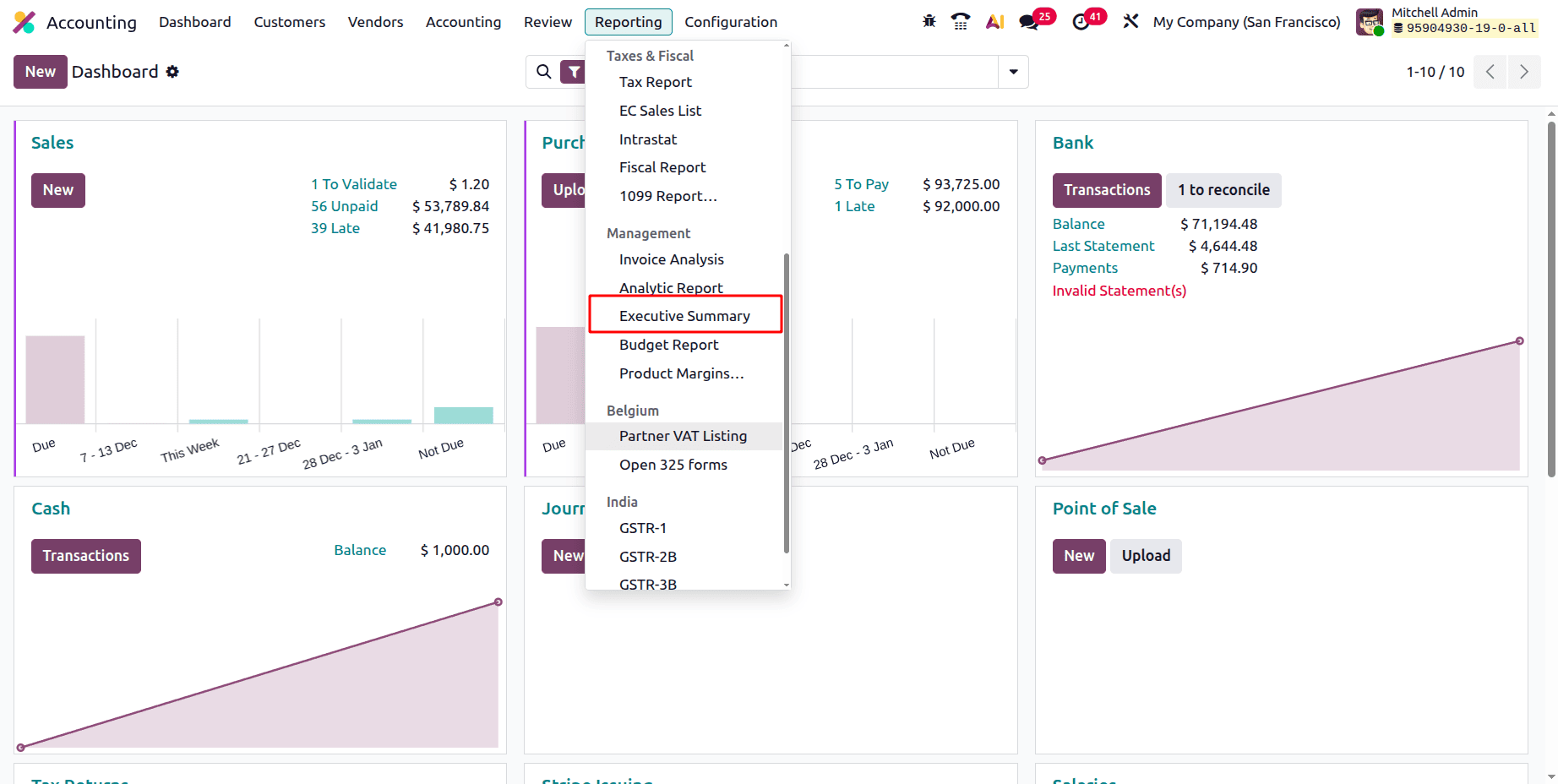
The Executive summary report shows the Cash, Profitability, Balancesheet, Performance, Position. Before that lets check the filters available in the Odoo 19 Executive Summary Report.
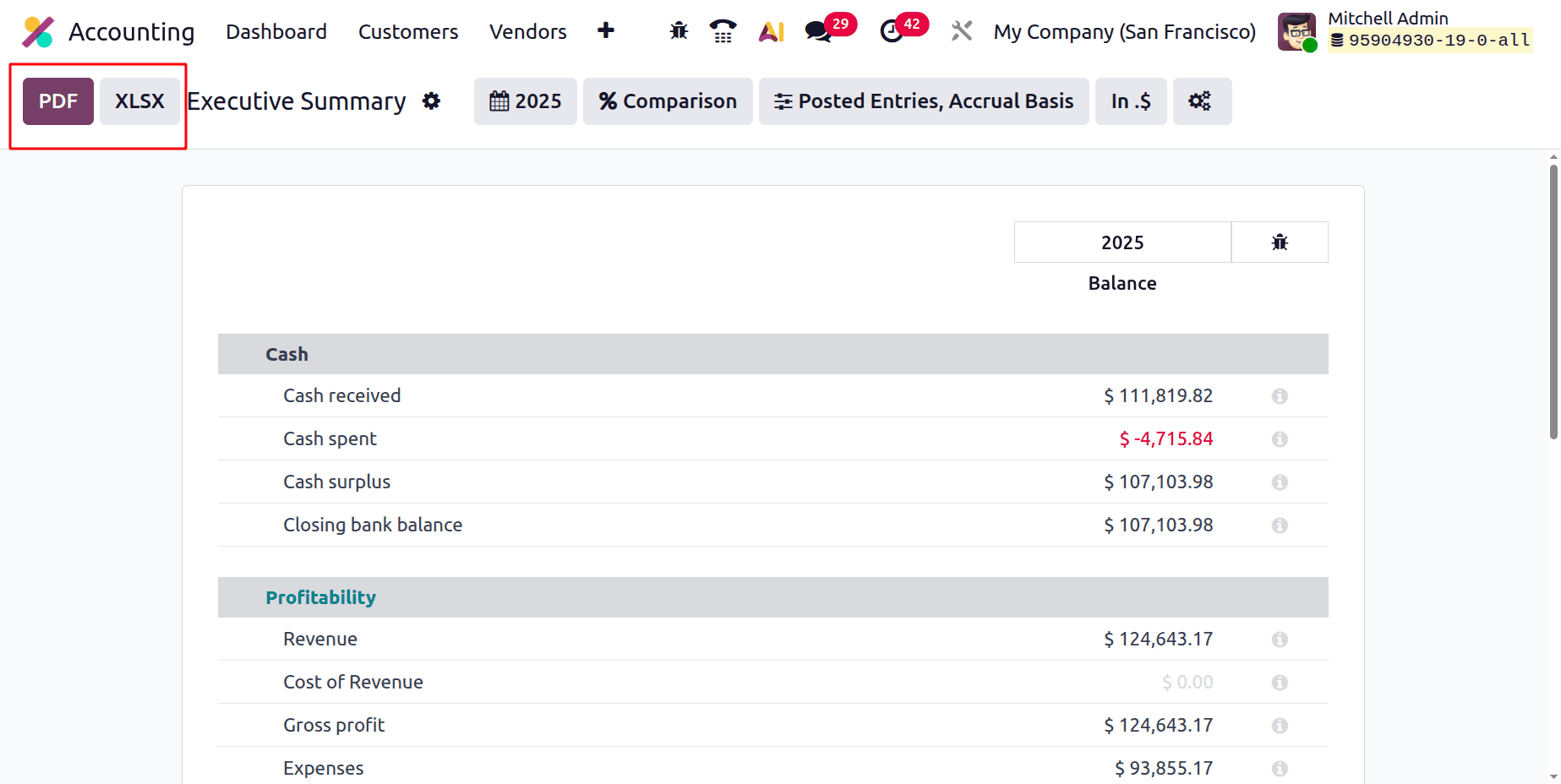
The Executive Summary Report can be downloaded in PDF or XLSX formats by using the buttons marked below.
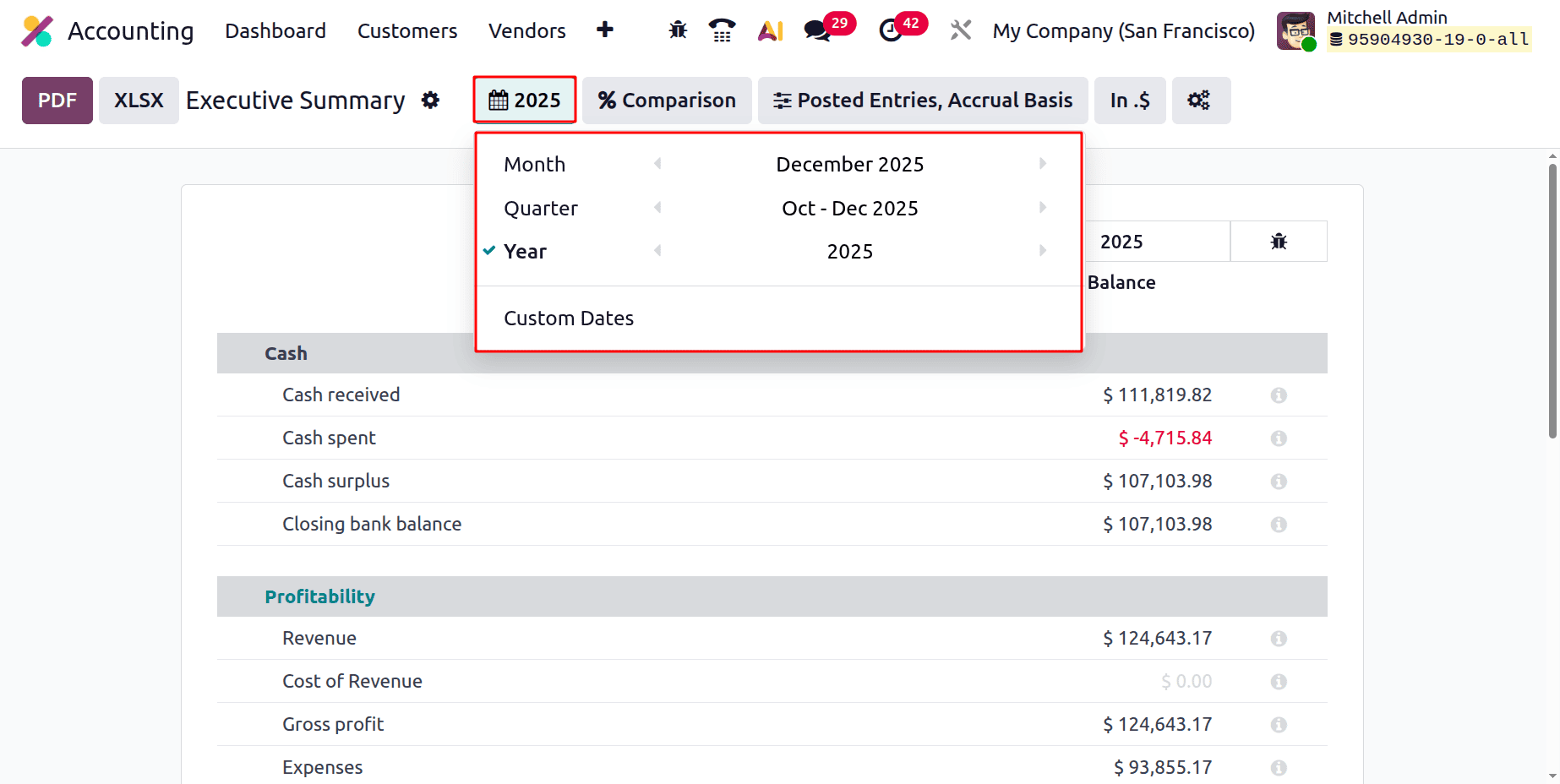
Then the first filter is the Date filter. And from there, the report can be filtered based on Months, Quarter, Year. There is also an option to filter based on Custom Dates.
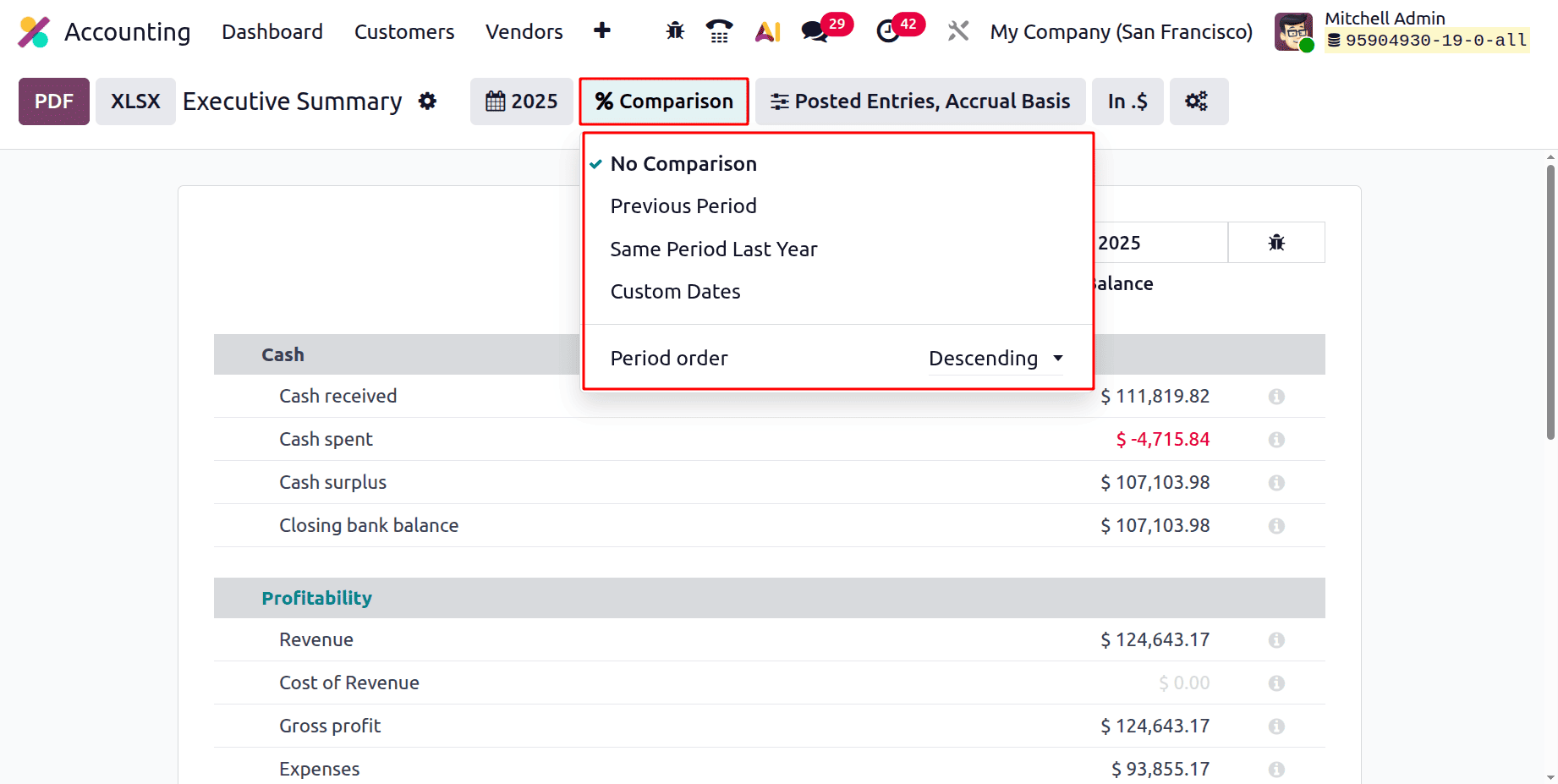
Next is the Comparison filter. The report can be compared based on the Previous Period, Same Period Last Year, and based on Custom Dates. The Period order can be chosen based on the Descending or Ascending order.
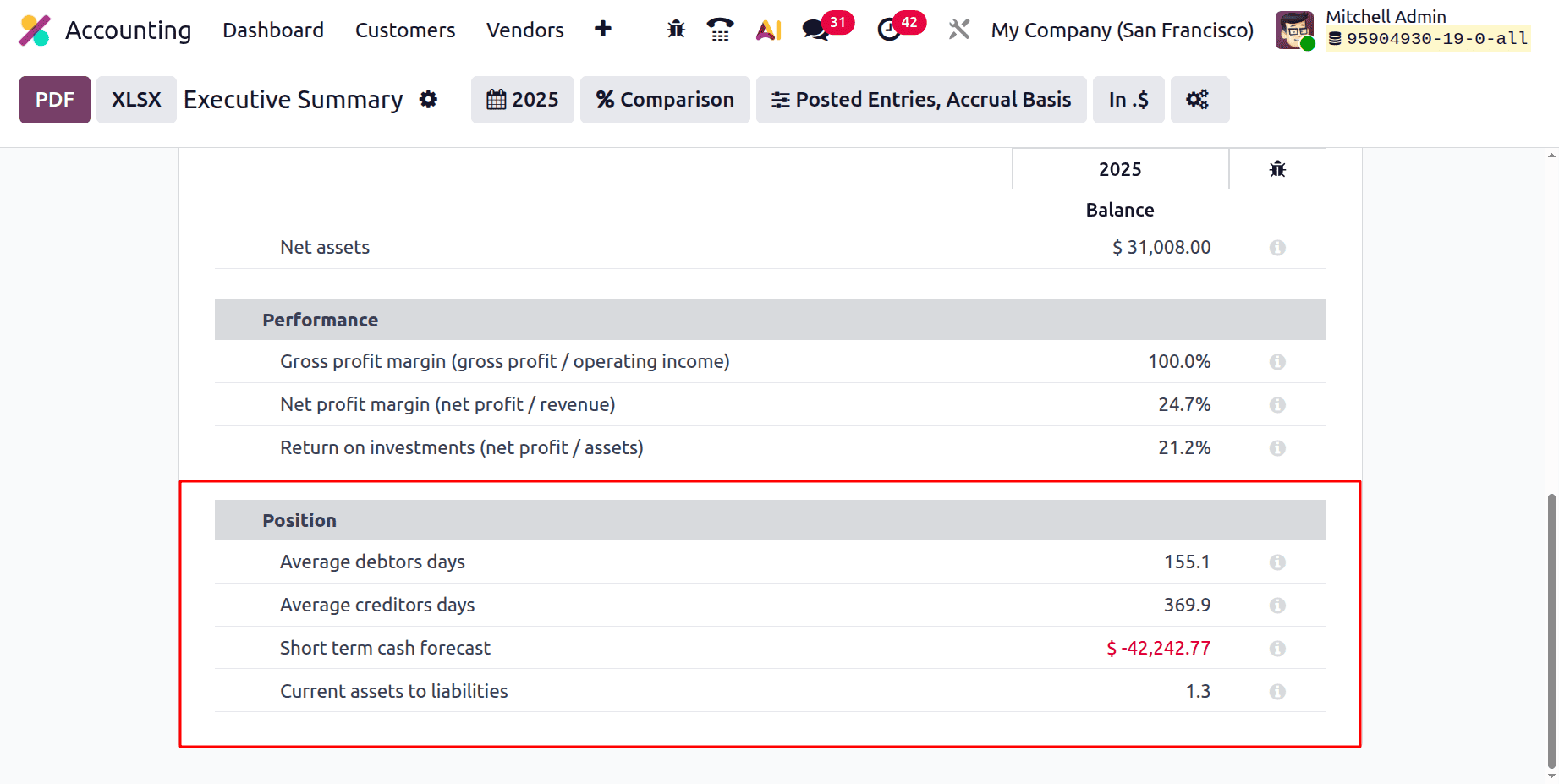
Then the Posted Entries filter contains Accrual Basis, Draft Entries, and Cash Basis Method. Then the Hide lines at 0, will hide all the lines with a zero value.
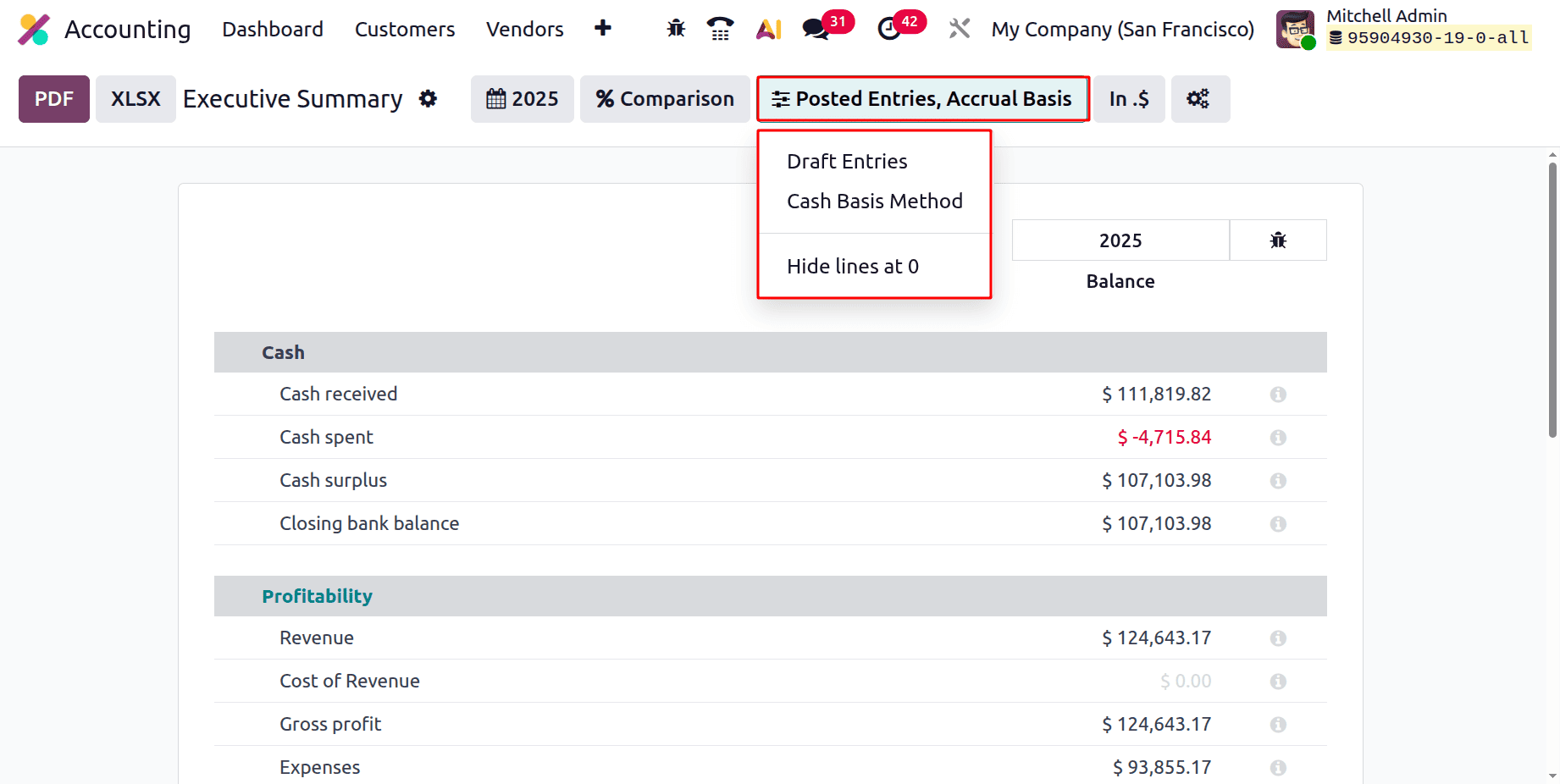
In Odoo 19 Accounting, "In .$" lets users choose the unit format for showing monetary figures in the Executive Summary report. The dropdown menu's choices define how amounts are displayed and scaled:
In.$: Show quantities with decimal accuracy in standard dollars (e.g., $111,819.82).
In $ — Show values rounded to the closest whole dollar (no decimals).
In K$ – Show figures in thousands of dollars (for example, $111.8K rather than $111,819).
In M$ – Show figures in millions of dollars (for example, $0.11M rather than $111,819).
By selecting the most practical unit scale for financial data presentation, this filter enables users to personalize the report's readability.
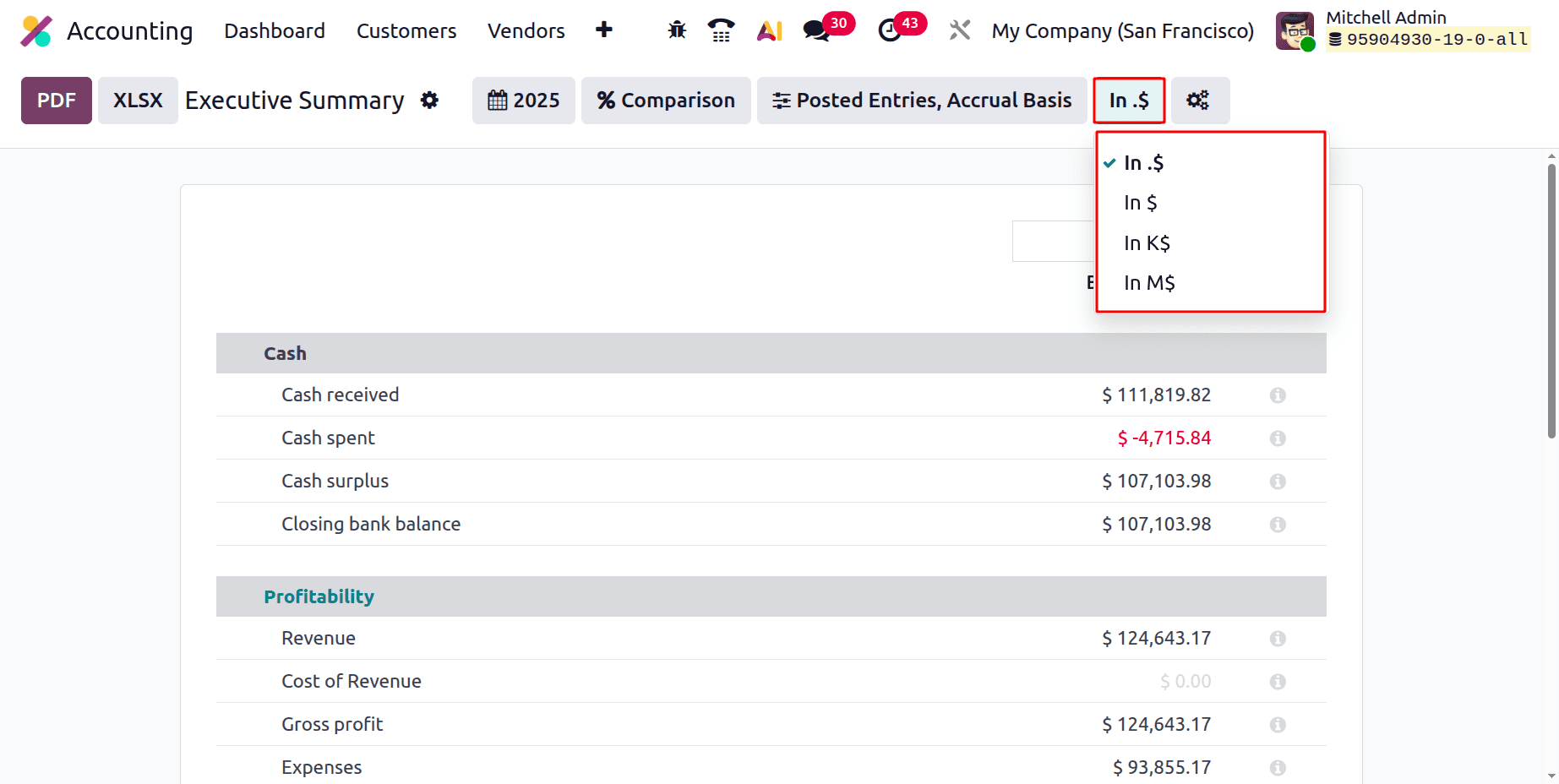
Then let's check the Executive Summary Report in Odoo 19 Accounting. Under the Cash section, users can see the Cash Received, Cash Spent, Cash Surplus, and Closing Bank Balance.
- Based on submitted accounting entries, Cash Received in the Executive Summary report in Odoo 19 Accounting displays the exact amount of money that entered your business within the chosen time frame.
- Based only on reported cash and bank movements, Cash Spent in the Executive Summary report displays the real amount of money that left the organisation during the chosen time.
- The amount of liquid cash you now have available above and beyond what is immediately needed is represented by the Cash Surplus displayed in the Executive Summary report. It is not a formal accounting measure, but rather a high-level management indicator.
- Based on submitted accounting entries, the Closing Bank Balance in the Executive Summary report in Odoo 19 Accounting shows the final balance of your bank and cash accounts at the conclusion of the chosen period.
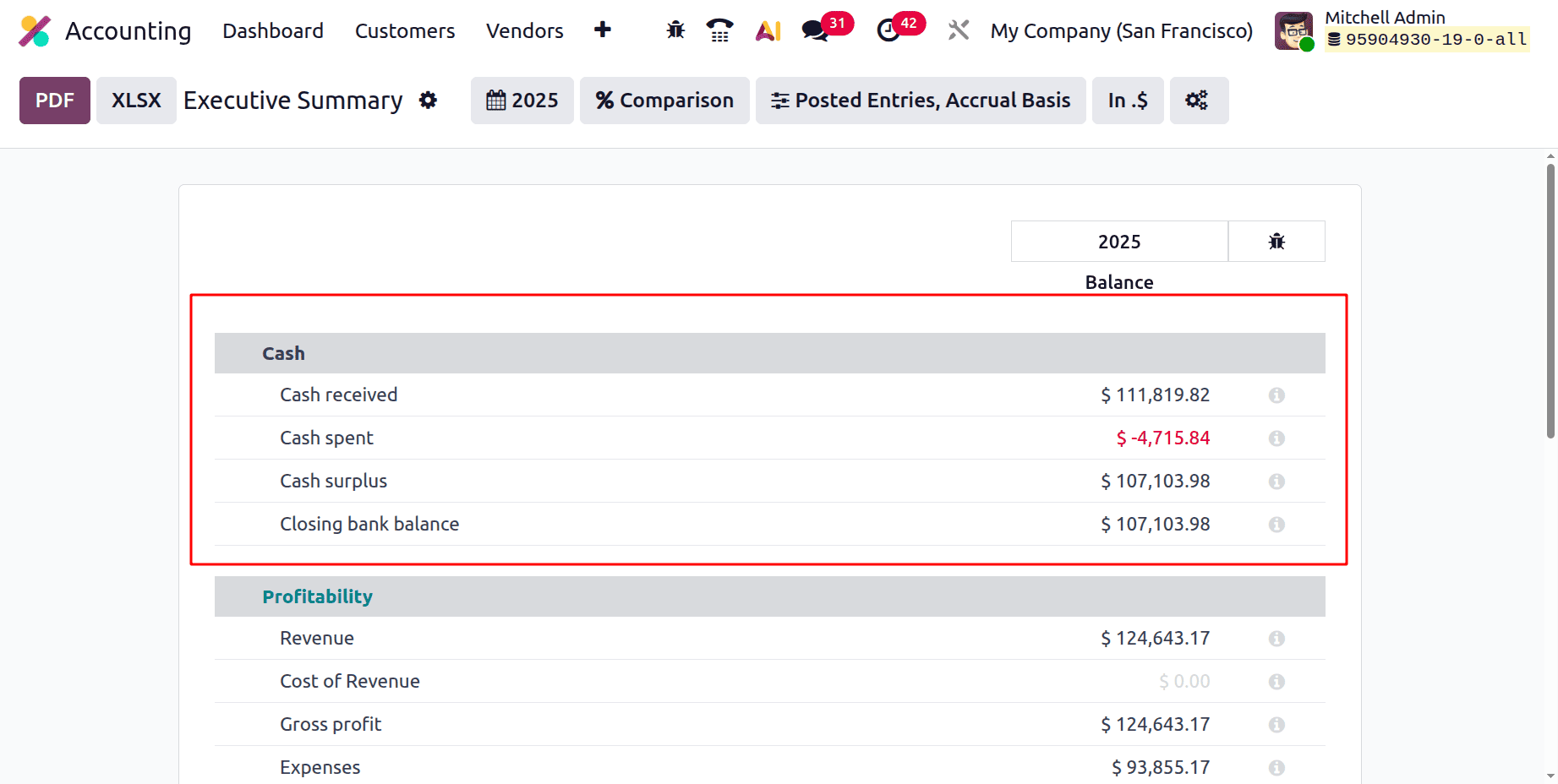
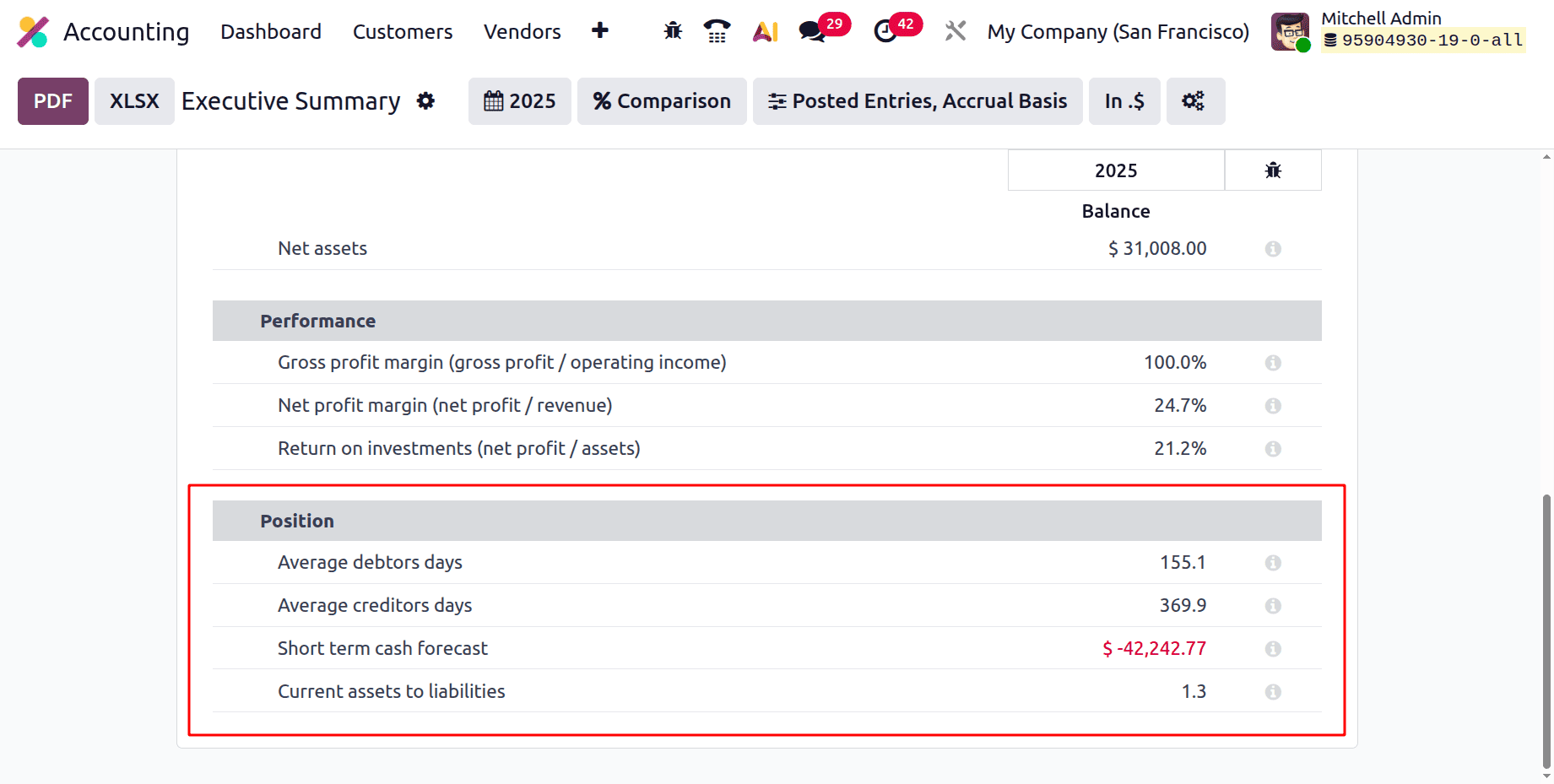
Under the Positions, there are Average Debtors Days, Average Creditors Days, Short-Term Cash Forecast, and Current Assets to Liabilities.
The Profitability section shows the Revenue, Cost of Revenue, Gross Profit, Expense, and Net Profit.
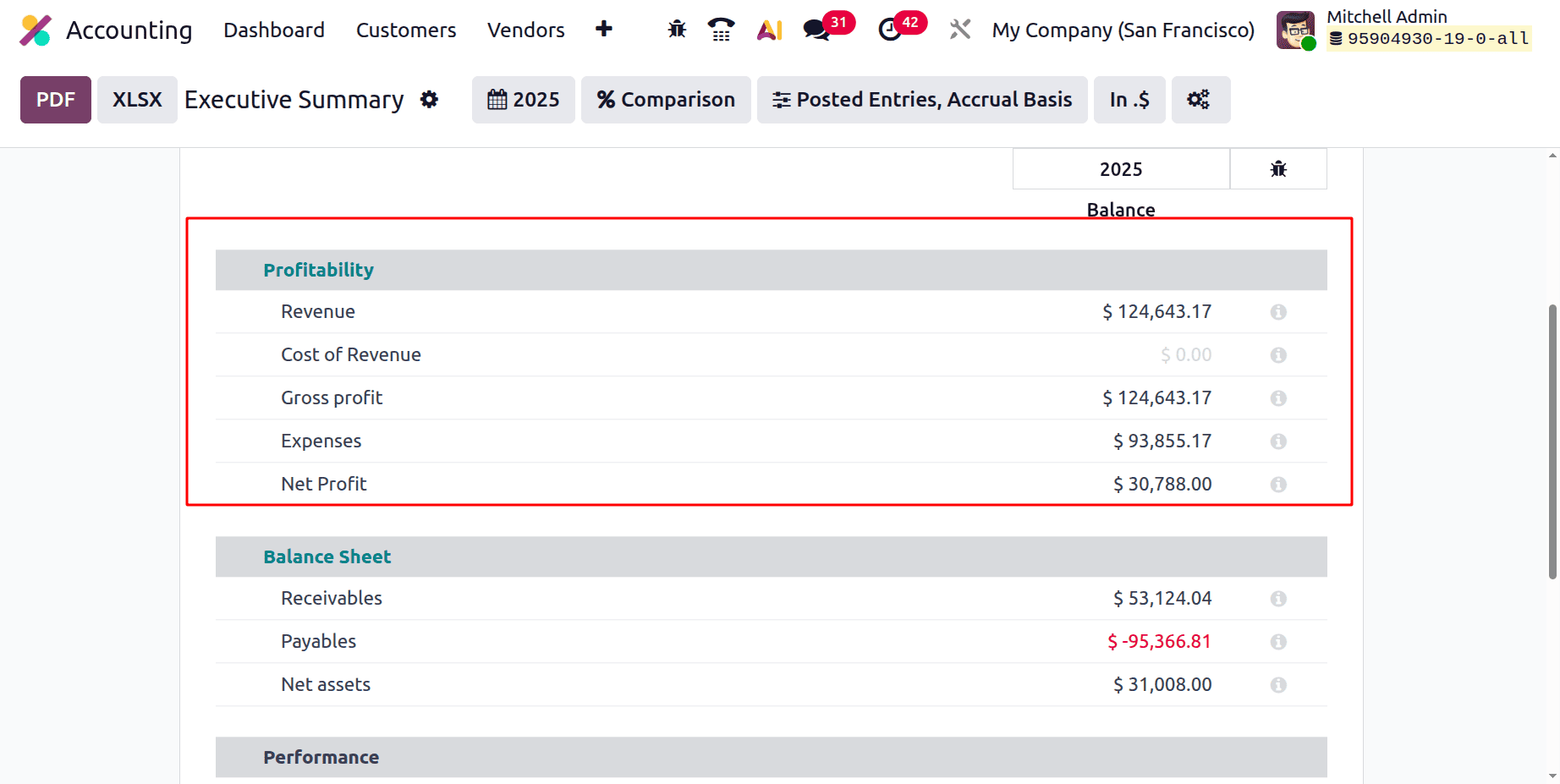
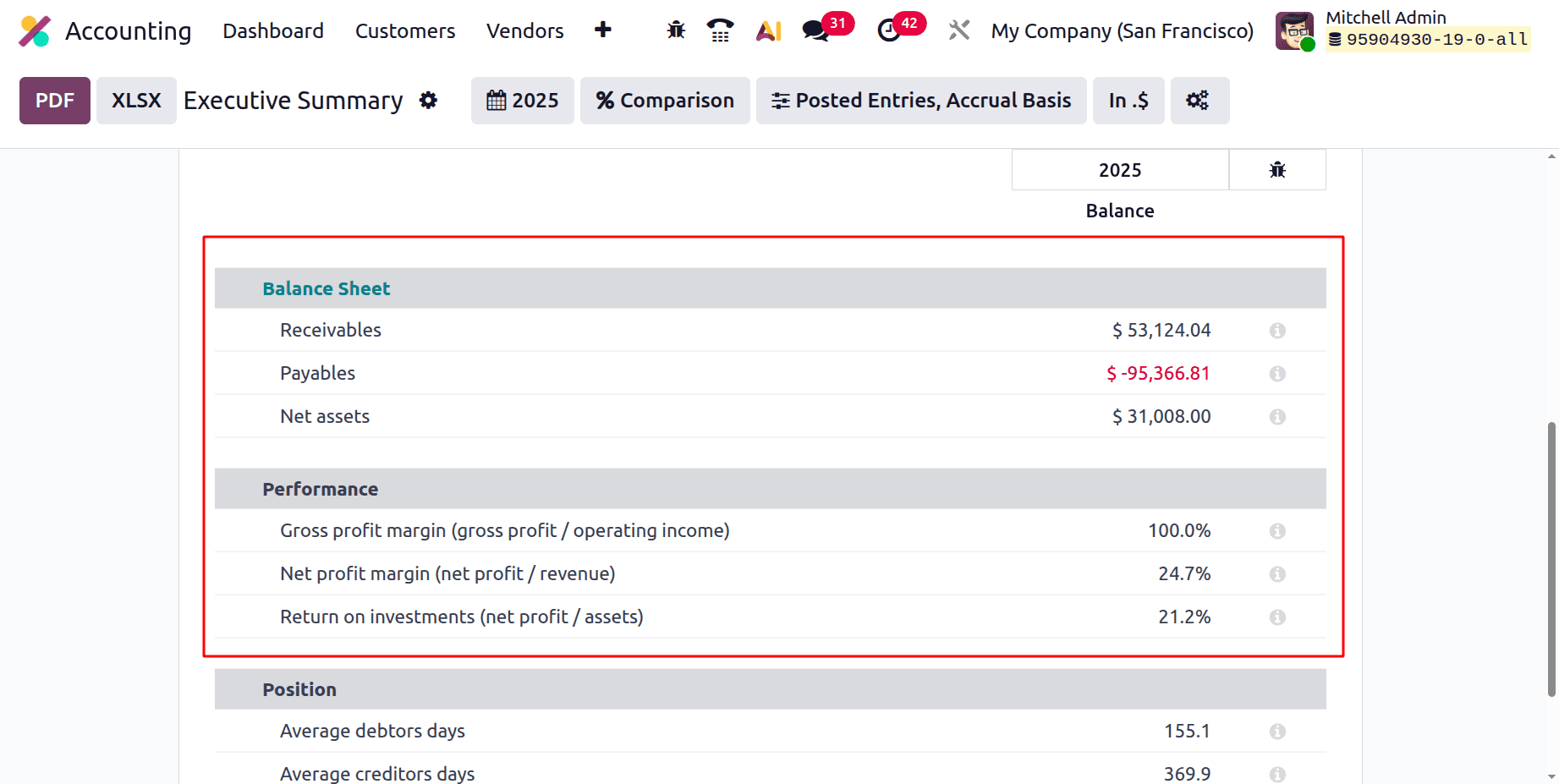
Then under the Balancesheet the Receivables, Payables and Net Asset are shown. The Performance section shows the Gross profit margin (gross profit / operating income), Net profit margin (net profit / revenue), and Return on investments (net profit / assets).
- In Odoo 19 Accounting, Average Debtors Days measures how long, on average, your customers take to pay you.
Average Debtors Days = Average number of days between invoice date and payment
- In Odoo 19 Accounting, Average Creditors Days measures how long, on average, your company takes to pay its suppliers.
Average Creditors Days = Average number of days between the supplier bill date and payment
- In Odoo 19 Accounting, Short-Term Cash Forecast shows your expected cash position in the near future based on known incoming and outgoing commitments.
Short-Term Cash Forecast = Current cash + expected near-term inflows - expected near-term outflows
- In Odoo 19 Accounting, Current Assets to Liabilities is a liquidity ratio (often called the Current Ratio). It shows whether your company can meet its short-term obligations using its short-term assets.
To summarize, Odoo 19 Accounting's Executive Summary Report provides a concise and straightforward overview of a company's financial status, enabling informed decision-making. Financial analysis is streamlined by its user-friendly design and real-time data integration, which lowers errors and saves time. Businesses can improve transparency, track important indicators, and promote strategic expansion by utilizing this report.
To read more about How to Create an Effective Executive Summary in Odoo 18 Reports, refer to our blog How to Create an Effective Executive Summary in Odoo 18 Reports.