Organizing documents in a business is a difficult process. Whether it is necessary to search for an important project file among several folders or to find the most current version of the employee handbook, organizing documents can be a lengthy task. In turn, Odoo 19 solves this problem by unifying all business documents in one system.
By not having to keep files in different applications and folders, organizations will be able to create special workspaces according to their own needs. Files related to projects, Human Resources, product specifications, recruitment documents, accounting, spreadsheets, and other types of documents can be organized in appropriate workspaces. It will make it easy for employees to access needed documents and minimize the risk of using different file versions, thus increasing cooperation between teams.
The Odoo 19 Documents module provides a convenient way of organizing organizational files. File uploads, folder structure creation, document tagging, and automated workflows can be handled easily and conveniently with this module. Besides, the integration of this module with other Odoo modules will allow it to attach documents to business records, thus minimizing data silos and providing users with easy access to documents in a business context.
The screenshots below demonstrate the configuration of workspaces in Odoo 19 according to the needs of different departments.
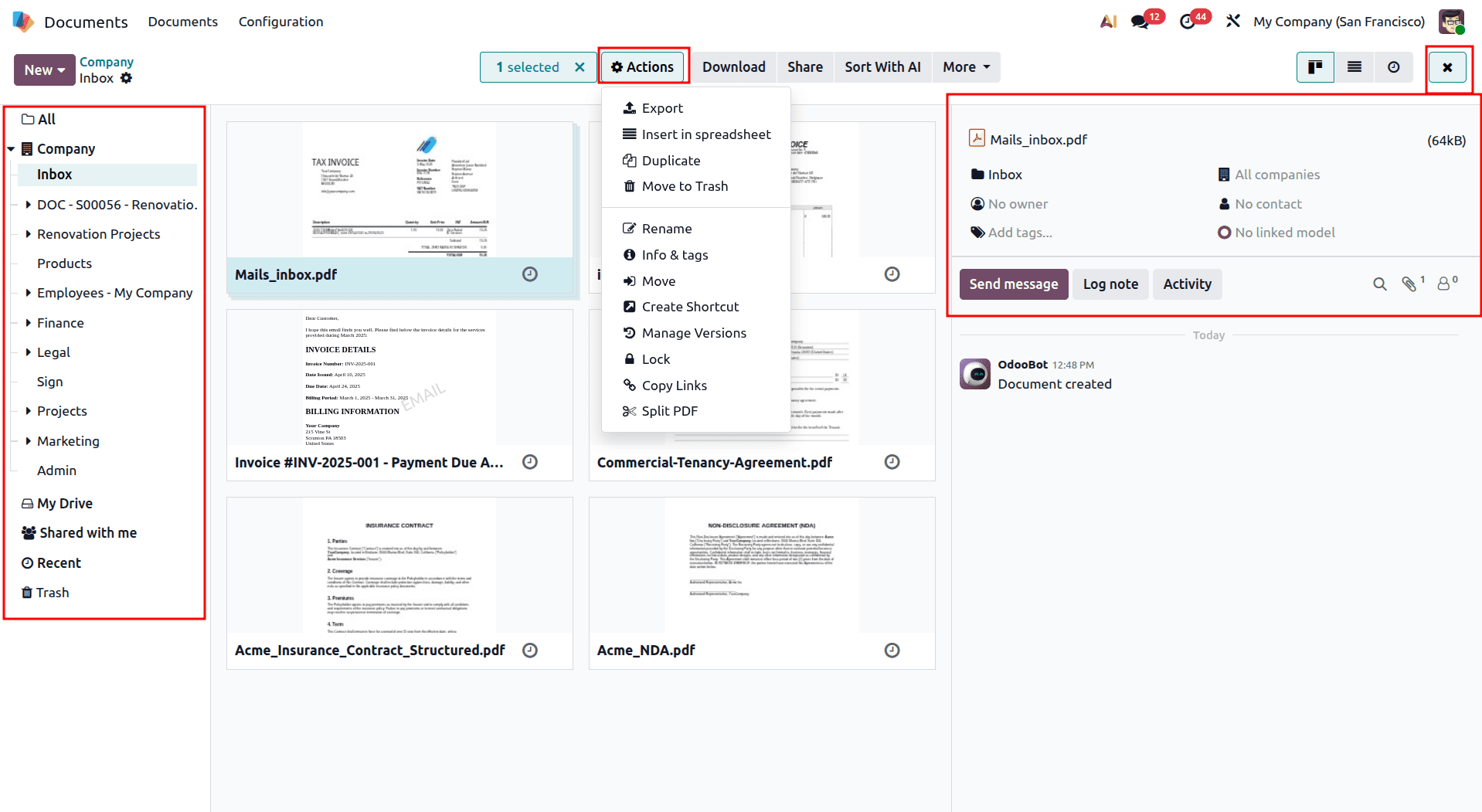
The Odoo 19 Documents interface is designed with a clean and organized three-panel layout that makes document management simple and efficient. The left sidebar provides quick access to different workspaces and sections such as My Drive, Shared with me, and Recent, allowing users to easily navigate through their files.
In the center of the screen, documents will appear as cards that are color-coded with previews and tags for easy recognition and classification. You may also be able to choose several documents and carry out any actions you need.
In the top toolbar, common actions such as share, download, send document to Finance, and sign are located. If one or more documents are chosen, then other actions appear such as rename, duplicate, tag management.
The right-side panel offers information about the chosen document, including owner, activity, and messaging actions. You can make use of search and filters to easily find documents in different workspaces.
All the above-mentioned features are located in one place, which will help Odoo 19 users to manage documents faster and without any navigation.
Files Centralization: Smart Document Organization
Document management is made more efficient in Odoo 19 due to the automatic grouping of files depending on the business purpose of those files. This way, there is no need to sort out and move the files manually to the proper folder. The file will be automatically sent to the proper workspace depending on its business use.
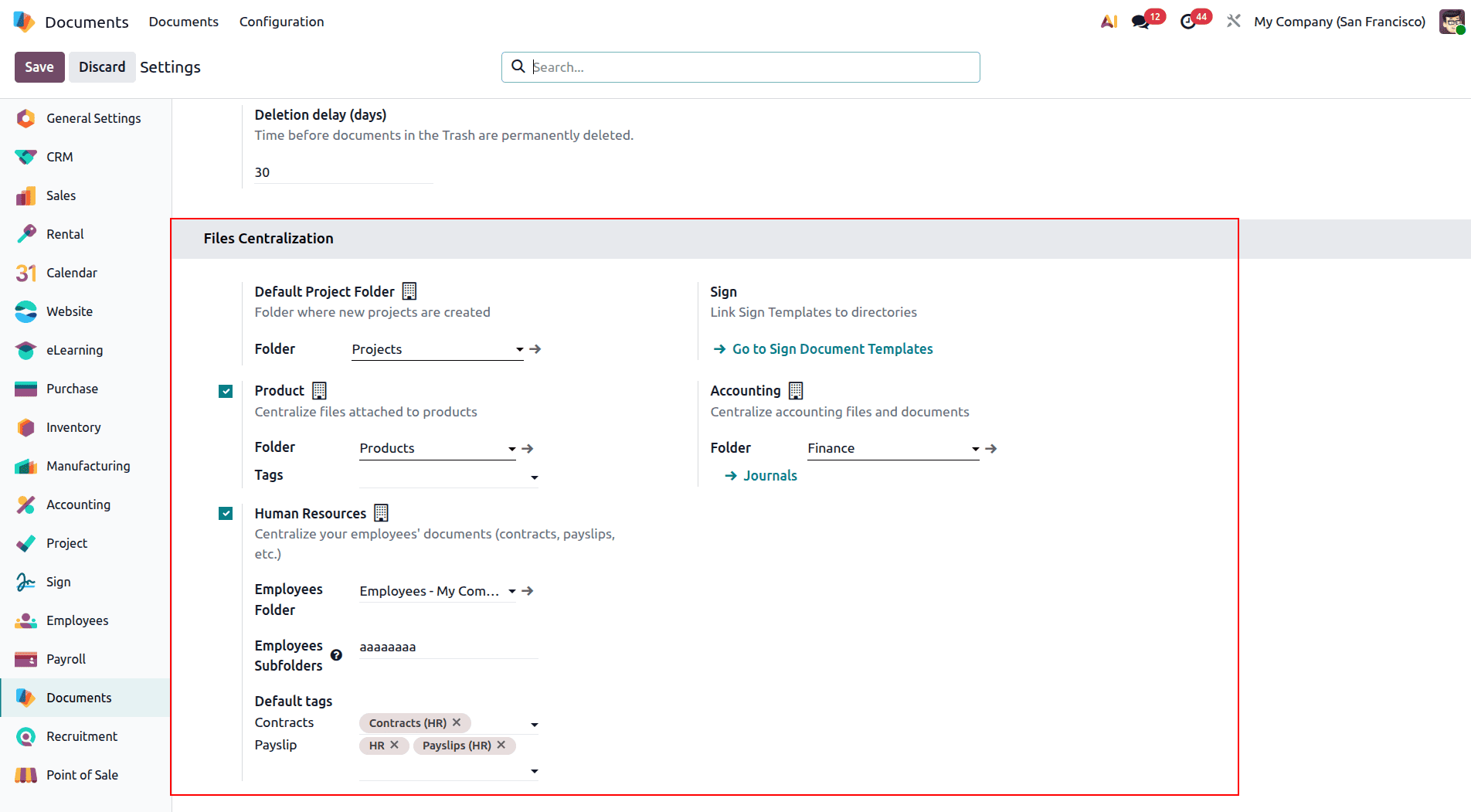
Key Centralization Options
Odoo 19 provides centralization options for different business functions, making it easier to automatically organize documents based on their purpose.
- Human Resources & Payroll: Employee-related documents can be automatically organized into dedicated HR and Payroll workspaces. Pre-configured tags such as “Contracts (HR)” and “Payslips (HR)” help categorize files and make them easier to find.
- Fleet Management: Documents related to vehicles, such as registration papers, insurance documents, and maintenance records, can be stored in a centralized Fleet workspace. Default tags can also be customized according to the company’s requirements.
- Recruitment: Candidate applications and other hiring-related documents can be automatically organized in a dedicated Recruitment workspace, making it easier for HR teams to manage recruitment documentation.
- Spreadsheets & Sign Documents: Spreadsheet files can be organized within the Spreadsheet workspace, while signed documents can be automatically stored based on the configured Sign templates.
- Product, Approvals & Accounting: Product-related files, approval documents, and financial records can be automatically directed to their respective workspaces, helping teams maintain better organization and quick access to important information.
Each of these centralization choices can be made simply by selecting a checkbox. The user can select the destination workspace, set default tags, and create routing rules automatically based on the chosen choice. It will help in keeping consistency in the document structure throughout the organization while minimizing manual effort.
Managing Project Documents in Odoo 19
With Odoo 19, management of documents related to any project has become easier because it will be automatically managed under the Documents module. If document centralization for the project is activated, a specific folder is automatically generated for each project. Thus, it eliminates the manual process of arranging files.
Automatic Project Folder Creation:
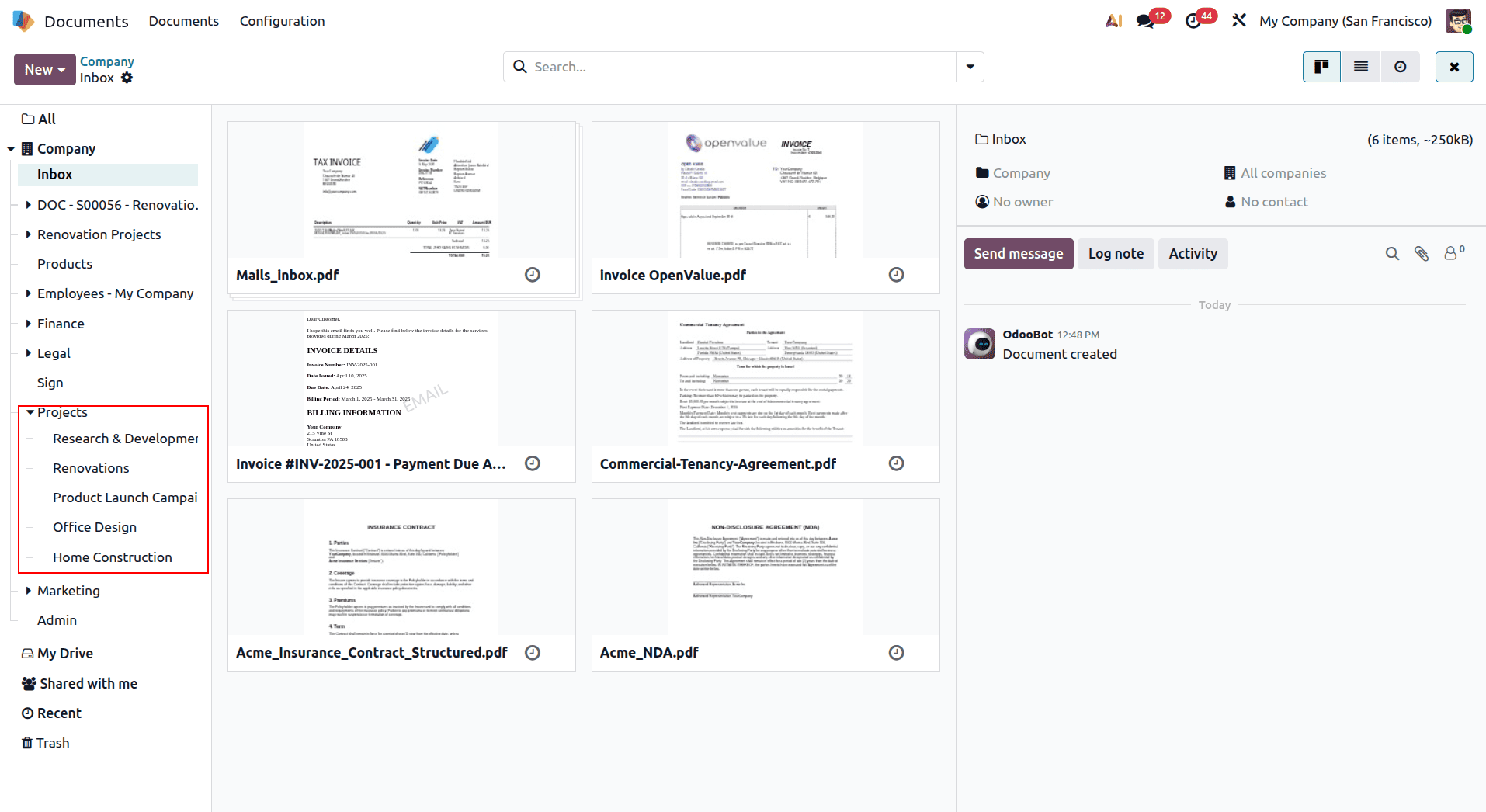
Once the feature is enabled, Odoo automatically creates folders for individual projects in the Documents module. For example, projects such as “After-Sales Services,” “Office Design,” and “Research & Development,” along with folders related to different sales order projects, can appear as separate and well-organized folders. The same project structure is also reflected in the left sidebar, making it quick and easy to switch between projects and access their related documents.
Project Document Configuration:
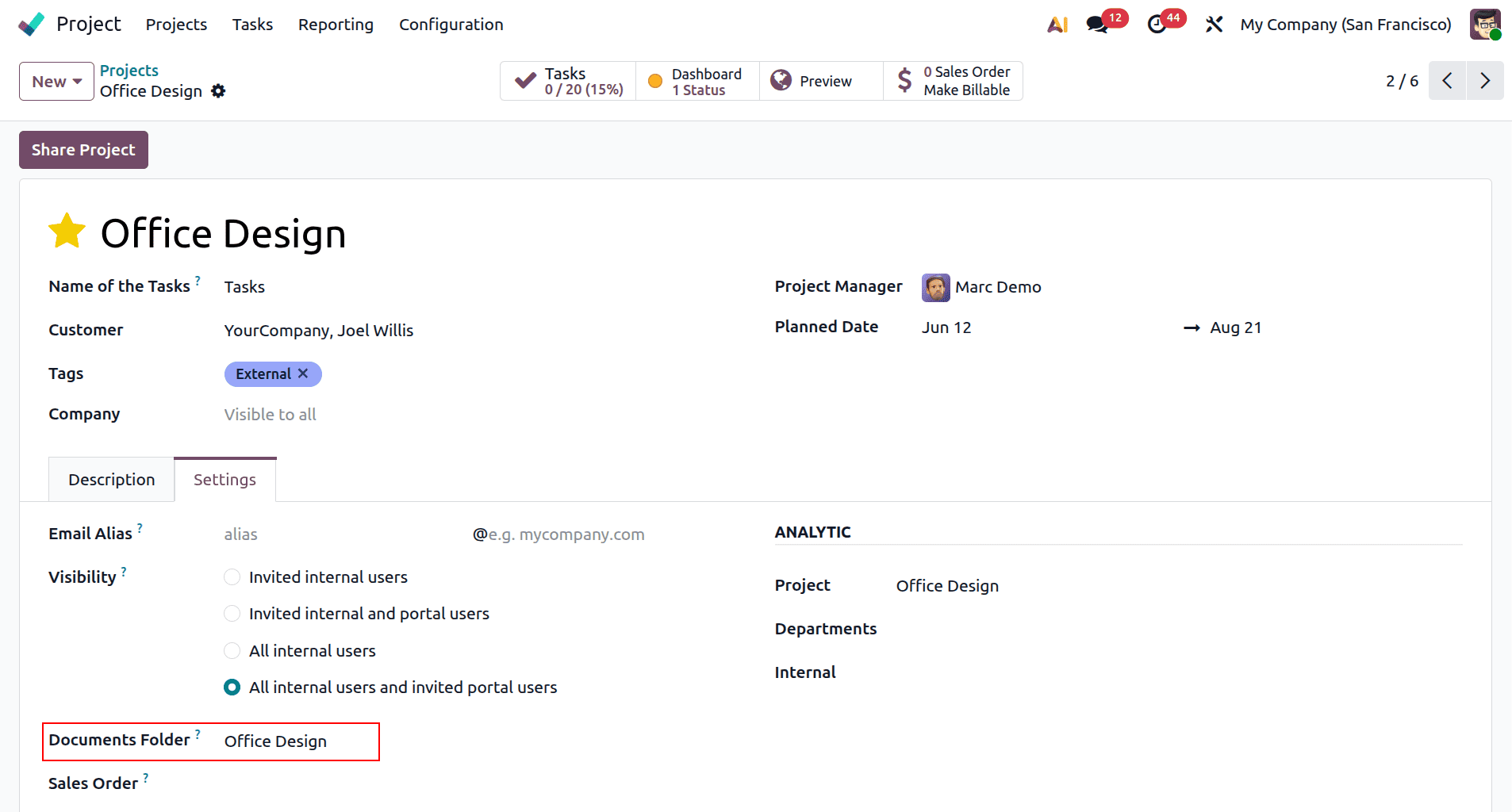
To connect a project with the Documents module, open the project settings and enable the “Documents” option under “Documents & Analytics.” Once enabled, you can select the workspace or folder where the project documents should be stored, such as “Research & Development,” and assign default tags for easier categorization.
With this simple configuration, Odoo automatically links the project with its corresponding document workspace, making it easier for team members to store, organize, and access project-related files from one place.
Real Project Files in Action:
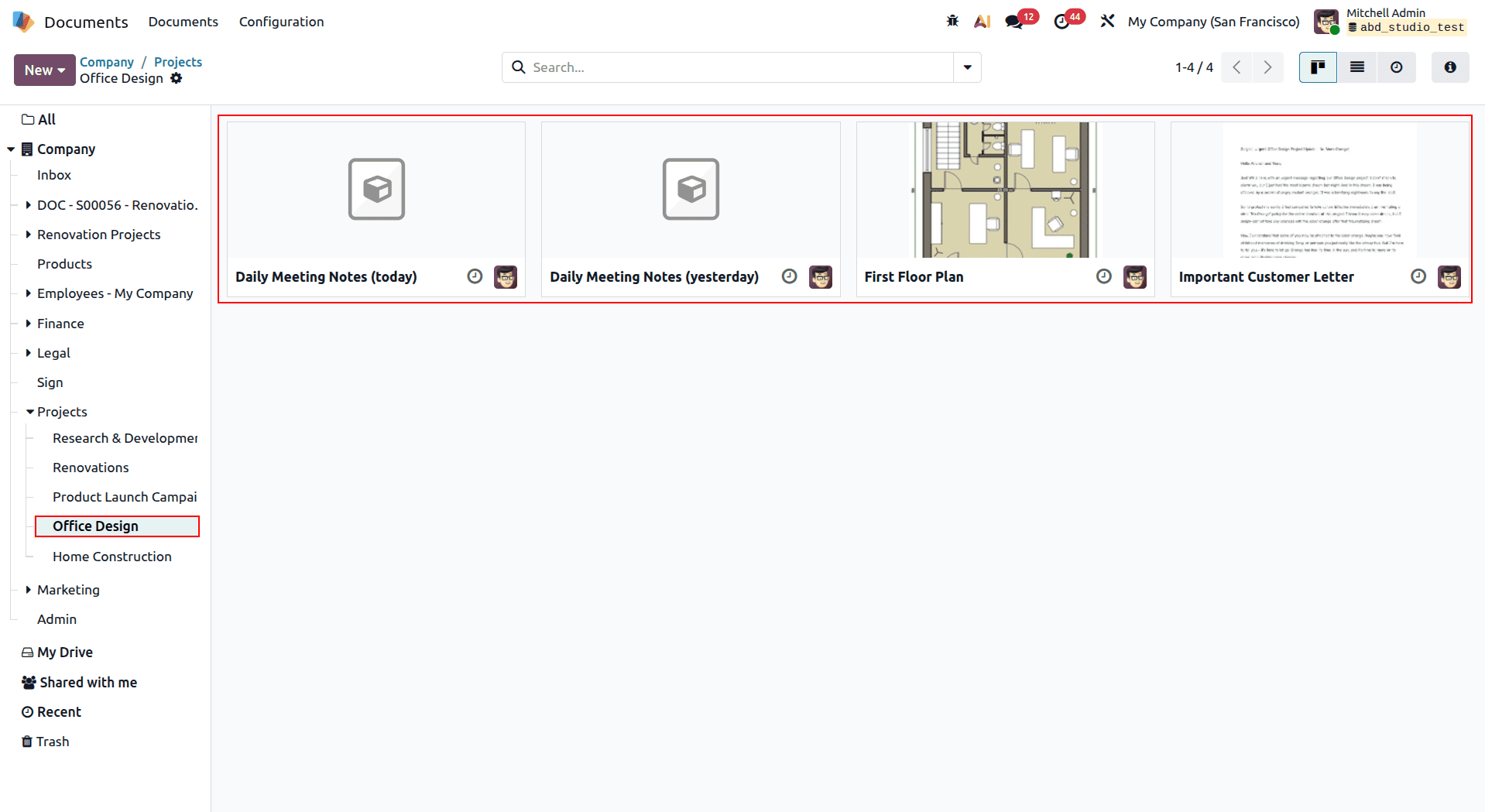
After establishing the project workspace, it will be possible to use it for storing all the files that belong to the specific project. They might include meeting minutes, technical drawings, customer letters, plans, and other documents that are project-related. In this case, the “Office Design” workspace will comprise floor plans and customer letters, which will be located in the document space of the particular project.
Integrated File Access:
Odoo 19 ensures that project documents are readily available within the same project. Under the “Files” tab, the relevant documents are shown with thumbnails and can be readily downloaded and viewed by the relevant parties. Documents can also be uploaded via the “Attach files” button from the same project. This ensures that all project documents are attached to their respective projects.
Managing HR Documents in Odoo 19
Handling all employee-related documentation is made easy using Odoo 19 because of its document centralization. With HR document centralization in effect, all the documents relating to HR can be automatically sorted into workspaces. This enables HR teams to have a place where they can manage all their documentation.
HR Document Configuration:
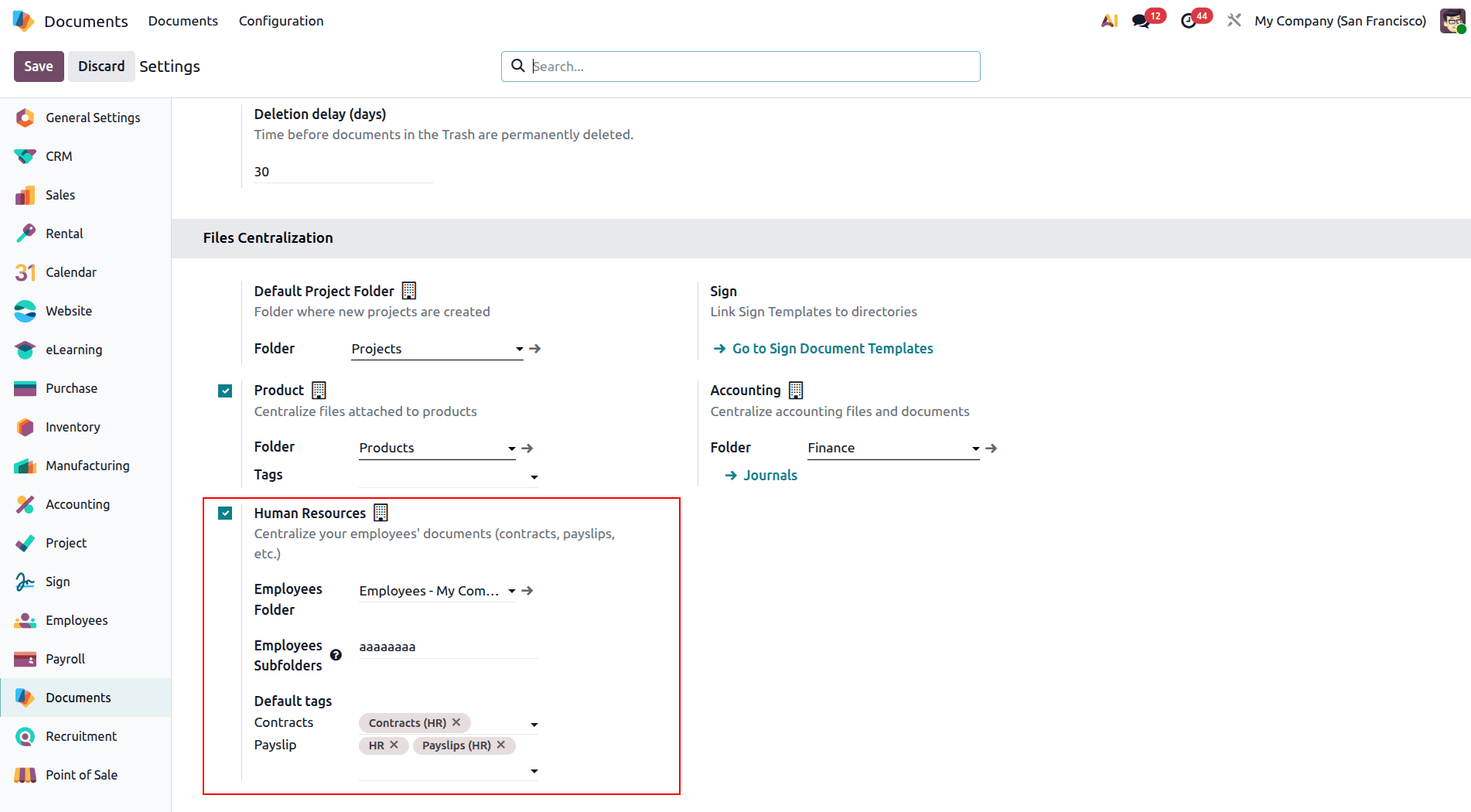
For the File Centralization features, the "Human Resources" feature can be turned on to separate employee and payroll files. Users can create "HR" workspaces where the employee documents can be kept, and another "Payroll" workspace can be created for the payroll documents.
The Odoo software is capable of setting up default tags for automatic categorization of the documents. Some of the default tags that can be set include “Contracts (HR)” and “Payslips (HR)” to easily differentiate and organize employee files.
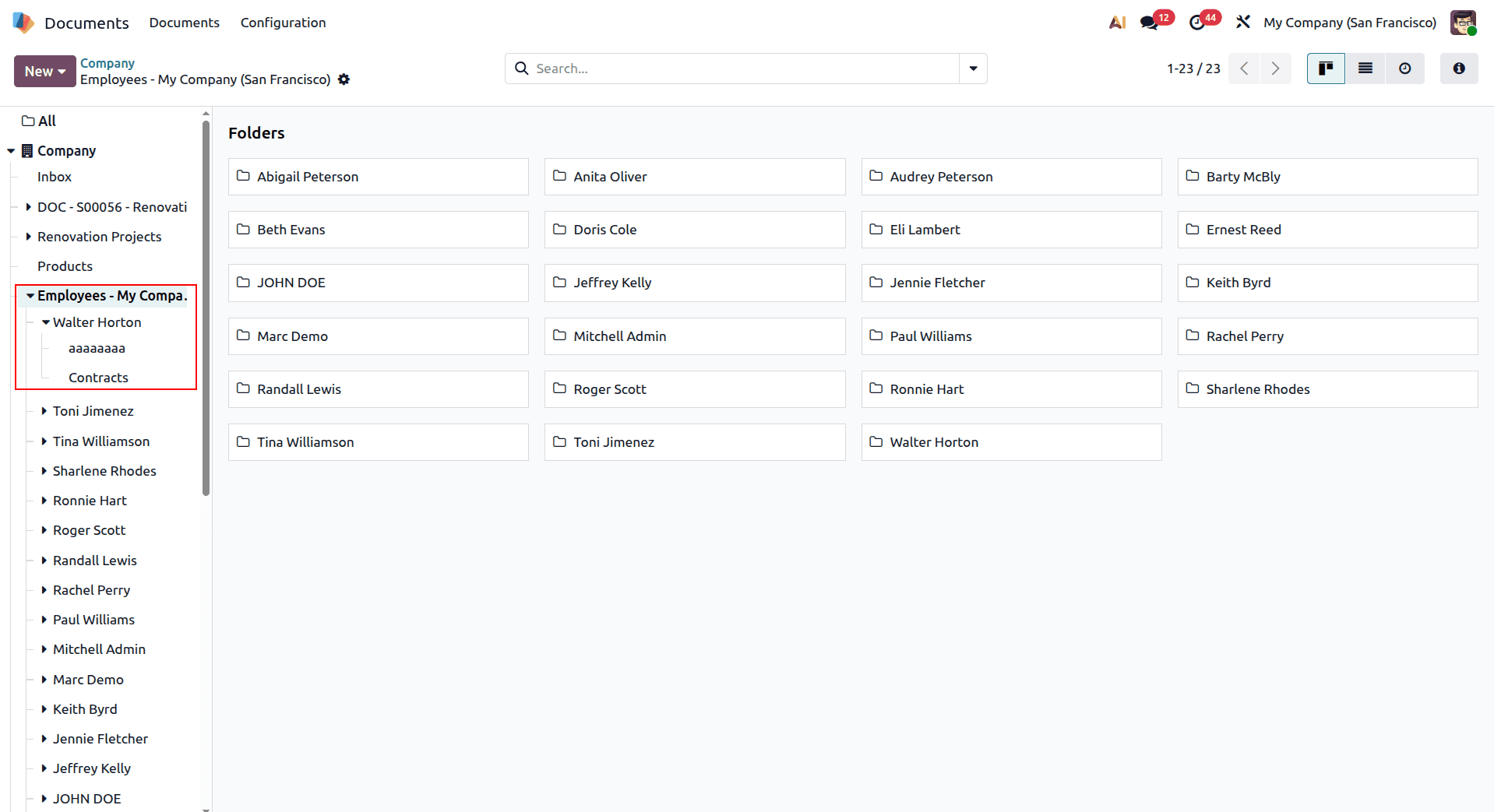
HR Workspace Structure: The HR workspace displays as organized folders with the main "HR" section expanding to show sub-categories like "Payroll" and "Recruitment." This hierarchical structure mirrors how HR departments naturally organize their work, with payroll documents getting their own space while recruitment materials remain distinct from general employee files.
Payroll Document Organization:
When payroll centralization is enabled in Odoo 19, the system automatically creates a dedicated “Payroll” folder within the HR workspace. This provides a central location for managing salary-related documents such as payslips, salary structures, tax records, and other compensation files.
Keeping these documents in a separate workspace helps maintain a clear and organized document structure while ensuring that sensitive payroll information is accessible only to authorized users. This makes it easier for HR and payroll teams to find the documents they need while maintaining better control over employee compensation records.
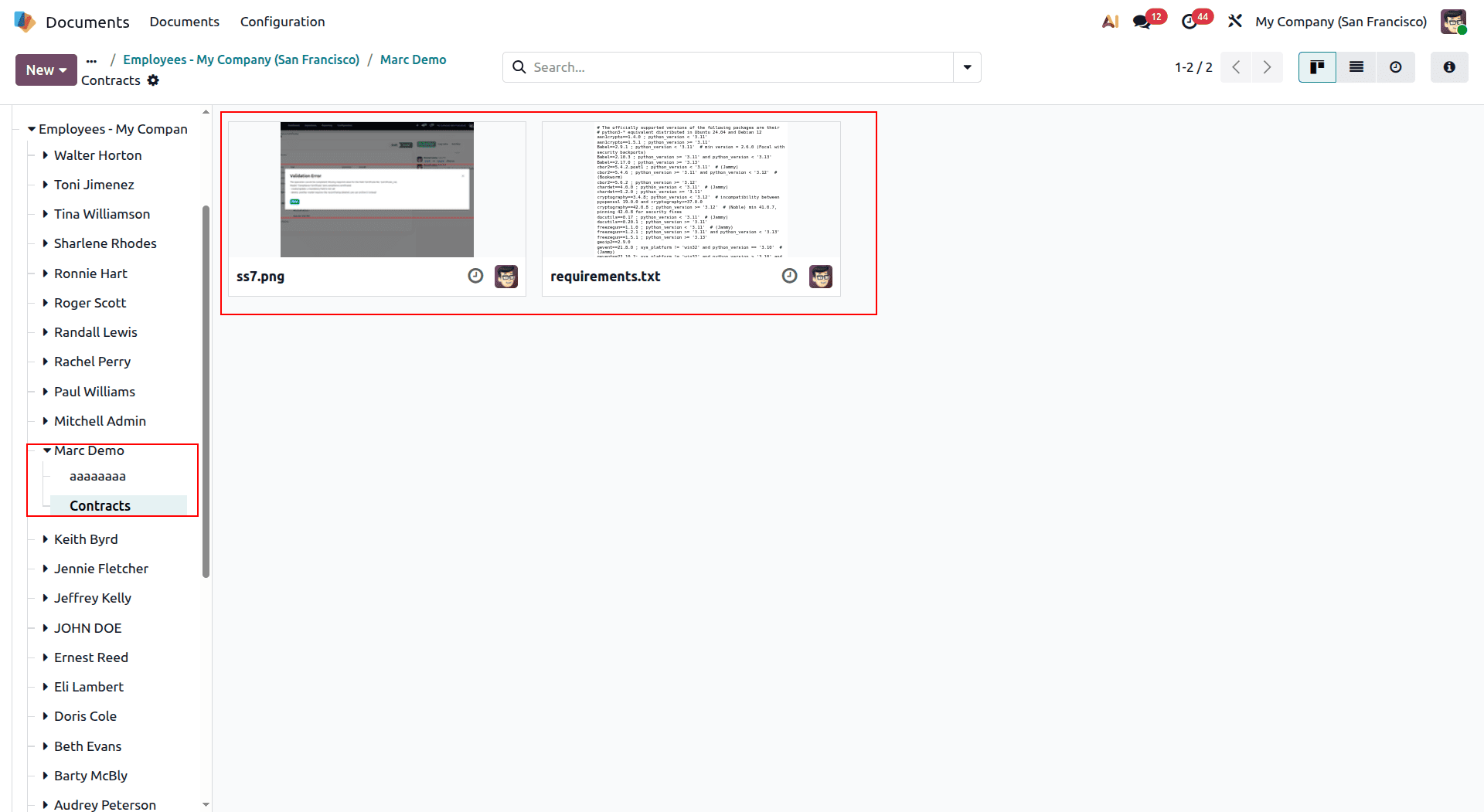
As shown below, the uploaded payroll document is displayed in the dedicated Payroll folder, making it easy for authorized users to access and manage salary-related files.
Employee Document Integration
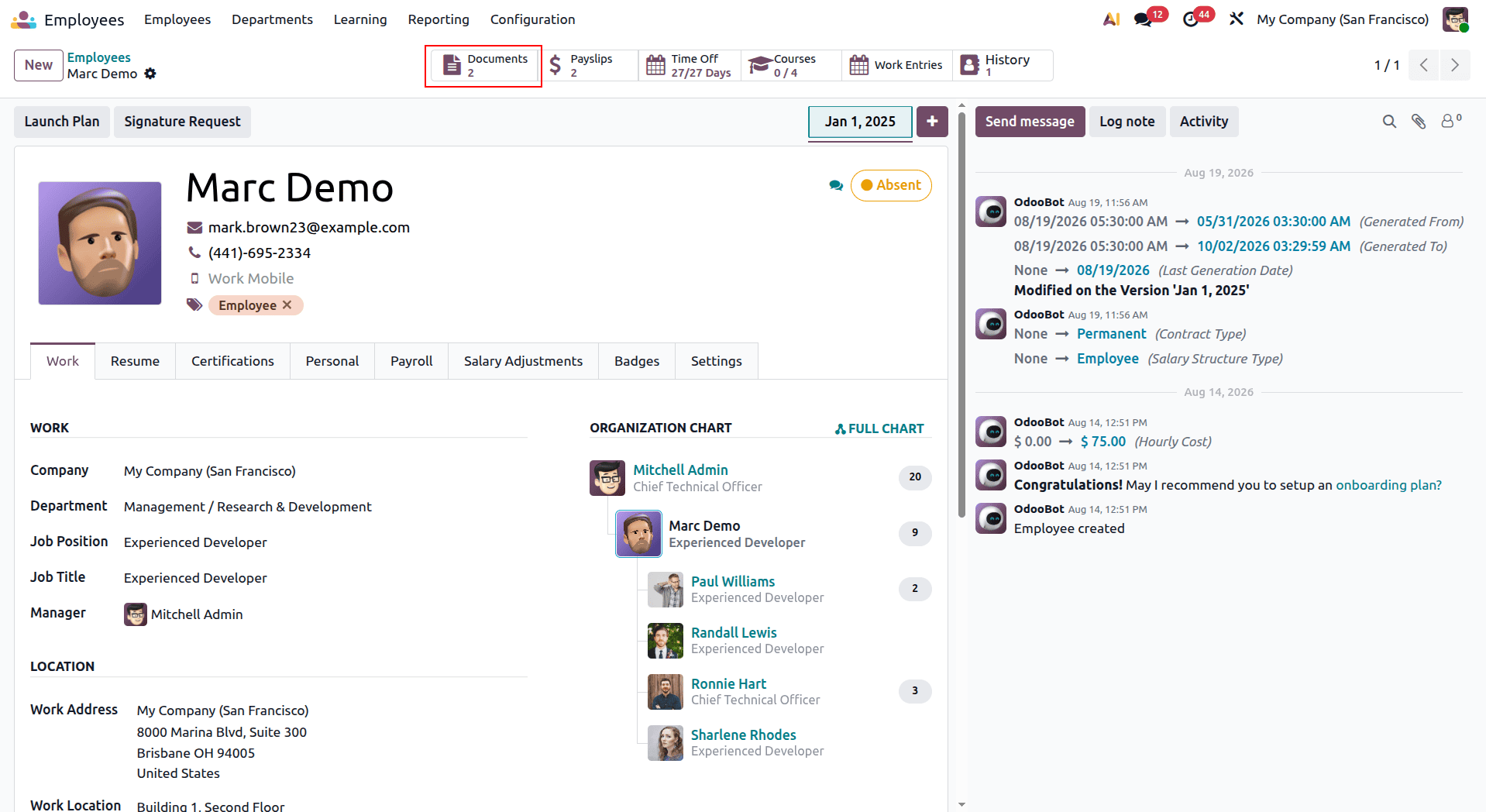
Odoo 19’s HR document centralization keeps employee-related files connected to the relevant records across the system. Documents such as employment contracts can be linked directly to employee profiles, while payslips and other payroll documents remain connected to the payroll process.
This integration allows HR teams to access the documents they need directly from employee records, payroll screens, or recruitment workflows. By keeping documents connected to their respective business records, Odoo reduces the need to switch between different sections and makes everyday HR document management more efficient.
Managing Product Documents in Odoo 19
Odoo 19 makes it easier to keep product-related documents organized by bringing them together in a centralized workspace. Product specifications, images, technical documents, brochures, and other marketing materials can all be managed from one place. When product document centralization is enabled, product-related files can be connected directly to the corresponding products, making them easier to access from the product catalog and related sales processes.
Product Document Configuration
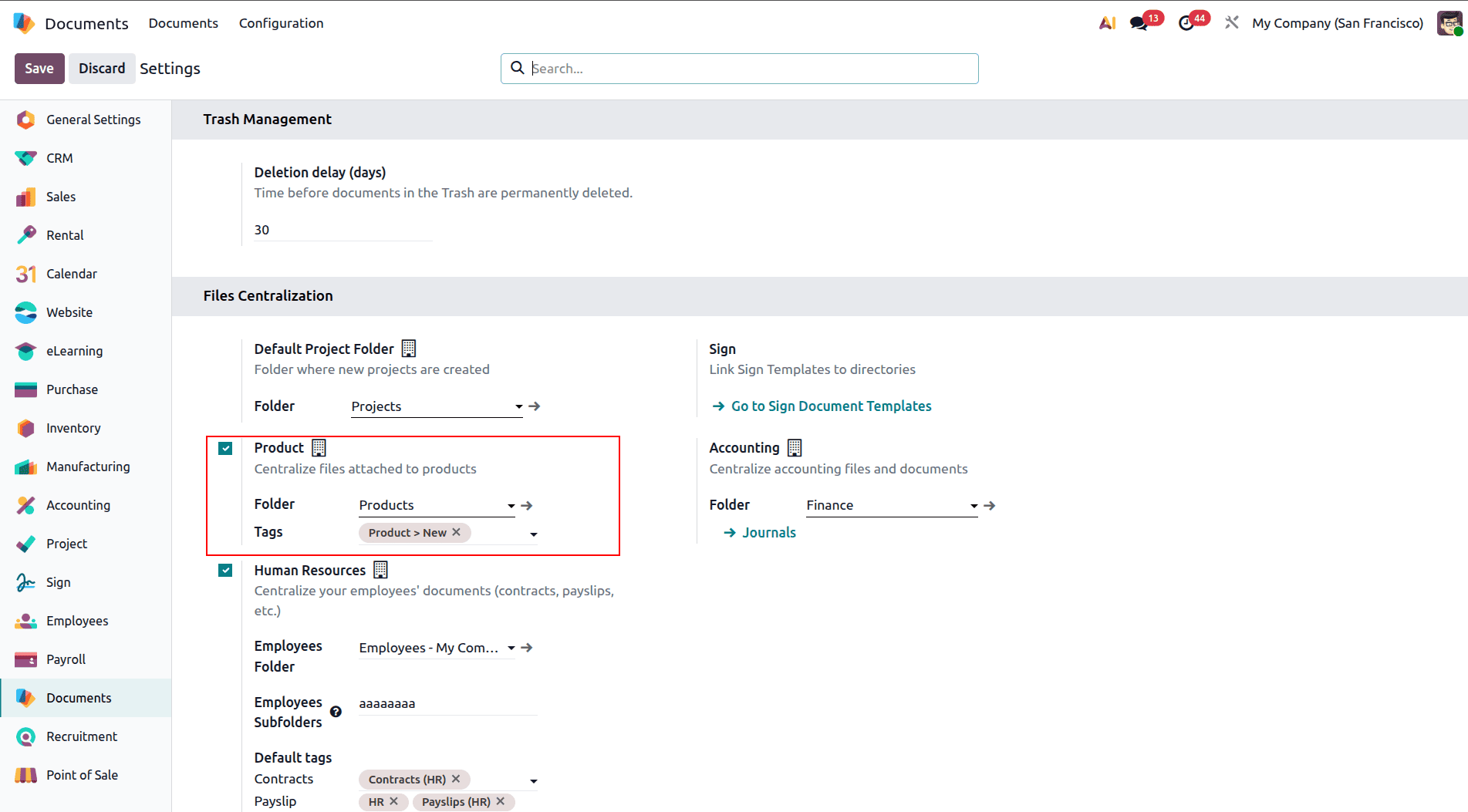
With Files Centralization options, choosing the “Product” selection allows you to organize files that are added to your product to a particular workspace called "Products". You also have the ability to create a default tag name like “Product > New,” which will be automatically tagged when new files are added to the product.
The above process helps in having a uniform way to classify your product files.
Product Workspace Organization
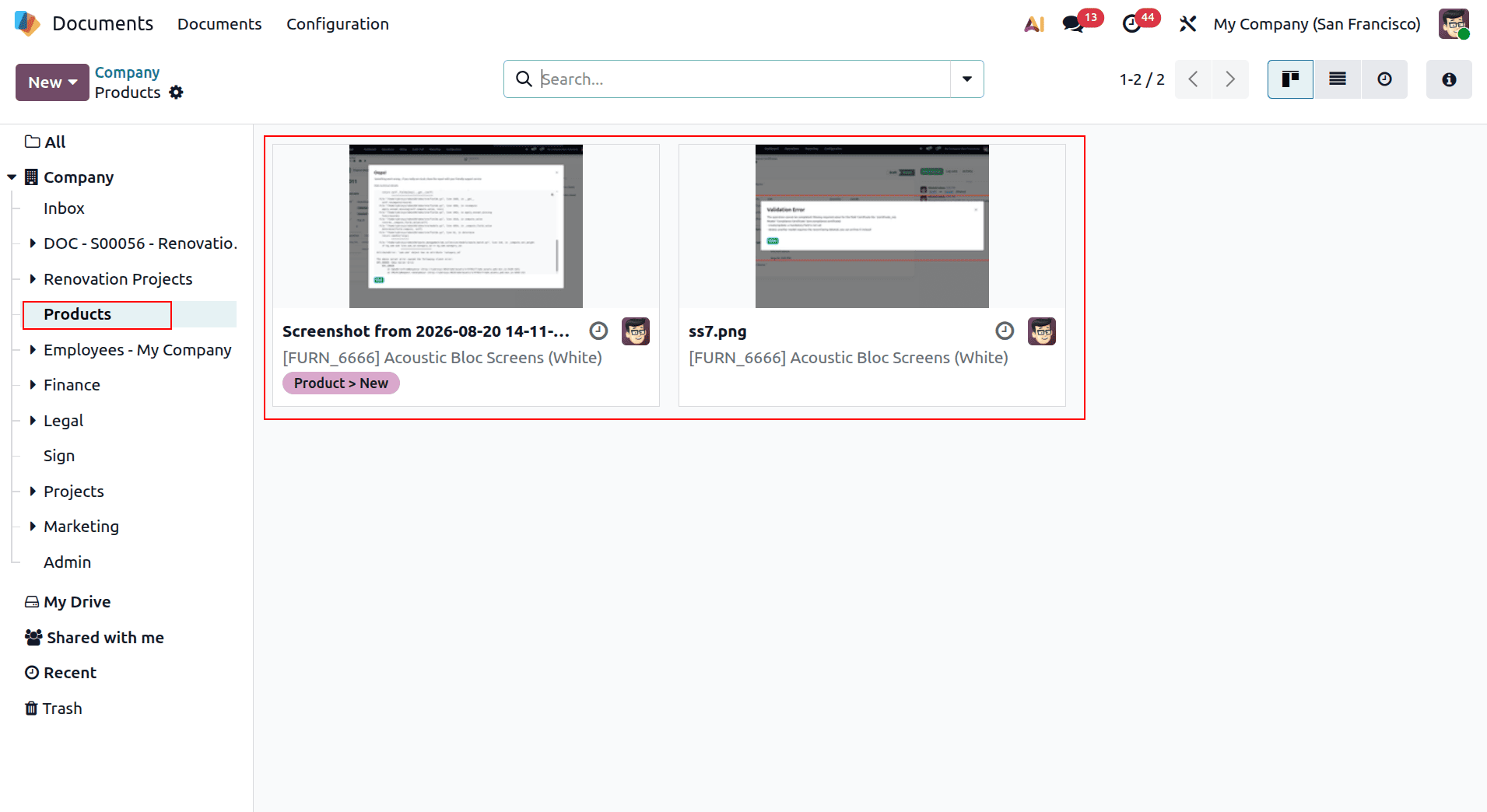
After the setup of the product document centralization process, a new workspace named “Products” becomes accessible as a separate folder in the Documents module.
This module can be used as the central repository where all product-related documents can be stored and managed. The sidebar on the left side features the “Products” tab, whereas the content area presents all the documents available there as a set of cards with their previews and tags.
Integrated Product File Management
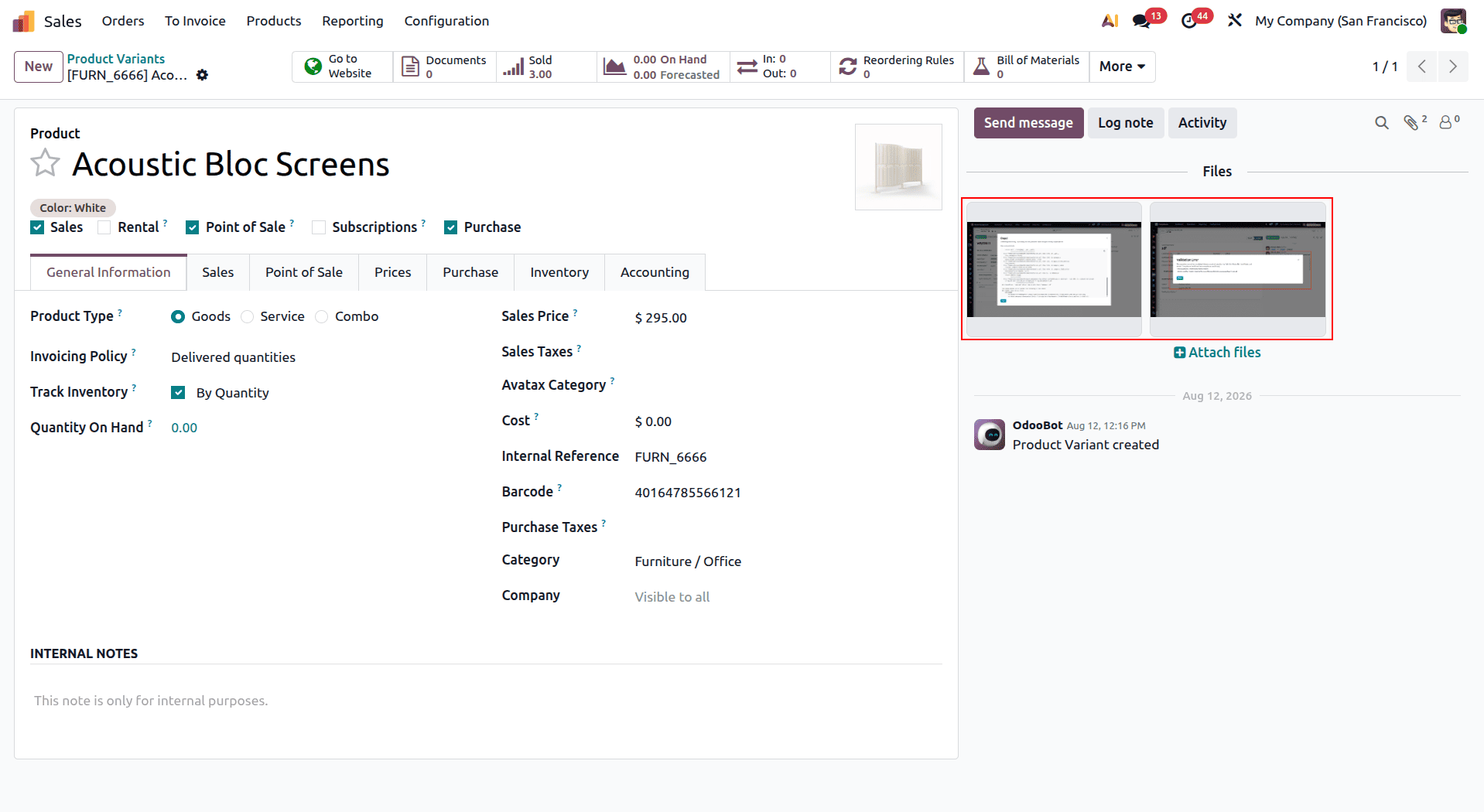
Odoo 19 connects product documents directly with individual product records, making supporting files easy to access when needed. Each product includes a “Files” section where associated documents are displayed with thumbnail previews and download options.
Team members can also add new documents directly from the product interface using the “Attach files” button. This keeps product specifications, images, technical documents, and other supporting files linked to the relevant product, making document management more convenient and organized.
Cross-Module Document Access
Product-related documents in Odoo 19 can be accessed from different areas of the system, making them available wherever they are needed. For example, in the Sales module, the “Documents” button displays the number of files attached to a product, allowing users to quickly access the relevant documentation.
This integration is especially useful for sales teams, inventory managers, and product teams, as they can access product-related files directly from their regular workflows without having to switch to a separate document management system.
Benefits of Product Document Centralization
Product document centralization helps keep specifications, images, technical documentation, and other product files consistently organized and tagged within their respective product contexts. By keeping these documents connected to the relevant products, teams can access important information quickly during sales, inventory, and product management activities.
The centralized approach also helps maintain better control over product documentation, reduces unnecessary searching, and ensures that employees can work with the latest available information across different business processes.
Managing Accounting Documents in Odoo 19
The Odoo 19 software makes management of financial documents easier by providing a place where accounting documents can be placed together. With the option of accounting document centralization, invoices, receipts, and other financial documents can be automatically sorted in the Finance workspace. This gives an easy platform for managing documents for the accounting department.
Accounting Document Configuration
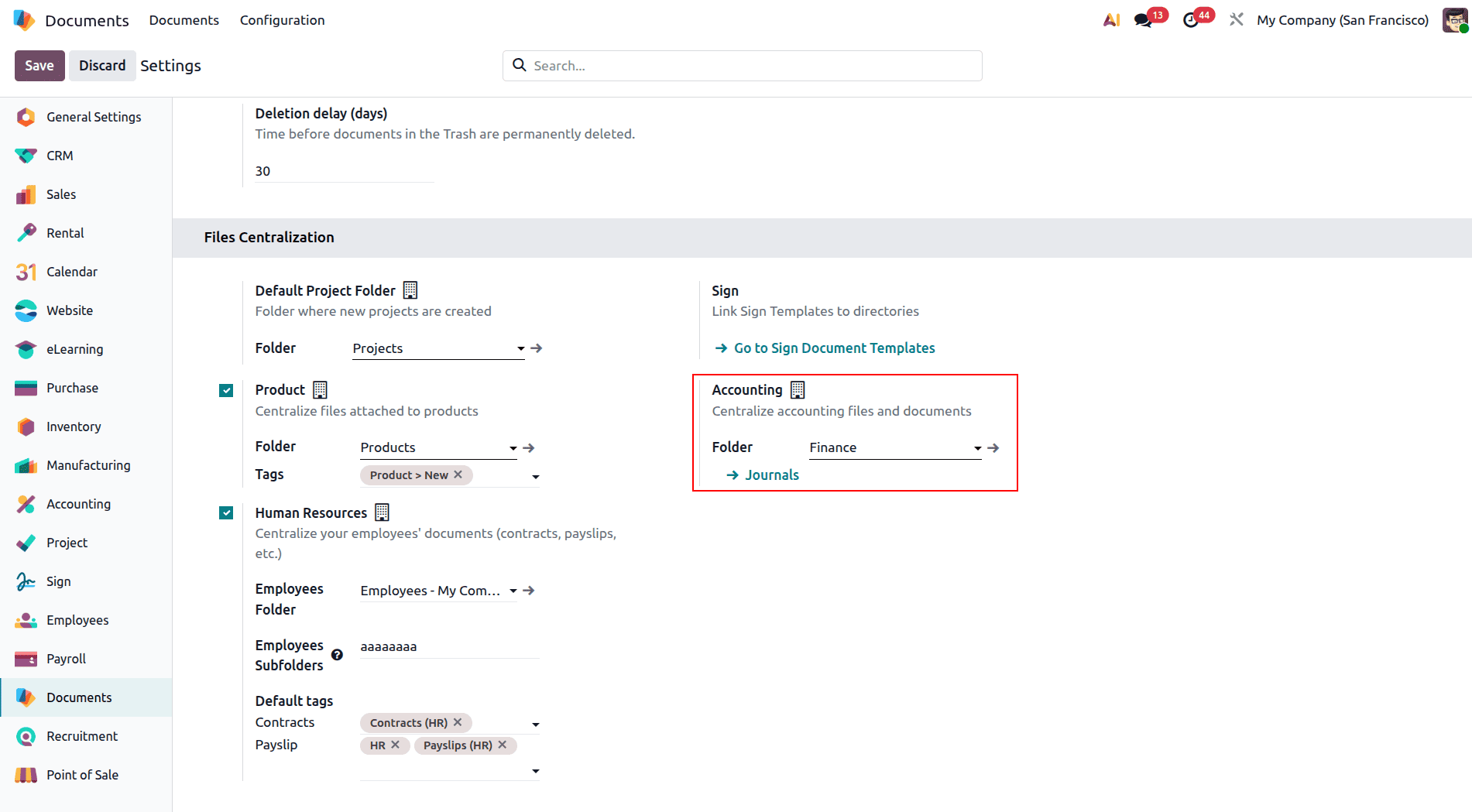
In the Files Centralization settings, enabling the “Accounting” option allows accounting-related documents to be centralized in a designated “Finance” workspace. The configuration also provides a direct link to “Journals,” connecting the Documents module with Odoo’s accounting journals.
It will help ensure that the financial transactions remain linked with their respective documentation, which makes it easy for the accountants to access and handle such records.
Finance Workspace Organization
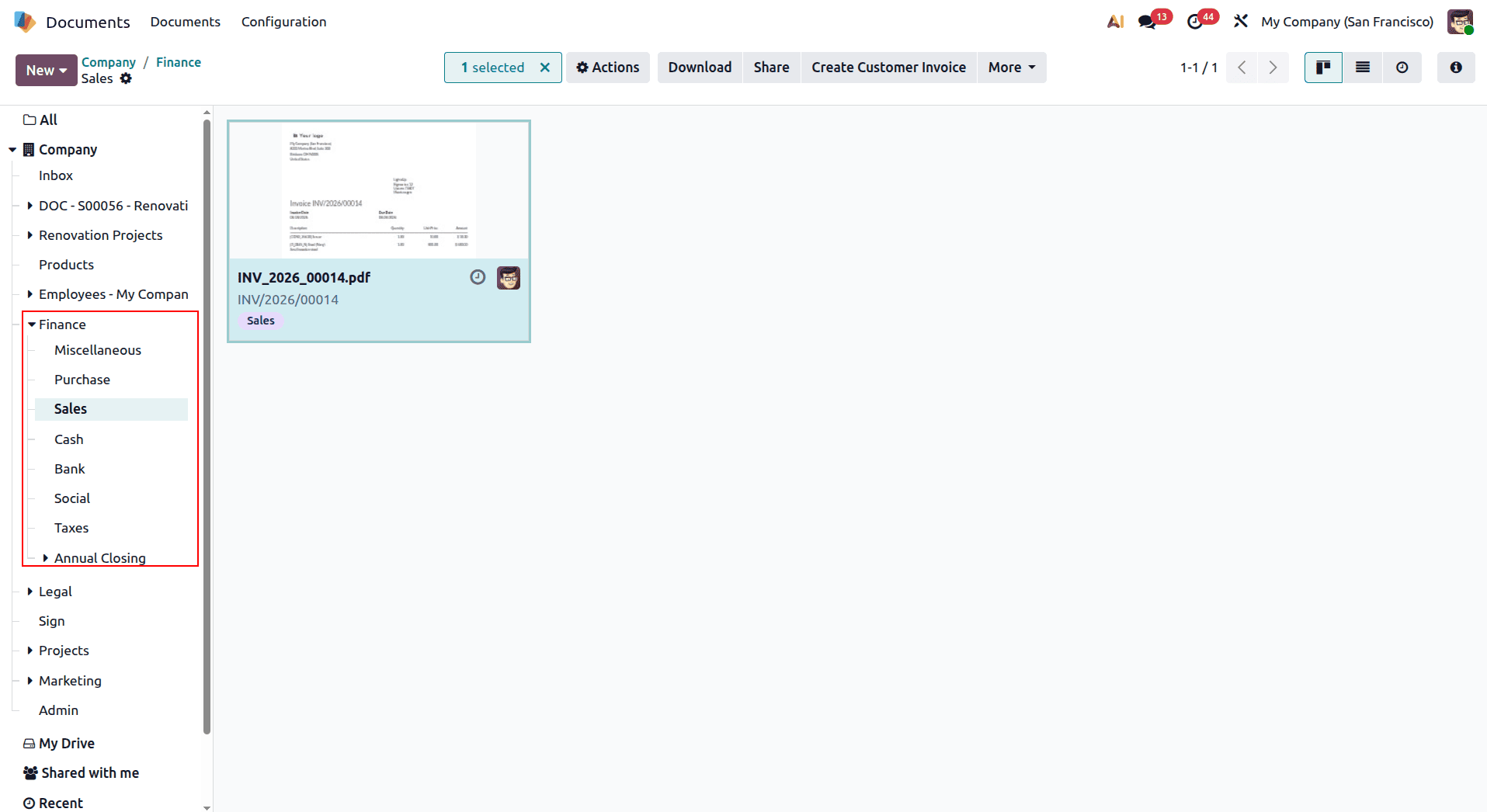
Once accounting document centralization is configured, the Finance workspace provides a dedicated location for managing financial documents. Files can be organized using categories, status indicators such as “Validated” and “To Validate,” and other workflow-related tags, making it easier to track documents throughout the accounting process.
There may be several kinds of financial documents in the workspace, which include invoices, bills from suppliers, agreements, and others. Having visual previews and links to accounting documents, it is easier for users to access the document and relate it to financial operations. It helps to organize accounting documents and streamline the process of document management.
Integrated Invoice Document Management
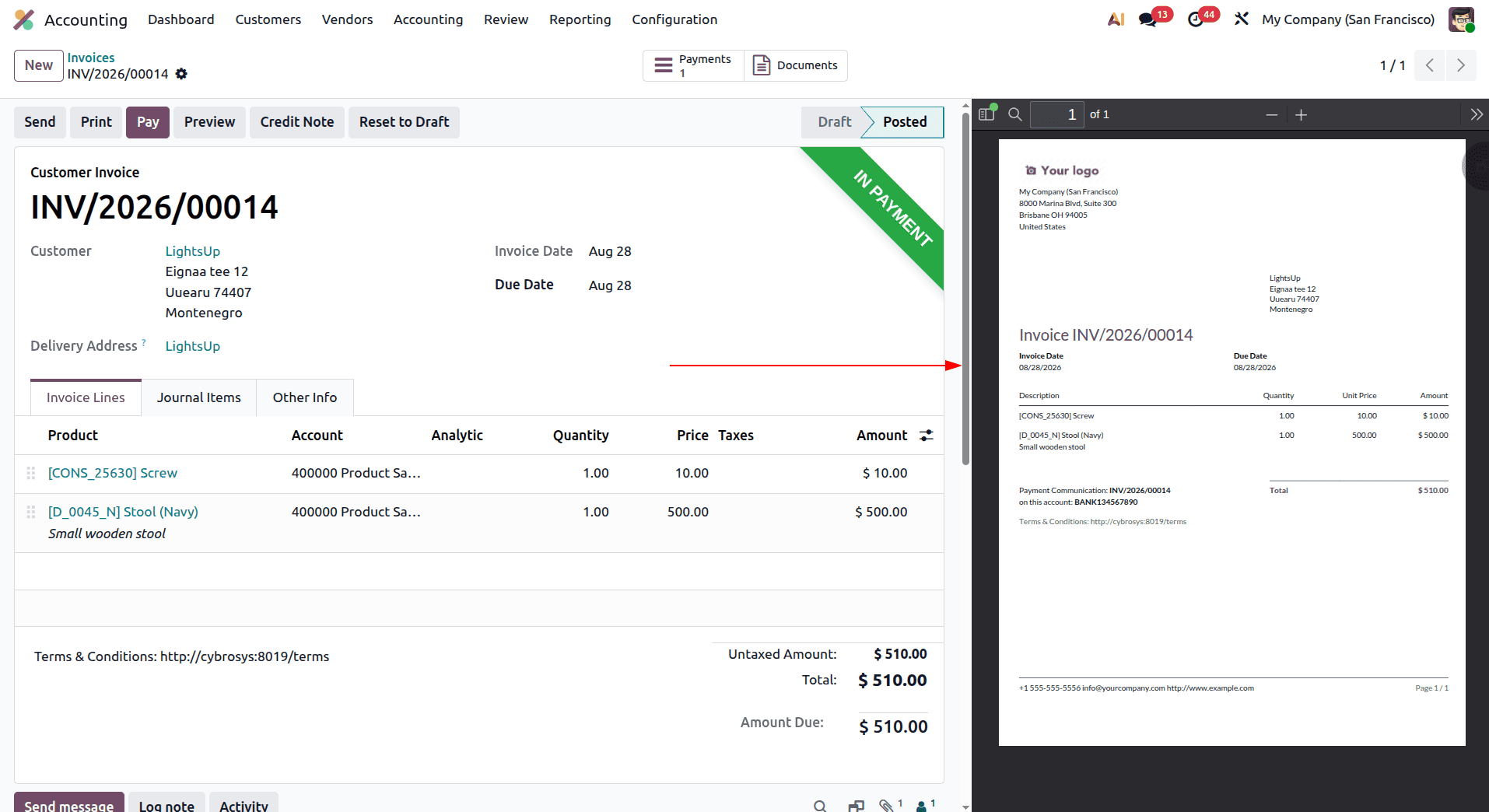
Odoo 19 integrates document management directly into accounting workflows, making it easy to access files related to individual invoices. When viewing an invoice in the Accounting module, the “Documents” button provides quick access to the files associated with that accounting record.
Documents can also display their related invoice numbers, making it easy to identify which transaction they belong to. Tags such as “Financial” and “Sales” can be used to categorize these files, helping accounting teams keep documents organized and making it easier to locate the right records when reviewing or managing invoices.
Journal Synchronization System:
Odoo 19’s accounting document centralization also connects accounting journals with the Finance workspace. Customer invoices and other journal entries can be linked with their related documents, helping ensure that supporting files are stored and organized alongside the corresponding financial transactions.
This connection makes it easier for accounting teams to trace transactions back to their supporting documentation. With proper tagging and centralized storage, businesses can maintain a clearer financial document trail and simplify document review, auditing, and compliance-related activities.
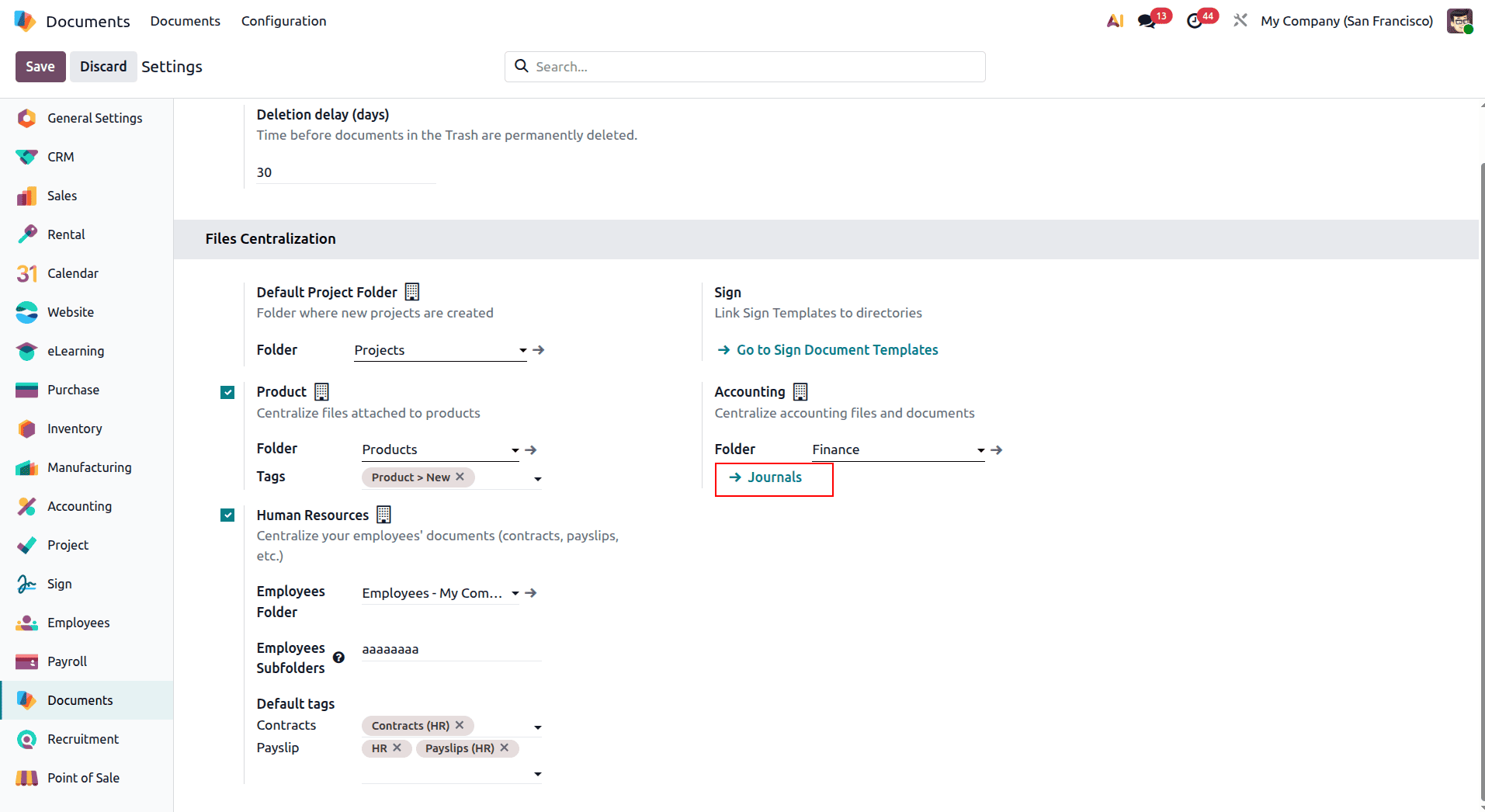
In the Documents folder, you can select a specific journal to determine which journal-related documents are displayed. This makes it easier to view and manage documents associated with a particular accounting journal.
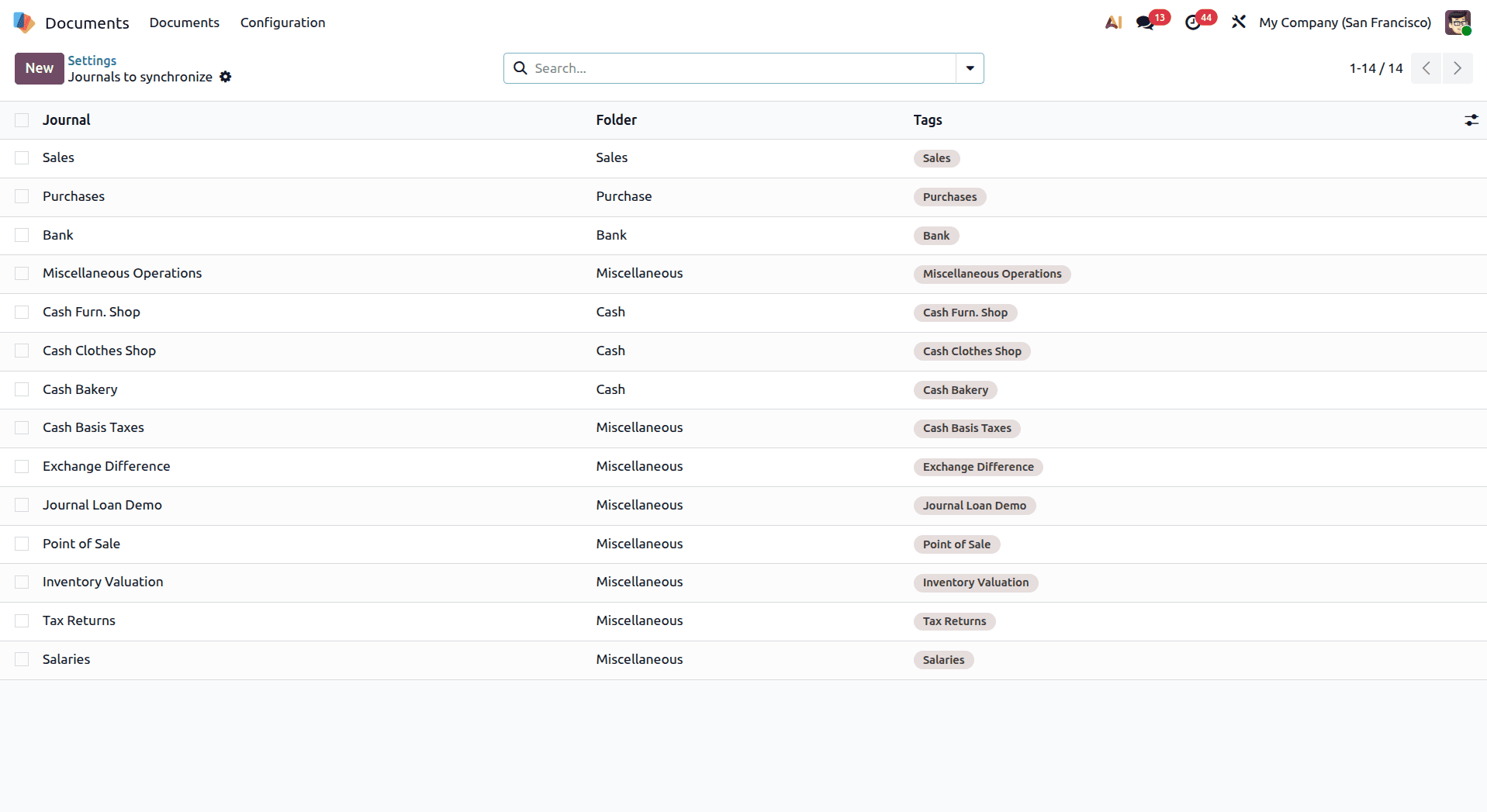
As shown below, documents related to Customer Invoices are displayed in the Finance folder based on the configured journal settings. This makes it easy to access and manage invoice-related documents directly from the Finance workspace.
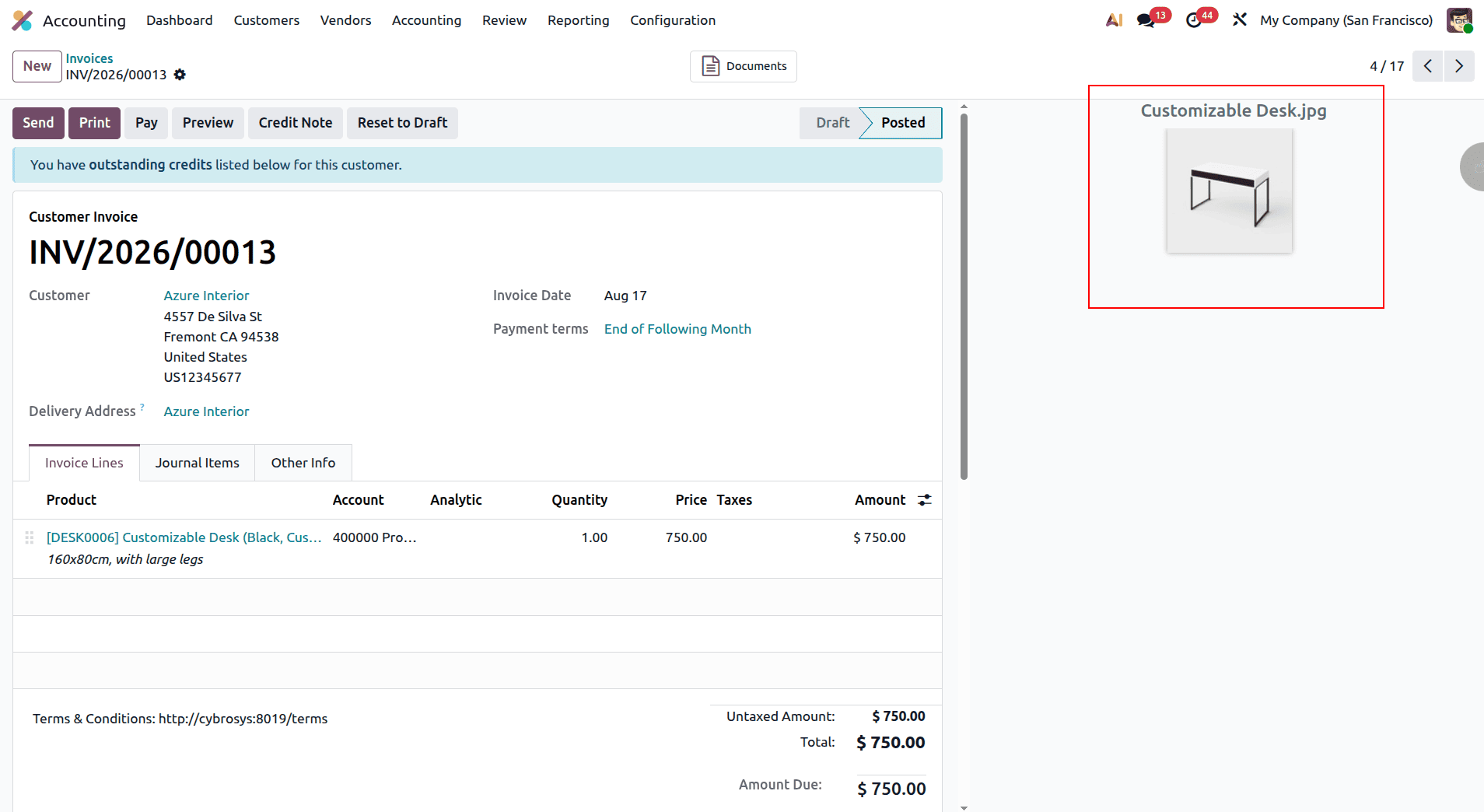
The uploaded document is now displayed in the Documents folder, where it can be easily accessed and managed.
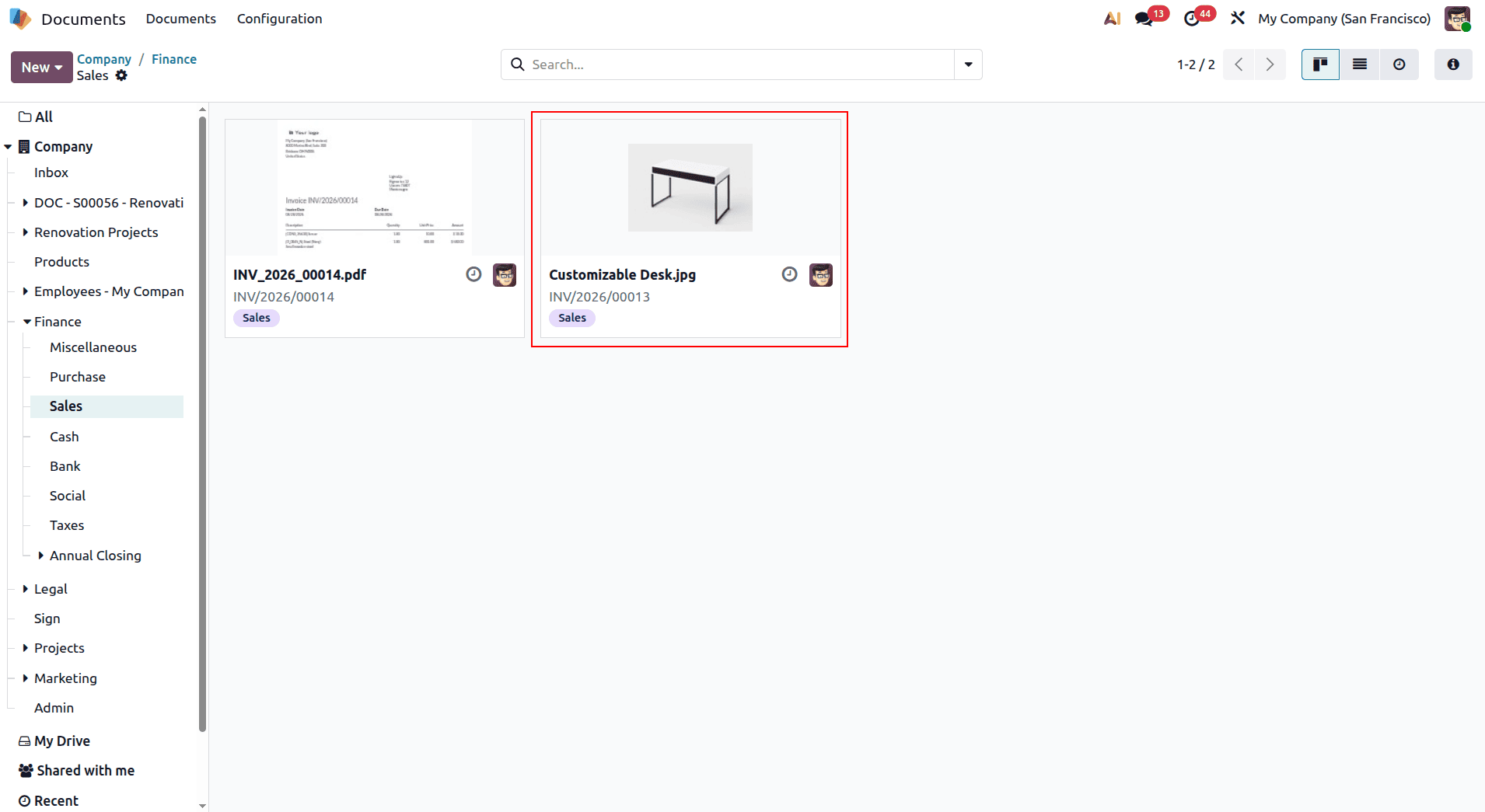
Benefits of Accounting Document Centralization
The centralization of accounting documents in Odoo 19 will aid in ensuring that the financial documents are organized and easily accessible. Accounting documents such as invoices and receipts will be stored in the Finance workspace with the use of correct tagging and status. Centralized storage will help in ensuring that a good record trail is maintained for financial audits.
The linking of documents with accounting journals and transactions will make it easy to access documents relating to the financial entries.
Managing Spreadsheet Documents in Odoo 19
The centralization of accounting documents in Odoo 19 will aid in ensuring that the financial documents are organized and easily accessible. Accounting documents such as invoices and receipts will be stored in the Finance workspace with the use of correct tagging and status. Centralized storage will help in ensuring that a good record trail is maintained for financial audits.
The linking of documents with accounting journals and transactions will make it easy to access documents relating to the financial entries.
Spreadsheet Centralization Configuration
This provides a single repository for calculation sheets, data exports, and analysis documents, helping users maintain a more organized document structure while keeping important business information easily accessible.
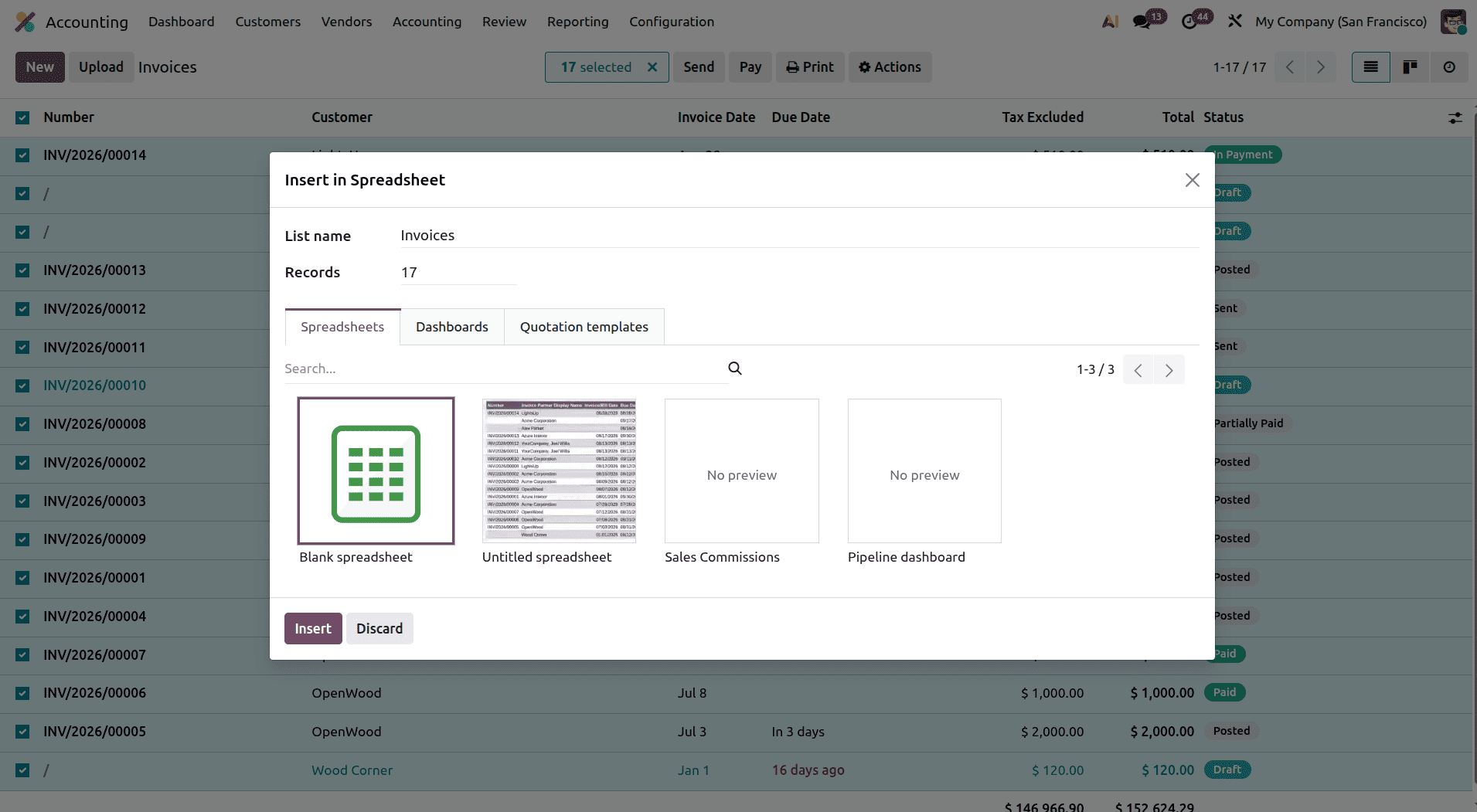
Dynamic Spreadsheet Generation: Odoo 19 integrates spreadsheets directly with business operations. For example, in the Sales module, users can select one or more sales orders and use the “Insert in spreadsheet” option to export the selected data into a spreadsheet. This makes it easier to analyze and work with sales information without having to manually enter or transfer the data.
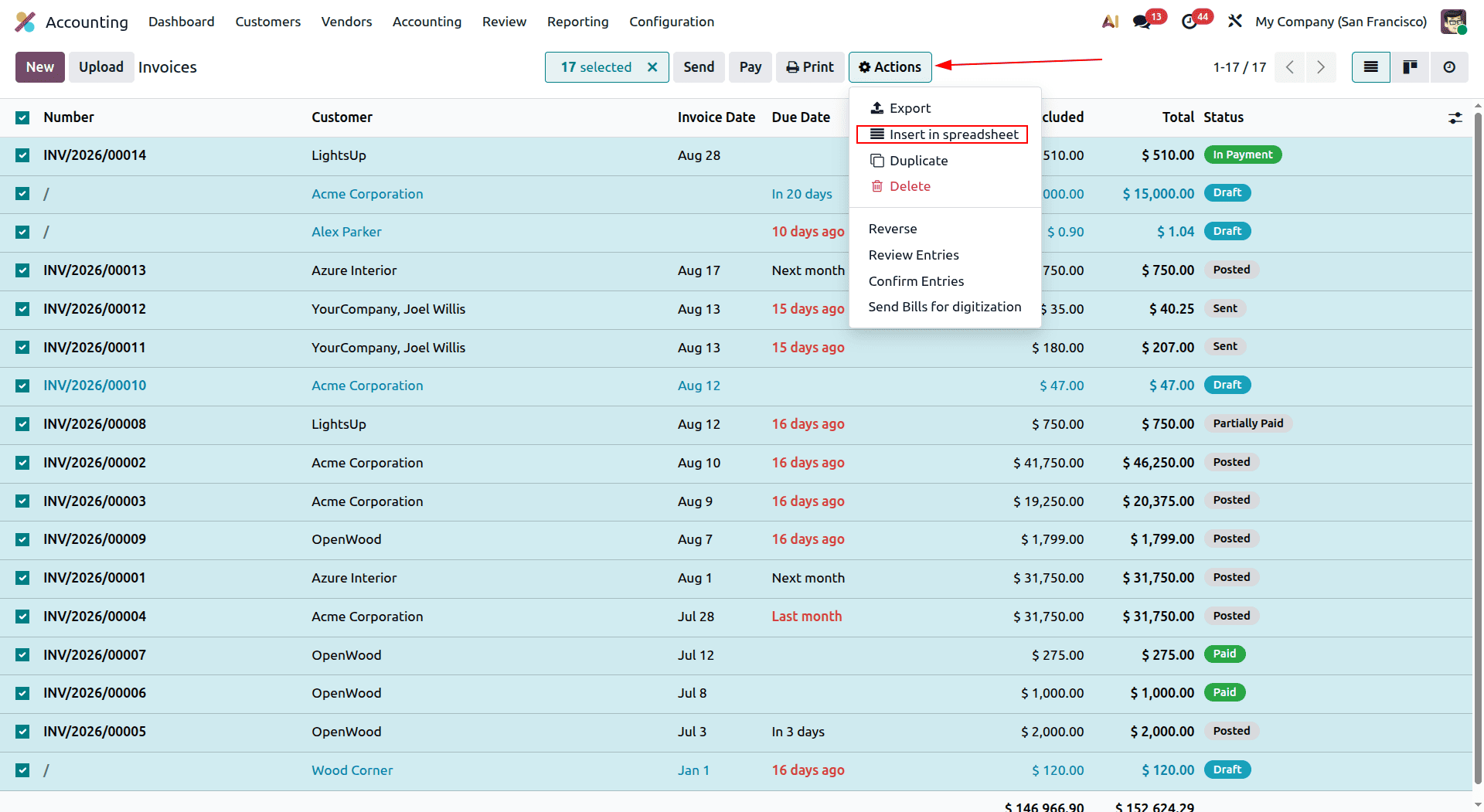
There are various template types that users can opt for according to their needs like "Blank Spreadsheet," "Pipeline Dashboard," or "Sales Commissions." In addition to this, the user can set how many records he/she wants to add in the spreadsheet. The created spreadsheets will be linked to the business records which will help in getting the updated data.
Spreadsheet Workspace Organization
Workspace in Spreadsheet is designed to serve as a single point of management for different spreadsheets that have business importance. Sales reports, pipelines, commissions, calculation sheets, and other business spreadsheets can be included in the workspace.
Such an arrangement helps in the identification of the necessary spreadsheet and access to business data easily.
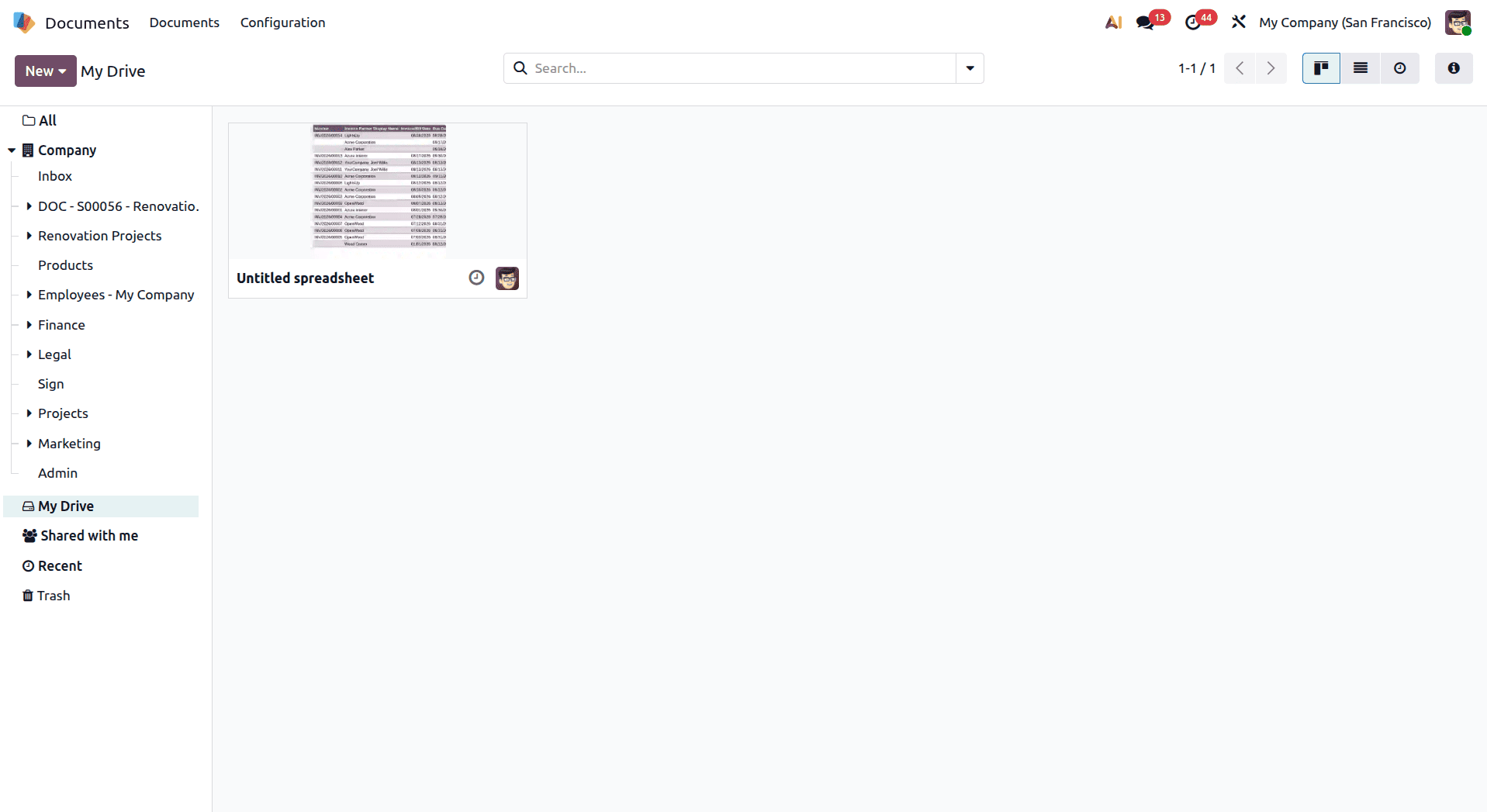
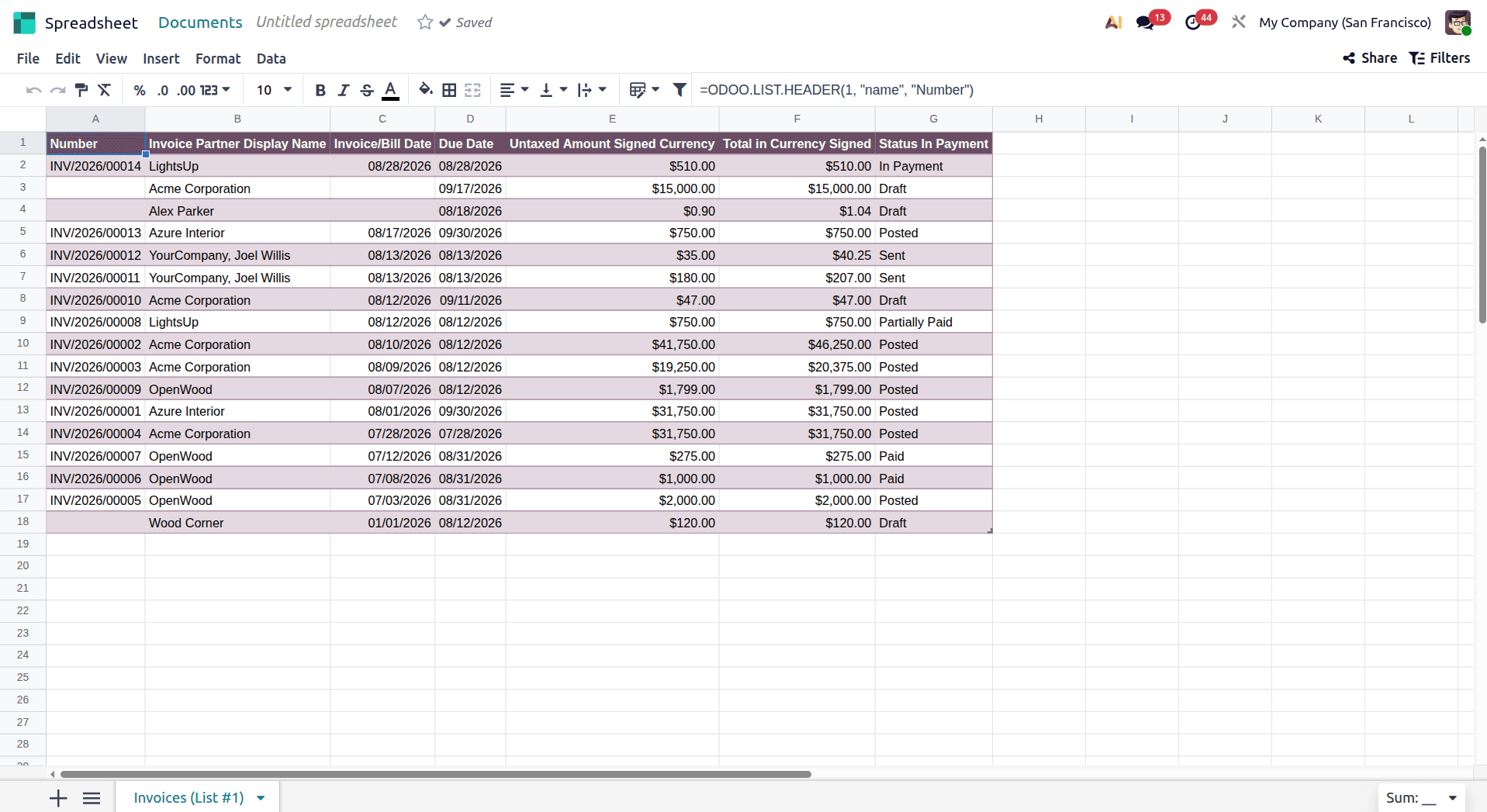
These spreadsheets remain connected to their original source data while being stored within the Documents module. This allows teams to access both saved data snapshots and dynamic analysis tools from a single, centralized workspace, making it easier to review, update, and work with business information.
Benefits of Spreadsheet Document Integration
Spreadsheet integration in Odoo 19 helps keep calculation sheets, reports, and analysis documents organized within the Documents module. Generated spreadsheets remain connected to the business modules they originate from, making it easier to trace information back to its source.
This integration is useful for business intelligence and reporting activities, as teams can manage both exported data and processed analysis documents from a centralized location. Keeping these files organized also makes them easier to access for future reference while providing better control over document versions and updates.
Odoo 19’s Documents module brings business files together in a centralized system that fits naturally into everyday workflows. With workspace centralization, documents can be automatically organized according to their purpose, whether they relate to projects, HR, accounting, recruitment, products, or business analysis. This eliminates the need to search through scattered folders and makes important information much easier to access.
The real advantage comes from how closely Documents integrates with other Odoo applications. Invoices can be connected to the Finance workspace, project files can remain linked to their respective projects, employee documents can be organized within HR workspaces, and payroll files can be kept separately for better access control.
By reducing manual file management and keeping documents connected to the business processes they support, Odoo 19 helps teams save time, collaborate more effectively, and maintain better records. A well-structured document workspace can therefore turn document management from an administrative task into a seamless part of daily business operations, providing a system that can continue to support the organization as it grows.
To read more about How to Optimize Document Management in Odoo 18, refer to our blog, How to Optimize Document Management in Odoo 18.