Managing salary manually can be a time-consuming task. Odoo 19 HR Payroll is an advanced software tool that allows users to manage payroll information, including salary calculation, payroll and payslip management, and much more.
In this blog post, we will explore the entire payroll creation and salary calculation process in Odoo 19 through detailed descriptions. Using the Odoo 19 HR Payroll module.
What is Odoo 19 HR Payroll?
Odoo 19 HR Payroll is an automatic payroll management software tool that calculates the salaries of employees, including earnings, allowances, deductions, gross salary, and net salary based on the provided payroll regulations.
The HR department does not need to calculate salaries manually; they only need to create payslips.
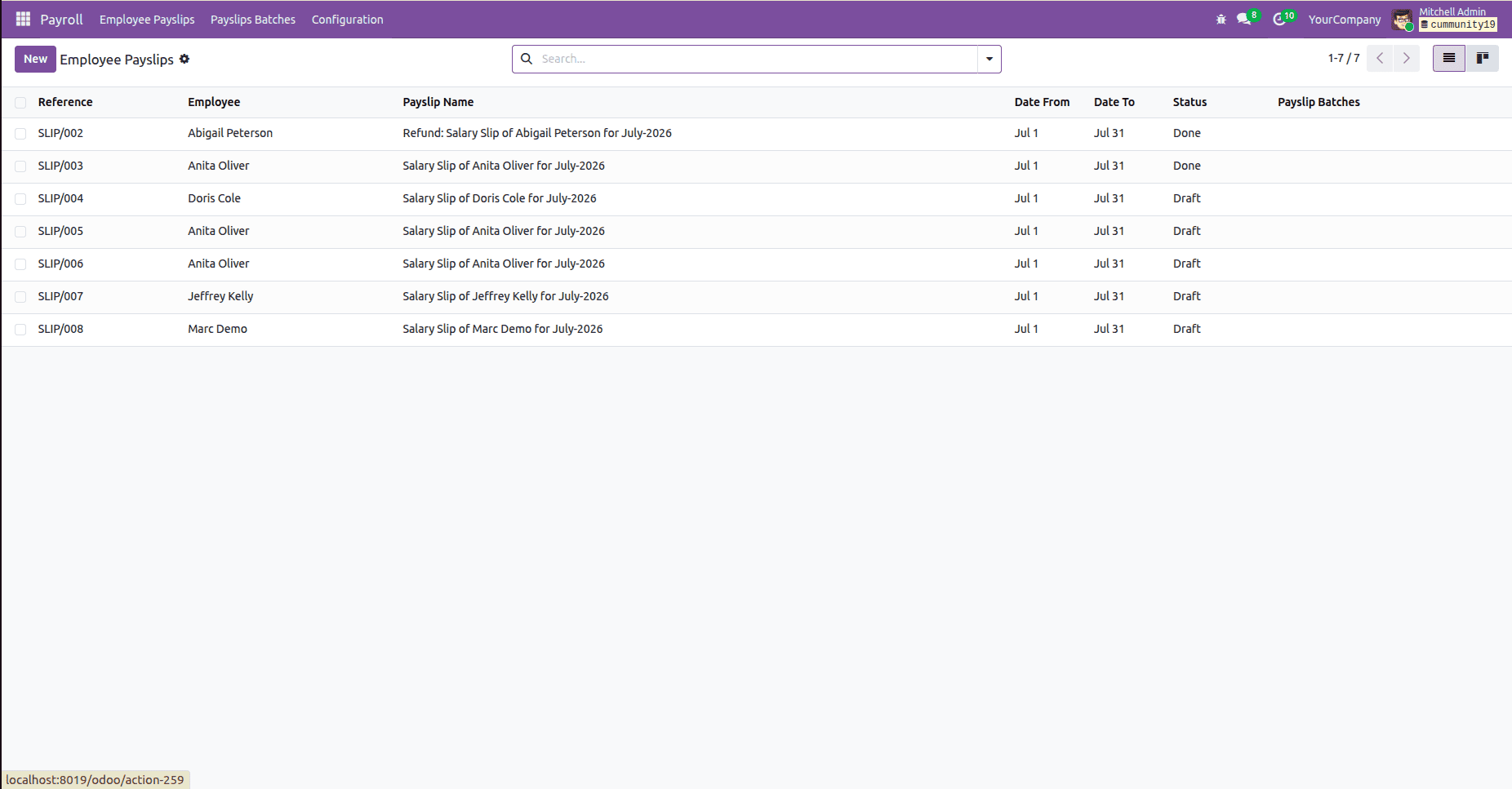
Menu showing a list of employee payslips and their status.
Understanding the Main Components
To have a clear view of how salary processing works, you need to be familiar with some major components involved in the process.
Employee Contract Information
This is because salary processing is entirely depends on the information about the contracts of employees. These include the following:
- Wage or Basic Salary
- Duration of Contract
- Employee Type
- Pay Category
- Working Schedule
It forms the basis of payroll calculations.
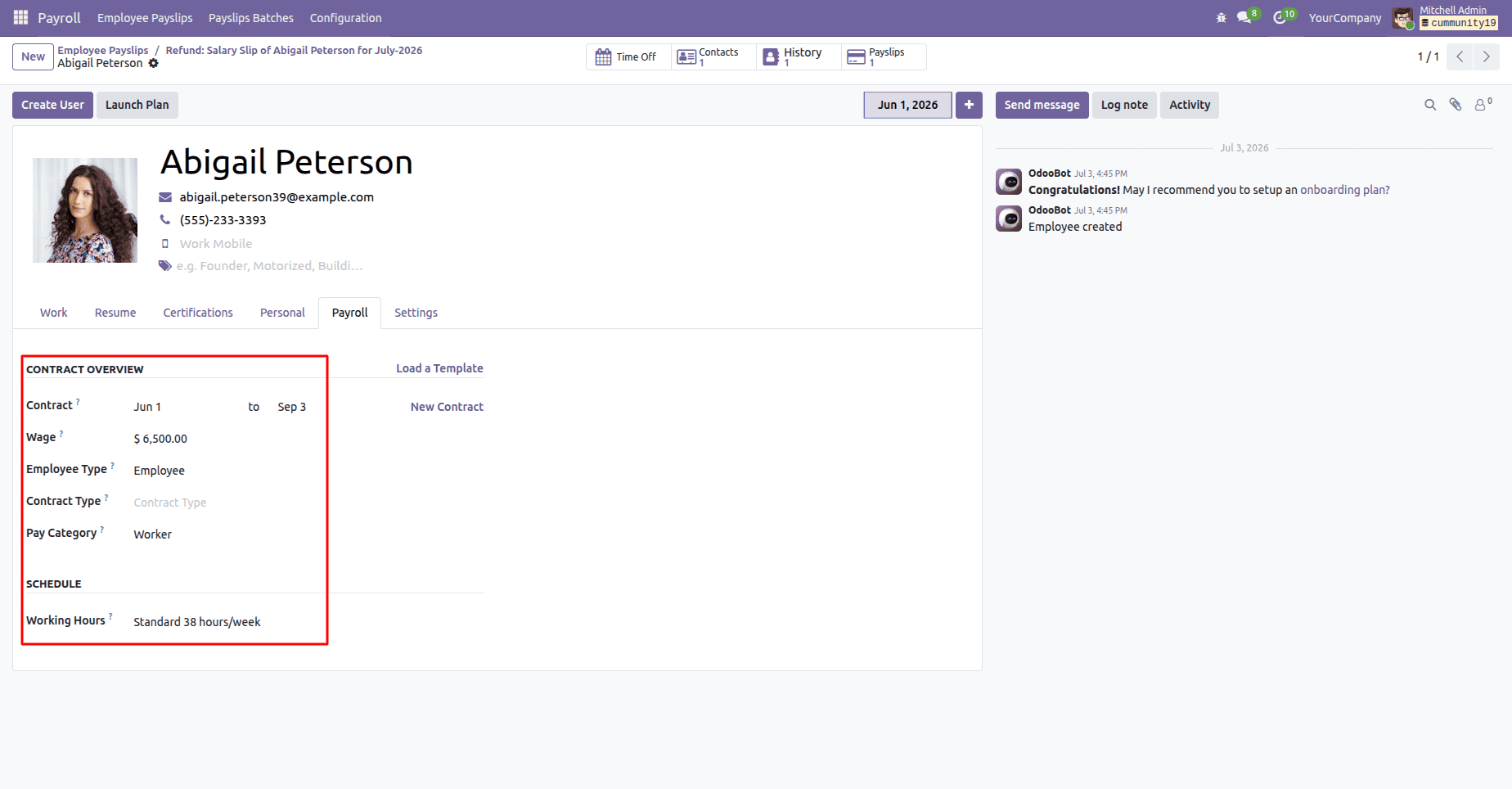
Employee payroll information and contract overview are used for salary calculations.
Salary Structures
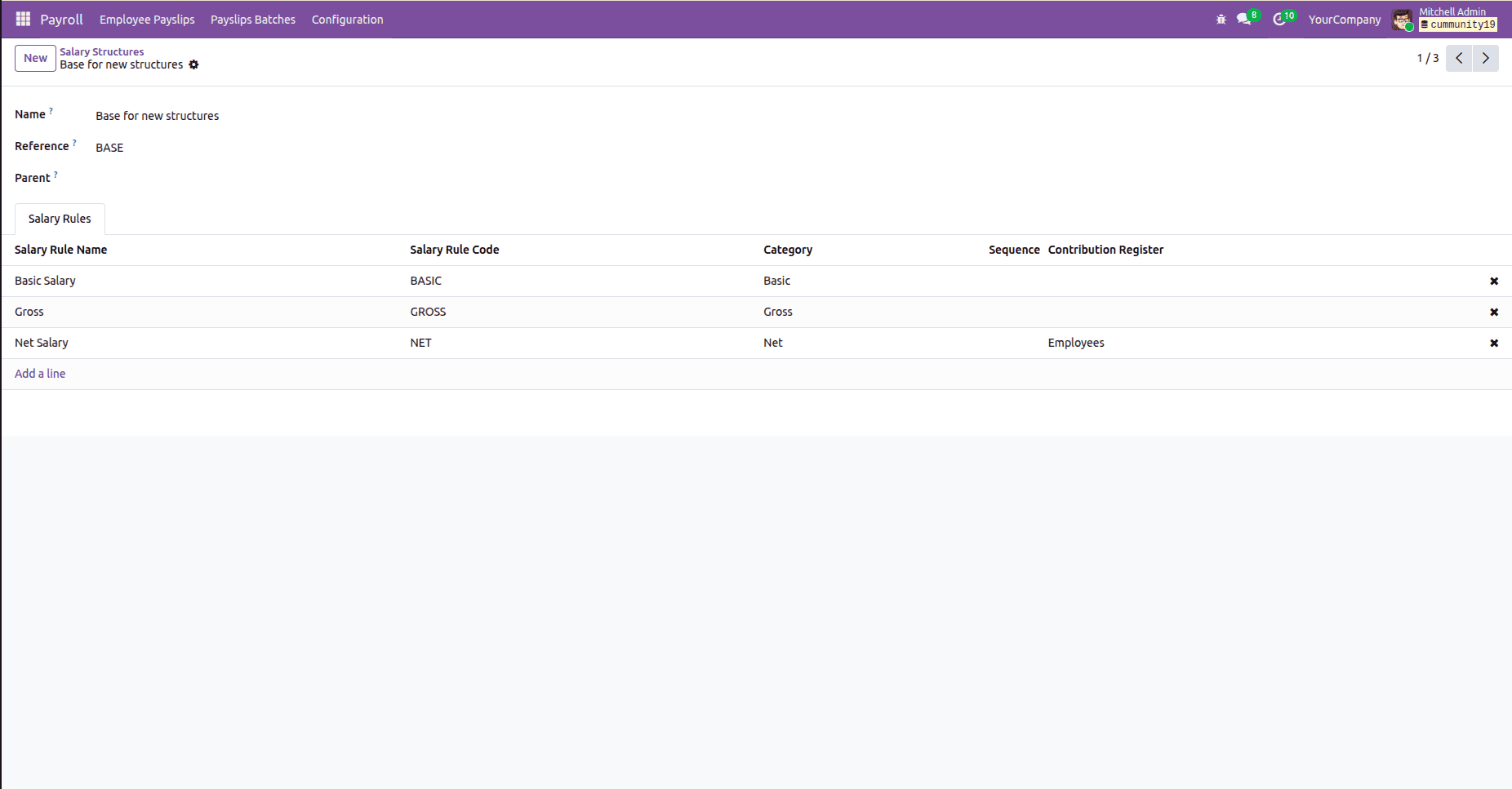
A Salary Structure refers to the list of payroll rules to calculate the salaries of the employees.
A Salary Structure can include the following:
- Basic Salary
- House Rent Allowance (HRA)
- Dearness Allowance (DA)
- Travel Allowance
- Medical Allowance
- Deductions
- Net Salary
Different sets of employees can use different Salary Structures.
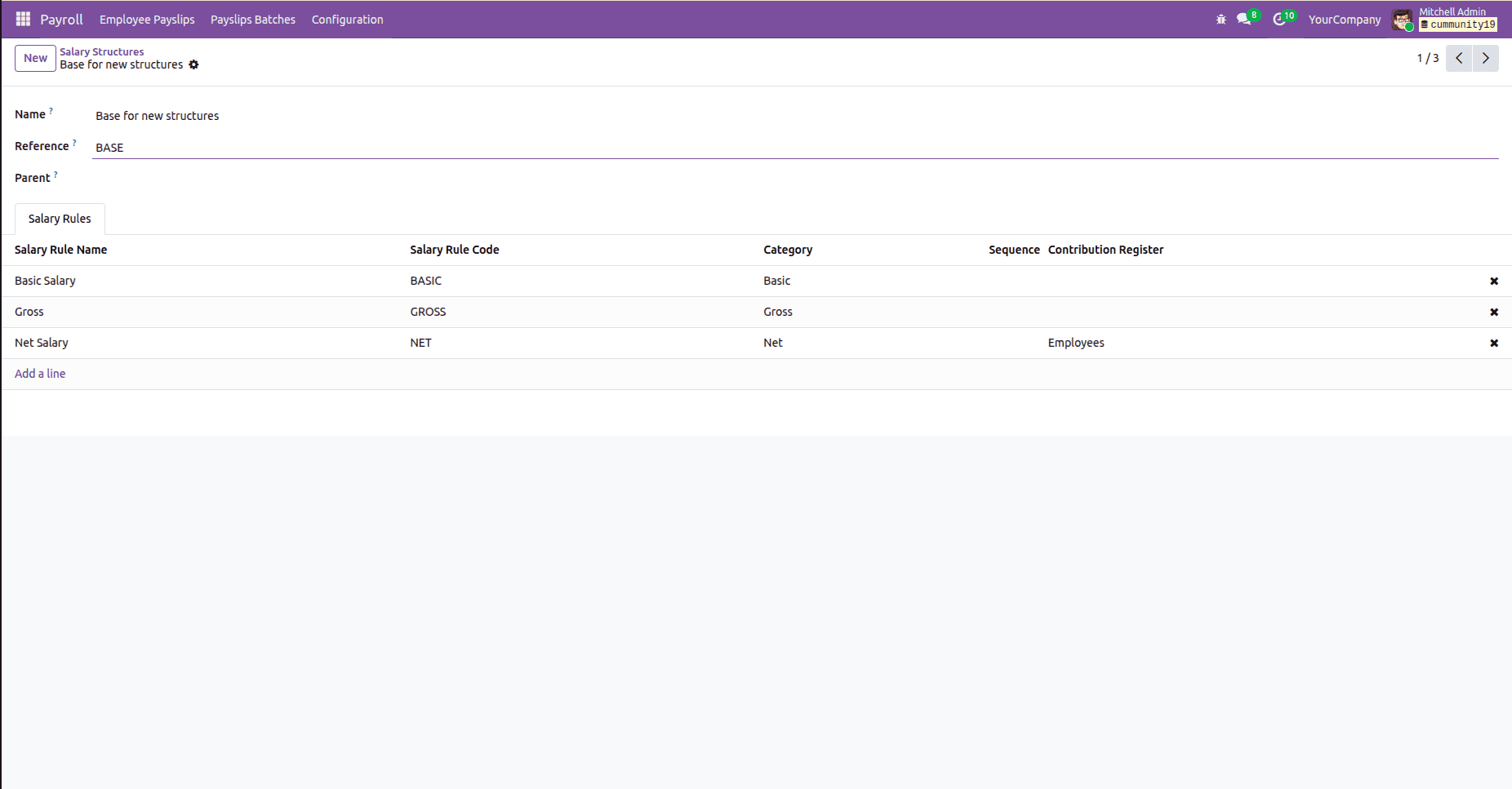
Salary Structure with payroll calculation rules.
Salary Rules
The Salary Rules refer to the set of rules to calculate individual components of salary.
For example:
- Basic Salary
- HRA
- Bonus
- Provident Fund
- Professional Tax
Odoo implements these rules one-by-one while calculating the payslip.
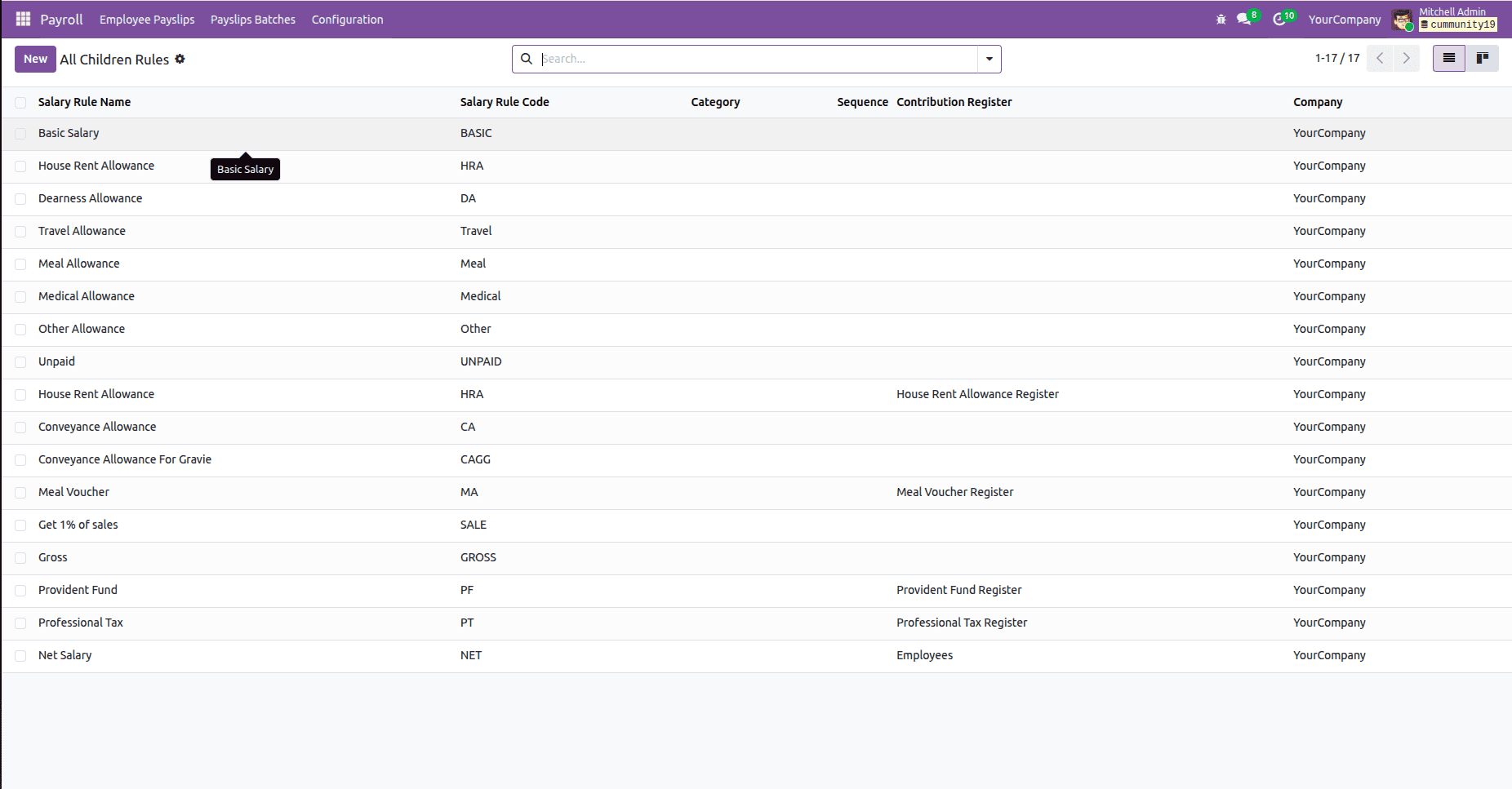
Salary Rules used for payroll calculations.
Payroll Setup Process
Before payroll calculation, some basic configuration needs to be done.
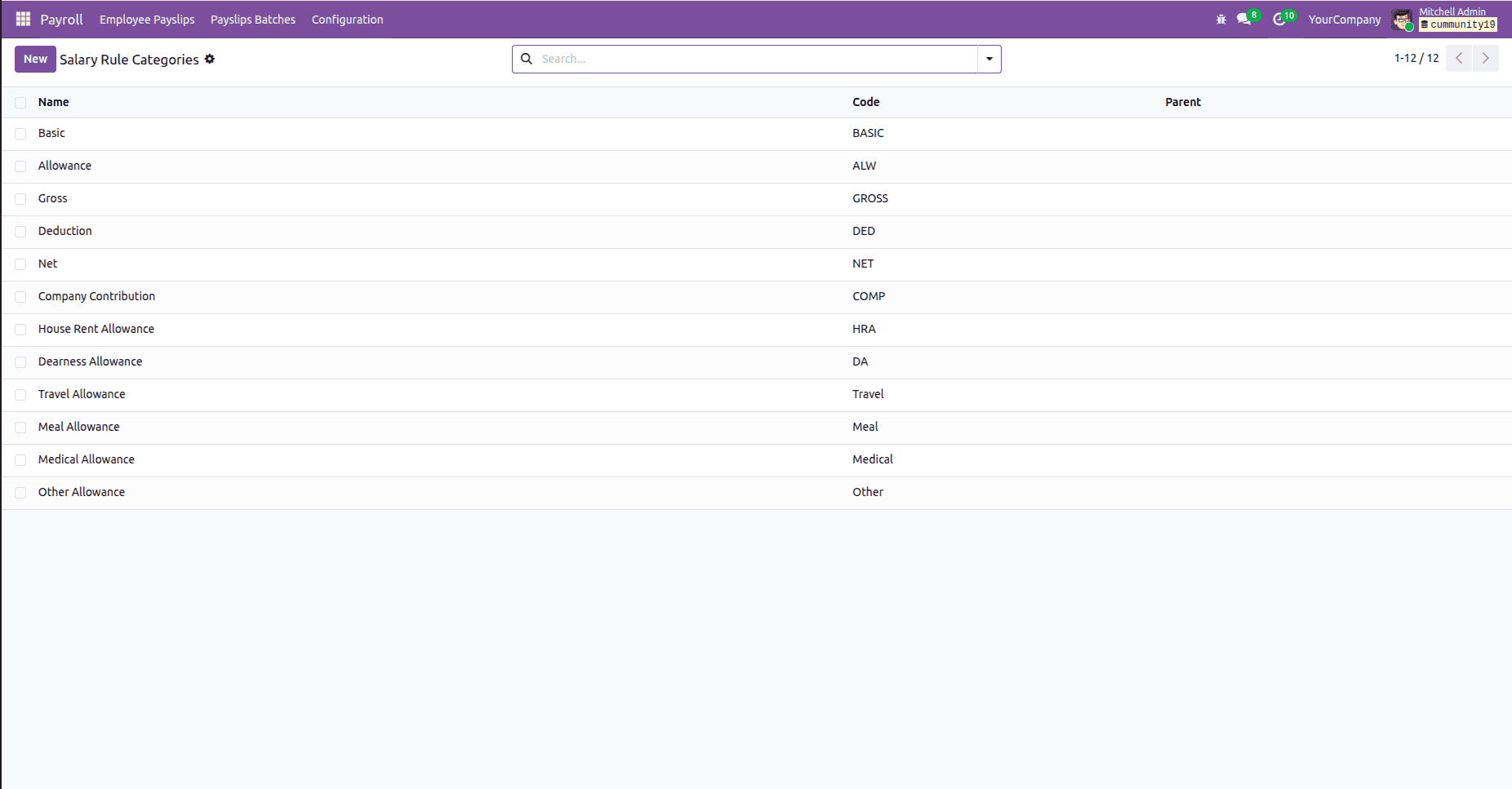
Step 1: Create Salary Categories
Salary Categories are used to group payroll components.
Common categories include:
- BASIC
- ALLOWANCES
- DEDUCTIONS
- GROSS
- NET
These categories help Odoo to summarize the payroll amount in the right way.
Step 2: Create Salary Rules
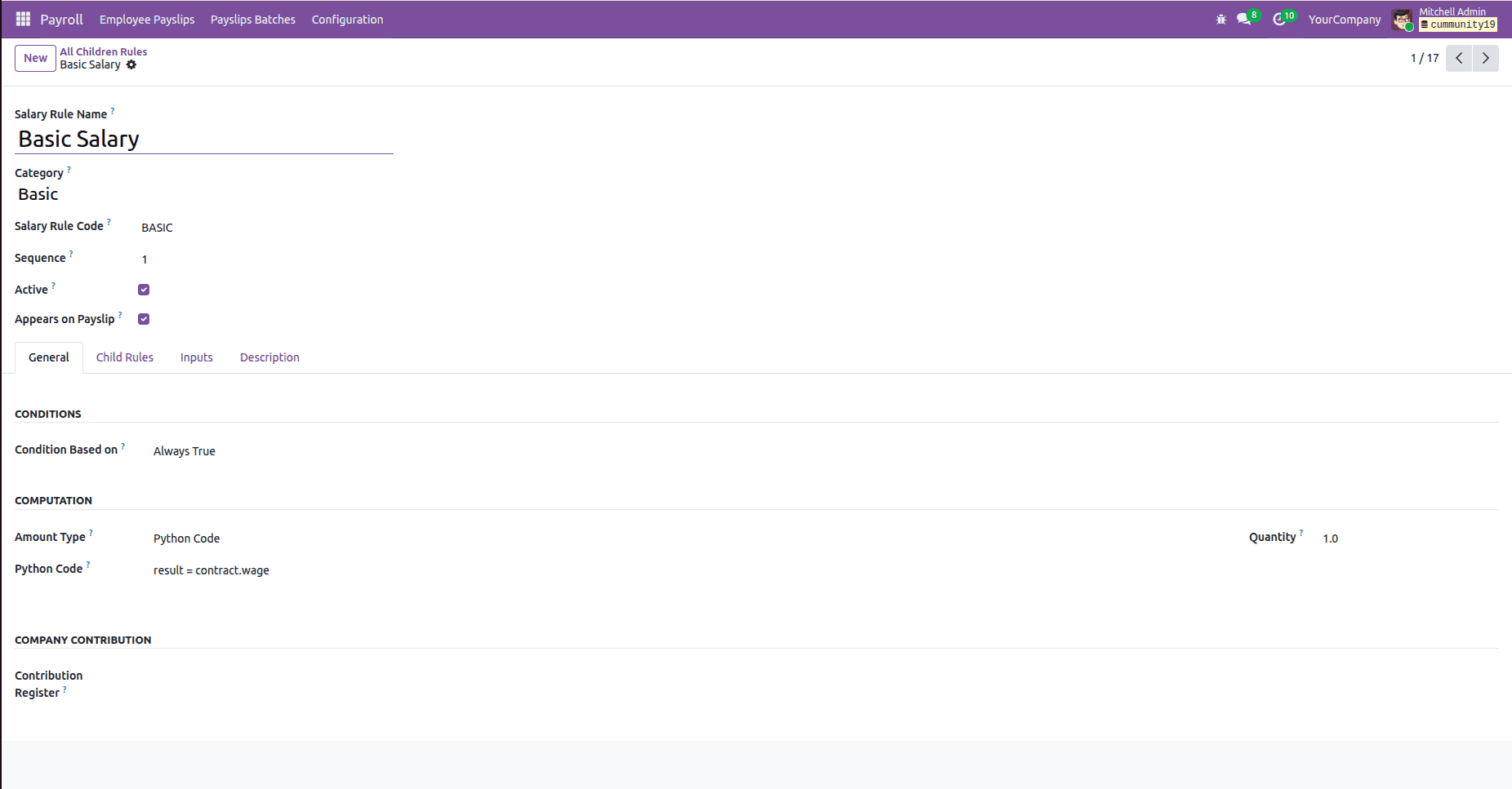
Then, create the salary rules that specify how to calculate salary components.
Examples:
- Basic Salary
- HRA
- Travel Allowance
- Tax Deduction
Every rule can have a calculation formula and conditions.
Step 3: Create Salary Structures
After the creation of salary rules, the next step is creating the salary structure.
It will be used later for assigning to the employees based on their contracts.
Creating a Payslip
Following the payroll setup process, the HR is now able to create employee payslips.
Go to: Payroll > Employee Payslips > New
Select:
- Employee
- Start Date
- End Date
Odoo automatically retrieves the employee's payroll information.
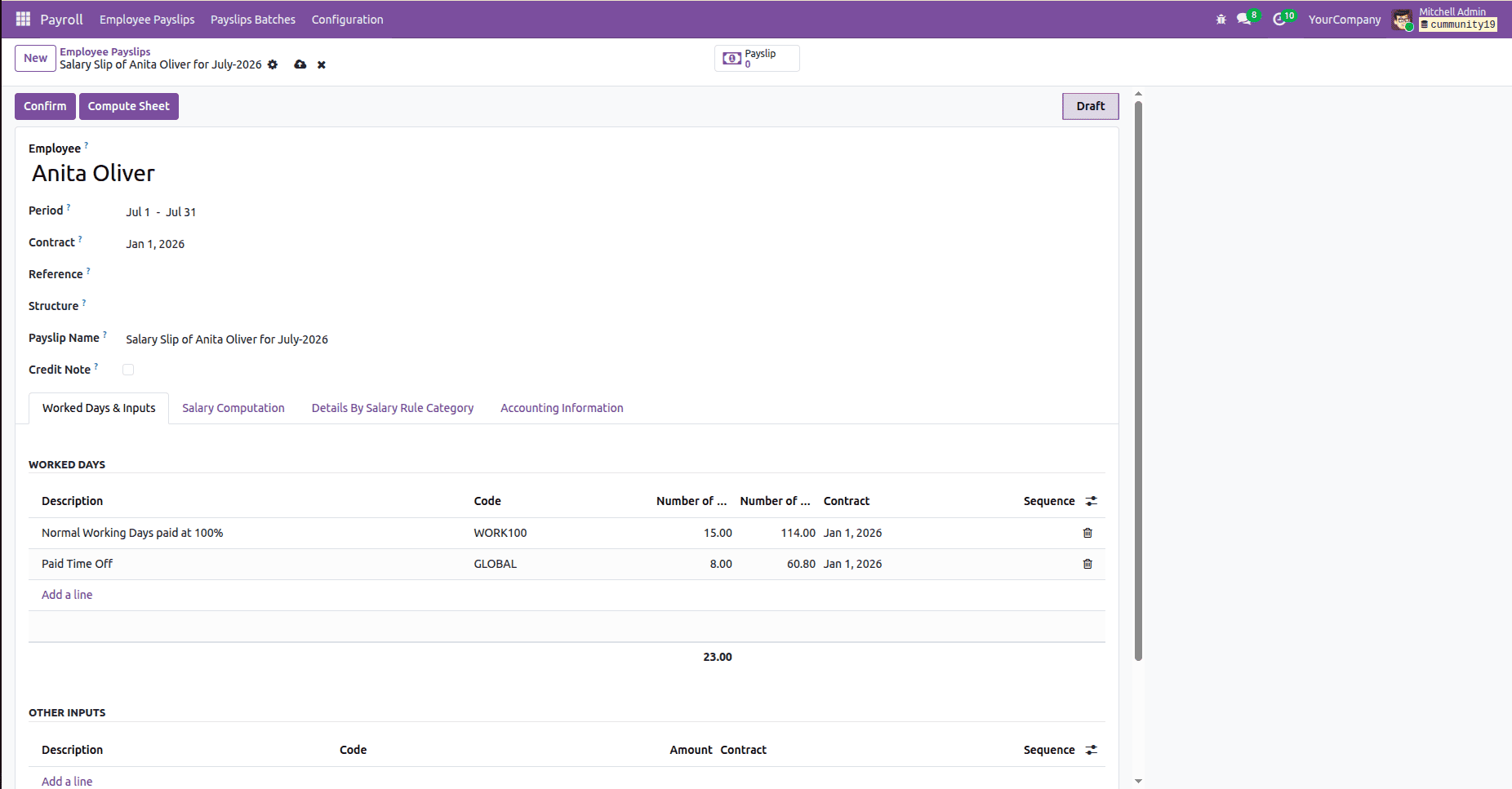
Creating a new employee payslip.
Worked Days Calculation
Once the employee is chosen, Odoo automatically calculates the worked days for the chosen payroll period.
It takes into consideration:
- Working Schedule
- Attendance Records
- Approved Leave Requests
- Time Off Records
These values affect payroll calculation.
For example, unpaid leave may reduce the final salary amount.
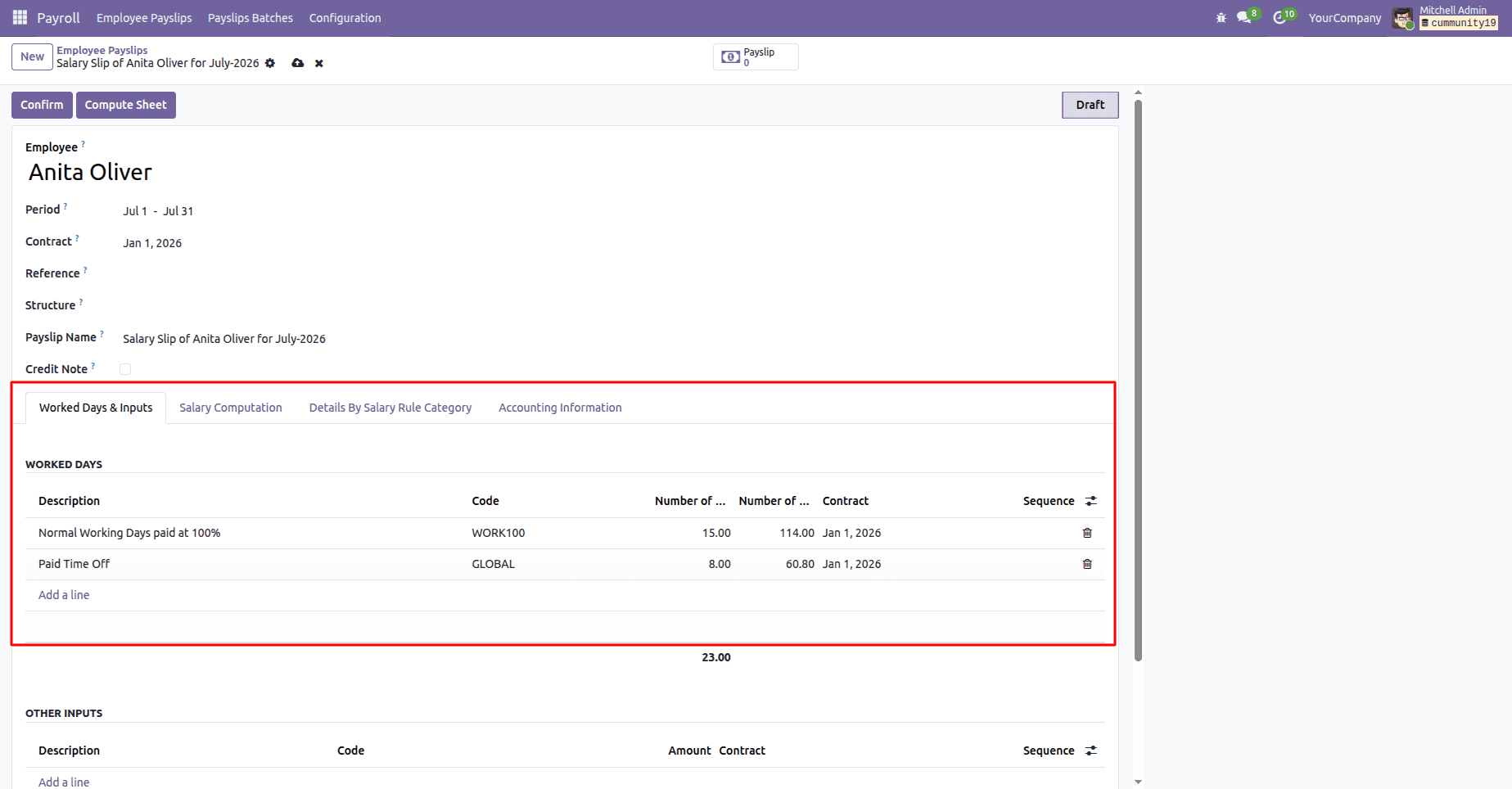
Automatic calculation of worked days and leave details.
Computing the Payslip
Upon completion of all the data, click Compute Sheet.
At this stage, Odoo:
- Loads salary rules
- Verifies rule conditions
- Calculates earnings
- Calculates deductions
- Generates payslip lines automatically
The payroll engine works on each salary rule based on its sequence.
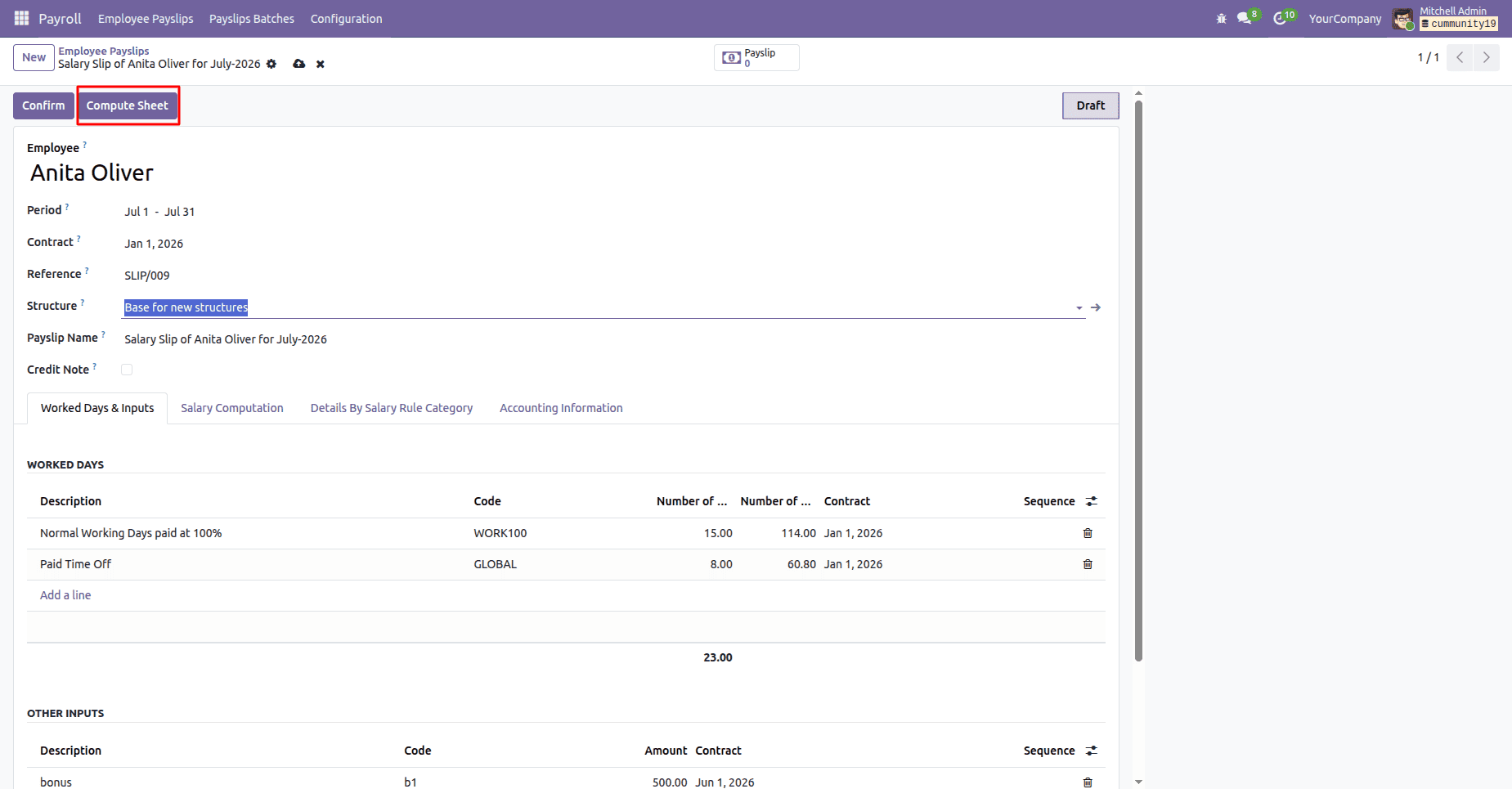
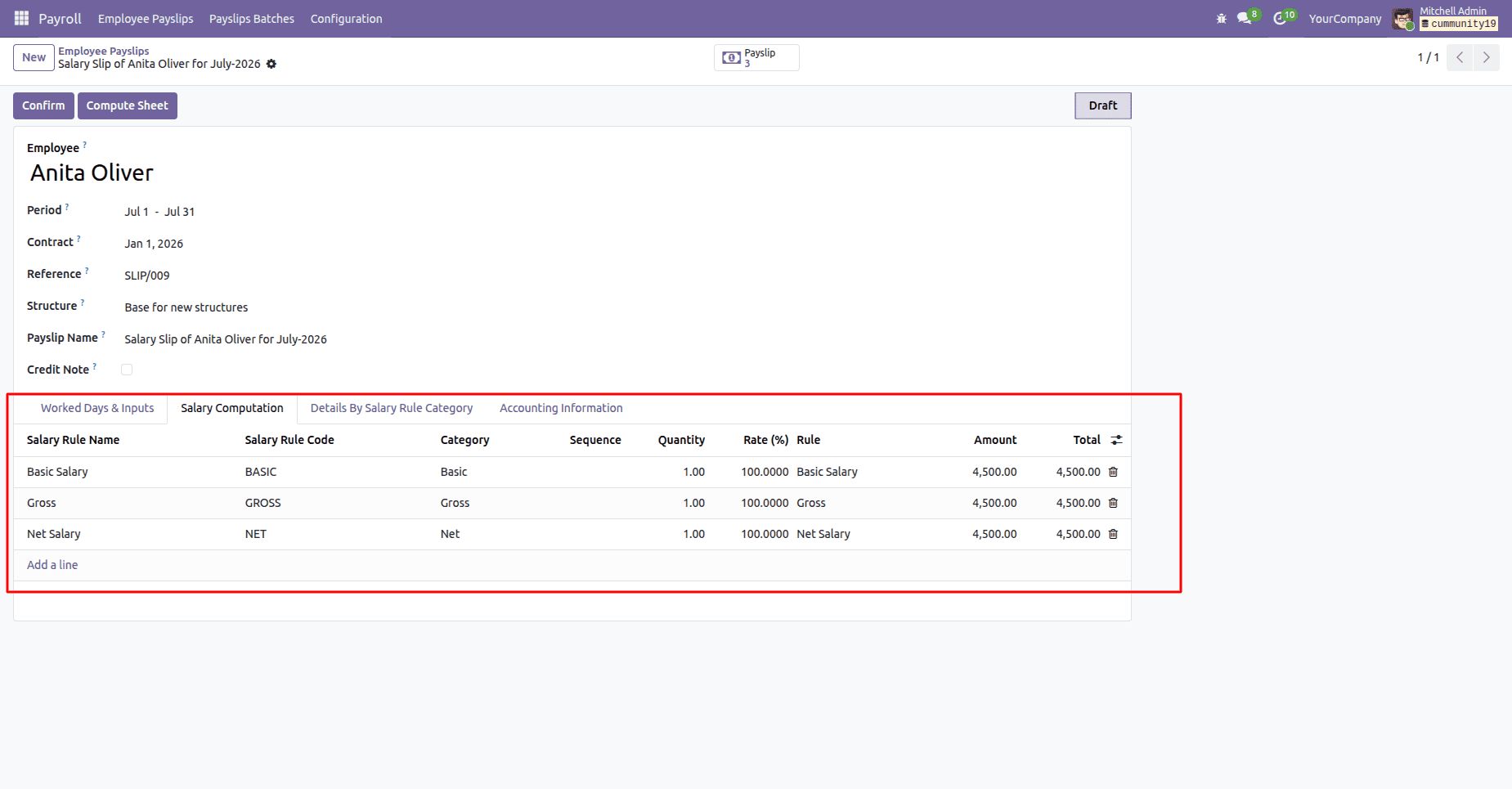
Automatically created salary items following payroll calculation.
How Salary Rules Calculate Values
Odoo supports different payroll calculation methods.
Fixed Amount
Here, a set value is allotted for the salary rule.
Example:
Basic Salary =30,000
Percentage-Based Calculation
The value is calculated based on another payroll component.
Example:
HRA = 20% of Basic Salary
Python-Code Calculation
Some advanced payroll computations are made through custom-made formulas.
Example:
result = contract.wage - 0.10
This flexibility allows organizations to implement their own payroll policies.
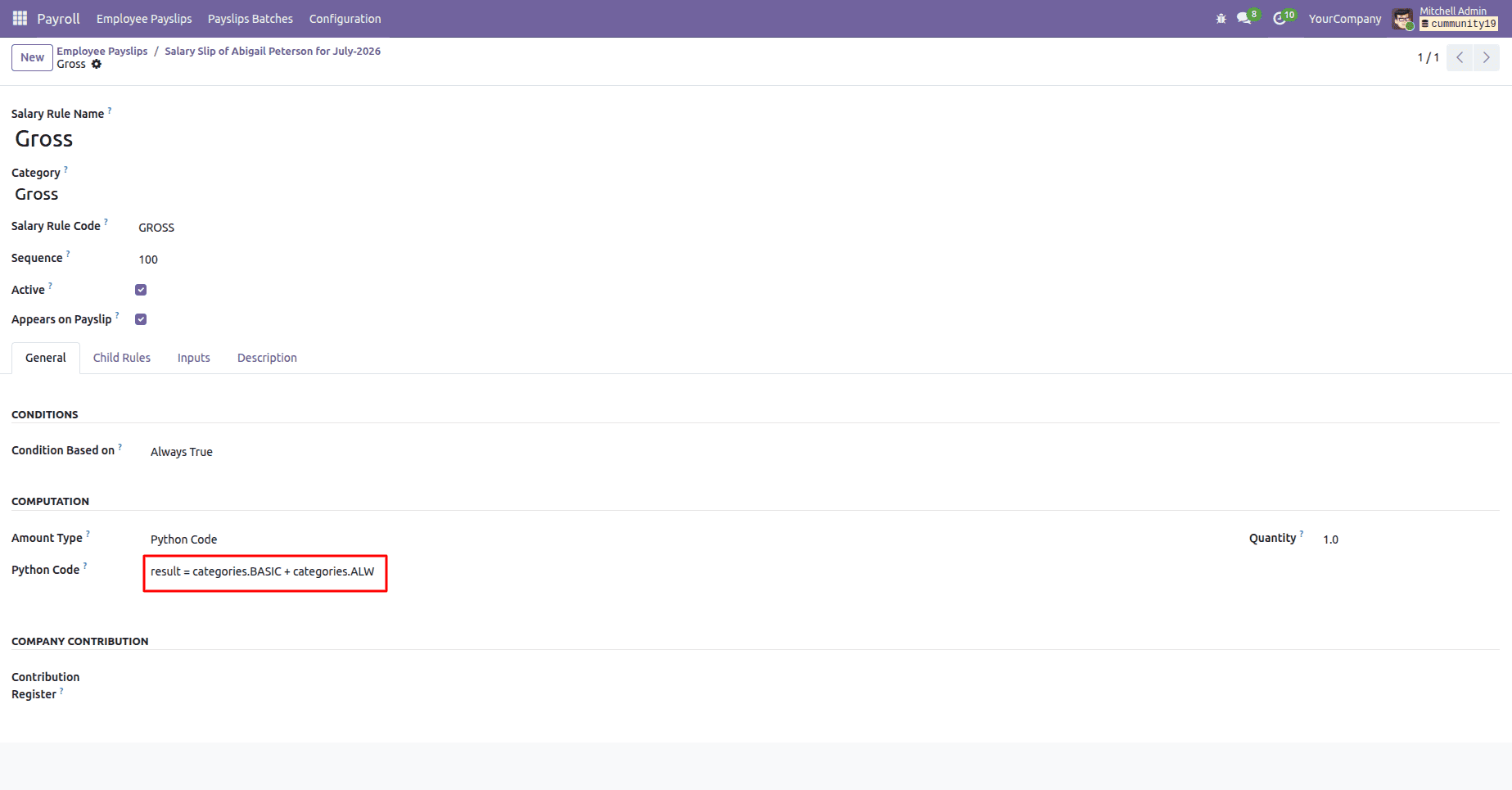
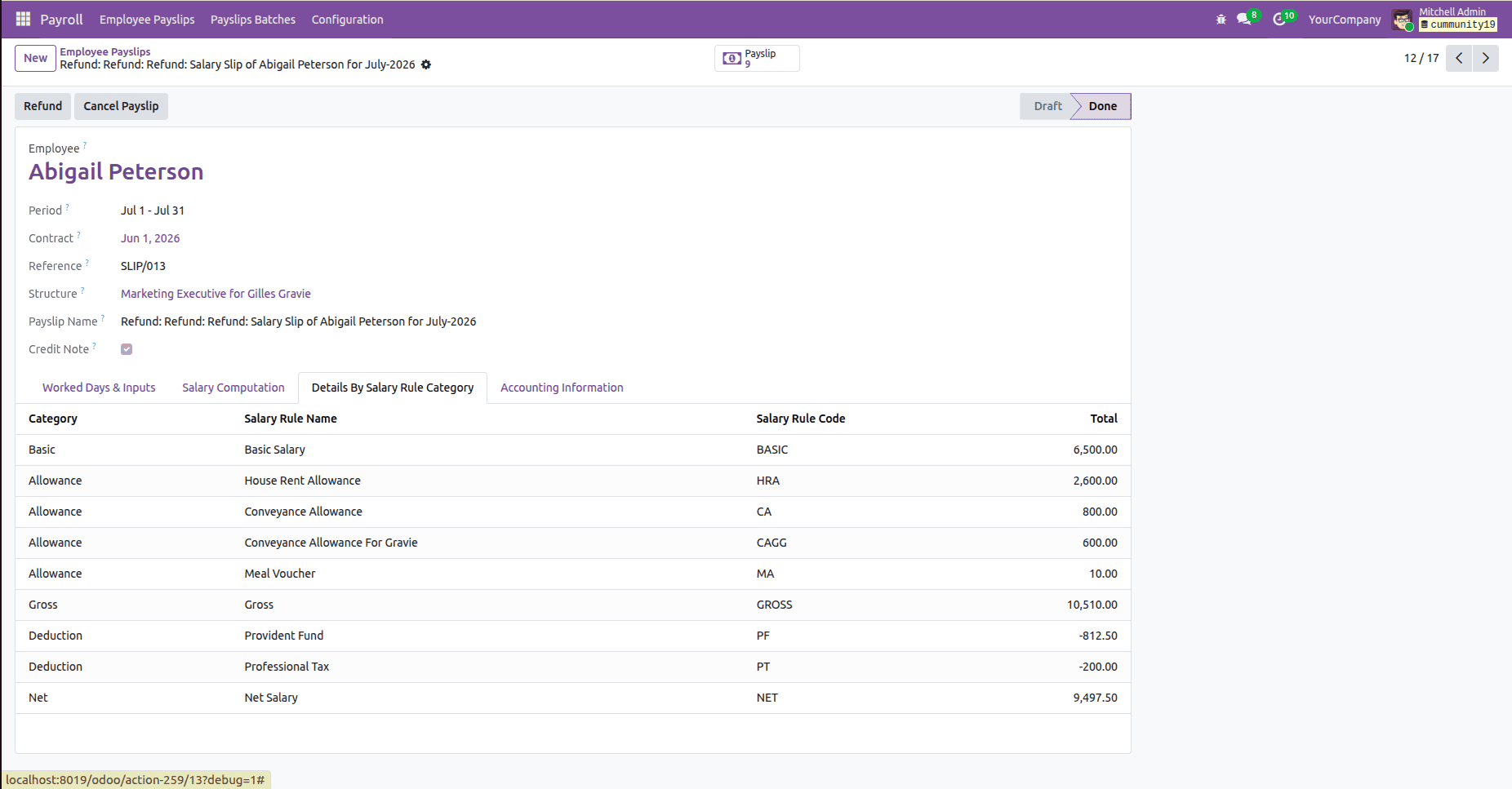
Salary Breakdown
Odoo helps to compute all the payroll rules, and then the values are arranged under the payroll categories.
A sample salary breakdown may be:
| Component | Amount |
| Basic Salary | 6,500 |
| Allowances | 4,010 |
| Gross Salary | 10,510 |
| Deductions | 1,012.50 |
| Net Salary | 9,497.50 |
This way, it becomes convenient for HR personnel as well as for employees to calculate the final salary.
Confirming the Payslip
After all calculations are reviewed, click on Confirm. The payslip state is changed to Done, which means the payroll processing was successful.
The confirmed payslip becomes the official payslip for that payroll period.
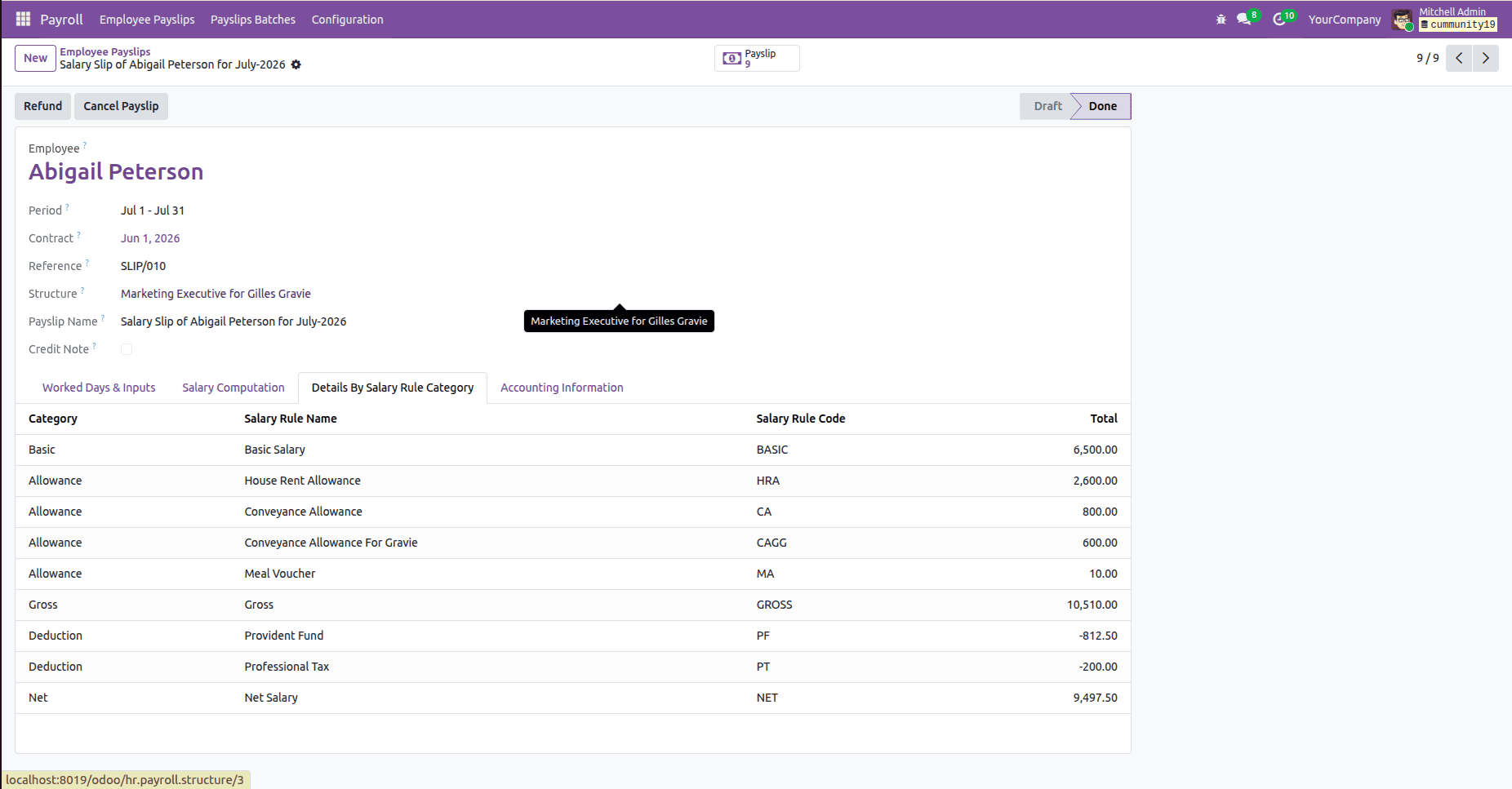
Finalized employee payslip.
Correcting Payroll Errors with Refunds
In case the payslip has incorrect data, Odoo offers the Refund option.
The Refund process:
- Creating a correction payslip
- Creating negative salaries
- Reversing payroll effect
This method allows preserving payroll history and making needed corrections.
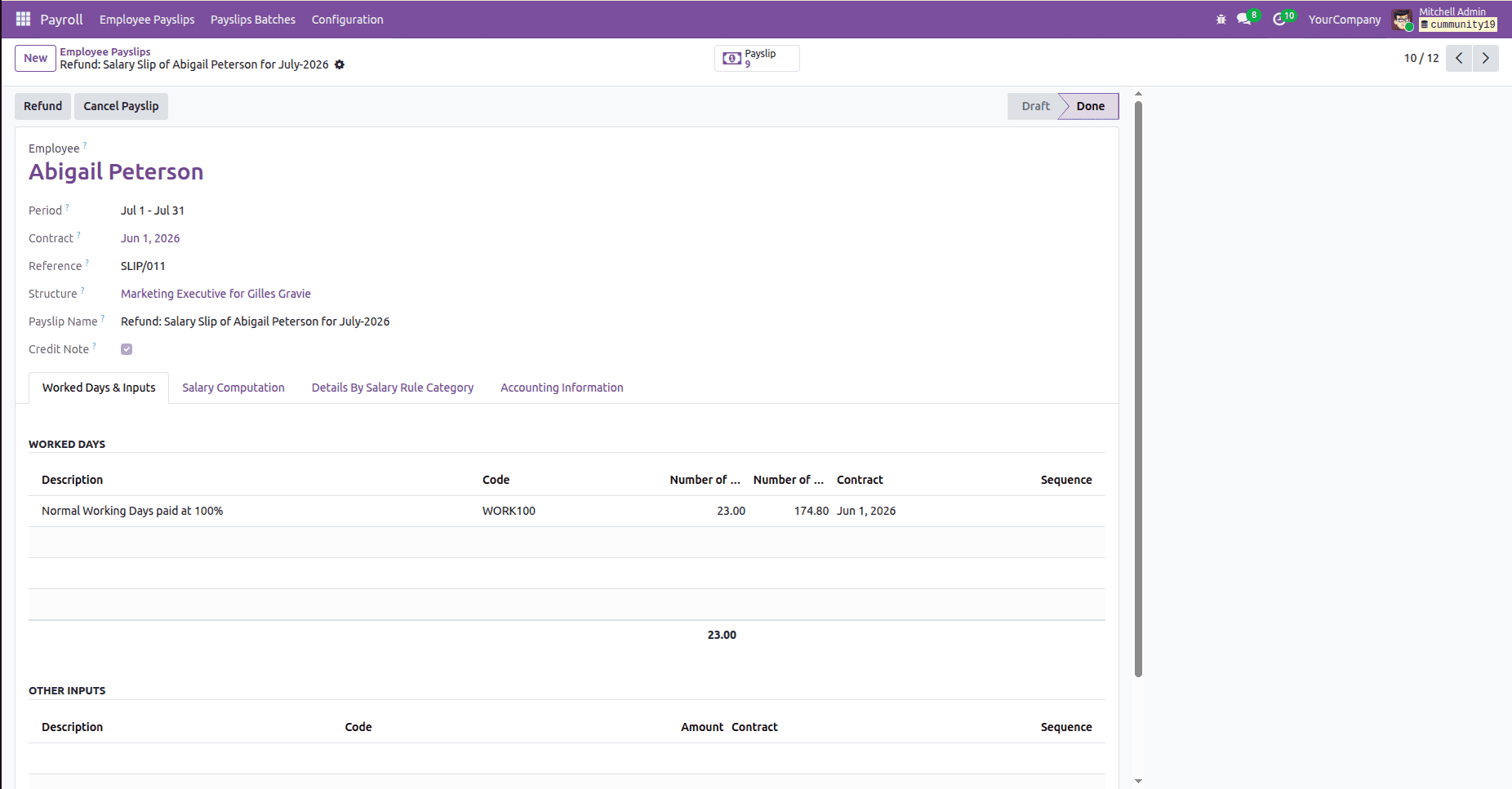
Refund option used for payroll corrections.
Processing Payroll for Multiple Employees
For companies that have many employees, Odoo offers Payslip Batches.
HR doesn’t need to create payslips for each employee separately; they can be done at once.
Steps:
- Go to Payslip Batches.
- Create a new batch.
- Choose a payroll period.
- Click Generate Payslips.
- Choose employees.
- Generate payroll.
Odoo generates payslips for all chosen employees.
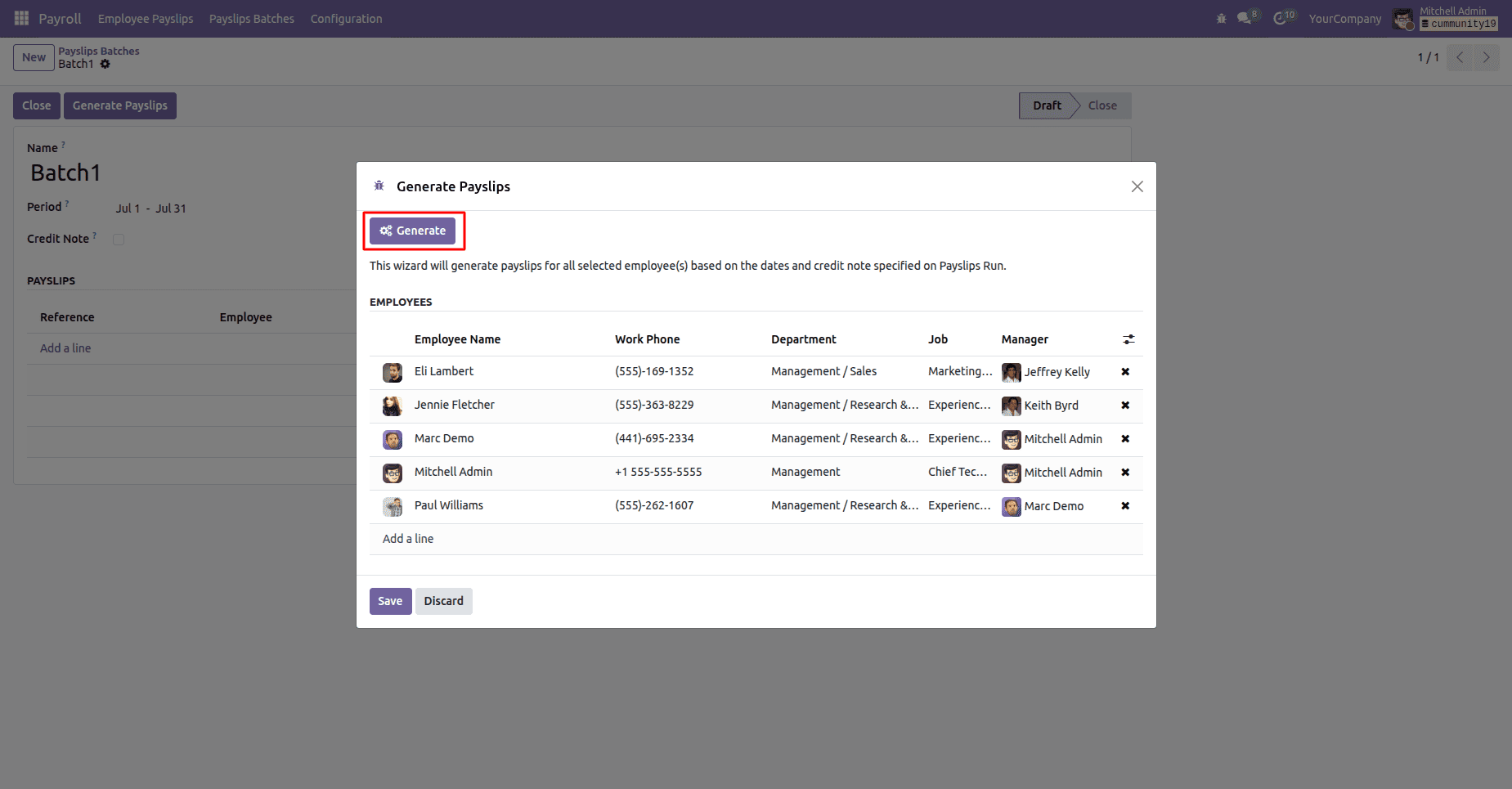
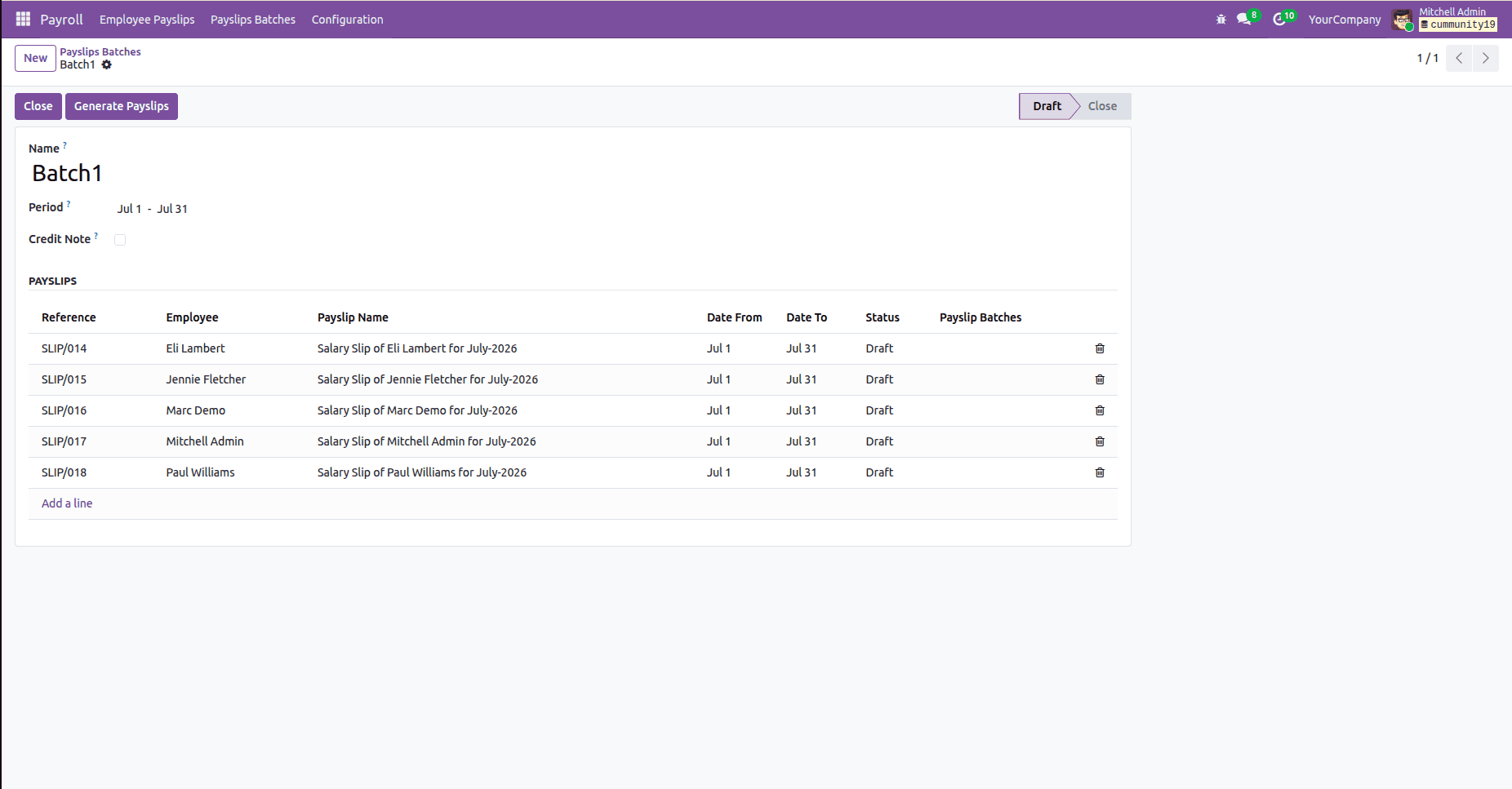
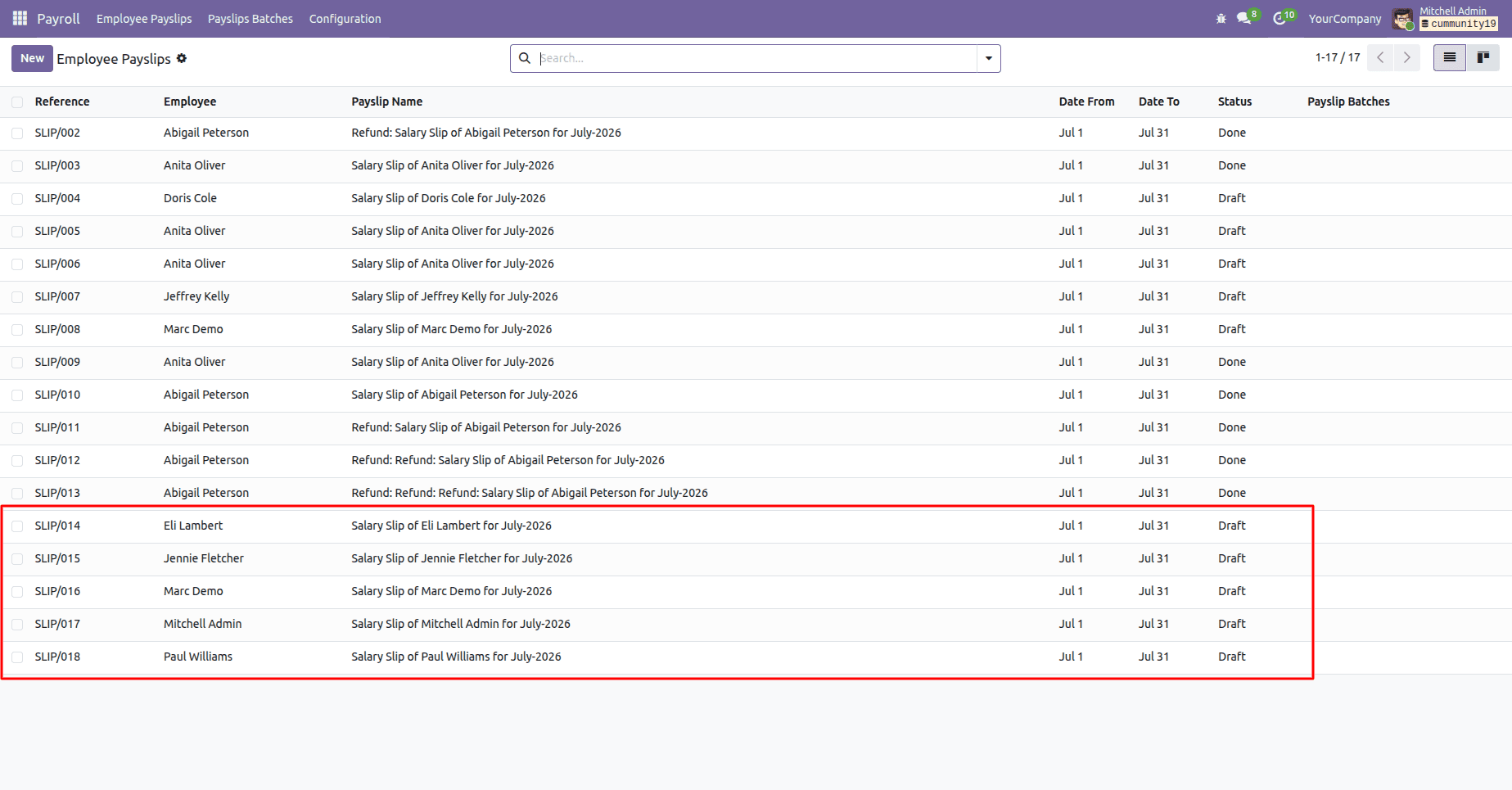
Batch payroll processing for multiple employees.
Odoo 19 HR Payroll simplifies payroll management by automating the salary calculation process, deduction, and addition according to attendance, allowances, deductions, and payslip preparation.
With all these combinations, your organization will be able to process payroll correctly with less manual effort.
Whether you are managing payroll for small businesses or big corporations, Odoo Payroll helps you to manage payroll efficiently.
To read more about An Overview of Odoo 18 Payroll Module, refer to our blog An Overview of Odoo 18 Payroll Module.