In Odoo 19, passing context between different actions plays a crucial role in building dynamic, flexible, and user-friendly business workflows. Whether you are triggering an action from a button, navigating through a menu item, or executing logic via a server action, context allows you to control behavior, prefill values, and adapt functionality without hard-coding logic. Understanding how context flows through these entry points not only improves code maintainability but also helps you design cleaner and more scalable customizations. This article explores practical and reliable ways to pass context in Odoo 19, focusing on prevalent use cases involving buttons, menus, and server actions.
1. Passing Context Through Menu Items in Odoo 19
In Odoo 19, menu items often serve as the first entry point for users to access views and actions. Passing context through a menu allows developers to control default values, apply conditional behavior, or influence how an action behaves when it is triggered from a specific menu. This approach helps avoid hard-coded logic and keeps the implementation clean and reusable.
Example
In a custom School Management module, a common requirement is to reuse the same model while presenting different roles through separate menu entries. In this case, both Teacher and Student records are managed using the res.partner model, with an additional custom field named education_role to distinguish between them.
To achieve this, two separate menus—Teachers and Students—are created, each pointing to its own action. Although both actions open the same res.partner model, context is passed from the view action to ensure the education_role field is automatically set when creating a new record.
To achieve this, let's create 2 actions and menus in the school management module:
<?xml version="1.0" encoding="utf-8"?>
<odoo>
   <!-- Teacher Menu -->
   <record id="staff_registration_views_action_teacher" model="ir.actions.act_window">
       <field name="name">Staff Registration</field>
       <field name="res_model">res.partner</field>
       <field name="view_mode">list,form</field>
       <field name="domain">[('education_role', '=', 'teacher')]</field>
       <field name="context">{'default_education_role':'teacher'}</field>
   </record>
   <menuitem name="Teacher"
             id="school_management_contacts_menu_teacher"
             parent="school_management.school_management_menu_root"
             action="school_management.staff_registration_views_action_teacher"/>
   <!-- Student Menu -->
   <record id="staff_registration_views_action_student" model="ir.actions.act_window">
       <field name="name">Staff Registration</field>
       <field name="res_model">res.partner</field>
       <field name="view_mode">list,form</field>
       <field name="domain">[('education_role', '=', 'student')]</field>
       <field name="context">{'default_education_role':'student'}</field>
   </record>
   <menuitem name="Student"
             id="school_management_contacts_menu_student"
             parent="school_management.school_management_menu_root"
             action="school_management.staff_registration_views_action_student"/>
</odoo>
Here we can see the context is passed in the window action as default_education_role
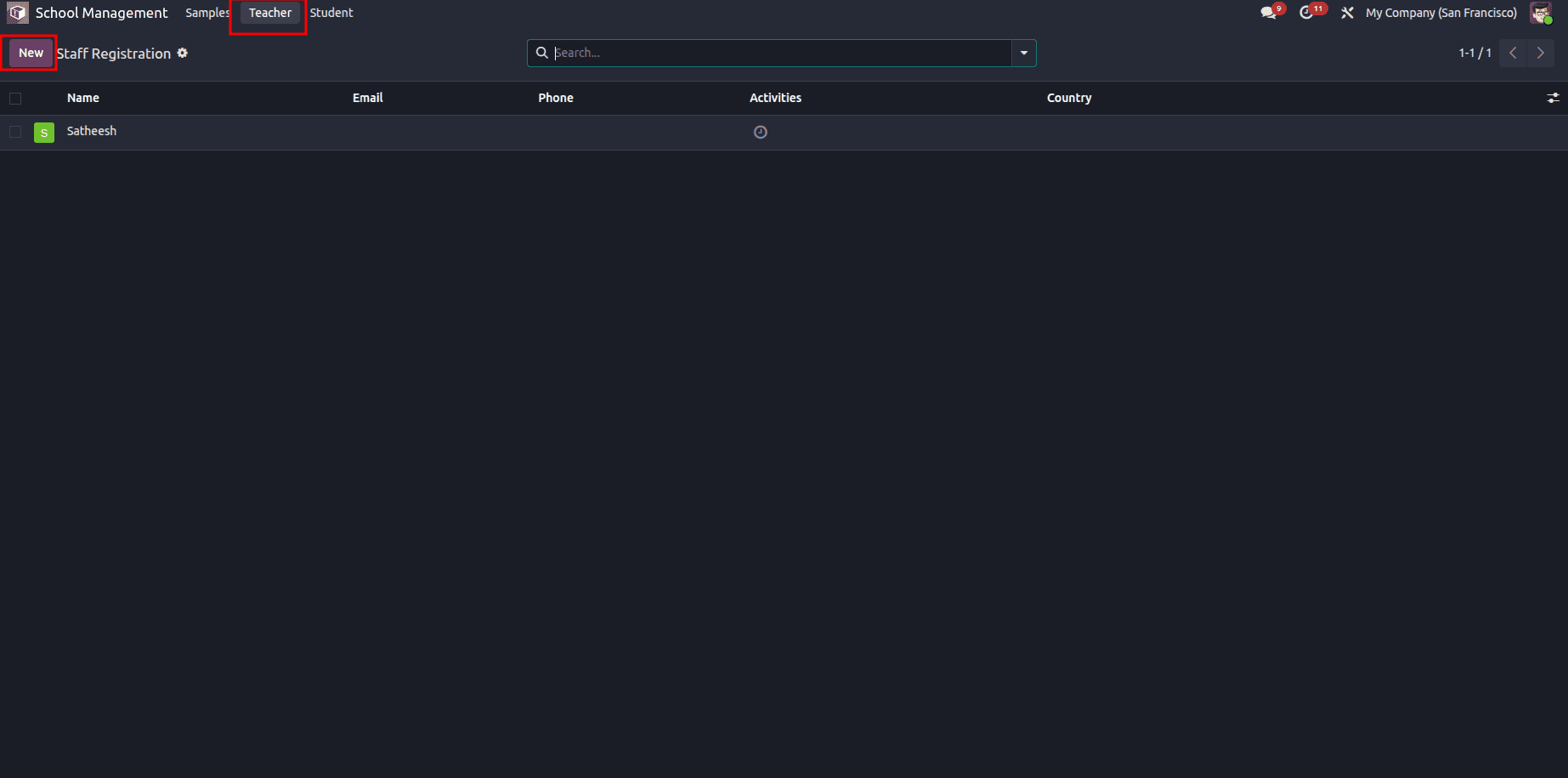
Here, if we try to create a record from the Teacher menu, the Education Role field is defaultly selected as Teacher.
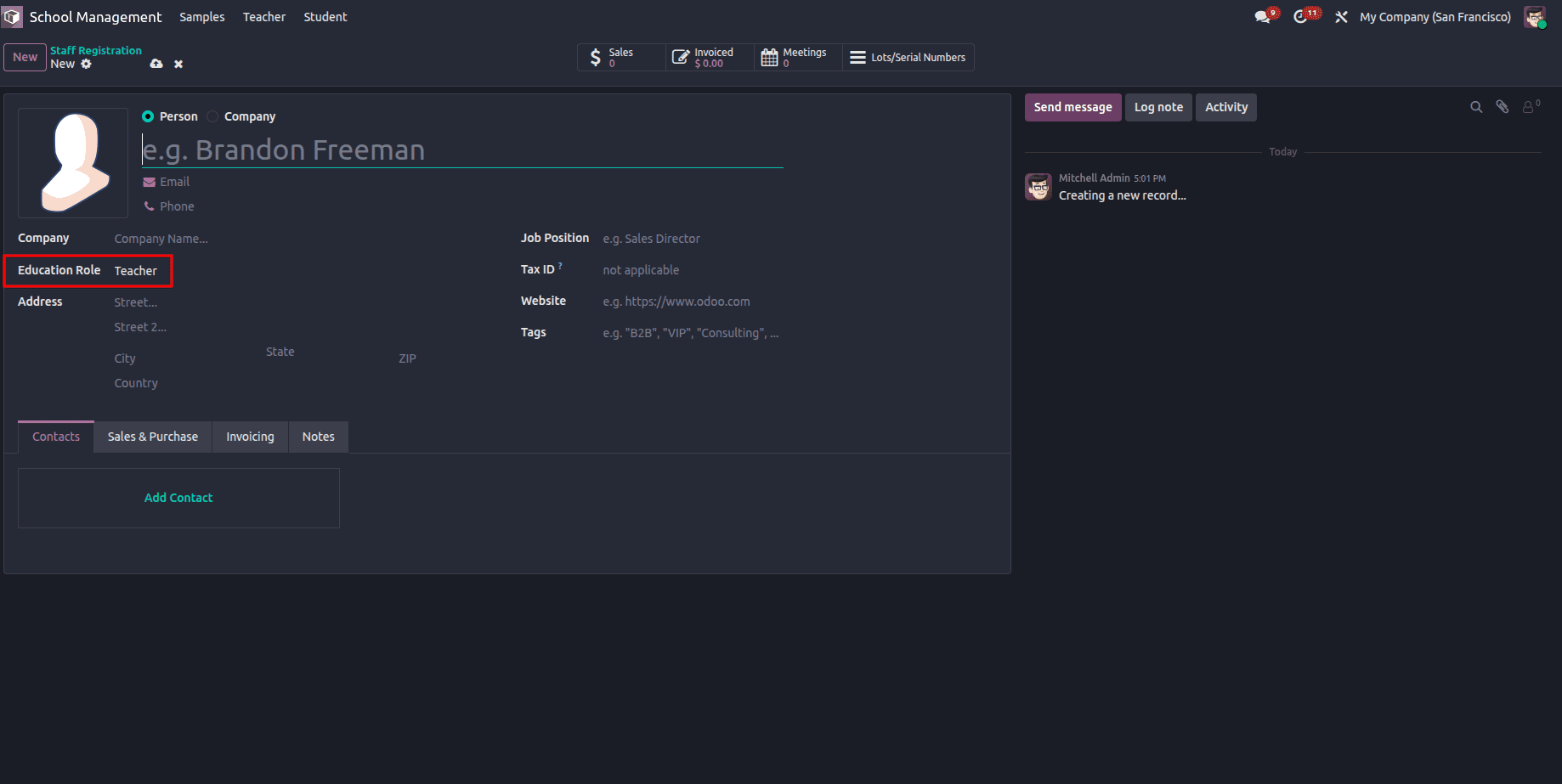
If we try to create a record from the Student menu, the Education Role field is set to Student by default.
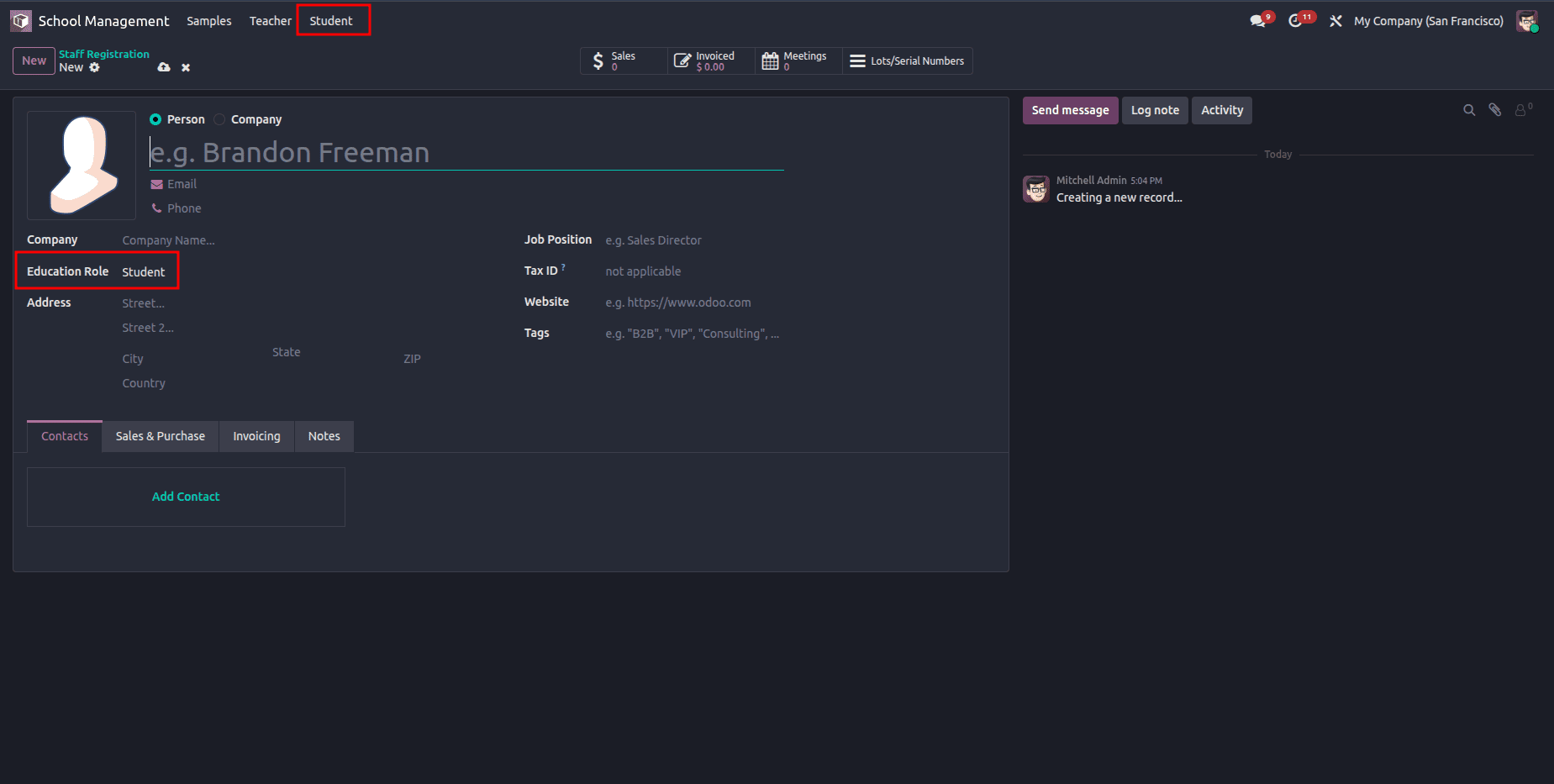
Passing context through menu items in Odoo 19 is a clean and effective way to control default values and behavior without duplicating models or views. By leveraging context keys such as default_values and custom flags, developers can reuse the same actions across multiple menus while delivering a more intuitive and role-specific user experience. This approach keeps the codebase modular, scalable, and easy to maintain as business requirements evolve.
2. Passing Context Through Buttons in Odoo 19
Buttons in Odoo 19 provide a direct and interactive way to trigger actions from forms, lists, or wizards. Passing context through buttons allows developers to influence action behavior at runtime, such as setting default values, applying conditional logic, or identifying the source of the action. This method is especially useful when user-driven interactions require more control than menu-based navigation.
Example
In this example, a Report button is added to a school management model that contains a partner_id field. When a user selects a partner record and clicks the Report button, a wizard is opened. To improve usability and avoid redundant input, the selected partner is automatically passed to the wizard using context.
This is achieved by sending default_partner_id through the button action, ensuring the wizard’s partner_id field is prefilled based on the record from which the button was triggered.
Button click function:
def action_open_partner_report_wizard(self):
   return {
       'type': 'ir.actions.act_window',
       'name': 'Partner Report',
       'res_model': 'school.partner.report.wizard',
       'view_mode': 'form',
       'target': 'new',
   }
Button xml:
<button name="action_open_partner_report_wizard" string="Report" type="object" class="btn-primary" context="{'default_partner_id': partner_id}"/>Here i passed default_partner_id
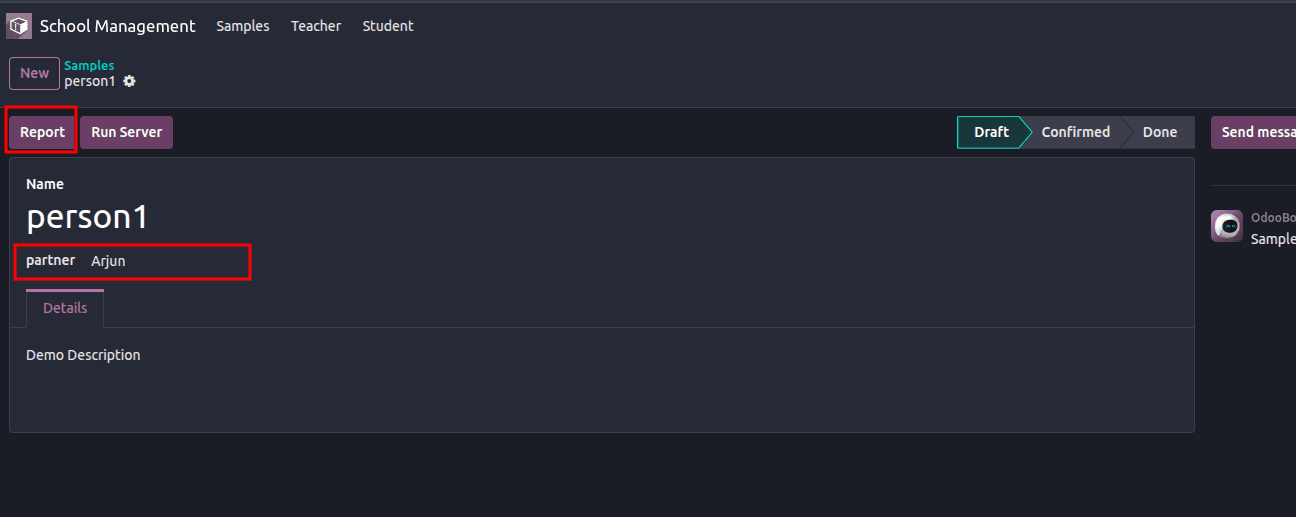
When a partner record is selected, and the Report button is clicked, the same partner is automatically preselected in the wizard using the passed context.
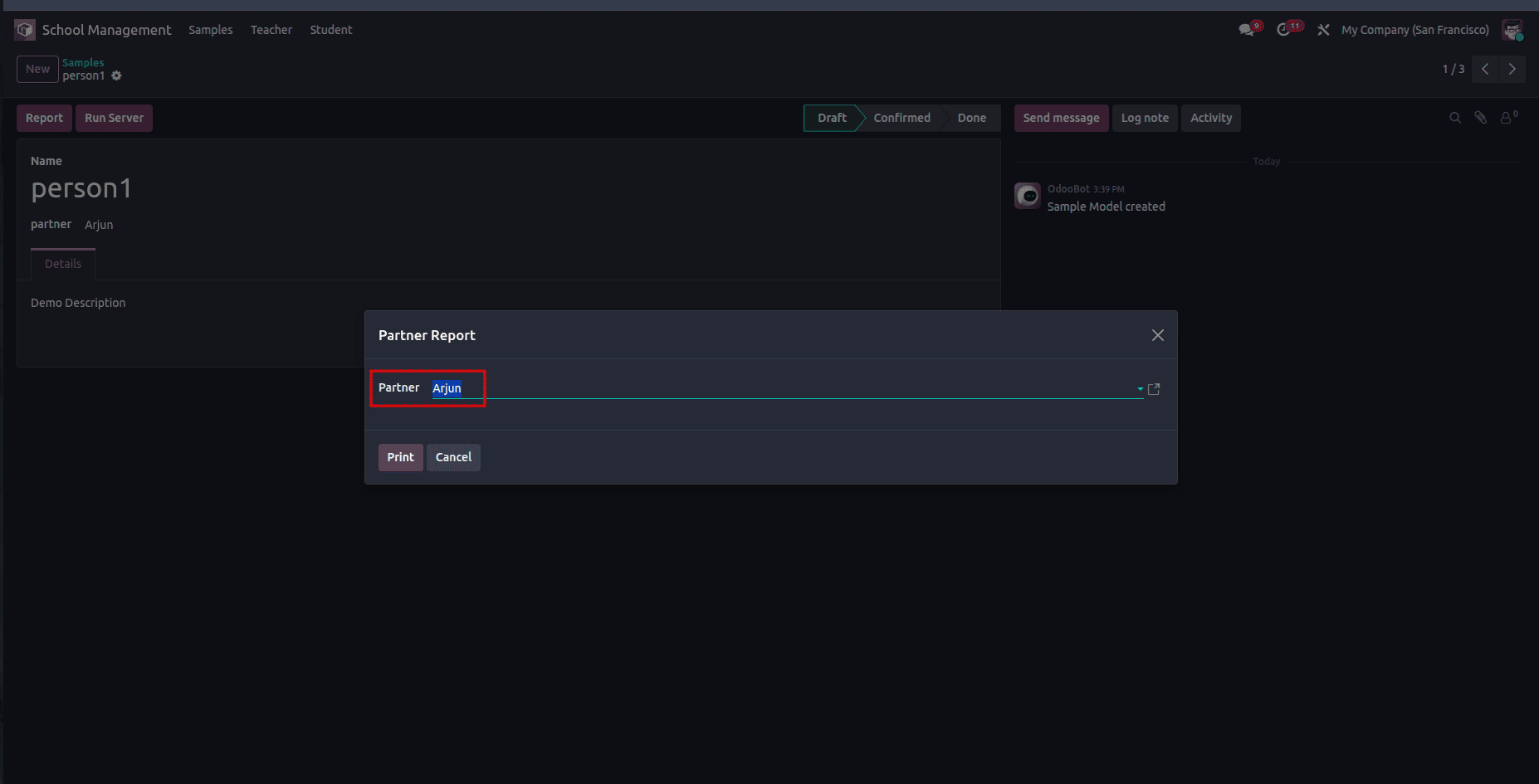
Passing context through buttons in Odoo 19 allows actions and wizards to respond intelligently to the record from which they are triggered. By using default context values, such as preselecting related fields, developers can streamline user workflows, reduce repetitive input, and create more intuitive, context-aware interactions.
3. Passing Context Through Server Actions in Odoo 19
Server actions in Odoo 19 are commonly used to execute backend logic in response to user interactions. In some scenarios, it becomes necessary to pass additional context to a server action so it can adapt its behavior based on how or from where it was triggered. This example demonstrates how context can be passed programmatically to a server action and accessed during execution.
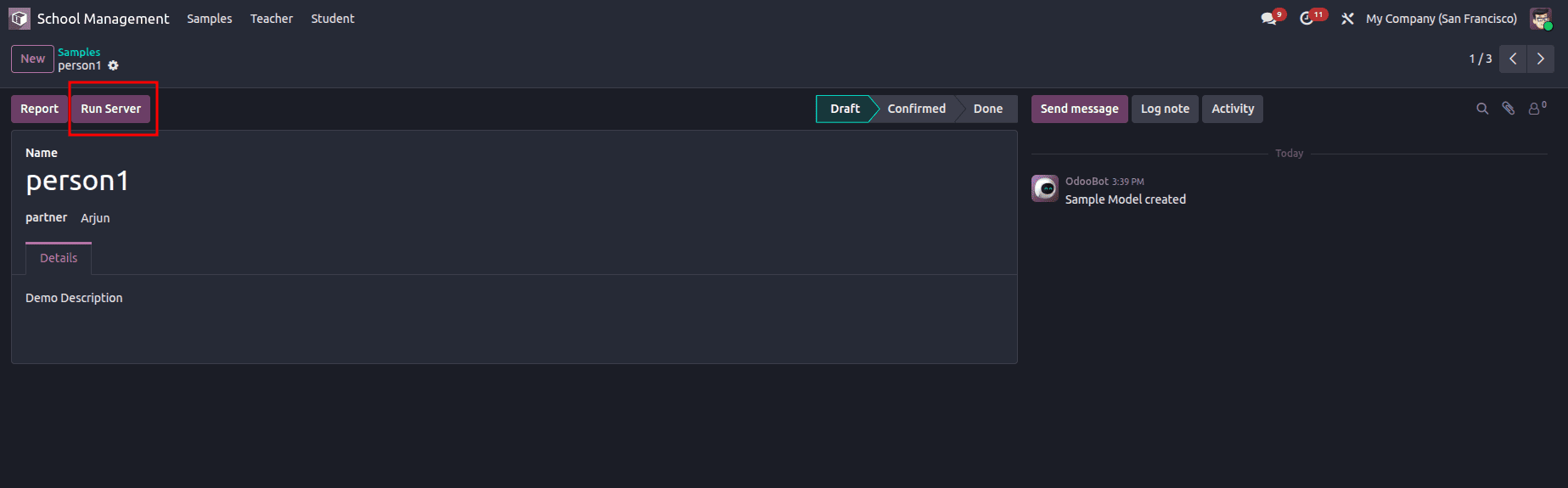
In this case, a Run Server button is added to a school management model form view. When the button is clicked, a server action is triggered with a custom context value.
def run_server(self):
   print(self.env.context,'server action executed')

def run_server_action(self):
   action = self.env.ref('school_management.action_print_hi_log')
   action.with_context(context_passed=True).run()
Here:
- run_server_action() is called when the button is clicked.
- The server action is fetched using env.ref.
- A custom context key (context_passed) is injected using with_context.
- The server action is executed using run().
Server Action Definition (XML)
<?xml version="1.0" encoding="utf-8"?>
<odoo>
   <data>
       <record id="action_print_hi_log" model="ir.actions.server">
           <field name="name">Print in Log</field>
           <field name="model_id" ref="school_management.model_school_management"/>
           <field name="state">code</field>
           <field name="code">model.run_server()</field>
           <field name="binding_model_id" ref="school_management.model_school_management"/>
           <field name="binding_view_types">form</field>
       </record>
   </data>
</odoo>
This server action:
- Is bound to the form view of the model
- Executes Python code using state="code"
- Calls the run_server() method during execution
Accessing the Context Inside the Server Action
def run_server(self):
   print(self.env.context,'server action executed')
When the server action runs, the custom context passed from the button is merged into self.env.context. This allows the method to detect flags like context_passed and conditionally execute logic based on them.
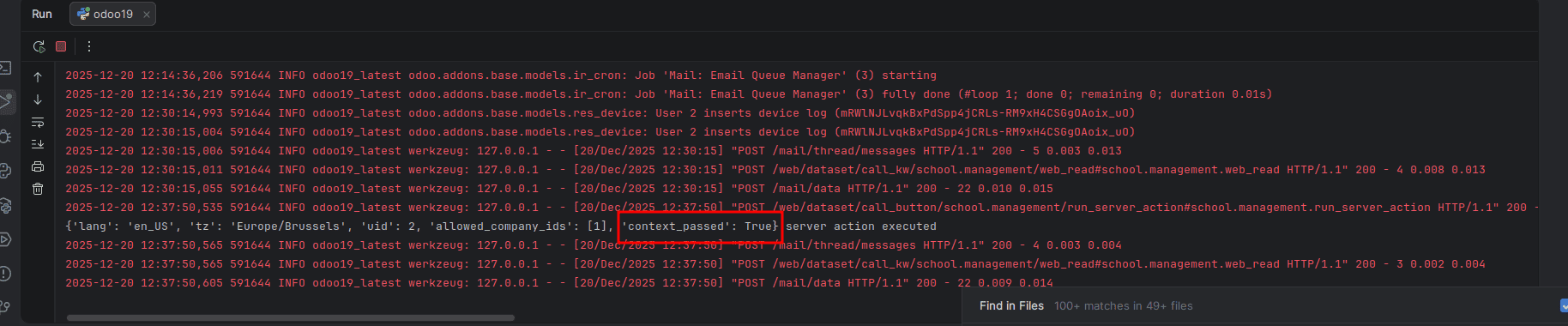
Here in the log we can see the context we passed.
Why This Approach Is Useful
Passing context to server actions allows developers to:
- Differentiate between multiple trigger sources
- Control execution logic without hard-coding conditions
- Keep server actions reusable and flexible
- Implement cleaner, context-aware backend workflows
This pattern is especially helpful when the same server action is reused across buttons, automated actions, or different models.
Passing context in Odoo 19 is a powerful technique that enables developers to build smarter, more responsive, and user-friendly workflows without duplicating code or overcomplicating logic. Whether context is passed through menus to control default values, through buttons to launch record-aware wizards, or through server actions to execute conditional backend logic, it serves as a flexible communication layer between the UI and business logic. By understanding how context flows across these action types, developers can create cleaner, more maintainable customizations that adapt seamlessly to user interactions and evolving business requirements.
To read more about What are the Types of Actions in Odoo 18, refer to our blog, What are the Types of Actions in Odoo 18.