A Bill of Materials (BoM) is a feature in Odoo 19 that lists the parts or raw materials required to produce a final product. Monitoring the materials needed to construct or assemble a product is essential for manufacturing firms.
The components (raw materials, parts, and subassemblies) and quantities needed to create a final product are listed in a bill of materials. It is frequently utilized to optimize production and inventory management in Odoo's 19 Manufacturing module.
What are Odoo's several Bills of Materials?
- Manufacture this product.
- Kit
- Subcontracting
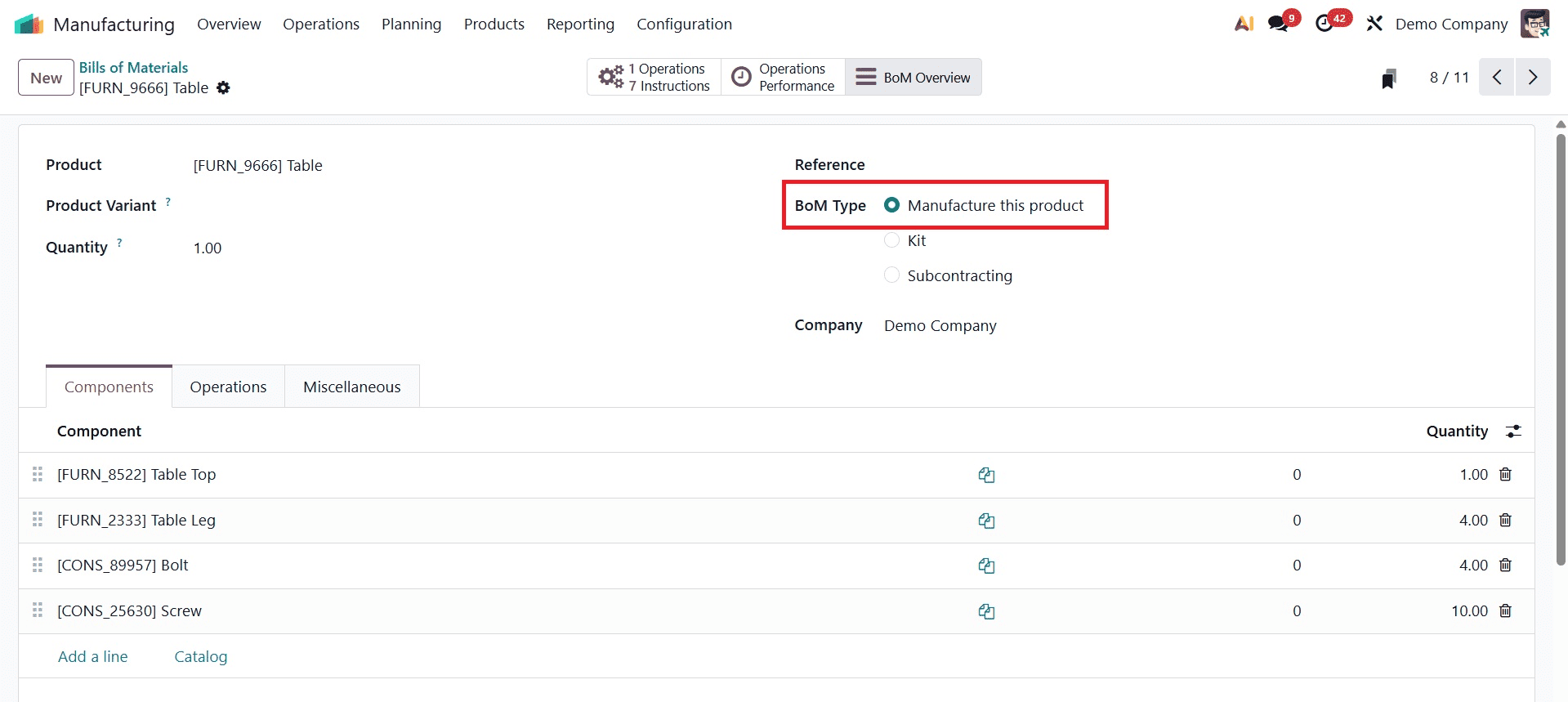
BoM Type: Manufacture this product
When a product is made directly from its components or raw materials, the "Manufacture this product" BoM type is typically utilized. This kind of BoM is most frequently utilized for goods that require a thorough production process in which raw materials are transformed into a final product.
Let's produce this product and draft a new bill of materials utilizing the BoM type. Go to the Manufacturing module and look for the Bill of Materials sub-menu under the product menu.
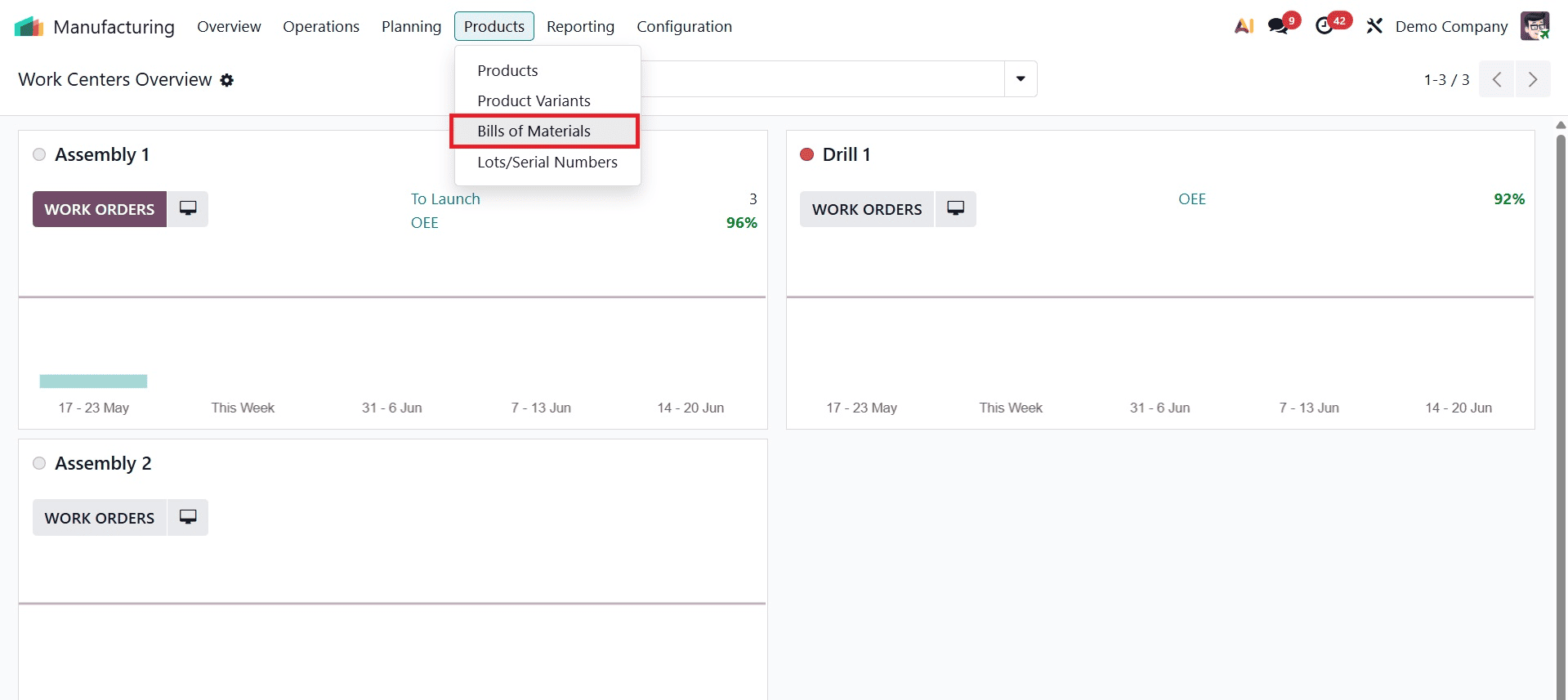
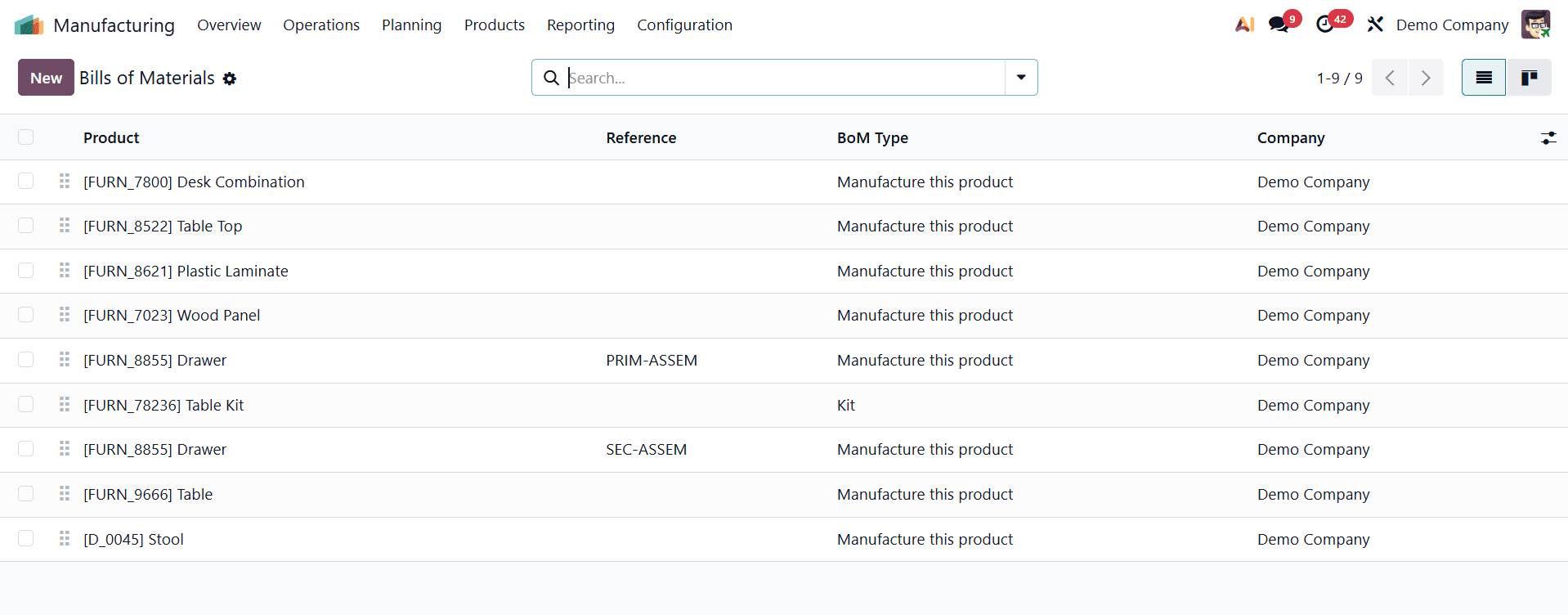
To view a list of all previously prepared bills of materials, select the Bill of Materials sub-menu. Click the New button to create a new Bill of Materials.
The full information of your bill of materials, including the product name, components, amount, BoM type, etc., can then be added in a form view.
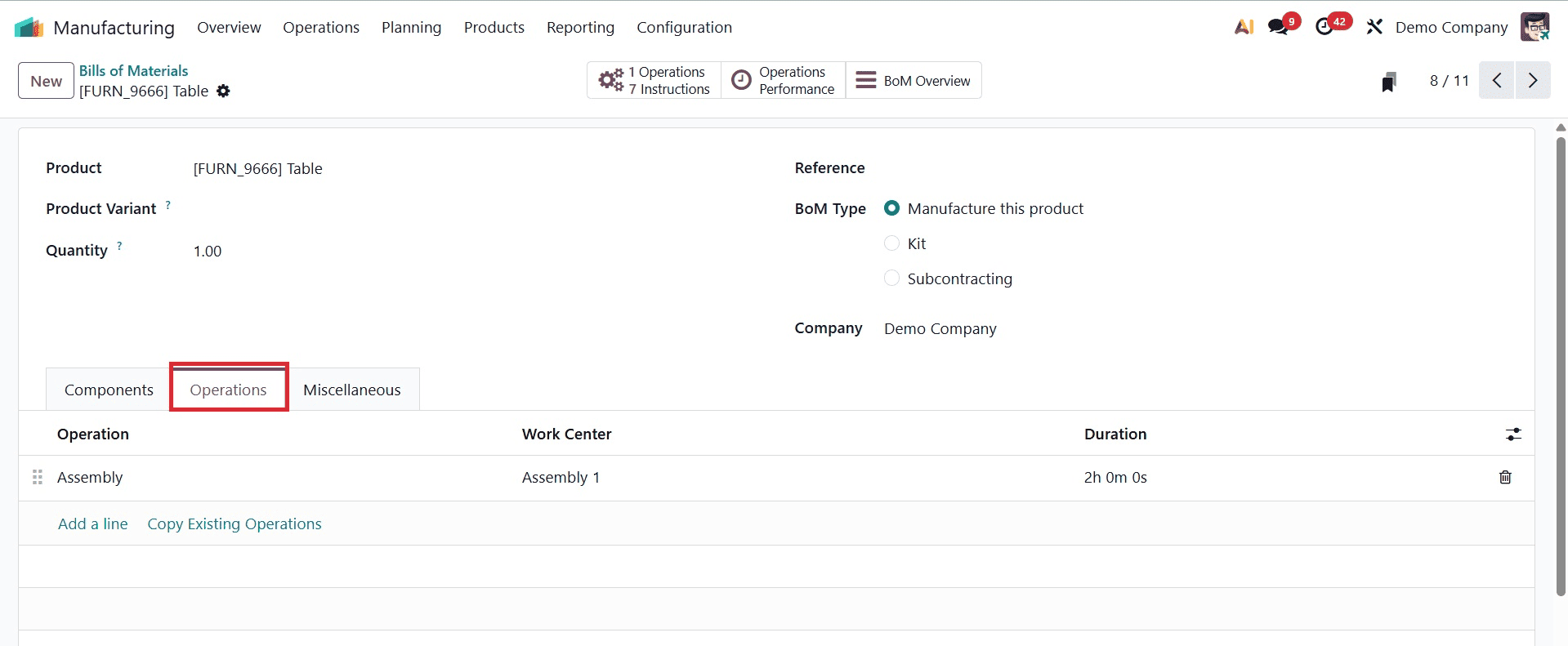
Go to the operations tab after adding the products and components. There, you can add operations, work center, duration, etc.
The option to set Manufacturing readiness, Version, Flexible consumption, etc. is available when navigating to the miscellaneous tab after the necessary fields have been properly or fully filled out.
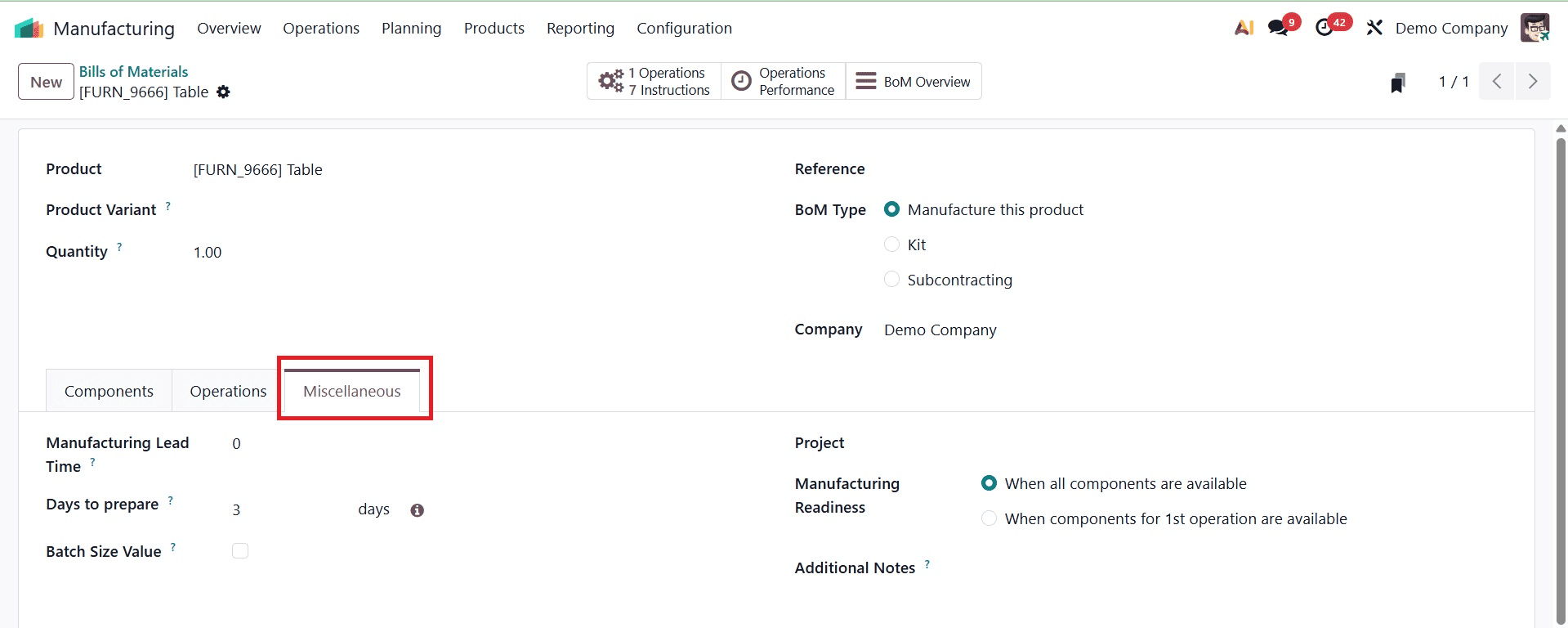
Manufacturing readiness: The setup and preparation required to guarantee a seamless and effective production process is referred to as manufacturing ready.there are 2 options, one is that the production starts only when all the components are available. And the second one is that when the components for completing the first operation are ready the users can start the production.
Project: Select a project to be associated with this order for manufacturing.
The term "manufacturing lead time" describes how long it will take to start producing a product after an order is confirmed. The whole production process is included in this period.
Days to prepare Manufacturing Order: The number of days needed to prepare a manufacturing order before it is verified can be specified using this option. Additionally, there is a Compute button. When you click the Compute button, Odoo automatically calculates how many days it will take to purchase or manufacture all of the components from BoM.
This Bill of Material can be used to establish a production order once the data has been added. Go to the Operations menu, which has a Manufacturing Orders sub-menu, to generate a new manufacturing order. All of the manufacturing orders that have already been produced will be listed when you select the manufacturing order sub-menu to create a new one.
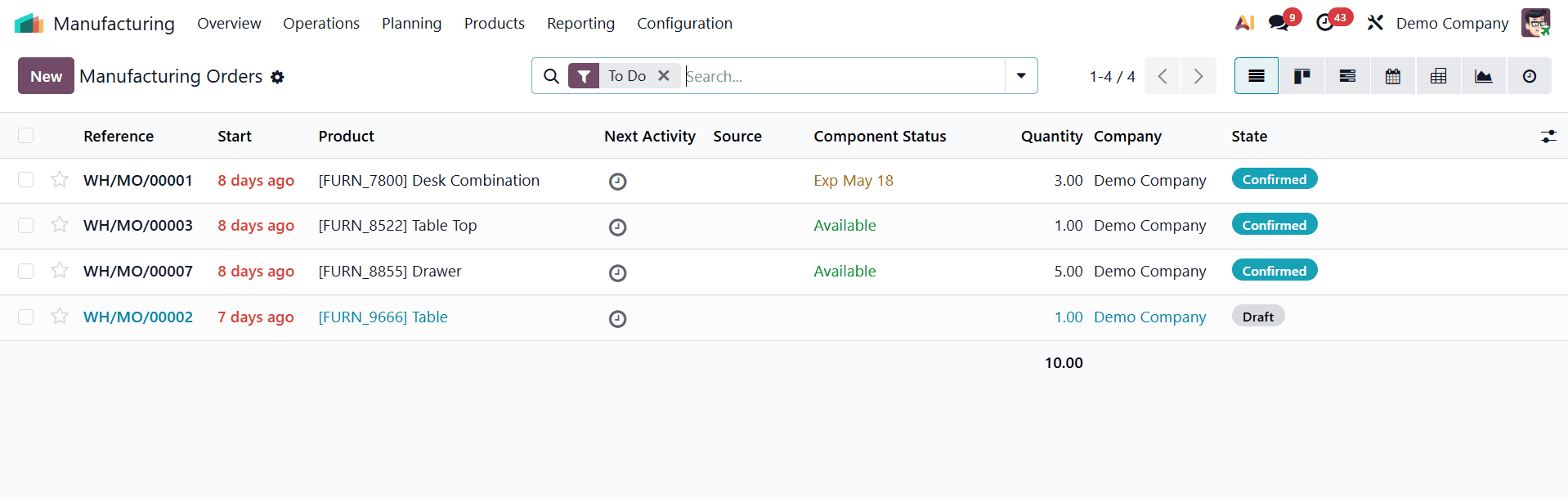
A form to enter the manufacturing order details will appear after pressing the new button. If the product has a bill of materials, the information from the bill of materials is immediately entered into the manufacturing order after the product is uploaded to the form.
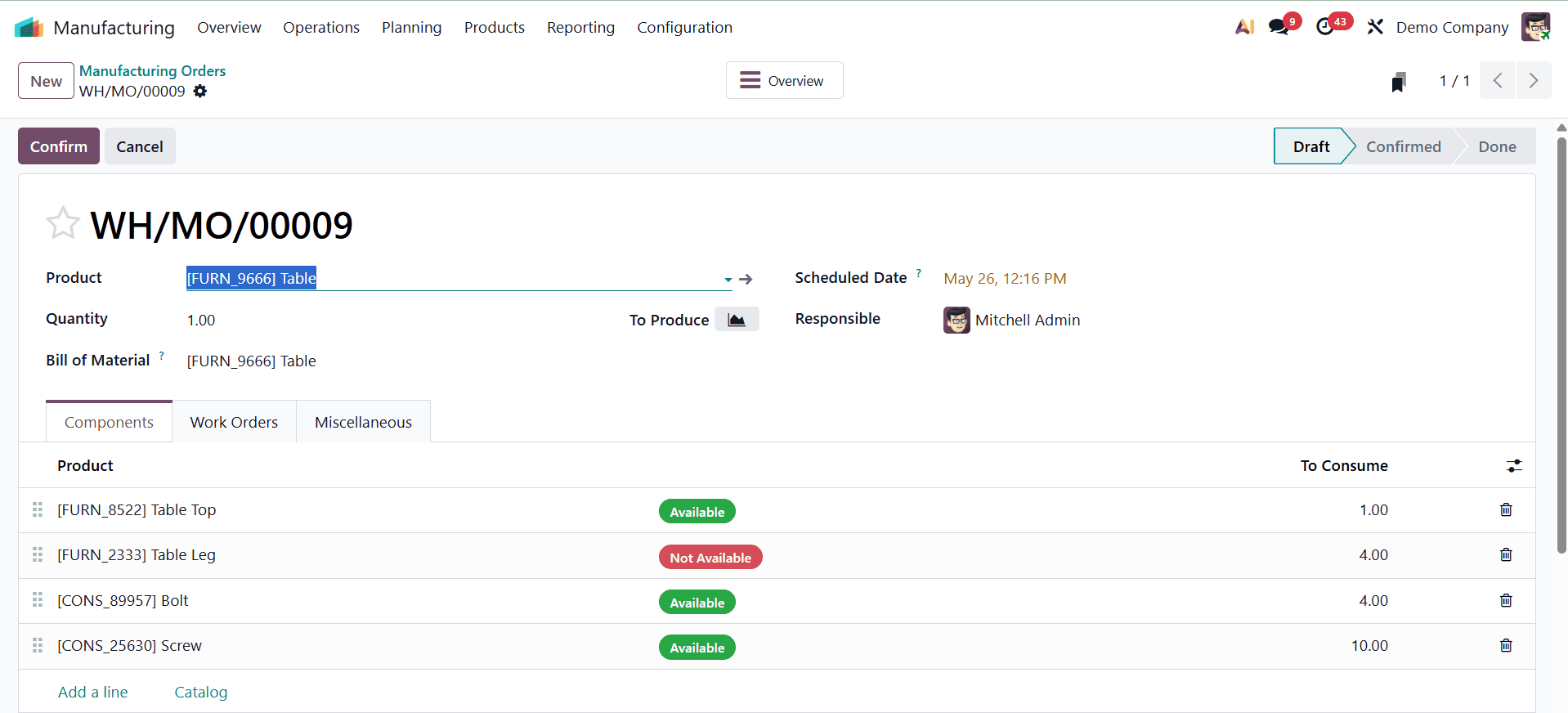
The manufacturing order can then be completed by simply clicking the "Confirm" button. This amount will be added to the company's inventory once the table is finished.
BoM Type: Kit
When parts or components are marketed or packaged as a set without being manufactured or assembled, they are referred to as BoM-type kits. Thus, establish a new manufacturing order using Kit as the BoM type.
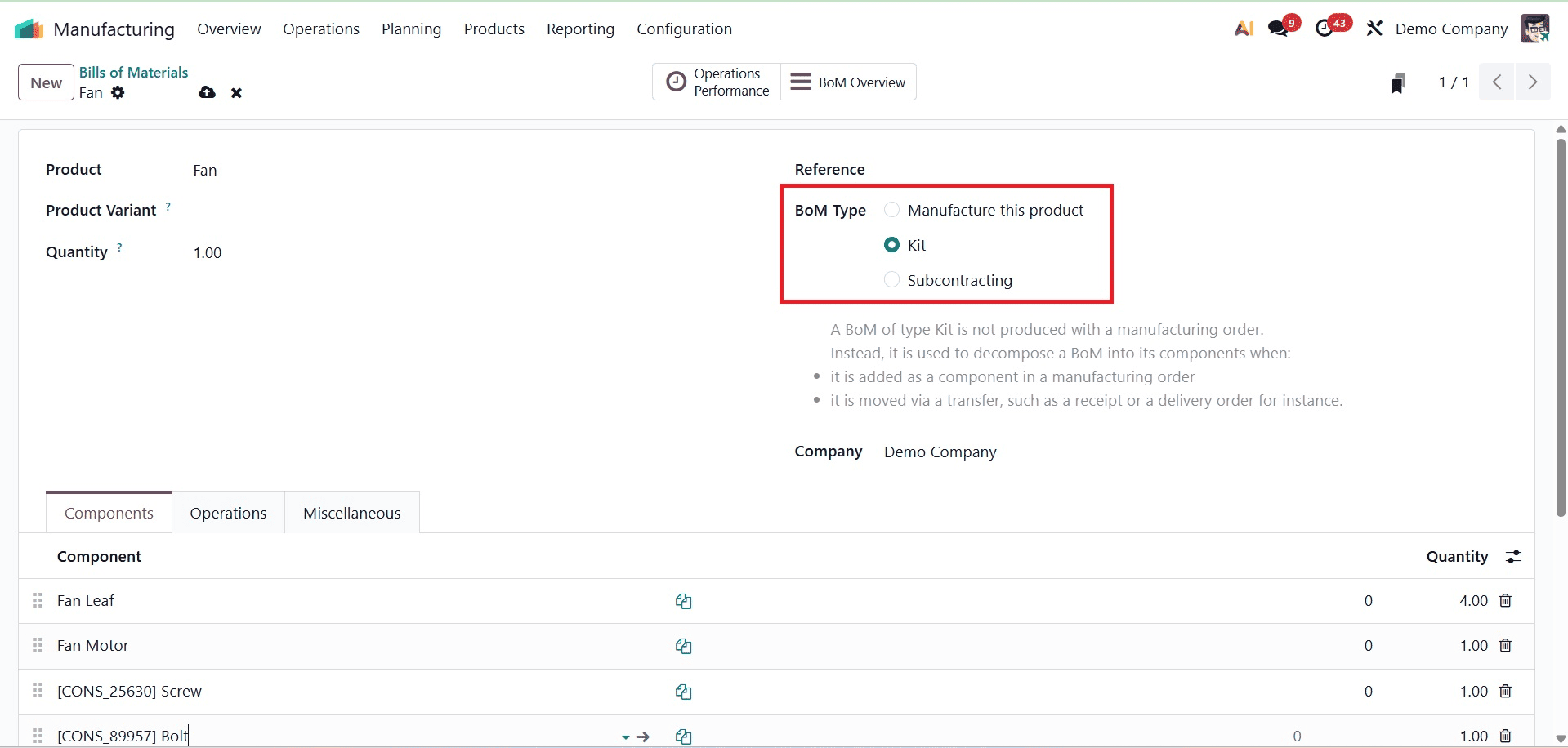
Similar to the BoM type, Manufacture this product, additional information can be added to this manufacturing order. Then, every time a sale order is made for this product—in this case, a fan—all of the components are added when the sale order is delivered. For this product, let's make a fresh sale order.
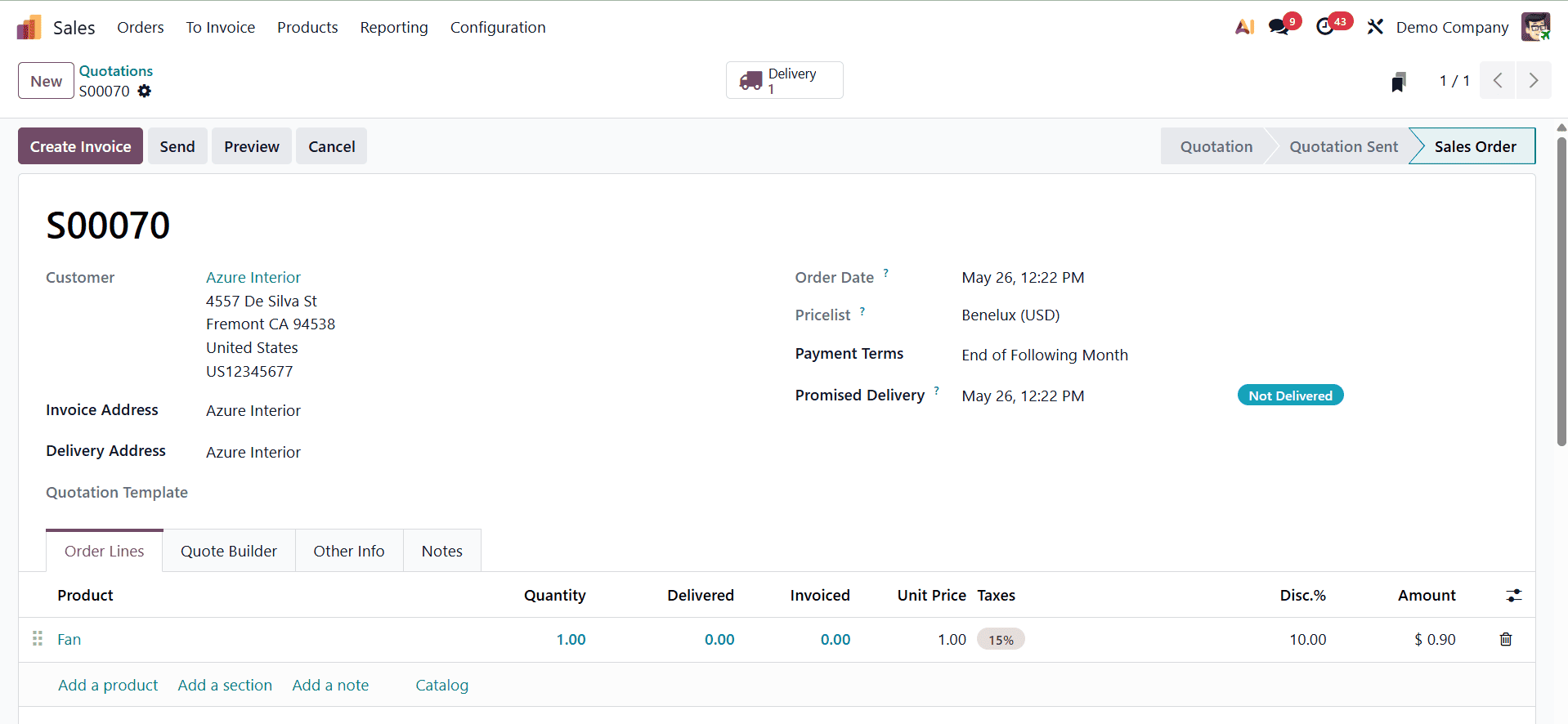
To view the delivery products, choose the delivery smart tab after the sale order has been verified.
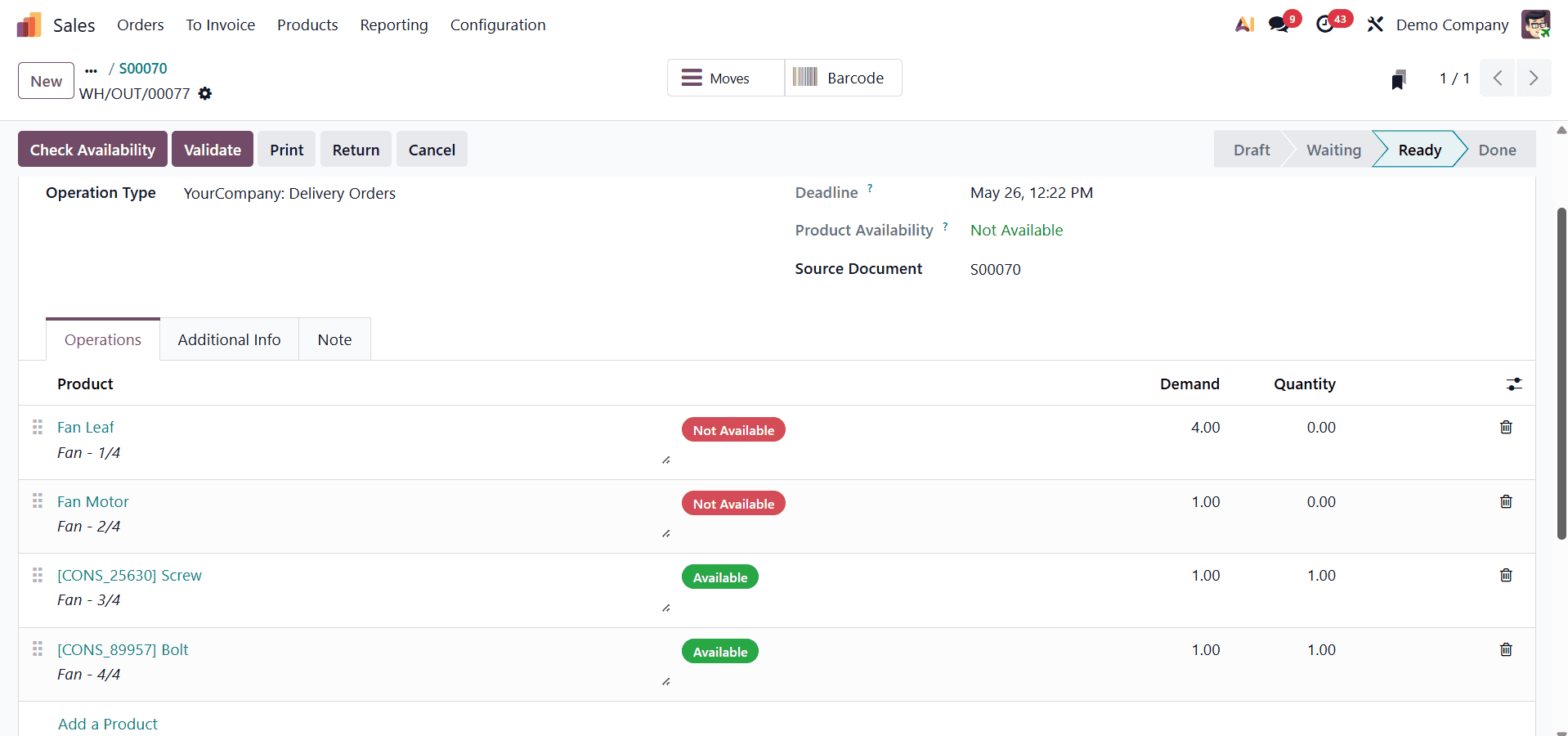
The kit's components won't be added to the selling order's order line. After that, the salesman can confirm the delivery and carry on with the sales.
Those who want to sell pre-packaged sets or bundles of goods. These BoM-style kits guarantee flexibility and efficiency while streamlining accounting, sales procedures, and inventory management.
BoM Type: Subcontracting
With Odoo 19, subcontracting enables a business to contract out certain production process components to outside vendors or service providers. Businesses can use subcontractors to do particular activities, such as machining, assembly, or finishing, and then bring the processed or finished goods back into their inventory rather than producing all parts or assembling all products in-house.
Only this BoM type will be usable if you enable the subcontracting checkbox in the Manufacturing module's configuration settings.
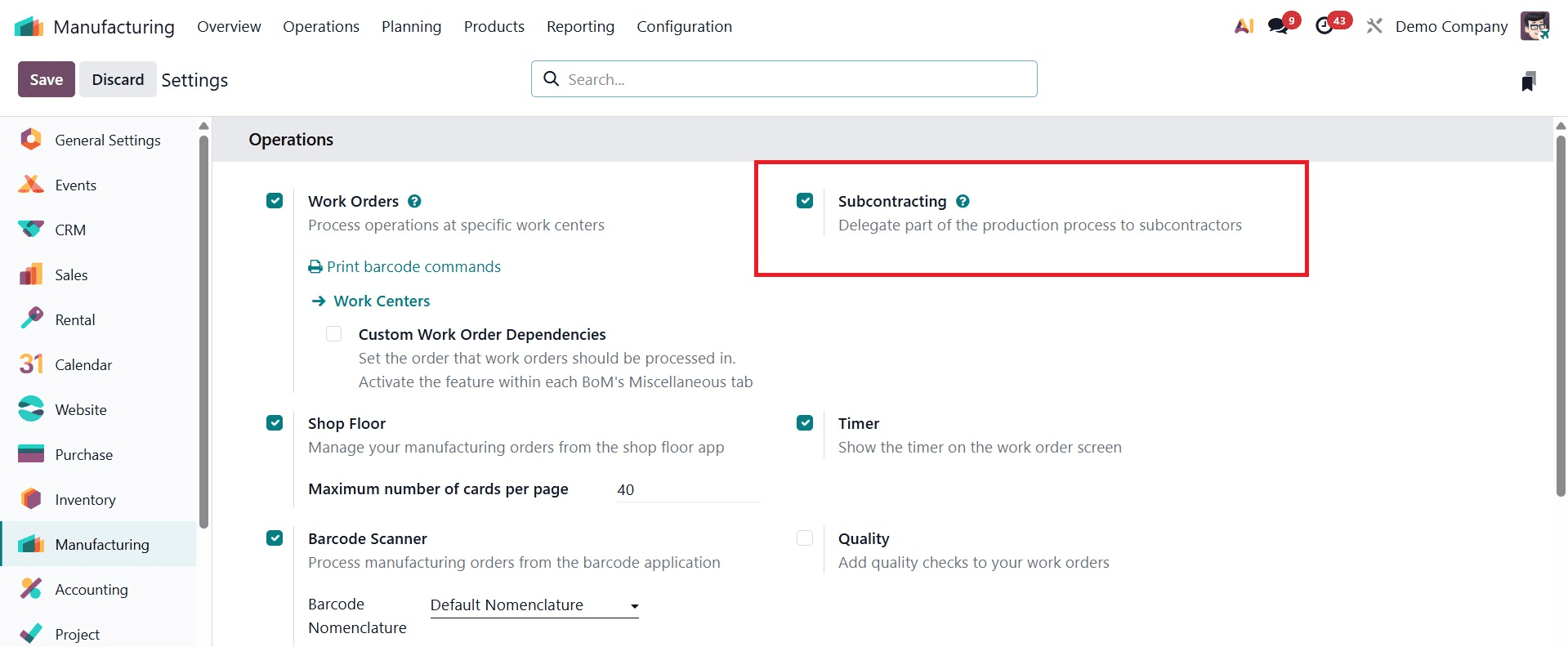
In this case, it involves designating a partner to complete a portion of a product's production process. Every time a buyer places an order for these goods, the vendors subcontract the components before the sale order is finalized.
When a purchase order is made for this product, a replenishment smart tab will be added.
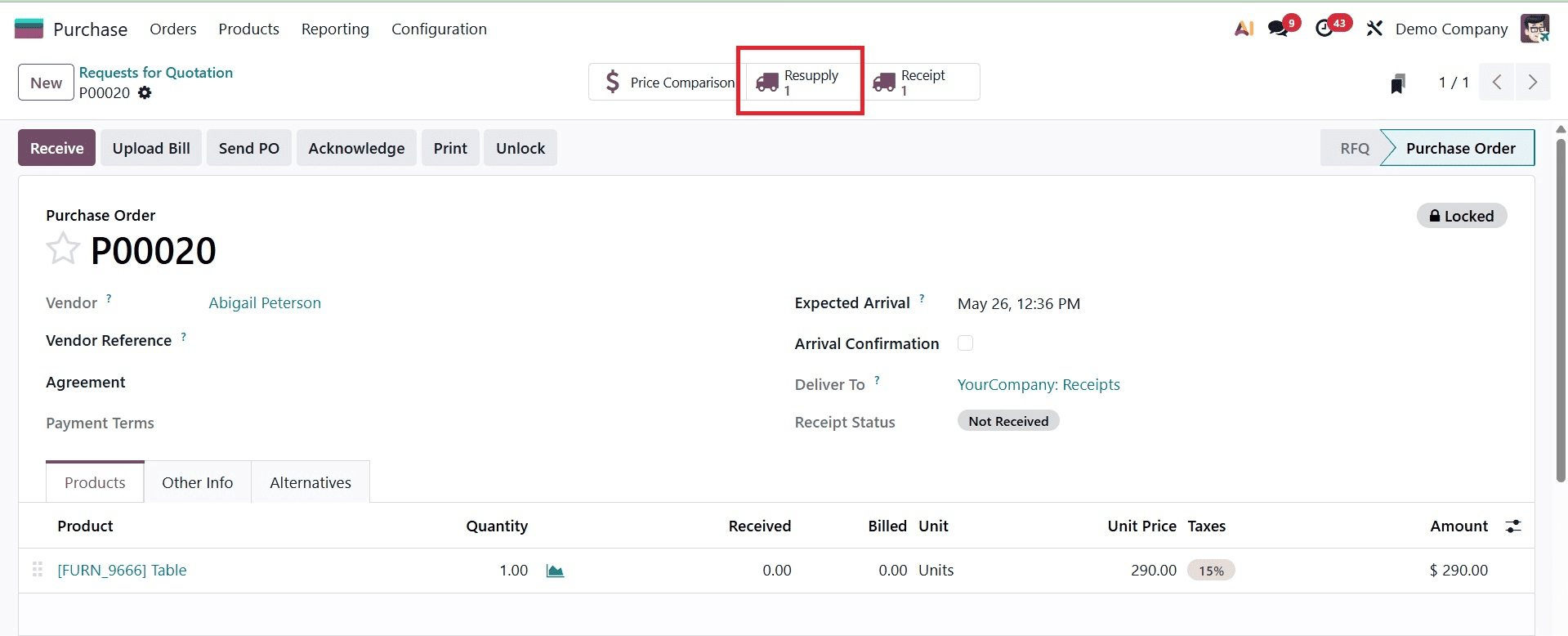
The products or components that need to be replenished will appear after selecting the Resupply smart tab. The business can then finish the purchase order.
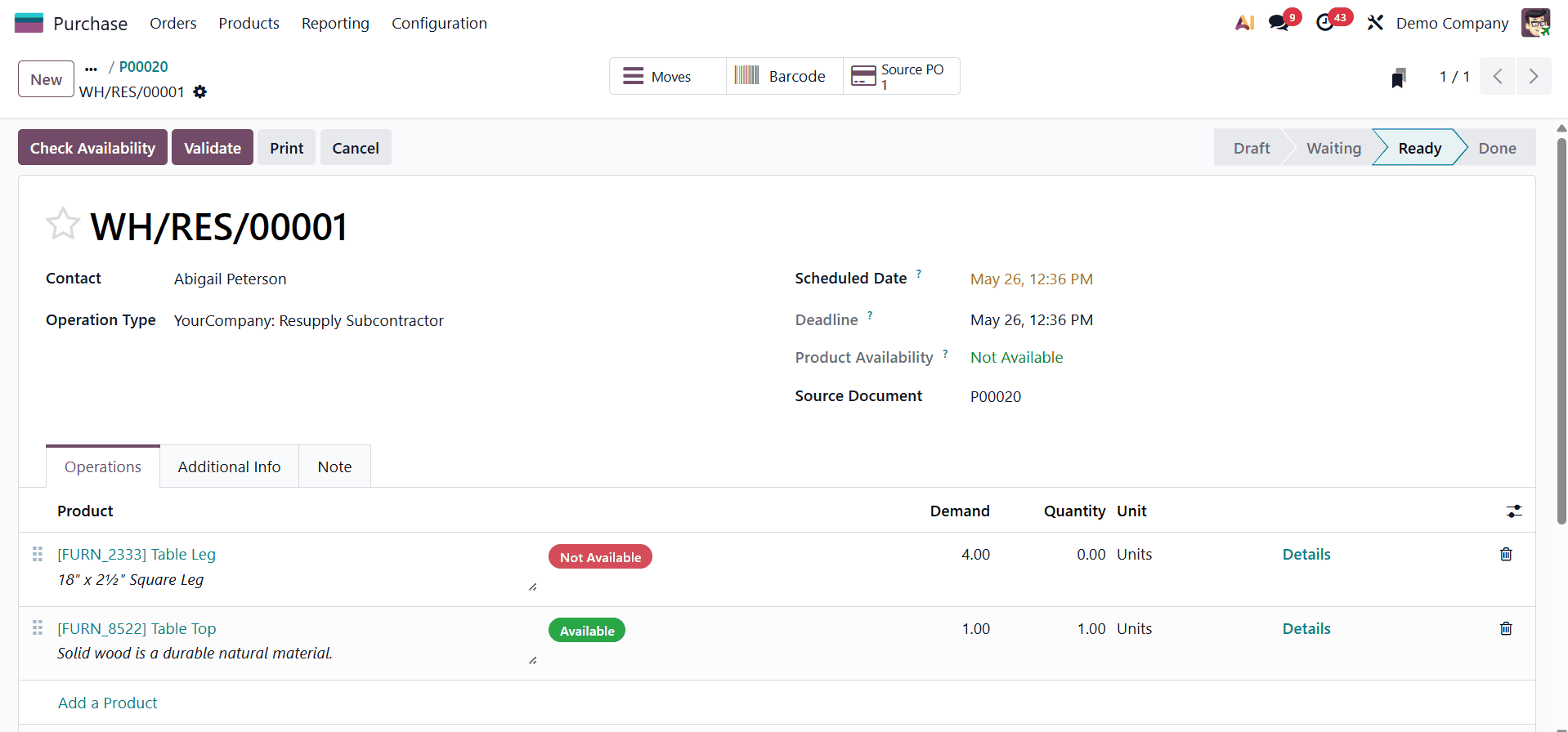
Odoo 19 Manufacturing's BoM-type subcontracting allows companies to contract out specific parts of their manufacturing process, such as assembly, machining, or finishing, to outside vendors. The entire process of delivering raw materials to subcontractors and receiving completed goods back is streamlined and organized by this feature.
To read more about What are the Different Types of Bills of Materials in Odoo 18, refer to our blog What are the Different Types of Bills of Materials in Odoo 18.