Costing techniques and inventory value are the two primary options available in Odoo 19. A fundamental accounting method for figuring out the value of stock on hand is inventory valuation. The business's overall value is calculated after the inventory valuation amount has been determined. An asset to your business and an essential part of business operations is inventory management. The inventory value may change as a product enters or exits your stock, depending on how the products are arranged. The worth of your company regularly fluctuates due to new stock. The inventory value may change as a product enters or exits your stock, depending on how the products are arranged. New stock causes frequent fluctuations in the inventory's value. The total benefit of revenue, net profit, and the sold product price all have an impact on inventory calculations. Costing Methods and Inventory Valuation are the two primary inventory valuation solutions available in Odoo 19.
A basic accounting technique for figuring out the worth of available inventory is inventory valuation. Following the determination of the inventory valuation amount, the total worth of the business is computed.
In Odoo 19 Accounting, there are two kinds of inventory value. Perceptual and periodic.
Navigate to the Inventory Valuation area of the Accounting module's Settings.
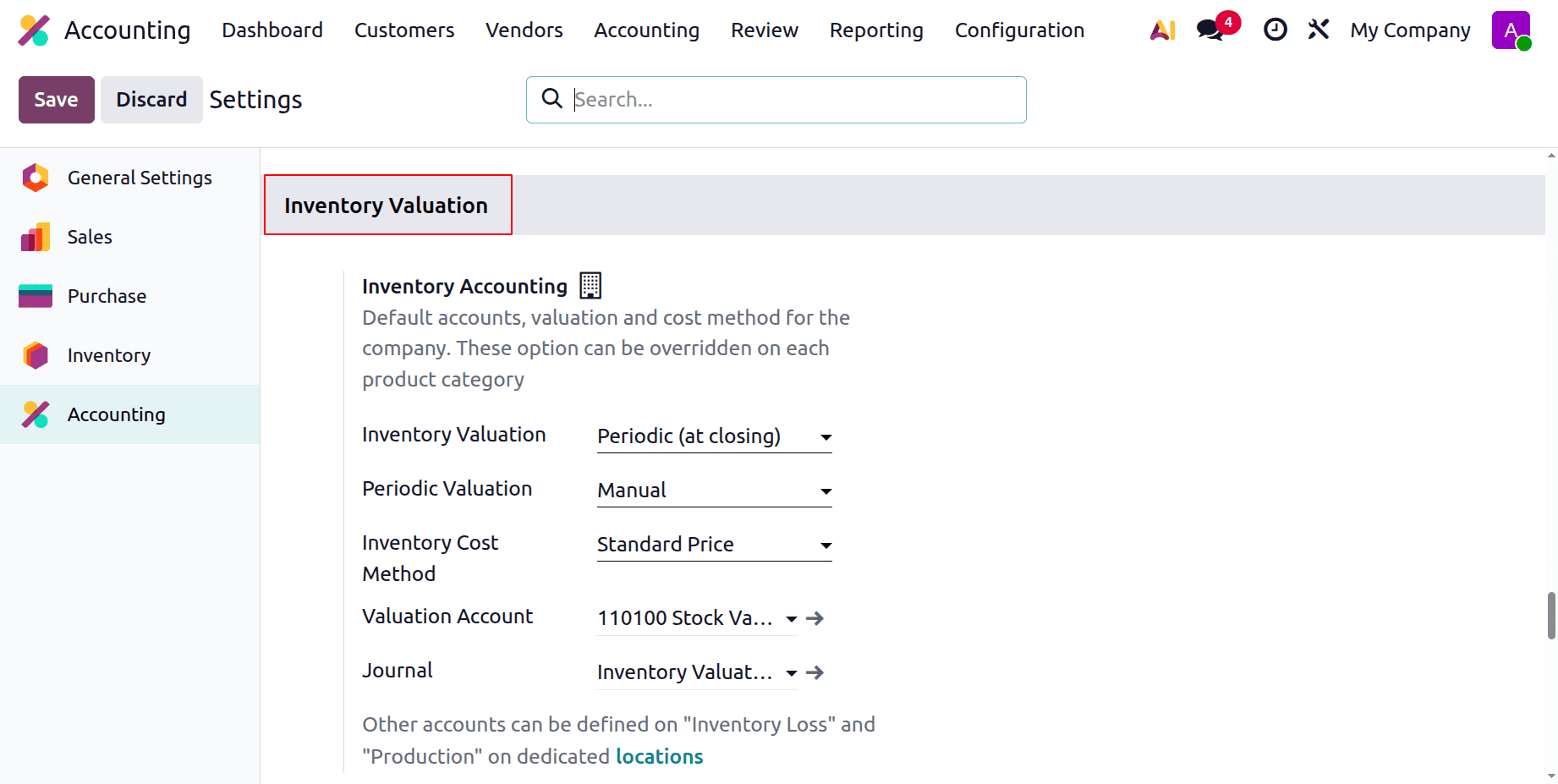
Periodic (at closing)
Odoo 19's periodic (at closing) inventory valuation merely updates the inventory value at the end of the accounting quarter rather than monitoring changes in stock value in real time. The cost of products sold is determined manually at the period close, and inventory movements during the period do not result in automatic accounting entries. When constant stock valuation is not necessary, this approach is frequently utilized for more straightforward inventory management procedures.
Set the Inventory Valuation as periodic at closure in the Settings to verify that the Inventory Valuation is periodic at closing.
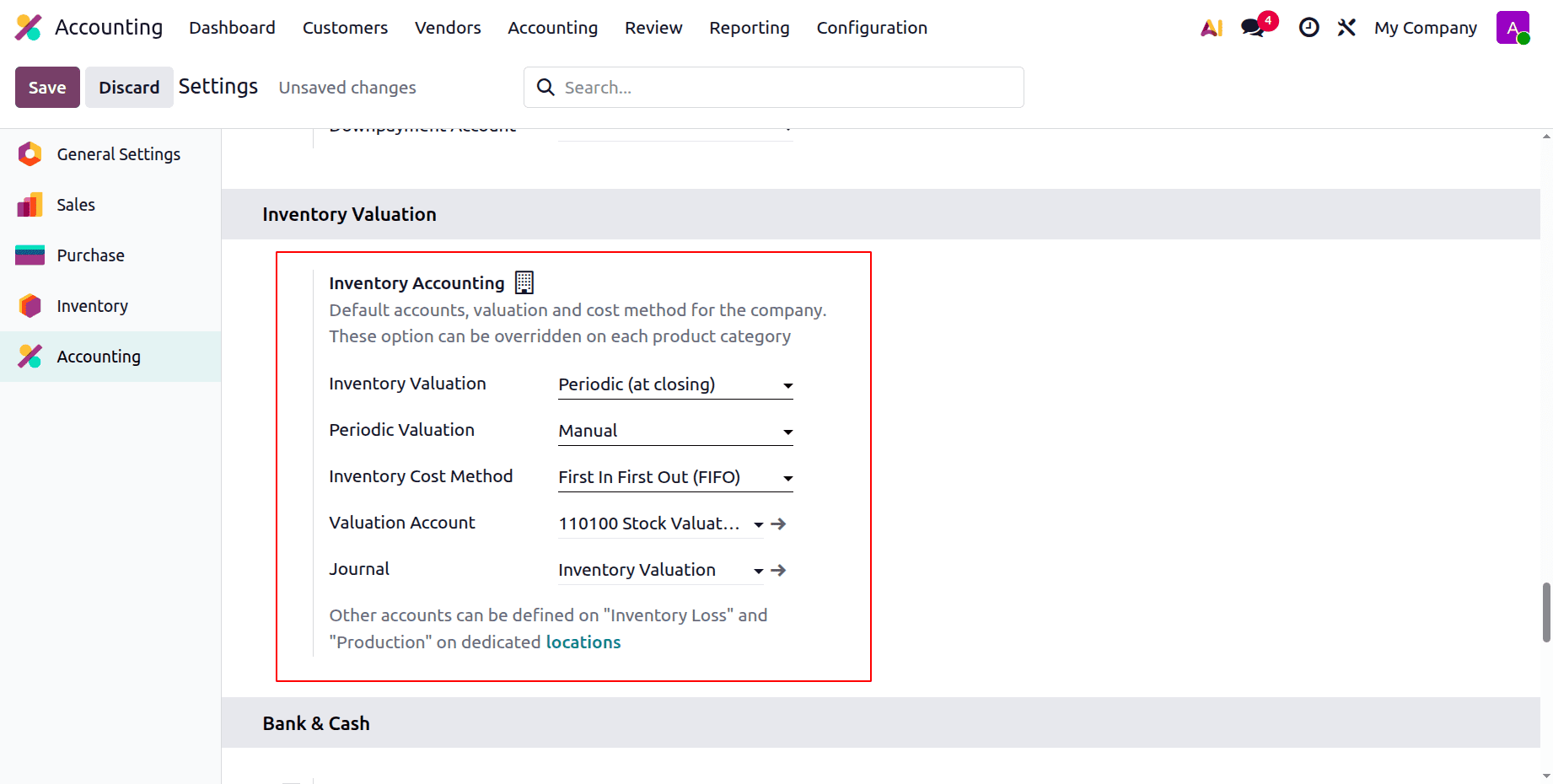
Here, the inventory costing technique is First in First Out (FIFO) and the periodic valuation is set to Manual. The valuation account and the stock journal are set there as shown in the above image.
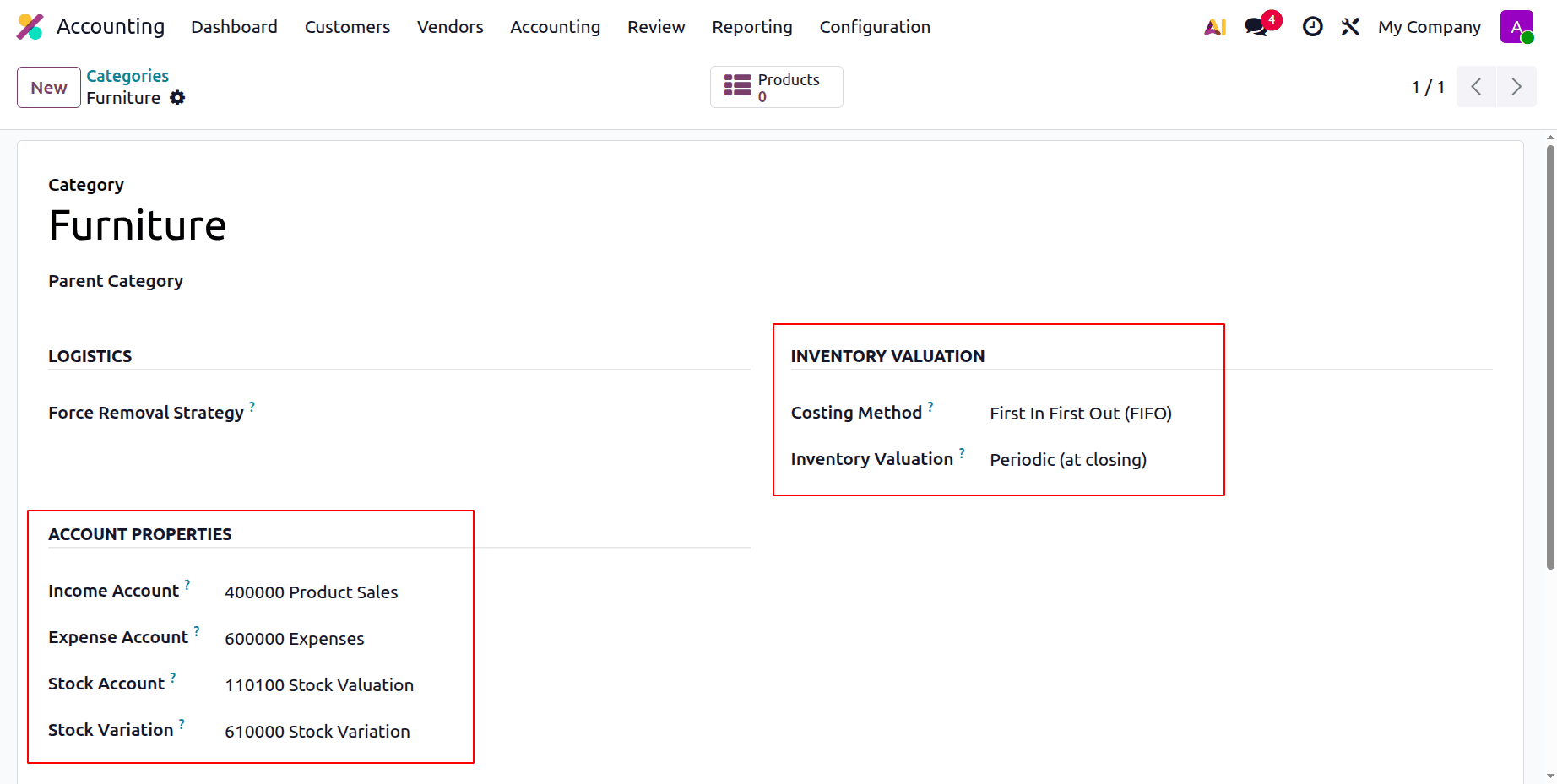
The Product Categories are included in the Inventory Valuation. These can also be set inside the Product Category. Here is a category named as “Furniture”, here the Inventory valuation is set as Periodic (at closing).
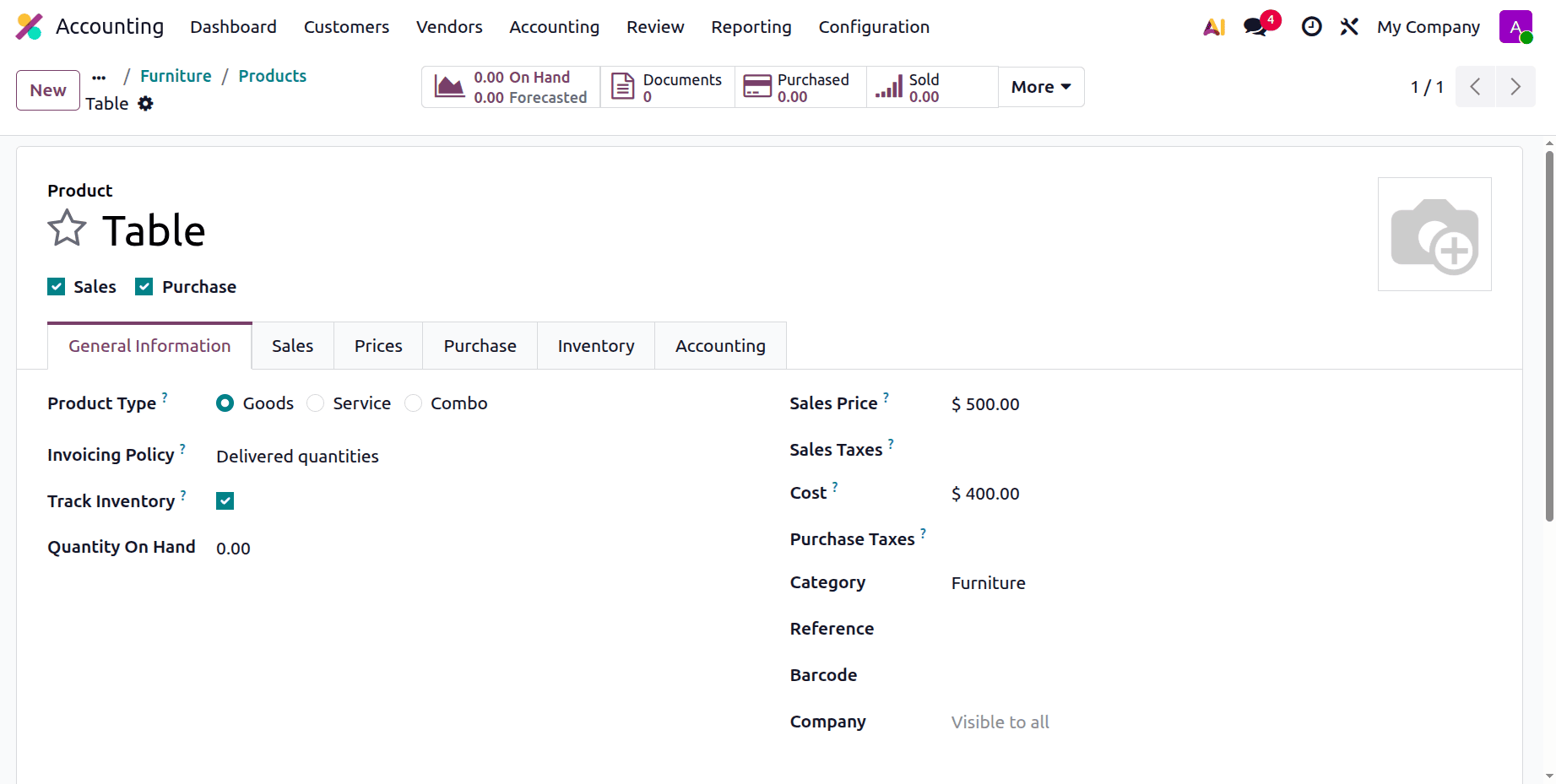
In this category, let's design a new product. Here, the product is just named as Table. Which is a storable product. Currently, there is no quantity on hand.
Let's purchase the product first. For that, they created a new purchase order. After adding the vendor information, add the product to the order line along with its quantity and unit pricing. Then confirm the request for quotation.
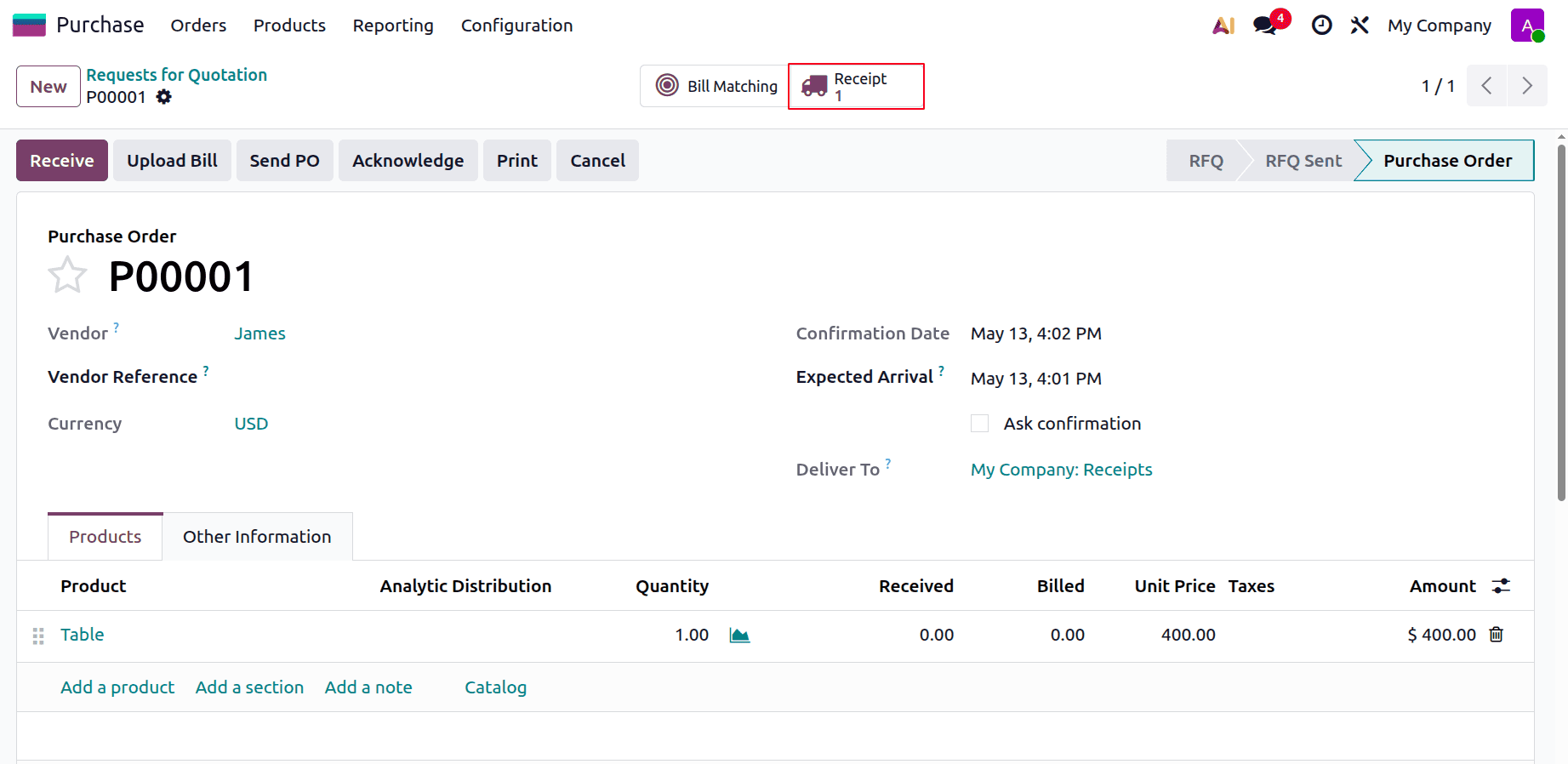
Then, to receive the product, click on the Receipt. Then, validate the receipt.
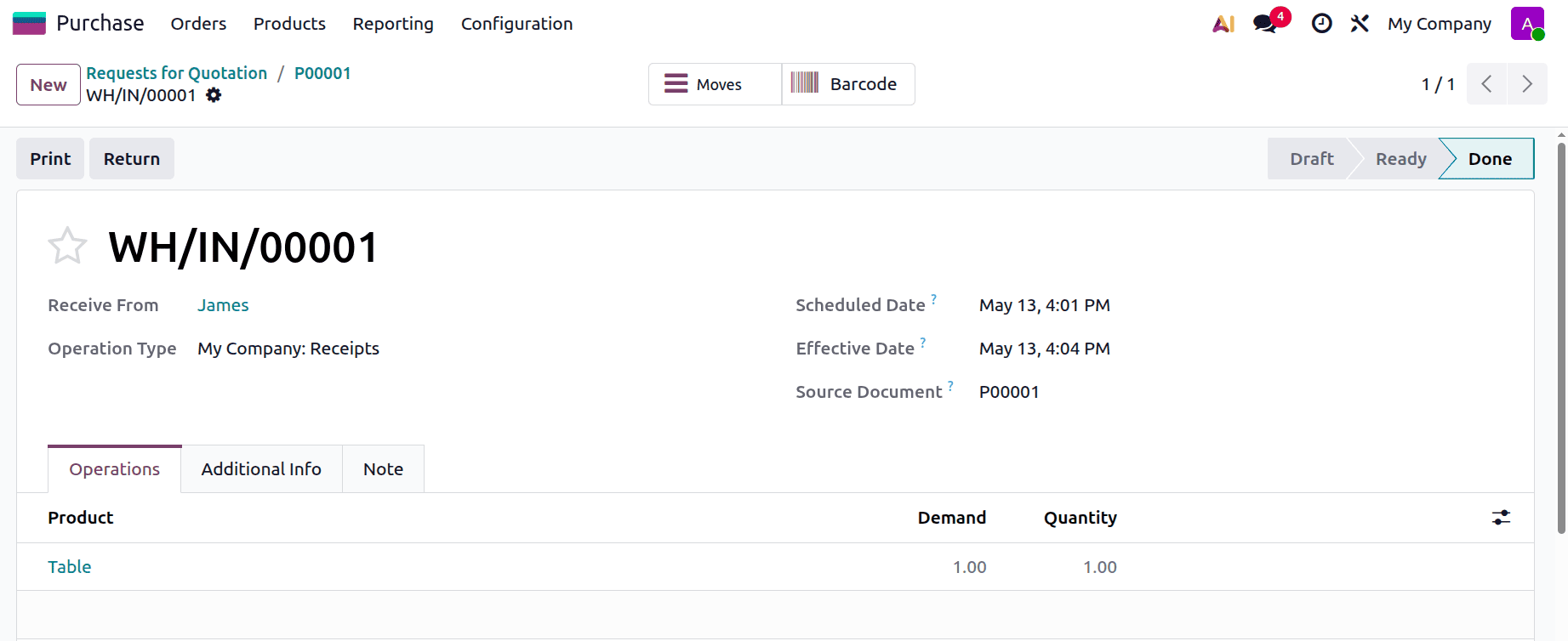
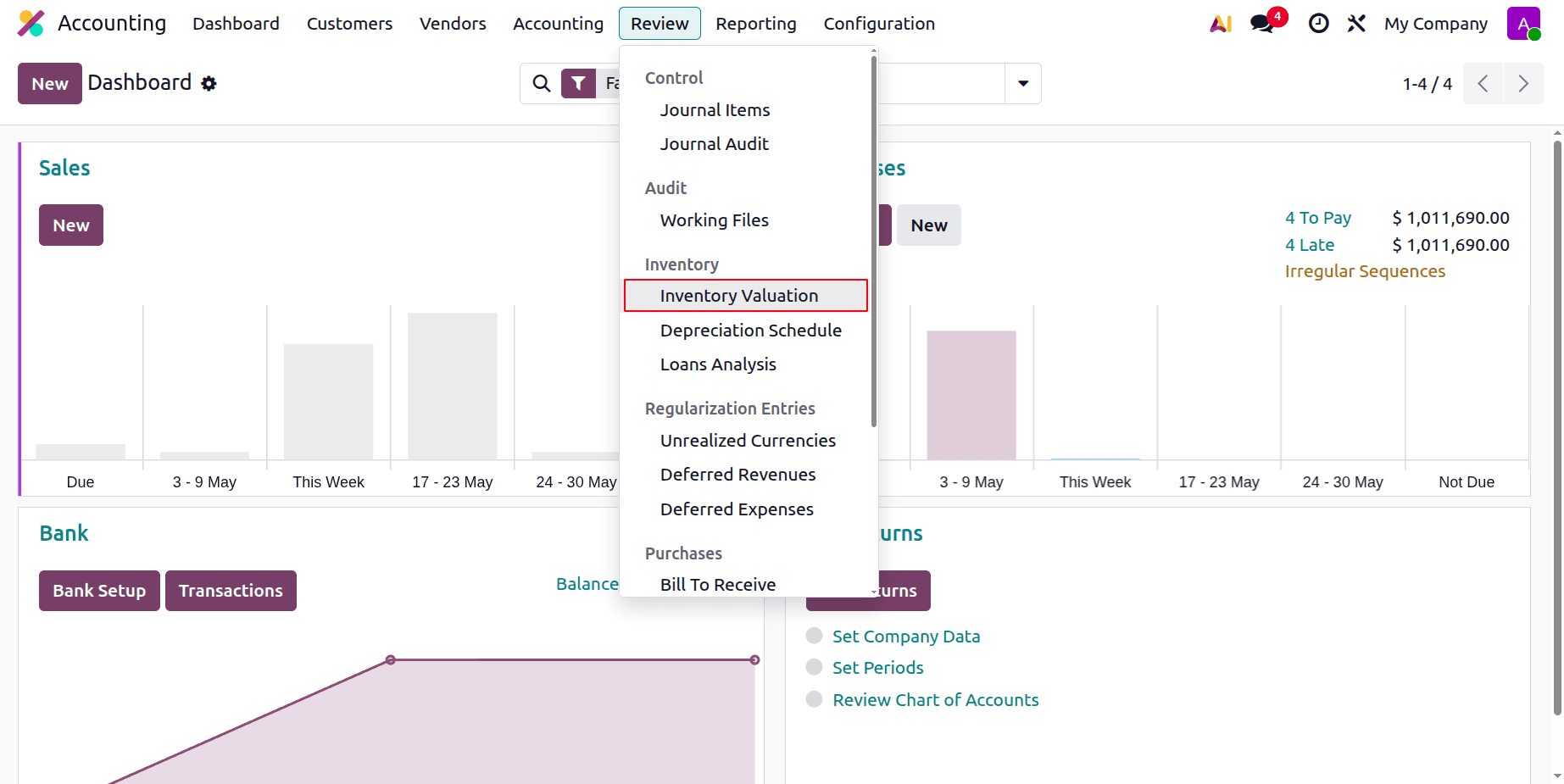
Now the product is entered into the inventory stock. Go to the Accounting module and select Inventory Valuation from the Review menu to verify the inventory valuation.
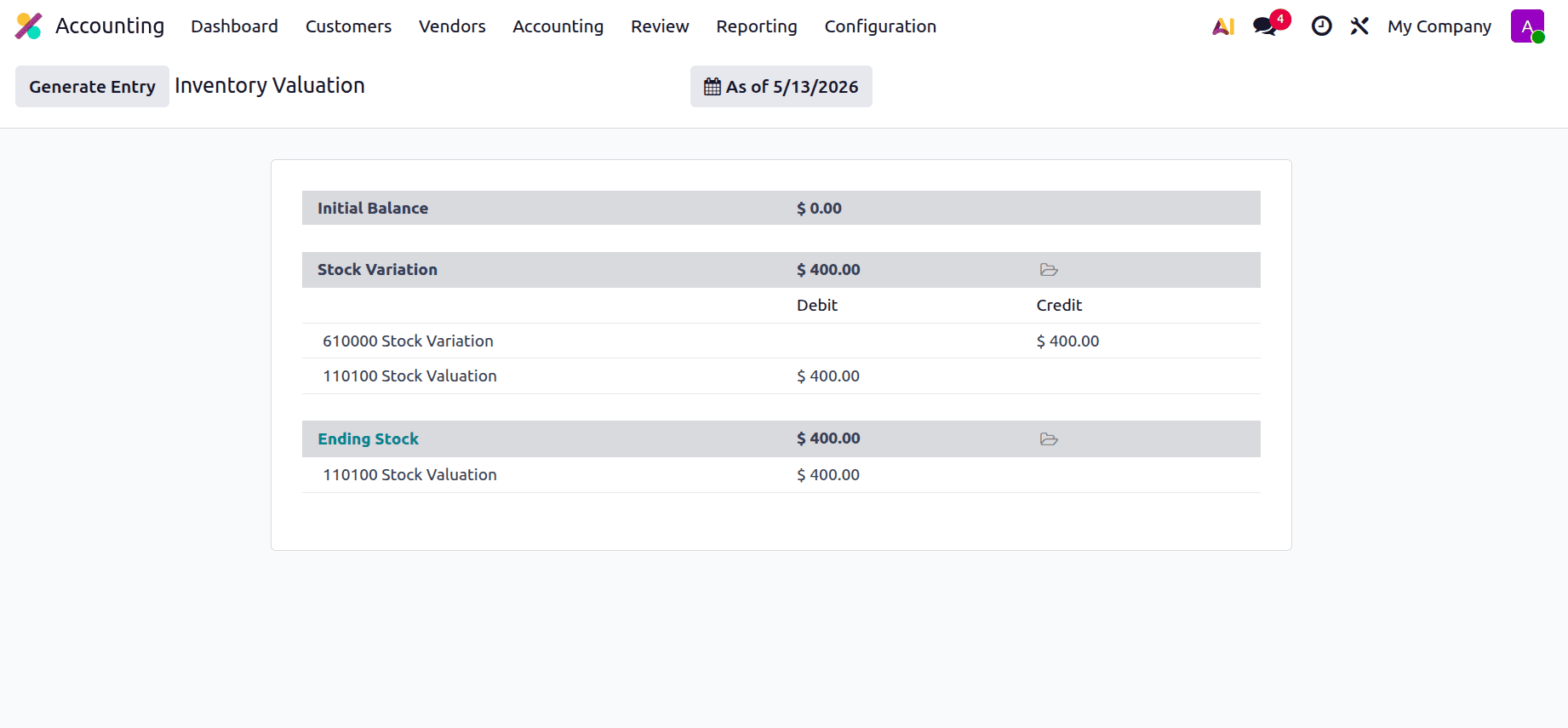
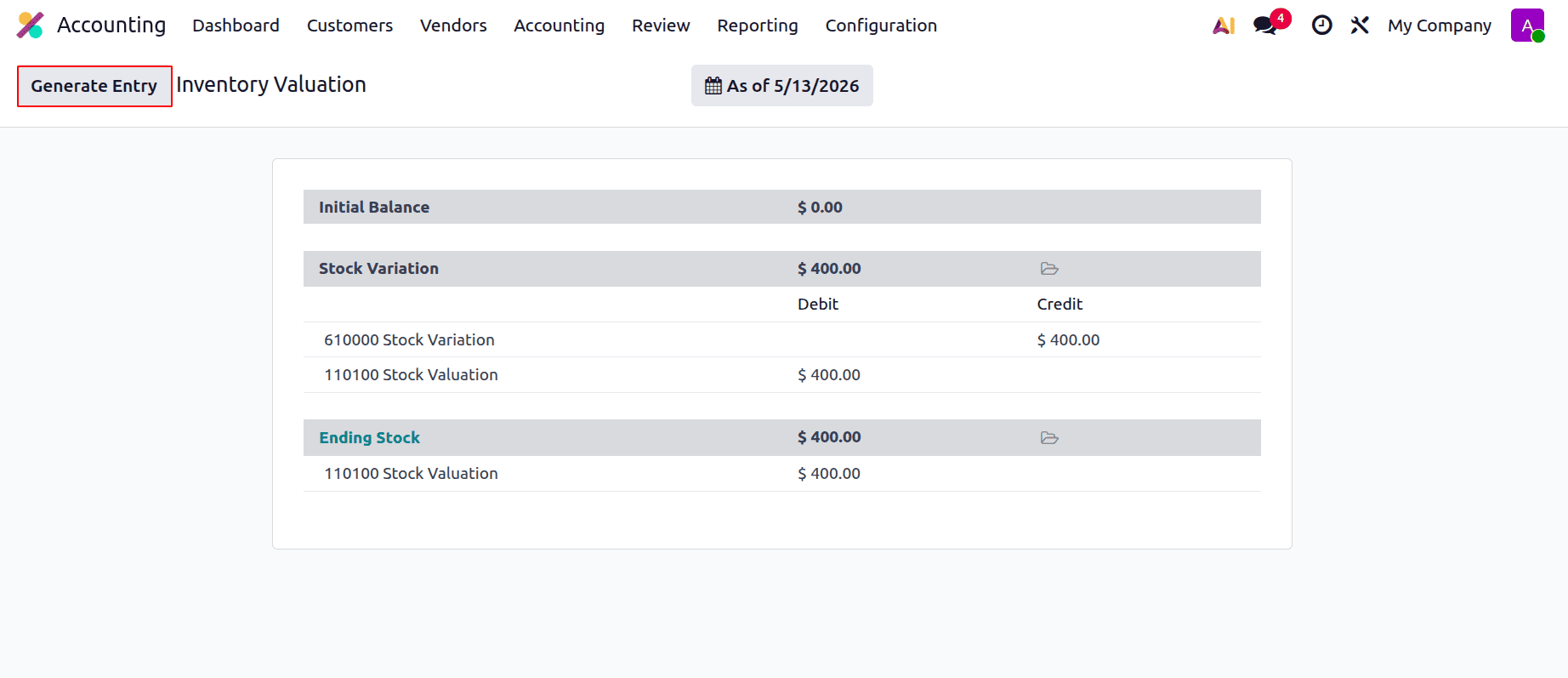
So here we can see that the two accounts, Stock Valuation and Stock Variation accounts, are affected. Here, the Stock Variation account is credited and the Stock Valuation account is debited.
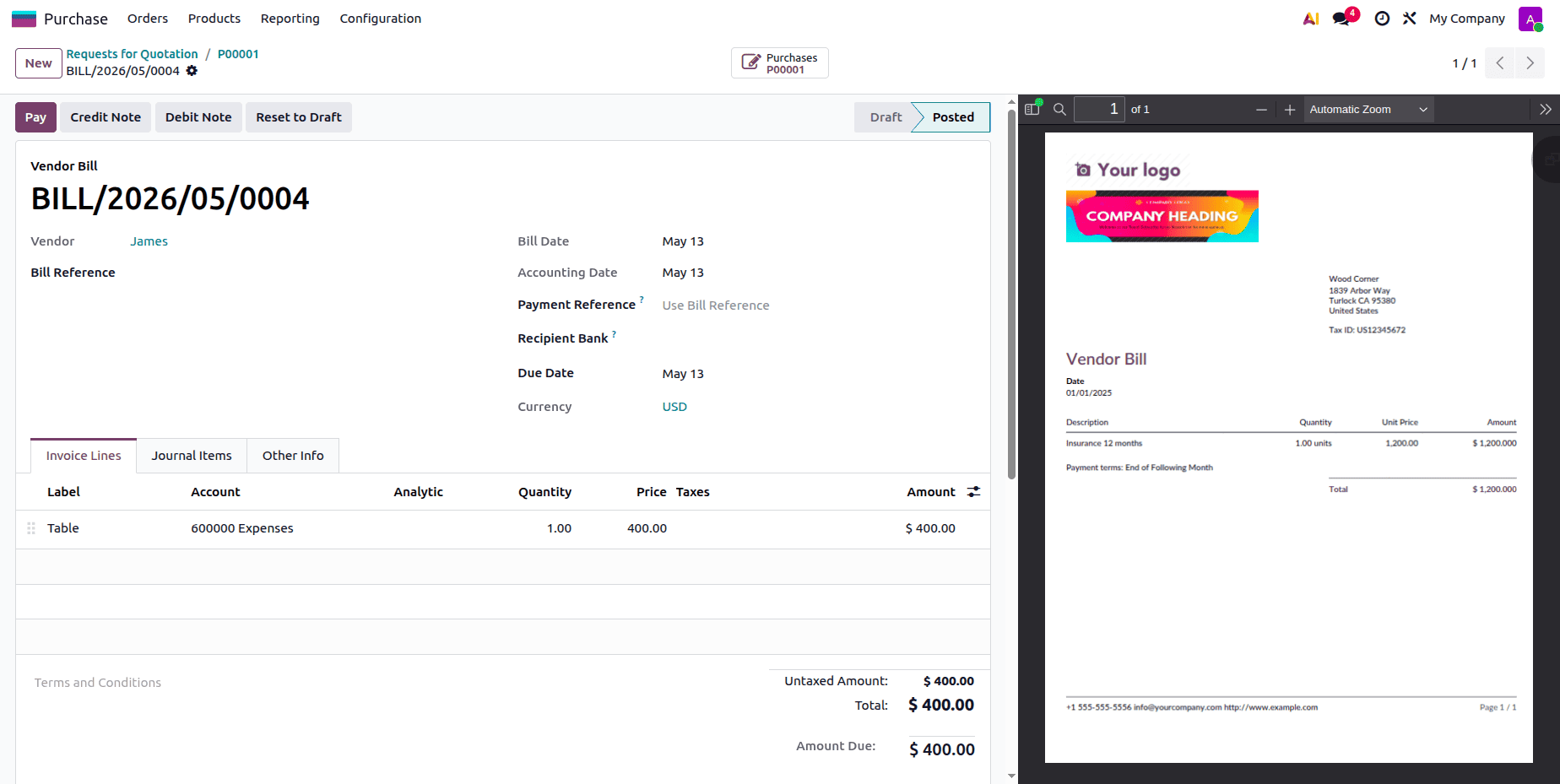
Let's complete the purchase; for that, the user needs to create a bill for the purchase. So let's upload the bill and confirm it.
Return to the Inventory Valuation report after that. Click the Generate Entry button to create the stock journal entry.
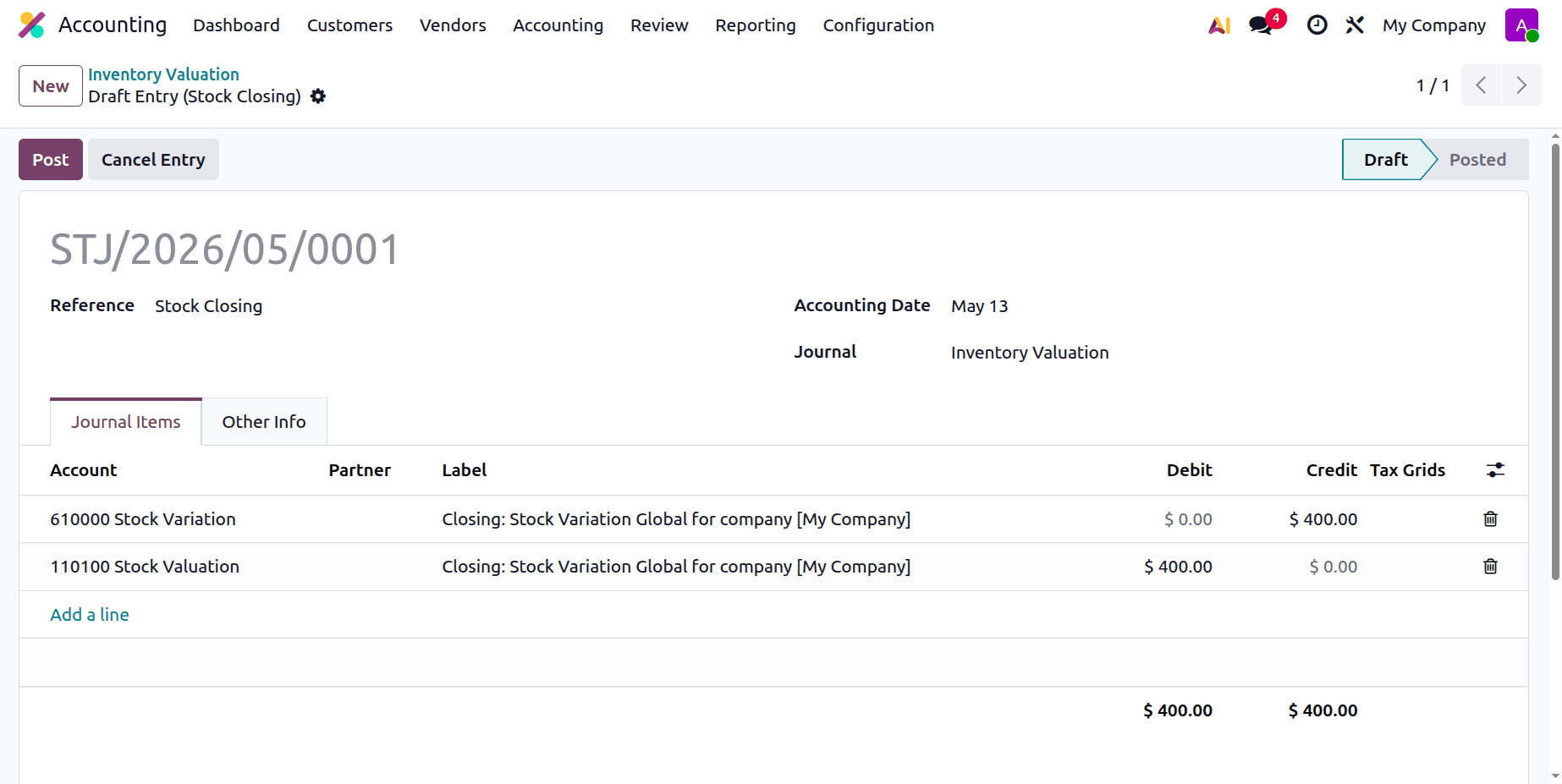
As a result, the stock closing entry will appear as follows. As can be seen below, the Stock Variation account is credited and the Stock Valuation account is debited.
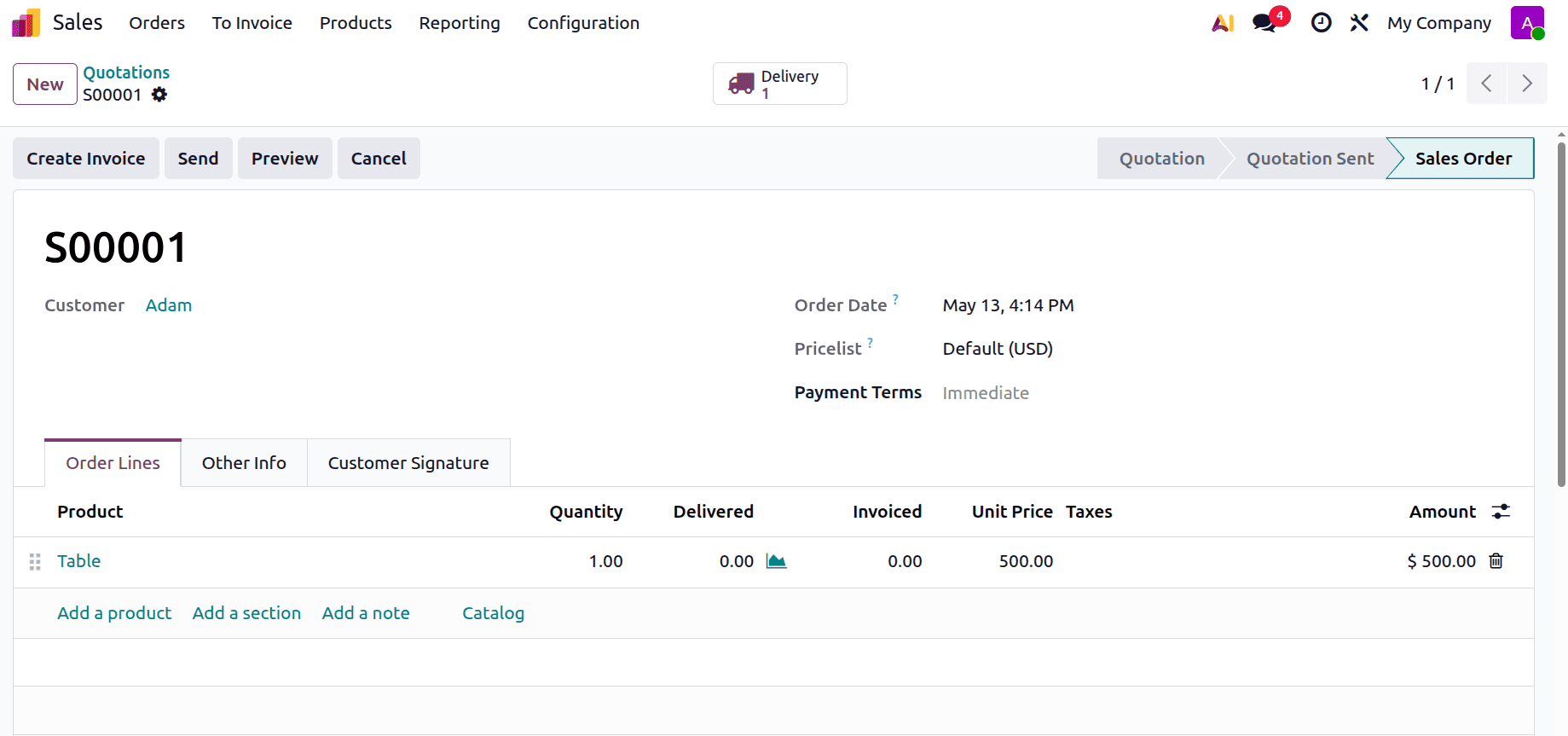
Next, let's attempt to market the product. Make a new sales quote and include the client information for that. Then choose the product with quantity and unit price inside the order line. Confirm the quotation.
To send the product, click on the Validate button inside the Delivery.
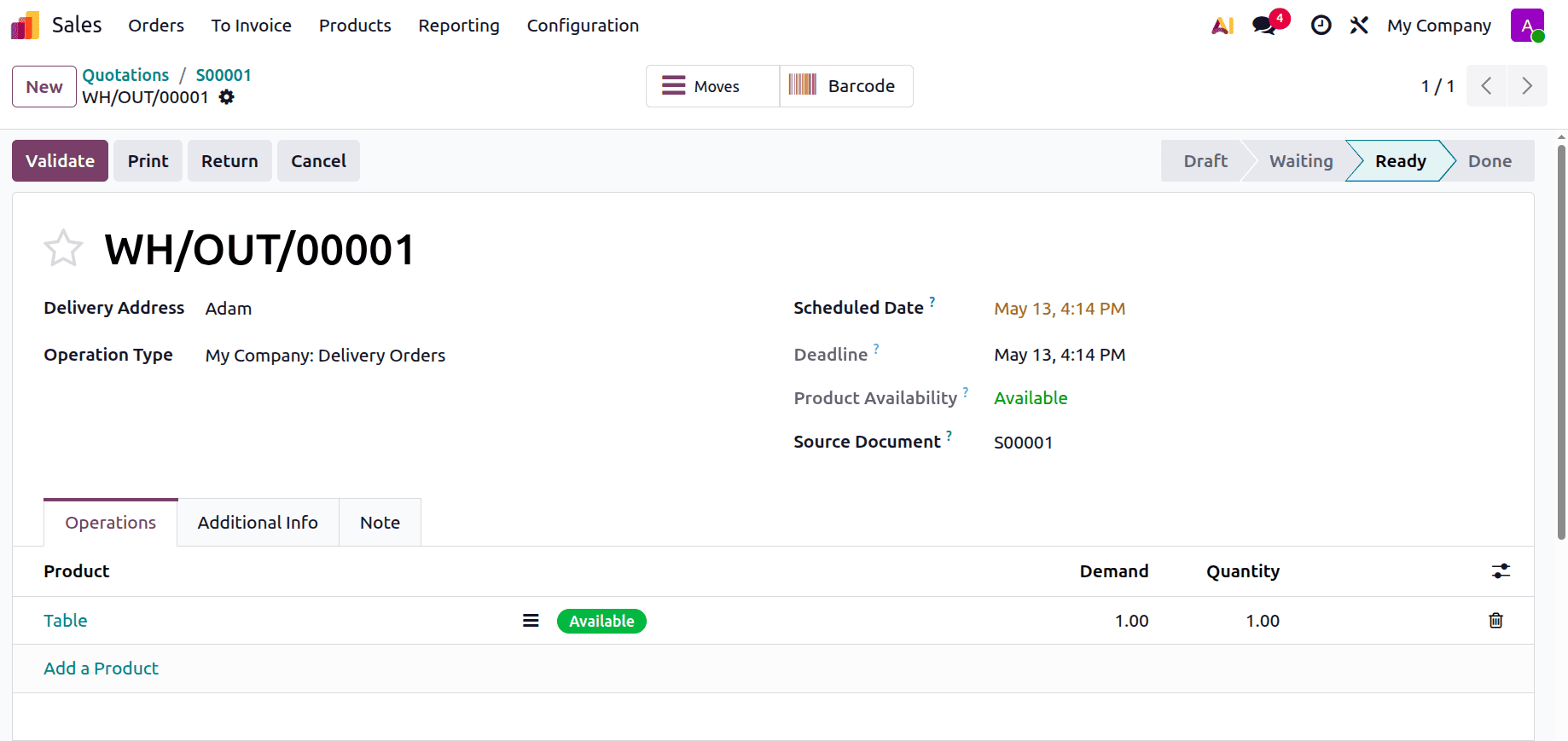
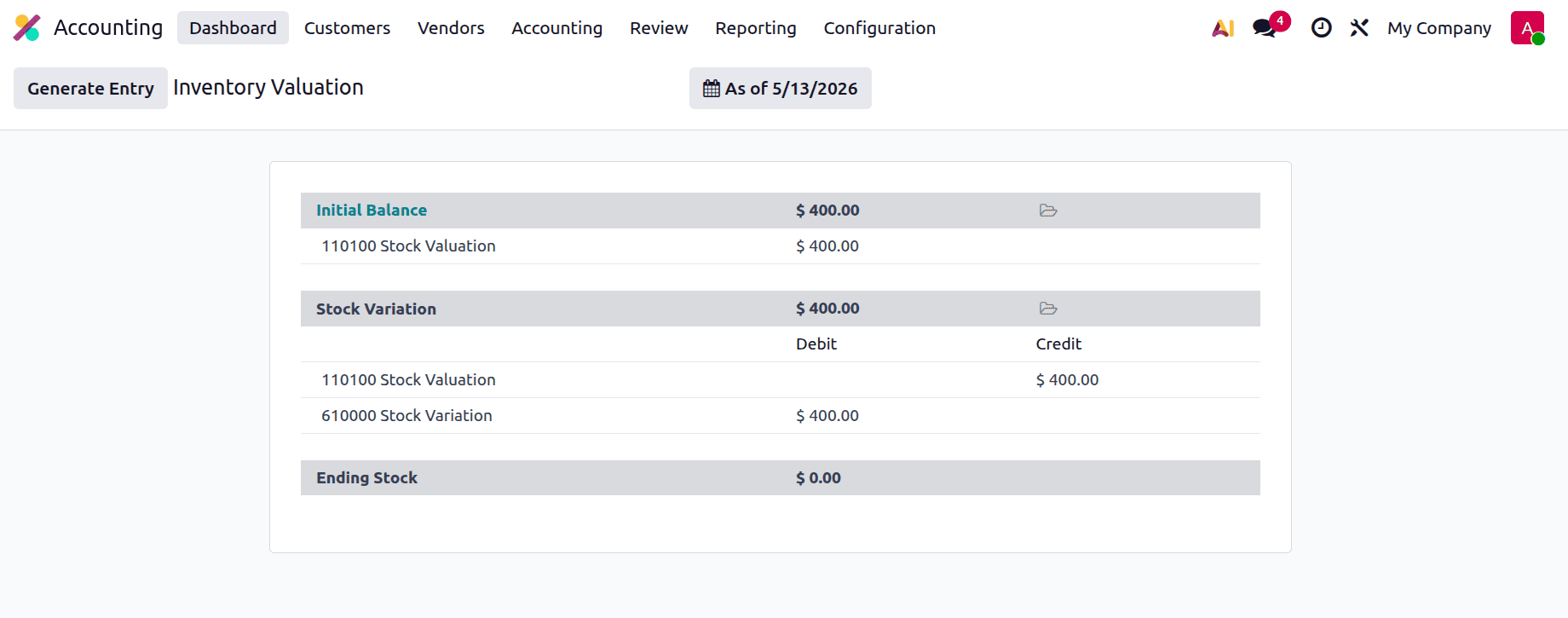
Next, review the inventory valuation report once more. In this case, the Stock Variation account is debited and the Inventory Valuation account is credited.
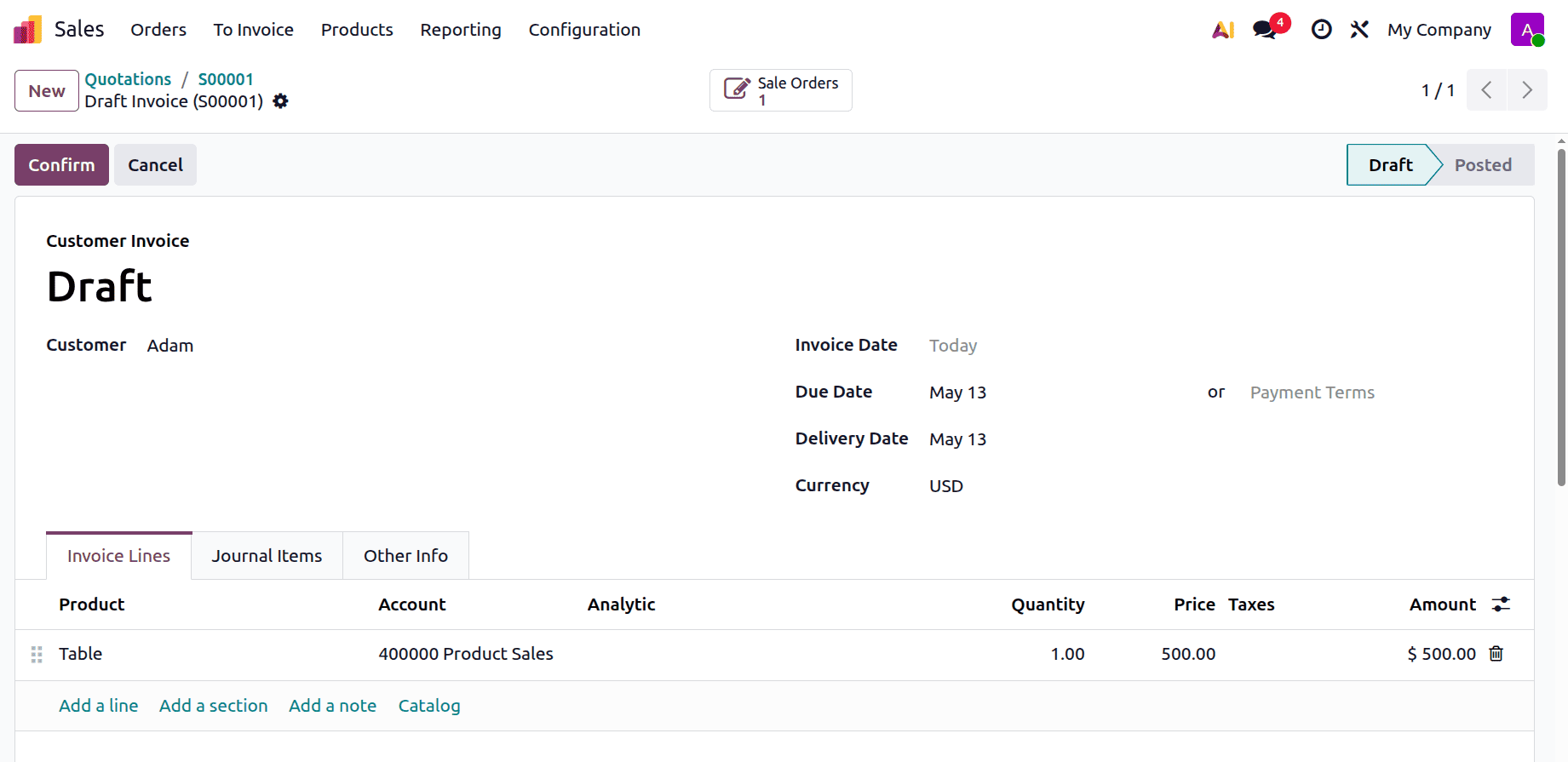
After that, produce an invoice by returning to the sale order and confirming it.
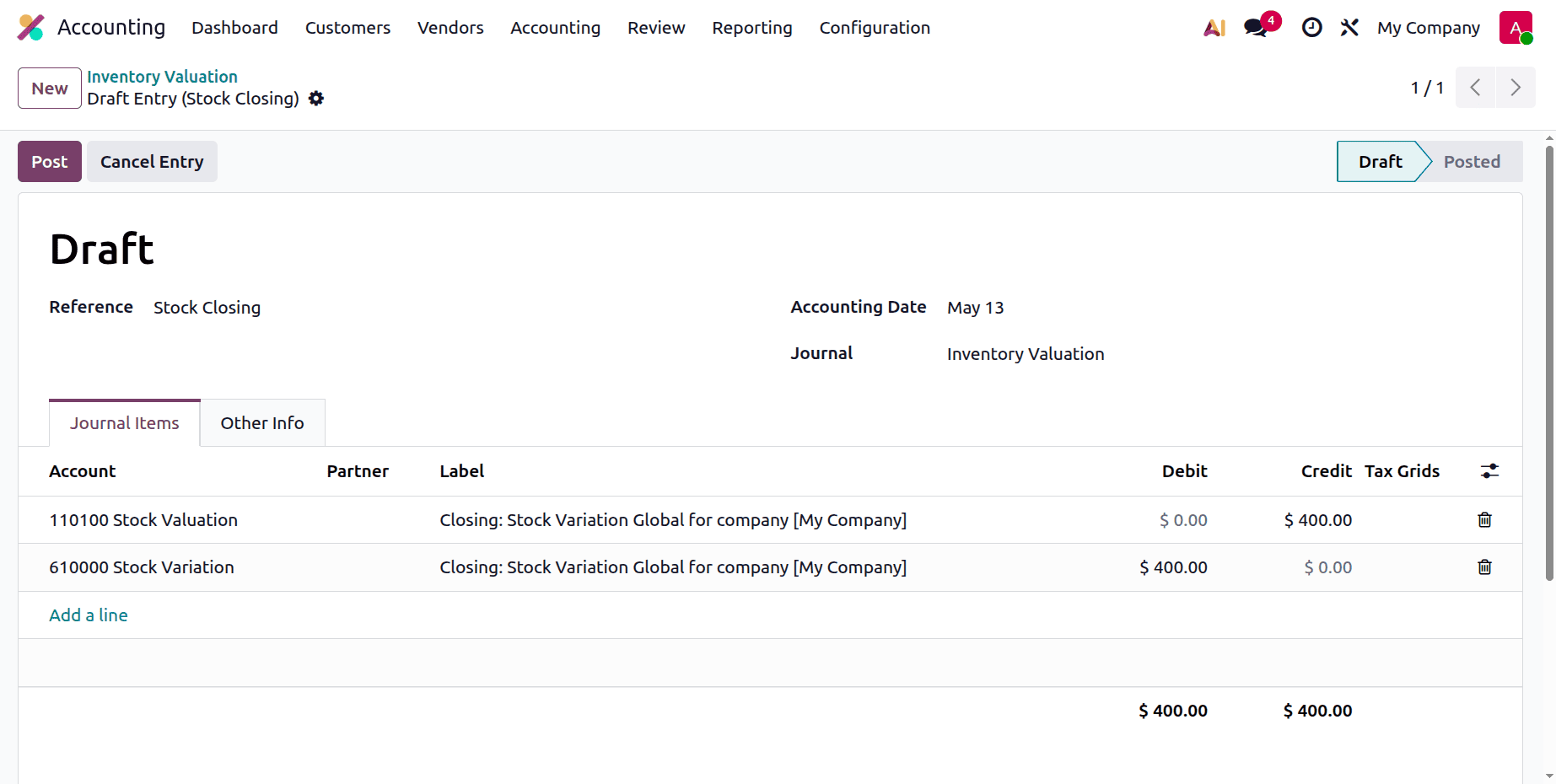
Next, click the Generate Entry button to make the stock journal entry. To publish the journal entry, click the Post button.
Perpetual (at invoicing)
Perpetual (at invoicing) inventory valuation in Odoo 19 helps businesses maintain accurate stock valuation and financial reporting without waiting for period-end adjustments by continuously updating inventory value whenever a vendor bill or customer invoice is confirmed. Accounting entries for cost of goods sold and stock valuation are generated automatically during the invoicing process, ensuring inventory and financial records remain updated in real time. During the invoicing process, accounting entries for cost of goods sold and stock value are automatically created, guaranteeing that inventory and financial records are updated in real time. Without having to wait for period-end adjustments, this approach assists companies in maintaining accurate financial reporting and stock value.
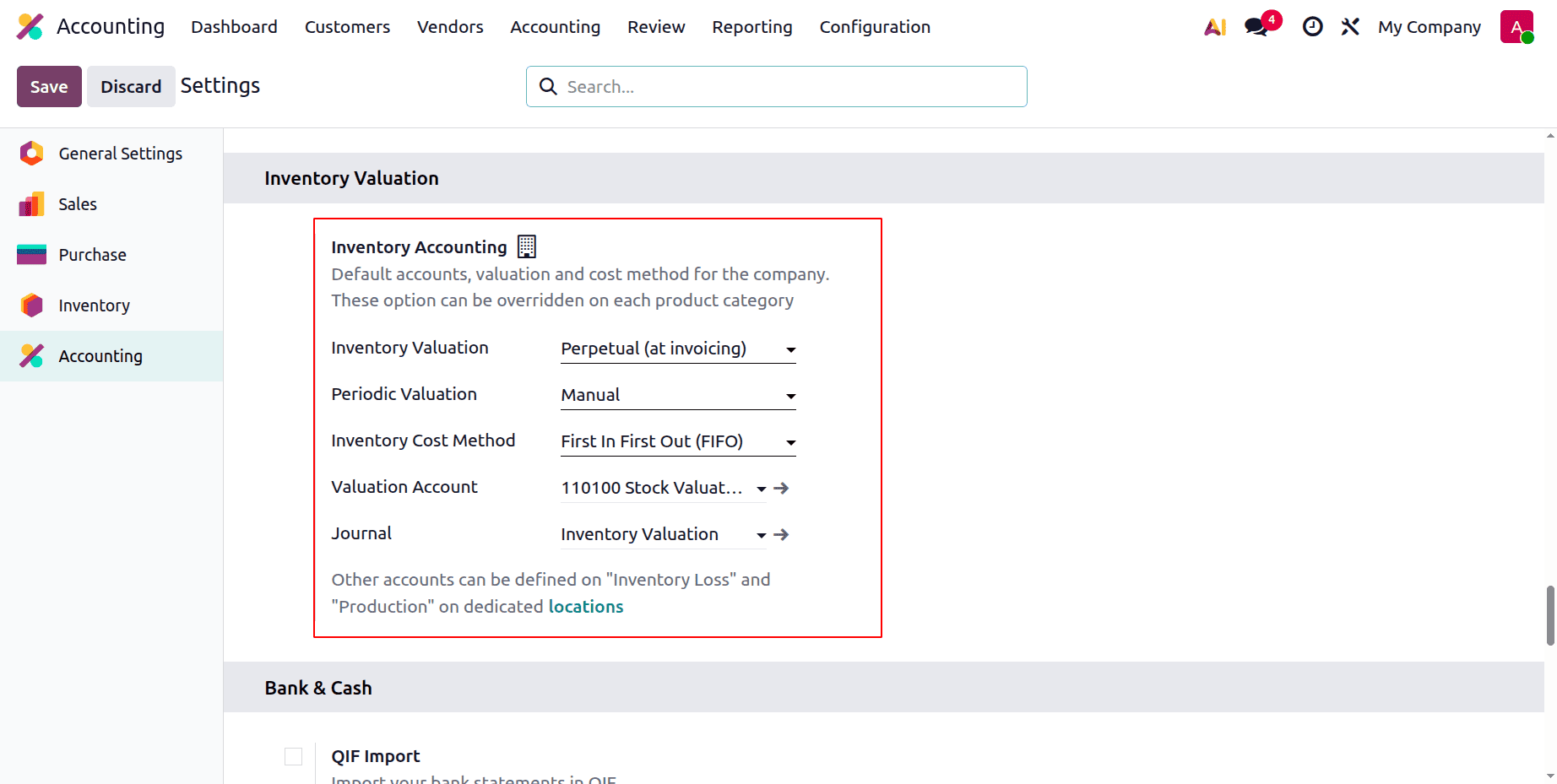
Then go to the Settings then set the Inventory Valuation as Perpetual (at Invoicing). The periodic Valuation is Manual, and the inventory costing method is first-in, first-out.
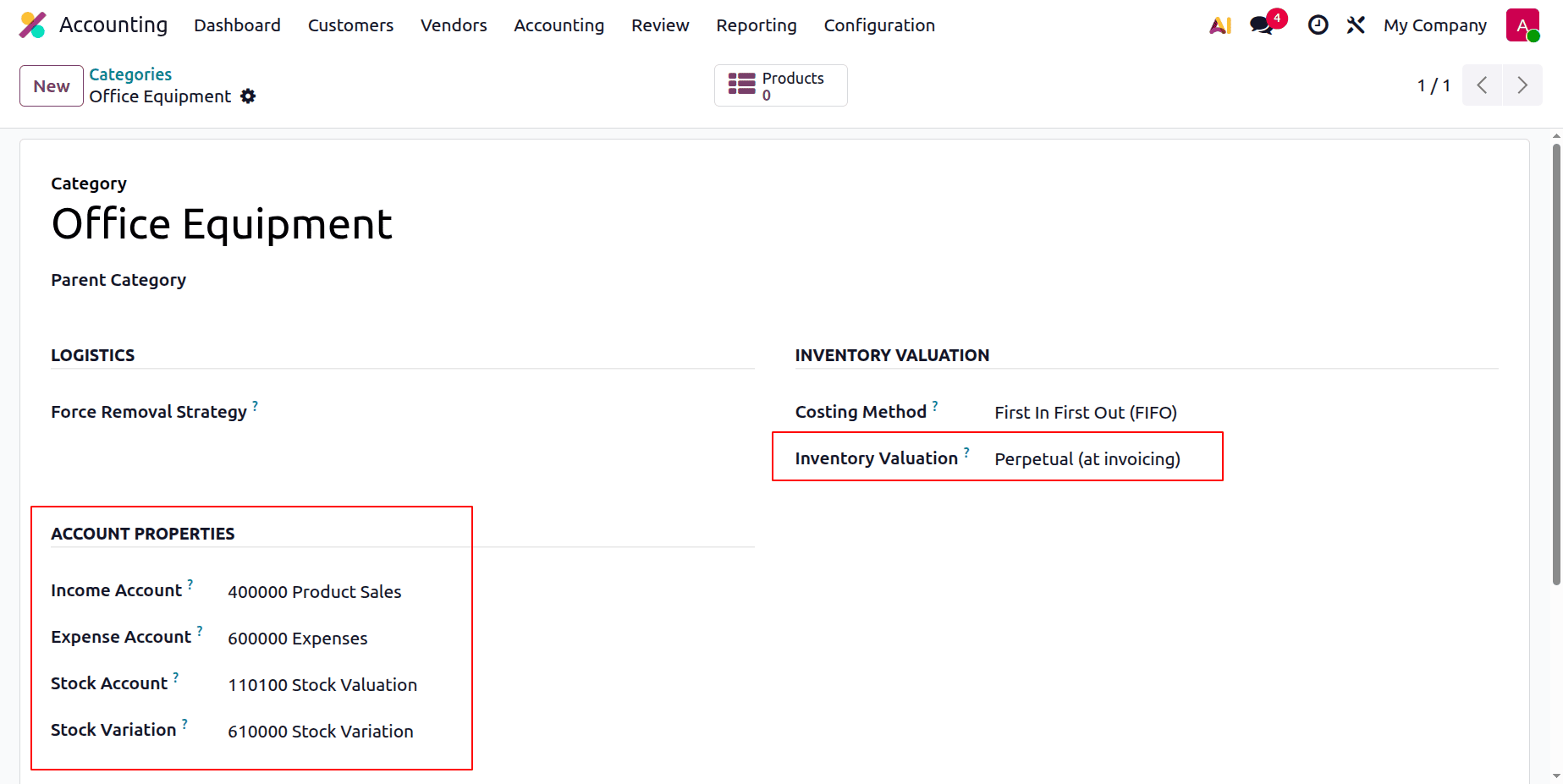
Let's create another product category. Which is named “Office Equipment".
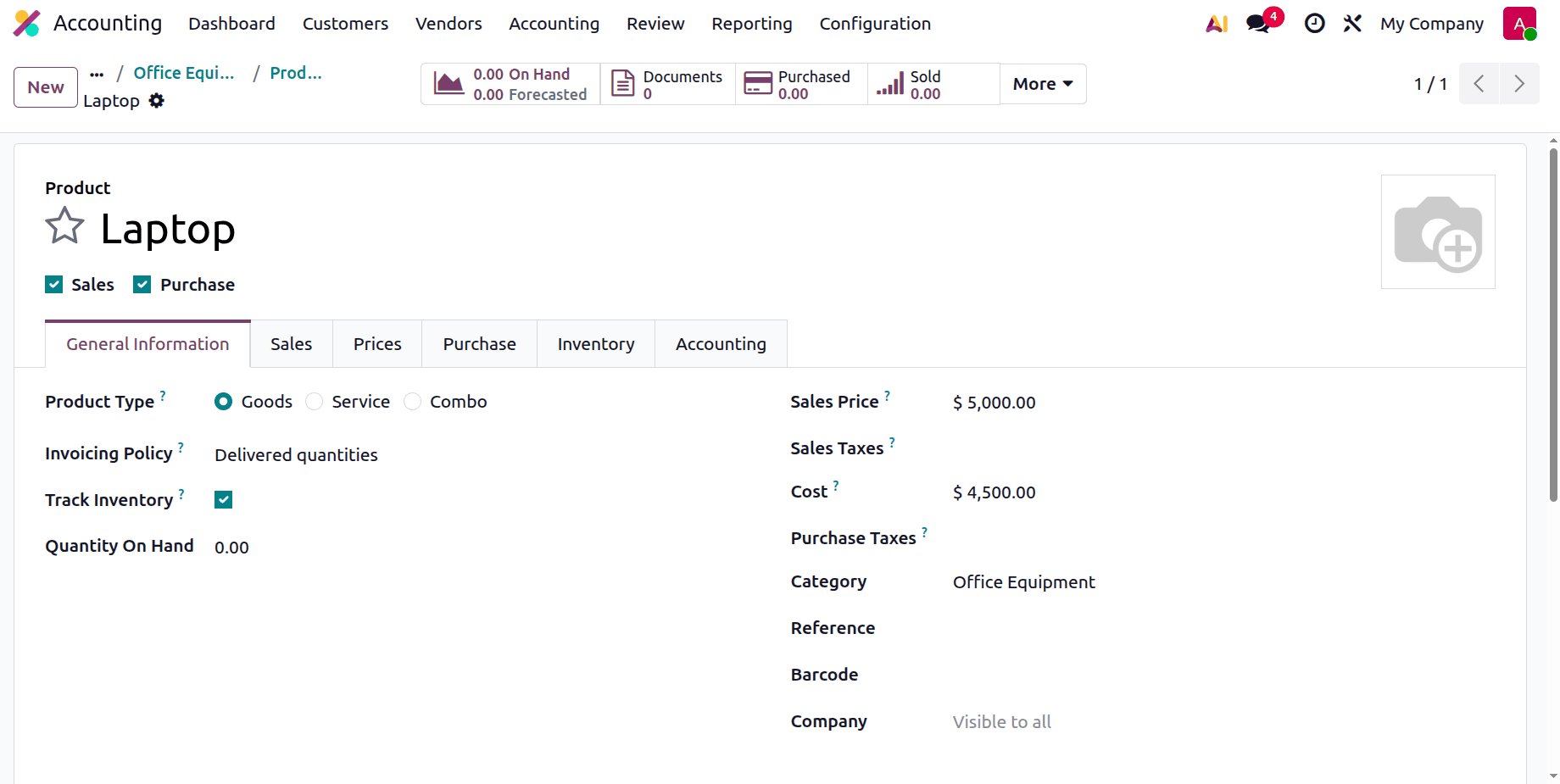
Here is a product named Laptop, under this category. Which is a storable product.
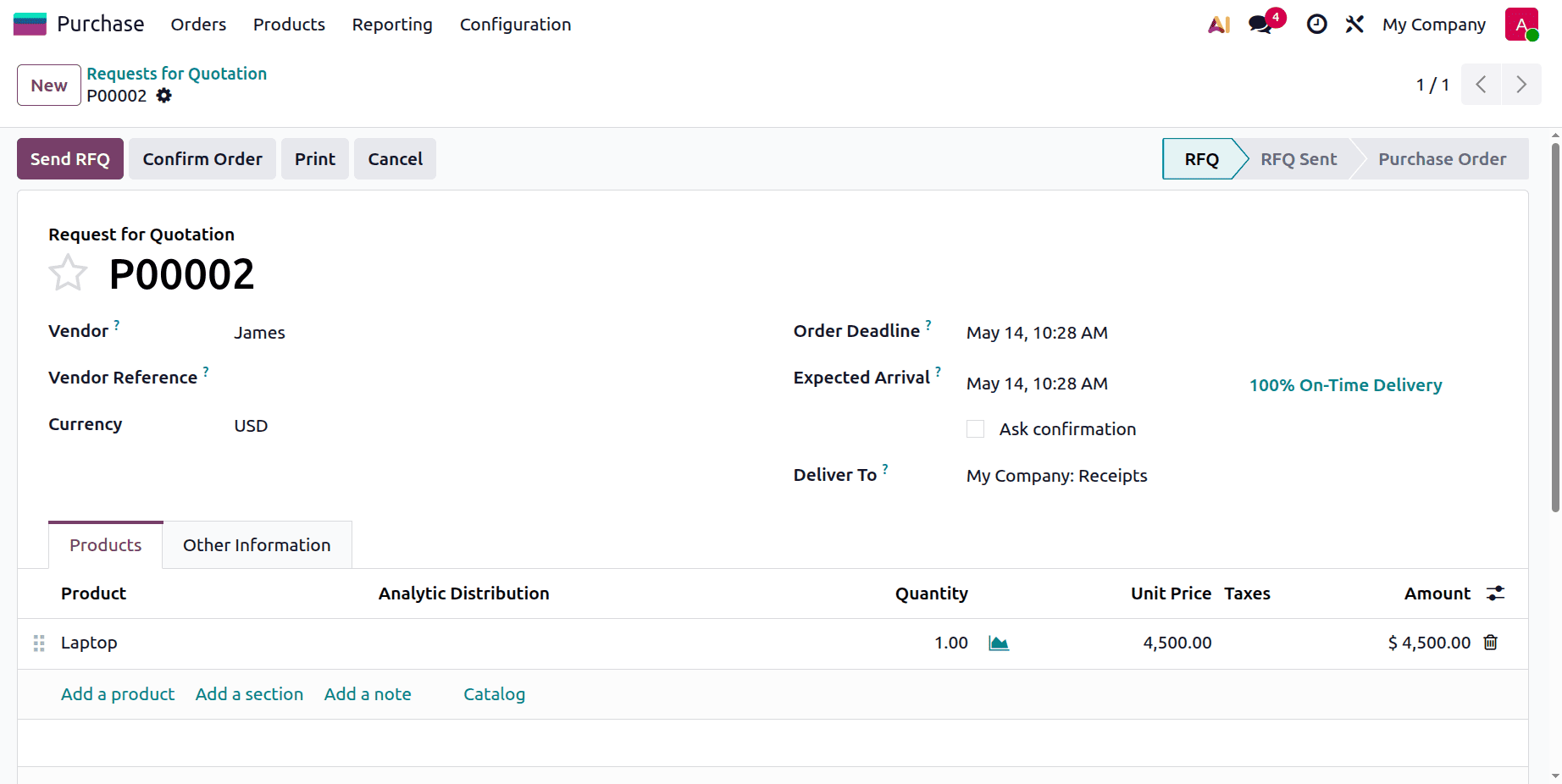
Let's create a purchase order for the product. Add the details like vendor, bill date, product, quantity, and price. Then confirm the RFQ.
Then click on the Receive button, and then validate the receipt.
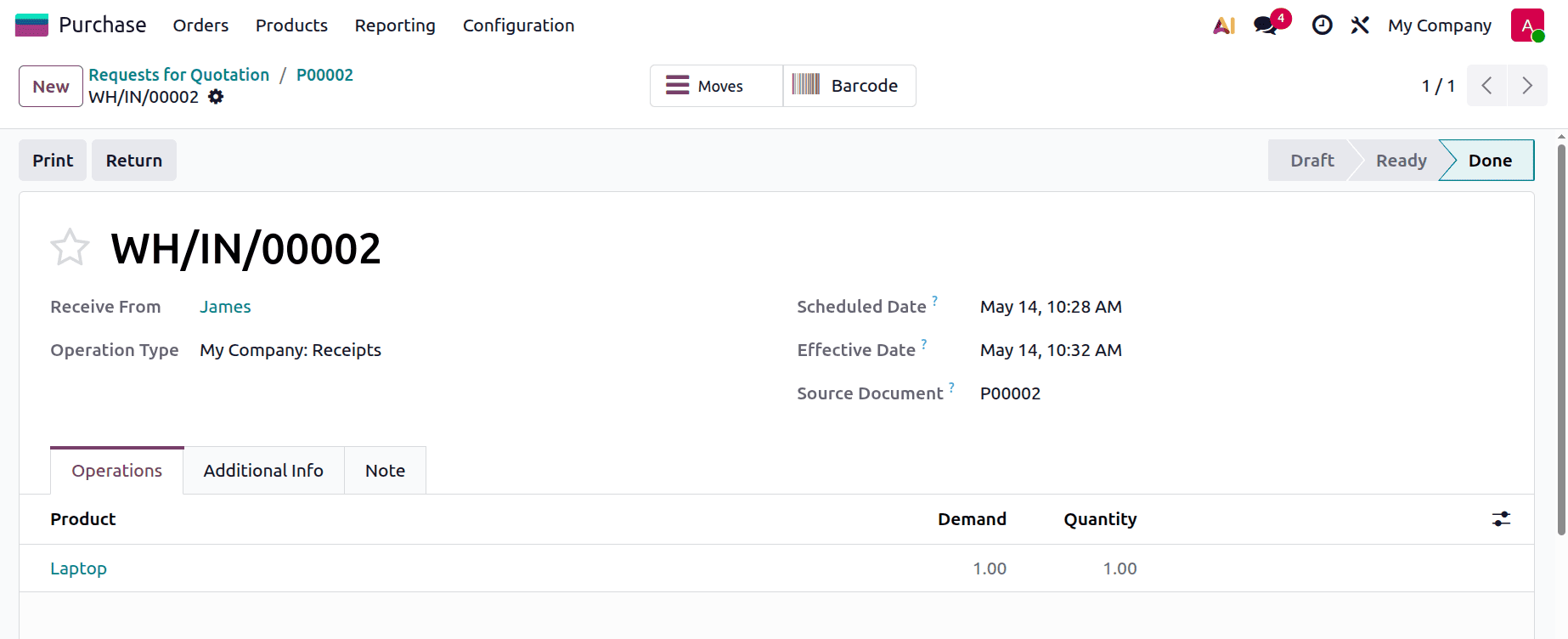
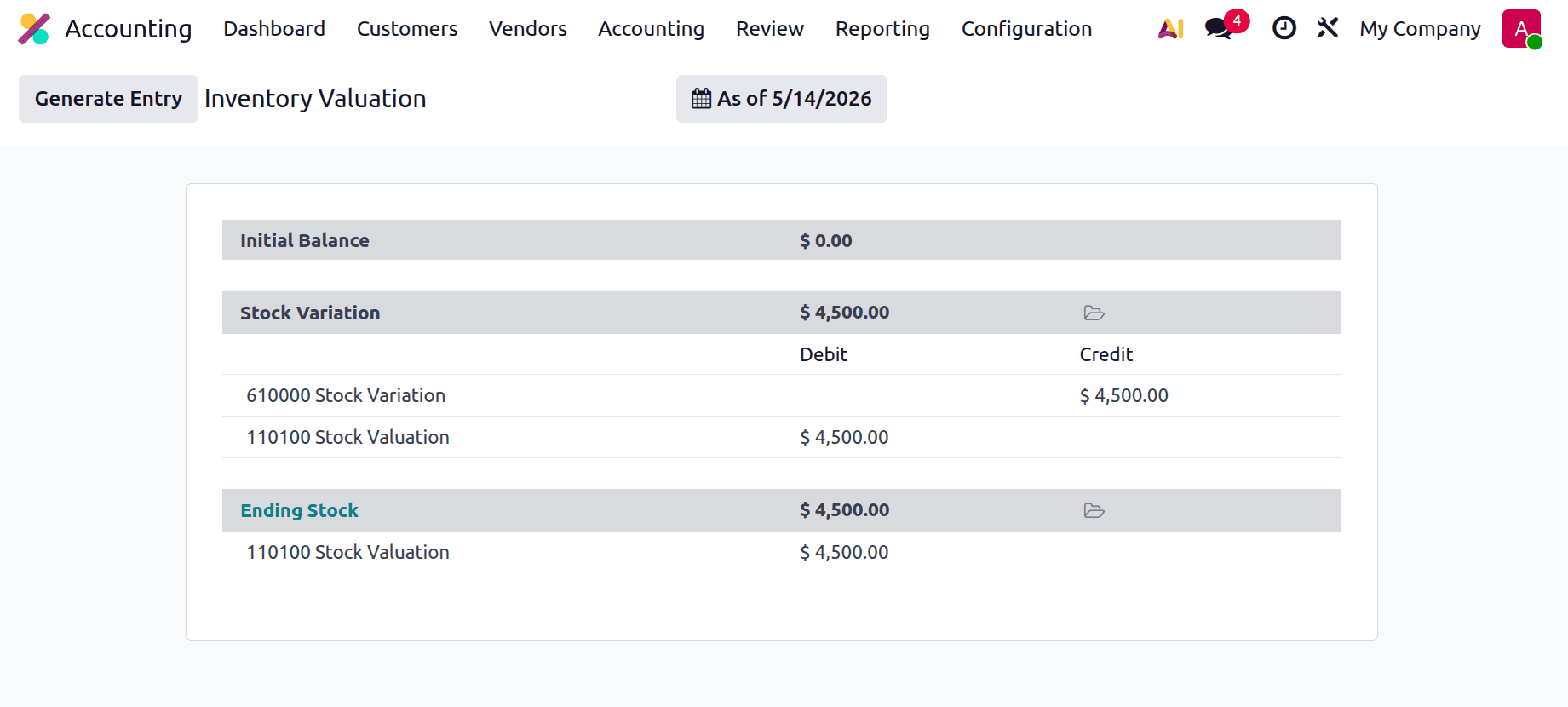
Check the Inventory Valuation from the Accounting module. Here, the Stock Variation account is credited, and the Stock Valuation account is debited.
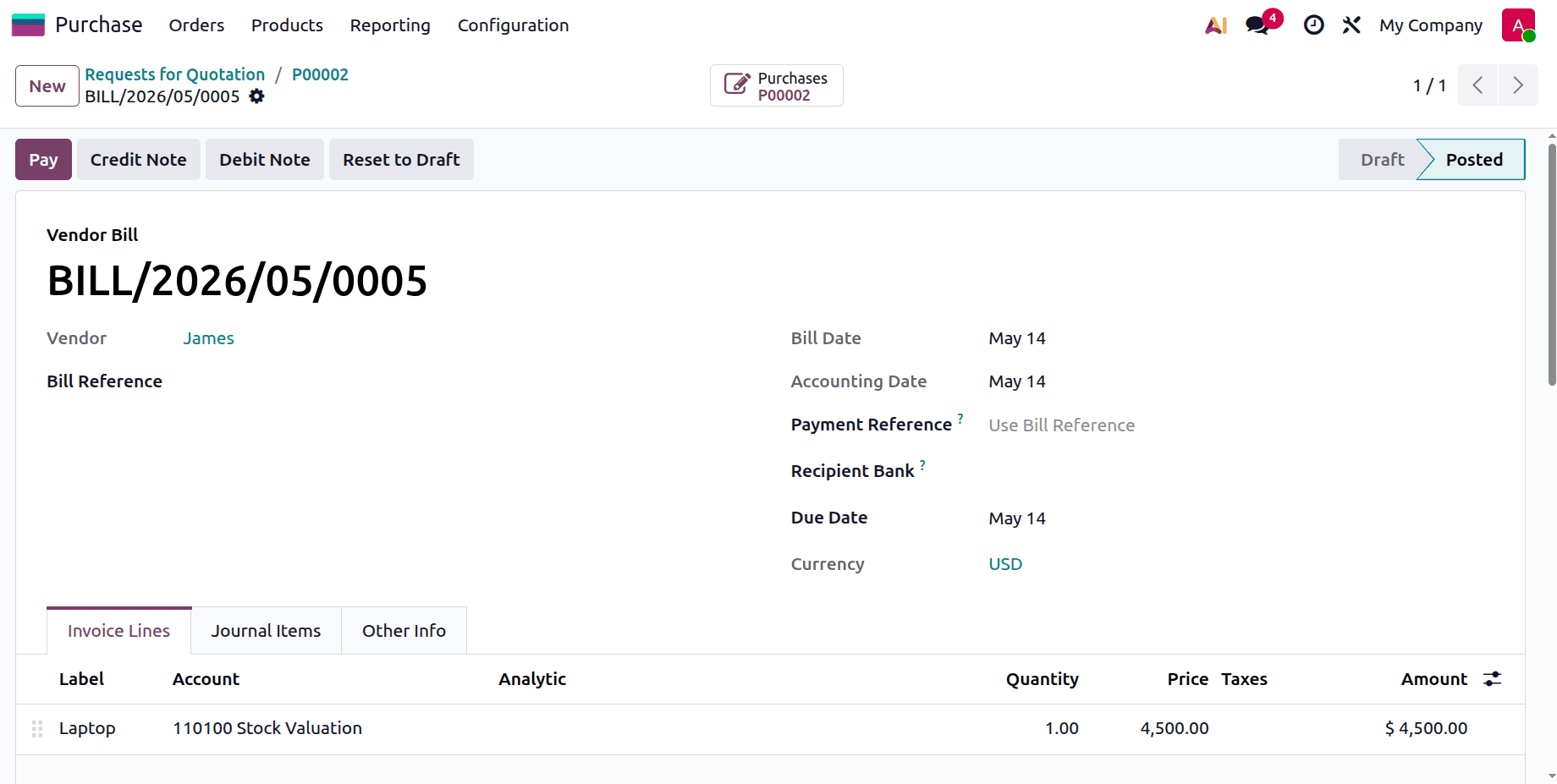
Then create a bill for the purchase. Confirm the bill.
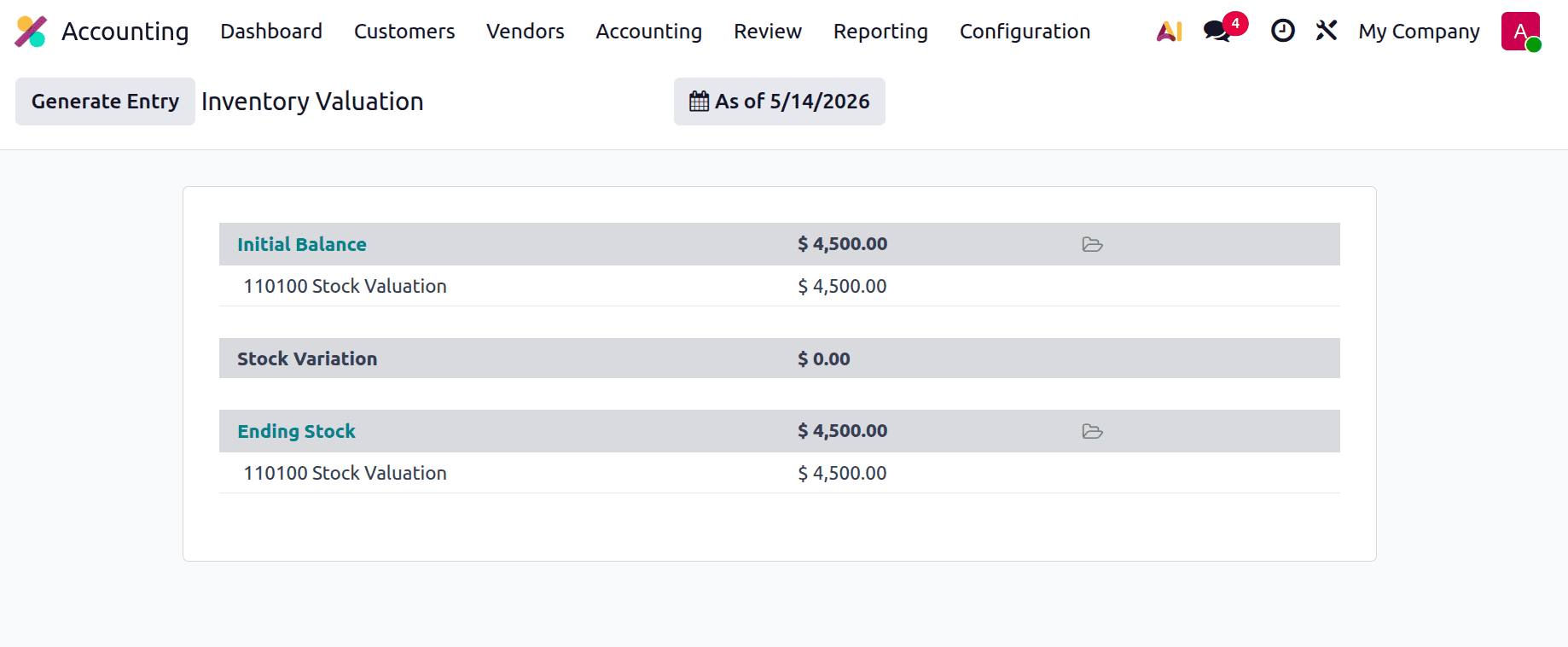
Then again, check the Inventory Valuation. Here, the Initial Balance is updated as shown below.
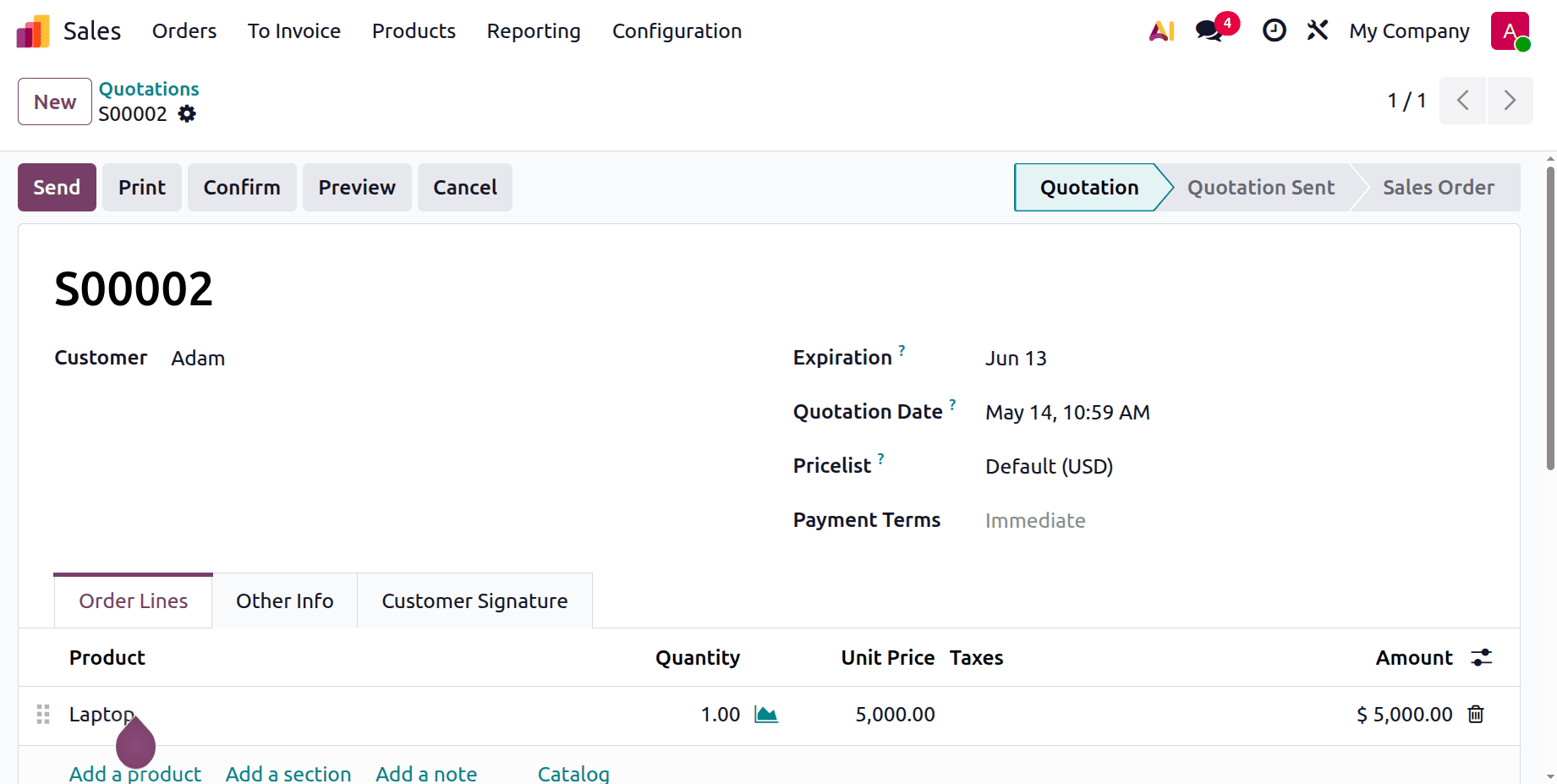
Then let's go to sell the product. Here, the sale order is created and confirmed.
Then open the delivery and validate the delivery transfer.
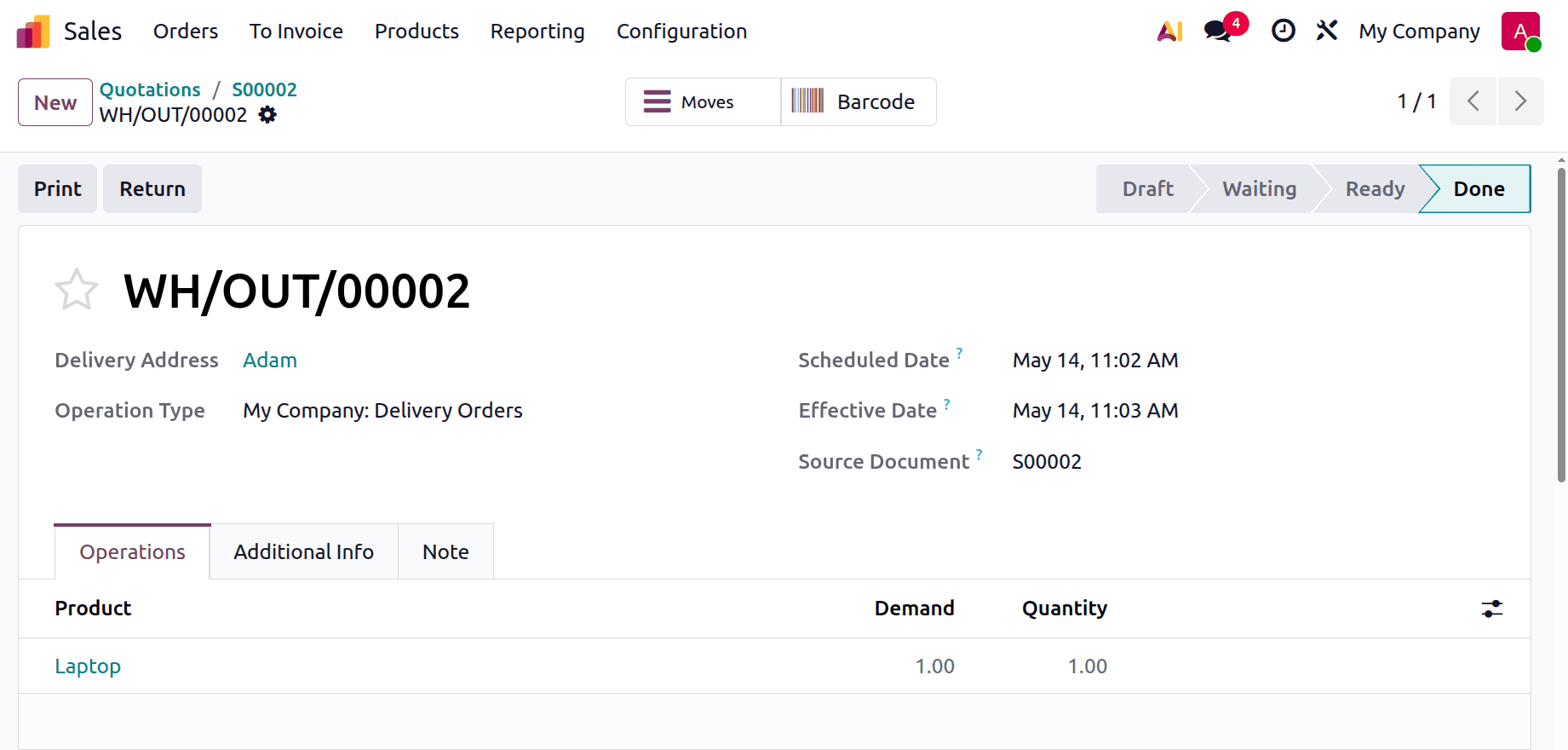
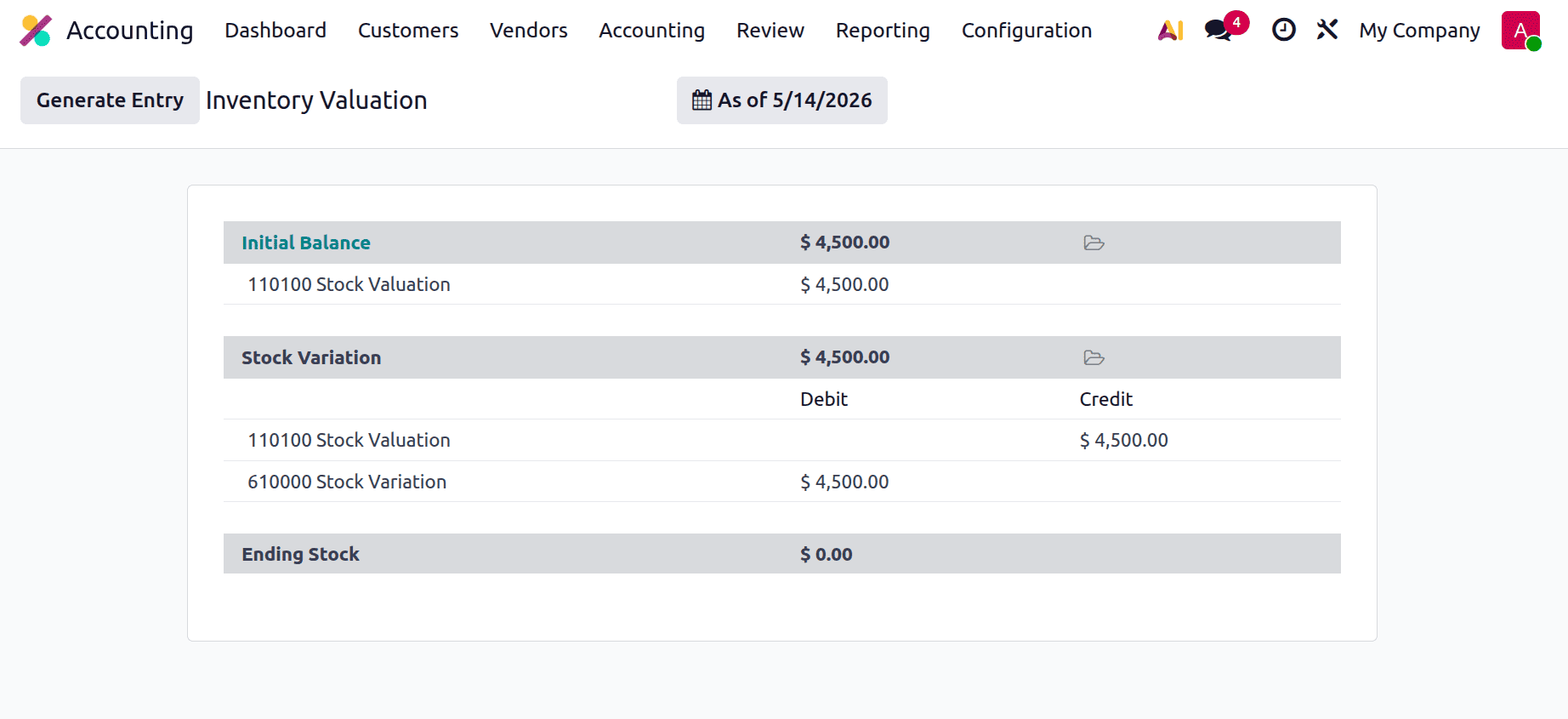
Then check the Inventory Valuation, as shown below. Just because we are using the perpetual method, the Stock Variation account is debited, and the Stock Valuation account is credited.
Let's create an invoice for the sale. Confirm it.
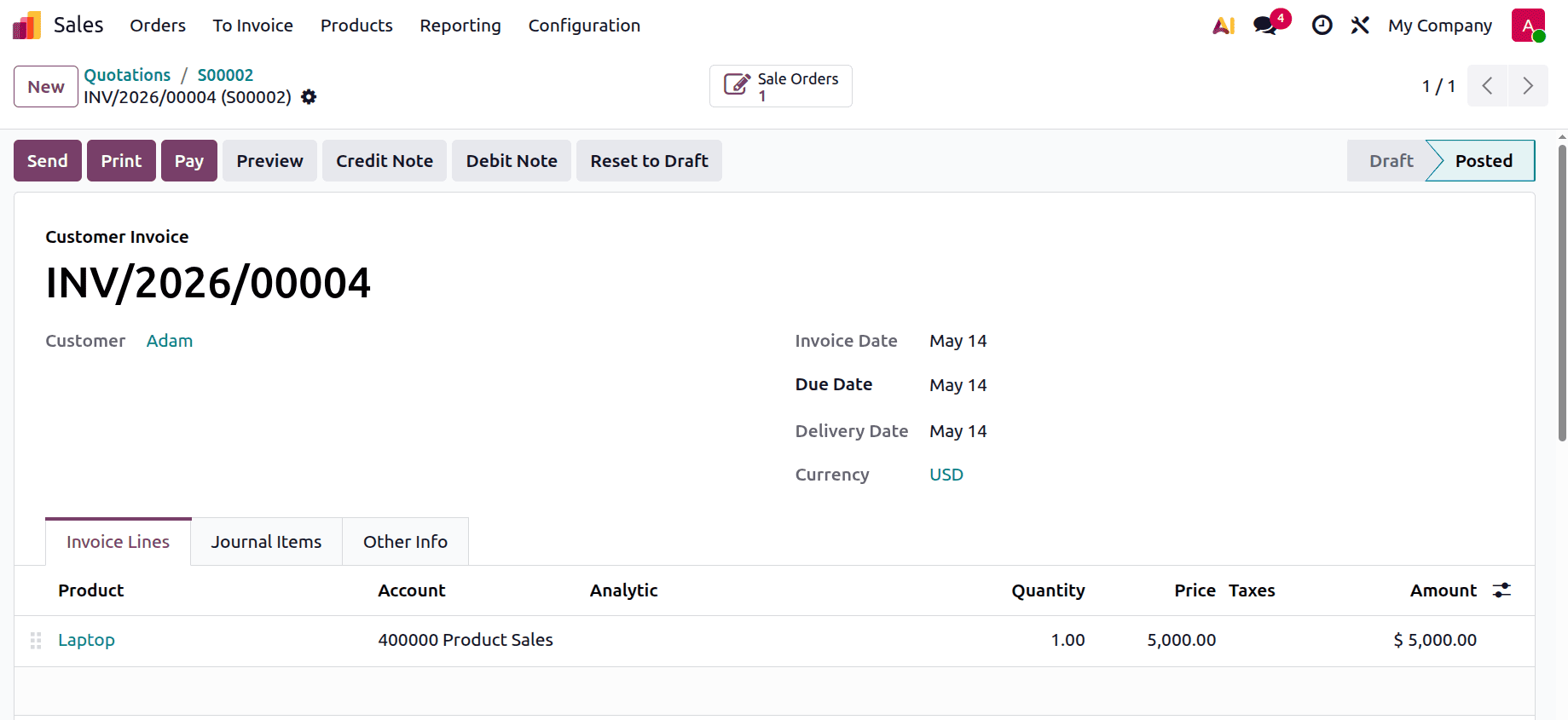
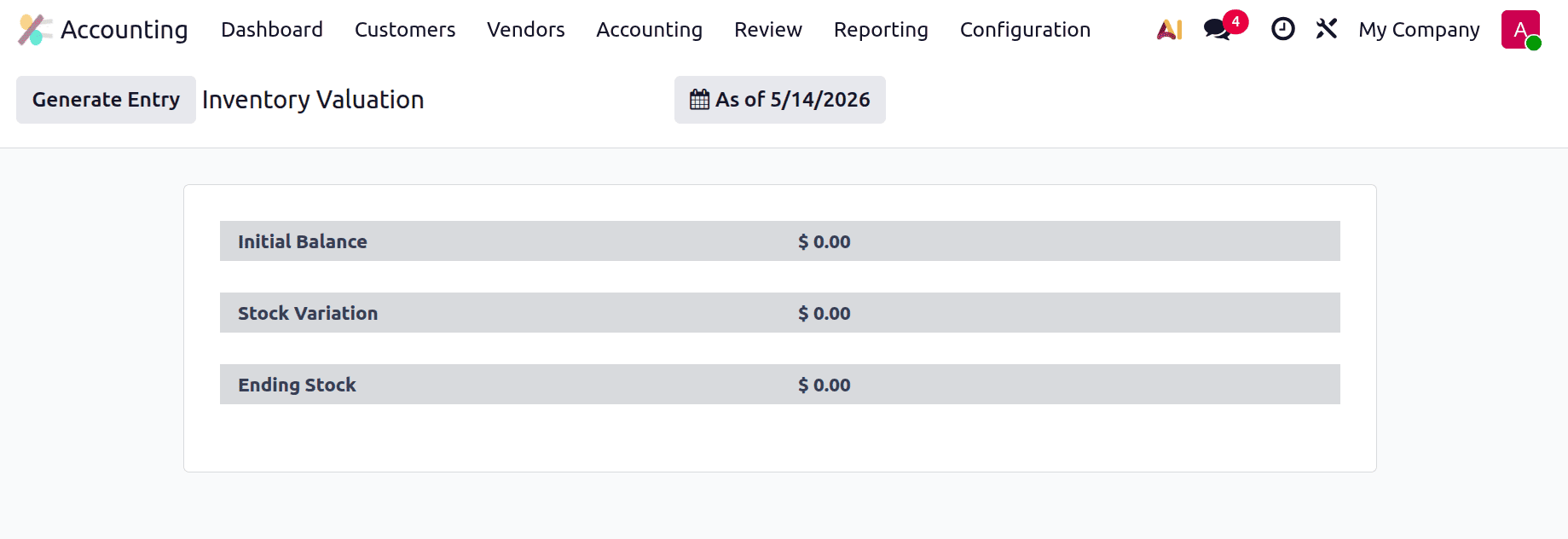
While checking the Inventory valuation again, which is shown below. Just because the Journal entry was generated automatically,
To sum up, inventory valuation in Odoo 19 is essential for keeping correct financial records and guaranteeing improved stock management. Businesses can increase accounting accuracy and have real-time visibility into inventory costs by selecting the appropriate configuration and valuation technique. Odoo 19 offers automatic and adaptable capabilities that make inventory tracking and reporting easier, whether periodic or perpetual valuation is used. In the end, implementing the proper inventory valuation system aids companies in maintaining compliance, improving operational efficiency, and making well-informed judgments.
To read more about How to Configure Perpetual Inventory Valuation in Odoo 19 Accounting, refer to our blog How to Configure Perpetual Inventory Valuation in Odoo 19 Accounting