Odoo 19 Accounting's Inventory Valuation Perpetual (at Invoicing) method records accounting entries at the time the associated invoice is created or verified, but the stock value is maintained continually. Using this strategy, the system determines the precise cost and date of the accounting entry by connecting inventory movements with vendor or customer bills. This guarantees that inventory value and cost of goods sold (COGS) are recorded in the financial records at the time of invoicing rather than during actual stock movement. By coordinating inventory valuation with billing processes, it assists companies in maintaining more accurate financial reporting. Businesses that wish to track inventory in real time while coordinating accounting changes with their invoicing process may find this method very helpful.
In actuality, the Inventory Valuation Perpetual (at Invoicing) is used in Anglo-Saxon accounting. The cost of goods sold (COGS) is only recorded in Anglo-Saxon accounting when a product is sold, and the client receives an invoice. The cost is temporarily recorded in stock or interim accounts until the sale takes place, rather than being reported at the time of inventory purchase. In order to better align income with the true cost of the goods supplied, inventory-based organisations frequently employ this strategy, which is supported by systems like Odoo.
Here is some countries using Anglo-Saxon Accounting are Dominican Republic, Colombia, Australia, Bolivia, Canada, Denmark, Hong Kong, Indonesia, Kenya, Lithuania, Latvia, Mongolia, Mexico, Malaysia, the Netherlands, New Zealand, Serbia, Taiwan, Ukraine, Uganda, the United Kingdom, the United States, Vietnam, South Africa, and Zambia.
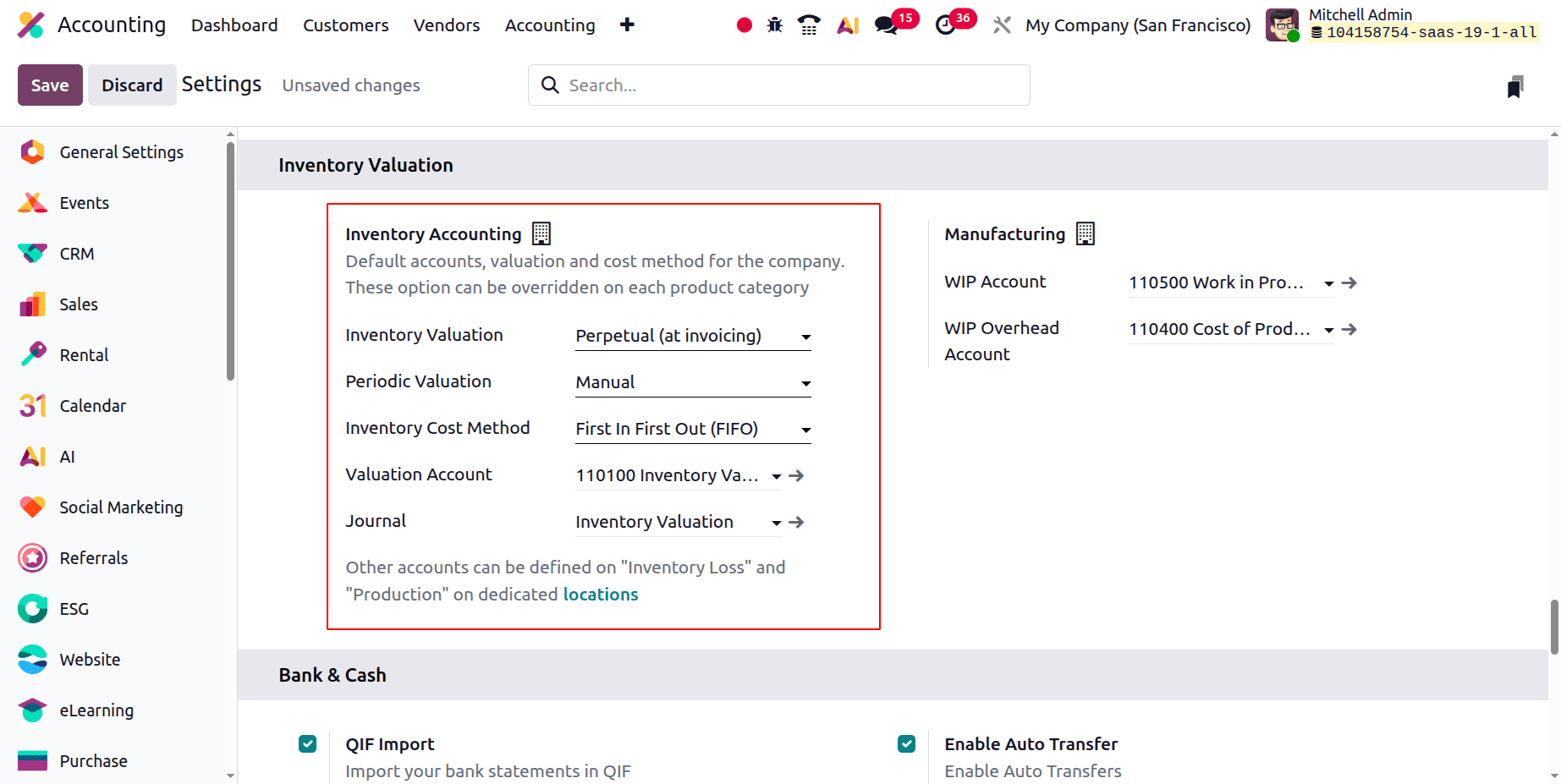
Let's check how the Inventory Valuation Perpetual (at Invoicing) works in Odoo 19 Accounting. For that click on the Accounting Settings. Change the Inventory Valuation to Perpetual (at Invoicing). Next, set the Journal, Periodic Valuation, Inventory Cost Method, and Valuation Account. Save the settings after that.
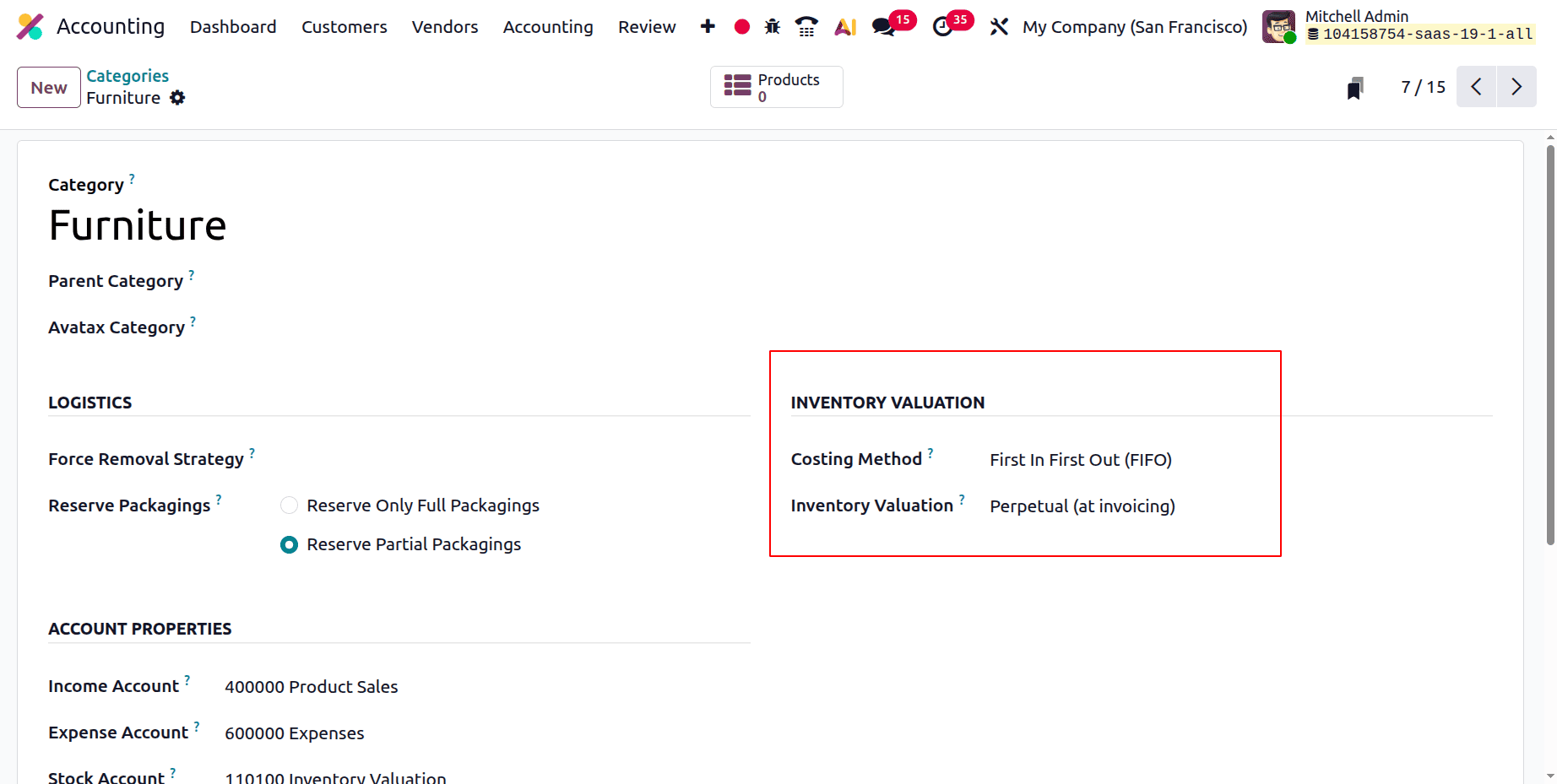
Next, establish a brand-new Product Category. Examine the inventory valuation. First in First Out (FIFO) is the costing method, where inventory is valued perpetually (at invoicing).
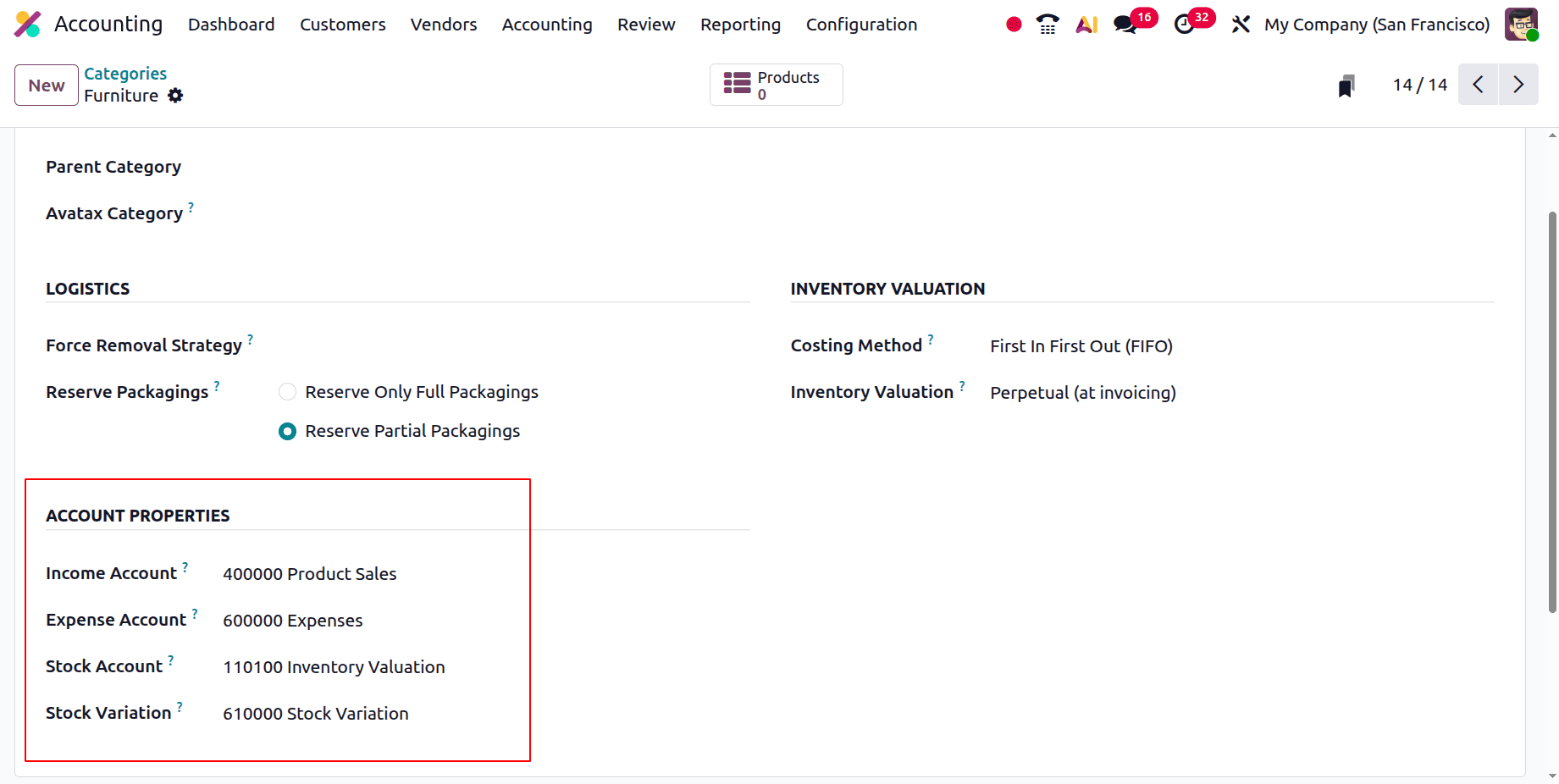
The Income Account, Expense Account, Stock Account, and Stock Variation are then displayed under ACCOUNT PROPERTIES.
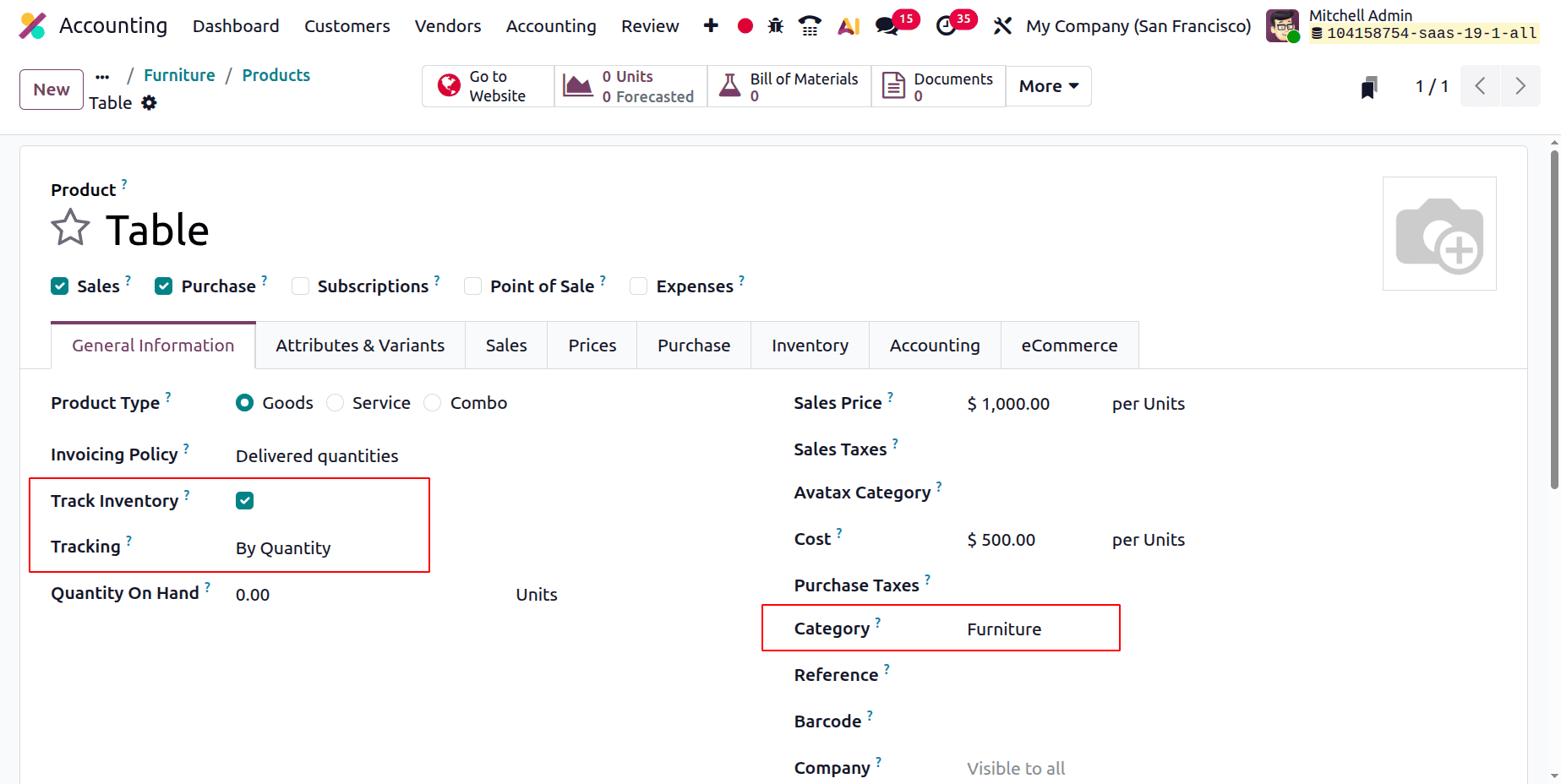
Next, develop a brand-new item within the category. Here, the product is named Table. Which is a storable product.
Purchasing the Product
Make a fresh purchase order. Add a new request for quotation for that. Add the vendor details, then the product with quantities and cost. Then Confirm the RFQ.
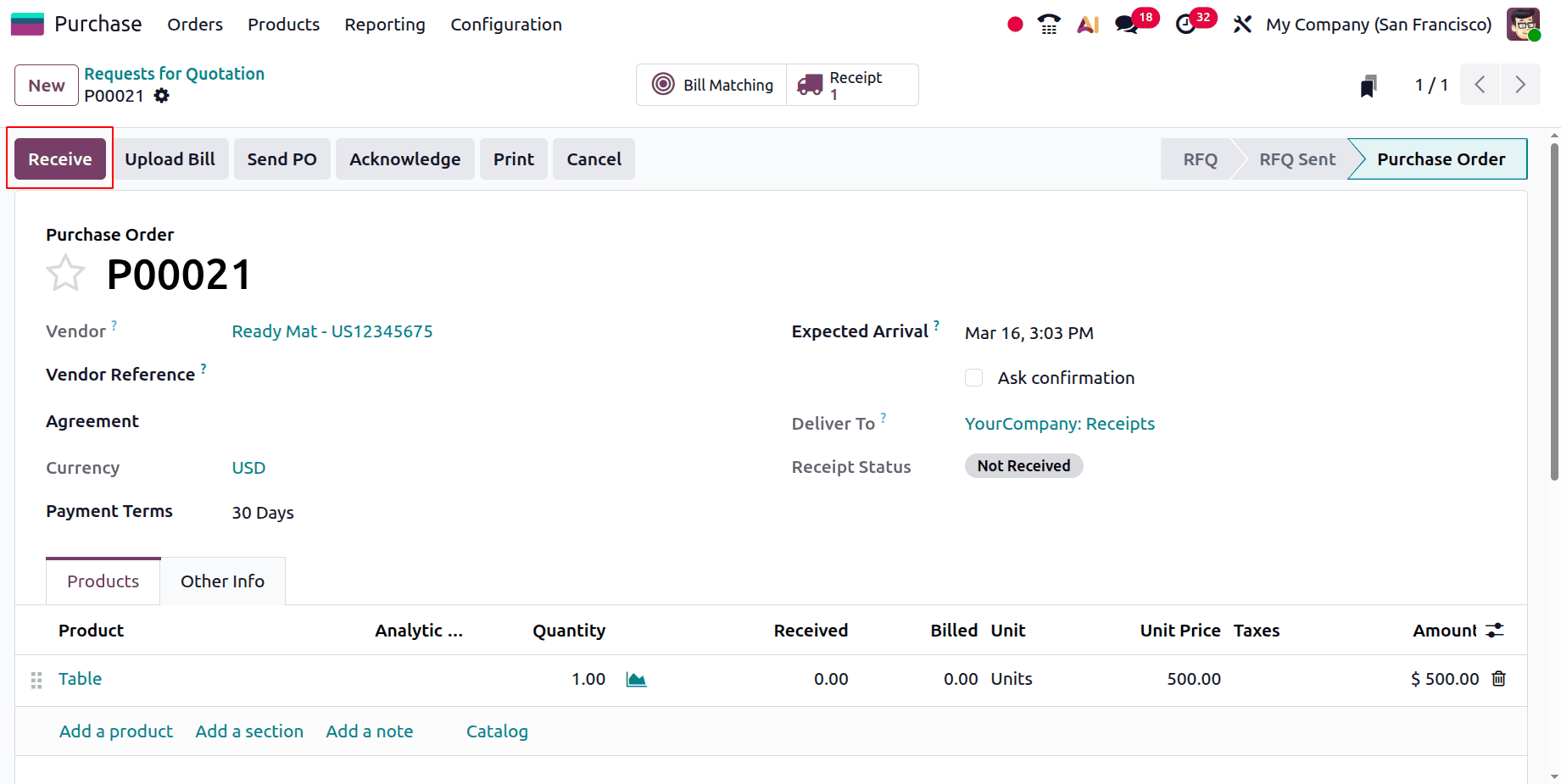
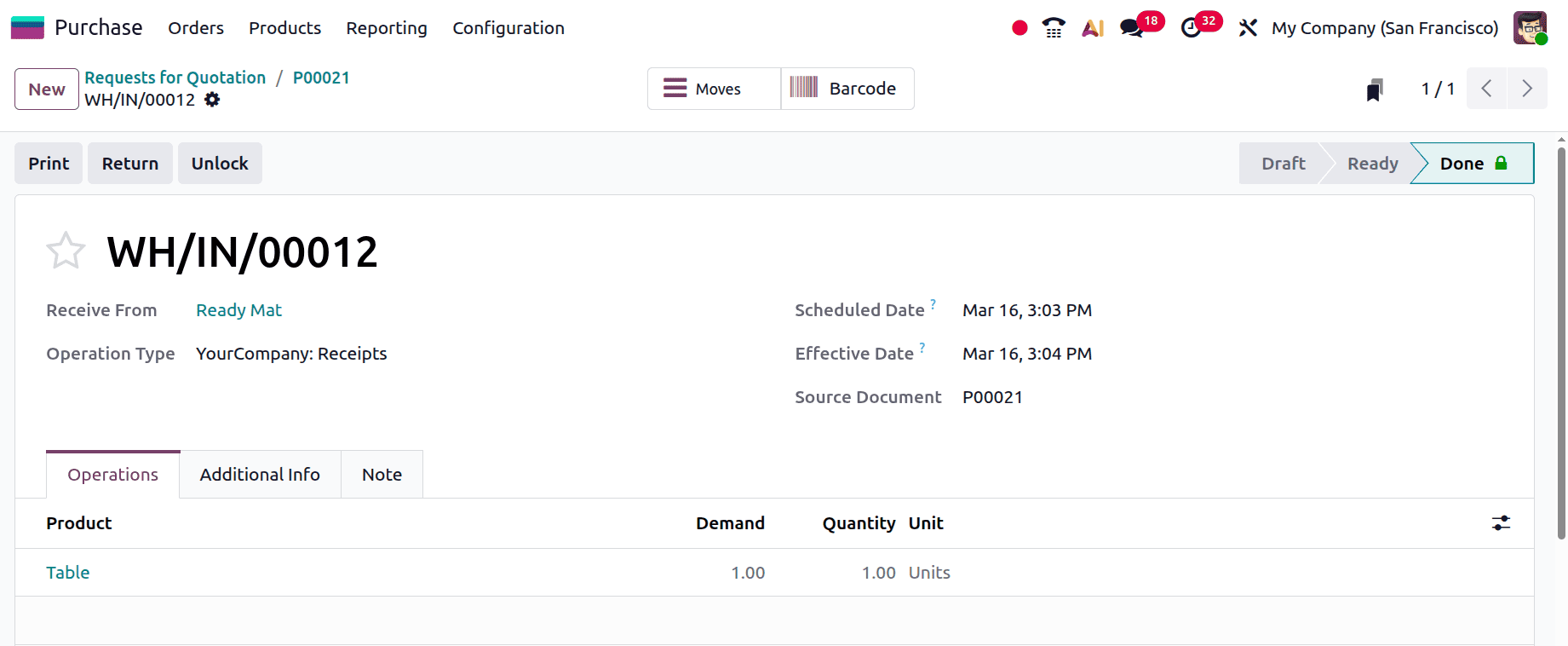
To receive the goods, click the Receive button. Validate the Receipt transfer.
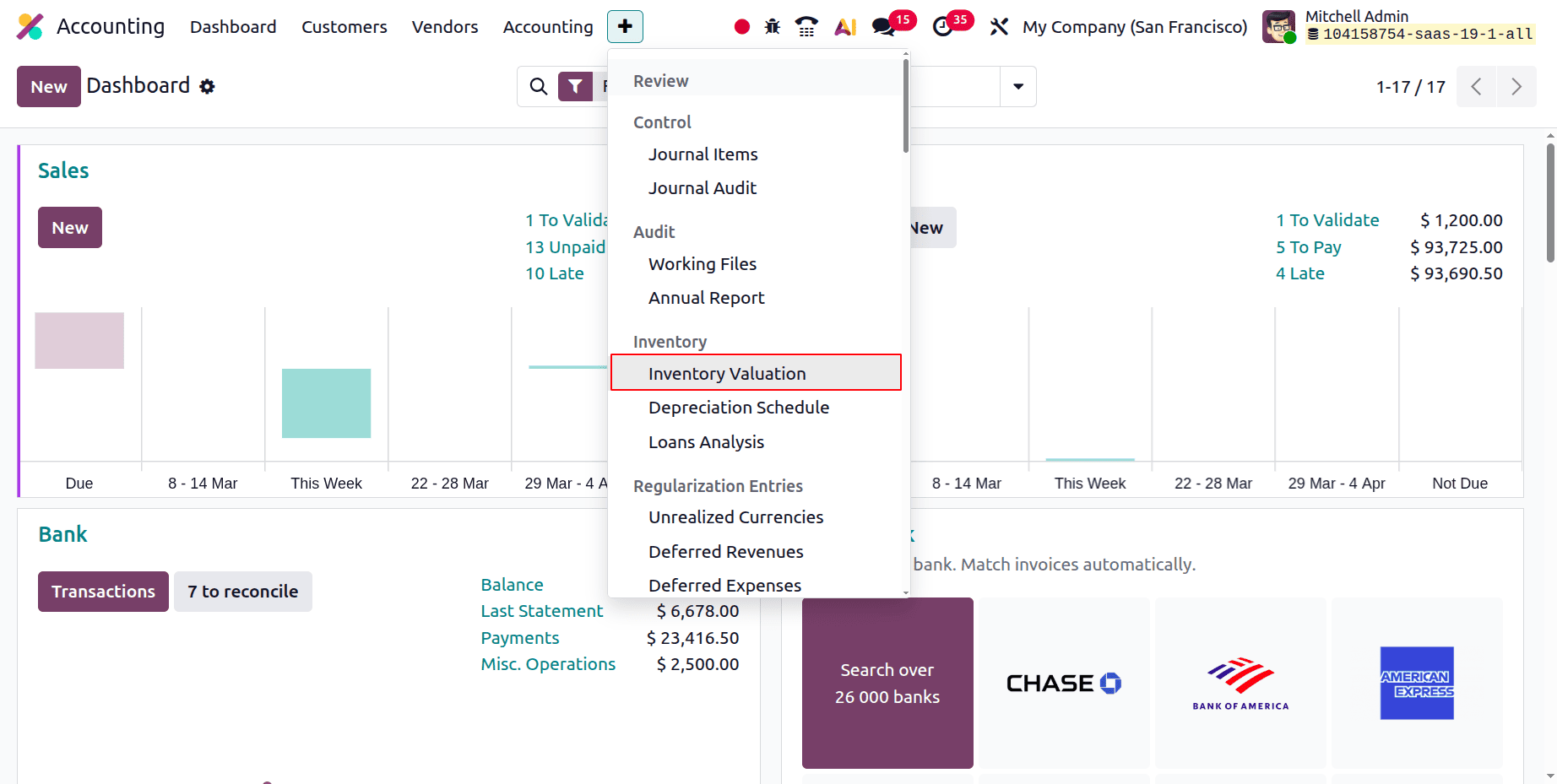
Go to the Inventory Valuation report. This is available in the Accounting module. Click on the Review menu. From the list, open the Inventory Valuation report.
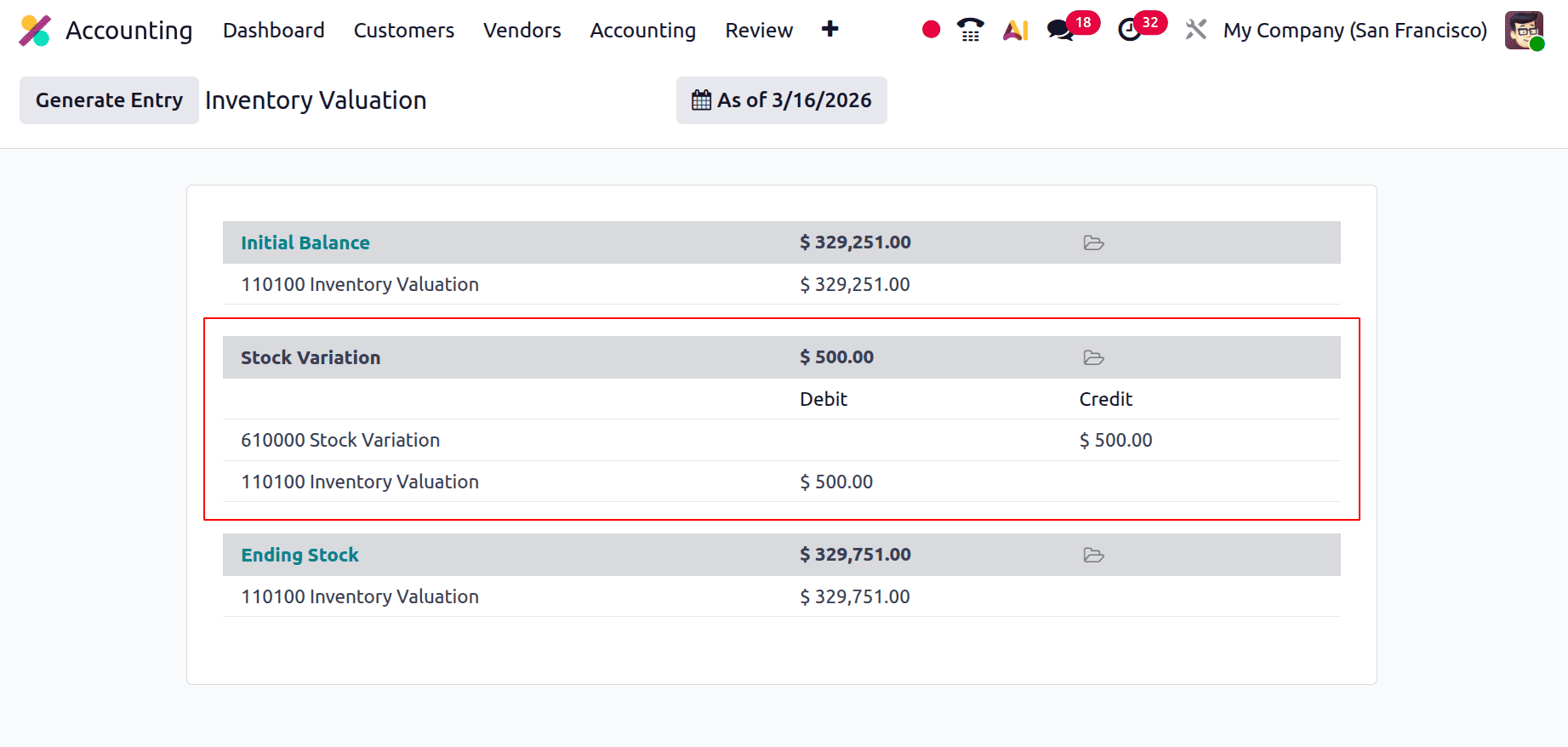
Then check the Inventory Valuation report as shown below. In this case, the Inventory Valuation account is debited and the Stock Variation account is credited.
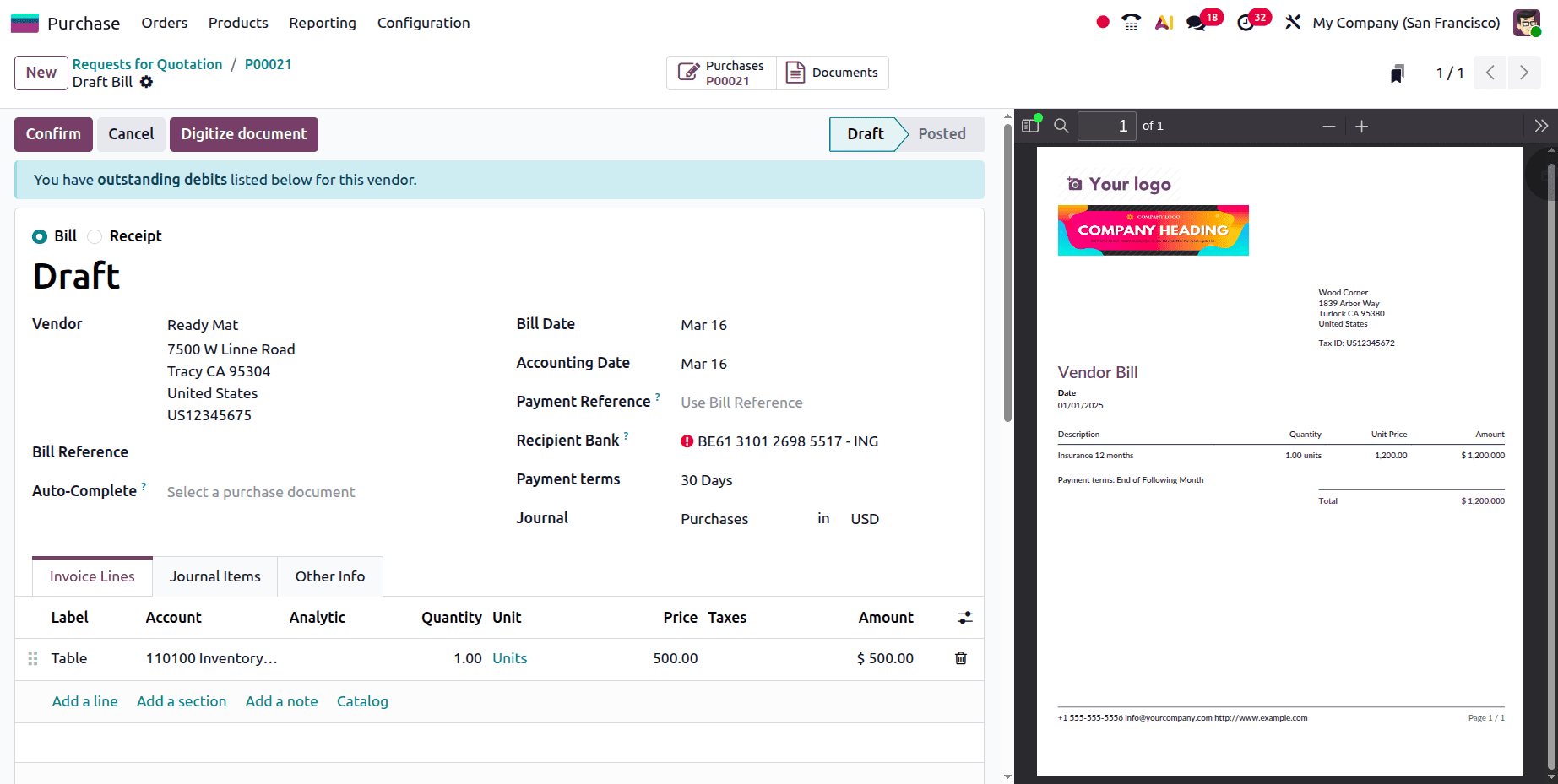
Next, upload this purchase order's bill. After adding the bill date, verify the bill.
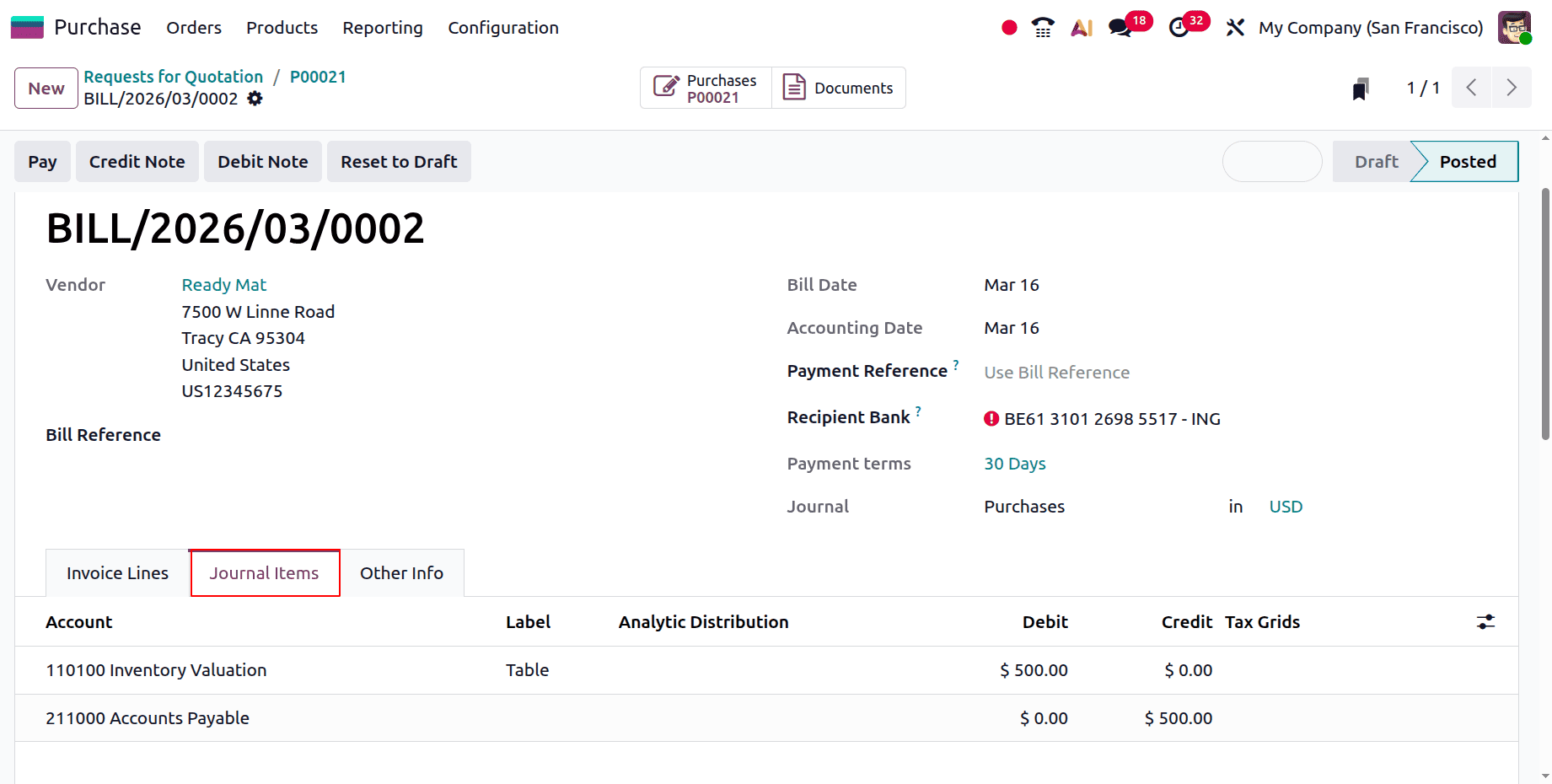
Next, let's examine the Journal Items tab. The accounts shown there are the Stock Account and the Account Payable. As previously mentioned, in Anglo-Saxon times, the direct expense was not recorded at the time of purchase but rather as an asset. Consequently, "Account Payable" and "Inventory Valuation" are affected when a bill is generated. The amount owed to the seller is displayed in accounts payable. Because of this, the amount owed to the vendor increases when a bill is created, increasing the company's responsibility and crediting the Accounts Payable.
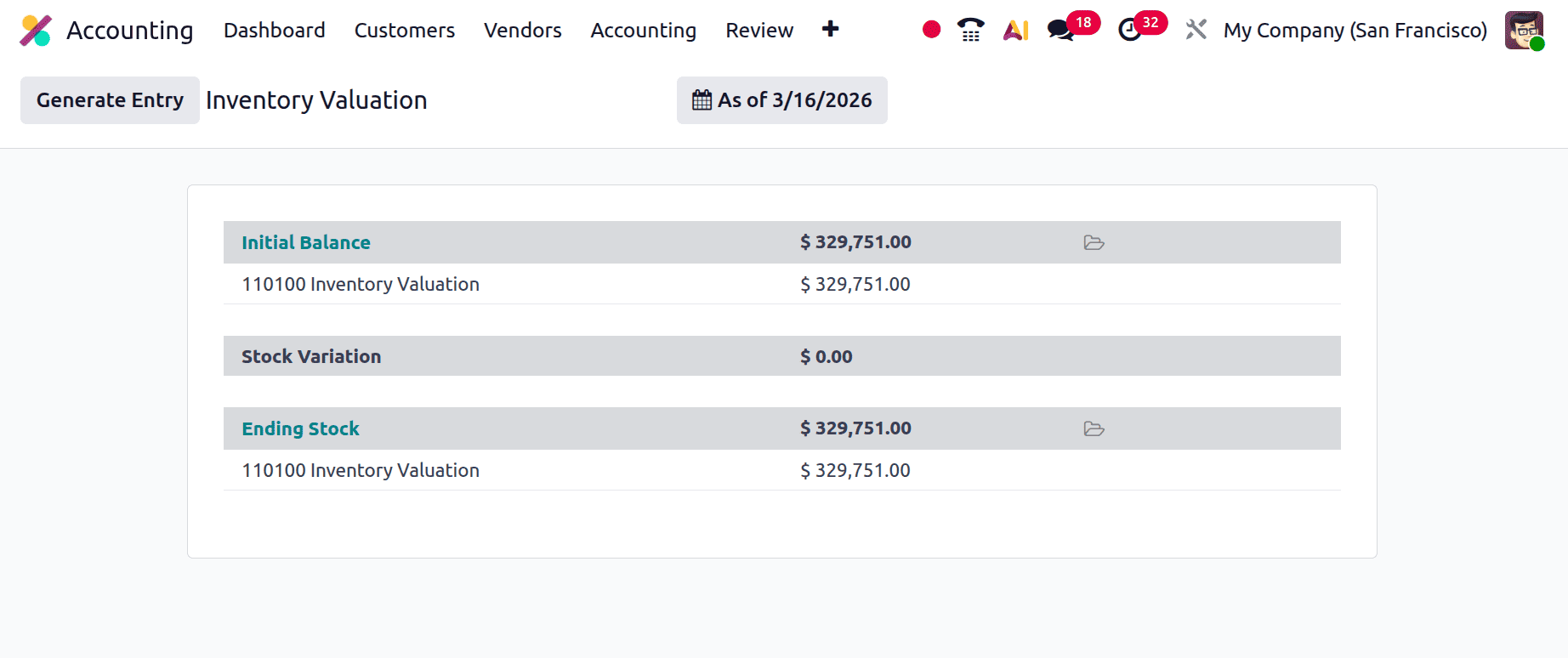
Move to the Inventory Valuation report. Here no values are shown inside the report as shown below. This is because the stock journal entry is automatically posted after the bill is confirmed.
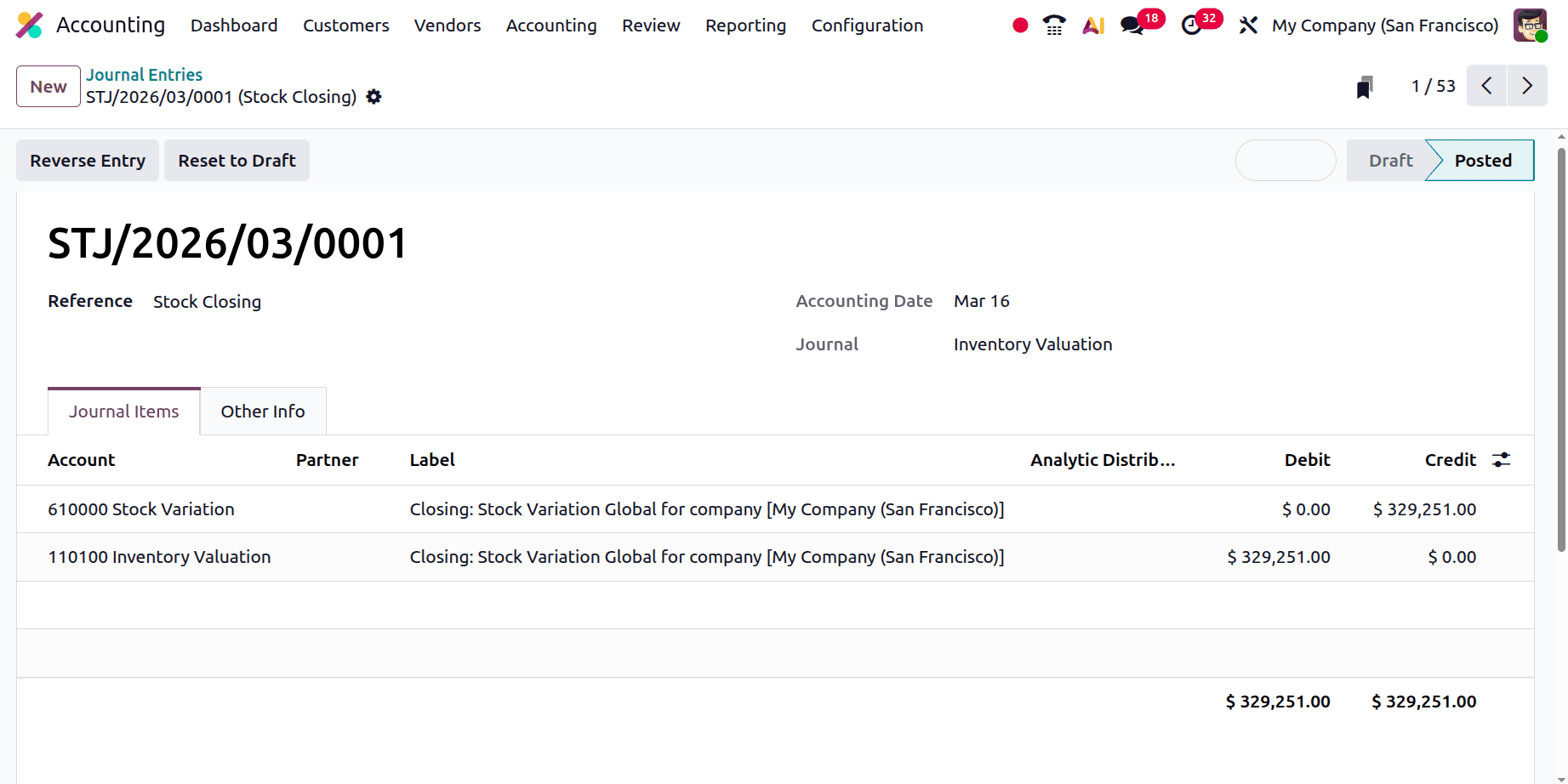
The stock journal entry can be shown inside the Journal Entries menu. As seen below, the Inventory Valuation account is debited and the Stock Valuation account is credited.
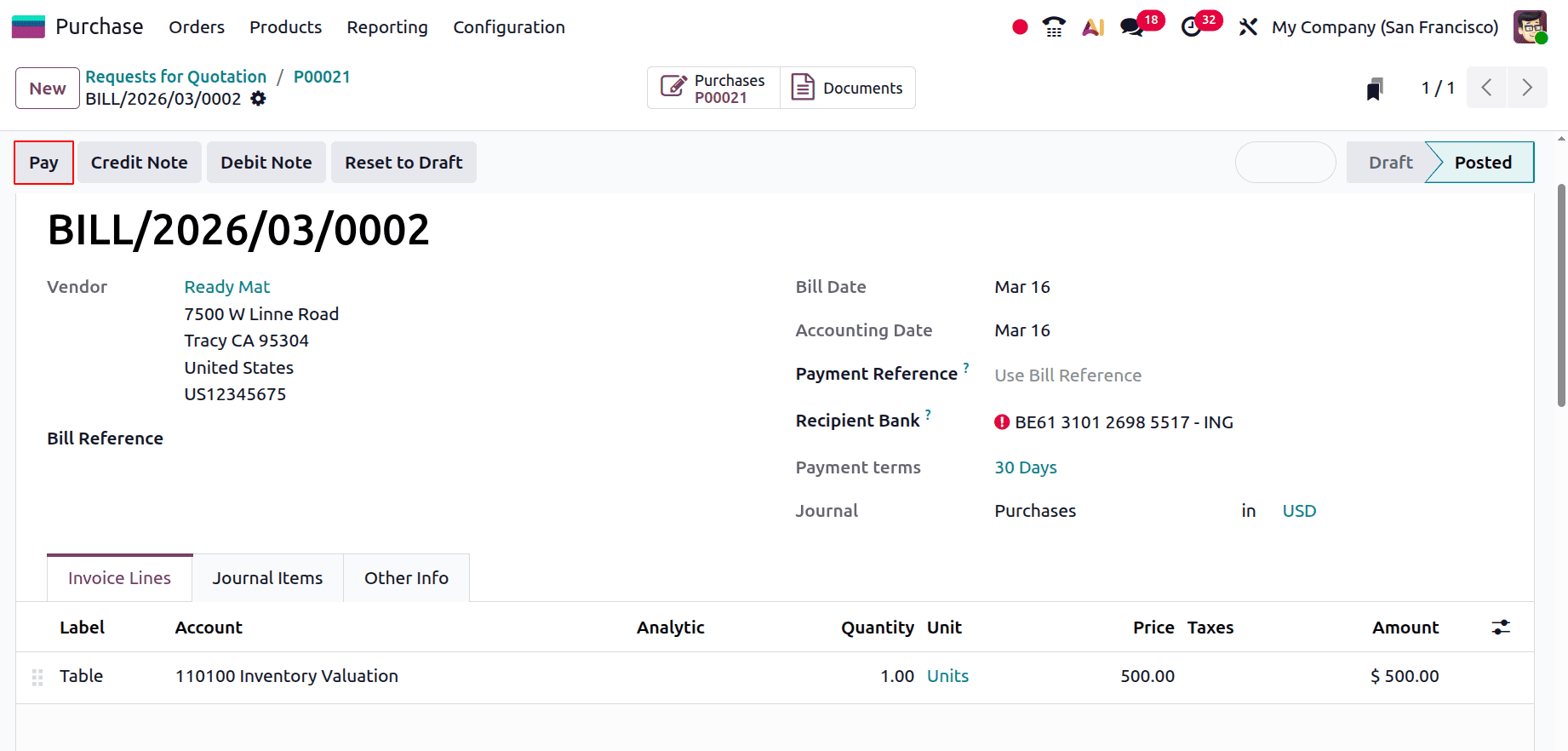
The payment can be added by clicking on the Pay button.
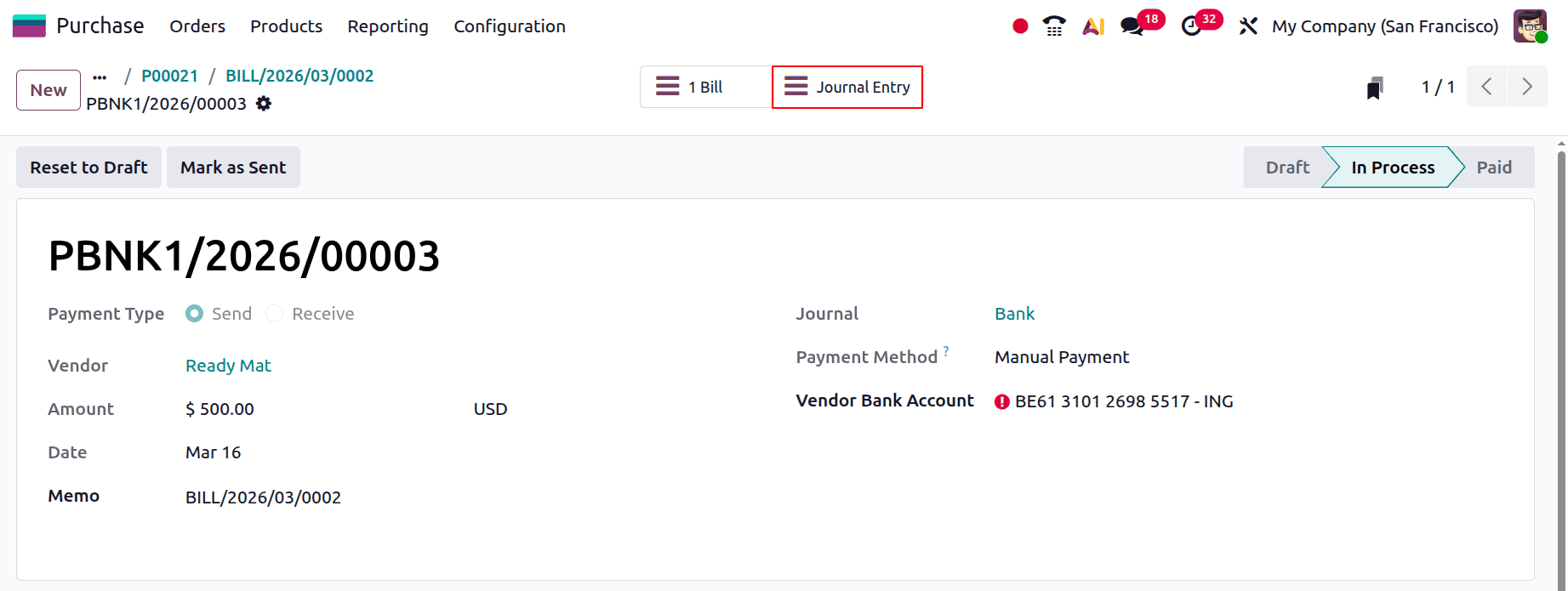
The payment shows the details like vendor, amount, date, memo, journal, payment method, and vendor bank account. There is a smart tab named Journal Entry.
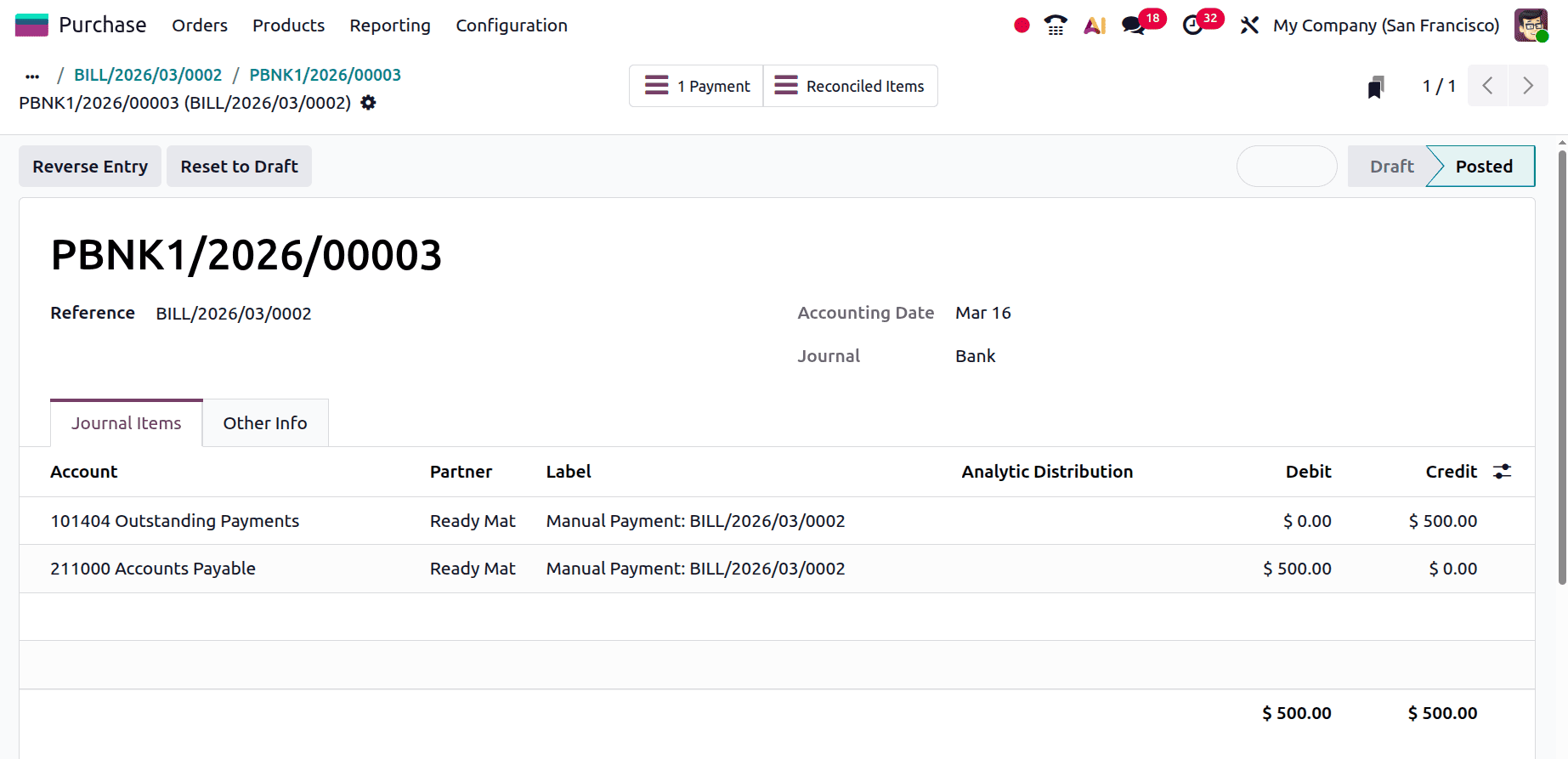
Registration is the process of paying money to the vendor or making a payment. This process has an impact on "Account Payable" and "Outstanding Payment Accounts." The company's responsibility is lessened when the vendor is paid. Accounts payable is where the company's payable obligations are listed. Consequently, when the liability decreases, Account Payable, which is by definition a liability, is debited.
Reconciliation is the next stage. Go to the Accounting Dashboard for that. Make a fresh transaction. Include information such as Label, Partner, and Amount. Next, make amends.
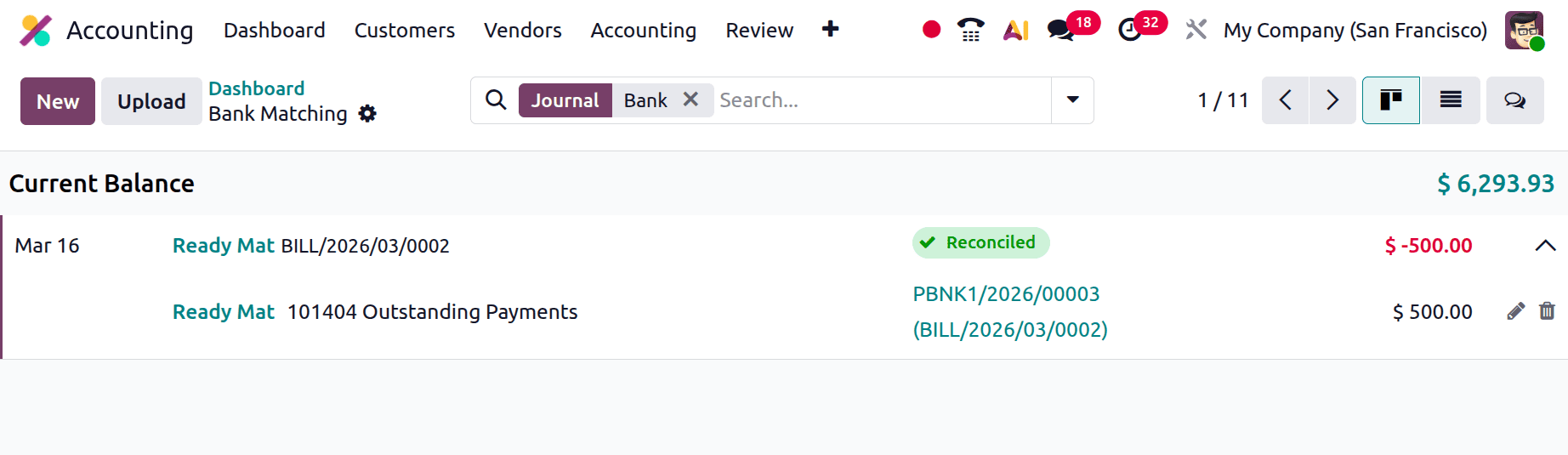
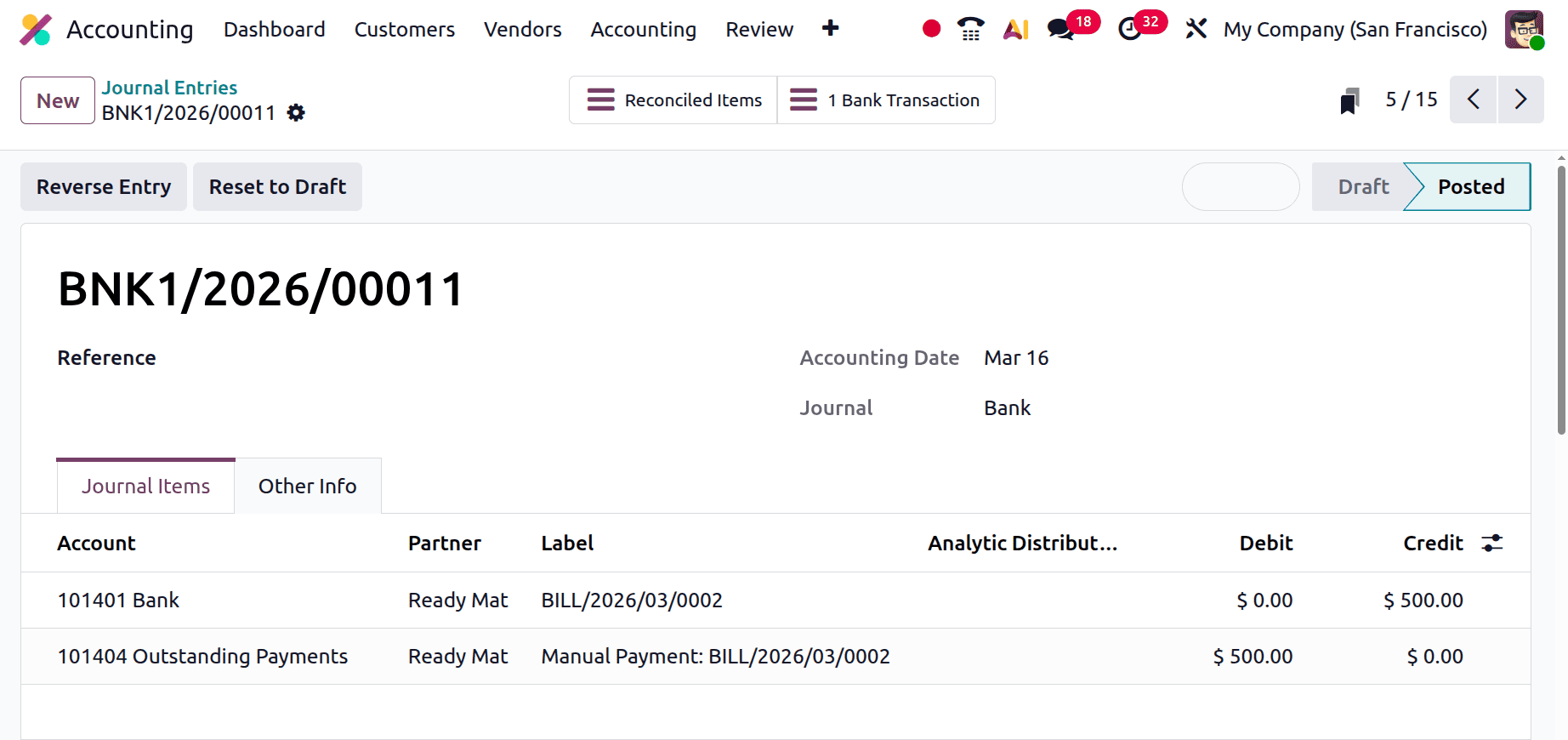
The following step requires that the vendor payment and the bank statement agree. Thus, the "Outstanding Payment" and "Bank" accounts are impacted by reconciliation. During this procedure, it will be noted that the vendor has finally received payment from the bank account. As a result, "Outstanding Payment"'s obligation decreases, debiting "Outstanding Payment," while "Bank"'s asset decreases, crediting "Bank."
Selling the Product
If the Inventory Valuation is Perpetual (at Invoicing), the expense account will affect only after selling the product.
Create a new sale order. Add the customer. Next, include the product together with the unit price and quantity. And confirm the quotation. Then click on the Smart tab Delivery.
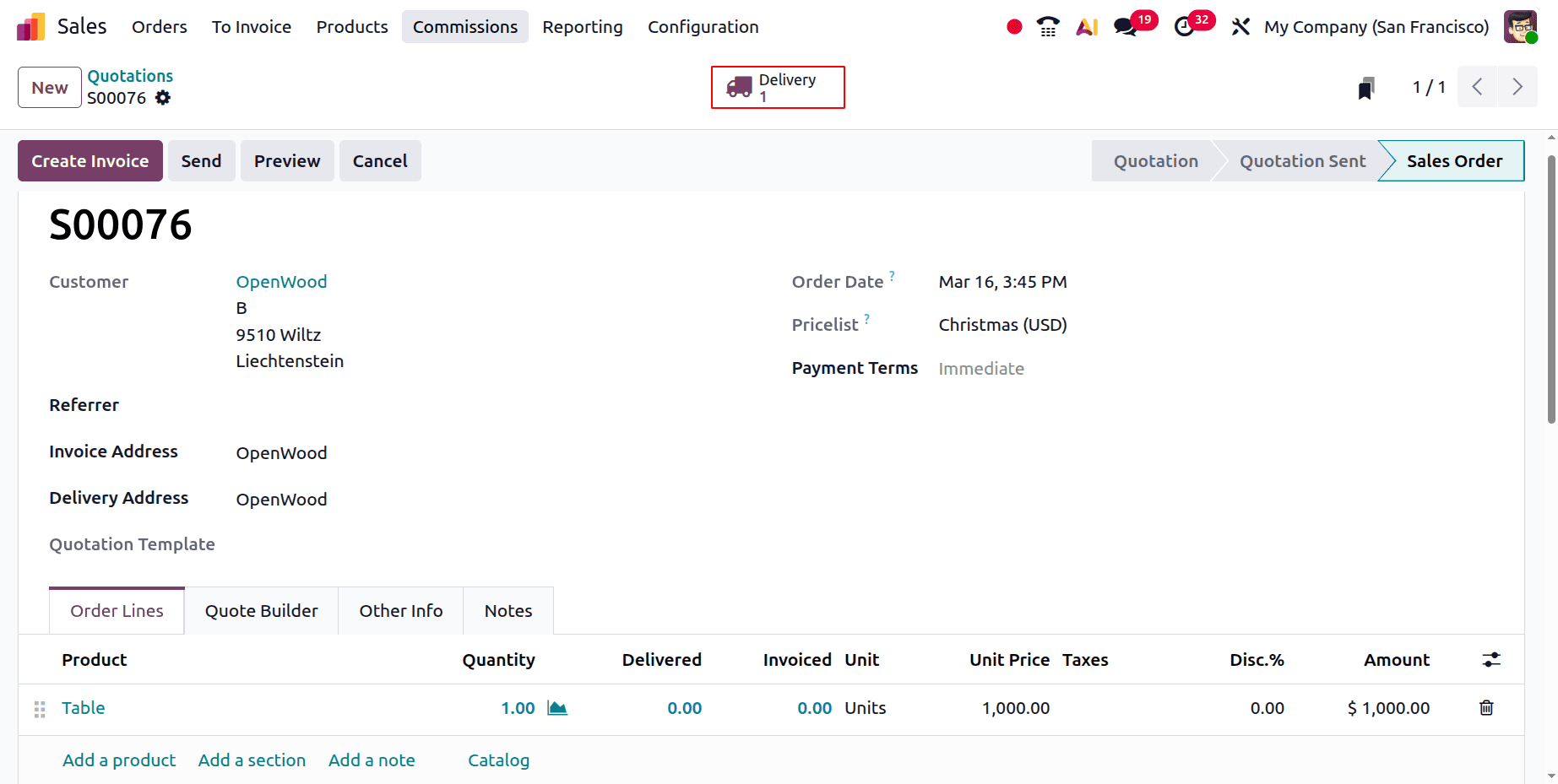
Then, validate the delivery first.
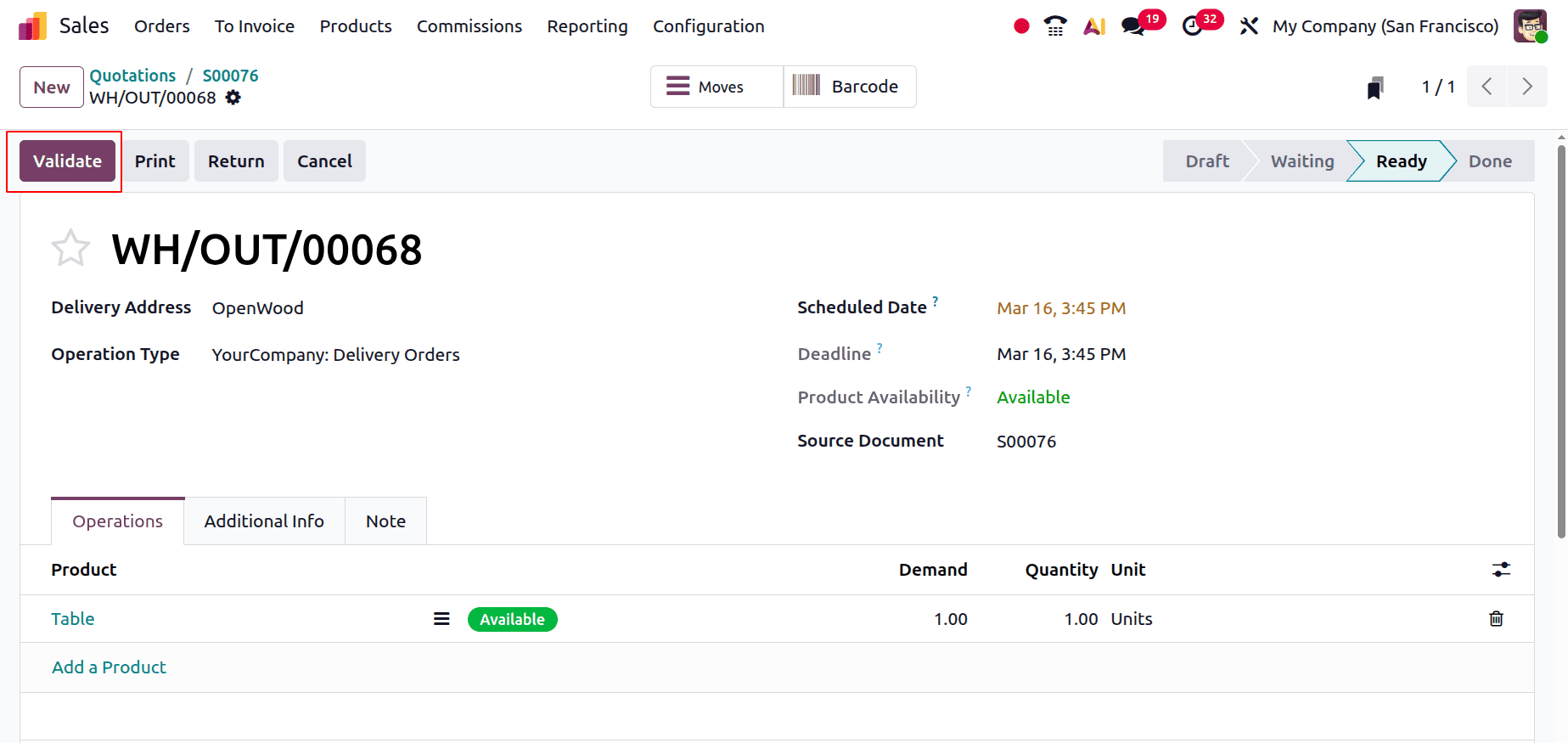
Then check the Inventory Valuation report again. As seen below, the Stock Variation account is debited and the Inventory Valuation account is credited.
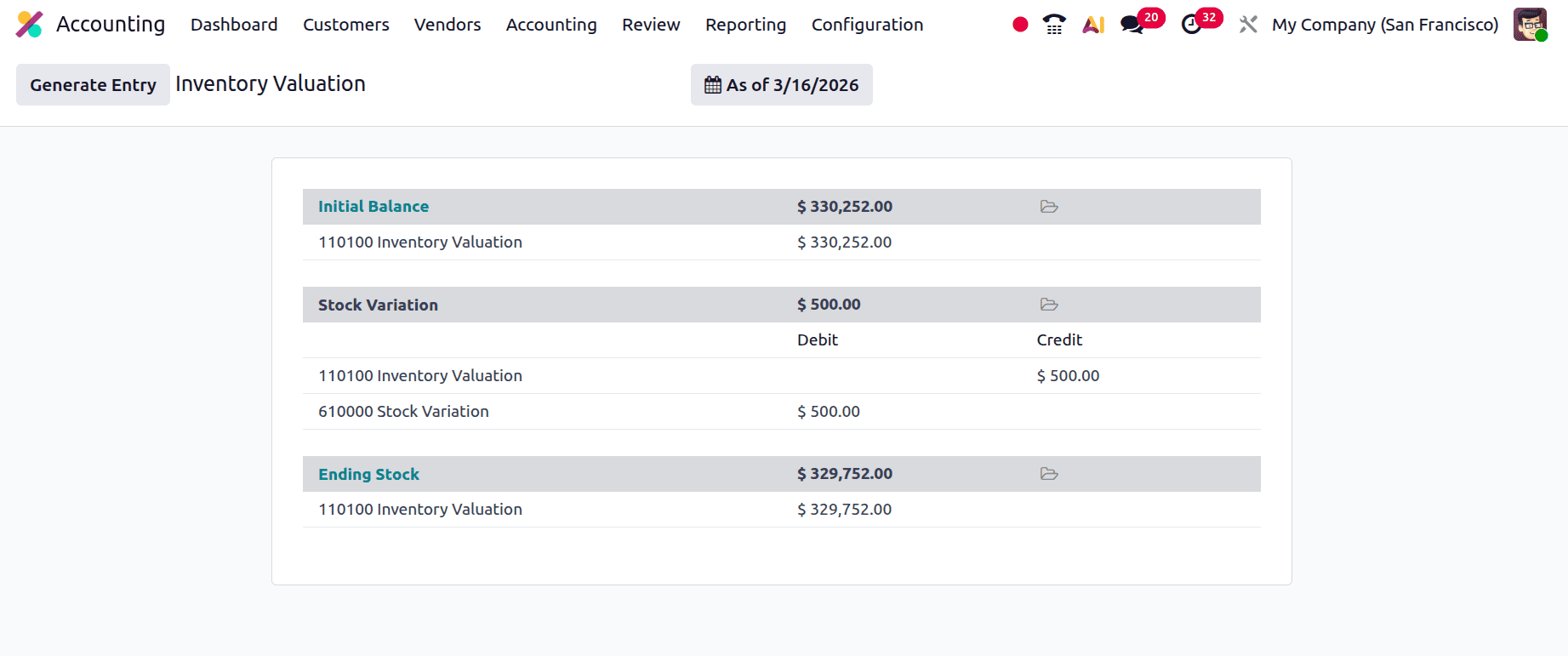
Then move back to the Sales order again and Create Invoice. By clicking on the Create Invoice button, a new Regular Invoice can be created.
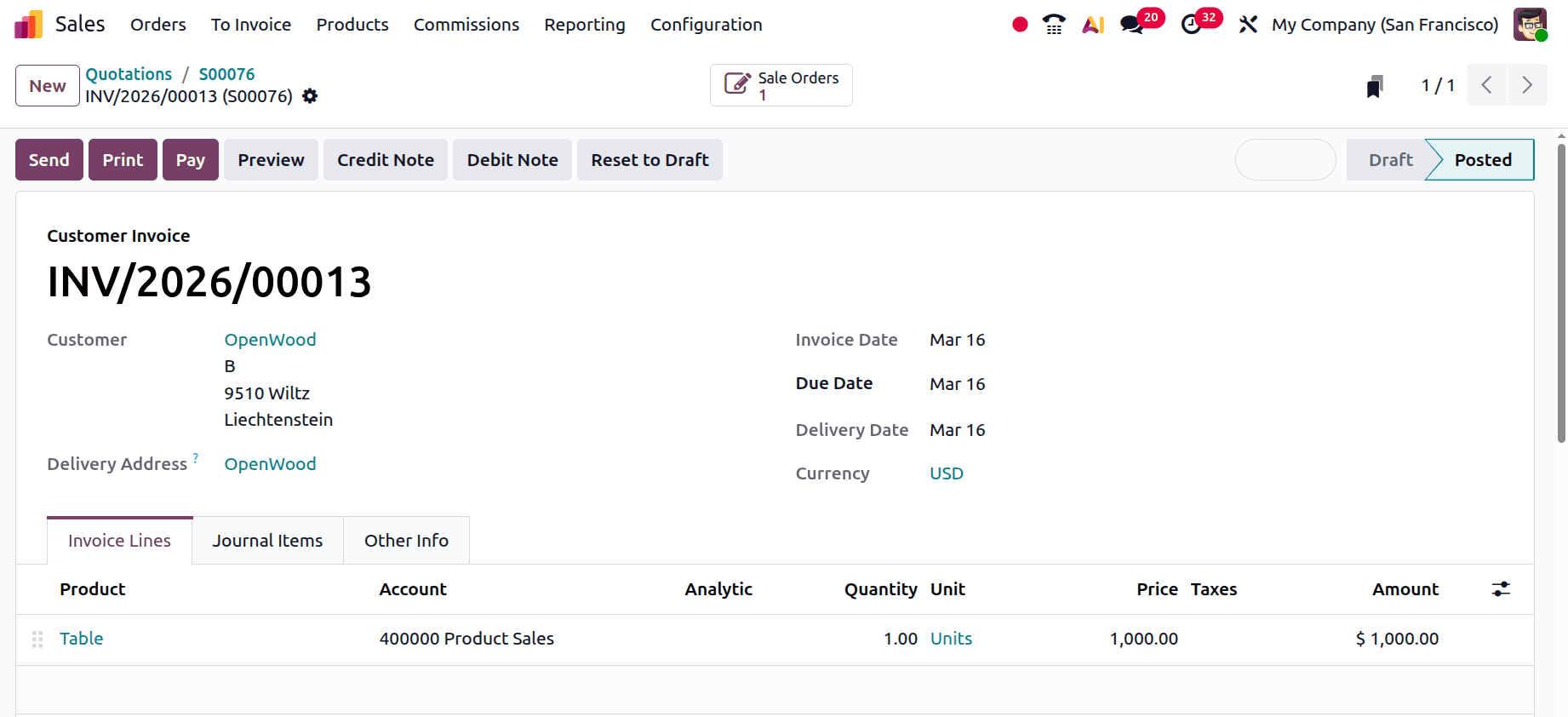
The Journal Items tab shows as follows. When generating a sales invoice for a client, the "Income Account" and "Accounts Receivable" are affected. "Income Account" relates to revenue, whereas "Account Receivable" refers to assets. Consequently, when assets and revenue rise, the "Income Account" is credited and the "Account Receivable" is debited.
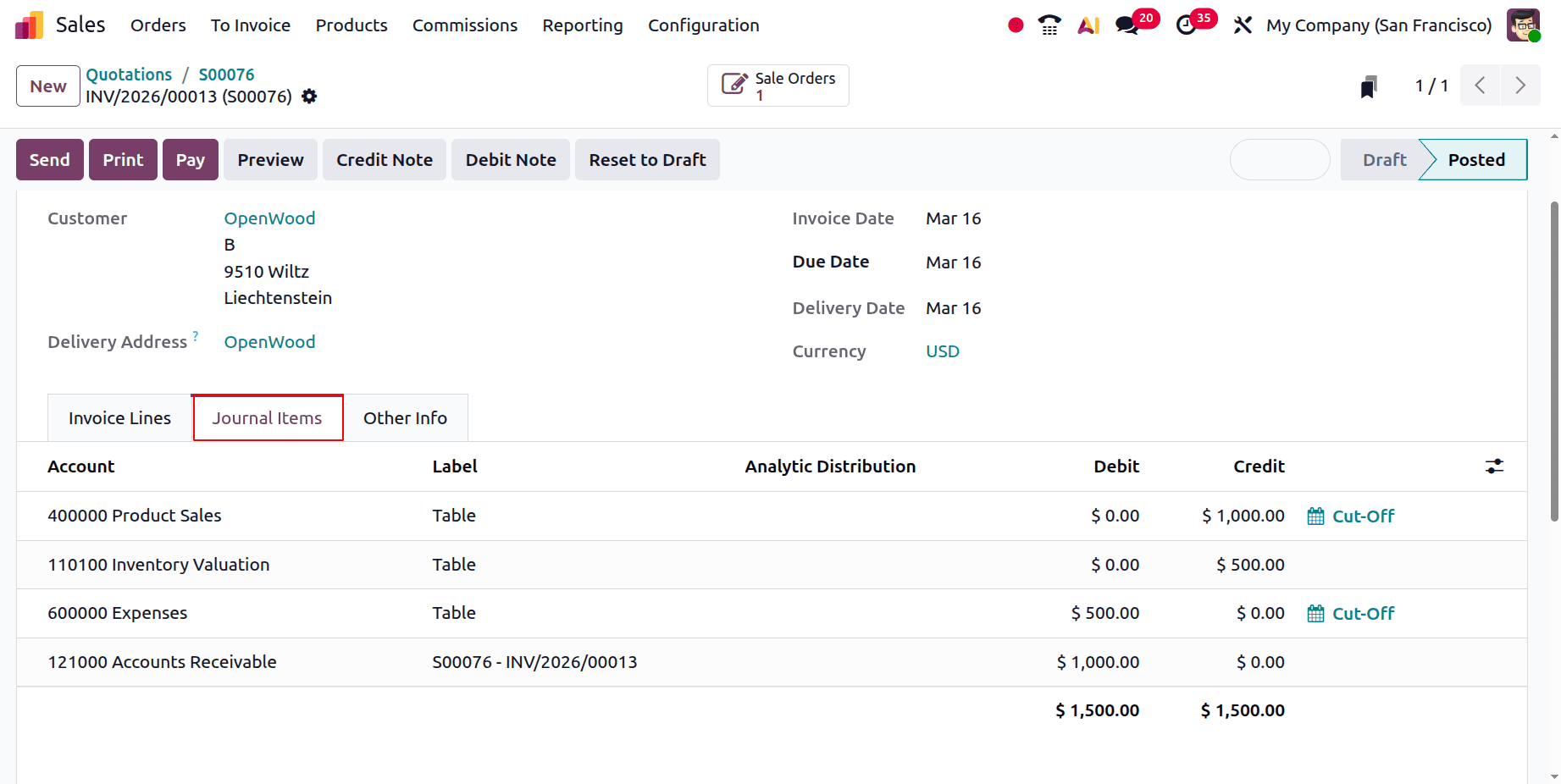
Two other ledgers, the "Stock Output Account" and the "Expense" Account, are also impacted because Anglo-Saxon accounting stipulates that the expense is impacted as soon as the purchased item is used up or sold out.
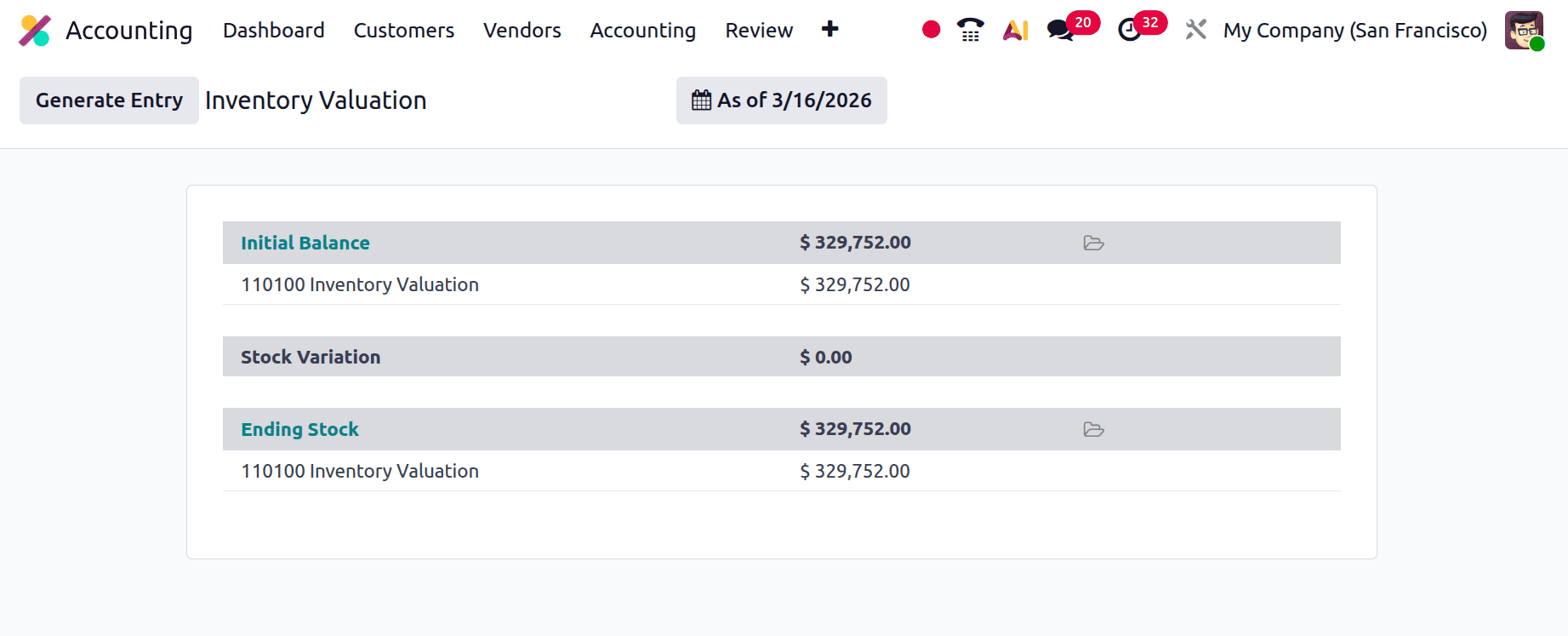
After posting the invoice, the stock journal entry is automatically posted. The Inventory Valuation report is shown below.
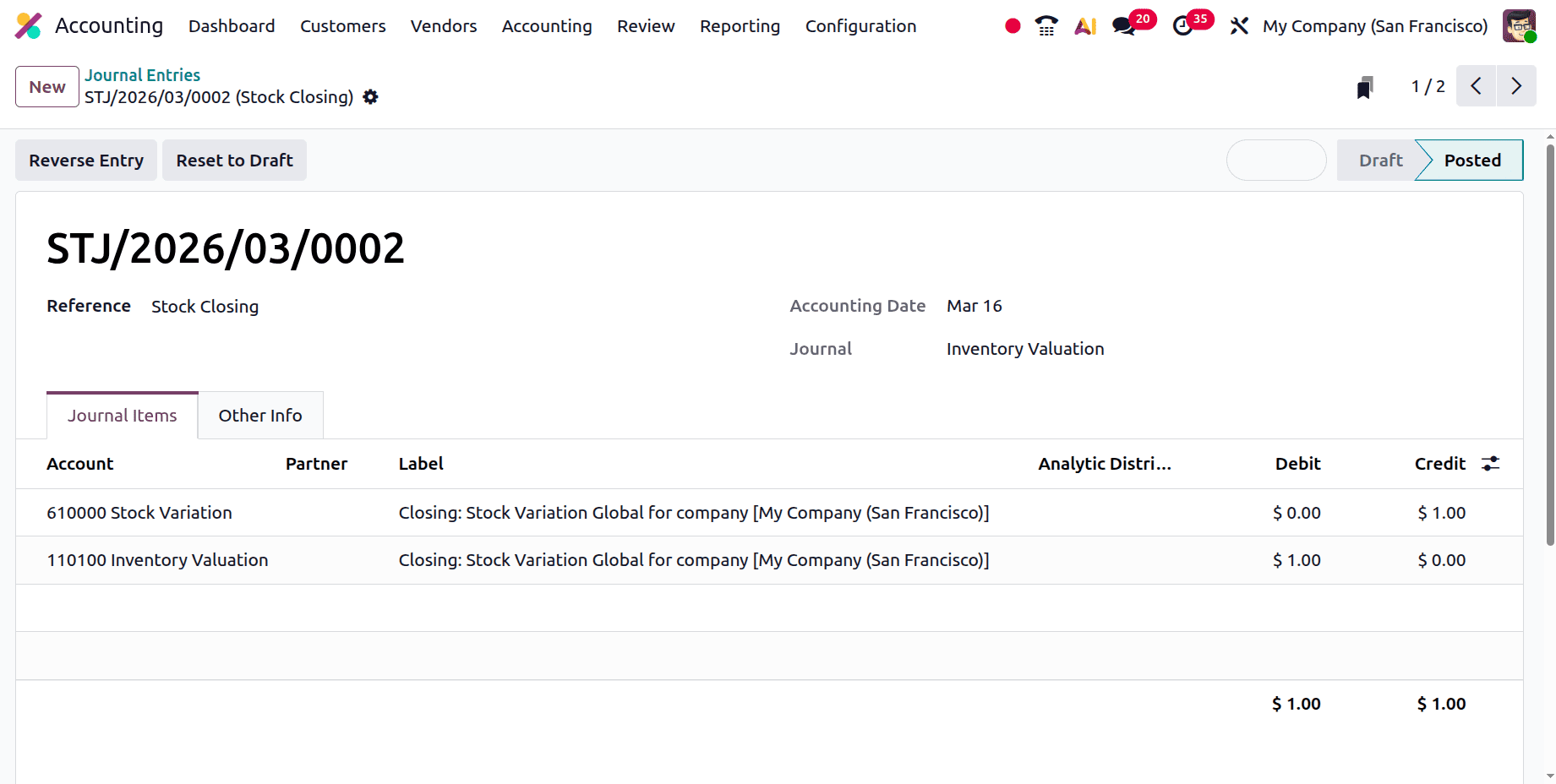
The stock journal entry is posted as shown below.
Next, click the Pay button to finish the payment. You may examine the payment information there. Next, select the Journal Entry smart tab.
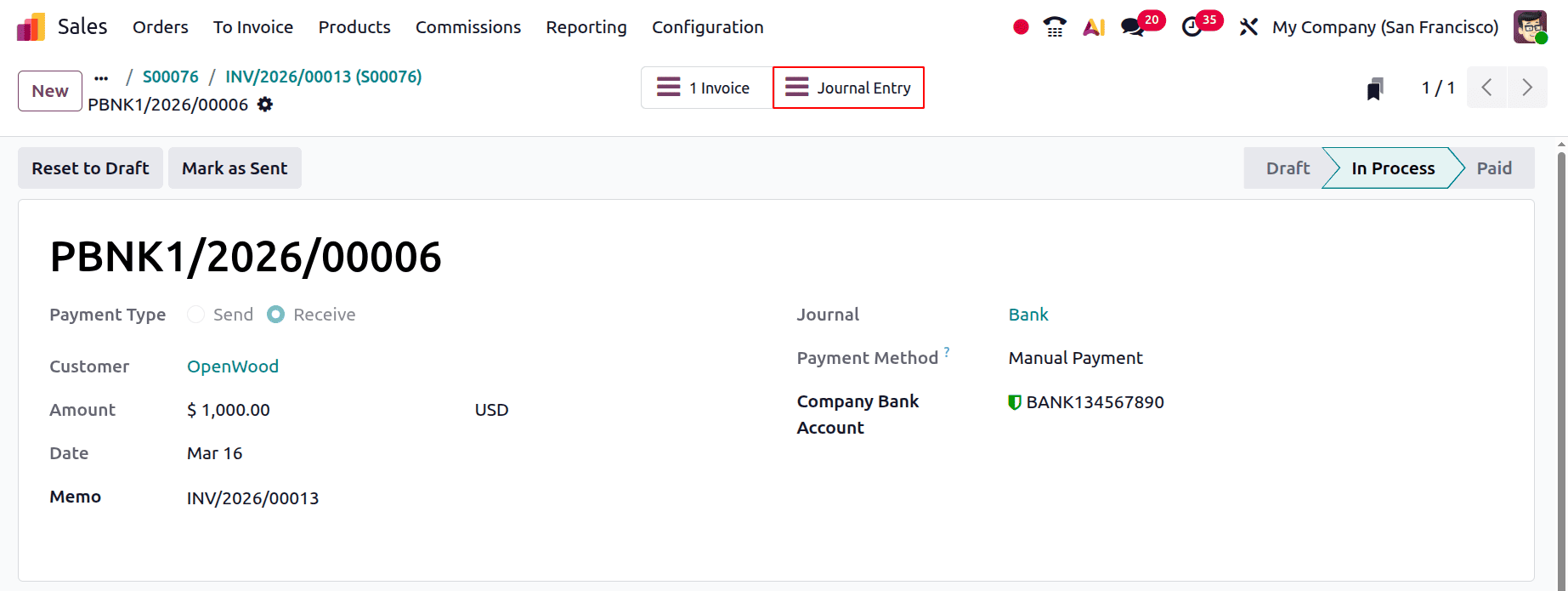
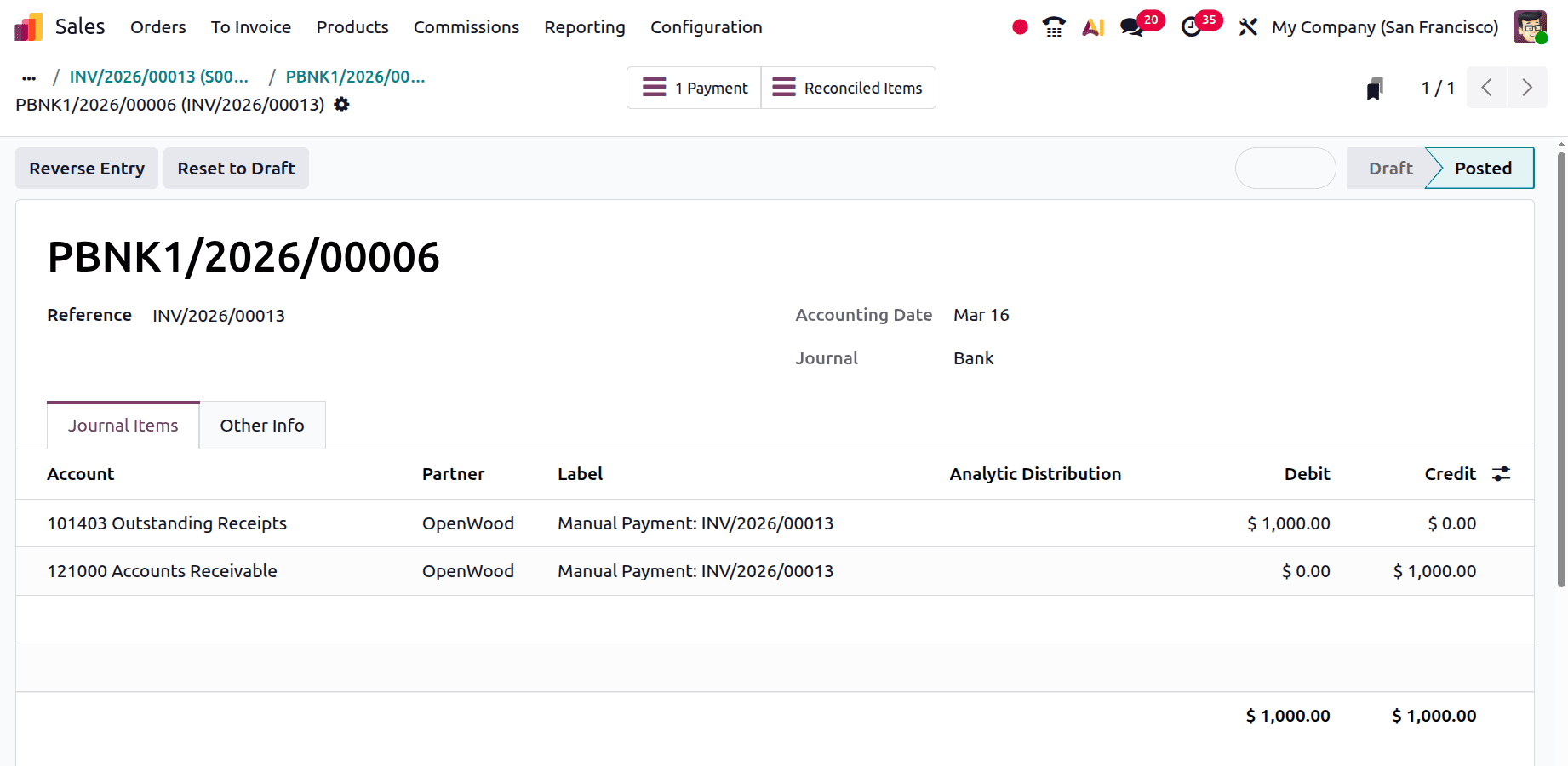
By definition, "accounts receivable" is an asset. Assets are credited and reduced as the client makes payments. The arriving funds were temporarily stored in the "Outstanding Receipts" account until being reconciled with the "Bank." The Outstanding Receipts account is based on assets and is debited when the asset value increases.
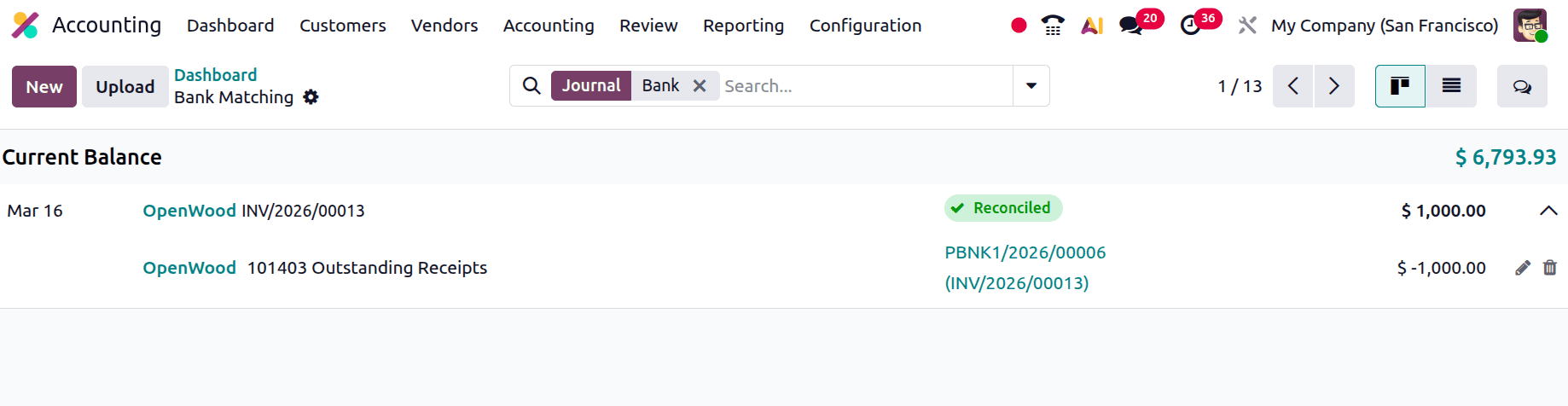
Reconcile the bill. Add the amount, partner, and label. Next, select "Save & Close."
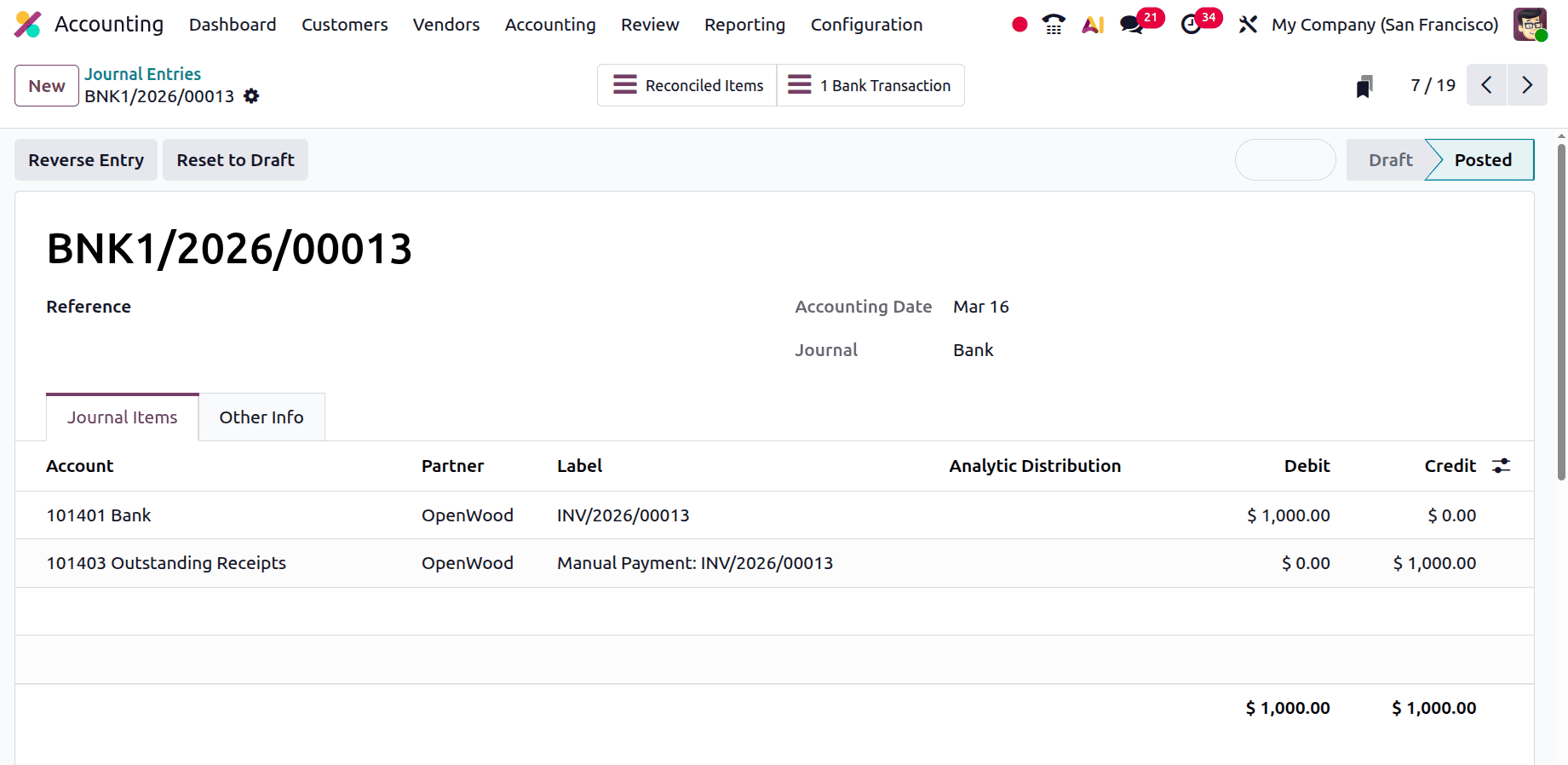
Select Journal Entries from the Accounting menu to view the journal items.
When a payment is matched to a bank statement, the bank is debited, increasing the asset in the bank. Furthermore, assets decline and are credited to the parallel outstanding receipts account.
To sum up, Odoo 19 Accounting's Inventory Valuation Perpetual (at Invoicing) feature enables companies to manage inventory continuously while creating accounting entries at the invoicing phase. This method ensures more accurate financial reporting and expense recognition by helping to match inventory costs with real billing activities. Businesses can increase the transparency of their accounting and inventory operations by employing this technique.
To read more about An Overview of Inventory Valuation in Odoo 18, refer to our blog An Overview of Inventory Valuation in Odoo 18.