A built-in financial report in Odoo 19 Accounting, the Tax Report offers a thorough summary of all accounting transactions pertaining to taxes for a chosen time frame. It lists the taxes paid on vendor bills and the taxes levied on sales invoices. Both the computed tax amounts and the taxable base amounts are shown in the report. To comply with national tax laws, taxes are arranged according to tax groups and tax grids. It enables accountants to ascertain whether the business is eligible for a refund or owes taxes. The report can be filtered by firm, tax type, and date range. Accurate tax filing and adherence to local tax authorities are supported by the report. Prior to submission, it also aids in the examination and auditing of tax computations.
Tax Compliance: By offering precise tax data for reporting, it assists companies in adhering to regional tax regulations.
Tax Return Preparation: Provides the information needed to file sales tax, GST, or VAT returns.
Tax Liability Calculation: Establishes the amount of net tax due or refundable for a given time frame.
Audit and Review: Enables accountants to confirm and examine tax computations prior to submission.
Financial Analysis: Facilitates the examination of how taxes affect cash flow and business transactions.
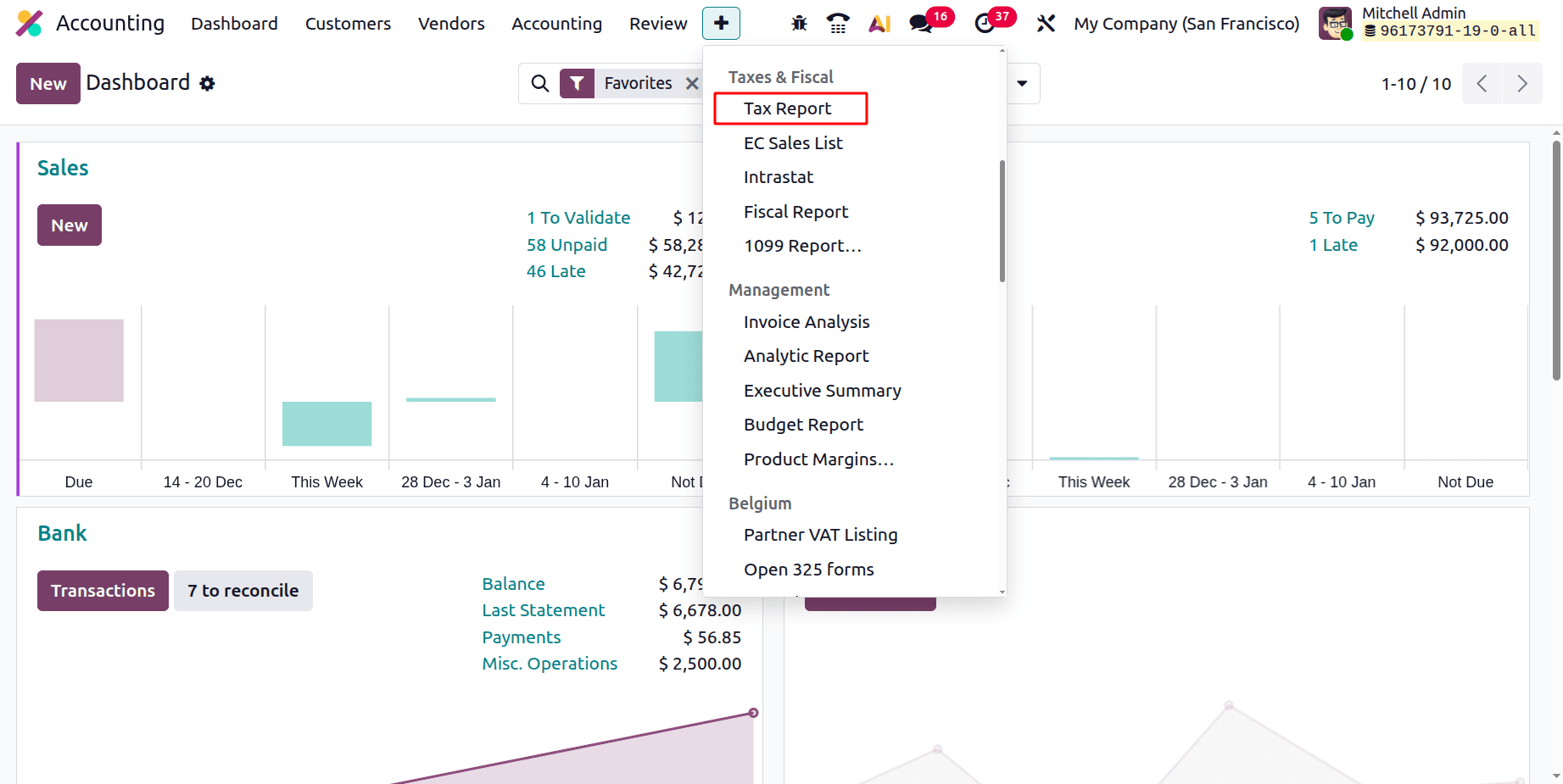
To get the Tax Report, click on the Reporting menu. The Tax Report is available under the Taxes & Fiscal Reports.
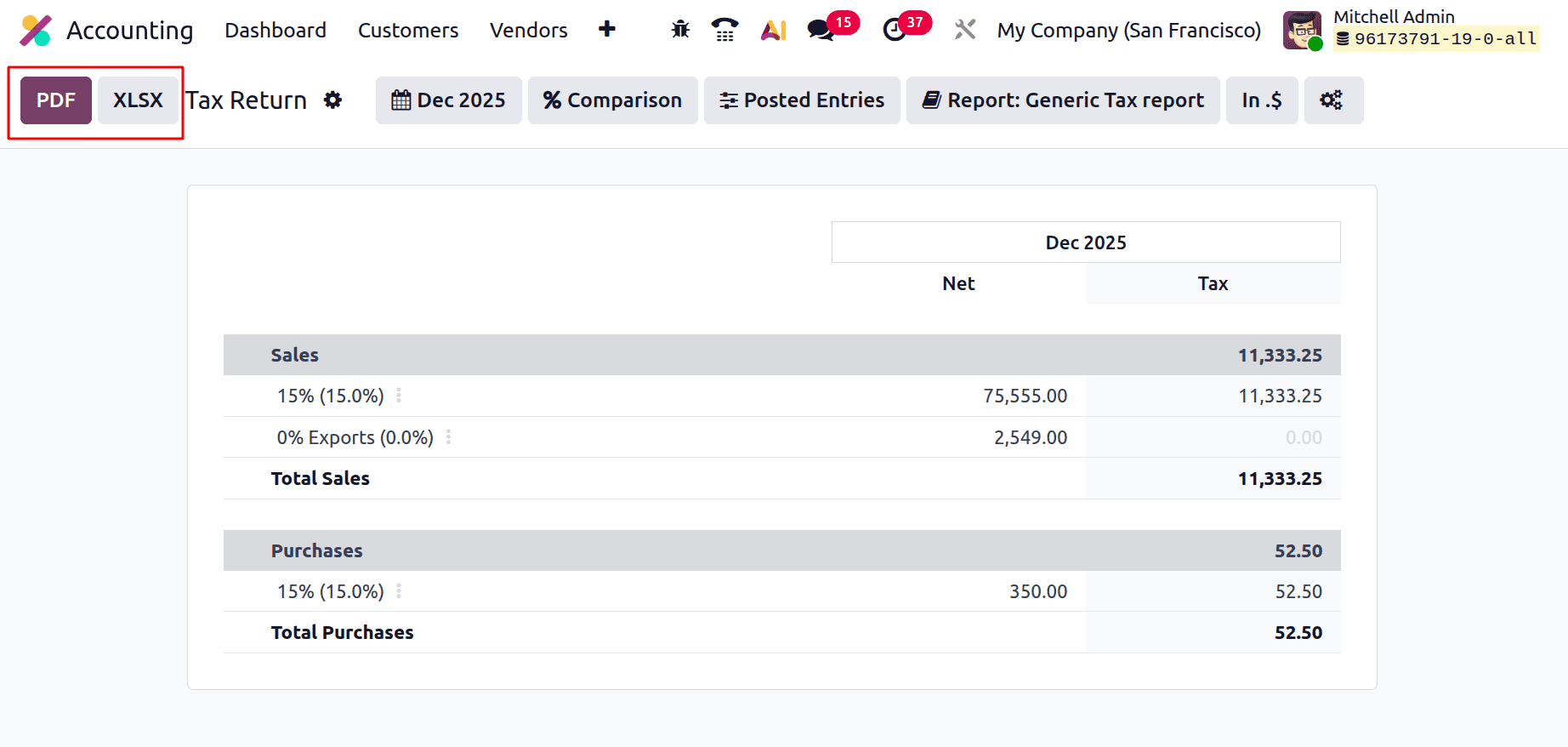
While opening the Tax Report, the Report can be imported by clicking on the PDF and XLSX buttons.
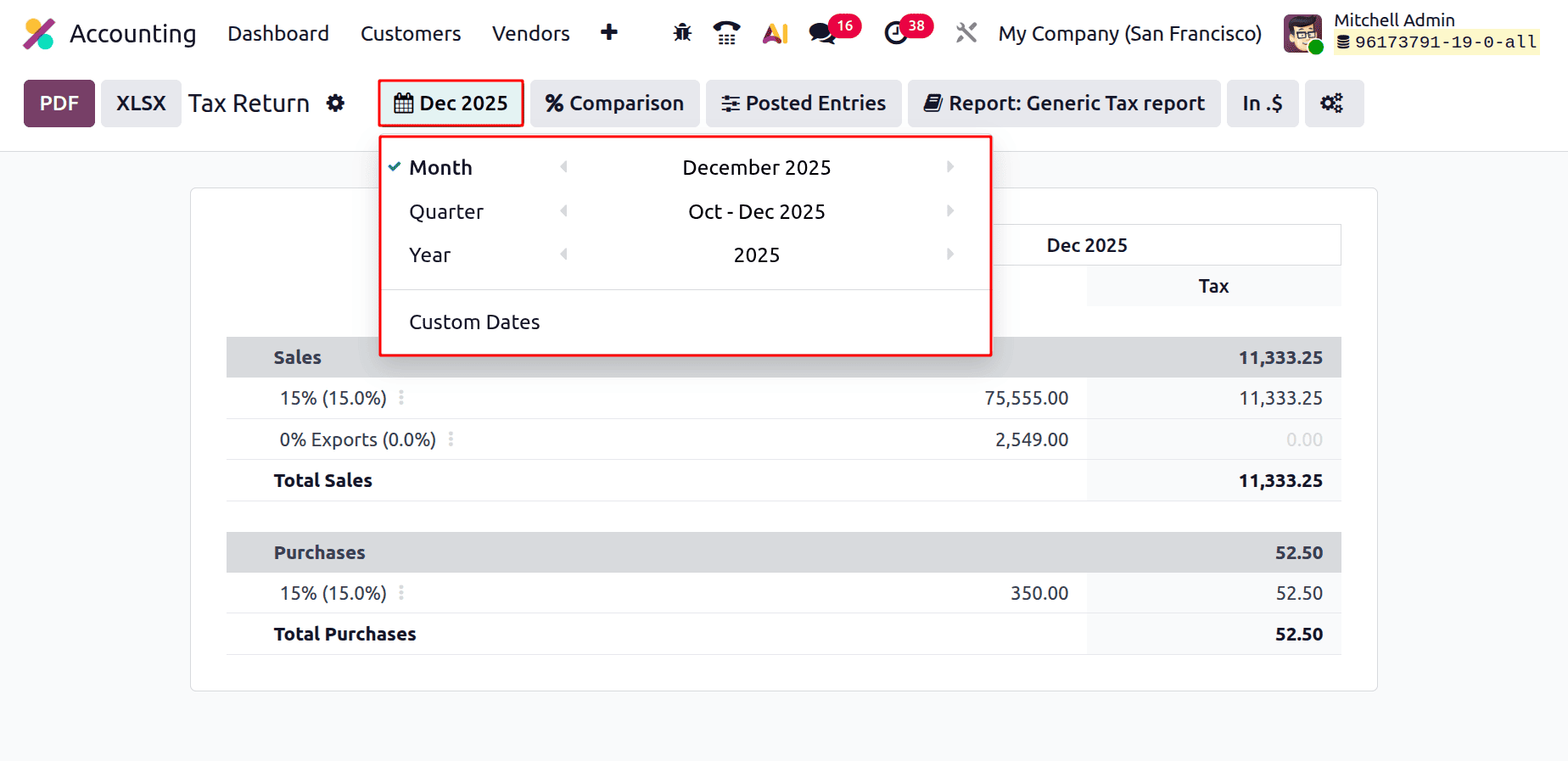
There are several filters available in the Tax Return Report in Odoo 19 Accounting. The first filter is the Date filter. By using the Date filter, reports can be filtered based on Month, Quarter, Year, and possible to filter based on Custom Dates.
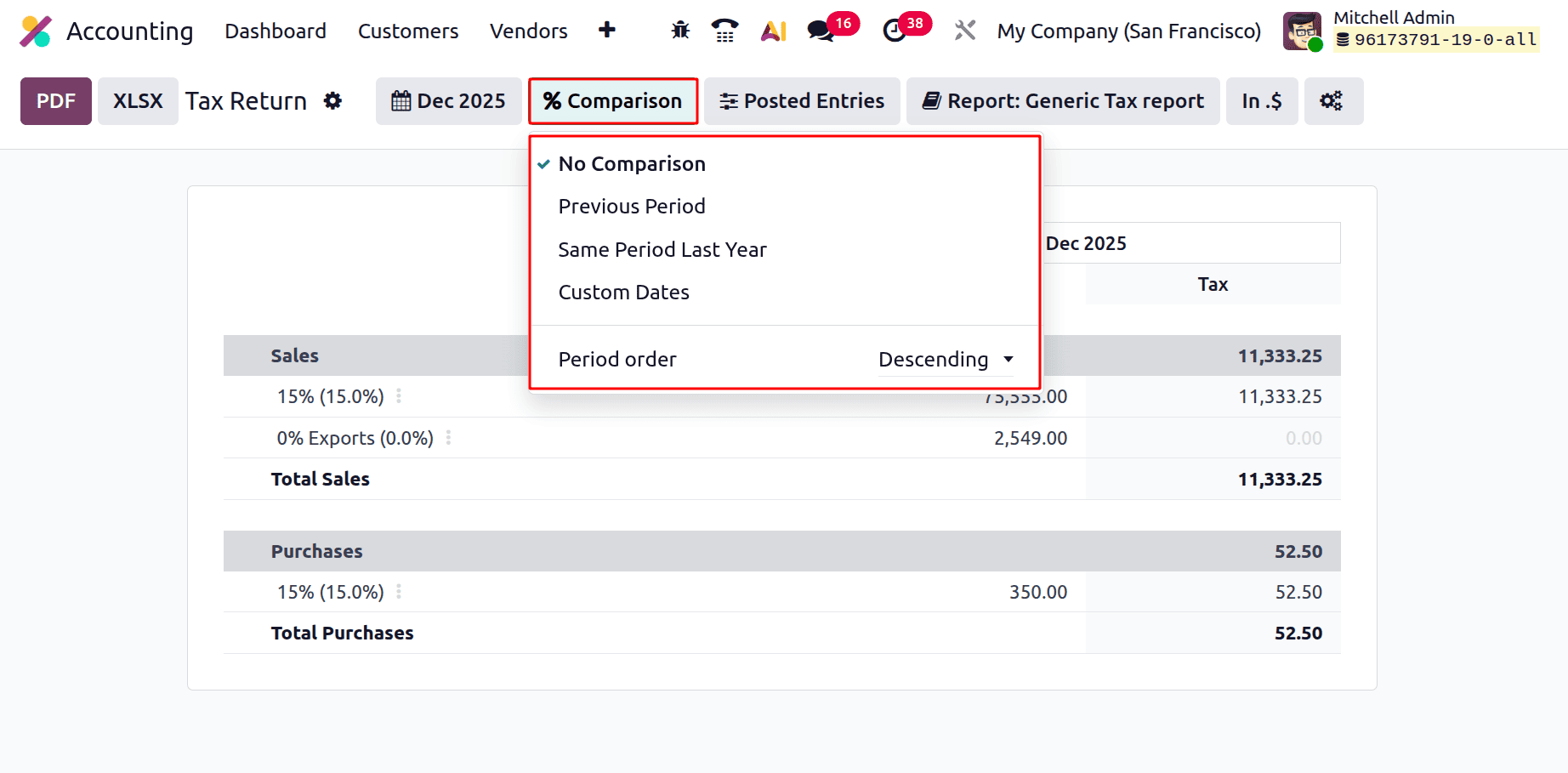
The second one is the Comparison filter. Comparison is possible based on the Previous Period, Same Period Last Year, and Custom Dates. Period Order can be chosen either as Descending or Ascending order.
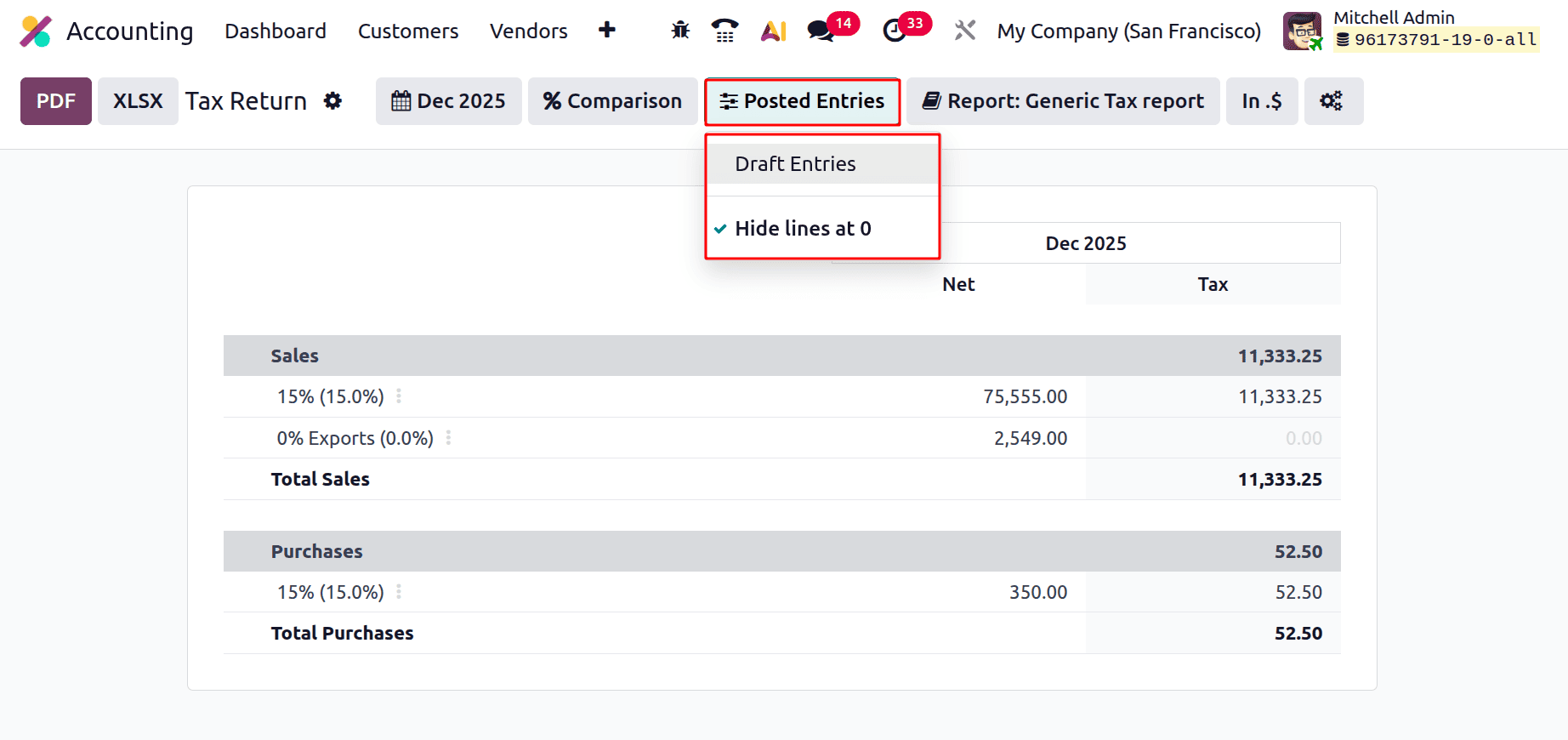
The report can be filtered based on Posted Entries or Draft Entries. The Hide lines at 0 will hide the lines with zero value from the report.
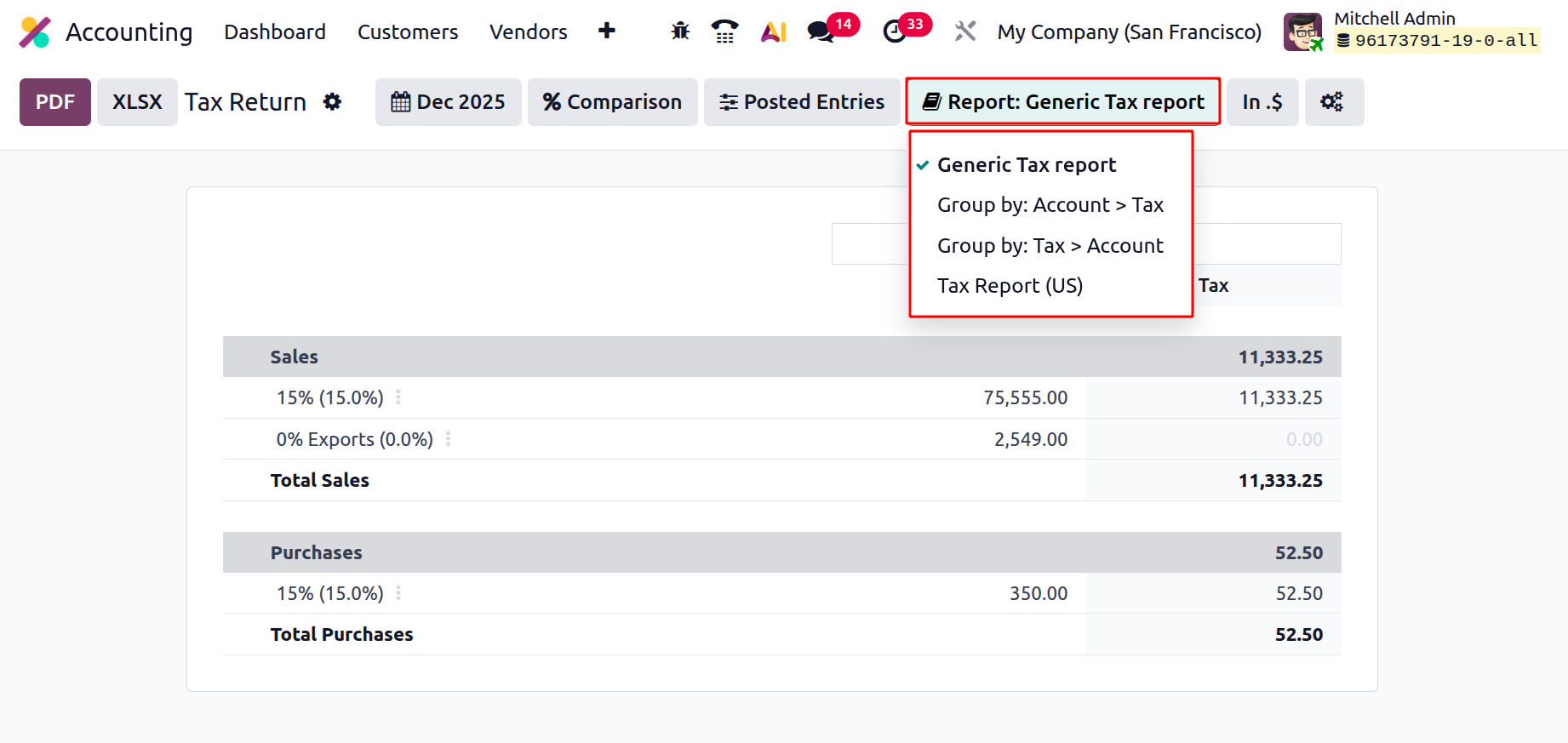
Next is the Report filter. By using the Report filter, the tax return report can be filtered based on the Generic Tax Report and Tax Report (US). and the report can be Group by: Account > Tax and Group by: Tax > Account.
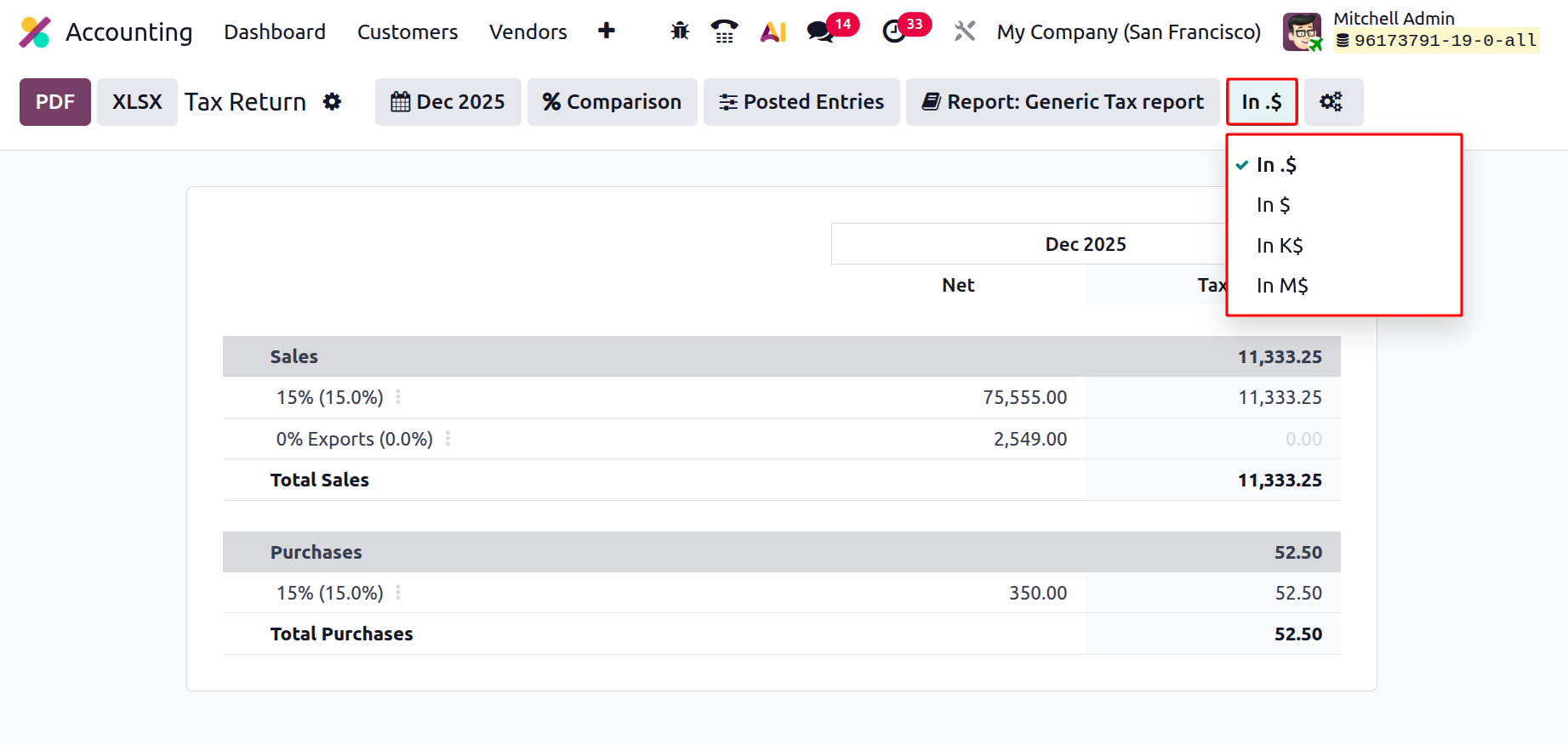
The amount scale (unit) option is the next filter in the Odoo 19 Accounting Tax Return Report.
The tax report's monetary value display can be customised by users:
The exact quantities in the firm's currency are displayed in $.
Amounts are shown in thousands in K$.
Amounts in millions are displayed in M$.
This filter merely modifies the figures' visual display; it has no effect on the underlying tax data or computations.
It is helpful for increasing readability, particularly when creating reports for management review or working with significant tax amounts.
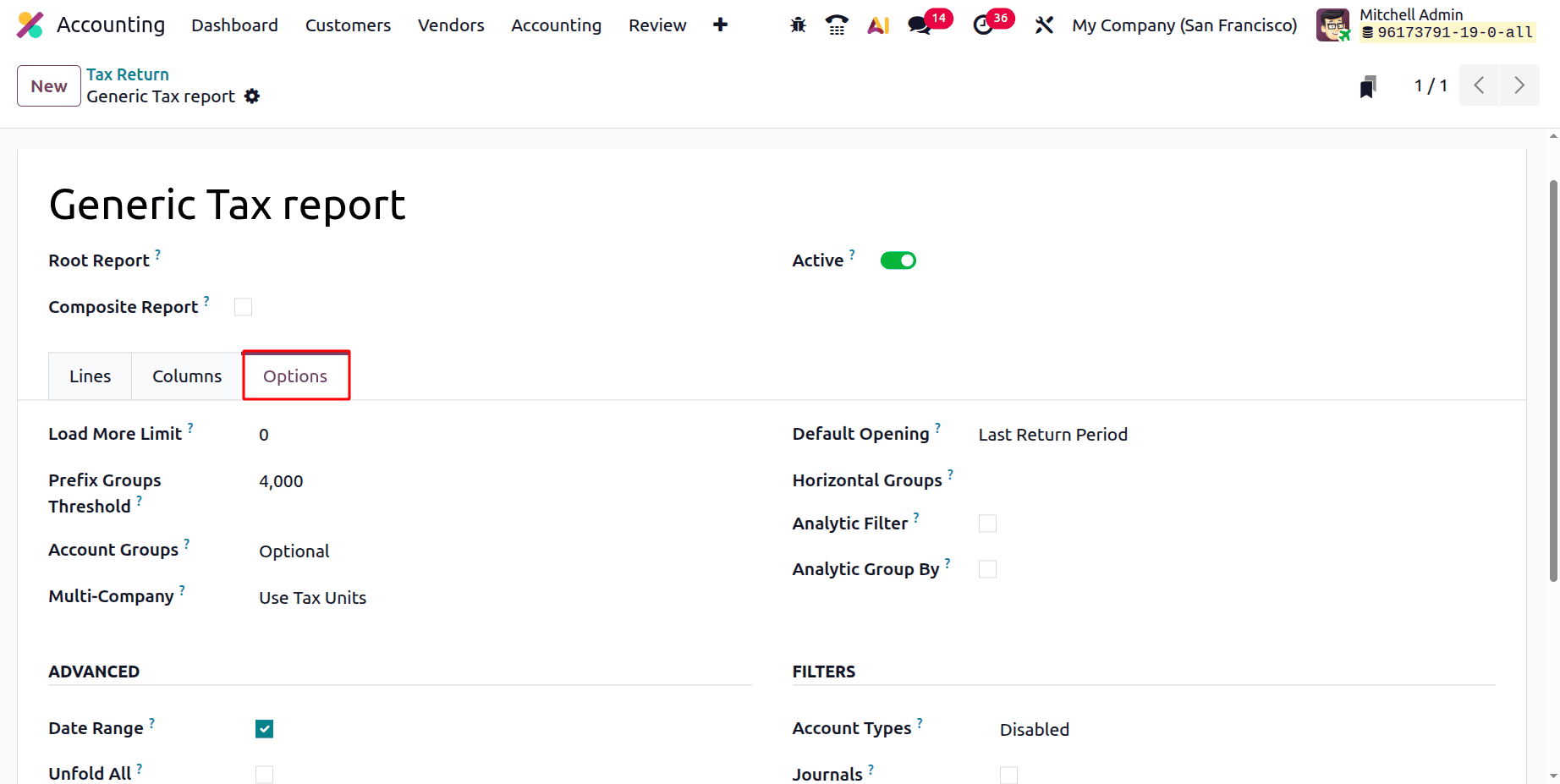
Next, there is an icon. While clicking on the icon. This will lead to the Accounting Report. This will help the user to customise the Tax Report.
Then let's check the Tax Report. The report shows the Sales tax and Purchase tax separately. The first line is Sales Tax. All the used Sales taxes with the Net amount and Tax amount are shown separately. Then the total Sales Tax amount is also shown there.
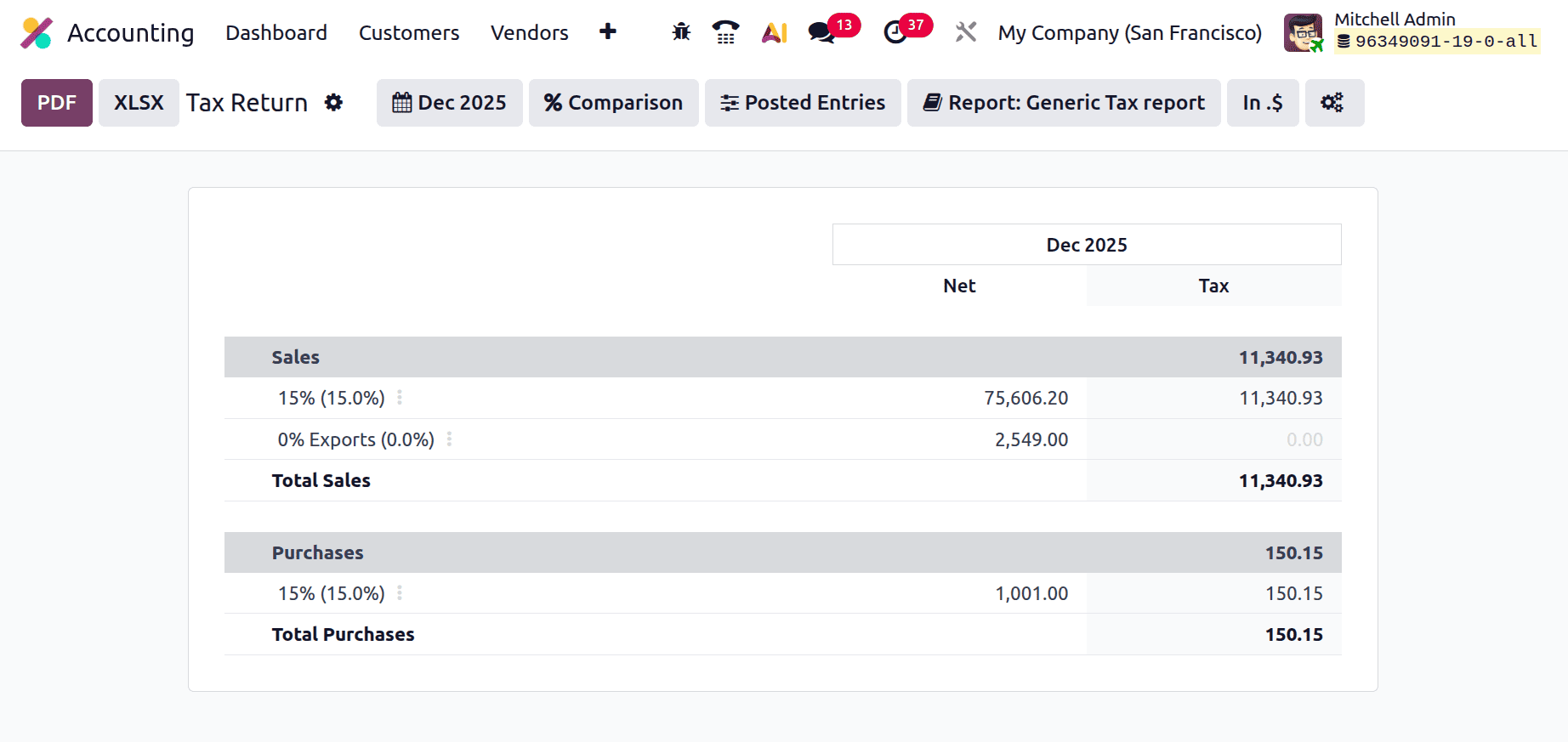
Then the Purchase Taxes are listed there. The Net amount and Purchase Tax amount are shown there. Then the Total Purchase tax amount is also shown.
Then, if the Tax Report (US) is selected, an additional button named Returns will appear at the left upper side of the screen, as shown in the screenshot below.
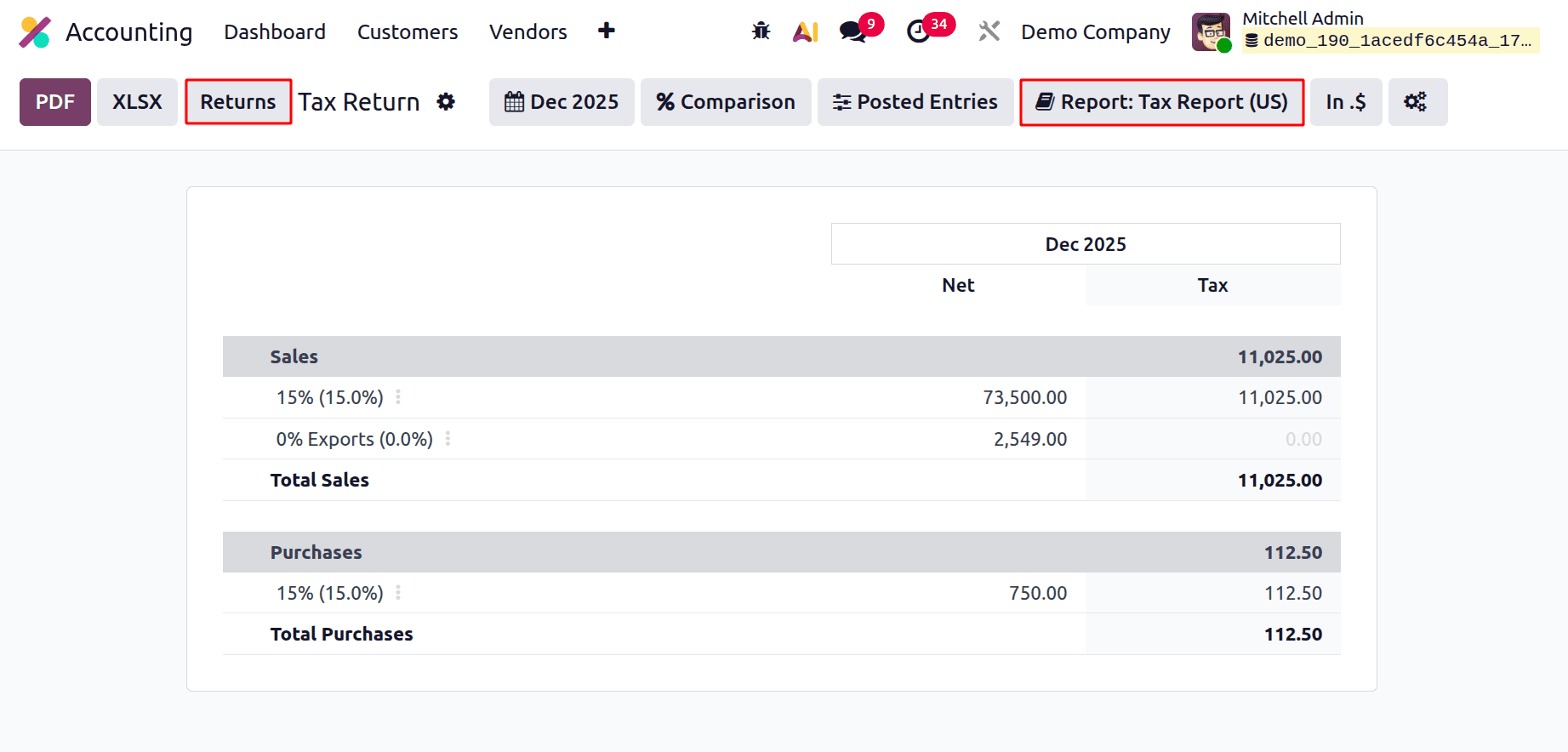
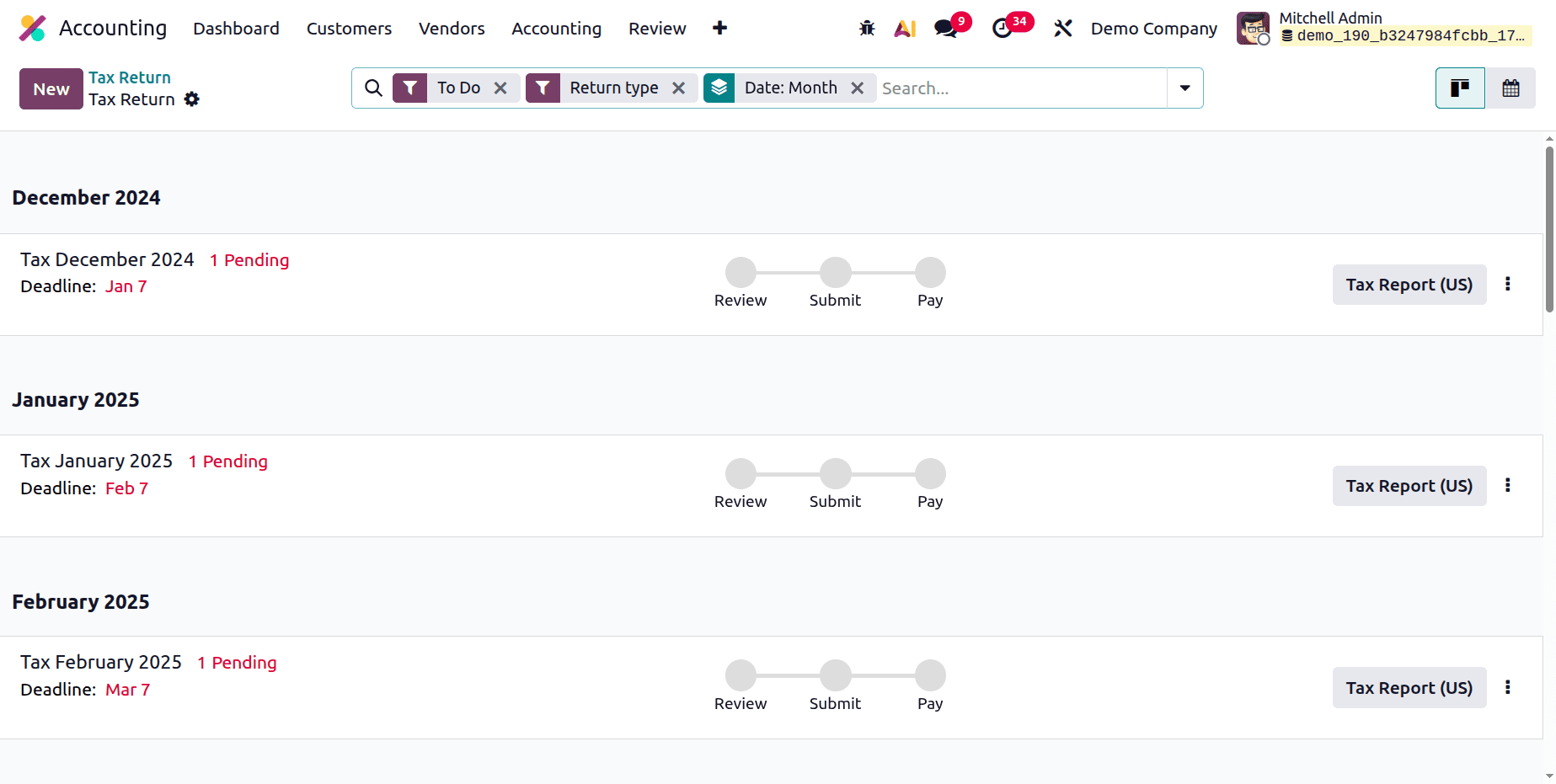
The users can simply post the Tax returns by clicking on the Returns button.
To sum up, Odoo 19 Tax Reporting provides a thorough and dependable structure for handling tax computations and compliance. Its comprehensive reporting and automatic tax rules cut down on manual labour and error risk. Businesses operating in many regions can benefit from the system's support for diverse tax arrangements. Users may track tax obligations and deductions with ease thanks to real-time data and numerous reporting choices. All things considered, Odoo 19 streamlines tax administration while guaranteeing precision and compliance with regulations.
To read more about How to Set Up Cash Basis Tax Accounting in Odoo 19, refer to our blog How to Set Up Cash Basis Tax Accounting in Odoo 19.