The Odoo 19 Enterprise edition contains a fully functional accounting module, unlike the Community edition, which needs additional customization to provide full accounting capabilities.
To tackle this challenge, we’ve created a Full Accounting Kit for Odoo 19 Community, which allows businesses to manage their finances seamlessly without having to use the Enterprise edition. The Full Accounting Kit for Odoo 19 Community module can handle important accounting features such as asset management, Post-Dates Cheques, bank reconciliations, financial reports, and more. This makes the Odoo 19 Community edition a strong and affordable option for businesses.
In this blog, we will go over the major features that are included in this Full Accounting Kit, which will help you to understand how it enhances financial management in Odoo 19 Community.
Key Features of the Full Accounting Kit
1. Asset Management
The Asset Management feature helps businesses to track and manage fixed assets like vehicles and office equipment efficiently. It automates depreciation calculations to ensure accurate financial reporting and compliance. This module allows users to create asset categories, establish depreciation methods, and make journal entries to adjust asset values. This feature helps keep asset lifecycle management transparent and accounting processes easier.
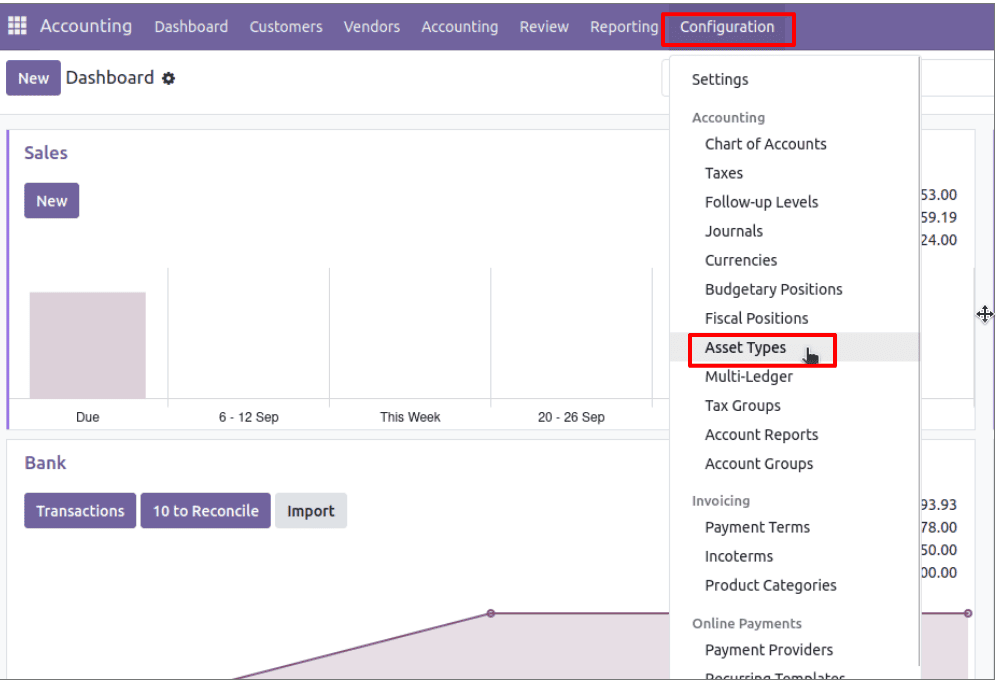
Asset Types can be configured for efficient management of assets. Navigate to Accounting > Configuration > Asset Types, and the user can set up the required classifications.
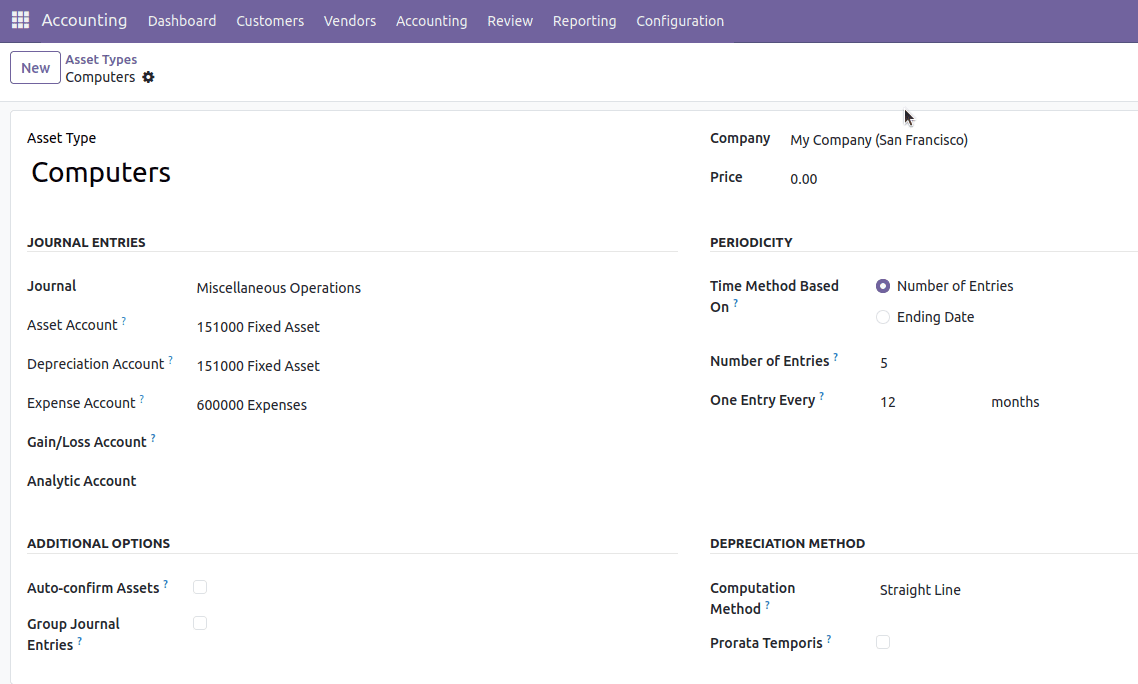
Users can configure asset types, frequency of asset line generation, and depreciation methods to ensure proper recording of their company assets.
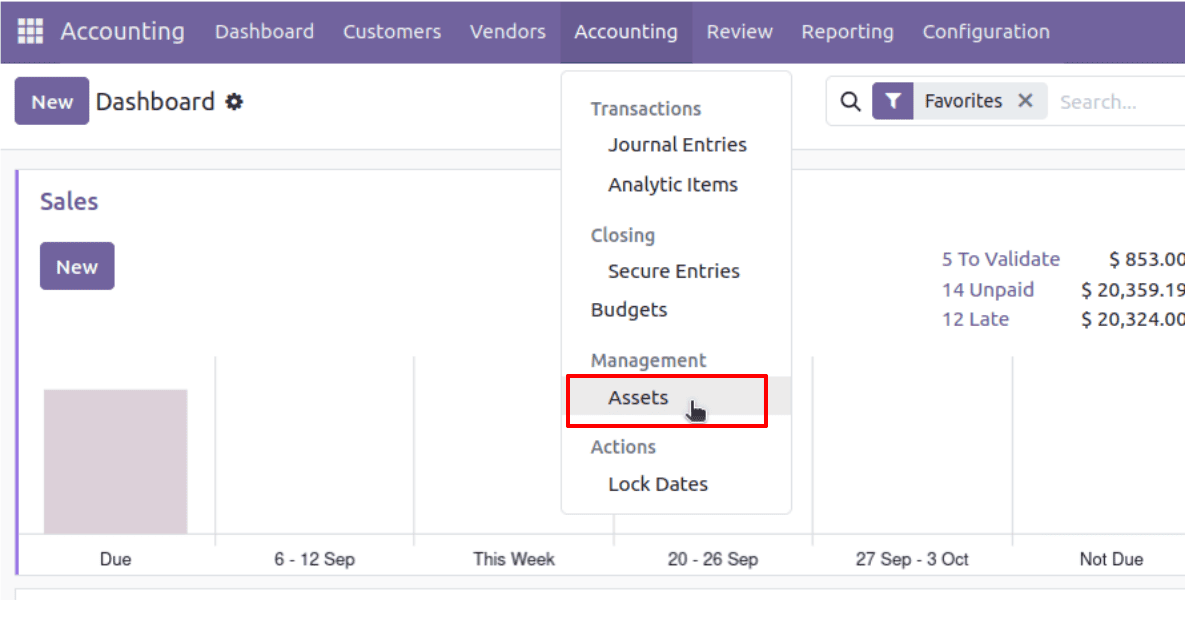
To create and manage assets, go to Accounting > Accounting > Management > Assets. We can manually create a new asset by clicking on the ‘New’ button. Assets can also be automatically generated as a record via a vendor bill.
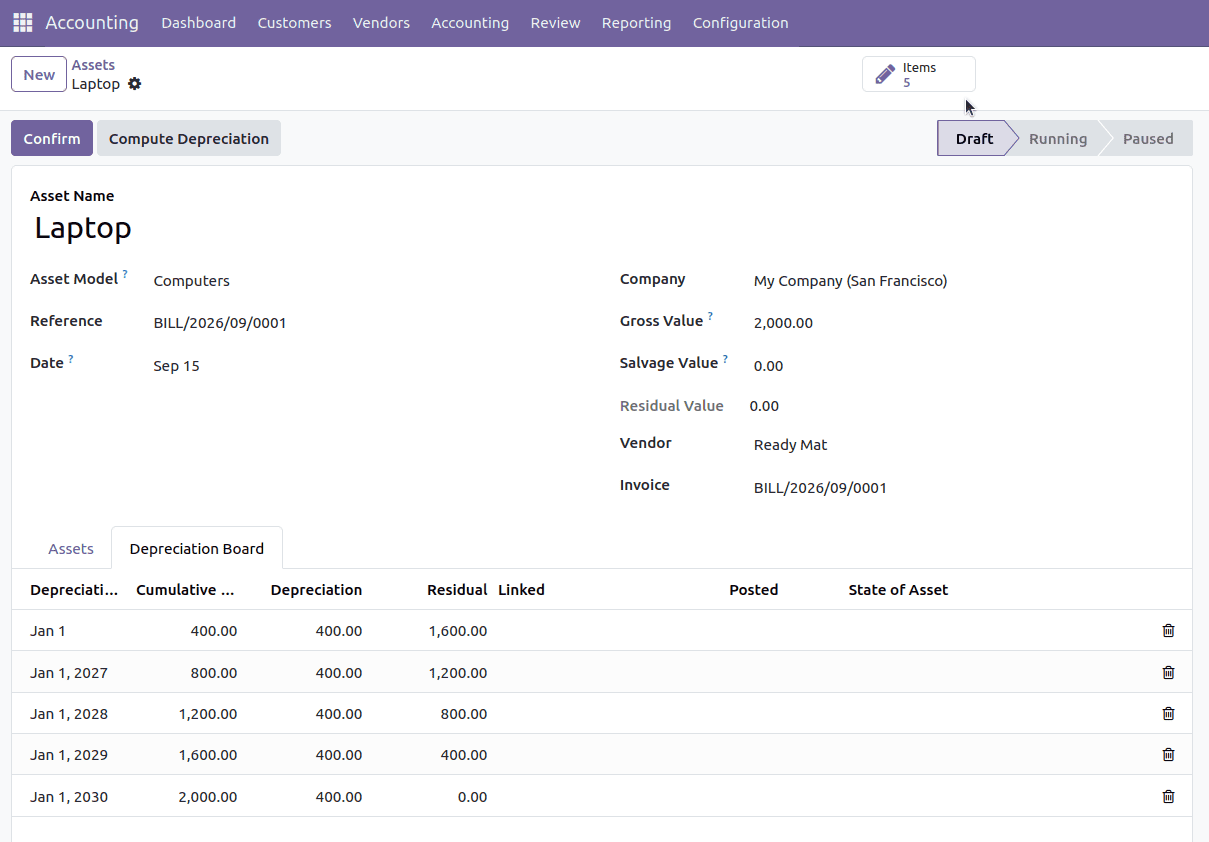
Generate assets through vendor bills
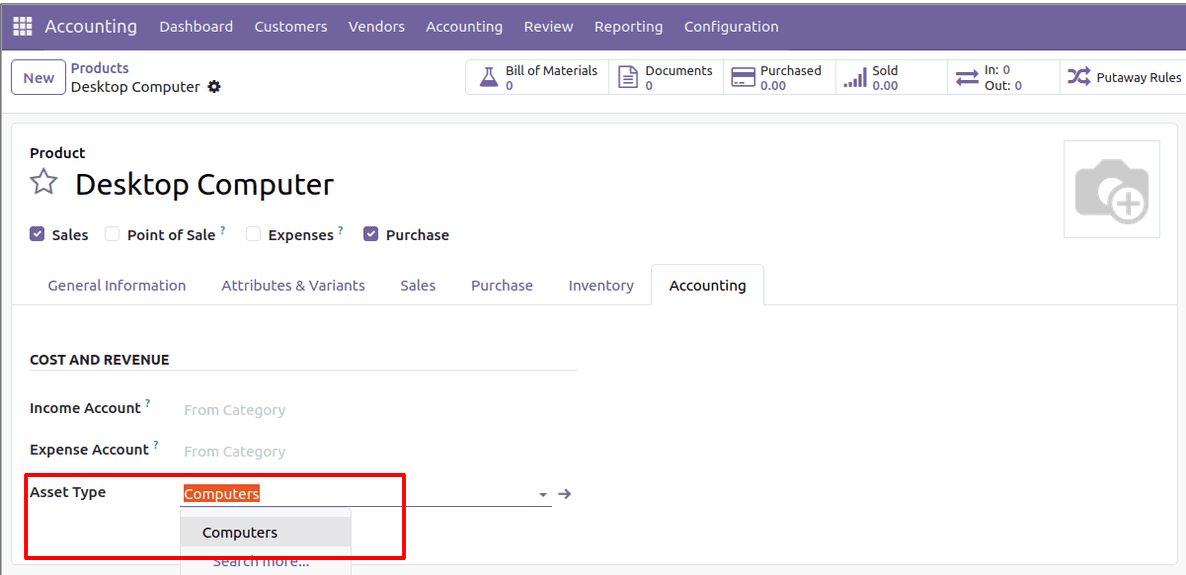
Suppose we need to purchase a Desktop Computer as a company asset. Navigate to the product in Customers > Products or Vendors > Products. Under the Accounting tab of the product, we can configure an asset type for the product.
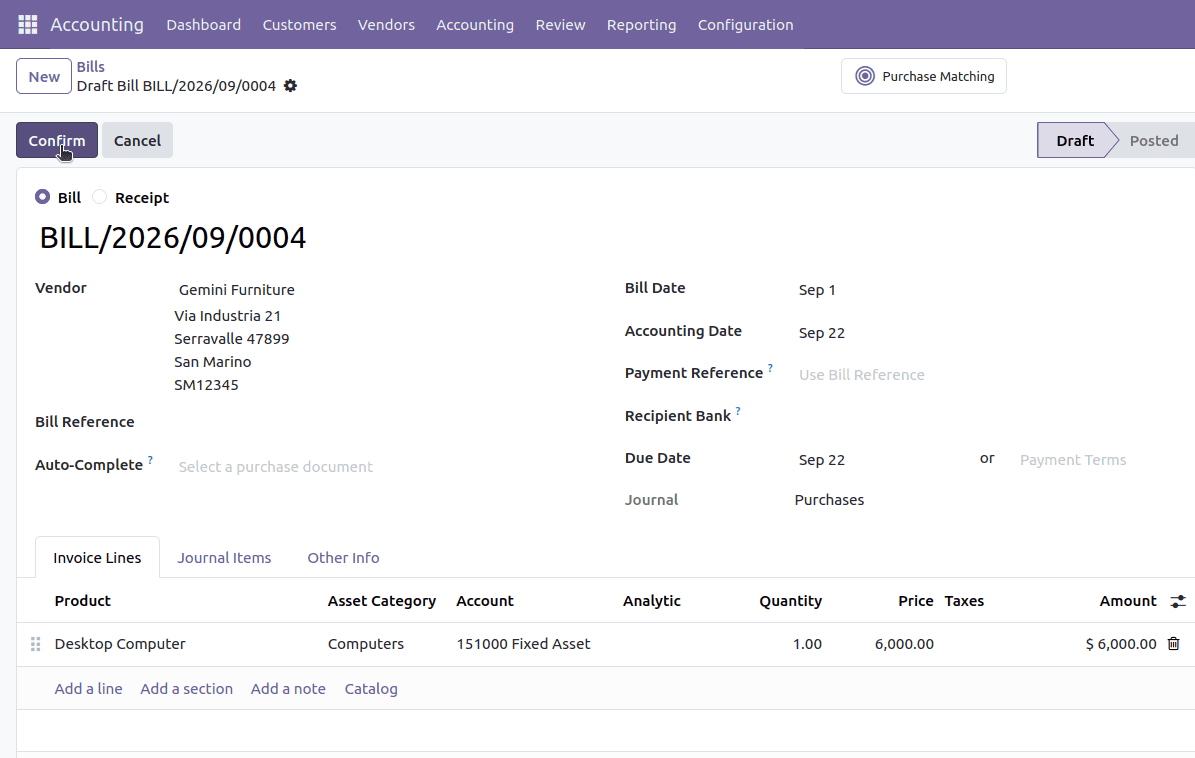
Create a vendor bill for the product, and click on Confirm.

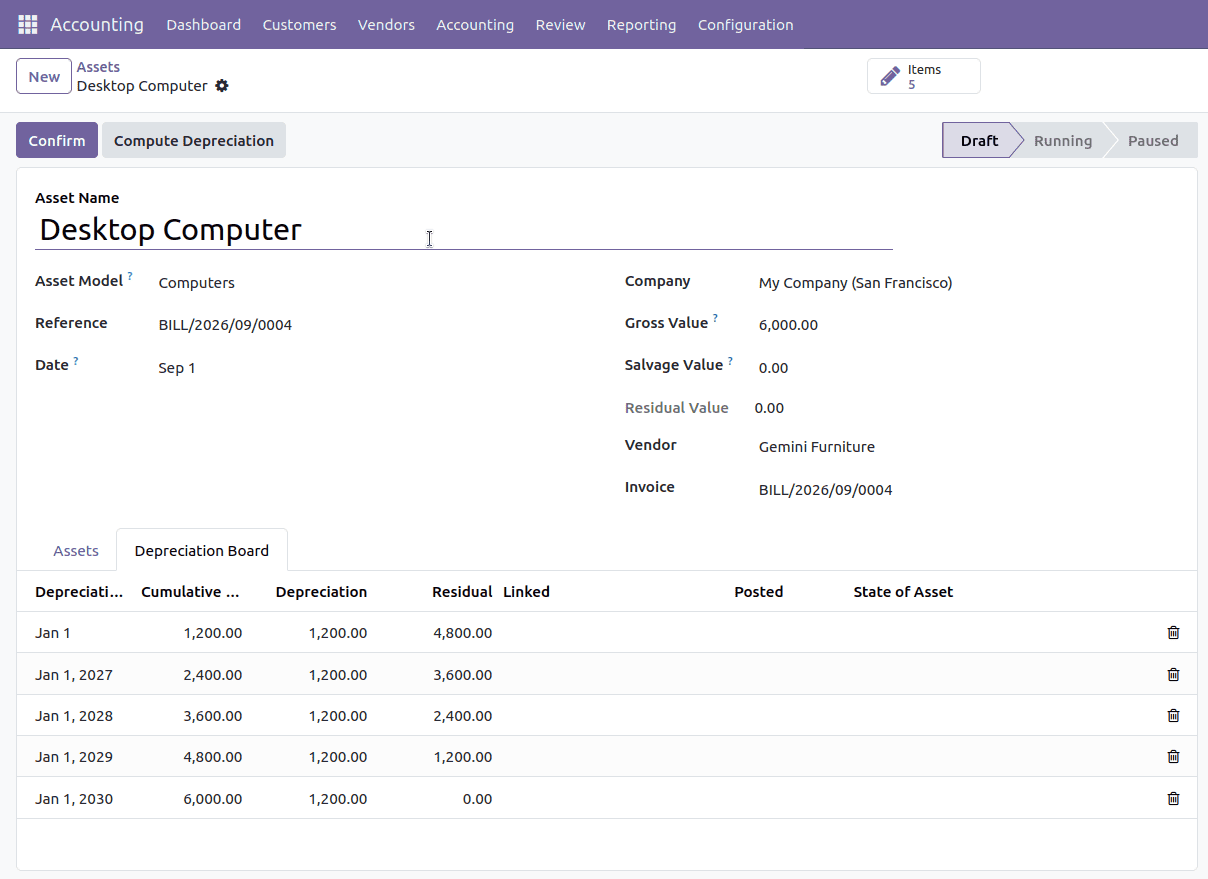
Once the vendor bill is in the posted state, check the Assets menu to see the Desktop Computer created as an asset in the draft state.
2. Manage Post-Dated Checks (PDC)
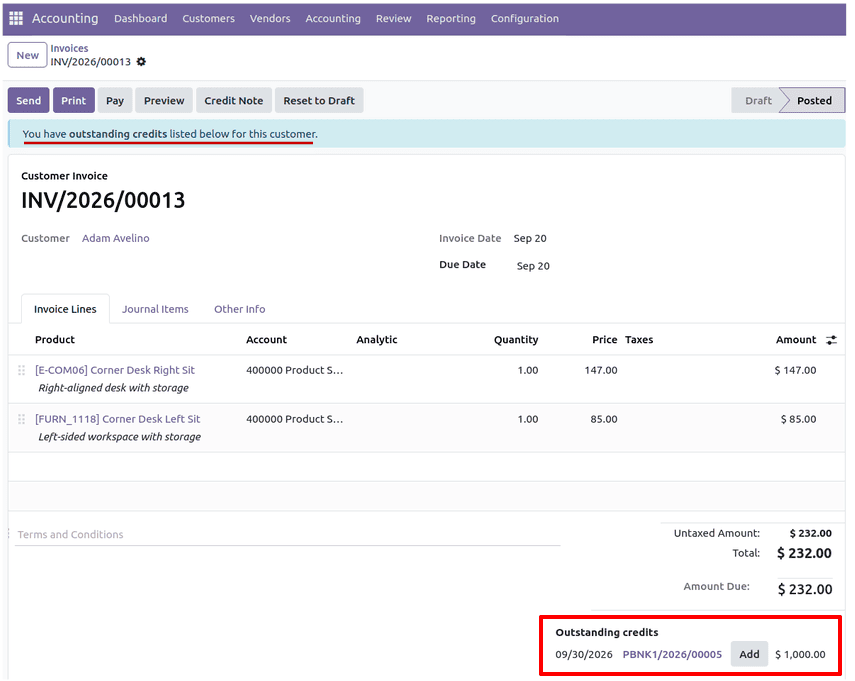
PDCs allow businesses to keep track of and manage cheques that are to be issued or received on a future date. It helps in proper financial planning. PDCs are classified as receivable or payable, and automatic journal entries are created on maturity. PDCs work seamlessly with the module’s bank reconciliation process.
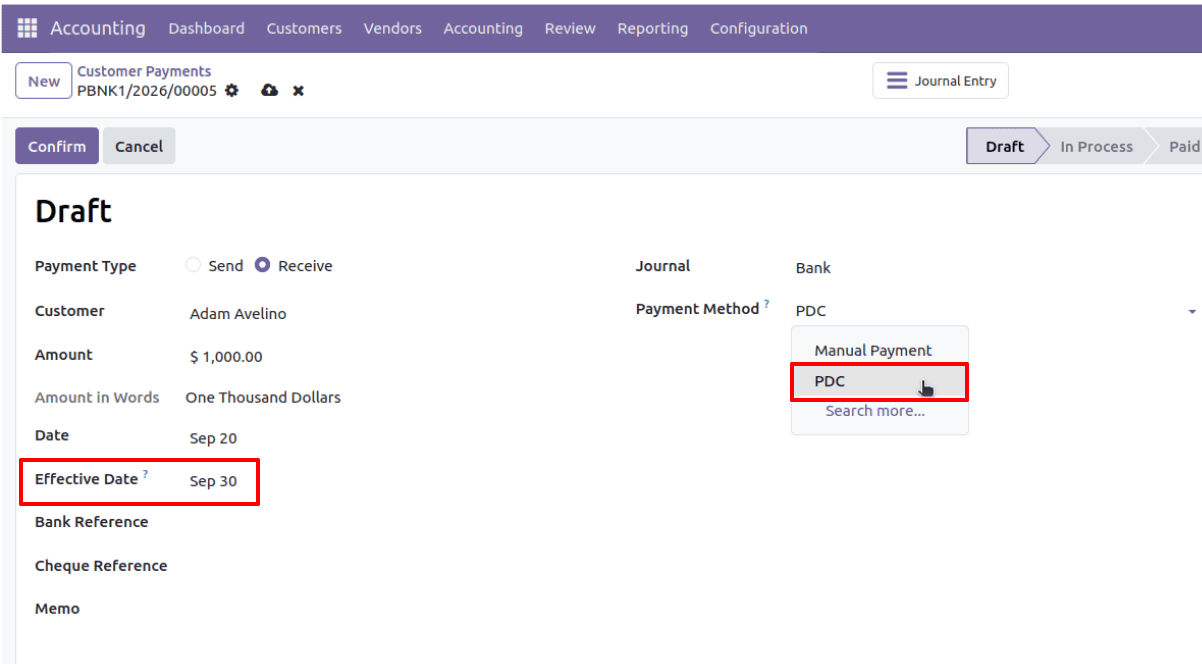
A user can create both customer and vendor side payments, where the payment method set to PDC allows the user to set an effective date for payment processing in the future.
3. Reconciliation Widget
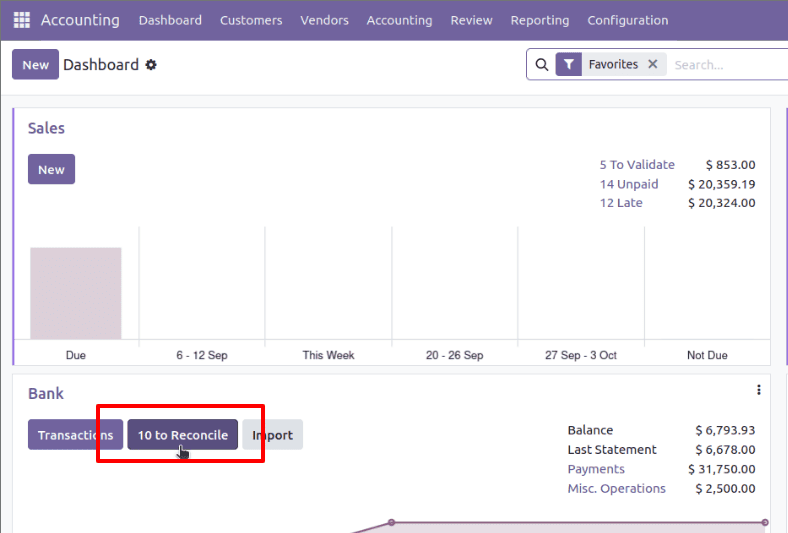
The Reconciliation Widget is an easy way to reconcile financial transactions with accounting records. This allows seamless matching of transactions with bank statements, customer payments, and vendor payments, and also supports accurate financial reporting. The widget provides recommendations, which reduce time-consuming efforts in manual matching and closing of open invoices, payments, and bank transactions.
The reconcile button can be found on the Accounting module dashboard (navigate to Accounting > Dashboard).
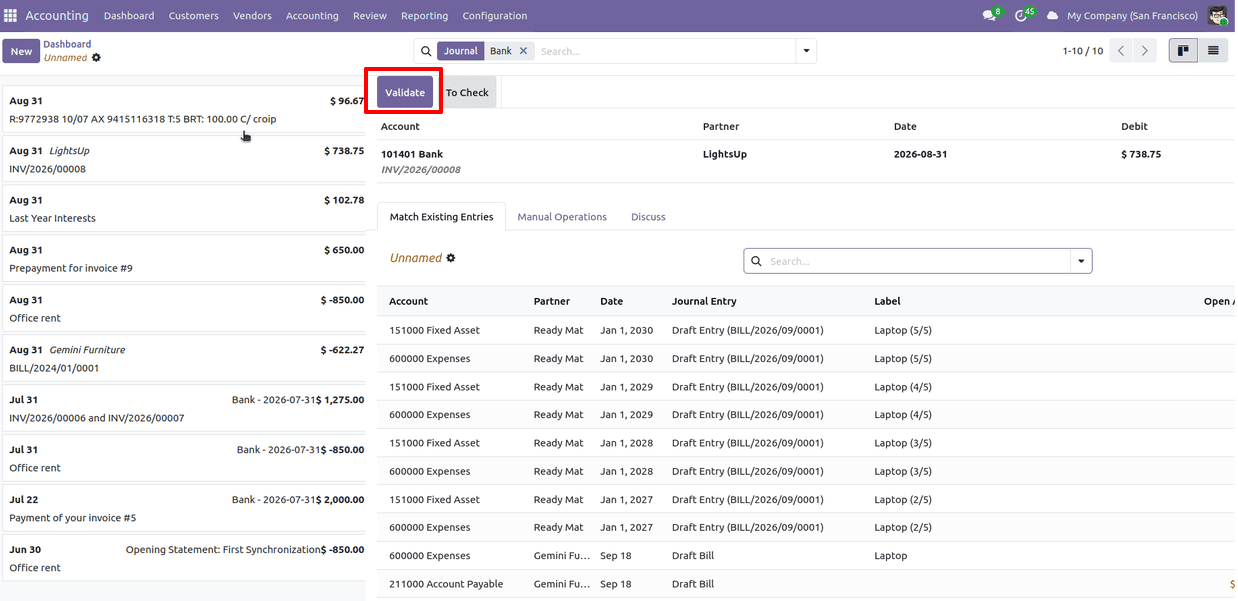
A user can reconcile the committed payment transactions with the corresponding bank statements or invoices by clicking on the ‘Validate’ button.
4. Lock Dates
Odoo's Lock Dates option makes sure that the system prevents any user from changing accounting records prior to a specific date. This makes sure that there is data integrity, compliance, and proper financial reporting.
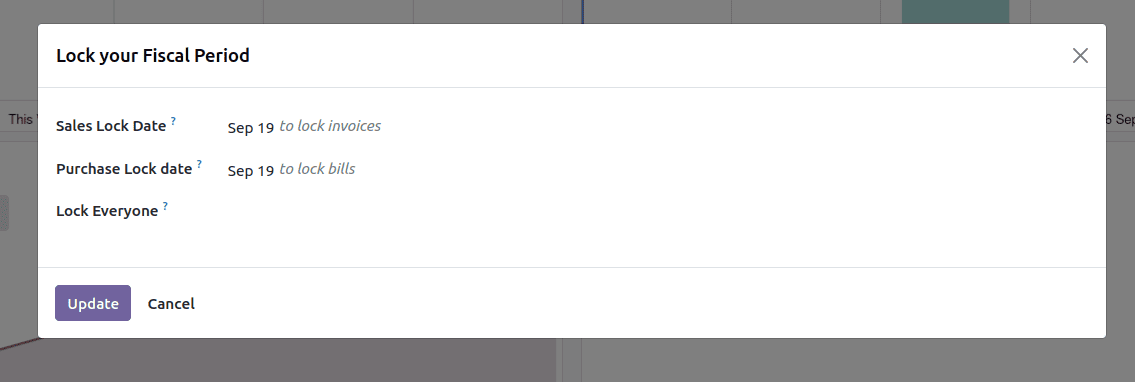
To set lock dates on Odoo, go to Accounting > Accounting > Actions > Lock Dates.
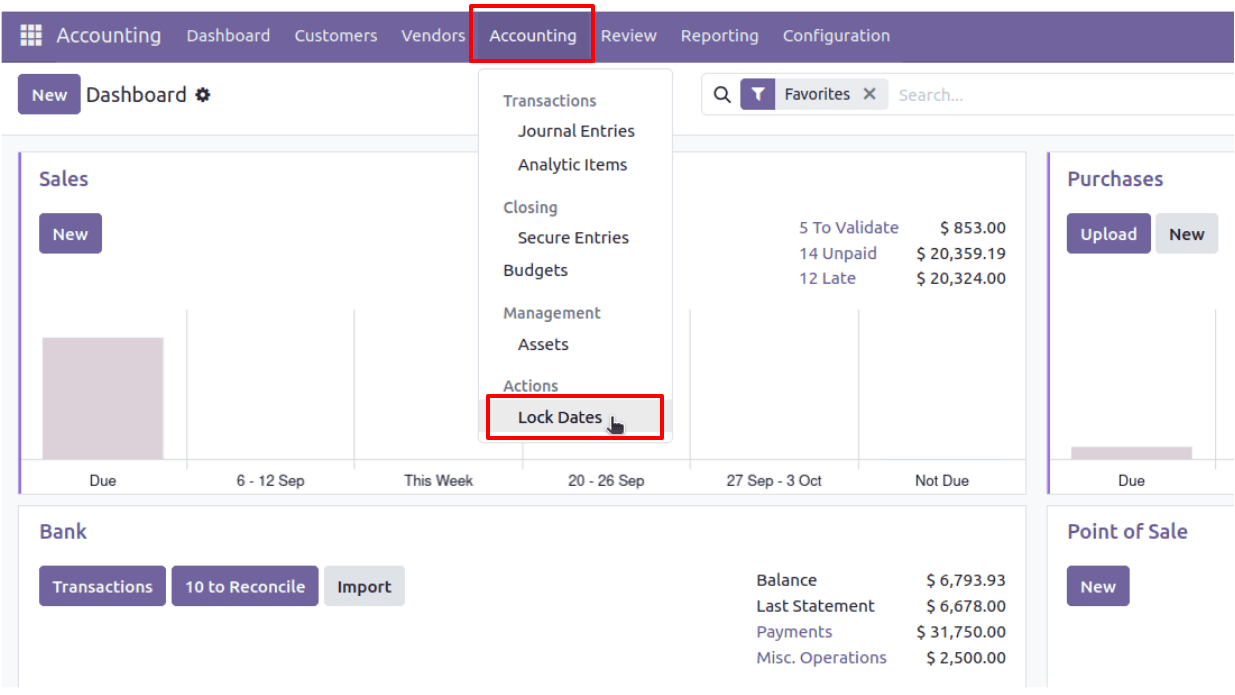
Lock dates can be set separately for sales and purchases or can be set globally for all users. Just click on Update to confirm.
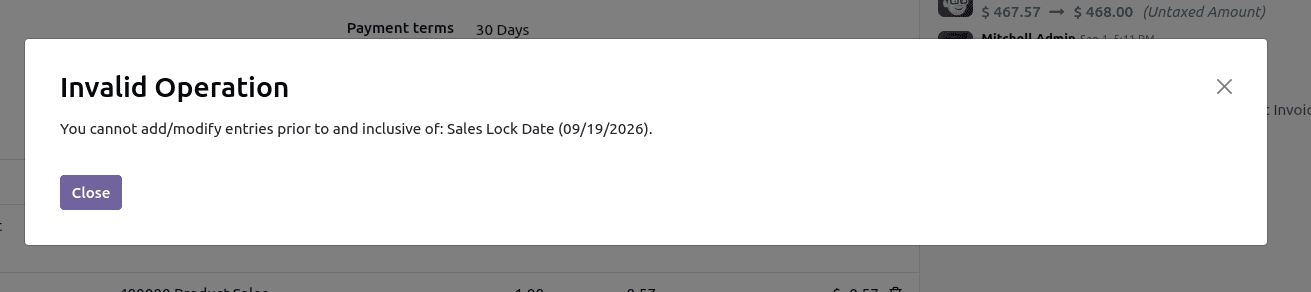
A blocking message appears when posting any transaction before the set date.
5. Recurring Template for Recurring Payments
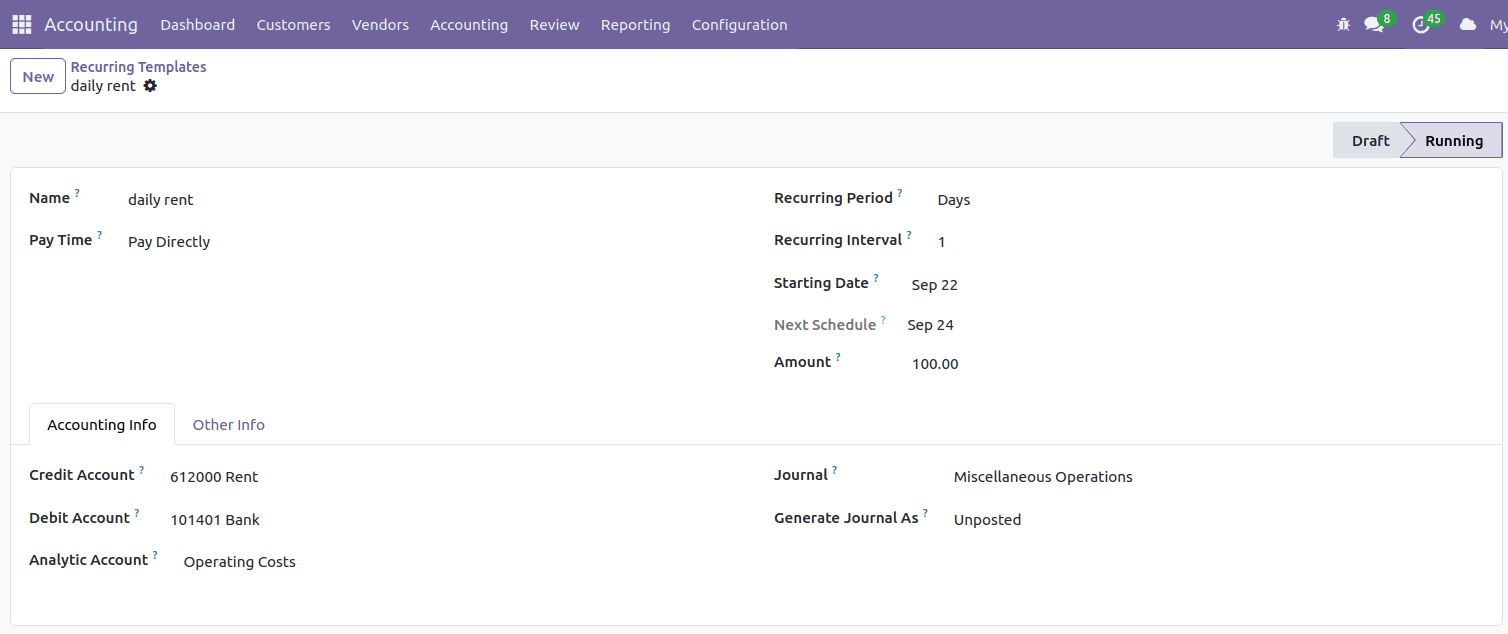
The Recurring Template feature is a function that will help you make periodic payments like subscriptions, rental payments, or any other service charges. Users can create a template with the frequency of payment, amount, and information regarding the journal entry, which will process the transactions regularly without any trouble.
To create a recurring payment template, go to Accounting > Configuration > Recurring Templates and configure the accounts, journal, recurring interval, days, date, and amount for the recurring template.
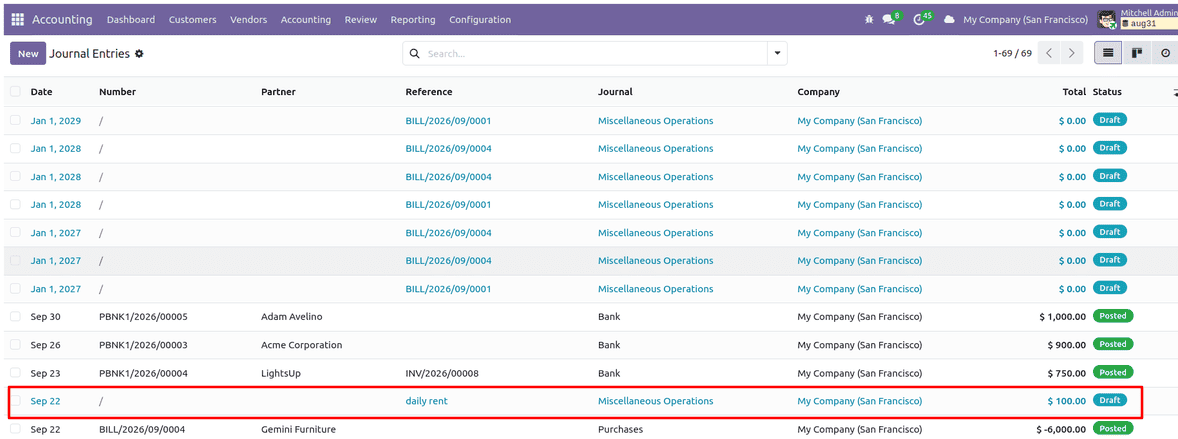
Automatic journal entries will be created on the basis of configured intervals.
6. Customer Credit Limit
The Customer Credit Limit feature enables enterprises to manage their risk with respect to the credit provided to their clients through a limitation on the outstanding balance that the enterprise provides. It limits the orders placed and/or invoices which exceed the credit limit set. This is an effective way to manage cash flow and reduce financial risk.
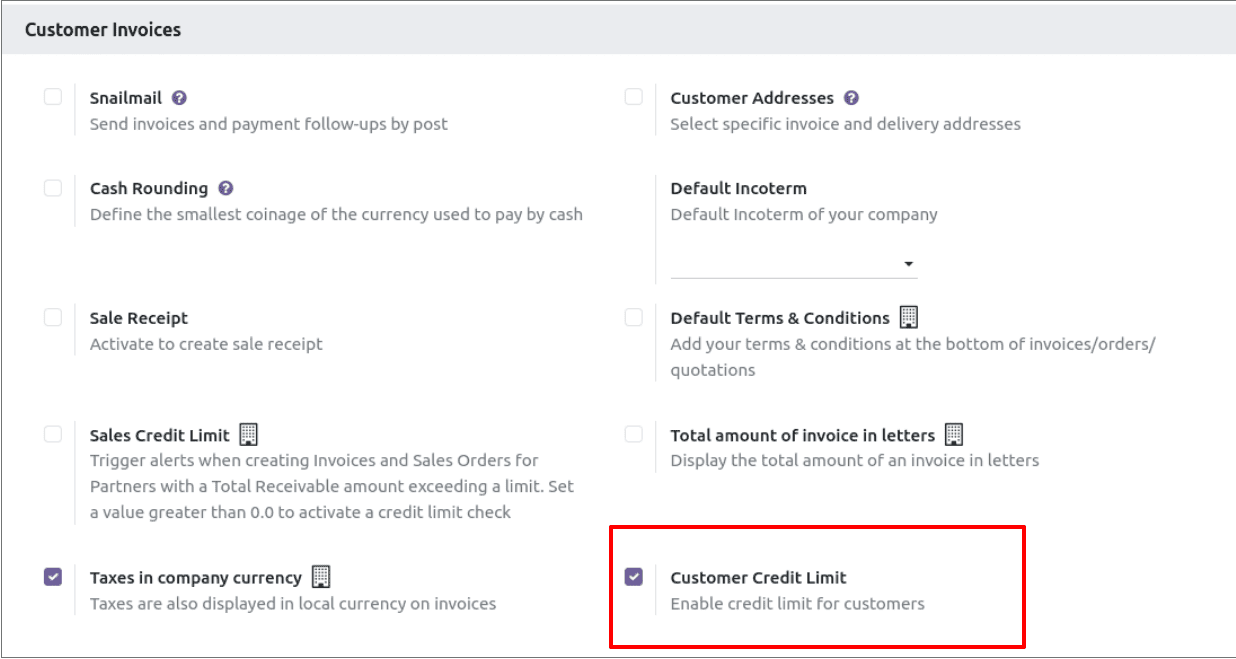
To use this feature, you have to click on Accounting > Configuration > Settings and check Enable Customer Credit Limit within the Customer Invoices category.
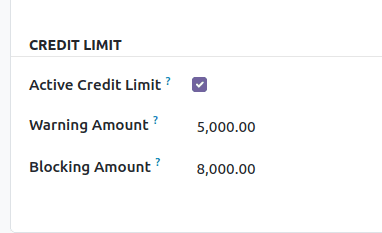
Navigate to Accounting > Customers > Customers. Choose a customer, and under the Invoicing tab, check Activate Credit Limit and set Warning amount to send a warning message and Blocking Amount to limit transactions.
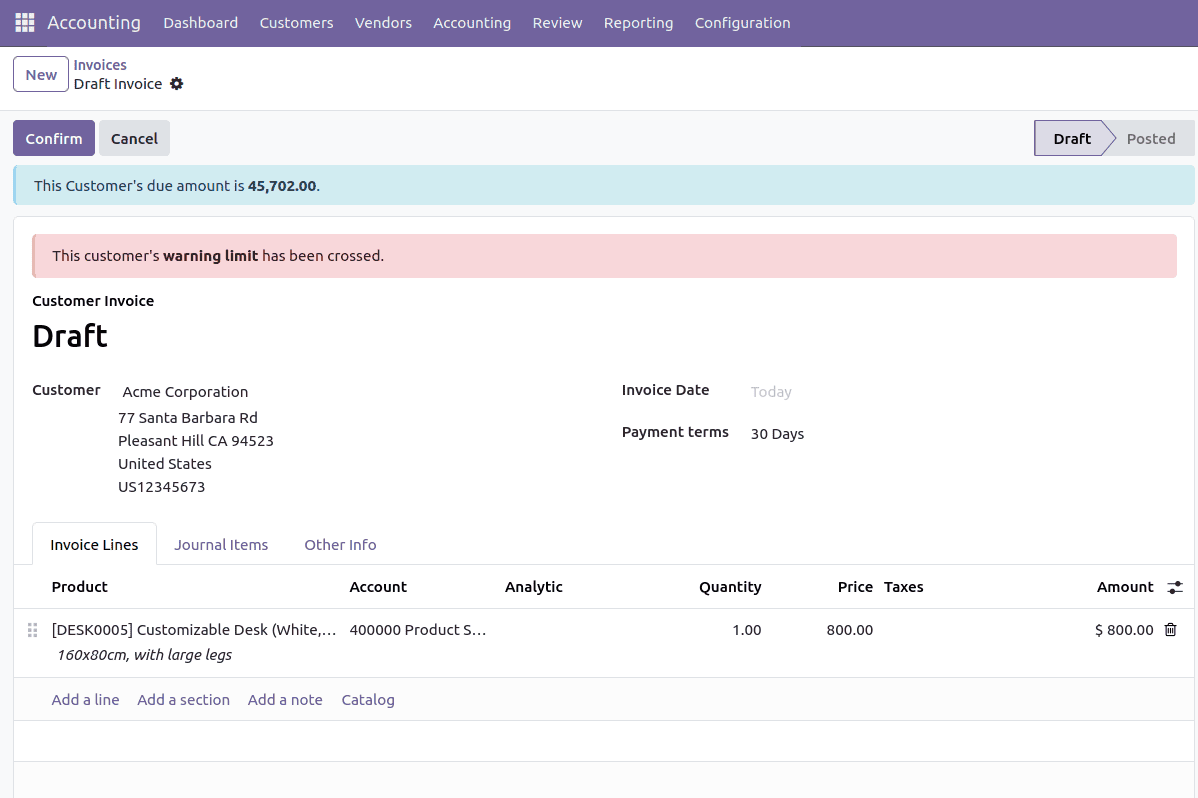
When a new invoice is being created for a customer whose credit limit is set, we get a warning banner at the top.
Further, if we proceed with confirming this invoice, it will not reach the posted state, and the message below will be displayed.

7. Manage Customer Follow-Ups
Customer Follow-Ups in Odoo assist organizations in tracking overdue bills and sending reminders for payments. The feature allows you to set up follow-up levels, send follow-ups by email or SMS, and create follow-up reports for managing your company’s cash flow efficiently. This will ensure on-time collections, reduction in outstanding amounts, and better customer relations through follow-up procedures.
Follow-Up Levels can be set from Accounting > Configuration > Accounting > Follow-Up Levels.
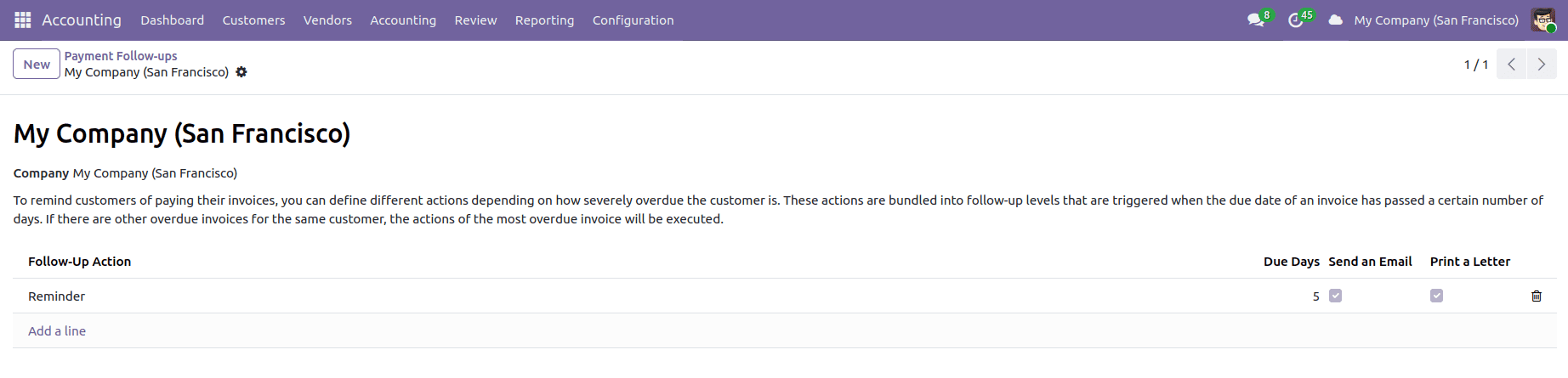
8. Financial Reports
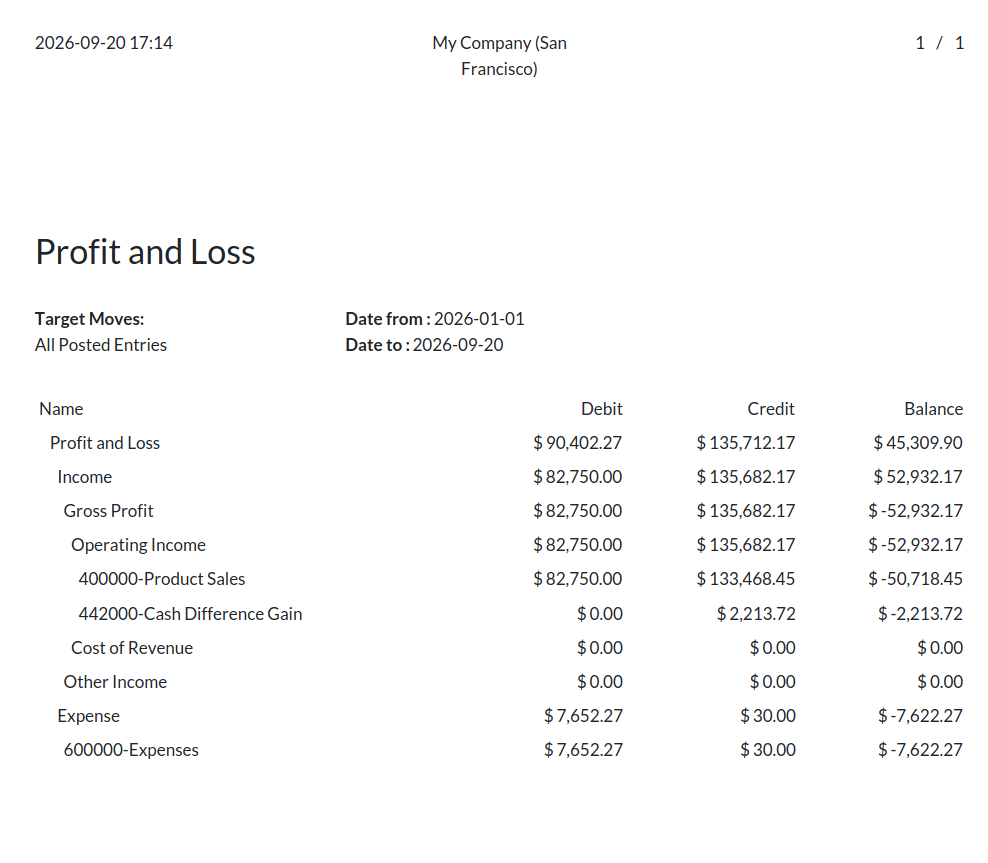
Odoo Financial Reports offer valuable information regarding a company's financial status, enabling organizations to evaluate their performance, remain compliant with regulatory requirements, and make effective decisions. The financial reports can be accessed by navigating to Accounting > Reporting. Some of the financial reports include:
- Profit and Loss Statement – Presents the company's income, expenses, and profit for a given time period.
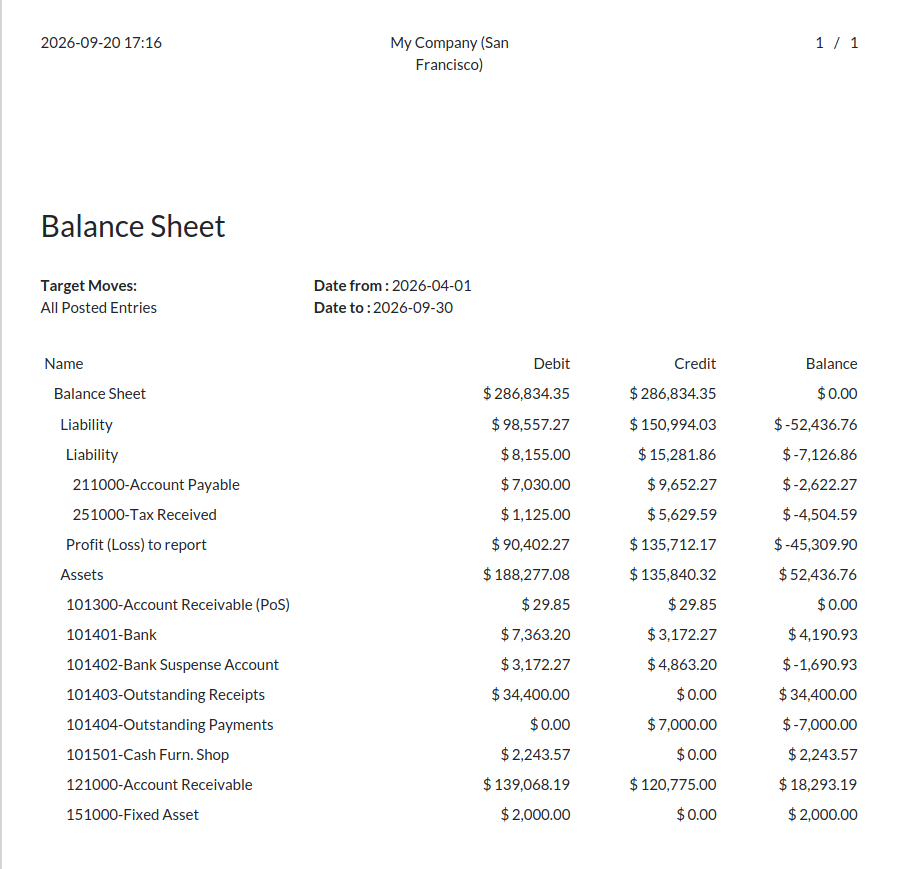
- Balance Sheet – It shows the financial position of assets, liabilities, and equity on a particular date.
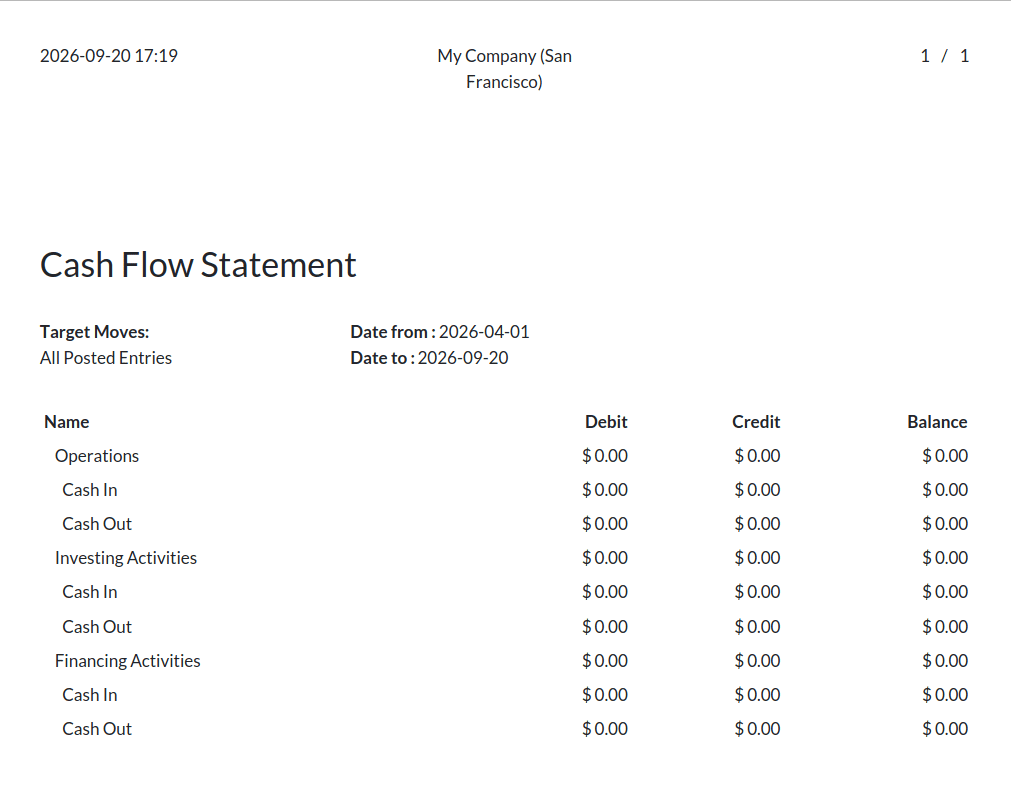
- Cash Flow Statement – Keep track of cash receipts and payments to maintain liquidity management and financial planning.
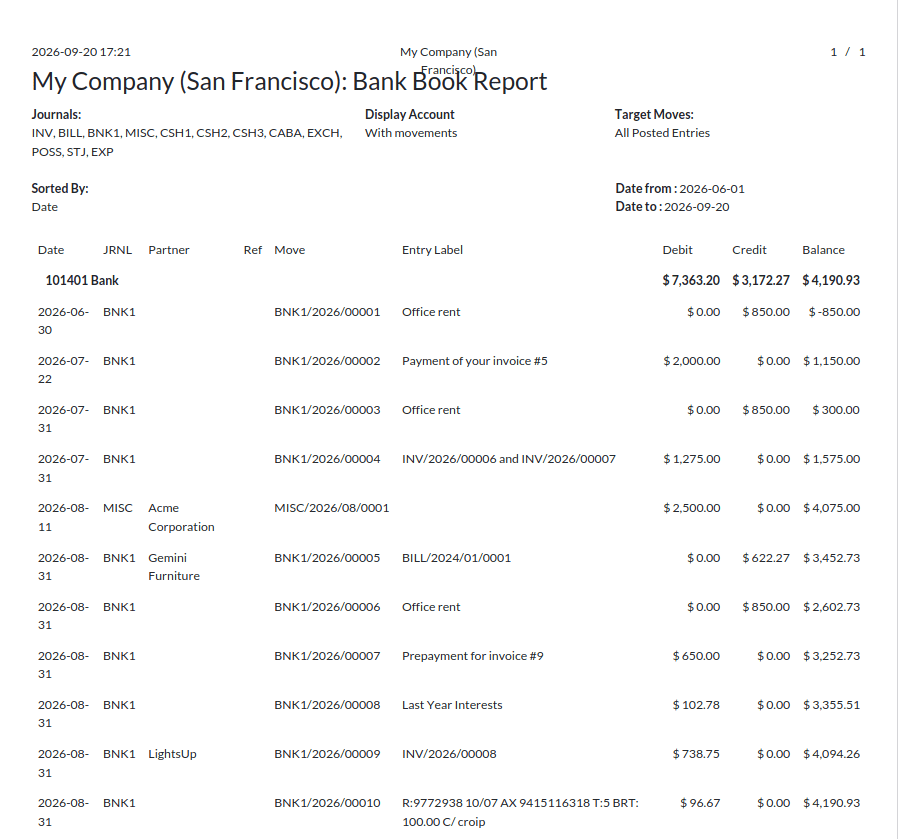
- Bank Book – Keeps track of all transaction records grouped by charts of account.
- Cash Book – It keeps cash transactions recorded separately, hence facilitating accurate cash management.
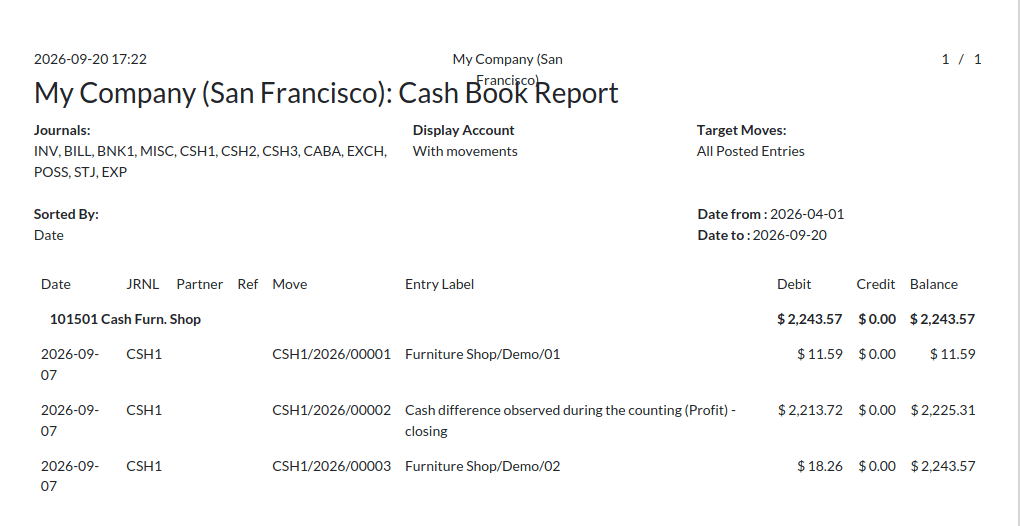
- Day Book – Keeps track of daily financial transactions, hence keeping the records chronologically organized.
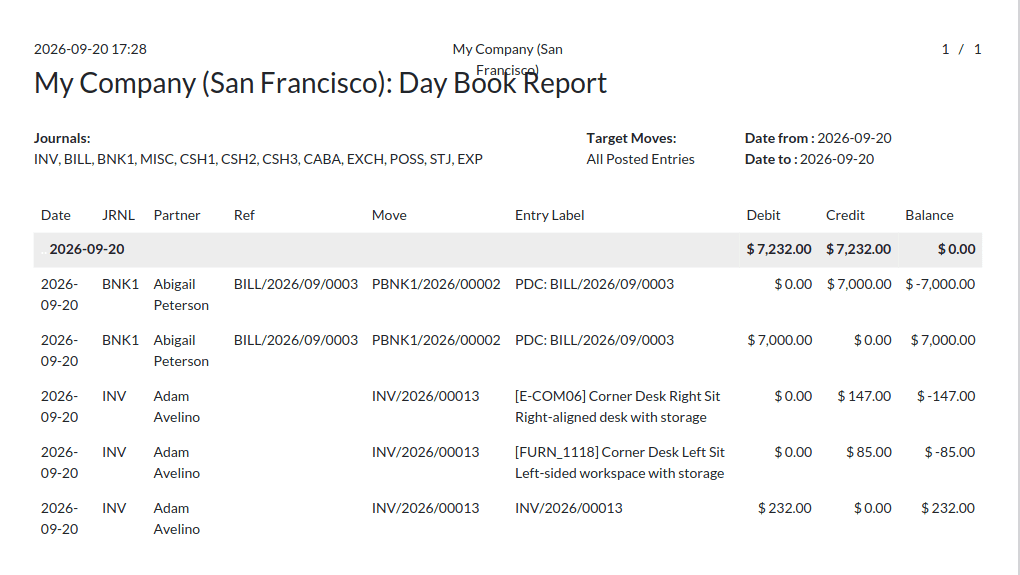
- Aged Partner Balance – Lists accounts receivable and payable segregated by the period of aging, aiding in overdue management.
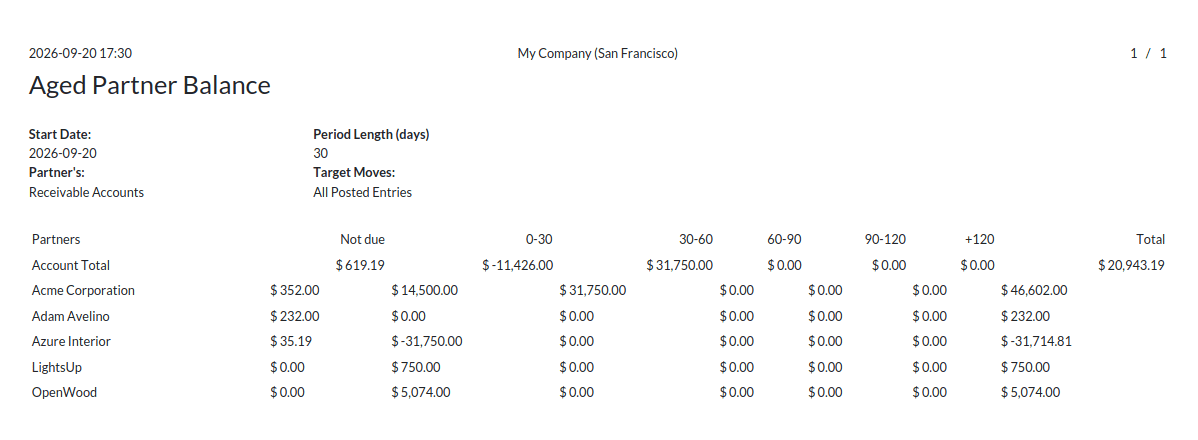
- Partner Ledger – Ensures accurate finances at the partner level by reporting all transactions related to each customer and vendor.
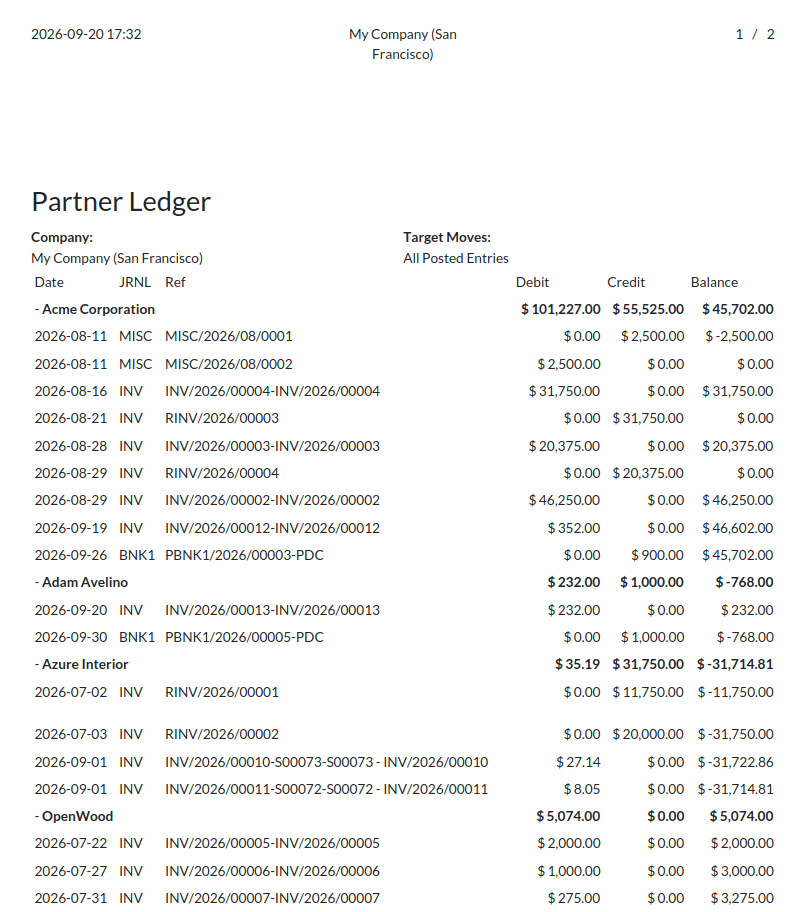
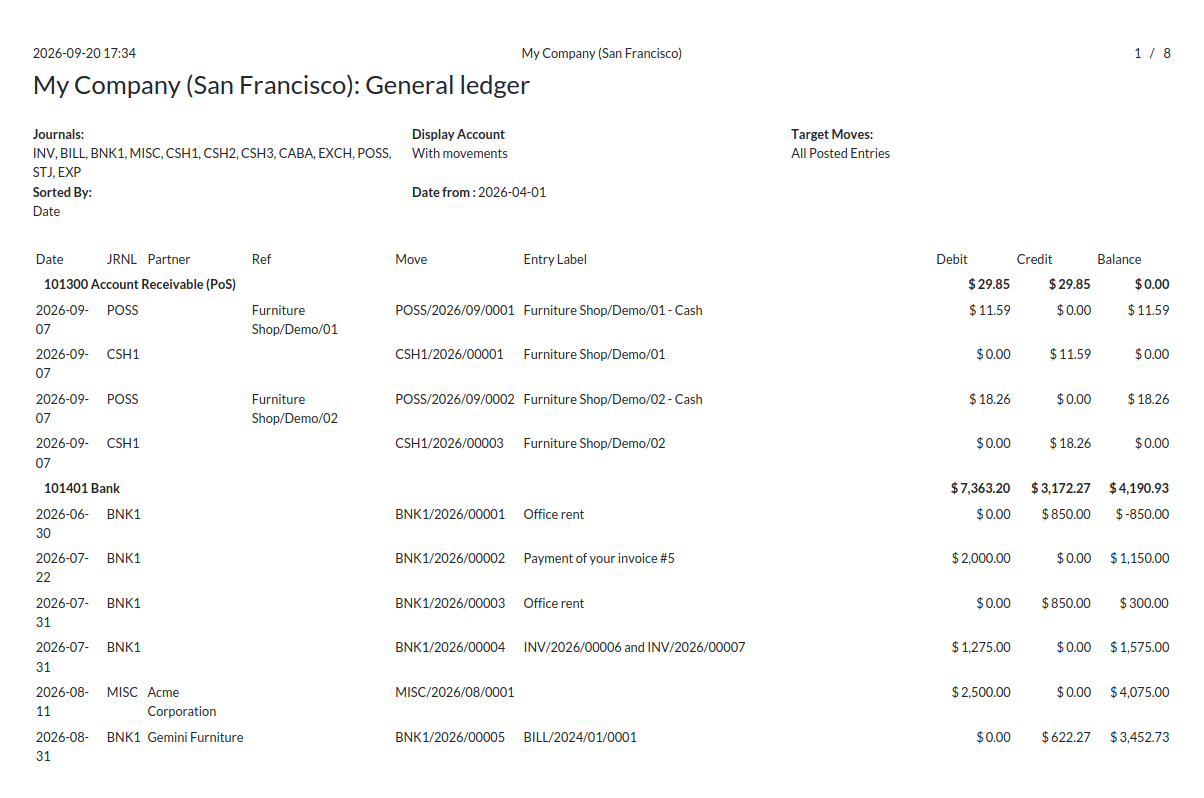
- General Ledger – Gives an overall picture of the transactions that are conducted through all the accounts.
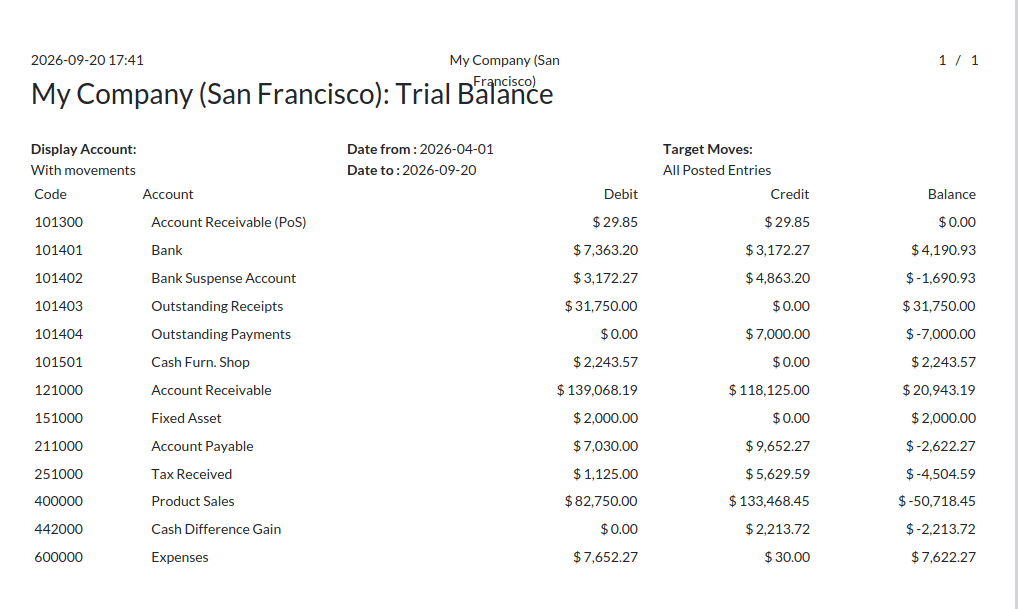
- Trial Balance – Displays the debit and credit balances of all the accounts in the ledger.
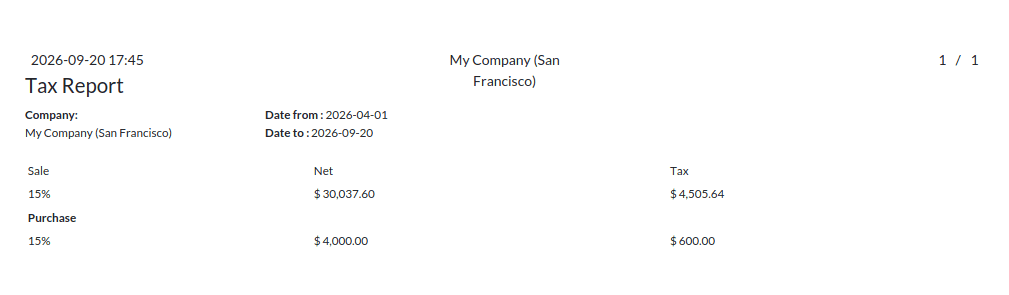
- Tax Report – Displays the total tax that is payable and collected by the organization.
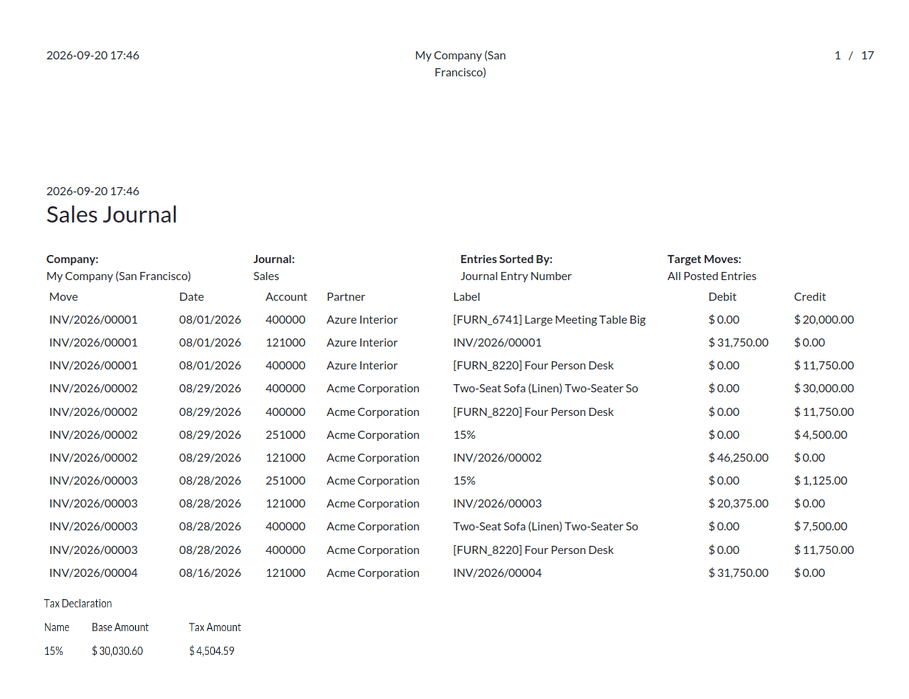
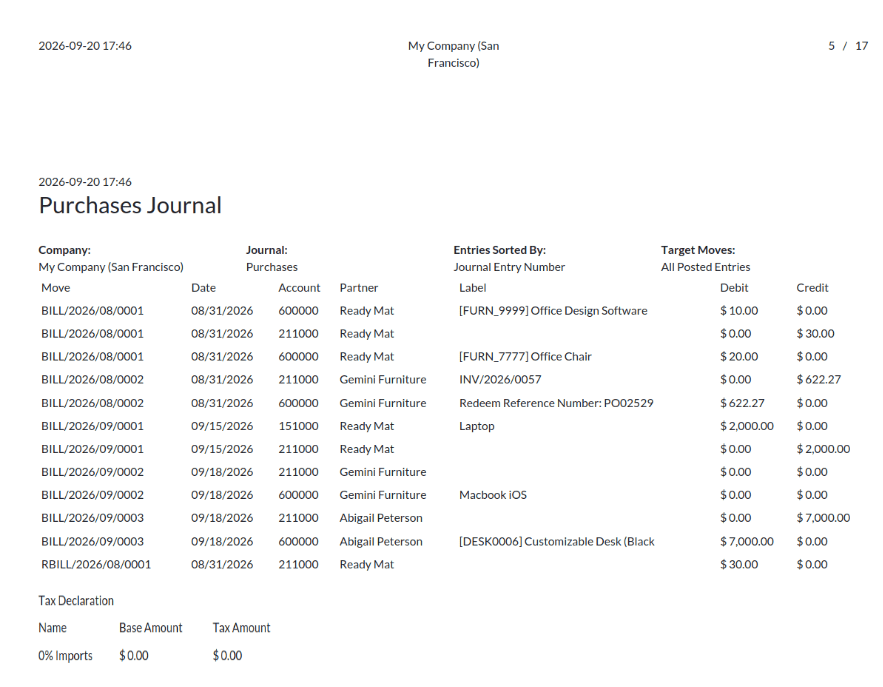
- Journal Audit – Displays all journal entries that are made during accounting, which supports financial audits, and ensures transaction accuracy
The Odoo 19 Full Accounting Kit for Community Edition improves the accounting functionality with all the important features for businesses that use the Odoo Community Edition. Some of the important functionalities of this software include asset management, post-dated checks, customer credit limits, recurring payments, financial reports, and reconciliation features, among others. This software helps to bridge the difference between the Community and Enterprise editions.
To read more about What are the Key Features of Odoo 18 Full Accounting Kit for Community, refer to our blog, What are the Key Features of Odoo 18 Full Accounting Kit for Community.