Managing an NHS estate requires being aware of various types of information related to multiple sites, buildings, floors, and functional spaces. Estate teams also need to maintain information about property tenure, building condition, and maintenance requirements. All this data should be well organized and easily accessible.
The NHS Estate Register provides a unified platform that brings all this information together in one place. The platform follows a hierarchy of information: Site > Building > Floor > Space. Estate teams can gain a complete picture of the physical NHS estate using this module, as well as conduct condition surveys, estimate maintenance backlogs, capture tenure information, and generate building reports.
The module enables estate teams to gain better visibility of their estate, understand maintenance requirements, prioritize needs, and effectively manage estate investment.
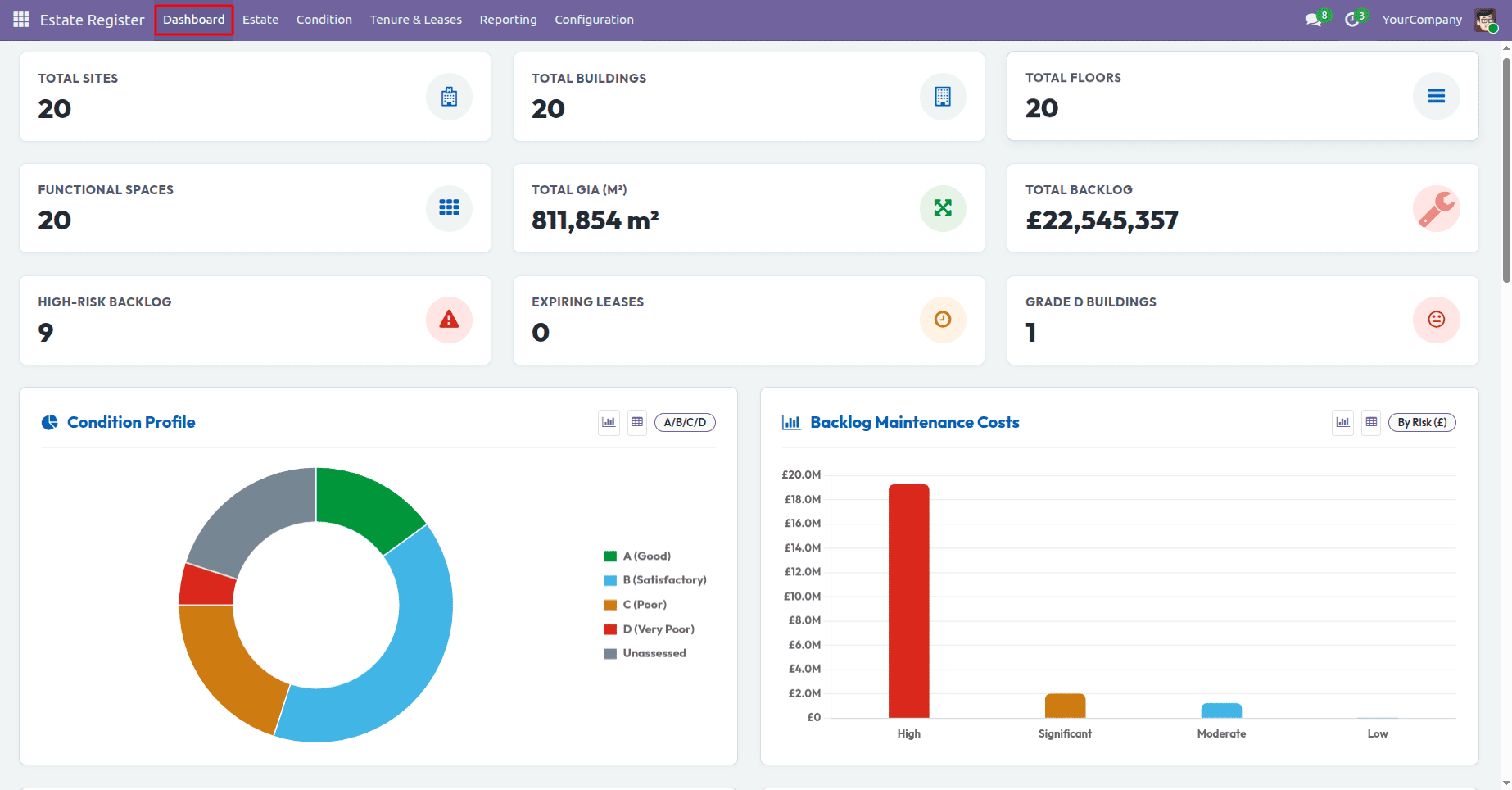
Why a Centralized NHS Estate Register Matters
NHS estates include a lot of information which should be recorded and maintained in an accurate manner. If there are many estate records which are kept separately on different spreadsheets or systems, it may be hard to have a proper overview of information about the property, the condition of buildings and maintenance issues.
In the NHS Estate Register, estate information can be easily recorded and maintained. Different sites, buildings, floors, and spaces can be recorded and maintained within one estate hierarchy, whereas condition survey, maintenance backlog, and tenure can be recorded together with other estate information.
The centralized nature of the register offers estates teams improved visibility about their estates and allows maintaining a good basis for maintenance plans, reports, and future investments.
Site Management
The site is at the highest level of the hierarchy in the NHS estates. Users can access the Site view by navigating from the Estate menu > Sites.
From the Site view, users can navigate through individual sites and go deeper into the buildings, floors, and spaces included in each site.
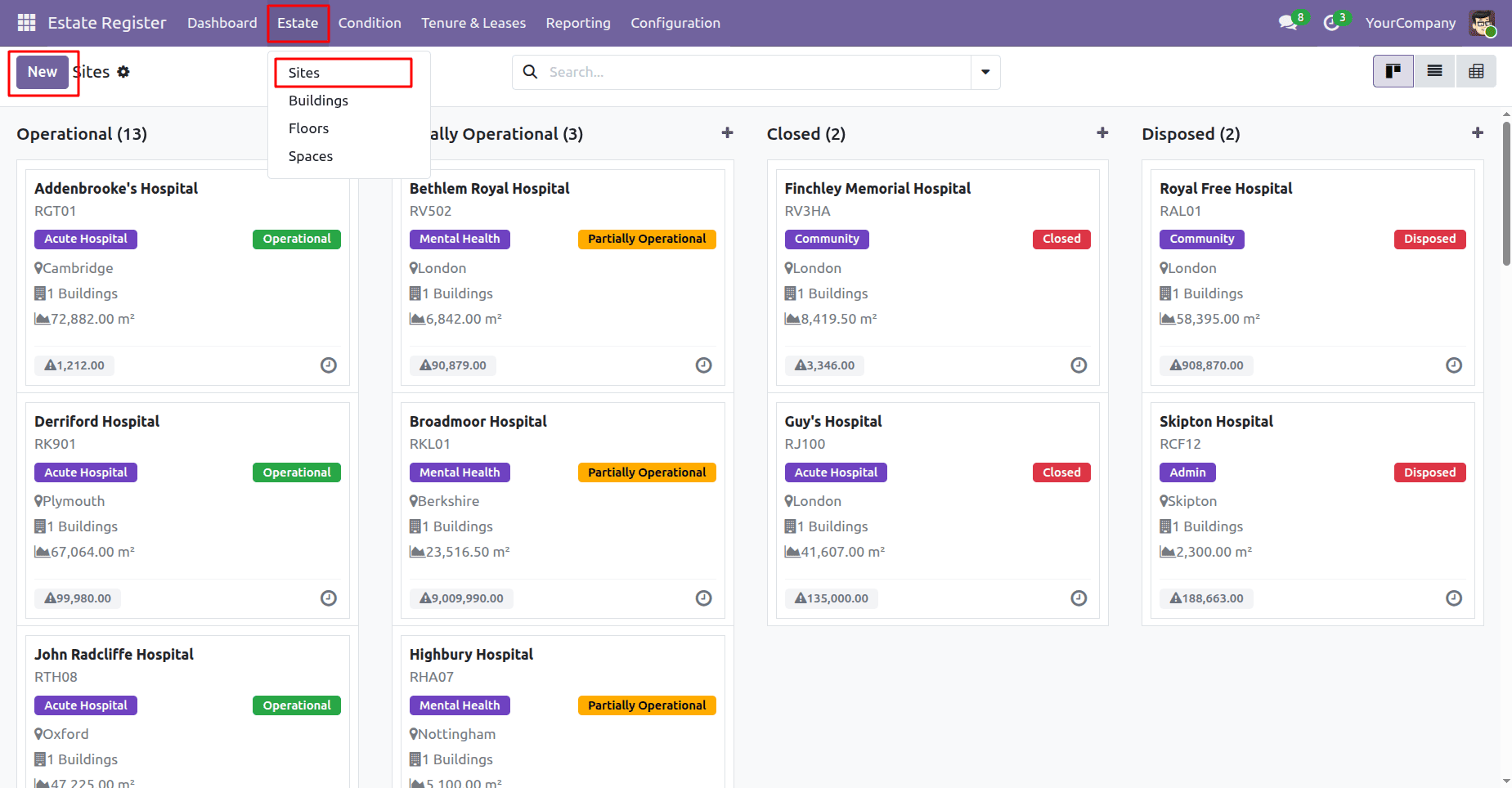
A site management form displays key details such as site name, site code, site type, address, space/GIA details, building information, and current operational status.
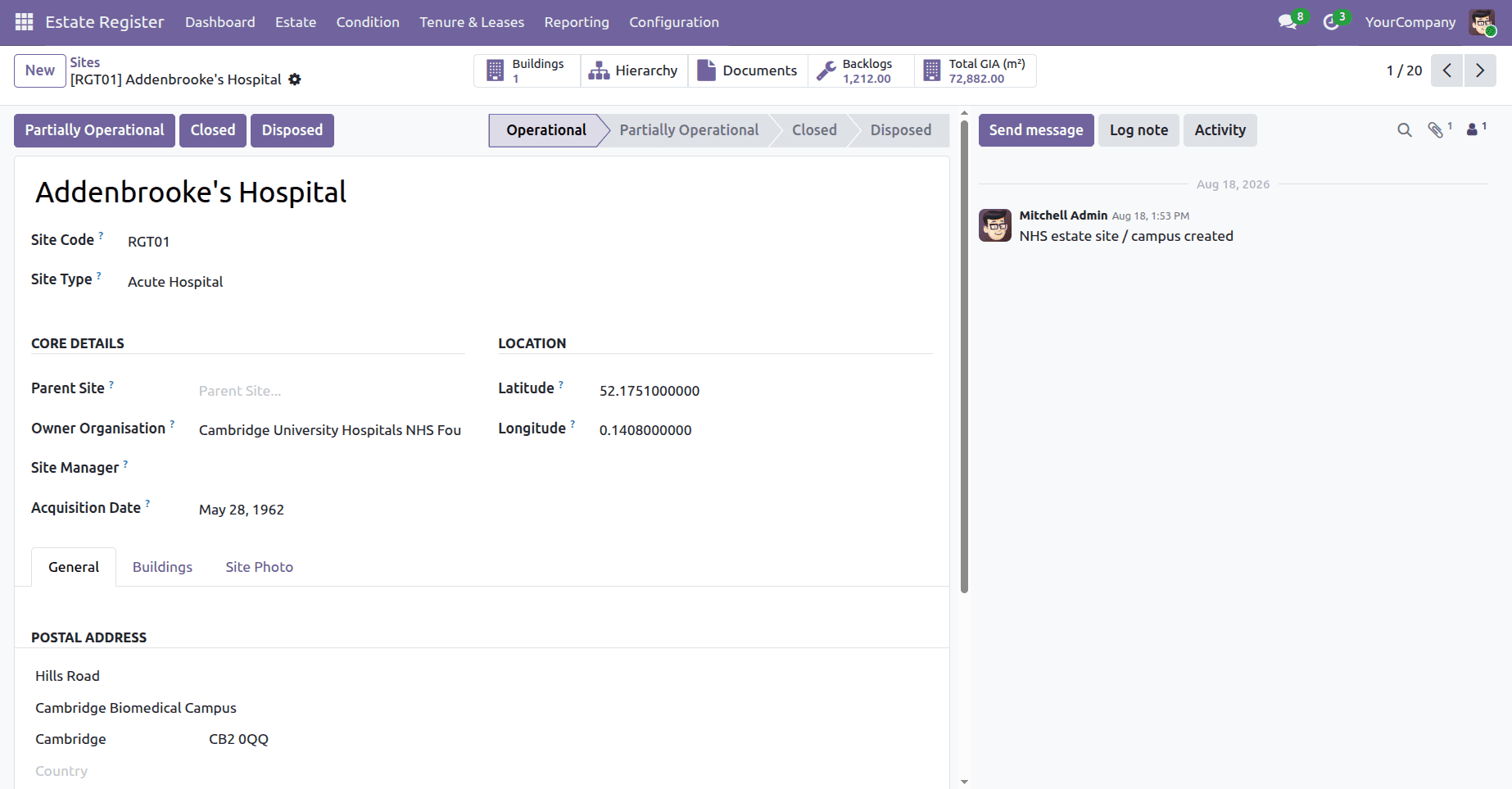
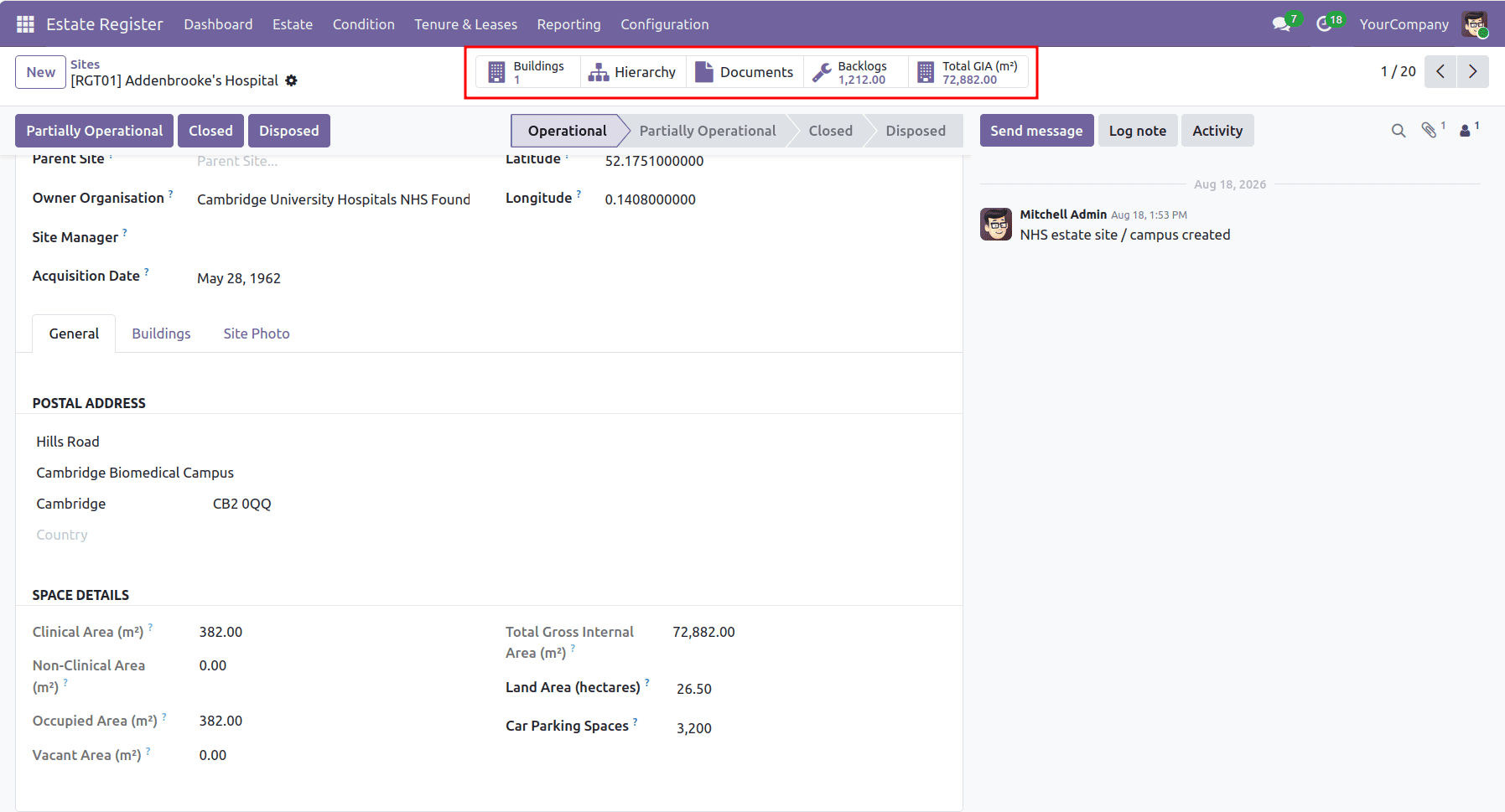
The form also features smart summary buttons at the top, providing quick access to building counts and details, a hierarchical site view, total backlog value, and total Gross Internal Area (GIA).
Building Management
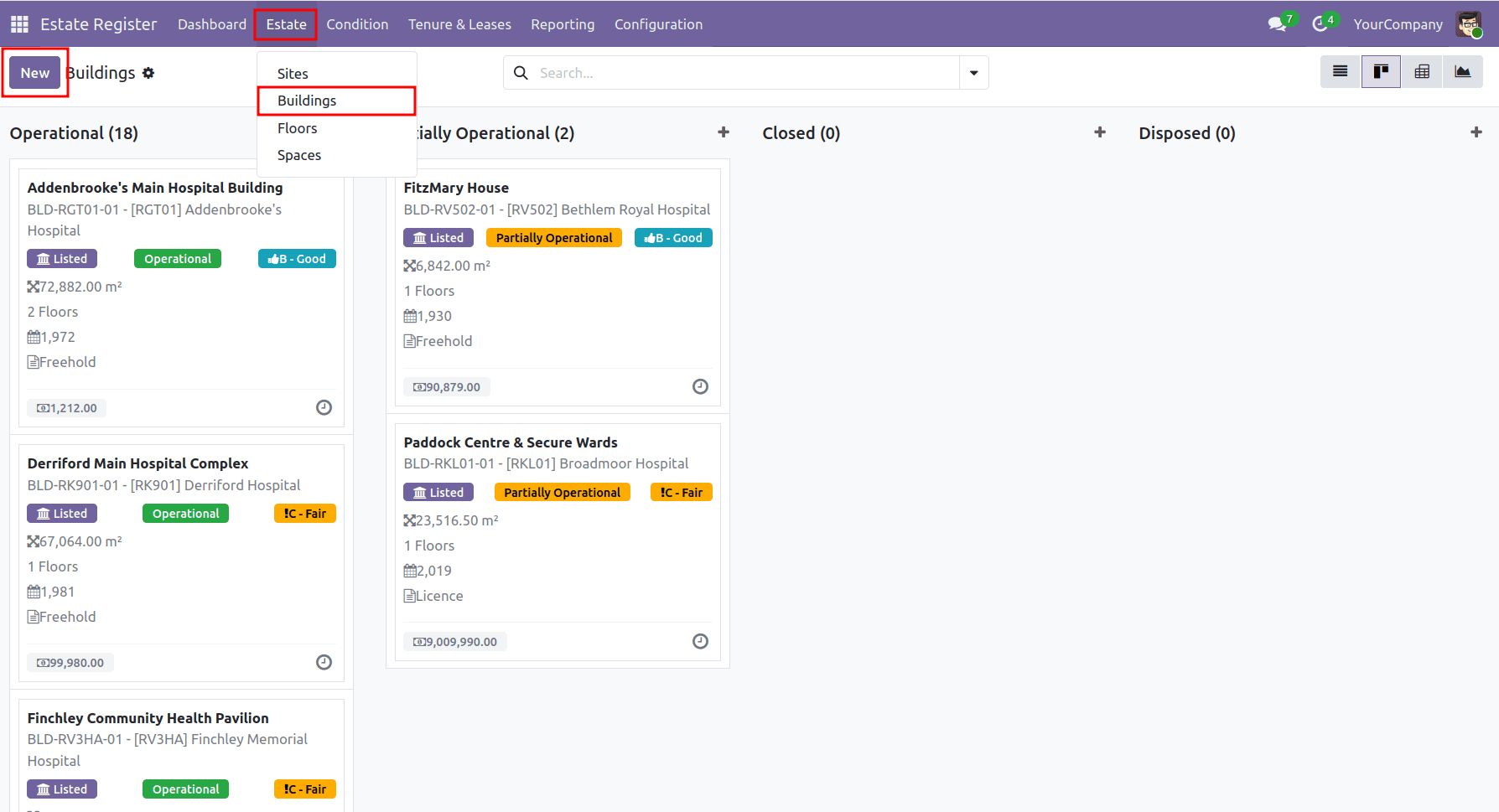
Buildings form the next level of the estate hierarchy. Users can access the Building view by navigating from the Estate menu > Buildings. All buildings have connections to their respective sites, allowing for easier management of information on individual buildings.
The Building view provides an overview of registered buildings and allows users to access individual building records.
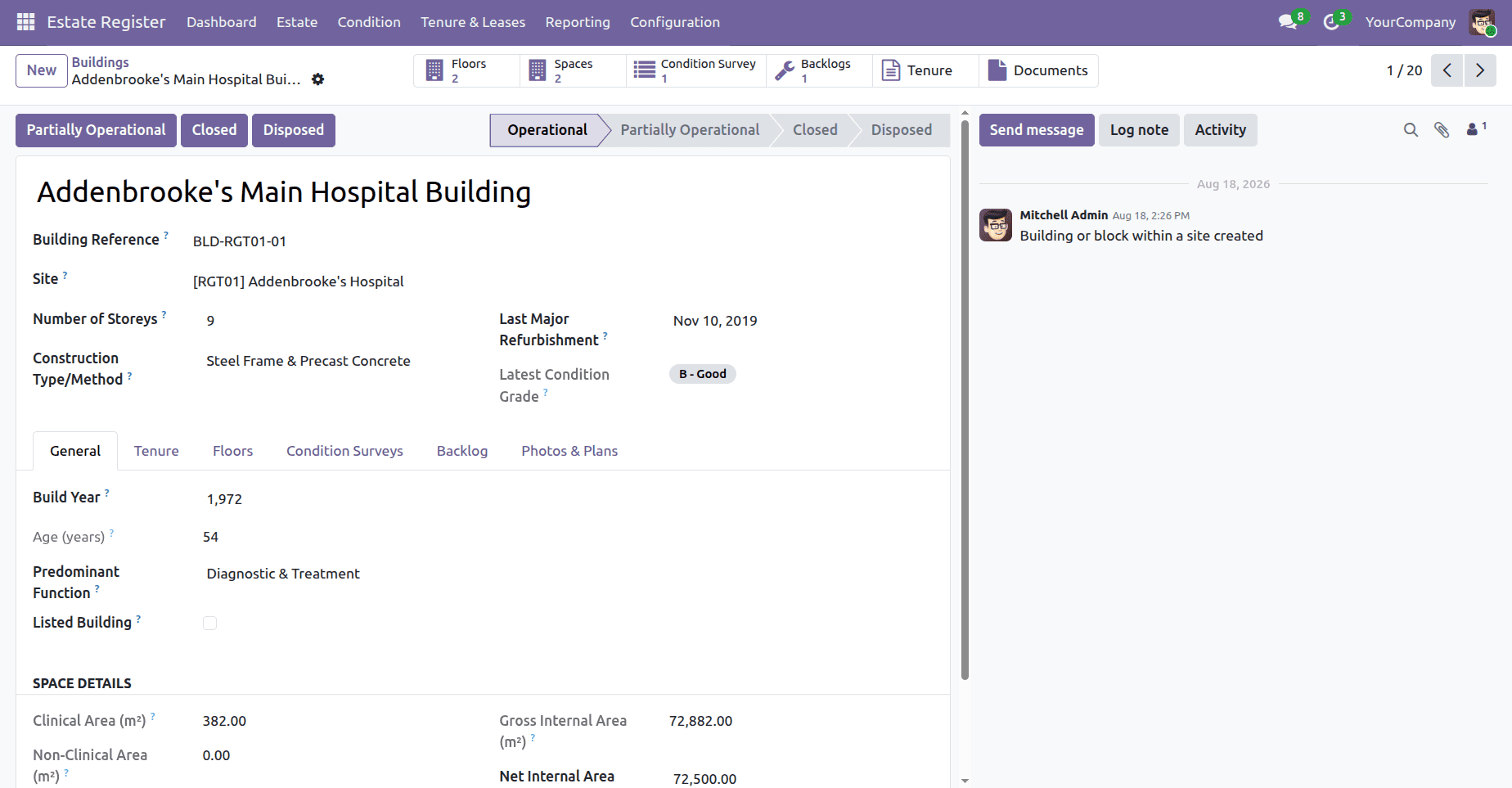
A building form showcases key information such as building reference, number of storeys, construction type, condition surveys, backlog history, space details, floors, tenure, and operational status.
Floor Management
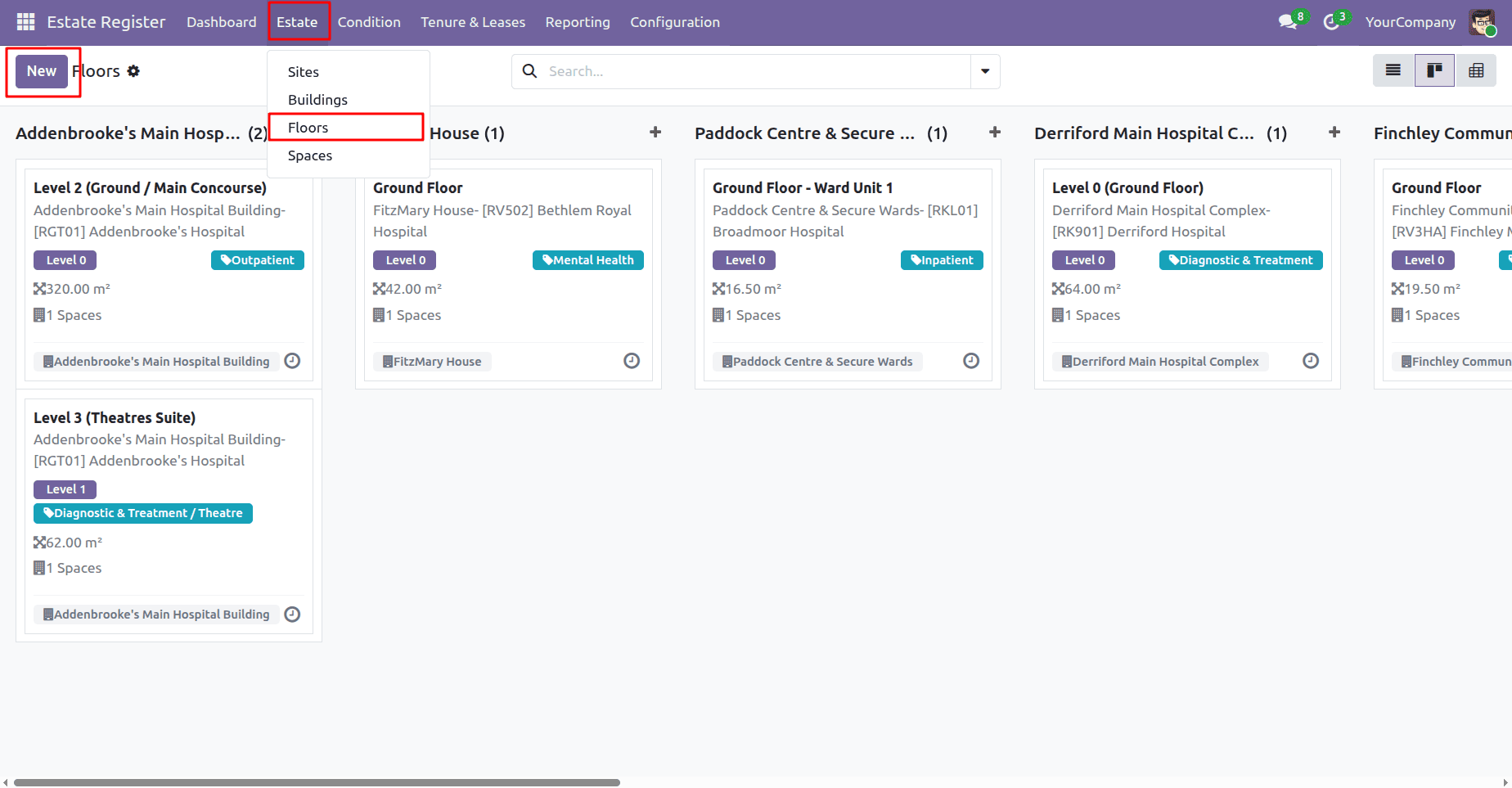
Floors provide the next level of detail within the estate hierarchy. Each floor is linked to a building and can contain multiple functional spaces. Users can access the Floor view by navigating from the Estate menu > Floors.
The Floor view allows users to access and manage the floors associated with their buildings.
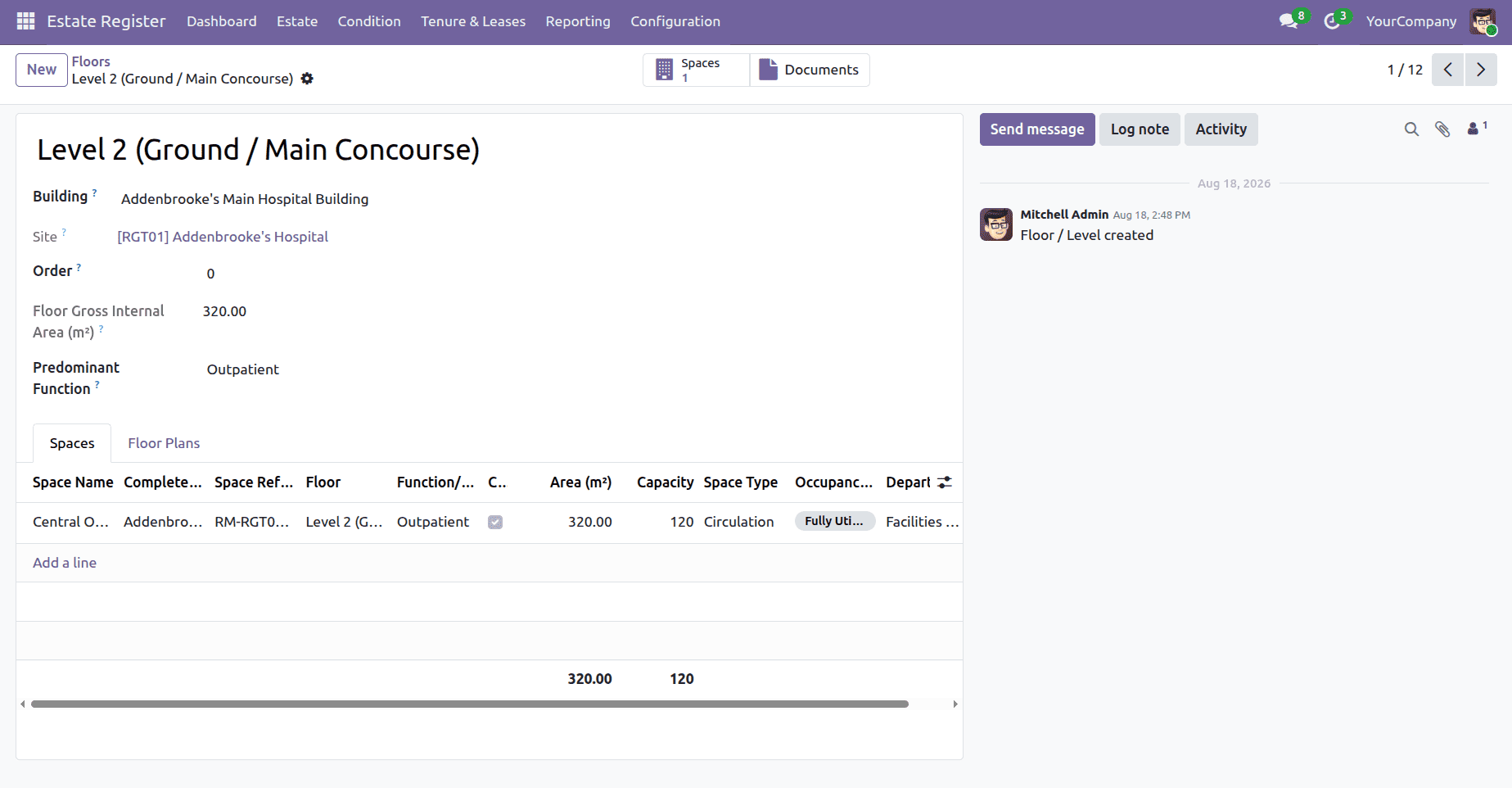
A floor-level form provides key details such as floor name, building and site name, floor area, predominant function, associated spaces, and floor plans.
Space Management
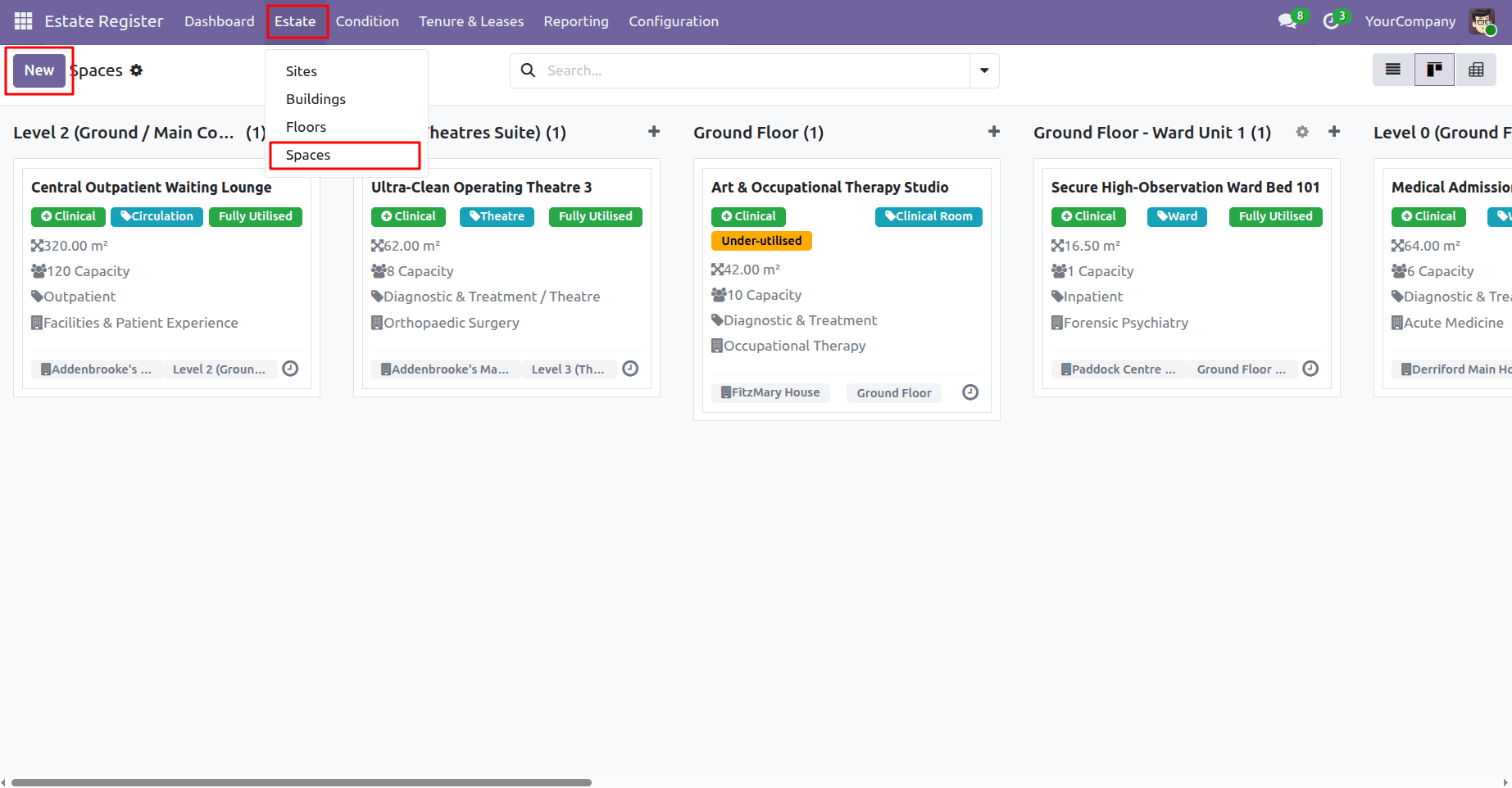
The Space level provides a detailed view of the functional areas within the estate. Users can access the Space view by navigating from the Estate menu > Spaces. Spaces are maintained under their respective floors, completing the core hierarchy of Site > Building > Floor > Space.
The Space view allows users to review the functional spaces maintained within the estate.
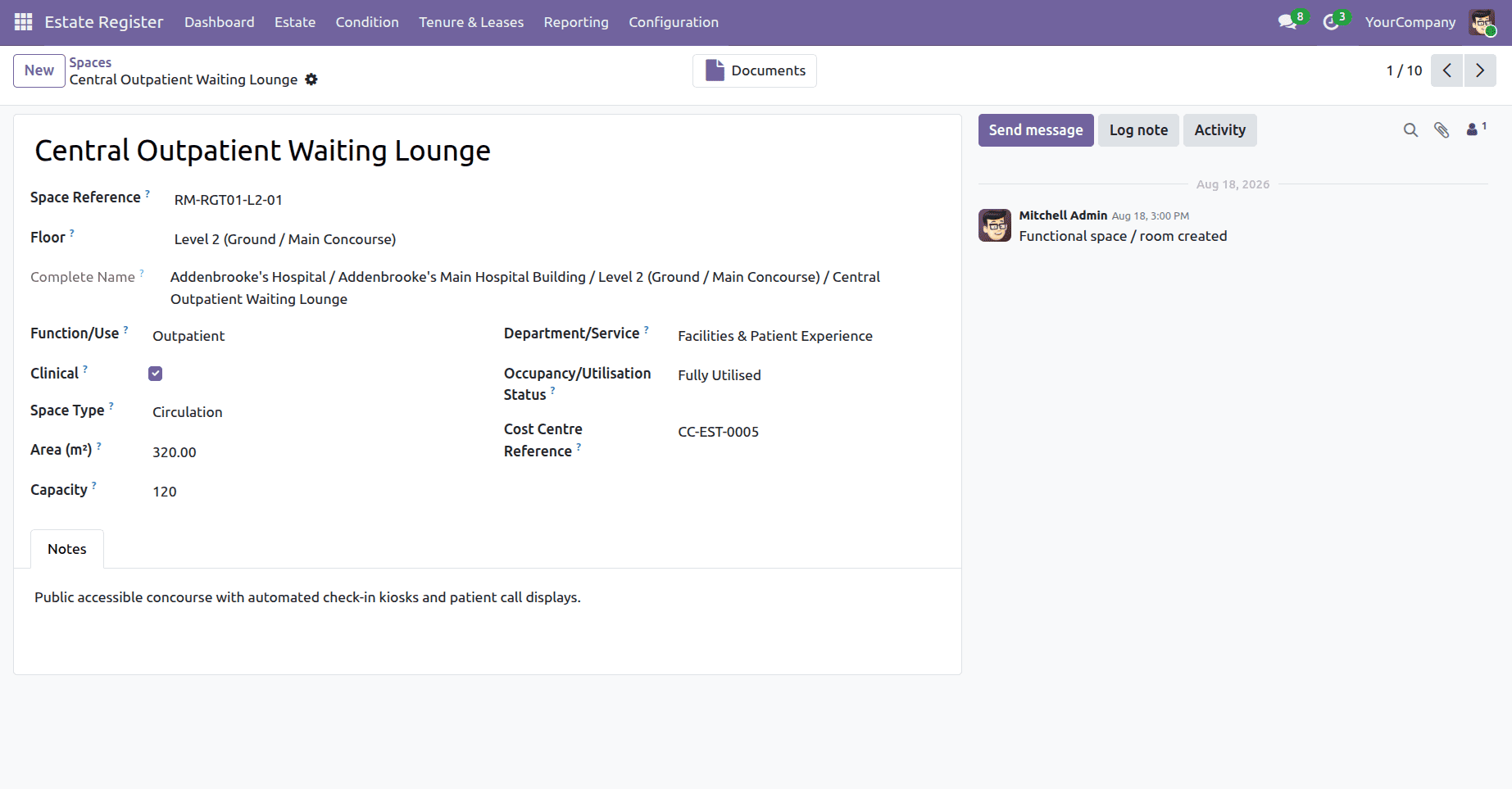
A space management form provides details such as space reference, floor name, function, department, space type, area, capacity, and occupancy/utilisation status.
Condition Survey
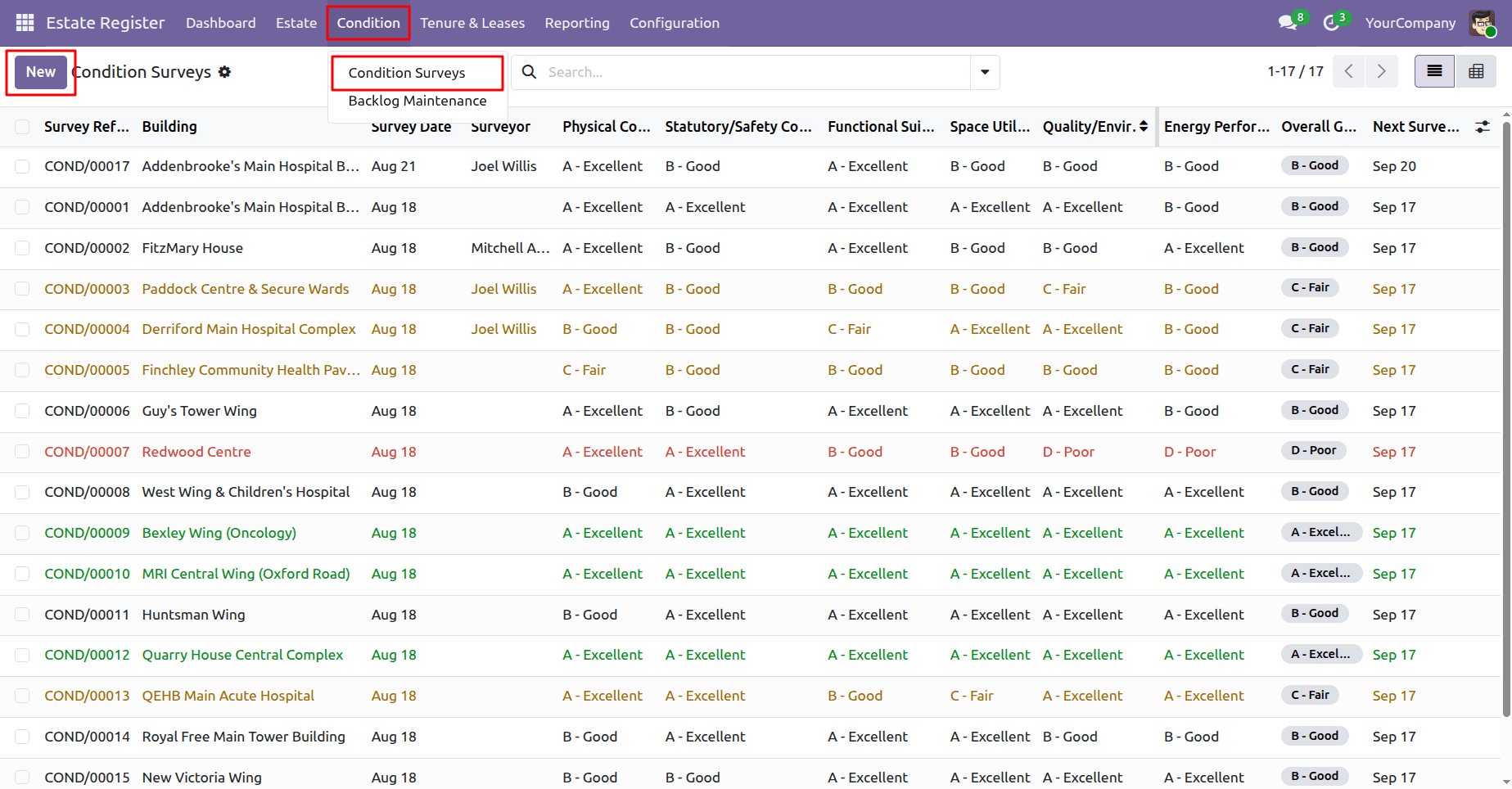
The Condition Survey feature helps record and manage information about the condition of their estate. Condition information plays a crucial role in identifying areas requiring attention and maintenance. Users can access the Survey view by navigating from the Condition menu > Condition Surveys.
The Survey view provides access to existing condition survey records.
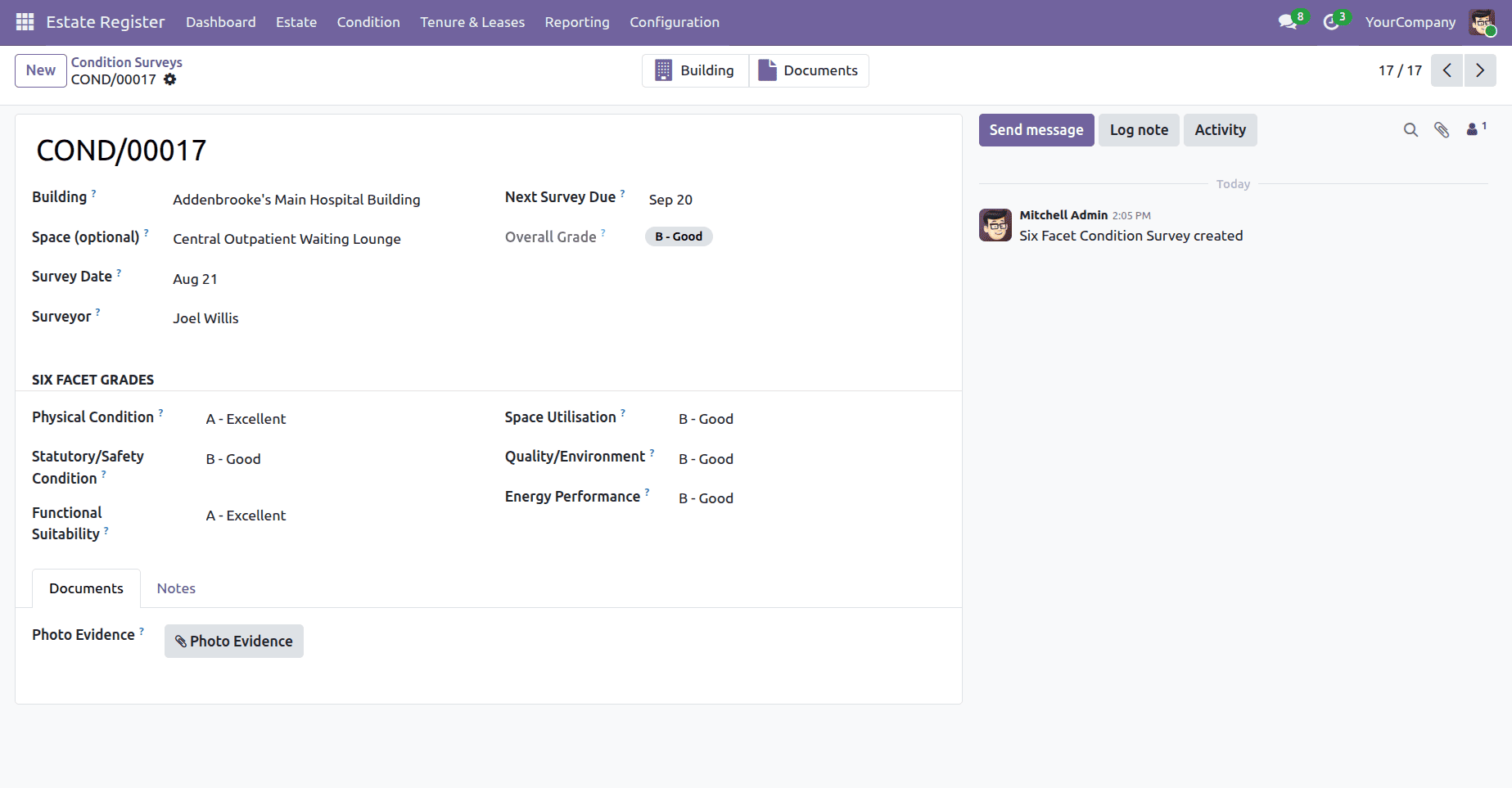
A condition survey form captures survey details, the overall condition grade, and six key condition factors, including physical condition, safety, functionality, space utilisation, environment, and energy performance.
Backlog Maintenance
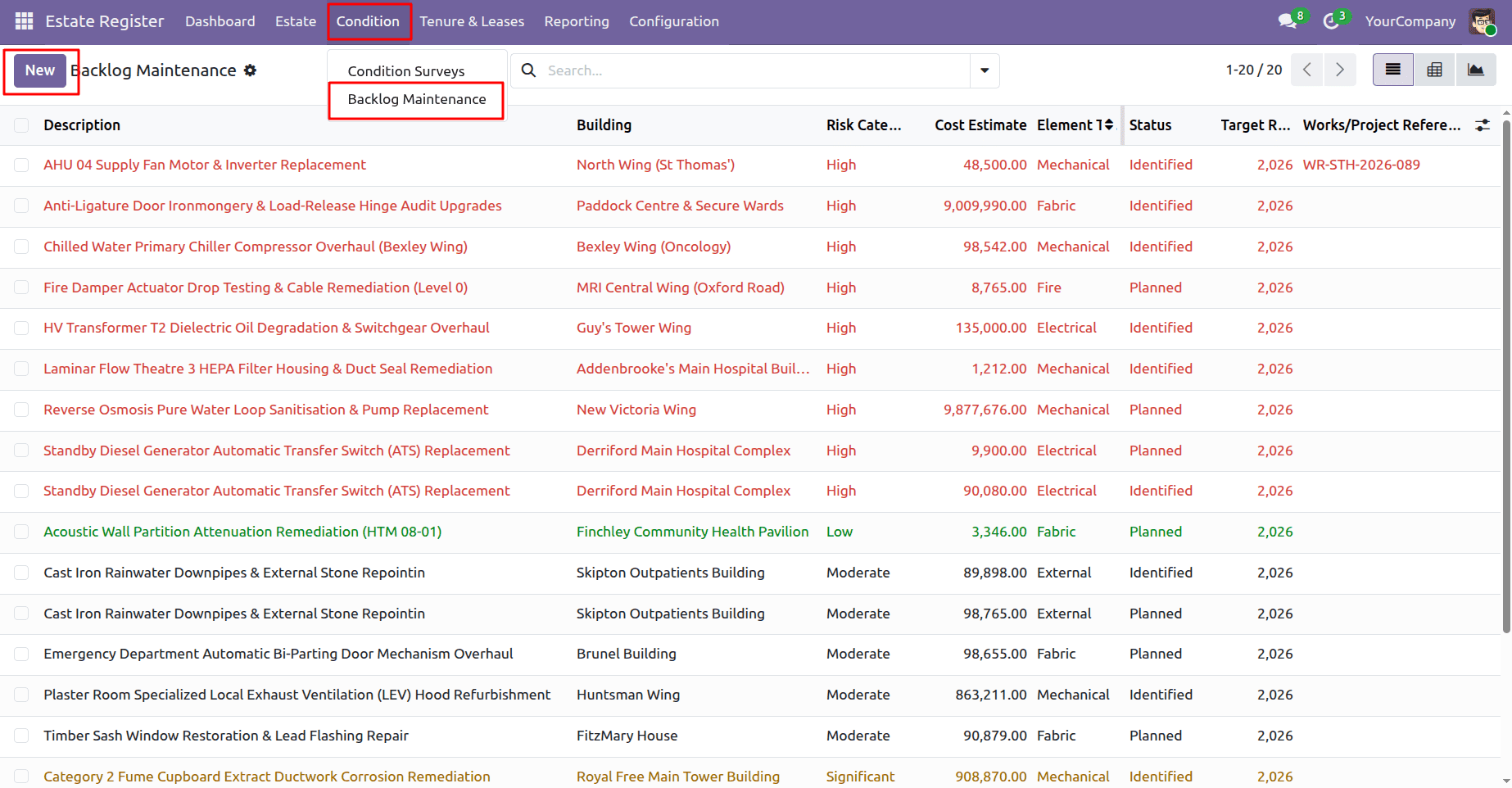
The Backlog feature allows you to record and monitor outstanding maintenance requirements across the estate.
Maintenance backlog information can be used to understand the work required and assist in prioritising it. Users can access the Backlog view by navigating from the Condition menu > Backlog Maintenance.
The Backlog view provides a consolidated view of the recorded maintenance requirements.
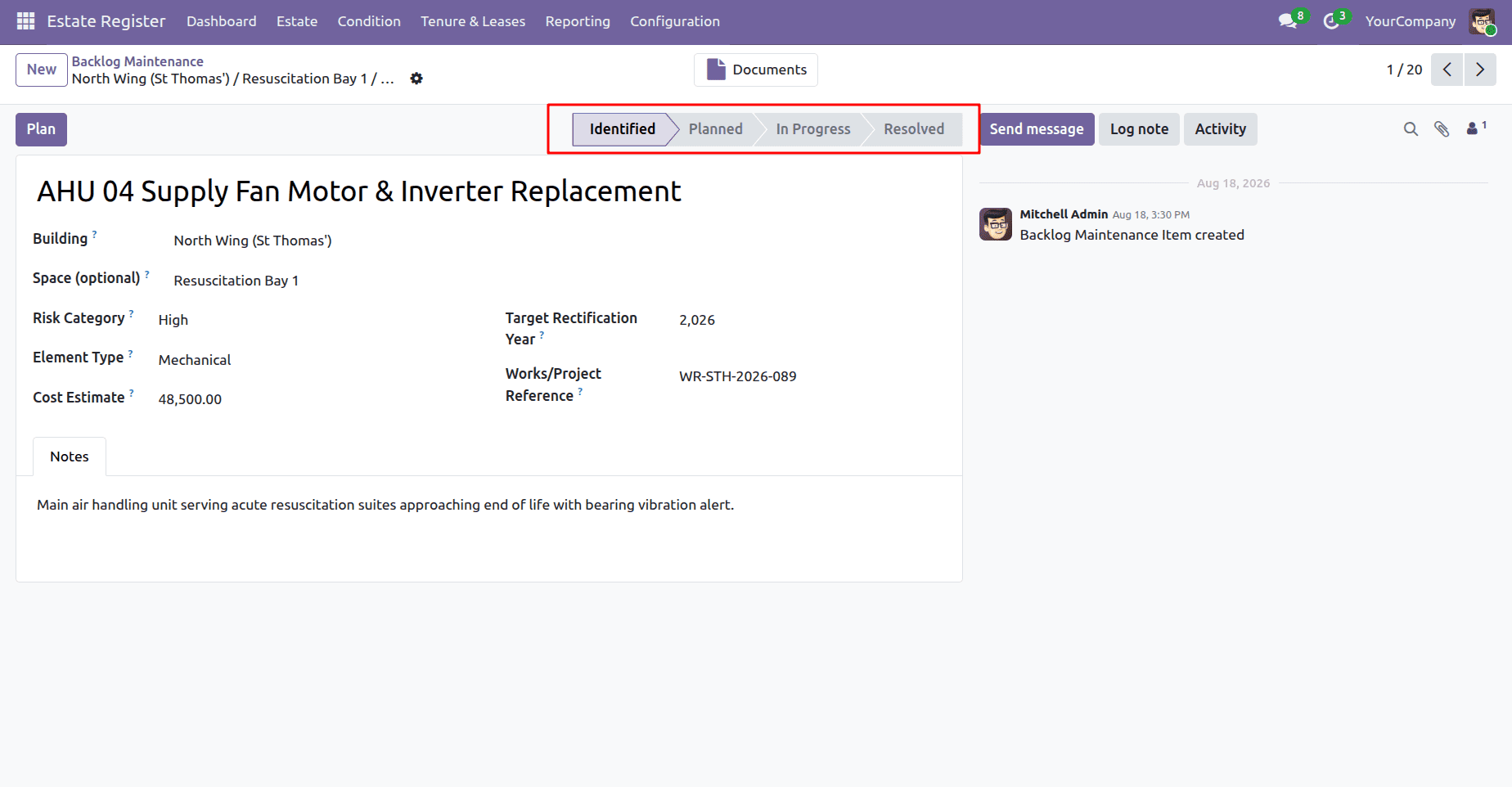
A backlog maintenance form displays maintenance issue details, risk category, element type, estimated cost, target year, and current progress status.
Tenure Management
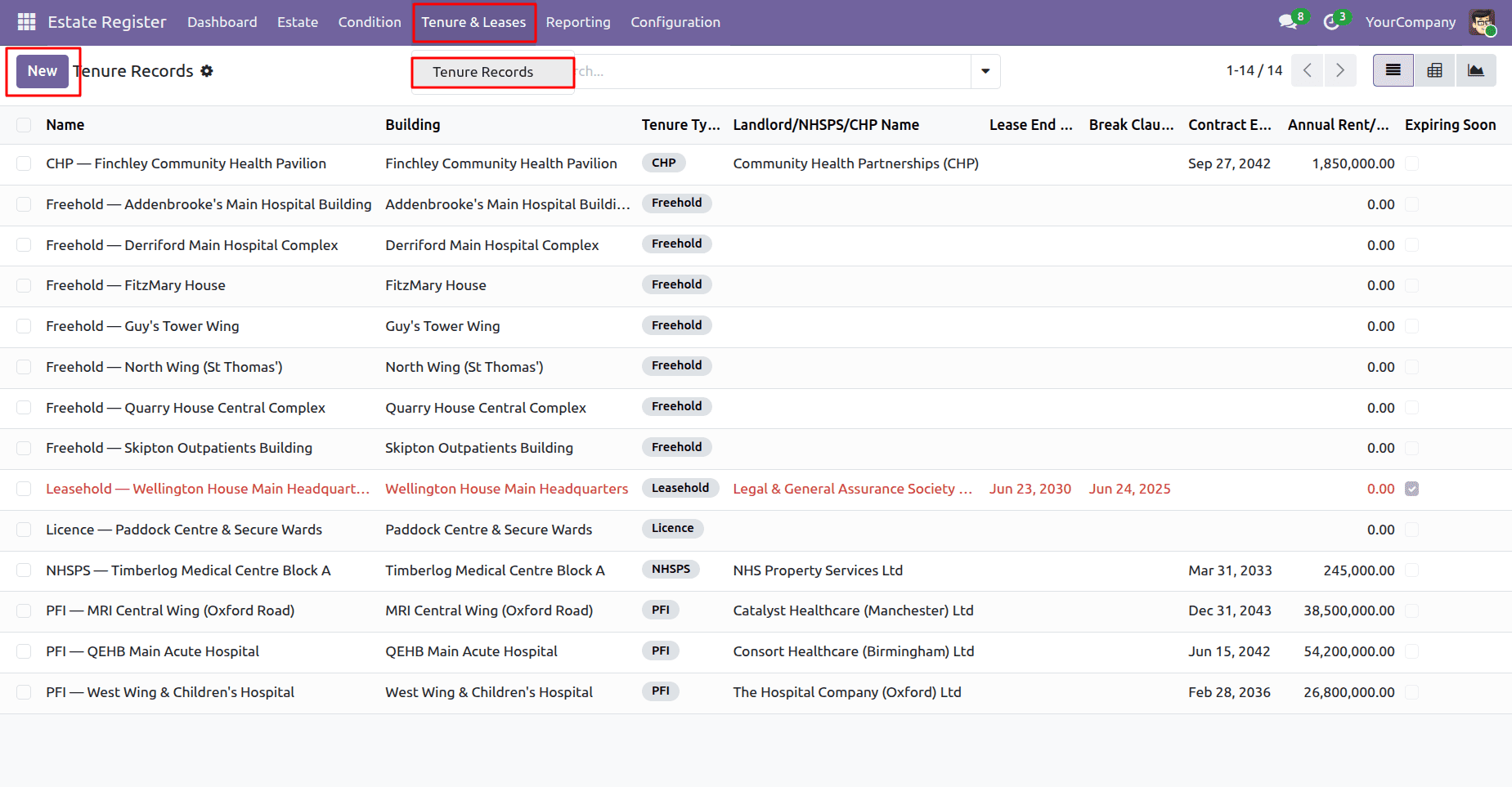
The Tenure feature provides a structured way to maintain information about the ownership and occupancy arrangements associated with NHS estate assets. Users can access the Tenure view by navigating from the Tenure & Leases menu > Tenure Records.
The module supports estate information for owned, leased, and Private Finance Initiative (PFI) assets, providing a central location for maintaining tenure-related information.
The Tenure view allows users to review the tenure records maintained within the estate.
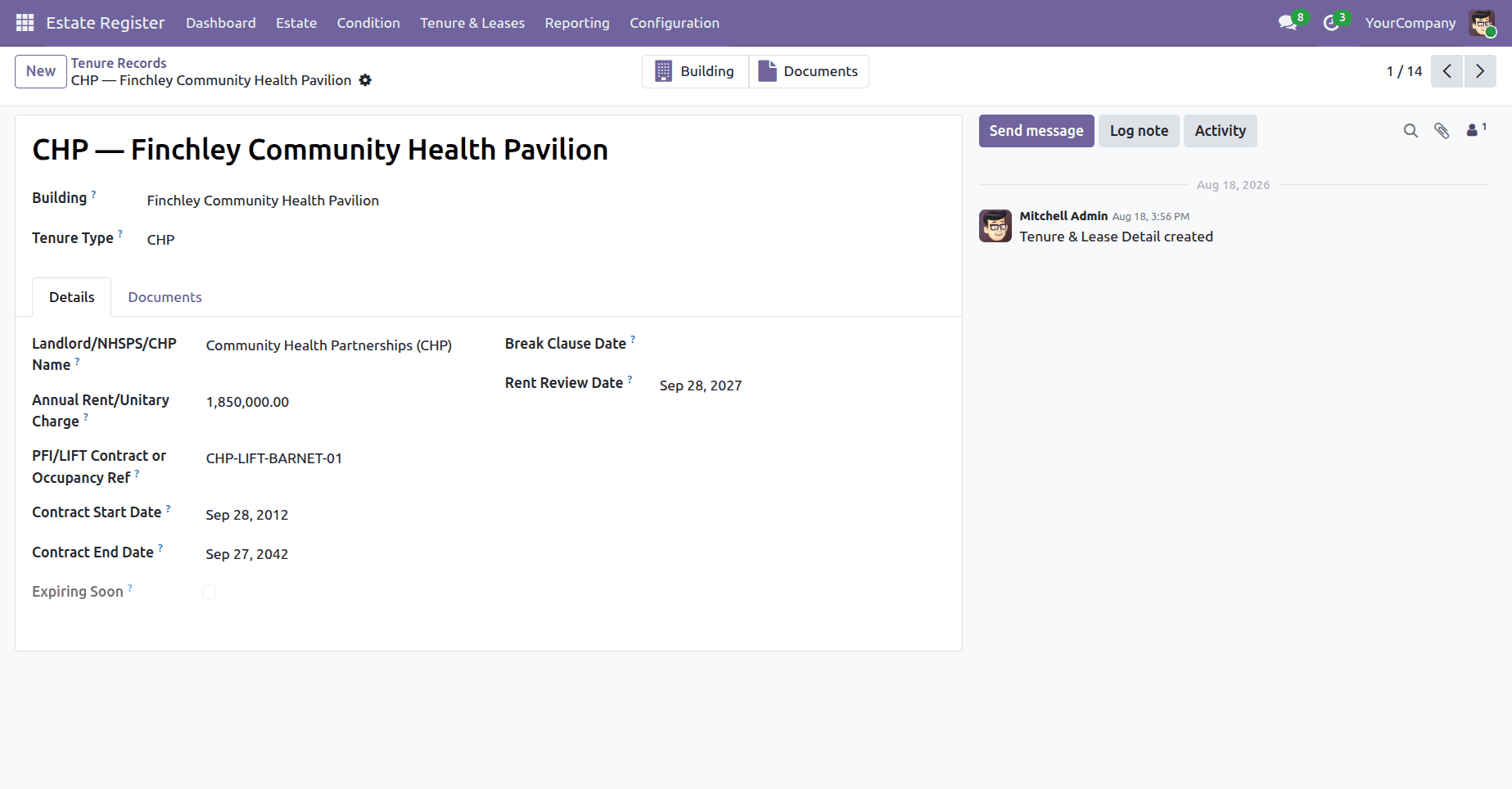
A tenure and lease form shows key details such as the building, tenure type, landlord, rent, contract dates, lease dates, and review information.
Building Passport
The Building Passport provides a consolidated document containing key information about an individual building. It brings together relevant information maintained within the NHS Estate Register and presents it in a structured PDF format.
This will make the building data more accessible for review, sharing, and availability when necessary. The inclusion of all these aspects in one document allows the user to understand the information about one building within the entire NHS estate.
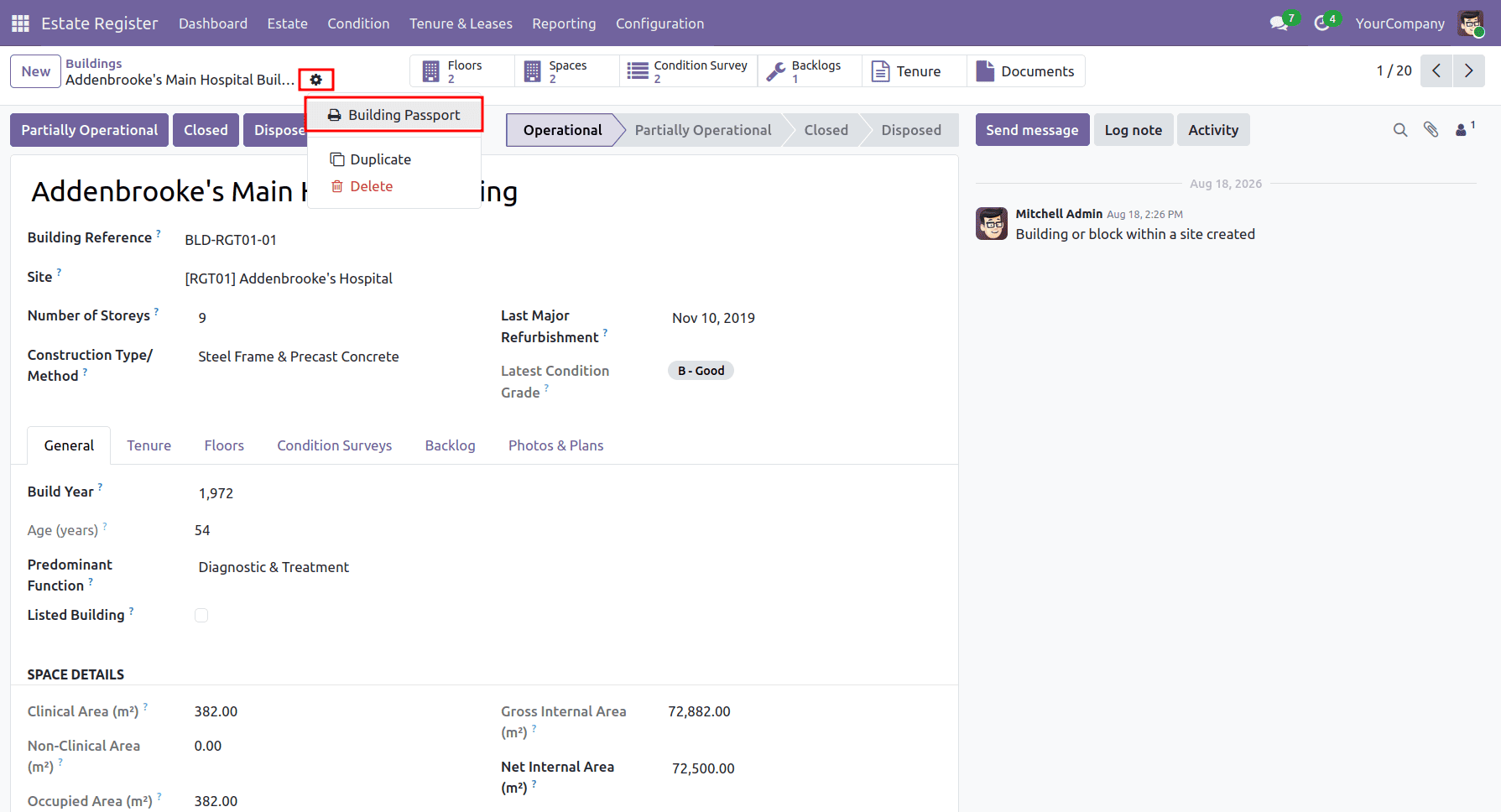
The Building Passport can be generated directly from the Building form view by selecting the gear icon and choosing the “Building Passport” option.
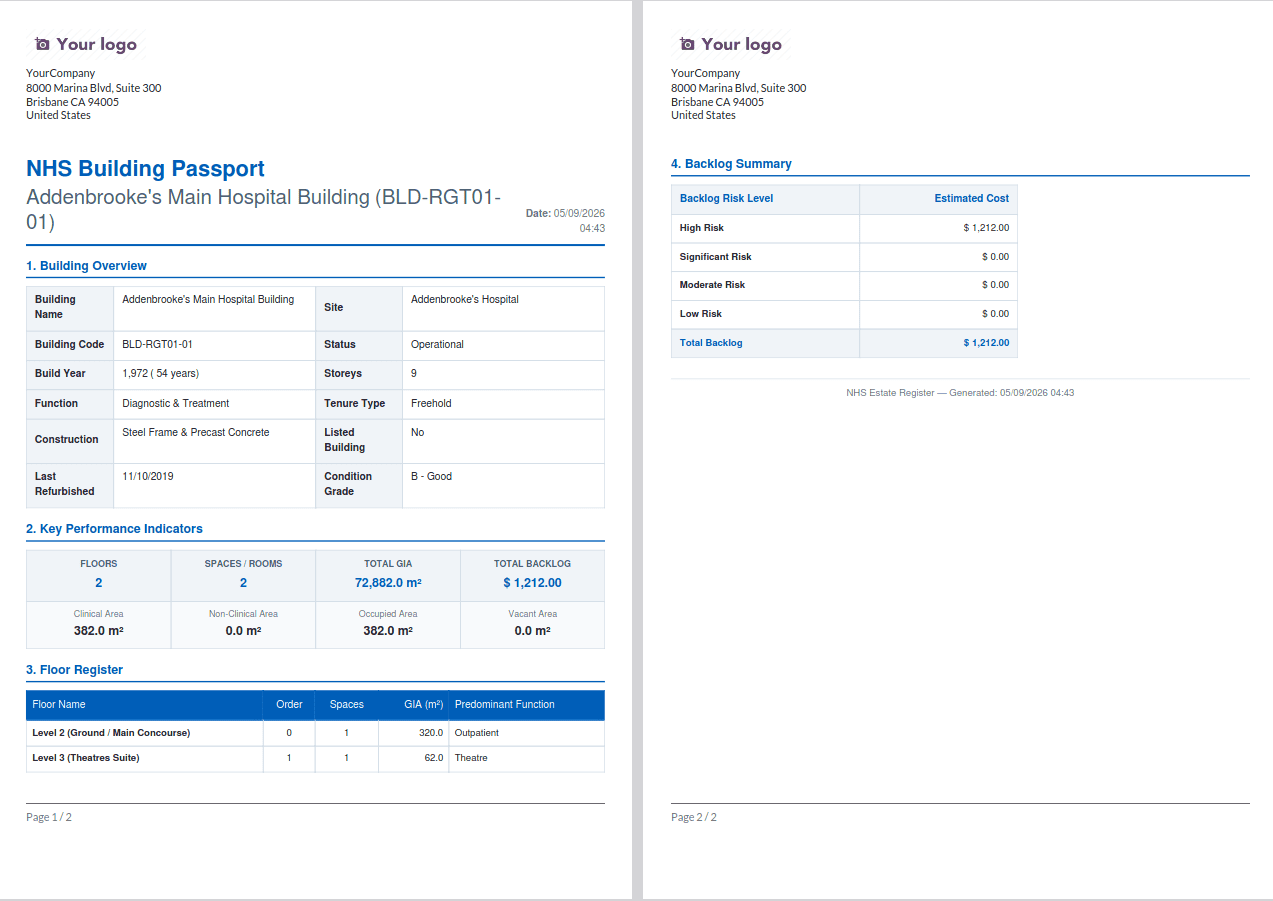
A building passport report summarises key building information, performance indicators, floor and space details, backlog costs, risk levels, and building photos.
The NHS Estate Register provides a structured and centralized approach to managing NHS estate information. It provides an integrated picture of the physical property from sites and buildings down to floors and functional spaces.
With support for condition surveys, maintenance backlogs, and tenure management, the module helps estate teams maintain consistent property information, identify areas requiring attention, and support maintenance and investment planning.
The Building Passport further brings key building information together in a structured and shareable format. Overall, the NHS Estate Register provides a strong foundation for managing estate information and supporting the wider NHS Estates & Facilities platform.
To read more about Complete Guide to Setting Up Braintree Payment Gateway in Odoo 19, refer to our blog Complete Guide to Setting Up Braintree Payment Gateway in Odoo 19.