The NHS Incident & Risk Management module based on Odoo 19 gives an efficient way of handling patient safety incidents, clinical investigations, statutory compliance, organisational risks and corrective actions. It enables the organisations to be compliant with the UK’s major healthcare standards PSIRF, LFPSE, CQC Duty of Candour and RIDDOR. The main features of the module include incident reporting, investigation, risk registers and action plans that will help increase collaboration between clinical, QA, risk management and management staff.
Why a Centralized NHS Incident and Risk Management System Matters
The majority of healthcare organizations use several systems to report incidents and risks. This leads to the inability to detect repeated risks, tracking of the due dates and control. Thus, this module introduces a system where employees can report incidents by filling out a web-form without logging into Odoo. The module will enable linking of incidents to risk registers and CAPA. This will mean that the organizations will be able to detect problems, see how they will be solved and get automatic notifications on overdue tasks through the NHS Incident & Risk Management Module.
Incident Reporting & Capture
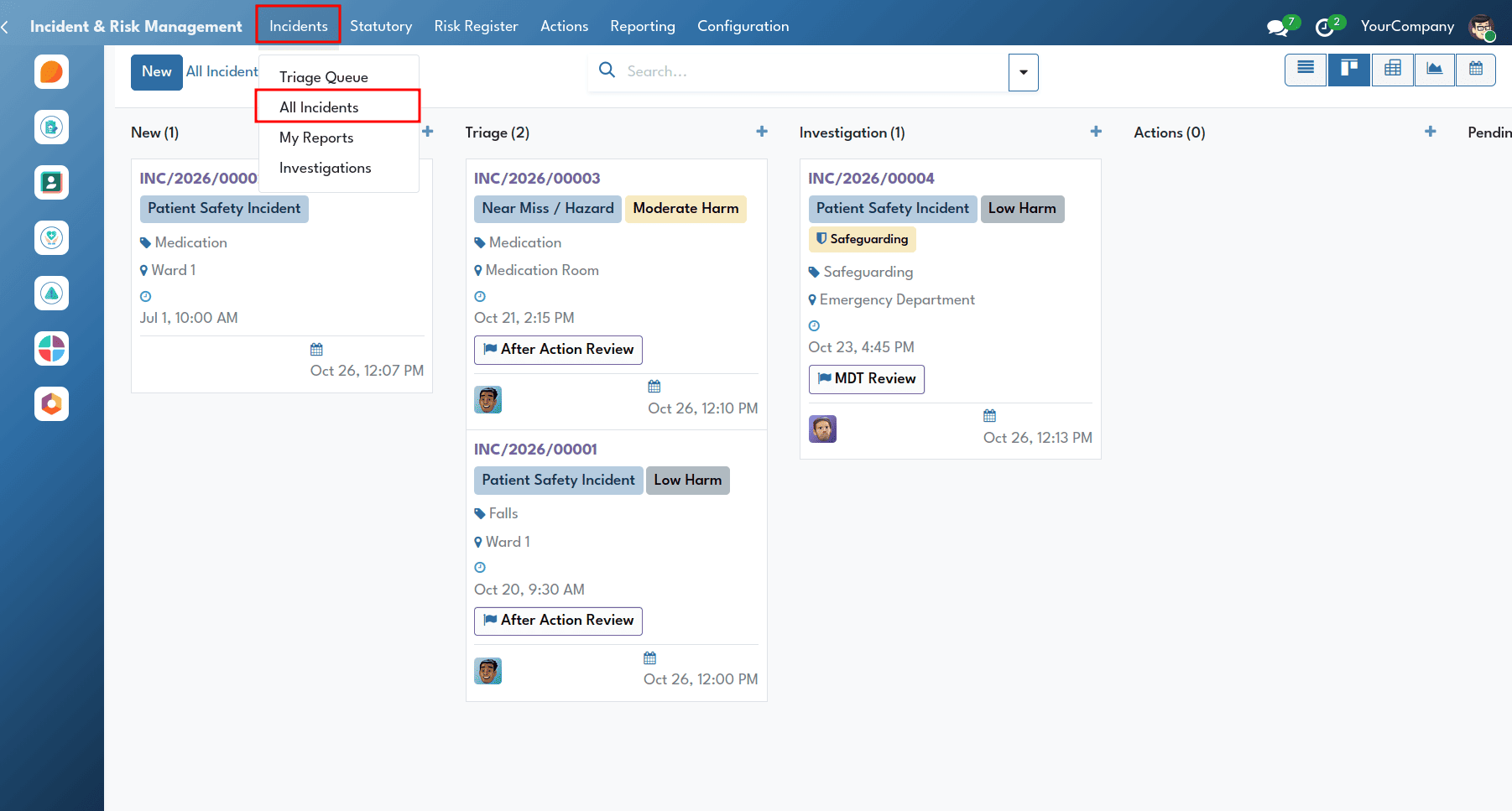
The Incident Reporting feature is used to record patient safety events, near misses, adverse events and examples of good care across the organisation. Users can access the incident reporting views internally by navigating from the Incident & Risk Management menu > Incidents > All Incidents or My Reports.
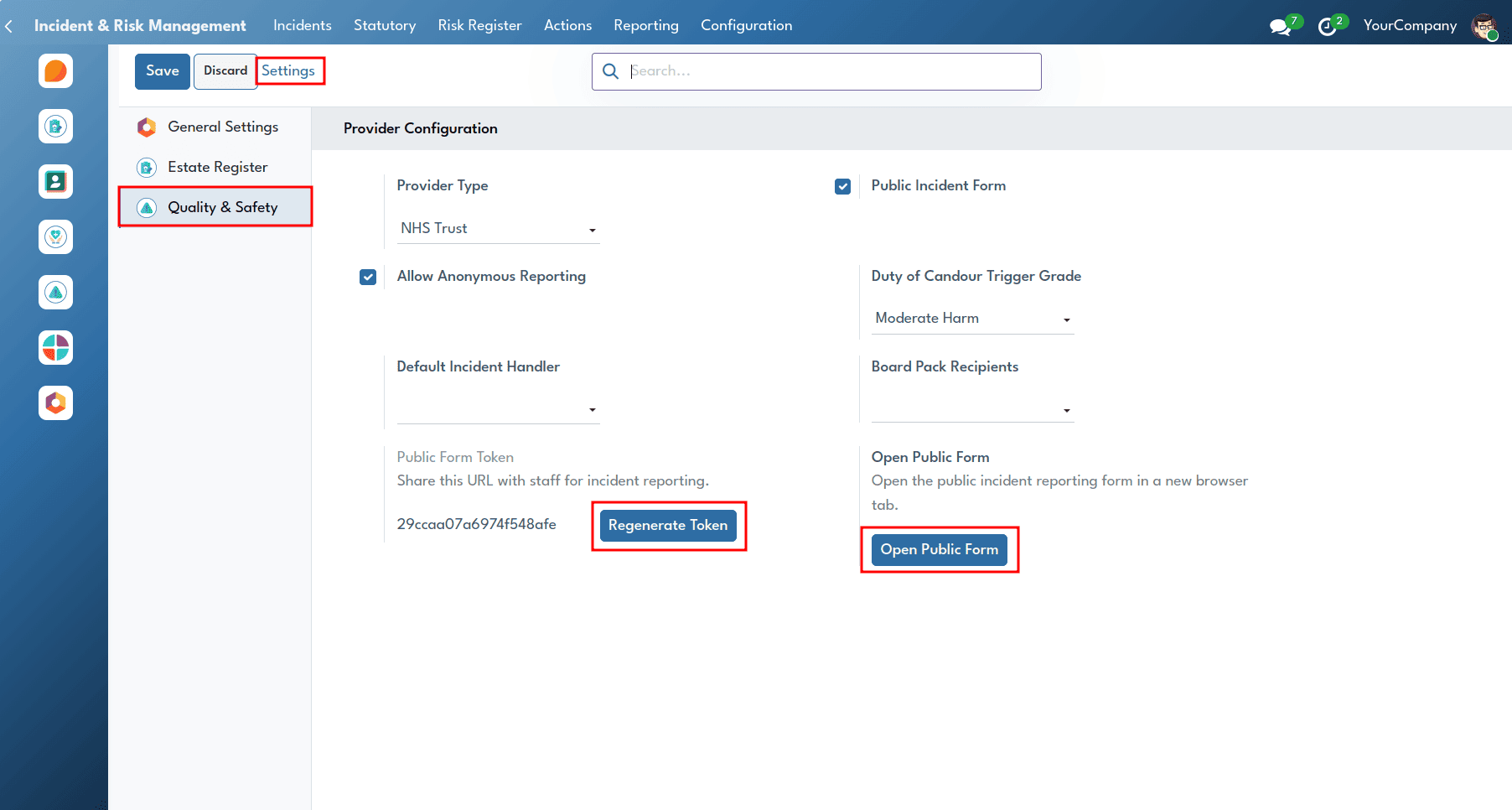
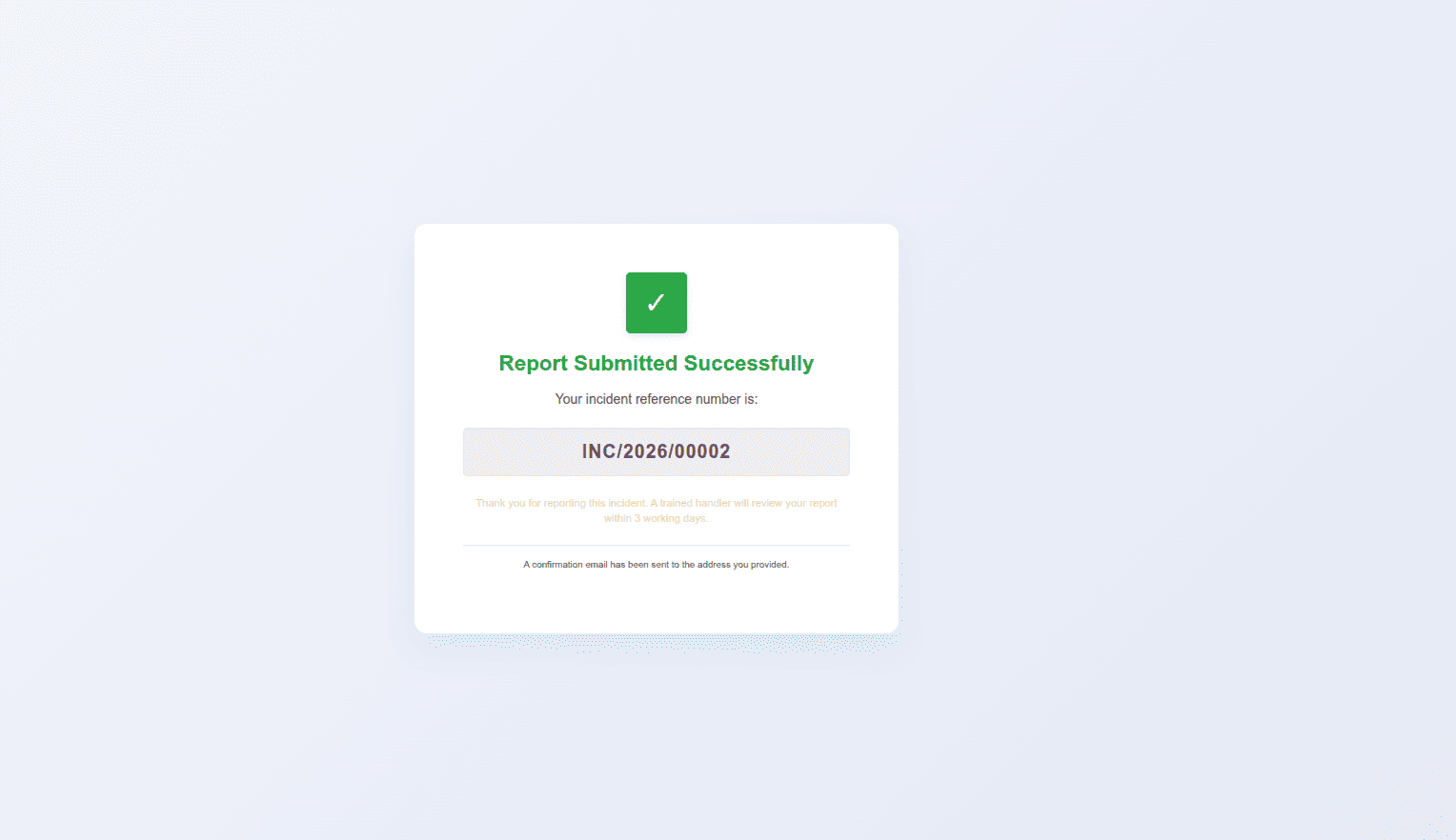
Administrators can enable the public incident reporting web form from the settings menu and make it accessible to everyone without requiring an Odoo login.
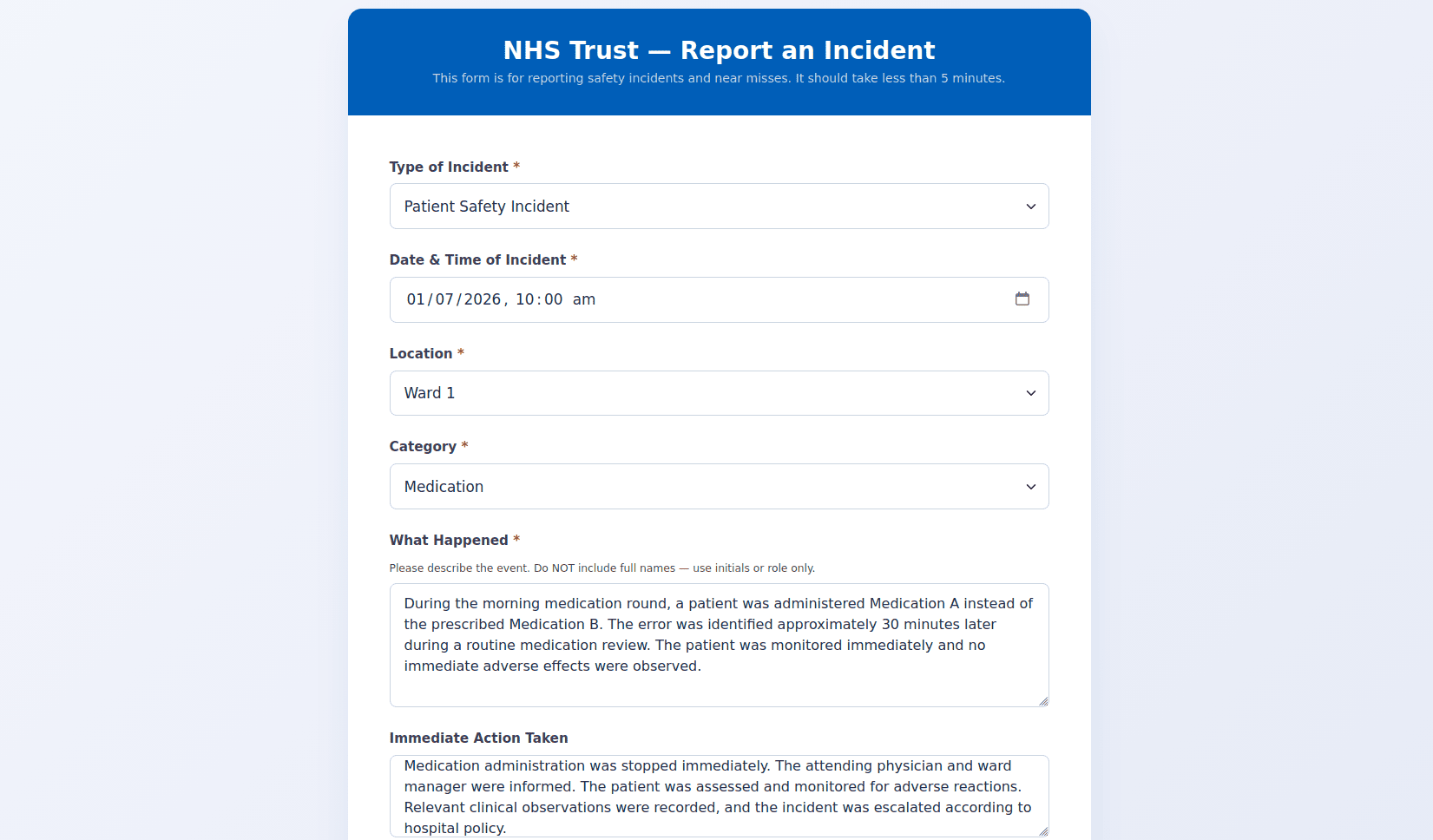
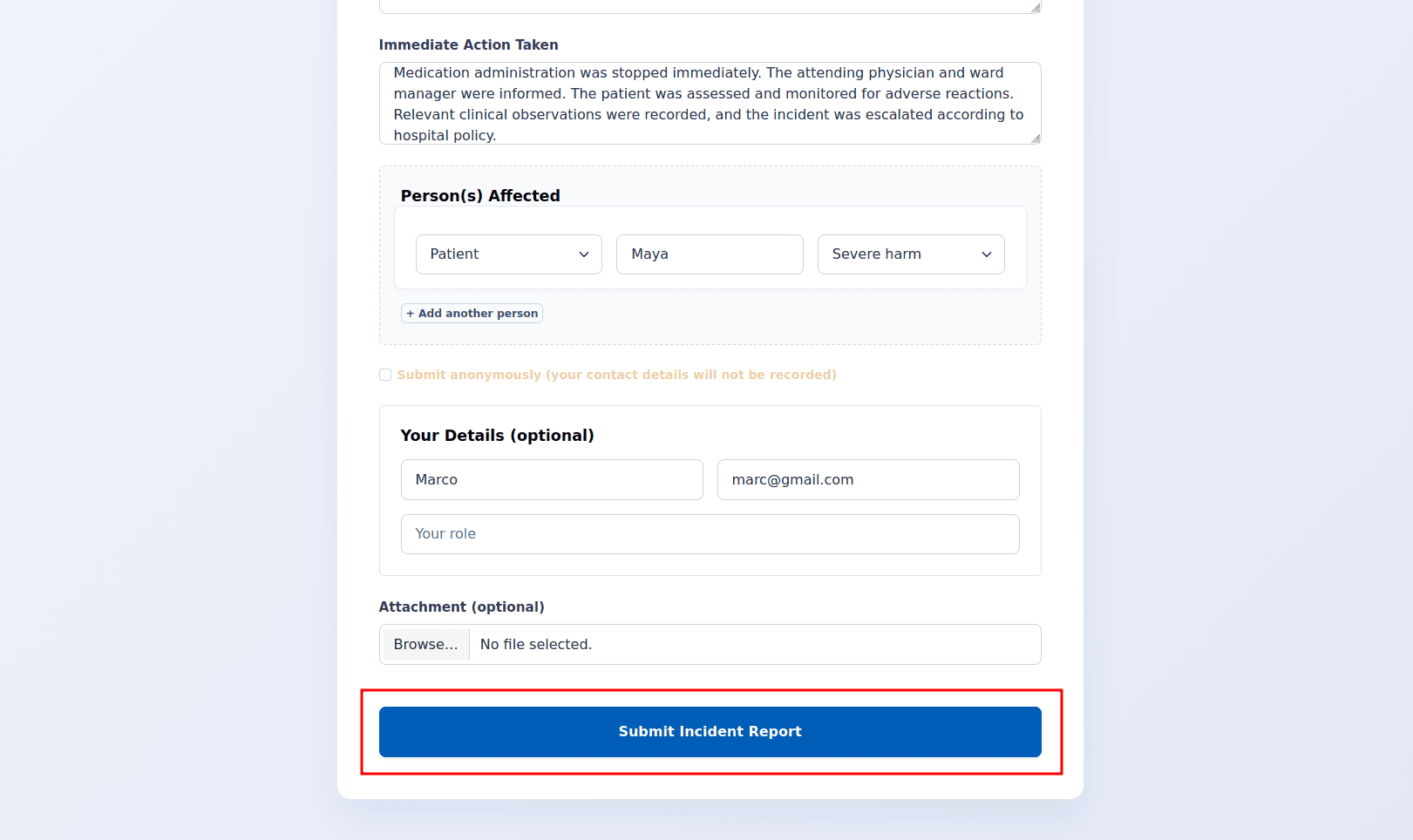
Using this mobile-friendly form, staff, patients, and external reporters can easily submit incident reports, with the option to remain anonymous.
Incident Triage & Queue Management
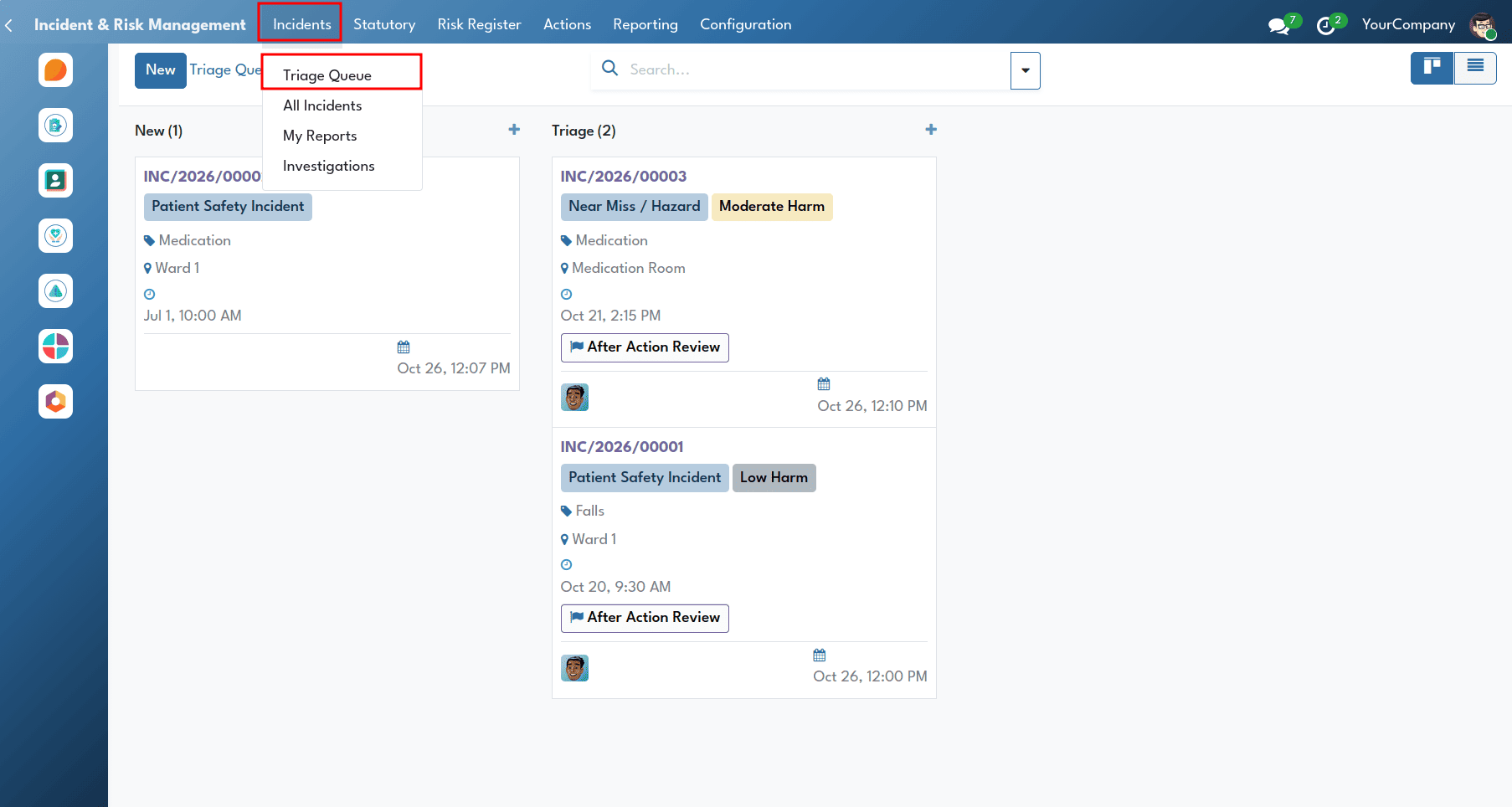
Clinical governance teams and incident handlers can review, assess, and prioritize incoming safety reports using the Triage Queue.
Handlers access the queue by navigating from the Incident & Risk Management menu > Incidents > Triage Queue.
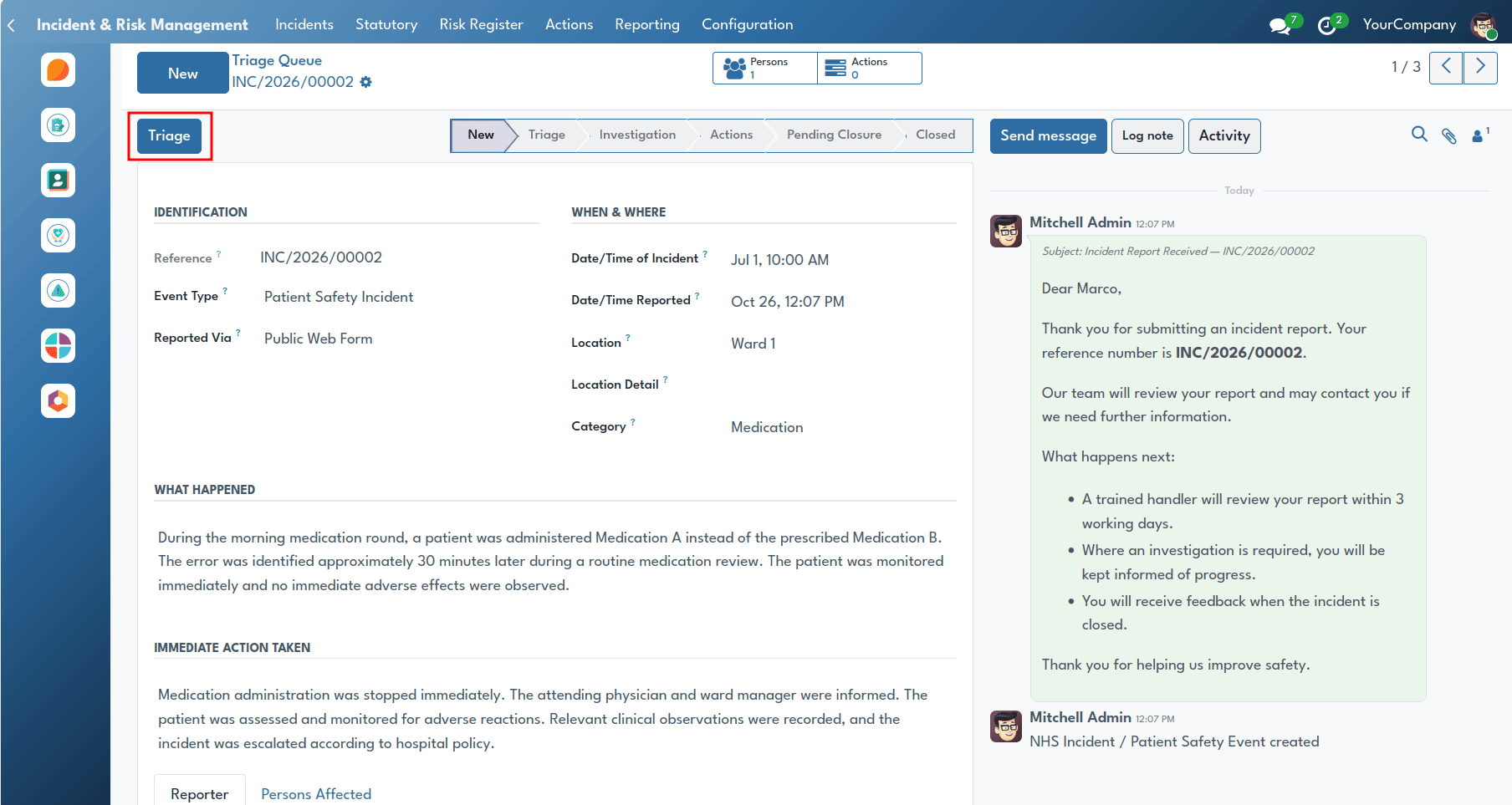
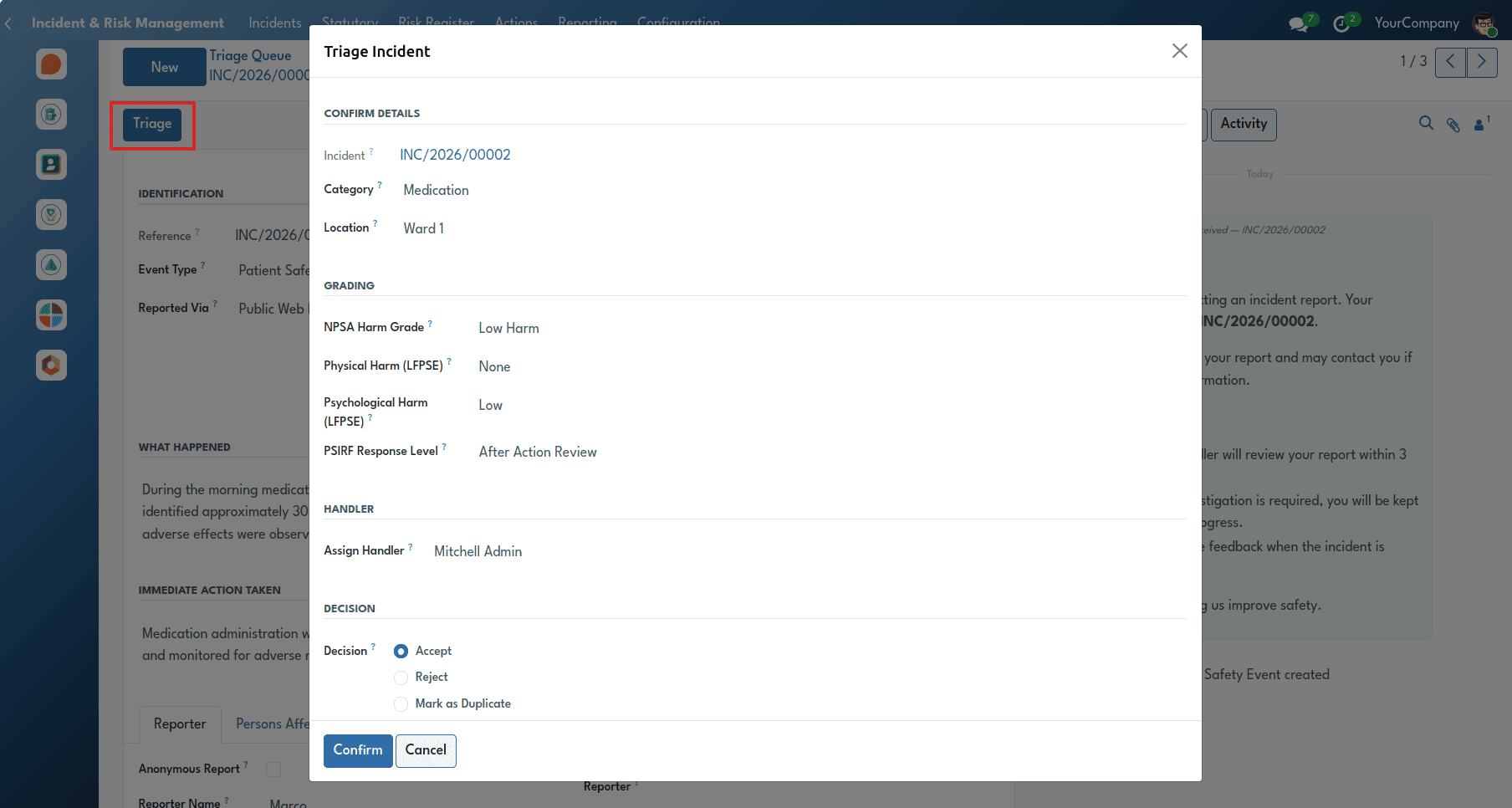
Handlers manage incident reports by accepting them, rejecting them with an explanation, or merging duplicate reports using the Triage Wizard.
The feature allows teams to assign an Incident Handler, assess the level of harm using the five NPSA categories, and record any physical or psychological harm in line with the NHS England LFPSE framework.
PSIRF-Aligned Incident Investigation
The Incident Investigation feature supports the NHS Patient Safety Incident Response Framework (PSIRF). Incident investigation is about understanding what happened and why, rather than blaming individuals, and is designed to enable clinical teams to learn from incidents.
To access the Investigation Register, navigate to the Incident & Risk Management menu > Incidents > Investigations.
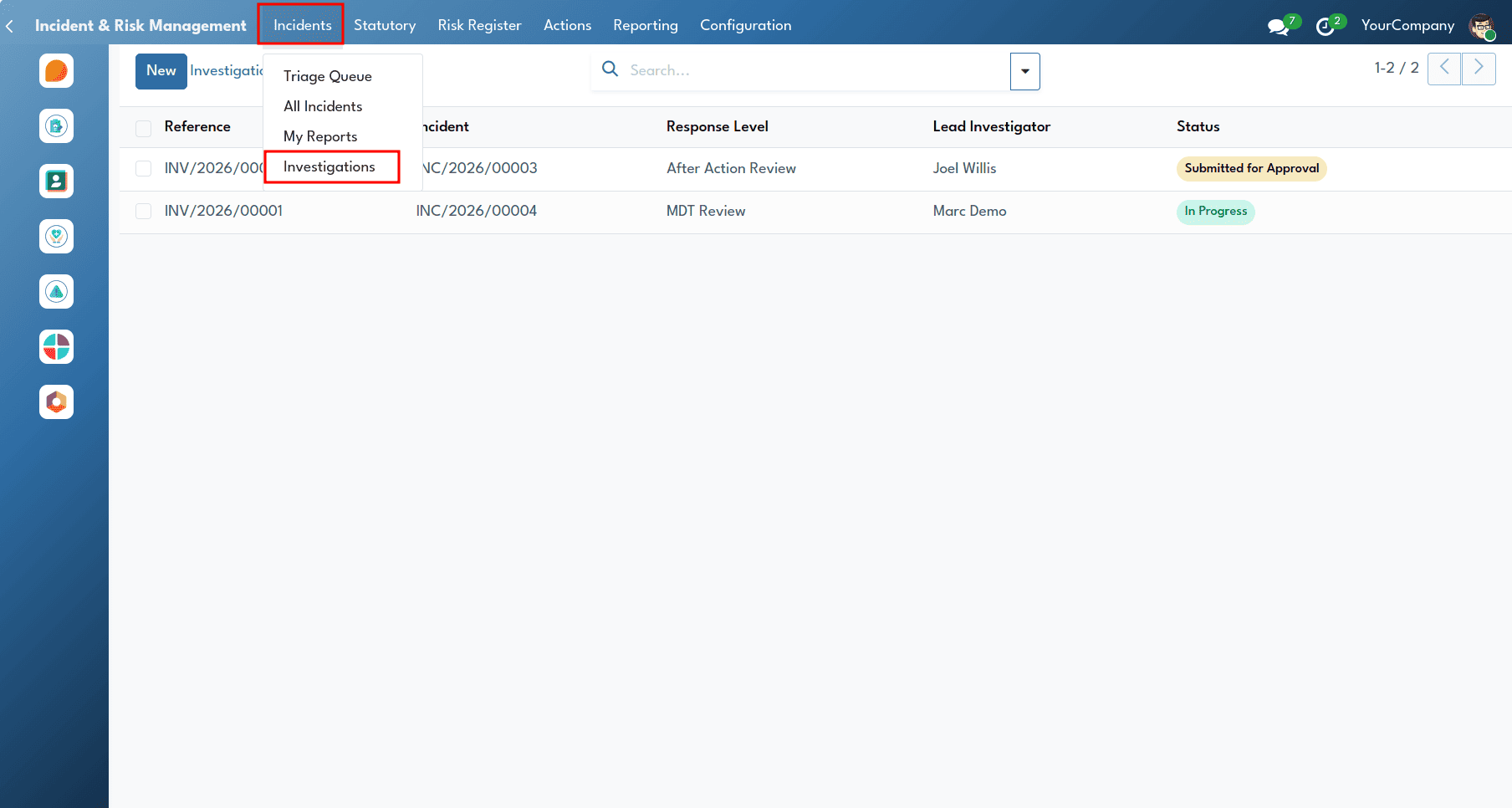
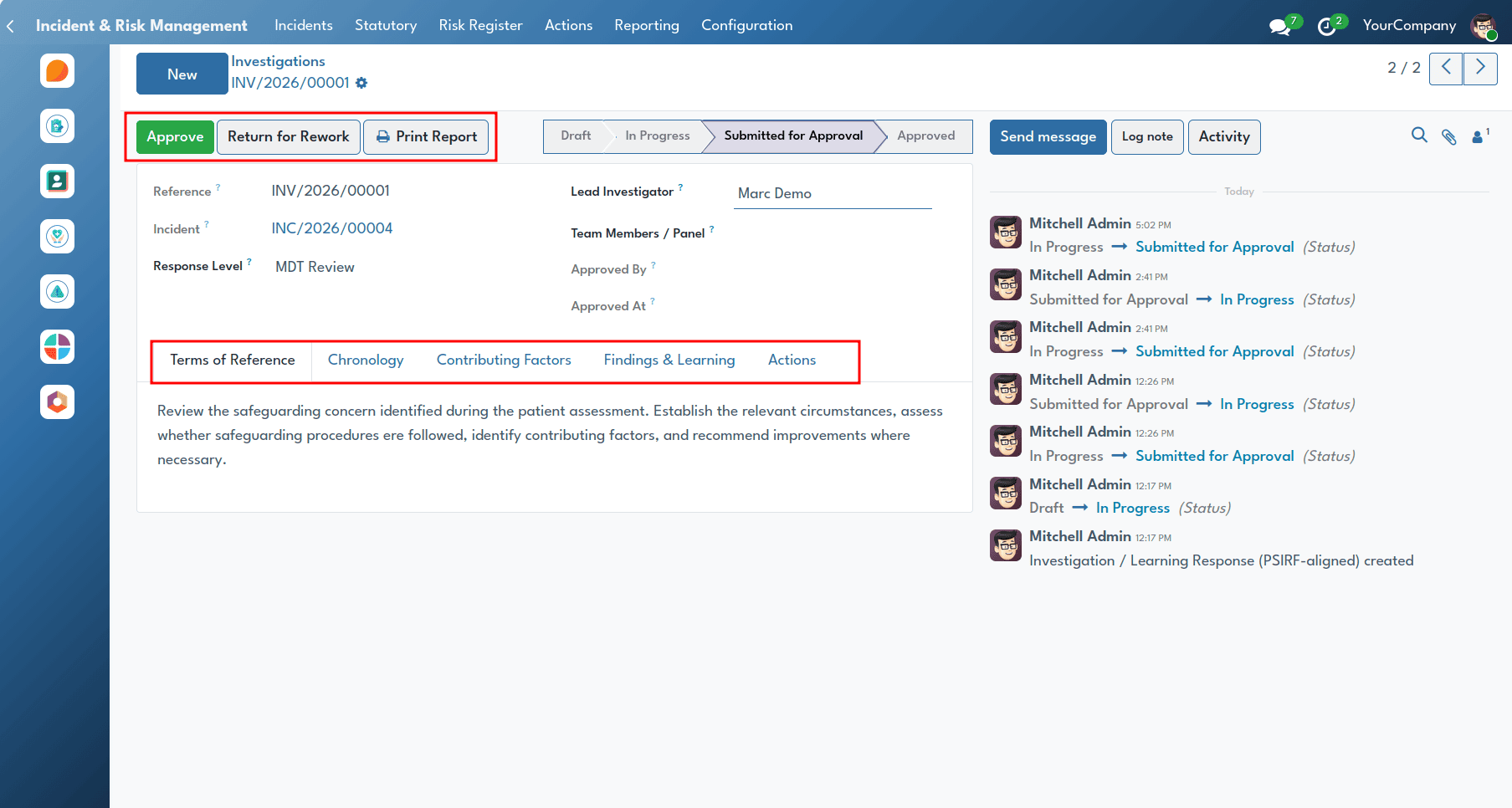
There are 4 levels of PSIRF Response, which are SWARM Huddles, After Action Review (AAR), MDT Reviews, and Patient Safety Incident Investigation (PSII). Each investigation moves through four stages: Draft, In Progress, Submitted for Approval and Approved. Users can start an investigation, submit it, approve it, send it back for rework or print a report.
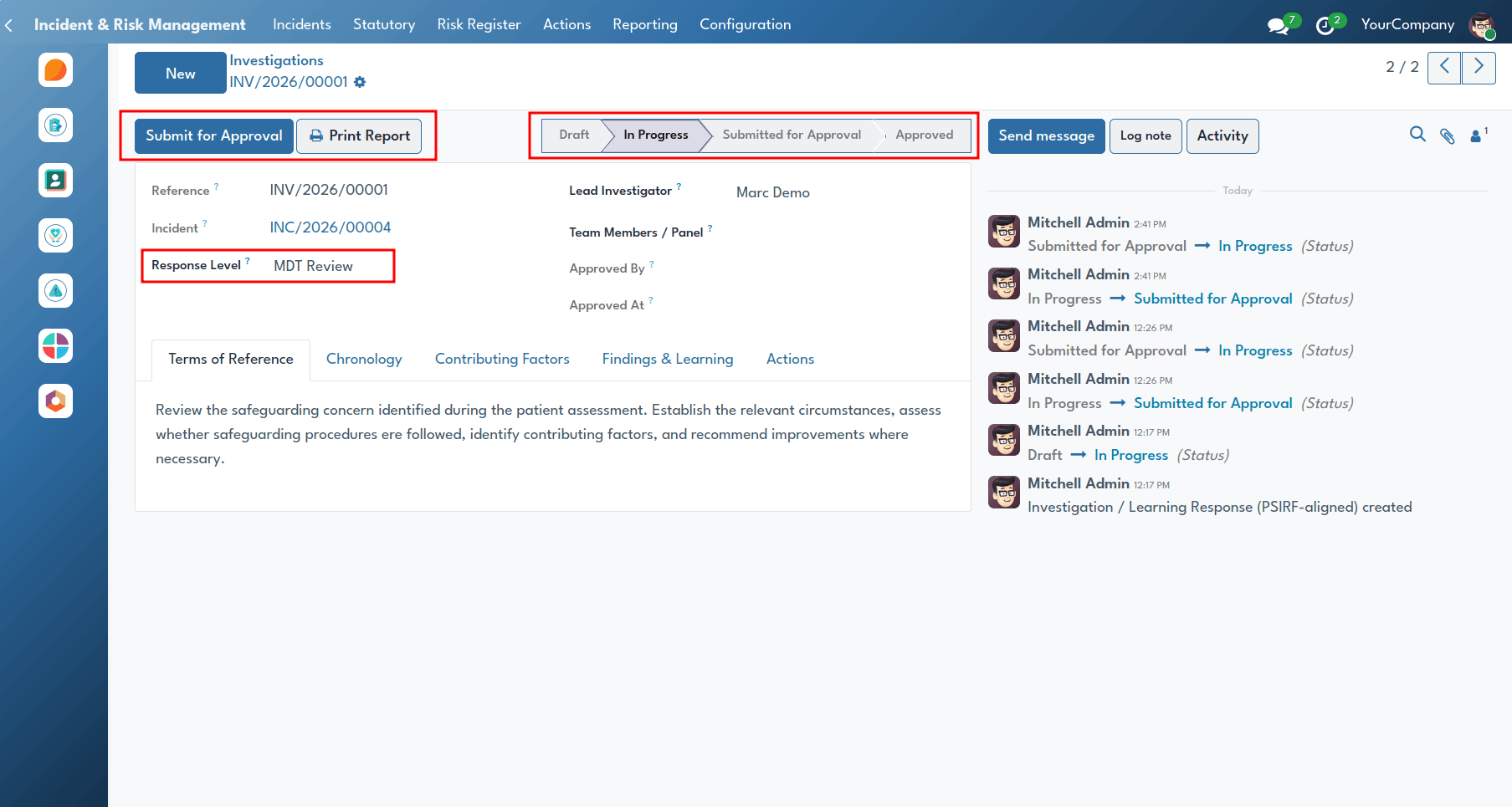
The investigation form records what happened, what contributed to it and the key findings.
Duty of Candour Compliance (CQC Regulation 20)
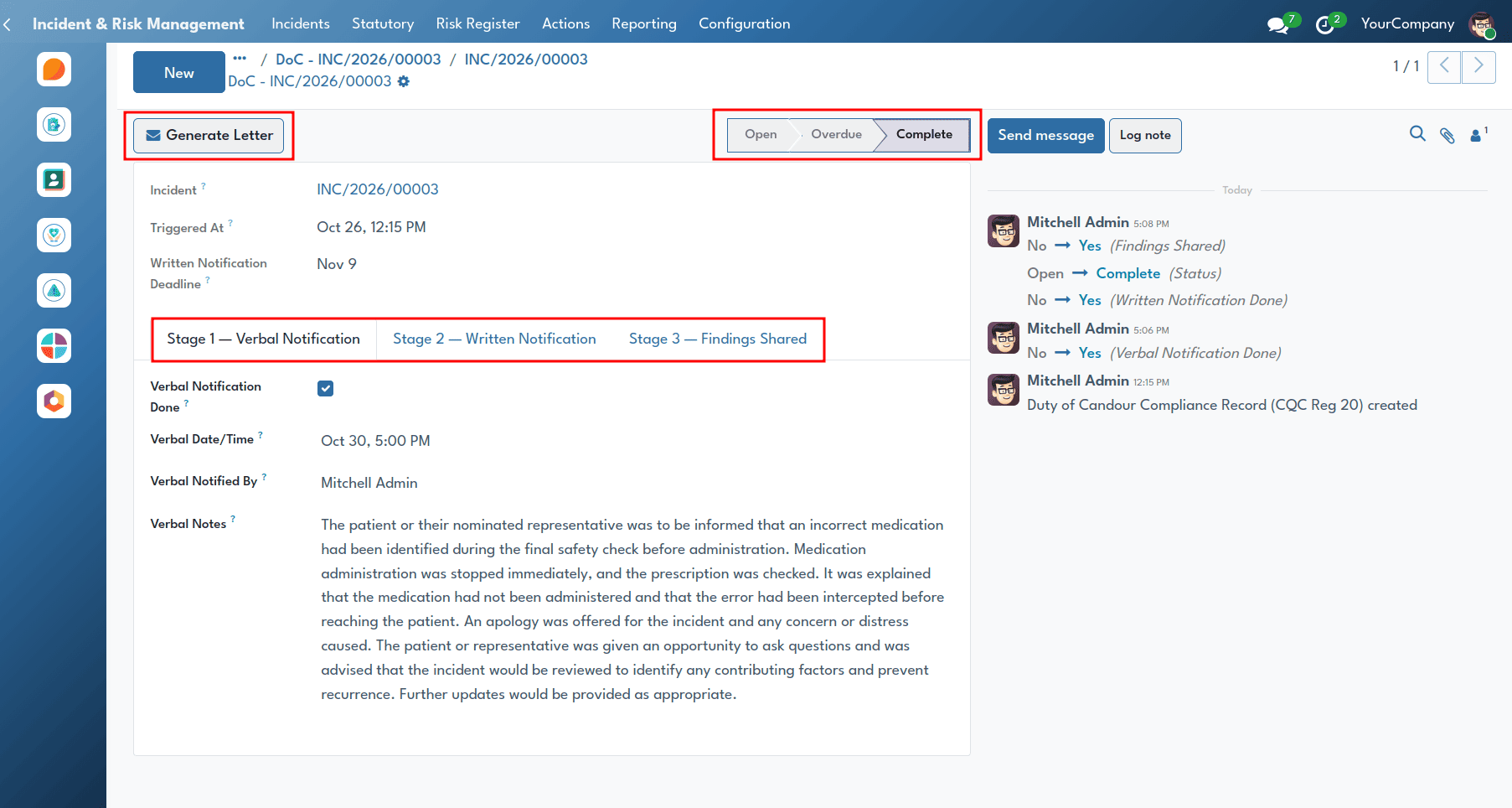
The Duty of Candour feature helps providers to meet CQC regulation and their statutory duties of openness and honesty with patients and families in relation to notifiable safety incidents.
The governance team can monitor all the records of duty of Candour by the following path: Incident and risk management menu > Statutory > Duty of Candour.
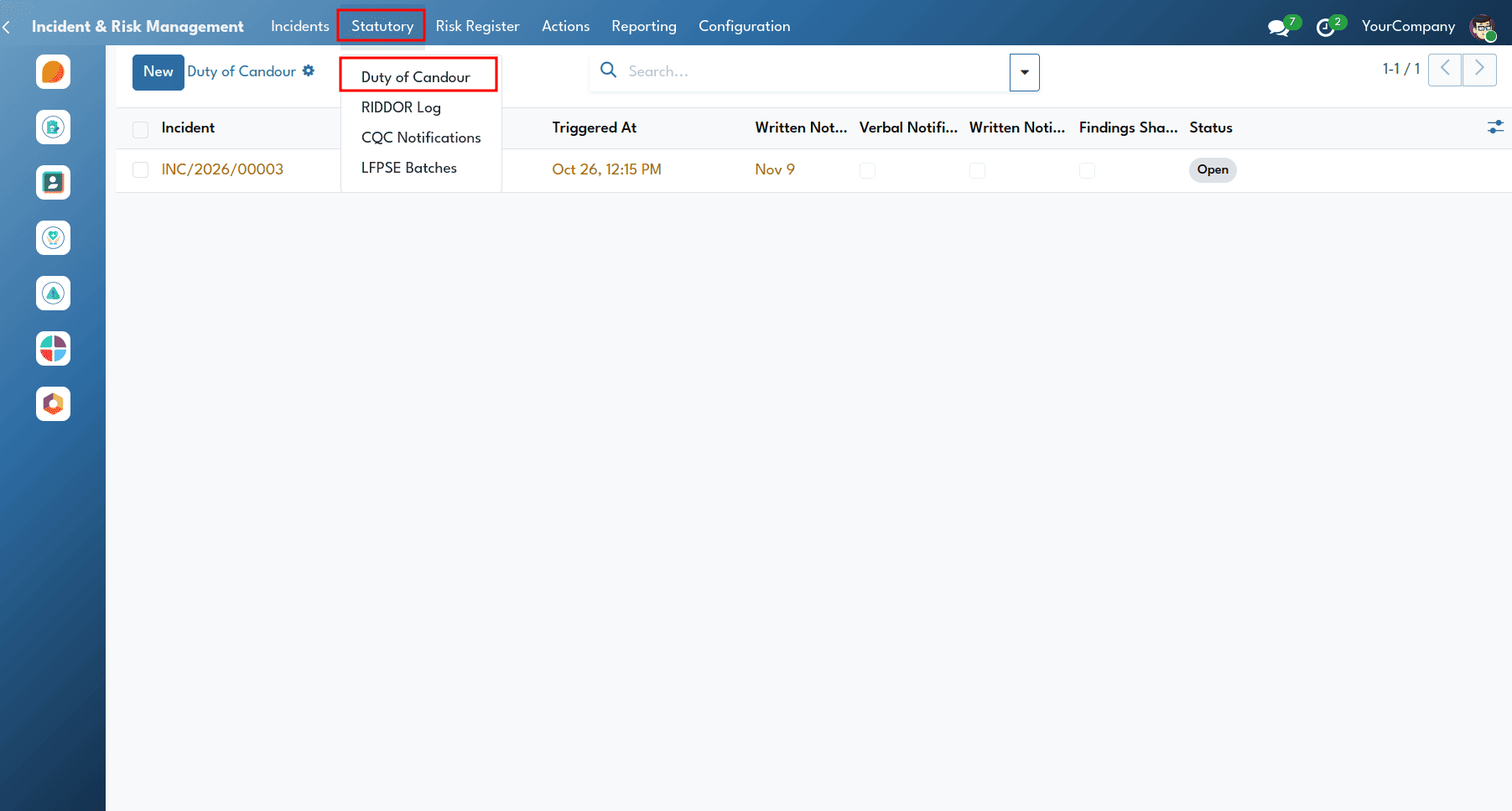
When the incident is categorized as moderate harm, severe harm or death, the system automatically provides the Duty of Candour record, which would track the facts of notifications, both oral and written, including the name of the employee who is responsible for the notifications, dates of notifications, and signed letters of apology. Automatic reminders and deadline alerts help NHS staff stay on track and meet legal requirements.
RIDDOR Determination & HSE Reporting
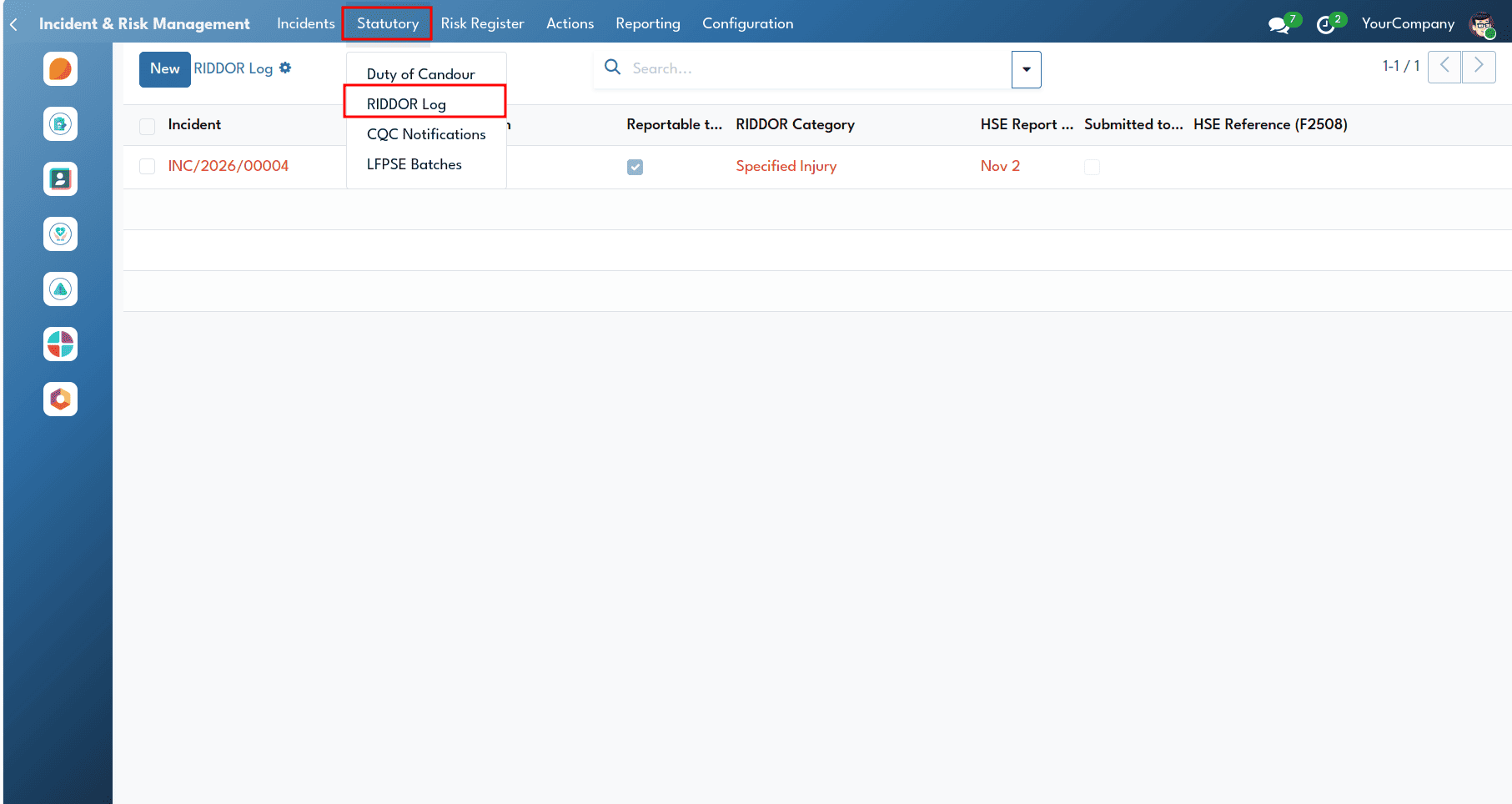
The RIDDOR feature makes sure that organisations follow health and safety laws and meet the reporting requirements under RIDDOR 2013.
Users access the RIDDOR log by navigating from the Incident & Risk Management menu > Statutory > RIDDOR Log.
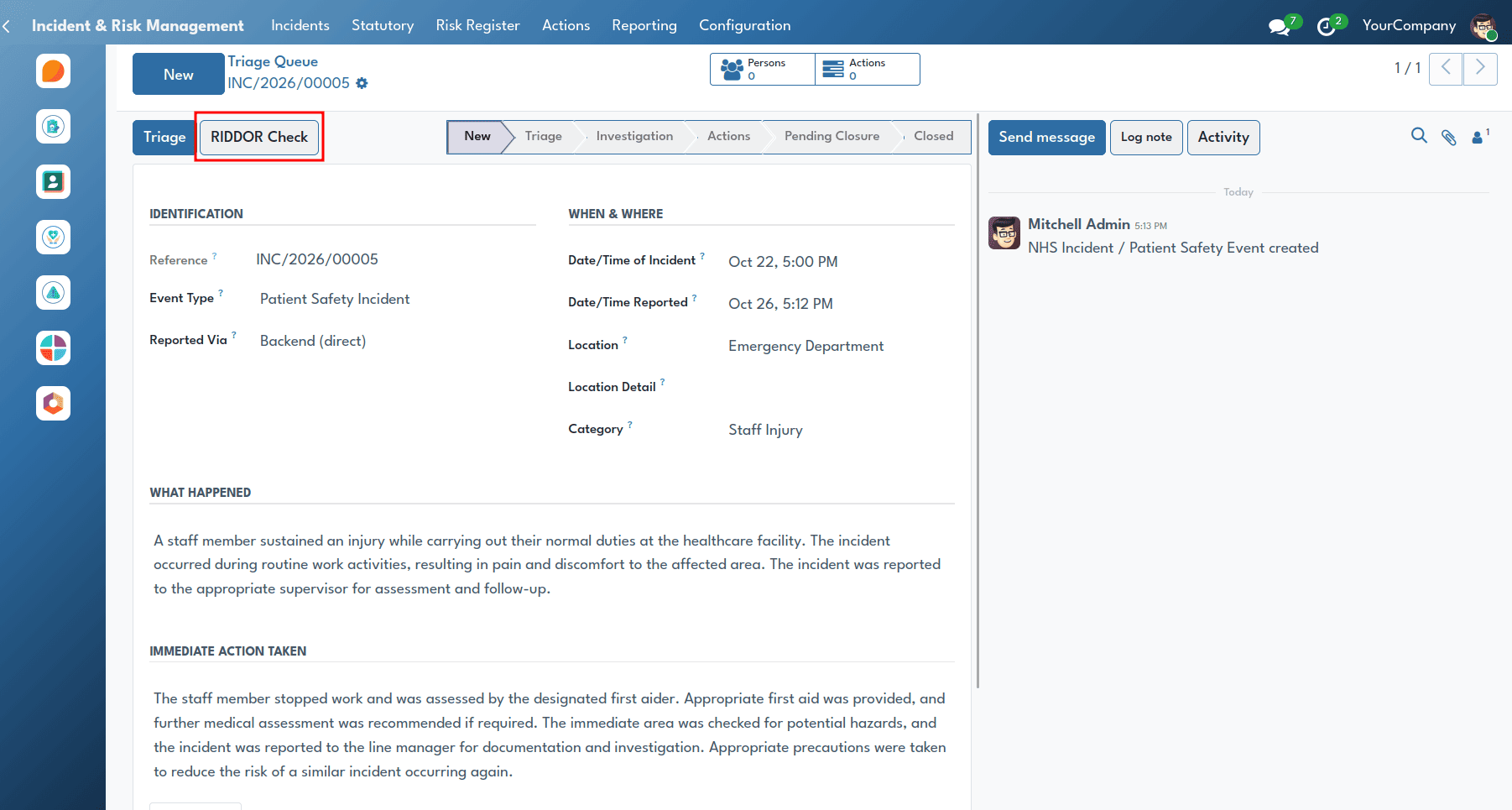
The handlers can record a RIDDOR assessment directly from any incident record by clicking the RIDDOR Check button in the incident form header.
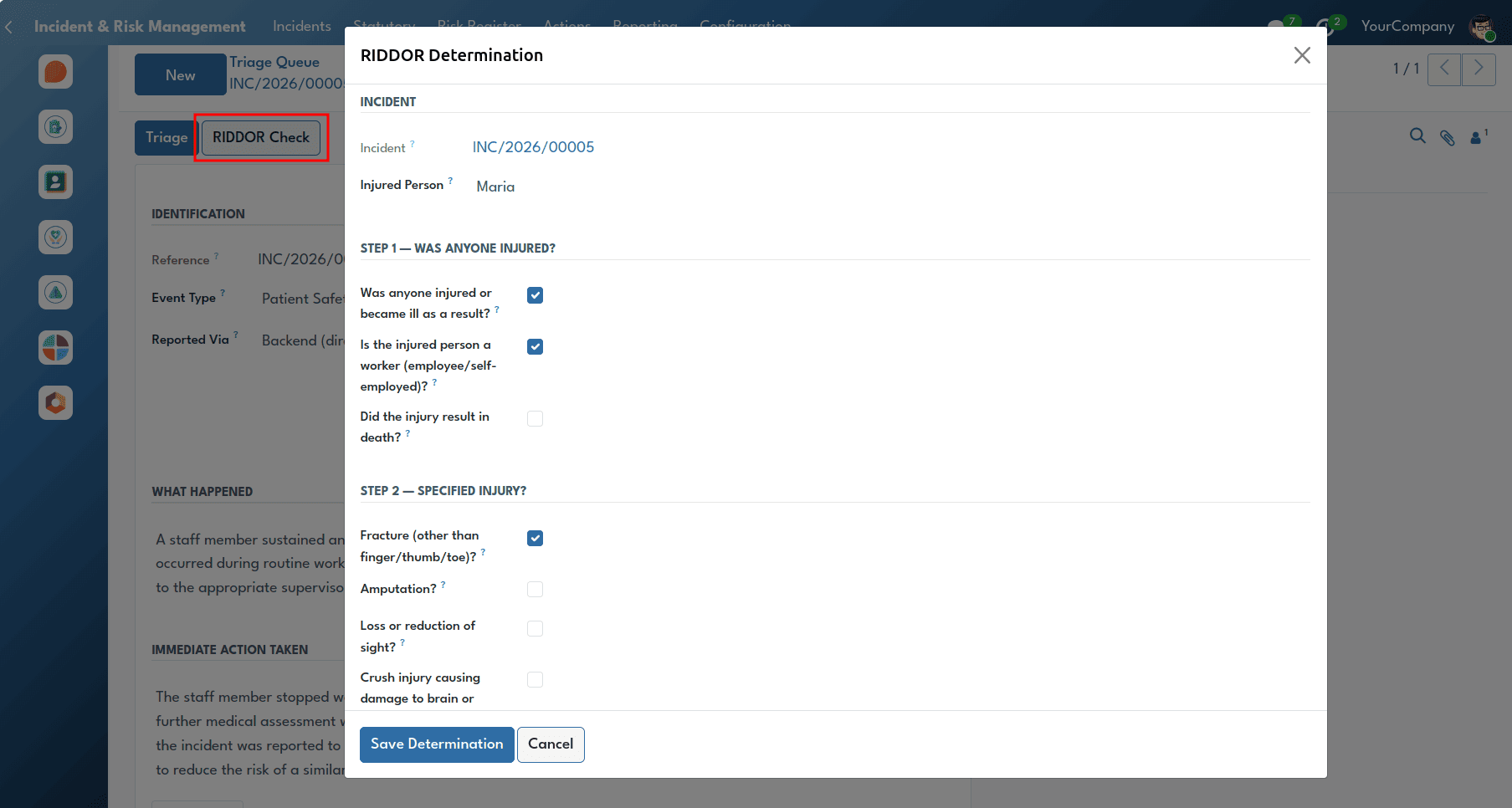
Using RIDDOR Determination Wizard, users can go through the structured questions for the determination of whether the incident needs to be reported under legal guidelines, as well as the category under which it would need to be reported. The HSE submission date is automatically calculated, and responses are recorded for auditing purposes.
CQC Statutory Notifications
It is an important matter to report a serious reportable event to the Care Quality Commission, based on the legal obligation of the CQC (Registration) Regulations 2009. The system identifies the cases required to be reported, including death and serious injury of service users (Regulation 16), an important disruption of service (Regulation 17), and incidents of abuse, etc. (Regulation 18).
Compliance teams access this register by navigating from the Incident & Risk Management menu > Statutory > CQC Notifications.
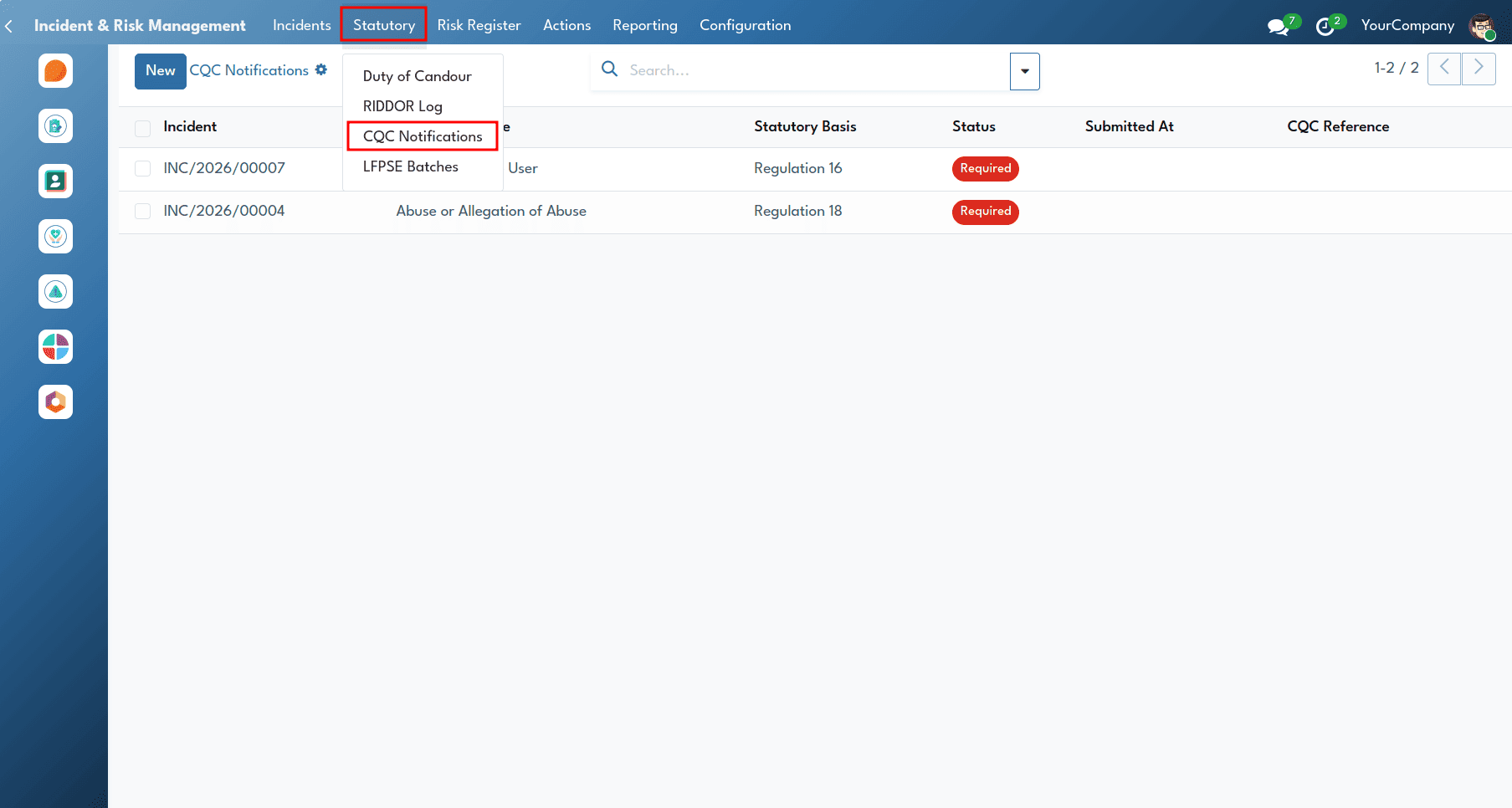
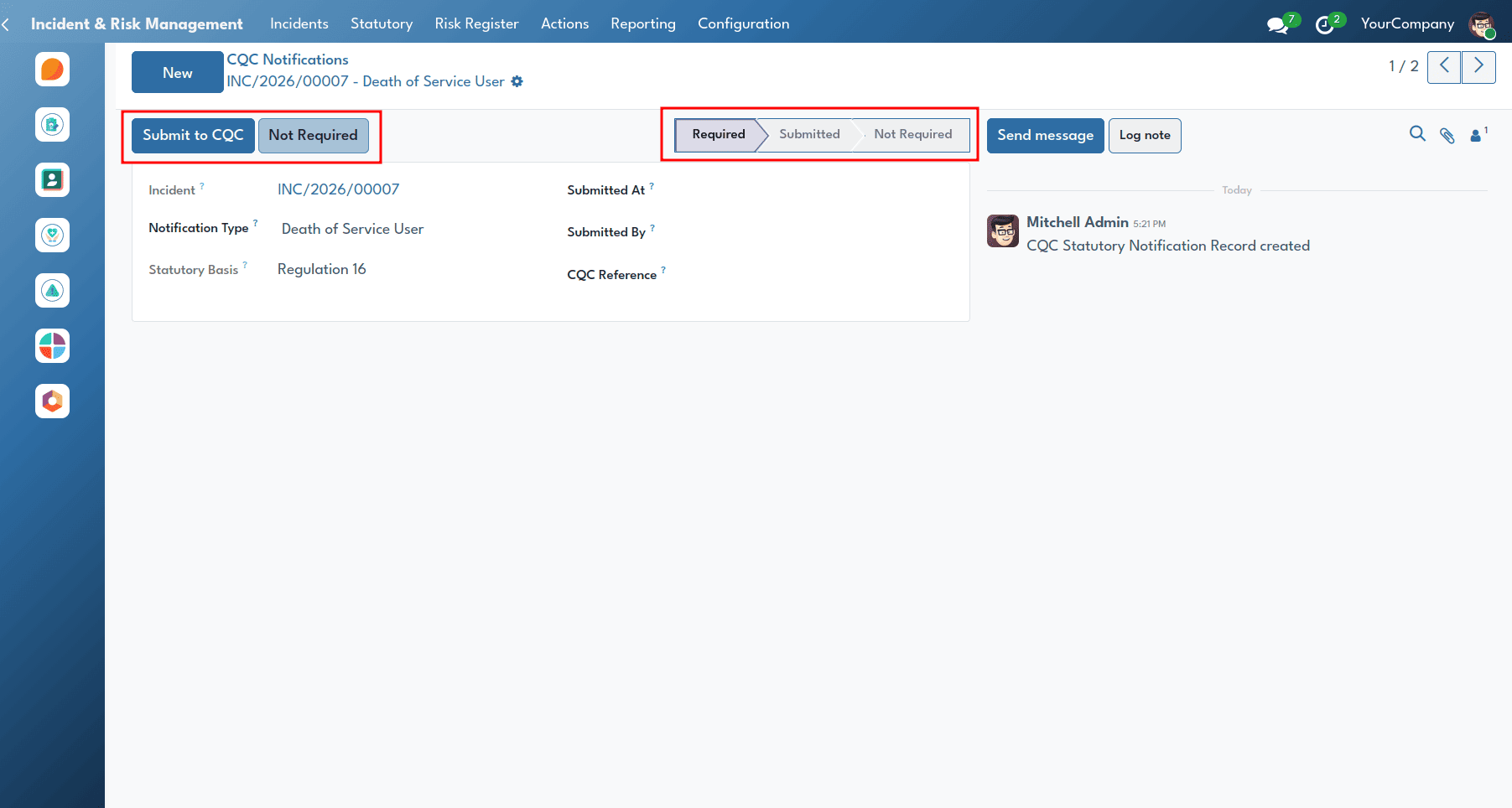
The CQC notification engine identifies incidents needing regulatory reporting, such as deaths of service users, serious injuries, deprivation of liberty authorisation, and allegations of abuse.
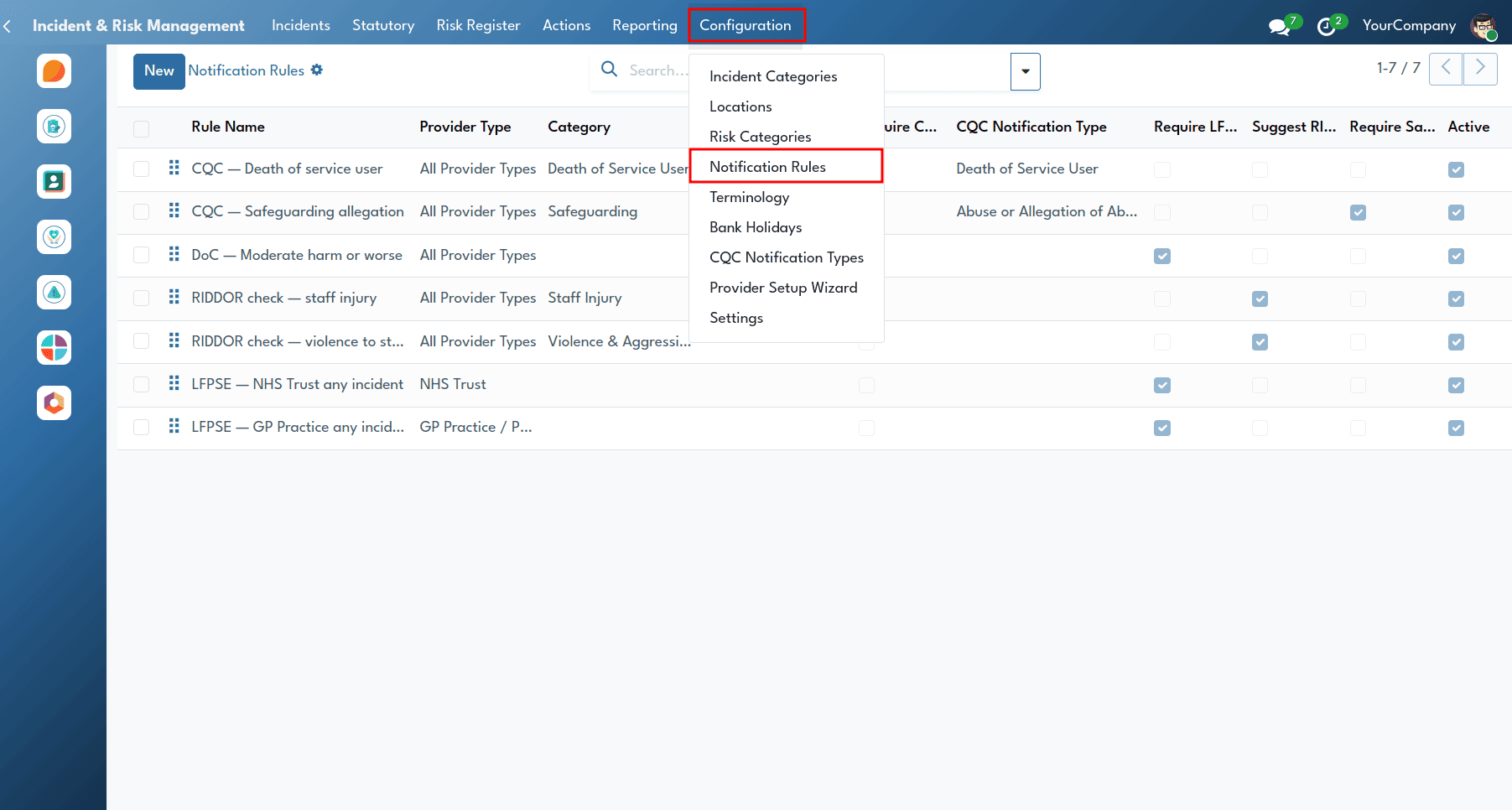
The rules for notifications can be set up within Incident and Risk Management > Configuration > Notification Rules.
LFPSE Integration & National Submissions
The LFPSE feature enables healthcare providers to meet national reporting requirements by linking local incident records with NHS England’s Learn from Patient Safety Events service.
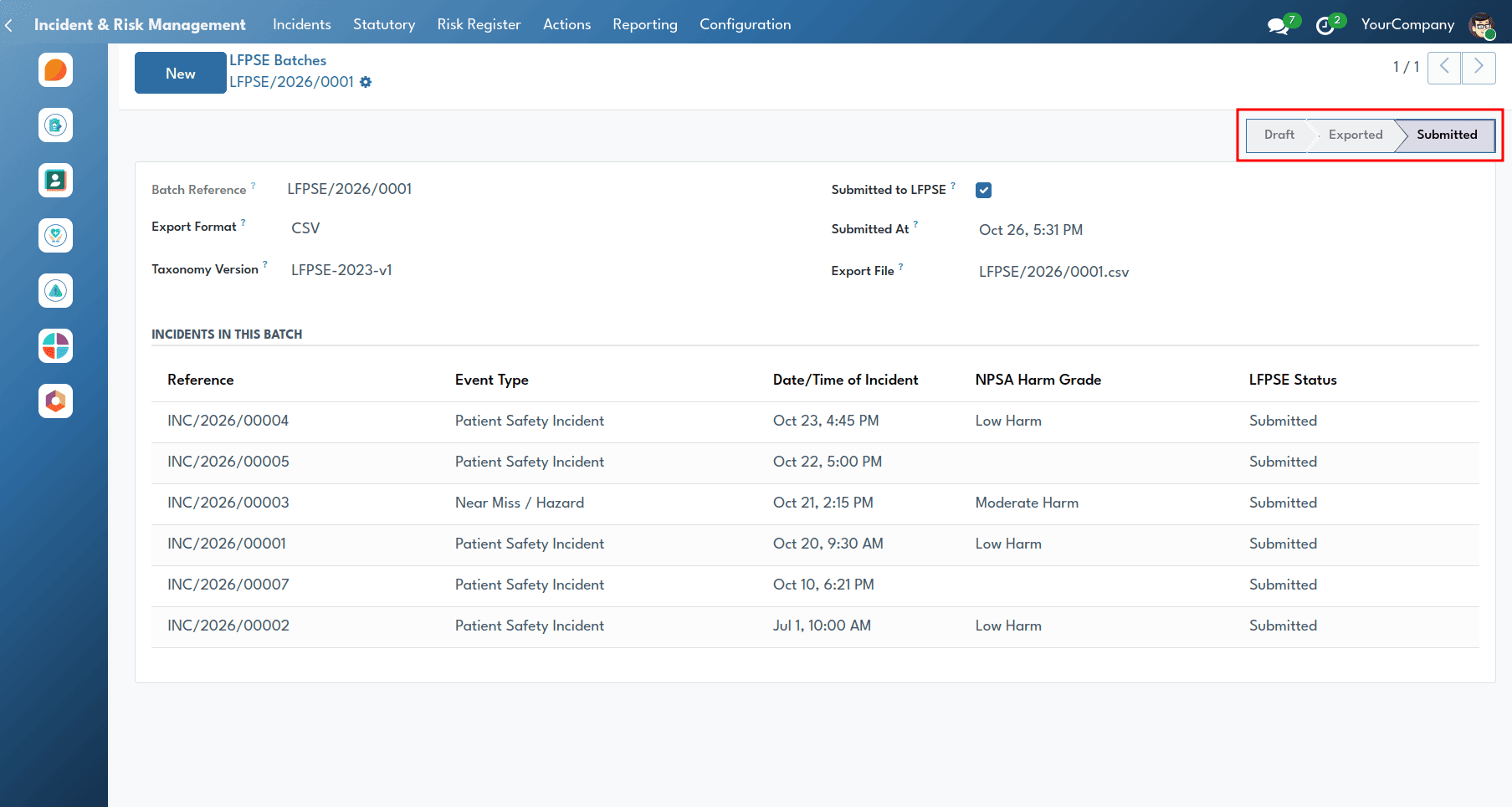
Quality directors manage national data submissions by navigating from the Incident & Risk Management menu > Statutory > LFPSE Batches.
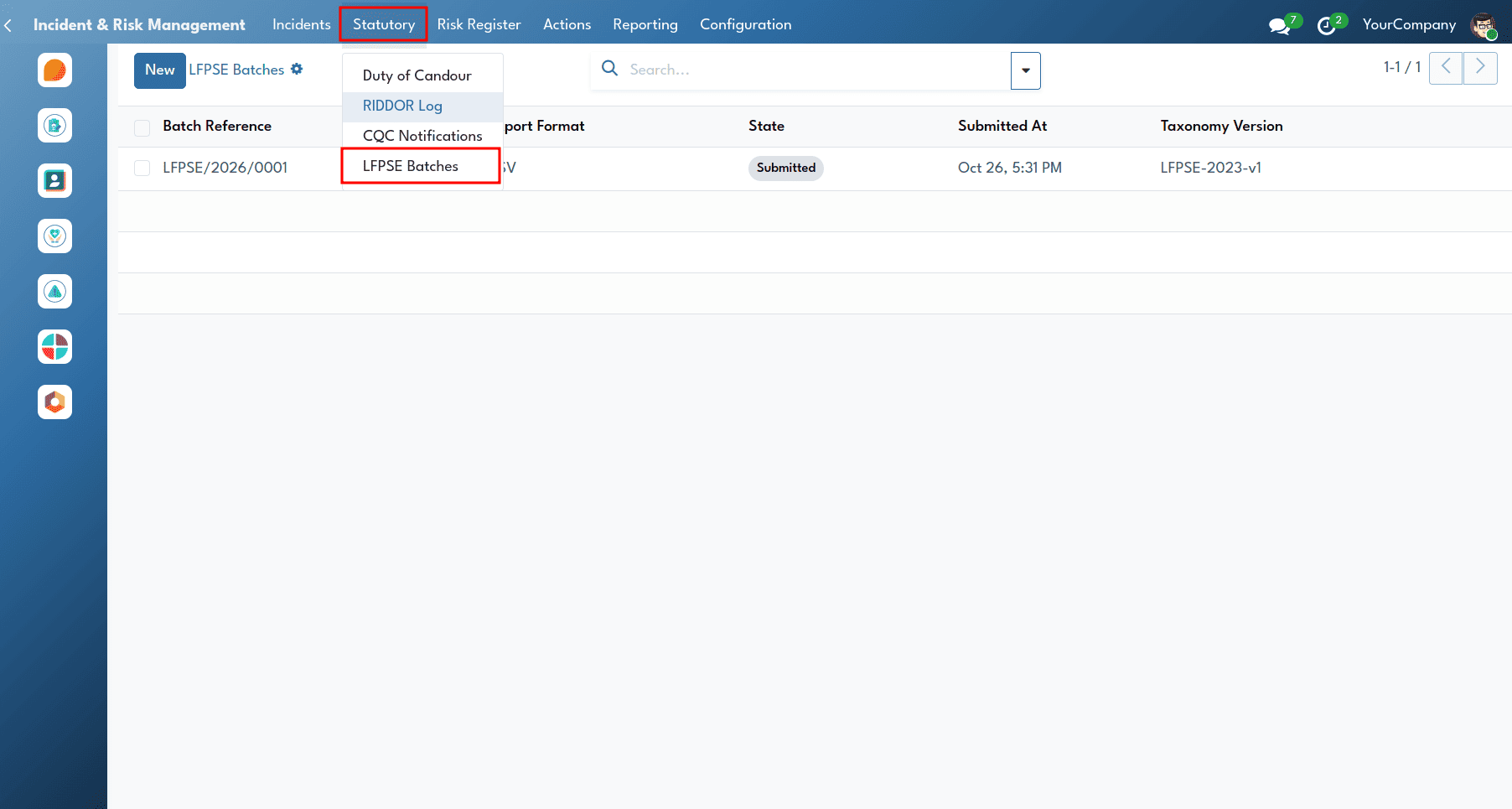
The LFPSE Batches view shows submission batches, export formats (CSV or JSON), taxonomy versions, dates, and the status of submissions to the national portal.
The Risk Register & Tiered Governance
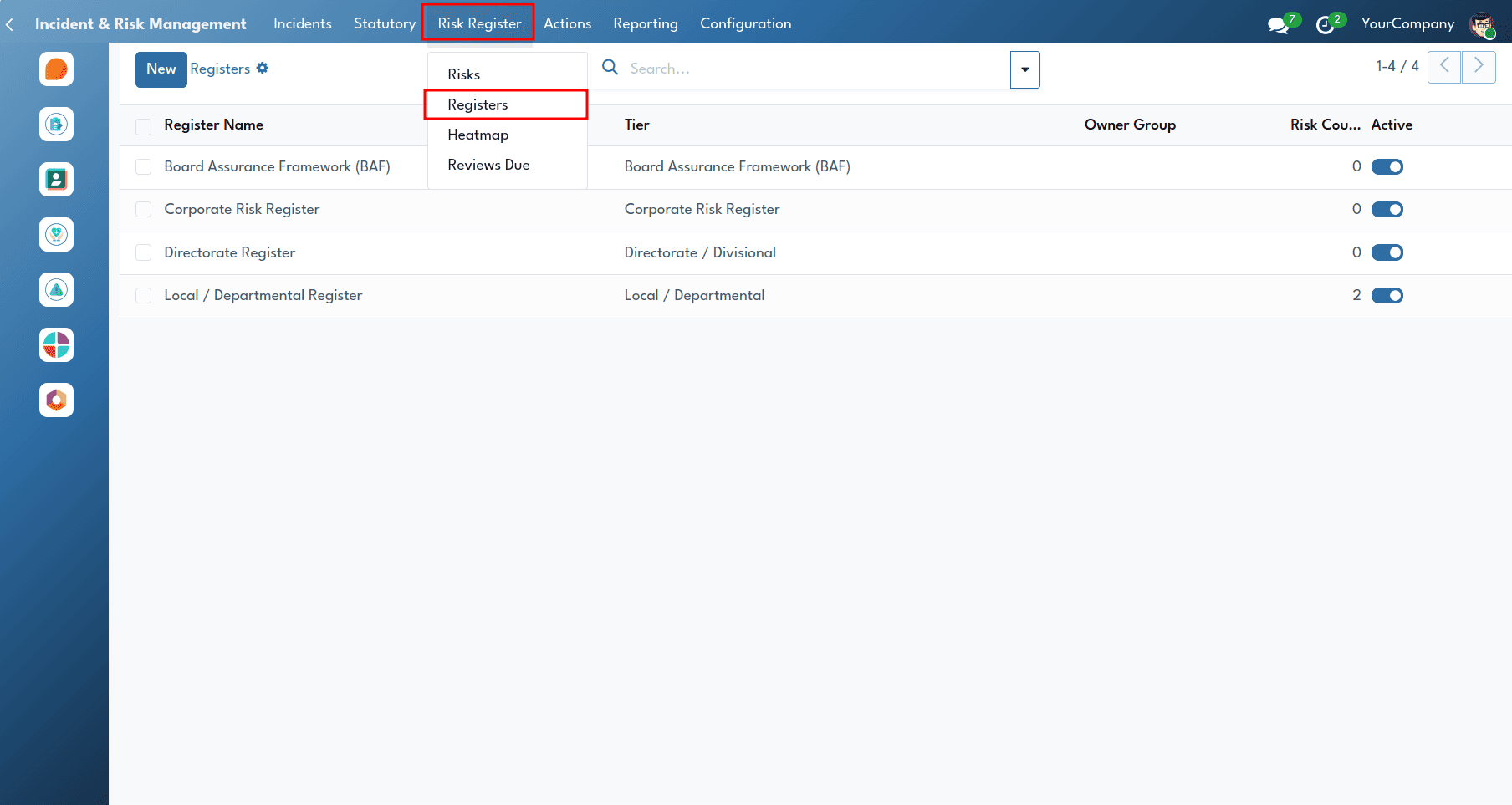
We can identify, assess, and manage operational, clinical, financial, and strategic risks in healthcare organisations using the Risk Register.
Users can access the tiered registers by navigating to Incident & Risk Management > Risk Register > Registers.
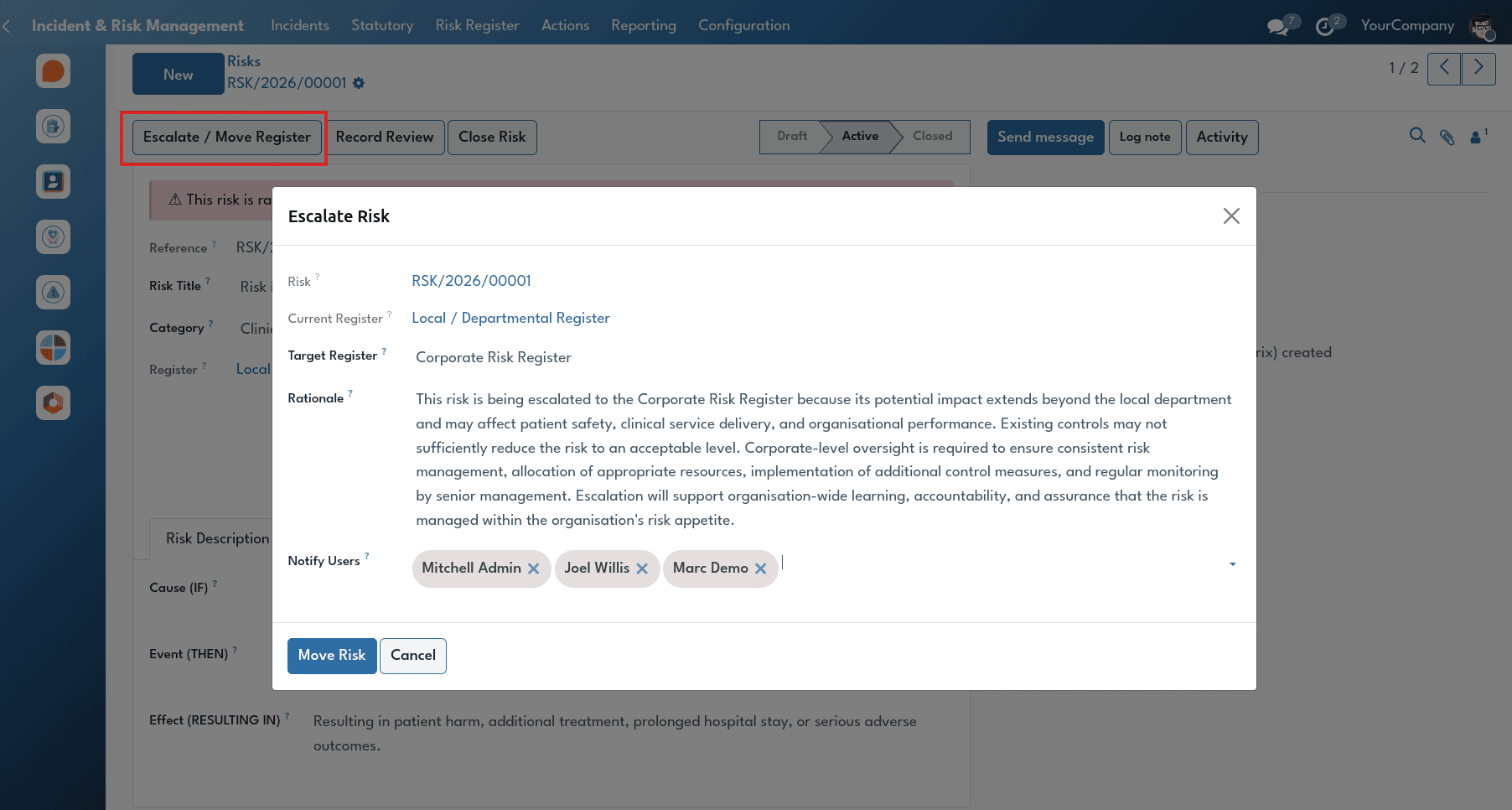
The Escalate / Move Register function allows the risk manager to escalate or demote the risk based on its level of seriousness.
Risk Assessment & 5×5 Matrix Scoring
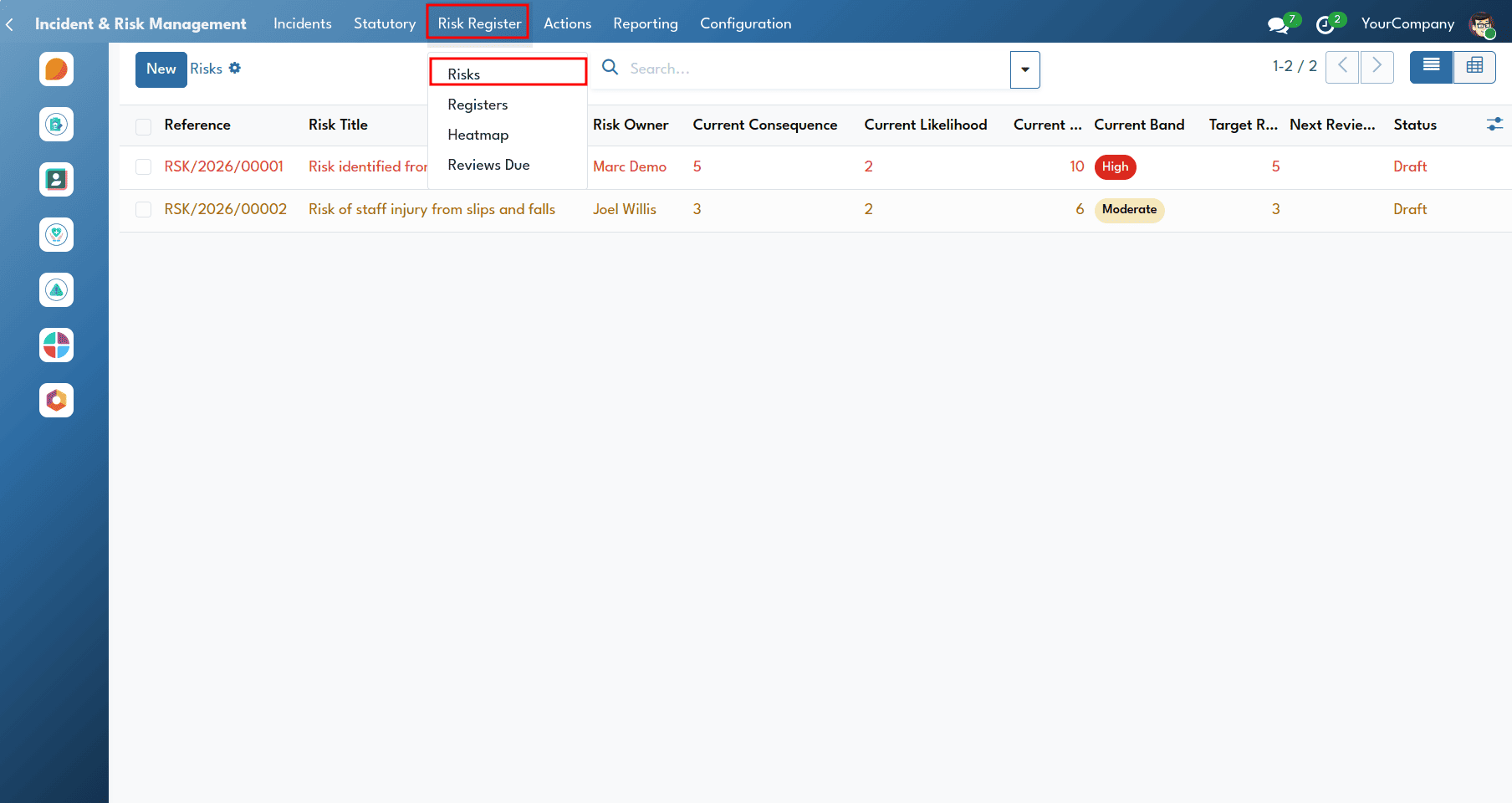
The Risk Assessment uses the standard NHS National Patient Safety Agency (NPSA) risk assessment methodology and a classical 5×5 consequence and likelihood scoring matrix.
Risks are accessed and evaluated by navigating from the Incident & Risk Management menu > Risk Register > Risks.
The Risk form uses a structured approach to describe each risk by identifying its Cause (underlying hazard), Event (what could happen), and Effect (potential clinical, financial, or reputational impact).
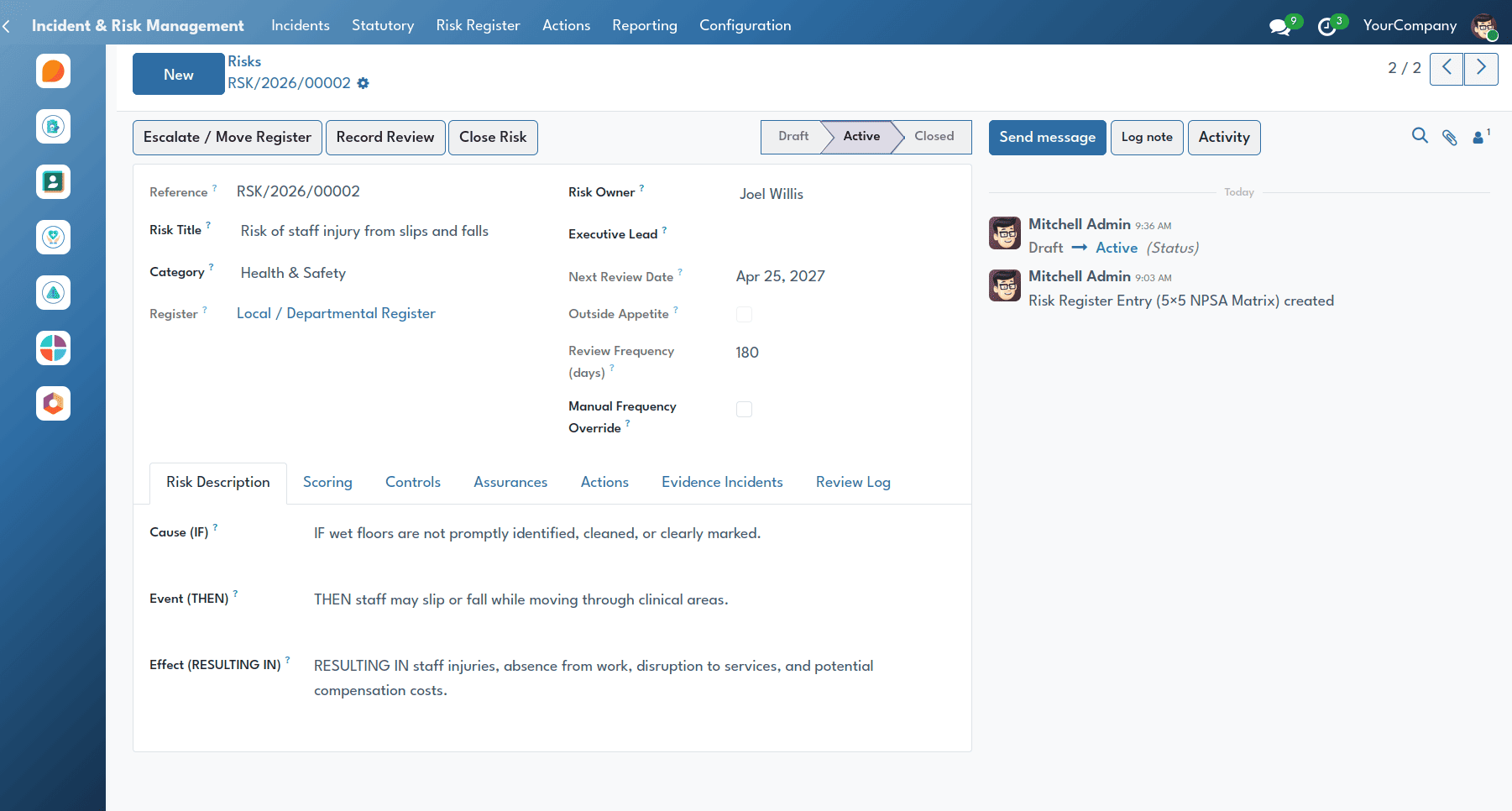
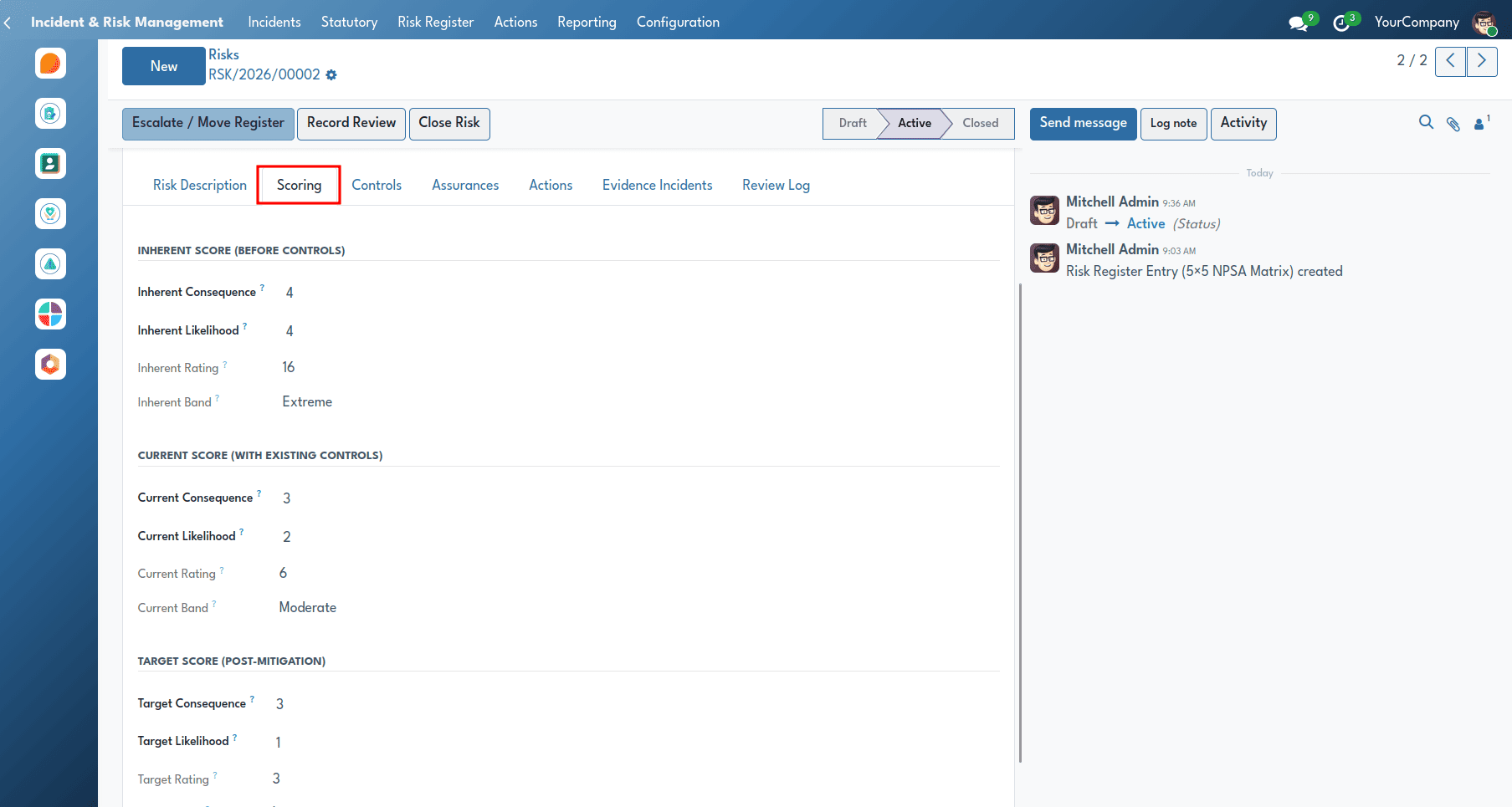
The Scoring notebook evaluates risk at three stages:
- Inherent Score: Risk level without controls.
- Current Score: Risk level with existing controls.
- Target Score: Expected risk level after planned actions are implemented.
Each score is calculated as Consequence (1–5) × Likelihood (1–5), producing a rating from 1 to 25.
Risk Mitigation, Controls, & Assurance
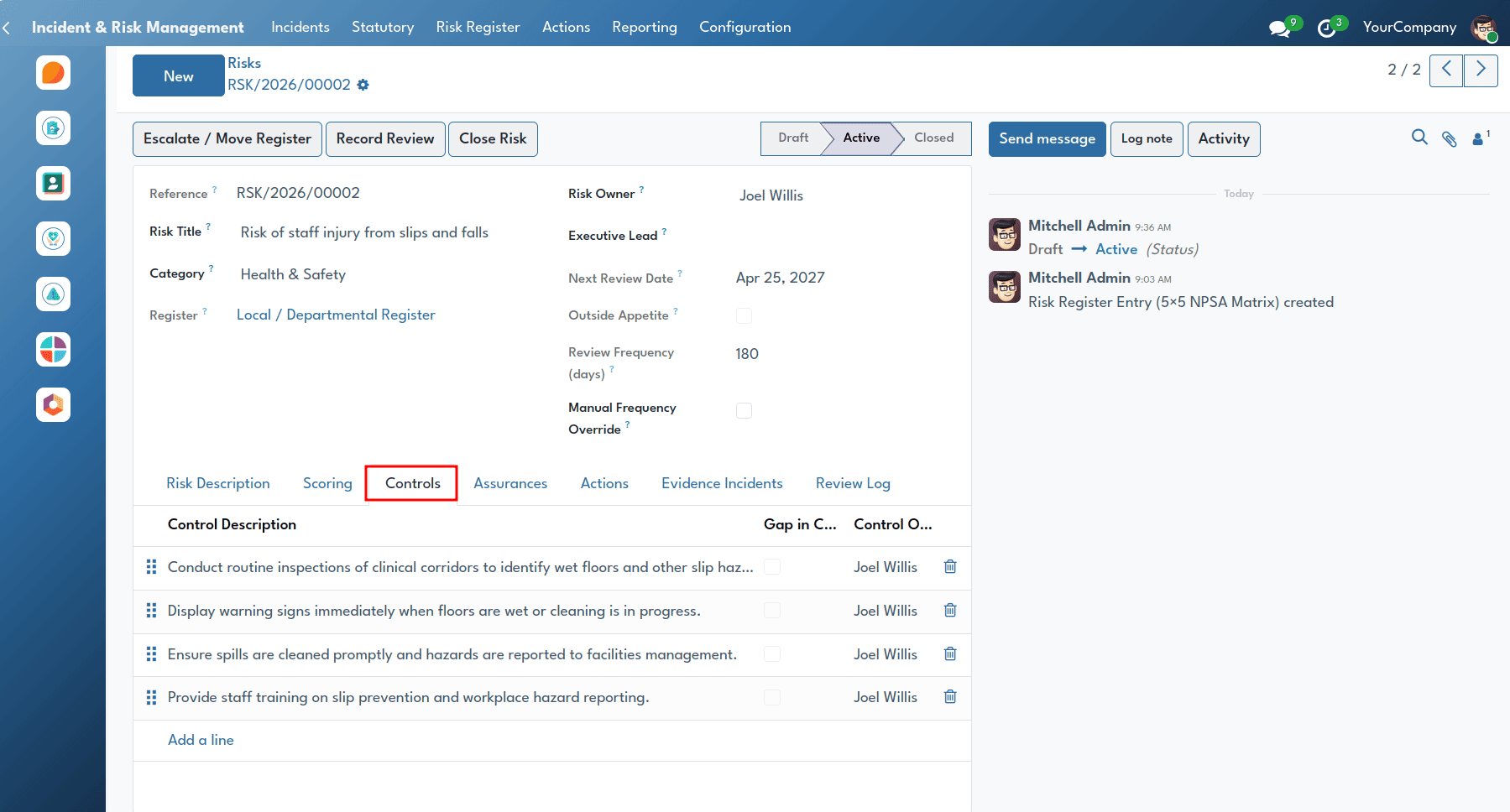
The Risk Mitigation feature shows how healthcare organisations actively manage hazards and evidence control effectiveness using the Three Lines of Defence governance.
Controls and assurances are accessed within individual risk records under the Controls and Assurances tabs at Incident & Risk Management > Risk Register > Risks.
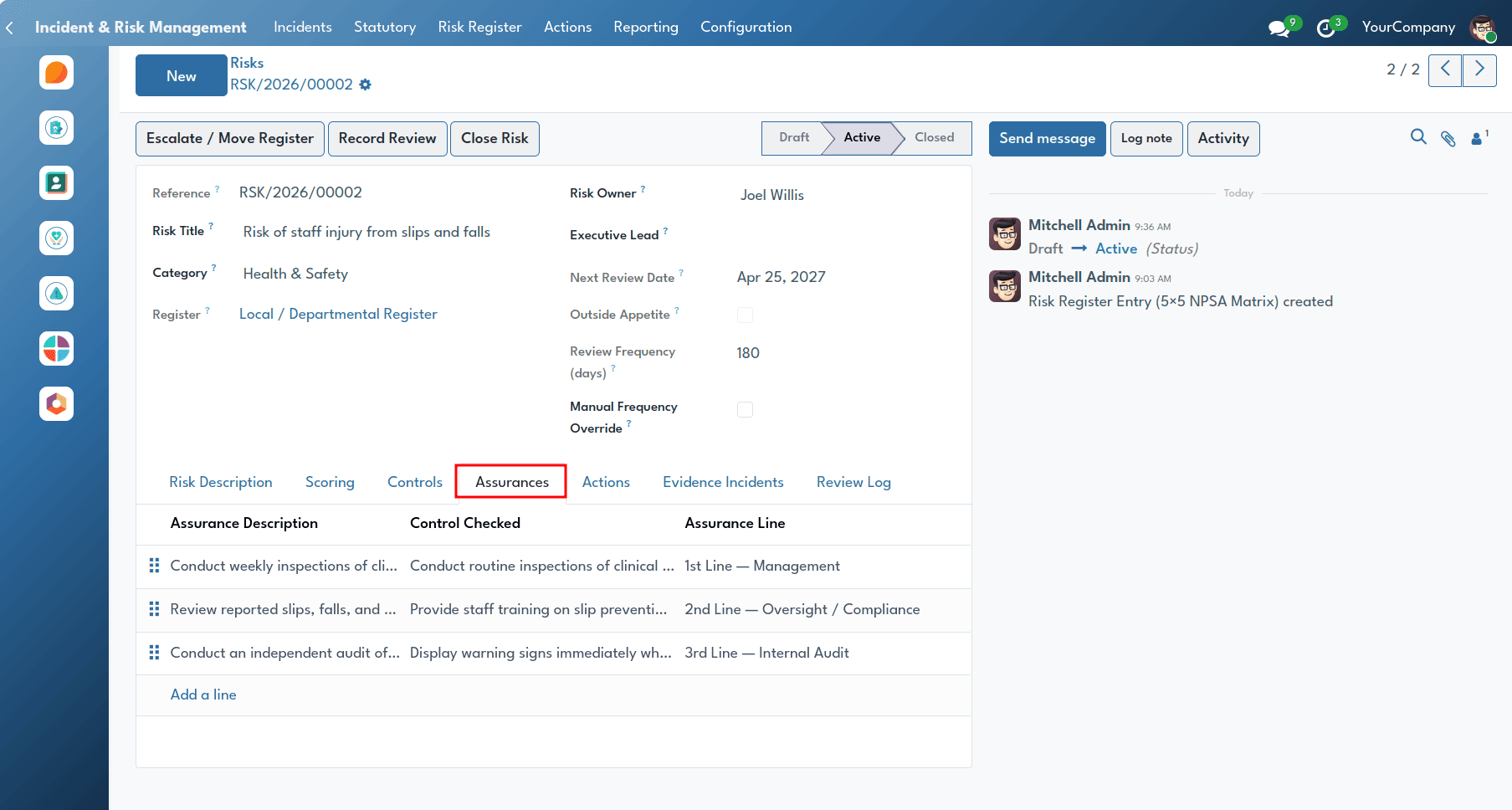
Three Lines of Defence Assurances provide evidence that risk controls are effective:
- 1st Line: Operational checks, clinical audits, and supervision.
- 2nd Line: Governance oversight, compliance monitoring, and risk reviews.
- 3rd Line: Independent audits and external inspections.
Corrective & Preventive Actions (CAPA)
The Actions feature helps teams improve clinical quality by turning investigation findings into practical changes and ensuring that actions are completed.
Users can access actions by navigating from the Incident & Risk Management menu > Actions > All Actions or My Actions.
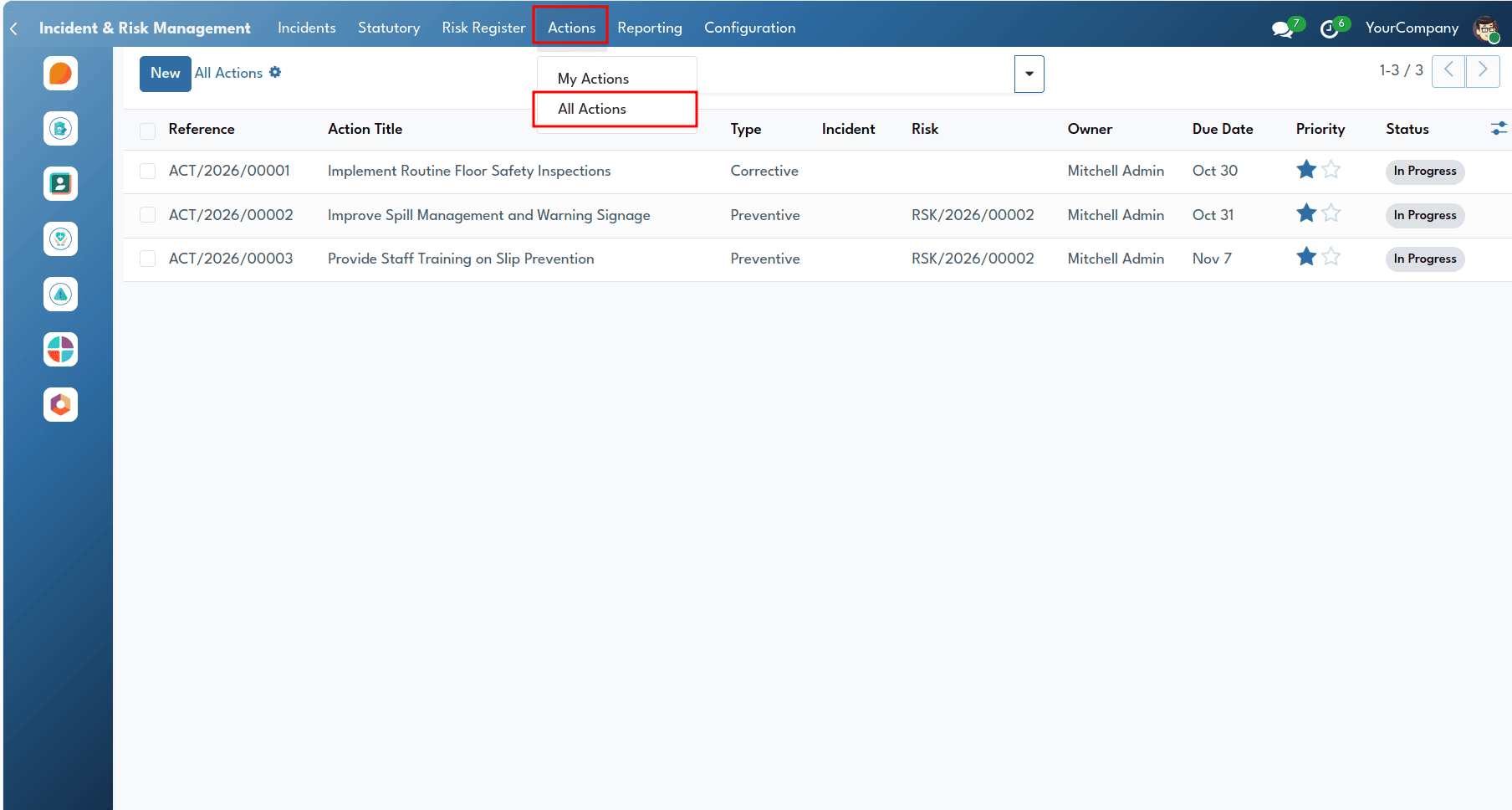
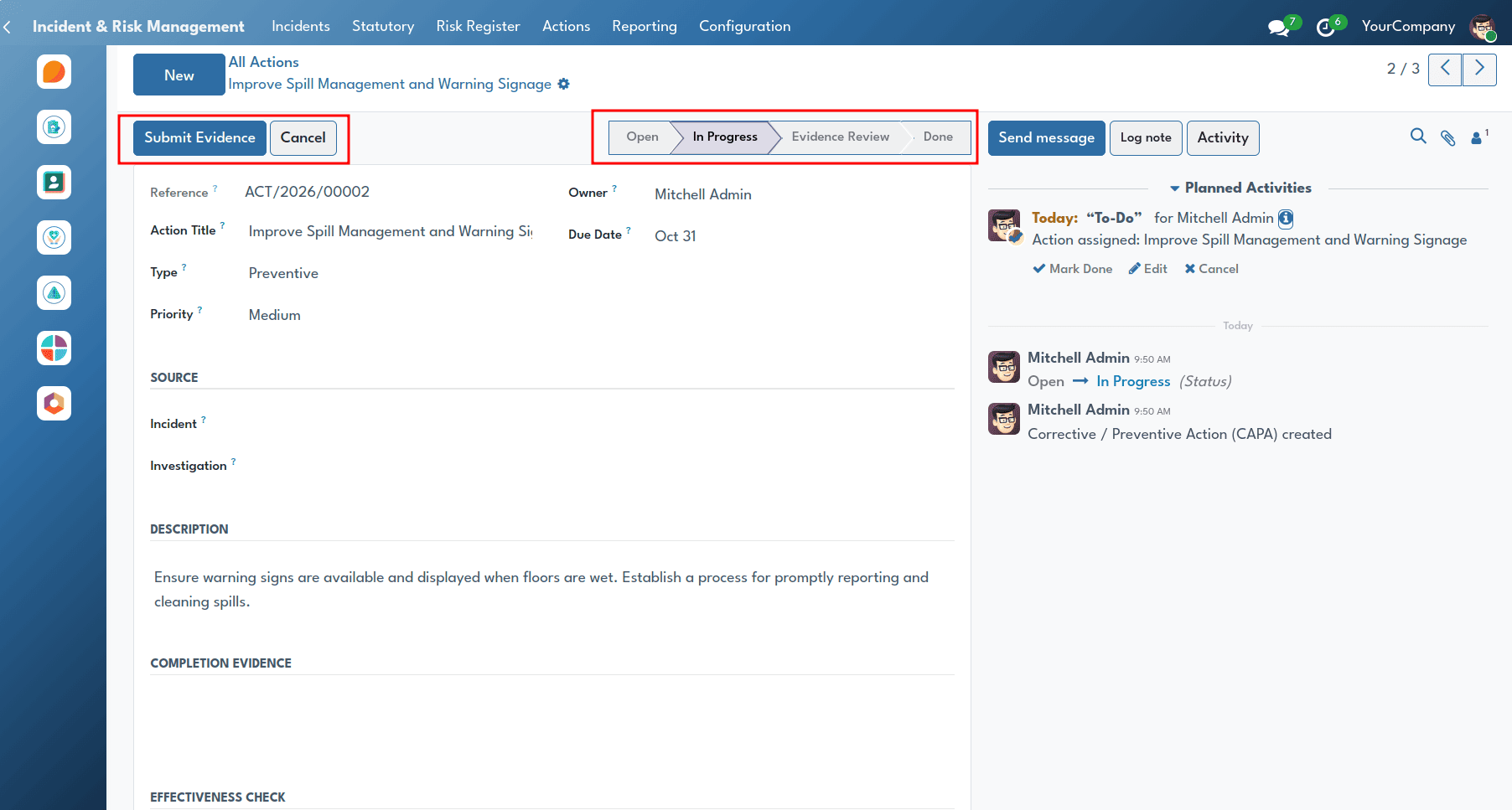
Actions are associated with an incident, investigation or risk with Owners, independent reviewers, objectives, and due dates. Overdue actions are reported by automatic alerts, and all documentation required must be made available before an action is forwarded for verification and closure.
Executive Reporting & Board Pack
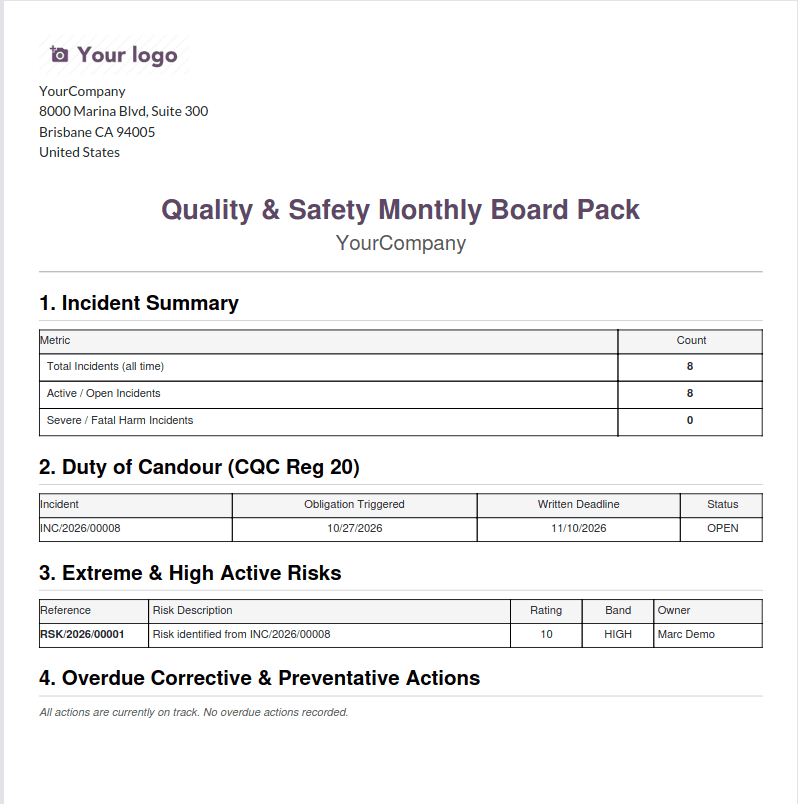
The Board Pack provides a PDF report of all incidents, Duty of Candour deadlines, unfilled RIDDOR reports, major risks and overdue actions.
Users can generate executive summaries by navigating to the Incident & Risk Management menu > Reporting > Board Pack (PDF).
This module delivers an easy, comprehensive, simple approach to managing risk and clinical governance in one place. This module replaces the old software and spreadsheets with one system and allows healthcare managers to see a full overview of the safety incidents that happen anywhere in the organisation – from wards to the Board.
Providing options for PSIRF investigation, automatic Duty of Candour notifications, RIDDOR reporting, LFPSE compliance and Risk Register management, this module enables healthcare organisations to manage their risks and help to improve the safety of their patients.
To read more about How to Manage Your NHS Back-Office Operations with Odoo, refer to our blog, How to Manage Your NHS Back-Office Operations with Odoo.