The Landed Cost concept in supply chain management refers to the total cost of goods received at a warehouse and includes such expenses as the purchase cost from the manufacturer, freight cost, customs cost, insurance, and port charges.
The Odoo inventory module (stock_landed_costs) offers five default allocation methods:
- Equal (Split evenly across lines)
- By Quantity (Proportional to unit counts)
- By Current Cost (Proportional to initial stock value)
- By Weight (Proportional to gross weight)
- By Volume (Proportional to total cubic meters)
However, international freight forwarders often bill logistics using Volumetric Weight (Chargeable Weight = Max(Gross Weight, Volume × Volumetric Factor). In this article, we’ll build a custom landed cost allocation engine in Odoo that calculates and allocates freight fees based on a custom Volumetric Weight algorithm.
Step 1: Extend Selection Methods in Landed Cost Lines
First, add the custom allocation option (by_volumetric_weight) to the split_method selection field on stock.landed.cost.lines.
Create models/stock_landed_cost.py:
# -*- coding: utf-8 -*-
from odoo import api, fields, models, _
from odoo.exceptions import UserError

class StockLandedCostLine(models.Model):
   """Extends stock.landed.cost.lines to add custom split method."""
   _inherit = 'stock.landed.cost.lines'
   split_method = fields.Selection(
       selection_add=[('by_volumetric_weight', 'By Volumetric Weight')],
       ondelete={'by_volumetric_weight': 'cascade'}
   )

class ProductTemplate(models.Model):
   """Extends product.template to add custom split method."""
   _inherit = 'product.template'
   split_method_landed_cost = fields.Selection(
       selection_add=[('by_volumetric_weight', 'By Volumetric Weight')],
       ondelete={'by_volumetric_weight': 'set null'}
   )
Step 2: Implement Custom Allocation Math
When the user clicks Compute on a Landed Cost record, Odoo calls compute_landed_cost(). We override this method to intercept lines configured with split_method = 'by_volumetric_weight'.
class StockLandedCost(models.Model):
   """Extends stock.landed.cost to add custom split method."""
   _inherit = 'stock.landed.cost'
   def compute_landed_cost(self):
       """Override to handle custom Volumetric Weight allocation logic."""
       res = super(StockLandedCost, self).compute_landed_cost()
       VOLUMETRIC_FACTOR = 167.0
       for cost in self:
           # Filter lines using our custom split method
           volumetric_lines = cost.cost_lines.filtered(
               lambda l: l.split_method == 'by_volumetric_weight')
           if not volumetric_lines:
               continue
           for line in volumetric_lines:
               val_lines = cost.valuation_adjustment_lines.filtered(
                   lambda v: v.cost_line_id == line)
               if not val_lines:
                   continue
               total_chargeable_weight = 0.0
               move_weights = {}
               for val_line in val_lines:
                   move = val_line.move_id
                   product = move.product_id
                   qty = val_line.quantity
                   gross_weight = (product.weight or 0.0) * qty
                   volume_weight = (product.volume or 0.0) * VOLUMETRIC_FACTOR * qty
                   chargeable_weight = max(gross_weight, volume_weight)
                   move_weights[val_line.id] = chargeable_weight
                   total_chargeable_weight += chargeable_weight
               if total_chargeable_weight == 0.0:
                   raise UserError(_(
                       "Total chargeable weight for product moves in picking is zero. "
                       "Please configure weight or volume on product templates."
                   ))
               value_split = 0.0
               for val_line in val_lines:
                   chargeable_w = move_weights.get(val_line.id, 0.0)
                   proportion = chargeable_w / total_chargeable_weight
                   additional_landed_cost = line.price_unit * proportion
                   if cost.currency_id.rounding:
                       additional_landed_cost = cost.currency_id.round(additional_landed_cost)
                   value_split += additional_landed_cost
                   val_line.write({
                       'additional_landed_cost': additional_landed_cost,
                   })
               rounding_diff = cost.currency_id.round(line.price_unit - value_split)
               if not cost.currency_id.is_zero(rounding_diff):
                   last_val_line = val_lines[-1]
                   last_val_line.write({
                       'additional_landed_cost': last_val_line.additional_landed_cost + rounding_diff,
                   })
       return res
Manifest Registration (__manifest__.py)
# -*- coding: utf-8 -*-
{
   'name': 'Custom Landed Cost Allocation Engine',
   'version': '19.0.1.0.0',
   'category': 'Inventory/Accounting',
   'summary': 'Allocates landed costs based on Volumetric Weight ratios',
   'depends': ['stock_landed_costs', 'account'],
   'data': [],
   'installable': True,
   'license': 'LGPL-3',
}
Now, go to the Inventory Module.
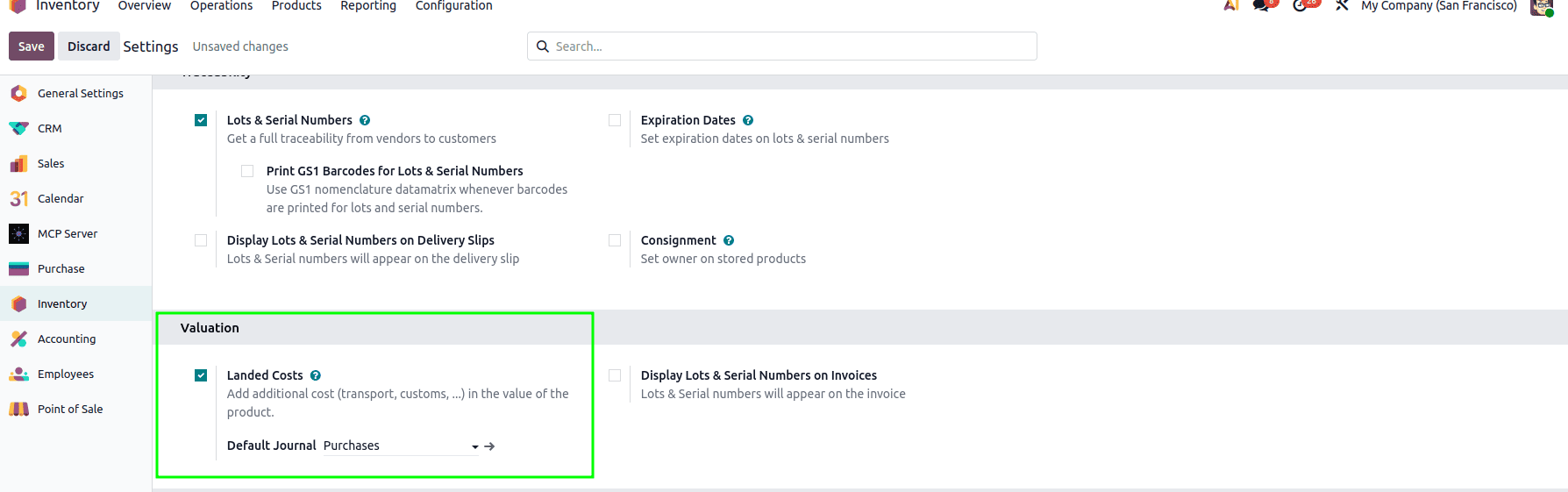
In the configuration settings, enable Landed costs
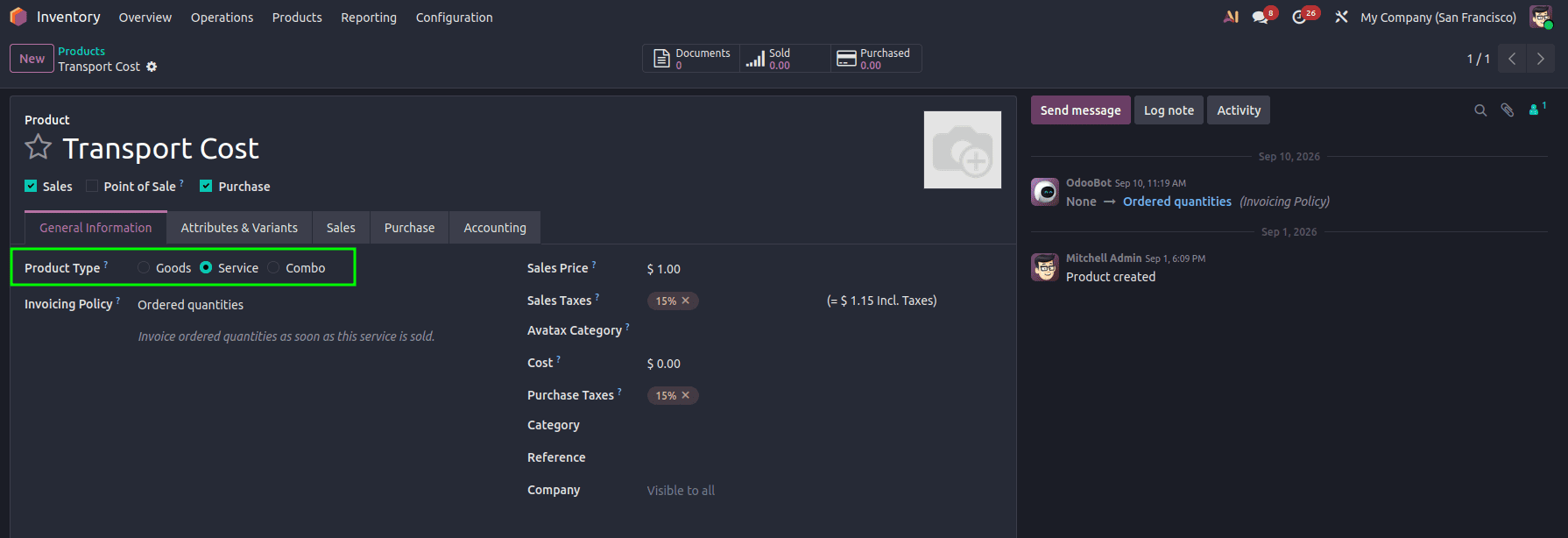
- Create the landed cost product
- The product should be a service-type product
- In the Purchase Tab, enable Is a Landed Cost Option
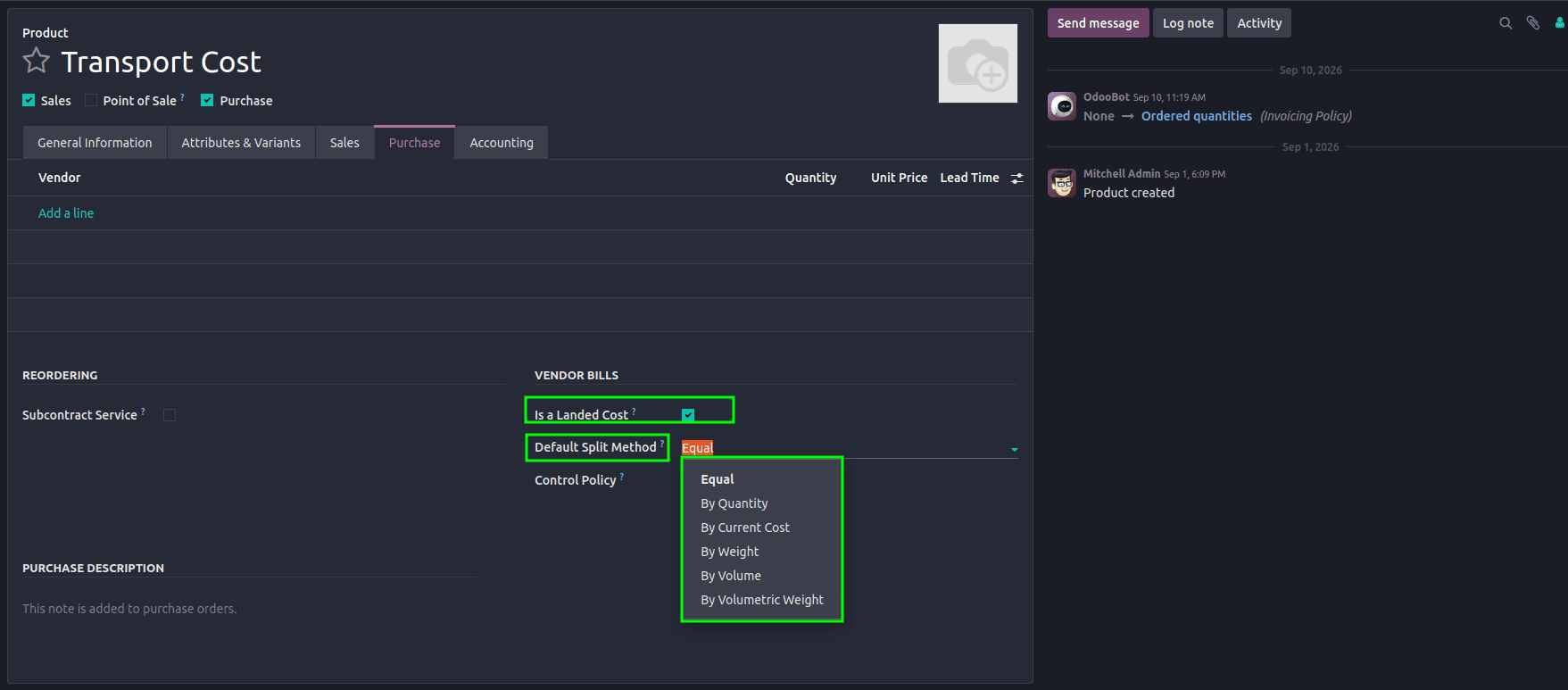
- Now, the Default Split method can be set for the Landed cost product, and here we can see the implemented By Volumetric Weight option.
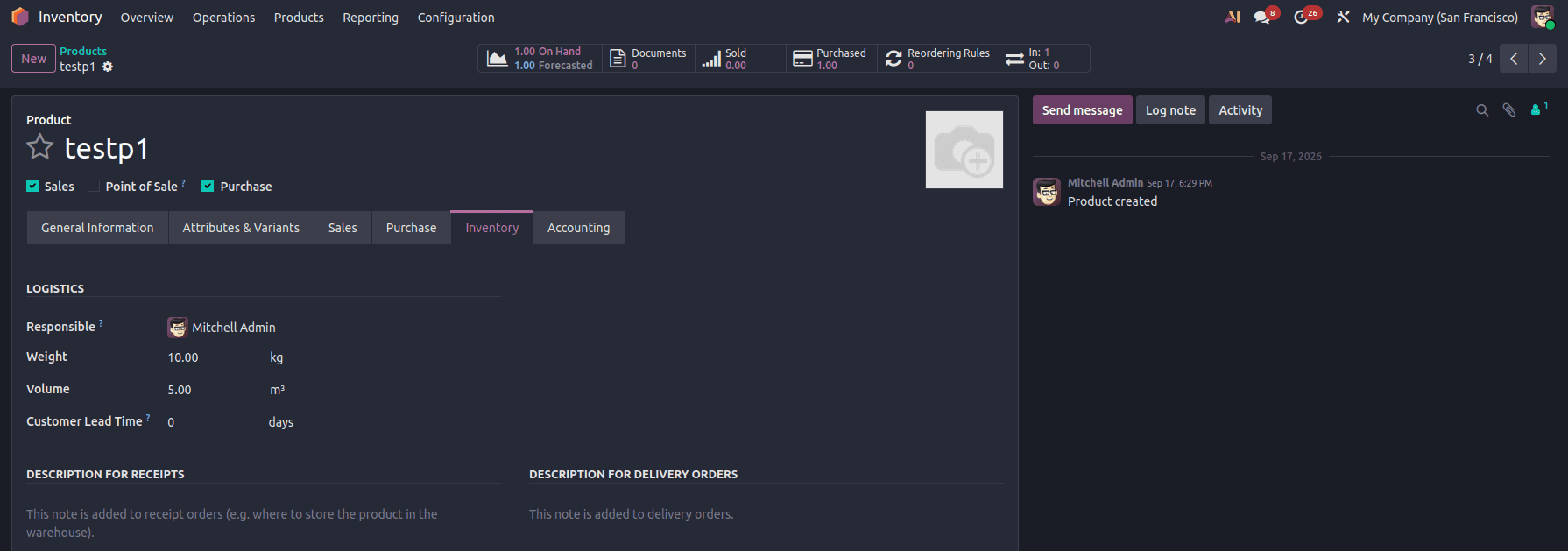
- Set up 2 new products with their Weight and volumes set; it can be set up in the Inventory tab
Example
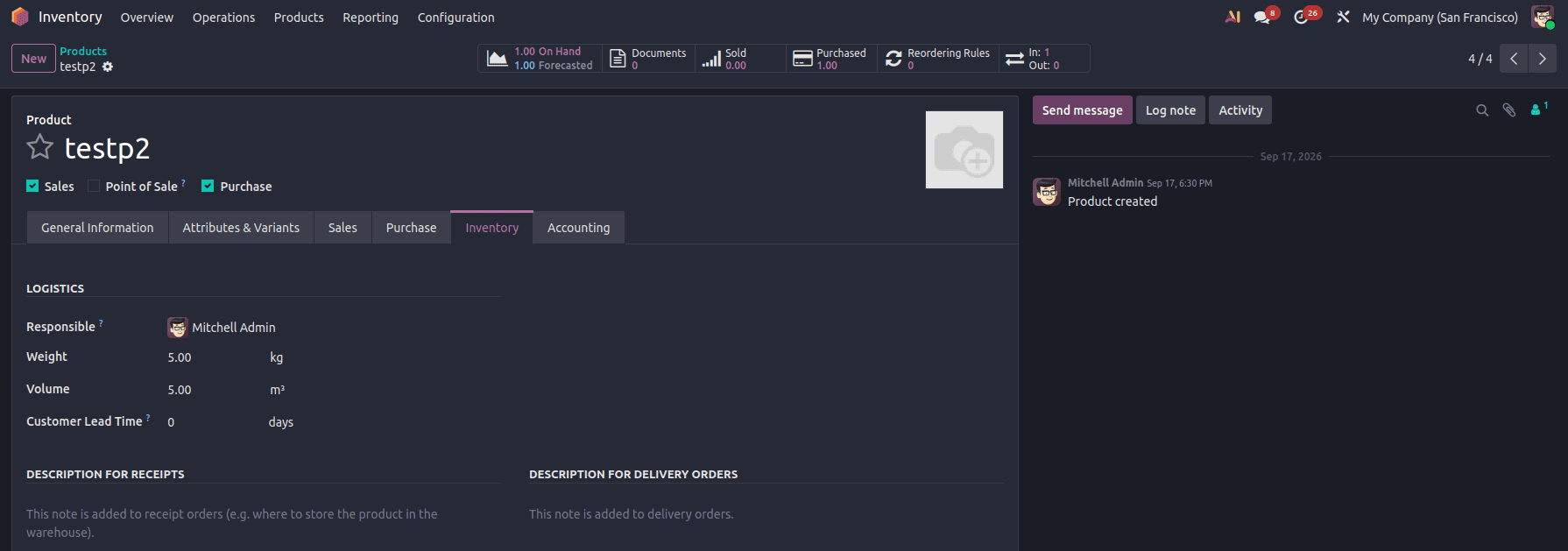
- In the Purchase module, create a purchase order including both products. Then, create a vendor bill for it. Then, add the transport cost/the landed cost product to the bill and assign its price.
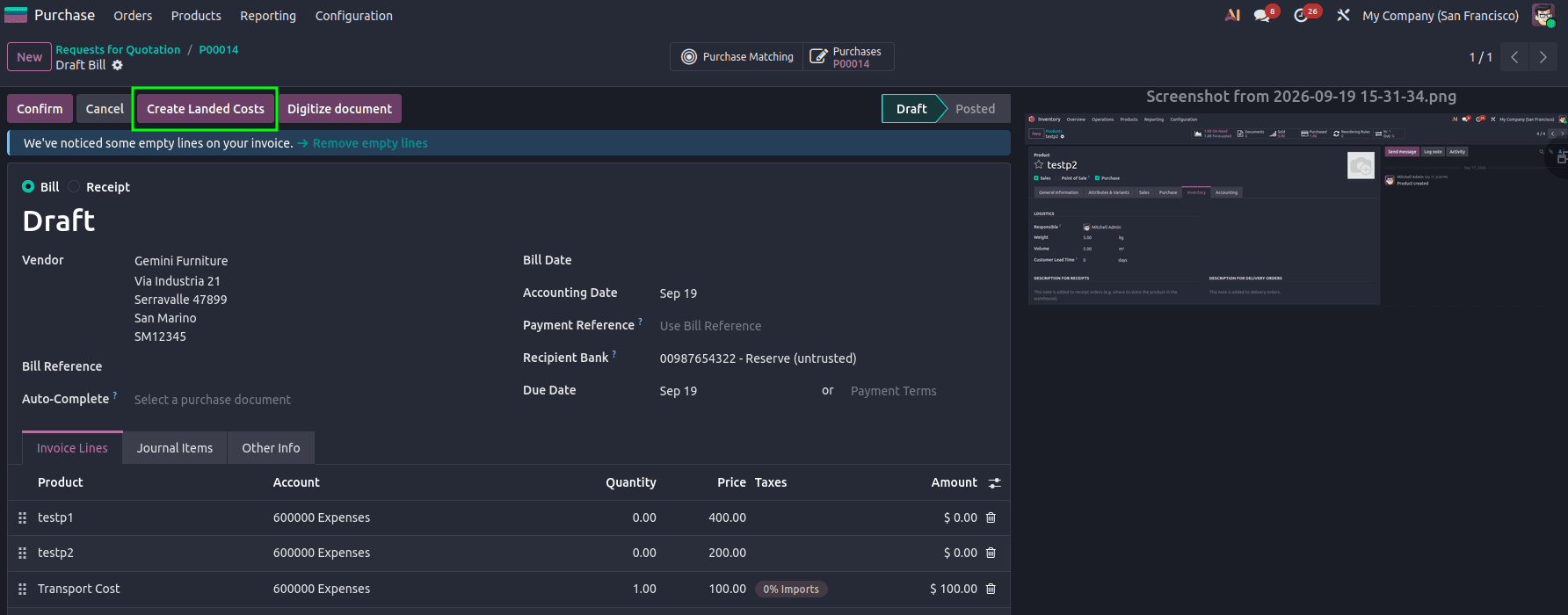
Now, click the Create Landed Costs button to compute the landed cost for the product. The initial split method will be set based on the Default Split method set on the product.
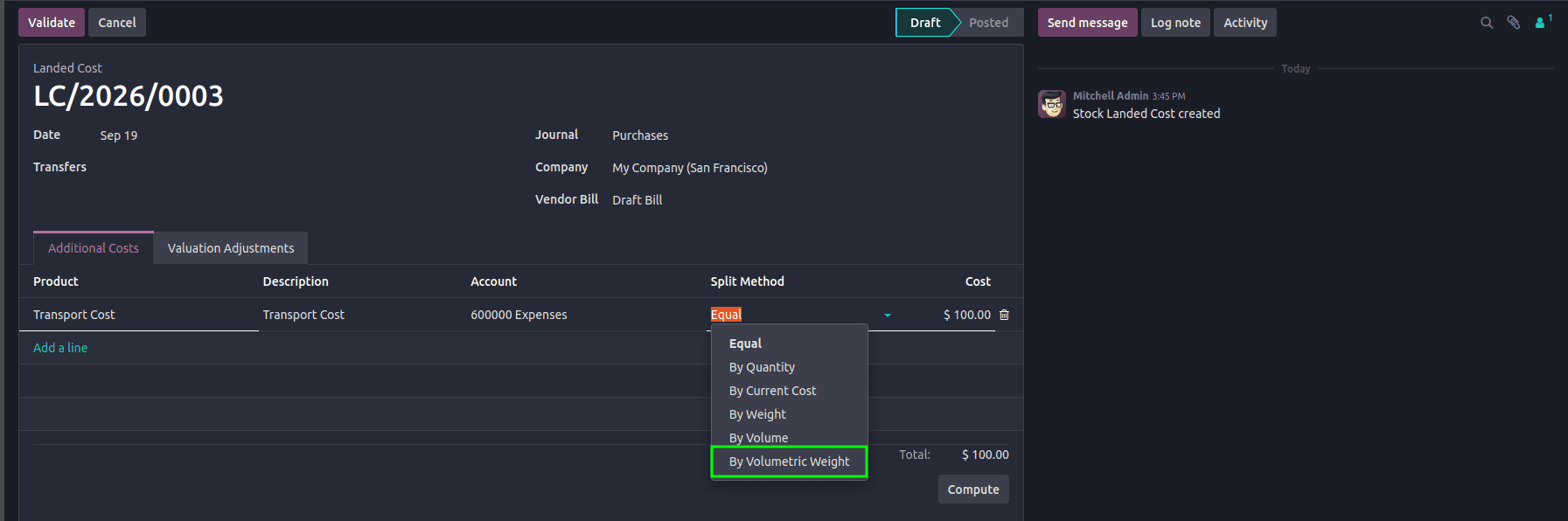
Here, we can choose the split method, and volumetric split can be assigned from here as well.
After clicking the Compute button, the resultant prices calculated can be viewed from the Validation Adjustments Tab.
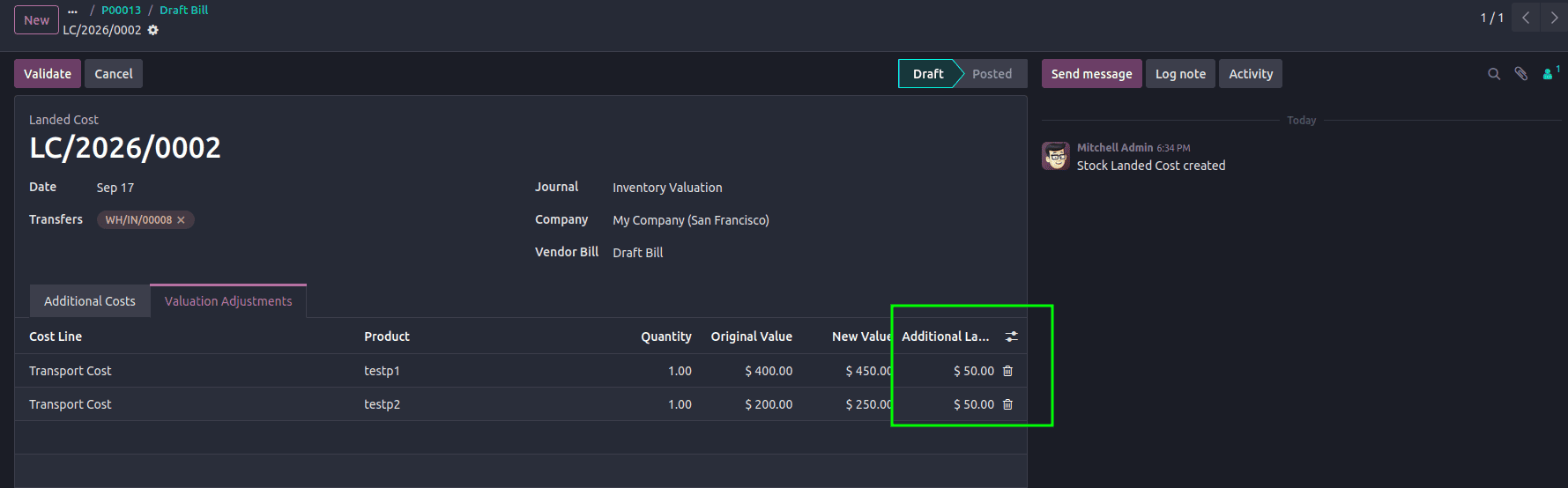
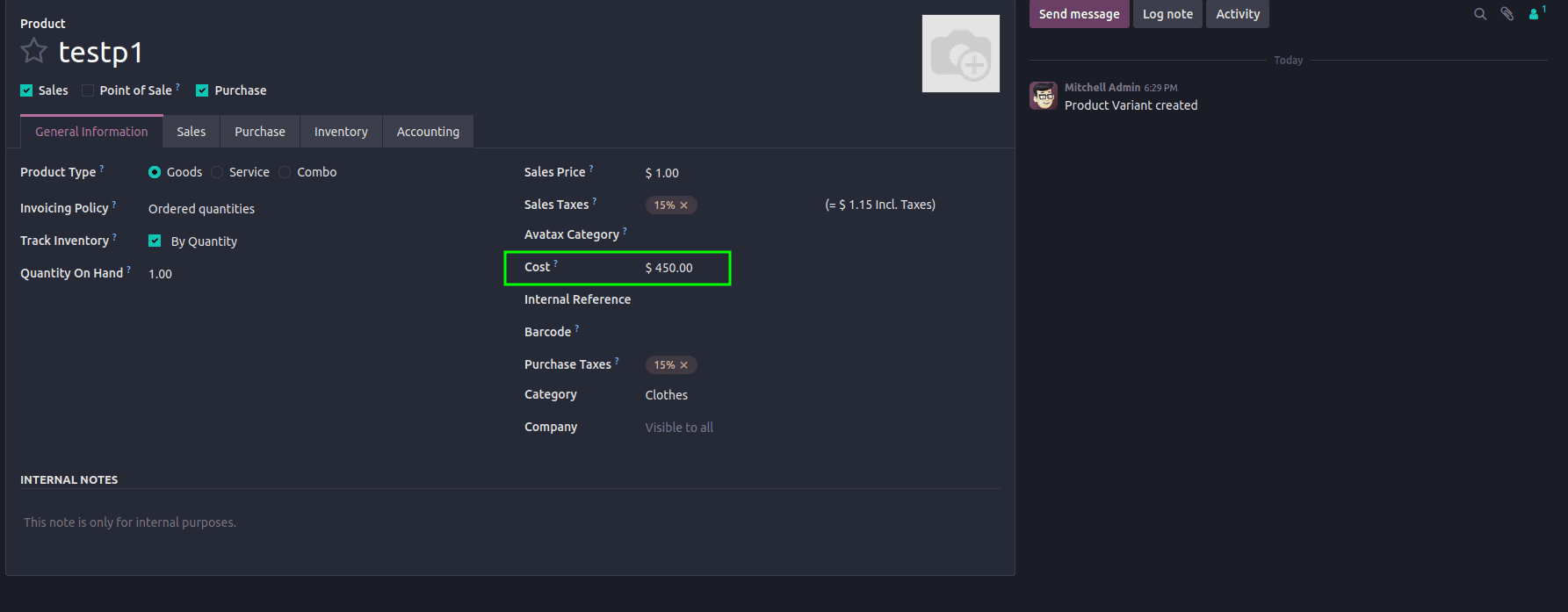
On clicking Validate, the prices will be applied. Check the product form to verify.
Best Practices & Financial Safety
- Zero Weight Fallback: Always validate that products have non-zero weight/volume before computing ratios to prevent ZeroDivisionError.
- Decimal Precision Rounding: Use cost.currency_id.round(additional_landed_cost) to avoid fractional cent discrepancies on accounting lines.
- Audit Draft Adjustments: Review the Valuation Adjustments tab on the Landed Cost form view before clicking Validate.
By extending stock.landed.cost.lines and overriding compute_landed_cost(), we can implement custom landed cost allocation logic based on volumetric weight.
To read more about How to Manage Product Pricing with Landed Costs in Odoo 18, refer to our blog, How to Manage Product Pricing with Landed Costs in Odoo 18.