In the contemporary business world, effective procurement management plays a critical role in ensuring operational continuity, cost control, and strong supplier relationships. Enterprise Resource Planning systems have become indispensable tools for integrating and automating such business functions, and Odoo 19 emerges as a comprehensive, flexible, and user-friendly ERP solution. Among its various applications, the Purchase Module occupies a central position as it enables organizations to manage their procurement lifecycle in a structured and transparent manner. Understanding how to use this module is essential for businesses and individuals seeking to optimize purchasing workflows and maintain accurate financial and inventory records.
The Purchase Module in Odoo 19 is designed to handle all activities related to buying goods and services from vendors. It provides a unified platform where organizations can manage supplier details, create requests for quotation, confirm purchase orders, track incoming shipments, and record vendor bills. One of the defining strengths of this module is its seamless integration with other Odoo applications such as Inventory and Accounting. This interconnected system ensures that every purchasing action automatically reflects in stock levels and financial statements, thereby reducing manual intervention and minimizing errors. As a result, procurement becomes a coordinated process rather than a fragmented task handled by multiple departments independently.
Accessing the Purchase Module in Odoo 19 is straightforward through the main dashboard once the application is installed.
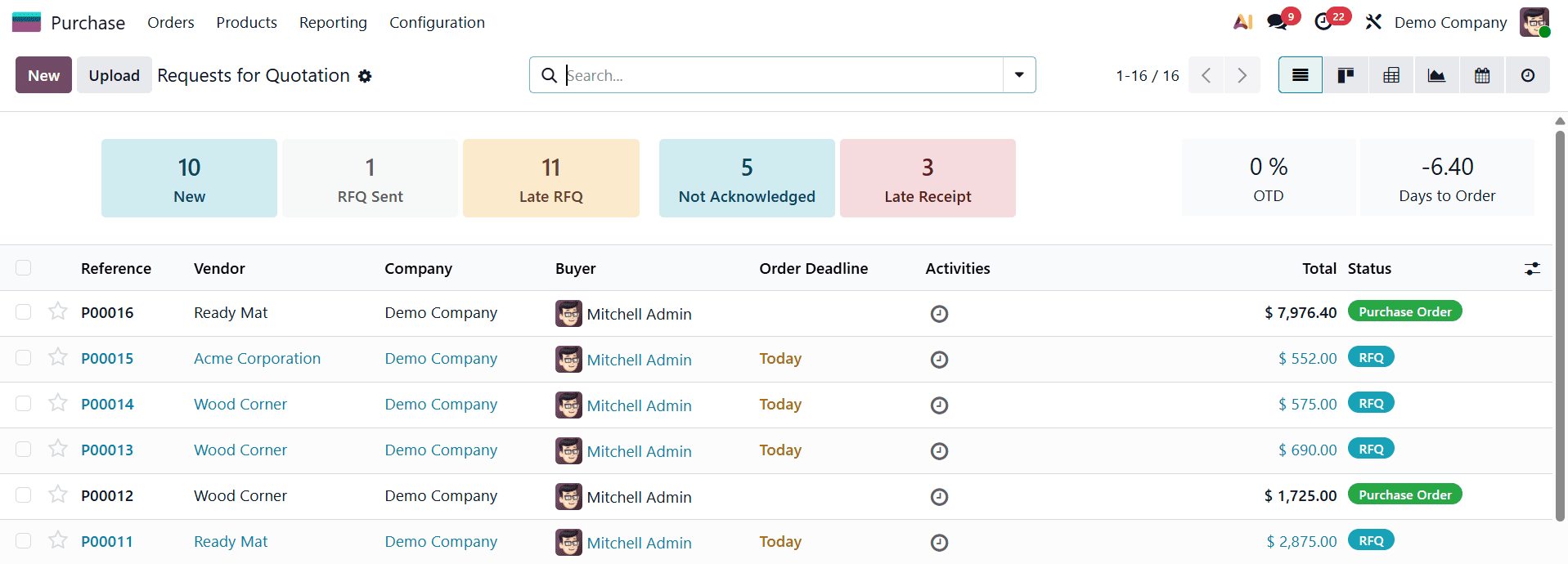
The interface is intentionally designed to be intuitive, allowing users to navigate through procurement stages with ease. From initial quotation requests to finalized purchase orders, each step is logically organized to mirror real-world purchasing practices. This structure is particularly beneficial for new users, as it helps them understand the procurement flow while simultaneously performing day-to-day purchasing operations.
Vendor management forms the foundation of the Purchase Module. In Odoo 19, vendors are created and managed as contacts with supplier-specific roles.
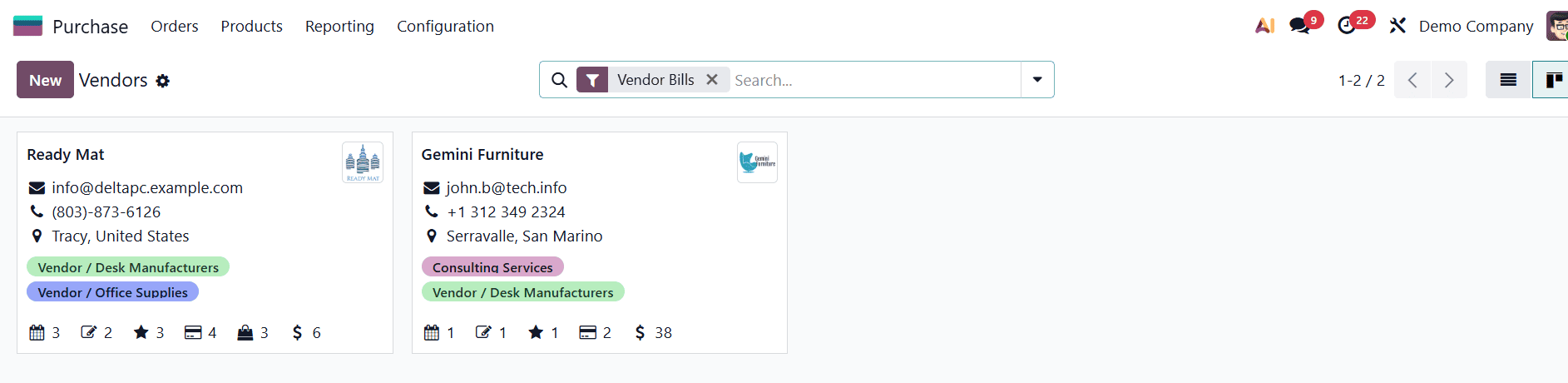
Each vendor profile contains essential information such as contact details, billing and delivery addresses, payment terms, and currency preferences. Maintaining accurate and detailed vendor records is crucial, as it directly impacts communication efficiency, pricing accuracy, and payment processing. Additionally, Odoo allows businesses to define vendor-specific pricing, delivery lead times, and purchase conditions, which helps in comparing suppliers and selecting the most cost-effective options.
Products are another core component of the purchasing workflow. In Odoo 19, products must be properly configured to ensure smooth procurement and inventory tracking.
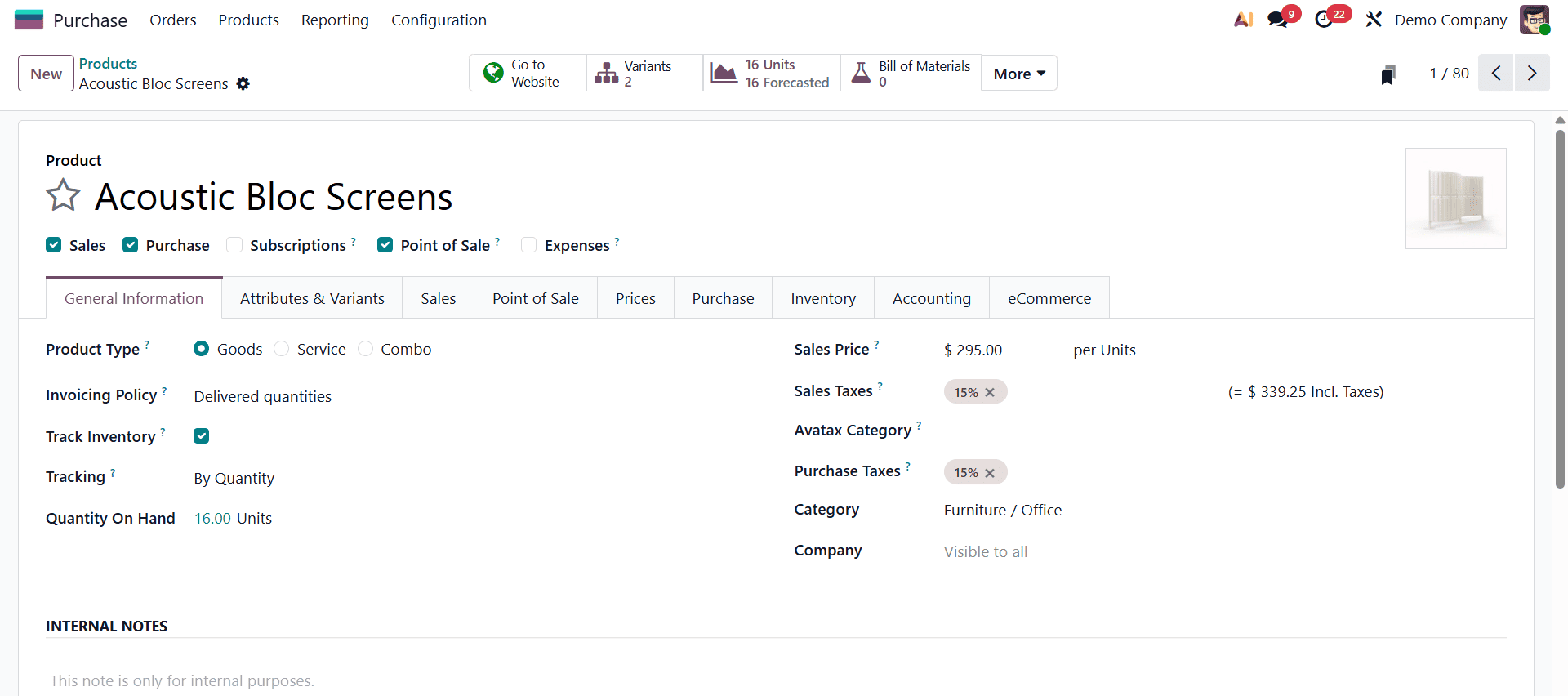
Each product can be categorized as a storable item, consumable, or service, depending on how it is used within the organization. Product configuration includes defining purchase prices, units of measure, supplier associations, and accounting details. Accurate product setup ensures that purchase orders generate correct stock movements and financial entries, thereby maintaining consistency across modules.
The purchasing process in Odoo 19 typically begins with a Request for Quotation, commonly referred to as an RFQ. An RFQ allows organizations to formally request pricing and availability information from vendors before committing to a purchase.
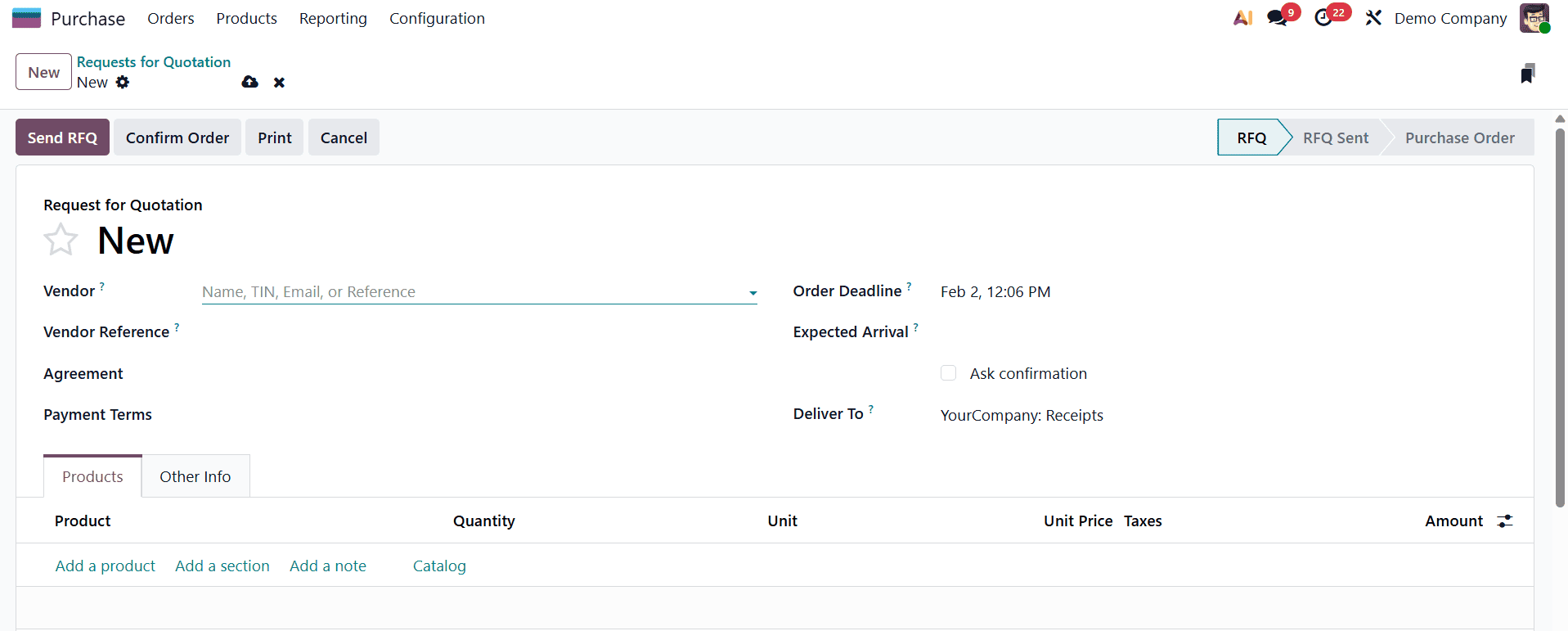
Creating an RFQ involves selecting a vendor, adding the required products, specifying quantities, and setting expected delivery dates. At this stage, the document remains in a draft state, allowing users to make changes as needed. Odoo also enables RFQs to be sent directly to vendors via email, streamlining communication and maintaining a digital record of all procurement interactions.
In Odoo 19, confirming multiple locked Requests for Quotation (RFQs) together is made possible through the Actions button, and this feature is especially useful when procurement teams are dealing with high volumes of purchase requests. When RFQs are marked as locked, it means that their key details, such as vendor, products, quantities, and prices, are finalized and no longer open for editing, usually because negotiations are complete and the quotations are ready to be converted into purchase orders. Instead of opening and confirming each RFQ individually, users can select several locked RFQs at once directly from the RFQ list view by ticking the corresponding checkboxes.
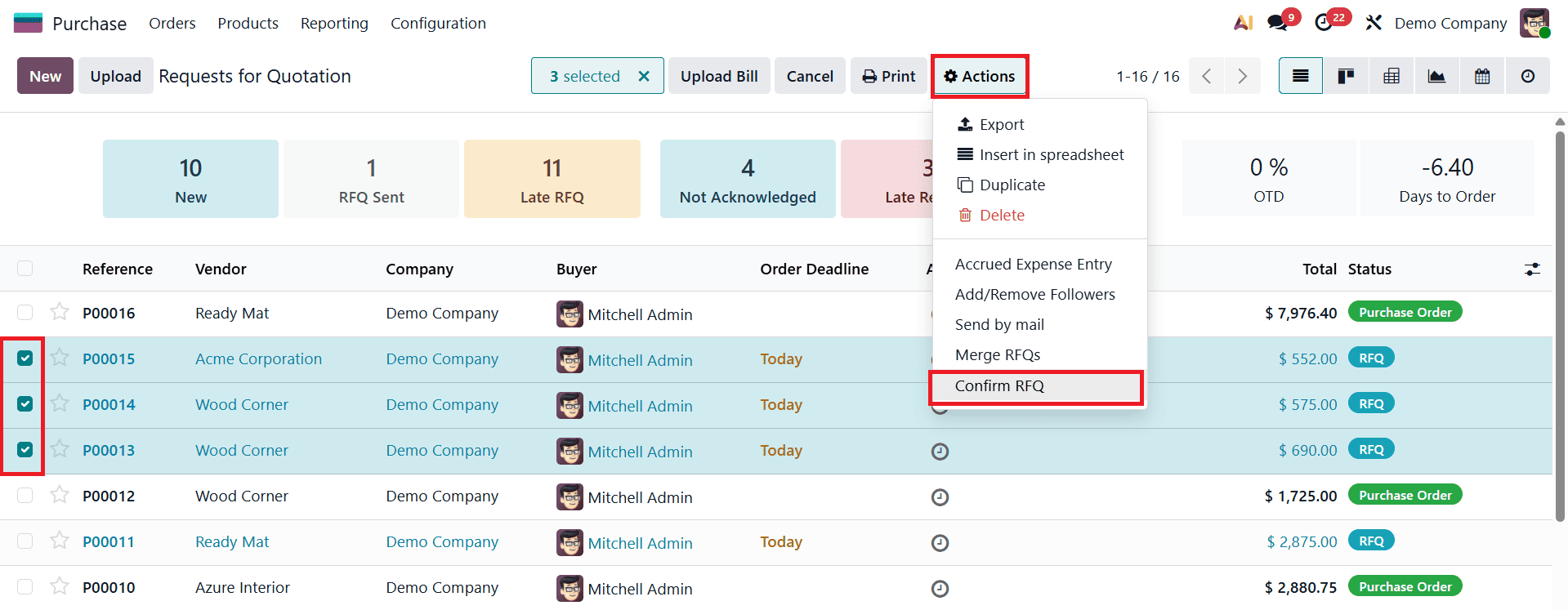
Once multiple RFQs are selected, the Actions button becomes active, allowing the user to apply a single operation to all selected records simultaneously. By choosing the Confirm RFQ option from the Actions menu, Odoo processes all the selected RFQs together and converts them into confirmed Purchase Orders in one step. This bulk confirmation not only saves time but also ensures consistency in procurement workflows, reduces repetitive manual actions, and improves operational efficiency, particularly in organizations that handle frequent or large-scale purchasing activities.
Once a vendor confirms the quotation and agrees to the terms, the RFQ can be converted into a Purchase Order. Confirming a purchase order signifies a formal commitment to buy and triggers a series of automated processes within Odoo.
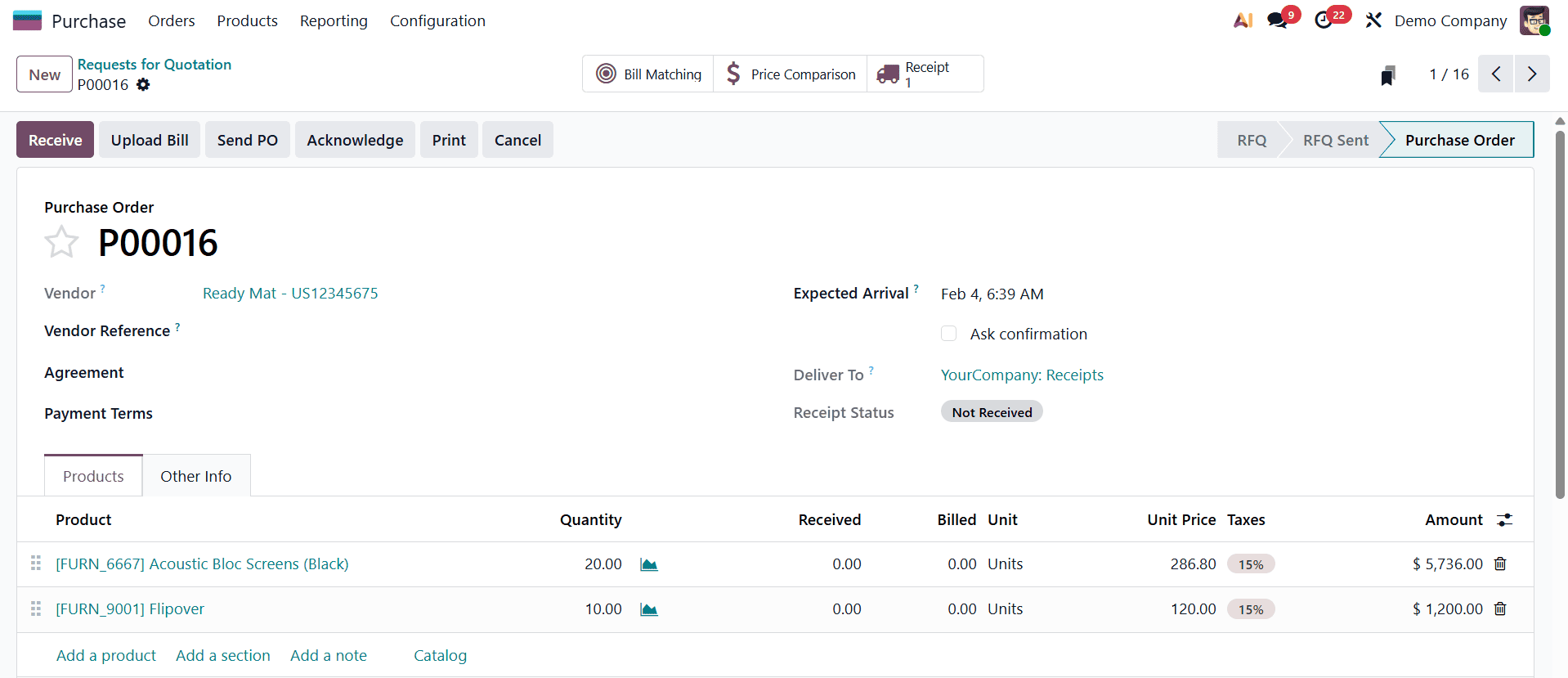
The system schedules inventory receipts, updates procurement statuses, and prepares accounting entries. This automation ensures that all relevant departments are informed and aligned, reducing delays and miscommunication. The purchase order serves as an official document that governs the transaction and acts as a reference throughout the procurement cycle.
Inventory integration is a significant advantage of using the Purchase Module in Odoo 19. When a purchase order is confirmed, the system automatically creates a receipt operation within the Inventory module.
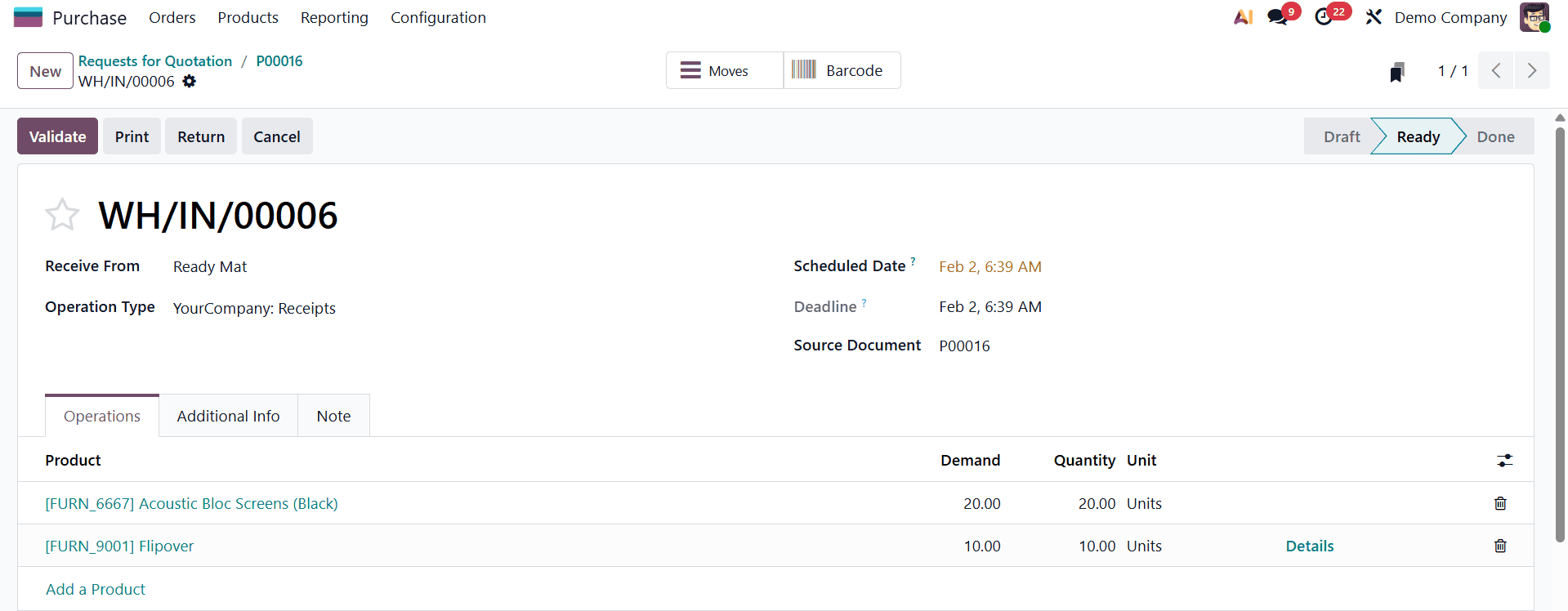
Upon arrival of goods, warehouse staff can validate the receipt, which updates stock quantities in real time. This real-time synchronization helps organizations maintain accurate inventory records, plan warehouse space efficiently, and avoid issues such as stock shortages or overstocking. The close link between purchasing and inventory ensures that procurement decisions are informed by actual stock requirements.
Financial tracking is seamlessly handled through the integration of the Purchase Module with Odoo’s Accounting application. Vendor bills can be created directly from purchase orders, ensuring that billing information matches the original procurement details.
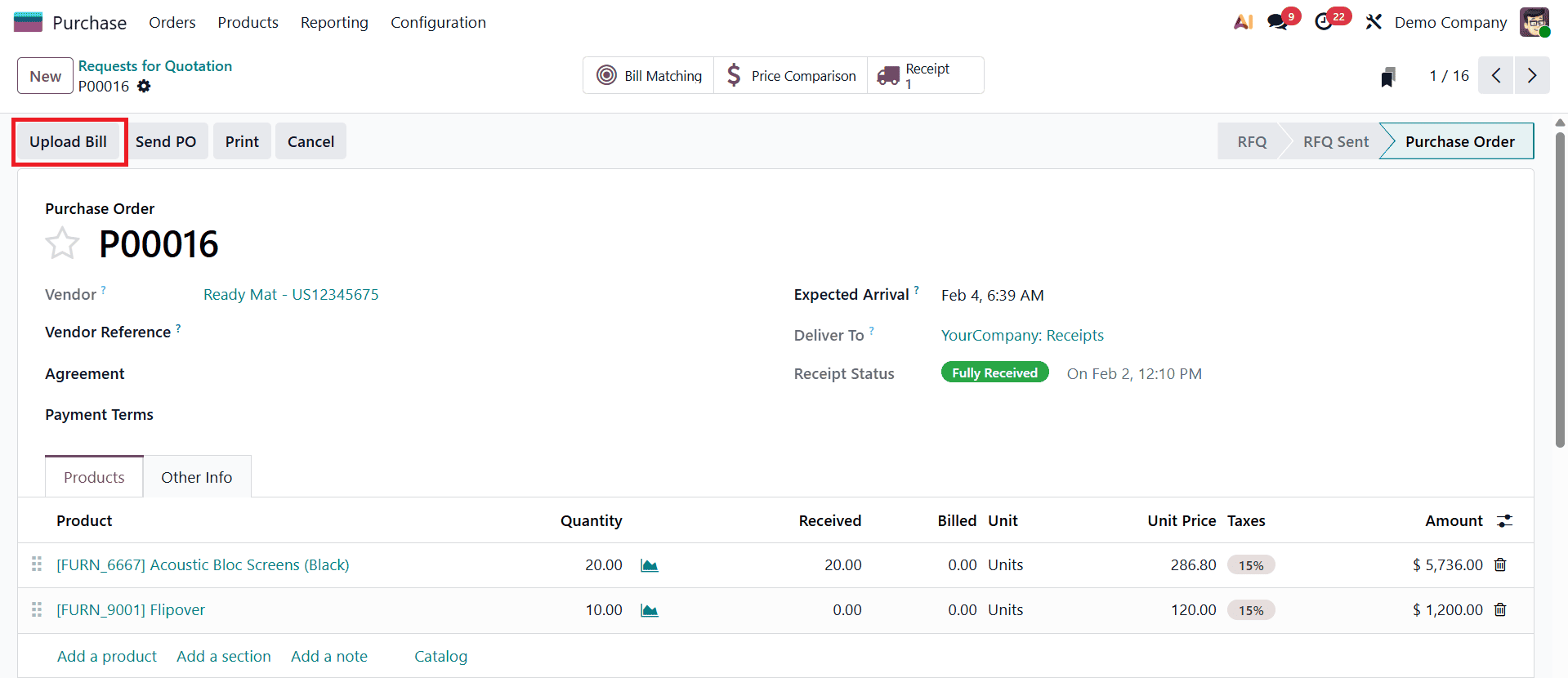
This linkage reduces data entry errors and enhances financial transparency. Odoo also supports matching vendor bills with purchase orders and inventory receipts, a process commonly known as three-way matching. This practice improves financial control by ensuring that payments are made only for goods that were ordered and received, thereby safeguarding the organization against discrepancies and overbilling.
Reporting and analysis are essential for evaluating procurement performance, and Odoo 19 provides a range of analytical tools within the Purchase Module.
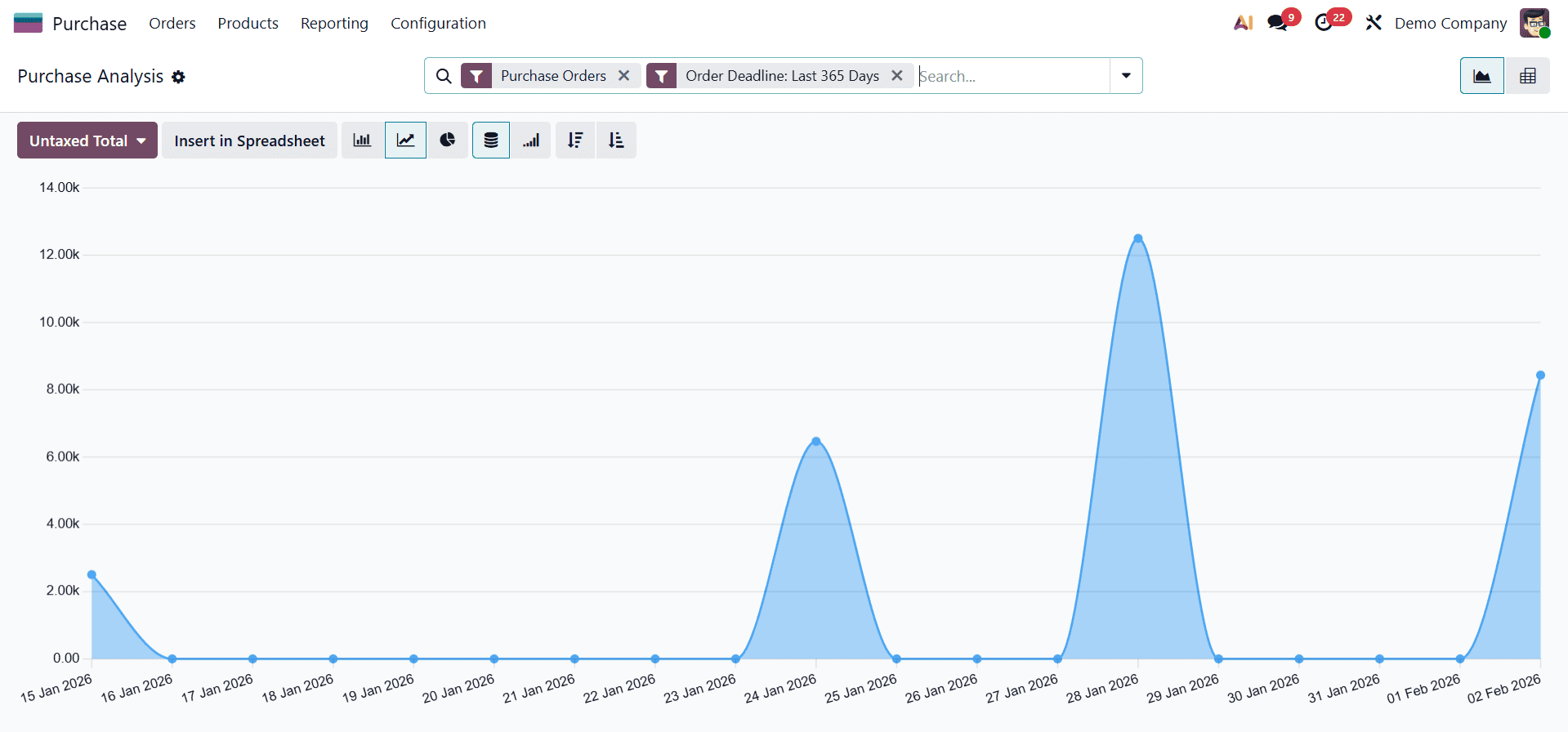
Users can generate reports that analyze purchases by vendor, product, or time period, offering valuable insights into spending patterns and supplier performance. The dashboard view presents key metrics in a visual format, allowing decision-makers to monitor procurement activities at a glance. These analytical capabilities empower organizations to make informed decisions, negotiate better supplier terms, and implement cost-saving strategies.
In conclusion, the Purchase Module in Odoo 19 offers a comprehensive solution for managing procurement processes efficiently and transparently. By integrating vendor management, product configuration, quotation handling, inventory tracking, and accounting into a single system, Odoo transforms purchasing into a strategic business function rather than a routine administrative task. For beginners and experienced users alike, mastering this module is a crucial step toward achieving operational excellence and long-term business growth. Through careful configuration and consistent use, organizations can leverage the Purchase Module in Odoo 19 to build a robust, scalable, and data-driven procurement system.
To read more about How to Manage Access Control in Odoo 18 Purchase Module, refer to our blog How to Manage Access Control in Odoo 18 Purchase Module.