For any contemporary ERP application, having the capability of extracting and utilizing data can play an important role in the daily activities of the firm. Odoo provides such functionality through the use of the Export Template function. Using this tool, users can save themselves from reconfiguring their export field every single time and simply create a template for future use.
An export template in Odoo 19 is essentially a configurable format that contains information about the specific fields that one wants to export out of the database. This feature proves handy when you encounter repetitive data export scenarios or even data transfer between two platforms. Using an export template, you no longer need to configure the fields.
The Export option in Odoo 19 is found across all important modules, enabling users to export the information as per their needs. While exporting the information, users can decide whether they want to export all fields or some particular fields based on their needs. Apart from this, Odoo enables users to export data in many formats like CSV and Excel.
In order to make an export template, you must select the desired records first, then access the Server Actions and Export option. After that, select the desired fields and save them as a template.
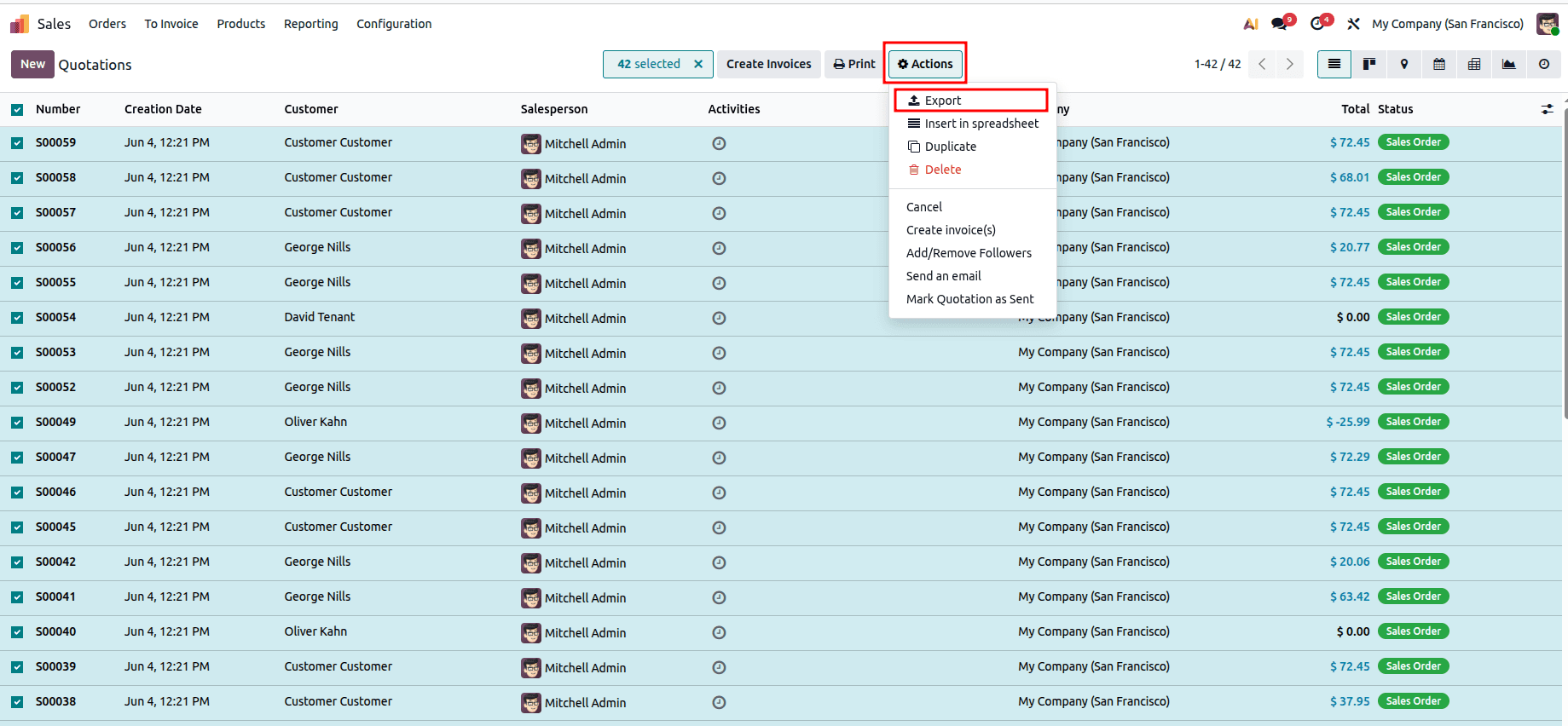
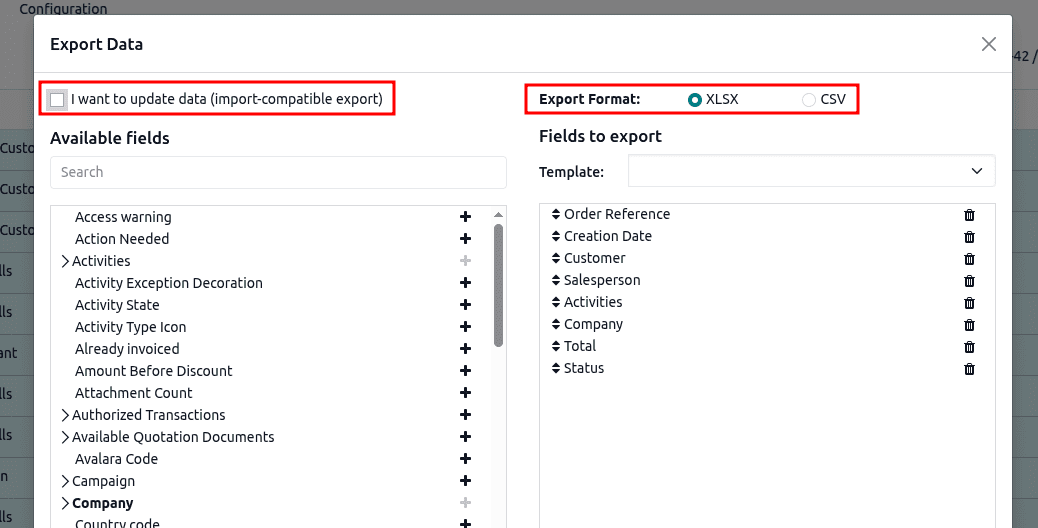
While creating an export template, there will be an export wizard that appears to the user. Inside the export wizard, users have the freedom to add the fields in the export file by selecting the checkboxes against each field on the left side of the wizard. In addition, users have the freedom to set the output format for the exported file through this wizard.
The export wizards of Odoo support two formats for exporting data files: XLSX (Excel) and CSV.
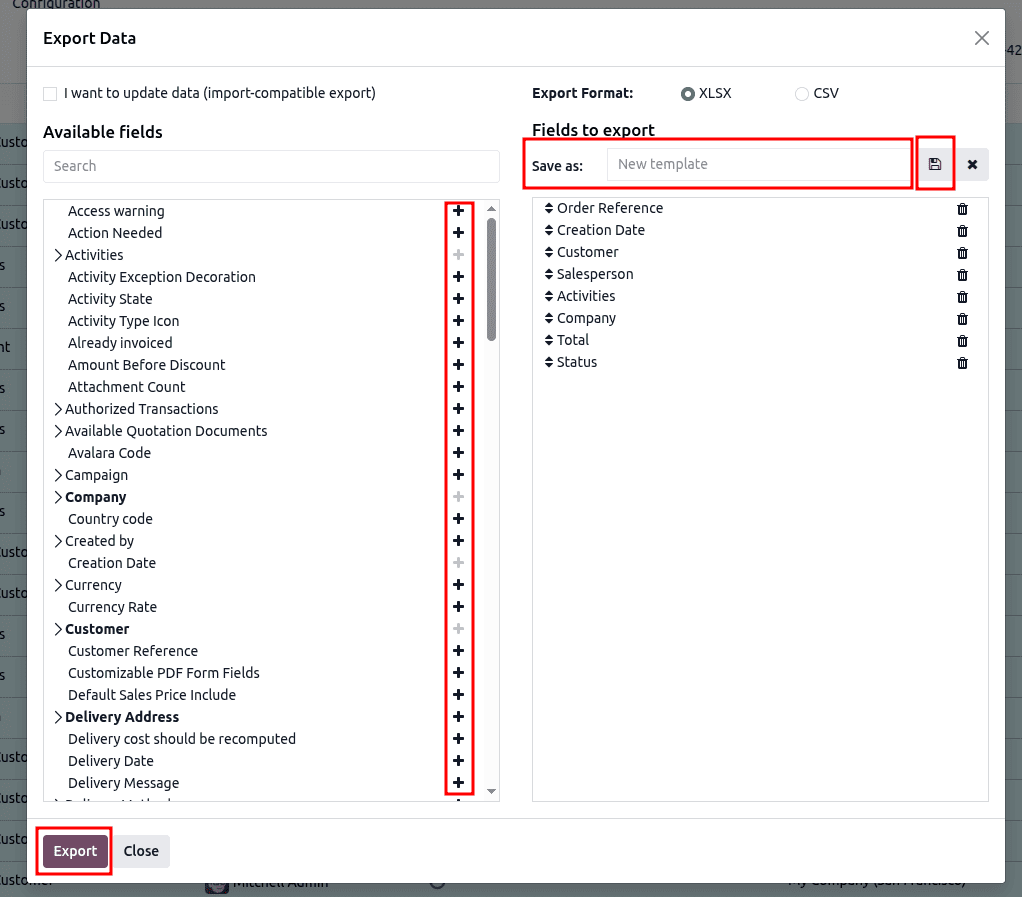
In order to create a new export template, go to Template under Fields to Export in the export wizard and click on the dropdown button to select 'New Template.' Give a suitable name to this template and add the required fields in it by using the '+' icon against the required fields on the left side of the wizard. Click on Save after adding all the fields in the export template.
The export templates feature in Odoo 19 presents an effective way to extract data from various modules within the software. Exporting data becomes less tedious for the users since they can store predefined field setups as templates and use them again in future exports. The feature makes sure that the export process is fast, productive, and consistent.
Odoo 19 Export Templates are a convenient and productive approach that makes the process of exporting repetitive data easy and fast. With the opportunity to store pre-configured fields settings, Export Templates help users get rid of selecting export fields every single time they export some data. Not only is this a very time-efficient tool, but it also ensures that all the exports are consistent and accurate. When it comes to exporting data for analysis, reporting, backing up, or migrating, using Export Templates makes the task easier for you.
To read more about The Ultimate Guide to Data Import and Export in Odoo 19, refer to our blog The Ultimate Guide to Data Import and Export in Odoo 19.