A financial report that provides an overview of the movement of cash and cash equivalents within a company over a specified time period is the Cash Flow Statement Report in Odoo 19 Accounting. It illustrates how operating, investing, and financing activities produce and spend cash. Cash from essential business operations, such as sales and expenses, is included in operating activities. Cash used for asset acquisitions, sales, or long-term investments are examples of investing activities. Cash flows from loans, repayments, and equity transactions are captured by financing activities. Based on journal entries entered into the Odoo accounting system, the report is automatically produced. It assists companies in keeping an eye on their liquidity and making sure they can fulfill their obligations. Planning, financial analysis, and well-informed decision-making all depend on this report.
To get the Cash Flow Statement Report in Odoo 19 Accounting, click on the Reporting menu. The Cash Flow Statement Report is added inside the Statement Reports.
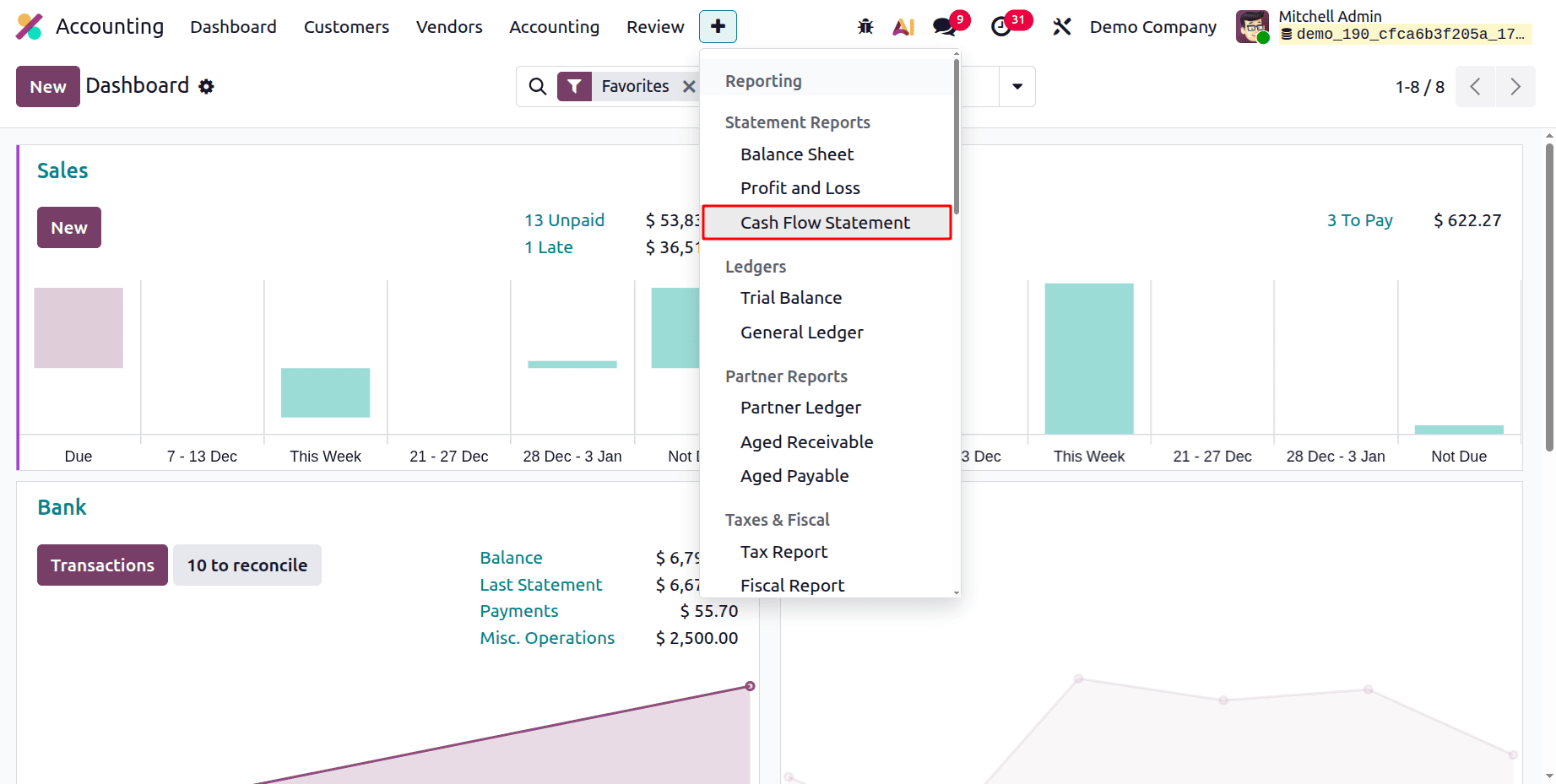
Let's discuss the filters available inside the Cash Flow Statement Report in Odoo 19 Accounting.
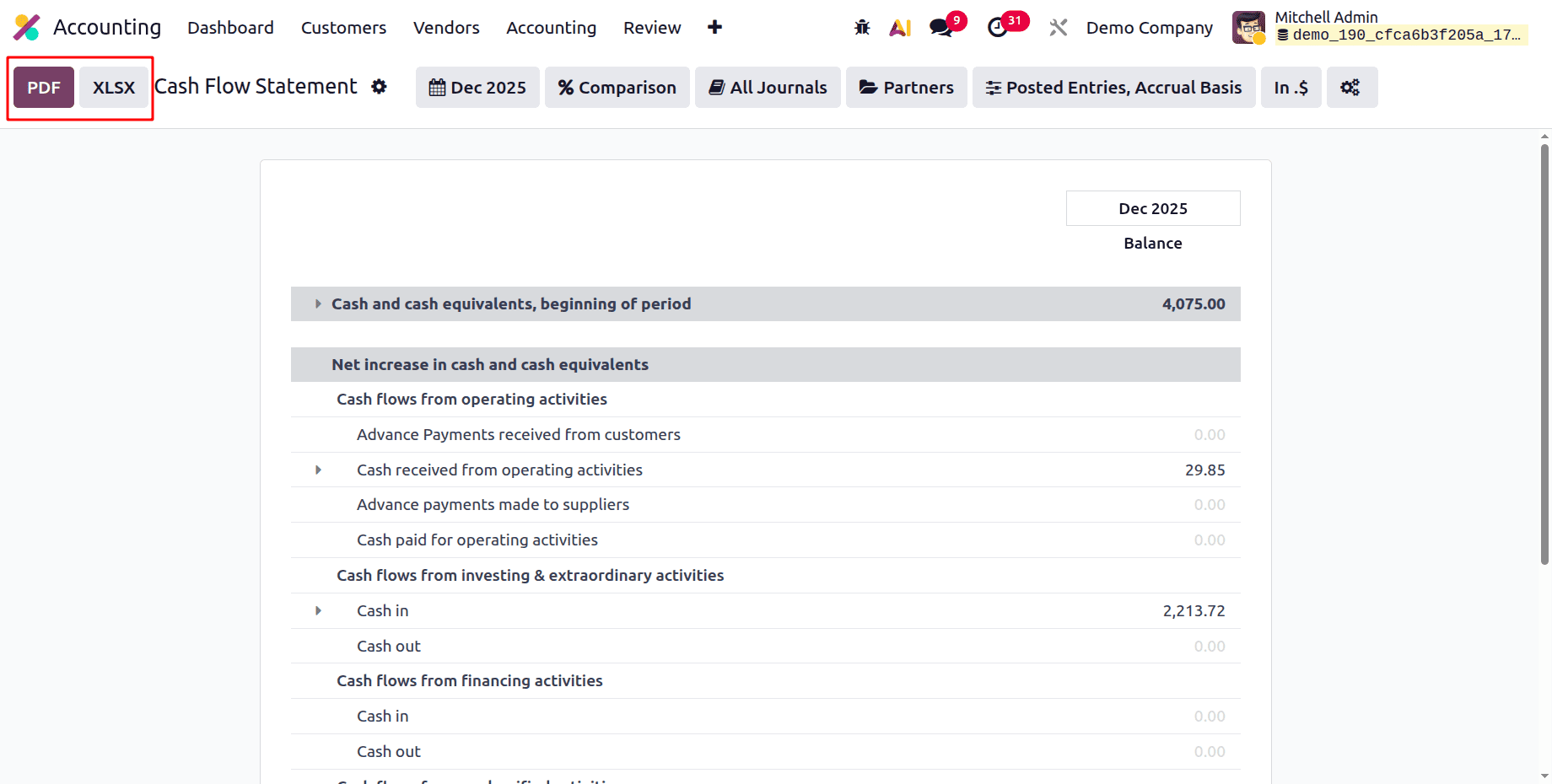
The Odoo 19 Accounting report export choices are represented by the highlighted section. The Cash Flow Statement can be downloaded in a printable, fixed-format version using the PDF button, and it can be exported to an Excel file for additional analysis, customization, or computations with the XLSX button. Sharing financial reports and working with the data outside of Odoo is made simple by these alternatives.
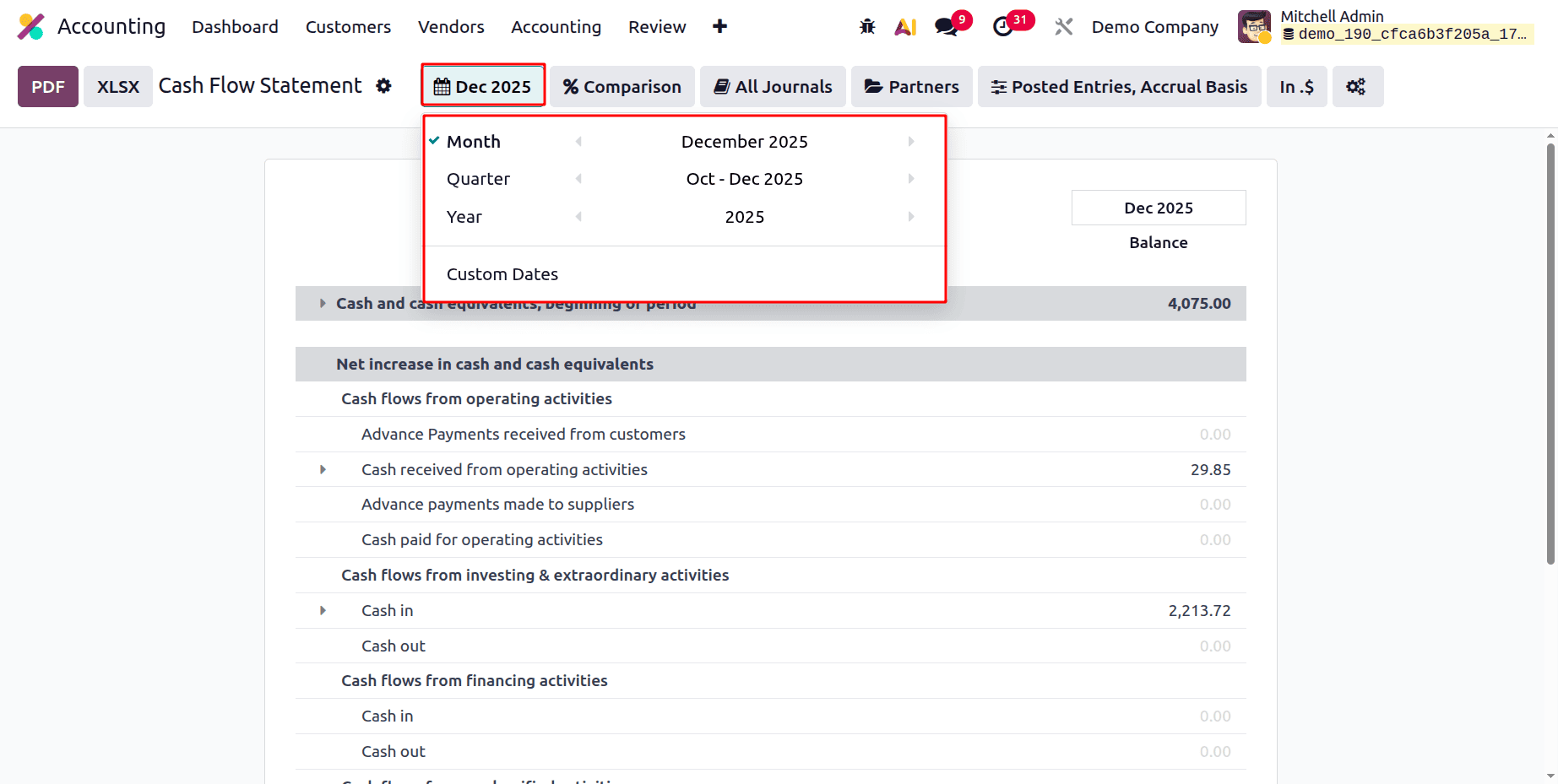
The first filter is the Date filter; users can filter the report based on Month, Quarter, Year, and Custom Dates.
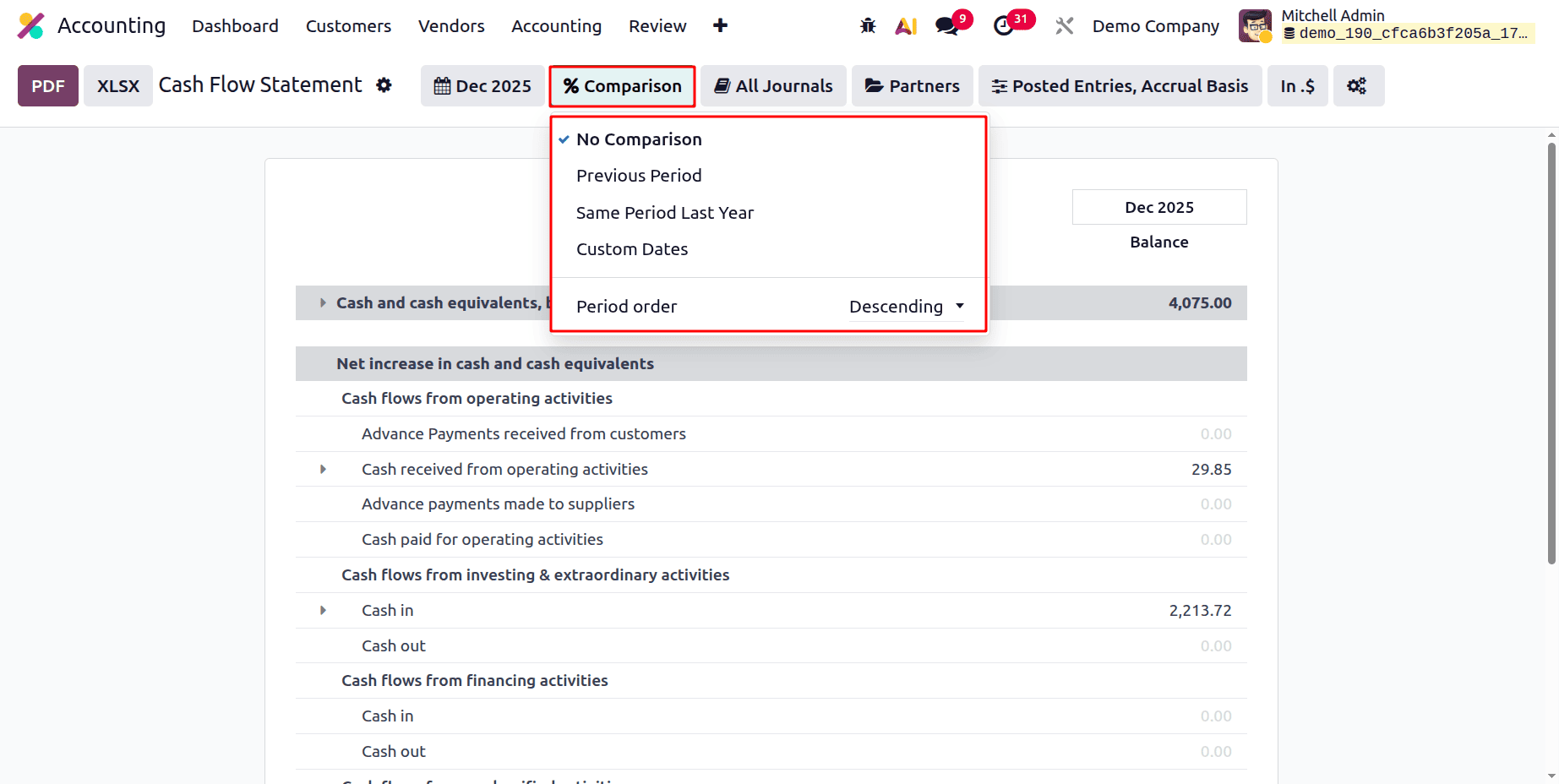
Next is the Comparison filter. The comparison can be possible based on Previous Period, Same Period Last Year, and based on the Custom Dates. The Period Order can be chosen either as Descending or Ascending.
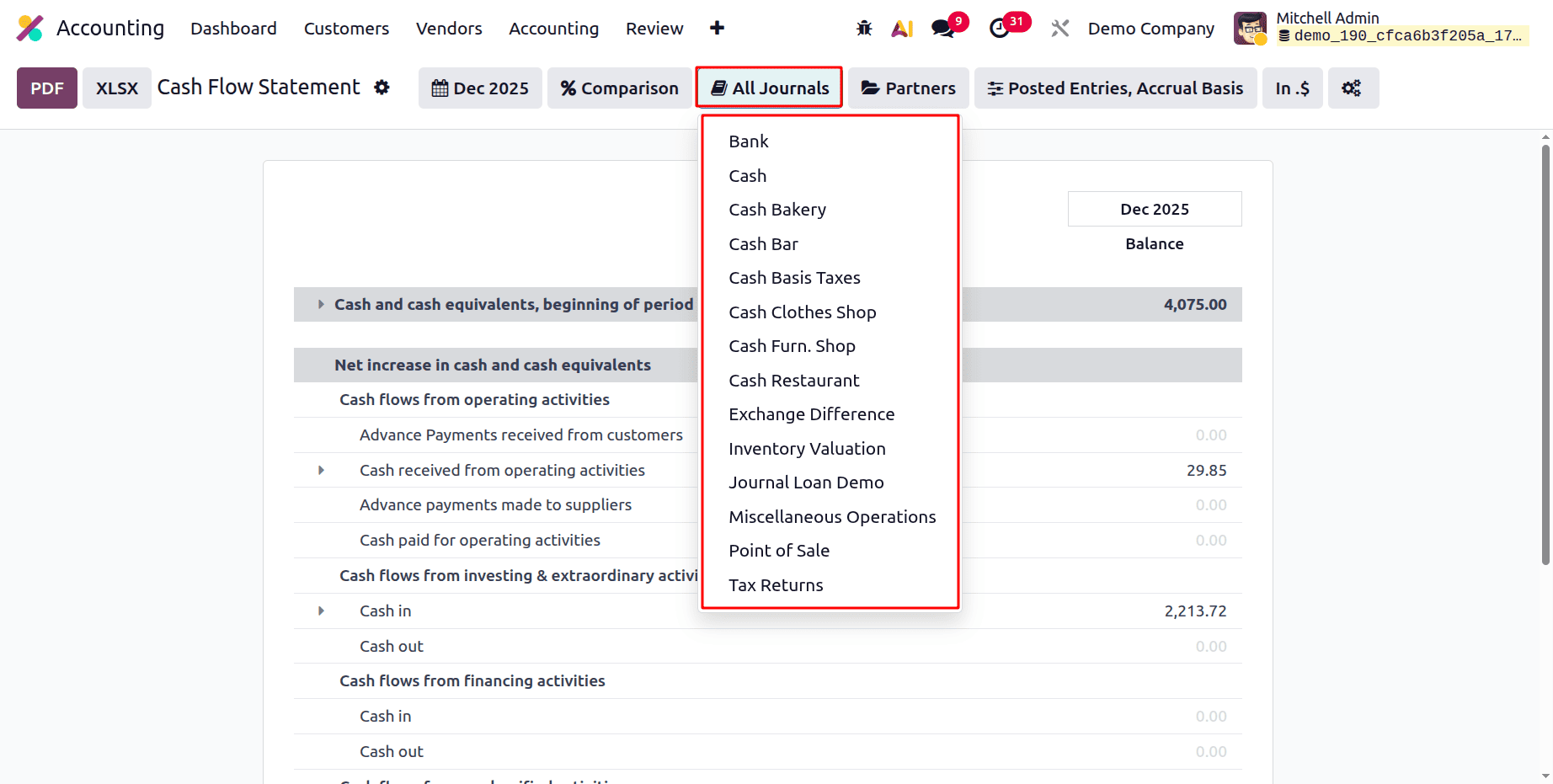
The Journals filter contains all the created Journal Groups and all the created Journals. If the user chooses a Journal from the list, the report shows all the Journal entries created by that chosen Journal.
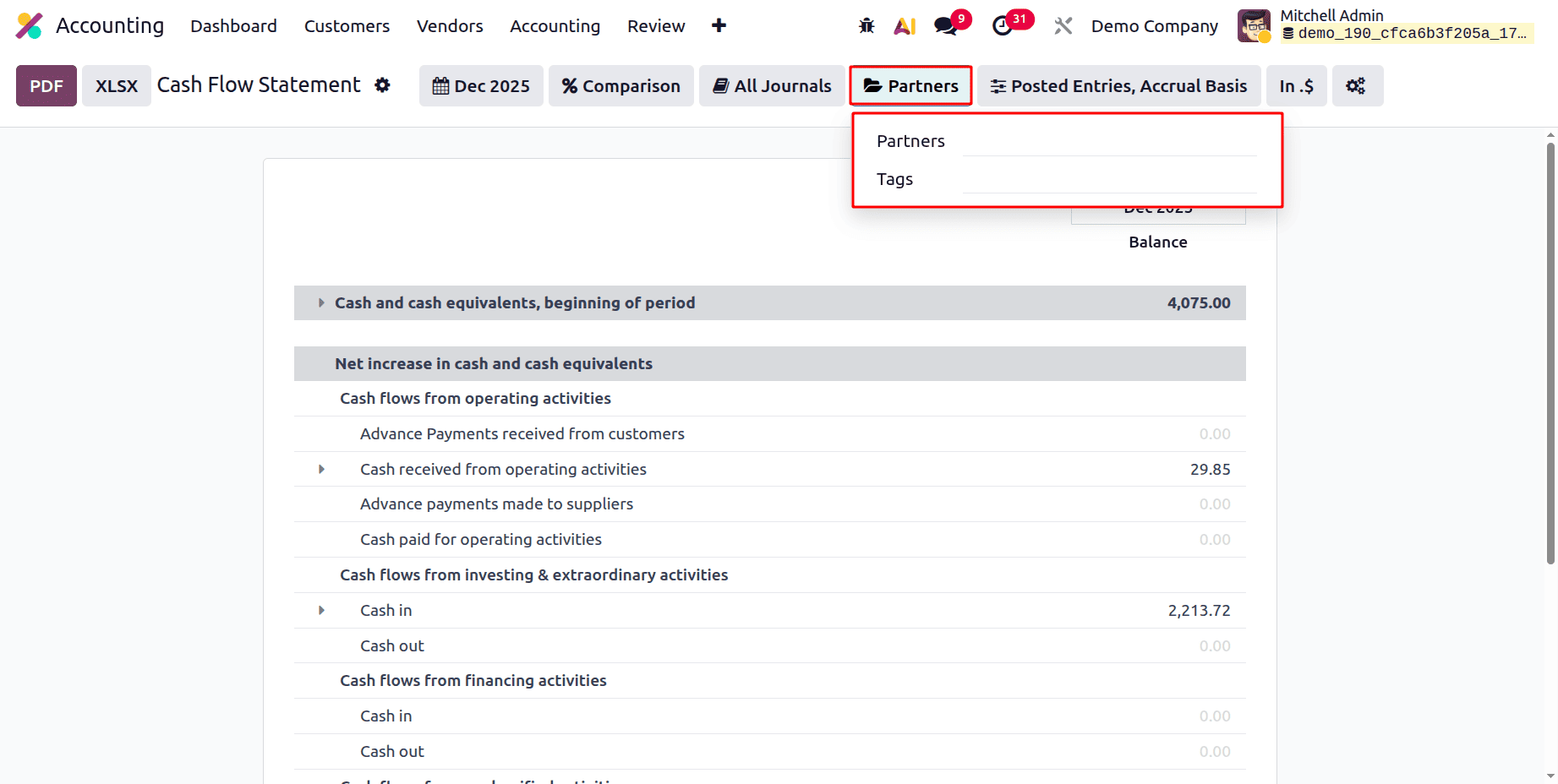
The Partner filter allows users to filter the report based on the selected Partner or based on Tags.
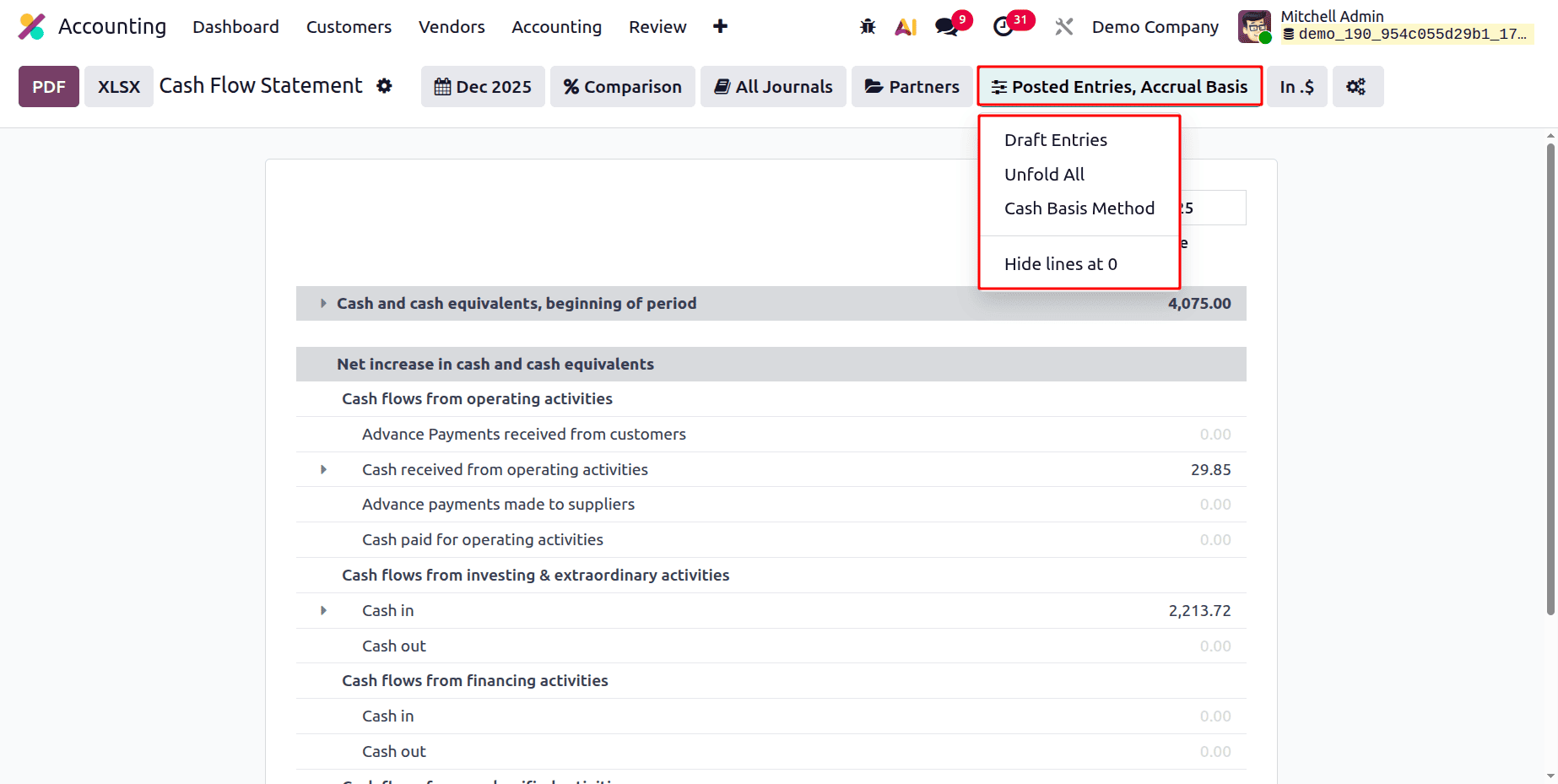
The users can filter the report based on Posted Entries, Draft Entries, Accrual Basis, and Cash Basis. Then the Unfold All will unfold all the lines, and Hide lines at 0 will hide all the lines with zero values.
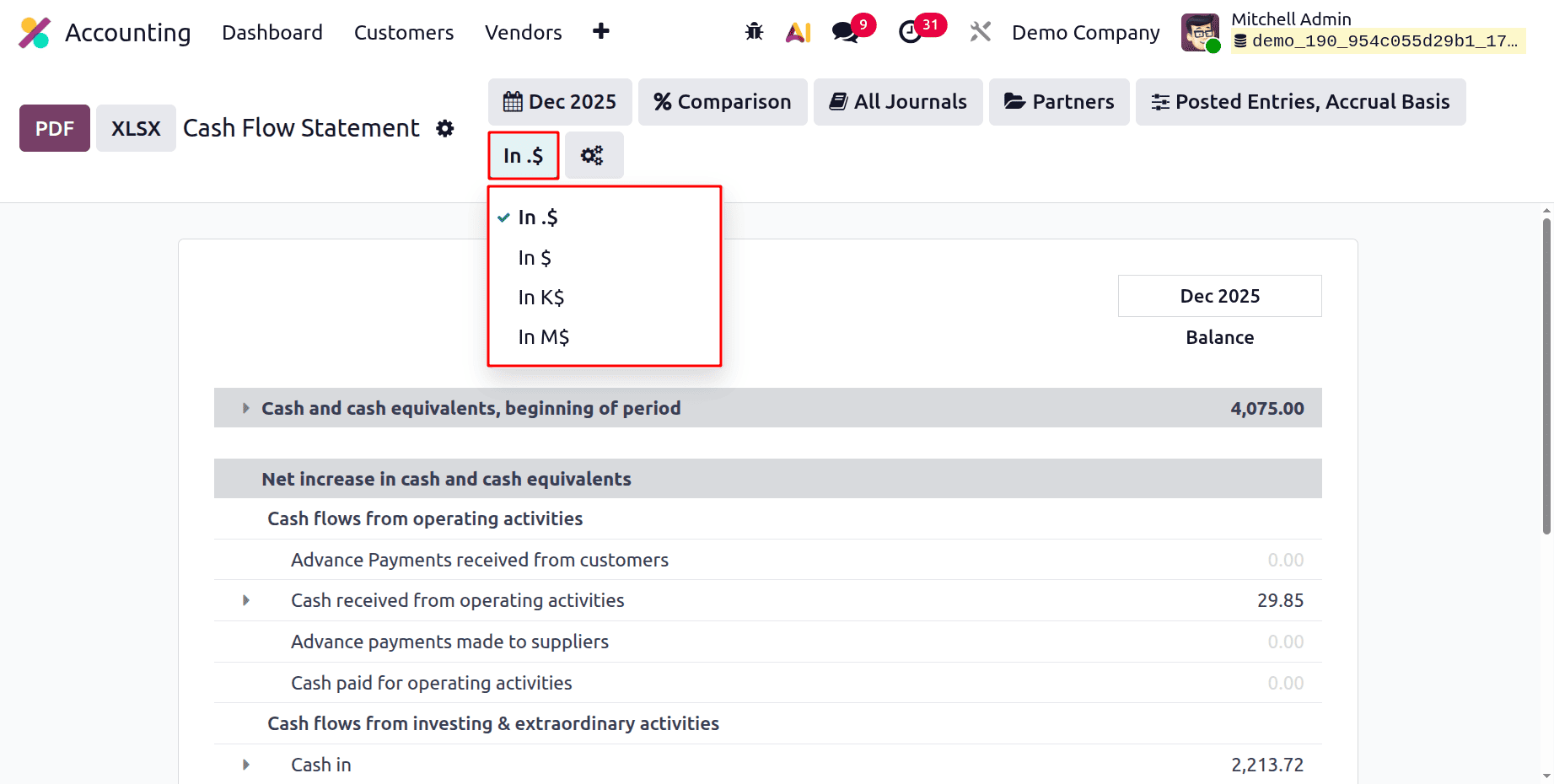
The Cash Flow Statement report's amount scaling (unit) filter comes next. Depending on the scale of the statistics, it makes the report easier to read and analyze by giving users the option to display monetary amounts in either In $, K$ (thousands), or M$ (millions). The real accounting data is unaffected by changing this filter; only the display format is.
The last icon will help to customize the Cash Flow Statement report. While clicking on the icon. The Accounting Report, and from there, the users can change the filters or possibly customize the report.
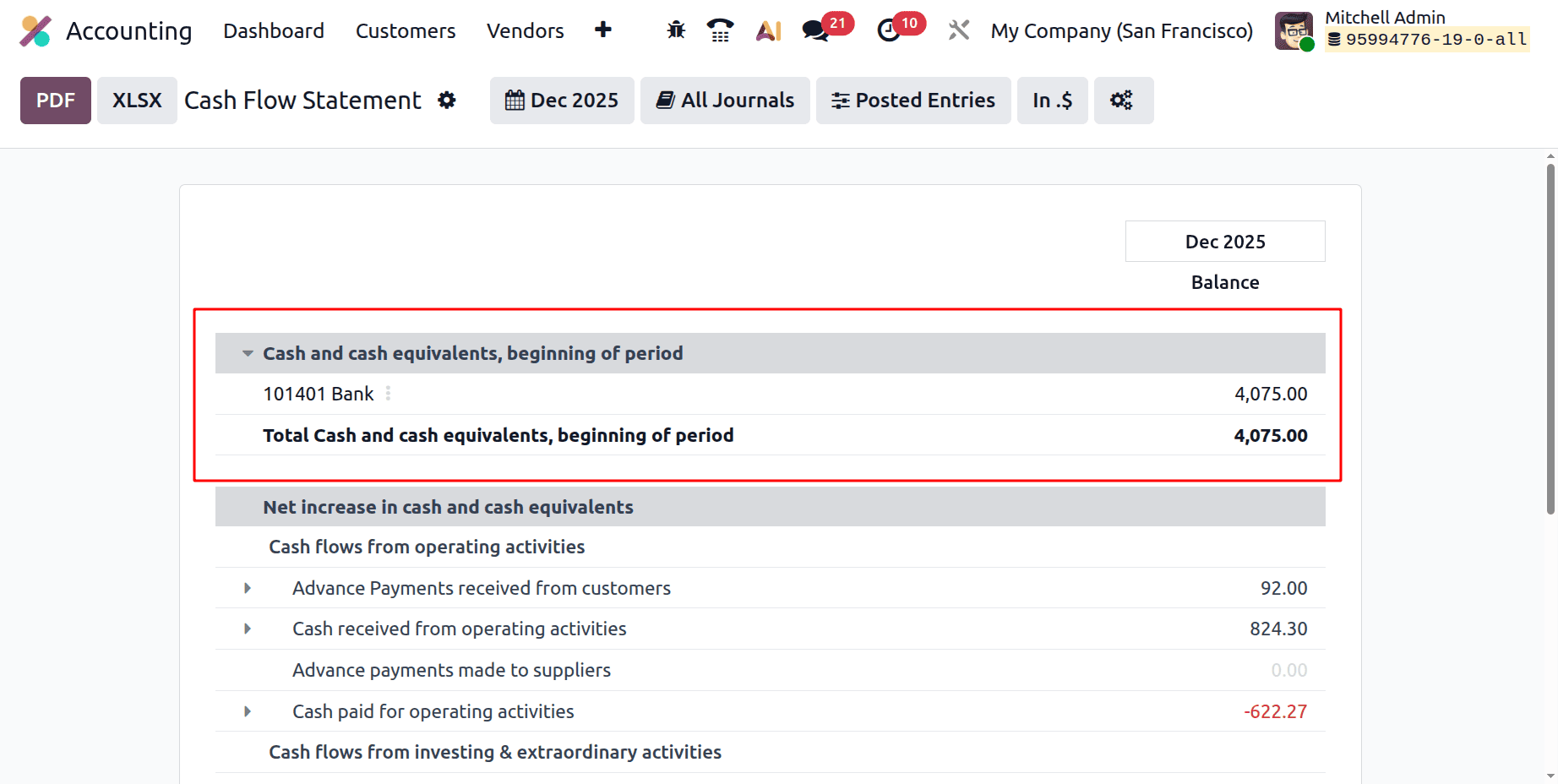
Then check the Cash Flow Statement report in Odoo 19 Accounting.
The total available cash balance at the beginning of the chosen reporting period is shown in the Odoo 19 Cash Flow Statement under Cash and Cash Equivalents at the Beginning of the Period. Balances from bank accounts, cash accounts, and other short-term, highly liquid assets, categorized as cash equivalents, are all included. This number is computed automatically using the previous period's ending balances. It acts as the first point of reference for monitoring the period's cash inflows and outflows. It establishes the ending cash and cash equivalents displayed in the report when paired with net cash flow activities.
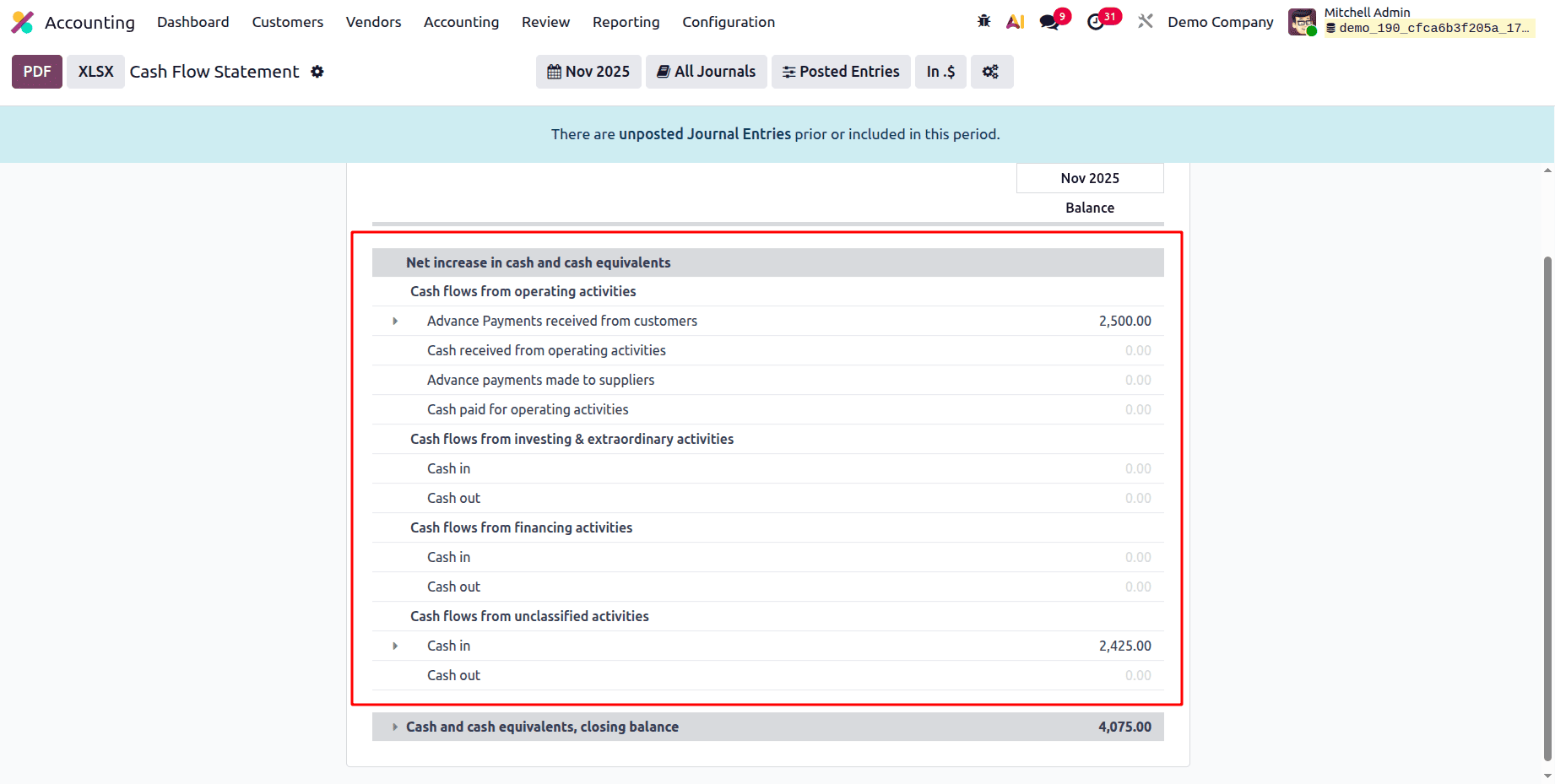
Net Increase in cash and cash equivalents shows Cash flows from operating activities, Cash flows from investing & extraordinary activities, Cash flow from financing activities, and Cash flows from unclassified activities.
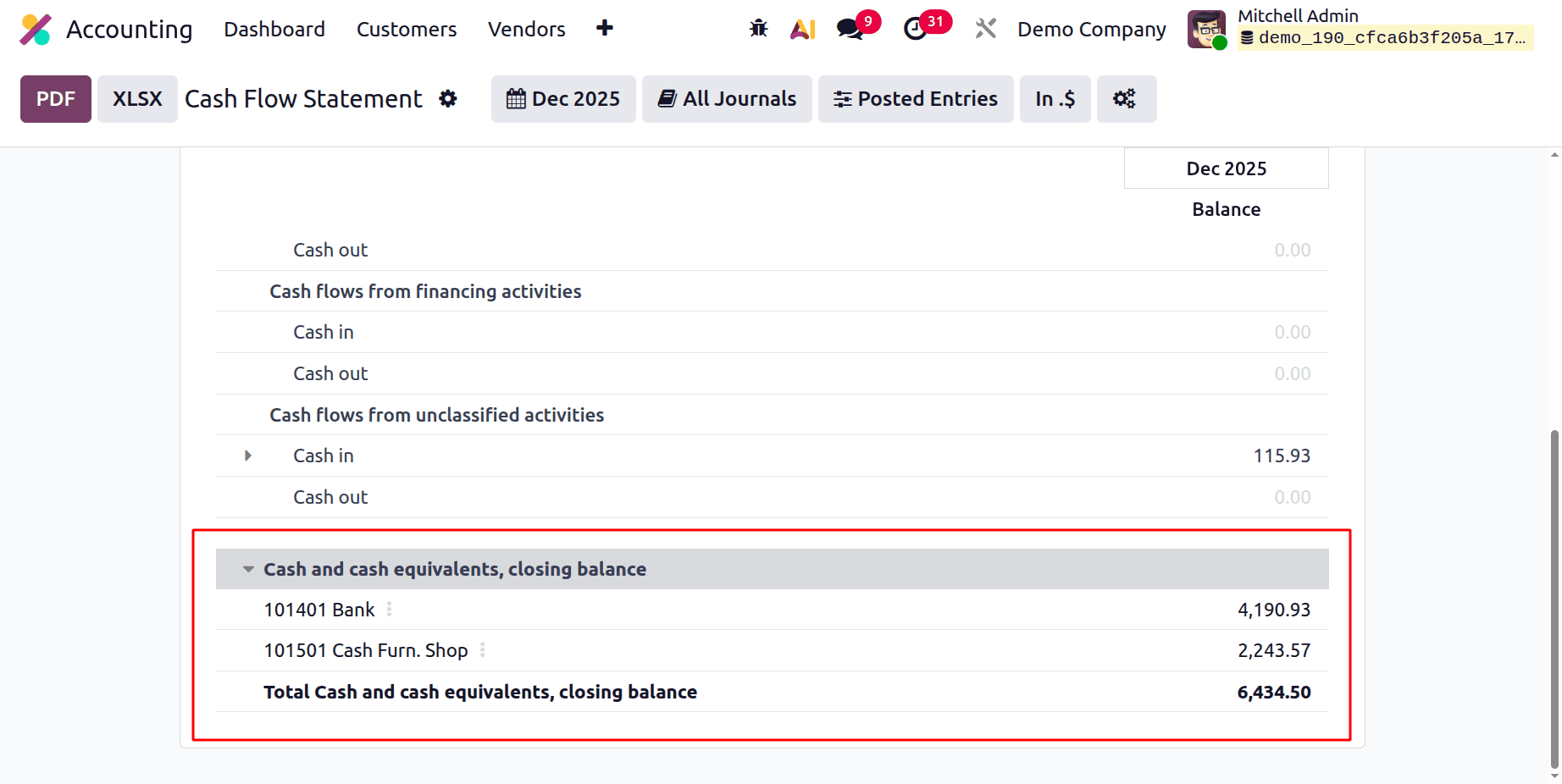
At the end of the report, it shows the Cash and Cash equivalents closing balance.
In conclusion, Odoo 19 Accounting's Cash Flow Statement Report gives companies an organized and transparent picture of their cash inflows and outflows, facilitating improved financial planning and control. Organizations can confidently make data-driven, well-informed decisions because of their real-time reporting and smooth connection with other accounting features. Businesses can enhance liquidity management and guarantee long-term financial stability by utilizing this report.
To read more about An Overview of Cash Flow Statement in Odoo 18 Accounting, refer to our blog An Overview of Cash Flow Statement in Odoo 18 Accounting.