An essential component of managing any retail business is effectively handling cash transactions. With the introduction of Odoo 19, the Point of Sale (PoS) module has improved support for currency rounding, a tiny but effective feature that helps companies streamline transactions and reduce inconsistencies brought on by rounding policies or tiny coin shortages. We'll go over how cash rounding functions in Odoo 19 PoS, its benefits, and how to set it up to optimise your everyday sales processes in this article. This function can increase accuracy and save time at the register, regardless of whether you're dealing with high-volume transactions or operating in a nation where coin denominations are being phased out.
Businesses can manage transactions when the smallest currency denominations are not available by using cash rounding in the Odoo Point of Sale (POS). Odoo automatically rounds the total payment amount to the closest preset number (such as 0.05, 0.10, or 1.00) rather than collecting or returning small coin amounts. This function is particularly helpful for cash payments, guaranteeing quicker checkout, minimising coin handling, and maintaining correct accounting records. Businesses can apply uniform rounding rules to all orders by turning on cash rounding in POS settings, which increases consumer convenience and operational effectiveness.
Cash Rounding
As required by some countries, cash rounding makes sure that the smallest physical currency denomination corresponds with a predetermined accounting unit. Cash rounding is applied to invoices and receipts by Odoo PoS. A field for choosing the preferred "Rounding Method" appears when the "Total Rounding" function is activated in the settings.
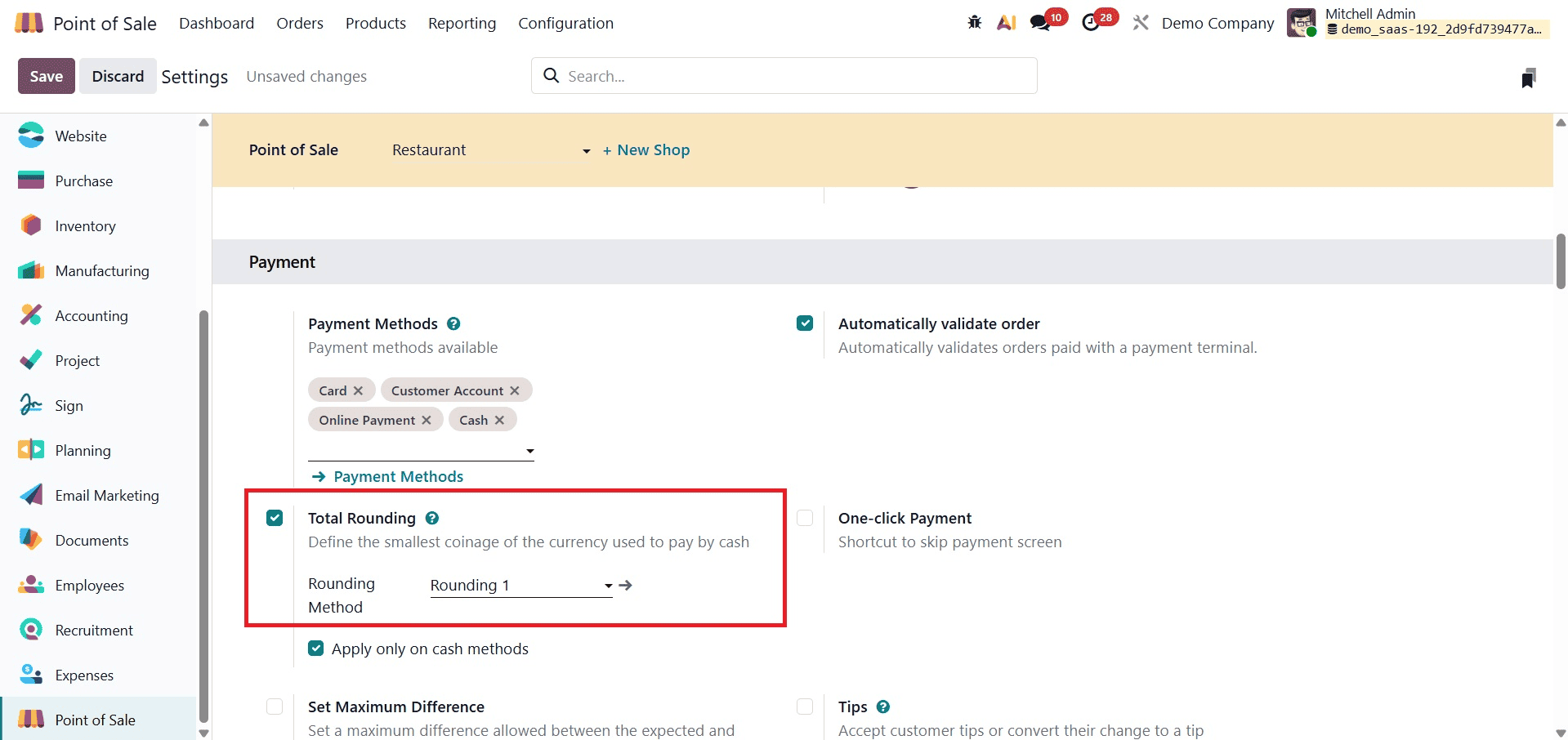
You can choose from the existing rounding methods or create your own by clicking the 'Rounding Method' internal link. The list of available methods includes information such as Name, Rounding Precision, and Rounding Method.
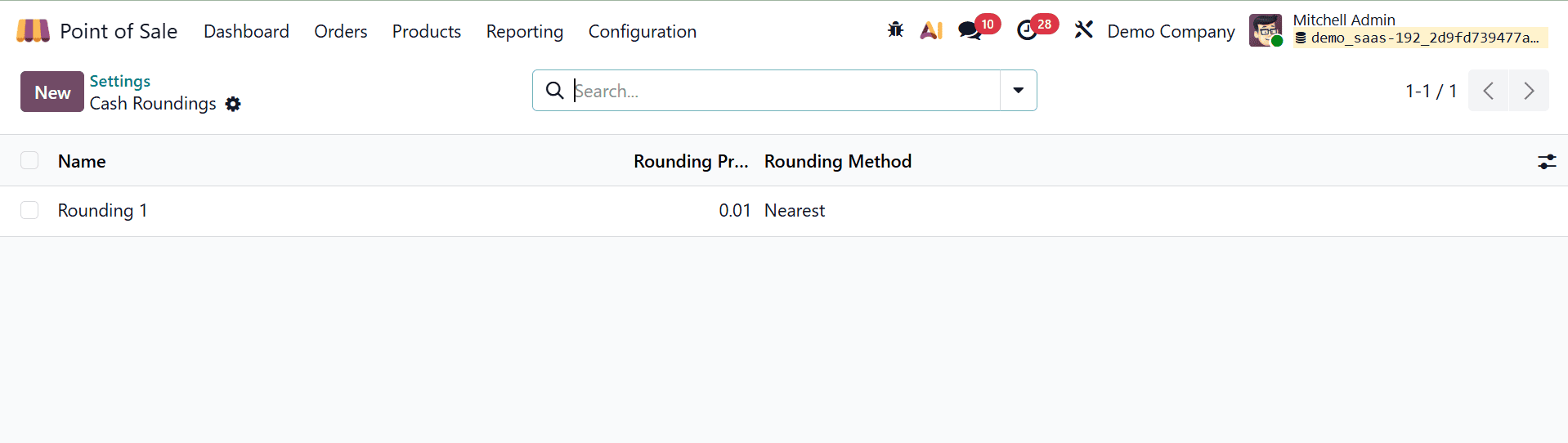
Next, select "New" and enter a name for the Cash Rounding. Next, create a new cash rounding method by entering the smallest currency denomination in the 'Rounding Precision' section.
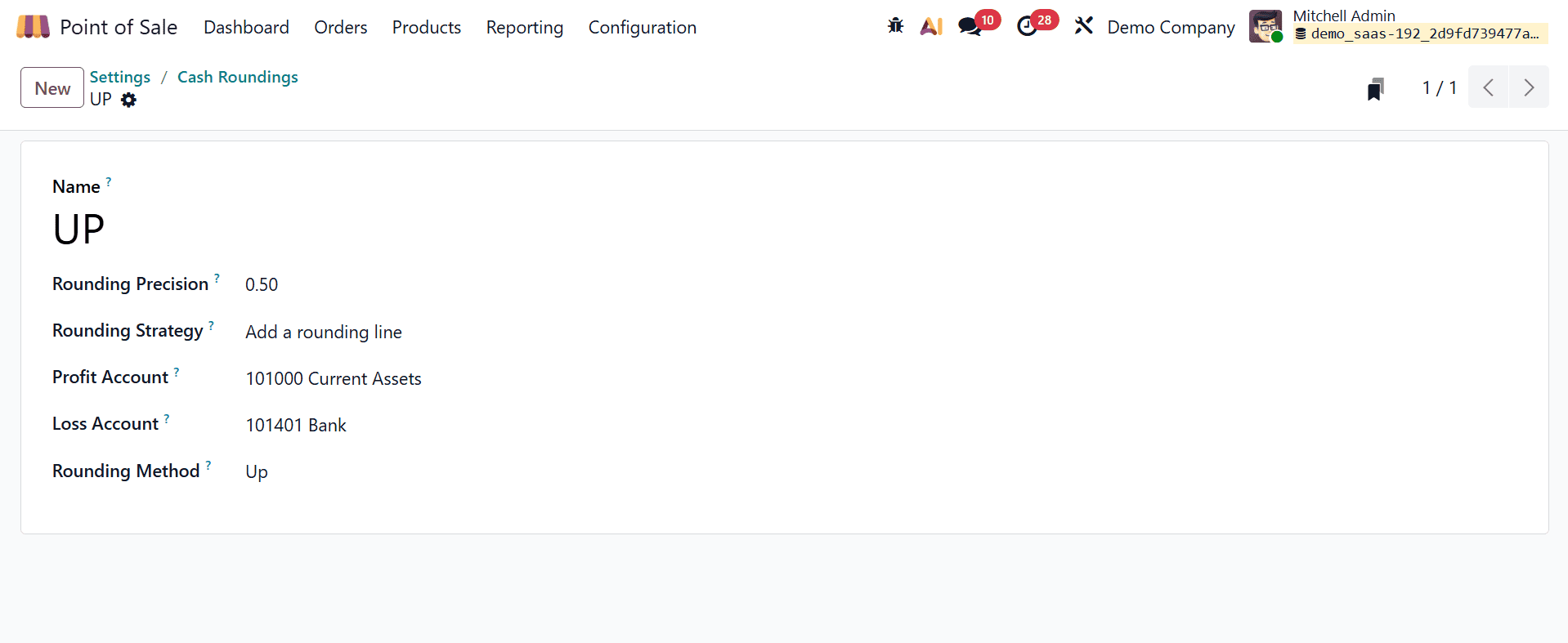
The 'Rounding Strategy' section explains how invoice amounts are modified to meet the required level of accuracy. Among the options are:
- Up: Using rounding precision, the value is rounded to positive infinity.
- Down: Uses rounding precision to round the result toward negative infinity.
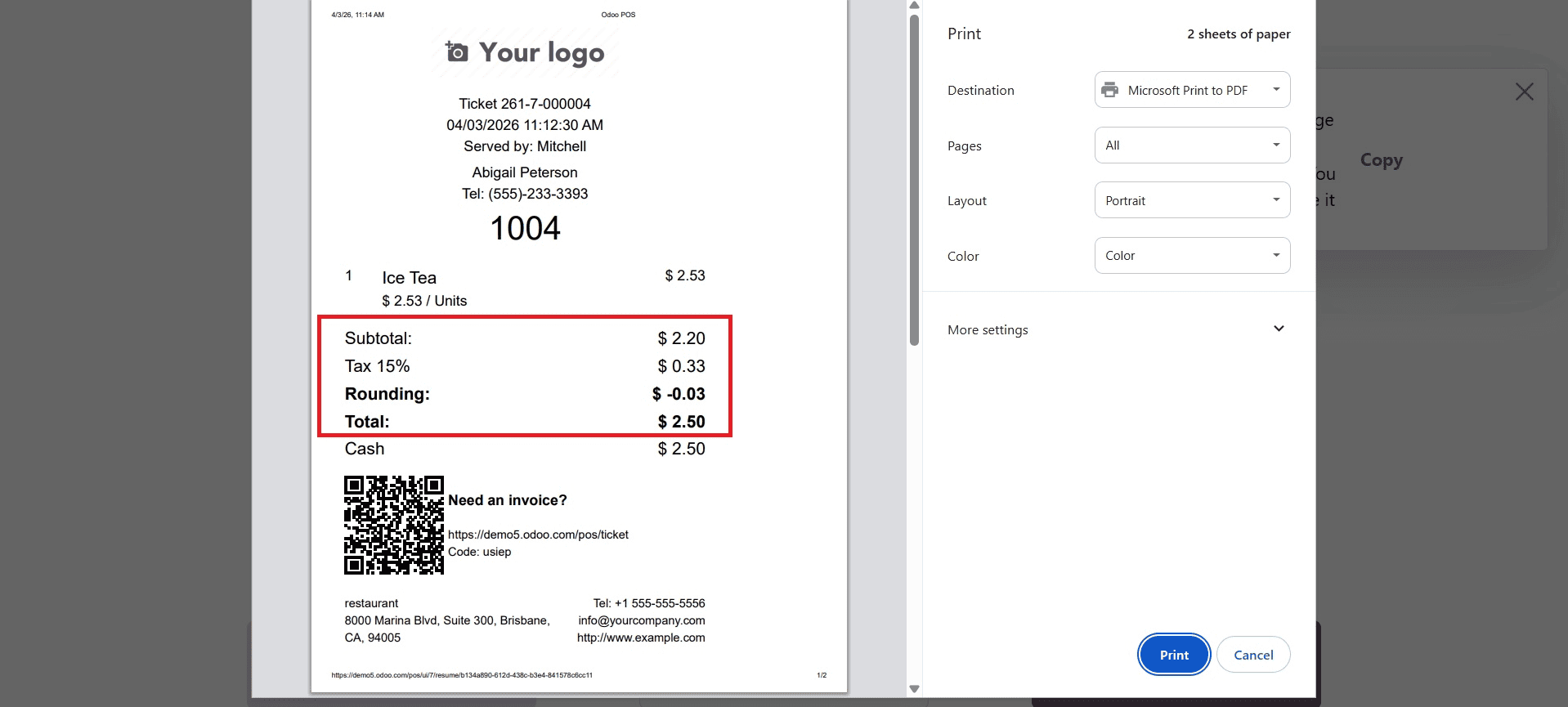
- Nearest: Uses fractional components to round numbers up or down (e.g., values less than 0.5 are rounded down).
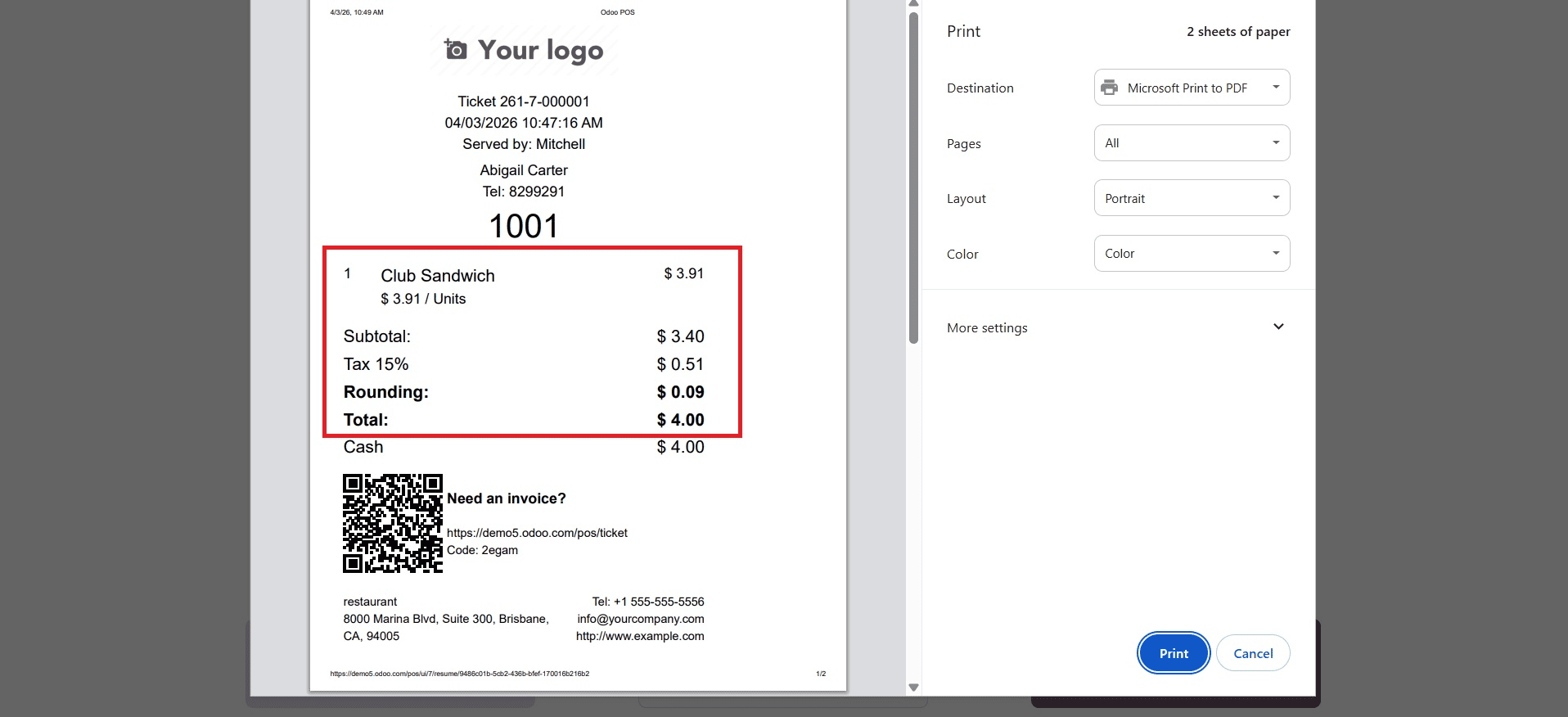
After saving, users can start a PoS session and choose products to test the Cash Rounding approach. The rounding technique automatically applies to product pricing after the payment has been validated.
For example, the price rounds to a positive infinity (e.g., $0.10) when the 'UP' rounding method is used with a precision of.10. By choosing a payment method and verifying transactions, users can complete payments. As seen in the screenshot below, the rounded value is displayed in the "Rounding" field of the sales invoice's "TOTAL" section.
Down
Make a new entry or modify the "Rounding method" inside the form view to verify the "Down" cash rounding technique, as indicated below.
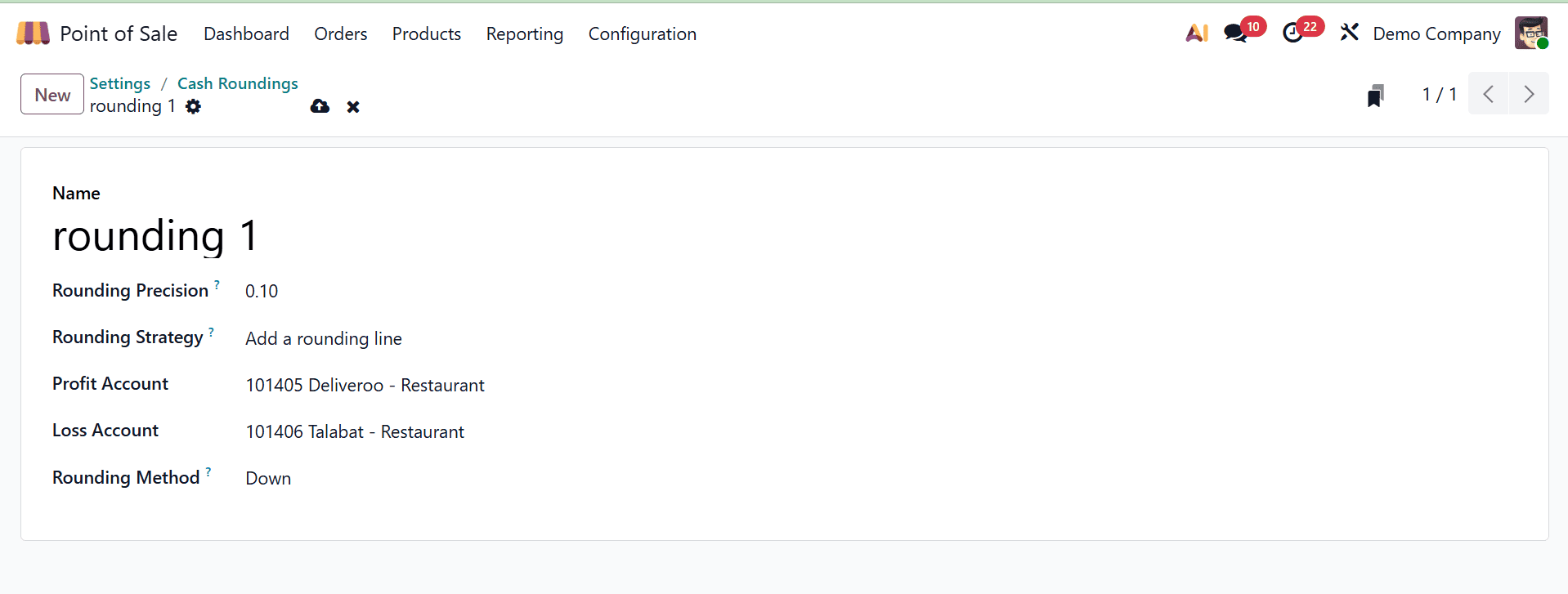
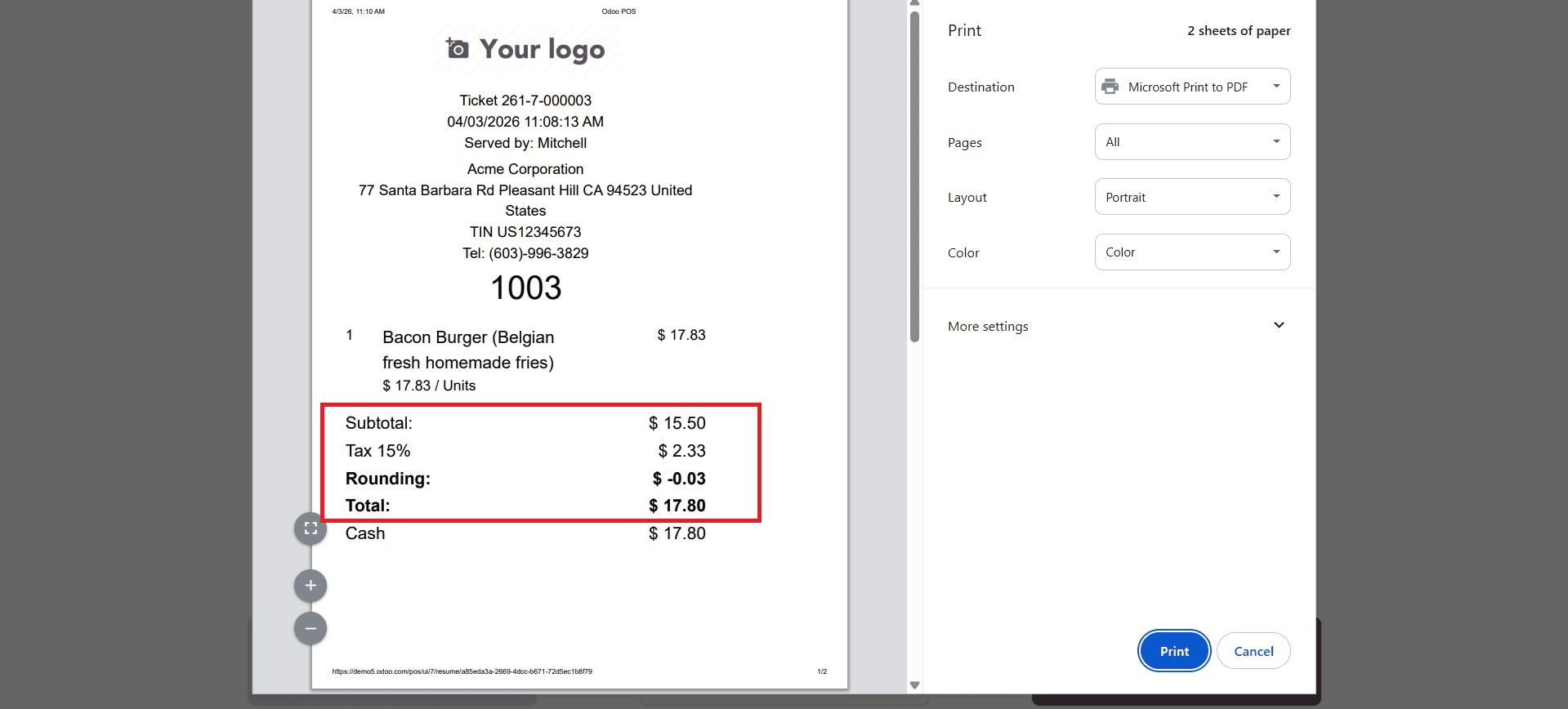
Next, generate a new Point of Sale (POS) order to observe the practical application of the Cash Rounding method. This practical test allows you to see how the selected rounding method impacts real-world applications.
Because the 'Down' approach is being used, the system will round the entire sum downward, toward negative infinity, based on the set rounding accuracy. As seen in the screenshot below, this ensures that the final total is consistently rounded to the nearest specified figure.
Nearest
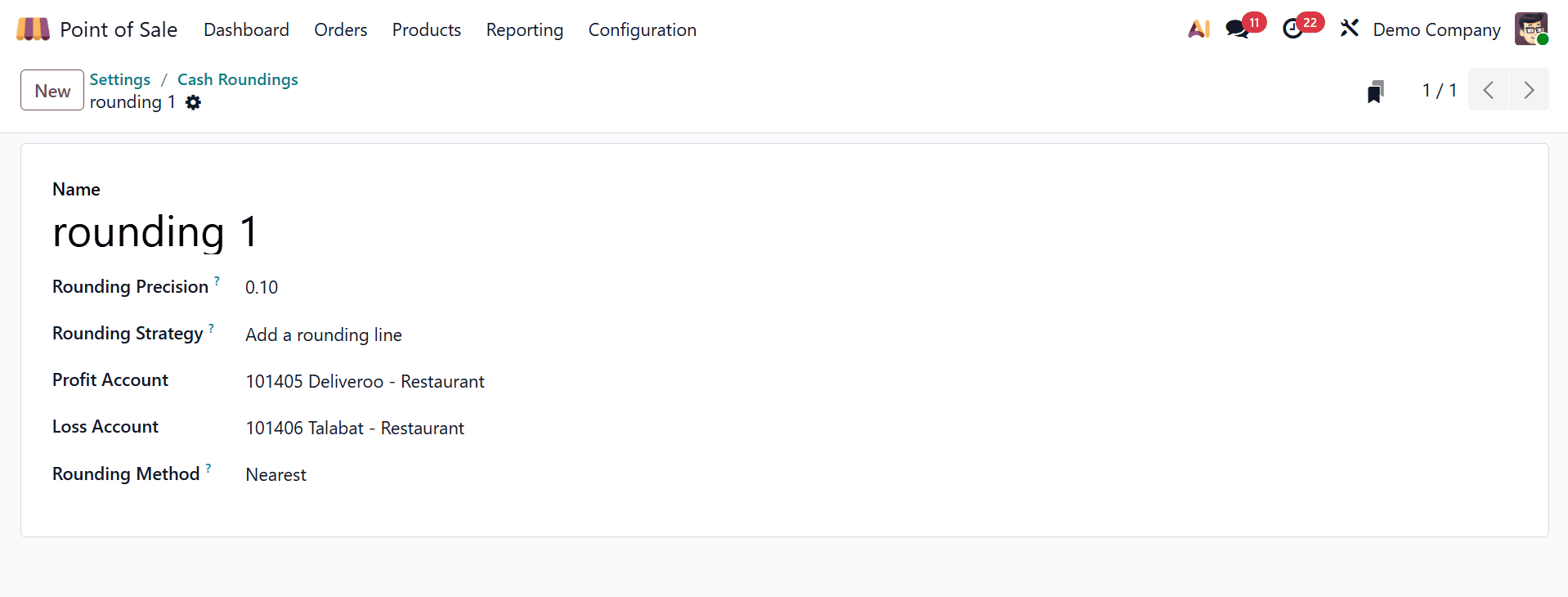
Change the Cash Rounding settings in both the form view and the configuration settings to verify the "Nearest" rounding method, as illustrated below.
A shopping receipt following payment will display the rounding precision to the closest value once the cash rounding technique has been set, as illustrated below.
This is how the Odoo 19 Point of Sale's Cash Rounding feature may be used. For companies that operate in areas where small coin denominations are no longer in use, this function provides a workable option.
It streamlines cash processing, minimizes inconsistencies, and improves consumer convenience by automatically adjusting totals to the closest available cash value during transactions. Cash rounding may be easily implemented and smoothly integrated with current POS workflows thanks to Odoo's broad configuration options. Adopting this functionality makes the checkout process easier and more effective while also guaranteeing adherence to local currency regulations.
In conclusion, by automatically converting totals to useful currency values, cash rounding in the Odoo Point of Sale streamlines cash transactions. This assures proper accounting for rounded variances, expedites the checkout process, and minimizes the need for small coinage. Businesses can increase cashier productivity, reduce cash handling problems, and give clients a more seamless payment experience by implementing uniform rounding procedures. All things considered, cash rounding is a little yet useful function that improves daily POS operations.
To read more about How Cash Rounding can be used in Odoo 18 Point of Sale(POS), refer to our blog How Cash Rounding can be used in Odoo 18 Point of Sale(POS).