Managing waste collection routes, manifest compliance, recycling documentation, and invoicing becomes difficult when the operations team manages routes through one system, the compliance officer uses another system for manifest compliance, and the finance team handles invoicing through yet another system. In the vast majority of cases, most of the companies that provide waste services manage their routes in spreadsheets, file manifest compliance in paper forms, and manually calculate invoices, which takes days before audits or inspections. The Waste Management ERP suite is built to make all of that easy. Collection points, routes, driver activity, waste batches, recycling orders, compliance manifests, subscriptions, and invoicing are all managed within Odoo. The batch status is updated automatically throughout the whole life cycle of the waste, and every approval is allowed only for the proper role.
The suite is modular. Base, Collection, Compliance, Recycling, and Contracts & Billing are free. The Driver App and Subscriptions modules are premium add-ons that need to be purchased separately. You start with the Base and Collection modules and then add the others as your business needs them.
User Roles and Security in Waste Management
Let's now see how Waste Management ERP handles day-to-day waste operations. As seen in the screenshot below, you can set the role of each user for Waste Management ERP.
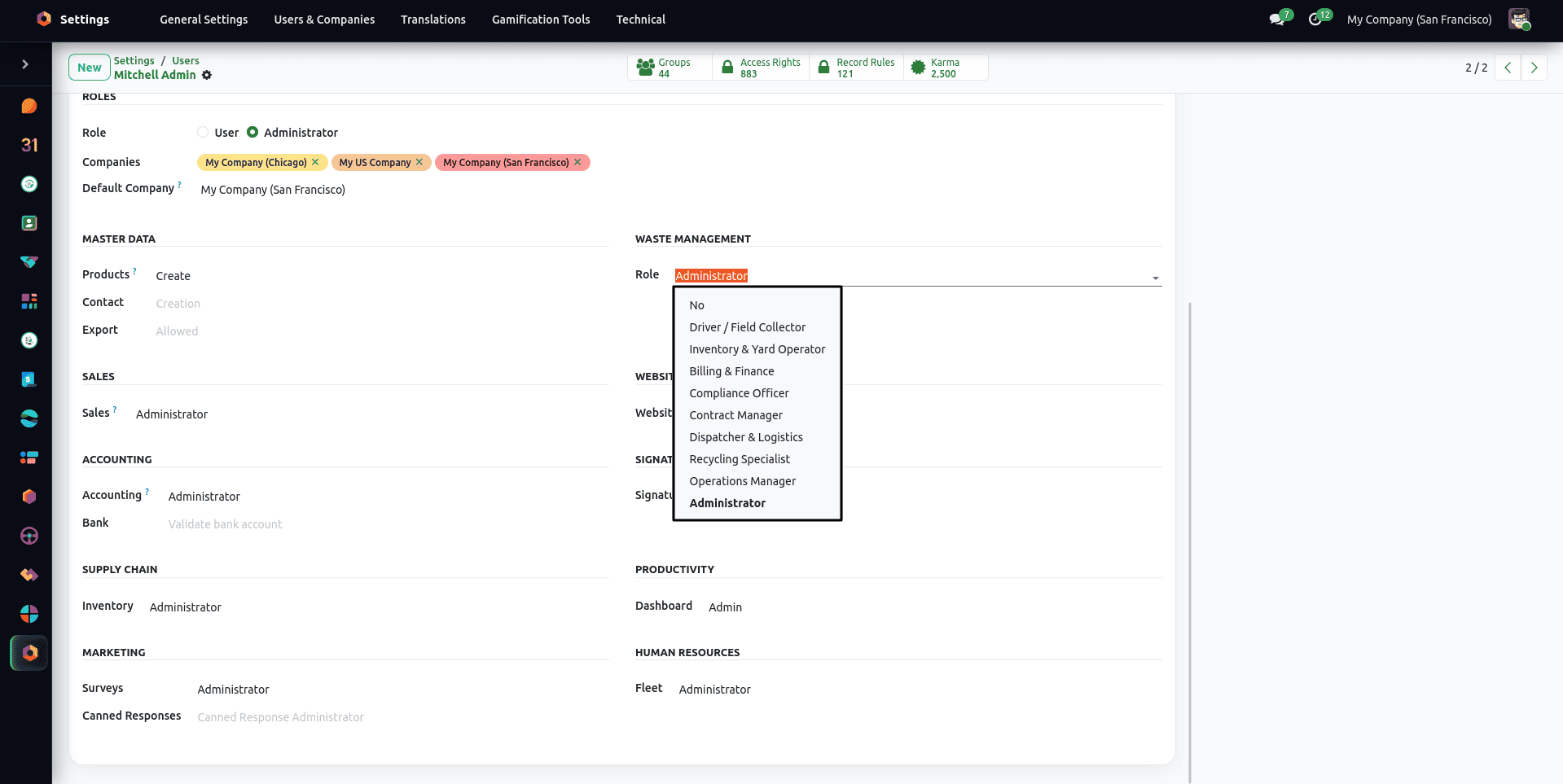
The module offers 8 distinct operational roles, plus specific permissions for digital signatures and contract management. The Driver / Field Collector can view their allocated daily routes and log collected weight using a mobile device but does not have permission to edit customer contracts. The Dispatcher & Logistics role creates and sends out collection orders, handles service zones, and route optimization. The Inventory & Yard Operator is responsible for weighing trucks at the yard, recording batches of incoming waste, executing sorting of materials, and printing barcodes as required. The Recycling Specialist creates and manages material recovery orders, records the amount of recovered material, and records the yield recovery rate.
The Billing & Finance role deals with setting dynamic pricing, performing monthly invoicing, and verifying draft customer invoices. The Operations Manager manages the overall operations, including dispatching, inventory of the yard, recycling, and fleet preparation. The Administrator role grants access to global configuration, user security assignments, and immutable audit logs. In addition, there are Signature User and Signature Manager roles managing multi-role signing processes and digital signature templates, as well as Contract Manager. The Compliance Officer role looks after manifests, certificates, permits and licences, safety incidents, and regional compliance rules.
Configuring Global Settings and Storage Locations
If you want to create your first collection order, you need to configure the module in Waste Management > Configuration > Settings. This is where you turn on the immutable audit trail, auto-dispatching of routes ready for delivery, tracking of missed collections, geographic service areas, batch inspection, barcode label creation, and facility gate entries with intake scales. The same screen also switches the optional modules on or off: Compliance Management, Recycling, Subscriptions, and the Driver Mobile App. Enabling a toggle installs the module and its menus.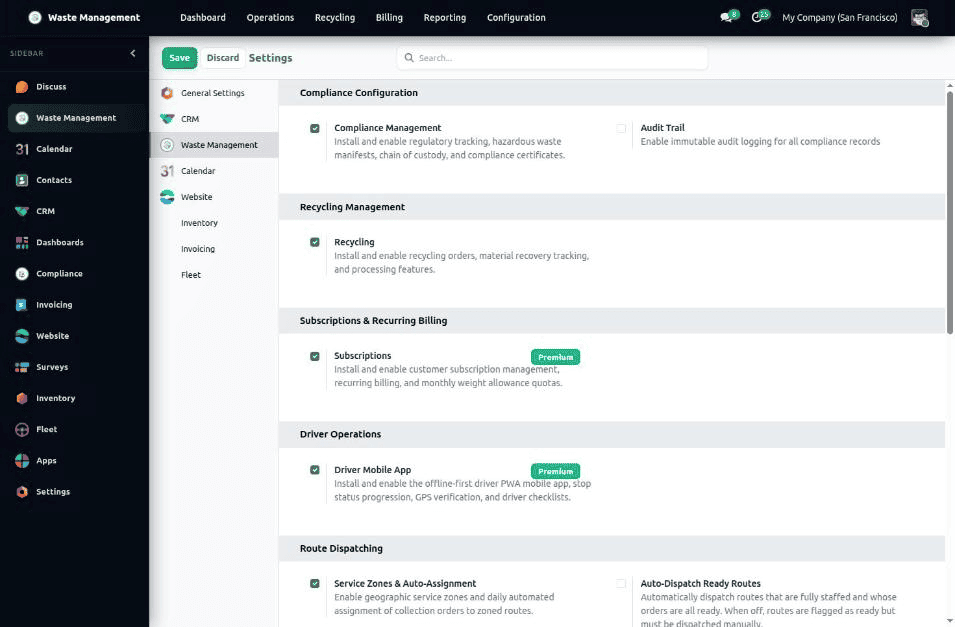
The module also enables Odoo's internal storage locations so that every waste batch can be traced all the way from the collection point to the disposal or recycling facility. Route and collection point map displays are powered by an integrated Leaflet and OpenStreetMap engine, providing interactive GIS mapping without requiring external third-party API keys.
By default the route maps and road routing use the public OpenStreetMap tiles and the public OSRM routing service, so no account or API key is needed, and the stop coordinates are sent to those public services when a route is drawn. To keep them private, point the Map Tile Server URL and the OSRM Routing Server URL (Waste Management > Configuration > Settings, Map & Routing Infrastructure) at your own servers.
Setting Up Waste Categories and Materials
The first thing to set up is the hierarchy of waste types the company handles. This is done from Waste Management > Configuration > Master Data > Waste Categories.
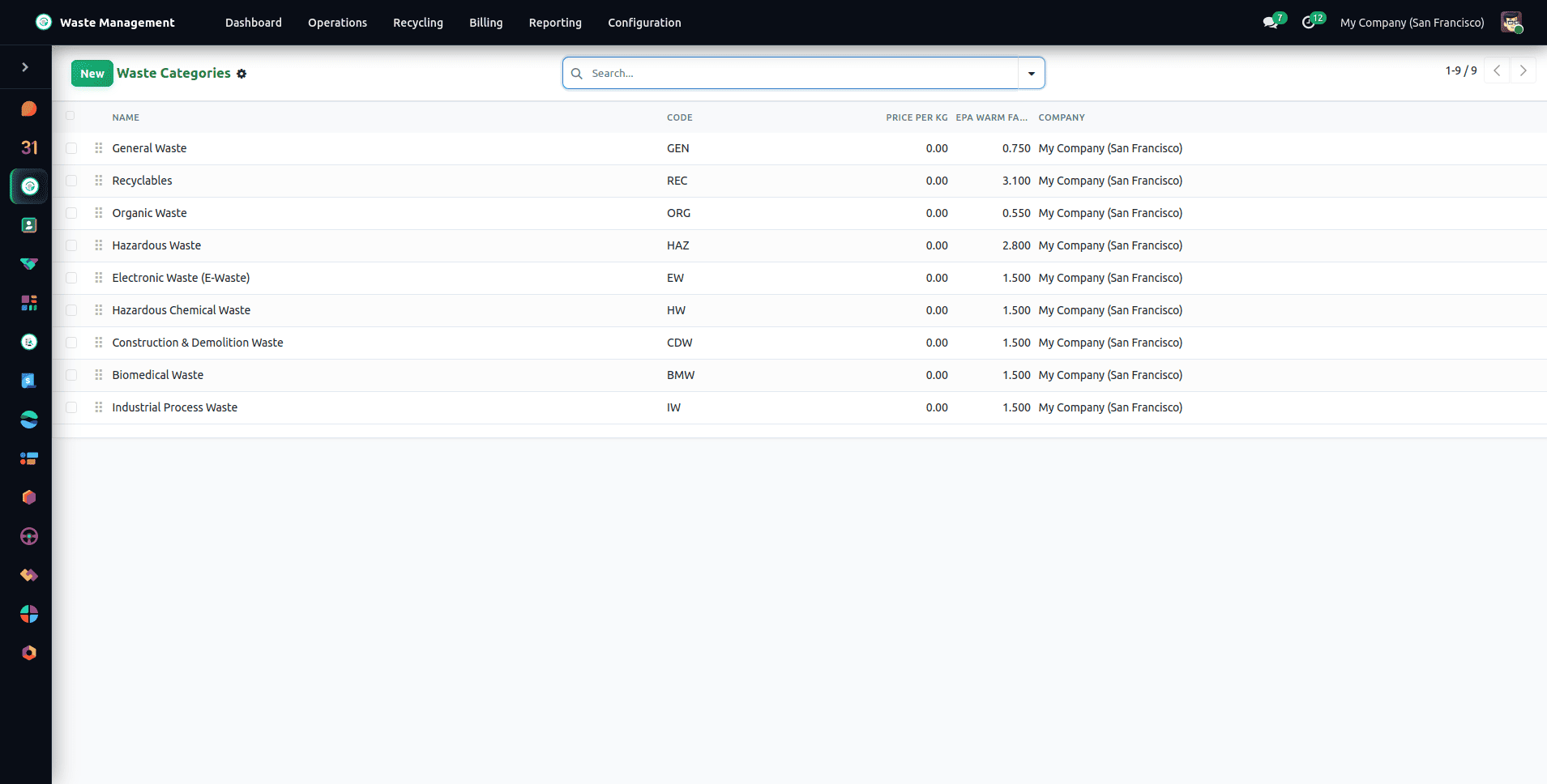
Each category carries a name, a unique code used across reports, manifests, and billing rules; a hazardous flag that enforces mandatory compliance documentation and licensed transport; a default container type that pre-fills collection orders; and a custom color code used on the interactive map view and dashboard charts.
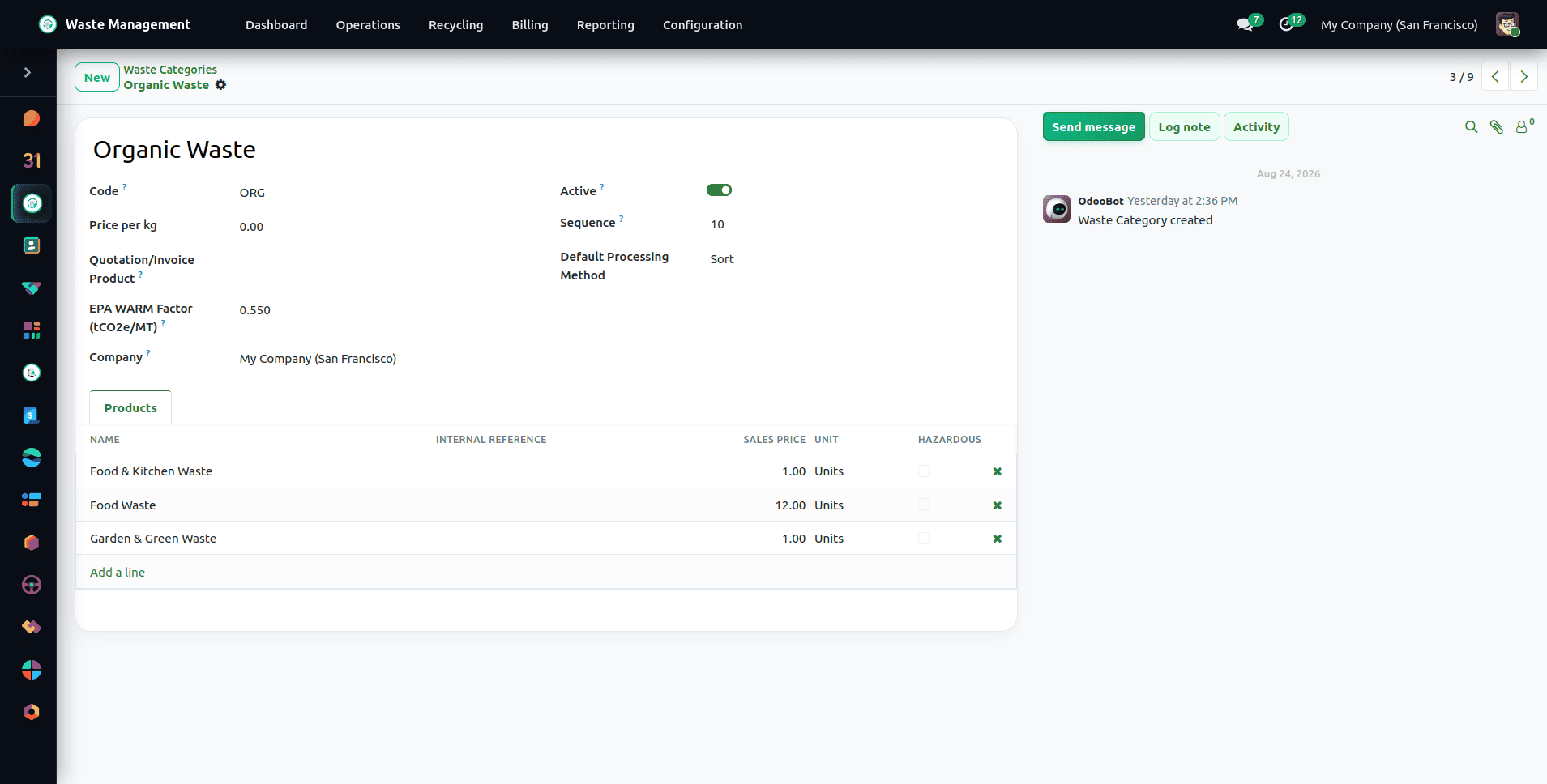
Under Waste Management > Configuration > Master Data > Waste Materials, you then define the specific materials belonging to each category – for instance, the Plastic category might hold PET Clear Bottles, HDPE Drums, and Polystyrene Foam.
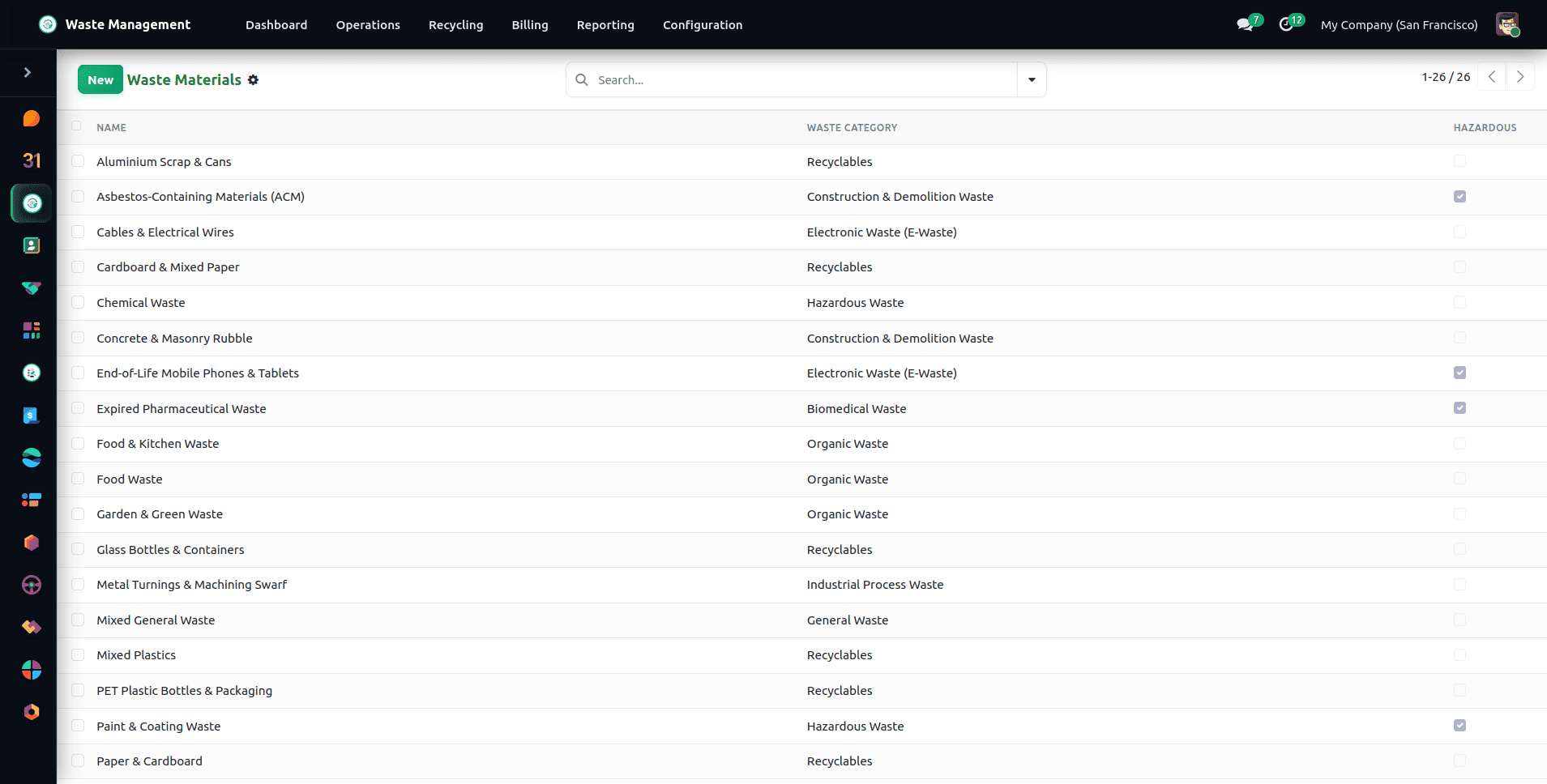
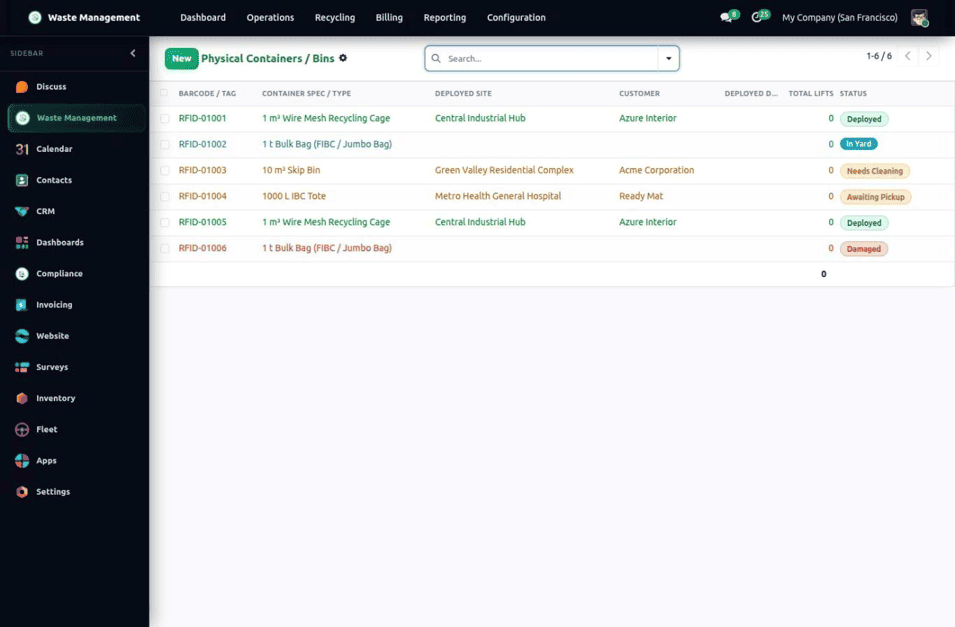
Each waste material is linked to an Odoo product template. Enabling the Is Waste Material flag on a product makes it selectable in collection orders, waste batches, and recycling orders. Containers are tracked as individual units as well. Each container record carries a unique barcode or RFID tag, its container type, the customer and deployed site, a condition note, and a status: In Yard, Deployed, Needs Cleaning, Damaged, or Awaiting Pickup. This lets dispatchers see exactly which physical bin sits at which collection point. They are managed from Waste Management > Operations > Physical Containers / Bins.
Managing Partner Contracts and Commercial Terms
On the commercial side, customer agreements are governed by Partner Contracts from Waste Management > Configuration > Customer > Contracts. A Partner Contract sets the commercial terms for a customer's waste collection and billing.
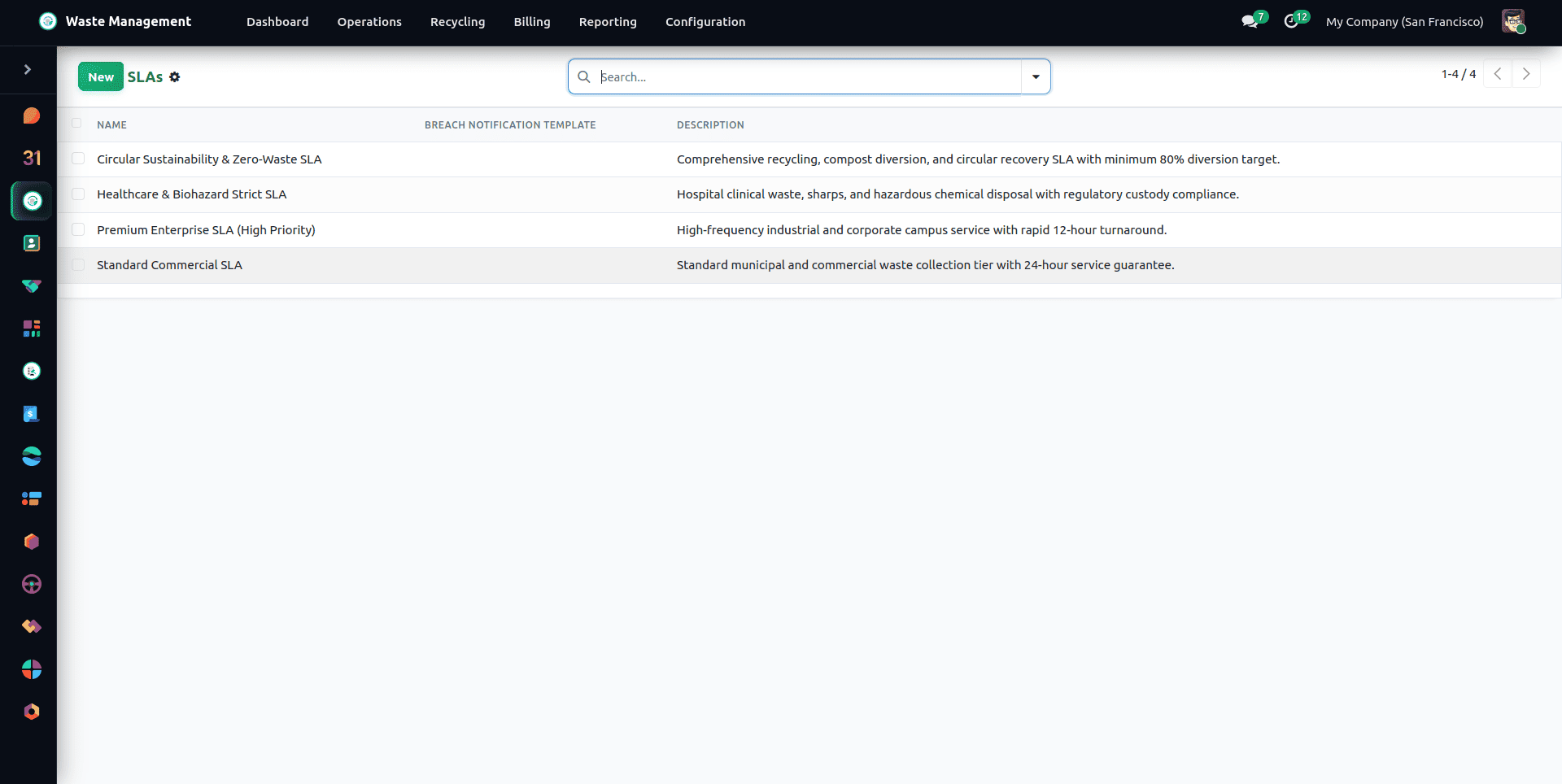
In the contract header, the billing scheme is specified: Per Collection (fixed stop fee), Per Material, Base Fee + Material Overage (the base fee will cover the threshold tonnage, and extra tonnage will be charged at an overweight cost per 10 kg), and Per Category Rate (rates are set in kilograms on the contract lines). The entire contract will define the billing period, collection locations, and SLA targets for collection compliance, missed collections, and complaint response time. A contract moves through the stages Draft, Sent, Signed, Confirmed, and Ongoing (or Expired and Cancelled), and can be signed electronically before it is activated. Its daily, weekly, or monthly recurrence (a specific day or the last day of the month) drives the automatic creation of collection orders. A Base Fee + Material Overage contract must have an overweight price, otherwise it cannot be saved. Once a contract is Confirmed or Ongoing its prices are frozen: a price change goes through a new or renewed contract.
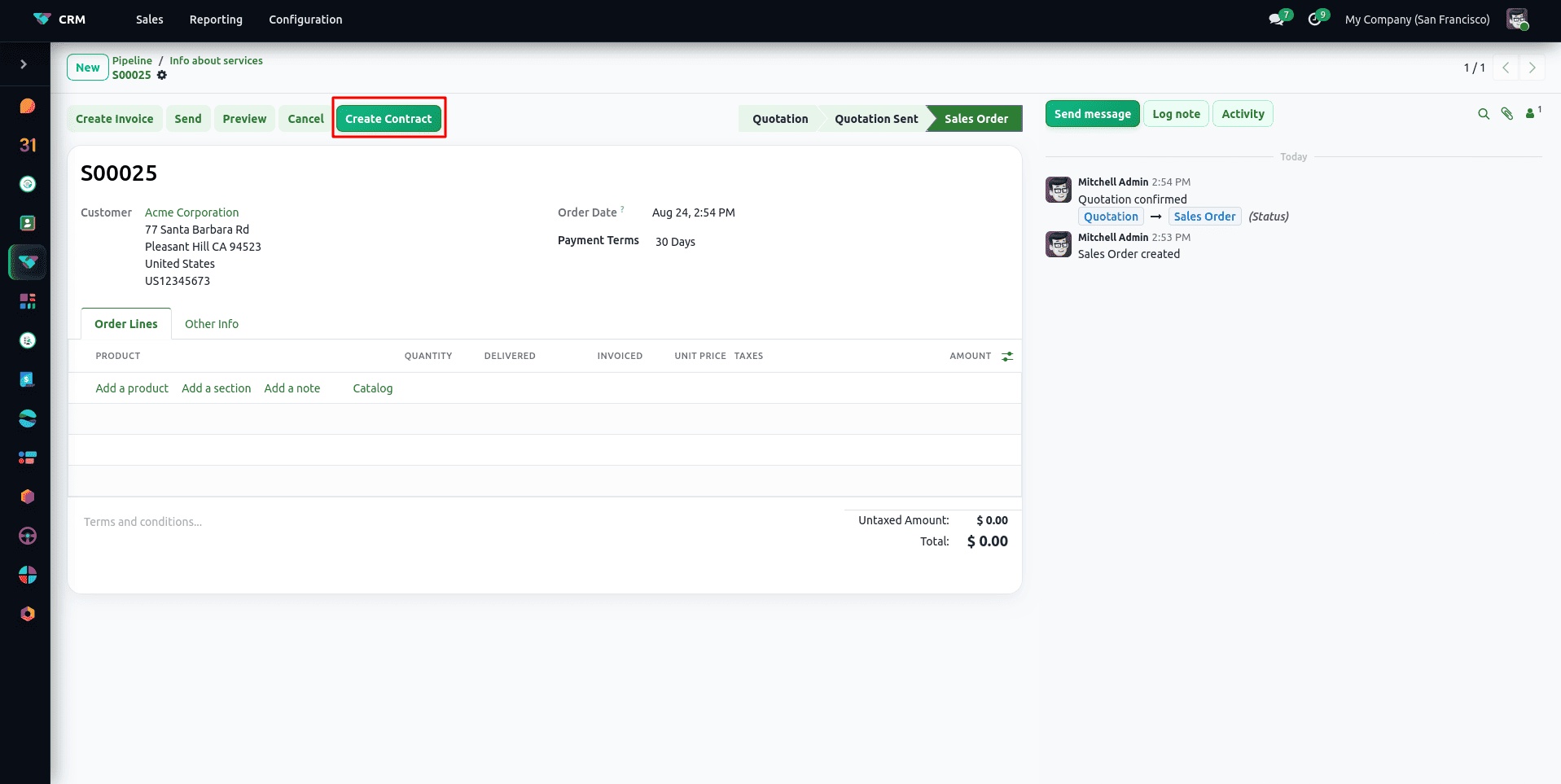
CRM leads and quotations in Odoo are extended with a Waste Management tab, allowing sales teams to convert won opportunities directly into active partner contracts using the Convert to Contract wizard.
Registering Geolocated Collection Points
With categories and contracts in place, the next step is to register where waste is physically collected. A Collection Point is a customer site, commercial facility, or industrial skip that you create from Waste Management > Operations > Collection Points.
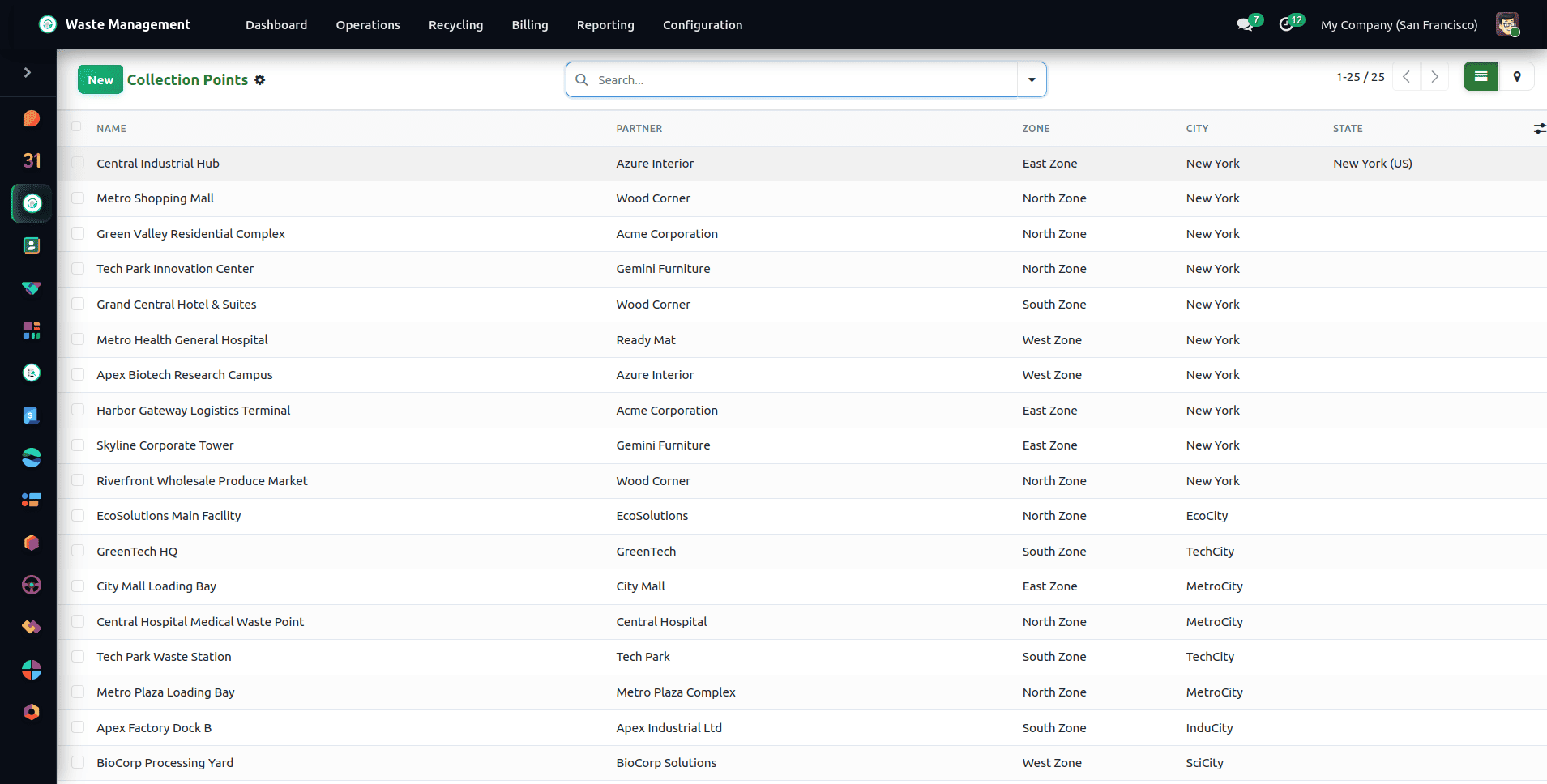
The information held at each collection point includes the responsible partner, the service area assigned to that partner, the GPS latitude and longitude, the types of waste that are allowed, the type of container and the number of containers placed at the site, as well as the collection frequency. When the GPS coordinates have been entered, the pin will appear on the interactive Leaflet map, allowing dispatchers to check the position before assigning the point to a route.
Executing Collection Orders and Mobile Weight Logging
With master data in place, the day-to-day operations start with the Collection Order. The Collection Order is the operational transaction that captures the collection of a single pickup at a collection point and is managed from Waste Management > Operations > Collection Orders.
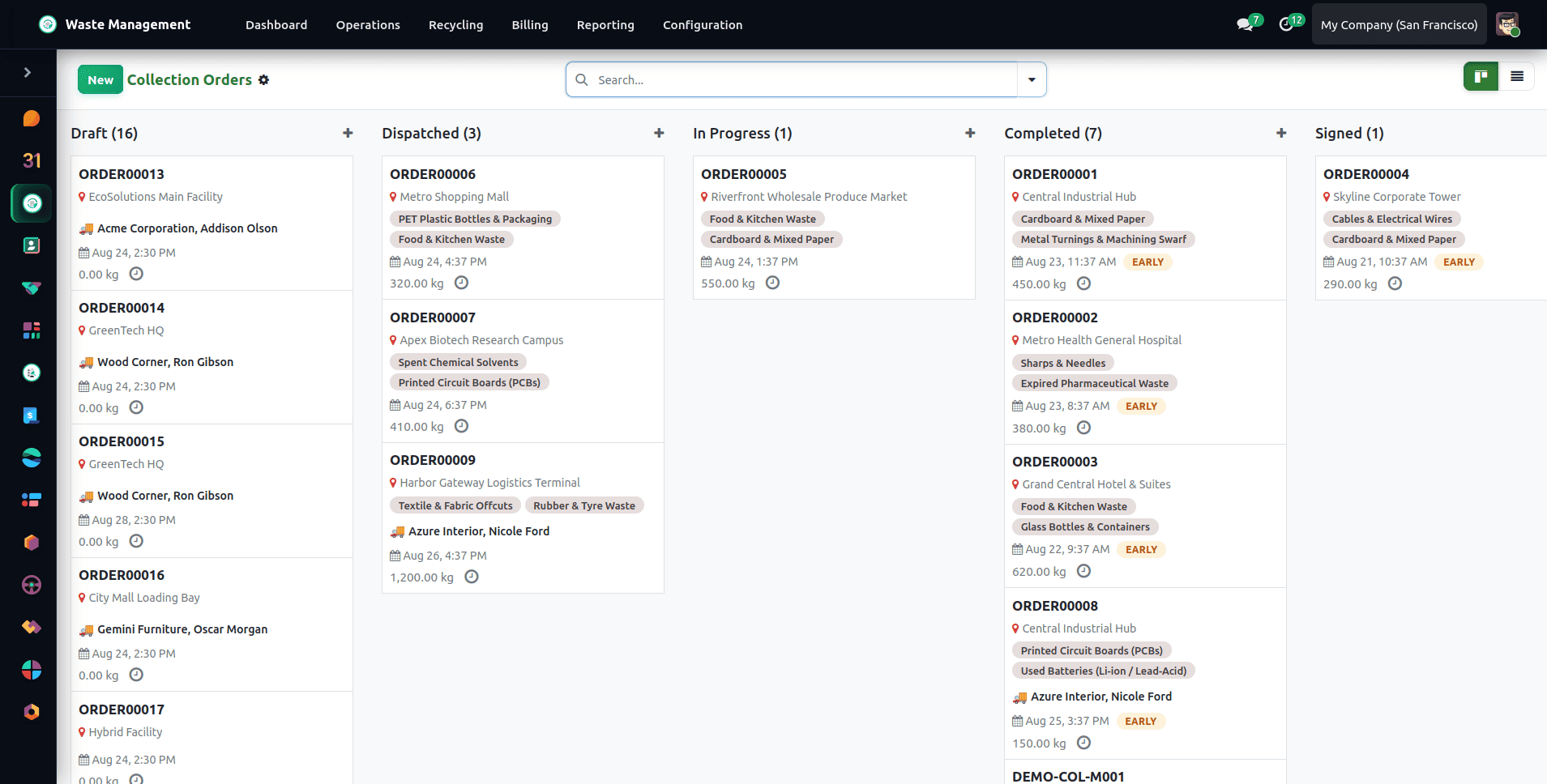
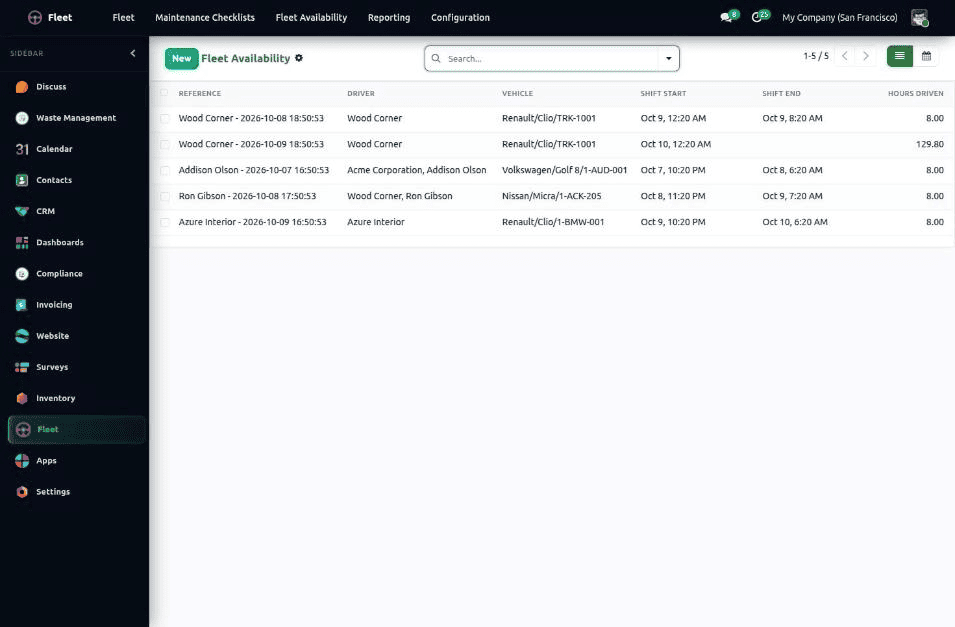
The life cycle of a collection order is definite and consists of the stages Draft, Dispatched, In Progress, Completed, and Signed (Missed and Cancelled being exceptions). The collection order may be automatically generated according to the contract's recurrence schedule, by adding stops to the route map, or even by manual input from dispatchers. When you click on Dispatch the driver, the vehicle and the date are assigned, and the order is then entered on the driver's run sheet. . When a route is dispatched, a driver shift is created automatically for the assigned driver, so shift planning needs no extra data entry. Shifts and driver availability can be reviewed under Fleet > Fleet Availability. An order or route cannot be processed twice: completing a finished order, dispatching a route that was already dispatched, or marking a closed order as missed is refused.
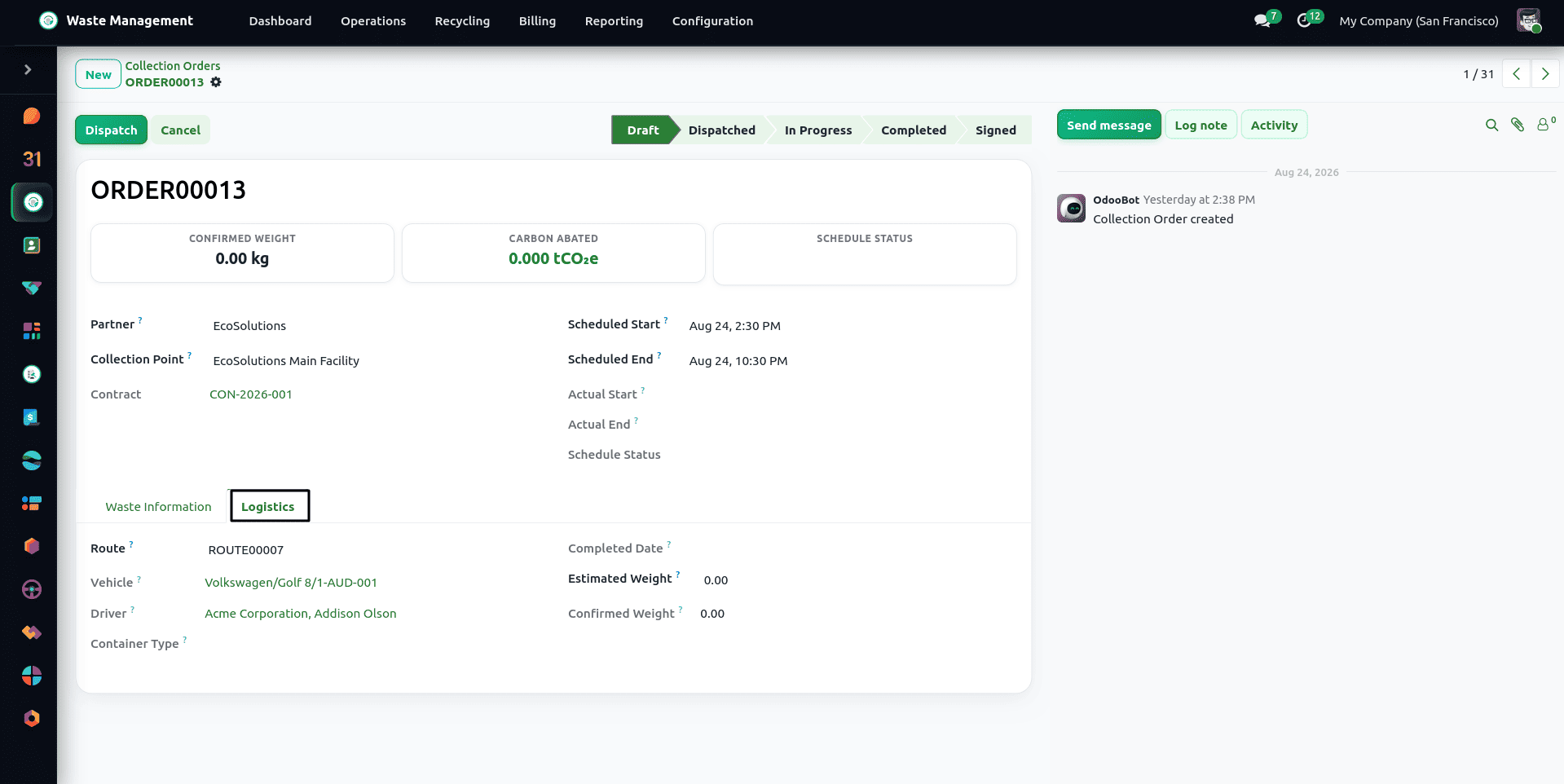
When the driver arrives on site and begins the pickup, the order moves to In Progress. The driver logs the actual net weight collected for each waste stream, may optionally take a photo, and mark the pickup as Completed. Once the customer signs on site, the digital touch signature moves the order to Signed:
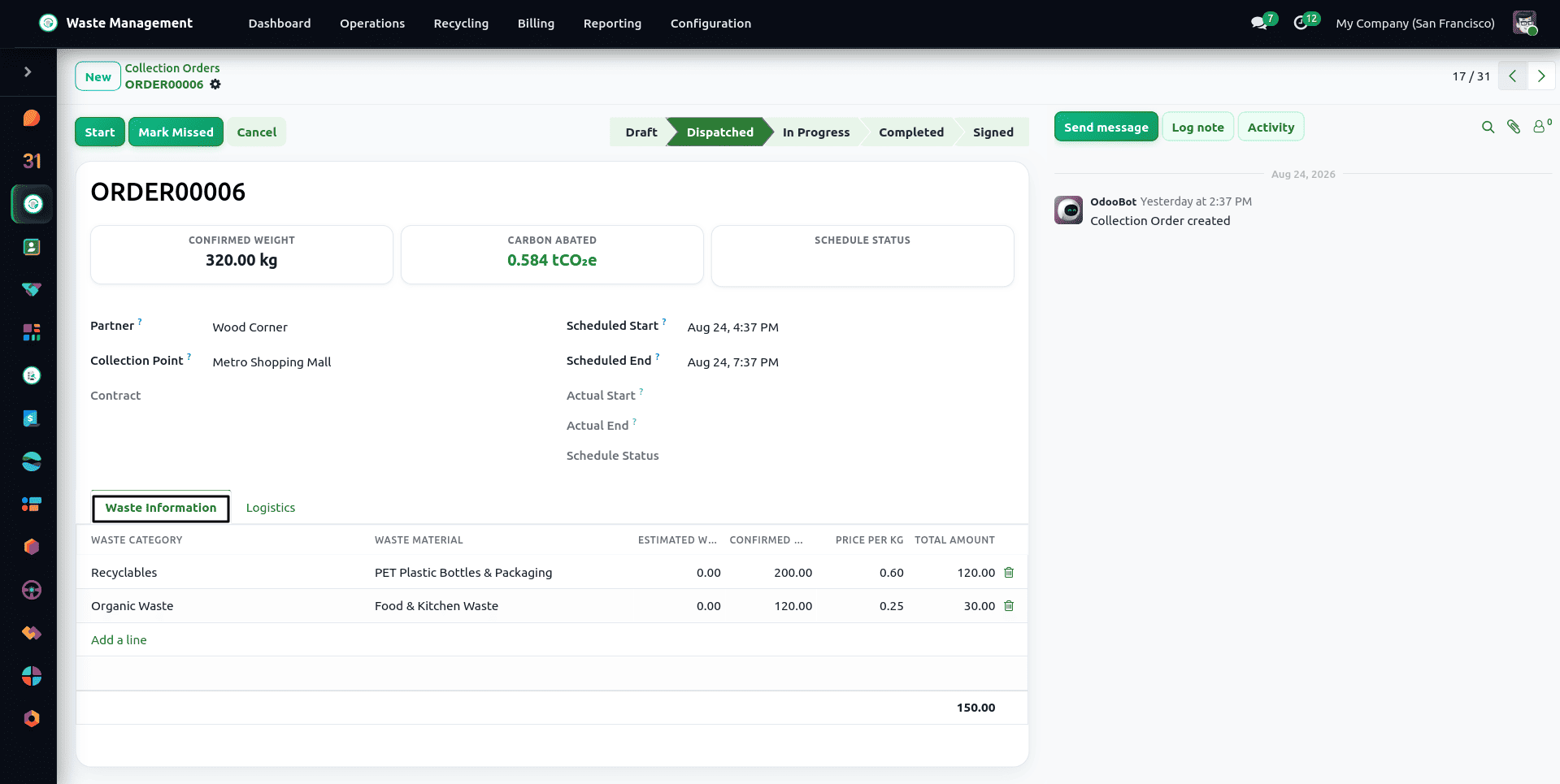
When actual weights are entered, the system will automatically calculate the bill amount based on that customer’s contract rate card for the waste category collected (defaults to the default rate for the category if no contract exists). Every waste line is priced on one of three bases: Per kg, Per Collection (a flat price for the category), or Contract Fee, which is covered by the contract's per-collection fee and added once to the order total.
Driver Mobile App: Offline-First Stop Logging
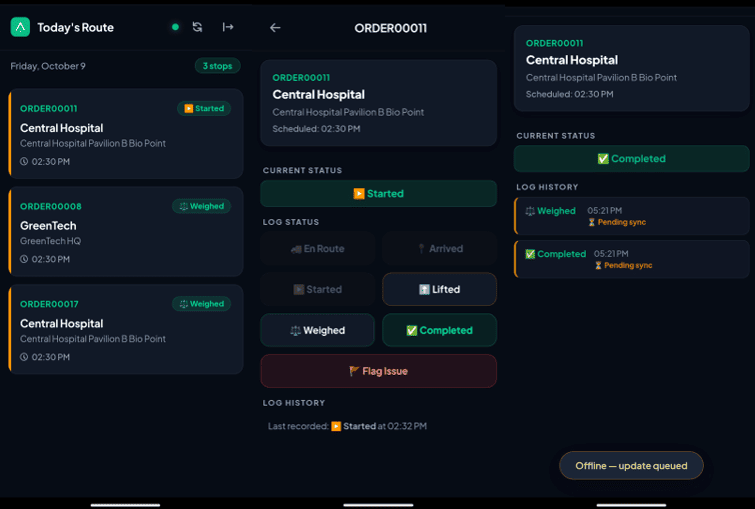
With the Driver Mobile App module enabled, drivers no longer need the backend. They open the app (a Progressive Web App reached at the /driver/app address of your Odoo site; it has no backend menu) on a phone, install it to the home screen, sign in, and see Today's Route with every stop in sequence.
At each stop the driver moves the order through the statuses En Route, Arrived, Started, Lifted, Weighed, and Completed, or marks it Flagged with a mandatory note when something goes wrong. Net weights are entered per waste line when the stop is weighed, and the GPS position is captured with the event. The app only accepts logical status progressions, and completed or signed orders cannot be changed from the phone. The weighing screen starts empty: the estimate is shown beside each waste line but is never pre-filled as an actual weight, and a category the driver removes there is removed from the order, so it cannot block the completion later.
The app works offline. Events are queued on the device and synced when the connection returns; each event carries a unique ID, so a retried upload is never recorded twice. Every status change is also written to the collection order's status log and the audit trail.Open the app online at the start of the shift so that the day's route is loaded. If the server rejects an update, it stays on the device marked as rejected instead of being silently discarded. When a driver signs out, any unsent updates are sent first and the app asks before discarding what remains. A device clock that runs more than five minutes ahead cannot reorder the stop history: the server time is used instead.
Route Planning, Leaflet Mapping & 1-Click Optimization
A Route is a collection of the collection points a vehicle visits in a single shift (To Start > Dispatched > Running > Completed). It is managed from Waste Management > Operations > Routes.
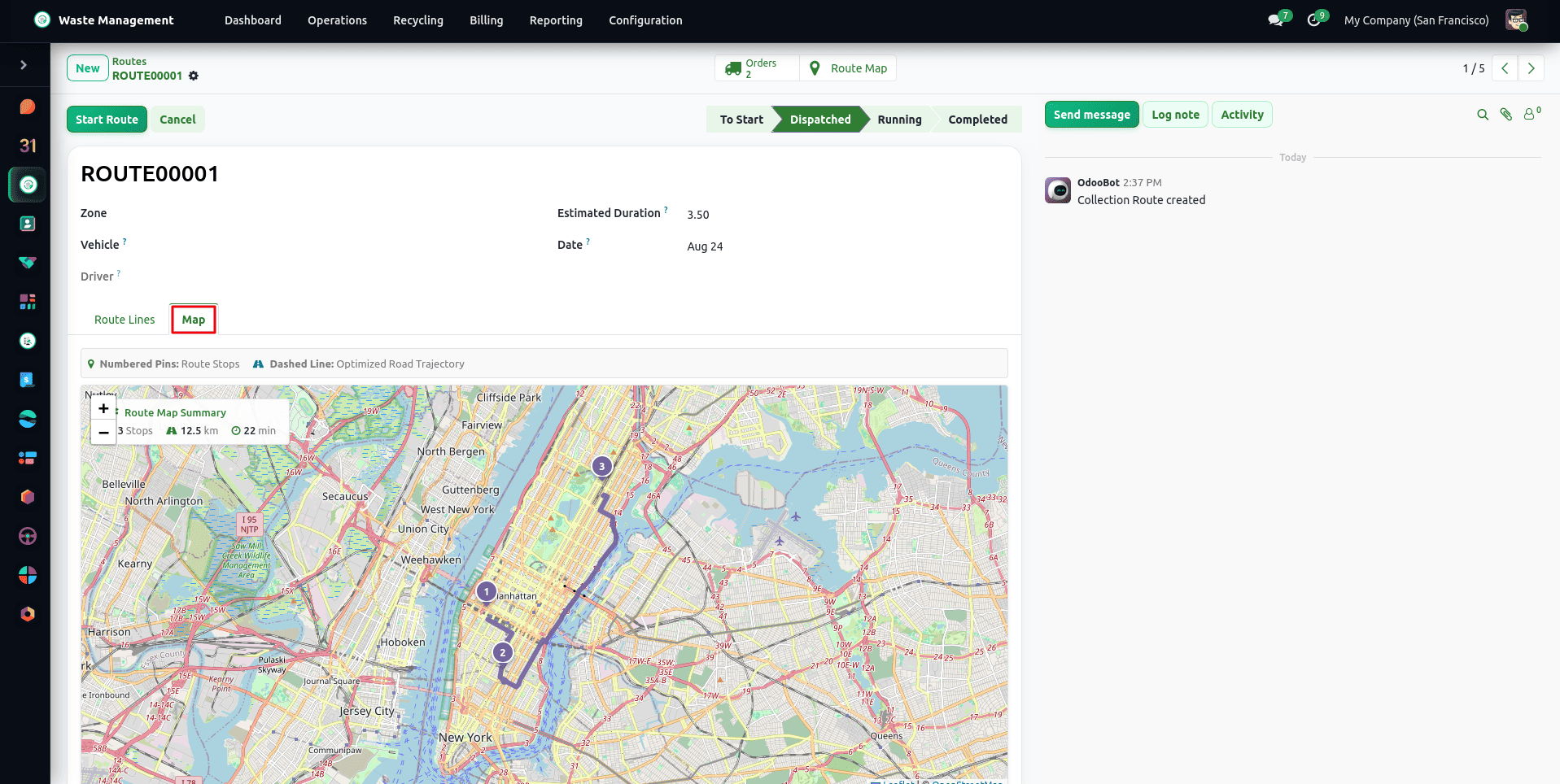
Routes can be either manually built or generated automatically by recurring schedules per area. Hit Optimise Route, and it’ll run a Travelling Salesman Problem algorithm across the GPS coordinates of every stop and reorder them to shorten the total travel distance, using straight-line distances without live traffic. The estimated distance is stored on the route and shown on the route form and in the Route Efficiency report.
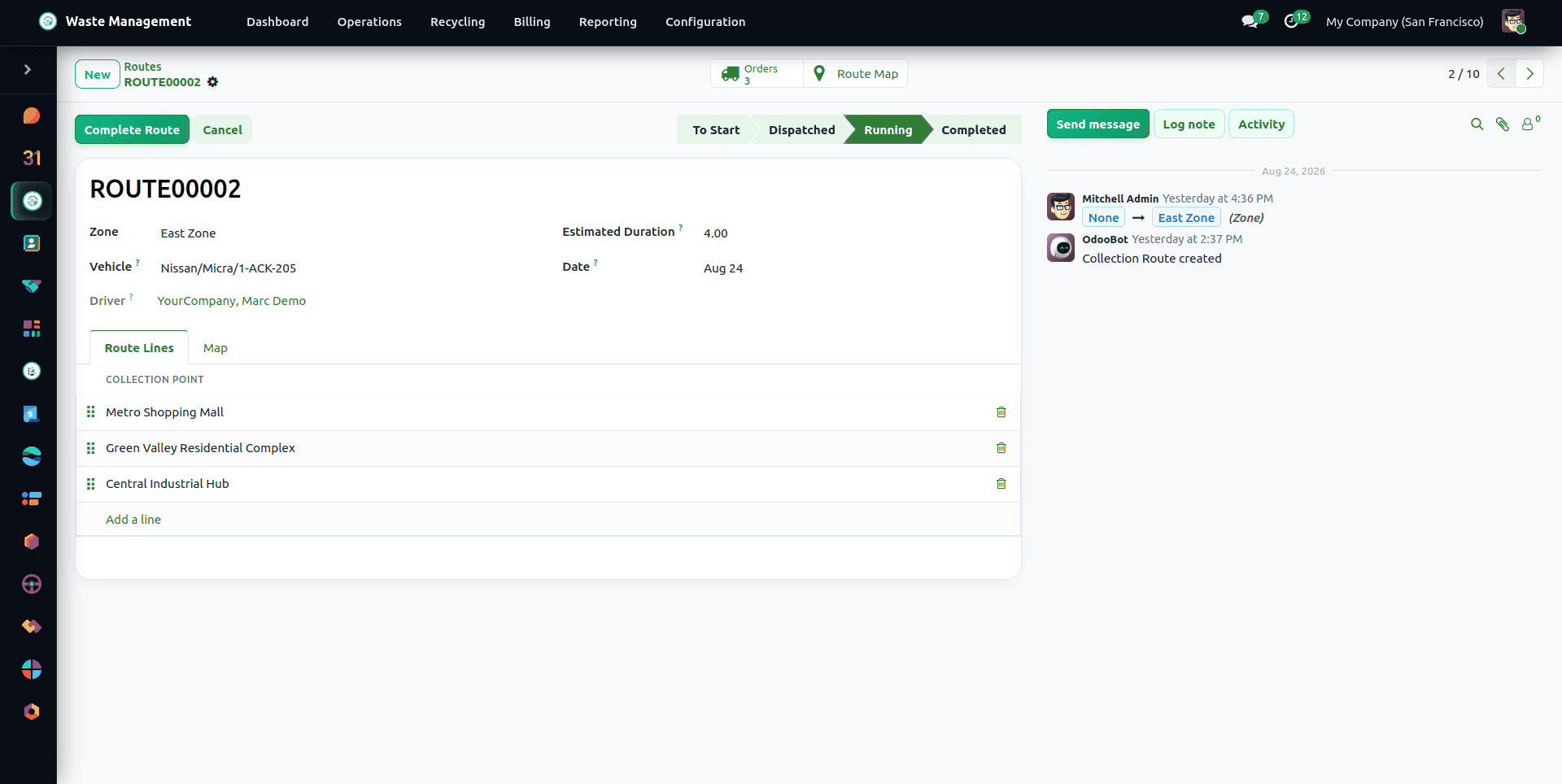
Dispatchers can manually drag stops on the route table, print a formatted Route Sheet PDF for the driver, and track live stop completion progress as the driver executes the run. With Service Zones enabled, collection orders are auto-assigned each day to the route of their zone. With Auto-Dispatch enabled, a route that is fully staffed and has all its orders ready is dispatched automatically; otherwise it is flagged Ready to Dispatch and the dispatcher releases it manually.
Managing Missed Collections and Retry Orders
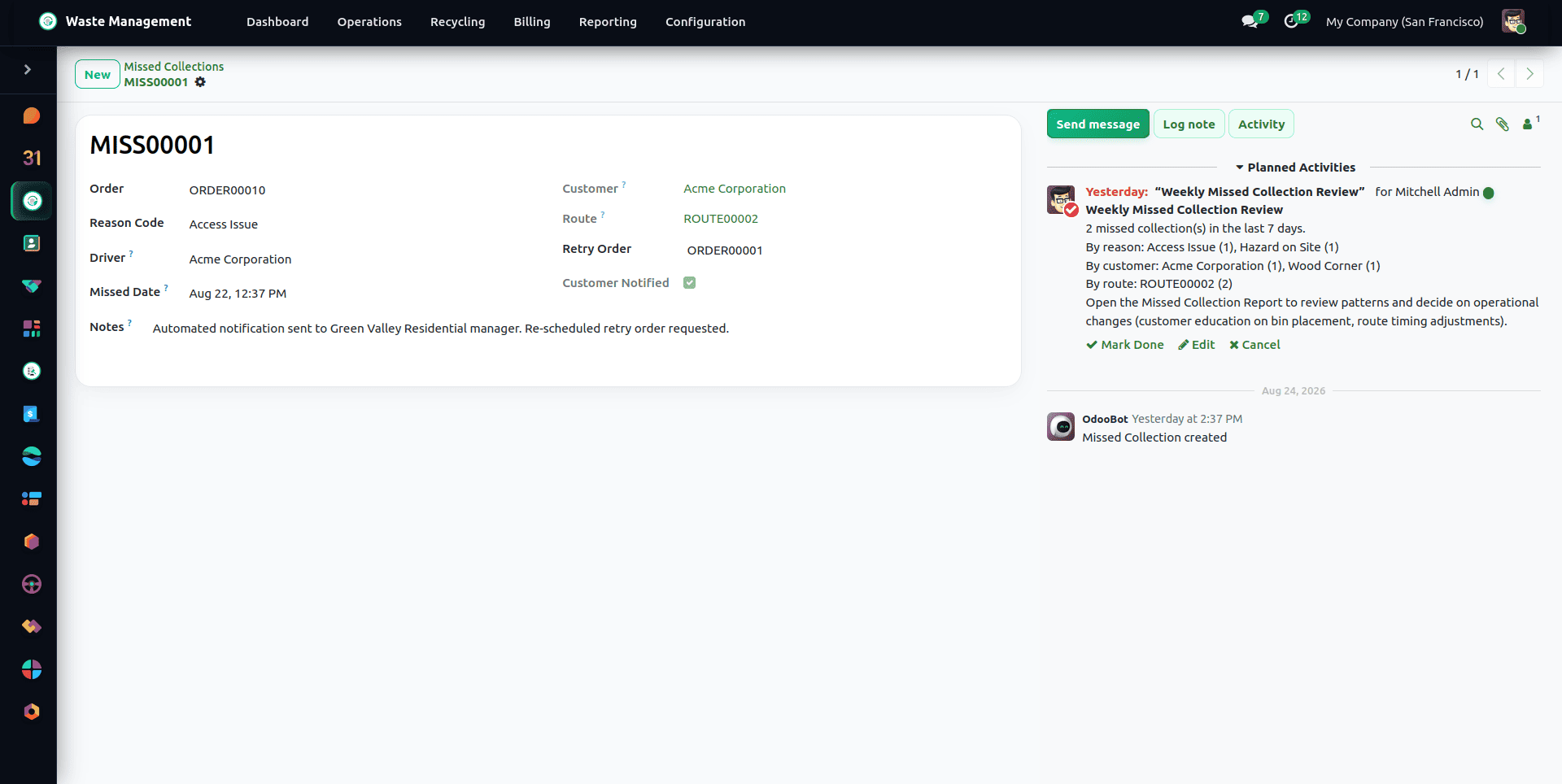
If a collection point is missed outside of the missed-collection threshold, the system automatically creates a Missed Collection record under Waste Management > Operations > Missed Collections and alerts the dispatcher and customer contact.
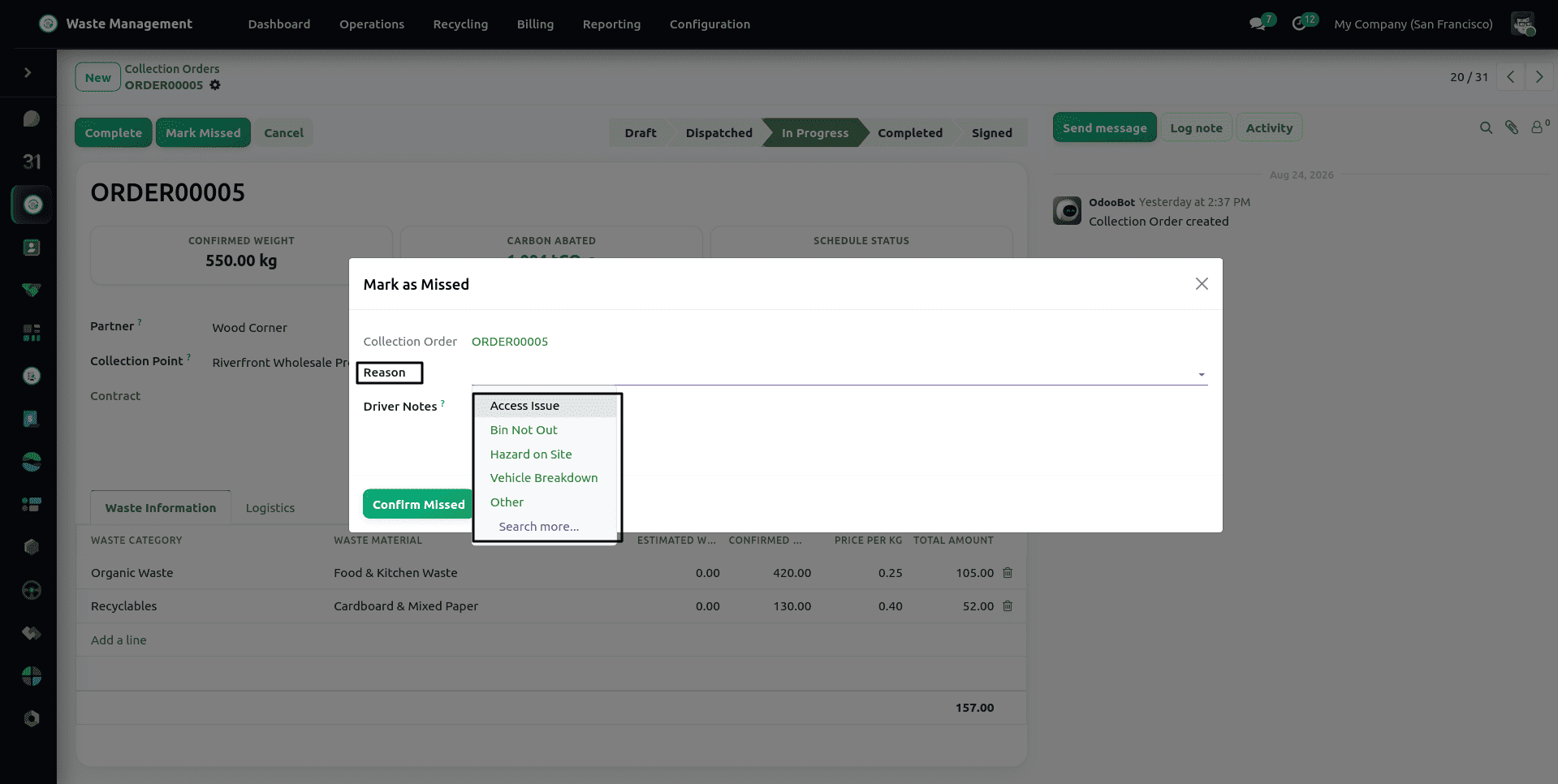
A driver or dispatcher can also flag a collection as missed manually using the Mark as Missed wizard, selecting a root cause reason (Access Issue, Bin Not Out, Hazard on Site, Vehicle Breakdown, or Other) and entering a note.
When a collection is missed, the order is marked Missed with the chosen reason, a retry order is created automatically for the next day, and the customer is notified by email when Missed Collections is enabled in Settings. The SLA terms agreed in the contract are kept as a reference; breaches are not tracked automatically, and a breach notice can be sent from the contract by the billing team.
Fleet Roadworthiness and Vehicle Safety Checklists
The vehicles that run these routes are managed from Fleet > Vehicles, extending Odoo's native Fleet module with a dedicated Waste Management tab.
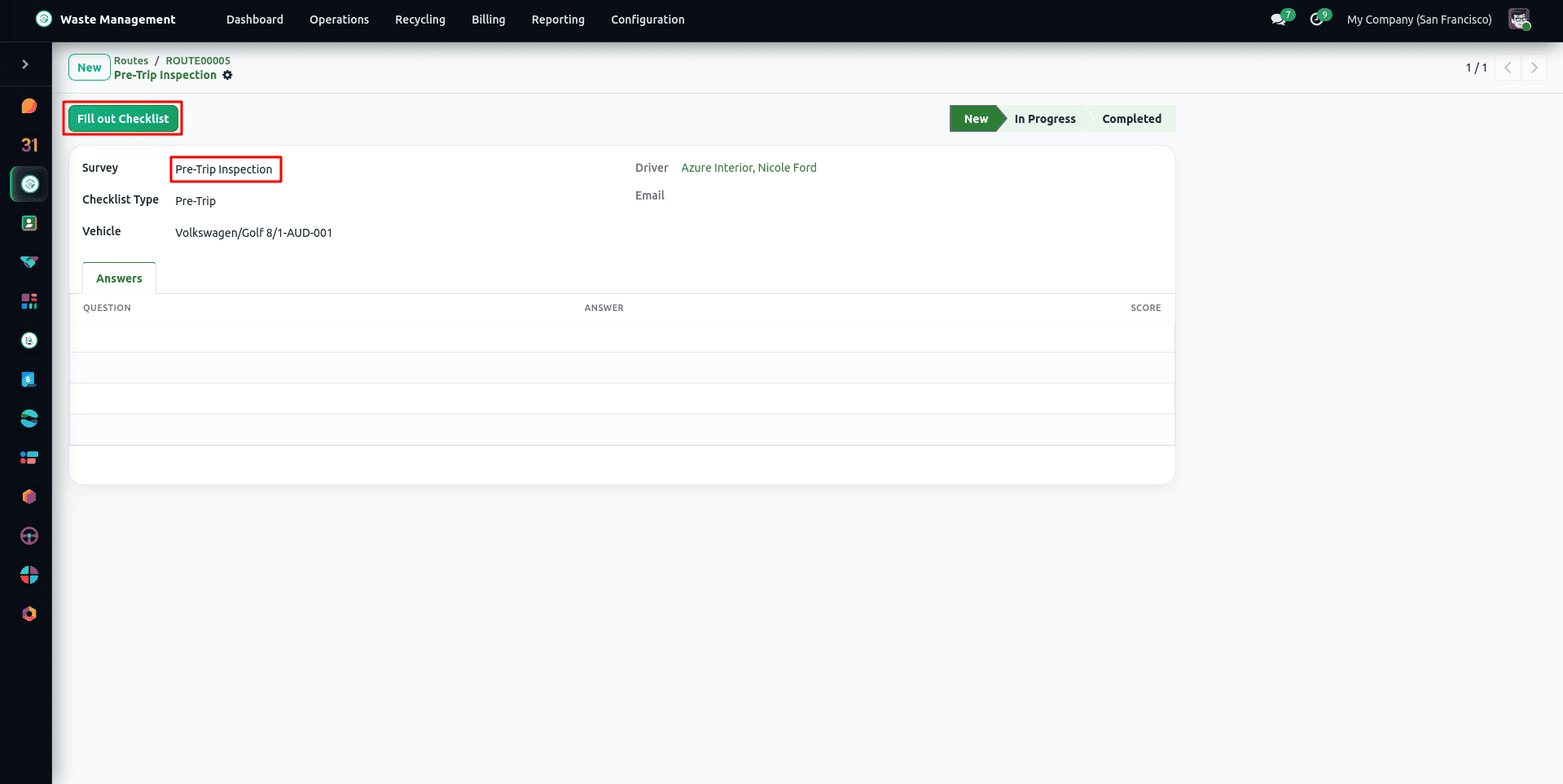
Each vehicle has a maximum load capacity (kg), with a fill level shown on the route (the weight collected against that capacity, for information only; it does not block a route), a list of accepted waste streams (hazardous waste needs an ADR-accredited vehicle), and relevant compliance certificates. All drivers are required to complete the mandatory Pre-Trip and Post-Trip Safety Checklist procedures, and any defects found must be reported immediately to the fleet manager. The Certificate & Licence Expiry Report automatically tracks renewal periods for all permits, certificates of insurance, and roadworthiness certificates.
Automated Waste Batch Generation and Weighbridge Intake
At the end of collection routes or standalone collection orders, Waste Management ERP automatically synthesises or aggregates inbound Waste Batches categorised by waste stream category under Waste Management > Operations > Waste Batches. Confirmed net weights, product lines and warehouse storage locations are instantly updated without manual re-entry of data. Batches can also be registered manually for direct customer drop-offs:
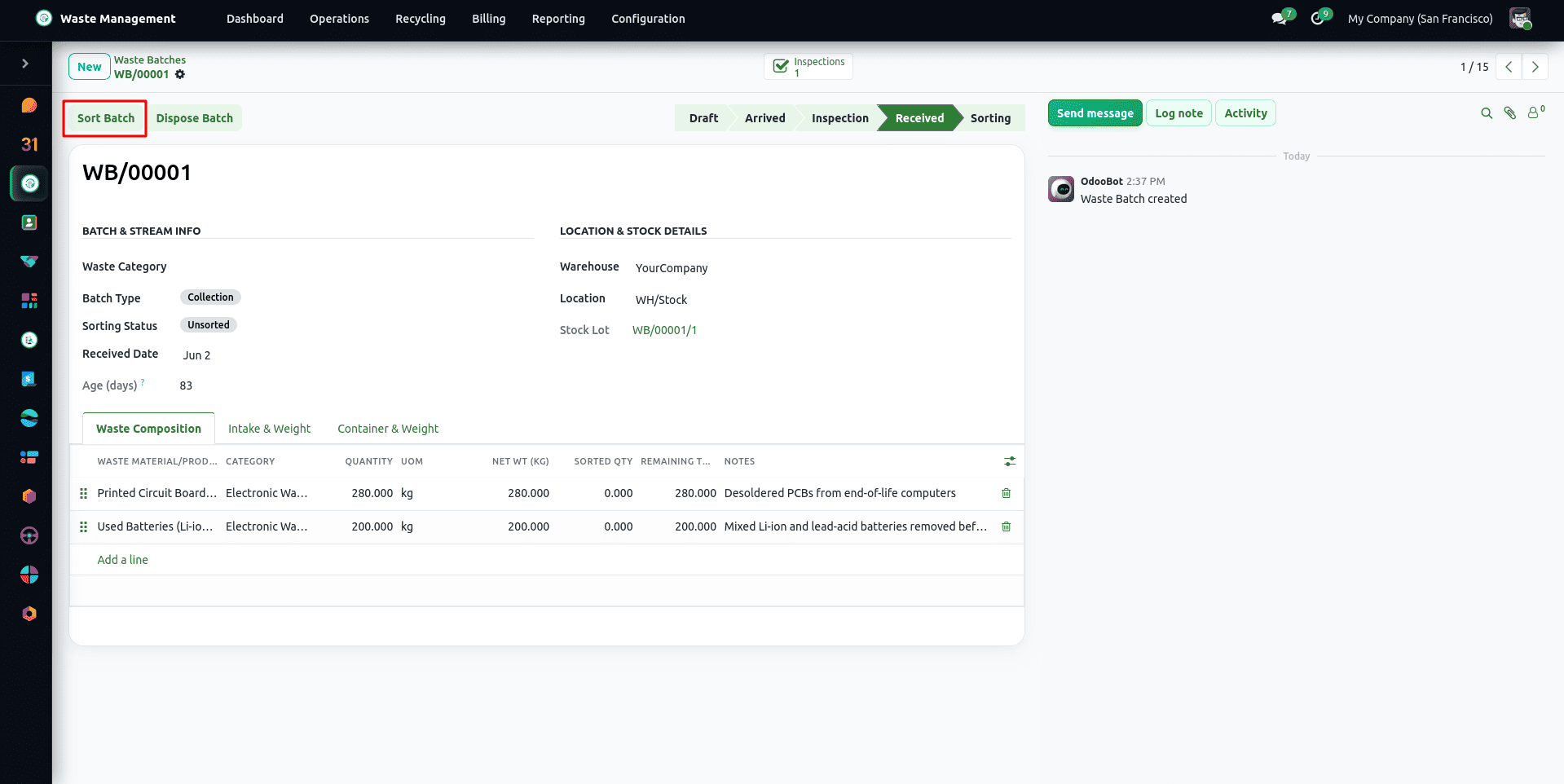
To obtain the exact net weight, the weighbridge operator records both the gross and tare weights. When the operator clicks Receive Batch, the intake is confirmed, and incoming stock moves are created and assigned to the facility's storage location. A barcode Waste Batch Label, including the hazard warning diamonds, can be printed directly from the form. Once a batch is in stock, its quantity can no longer be edited directly: changes must go through a stock movement.
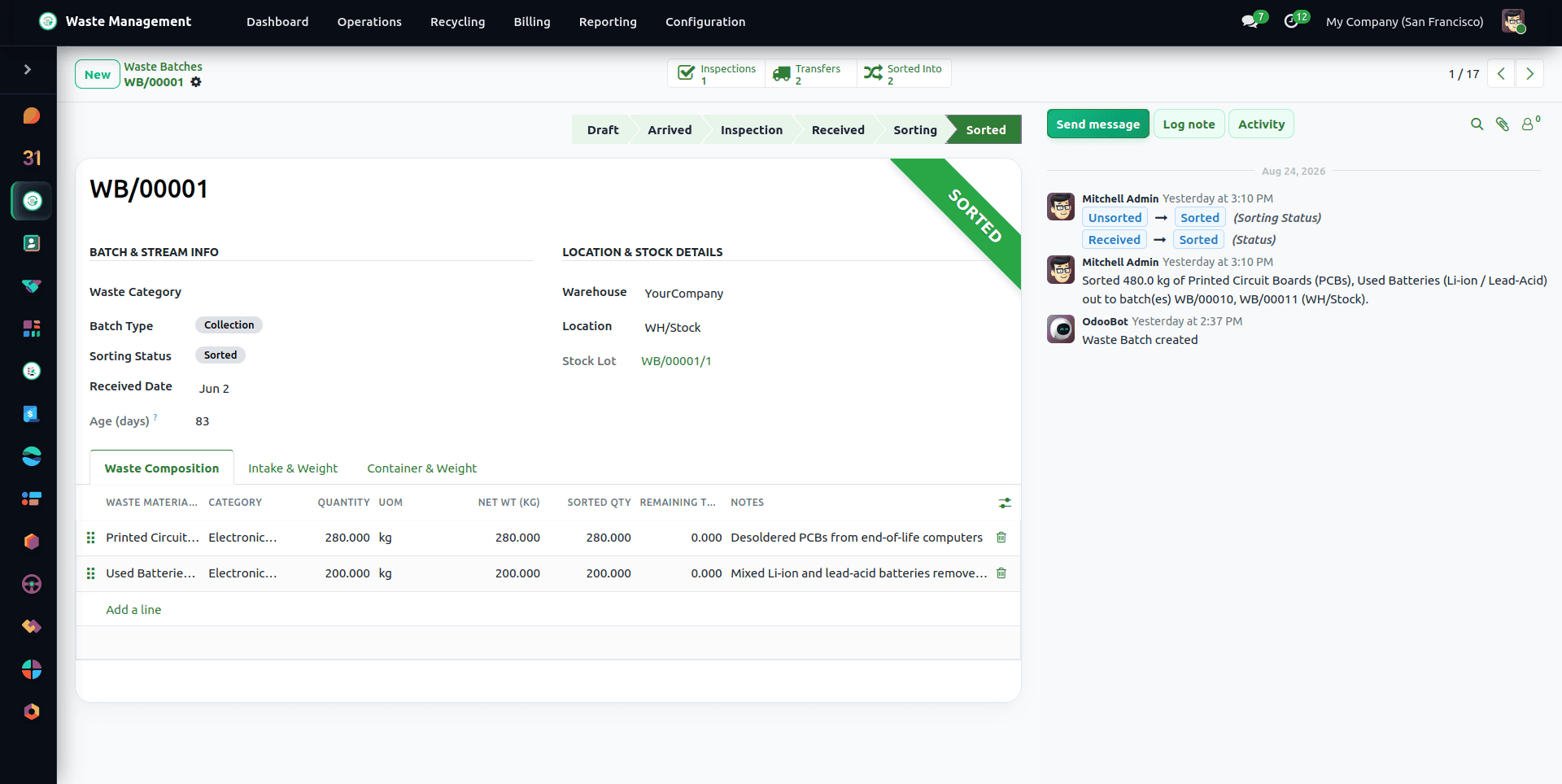
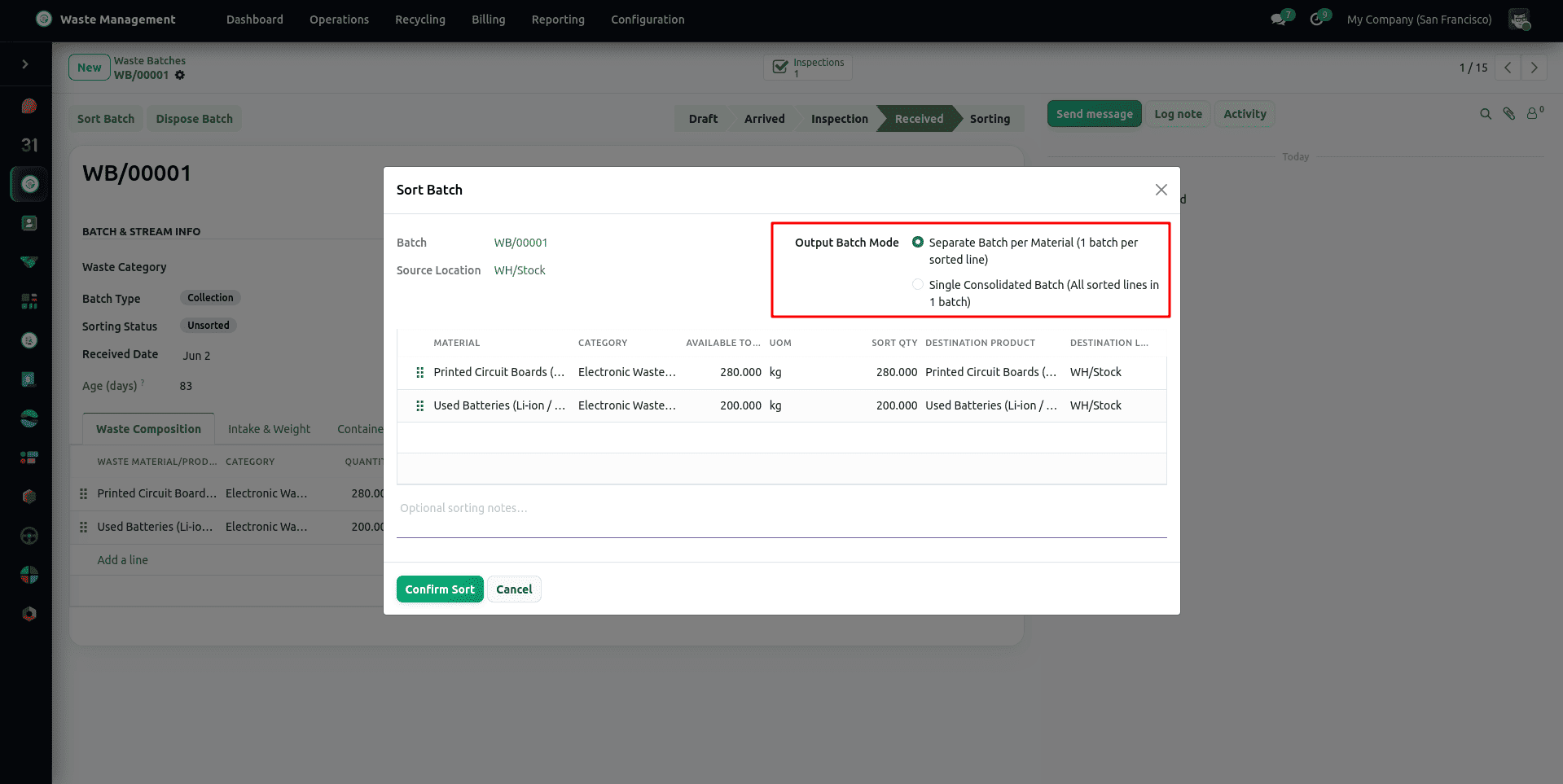
For mixed or co-mingled loads, operators use the Waste Batch Sorting Wizard to separate bulk waste into dedicated material sub-batches before recycling or disposal routing.
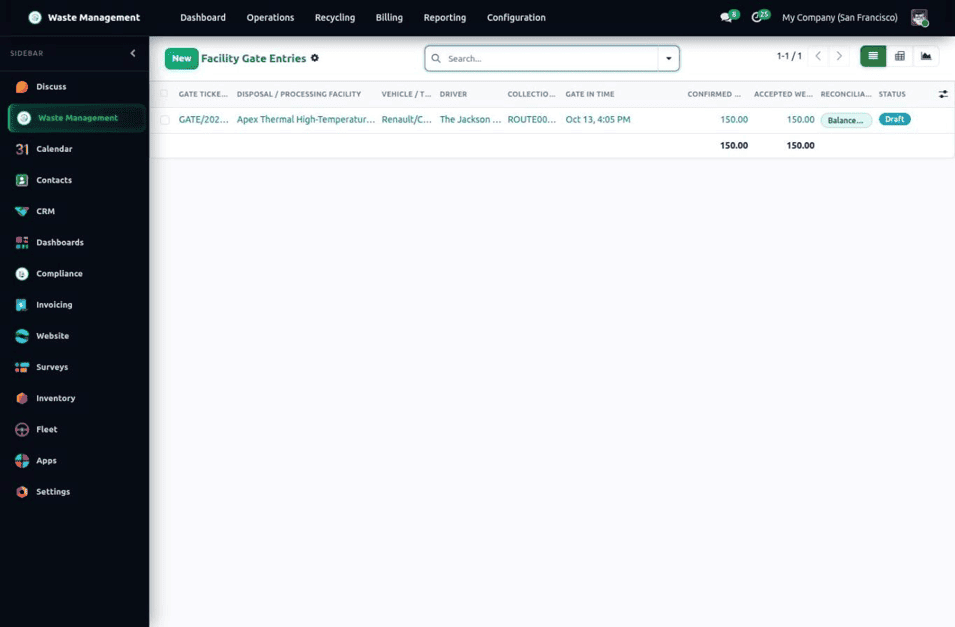
When Facility Gate Entries are enabled, each inbound truck is processed through a Gate Entry (Draft, Weighing / In Progress, then Accepted & Received, Partially Rejected, or Fully Rejected). The operator records the gross and tare weights and any rejected quantity with its reason, then clicks Process Reconciliation. The system sets the final status, records the exit time, and automatically triggers the downstream steps: billable events for overweight or contaminated loads, the chain-of-custody record, and the inventory intake of the accepted weight. Gate entries are found under Waste Management > Operations > Facility Gate Entries. The entry is created automatically as a Draft when a collection order is completed, but no weights are pre-filled: the operator enters the gross and tare weights from the weighbridge, and a load that has only itemised rejections is accepted for the weight that was not rejected.
Batch Quality Inspections and Quality Approval Gates
When batch approval settings are enabled, incoming batches must pass a formal Batch Inspection from Waste Management > Operations > Batch Inspections before they can be received into warehouse stock or released for downstream recycling or disposal:
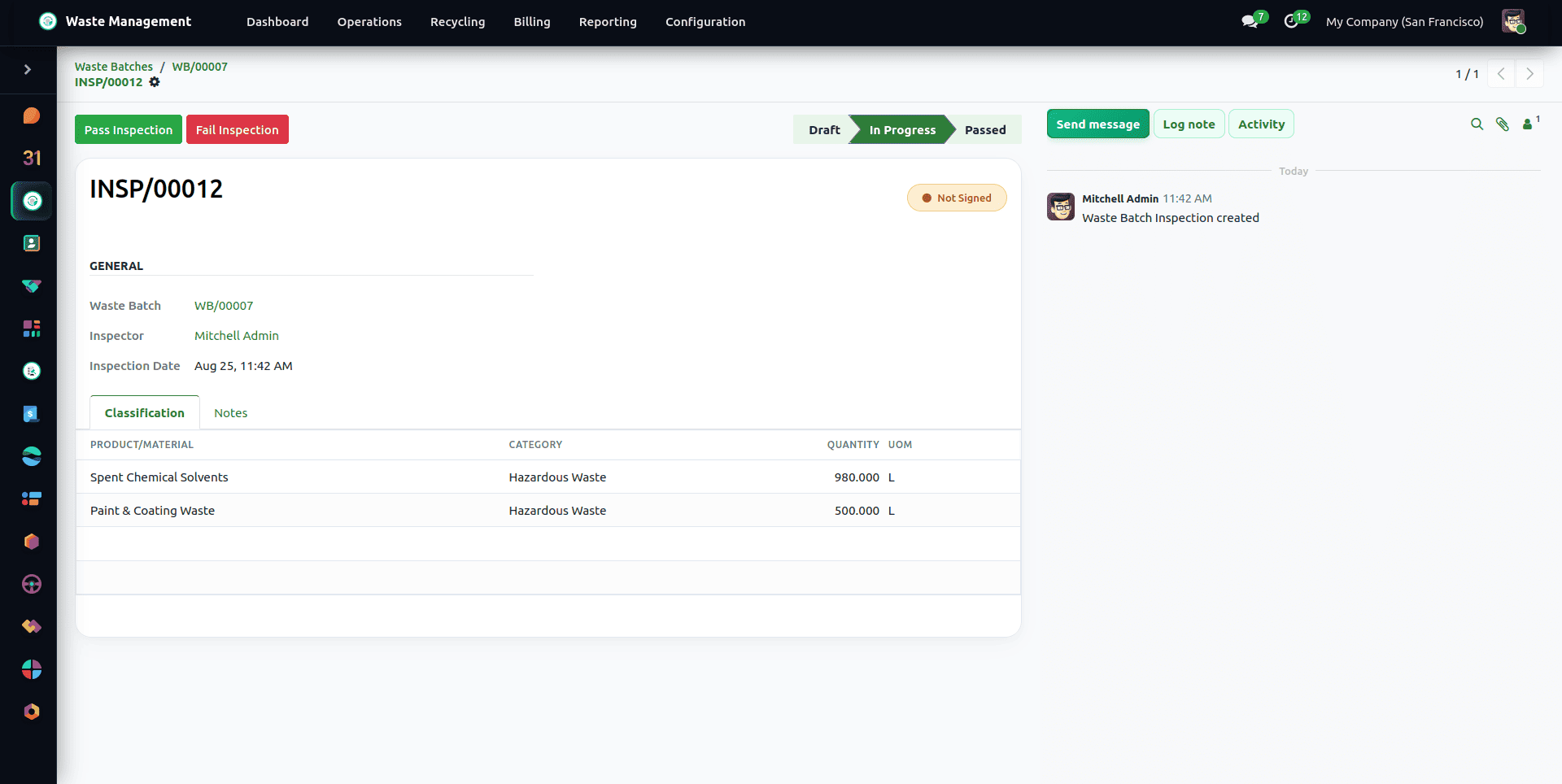
The inspection examines the batch for contamination caused by foreign streams, confirms its hazardous classifications and compares the weight recorded by the driver with the weight obtained from the weighbridge, taking into account a variance tolerance that can be configured. Batches that pass are approved for release, whilst those that fail are locked and sent for re-sorting. You can create an official Waste Inspection Report PDF within minutes directly from the form. The latest inspection result decides: a failed re-inspection blocks the batch from being received even if an earlier inspection had passed.
Recycling Operations, Yield Tracking & Scope 3 Carbon Accounting
Once a batch is received and inspected, recyclable streams move into a Recycling Order under Waste Management > Recycling > Recycling Orders (Draft > Confirmed > In Progress > Done).
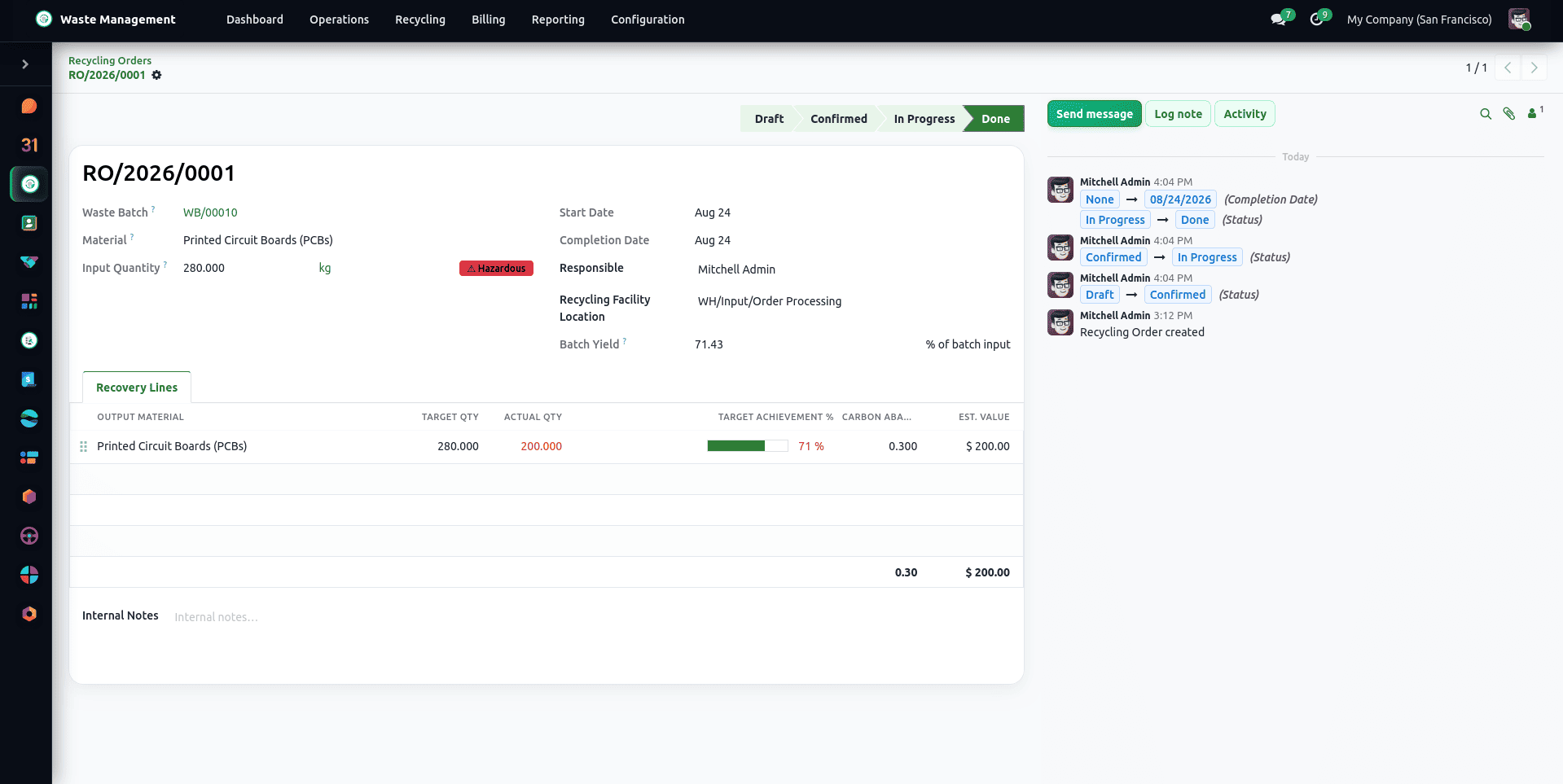
Every order can be traced to a specific source waste batch and includes recovery lines that show the input material, the recovered product, the target quantity, the actual recovered quantity, and the recovery yield per cent, the latter being automatically calculated. When an order is completed, the final recovery weights are locked in, and the inventory movements for the finished goods are recorded. Once the order is marked as completed, the operators can click on the 'Create Sale Order' button to automatically generate a draft Sale Order that is pre-filled so that the recovered commodities can be marketed. When the order is completed, the waste consumed from the batch is converted to the batch's own unit, so recovering 0.05 t from a batch held in kg consumes 50 kg of waste. The recovery yield, the totals, the carbon abated and the check against recovering more than was put in all convert units to the batch unit, and the Carbon Accounting and Efficiency reports show quantities in kg. A completed order and its recovery lines are read-only.
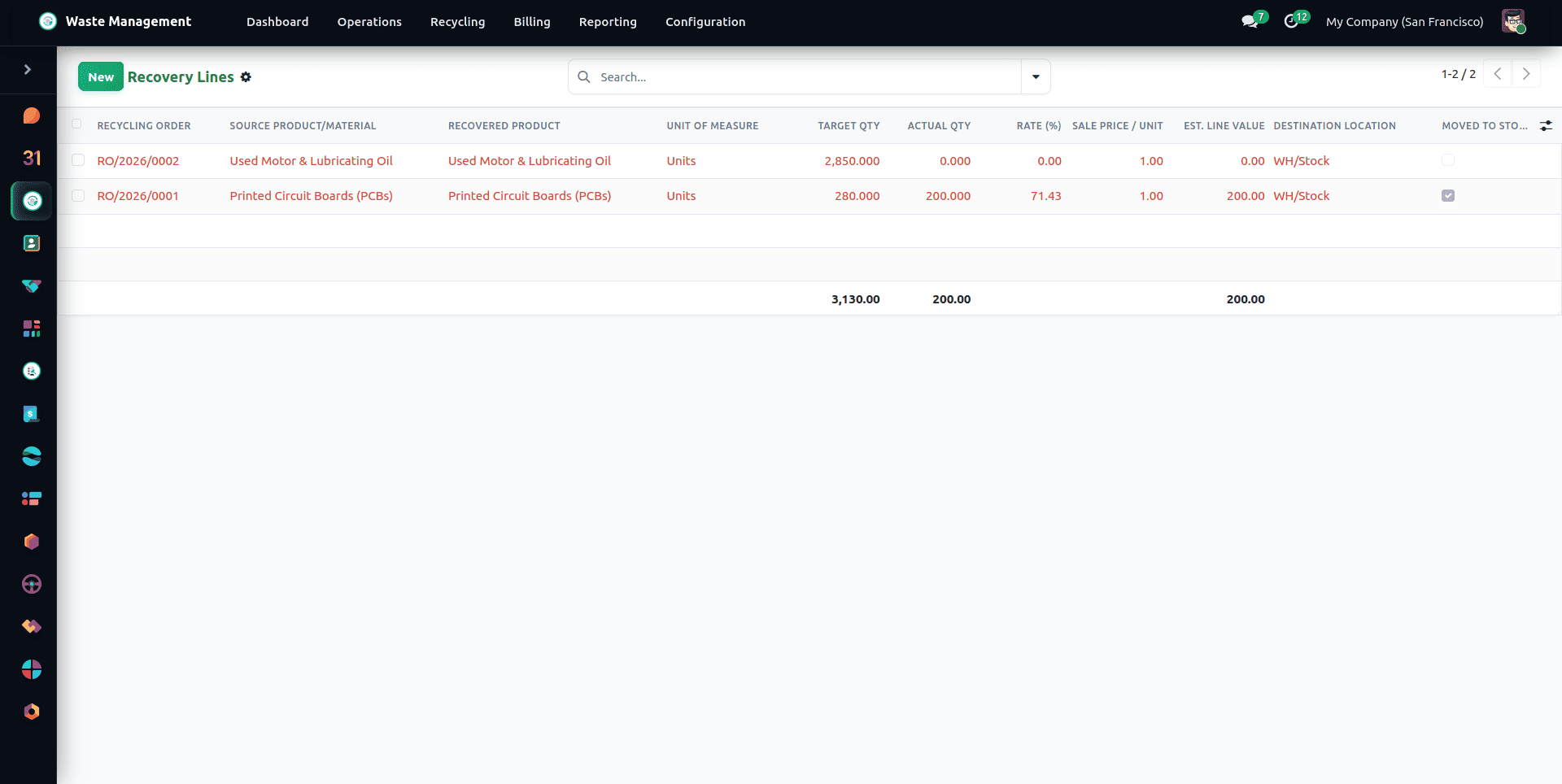
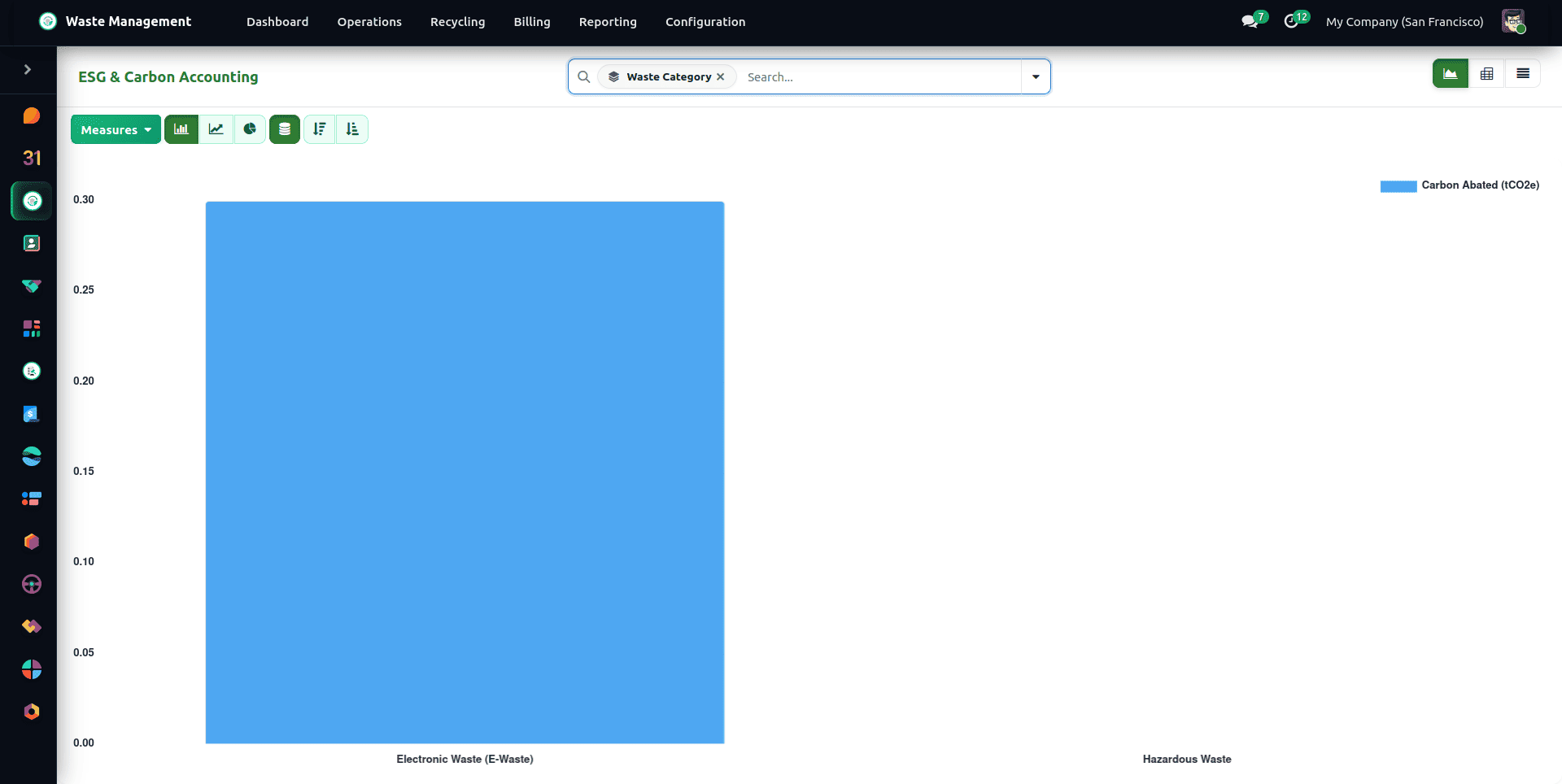
The Recycling Efficiency Report compares recovery rates across materials, while the ESG Scope 3 Carbon Accounting Report tracks net greenhouse gas (CO2 avoided) savings achieved by recycling versus landfill diversion based on EPA WARM standards:
Statutory Compliance Manifests and Chain of Custody
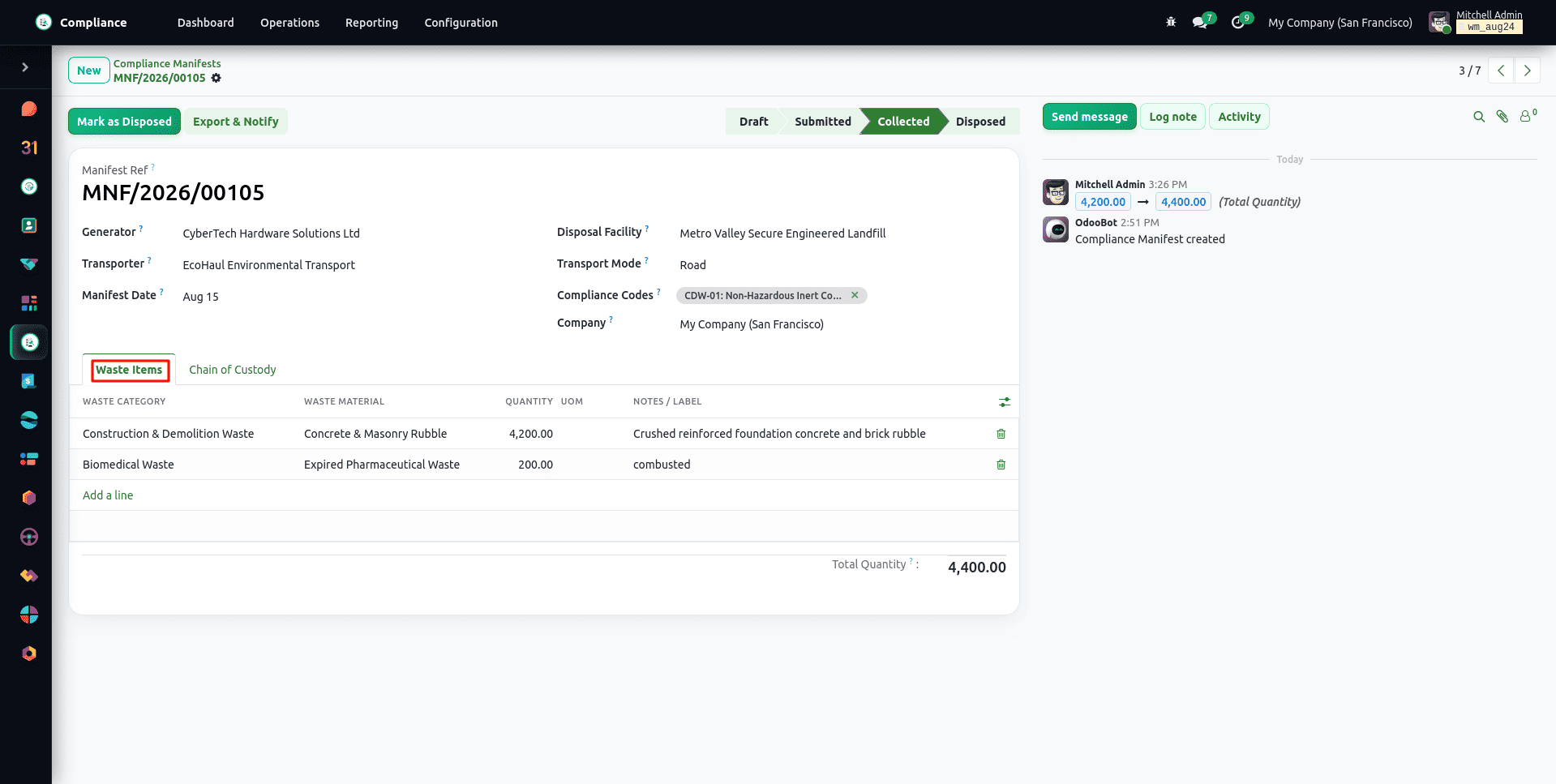
Together with the operations, the root of the Compliance application maintains a legal record of the documents required by environmental authorities. The Compliance Manifest (under Compliance > Operations > Manifests) lists the transport of hazardous waste from the Generator to the Transporter and then to the Licensed Disposal Facility.
The Manifest goes through Draft > Submitted > Collected > Disposed stages. As soon as the status is set to Disposed, the document becomes locked in the Python model forever, and no more changes are allowed. Every manifest has an immutable Chain of Custody record containing handlers along with timestamps and signatures. The status can be changed only with the Submit, Collect, and Dispose buttons; it cannot be forced by editing the record directly. A manifest can only be submitted with at least one waste line, only draft manifests can be deleted, and the signature and chain-of-custody entries are created by the system only, so users cannot add or back-date them.
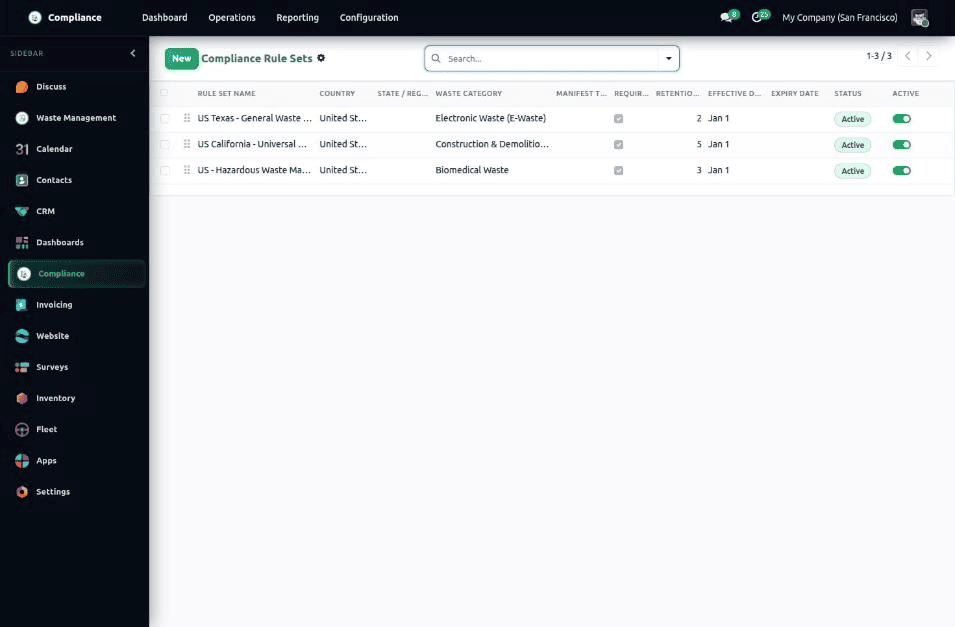
Regional Compliance Rule Sets define, per country, state or region and waste category, whether a manifest is required, which compliance codes must be present, and how many years records must be retained. They apply from an effective date until an expiry date, so each site follows the rules of its own jurisdiction. They are configured under Compliance > Configuration > Compliance Rule Sets. A new rule set starts as a Draft and is not enforced until you click Activate; Lock Version then freezes an active rule set. A locked rule set can still be archived to retire it.
Tamper-Evident Compliance Certificates
For every disposal or recycling consignment, the facility issues a Compliance Certificate (Compliance > Operations > Certificates) recorded as Disposal, Recycling, Treatment, or Destruction.
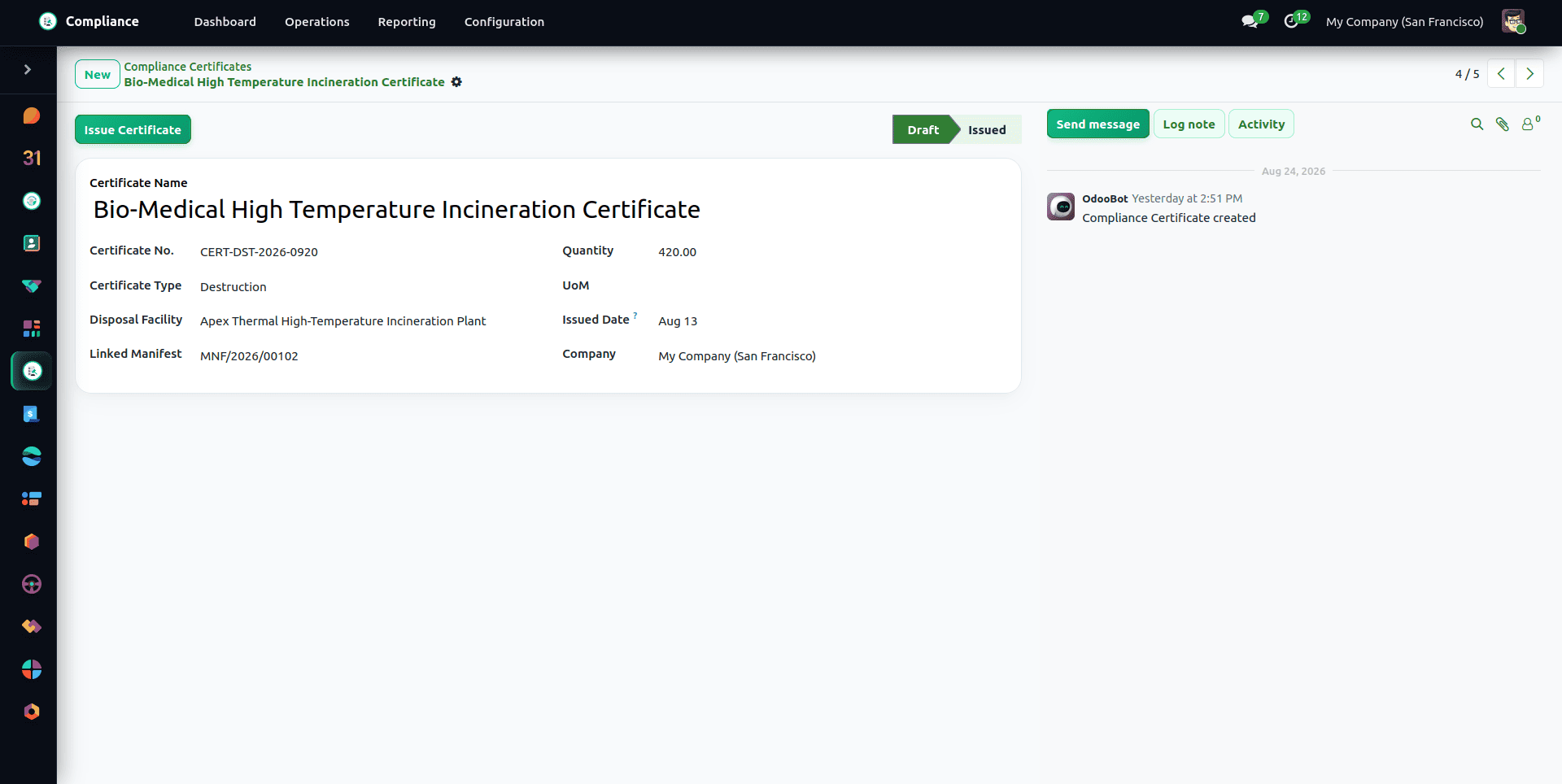
Clicking Issue on a certificate generates a signed PDF through the built-in digital signature engine, computes a cryptographic SHA-256 hash of the PDF for tamper detection, attaches the file to the record's chatter, and links the certificate back to the transport vehicle for ADR audit compliance.
Document Vault and Regulatory Quota Targets
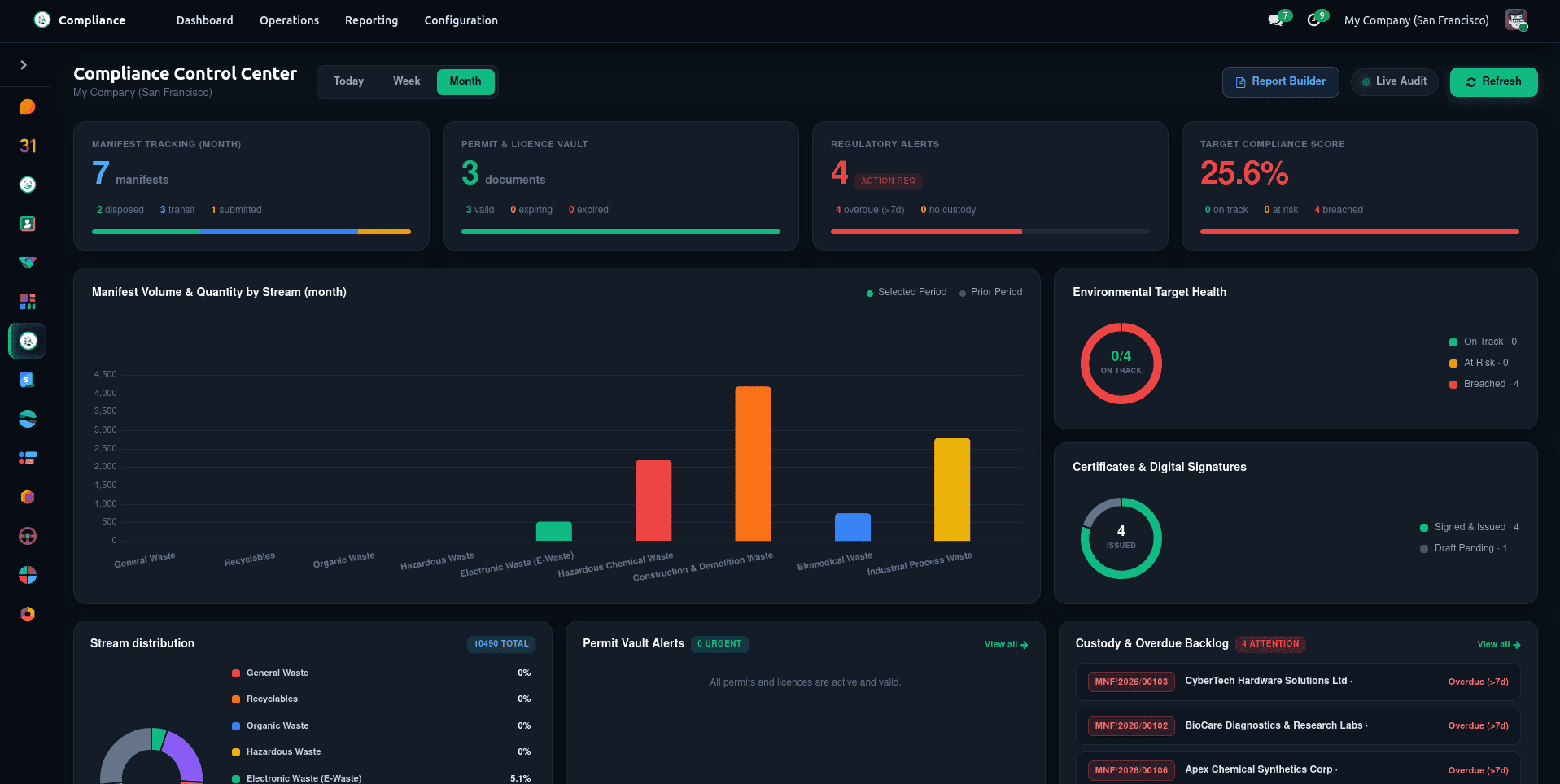
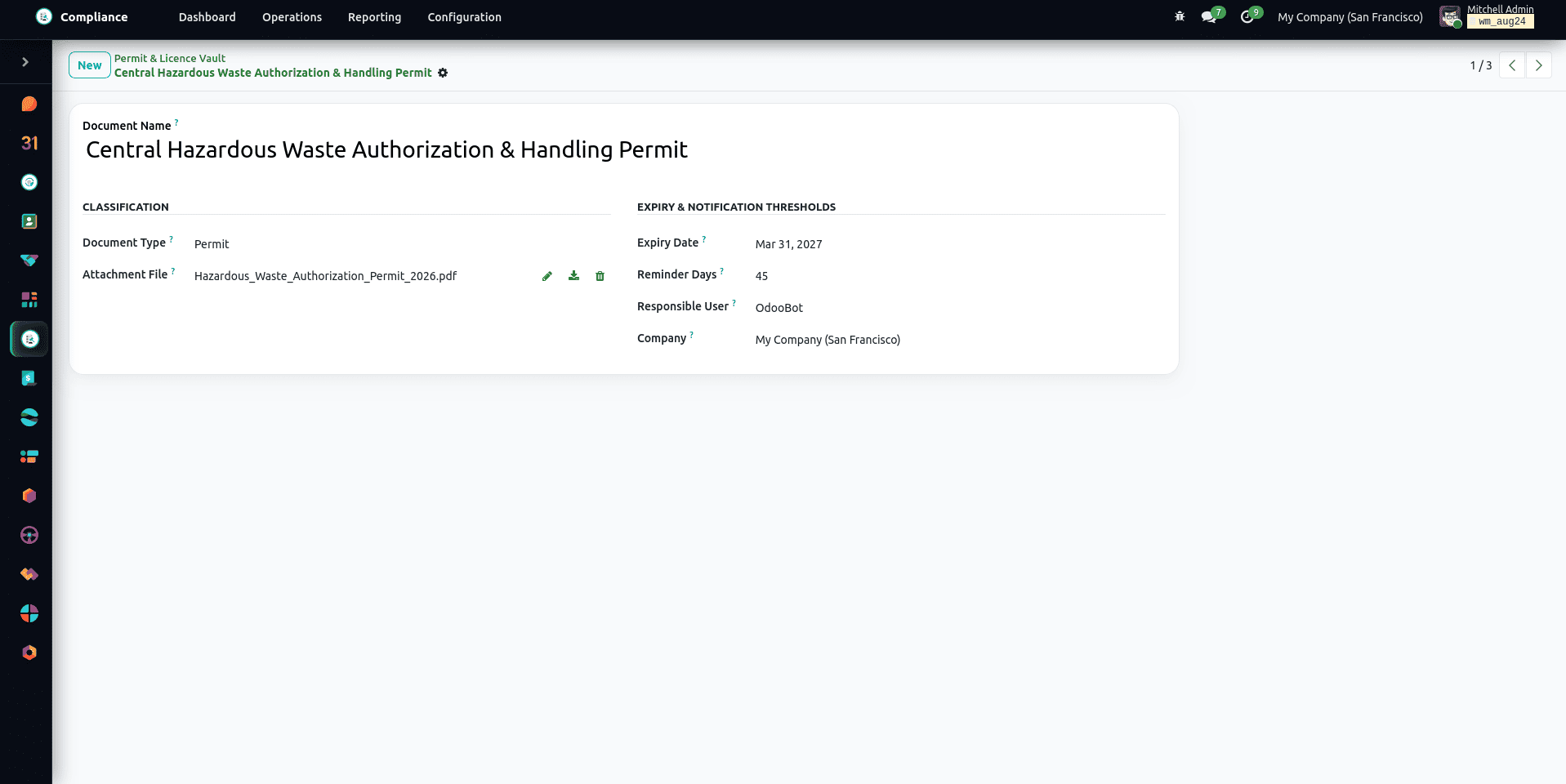
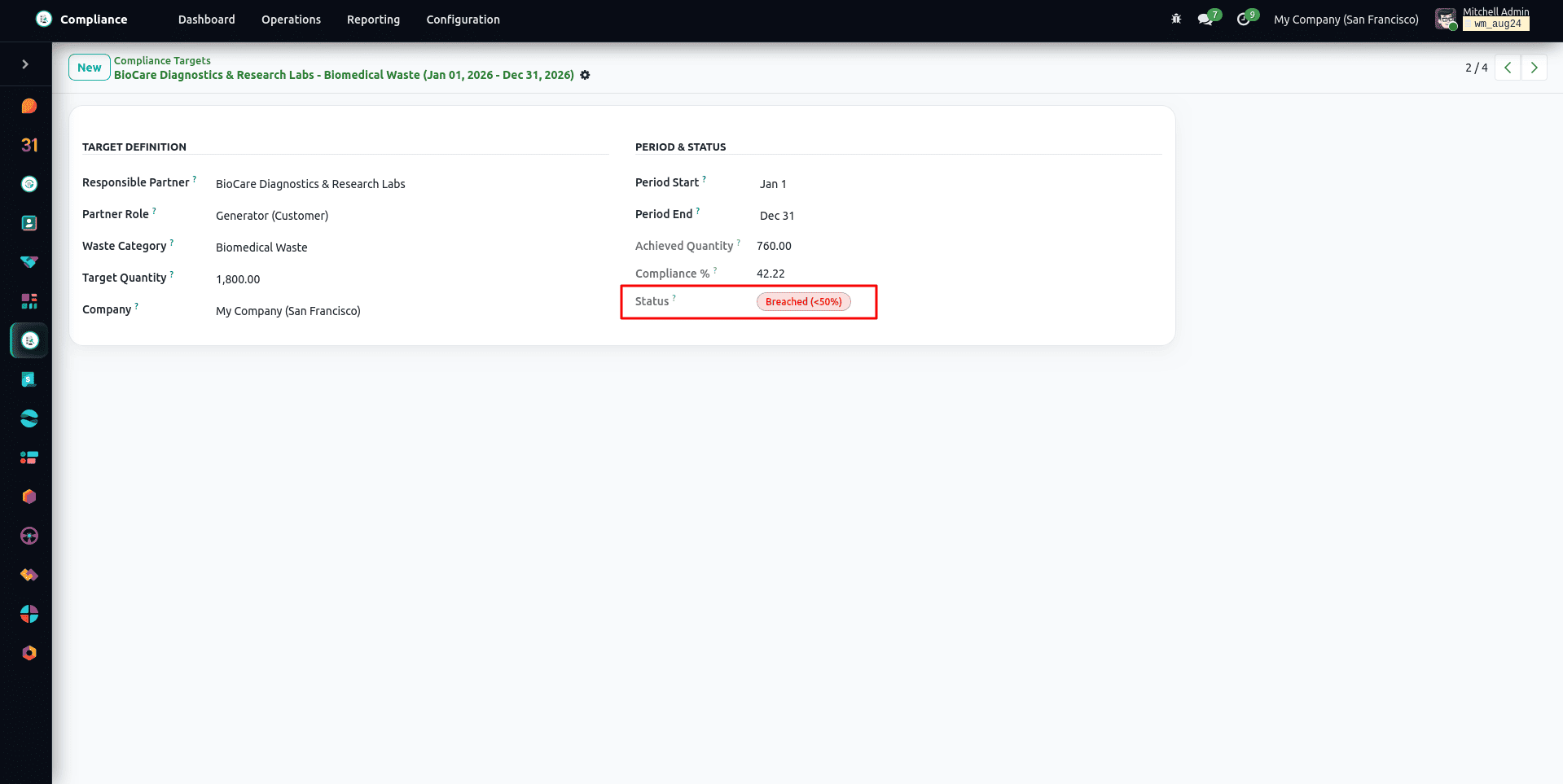
All regulatory licences, environmental permits, and audit reports are stored in a single central repository in the Document Vault (Compliance > Operations > Permits & Licences), and automated email warnings are sent out when licences expire. The regulatory diversion and recycling quotas are kept under review as part of the Compliance Targets.
Safety Incident Reporting and OSHA Tracking
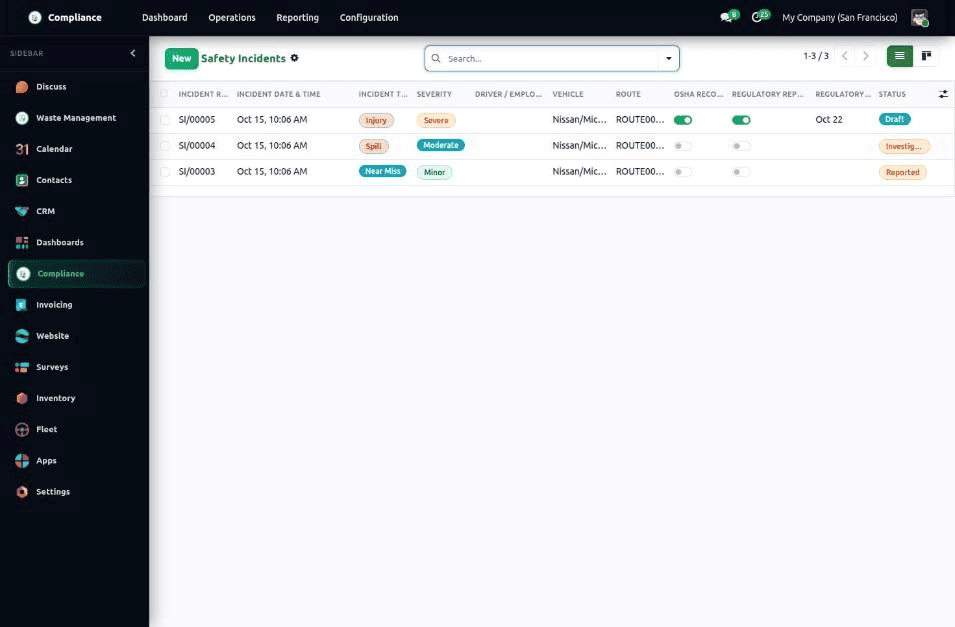
Field and yard incidents are recorded under Compliance > Operations > Safety Incidents. Each record captures the incident type (Near Miss, Injury, Vehicle Incident, Spill, Property Damage, or Other), severity (Minor to Fatality), date and time, the driver, vehicle, route and collection site involved, a description, the immediate action taken, and an incident photo.
An incident can be flagged as OSHA Recordable or as requiring a regulatory report, in which case a reporting deadline is mandatory. It moves through Draft, Reported, Investigating, and Closed, with every step tracked in the chatter.
Monthly Consolidated Billing Runs & Dynamic Pricing Rules
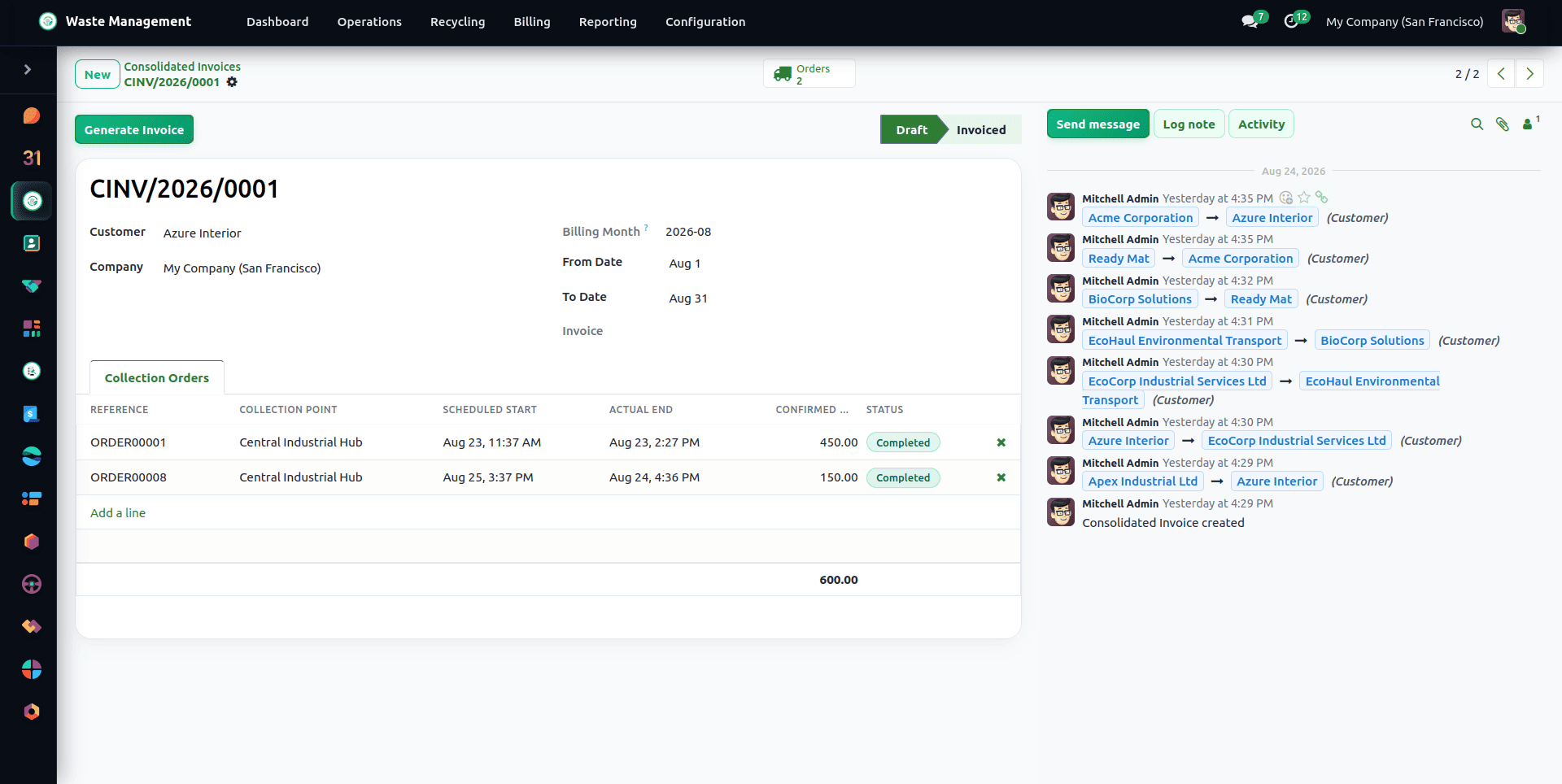
The invoice for the customer is prepared by the Monthly Billing Run, a feature located under Waste Management > Billing > Invoicing & Runs > Monthly Billing Runs, which brings all the completed collection orders for the period together into a single itemized invoice.
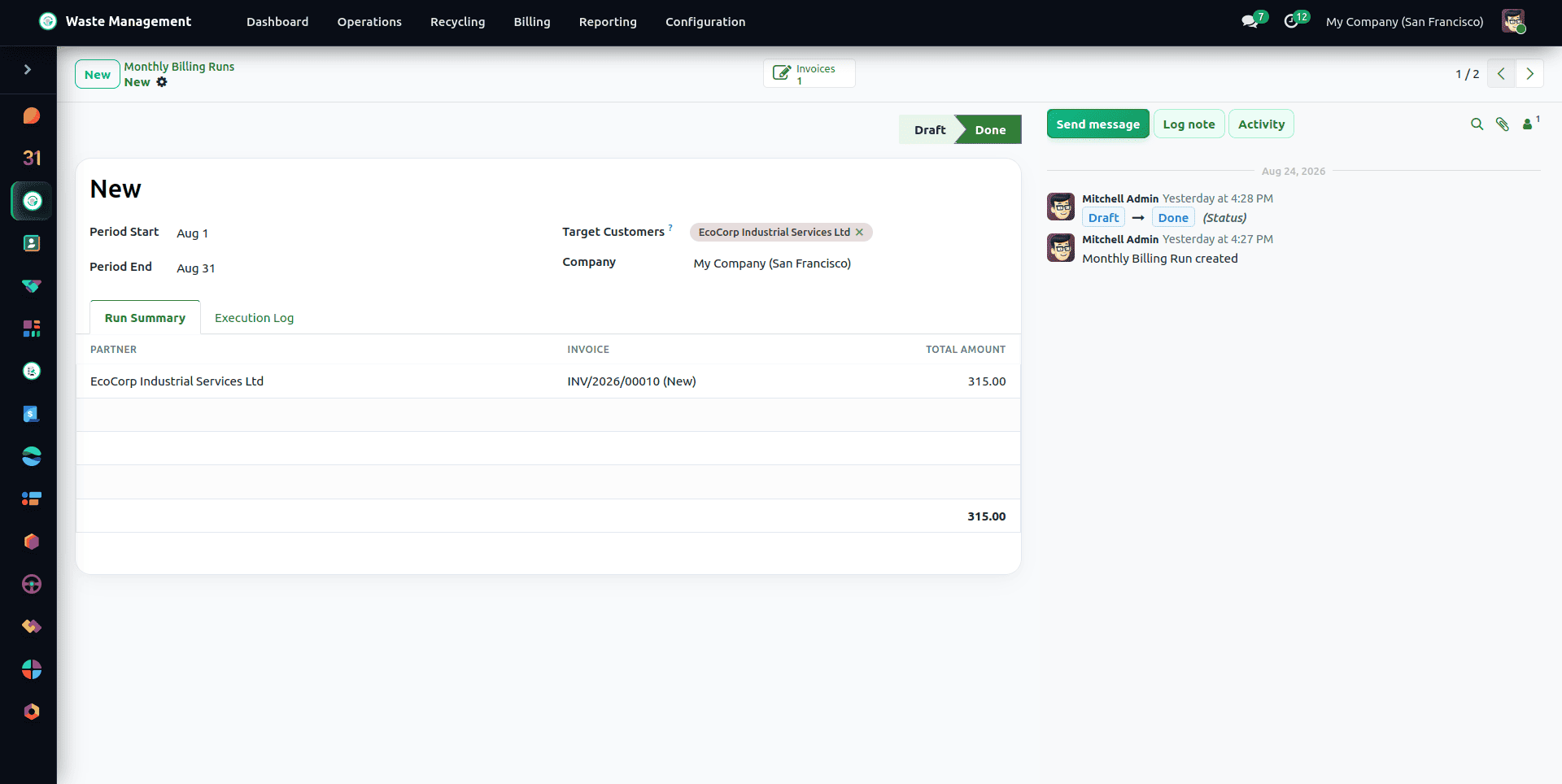
Running it is a streamlined sequence: select the billing period, optionally filter specific customers, and click Run Billing. The system aggregates actual pickup weights, applies contract rate cards, includes minimum stop charges and overweight surcharges, and generates consolidated draft invoices in Odoo Accounting. Each collection is priced on its own weight, with its own minimum charge and allowance, rather than pooled over the month. Invoices are issued in the contract's currency, and confirmed Billable Events up to the end of the period are added to the customer's invoice. An order with no price configured is reported as an error and stays unbilled instead of being invoiced at zero, and orders completed after their month was billed are picked up by the next run (up to one year back).
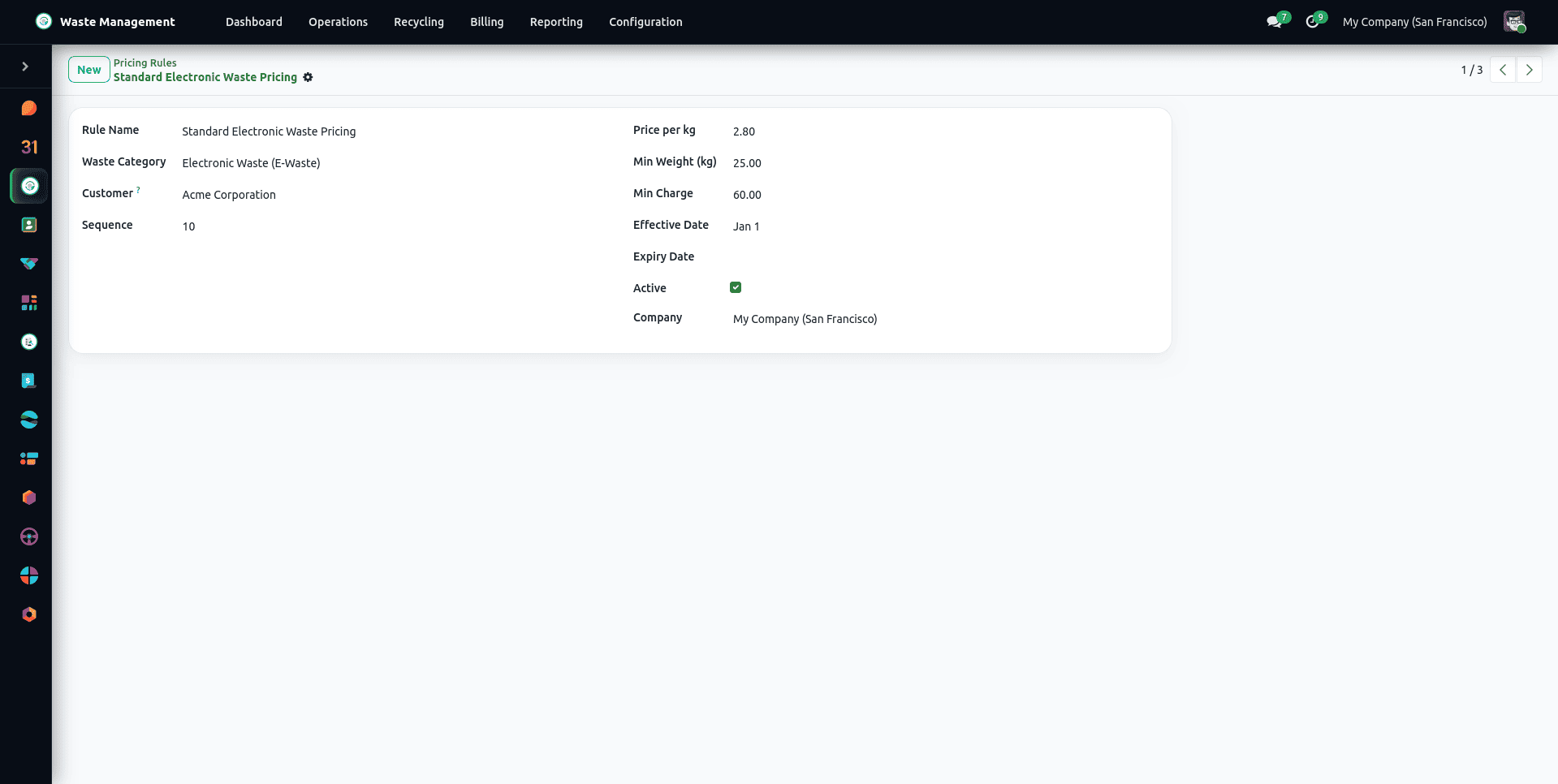
The pricing rules (in the section Waste Management > Billing > Pricing Rules) include provisions for rate overrides in certain cases, such as when charging surcharges for hazardous materials, making seasonal adjustments, or giving volume discounts to customers who use large volumes. Financial reports—for example, Revenue Analysis, Customer Profitability & Overage, and Weight-to-Revenue Correlation - show revenue, collected weight, overage and uninvoiced collections by customer, waste category and month. They hold no cost data, so they are not margin reports.
Billable Events and Customer Portal Service Requests
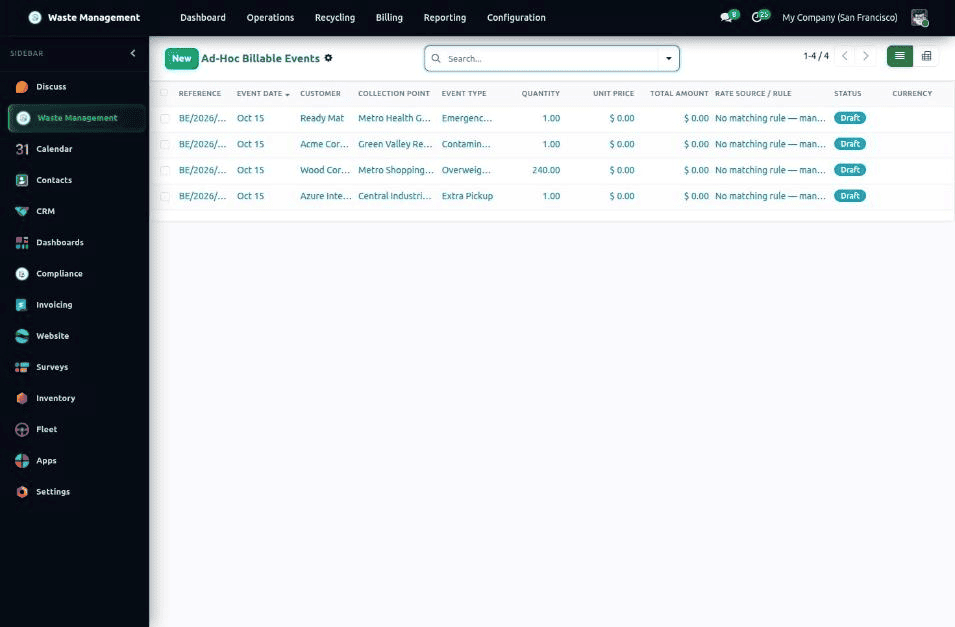
Work that falls outside the regular contract is billed through Billable Events: Extra Pickup, Overweight Load, Contaminated Load, and Emergency Callout. An event is created manually, from a collection order, from a rejected gate entry, or from a portal request. It moves from Draft to Confirmed and then Invoiced, and its priced line is added to the customer's next consolidated invoice. Events are managed under Waste Management > Billing > Invoicing & Runs > Billable Events, and their prices come from Waste Management > Billing > Pricing Rules > Event Pricing Rules. Extra pickups requested by a subscriber carry the discount of their plan on the event and on the invoice line.
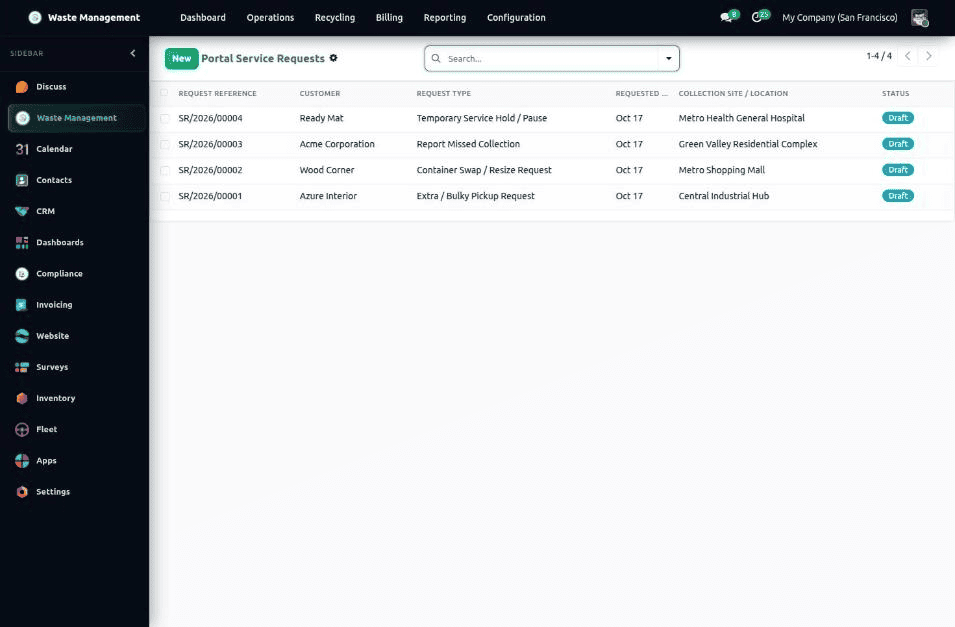
Customers can raise Service Requests themselves from the portal: an extra or bulky pickup, a container swap or resize, a missed collection report, or a temporary service hold. A request goes through Draft, Submitted, Approved, In Progress, and Completed (or Rejected), and approved requests generate the collection order and the billable event automatically. Requests are listed under Waste Management > Configuration > Customer > Customer Service Requests. Staff can reject a request only while it is Submitted, and a reason is mandatory; the customer sees the request as Rejected and the reason is kept on the record. A request can be cancelled while it is Draft, Submitted, or Approved. Cancelling an approved request also cancels the collection order and billable event created on approval, unless the pickup has already started or the event has already been invoiced. Cancelling an approved service hold does not resume the paused subscription automatically.
Subscription Plans, Weight Quotas and Recurring Billing
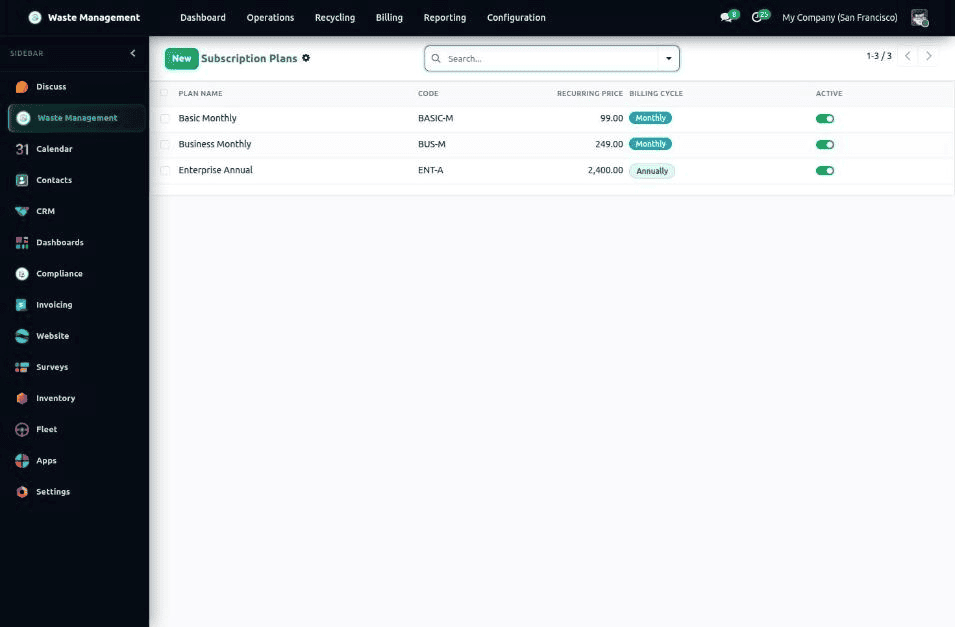
For customers who prefer a predictable fee, the Subscriptions module sells recurring Subscription Plans. A plan defines the recurring price, a monthly, quarterly, or annual billing cycle, an included monthly weight allowance in kg, a discount on extra pickups, a number of free container swaps per year, a priority SLA level (Standard, Priority 24h, or VIP Same-Day), and whether unused weight rolls over. Plans are created under Waste Management > Configuration > Customer > Subscription Plans.
A customer subscription moves through Draft, Active, Paused, Cancelled, and Expired. It can be paused with a planned resume date, cancelled with a reason (any unpaid draft invoices are cancelled with it), renewed manually, or set to renew automatically. A scheduled job generates the recurring invoice on the next invoice date. Customer subscriptions are managed under Waste Management > Configuration > Customer > Customer Subscriptions. A contract can hold only one active or paused subscription, a paused subscription resumes by itself on its planned resume date, and editing the billing cycle of a plan does not change the end date of subscriptions that are already running.
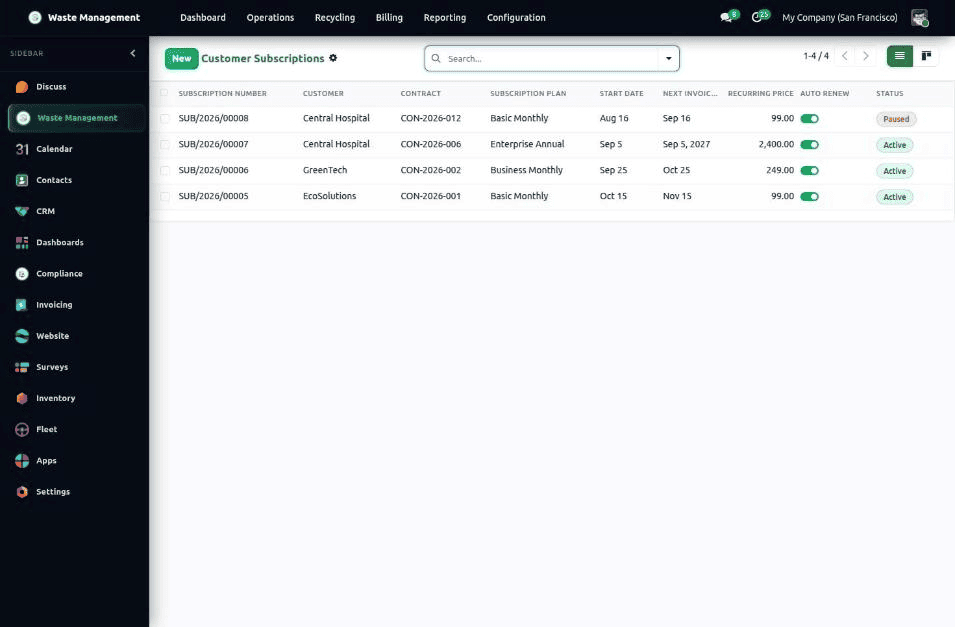
Each collected kilogram is counted against the current cycle, so the subscription always shows the remaining quota and flags when it is exceeded. Subscribers get their discounted extra-pickup price on the service request, and the discount is carried to the invoice line. Free container swaps are counted per year and shown as free on the request, but swaps are not invoiced. The customer portal shows the subscription (plan, price, dates, contract and sites) and lets the customer cancel it or download its PDF summary. The priority SLA is recorded as a label on their requests and is not enforced automatically.
Electronic Signatures, OWL Dashboard & Immutable Audit Trail
The Electronic Signature module can be used with field pickups, compliance manifests, and disposal certificates (in Waste Management > Configuration > Signature Templates). Signature Template – This section is where you set up different user signing chains (for example, Driver > Site Contact > Operations Manager). When a document has to be signed, the users are provided with a secure link on which they log in, view the document, sign it (using touchscreen signing on their mobile device), and then submit it to the system, which subsequently imprints the signature, generates the SHA-256 signature, and logs the verification in the chatter.
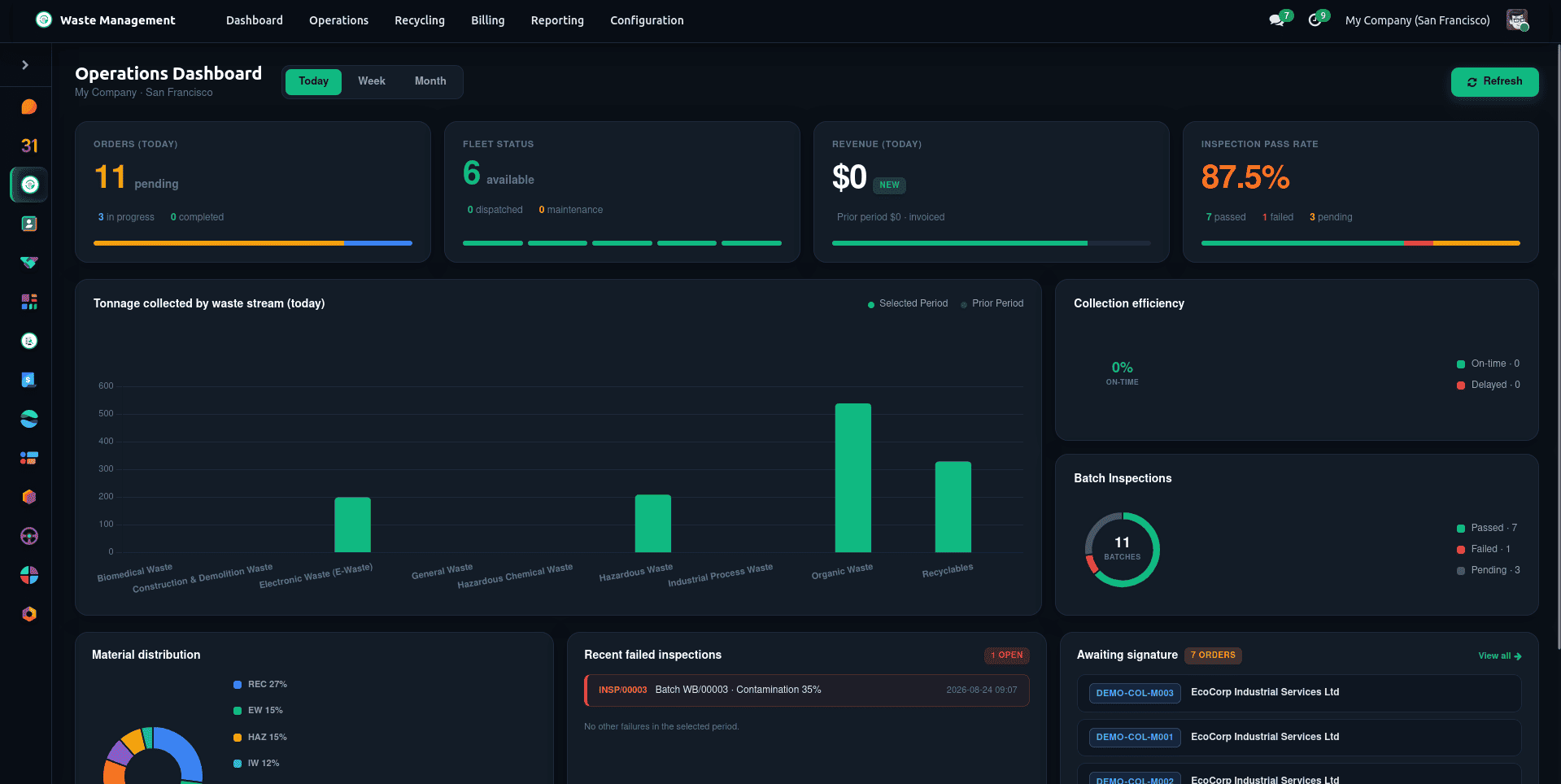
The information referred to is available in the relevant Executive Dashboard (Waste Management > Dashboard), a component of OWL that has been constructed to be reactive and which shows the key performance indicators (today's collection, the current routes, the yard batch backlog and the monthly diversion rate) in real time, there being no need to reload the page.
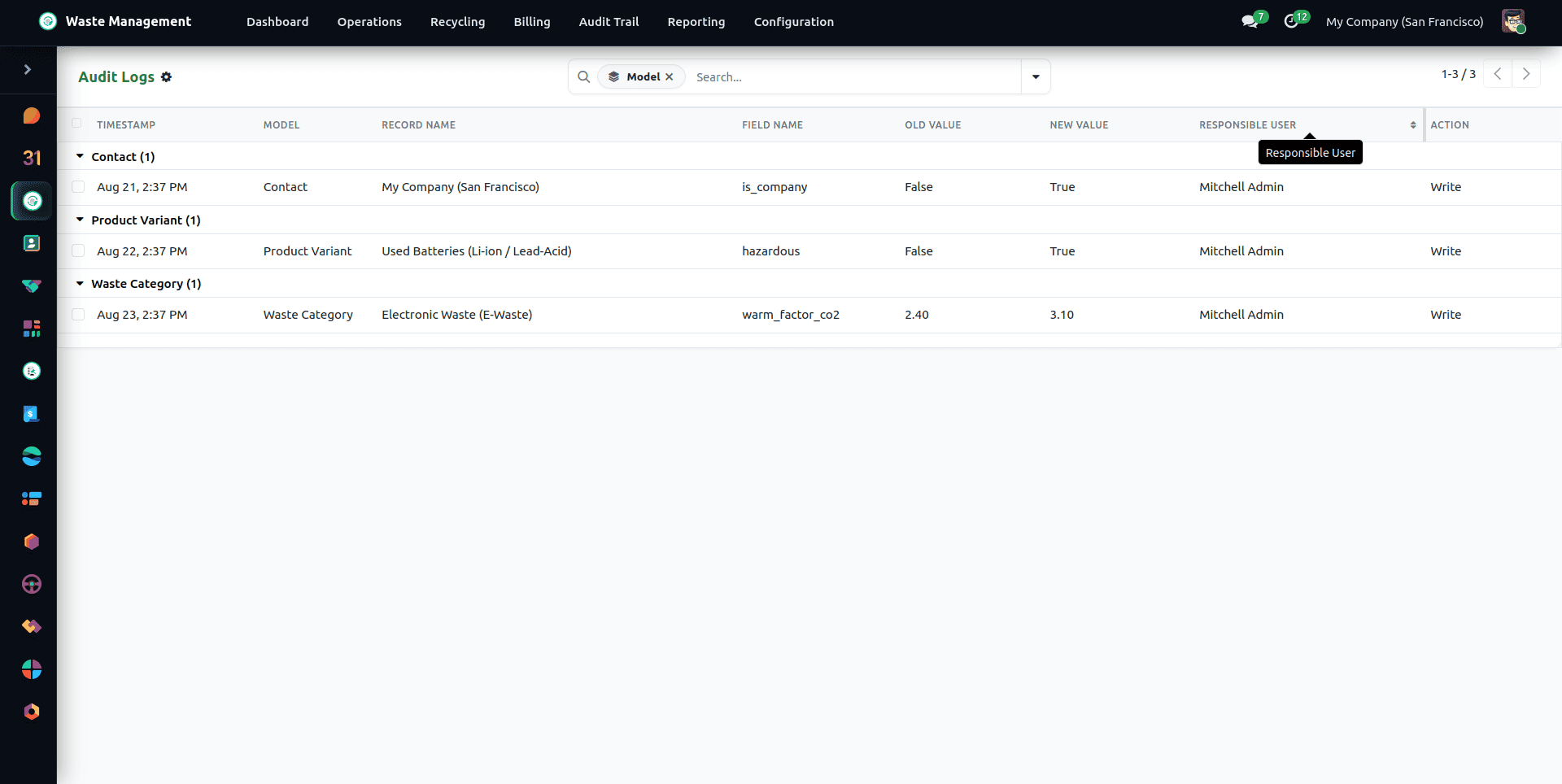
Every create, write, and delete on a Waste Management record is captured in the Audit Log under Waste Management > Audit Trail > Audit Logs, which is strictly immutable – records cannot be deleted or modified, even by the Administrator. Changes to a collection order's status are logged separately in the order's status history, so the full path from Draft to Signed can be reviewed at any time.
A Fully Integrated Waste Management Suite
The Waste Management ERP suite brings together seven cohesive modules into a unified solution for modern waste operations:
- Waste management Base: contains the waste categories, the types of containers, the digital signature workflows, and the executive OWL dashboard.
- Waste Management Collection (Collection & Logistics): looks after geolocated collection points, carries out optimisation of TSP routes, provides vehicle safety checklists, and handles intake at the weighbridge. It also covers container barcode/RFID tracking, automatic driver shifts, and facility gate entries.
- Waste management Compliance: Ensures that statutory manifests are followed, maintains an unchangeable chain of custody, uses SHA-256 certificates, and guards the permit vaults. It also provides safety incident logs with OSHA tracking and regional compliance rule sets.
- Waste management Recycling: Monitors the MRF recovery orders, the yield percentages, the automated sales orders, and the EPA WARM Scope 3 carbon accounting.
- Waste management Contracts & Billing: Deals with commercial contracts, dynamic pricing rules, SLA tracking, the customer portal, and the monthly billing runs. It also bills extra pickups and emergency callouts as billable events and handles customer portal service requests.
- Waste Management Driver App: an offline-first mobile app (PWA) where drivers see today's route and log stop statuses, weights, and GPS positions.
- Waste Management Subscriptions: recurring subscription plans with monthly weight quotas, free container swaps, priority SLAs, and automatic billing.
To read more about How to Configure and Use the Odoo Jira Connector in Odoo 18, refer to our blog How to Configure and Use the Odoo Jira Connector in Odoo 18.