Although the Contact Us form on the Odoo website is a terrific way to collect visitor inquiries, it only notifies you by default. When a person completes the form, the configured action either generates a lead or opportunity in CRM or emails the submission to a staff address. Nothing is returned to the visitor who just reached out.
By confirming that their inquiry was successfully filed and creating a more professional impression, a straightforward "Thanks, we received your message" auto-reply can improve website users' experiences. Although Odoo Automation Rules can also be used to configure this, a controller-based solution offers more precise control over when the acknowledgement email is sent, guaranteeing that it is triggered only for website form submissions.
This blog's straightforward module is designed to automatically send an acknowledgement email only upon the successful submission of the website form. In order to avoid the requirement for a new form or model and to stop unintentional email triggers from manually produced records, this is accomplished by directly extending the website form controller. When the CRM module is implemented, the solution functions regardless of whether the Contact Us form generates an email or a CRM lead.mail record (in the absence of installation).
How the website form submits:
The browser posts to the route /website/form/<model_name> when a user submits any form on the website. The website module's WebsiteForm controller responds to that request by creating the target record and returning its ID via the insert_record method.
That one technique is the ideal hook: we send our acknowledgement immediately after allowing Odoo to build the record just as it would ordinarily. One crucial point: before using super(), we read the visitor's email because of the mail. When creating a mail case, Odoo changes the email_from value to the company address.
Step 1: Controller - hook the form submission
Python code:
import logging
from odoo import _, tools
from odoo.http import request
from odoo.addons.website.controllers.form import WebsiteForm
_logger = logging.getLogger(__name__)
# Models the default Contact Us form submits to:
#  - crm.lead  when website_crm is installed
#  - mail.mail otherwise
CONTACT_FORM_MODELS = ('crm.lead', 'mail.mail')

class WebsiteFormAck(WebsiteForm):
    def insert_record(self, request, model_sudo, values, custom, meta=None):
        # Capture the visitor's email *before* super() runs, because for the
        # mail.mail target Odoo rewrites email_from to the company address.
        visitor_email = values.get('email_from') or values.get('email')
        contact_name = (
            values.get('contact_name')
            or values.get('partner_name')
            or values.get('name')
        )
        record_id = super().insert_record(
            request, model_sudo, values, custom, meta=meta,
        )
        if model_sudo.model in CONTACT_FORM_MODELS:
            try:
                self._send_contact_acknowledgement(visitor_email, contact_name)
            except Exception:
                # Never let a mail issue break the visitor's form submission.
                _logger.exception("Contact Us acknowledgement email failed")
        return record_id
    def _send_contact_acknowledgement(self, visitor_email, contact_name):
        email = tools.email_normalize(visitor_email or '')
        if not email:
            return
        company = request.env.company
        body = request.env['ir.qweb']._render(
            'website_contactus_autoreply.contact_ack_email',
            {'contact_name': contact_name or '', 'company': company},
        )
        mail = request.env['mail.mail'].sudo().create({
            'subject': _("We received your message"),
            'email_from': company.partner_id.email_formatted or '',
            'email_to': email,
            'body_html': body,
            'auto_delete': True,
        })
        mail.send()
This controller replaces the insert_record method of Odoo's built-in WebsiteForm, which is responsible for creating the relevant record each time a website form is submitted. It obtains the visitor's name and email from the given data before allowing Odoo to perform its regular tasks (grabbing the email first because Odoo overwrites it with the company address when the form saves a mail.mail).
The lead or mail record is then created as normal by using super().insert_record(...). The form then calls _send_contact_acknowledgement if it was intended for the Contact Us models (crm.lead or mail.mail), which uses email_normalize to verify the address, produces the email content from a QWeb template, and uses mail. mail to send the visitor a confirmation message. In order to prevent the visitor's submission from failing if something goes wrong with the email, the entire acknowledgement process is wrapped in a try/except.
Step 2: Email Template: Contact Us Acknowledgement Email
Because the text of the acknowledgement email is defined as a QWeb template rather than being hardcoded in Python, the branding and wording can be changed in one location without affecting the controller logic. Contact_name, the visitor's name, and company, the current company record, are two variables that the template receives from the controller. It uses t-out to safely insert these variables into the message (with fallback text like "there" and "Our Team" displayed if a value is empty). This template is rendered to HTML by the controller, which then uses the output as the email body returned to the visitor. Below is the XML code.
Xml code:
<?xml version="1.0" encoding="utf-8"?>
<odoo>
    <!--Email Template: Contact Us Acknowledgement Email-->
    <template id="contact_ack_email" name="Contact Us Acknowledgement Email">
        <div style="margin:0;padding:0;font-family:Arial,Helvetica,sans-serif;font-size:14px;color:#454748;">
            <p>Hello <t t-out="contact_name or ''">there</t>,</p>
            <p>
                Thank you for getting in touch. We have received your message
                and a member of our team will reply as soon as possible.
            </p>
            <p style="margin-top:16px;">
                Best regards,<br/>
                <t t-out="company.name or ''">Our Team</t>
            </p>
        </div>
    </template>
</odoo>
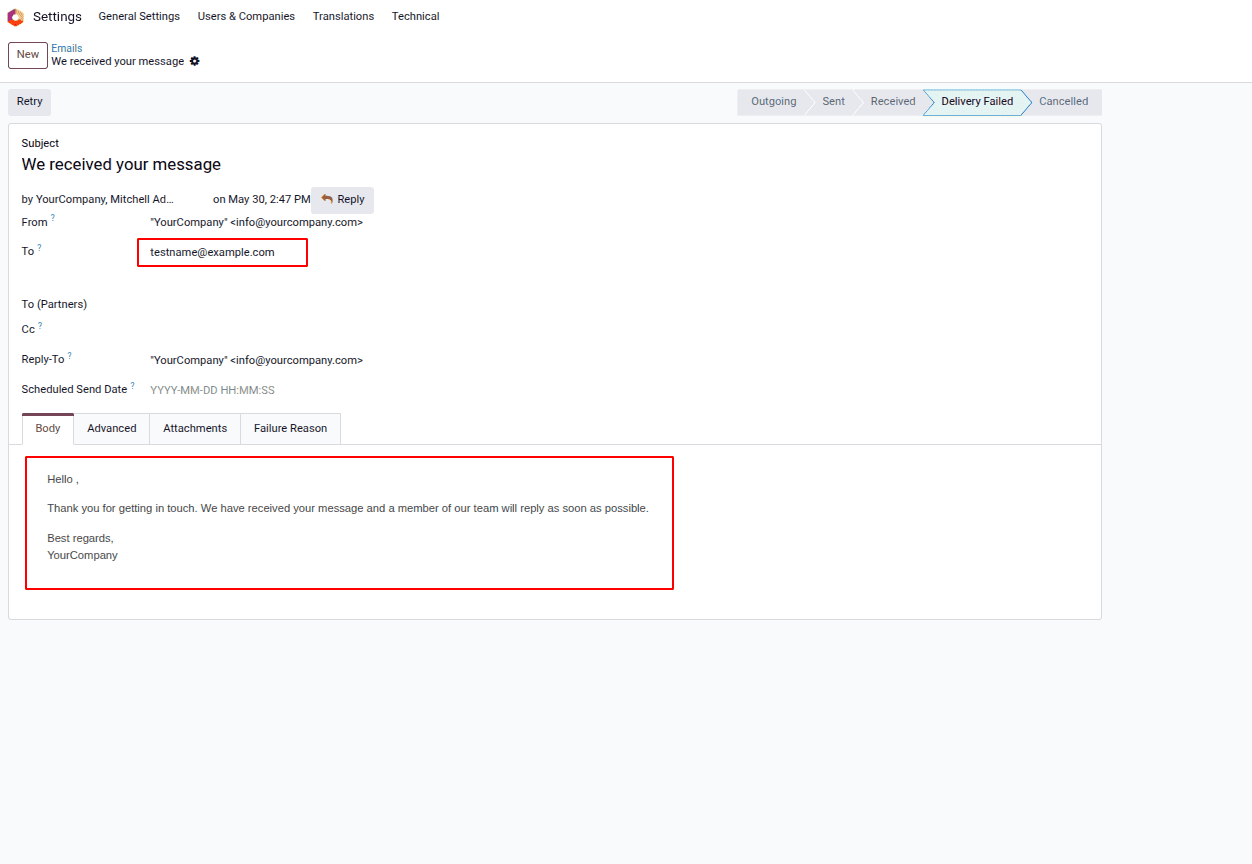
After the module is installed with these customized code snippets, the form itself doesn't require any further configuration; the standard Contact Us page functions as before, but each submission now sends the visitor an automated acknowledgement email. This is demonstrated in practice in the following sections.
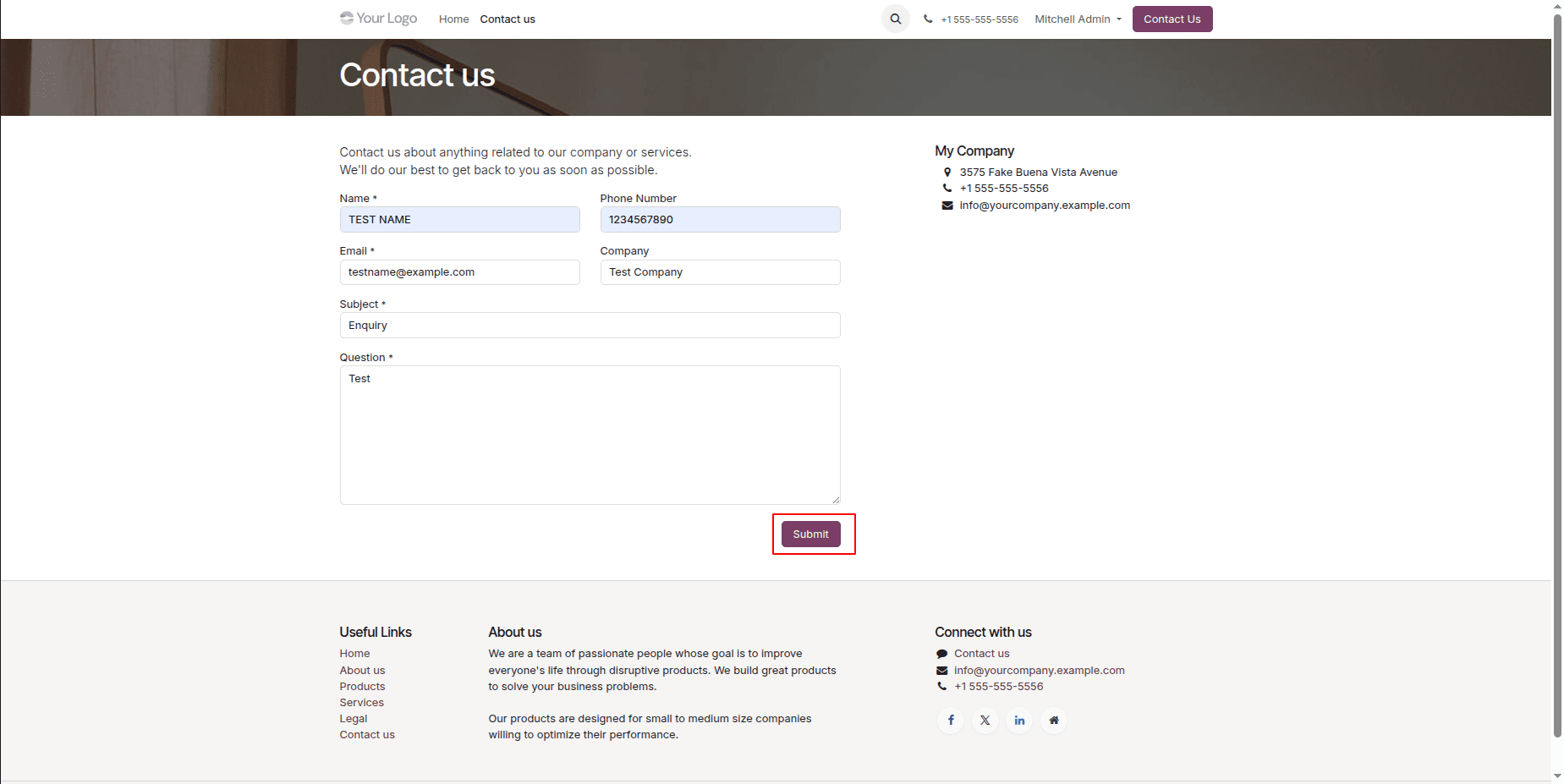
Contact Us Form View:
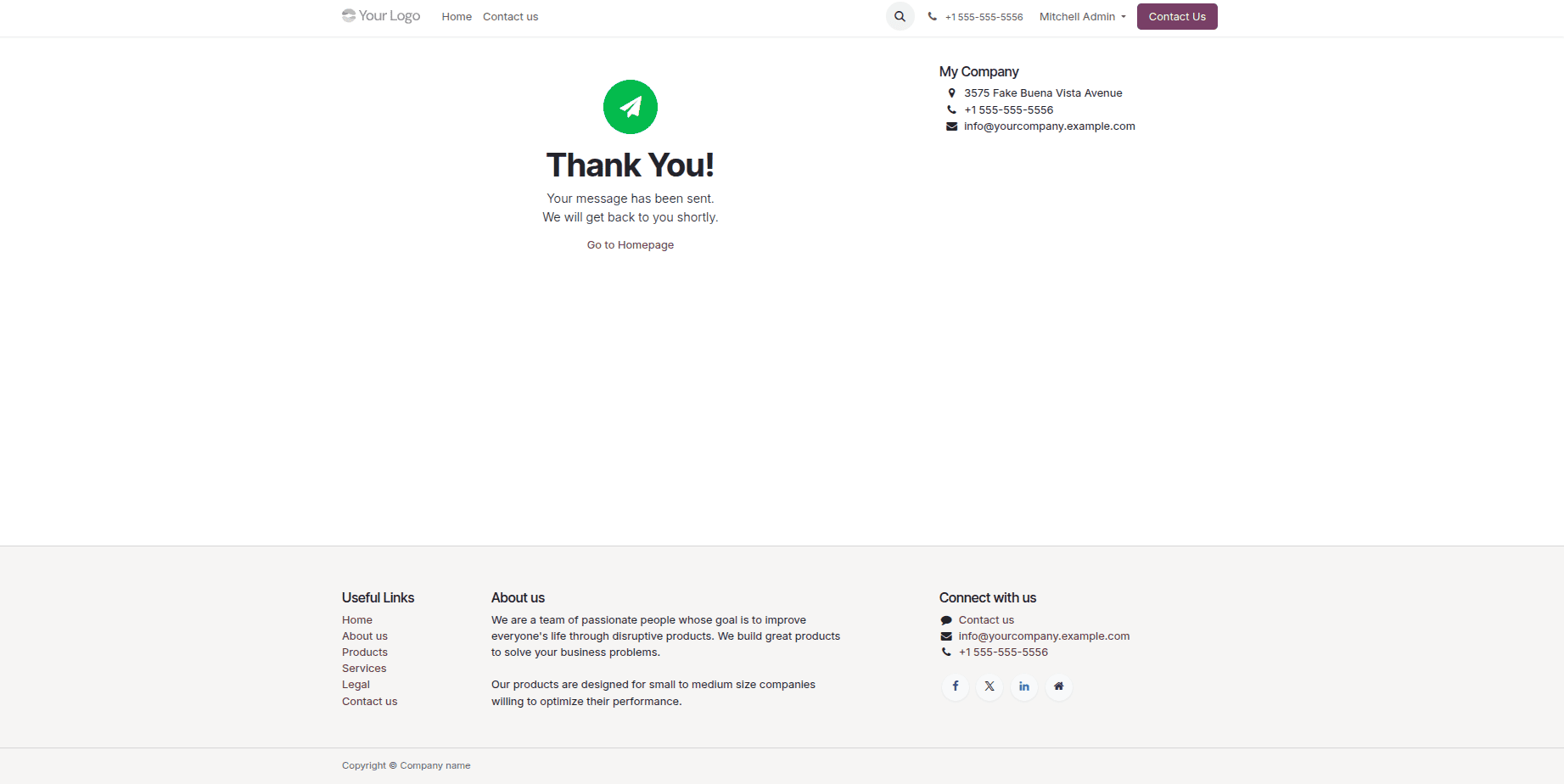
Confirmation Page - After Contact Us Button Submit:
Contact Us Acknowledgement Email:
With a single controller override, this solution improves Odoo's online forms by sending visitors a polished and timely appreciation email, while internal users continue to receive notifications or CRM leads in the usual manner. Because it hooks directly into 'insert_record' rather than reacting to general record creation events, the acknowledgement email is only sent for legitimate online form submissions, resulting in a more dependable and organized workflow. Before testing, ensure that your Odoo instance's outgoing email is properly configured, including the company email address and outgoing mail server settings, so that emails may be effectively delivered.
This same strategy can be expanded depending on the needs of the company. For example, you could use the same controller hook to replace the inline email content with a reusable 'mail.template', create and attach PDFs with the requested information, and send responses in the visitor's preferred language.
To read more about How to Send Email From Code in Odoo 19, refer to our blog How to Send Email From Code in Odoo 19.