Have you ever thought about adding default values for your Odoo fields where the development is very limited? Think about a scenario where you are an Odoo Online user, or using studio mode development for your business needs, and you need your fields to have certain values depending on the current company. This would be a cake walk for users whose environment is self-hosted or hosted in the Odoo cloud platform. Odoo itself provides a solution for the above business scenario, that is, a user-defined defaults option available at Settings > Technical > Actions > User-defined Defaults.
For the proper accessibility for the above-mentioned situation, the user should activate the developer mode.
In this blog, we are going to create a new field in sales order through the studio and discuss how to set the field value to the default value based on the current company.
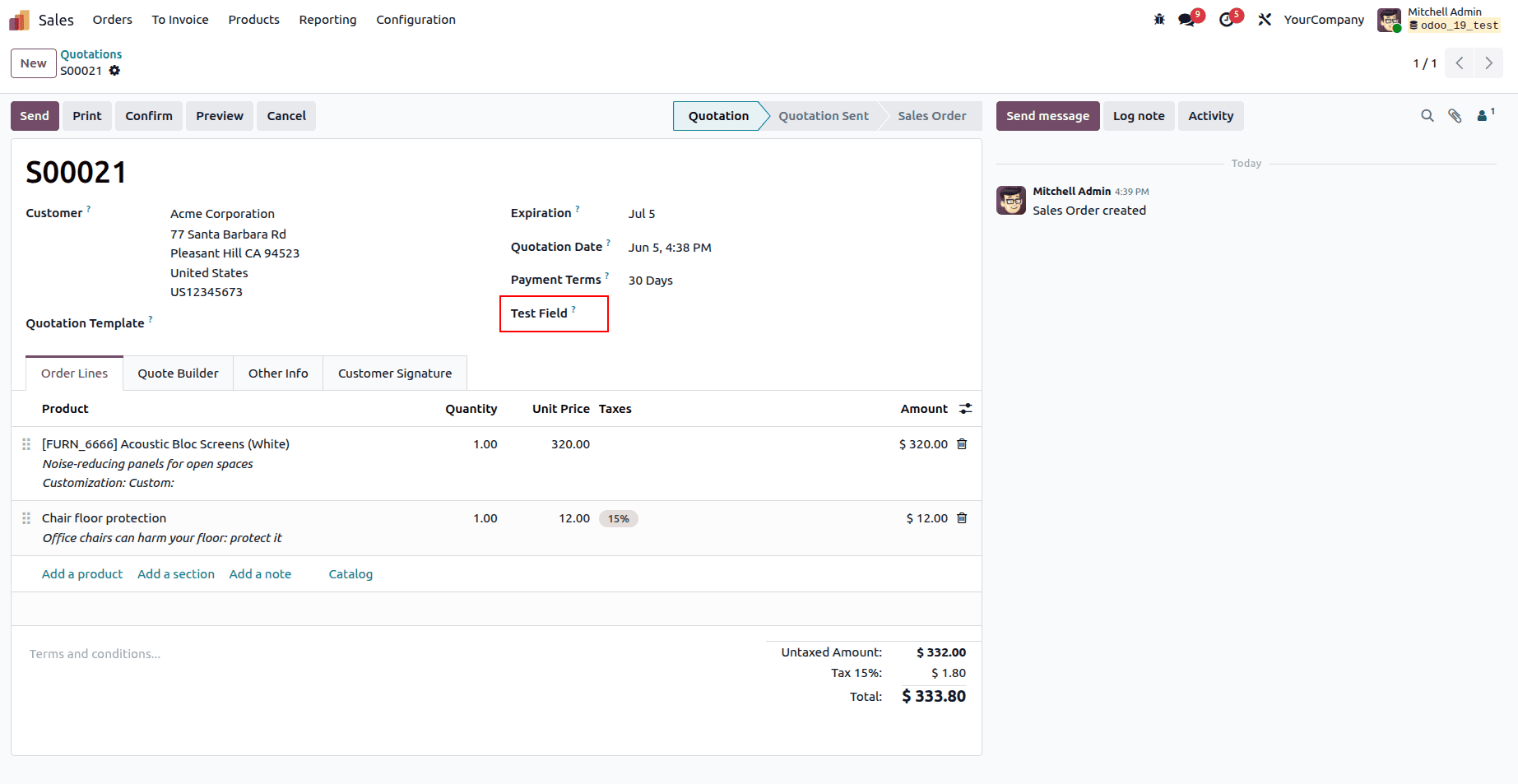
Below, you can see the custom field named Test Field, which was created through the studio.
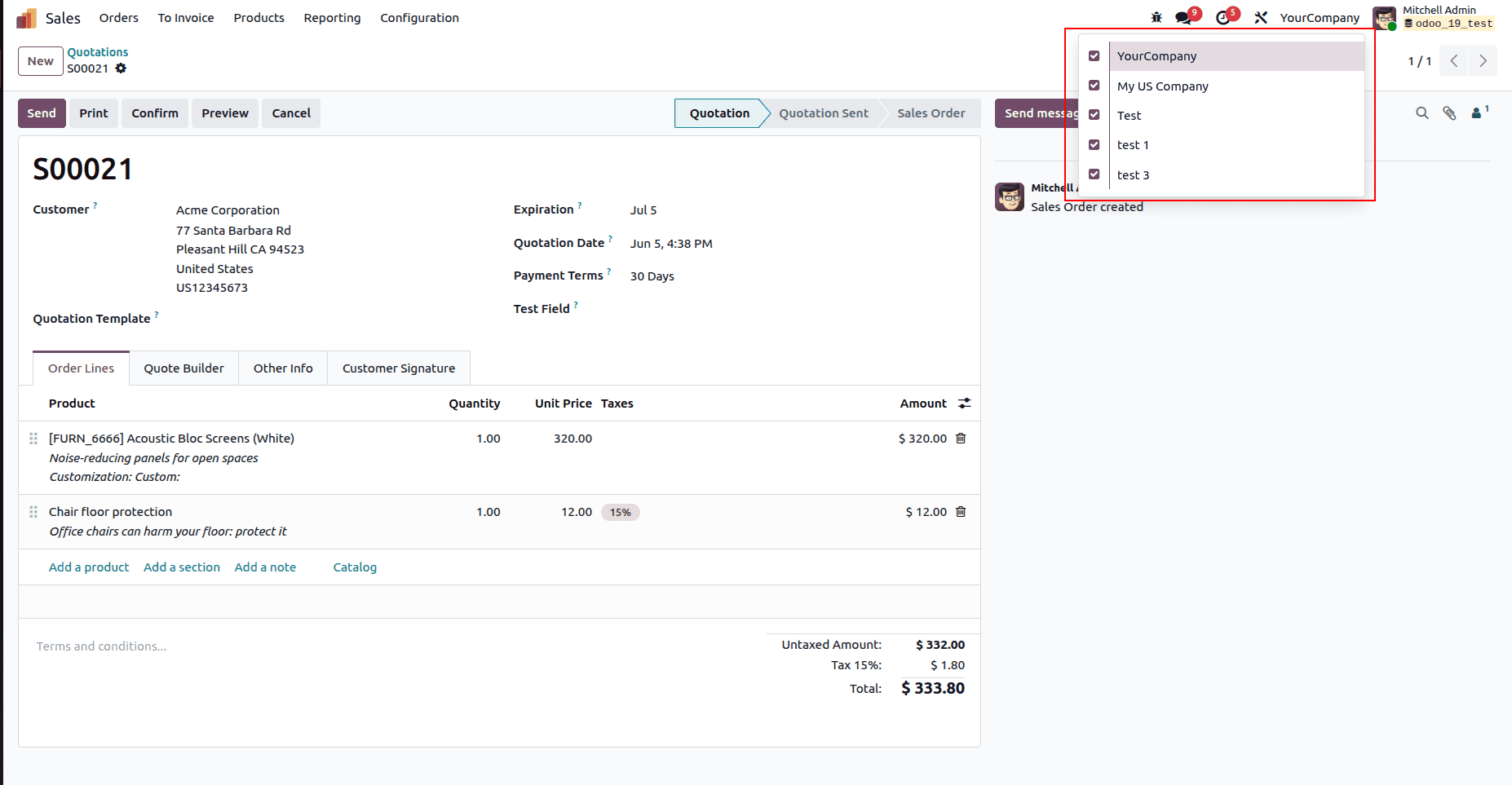
And in the image below, you can see the available companies in our current database.
On the next step, we should navigate to the User-defined window to set up the default value corresponding to the available companies.
Navigate to Settings > Technical > Actions > User-defined Defaults
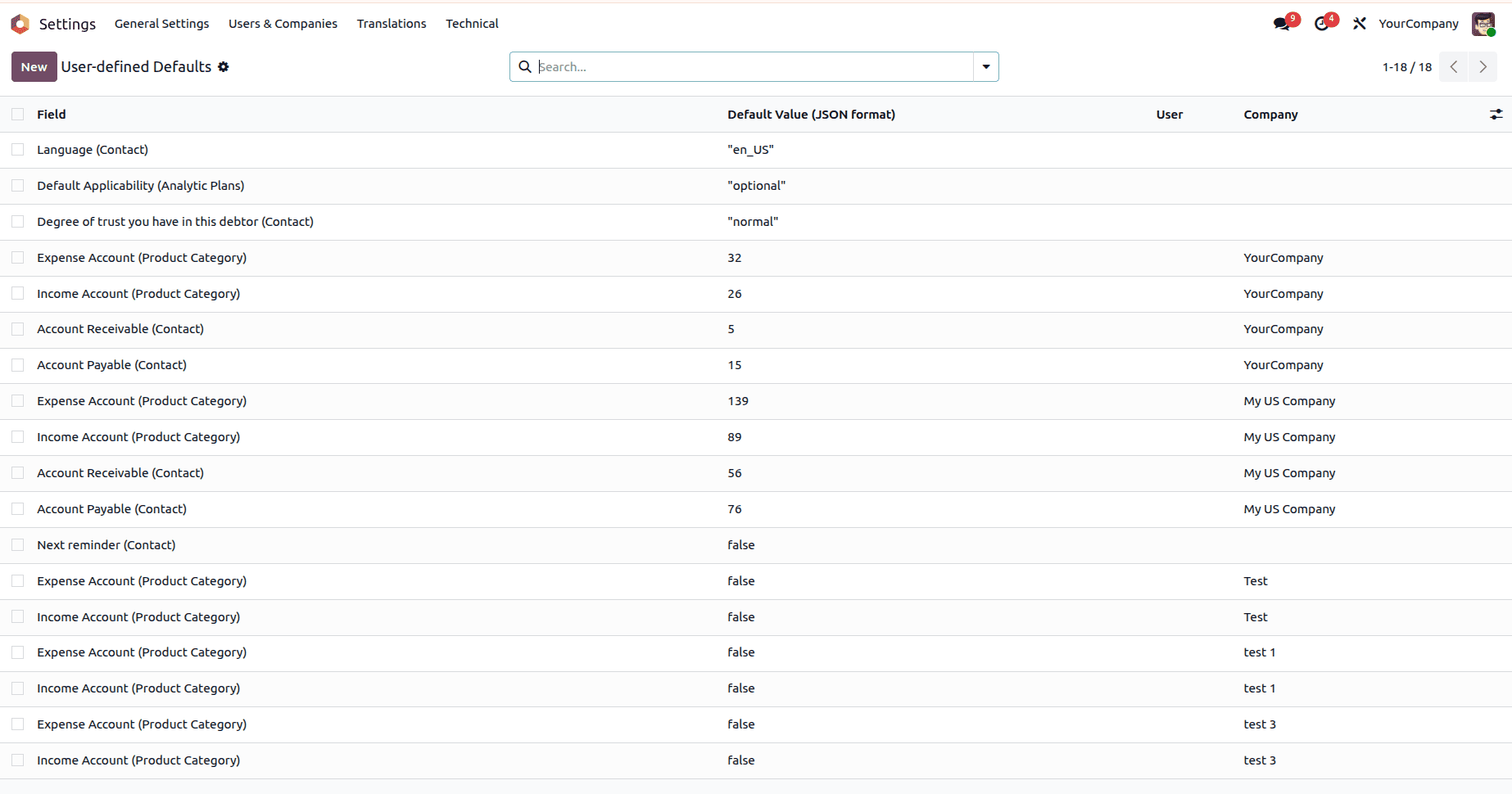
Here you can see the list of user-defined defaults, where you can click the New button to create your own default values for the newly created Test Field.
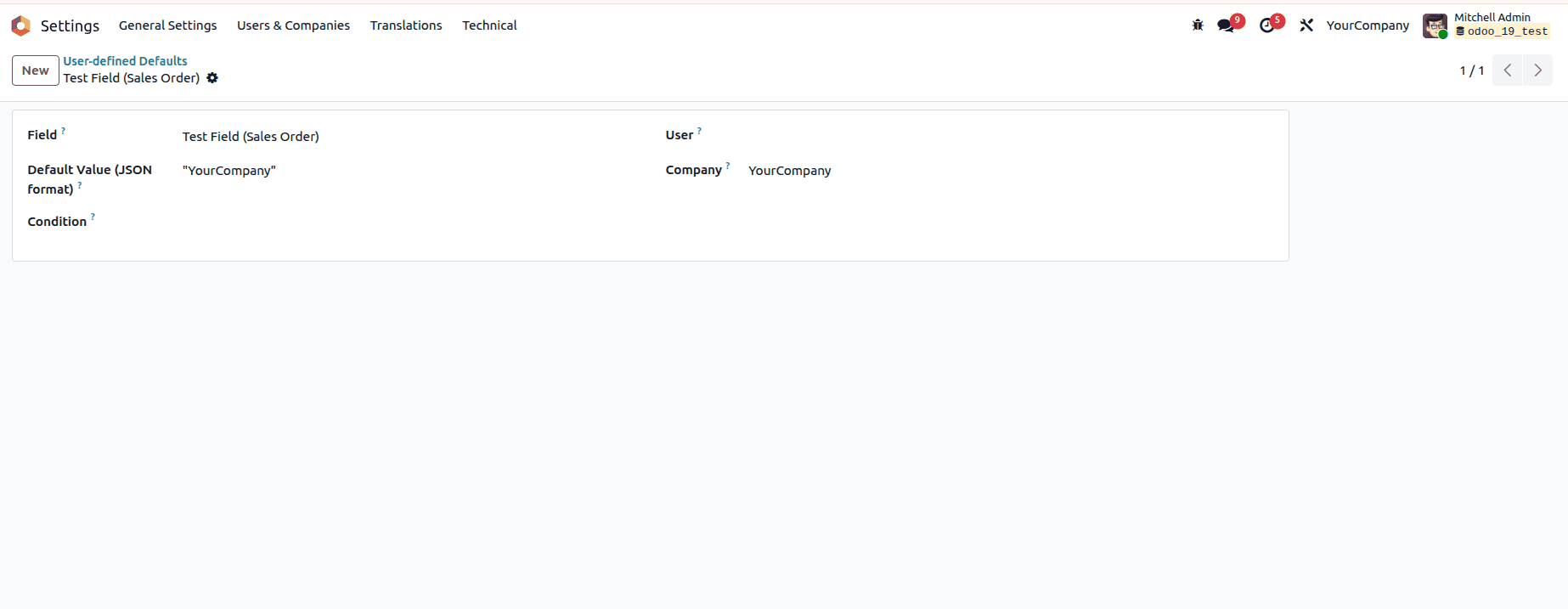
In the above image, you can see that in the Field, we have chosen our newly created field, and in the Company section, we can choose YourCompany. What simply happens is that when we create a new sales order, and the active company is YourCompany, the value in the Test field will be the value we set as the default value, which is YourCompany. In the screenshot below, you can clearly see what happens.
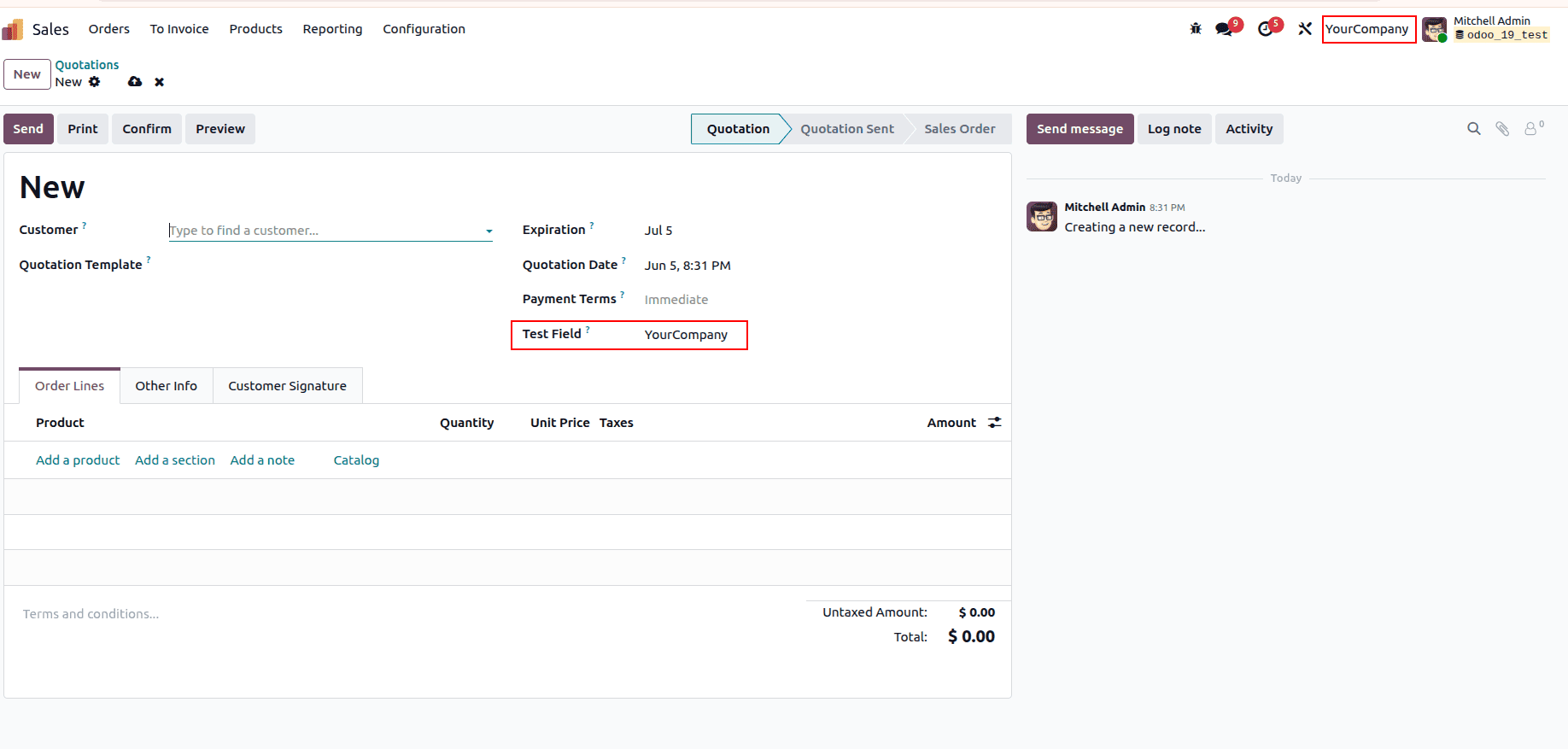
While we configure the the user defined default, there are two other fields: User and Condition. This is basically adding an extra condition for the default value. If the user is set to the default action, it only binds if the current user is the user configured in this field; likewise, we can add an extra condition in the Condition field.
In this blog, we have discussed how to set user-defined values for fields in Odoo, which can be a custom or default Odoo field. This is the best Odoo-provided solution to set a default value where custom development is limited or not possible at all. Use this Odoo built-in feature to make your business solution at its best.
To read more about A Complete Guide to Default Values in Odoo 19, refer to our blog A Complete Guide to Default Values in Odoo 19.