An effective leave management system helps companies manage employee absences by encouraging communication, expediting the leave application process, and maintaining well-organized documentation. By offering data on planned absences, shifts, performance metrics, and causes for absences, leave management software facilitates goal-setting, paid time off management, and labor-related coordination. A tool for managing employee vacation entitlements, evaluating requests, and scheduling adjustments is the Odoo 19 Time Off Module. Planning job distribution, keeping an eye on team absenteeism, and providing resources for paid time off, stress days, and public holidays are all made possible by it.
Effective time off management is crucial for every business to preserve both employee satisfaction and operational continuity. Odoo's Time Off module provides a comprehensive solution for handling leave policies, requests, approvals, and scheduling. One of its main advantages is that HR departments may more efficiently handle leave entitlements and automate non-working days thanks to its design for public holidays and required days. The benefits of public holidays and mandatory days for Odoo leave management are examined in this study.
After obligatory days are determined, Odoo ensures that the relevant leave days are deducted from the employees' available vacation time. This functionality helps businesses avoid manual tracking while ensuring that employee balances remain accurate. It also allows employees to see these mandatory days on their vacation calendar, which promotes transparency and knowledge. HR also has the power to create different policies for different employee categories, such as refusing interns or part-timers the necessary leave.
- The Odoo 19 Time-Off integrates mandatory days and public holidays with payroll for accurate compensation.
- Automatically modifies payroll calculations based on these parameters.
- Maintains accurate attendance records and makes payroll processing more efficient.
Public Holidays
Businesses and organizations may observe a number of public holidays, depending on where they are located. The Odoo 19 Time Off Module's "Configuration" option allows users to choose "Public Holidays" and add public holidays that apply in their country or area. When users reach the "Public Holidays" homepage, they are presented with a list view that includes information on the holiday, including the name, firm, start and end dates, working hours, and kind of employment entry.
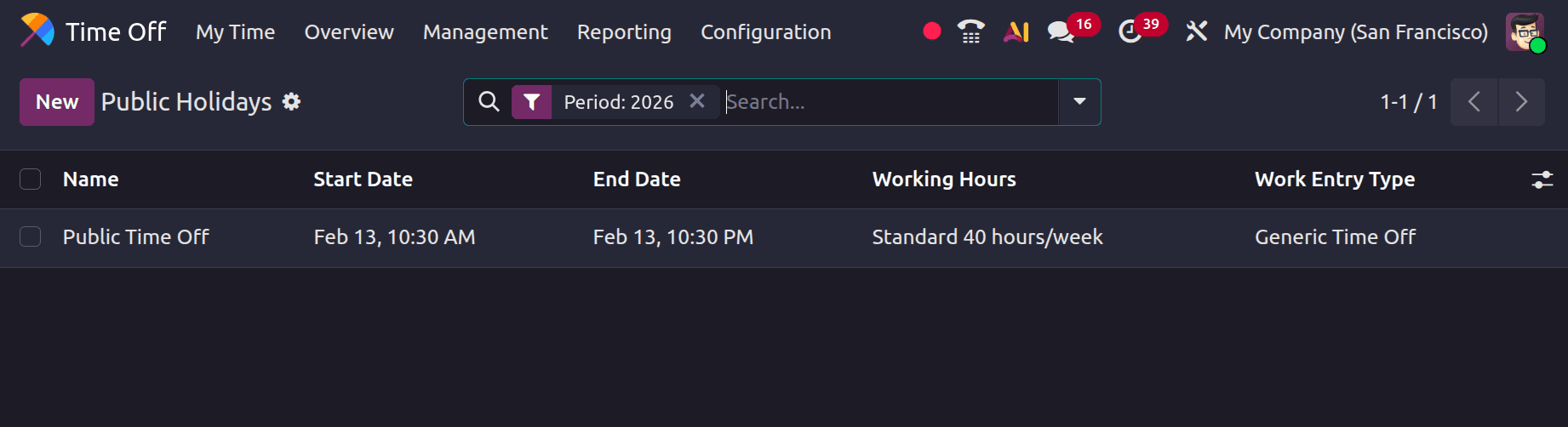
Click the New button to add the holiday name, company, start date, and finish date to a new line. The Start Date corresponds with the business's working schedule, while the End Date is determined by the time zone of the user's computer. Any time zone variations on the user's PC will be taken into consideration when adjusting the start time. You can select the working hours using the drop-down menu, or if it is left empty, the holiday applies to every employee. The work entry type in the Payroll application can be specified by selecting it from the drop-down menu. The holiday should be available to workers with established working hours.
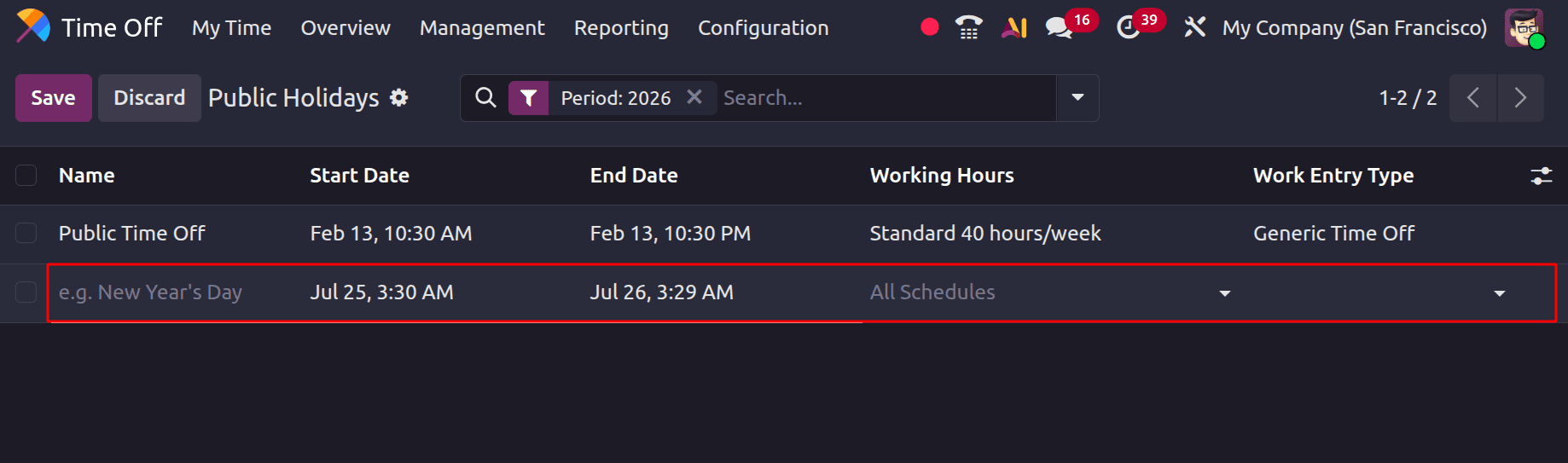
Finally, set the data using the "Apply" button within the calendar view and save the public holiday details using the "Save" option.
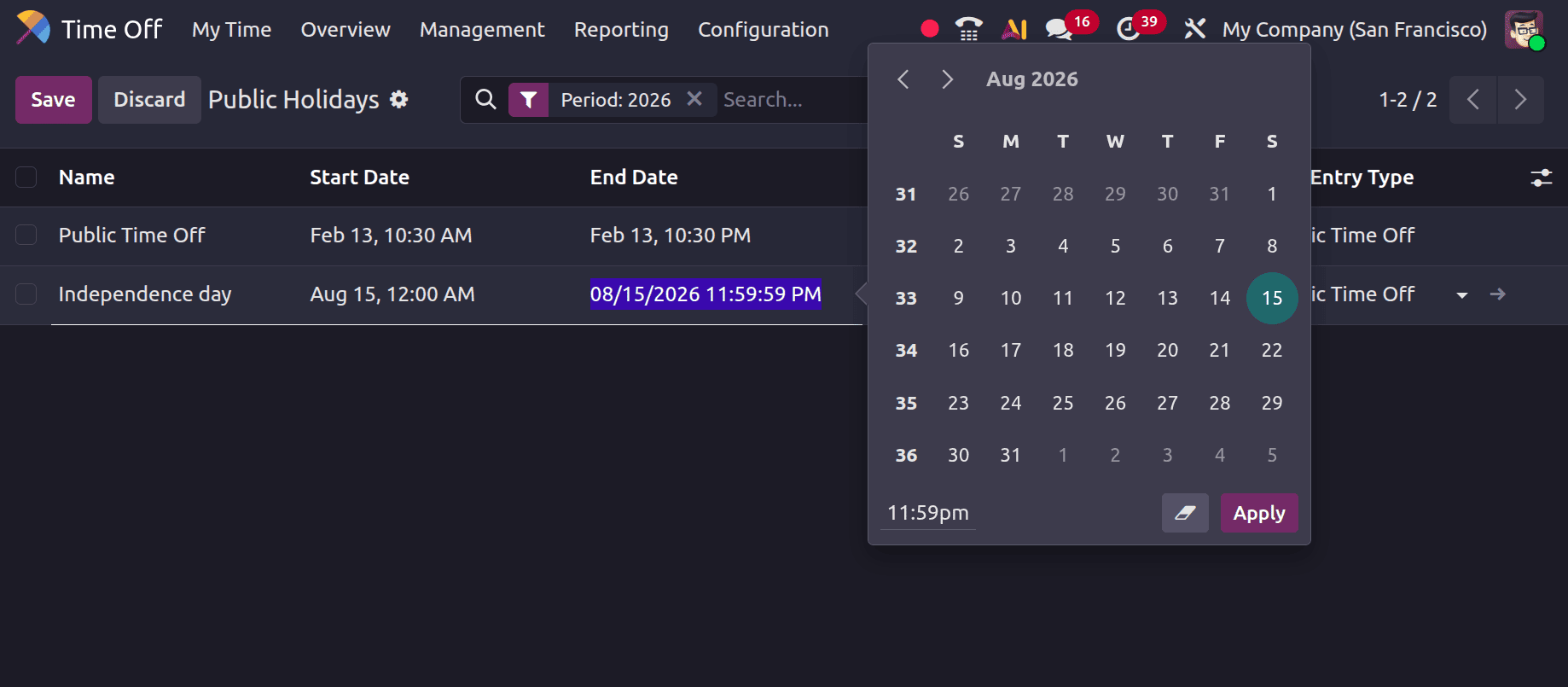
By clicking on the link that appears at the end of the editing line, as shown in the image below, you can alter further information about the public holiday in a new form view. Businesses can customize many aspects related to each public holiday using this setup form.
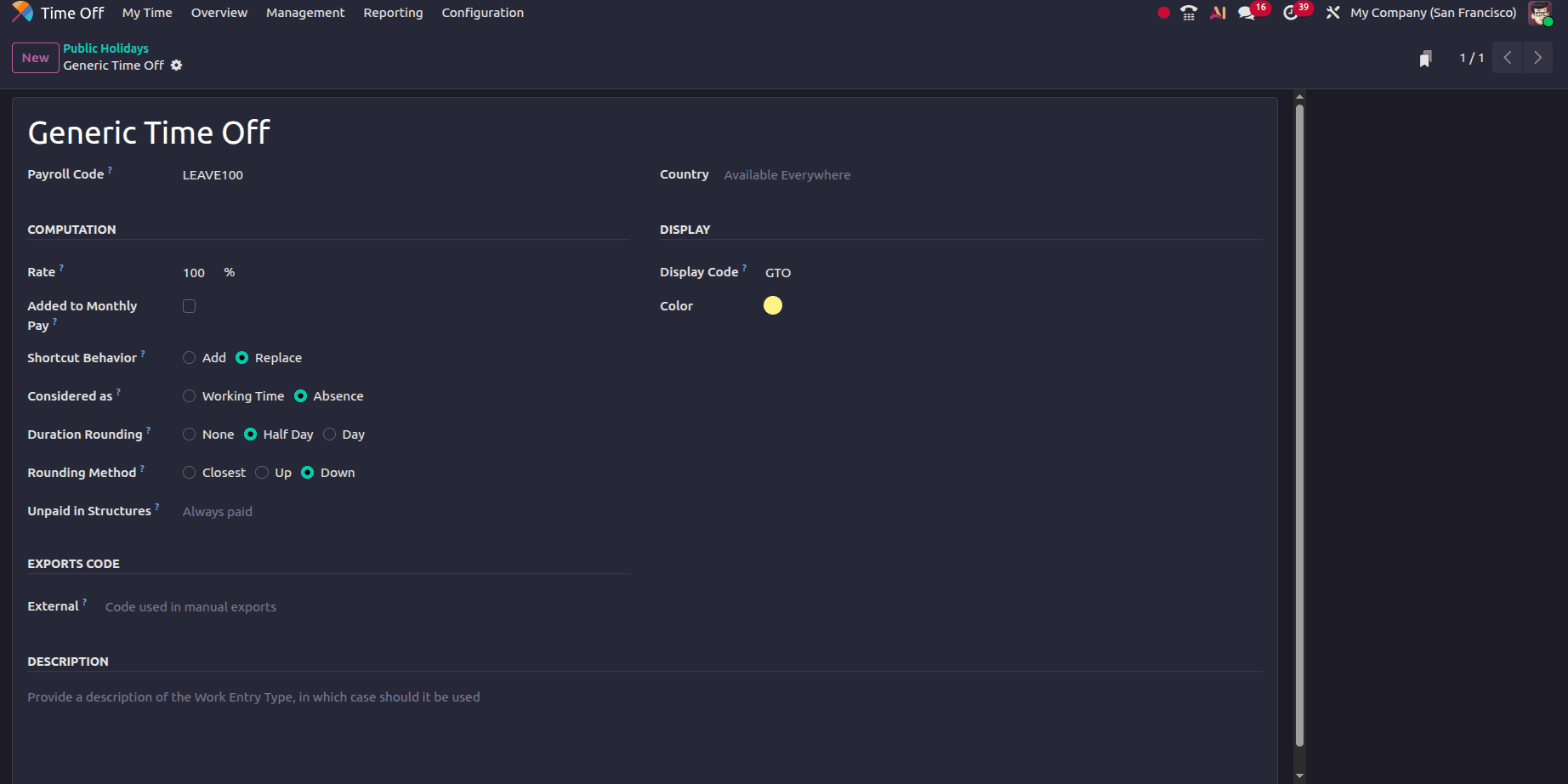
These include changing the time-off options, defining the holiday benefits, and altering the features of the payslip presentation. This helps to unify employee expectations and guarantees adherence to corporate policies.
This comprehensive approach ensures that all aspects of public holidays are managed effectively, which facilitates accurate record-keeping and accelerated payroll processes. All things considered, Odoo 19 provides a comprehensive grasp of how public holidays impact time-off management, employee attendance, and pay stubs.
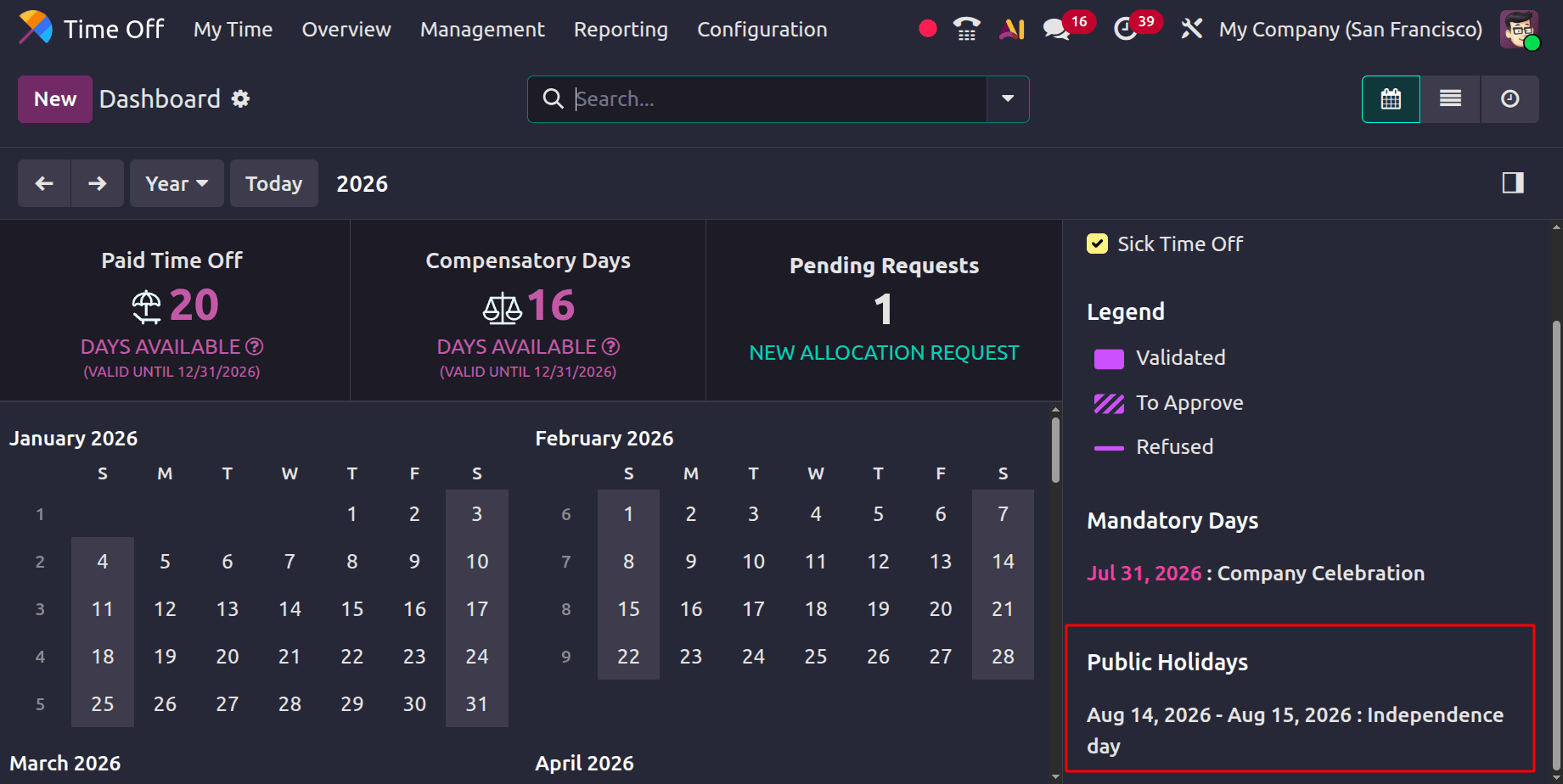
The created Public Holidays can be visible inside the Dashboard as shown below.
Mandatory Days
Mandatory days in Odoo are those on which it is forbidden for employees or specific departments to take time off. These days, they can be configured to be either company-wide or department-specific. Employees in the designated department or organization are not permitted to request time off on these mandatory days.
To create a mandatory day, navigate to the Time Off app > Configuration Menu > Mandatory Days.
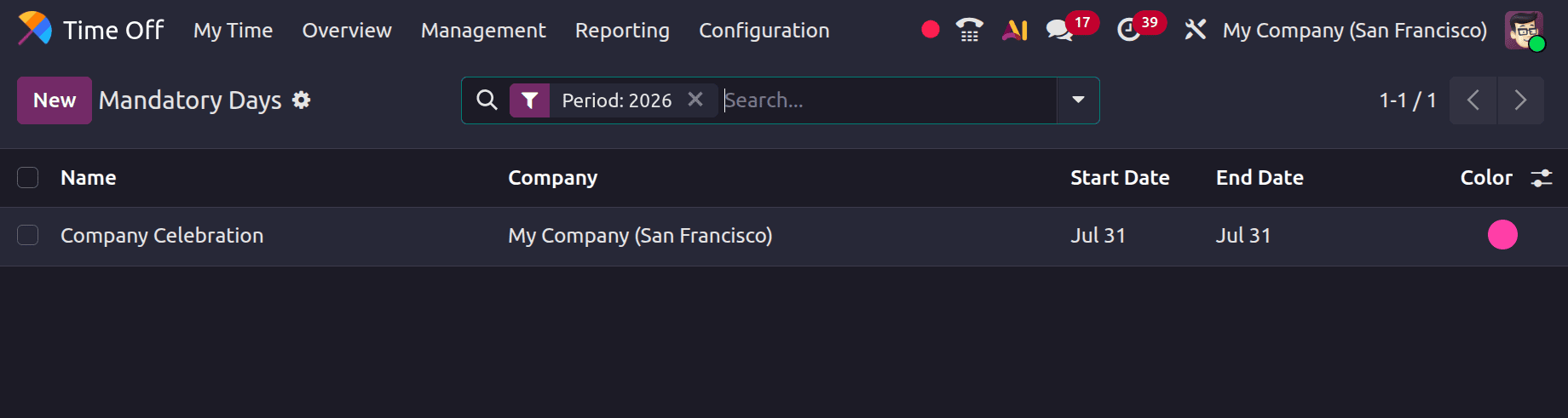
To create a new Mandatory day, click the New button in the upper-left corner and enter the following information, such as
- Name: Enter the name of the necessary day here.
- Company: Select the company that must be used on that day using the drop-down option.
- Departments: After choosing the (optional columns) icon in the upper-right corner, next to Colours, click the checkbox next to Departments to see the default columns.
- Start Date & End Date: Select the required day's start or end date; if there is just one required day, the end date stays the same.
- Colour: You have the option of selecting a colour from the list or selecting "No colour." The selected colour is shown in both the calendar and the legend on the main Time Off program dashboard.
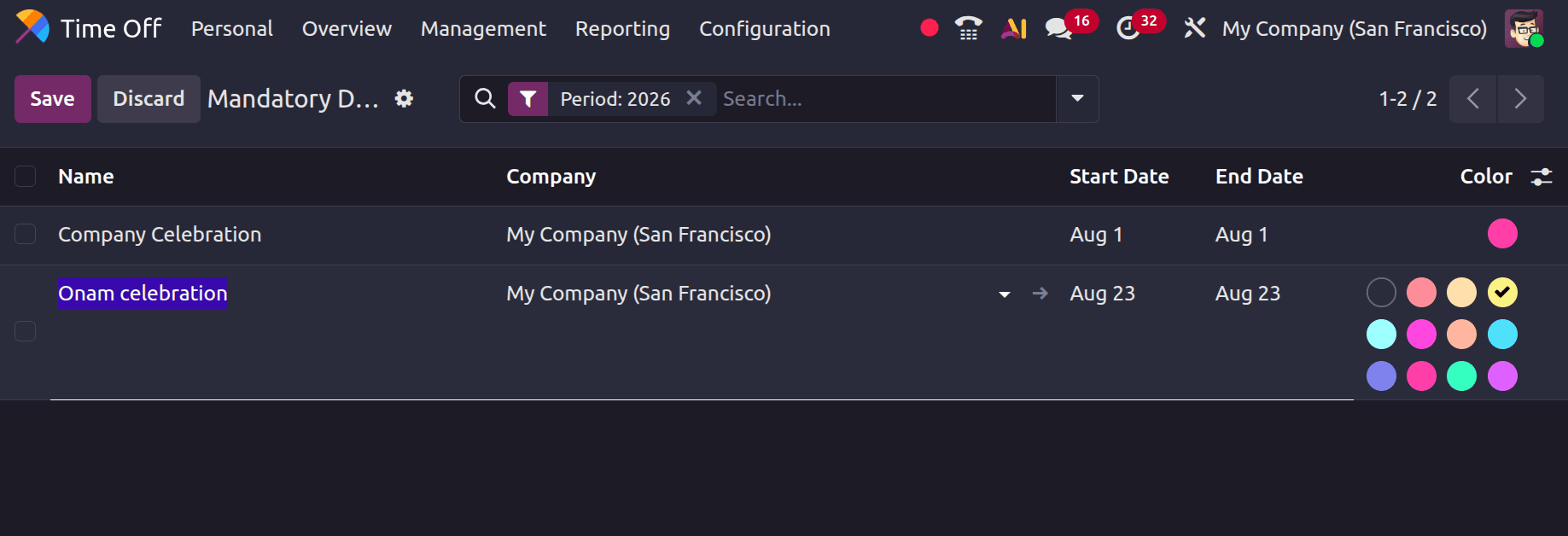
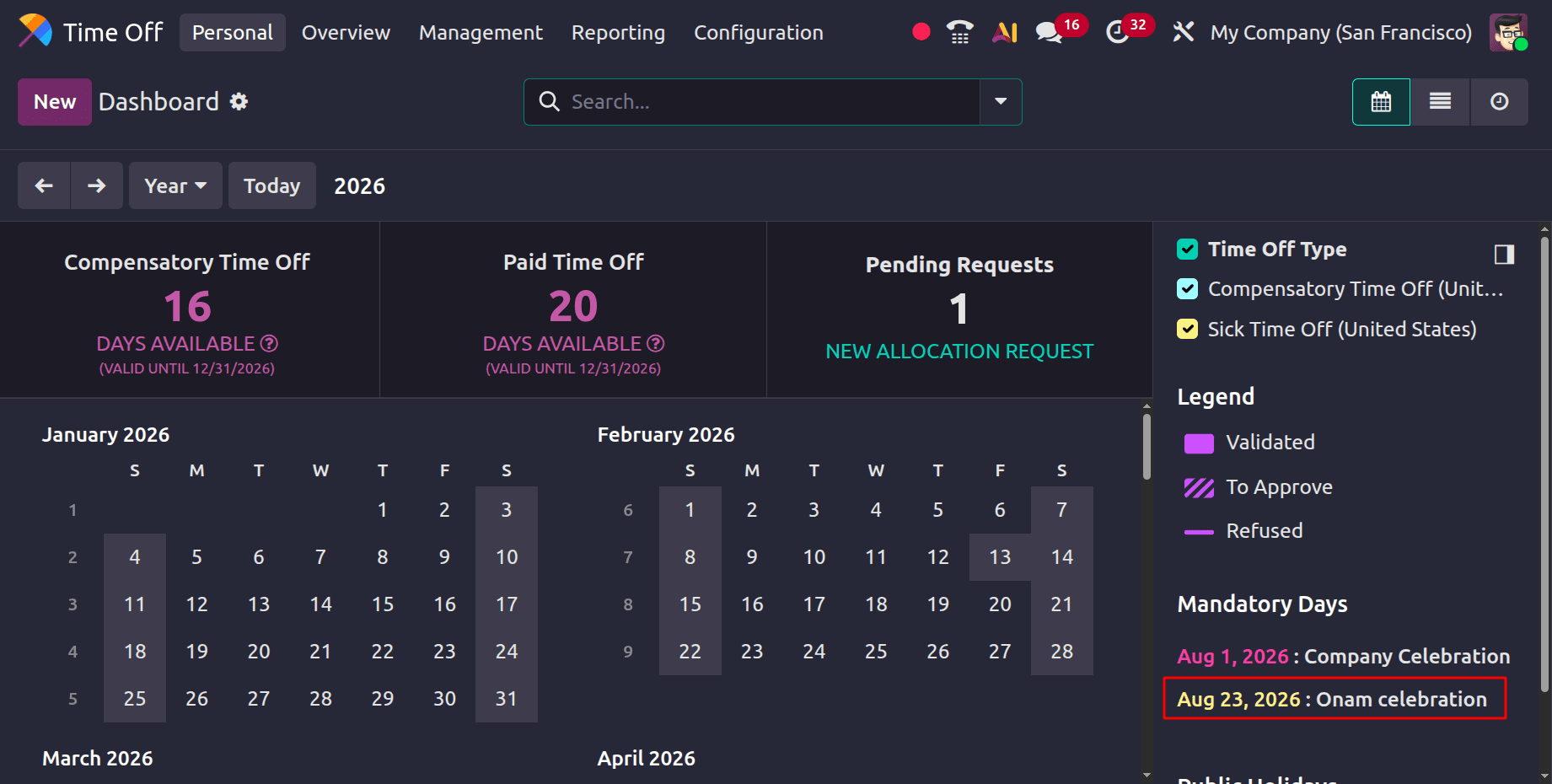
The newly generated mandatory day is visible when we return to the dashboard view.
Let's now examine what would happen if a worker missed a required day. Let's proceed to the My Time off section of the My Time menu for the procedure. There, use the New icon to create a new Time Off. On the required day, a leave of absence is applied.
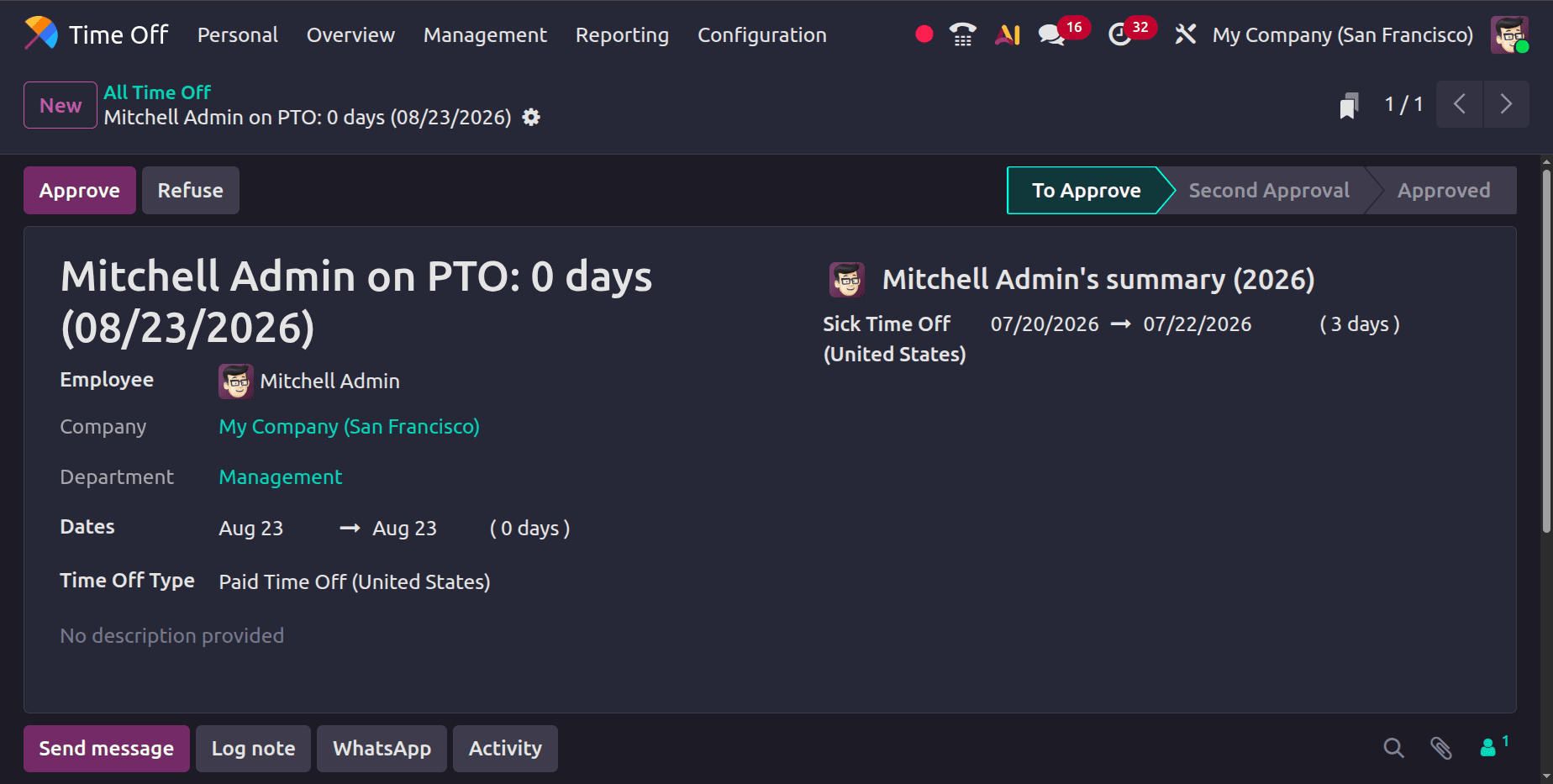
Choose the required day's date and type of leave there. You will receive a validation error message stating that we are unable to request time off on required days when you attempt to save the request itself.
Having current listings of holidays and mandatory days is crucial to ensuring compliance with corporate policies and regional and national holidays. It is essential to communicate explicitly about these days in order to prevent scheduling problems. Odoo's reporting features can help you make better decisions and plan for the future by monitoring how these days affect payroll and attendance.
Odoo 19 is a comprehensive solution for handling mandatory days and public holidays because of its smooth connection with your organization's payroll and timekeeping systems. It ensures accurate records, compliance, and efficient operations through regular updates, open communication, and effective tool utilization.
To read more about How to Manage Leave and Public Holidays in Odoo 19 Timesheets, refer to our blog How to Manage Leave and Public Holidays in Odoo 19 Timesheets.