Running a marketing campaign usually means more than just sending one email and hoping for the best. It involves deciding who to target, sending a message, waiting to see who responds, and then following up differently depending on how people react. Doing all of this manually across spreadsheets and separate emails quickly becomes unmanageable. The Marketing Automation module in Odoo 19 is built to handle exactly this kind of workflow, letting you set up a campaign once and have Odoo carry out the follow-up actions on its own, based on rules you define.
Marketing Automation in Odoo works around the idea of a campaign that targets a specific group of records, contacts, leads, or even sales orders, and then runs a series of activities against them, such as sending emails, adding tags, or waiting for a set number of hours before moving to the next step. The module tracks every participant through this workflow, tells you how many succeeded or got rejected at each step, and lets you monitor open rates and click rates without having to check each email individually. It essentially takes the repetitive parts of running a campaign and puts them on autopilot, while still giving you full visibility into what's happening at every stage.
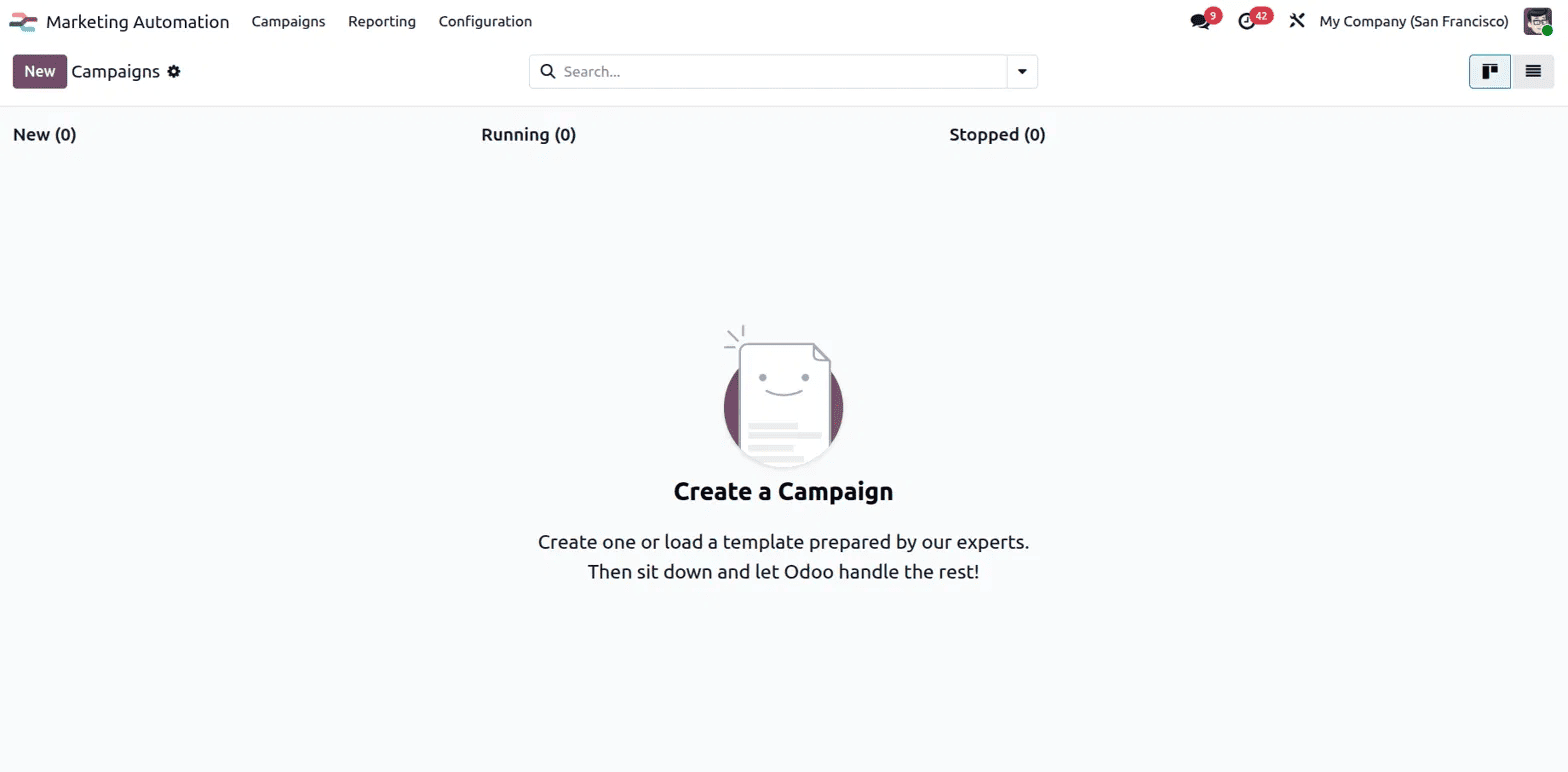
To get started, open the Marketing Automation app and go to Campaigns. If you haven't created one yet, you'll see an empty board split into three columns: New, Running, and Stopped, along with a prompt to create your first campaign.
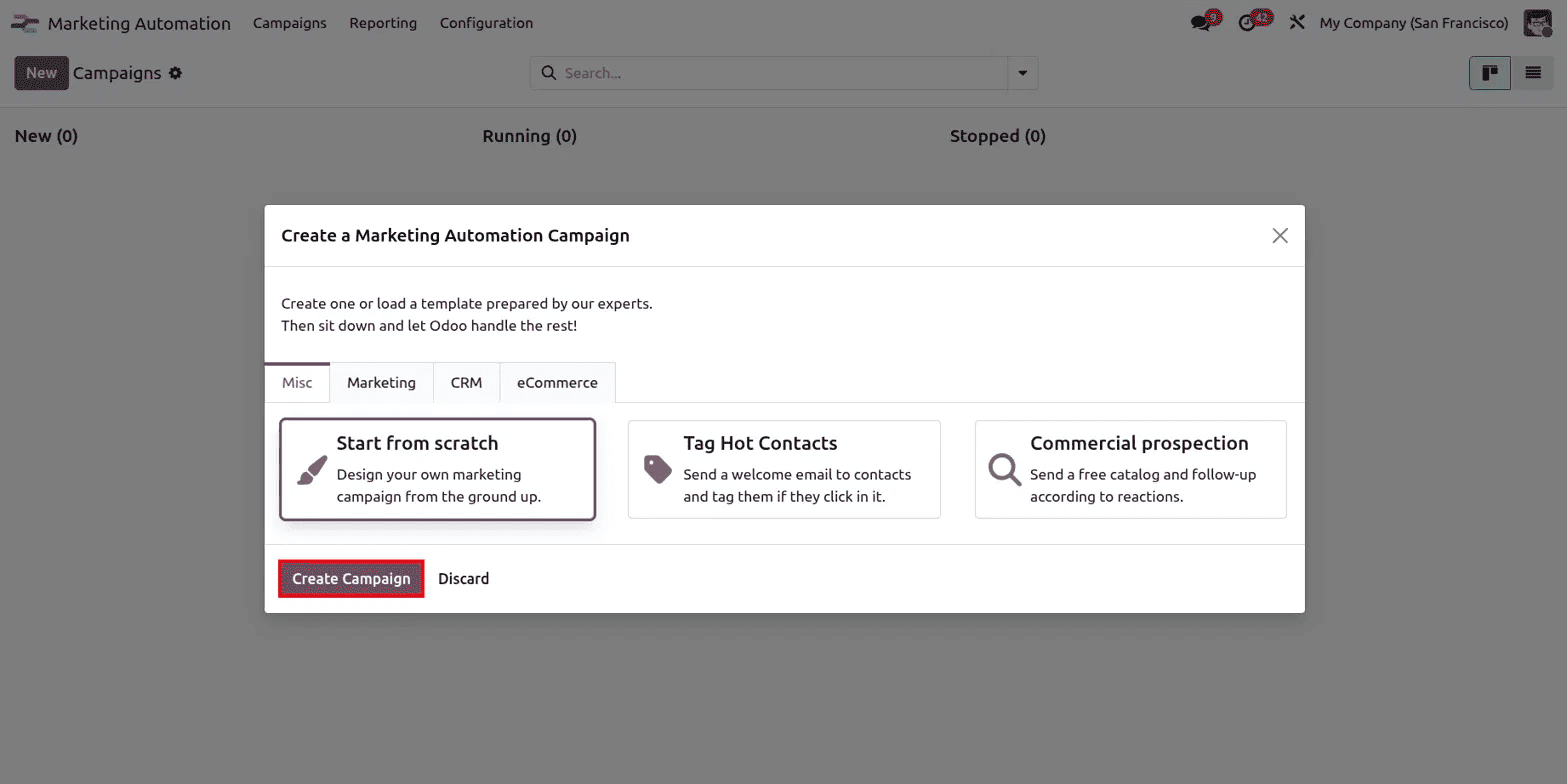
Clicking New opens a dialog where you can either start from scratch or pick a template Odoo has already prepared for you. These templates are grouped into tabs: Misc, Marketing, CRM, and eCommerce, and cover common scenarios like tagging contacts who click on a link or sending a free catalog and following up based on reactions. For most cases, especially when you want full control over the workflow, Start from scratch is the simplest option, and clicking Create Campaign takes you into the campaign builder.
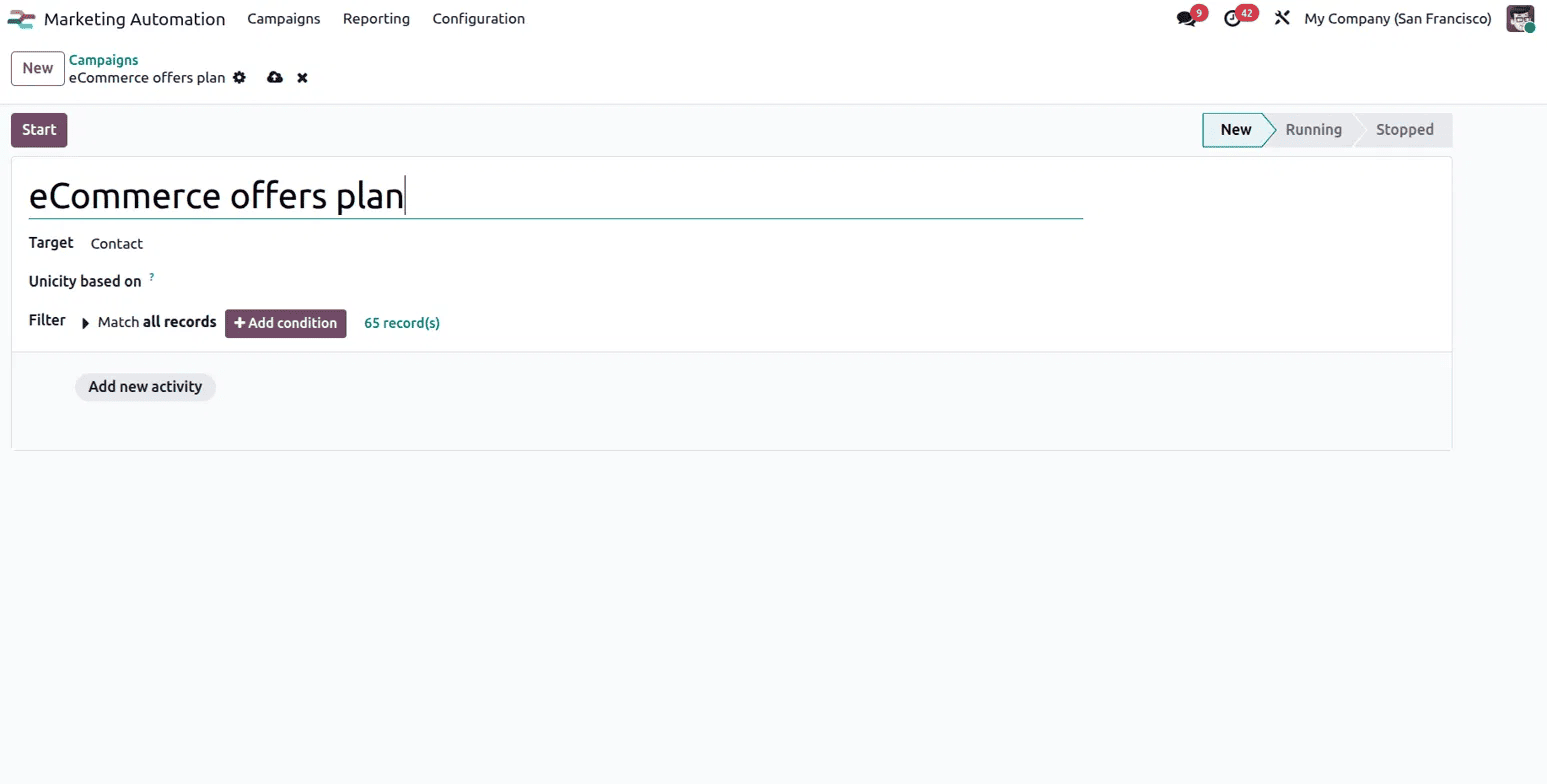
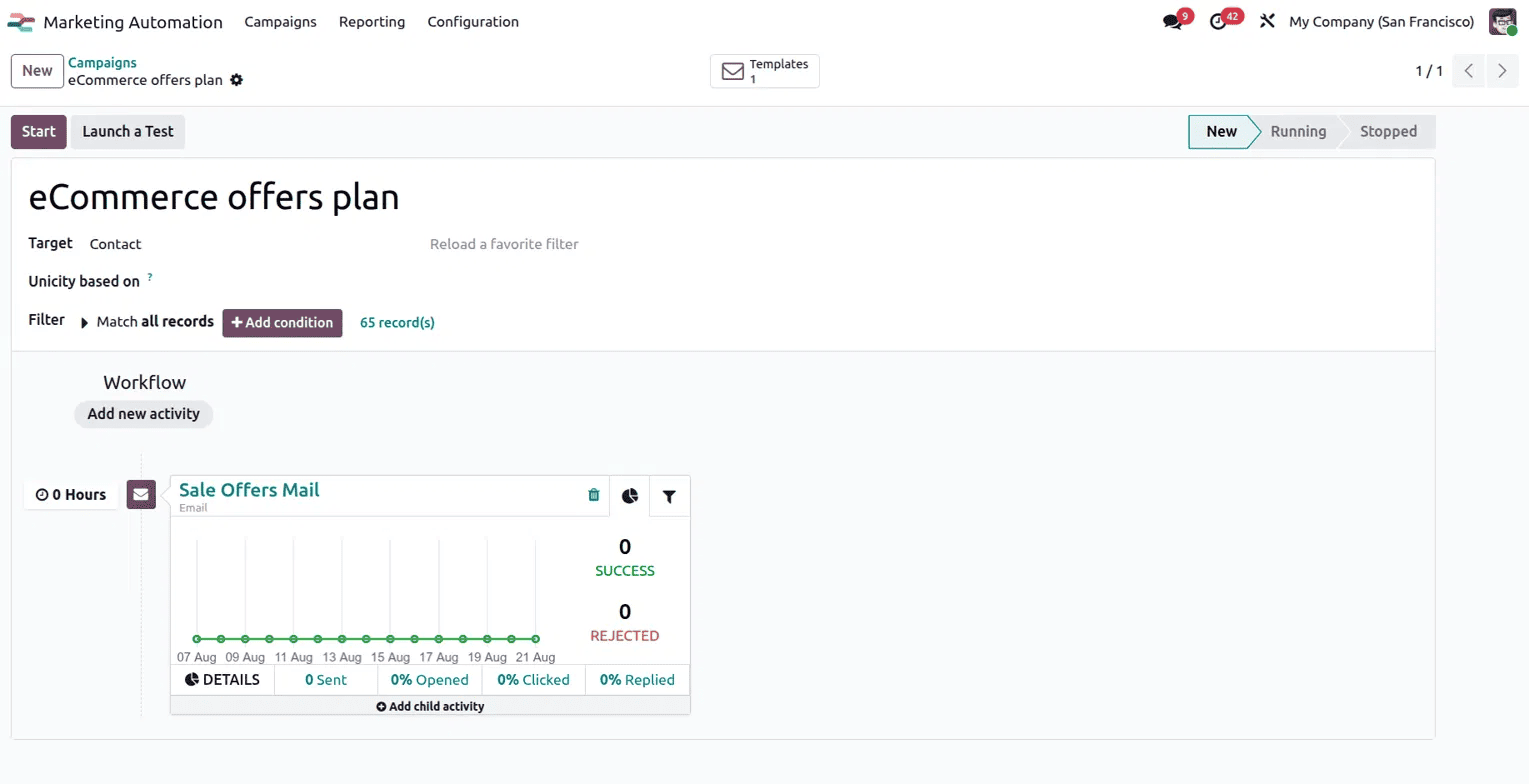
On the campaign form, you'll name your campaign, something like eCommerce offers plan, and then set who it should target under Target, in this case Contact. Below that, the Filter section is where you can decide exactly which records should be included. By default it's set to Match all records, but clicking Add condition lets you narrow this down using specific criteria, and Odoo shows you a live count of how many records currently match, 65 in this example. This is what makes automation useful: you're only running the campaign against the audience that actually fits your criteria.
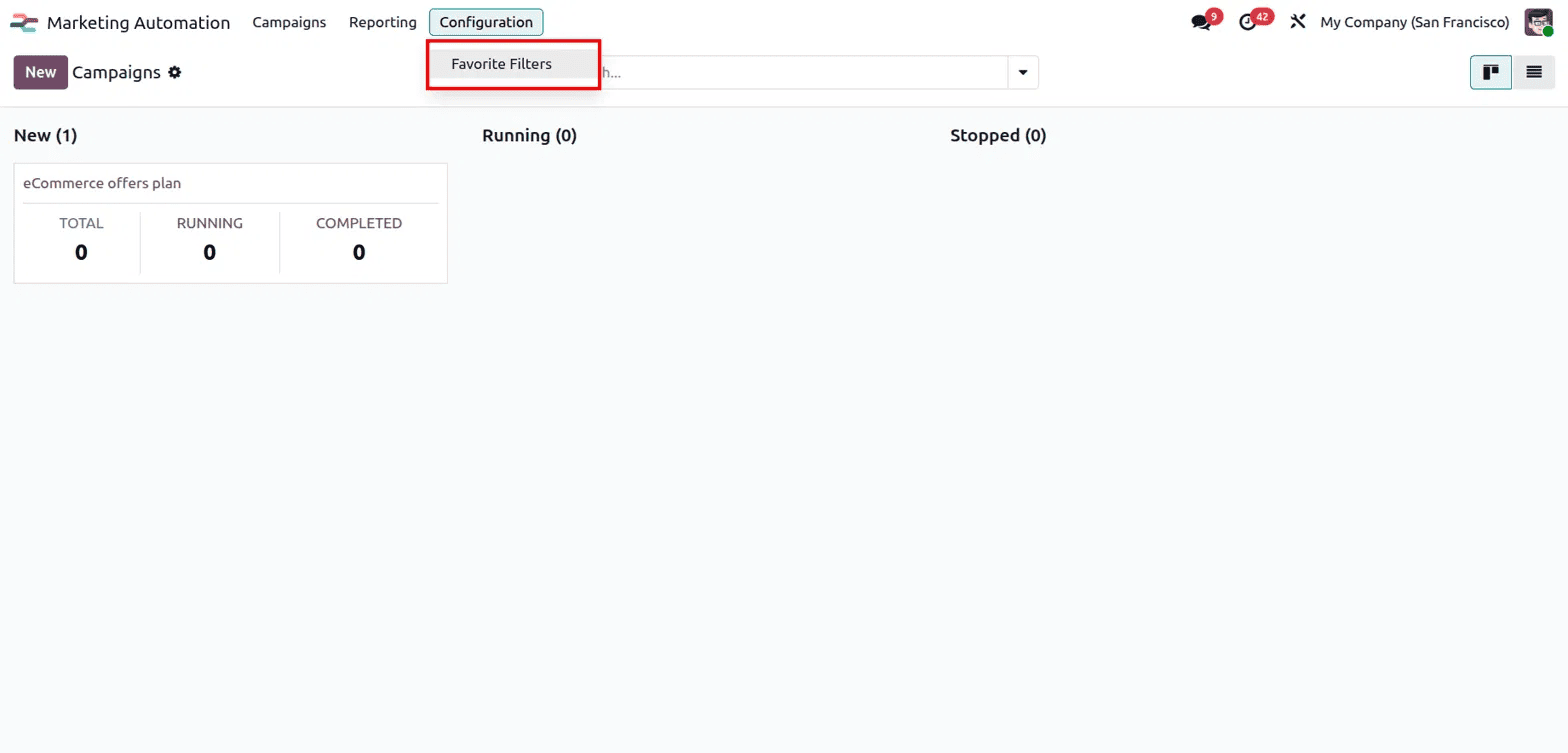
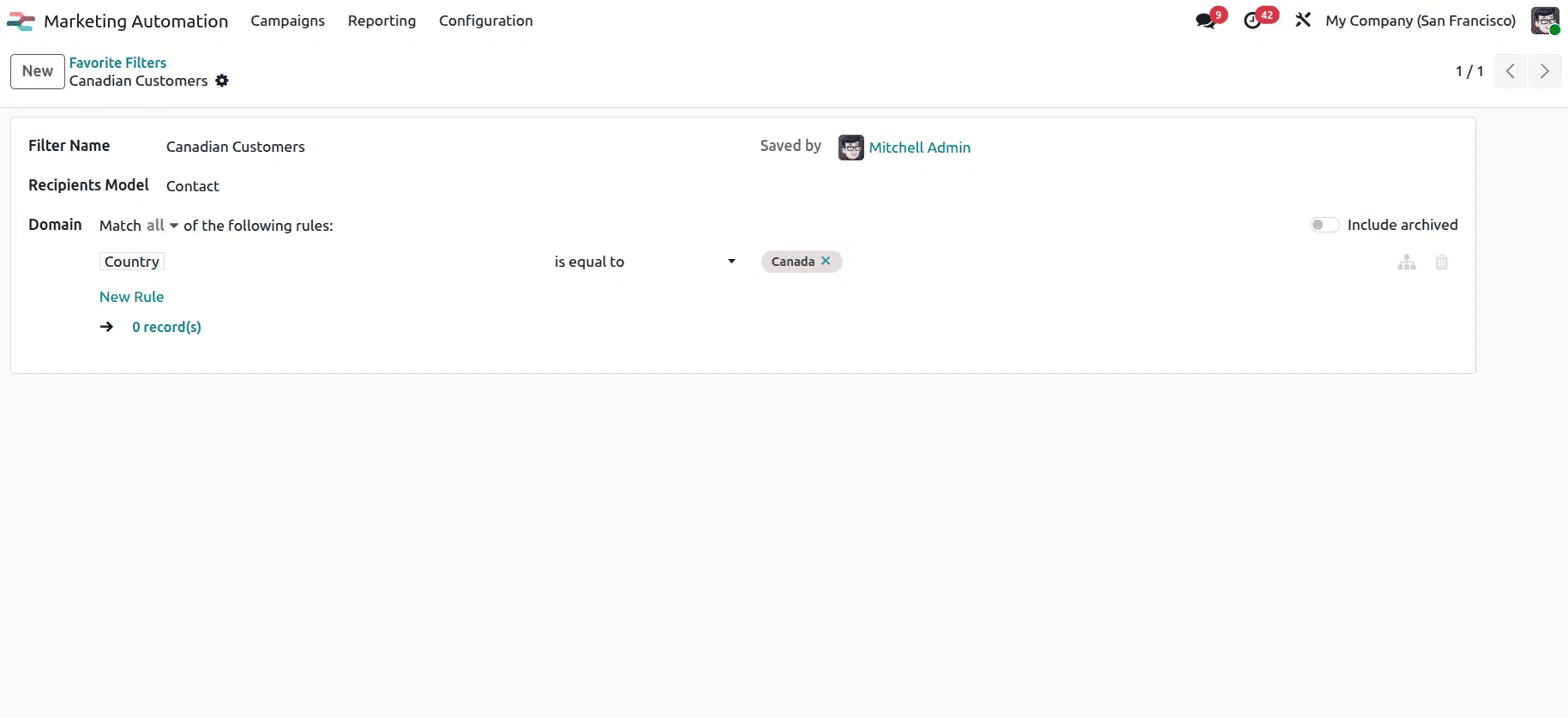
If you find yourself using the same filter criteria repeatedly, you don't need to rebuild it every time. Under Configuration, there's a Favorite Filters option where saved filters can be reused across campaigns.
Opening a saved filter, such as one named Canadian Customers, shows exactly how it was built, the Recipients Model it applies to, and the Domain rules behind it; in this case, Country is equal to Canada. Saving filters like this means you can set up a targeting rule once and apply it to any future campaign without recreating the logic from scratch.
Once your audience is defined, the real value of the module comes from building out the Workflow. This is where you add activities, actions that Odoo will carry out automatically for the people in your target group. Clicking Add new activity lets you set up something like an email to be sent, and once it's added, the campaign form shows it as a card with a trigger time, in this example set to 0 Hours, meaning it fires as soon as the campaign starts. Each activity card also tracks Success and Rejected counts, along with percentages for Sent, Opened, Clicked, and Replied, so you can exactly see how that specific email is performing without leaving the campaign page. There's also an option to Add child activity, which lets you chain a follow-up action based on how someone responded to the first one, for example, sending a different email only to people who clicked a link.
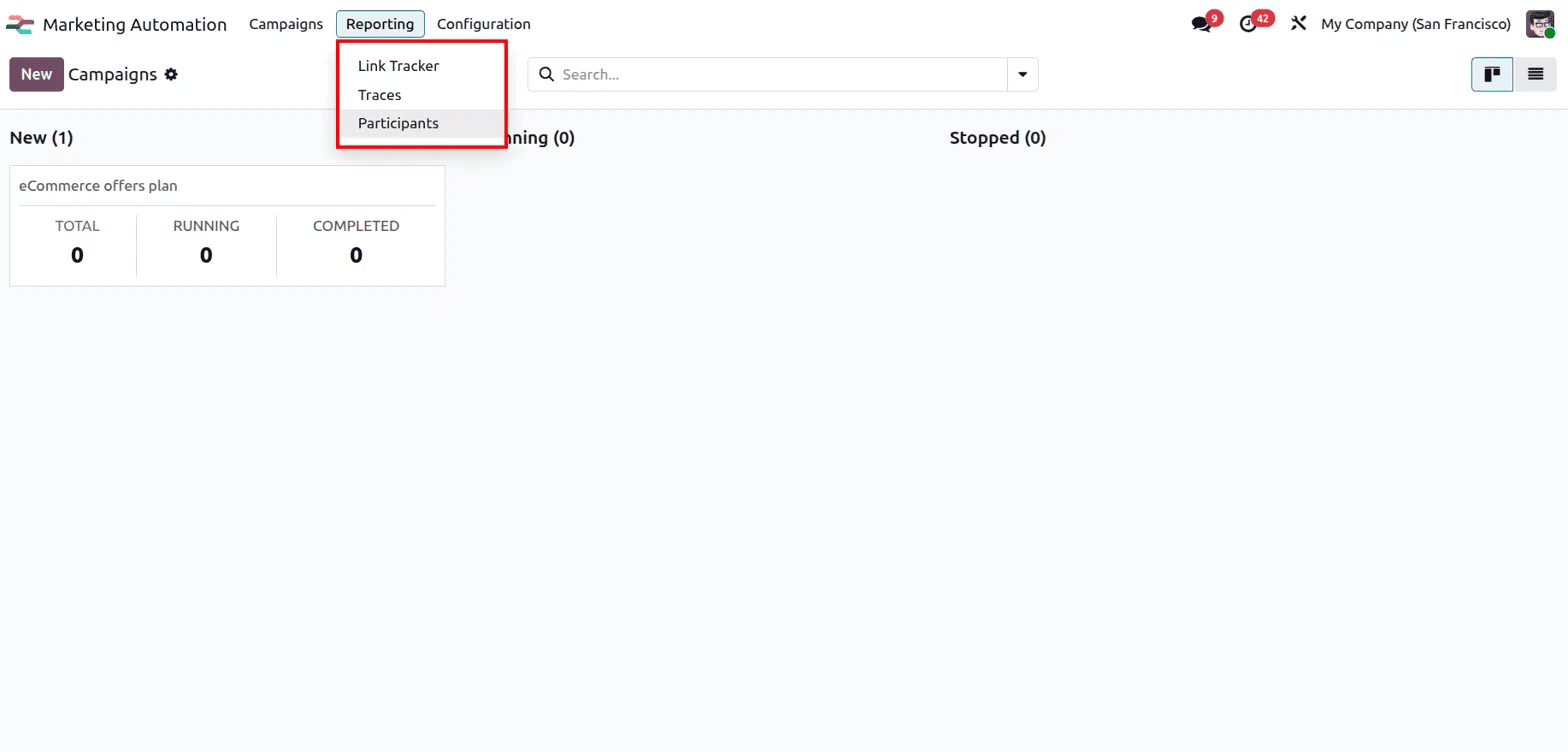
Beyond individual campaigns, Odoo also gives you a broader Reporting menu with three useful views. Link Tracker shows the performance of any tracked links used across your campaigns, Traces gives a detailed log of every action taken for every participant, and Participants shows an overview of everyone who has been part of any automation workflow, along with their current status.
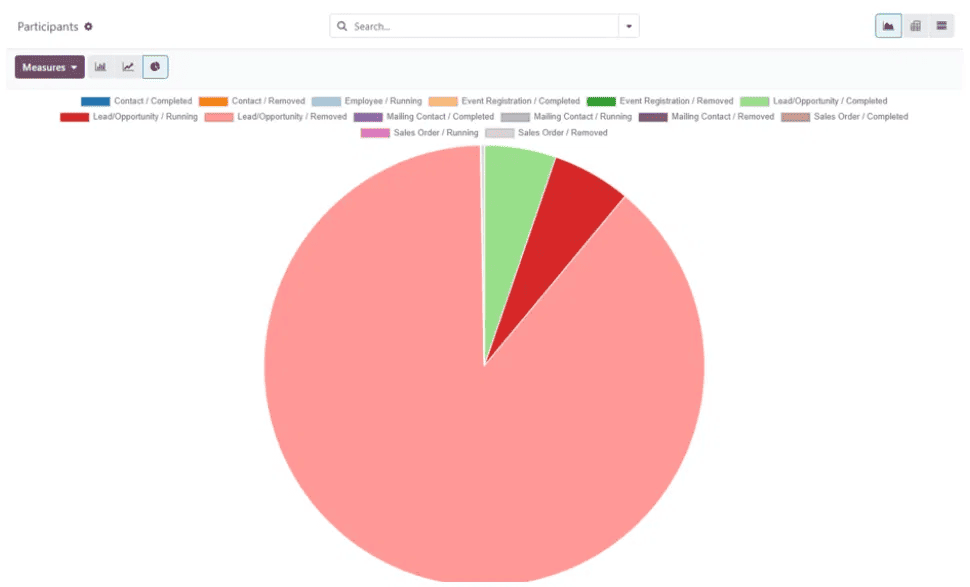
The Participants view is particularly useful for getting a bird's-eye view across all your campaigns at once. It can be displayed as a pie chart, breaking down participants by category and status, such as how many contacts completed the workflow, how many leads or opportunities are still running, or how many mailing contacts were removed partway through. This makes it easy to spot patterns, for instance if a large portion of leads are dropping off at a certain stage, without having to dig into each campaign separately.
Once everything is set up the way you want, clicking Start on the campaign form kicks off the automation. From that point, Odoo takes over, moving participants through each activity based on the rules and timing you've configured, and updating all the stats on the workflow cards as things progress. You can also use Launch a Test beforehand to see how a person would move through the workflow without actually sending anything to real recipients.
Setting up campaigns this way takes a bit of upfront planning, deciding your target audience, building the filter, and mapping out the workflow of activities, but once it's running, it removes the need for constant manual follow-up. Instead of tracking who opened what and deciding what to send next by hand, Odoo handles the sequencing for you, while still giving you clear visibility through the reporting views into how every part of the campaign is performing. For any business running recurring outreach or nurturing leads over time, Marketing Automation turns what would otherwise be an ongoing manual effort into a workflow that runs largely on its own.
To read more about How to Manage Marketing Automation Activities in Odoo 18, refer to our blog How to Manage Marketing Automation Activities in Odoo 18.