Odoo helps businesses manage and centralize data across various applications, including Contacts, CRM, Sales, Inventory, Accounting, and other business operations. As transactions and records increase, maintaining accurate, consistent, and duplicate-free data becomes essential for efficient business management. Contacts arrive from marketing campaigns, leads get captured through web forms, vendor records are added by different departments, and product entries pile up during migrations. As Odoo records accumulate across modules such as Contacts, CRM, Sales, and Accounting, businesses may encounter duplicate customer records, inconsistent data formats, extra spaces, and outdated information. These data quality issues can make it harder to maintain accurate records and generate reliable reports in Odoo. Odoo 19 provides the Data Cleaning application to help administrators maintain accurate and consistent records across the database. It can be used to identify duplicate records, clean inconsistent field values, and remove outdated or unnecessary data directly from the Odoo interface, without requiring custom code. This article explains the key features of the Data Cleaning application in Odoo 19 and provides an overview of how functional consultants and administrators can configure and use it to maintain clean and consistent Odoo records.
Odoo databases can accumulate duplicate and inconsistent records as users create customers, leads, and other business entries across different applications. For example, duplicate contacts can result in the same customer being linked to multiple leads, while inconsistent phone numbers, email addresses, or company names can affect record matching and data analysis. The Data Cleaning application in Odoo 19 helps identify and manage these data issues, allowing users to keep records accurate, consistent, and reliable as the database grows.
Installing the Data Cleaning Module
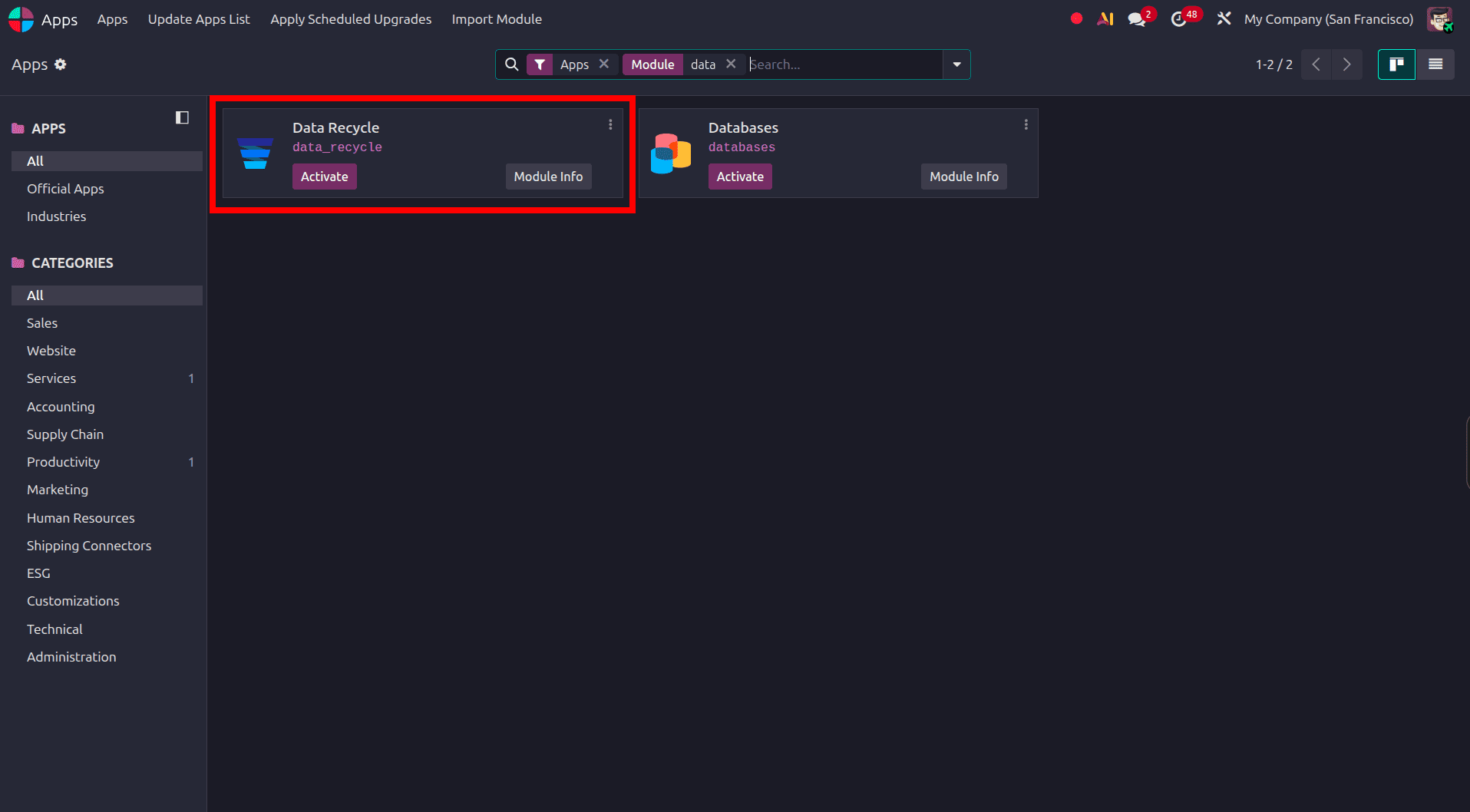
The Data Cleaning application is installed like any other Odoo app. From the main Apps menu, search for "Data Recycle" and click Activate. Once installed, the module adds a new top-level menu to the main dashboard, and depending on which supporting modules are also installed, additional cleaning options become available for specific models such as Contacts, CRM Leads, or Products. No configuration files or server restarts are required; the module is ready to use as soon as installation finishes.
Exploring the Data Cleaning Dashboard
Once installed, opening the Data Cleaning app presents a dashboard organized around the module's core capabilities: Deduplication, Field Cleaning, and Recycle Records. Each area is accessible from the top menu bar, and a sidebar within each view lists the active rules relevant to that function. This layout gives administrators a single place to review data quality issues across the database instead of hunting through individual modules one at a time.
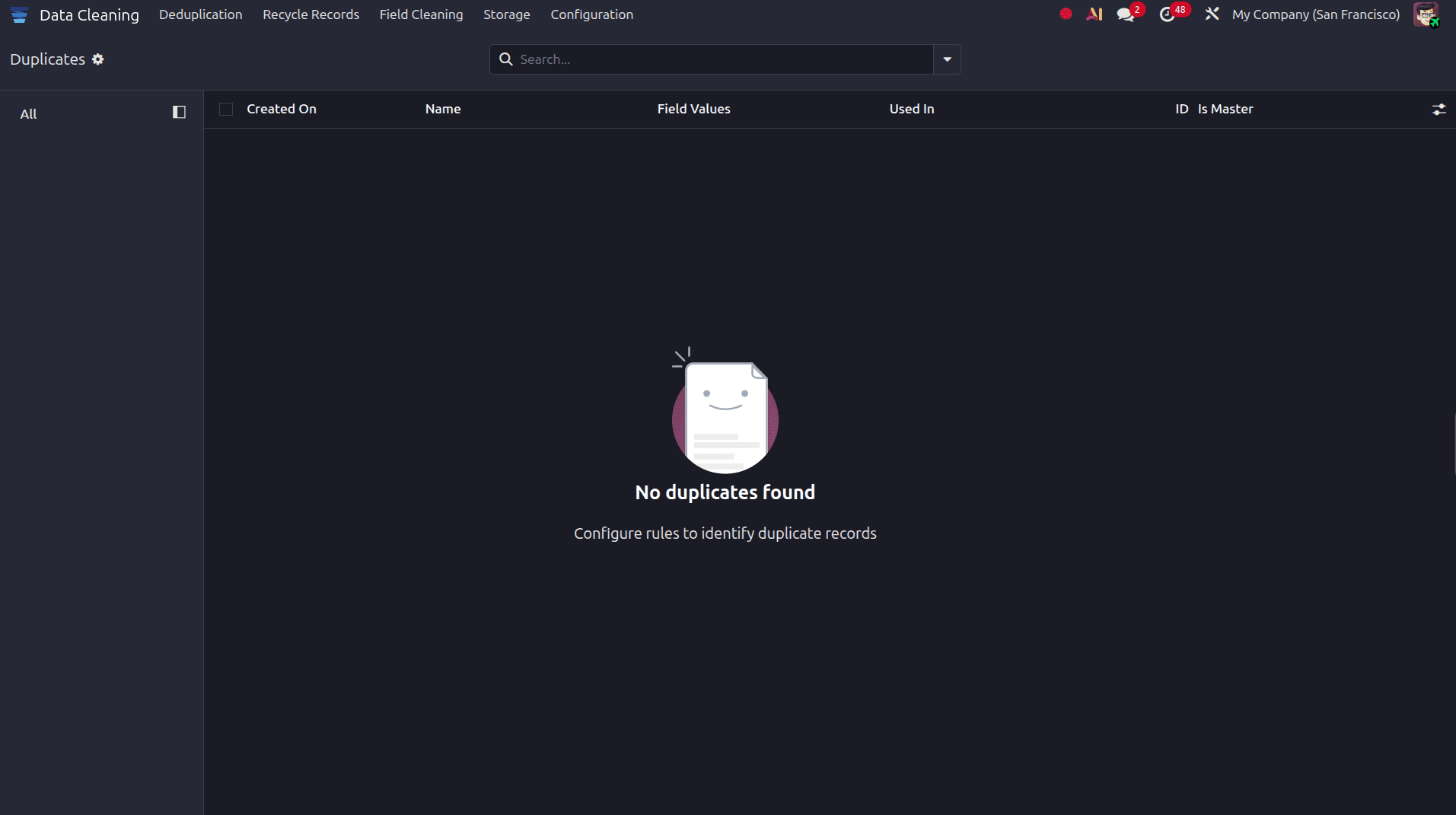
Deduplication: Finding and Merging Duplicate Records
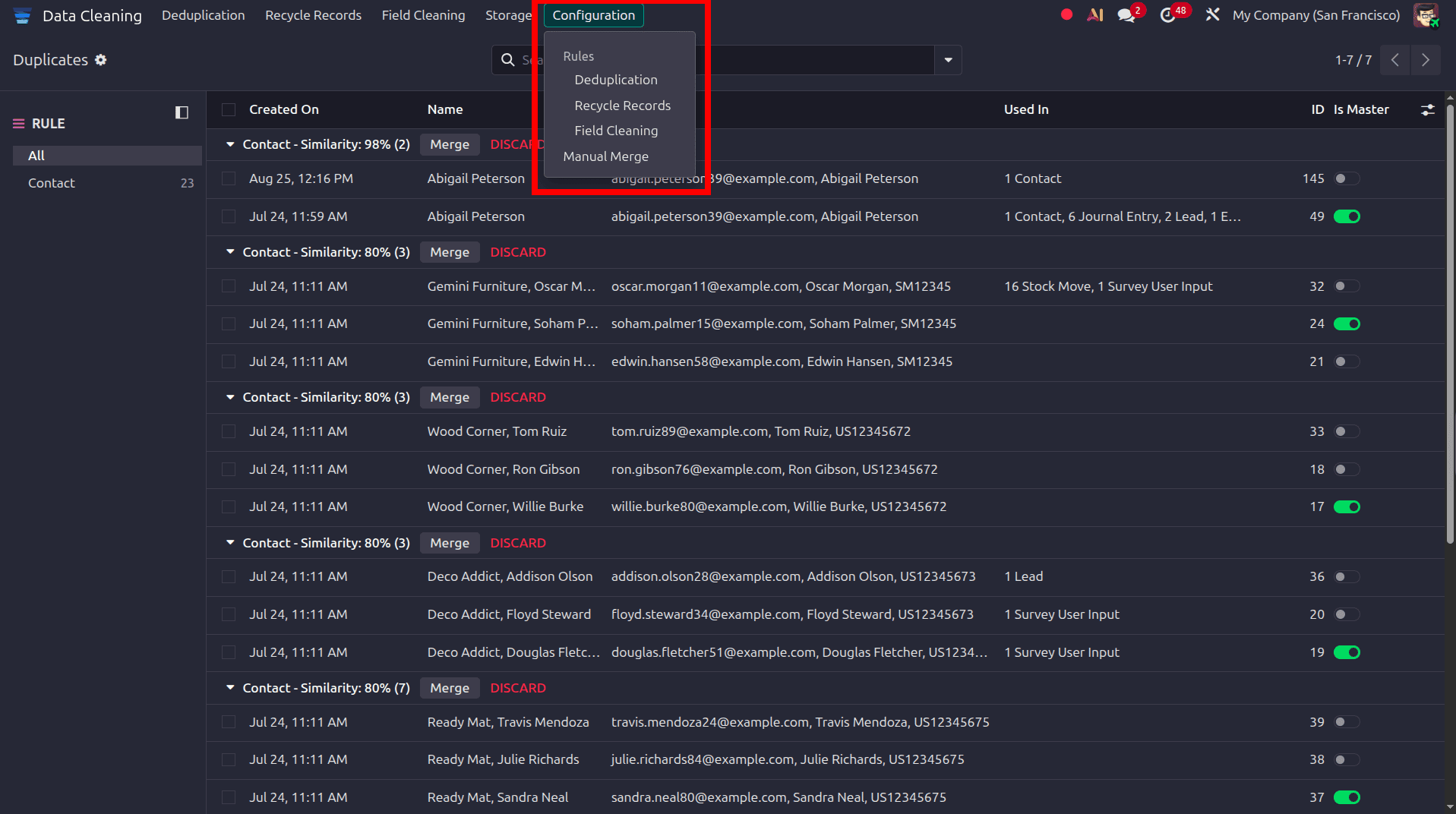
The Deduplication feature scans selected models, such as Contacts or Leads, using rules that define what counts as a match, for example, identical email addresses, matching phone numbers, or the same company name paired with the same city. Detected groups are displayed with a similarity score out of 100 percent, along with the field values that triggered the match and any other records referencing the entry. Reviewing a group lets the user compare the candidate records side by side, choose which values to keep, and merge them into a single master record. Related documents, such as invoices, orders, or activities linked to the duplicate records, are preserved and reassigned to the surviving record during the merge, so no historical information is lost.
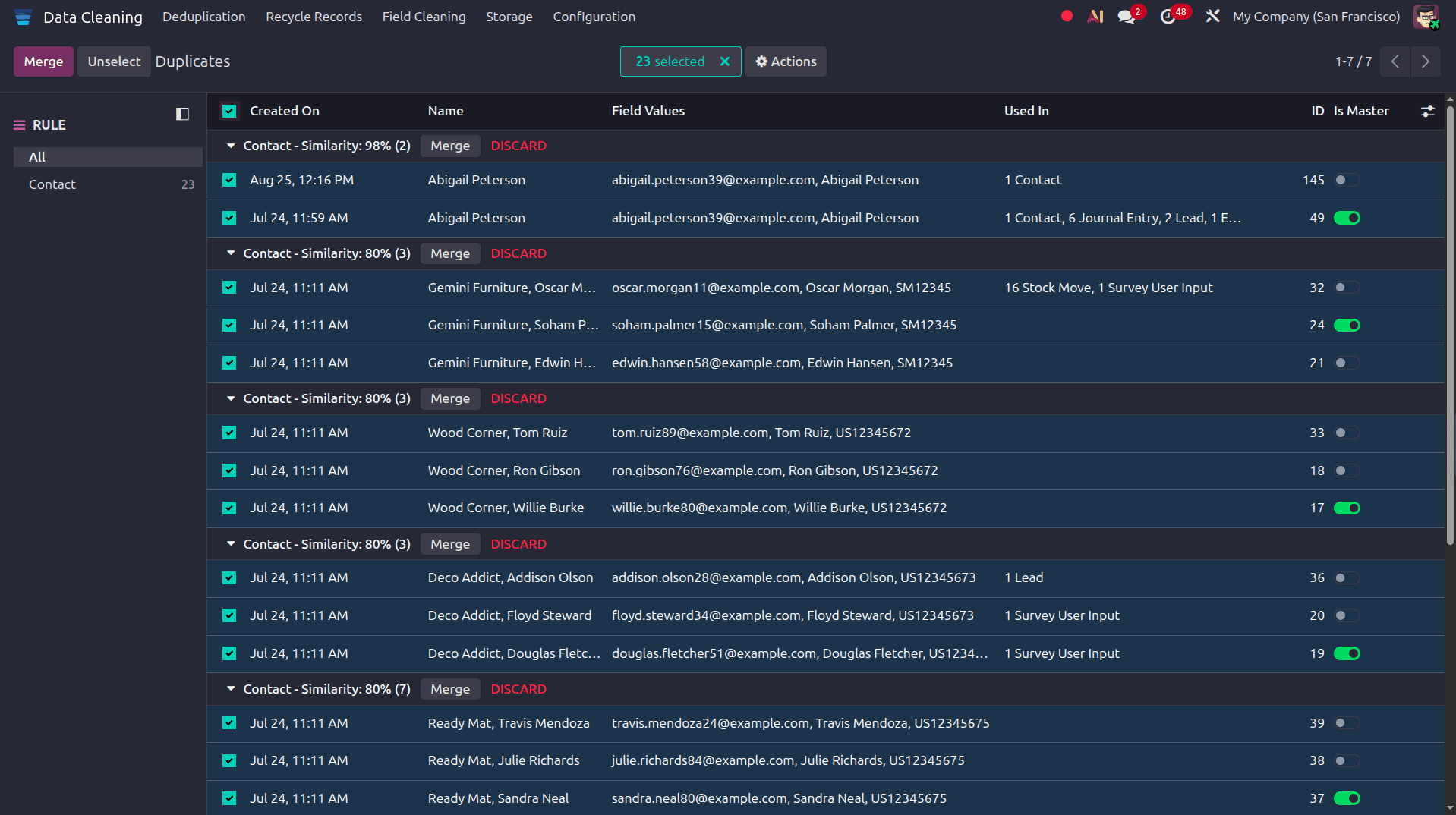
Here, select all the duplicate data and click the Merge option to merge the duplicate data.
Field Cleaning: Standardizing Data Formatting
Not every data problem involves duplicates. Names typed in all lowercase, addresses with inconsistent capitalization, or phone numbers entered in different formats all create the same downstream issues even without a single duplicate record in the system. The Field Cleaning feature addresses this by applying formatting rules, such as proper capitalization or removal of extra spaces, to selected fields across a model. The Field Cleaning Records view lists every proposed change before it is applied, showing the original value next to the corrected one, so the changes stay fully visible and reversible rather than happening silently in the background. According to the field cleaning rule that we configured, we will get the data to clean when we move to the Field Cleaning menu
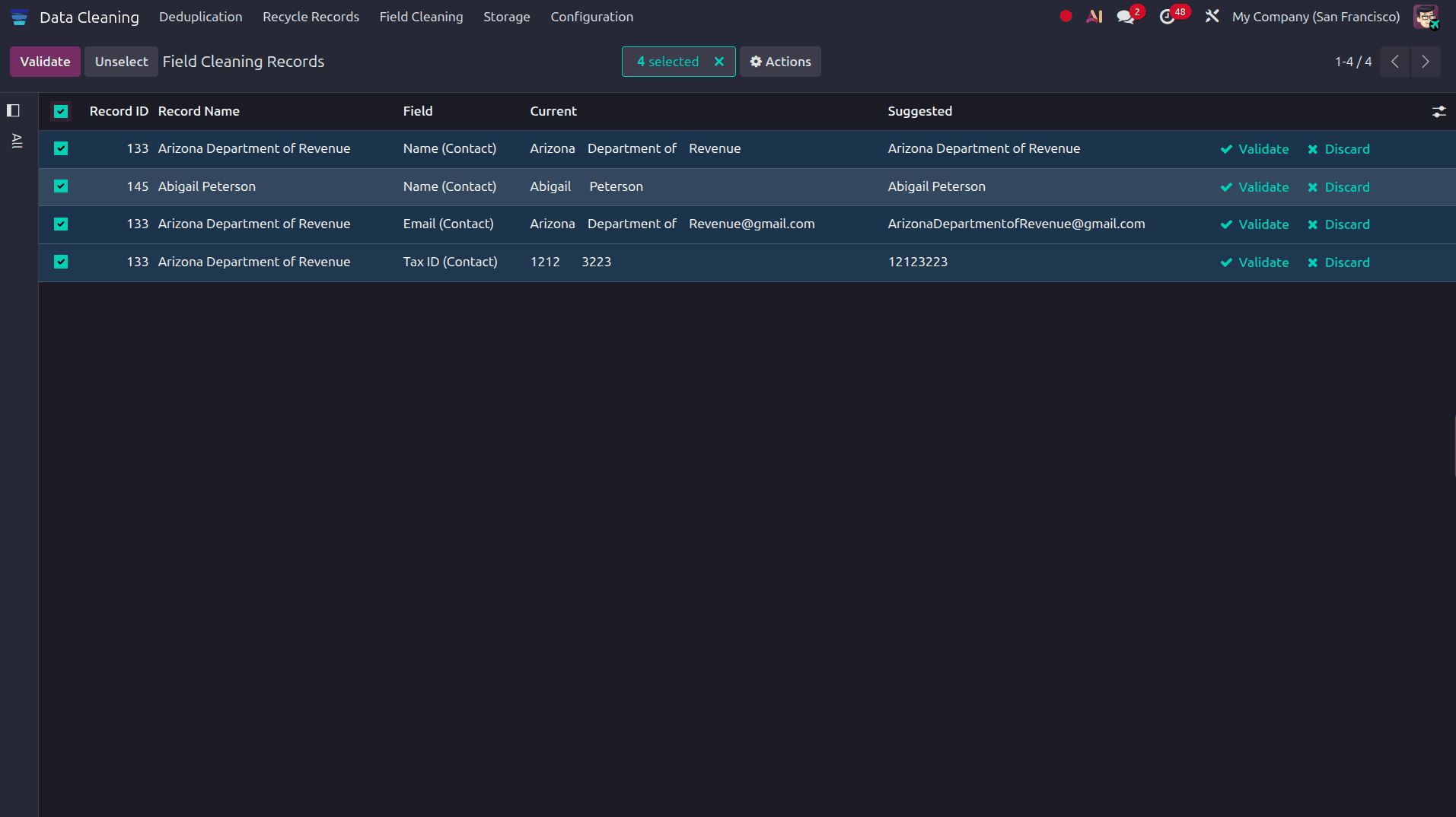
To clean the data, select the data to clean and click the Validate button. Then, the data will be updated from the current data to the suggested data.
Recycle Records: Archiving and Deleting Outdated Data
Databases also accumulate records that are simply no longer needed, old leads that never converted, inactive vendor entries, or records tied to closed projects. The Recycle Records feature lets administrators define rules that identify this kind of stale data, for instance, records that haven't been updated in a set number of days, and then archive or delete them either manually or on an automated schedule. Running a recycle rule surfaces the number of matching records through a smart button, giving the administrator a clear view of what will be affected before committing to the action.
Setting Up Cleaning Rules
All three features, deduplication, field cleaning, and record recycling, are driven by rules configured under the module's Configuration menu. Each rule specifies the target model, the matching or formatting logic to apply, and whether the rule runs automatically on a schedule or only when triggered manually. As the rules are model-specific, the same Data Cleaning app can be extended to cover Contacts today and CRM Leads or Product records tomorrow, simply by activating the relevant rule sets.
The Data Cleaning module gives Odoo 19 users a structured, low-effort way to keep their database accurate as it grows. Rather than relying on periodic manual audits, administrators can set up deduplication, field cleaning, and record recycling rules once and let the system flag issues on an ongoing basis. The result is a database that reporting, automation, and every connected module can rely on, which ultimately means fewer errors and less time spent fixing data problems after the fact.
To read more about Overview of Data Cleaning Module in Odoo 19, refer to our blog Overview of Data Cleaning Module in Odoo 19.