Odoo is a fully-fledged ERP system with many features that help to make financial management easier and more efficient. One of the features available in Odoo 19 Accounting is the Invoicing Switch Threshold, which allows you to set a threshold date for accounting entries. All invoices, vendor bills, and journal entries that are older than the selected threshold date will be archived or cancelled; only transactions that were dated after the threshold date will be taken into account. This feature is especially useful when there is a need to migrate to an ERP system or when an organization wants to start a new accounting period with structured and organized financial data.
Invoicing Switch Threshold makes all accounting entries created before the set threshold date unavailable in the active accounting entries. As a result, only accounting entries dated after the set threshold date will affect the accounting of the company.
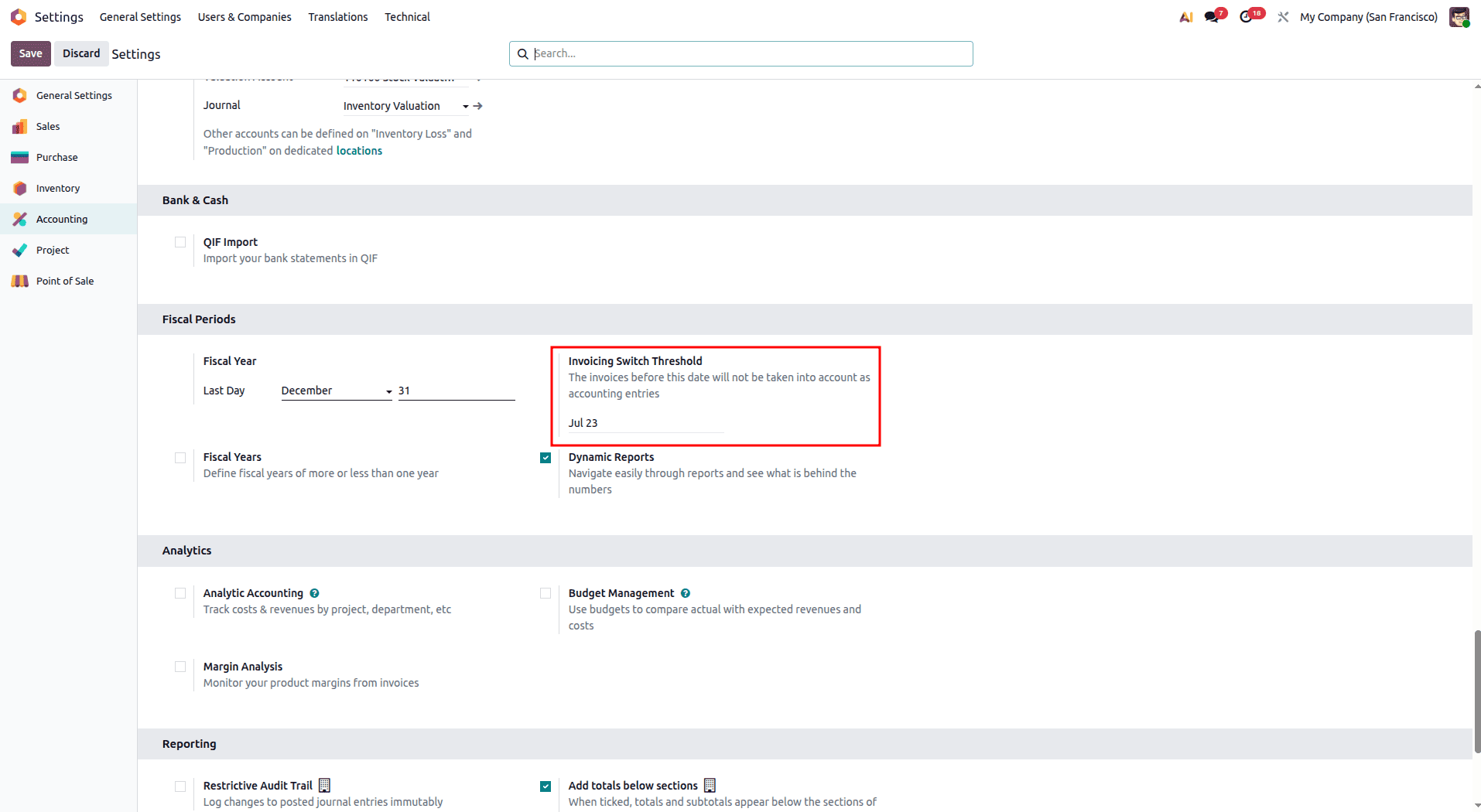
Setting up the functionality involves accessing Accounting > Settings from the menu within your Odoo installation. In the Invoicing Switch Threshold tab, you should set the appropriate cutoff date and then save your selection. After setting the threshold, all the accounting postings that were done before the specified date will be managed by Odoo automatically.
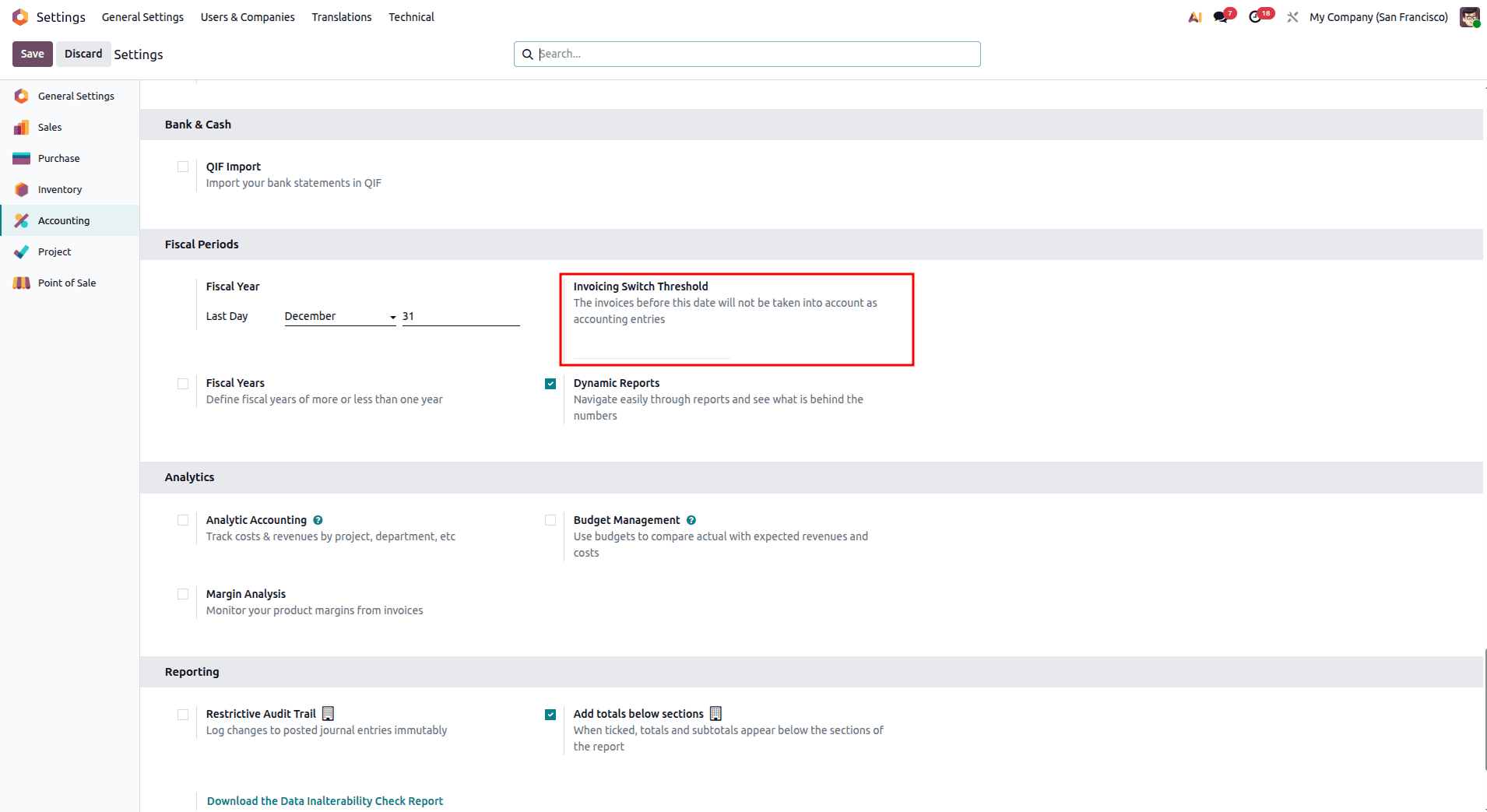
Until the threshold date is configured, all existing invoices, bills, and journal entries remain active in the system. They will continue to impact your company’s accounting records as follows:
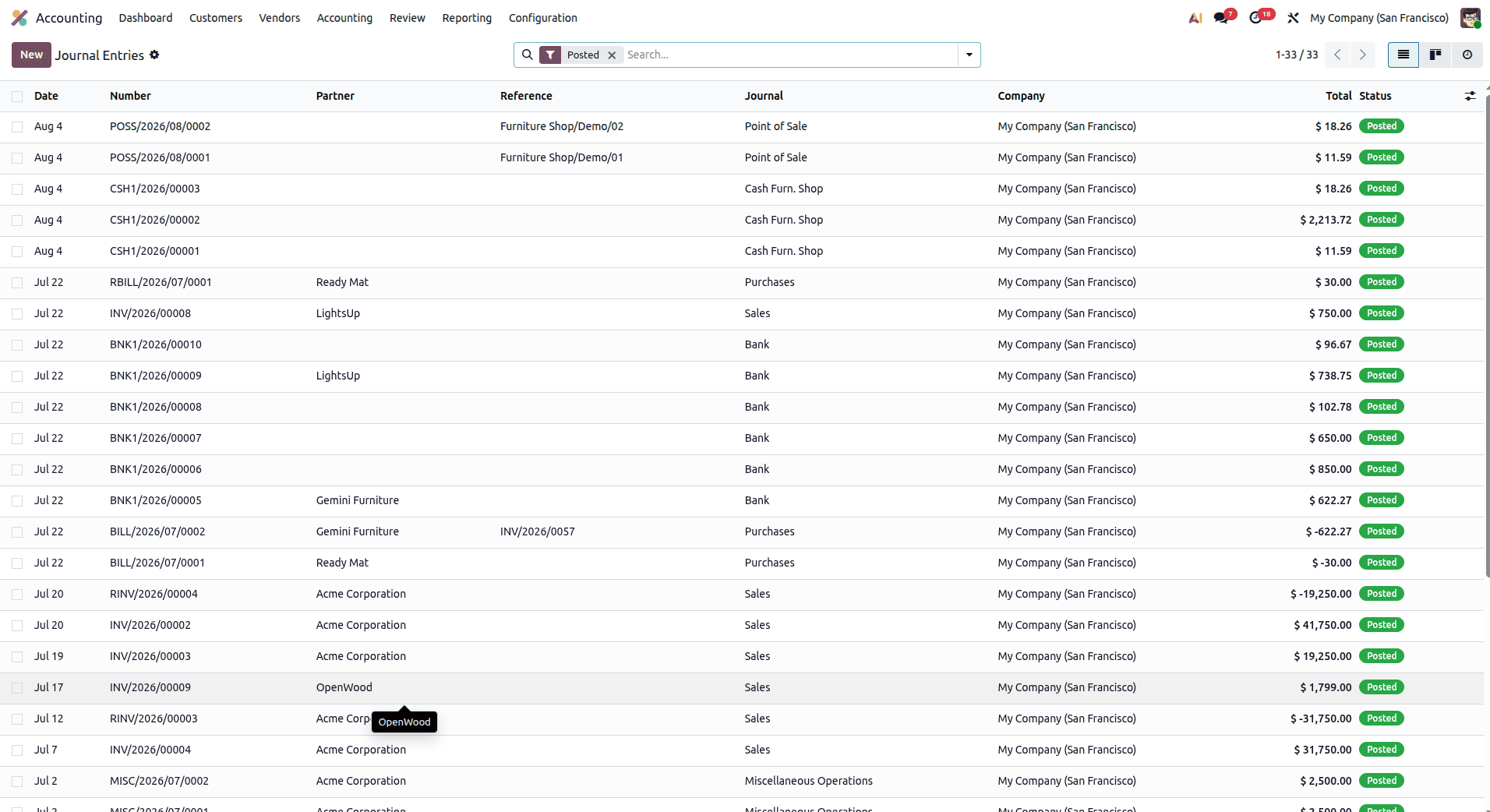
After using the Invoicing Switch Threshold, all the entries with dates prior to the chosen cutoff date will be moved to the Cancelled stage. This means that only invoices, bills, and journal entries dated on or after the threshold date will form part of the accounting records of the company and thus will appear on the financial statements of the company.
Below is an illustration of the setting of the Invoicing Switch Threshold in the Accounting category.
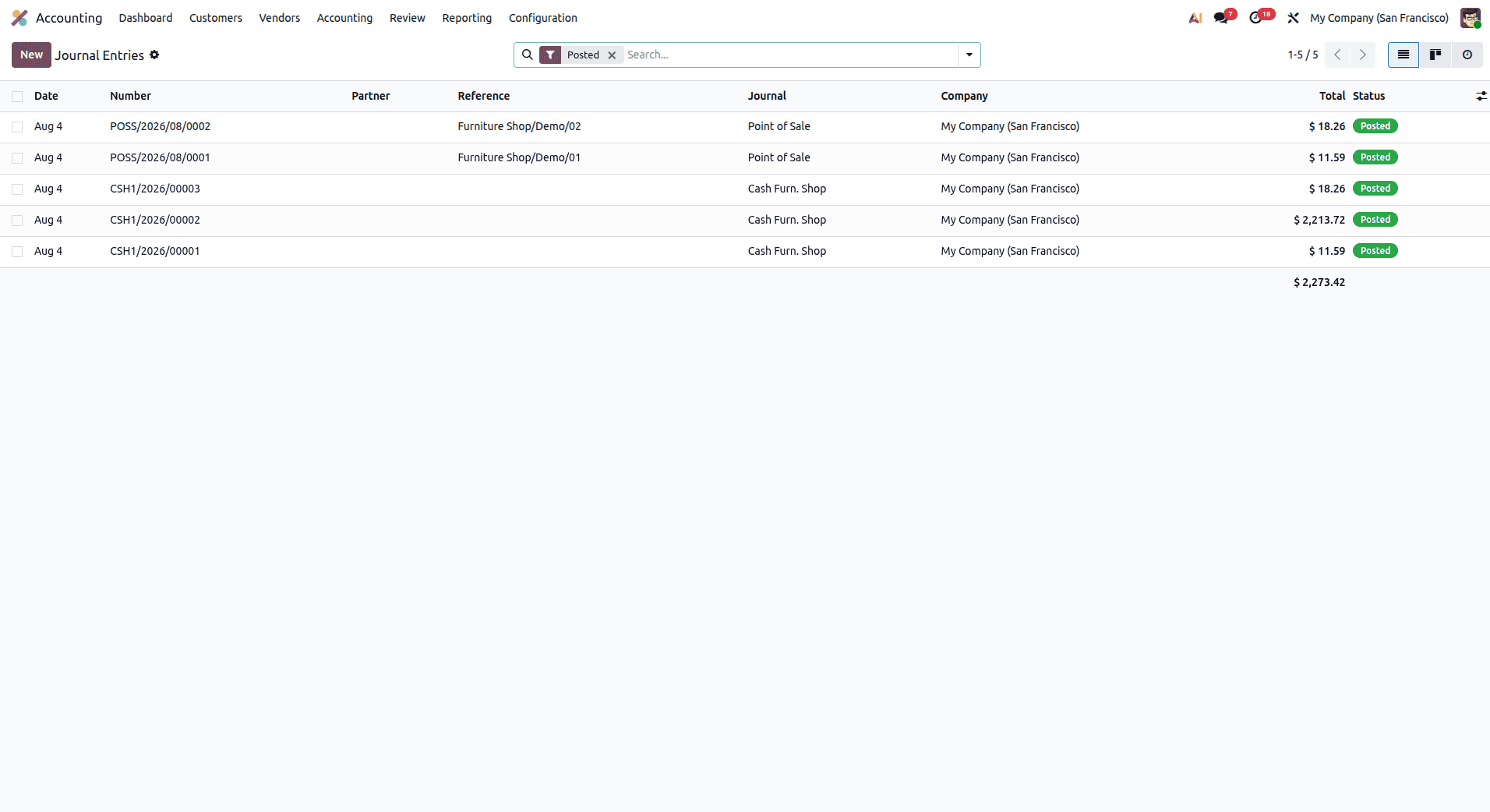
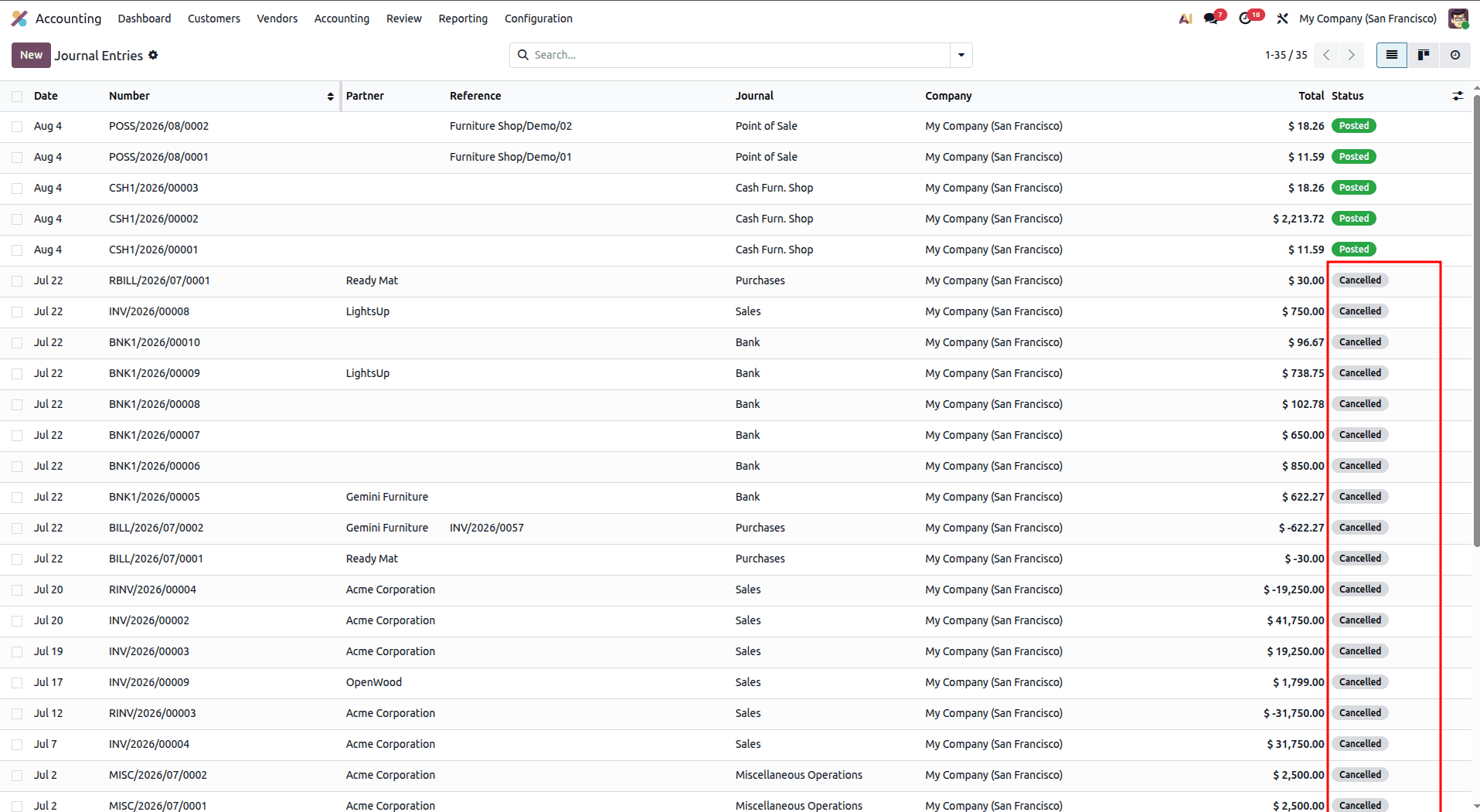
After applying the threshold, all journal entries dated before the selected date are excluded from the system’s active financial records, as shown below.
Once the threshold date is applied, journal entries dated before the selected date are marked as Cancelled. They can be viewed by removing the filter.
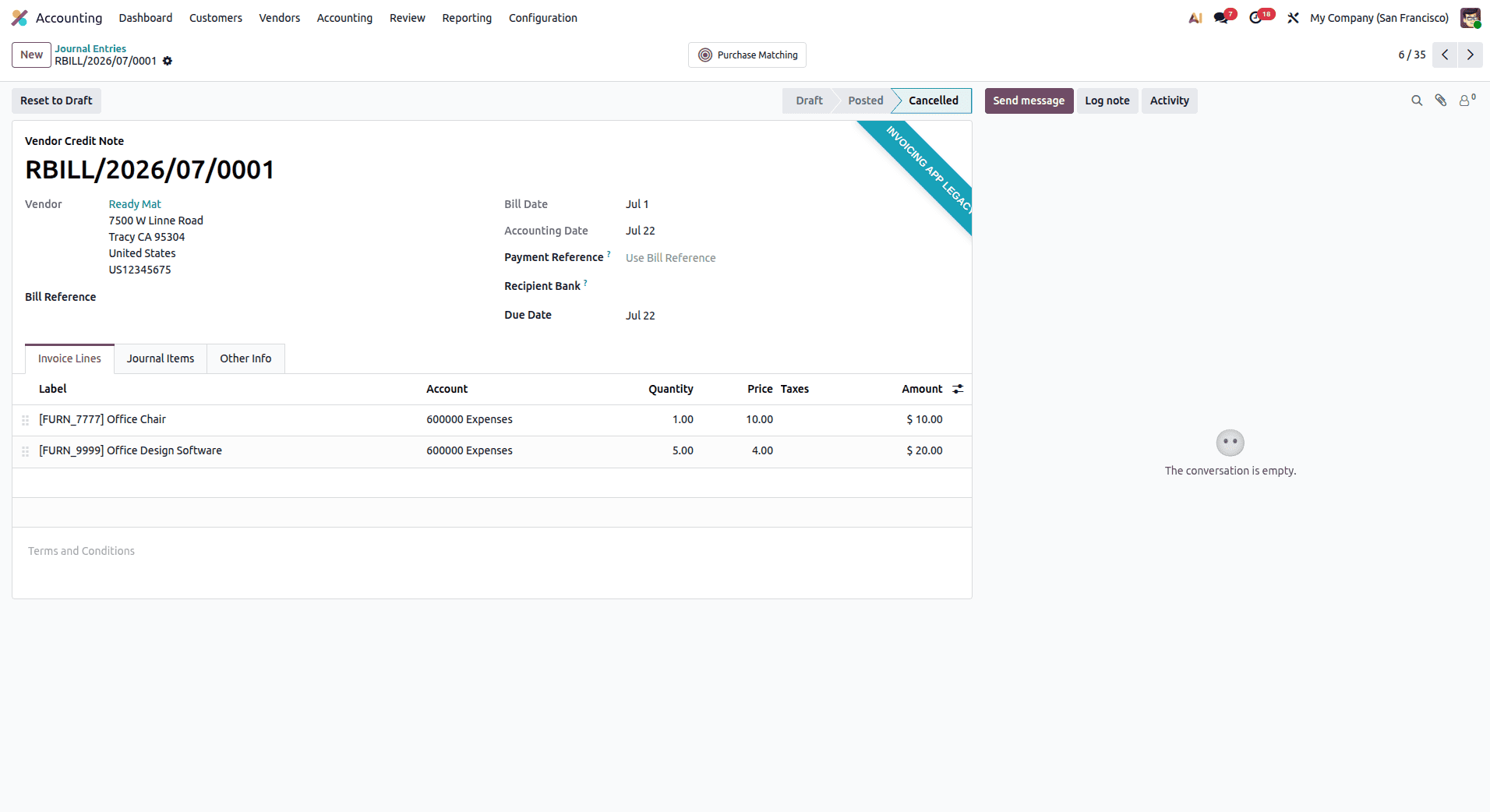
In the Form View, all the journal entries that fall below the configured Invoicing Switch Threshold will be automatically set to Cancelled status. This will help in making them easily recognizable through the display of a ribbon named Cancelled in the form view.
When to Use Invoicing Switch Threshold
The Invoicing Switch Threshold is a useful feature that can help manage the accounting system in various situations. One situation where this feature is particularly useful is during an ERP migration, when an organization wants to avoid importing all historical accounting transactions into Odoo. By setting a threshold date, only transactions dated after the threshold date are taken into account, while transactions dated before it are excluded from the active accounting entries and can be archived or canceled for future reference.
This tool is useful when starting a new fiscal year. You will have a clear accounting record and will account only for transactions relevant to the new fiscal period. Moreover, organizations with lots of historical accounting transactions can make their accounting records cleaner using this threshold and thus increase their reporting accuracy.
One more useful feature of this tool is the possibility of being ready for audit. Transactions before the specified threshold are not considered in active accounting, but they can still be found by an auditor at any time.
Despite its benefits, there are a few important considerations. The Invoicing Switch Threshold is available only in the Odoo Enterprise edition. Transactions that span the threshold date, such as invoices and their corresponding payments, may require manual verification or reconciliation to ensure accounting accuracy. Additionally, this feature is not a replacement for the standard fiscal year-end closing process and should be used as a complementary accounting tool rather than an alternative.
Before enabling the Invoicing Switch Threshold in a live environment, it is strongly recommended to test the configuration in a staging database. This helps identify any potential issues, ensures the expected accounting behavior, and minimizes the risk of disruptions in the production system.
Advantages of the Invoicing Switch Threshold
There are several advantages of the Invoicing Switch Threshold in Odoo 19. First, clean and organized financial records become possible through the exclusion of historical transactions in accounting reports, since they prevent any influence on current accounting data. Accountants will be able to deal with current accounting data only, getting an opportunity to see a more realistic financial situation.
Another advantage is the improvement of the system's efficiency when creating financial reports. The elimination of historical accounting entries before the set date leads to an increase in the efficiency of report creation in Odoo.
One more benefit is that the function helps in the efficient migration of ERP. Businesses can transfer into Odoo only those accounting entries that are useful at the moment. Historical accounting entries stay in archives, allowing accountants to refer to them when needed.
Furthermore, the feature provides an opportunity for audit and compliance. Accounting entries are always archived and can be viewed when it is needed, but active accounting data will contain only transactions that are carried out at the moment.
Finally, omitting the old transactions from accounting will allow the creation of financial reports and KPIs that are accurate and reflect the current state of the business.
Invoicing Switch Threshold is a useful and efficient tool offered by the Odoo 19 Accounting module, which helps organizations keep their financial records neat, accurate, and organized. Being used either when migrating to ERP, at the start of the new fiscal year, or while managing accounting data, the Invoicing Switch Threshold tool allows dividing the old transactions from the active ones without the loss of archived data.
With the help of the Invoicing Switch Threshold tool, organizations can guarantee the inclusion of the transactional data from a certain date in financial reports, thus improving the accuracy of reporting and making the accounting process simpler and faster.
To read more about Overview of Invoicing Switch Threshold In Odoo 18 Accounting, refer to our blog Overview of Invoicing Switch Threshold In Odoo 18 Accounting.