Odoo is commonly extended through internal modules, but many of its capabilities and data can also be accessed externally, for integration with tools or for advanced analysis. It offers a portion of its multilingual and easily navigable Models API for this purpose. With Odoo Studio, you can conveniently access your customizations through the web service API. If your Odoo server is already up and running, the component API can be used to interact with it.
This section explains how to use the API to obtain the geolocation of the currently logged-in user via Studio.
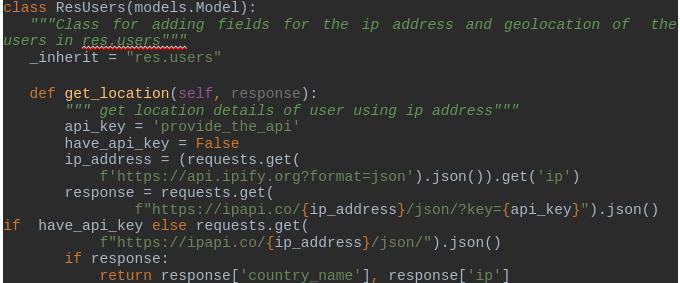
To retrieve the user's geolocation, you’ll first need to define the function as shown below.
Next, you’ll need to create a server action for the relevant model and insert the corresponding Python code to execute the geolocation retrieval.
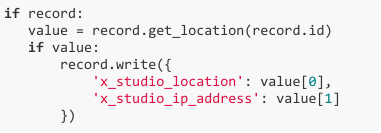
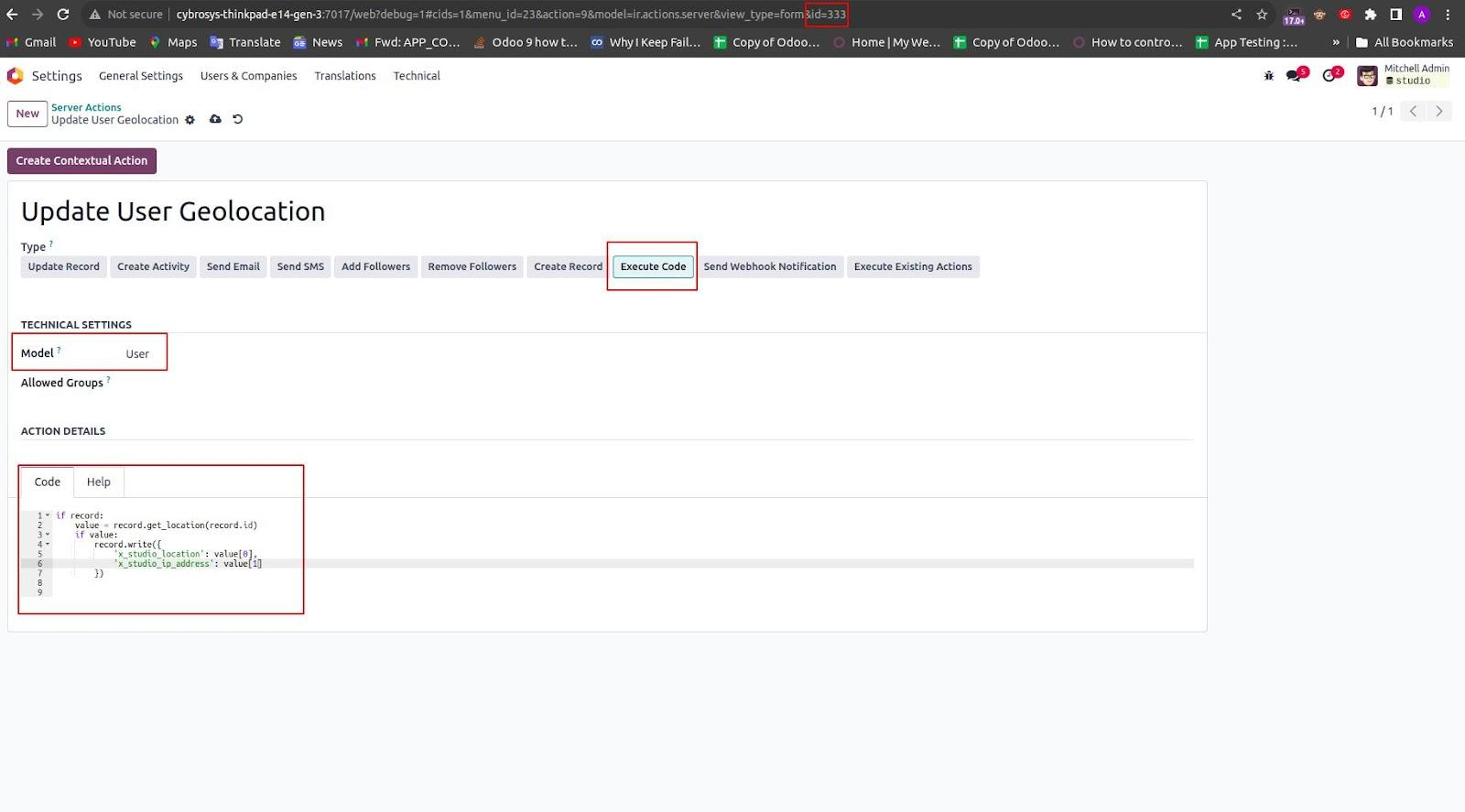
Odoo Studio to store the user's location. x_studio_ip_address: This is another custom field for storing the user's IP address, also created using Studio on the res.users model.
Once you've created these fields, locate the record ID of the server action by checking the URL at the top of the page.
Next, to allow users to access their geolocation directly from the form view of the res.users model, you'll need to create a custom button using Studio.
You can insert a button with the following XML code:
<button name="333" type="action">Access Location</button>
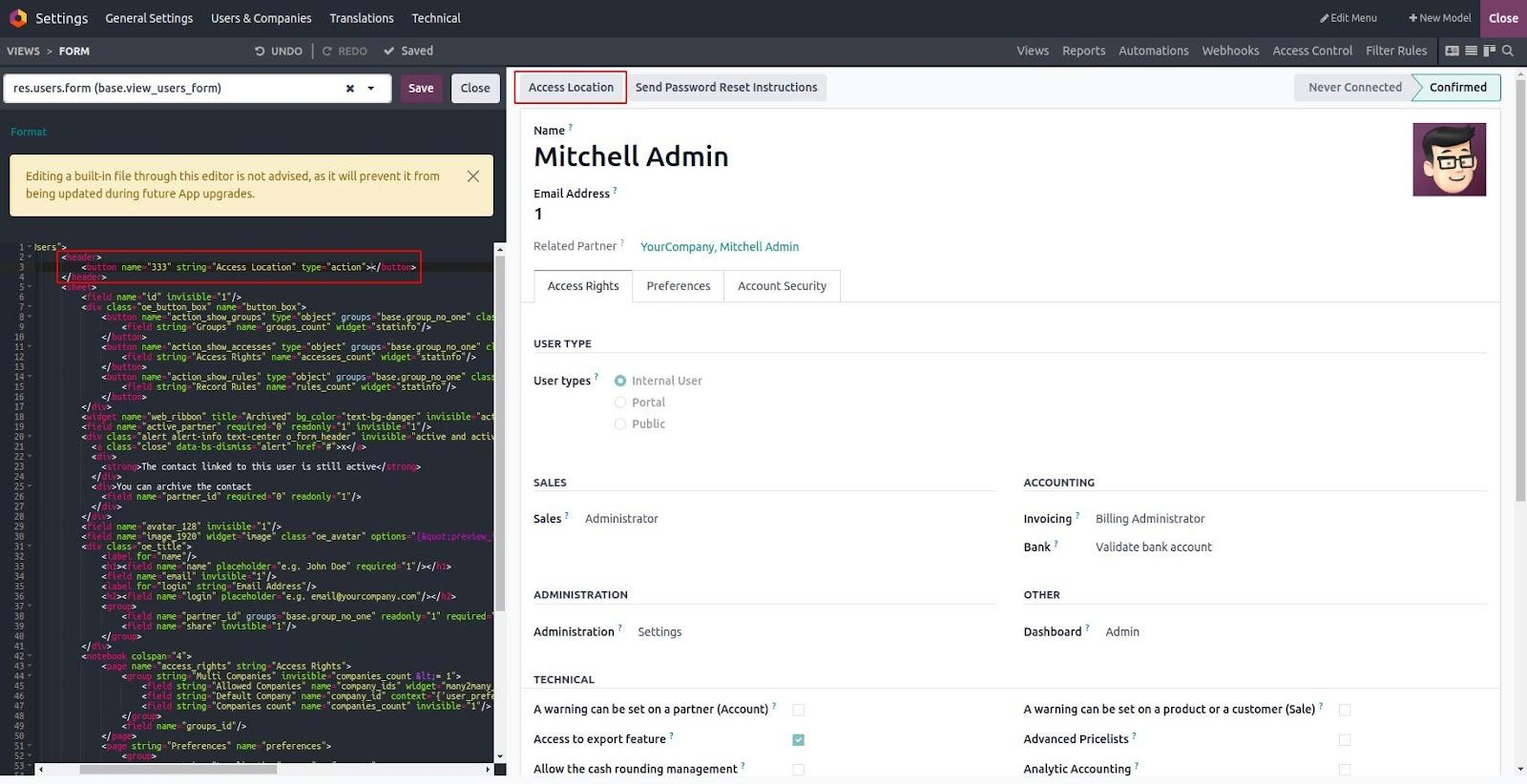
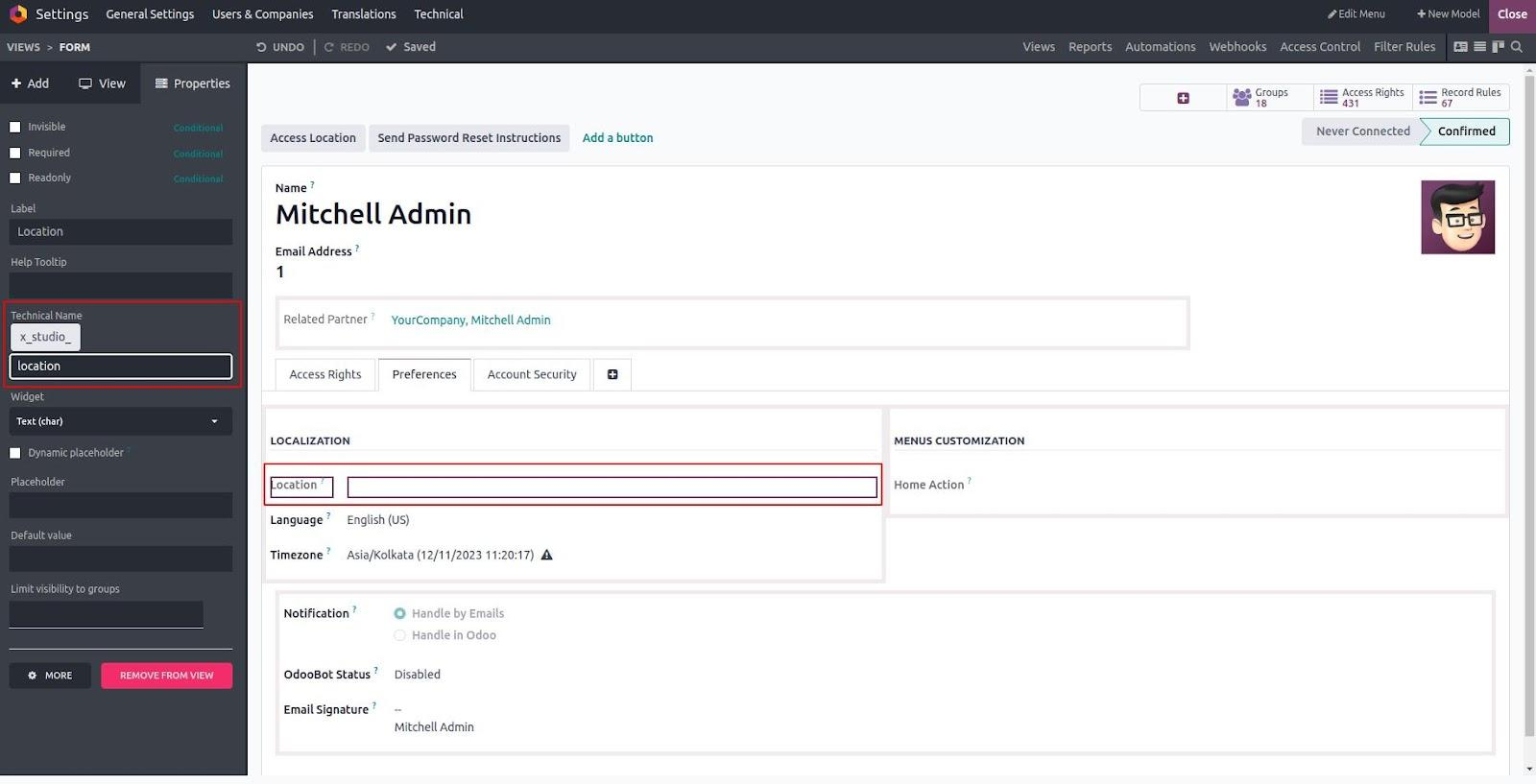
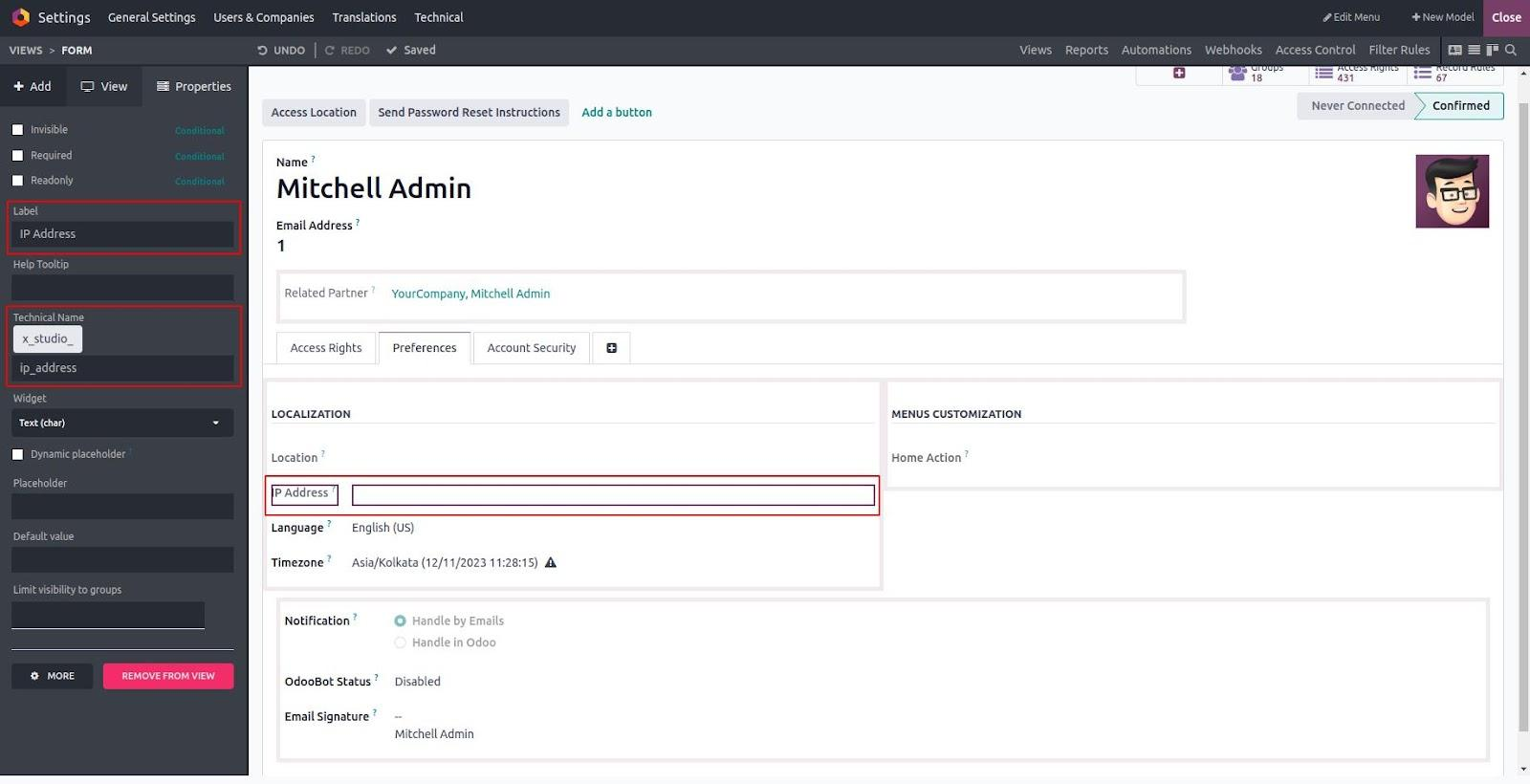
Next, you’ll need to create the Location and IP Address fields referenced in your Python code. These fields can be added to the res.users model using Odoo Studio.
To do this:
- Open the Studio module.
- Navigate to the Users form view (res.users model).
- Click "Add Field" and:
- Create a Text field named x_studio_location to store the location.
- Create another Text field named x_studio_ip_address to store the IP address.
- Save and place the fields wherever needed in the form layout.
Once these fields are added, they will work in tandem with your server action to display the geolocation data.
Field for the Location
Field for the IP Address
With all configurations completed, clicking the Access Location button will trigger the server action, which in turn executes the get_location function defined in your Python code. This function performs an API call to fetch the user's geolocation data.
Finally, the retrieved information will be automatically populated into the custom fields (x_studio_location and x_studio_ip_address) that were added to the res.users model.