Odoo Studio in version 18 continues to make customization effortless, especially for users who don’t have programming knowledge. It’s designed for everyone, from business owners to managers, who want to tailor their Odoo environment without relying on a developer.
Thanks to its drag-and-drop interface, users can easily:
- Add new fields to existing forms,
- Modify menus and views,
- Create dashboards and reports,
- Build new applications from scratch.
This approach removes the need for technical skills and speeds up the customization process. It helps teams adapt Odoo to their specific needs quickly, saving both time and cost.
Getting Started with Odoo Studio
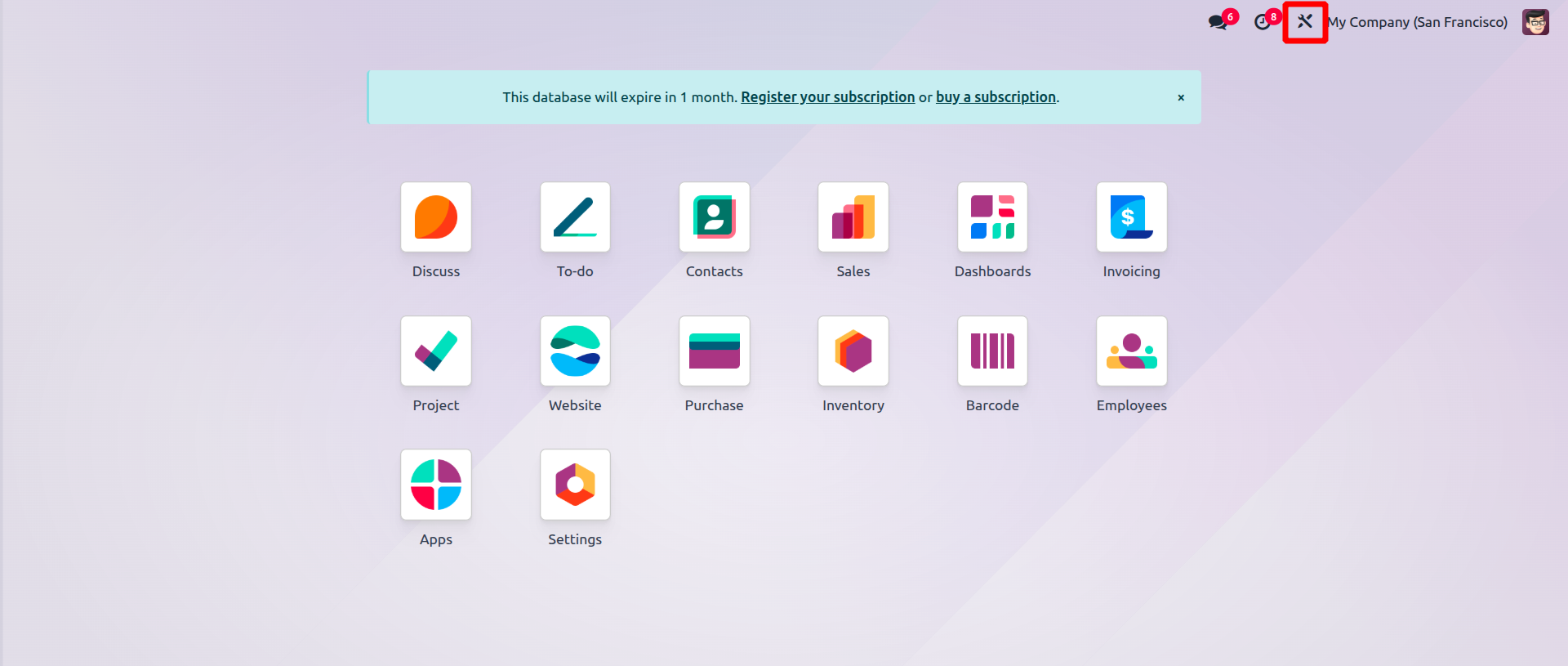
To begin using Studio, click the Studio icon from the top-right corner of your screen. This opens up customization options for the current app, or gives you the ability to create a new app altogether.
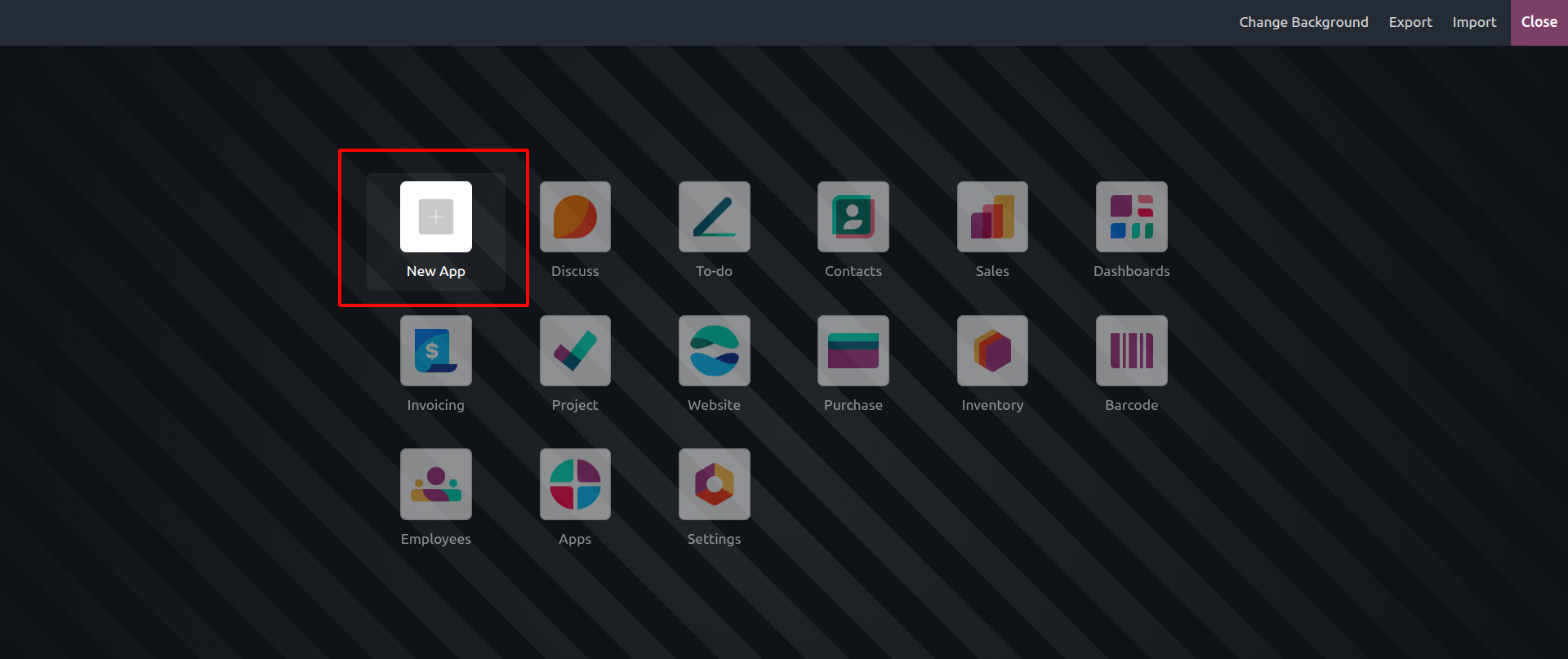
Creating a New App
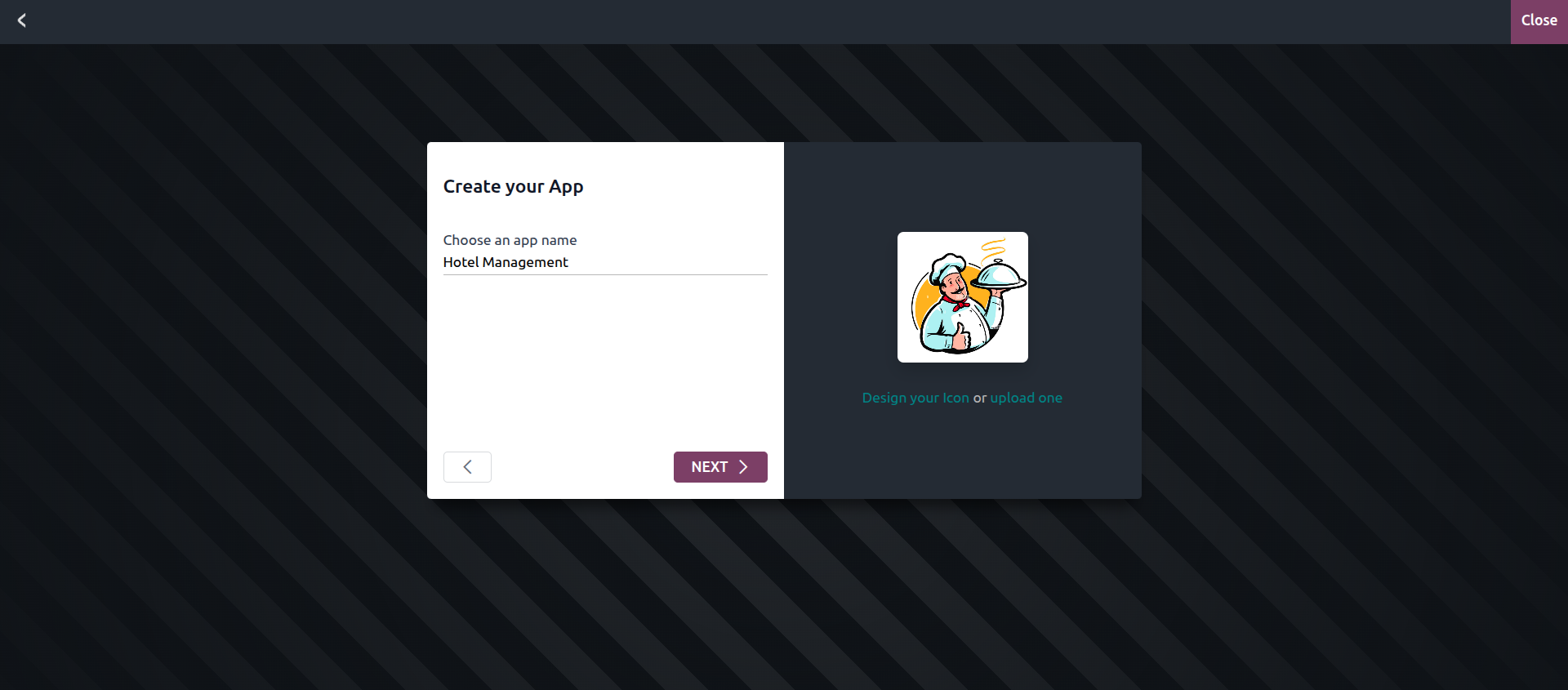
Clicking on the “New App” icon opens a dialog where you can name your custom application. You can also choose a default icon or upload your own for a more personalized look.
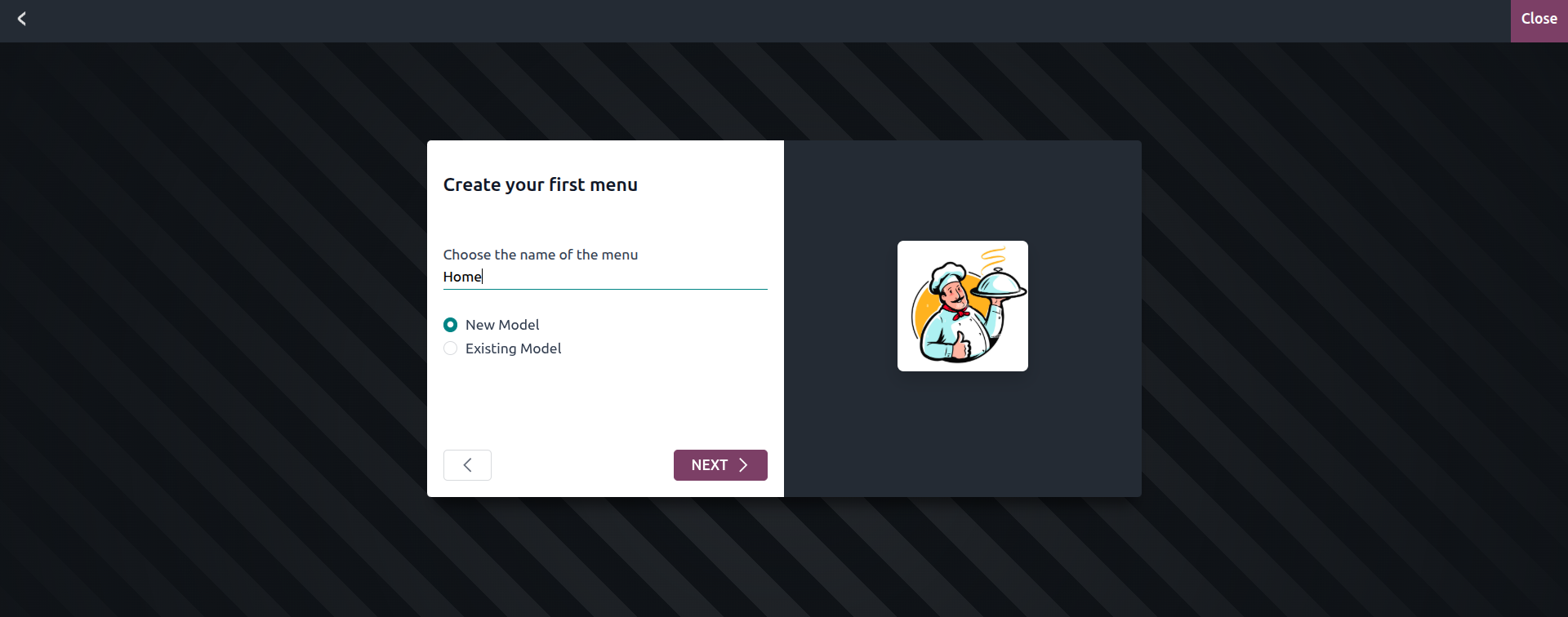
Setting Up Menus
After naming your app, the next step is to define the menus it will contain. You can add menus to your new app, or attach them to an existing app (if doing so, you must select which app you're adding them to). This makes it easy to structure your app based on the types of operations or modules you want to include.
Selecting Built-in Features
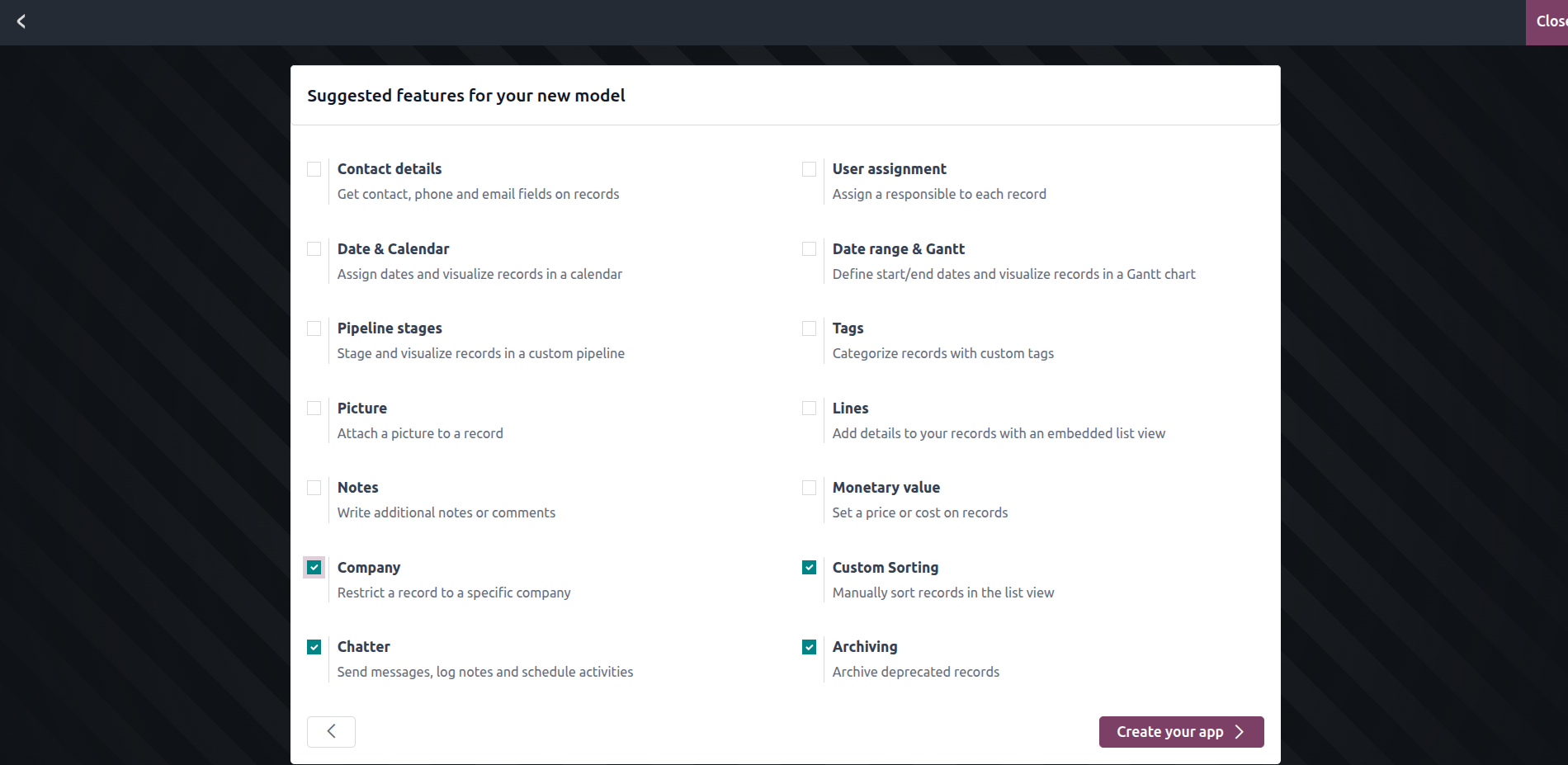
In the next step, you’ll be presented with a list of optional features to include in your app. These can add powerful capabilities like:
- Chatter (for internal communication),
- Multi-company support,
- Contact information fields,
- Custom sorting, and more.
You can activate only the features you need for your business workflow.
Finalizing the App
Once you click the “Create your app” button, Odoo will generate the application using your inputs, name, menus, and selected features. You’ll then be taken to a screen where you can start adding fields, forms, views, and other components to make the app functional.
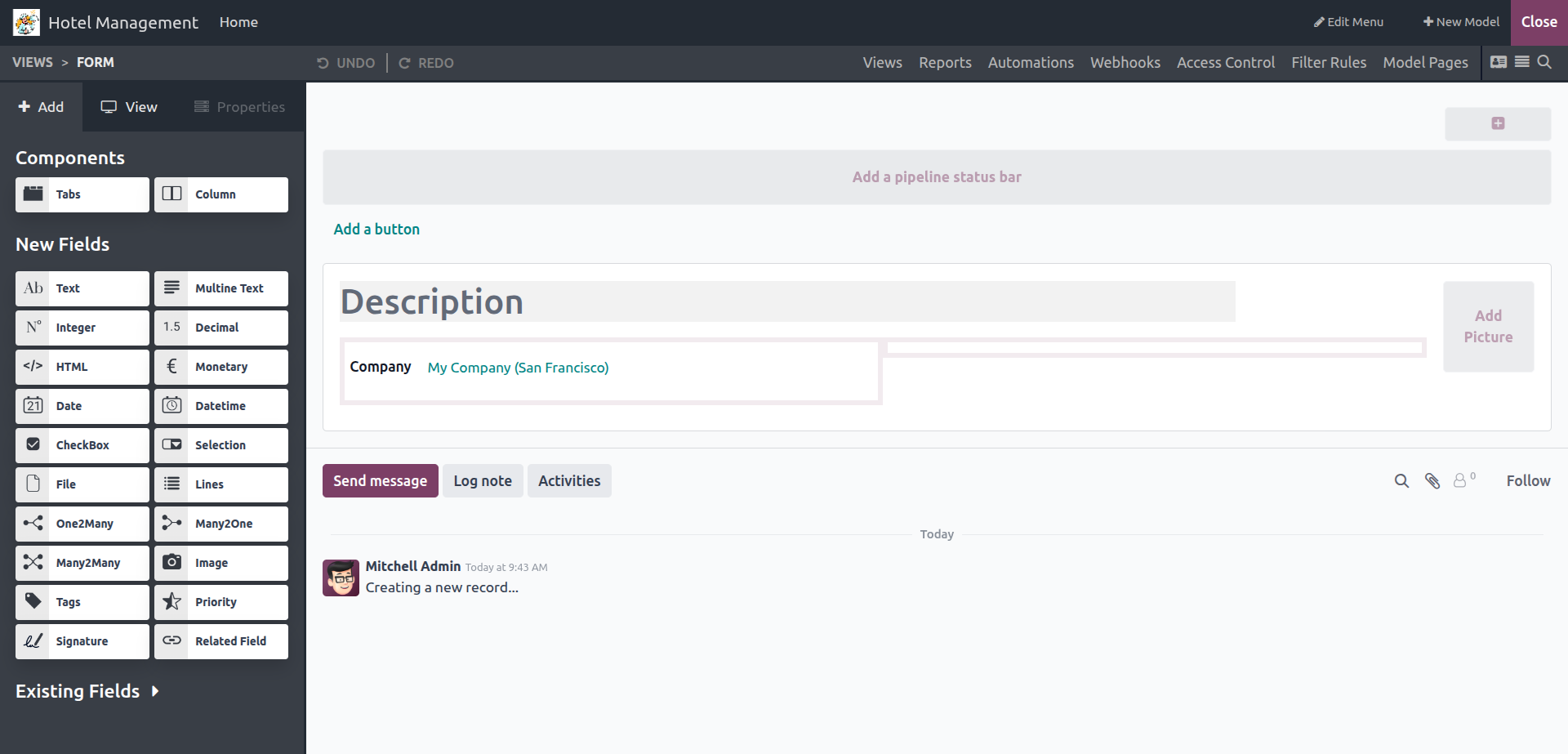
By the end of this quick process, you’ll have a fully functional custom application—without writing a single line of code. Whether you’re designing a new CRM, custom ticketing system, or a lightweight HR tool, Odoo Studio gives you the flexibility to build what you need.
It’s perfect for anyone who understands their business needs but doesn’t have a technical background. With Odoo 18 Studio, customization is truly in your hands.