In the Odoo 18 Studio Book, conditional properties play a key role in controlling a field’s visibility, required status, or read-only state based on specific conditions. When selecting or adding a field through Studio, the “Options” property becomes available, offering a range of functionalities, as illustrated in the accompanying image.

Conditional properties are generally categorized into three main types: invisible, required, and read-only. The invisible property enables dynamic control over a field’s visibility based on specific criteria. The required property ensures that certain fields must be filled out before saving the form, preventing submission if left empty. The read-only property restricts users from editing the field when set to true, making it display-only.
When a field is selected, the properties tab presents three options: invisible, required, and read-only. To hide a field, simply activate the invisible property, ideal for situations where certain fields should not be displayed. The required property ensures that the field must be filled in; if left empty, an error message will appear, and the form cannot be saved until the required information is provided. The read-only property, when enabled, locks the field from edits, ensuring its content remains unchanged and protected from modification.
When you click the 'Conditional' button, a domain widget appears, allowing you to set conditions for each property.
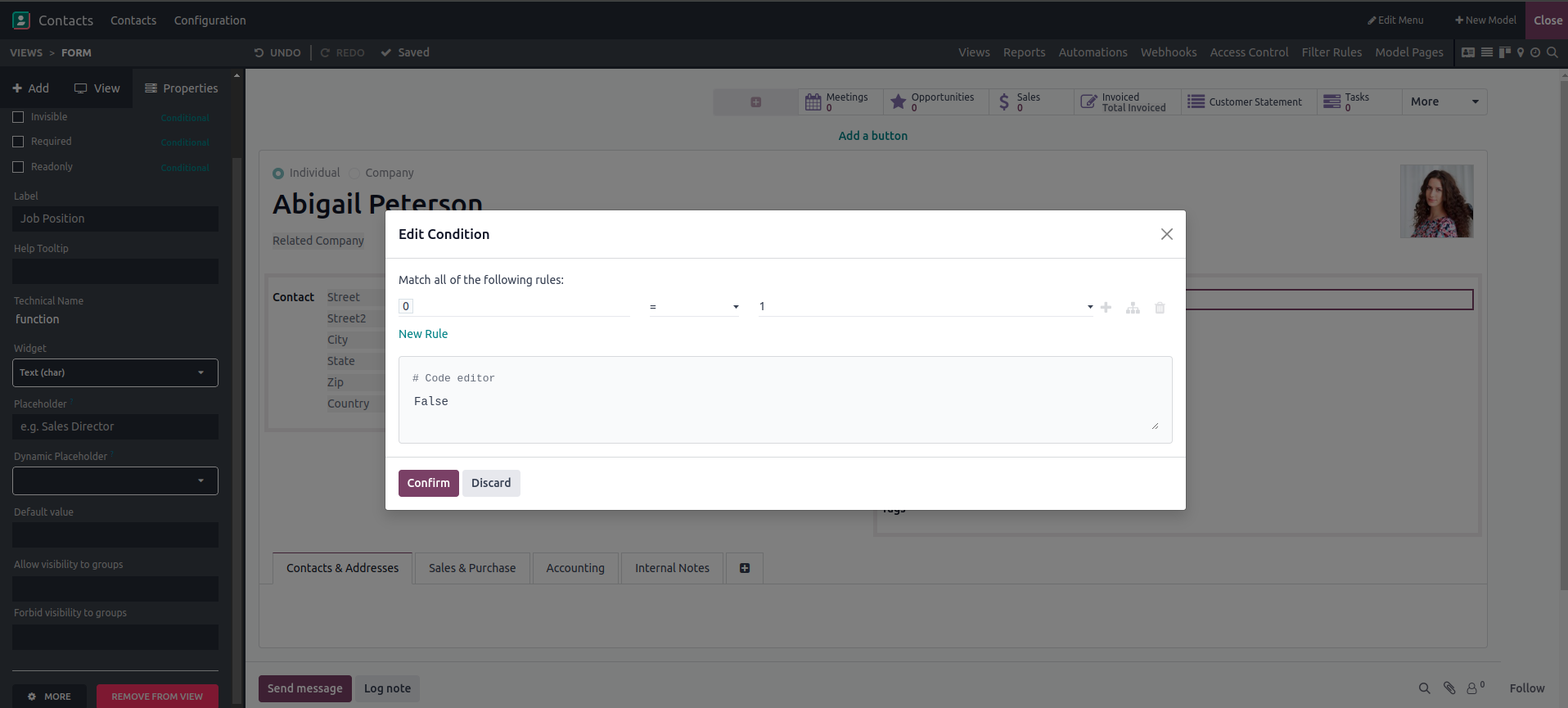
You can set the domain as a filter based on certain conditions. By clicking the "filter" option, you can select field names and matching values, allowing for dynamic filtering based on your needs.
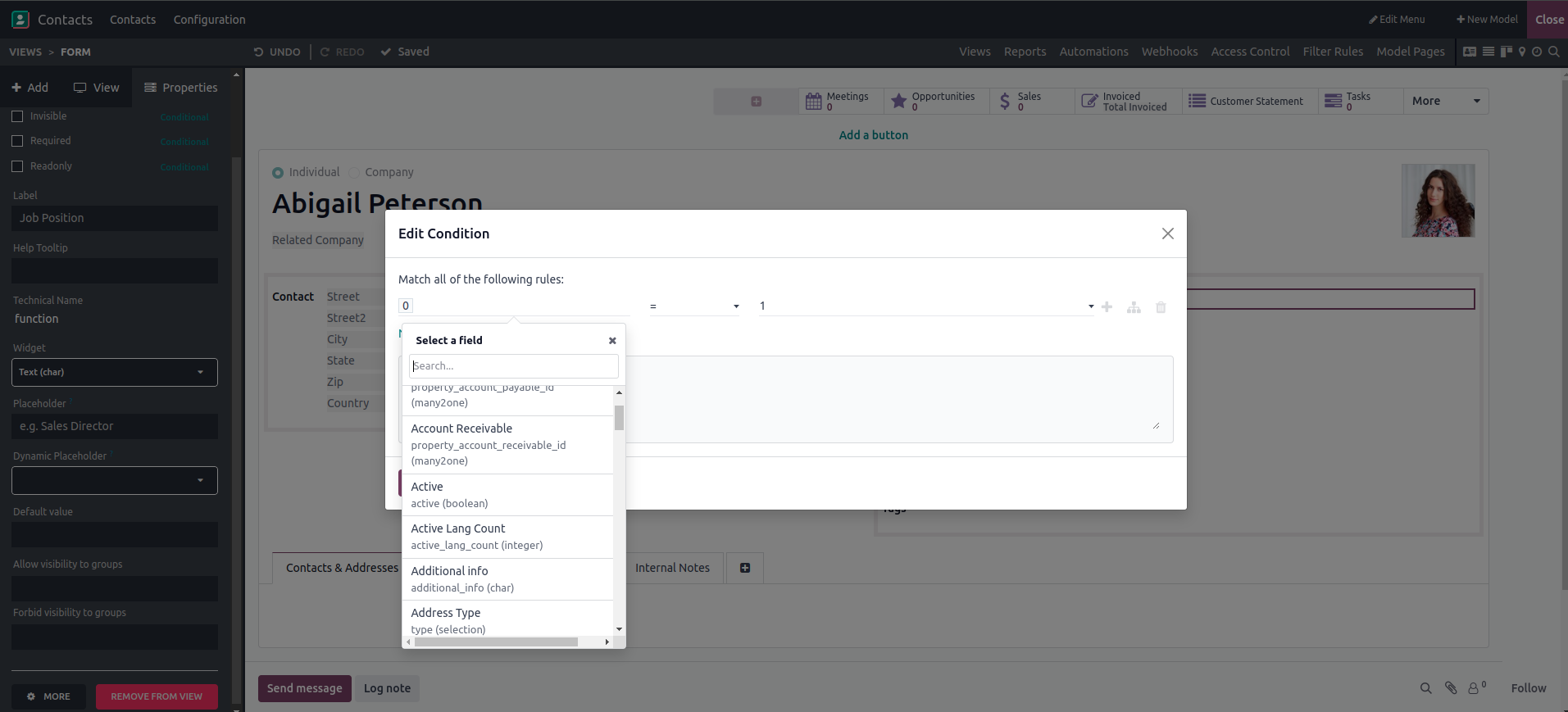
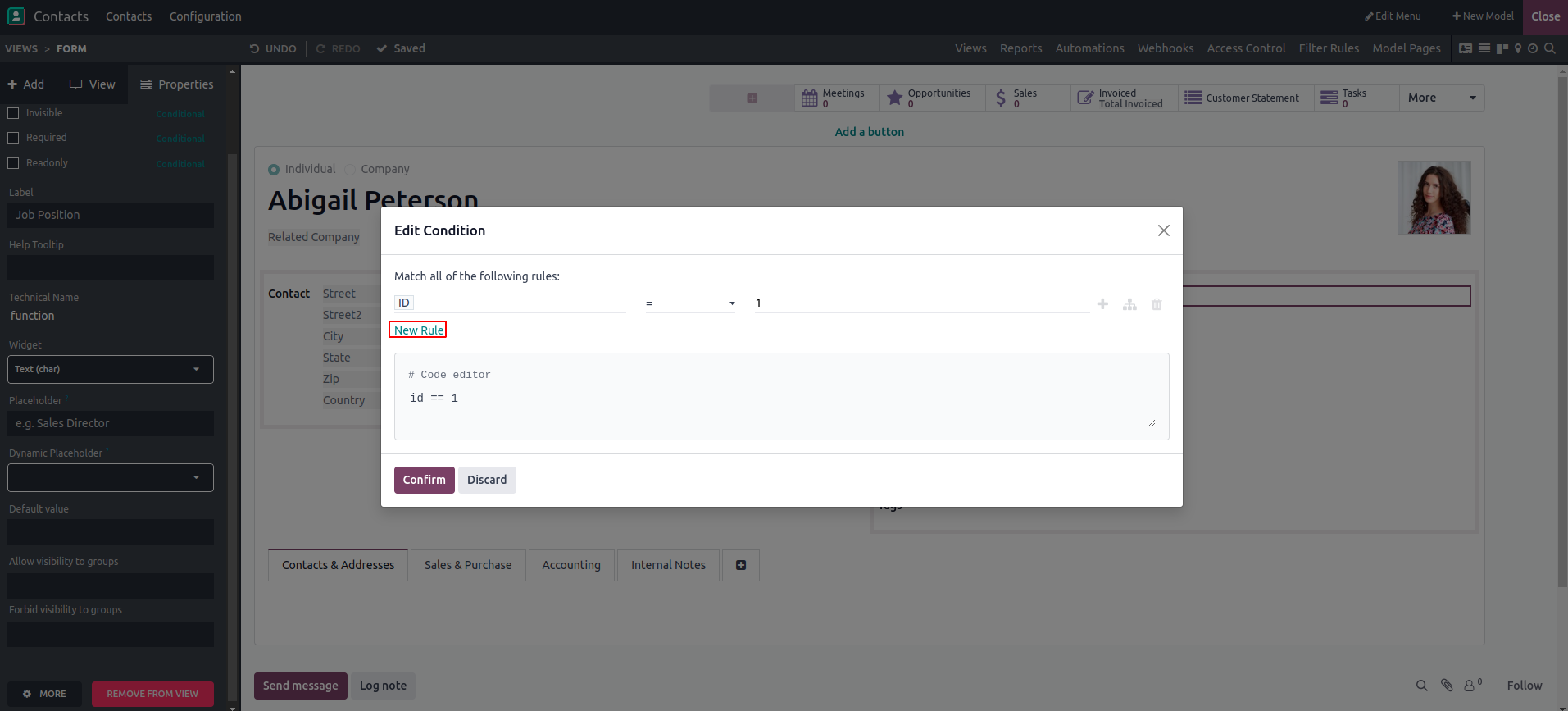
Once the filter is selected and saved, the field is displayed according to the specified domain. You can add more filters by clicking the “New Rule” button.
In conclusion, Odoo Studio provides users with three essential conditional properties: invisible, required, and read-only. The invisible property allows fields to be conditionally shown or hidden, offering flexibility in form design. The required property controls whether a field must be filled before submission, helping ensure data completeness. The read-only property prevents changes to a field’s value when enabled, maintaining data integrity. Together, these options provide precise control over how fields behave, enhancing both functionality and user experience in Odoo.