In Odoo 18 Studio, buttons can do more than just trigger actions—they can also display visual effects and require approval to enhance workflow control and engagement. Two key features available through Studio are:
- Approval Rules – Control who can execute certain actions.
- Rainbow Man – Add playful feedback when actions are completed.
Let’s explore both of these.
Add Approval Rules to Buttons
You can restrict button actions (like “Create Invoice” or “Confirm Order”) so that only authorized users can proceed.
Step-by-step:
- Activate Studio and go to the form view where the button is located.
- Click the button (e.g., “Create Invoice”) to open its configuration panel.
- Enable “Approval Required” and assign user(s) or groups who are authorized to use it.
- Optionally, you can even display the user’s avatar as part of the approval UI.
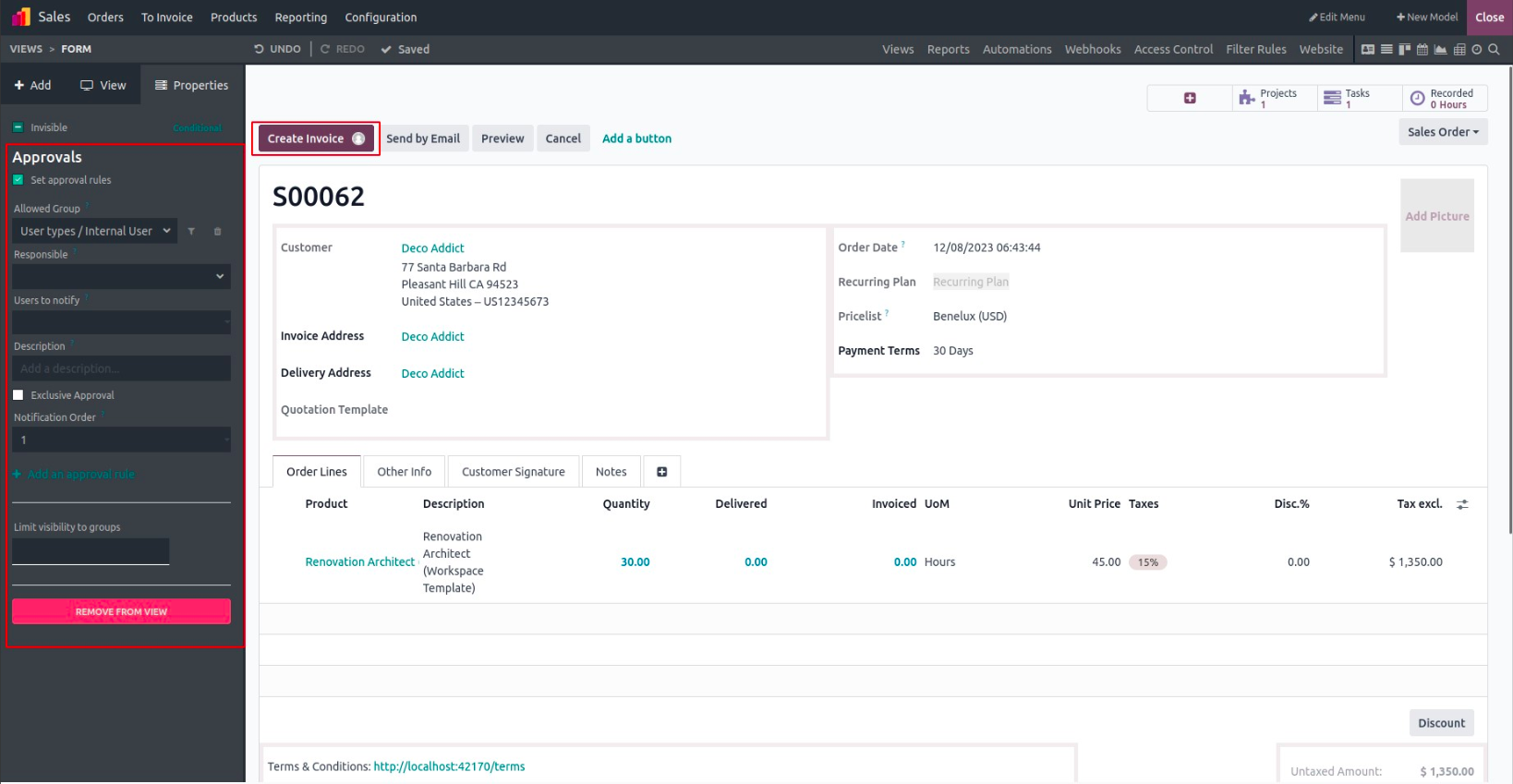
This feature is especially useful in financial or sensitive workflows where actions should require managerial confirmation.
Add the Rainbow Man Effect – Celebrate Actions
The Rainbow Man is a fun, animated visual that appears after a button is clicked, usually as a form of user reward or success feedback.
You can use it with buttons like: Confirm, Send by Email, Mark Done, Submit
To enable Rainbow Man:
- In Studio, select a button (e.g., “Confirm”).
- Scroll down the button settings and enable “Show Rainbow Man”.
- Enter a custom message (e.g., “Nice job!”).
- Choose an animation speed for how fast the Rainbow Man appears and disappears.
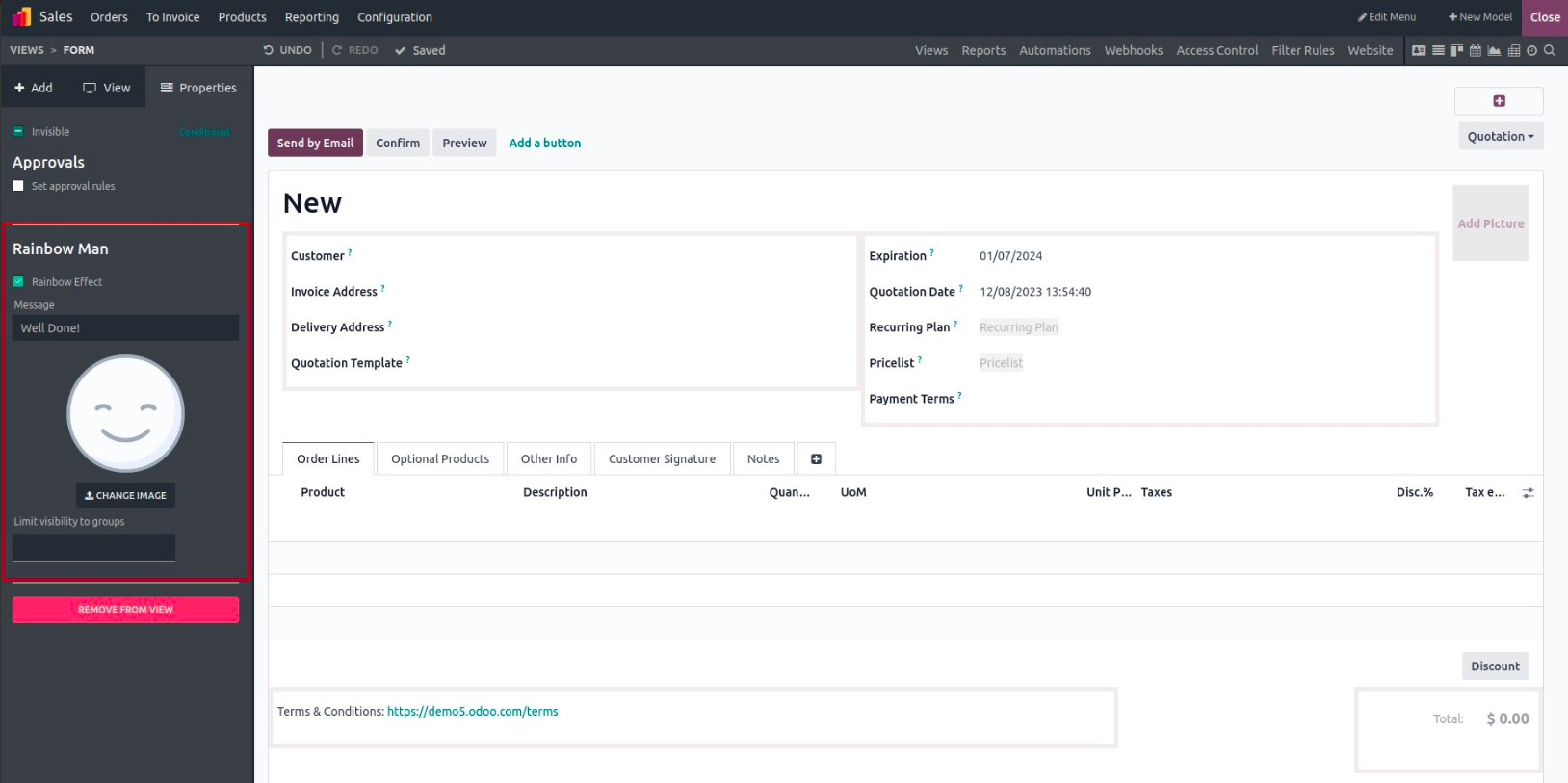
See the Rainbow Man in Action
Once your customization is complete:
Exit Studio mode.
Click the button (e.g., “Send by Email”).
The Rainbow Man animation will appear with your custom message, as shown below.
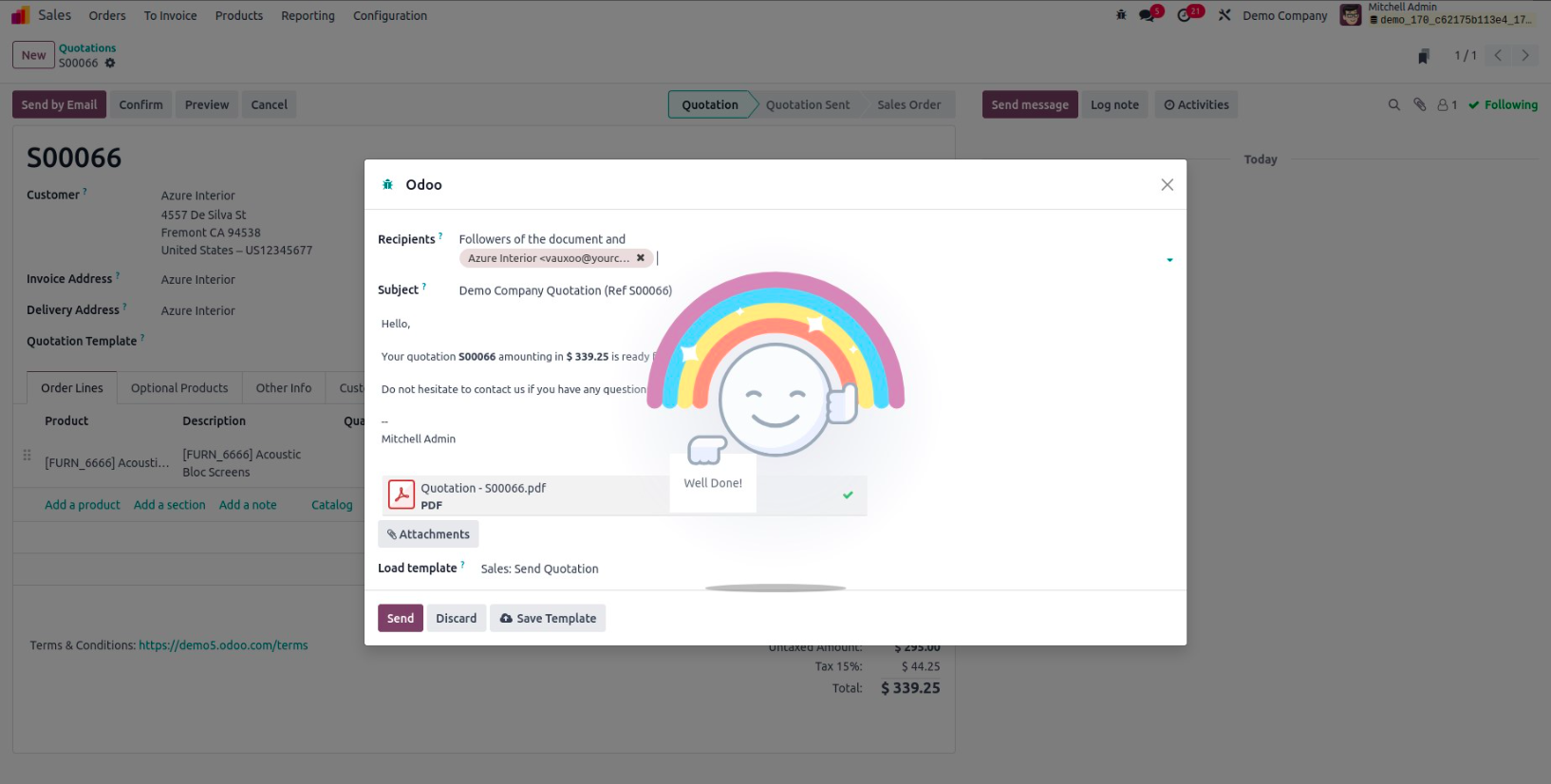
This makes user interactions more delightful and engaging, especially in repetitive tasks.