Export Data
When managing a database, there are times when you might need to export data into a specific file format. Odoo offers a built-in feature that enables you to export data from any field within any record. Let’s take a look at a module created using Odoo Studio to understand how this works.
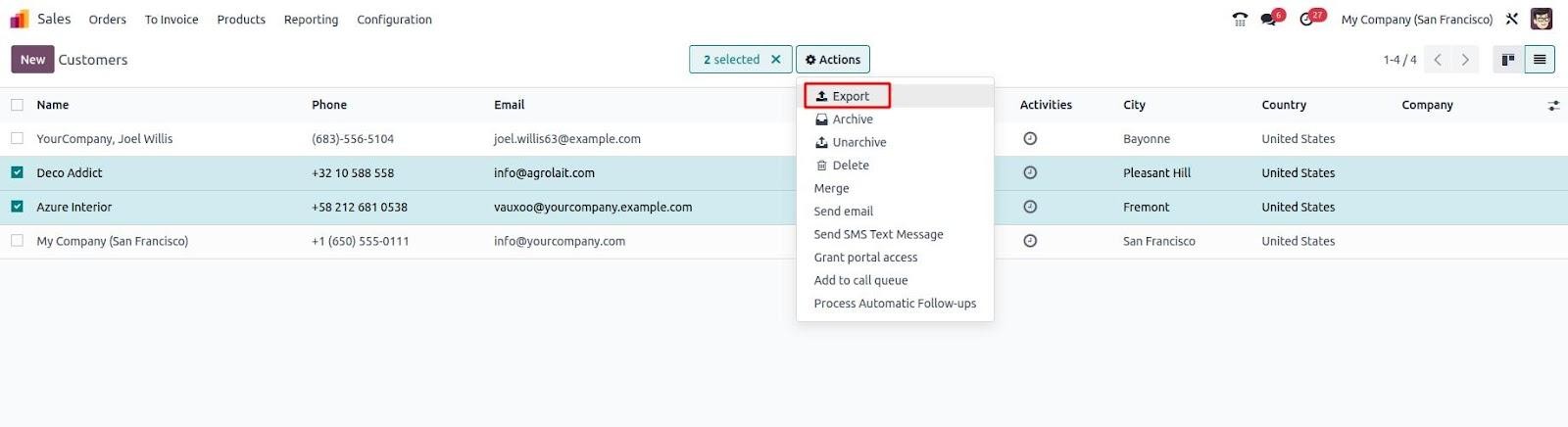
Select the 'Export' option from the dropdown list under the Action button.
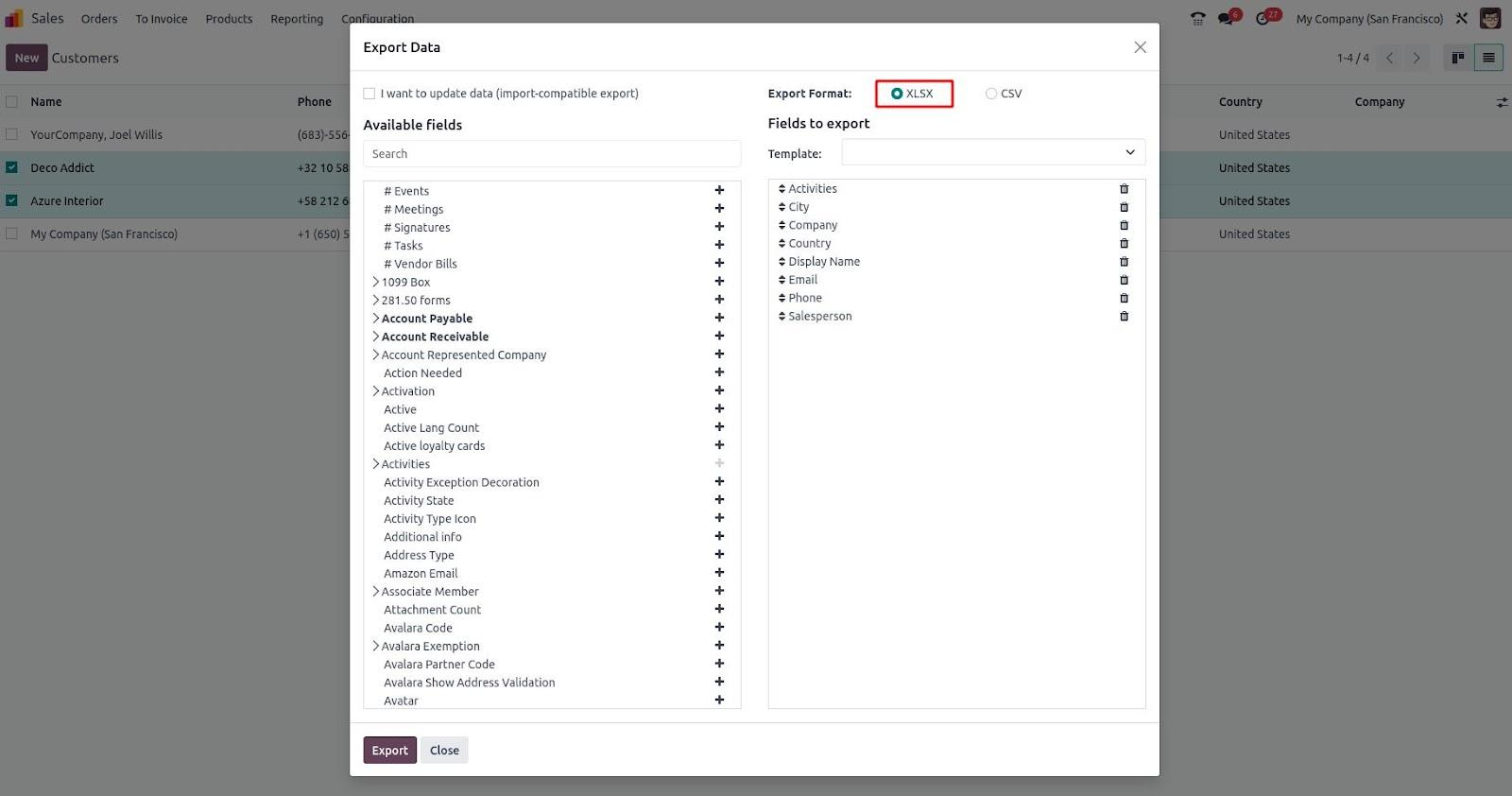
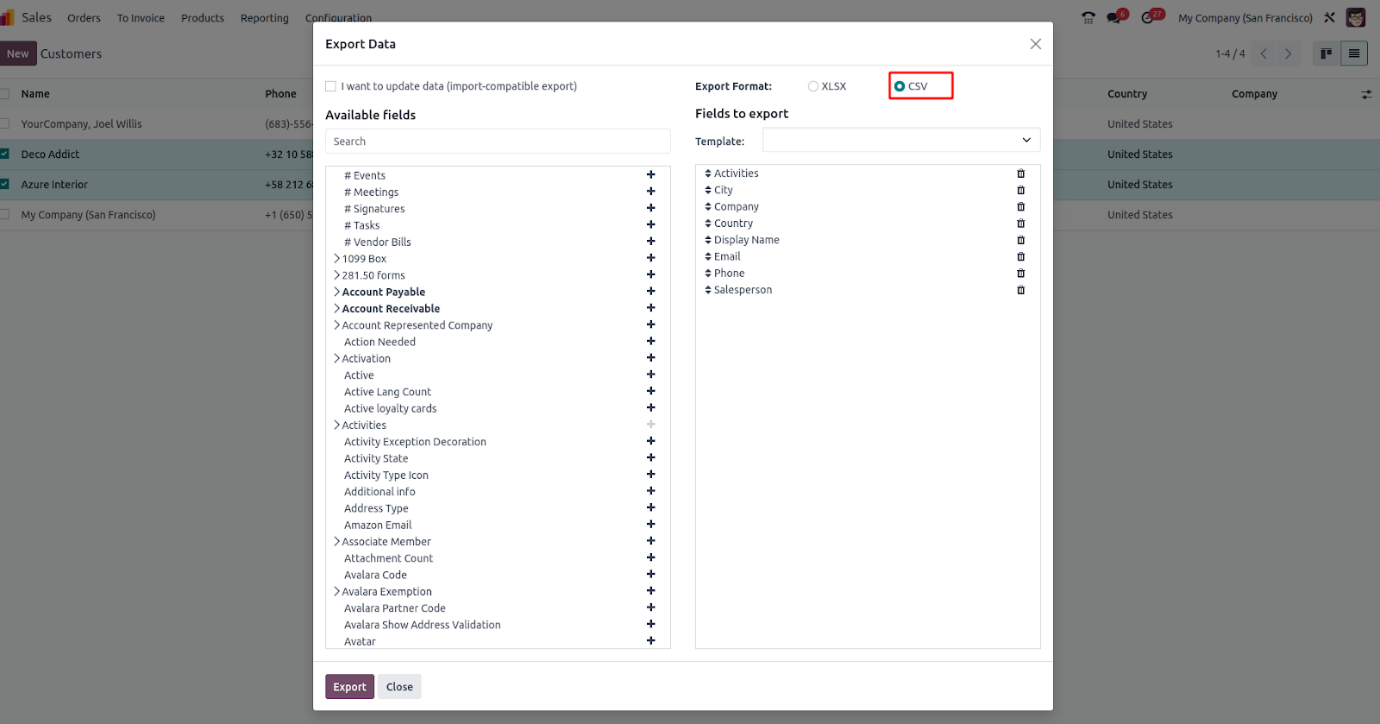
In the export window, you can choose the fields you wish to include. After selecting the required fields from the available list, pick your preferred export format, such as XLSX or CSV.
Import Data
Click on 'Import Records' from the Actions menu.
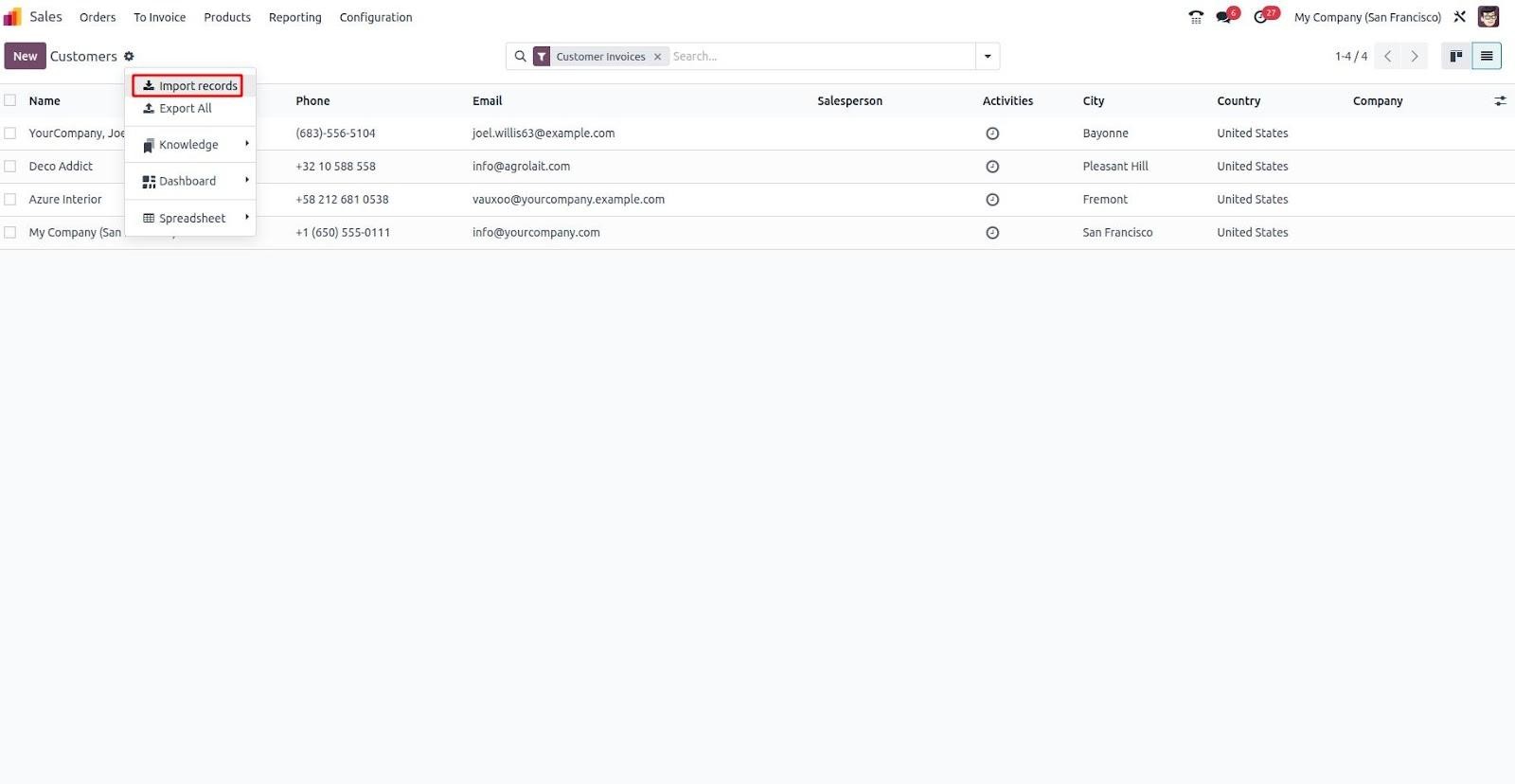
Once you select 'Import Records', a new form view will appear, allowing you to upload your import file.
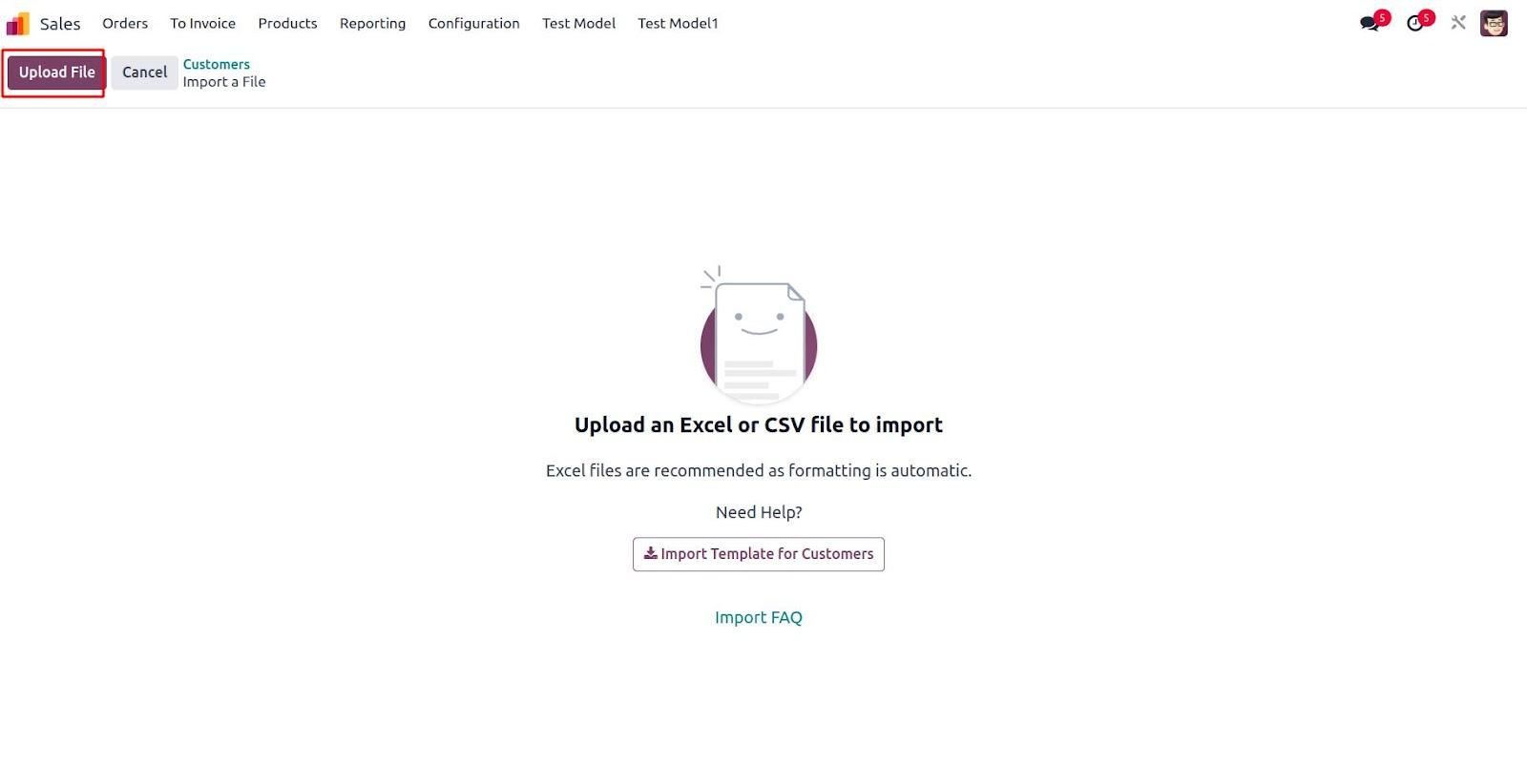
After choosing 'Import Records', a new form view is displayed where you can upload the file you wish to import.

You’ll see a confirmation indicating that the record has been successfully imported.