Odoo is designed to support businesses globally, and Odoo 18 enhances localization further! It brings stronger multi-currency support, more granular tax configuration, compliance templates, and simplified setup, making your ERP truly meet your region’s needs.
While core accounting localization comes from modular packages (“l10n modules” that install automatically based on company country), Odoo Studio empowers you to customize reports and views for local regulations by inserting useful regional data directly into your templates.
Enhance Picking Operation Reports
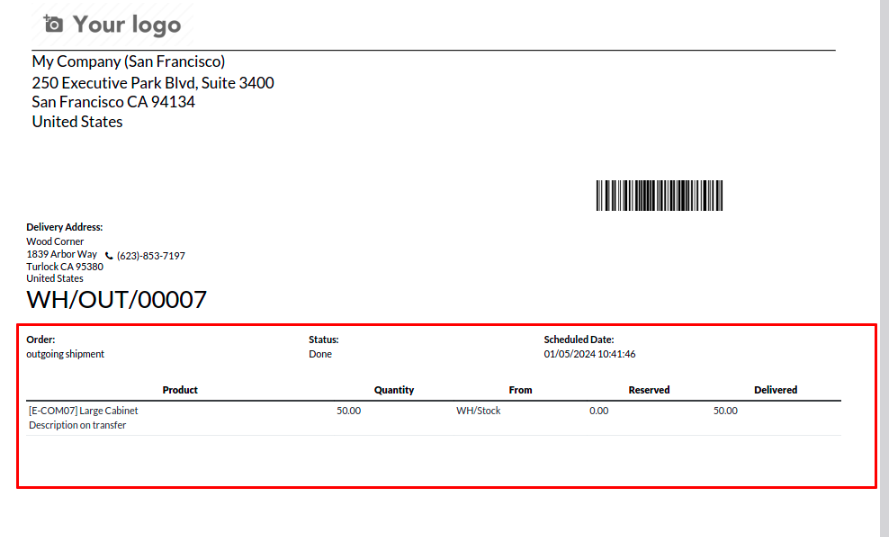
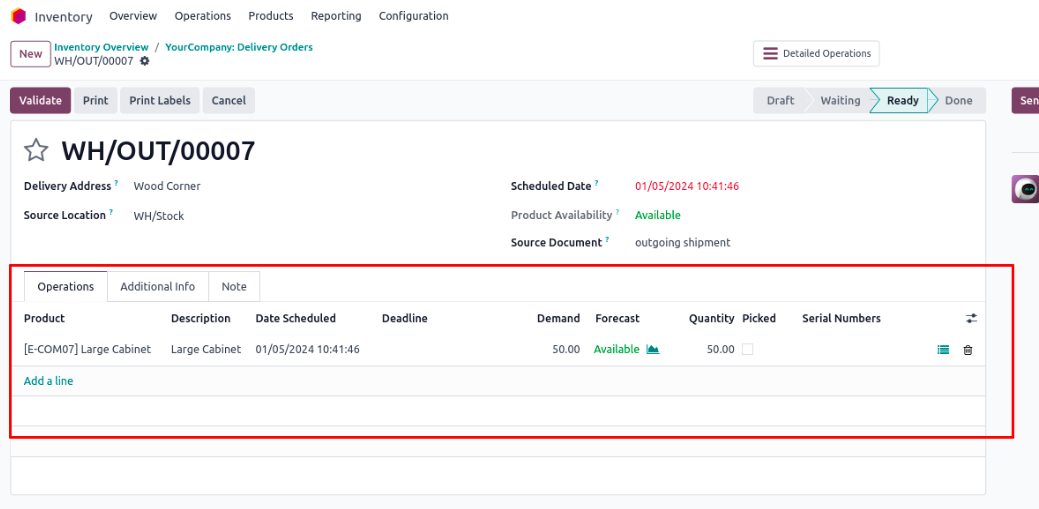
By default, picking/delivery reports show completed transfers, but often miss these details: Ordered Quantity, Reserved Quantity, Delivered Quantity
With Odoo 18 Studio, you can add these fields directly into the report layout, ensuring clarity during audits or compliance checks.
Customize Salary Payslips
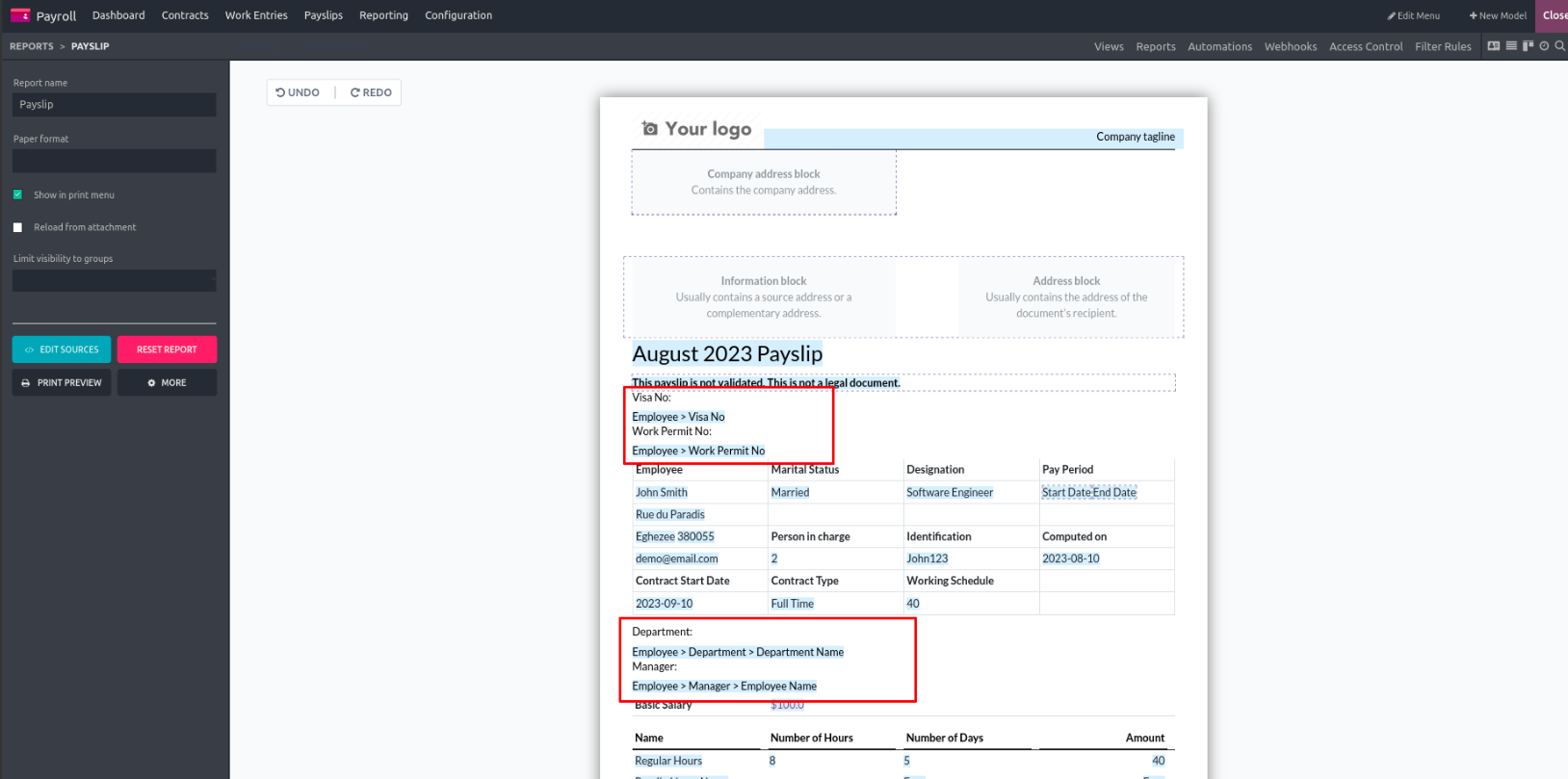
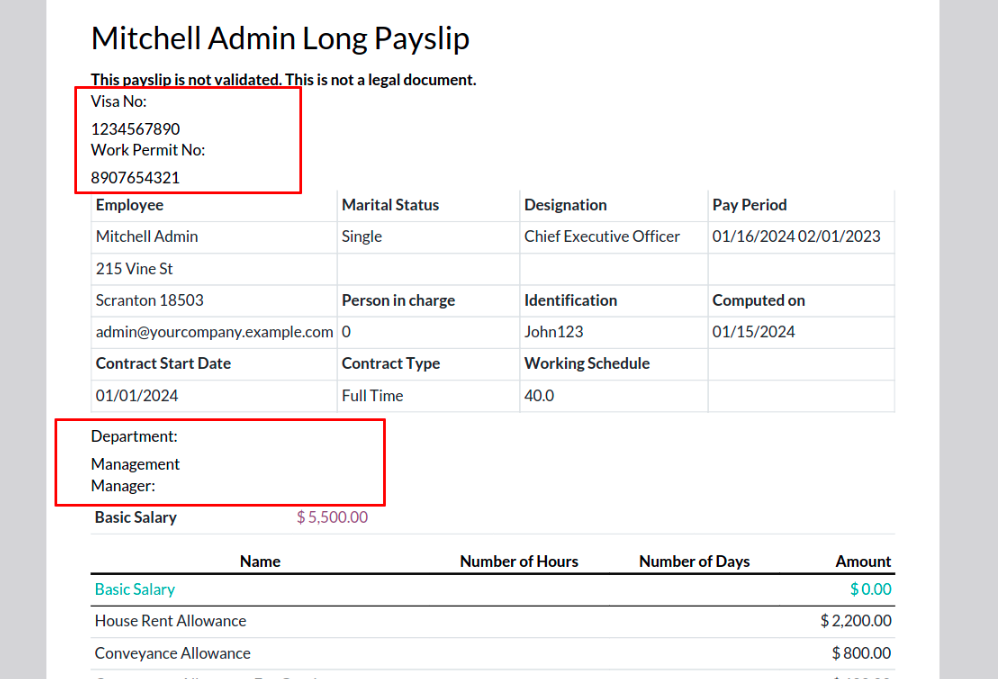
Payslips in many countries require details like: Department, Manager, Work Permit Number, Visa Number
You can use Studio to:
- Add new fields to the Contract Form (under structure like allowances and deductions).
- Pull these fields into the payslip report.
- Generate full payslips that comply with local labor rules.
Why This Improves Localization
With Studio, you can:
- Attach region-specific data to your reports
- Meet detailed local compliance without custom coding
- Provide audits with richer documentation
- Support multi-company and multilingual setups out of the box
- These enhancements support rounds of better data-driven decisions and operational visibility.
Conclusion
As we conclude this guide to Odoo 18 Studio, it is clear that customization no longer needs to be a complex, code-heavy process limited to developers. With the visual tools and intuitive interface offered by Studio, users across roles, whether business managers, consultants, or functional experts, can shape Odoo to reflect their unique workflows and requirements. Throughout this book, we explored how to modify existing applications, build new ones from scratch, automate routine actions, and fine-tune reports and views without ever writing a line of code.
Each chapter was designed to build your confidence, offering real-world examples and hands-on guidance to help you understand not just how Studio works, but how to apply it effectively in real business contexts. Whether your goal is to streamline internal operations, enhance user experience, or respond quickly to changing needs, Odoo Studio empowers you to do more, with less technical dependency. With the knowledge gained from this book, you’re now ready to take full advantage of Studio’s capabilities and create a smarter, more agile Odoo environment tailored to your business.