The Translate View feature in the Odoo Studio module is a powerful tool for businesses aiming to expand their global presence. By enabling language translations within Odoo applications, companies can effectively cater to users from different regions and broaden their international reach.
Localization, encompassing both language translation and adaptation to regional preferences, is one of Odoo’s key strengths. It empowers businesses to tailor operations based on regional requirements, including language, currency, accounting standards, and user experience.
With Odoo’s robust localization capabilities, organizations can deliver a personalized and engaging experience to users, build stronger customer relationships, and enhance their brand presence across diverse markets. Whether translating interface elements or complying with local business practices, Odoo equips companies to operate seamlessly and successfully on a global scale.
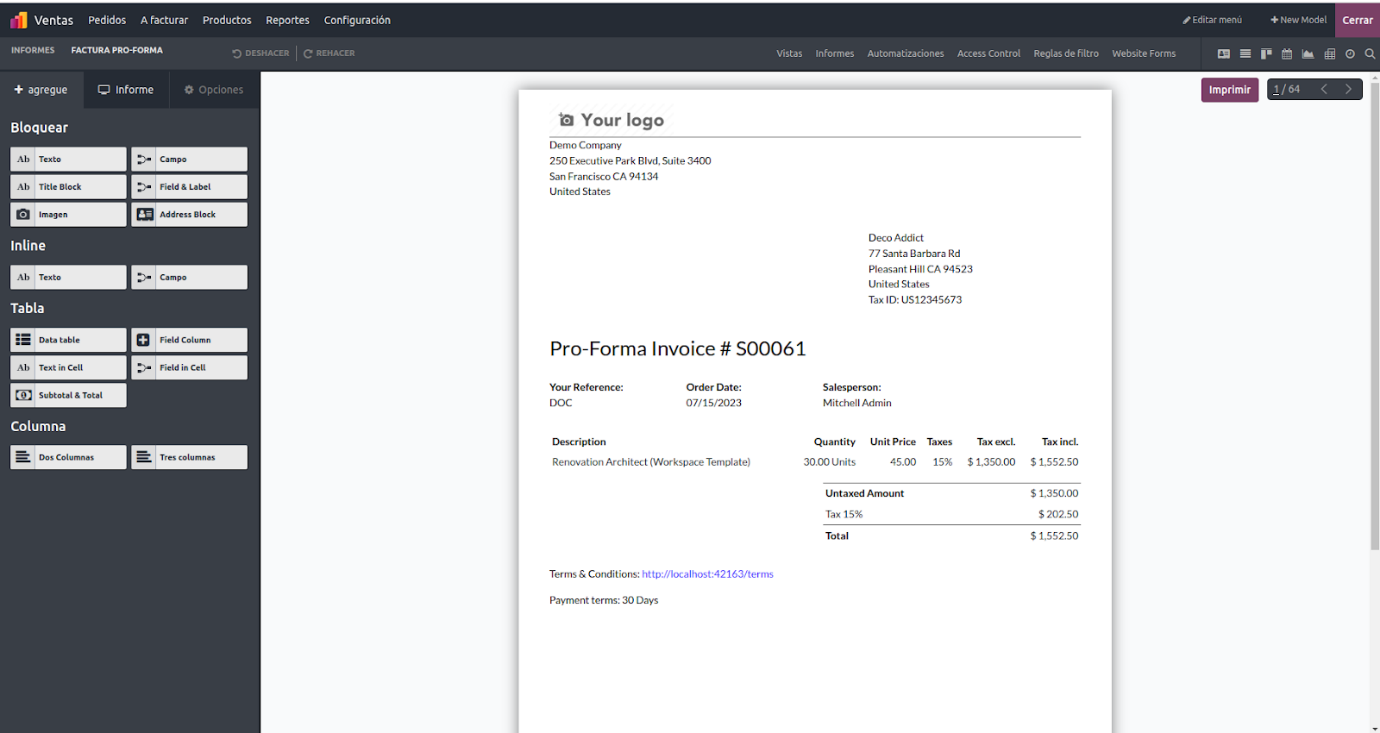
After selecting the content, you can access the Translation View. In this view, the original language appears on the right, while the translated language is shown on the left. This layout allows you to easily compare and manage translations side by side.
To translate content, simply click on the text in the translated language section. This will activate editing mode, allowing you to enter the desired translation. Odoo provides a user-friendly interface with an editable text field, making it easy to input and update translations directly.
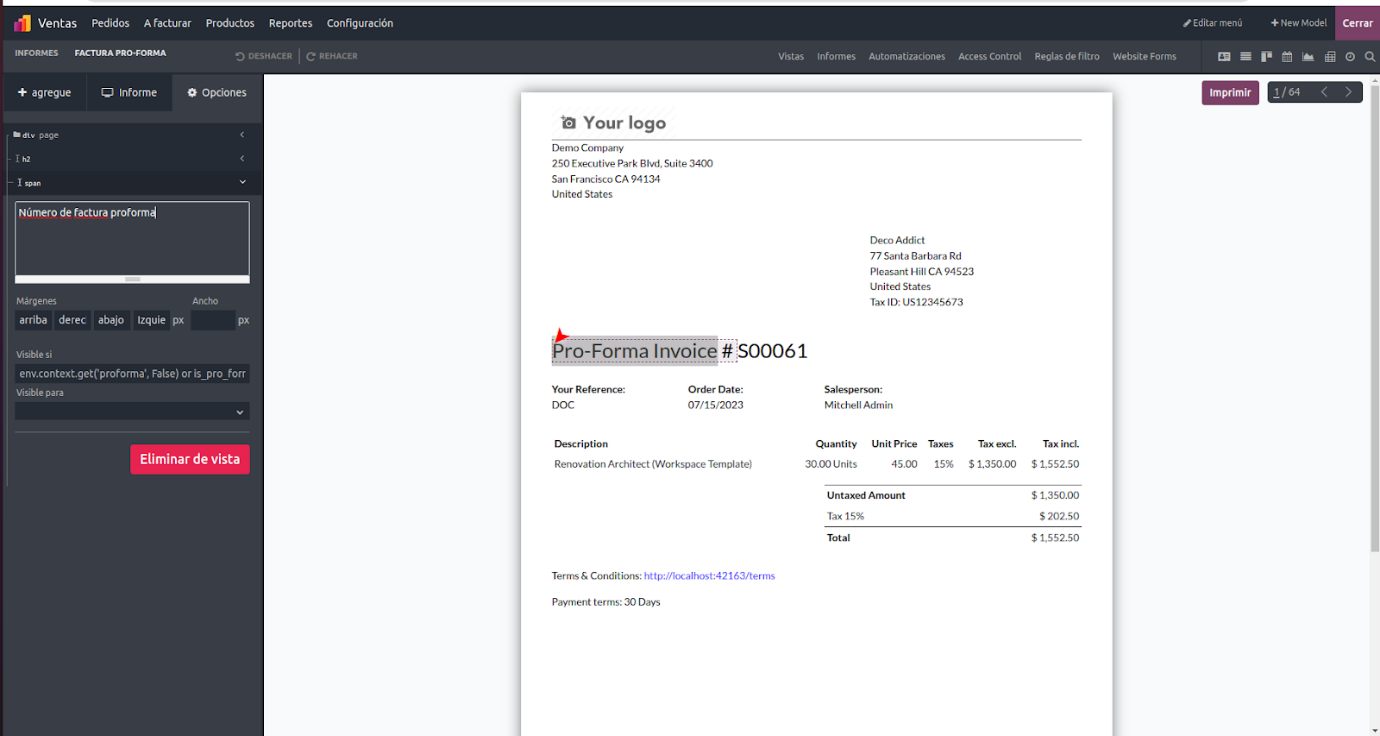
Once you select the sentences to translate, the translated text will appear in the corresponding field, as shown above.
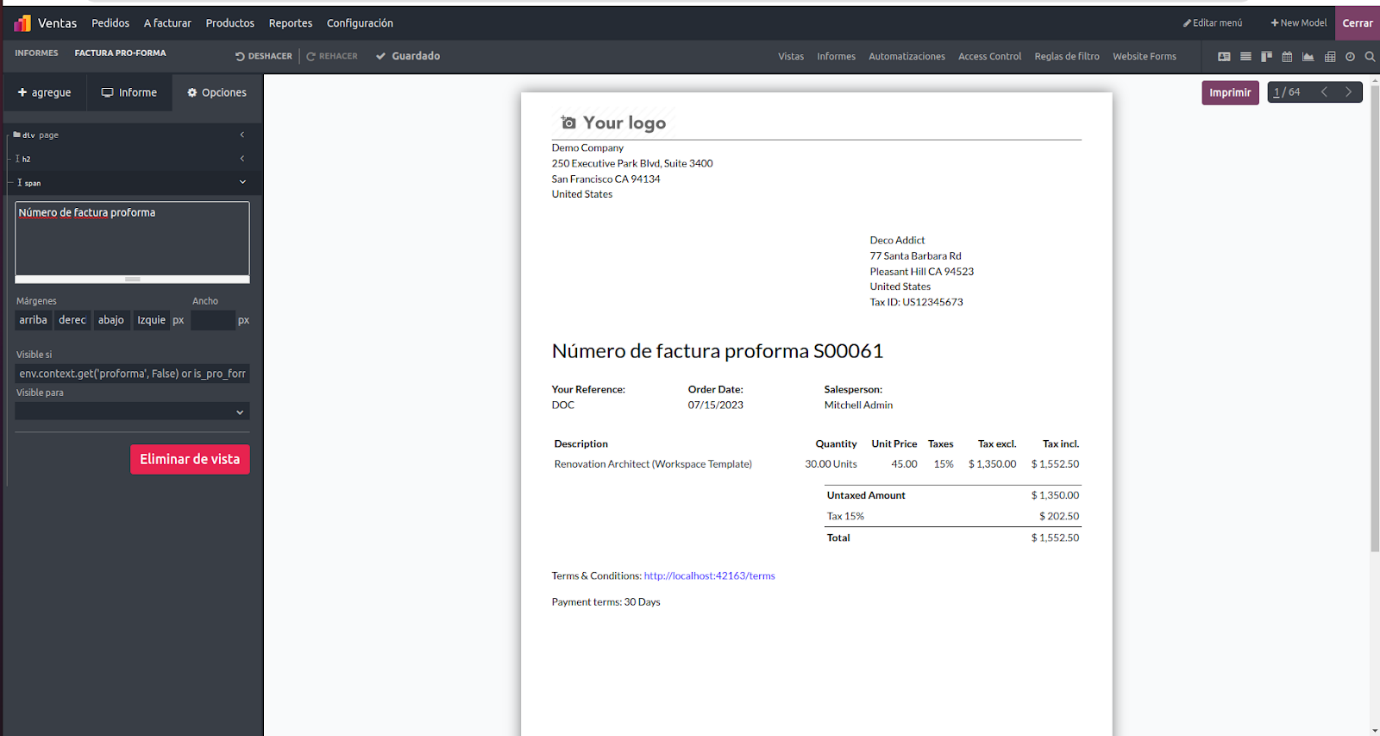
After completing the necessary translations, you can save the changes. Odoo will then update the application to display the translated content in the selected language. This ensures that users from different regions can access the application in their preferred language, enhancing their overall experience and improving content understanding.
Odoo’s translation functionality streamlines the localization process, making applications accessible to a broader audience. It allows businesses to communicate effectively with users in multiple languages, expanding their global reach and fostering a more inclusive and user-friendly experience.