One of the powerful tools offered by the Odoo platform is its reporting functionality. With Odoo, you can generate reports covering various aspects of your company's operations. But what purpose do these reports serve for a business? They enable managers to gain insights into the scale and performance of operations by analyzing different business metrics. Moreover, these reports can help tailor and optimize your operating system based on the data presented. The Odoo Forum also supports the creation of support reports with reliable features to cater to diverse business needs.
Odoo is a highly adaptable platform that lets you customize your business environment based on specific performance goals. Collaborating with an experienced Odoo development service provider ensures that the platform is aligned with your specific operational requirements. Although the core functionalities and standard processes of Odoo remain unchanged, its open-source ERP system allows for extensive customization to meet the unique demands of your business.
Odoo Studio is another powerful tool within the Odoo platform that allows you to customize its features to suit your specific needs. With Odoo Studio, you can easily design new modules and applications tailored to your requirements. It also enables you to add tasks and options to the apps you've created with minimal effort. It's intuitive; Studio lets you build interactive blocks that can be moved, rearranged, and customized to match your preferences seamlessly.
One of the advanced features of Odoo Studio is Report Customization, which provides dedicated tools and options to modify various aspects of your reports. While Odoo already excels at generating reliable performance reports, the ability to customize reports adds greater flexibility in managing and analyzing business operations. Included in the business plan, the Odoo Studio module allows you to build advanced workspaces and platforms without any coding, enhancing the overall efficiency of your business processes.
Using Odoo Studio, you can add custom features to existing modules or create new ones with specific functionalities. When developing a new module through the Studio module, the next step is to select the “Reports” option.

Configure and customize the reporting features, as shown in the image below.
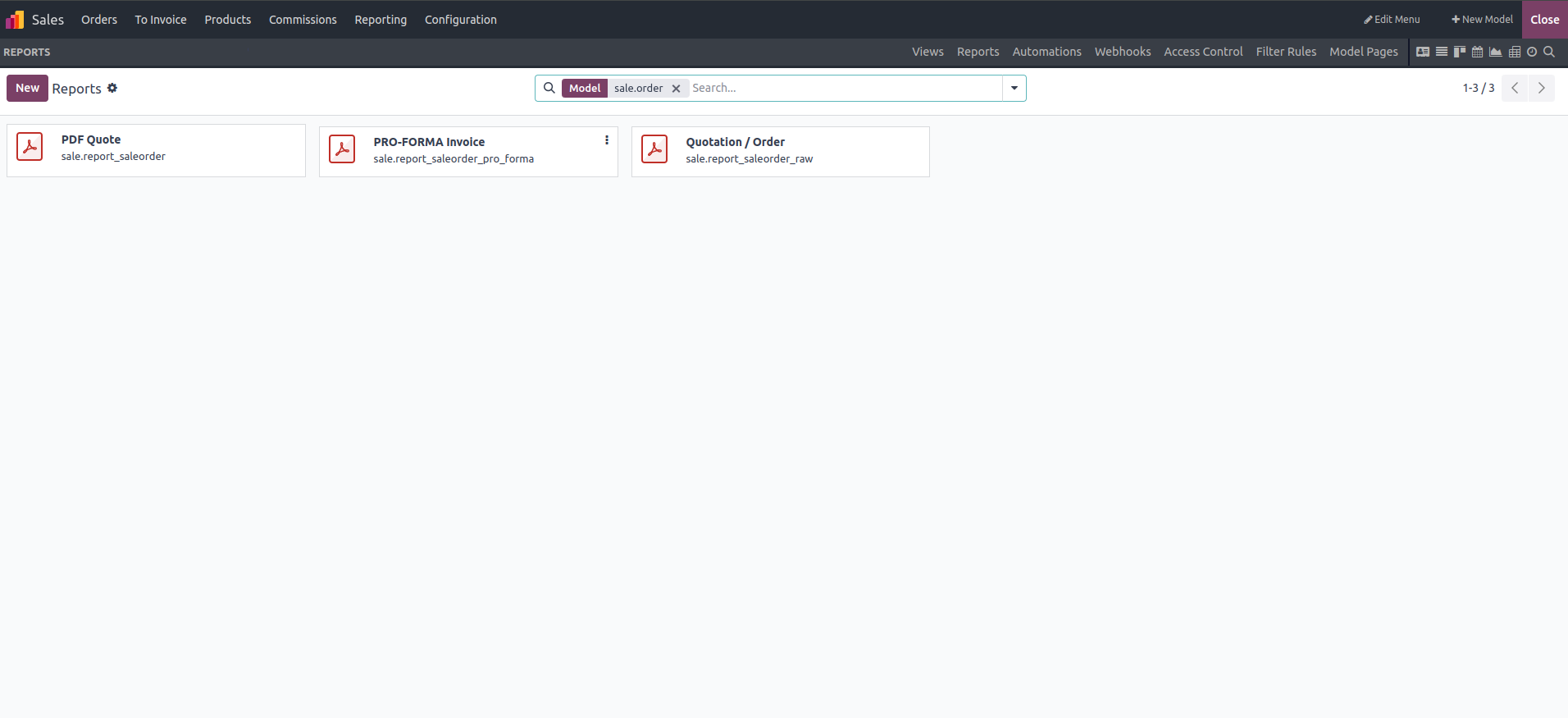
In conclusion, Odoo Studio offers the flexibility to customize existing modules or develop new ones based on specific business needs. When creating a new module, it’s essential to configure the reporting features by selecting the "Reports" option, as shown in the image. This level of customization allows businesses to tailor their Odoo environment, enhancing both functionality and the overall user experience.