Smart Buttons in Odoo offer a convenient way to display and access related records directly from a form view. These buttons typically appear at the top of a form and include a numeric badge that shows the count of linked items (such as order lines, invoices, or meetings).
Using Odoo 18 Studio, you can easily add smart buttons to any model to enhance navigation and data visibility, without writing code.
Step 1: Open Studio and Navigate to the Desired Model
Start by activating Studio and navigating to the form view where you'd like to add the smart button. Look at the top of the form header, you’ll see a ‘+’ icon. This is where new smart buttons can be added.
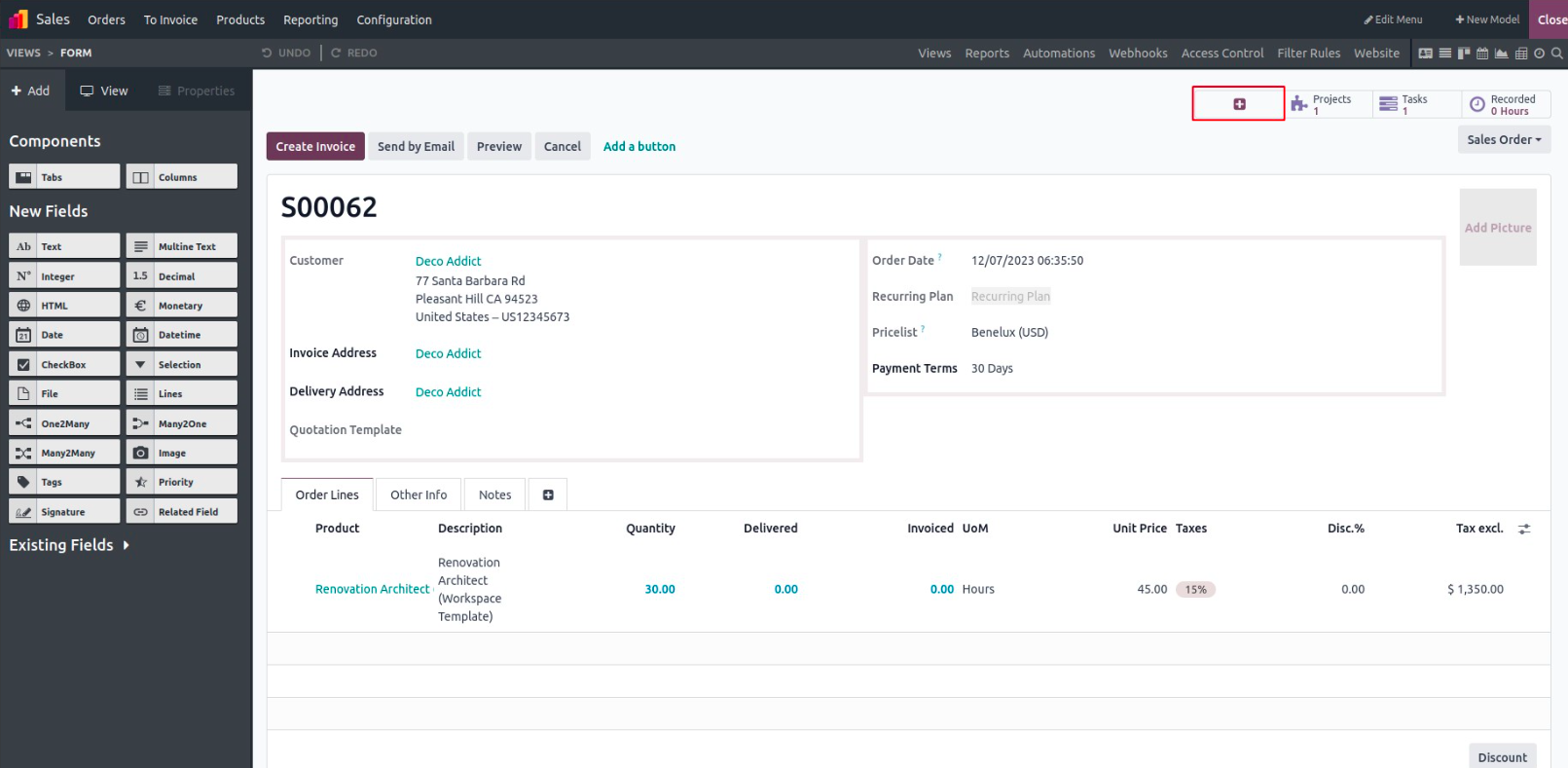
Step 2: Configure the Smart Button
Clicking the ‘+’ icon opens a configuration panel. Here, you can define the key properties for your smart button:
- Label – The name displayed on the button (e.g., "Order Lines").
- Icon – Select an icon that visually represents the purpose of the button.
- Related Field – Choose the many2one, one2many, or many2many field that links to the related records.
For example, let’s create a button labeled “Order Line”, select an icon (e.g., list icon), and link it to the Sale Order Line field.
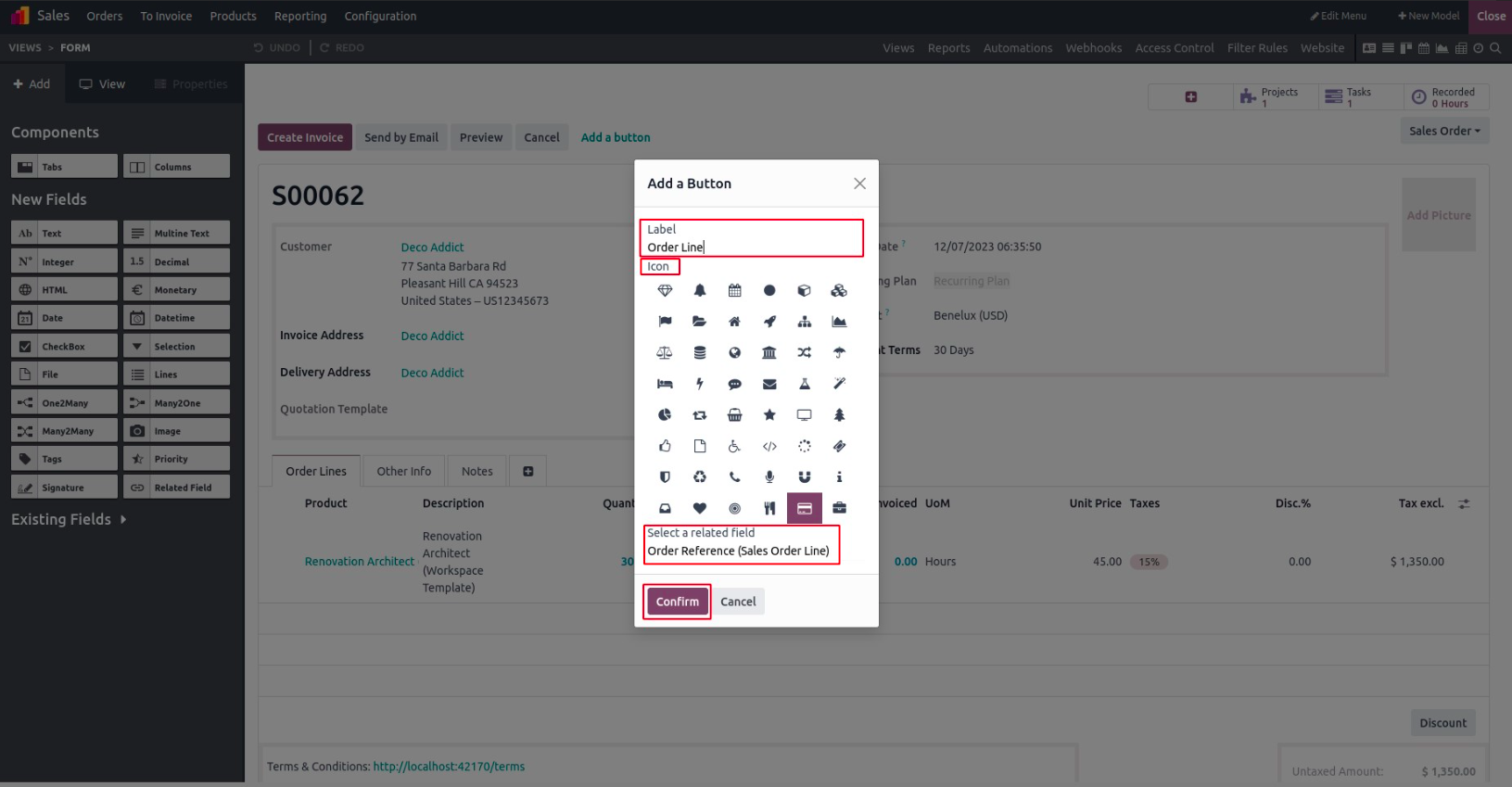
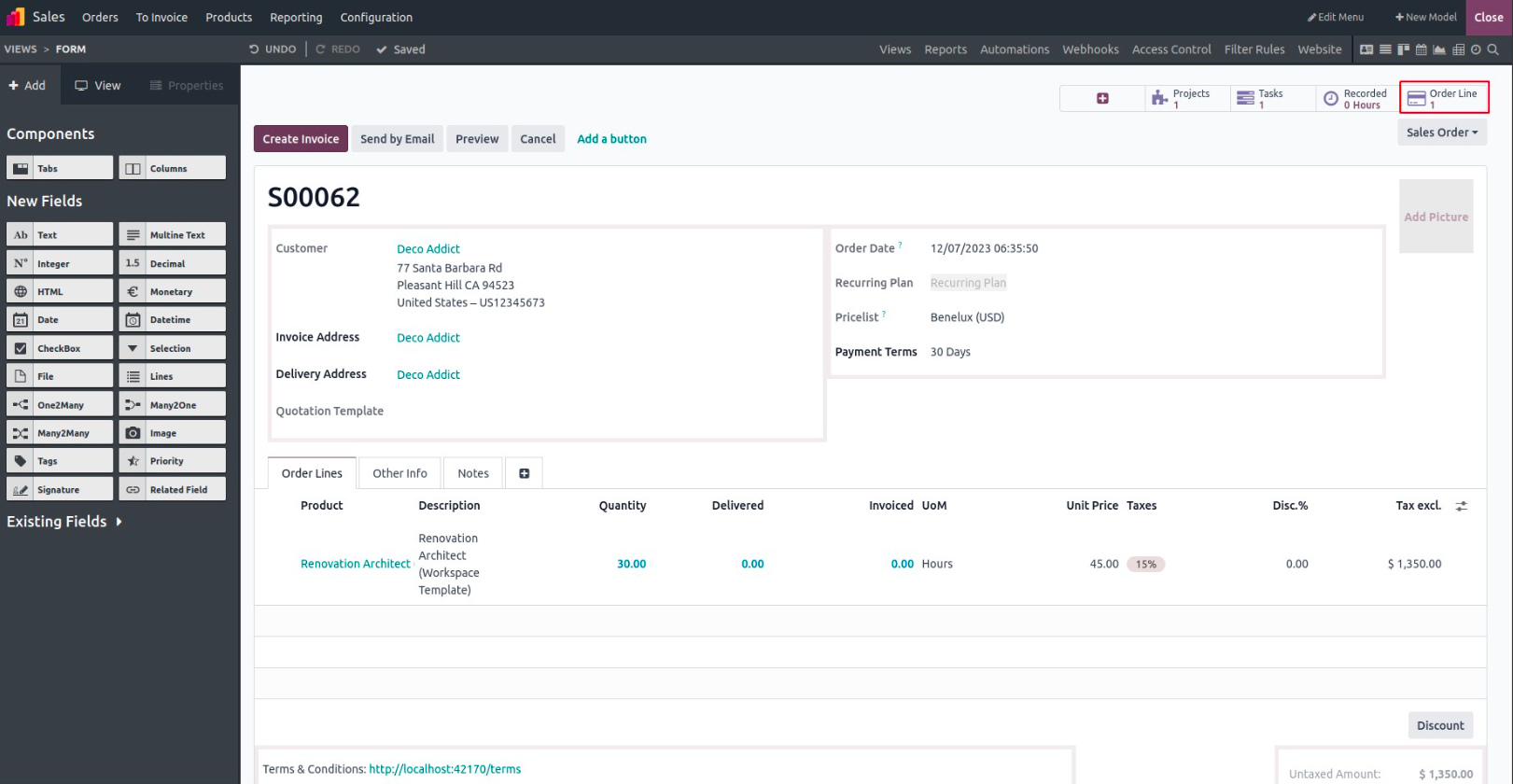
Step 3: Preview Button Behavior in Developer Mode
With Developer Mode enabled, you can hover over the smart button to view additional details, such as the technical field name and model relationships. This is especially useful for developers working with advanced configurations or debugging.
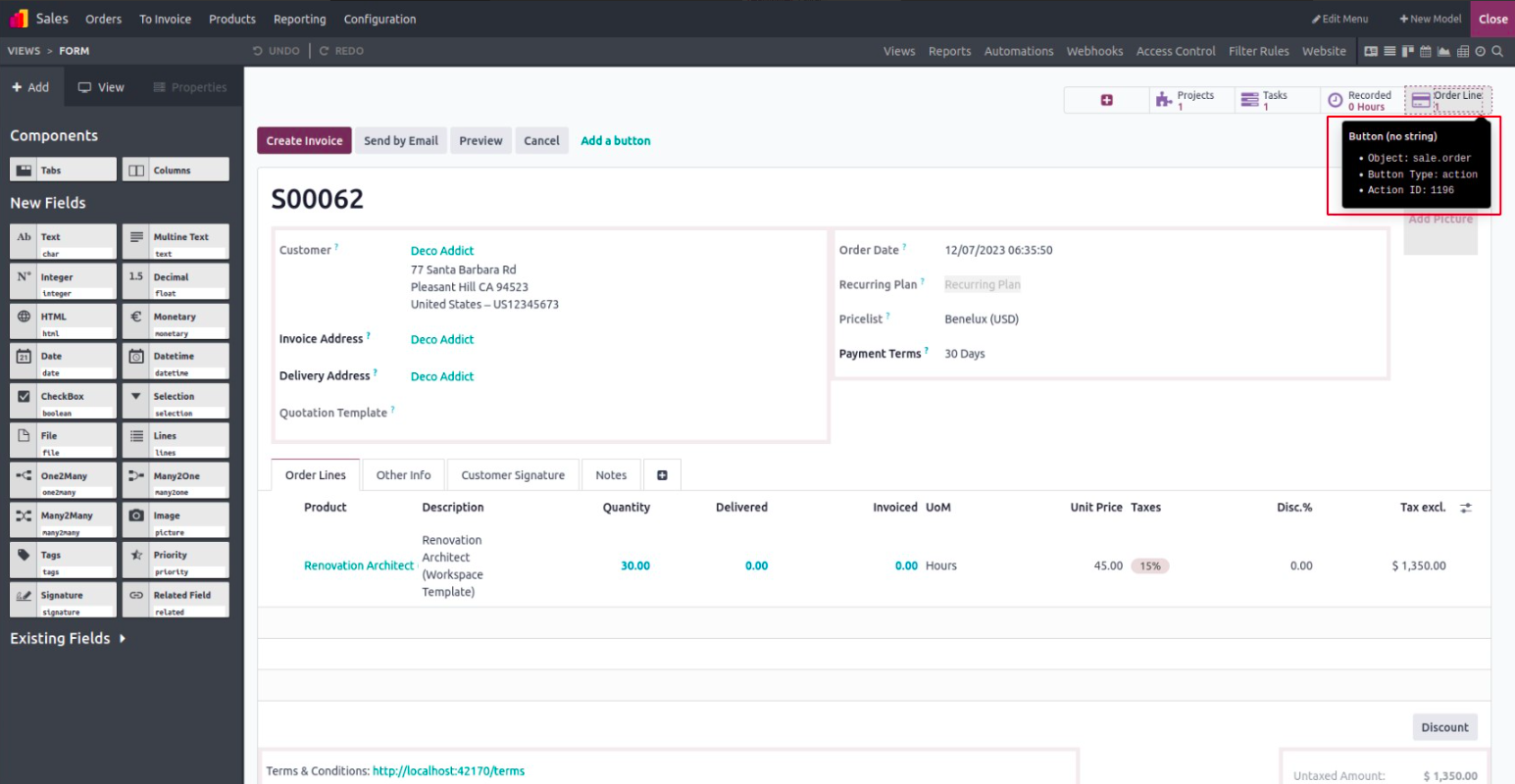
Step 4: Exit Studio – See It in Action
Once you exit Studio, the smart button becomes visible at the top of your form. It appears alongside other smart buttons (like Activities, Invoices, etc.) and shows a number that indicates how many related records are linked to this model.
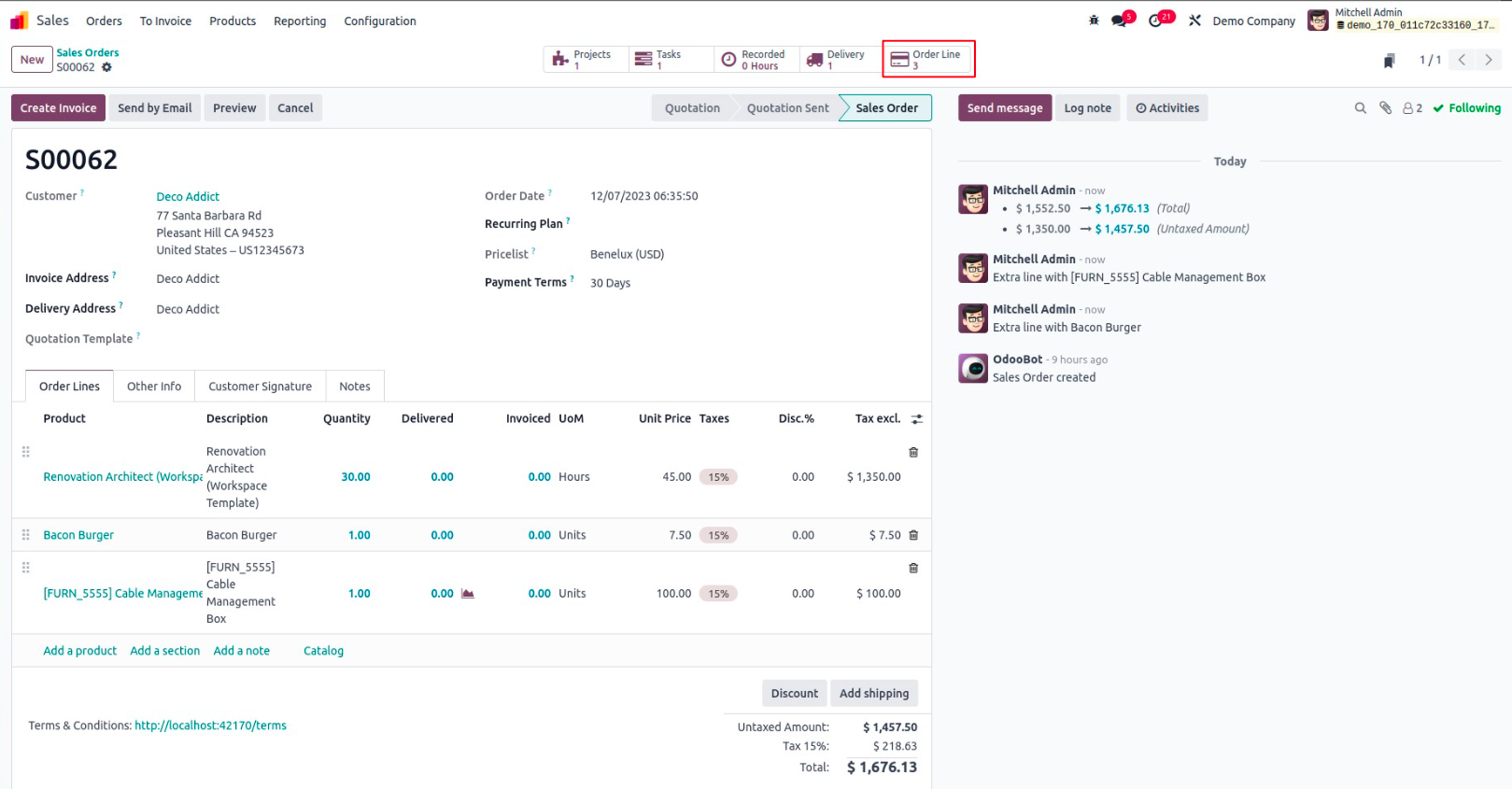
In the example shown, the number “3” means that three order lines are linked to this particular sales order.
Why Use Smart Buttons?
Smart buttons enhance usability by providing:
- Instant access to related data
- Visual indicators of linked records
- A streamlined user experience without clutte
They're especially effective for improving navigation across related business processes like Sales, Inventory, Projects, and more.